

Security recordings are meant to help people review important moments, identify activity, and understand what happened in a scene. But in real use, surveillance video is often far from clear. Many users open a clip expecting usable detail, only to find that the image is too dark, too soft, too noisy, or simply too difficult to read. This is especially common with CCTV footage, outdoor night recordings, and older cameras with limited image quality.
The same problem appears in home security camera footage. A doorbell camera, driveway camera, indoor monitor, or garage camera may capture motion, but the final result can still be disappointing if the person, object, or movement in the frame looks unclear. In many cases, the issue is not that the video is missing completely. Instead, it is that the footage is visible but difficult to review because of blur, low light, weak contrast, or compression artifacts. This is where people start searching for ways to improve security camera footage after recording.
The good news is that some problems can be improved. While enhancement cannot magically recreate details that were never captured, it can often make blurry security footage easier to inspect. Adjustments such as brightness, contrast, denoise, sharpness, and AI-based enhancement can improve visibility and help bring out the parts of the scene that matter most. If the goal is to make a dark or unclear recording easier to review, the right workflow can make a noticeable difference.
In this guide, we will explain why surveillance recordings often look unclear, what can realistically be improved, and how Wondershare UniConverter can help brighten and enhance video more easily.
In this article
Part 1. Why Surveillance Video and Security Camera Footage Often Look Blurry
Many users assume that if a camera records video, the footage should automatically be clear enough to review later. In reality, surveillance video is often created under conditions that make image quality harder to maintain. Security cameras are built primarily to capture events consistently, not always to deliver polished cinematic detail. As a result, blur, darkness, noise, and loss of detail are common.
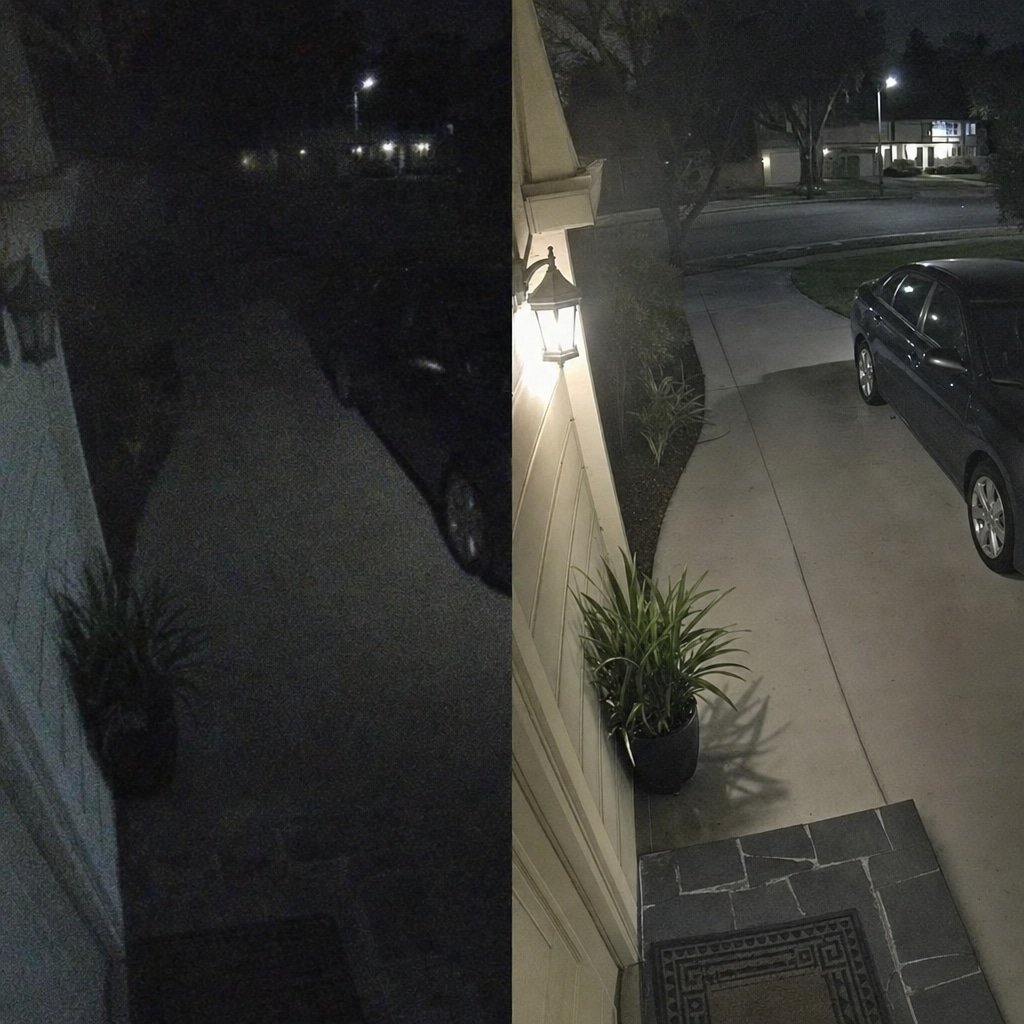
One of the biggest reasons for weak-looking security camera footage is low light. This is especially true for nighttime outdoor scenes, hallways, garages, porches, and driveways. When a camera has limited light available, it may raise sensitivity, lower detail quality, or produce extra digital noise. That noise can make a frame look grainy and rough, even if the subject is technically visible. In home security camera footage, this often appears as soft edges, unstable texture, and poor shadow detail.
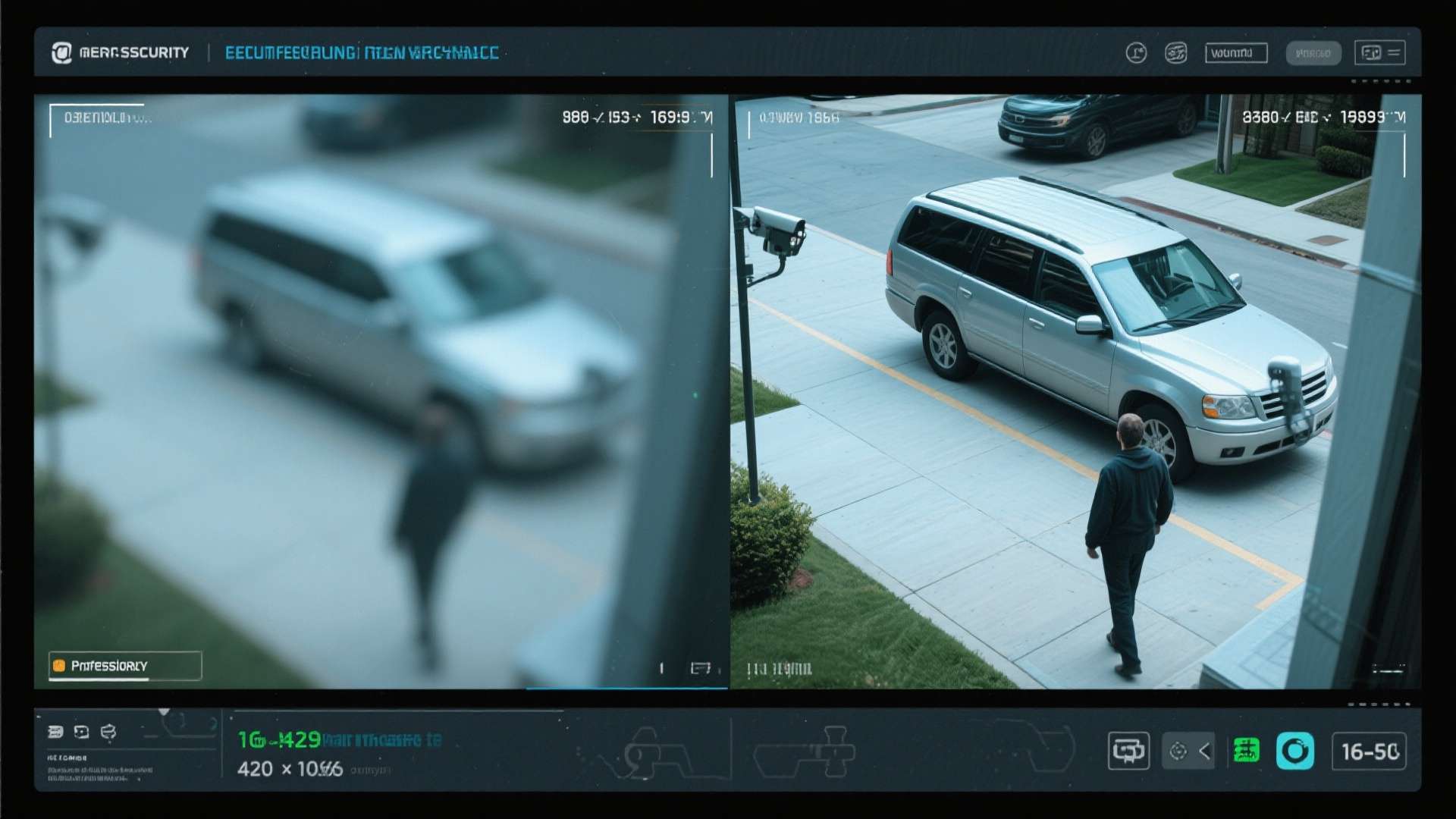
Motion blur is another major factor. When a person walks quickly through a doorway, a car moves past a gate, or an object passes across the frame, the camera may not freeze the scene cleanly. Instead, it captures movement in a smeared or stretched way. This is one of the most frustrating issues in CCTV footage, because motion is usually the very thing users want to inspect.
Distance also matters. Even if the camera records steadily, a person standing far from the lens may occupy only a small part of the frame. Once that small area is enlarged, details become weaker and less reliable. This is why outdoor surveillance video often looks less helpful than expected when the subject is far away from the entry point or street-facing camera.
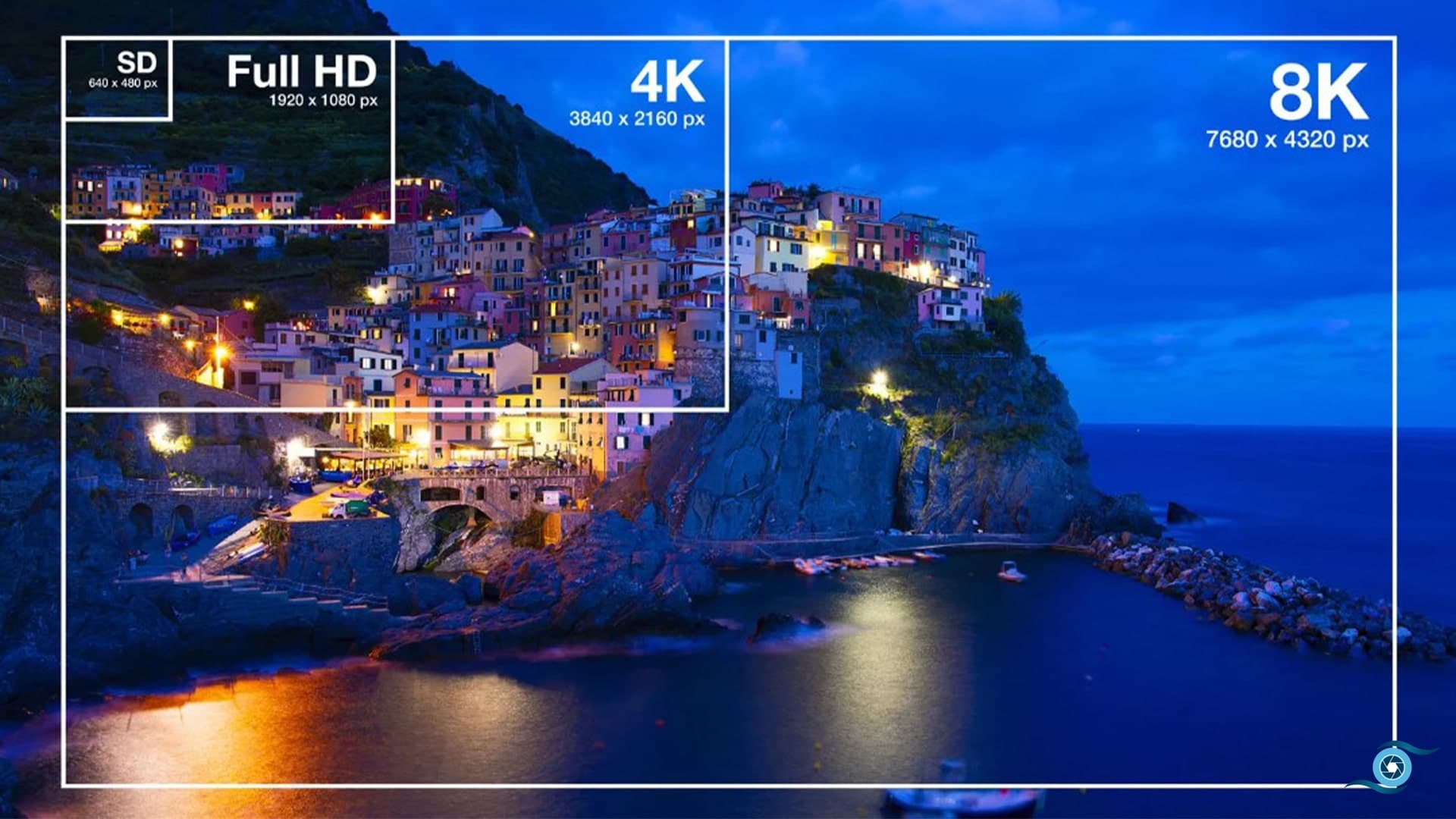
Compression can make the problem worse. Many systems save storage space by compressing footage heavily. This helps cameras record longer, but it can also soften detail, flatten texture, and introduce artifacts into the image. A clip may look acceptable at first glance, but once users try to inspect a face, license plate, or object more closely, the limitations become obvious.
Lens quality and weather conditions also affect results. Rain, fog, glare, dirt, condensation, or light reflecting directly into the lens can all reduce clarity. In some cases, the camera itself is not malfunctioning at all. The environment simply makes the recorded security camera footage harder to read.
| Problem | How It Affects the Video | Common In |
| Low light | Makes footage dark and noisy | Night surveillance video |
| Motion blur | Smears moving people or objects | CCTV footage |
| Low resolution | Reduces fine detail | Older security camera footage |
| Compression | Softens detail and adds artifacts | Exported surveillance video |
| Distance from subject | Makes targets hard to identify | Outdoor home security camera footage |
| Weather or glare | Reduces visibility and contrast | Exterior security cameras |
For this reason, blurry or weak-looking footage is not unusual. In fact, it is one of the most common reasons users search for ways to improve blurry security footage after recording.
Part 2. What Can Be Improved in Blurry Security Footage
When users see an unclear clip, the first question is usually simple: can this be fixed? The answer is sometimes yes, but not in the exaggerated way people often hope for. Enhancement works best when the video already contains some usable visual information, even if that information is difficult to see clearly at first.
The most realistic improvement is better visibility. If surveillance video is too dark, brightness adjustment can reveal more of the scene. If the image looks flat and muddy, contrast can help separate the subject from the background. If edges look too soft, careful sharpening can make forms easier to read. If the image is covered in grain, denoise tools may help clean up some of that distraction. Together, these adjustments can make security camera footage more readable and less frustrating to review.
This matters because many recordings are not completely unusable. They are simply difficult to inspect in their original state. A person standing in shadow may become easier to notice after brightness and contrast correction. A doorway or object in the background may stand out more clearly. A night clip from home security camera footage may still look imperfect after editing, but it can become more useful than it was before.
AI enhancement can also help improve overall visual quality. In many cases, AI tools are useful not because they create brand-new information, but because they optimize how existing information is displayed. This can include improving sharpness perception, balancing brightness, reducing noise, and making the scene look cleaner overall. For CCTV footage, that kind of enhancement can help users review motion, objects, and layout more comfortably.
However, there are still clear limits. If the original recording is extremely pixelated, severely out of focus, or almost completely black, no software can fully recover the missing detail. Enhancement cannot reliably recreate a face that was never captured or produce sharp text from a frame that contains no readable information. This is important to say clearly, because users often expect too much from the word “enhance.”
A better way to think about it is this: blurry security footage can often be improved enough to become easier to review, but not necessarily transformed into perfect evidence-quality video. That distinction keeps expectations realistic while still showing the real value of post-processing.
Part 3. Best Ways to Enhance Surveillance Video Naturally
The best enhancement results usually come from controlled adjustment, not aggressive editing. When users try to make security camera footage clearer, it is tempting to push every setting upward. But too much sharpening can create harsh outlines, too much brightness can wash out the frame, and too much contrast can hide details in either shadows or highlights.
A better approach is to start with brightness. Many types of surveillance video, especially night recordings, are simply too dark for comfortable review. Raising brightness can reveal more of the frame and make people, movement, or objects easier to notice. The key is to increase it gradually rather than jumping to an extreme level.
Contrast is often the next useful adjustment. Once the image becomes brighter, it may also look flat. Contrast helps restore separation between light and dark areas, which can make the subject stand out more clearly from the surroundings. In CCTV footage, this can be particularly helpful when the scene contains walls, sidewalks, parked vehicles, or doorways that visually blend together.
Sharpening should be used carefully. Slight sharpening can make lines and edges easier to see, which is useful when handling blurry security footage. But too much sharpening can create noise, halos, or fake-looking edges. The goal is not to make the image look dramatic. It is to make it easier to inspect.
Noise reduction is important in low-light home security camera footage. Grain can distract from the scene and make movement or faces harder to interpret. Denoise features can reduce some of that roughness and make the video appear cleaner, though too much denoising may also smooth away useful texture. As with other adjustments, balance matters.
AI enhancement is often most effective when the footage suffers from multiple issues at once. For example, a clip may be slightly dark, slightly soft, and slightly noisy at the same time. Instead of manually overcorrecting one setting after another, AI tools can help optimize the video more holistically. This is one reason enhancement software has become increasingly useful for users dealing with low-quality security camera footage.
| Adjustment | What It Helps With | Best Use Case |
| Brightness | Makes dark footage easier to see | Night surveillance video |
| Contrast | Improves separation between objects | Flat or dim CCTV footage |
| Sharpness | Defines edges more clearly | Slightly blurry security footage |
| Denoise | Reduces grain and rough texture | Low-light home security camera footage |
| AI enhancement | Improves overall clarity perception | Compressed or mixed-quality video |
The most useful rule is simple: aim for visibility, not overprocessing. A natural-looking improvement is usually more helpful than a heavily edited frame that introduces new problems.
Part 4. Why UniConverter Fits Security Camera Footage Enhancement
Users dealing with surveillance video, CCTV footage, or home security camera footage usually do not need a complicated cinematic editing suite. What they want is a practical way to make footage brighter, clearer, and easier to review. That is where Wondershare UniConverter fits this topic naturally.
UniConverter is a strong choice because it makes video enhancement more accessible. Instead of requiring advanced manual grading skills, it offers a simpler workflow for users who need practical improvements such as brightness adjustment, contrast correction, sharpening, and AI-based enhancement. For people who are trying to improve blurry security footage, this is far more useful than a tool built mainly for professional creative editing.
One of UniConverter’s main strengths is that it supports a cleaner workflow for common video issues. If a recording looks too dark, users can brighten it. If the image looks weak after brightening, they can adjust contrast. If the frame looks soft, they can apply sharpening or enhancement features more easily. This makes it particularly suitable for security camera footage, where the goal is often clarity and reviewability rather than artistic editing.
UniConverter also fits well because many users do this kind of work repeatedly. Someone may need to review more than one CCTV footage clip, compare several time segments, or improve multiple files from a home camera system. In that situation, a desktop-based tool with a practical interface becomes more valuable than relying on scattered online editors with limited control.
Another important point is usability. Users searching for help with blurry security footage are often not video professionals. They may be homeowners, shop operators, office staff, or content reviewers who simply need a better way to inspect what their camera recorded. UniConverter makes sense for this audience because it lowers the barrier to enhancement while still offering meaningful control over the result.
For dark or unclear home security camera footage, this matters a lot. A lightweight, understandable workflow is often the difference between footage staying ignored and footage becoming genuinely useful.


A Practical Way to Improve Blurry Security Footage
Part 5. How to Brighten and Enhance Blurry Security Footage in UniConverter
If you want to improve security camera footage in a practical way, UniConverter provides a straightforward process that is easier than using a highly technical editing platform.
Step 1. Launch UniConverter
Open UniConverter on your computer and go to the main workspace. This gives you access to the enhancement and editing tools needed for your clip.
Step 2. Import the Surveillance Video
Add the surveillance video, CCTV footage, or home security camera footage file you want to improve. It is best to work from the original file whenever possible, because copied or re-exported footage may already have lost detail.
Step 3. Open the Editing or Enhancement Panel
Once the video is loaded, open the enhancement-related tools. This is where you can begin adjusting visibility, tone, and clarity.
Step 4. Increase Brightness Gradually
If the clip is dark, start by raising brightness in small steps. This is especially useful for night recordings or dim indoor footage. The goal is to reveal more of the scene without washing it out.
Step 5. Adjust Contrast for Better Separation
After brightening, the video may look flatter than before. Increase contrast slightly so people, objects, and movement stand out better from the background.
Step 6. Apply Sharpening or AI Enhancement if Needed
If the image still looks too soft, use sharpening carefully. If the clip has several quality issues at once, such as darkness, softness, and noise, AI enhancement can help improve the footage more effectively.
Step 7. Preview the Result Carefully
Always compare the improved version with the original. Check the important parts of the frame, such as faces, doors, driveways, windows, parked vehicles, or movement areas.
Step 8. Export the Enhanced Video
Once the footage looks clearer and easier to review, export the improved file. Keep the original recording separately in case you need it later.
This workflow is especially helpful for users who want to improve blurry security footage without learning a complex professional editor from scratch.
Part 6. When Video Enhancement Helps Most
Video enhancement is most effective when the footage contains usable but weak visual information. For example, if home security camera footage is dark but still shows outlines, enhancement can help reveal more of the scene. If the clip is slightly blurry rather than completely unreadable, sharpening and contrast correction may improve visibility. If the footage looks noisy because of poor lighting, denoise and AI enhancement may help clean it up.
This means enhancement often works well for dark night recordings, slightly blurry security camera footage, noisy indoor surveillance video, compressed CCTV footage that still contains visible subjects, and recordings where the scene is present but difficult to inspect.
However, not every problem can be solved. Enhancement is much less effective when the video is almost entirely black, extremely low resolution, heavily blocked by compression, or missing key visual data altogether. In those cases, the software may still improve the clip slightly, but expectations should remain realistic.
| Situation | Can Enhancement Help? | Notes |
| Dark night footage | Yes | Brightness and shadow improvement may help |
| Slightly blurry security footage | Yes | Sharpness and contrast may improve readability |
| Noisy indoor surveillance video | Yes | Denoise and enhancement can help |
| Extremely low-resolution footage | Limited | Only partial improvement is possible |
| Completely missing detail | No | Enhancement cannot recreate uncaptured data |
Knowing when enhancement is useful helps users choose the right strategy and avoid expecting impossible results.
Part 7. Tips for Better Results with Security Footage Enhancement
A few practical habits can improve your results significantly when working with surveillance video.
First, always keep a copy of the original file. Enhanced footage is useful for review, but the untouched original should remain available for reference or comparison.
Second, avoid over-brightening. A brighter frame is not always a better frame. If highlights become too strong, parts of the scene may actually become harder to read.
Third, sharpen carefully. Mild sharpening can improve blurry security footage, but too much creates a rough and artificial look that may distract from the real details.
Fourth, check the most important parts of the frame before exporting. In CCTV footage, those areas may include entrances, driveways, parking spaces, stairways, or points of motion.
Finally, remember that enhancement is about usability. The best result is not necessarily the most dramatic-looking frame. It is the version that makes the footage easier to inspect and understand.
Conclusion
Blurry or dark security camera footage is a common problem, especially in low-light, outdoor, or motion-heavy recording conditions. Whether you are reviewing surveillance video, CCTV footage, or home security camera footage, unclear visuals can make important moments harder to understand. The good news is that many of these clips can still be improved.
Enhancement cannot fully restore details that were never captured, but it can often make blurry security footage easier to review by improving brightness, contrast, sharpness, and overall clarity. For users who want a practical and accessible way to do that, Wondershare UniConverter is a strong fit. It offers a simpler workflow for brightening and enhancing video without requiring complicated professional editing knowledge.
If your main goal is to make security camera footage more visible and usable, UniConverter provides an efficient way to improve the review quality of difficult recordings.

