

Making karaoke songs and videos is now super easy! This guide will show you how to turn any song into a karaoke track using simple online tools.
Whether you want to know how to make karaoke tracks for personal use or create karaoke video content for YouTube, this guide covers everything. We'll show you how to create a karaoke track using both free and paid tools. You'll also learn how to make a karaoke video with lyrics that look professional.
Let's dive into the world of karaoke makers and discover how to create karaoke online and offline tracks or videos that sound amazing.
In this article
Part 1: What Is a Karaoke Track or Video?
A karaoke track is a music file with vocals removed or reduced. This lets singers perform over the instrumental version. When you learn how to create karaoke online, you're essentially removing the lead vocals from songs. The backing music stays intact while the vocal track disappears.
Karaoke videos add lyrics to these tracks. They show text on screen that syncs with the music. This helps singers know when to sing each word. When you learn how to make a karaoke video, you combine the vocal-free audio with timed lyrics.
The difference between regular songs and karaoke versions is simple. Regular songs have vocals mixed in. Karaoke tracks remove these vocals but keep the instruments. Learning how to create a karaoke track means understanding this vocal removal process.
Modern tools make it easy to create karaoke song files. You don't need studio equipment anymore. Simple software can teach you how to make karaoke tracks from any song. The process involves audio separation technology that identifies and removes vocal frequencies.
Some karaoke tracks work better than others. Songs with vocals mixed in the center work best. These are easier to process when you learn how to create karaoke tracks. Songs with vocals spread across stereo channels are harder to clean.
Part 2: How to Create a Karaoke Track Online/PC/Mobile
Creating karaoke tracks from regular songs is now simple. You can learn how to make a karaoke track using various tools. These methods work for different skill levels and budgets. Whether you want to create karaoke online or offline, there's a solution for you.
The process involves removing vocals from existing songs. This leaves the instrumental backing track intact. You can then use this track for karaoke singing. Different tools offer various quality levels and features.
Method 1: Wondershare UniConverter
UniConverter offers a powerful vocal removal feature. This tool makes it easy to create karaoke song files in no time. It uses advanced AI to separate vocals from the music, so you can get a clean instrumental track.

Best Karaoke Maker
How to create karaoke tracks with UniConverter:
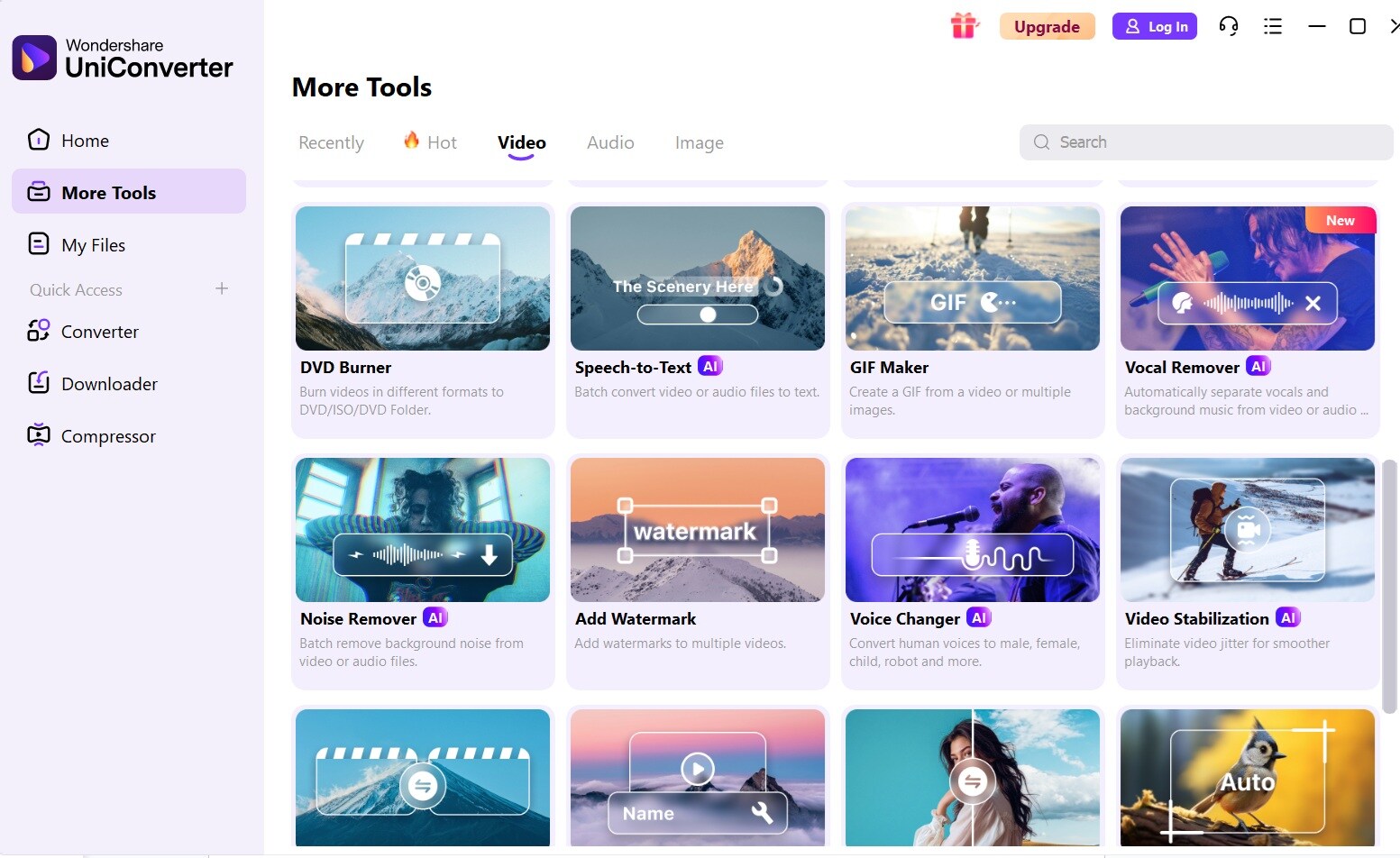
Step 1. Download and install Wondershare UniConverter. Open the software. Switch to the Video tab. Select "Vocal Remover" from the options.
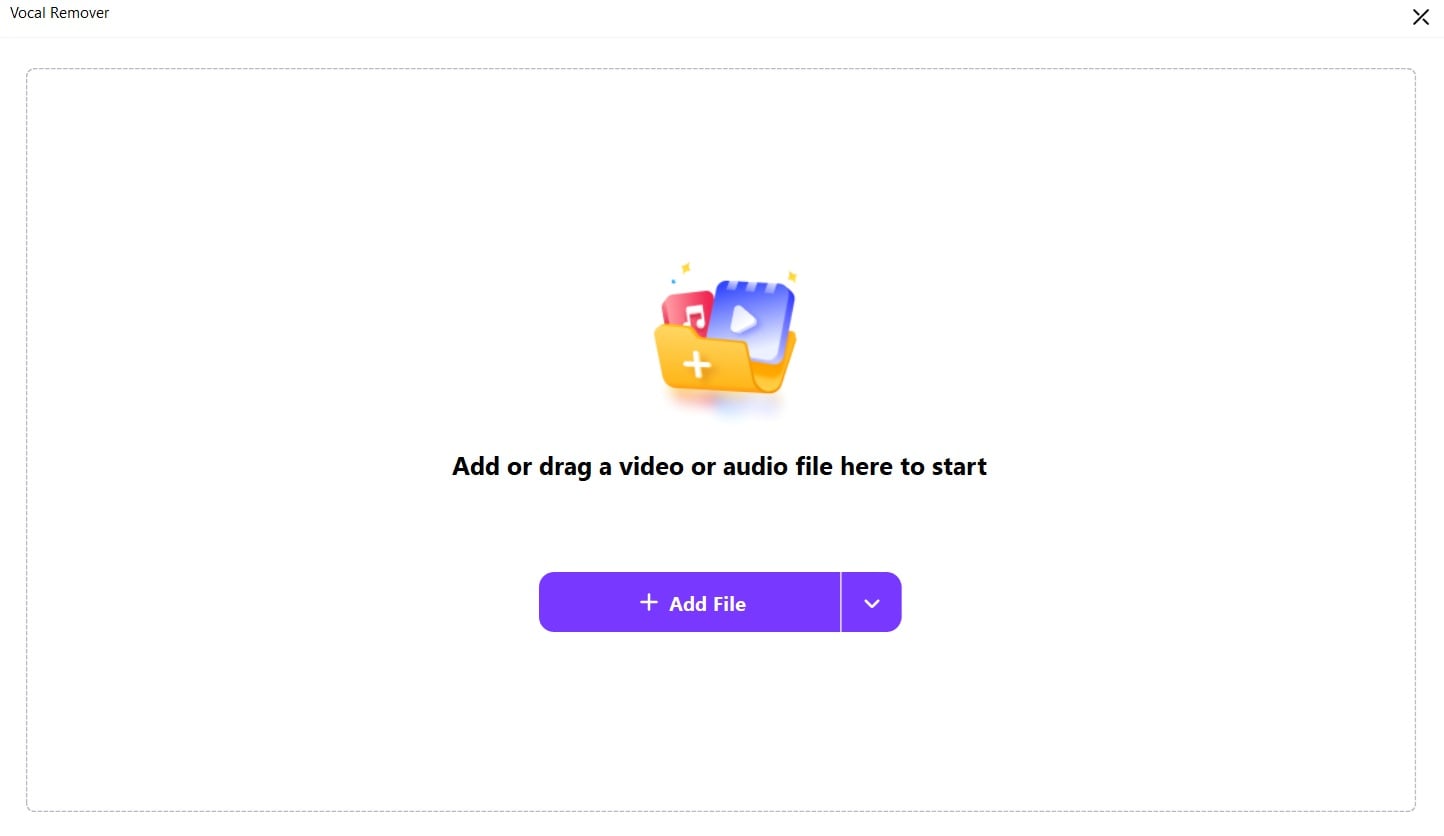
Step 2. Upload your song file by clicking "Add Files."
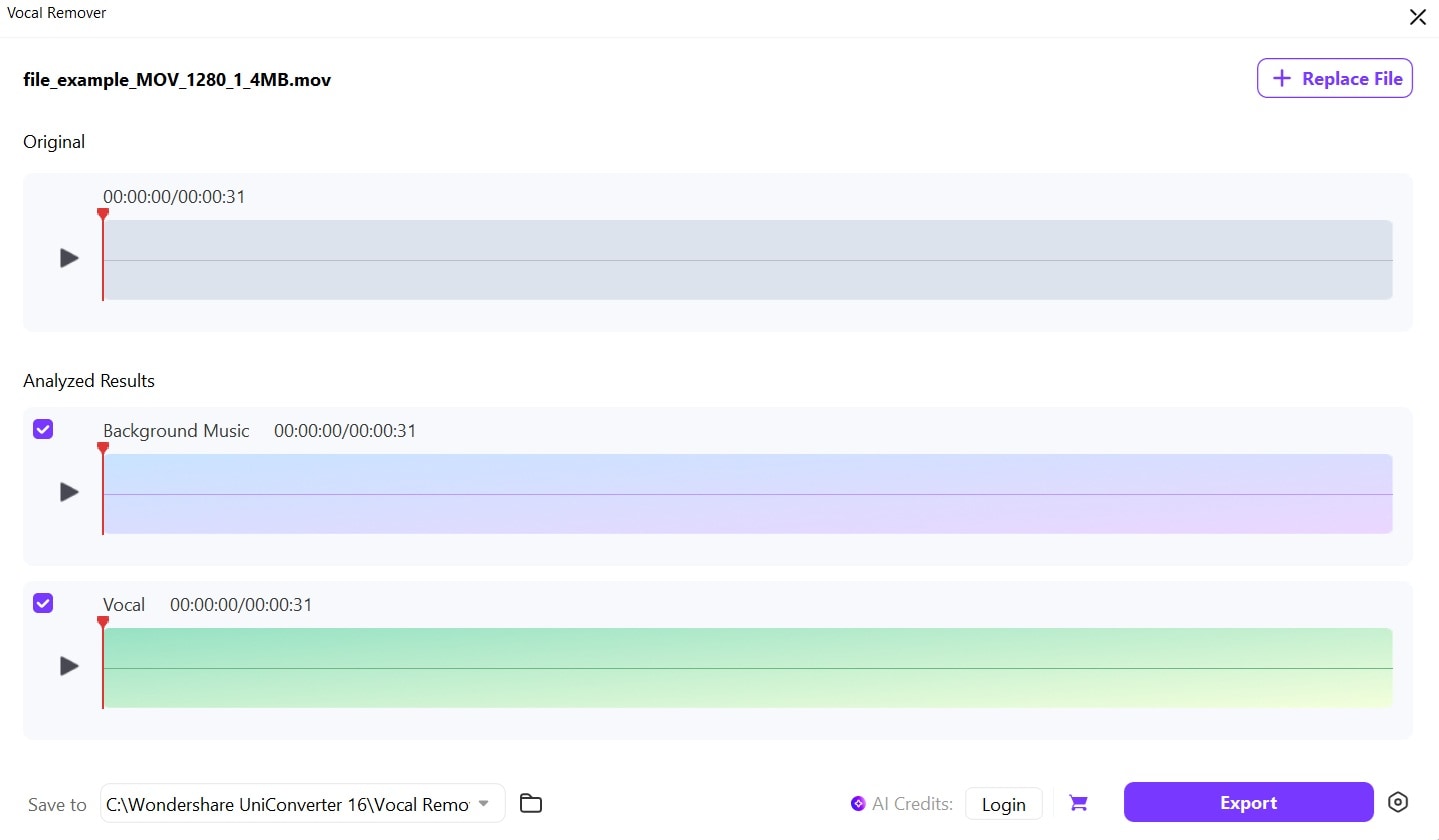
Step 3. Uniconverter will now begin processing. Click Export. Save the karaoke track to your computer.
Method 2: Media.io Karaoke Maker
Media.io offers an online music to karaoke tool for those who want to create karaoke online. This web-based tool requires no software installation. You can learn how to make karaoke tracks directly in your browser.
How to make a karaoke song with Media.io:
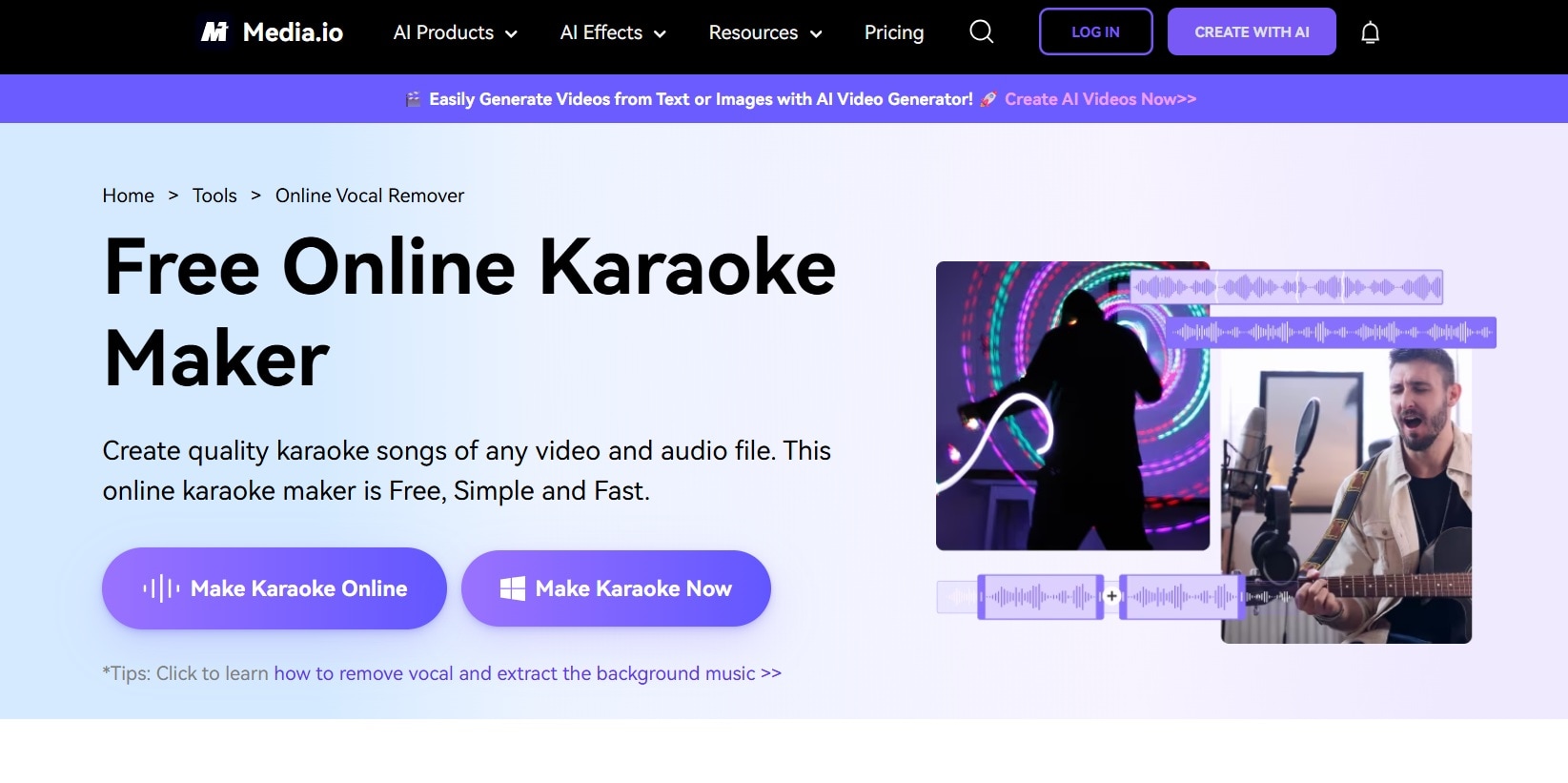
Step 1. Visit the Media.io website. Click on Make Karaoke online.
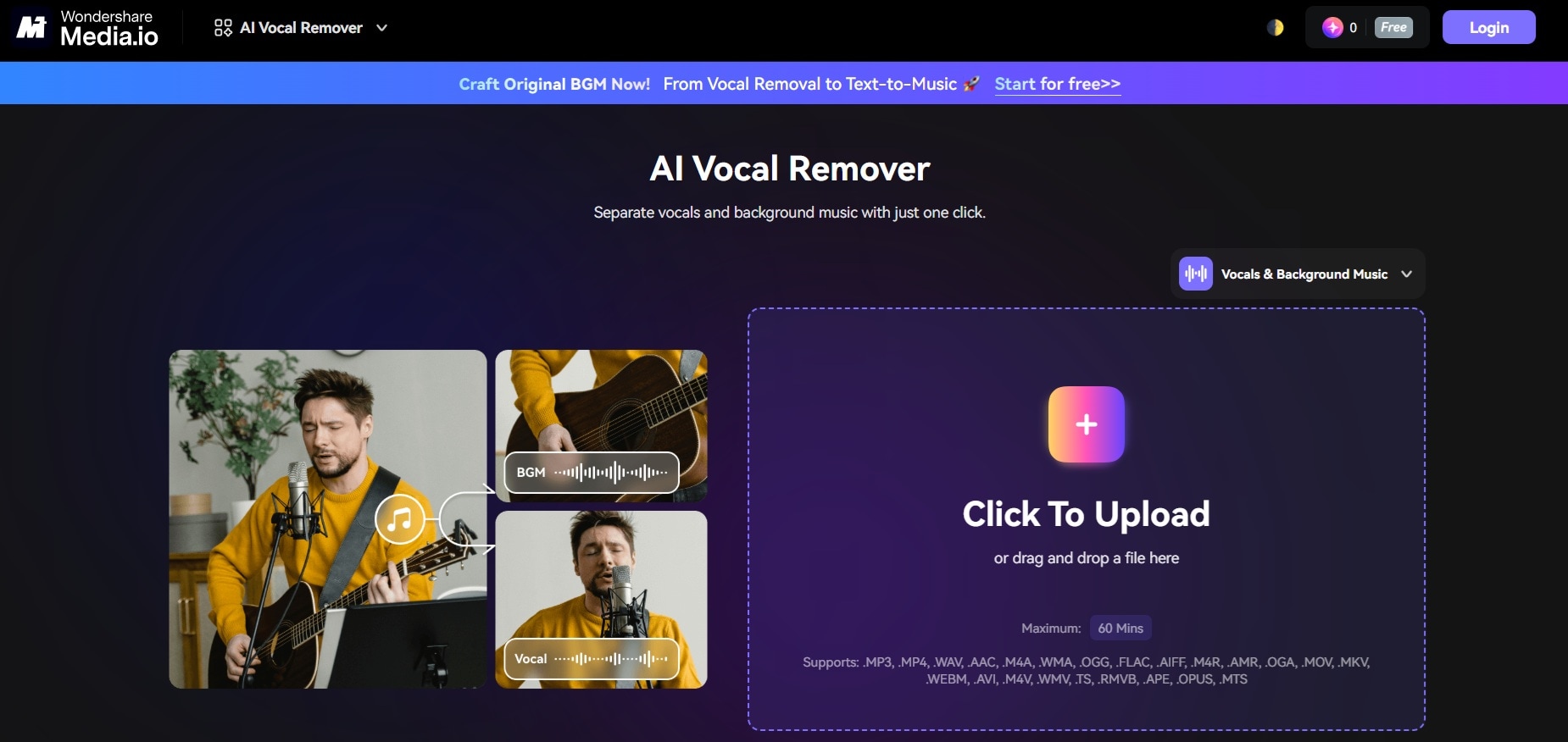
Step 2. Upload your song file (drag and drop works). Wait for the AI to process it.
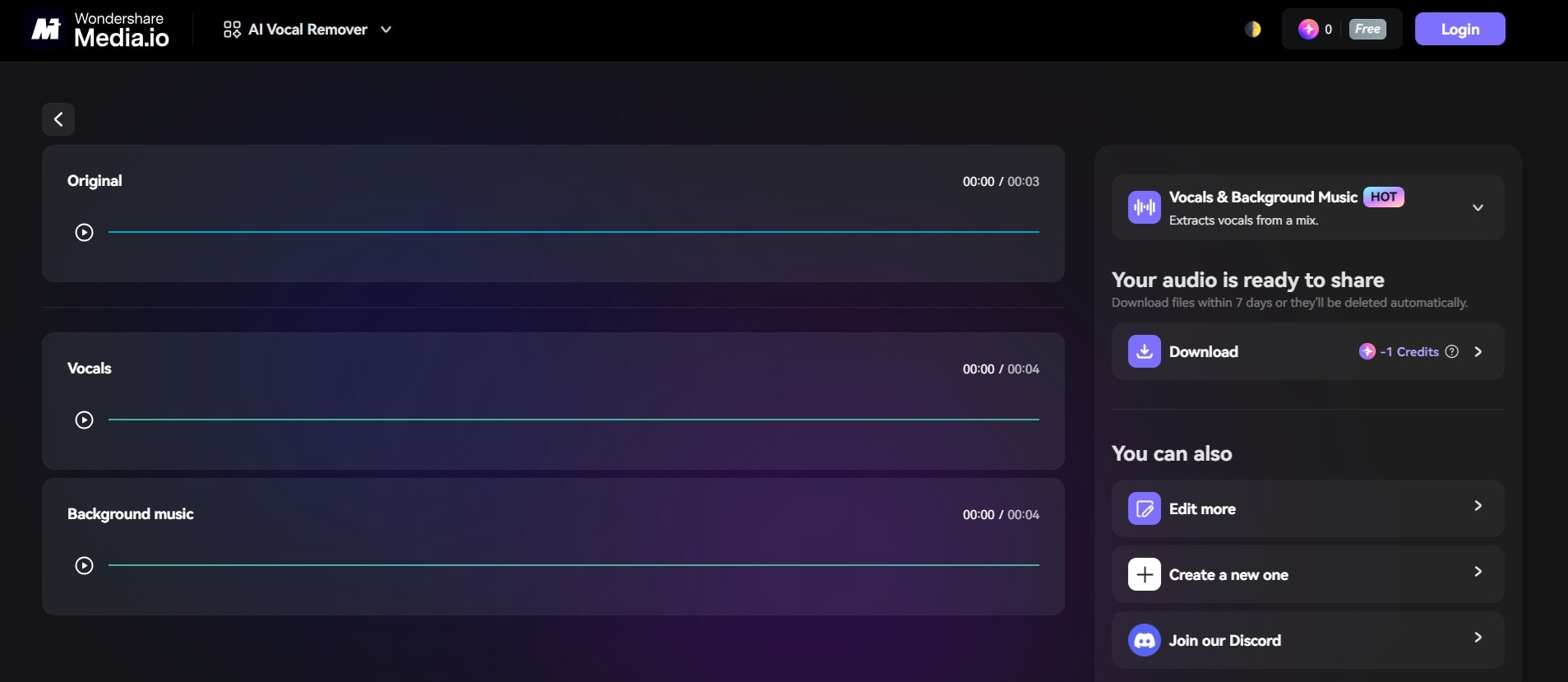
Step 3. Preview the karaoke track. Download the instrumental version. Save the file to your device.
Method 3: Audacity (Free)
Audacity is a free audio editor that can help you create karaoke tracks. This open-source software teaches you how to make a karaoke track without spending money. It requires more manual work but offers complete control.
How to make a karaoke track with Audacity:
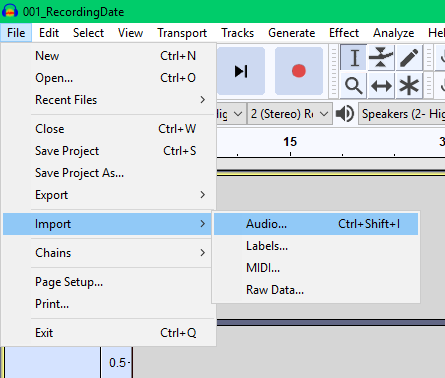
Step 1. Download and install Audacity (free). Import your song file into Audacity. Select the entire track (Ctrl+A).
Step 2. Choose Split Stereo to Mono from the dropdown menu of the stereo audio track.
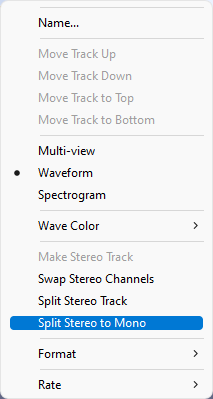
Step 3. Click "Apply" to process the track. Preview the result and adjust if needed. Export the file.
Method 4: Mobile Solutions (iOS & Android)
Mobile apps make it easy to create karaoke online while on the go. These apps help you learn how to make karaoke tracks using just your phone.
Popular mobile apps for karaoke creation:
Vocal Remover: Music Separator (iOS): Simple interface for quick vocal removal
AI Vocal Remover & Karaoke (Android): Comprehensive karaoke creation tool
Steps for mobile karaoke creation:
Step 1. Download a karaoke app. Open the app. Import your song from the music library or cloud storage.
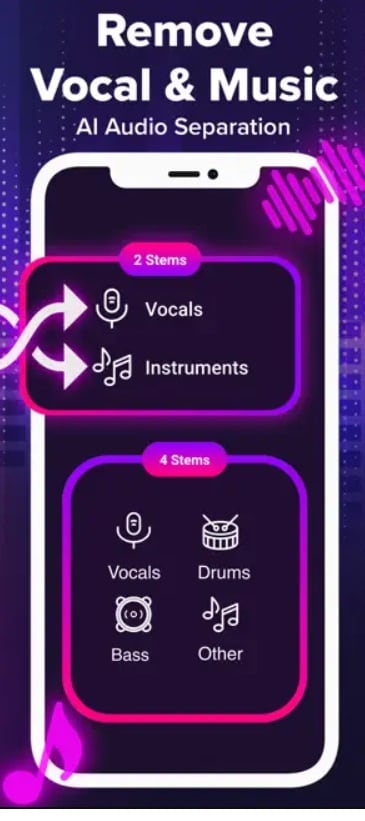
Step 2. Select vocal removal or karaoke mode. Process the track (usually takes 1-3 minutes). Preview and adjust settings if available. Save the karaoke track to your device
Part 3: How to Make a Karaoke Video with Lyrics Online/PC/Mobile
Creating karaoke videos with lyrics takes your karaoke tracks to the next level. You can learn how to make a karaoke video that looks professional and engaging. These videos combine your instrumental track with synchronized lyrics that appear on screen.
The process involves timing lyrics to match the music perfectly. This creates the classic karaoke experience where words highlight as singers should perform them. Learning how to create karaoke video content opens up opportunities for social media sharing and entertainment.
Method 1: MyKaraoke Video
MyKaraoke Video specializes in creating professional karaoke videos. This platform helps you learn how to make a karaoke video with lyrics that sync perfectly. The service offers templates and customization options for various styles.
How to create karaoke video with MyKaraoke:
Step 1. Visit MyKaraoke Video website. Choose the "Create" option.
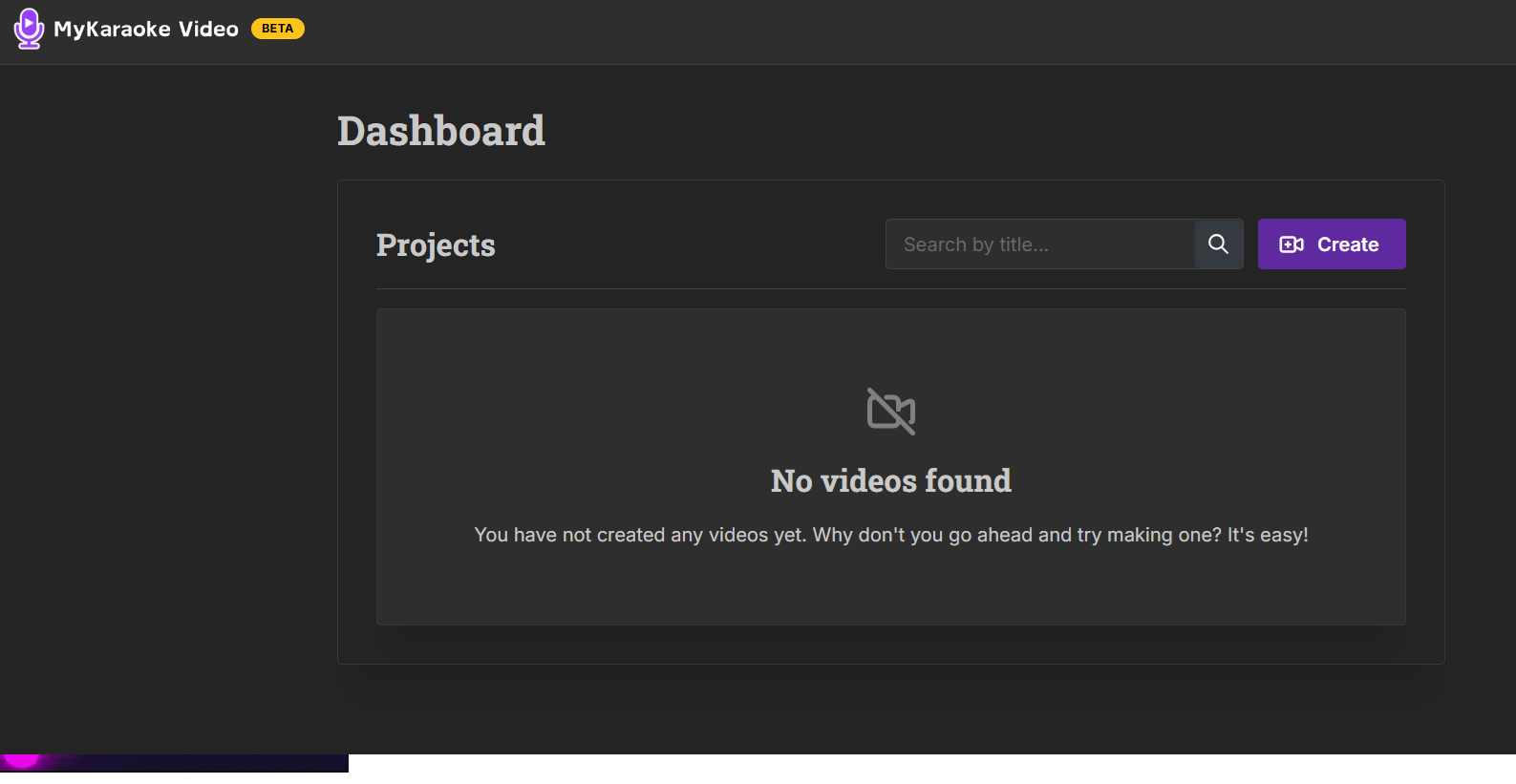
Step 2. Upload your karaoke track (instrumental version or a song).
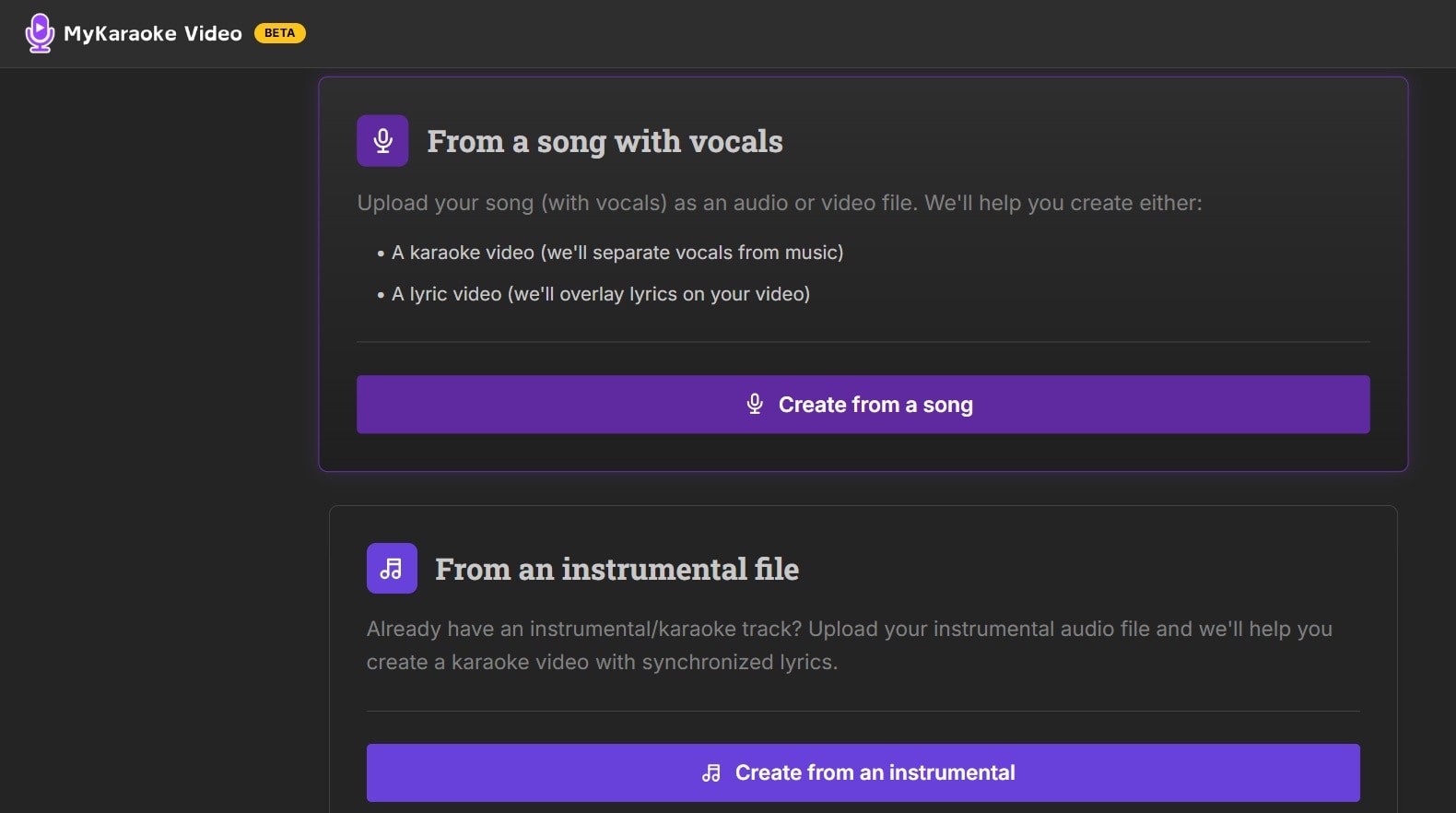
Step 3. Use the timeline to sync lyrics with music/ Select background themes and visual effect. Preview your karaoke video. Download the final video file
Method 2: Desktop Solution - OpenKJ
OpenKJ is free desktop software for creating karaoke videos. This tool helps you learn how to create karaoke video files with complete control. It's designed specifically for karaoke enthusiasts and professionals.
How to create karaoke video with lyrics using OpenKJ:
Step 1. Download and install OpenKJ. Import your karaoke track. Create a new CDG file for lyrics.
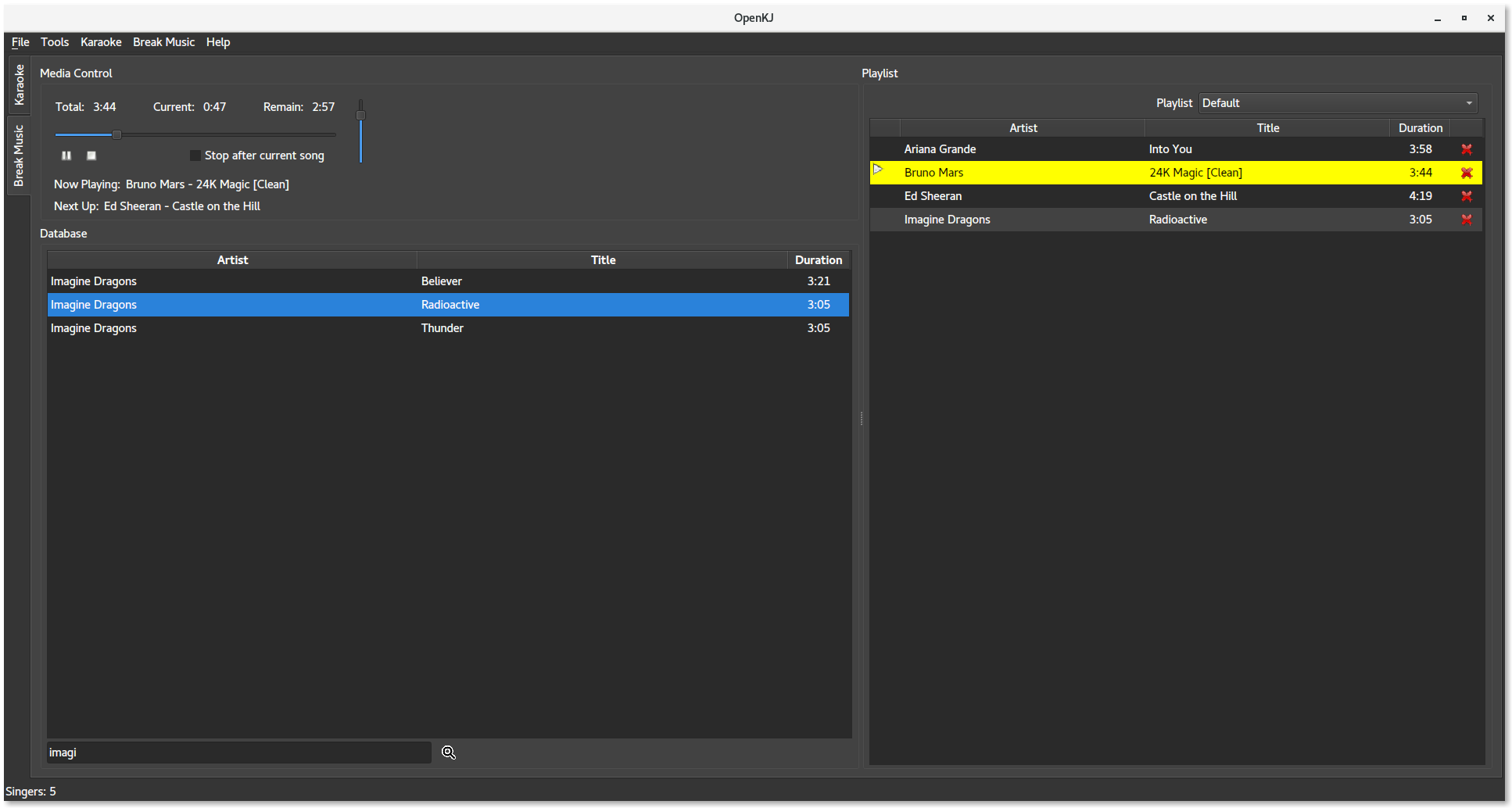
Step 2. Enter lyrics and time them to the music. Add background colors and effects. Preview the synchronized video. Export as a video file or CDG format.
Method 3: Mobile Solution - Karaoke Video Apps
Mobile apps make it simple to create karaoke video content on the go. These apps help you learn how to make a karaoke video with lyrics using just your smartphone. Many offer drag-and-drop interfaces for easy creation.
Popular mobile karaoke video apps:
InShot (iOS/Android): Video editor with text overlay features
KineMaster (iOS/Android): Professional video editing with lyric tools
Steps for mobile karaoke video creation:
Step 1. Download a video editing app. Import your karaoke track as audio. Add a background image or video.
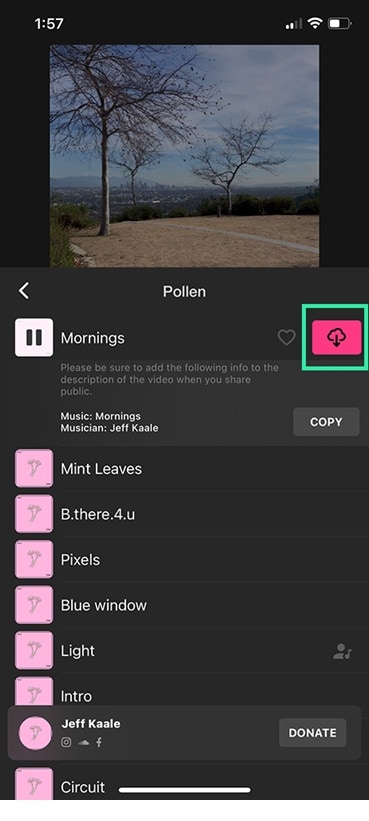
Step 2. Insert text overlays for lyrics. Time each lyric to match the music. Add transitions and effects. Export the final karaoke video.
Part 4: Tips for Better Karaoke Creation
Creating high-quality karaoke tracks and videos requires attention to detail. These tips will help you learn how to create karaoke content that sounds and looks professional. Whether you're learning how to make karaoke tracks or videos, these guidelines improve your results.
- Choose the right songs: Not all songs work well for karaoke creation. Songs with vocals mixed in the center of the stereo field work best. Avoid songs with heavy vocal effects or harmonies spread across channels.
- Use high-quality source files: Start with the best audio quality possible. Use lossless formats like WAV or FLAC when available. Higher-quality input files produce better karaoke tracks when you learn how to create karaoke online.
- Test different vocal removal settings: Most tools offer various strength levels for vocal removal. Experiment with different settings to find the best balance. Sometimes, medium removal works better than maximum removal.
- Check the results on different speakers: Test your karaoke tracks on various audio systems. What sounds good on headphones might not work well on speakers.
- Keep original timing when adding lyrics: When you learn how to make a karaoke video with lyrics, maintain the original song's timing. Don't rush or drag the lyrics.
- Use readable fonts and colors: Choose clear, bold fonts for lyrics that are easy to read. Ensure good contrast between text and background. This helps singers follow along without straining their eyes.
Conclusion
You now know how to create karaoke tracks and videos using various methods. Whether you want to create karaoke online or offline, these tools make the process simple and affordable. From learning how to make a karaoke track with free software to creating professional karaoke video content, you have multiple options to choose from.
Start with free tools like Audacity or online platforms to learn the basics. Once you're comfortable with how to create karaoke song files, consider upgrading to paid tools for better quality and features. Remember that practice makes perfect when learning how to make karaoke tracks and videos.
The key is to experiment with different methods until you find what works best for your needs. Whether you're creating content for personal use or sharing on social media, these techniques will help you produce engaging karaoke content.
Try UniConverter today and create your first karaoke song in minutes!

