Choose the Right Video Watermark Remover for Your Workflow
Use the online tool for quick edits, or choose the desktop app when you need more control over moving watermarks, multiple files, and export settings.
Online Video Watermark Remover
Best for short clips and quick browser-based edits.
- Upload a video online
- Select the unwanted watermark area
- Preview the result
- Export the cleaned clip
Desktop Video Watermark Remover
Best for longer projects, repeated workflows, and professional video cleanup.
- Remove moving watermarks with time-based control
- Process multiple videos in a batch workflow
- Fine-tune the selected watermark area
- Export videos in HD or 4K
How to Remove Watermark from Video Online or on Desktop




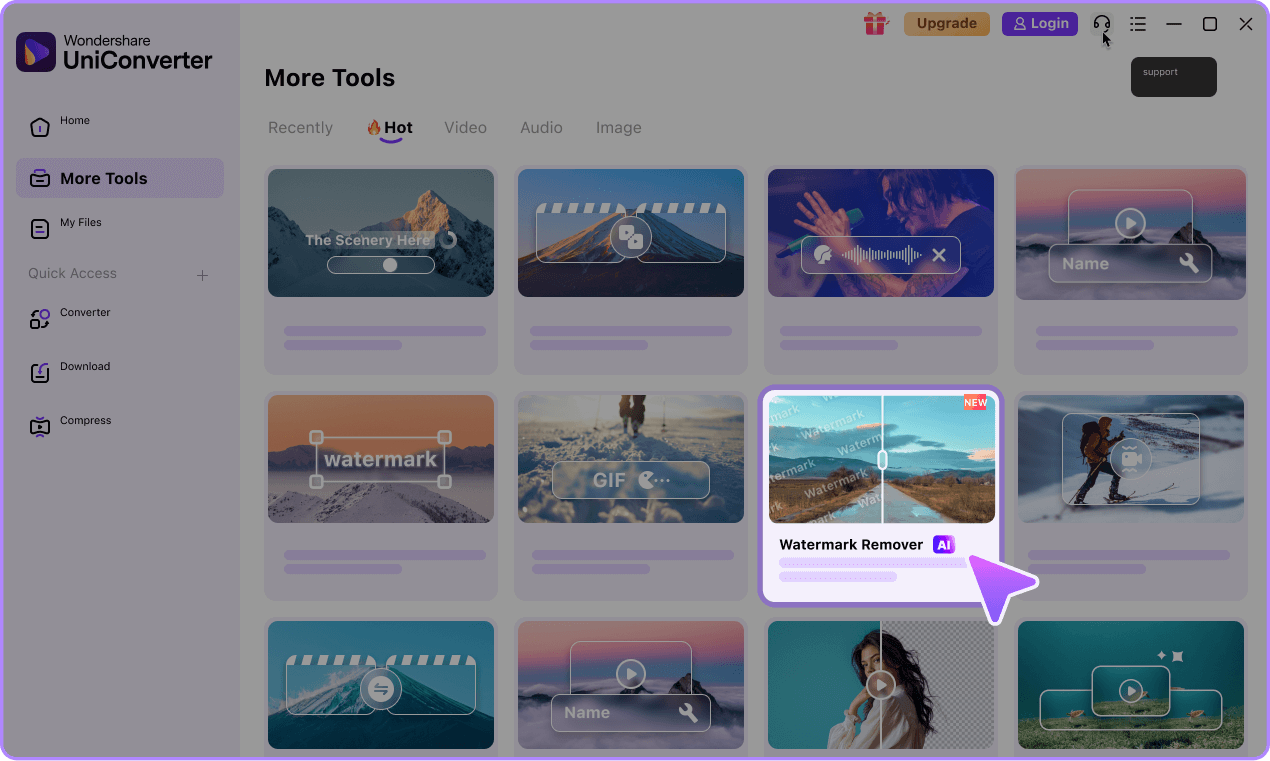
Step 1. Import one or multiple videos
Open the desktop version, head to watermark remover feature and add single or batch files.

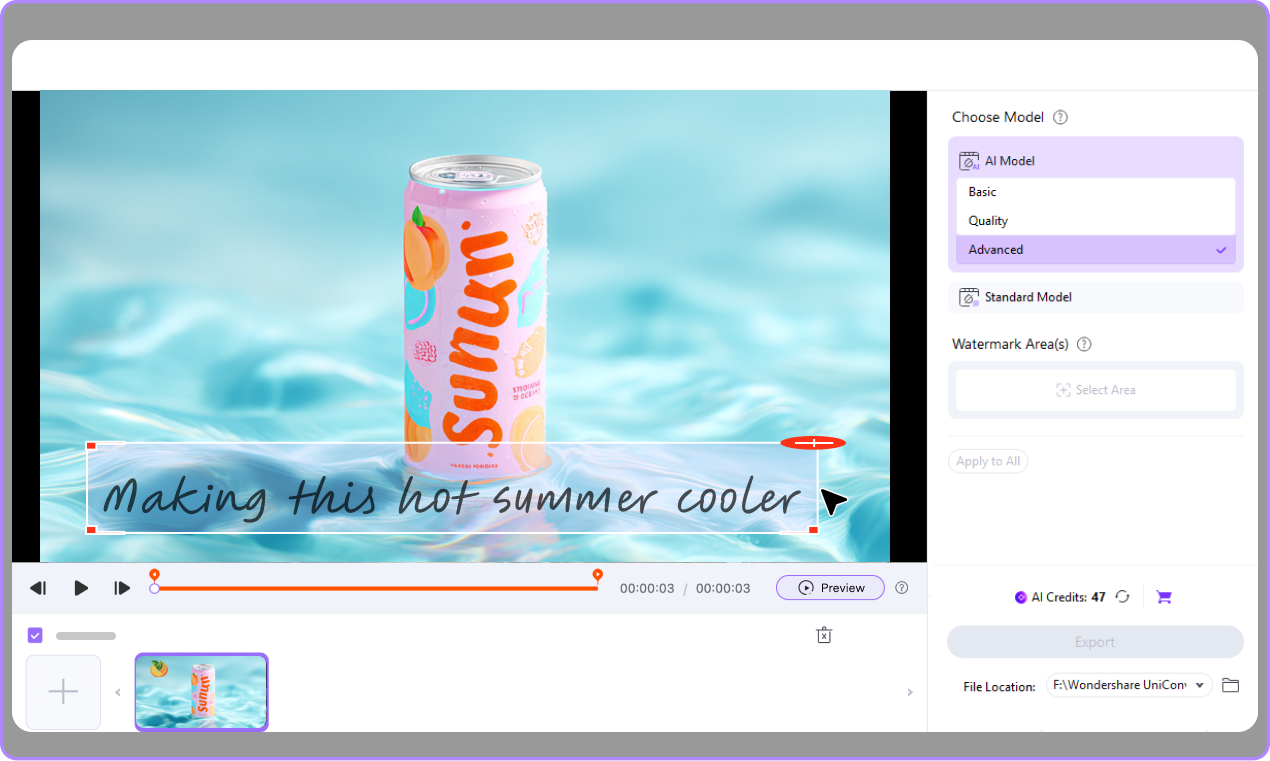
Step 2. Choose the watermark area and timeline
Select the watermark zone, choose the AI model that gives you the best erase effect for your footage, and set time-based removal for moving watermarks.

Step 3. Export in HD or 4K
Process the file, preview and save a clean video with better quality control and flexible settings.

What You Can Remove with a Video Watermark Remover






Logos
Text
Subtitles
Date
Moving Watermarks
Objects
Why Choose UniConverter as Your AI Video Watermark Remover
UniConverter gives you a more flexible way to remove watermarks, logos, subtitles, and overlays while keeping videos cleaner and more reusable for publishing, delivery, and editing.
Remove Watermark from Video Without Heavy Blur
You can remove watermark from video without heavy blur by using AI-based frame repair instead of simple masking. UniConverter fills the selected area with surrounding visual information to keep the result smoother and more natural. This helps when you need to remove logos, text, or subtitles without making the edit obvious. It is a better option for creators who care about a clean and professional result.

Export Clean Videos in HD and 4K
You can remove watermark video content and keep the output sharp with HD and 4K export support. This matters when you need to publish on YouTube, deliver client assets, or reuse high-resolution source files. The desktop video watermark remover gives you more control over export settings and overall quality. It helps preserve detail while making the file ready for editing, sharing, or publishing.

Remove Moving Watermarks with Time-Based Control
You can remove moving watermark from video more precisely with time-based controls on desktop. Select when the watermark appears, apply removal only to that segment, and avoid changing parts of the clip that do not need editing. This improves accuracy and helps reduce unnecessary processing. It is especially useful for platform watermarks, animated logos, and overlays that shift across the frame.

Batch Remove Watermarks from Video on Desktop
You can batch remove watermarks from video files when you need to process multiple clips in one workflow. This saves time for agencies, social teams, and creators who manage large content libraries. Import several files, apply similar cleanup settings, and export them together. It is a practical advantage over many online watermark remover tools that focus only on one file at a time.

Do More Than Remove Watermarks in One Workflow
You can do more than remove watermark from video in UniConverter. After cleanup, you can compress, convert, edit, and export your file in the same workflow. This reduces the need to switch between separate tools and helps you finish projects faster. It is a strong choice if you want a video watermark remover that also fits into a broader content production process.

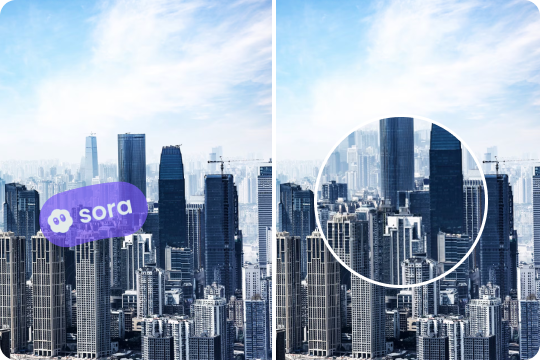
Remove Watermark from TikTok, Instagram, Sora, Kling, Veo, and More
From saved social videos to AI-generated previews, UniConverter helps you remove watermarks, usernames, logos, subtitles, and other distractions from many types of video sources. Clean your footage first, then repurpose it for Reels, Shorts, ads, tutorials, or client delivery.





Use Cases for Removing Watermark from Video by Audience

Remove Watermark from Video for Content Creators
Content creators often need to reuse clips across YouTube, TikTok, Instagram, and Shorts. UniConverter helps remove watermark from video so you can clean logos, subtitles, and overlays before republishing or editing. The online watermark remover is useful for quick fixes, while the desktop version fits longer projects and higher-resolution exports. This gives you a more flexible workflow when you need clean visuals for tutorials, commentary videos, product reviews, or creative edits.

Video Watermark Remover for Social Media Managers
Social media managers often work with saved platform clips, campaign drafts, and creator assets that need fast cleanup. UniConverter helps remove watermark video elements, including usernames, text overlays, and moving platform marks. You can use it to prepare clean assets for Reels, Shorts, ads, and cross-channel publishing. Batch processing on desktop is especially helpful when your team needs to edit multiple clips at once while keeping quality and turnaround time under control.

Batch Watermark Removal for Agencies
Agencies often handle large volumes of client videos, review edits, and multi-platform campaign assets. UniConverter gives you a desktop video watermark remover that supports batch processing, time-based cleanup, and HD or 4K export. This helps you remove watermark from video files more efficiently while maintaining consistent output quality. It is a practical solution for teams that need clean deliverables, faster revision cycles, and fewer manual editing steps across repeated projects.

Remove Logos, Text, and Overlays for E-commerce Teams
E-commerce teams often need clean product videos for marketplaces, paid ads, landing pages, and social campaigns. UniConverter helps remove logo from video assets, clear text overlays, and erase timestamps or stickers that do not match the final brand presentation. This makes it easier to reuse product footage across channels without distractions on screen. You can also export optimized files after cleanup, which supports faster publishing and a more consistent visual style across your catalog.
What our users are saying about UniConverter video watermark remover
FAQ About Deleting Watermark from Video
How do I remove watermark from video online for free?
Can I remove a moving watermark from video?
Will watermark removal reduce video quality?
Can I remove logo, subtitle, and text from the same video?
Is there a desktop video watermark remover for batch editing?
Can I remove watermark from TikTok, Instagram, or Sora videos?
Can I remove transparent watermarks?
Is it legal to remove a watermark from my own video?
Tips and Tricks for Removing Video Watermark



Try UniConverter to Remove Watermark from Video Online or on Desktop
Use UniConverter to remove watermark from video, clean logos and text, and export polished clips for any workflow. Start with the online watermark remover for quick edits, or choose the desktop video watermark remover for batch processing, moving watermark cleanup, and HD or 4K export.


AI Watermark Remover
Remove watermarks from videos and images using AI—erase logos, text, objects, people, and more in batches without blur or quality loss. Supports 1,000+ formats.