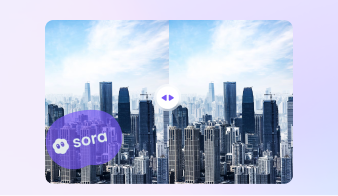
How to Remove Veo Watermark from Video
Choose the method that fits your workflow best. Use the online remover for quick edits in your browser, or use the desktop watermark remover when you want more control over timing, file size, batch processing, and output quality. When the unwanted area includes more than a watermark, try remove object from video to clean extra distractions in the frame.

Add your file to the online Veo watermark remover in your browser.

Select the visible Veo watermark area for faster cleanup.

Export and save your cleaned file. This method works well when you need to remove Veo watermark online for quick edits.

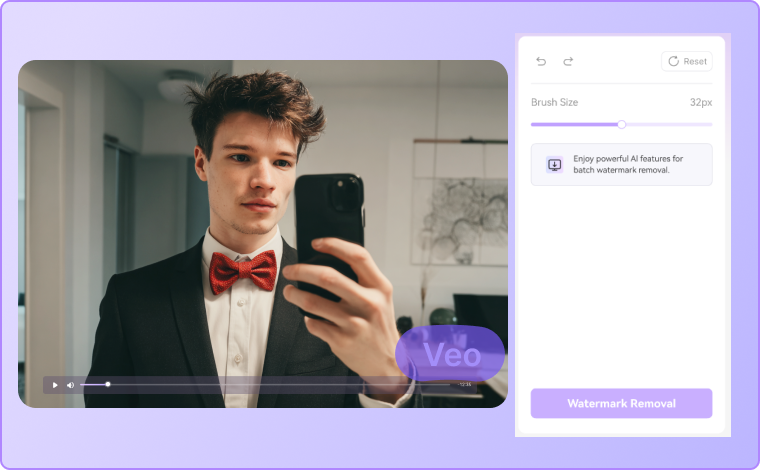

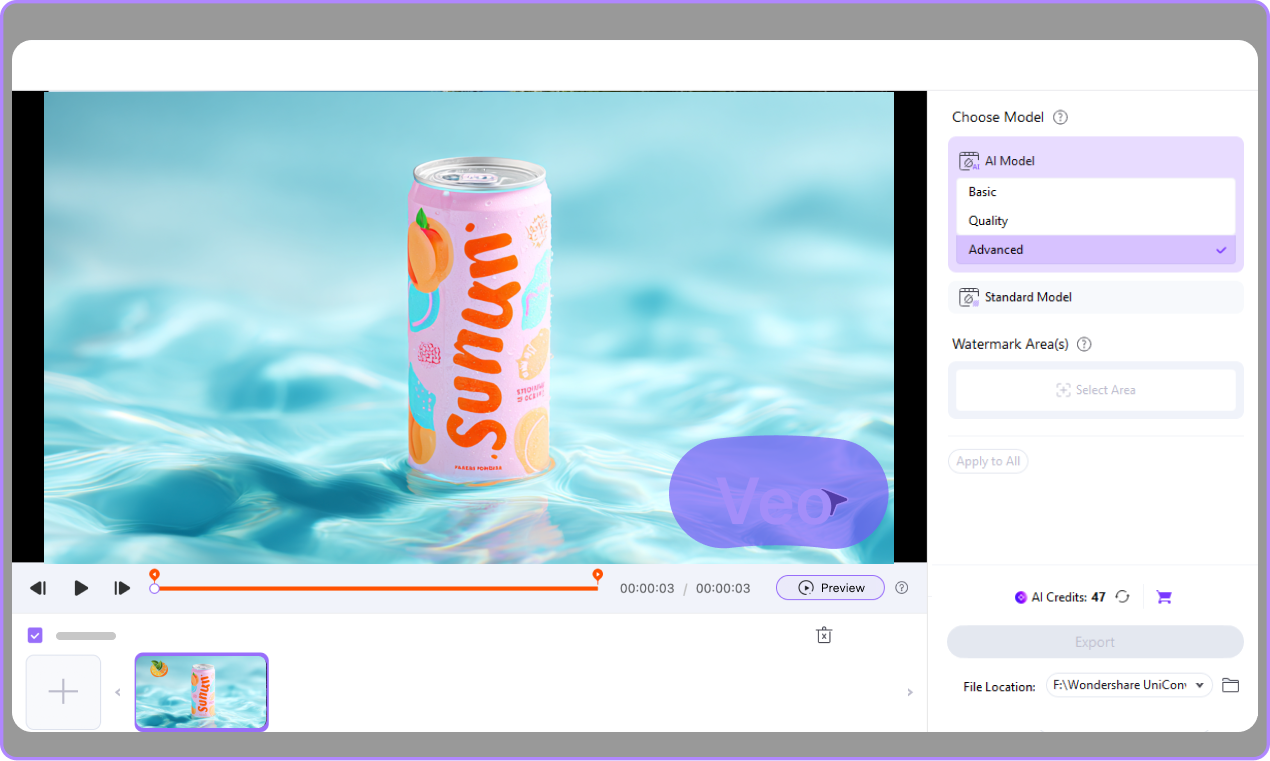
Open UniConverter, head to Watermark Remover, and upload your Google Veo, Veo 3, or Veo 3.1 clip.
Choose the model based on the complexity of the watermark. Highlight the visible Veo watermark or choose the time segment where it appears.
Check the cleaned video, then export it in high quality. This is a practical way to remove Veo watermark from video without blur.
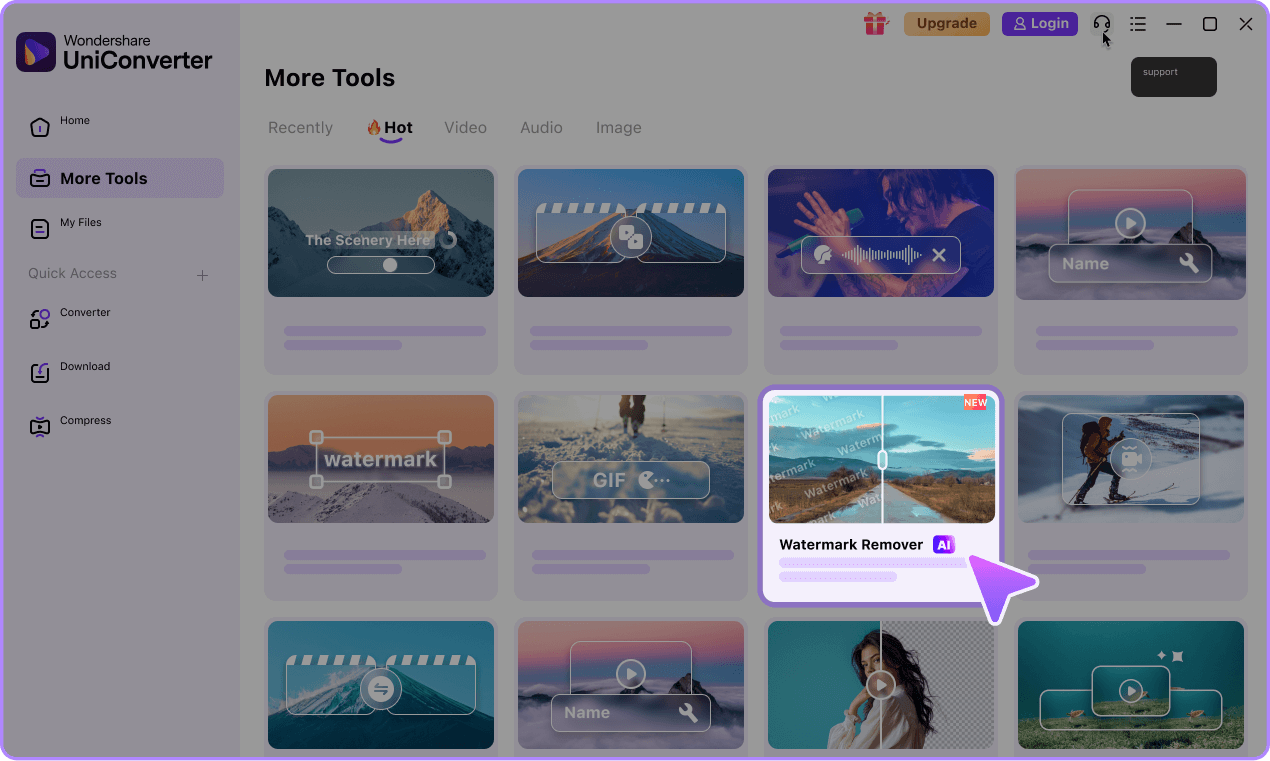

Why Choose UniConverter for Veo Watermark Removal
UniConverter gives you a practical way to remove Veo watermark marks from AI-generated videos while keeping the frame cleaner and more natural-looking. You can choose online cleanup for fast edits or desktop editing for larger files, repeated tasks, and more precise control.
Remove Veo Watermarks Without Blur
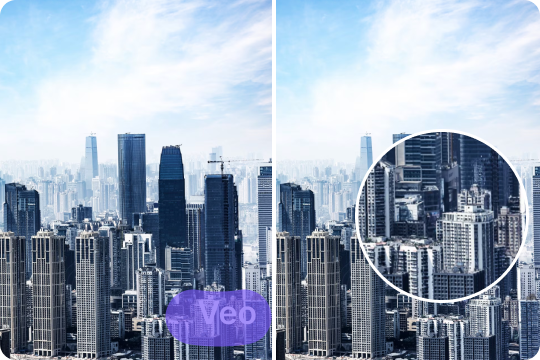
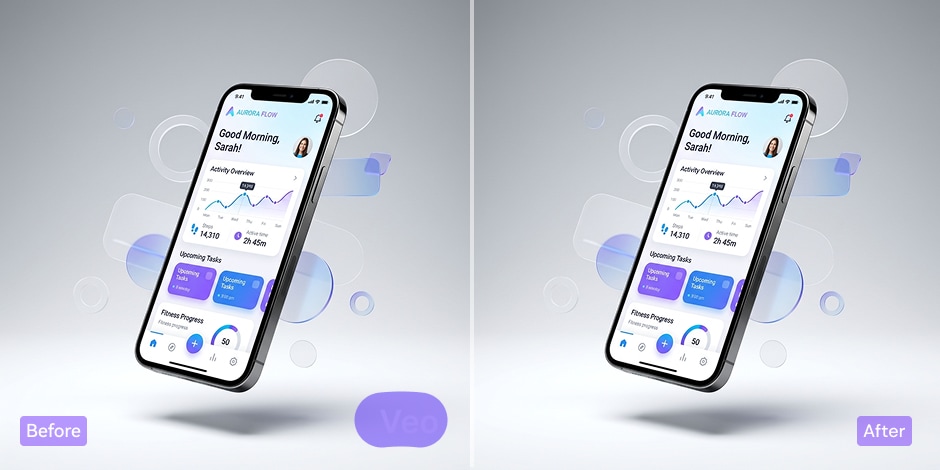
UniConverter helps you remove Veo watermark marks while keeping your footage clean and watchable. Instead of making the edited area look soft or obvious, the tool is designed to blend the result more naturally into the video. This makes it a useful Veo watermark remover for creators who want cleaner output for social posts, client drafts, or short-form content.
Desktop and Online Veo Watermark Removal
You can choose the workflow that fits your project best. Use the desktop app for deeper control, batch edits, and local processing, or use the online Veo watermark remover for quick cleanup in your browser. This flexibility makes it easier to remove Veo watermark from video whether you are editing one clip fast or managing a larger content workflow.

Batch Processing for Multiple Veo Videos
If you handle several clips at once, UniConverter gives you a more efficient way to remove watermark from video files in bulk. The desktop version supports batch processing, which is useful for creators, marketers, and teams working with repeated Veo content. Instead of editing files one by one, you can streamline your workflow and save time on routine cleanup.

Time-Based Removal for Dynamic Watermarks
Some watermarks only appear during part of a video. UniConverter supports time-based editing, so you can target the exact section where the visible Veo mark appears. This is especially helpful when you need to remove moving watermark from video content or clean up changing overlays. You get more control and avoid unnecessary edits across the full timeline.

Keep 4K and HD Video Quality
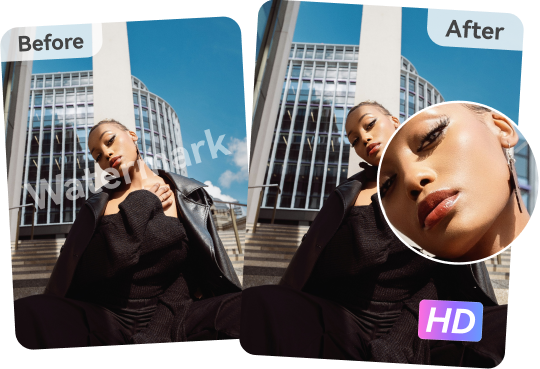
A good Veo 3 watermark remover should not ruin the original video quality. UniConverter is designed to help you remove Veo watermark without losing quality, so your exported file still looks sharp on larger screens and social platforms. Whether you are working with HD or 4K content, you can keep more detail in the final output for a more polished result.
Fast and Secure Processing
Speed matters when you need to publish or share content quickly. UniConverter gives you a fast way to remove logo from video files and clean up visible Veo marks with less manual work. You can choose desktop processing for local control or use the online tool for convenience. Either way, the workflow stays simple, efficient, and easier to manage.

Best Use Cases for a Veo Watermark Remover




Remove Veo Watermark for TikTok, YouTube Shorts, and Instagram Reels
If you publish AI-generated clips on TikTok, YouTube Shorts, or Instagram Reels, UniConverter helps you remove Veo watermark before posting. A cleaner frame can make short-form content look more polished and platform-ready. Whether you are repurposing quick trend videos or preparing branded vertical content, this Veo watermark remover gives you a simple way to improve visual quality without adding a heavy editing workflow.
Remove Veo Watermark for UGC Ads and Paid Social Video Creatives
Paid social videos need to look clear, direct, and brand-ready. If you use AI-generated clips for ad concepts, UGC testing, or campaign drafts, UniConverter helps remove Veo watermark elements so the frame looks cleaner and less distracting. This Google Veo watermark remover workflow is helpful for marketers who need polished visuals for ad review, client feedback, and cross-platform social media campaigns.
Clean Up Google Veo Videos for Product Demos and Ecommerce Content
Product videos should keep attention on the item, message, or feature you want to highlight. UniConverter helps you remove watermark from Google Veo video content before using it in demos, ecommerce pages, and marketplace assets. This is useful when you turn AI-generated drafts into cleaner product content. You can improve visual presentation without adding a complex editing step to your workflow.
Remove Veo Watermark from Video for Pitches, Mockups, and Presentations
When you include AI-generated clips in a pitch deck, mockup, or presentation, a clean frame helps your ideas look more polished. UniConverter gives you a practical way to remove Veo watermark from video drafts before sharing them with clients, stakeholders, or internal teams. This makes it easier to present creative concepts clearly and keep the focus on your message instead of on-screen watermark distractions.
Use a Veo 3 Watermark Remover for Internal Drafts and Creative Reviews
Creative teams often review multiple AI video concepts before anything moves forward. UniConverter works well as a Veo 3 watermark remover when you need to clean up draft clips for internal discussion, editing reviews, or test versions. The desktop version is especially useful for repeated edits and batch processing, helping teams prepare cleaner Veo video assets for structured feedback and faster review cycles.
Desktop vs Online Veo Watermark Removal
Choose the workflow that matches your editing needs best. Use the online tool for quick one-off cleanup, or switch to desktop when you need more control over timing, file size, and batch edits.
| Feature | UniConverter Desktop | UniConverter Online |
|---|---|---|
| Best for | Bulk edits and longer files | Quick one-off cleanup |
| Batch removal | Yes | No |
| Time-based removal | Yes | No |
| Local control | Stronger | Browser-based |
| Speed to start | Requires download | Instant access |
| Recommended for | Creators, editors, teams | Casual users, quick tasks |
Why users choose
UniConverter as a Veo watermark remover
FAQs About Removing Veo Watermarks
What is a Veo watermark remover?
How do I remove Veo watermark from video without blur?
Can I remove Veo watermark online?
Does UniConverter support Veo 3 and Veo 3.1 videos?
Will watermark removal reduce video quality?
Can I process multiple Veo videos at once?
Is there a desktop Veo watermark remover for Windows and Mac?
Are there any compliance considerations when editing AI-generated videos?
More Than a Veo3 Watermark Remover