How to Remove TikTok Watermark in 3 Steps

Upload your saved TikTok video from your device to start. This TikTok watermark remover supports common formats and lets you begin editing in seconds, whether you’re working online or on desktop.

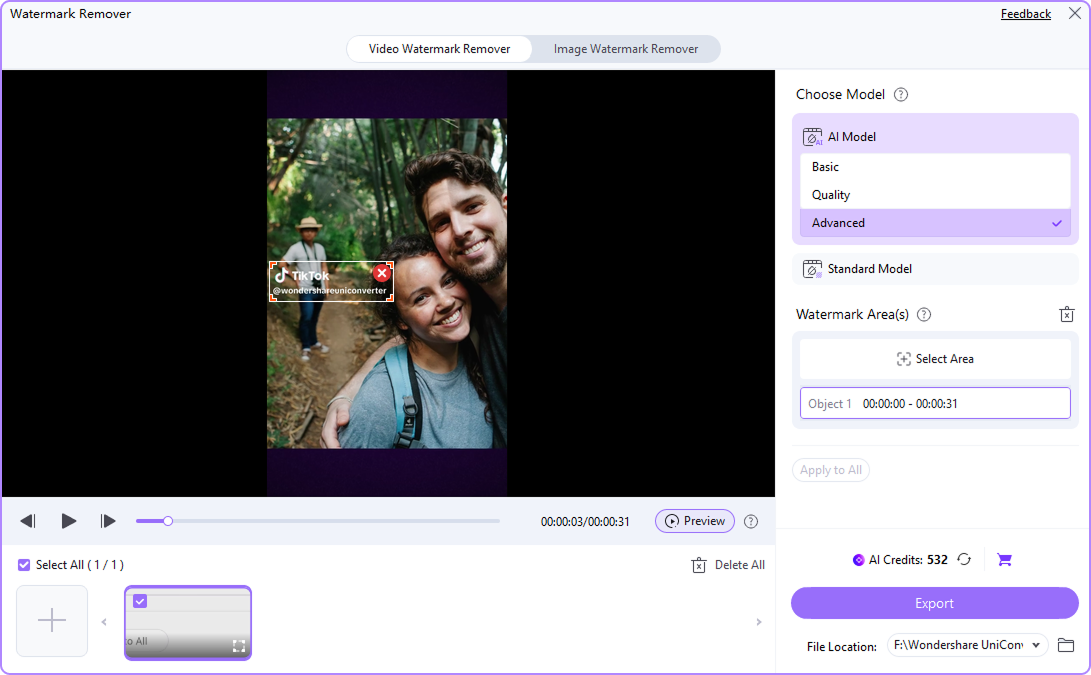
Choose the watermark area manually and adjust the selection box to match the logo position. You can remove TikTok watermark from different parts of the video by refining the selection. This gives you more control when working with saved TikTok videos.

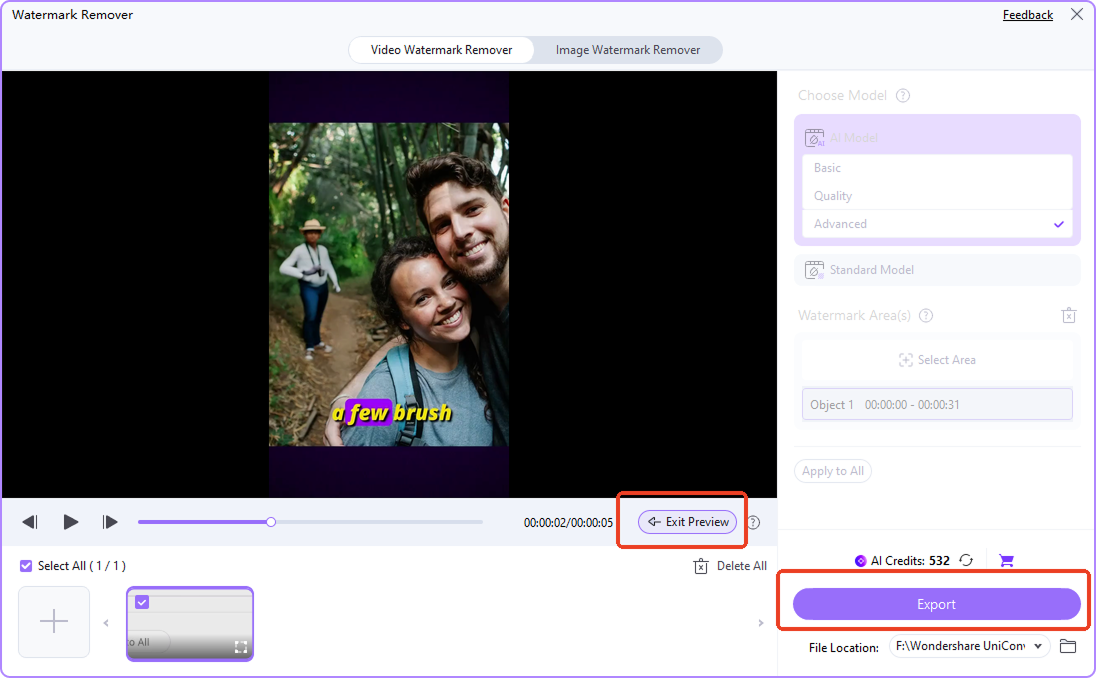
Preview your result and export the final video without the TikTok watermark. You can use the clean file for reposting, editing, or publishing across platforms like YouTube Shorts, Instagram Reels, or ads.

Why Use UniConverter as a TikTok Video Watermark Remover
UniConverter helps you remove TikTok watermark from saved videos with simple controls and reliable results. You can manually select the watermark area, keep video quality, and continue editing after removal. Whether you need quick cleanup or a full video workflow, it gives you flexible options online and on desktop.
Remove TikTok Watermarks with Precise Area Selection
This TikTok watermark remover allows you to manually select and adjust the watermark area for accurate results. You can resize and reposition the selection box to match different logo placements, making it easier to remove TikTok watermark from saved videos while keeping important parts of the video intact.

Remove Watermark from TikTok Video Without Quality Loss
You can remove watermark from TikTok video while preserving the original resolution and visual clarity. This TikTok video watermark remover avoids heavy cropping or blur, helping you maintain sharp details. It is useful when preparing videos for reposting, editing, or publishing across different platforms.

Clean Up Saved Videos with a Reliable TikTok Watermark Remover
UniConverter works well when you only have a saved TikTok video instead of the original file. You can remove TikTok watermark from downloaded or archived clips and turn them into reusable assets. This makes it a practical TikTok watermark remover for content repurposing and video cleanup.

Go Beyond a Basic TT Watermark Remover
This tool is more than a simple TT watermark remover. After you remove TikTok watermark, you can trim clips, convert formats, compress file size, or enhance your video. It supports a complete workflow, helping you move from watermark removal to final export in one place.

Use TikTok Watermark Remover Online or on Desktop
UniConverter offers both a TikTok watermark remover online and a desktop app. You can remove watermark from video online for quick edits, or switch to desktop for better control and batch processing. This flexibility helps you handle both simple tasks and more advanced video workflows.

Who Benefits Most from a TikTok Watermark Remover




Remove TikTok Watermark for Cross-Platform Reposting
If you want to remove TikTok watermark for reposting, UniConverter helps you create clean, platform-ready videos. This TikTok watermark remover lets you adapt content for Instagram Reels, YouTube Shorts, and more. You can maintain original quality while making your videos look native to each platform, improving consistency and engagement across channels.
Remove Watermark from TikTok Video When Originals Are Missing
When the original file is unavailable, you can still remove watermark from TikTok video using UniConverter. This TikTok video watermark remover works with saved or downloaded clips, helping you recover usable content. You can quickly edit, organize, and repurpose videos for publishing, without restarting your workflow from scratch.
Use a TikTok Watermark Remover for UGC and Ad Creatives
Marketers often need to remove TikTok watermark before using videos in campaigns. UniConverter acts as a reliable TikTok watermark remover for cleaning user-generated content and ad creatives. You can prepare videos for landing pages, product promotions, and paid ads while keeping visuals clean and consistent across marketing channels.
Batch Remove TikTok Watermark for Scalable Workflows
Teams handling large volumes of content can use UniConverter to batch remove TikTok watermark efficiently. This desktop TikTok watermark remover helps you process multiple videos, convert formats, and export files faster. It supports scalable workflows, making it easier to maintain consistent quality across campaigns and social media operations.
FAQs About TikTok Watermark Removal
How do I remove a TikTok watermark from a saved video?
Can I remove a moving TikTok watermark?
Will removing a TikTok watermark reduce video quality?
Is there a free TikTok watermark remover online?
Should I use an online TikTok watermark remover or a desktop app?
Can I remove the TikTok watermark on iPhone or Android?
Is it okay to remove the watermark from my own TikTok videos?
What can I do after removing the watermark in UniConverter?
Tips and Tricks for Removing TikTok Watermark
More Than a TikTok Logo Remover






Your complete multimedia processing toolbox

AI Watermark Remover
Remove watermarks from videos and images using AI—erase logos, text, objects, people, and more in batches without blur or quality loss. Supports 1,000+ formats.