

The rise of 8K ultra-high-definition displays in 2026 demands massive bandwidth to stream 4320p resolution smoothly. Constant buffering and unexpected internet drop-outs often make live streaming unviable. This creates a strong need for a reliable offline solution. Using a dedicated YouTube 8k video download tool remains the best method to preserve AV1 and VP9 codecs while maintaining lossless quality for offline viewing. Processing an 8k resolution video download directly to local storage eliminates playback stuttering. It ensures a flawless, uninterrupted viewing experience without relying on a constant, high-speed gigabit internet connection.
Table of Contents
Part 1. Can You Legally Download an 8K YouTube Video in 2026?
Navigating the legal landscape of media extraction requires a clear understanding of platform rules and regional copyright laws. Here is a breakdown of what is currently permissible when managing offline files.

Understanding YouTube's ToS
Google's Terms of Service clearly restrict the unauthorized downloading of hosted content. The platform's native offline viewing feature, available through a Premium subscription, typically caps resolution at 1080p to conserve server bandwidth. Securing an 8k YouTube video through official mobile apps is currently unsupported.
Personal Use & Fair Use
Acquiring media strictly for personal, offline viewing falls into a nuanced area of fair use depending on regional copyright laws. Keeping a local copy for educational purposes, archiving public domain content, or viewing without internet access is generally considered an acceptable personal practice. Distributing or monetizing downloaded files remains strictly prohibited.
The Desktop Advantage
Dedicated desktop software provides a significantly safer environment than online downloader websites. Cloud-based platforms often compress files, expose hardware to aggressive advertisements, and compromise digital privacy. Installing localized software ensures 100% data security. Desktop processing handles massive 4320p files efficiently without risking browser crashes or exposing local networks to third-party tracking scripts.
Part 2. Key Features of a Modern 8K Video Downloader
When selecting a tool to process high-resolution media, certain technical capabilities are essential for smooth operation. Software lacking these fundamental features will struggle with the sheer size of 4320p files.
AV1 & VP9 Codec Support
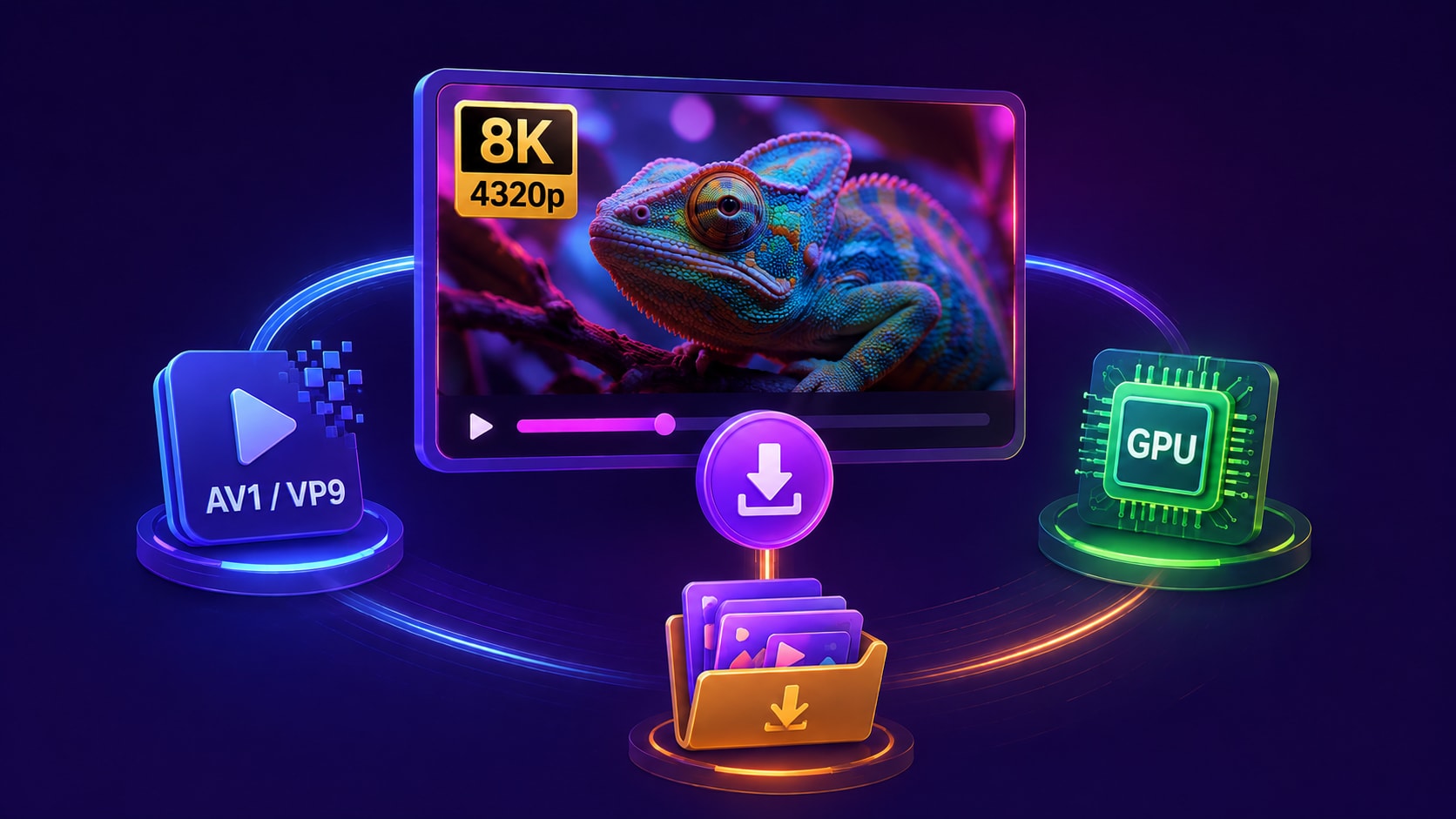
Modern 4320p content relies on highly efficient codecs to manage file sizes. Processing an 8k YouTube video download requires software capable of capturing AV1 or VP9 streams without forcing a destructive re-encode to older formats like H.264. Preserving the original codec is the 2026 industry standard for maintaining visual fidelity.
Hardware Acceleration
Downloading and multiplexing massive 4GB+ media files demands serious computing power. Capable software utilizes GPU acceleration, tapping into M-series Apple Silicon or dedicated graphics cards like Nvidia RTX. This hardware synergy prevents system bottlenecks during the multiplexing phase, where separate high-resolution video and audio tracks merge.
Batch Downloading
Managing high-resolution media libraries requires efficiency. Playlist parsing and batch processing allow software to queue multiple heavy files simultaneously. Running an 8k resolution video download overnight without crashing is a necessity for researchers, educators, and video enthusiasts managing large projects.
Part 3. Quick Comparison: 2026 YouTube 8K Video Download Tools at a Glance
| Tool | Max Resolution | AV1/VP9 Support | Batch Processing | Best For |
| Wondershare UniConverter | 8K (4320p) | Yes | Yes | All-in-one media management & fast downloads |
| 4K Video Downloader+ | 8K (4320p) | Yes | Yes | Dedicated link parsing |
| JDownloader 2 | 8K (4320p) | Partial (Requires Muxing) | Yes | Open-source data hoarding |
| MacX YouTube Downloader | 8K (4320p) | Yes | Yes | Native macOS processing |
| 8K Video Downloader (RSpark) | 8K (4320p) | Yes | Yes | Windows Store integration |
| DVDVideoSoft Free | 8K (4320p) | Yes | No | Legacy basic grabbing |
| ScreenApp | 4K/8K (Varies) | No | No | Quick online fallbacks |
Part 4. Top 7 Tools for an Effortless YouTube 8K Video Download
1. Wondershare UniConverter (Top Recommendation)
UniConverter stands as the premier, all-in-one media toolkit for 2026. It flawlessly executes an 8k YouTube video download while offering advanced batch compress features to manage massive 4320p files. Users can easily process heavy media to ensure smooth playback on any device without exhausting hard drive space. The platform combines high-speed capturing with professional post-processing, making it the most versatile desktop software for high-resolution media.


All-in-One Multimedia Processing Tool

Supported Device: Windows 10/11/12, macOS (Native Apple Silicon)
2. 4K Video Downloader+ (The Dedicated Downloader)
This utility focuses entirely on precise link-parsing and media extraction. It handles high-resolution data streams effectively, writing clean, uncompressed MKV files to local storage. While it lacks the advanced compression and conversion capabilities found in more robust toolkits, its singular focus provides a highly streamlined interface for straightforward capturing tasks.
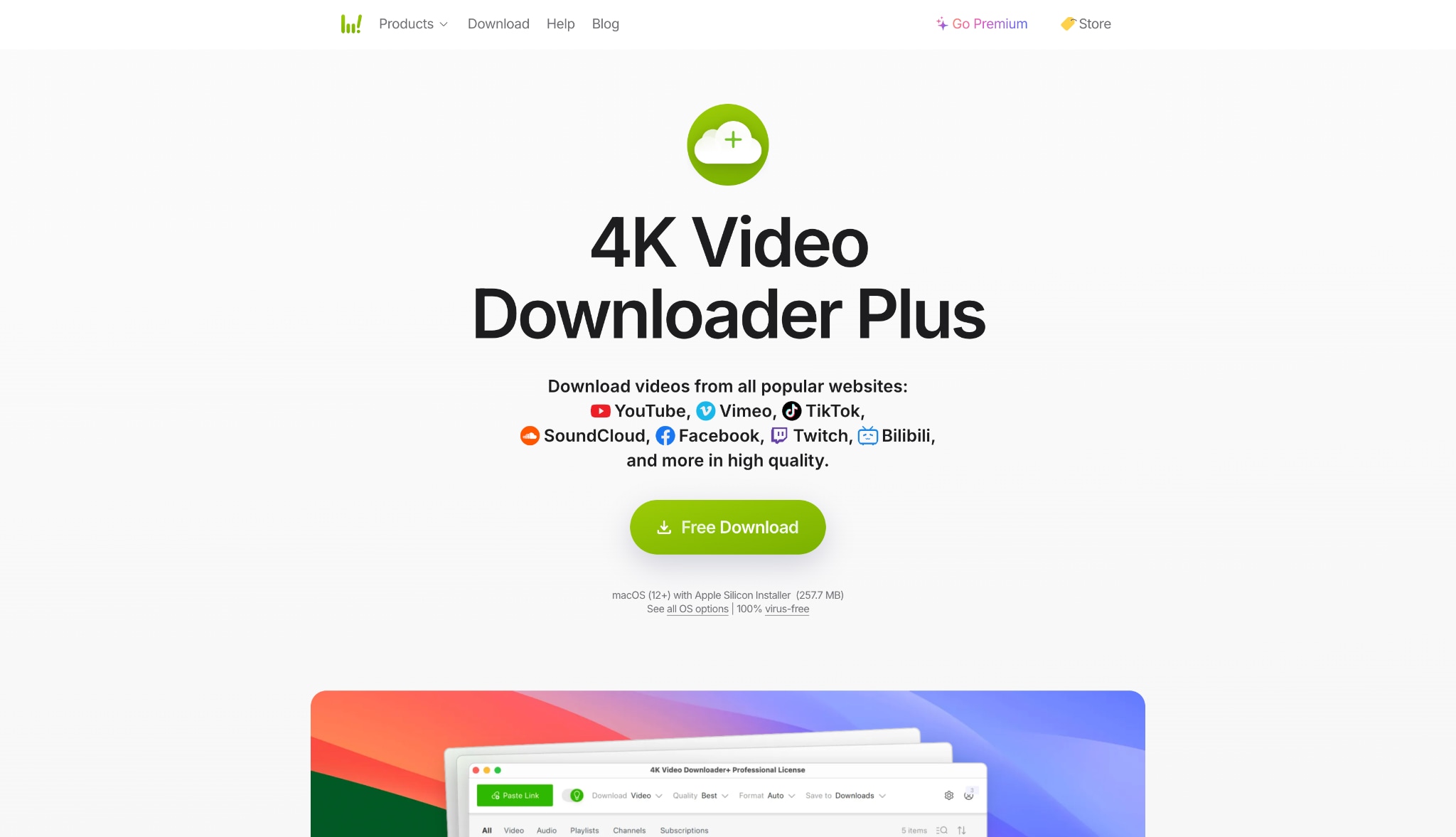
Supported Device: Windows, macOS, Ubuntu, Android
3. JDownloader 2 (The Best Open-Source Option)
JDownloader 2 remains a highly robust, free utility favored by data hoarders for capturing web streams. Written entirely in Java, it dissects web pages to locate hidden media files. While highly effective at locating 8K data streams, it often captures video and audio tracks separately. Users frequently need to multiplex these streams using external plugins like FFmpeg manually.
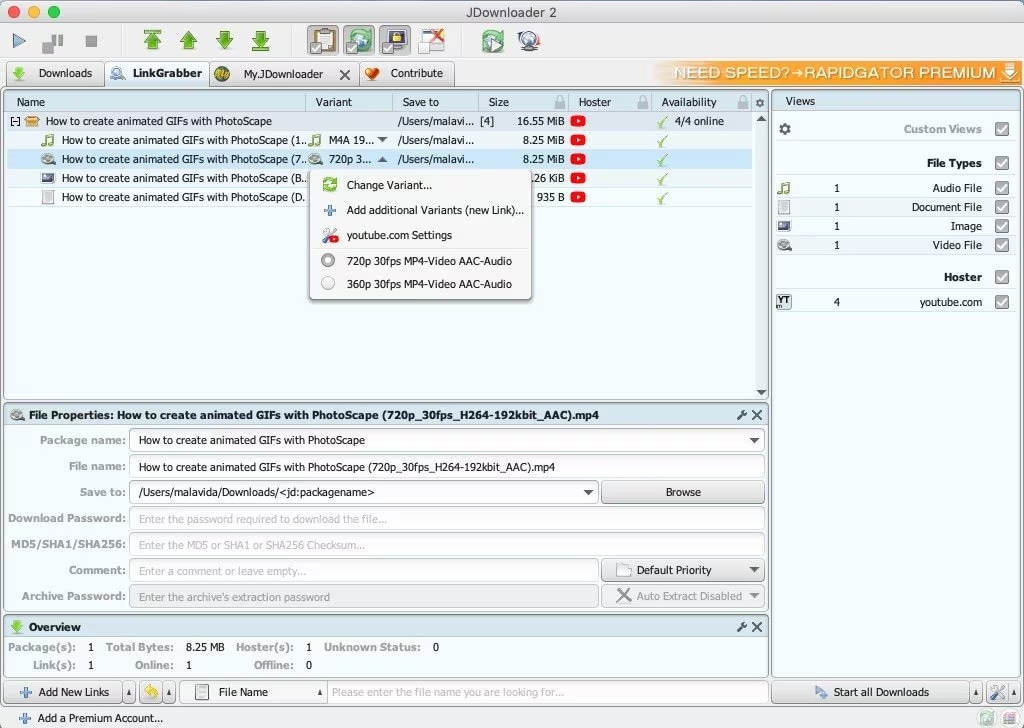
Supported Device: Windows, macOS, Linux (Java-based)
4. MacX YouTube Downloader (The Mac Specialist)
Designed specifically for the Apple ecosystem, this software leverages native macOS architecture. It delivers stable 4320p 60fps downloads while maintaining a low CPU footprint. The platform is tailored for users who need a straightforward, localized application that integrates seamlessly with Mac hardware, avoiding the bloat of multi-platform ports.
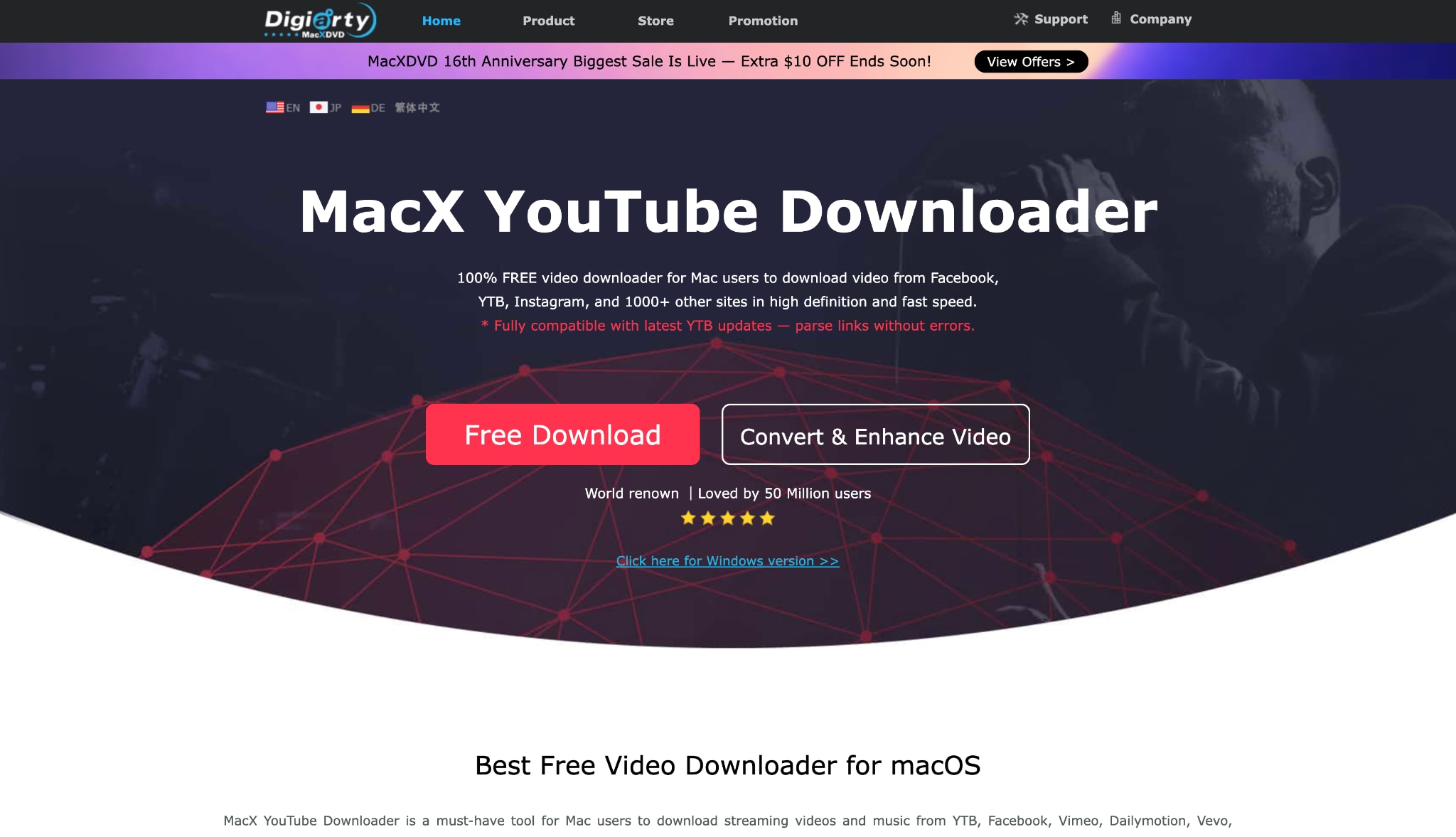
Supported Device: macOS
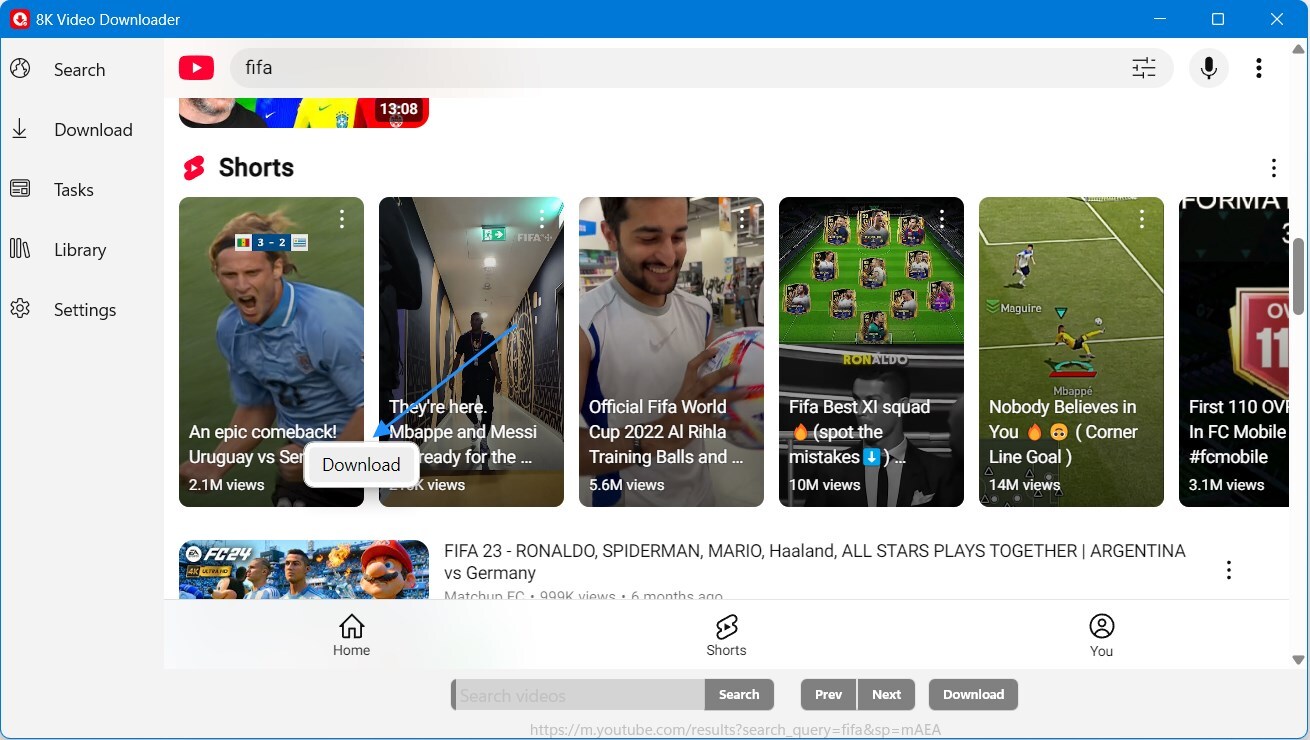
5. 8K Video Downloader by RSpark (The Microsoft Store Pick)
This lightweight Windows Store application incorporates advanced multithreading technology to speed up data transfers. It caters specifically to Windows environments, allowing users to manage a built-in media library directly from their desktop. The native integration ensures smooth performance and reliable updates through Microsoft's official channels.
Supported Device: Windows 10/11
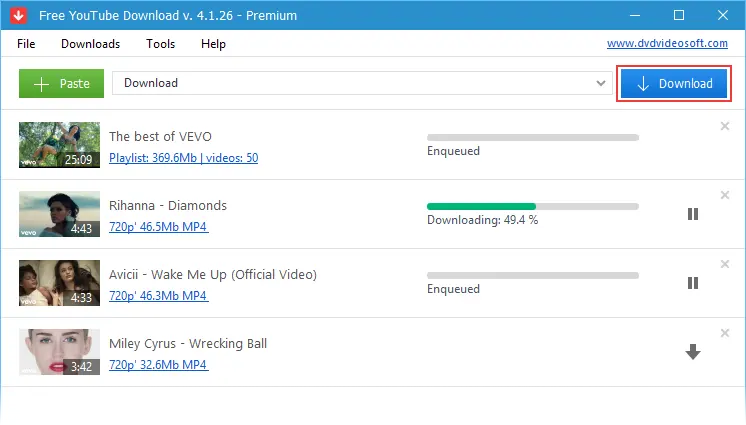
6. DVDVideoSoft Free YouTube Download (The Legacy Choice)
As one of the oldest desktop utilities on the market, this software has been updated for 2026 to support modern VP9 video encoding. It provides a highly pure user experience without browser redirects or confusing menus. The tool is ideal for users seeking basic, high-resolution media extraction without complex configuration settings.
Supported Device: Windows, Mac, Android
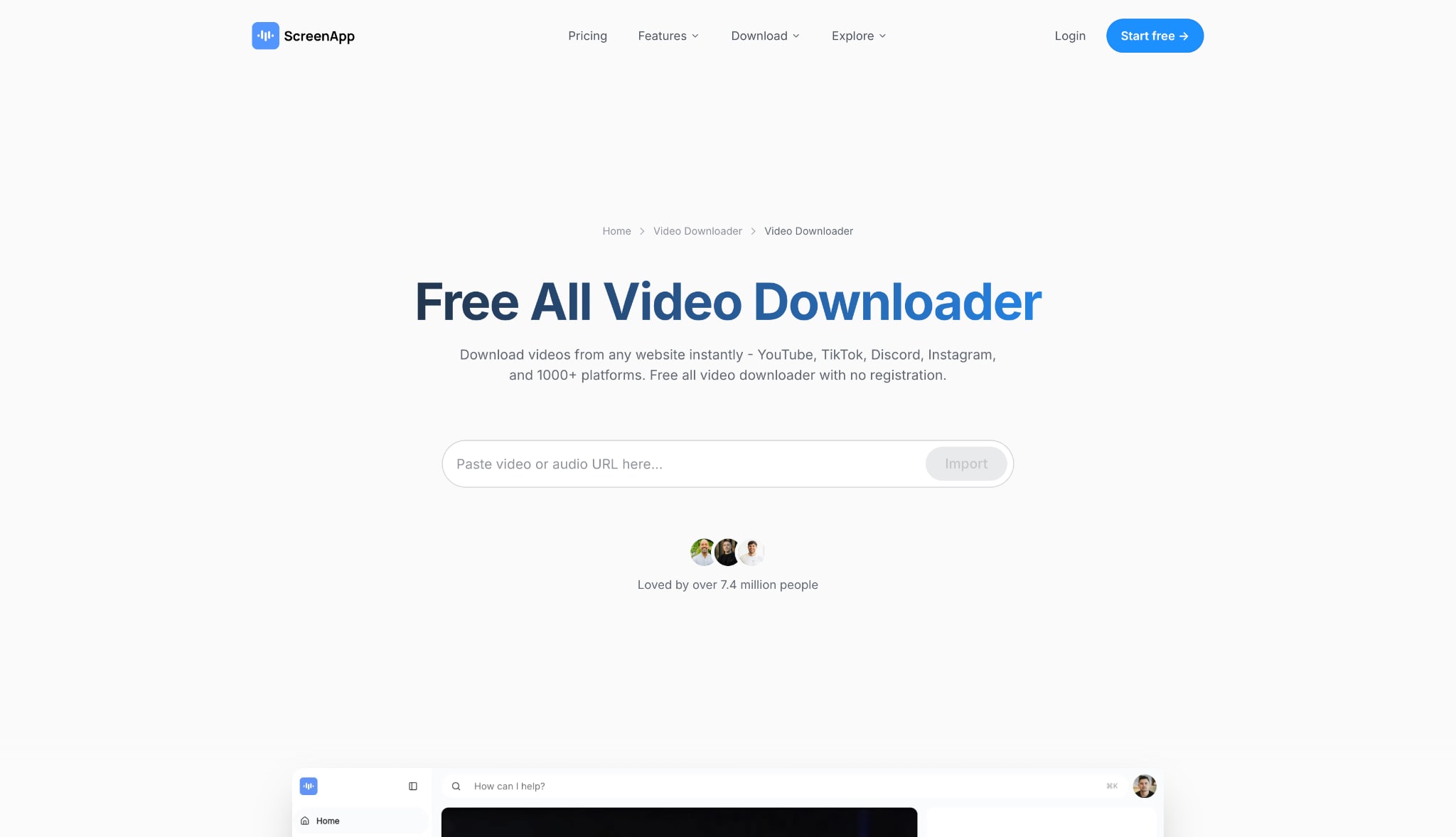
7. ScreenApp (The Online Web Alternative)
While desktop utilities provide superior privacy and performance for heavy files, ScreenApp serves as a reliable web-based fallback. This platform processes URLs directly in the cloud, capturing high-quality streams without requiring any local software installation. It is useful for users operating on restricted workstations where installing executable files is prohibited.
Supported Device: Web-based (Any OS), iOS, Android
Part 5. Bonus: How to Download YouTube Videos in 8K Resolution
Securing an 8k YouTube video offline requires precise software execution. Using a dedicated desktop tool ensures the file retains its original quality. Follow these standardized steps:
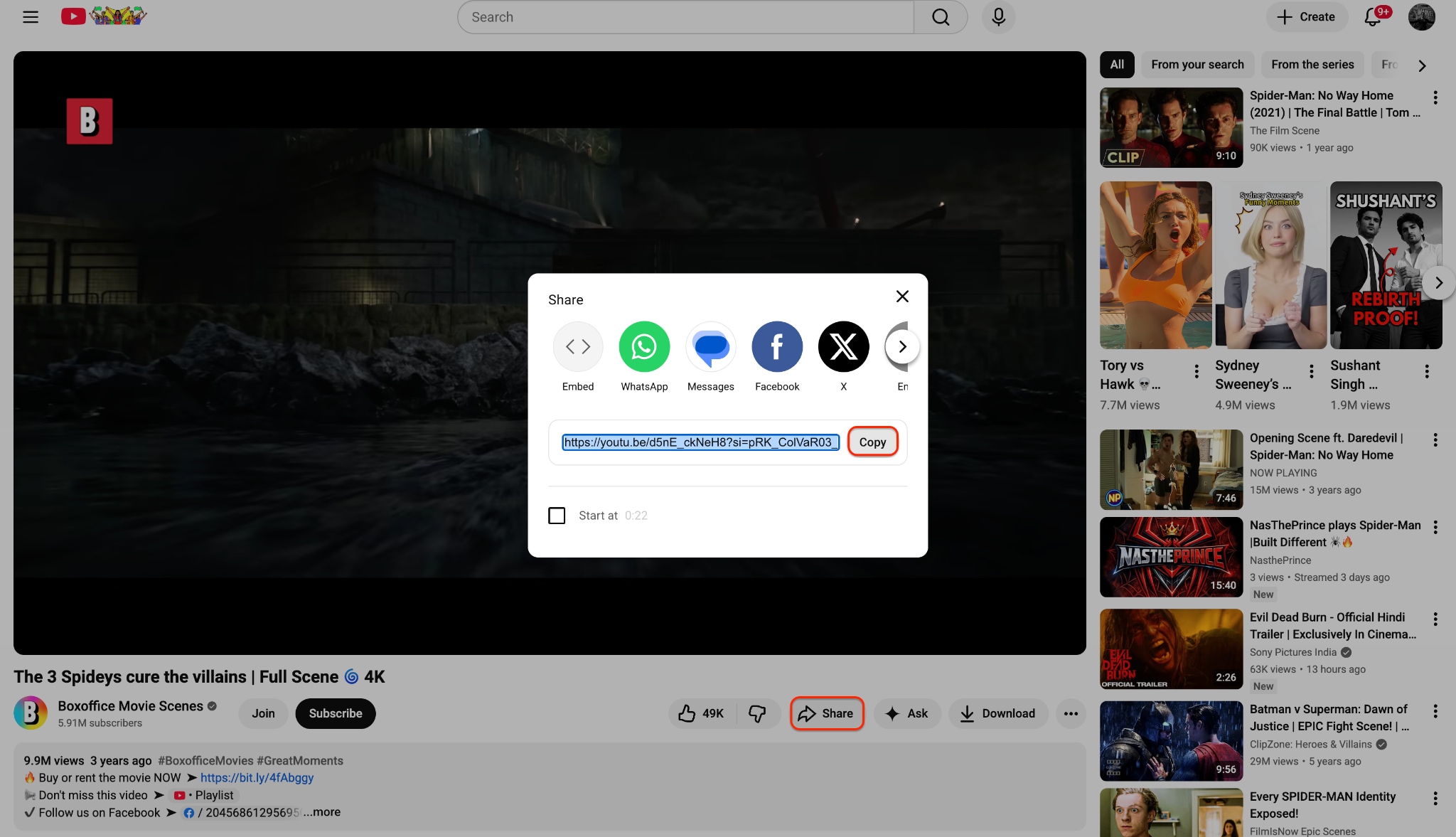
Step 1: Copy Your Video URL
Navigate to the desired 8K content using your preferred web browser and ensure the video player is set to the highest available quality. Locate the "Share" button beneath the media player to access the platform's standard sharing options. Click the "Copy" function to save the unique URL directly to your system clipboard for immediate processing.
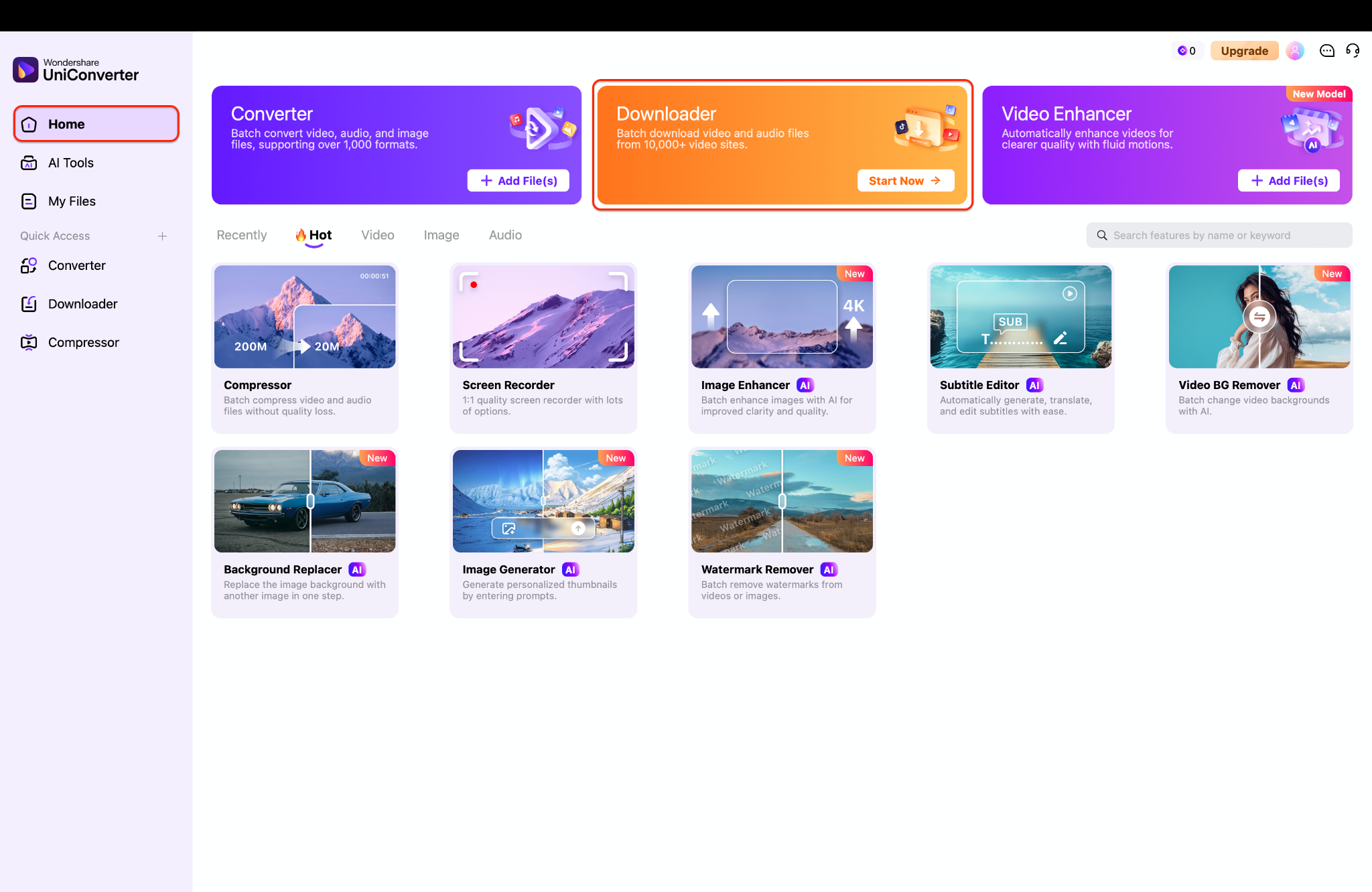
Step 2: Open the Processing Module
Open Wondershare UniConverter on your desktop to access the primary multimedia processing dashboard. Locate and click the prominent "Downloader" module situated conveniently at the center of the application home screen. This action transitions your interface into a dedicated, secure workspace built specifically for high-resolution media extraction.
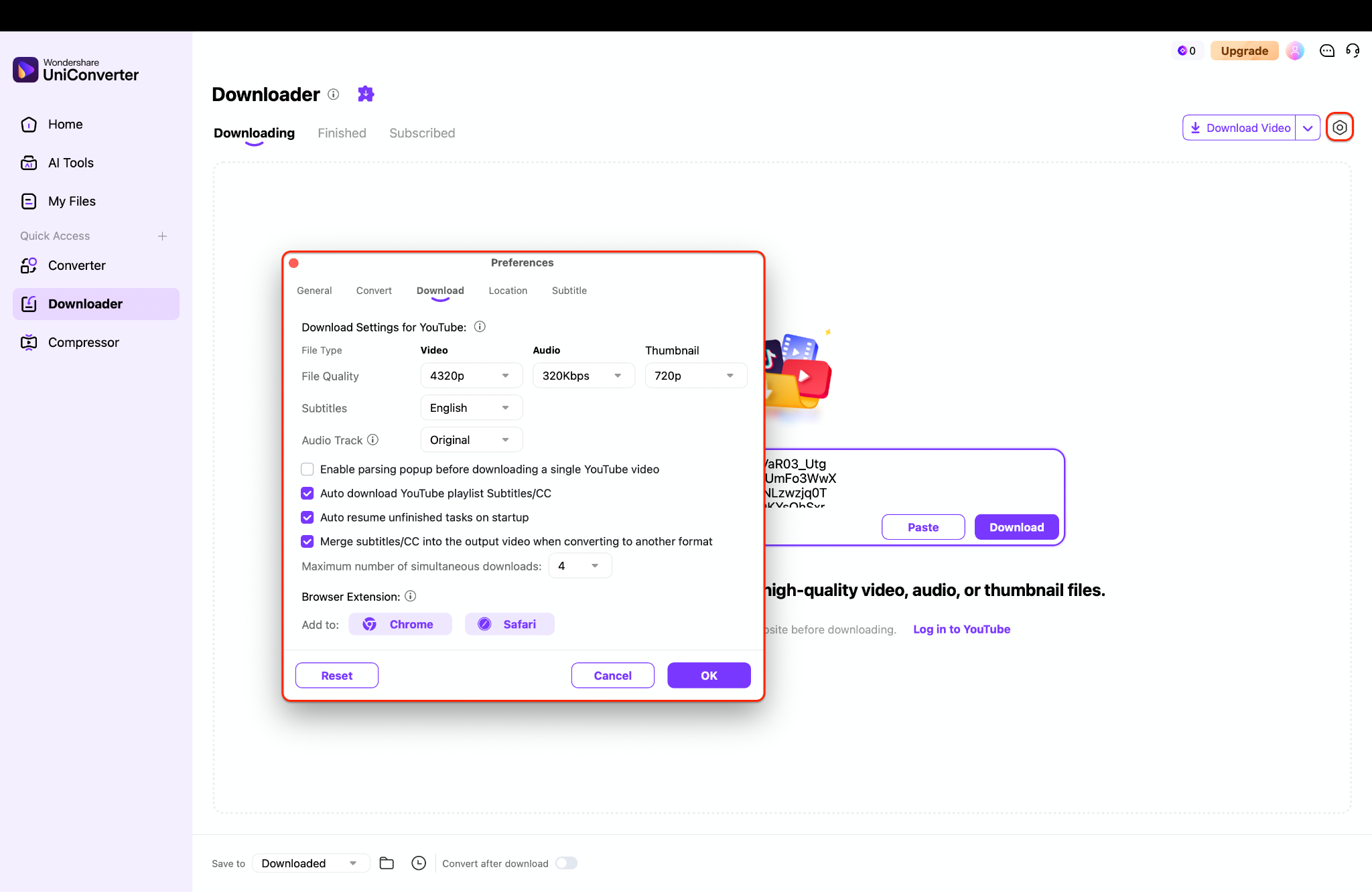
Step 3: Configure Your Preferences
A dialog window will surface, presenting various format configurations tailored specifically for your 8K project. You must manually choose the 8K resolution setting from the dropdown menu to ensure the tool captures the full 4320p stream. Confirm your preferred subtitle and audio tracks in this same window before finalizing your settings.
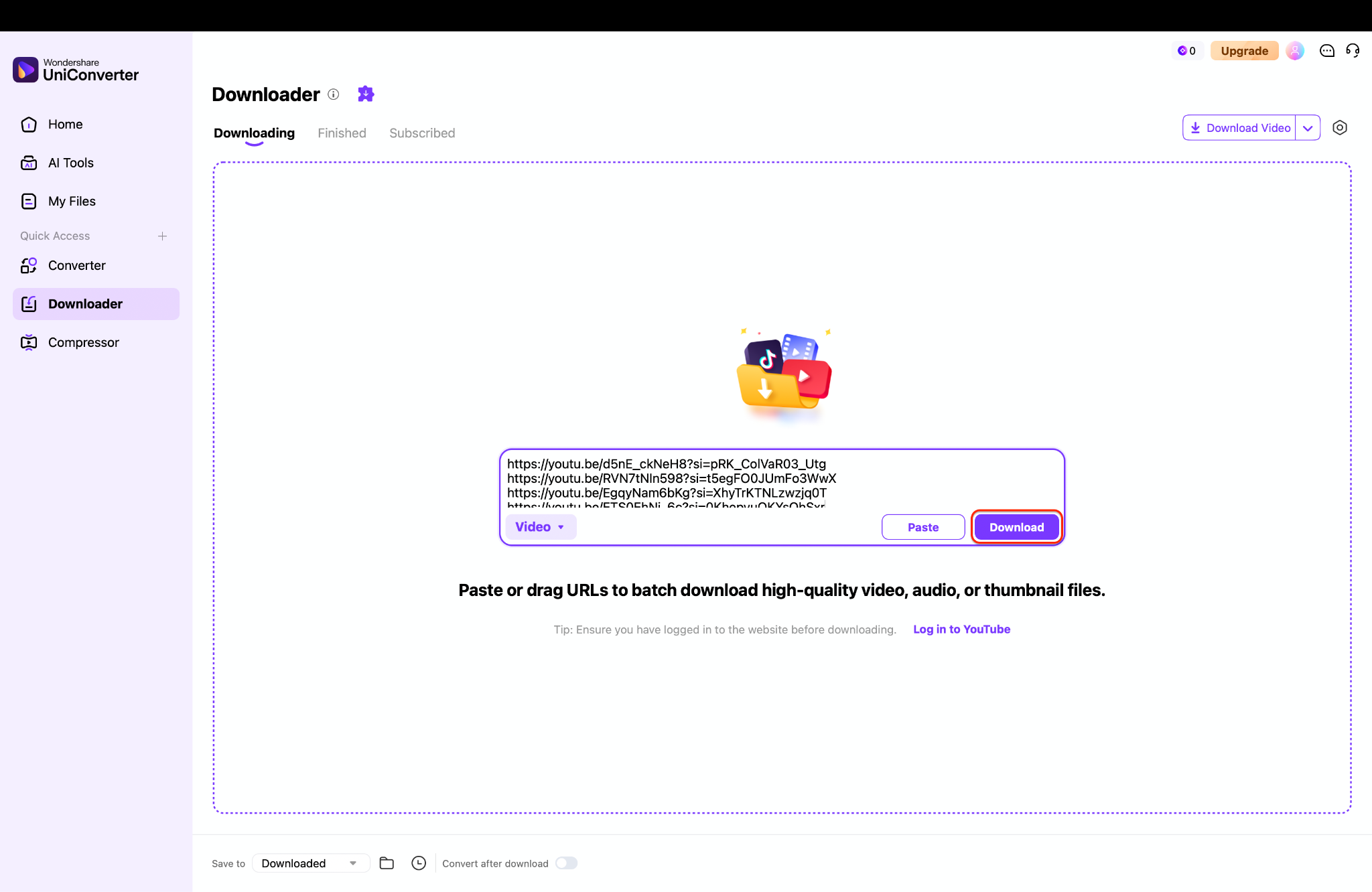
Step 4: Execute and Manage Your Files
Click the "Download" button to commence the data extraction process and monitor the real-time progress bar. Upon task completion, navigate to the "Finished" tab to rename, preview, or locate your new 8K files on your hard drive. You can now transfer these pristine files to any compatible device for high-fidelity offline viewing.
Pro Tip: Before clicking download, navigate to the software "Preferences" menu to enable Hardware Acceleration; this utilizes your dedicated GPU to process massive 4320p files up to 10x faster while keeping your CPU usage exceptionally low.
Part 6. Conclusion
Managing ultra-high-definition media sizes can be challenging, but utilizing the right desktop software eliminates the headache. Preserving true 4320p quality requires tools capable of handling complex codecs and massive data streams locally. While several capable options exist, Wondershare UniConverter remains the most reliable, fast, and feature-rich choice for 2026. It seamlessly executes an 8k YouTube video download while offering the necessary compression tools to manage local storage effectively. Explore the software today to optimize media workflows and enjoy flawless, offline playback.

