


Recording stereo-quality sound has never been simpler or more convenient. You no longer need bulky, premium equipment to capture crisp, clear recordings. Many stereo audio recorder apps can do it with a few clicks. Regardless of whether you're a podcaster, musician, or simply a professional who needs to capture important conversations, these recorder apps have got you covered.
However, with numerous options available, finding the best recorder app can be a challenge. Don’t worry, as this comprehensive guide lists the top five stereo audio recorders so that you can find a reliable solution for your audio recording needs.
In this article
Part 1. What is Stereophonic Sound?
Stereophonic, or stereo, is a type of sound that uses more than two independent audio channels. This way, it creates an illusion of a 3D sound to your ear, and you experience a characteristically wide and rich sound. Stereophonic recordings are advanced forms of sound recording and different than monoaural recordings, which appear to stem from a single source. Here’s a tabular comparison of stereo and mono sound to help you better understand the differences.
| Feature | Monoaural (Mono) Sound | Stereophonic (Stereo) Sound |
| Number of Channels | Single | Two or more channels |
| Audio Quality | Simpler and less immersive | Richer, more natural, and realistic |
| Compatibility | It is playable on stereo systems. | It doesn’t always downmix clearly to mono, and some effects might be lost. |
| File Size | Smaller than one, it records one single channel | Larger, as it involves two or more channels |
| Strengths | Simple to record and playback.Clear, focused sound for voice.Consistent playback across devices. | Spatial realism and immersion.Provides creative mixing possibilities.Stereophonic sound aligns with natural human hearing and creates an immersive listening experience. |
| Weaknesses | Lack of stereo width, depth, and detail.It has a narrow soundstage, giving the impression that sound is coming from a single point.Phase cancellation and volume balance issues. | Mono compatibility issues.Higher setup costs and complexity.Requires a specific listening environment and positioning. |

Super Easy to Use Stereo Audio Recorder
Part 2. Use Cases for Stereophonic Recording
Stereo sound, due to its depth and detail, is widely used in both film and music production. Not only that, but its other applications include gaming, podcasting, and sound design. Here are the details:
Music Production and Performance: Stereo sound and music production go hand in hand. With stereo, you can hear different instrumental sounds coming from different directions, adding layers to the music. For example, in a live concert, a stereo recording makes you feel like you are right inside the crowd. The guitar might echo from the back, while the singer’s voice comes from the front. Music producers and artists use stereo recordings to create more dynamic and engaging sound.
Podcasting: If you’re adding music and sound effects to your podcasts to create an immersive listening experience, stereo sound is preferred. For example, if someone is describing walking on a busy street, footsteps might pan from left to right, while traffic noises might come from different directions.
Sound Design: Stereo sound also offers diverse creative possibilities in sound design. Sound designers can manipulate the stereo field to create a range of effects, from simple panning to complex spatial audio processing. It’s also useful to add a sense of height, distance, and width to create depth and complexity in the music.
Gaming: Similar to music production, gaming has embraced the stereo sound. In many games, it provides players with a sense of direction. For example, if an enemy is coming from the right, the footsteps get gradually louder in your right ear. This not only provides a realistic experience but also allows you to react faster.
Part 3. Top 5 Stereo Audio Recorders
There are many stereo audio recorders available, but your selection should depend on factors such as audio quality and formats, noise reduction and editing features, ease of use, and more. While most tools claim to record in stereo sound, the outputs are not nearly as close to it. The following tools, however, fulfill most criteria.
1. UniConverter
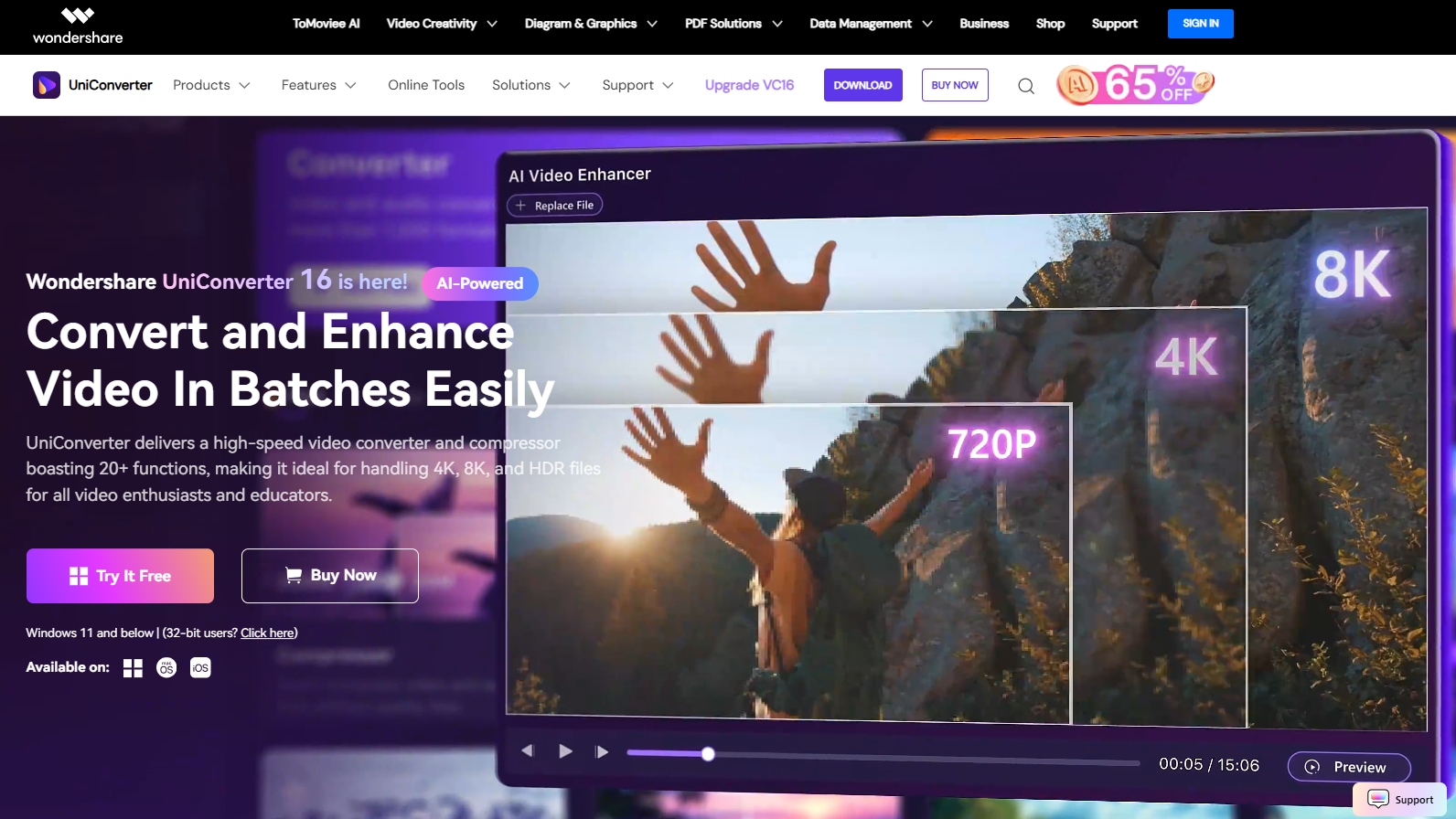
Wondershare UniConverter is a powerful and comprehensive tool for recording stereophonic audio. You don’t need to hold a microphone to the computer to record high-quality audio with minimal background noise. The interface is simple, and once recorded, you can convert the mono audio into high-quality stereo audio. Further, edit the audio by trimming, cutting, and merging. You can also remove noises, change voices, and enhance the audio with a few clicks.
It’s compatible with multiple audio file formats, such as MP3, WAV, FLAC, AAC, and ALAC, so you can work restriction-free. The best part is that editing or converting audio files doesn’t affect their quality or other file properties.
Key Features
- Its Audio converter feature lets you batch convert your mono audio to stereo.
- You can use its Noise Remover feature to remove any background noise from audio in a batch.
- Its Vocal Remover feature automatically separates vocals from music in a single click.
- There’s an AI voice cloning feature that lets you create a digital clone of your voice.
Pros and Cons
2. Adobe Audition
Adobe Audition is another popular stereo audio recorder and editor for podcasts, music production, and audio restoration. It’s simple to record audio files: select the input device (stereo or mono), press the red recording button, and then press the square Stop button when the recording is complete. You can record multiple tracks simultaneously, but you need to set the input for each track. Then, you can use its editing tools to add effects, amplify the sound, and remove any background noise. Everything is good, except that it’s expensive for what you get.
Key Features
- Its multitrack recording feature lets you record multiple tracks simultaneously for complex projects.
- You can cut, trim, and arrange audio clips to refine your recordings.
- Its Noise Reduction feature eliminates any unwanted background noise and hum.
- It allows you to add various effects, including compression, reverb, EQ, delay, and more.
Pros and Cons
3. Audacity
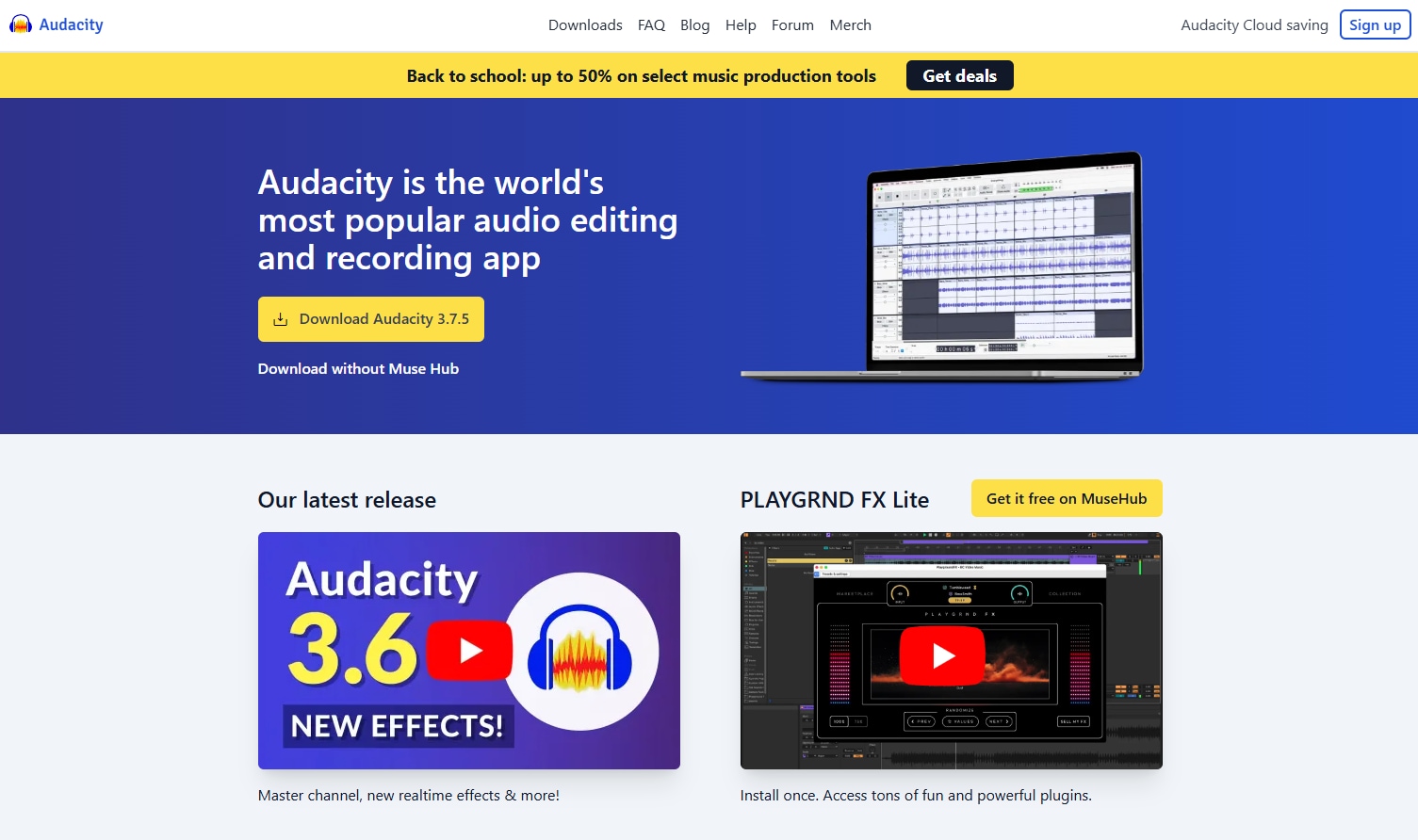
If you're looking for a free and open-source audio recording app that supports stereo quality, consider Audacity. Often praised for its robust features and support for multiple file formats, it is suitable for both beginners and professionals. Also, similar to Adobe Audition, it’s capable of editing multiple tracks and is ideal for projects such as podcasts and music production. The tool, however, offers limited effects and requires manual application for the changes.
Key Features
- It allows you to record directly from a microphone or mixer or convert mono recordings to stereo.
- You can create and edit multiple audio tracks at once.
- It can remove background noises or remove vocals from an audio track.
- There’s support for popular formats like WAV, MP3, and M4A.
Pros and Cons
4. Stereo Sound Recorder(Android)
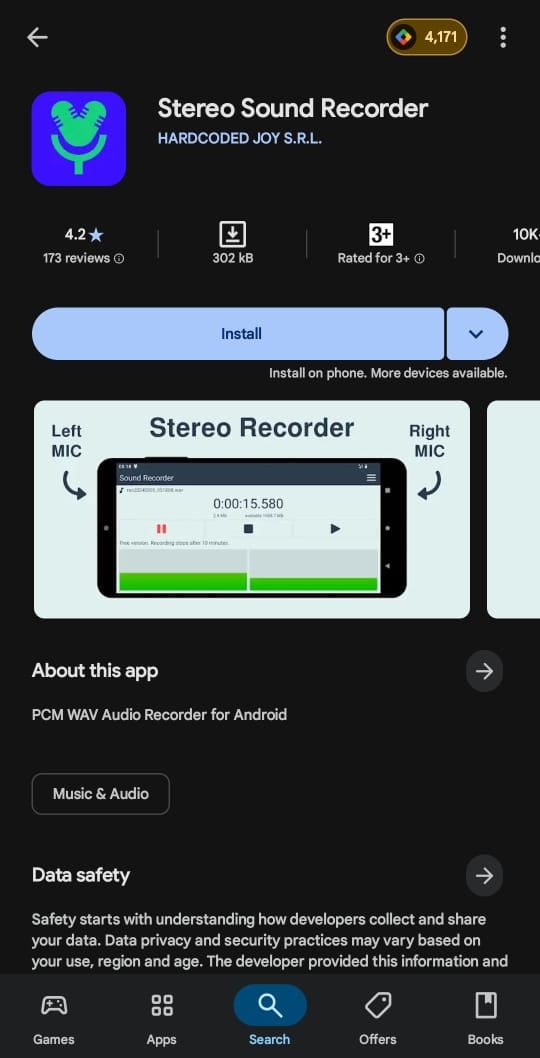
Stereo Sound Recorder provides a convenient way to record stereo audio on the go. The interface is sleek and user-friendly, so you can start recording your voice or any crucial conversations with just a tap. It supports a sample rate of up to 192 kbps and allows audio file exports into popular formats, such as MP3 and WAV, ensuring compatibility with most media players. However, it lacks built-in audio editing tools, and features like simultaneous playback are only available in premium versions.
Key Features
- It can record in the background even when the display is turned off.
- There’s a built-in player for instant playback.
- It supports audio exports in MP3 and WAV.
- You can share, rename, and delete recordings from the app.
Pros and Cons
5. GarageBand
GarageBand is a free-to-use digital audio workstation with a user-friendly platform to record music in stereo and edit with built-in instruments and effects. The interface makes it relatively simple to record and mix multiple tracks simultaneously. Furthermore, it works with the Logic Remote app, available on iOS devices, allowing you to wirelessly play any recorded stereo audio on your Mac.
Key Features
- It offers a wide range of virtual instruments to enhance your audio.
- You can record several versions of a performance and select the best take.
- Enhance your audio further with built-in audio filters and effects.
- There are music lessons to learn your favorite songs on guitar or piano.
Pros and Cons
Part 4. Easiest Way to Record Stereo Audio at 512 kbps Quality
Wondershare UniConverter stands out as the best tool for recording stereo audio and then editing it. Follow the simple steps in order:
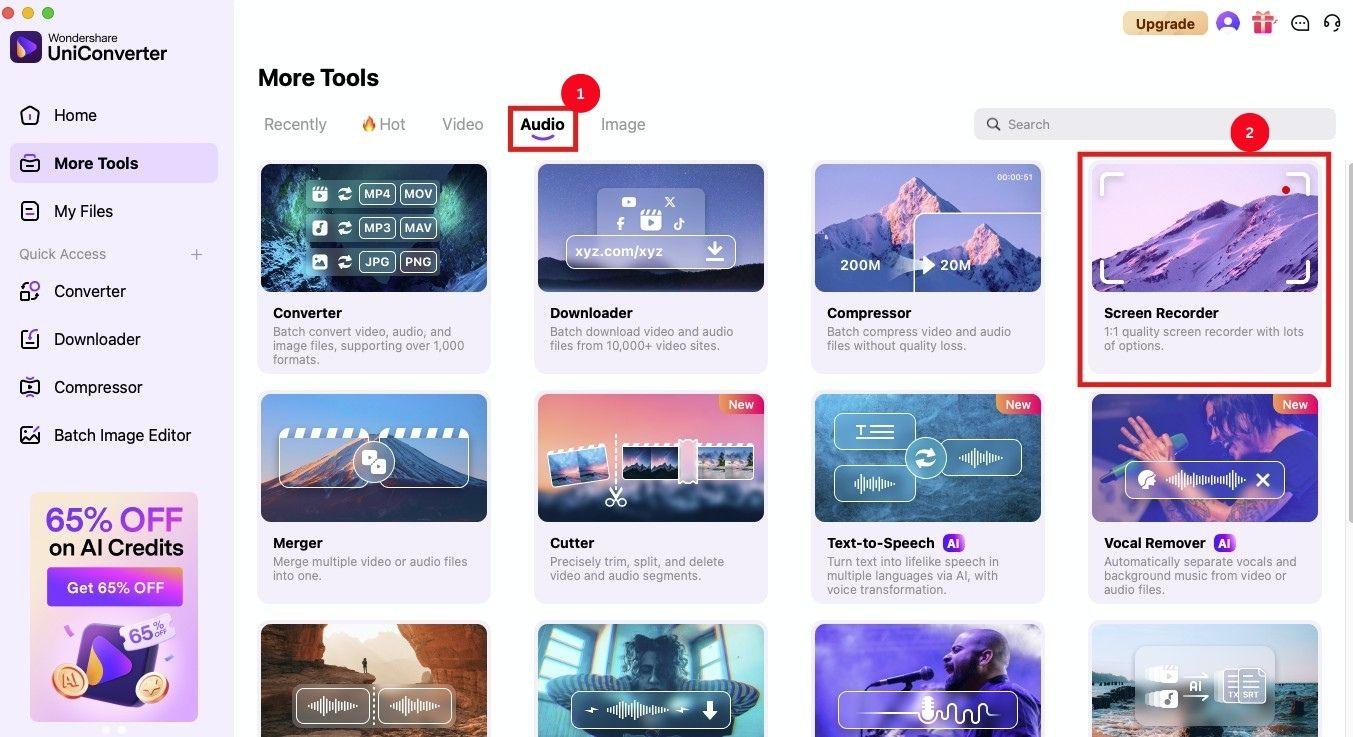
Step 1: Launch UniConverter on your desktop and select the “Audio” tab, followed by the “Screen Recorder” option.
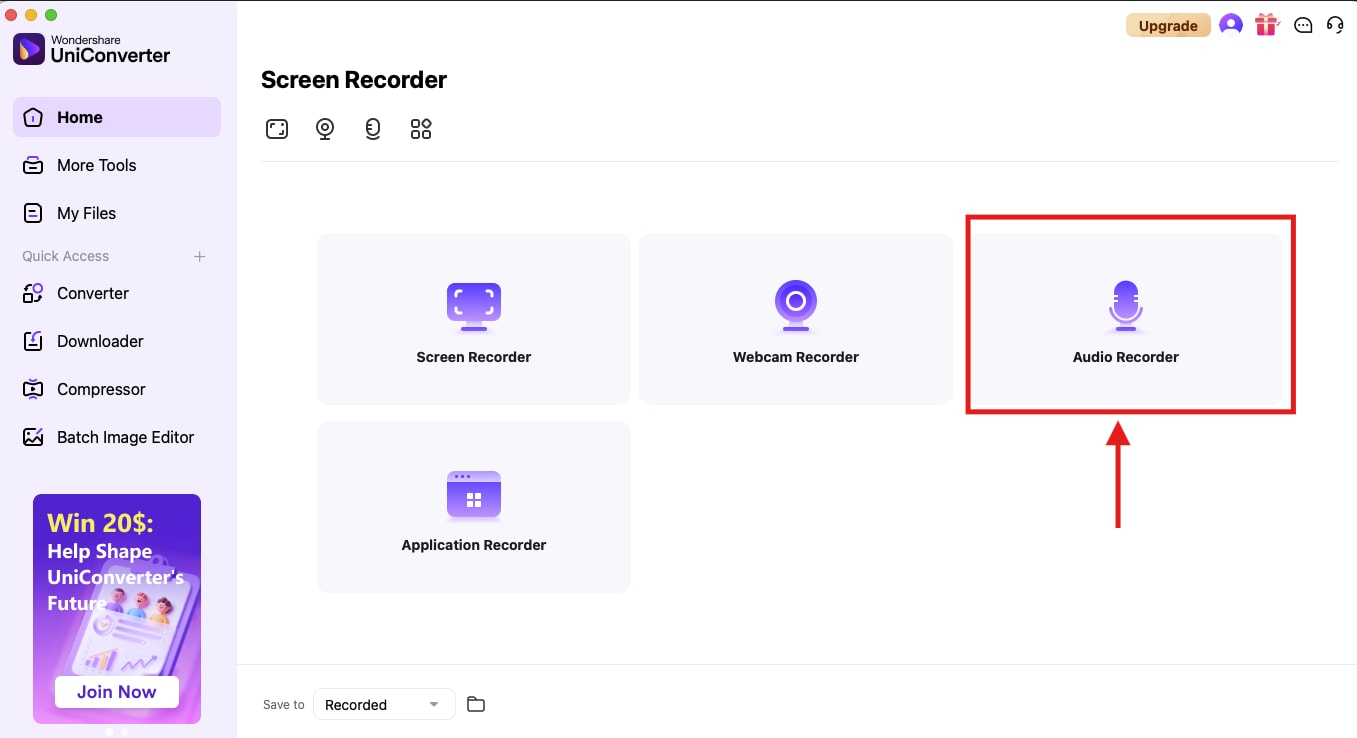
Step 2: In the new window, click the “Audio Recorder” option to proceed with the audio recording process.
Step 3: A pop-up appears where you’ll record your stereo audio. Tap the “Setting” option to change the channel to Stereo and the Bit Rate to 512 kbps.
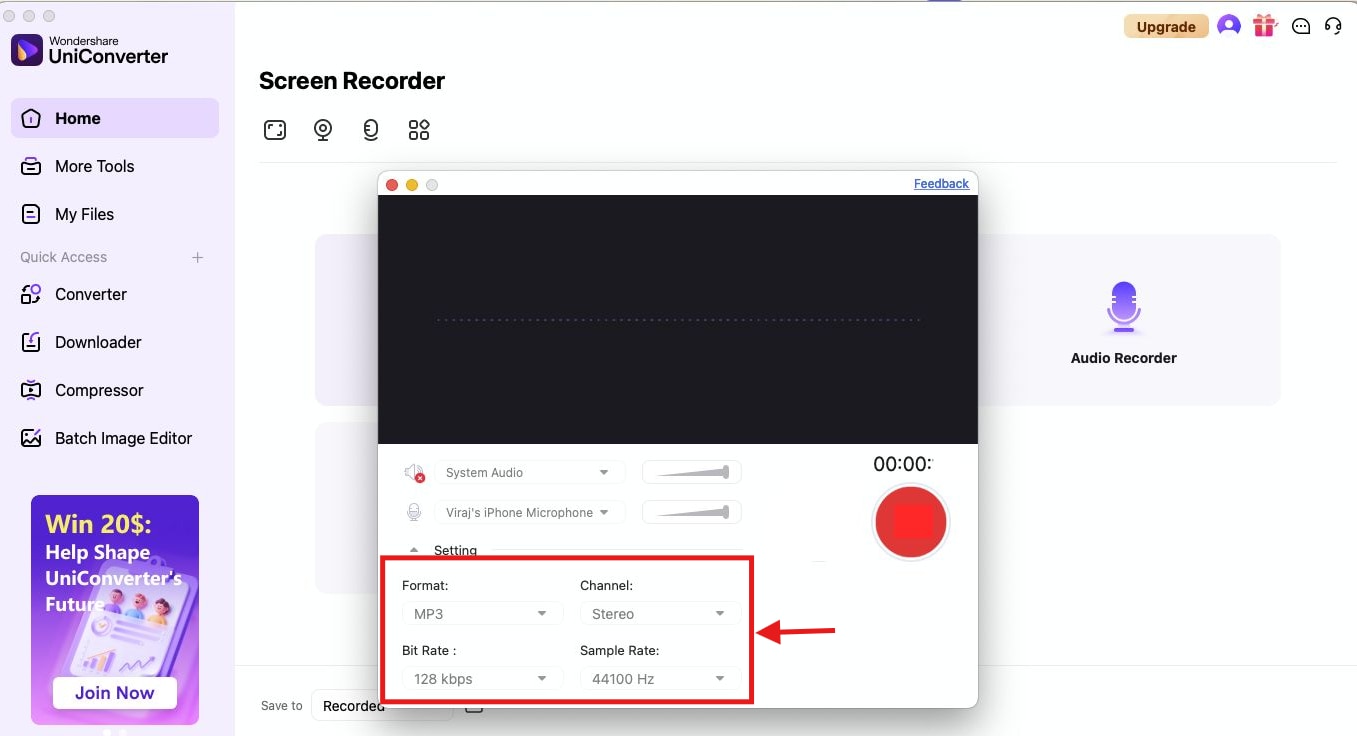
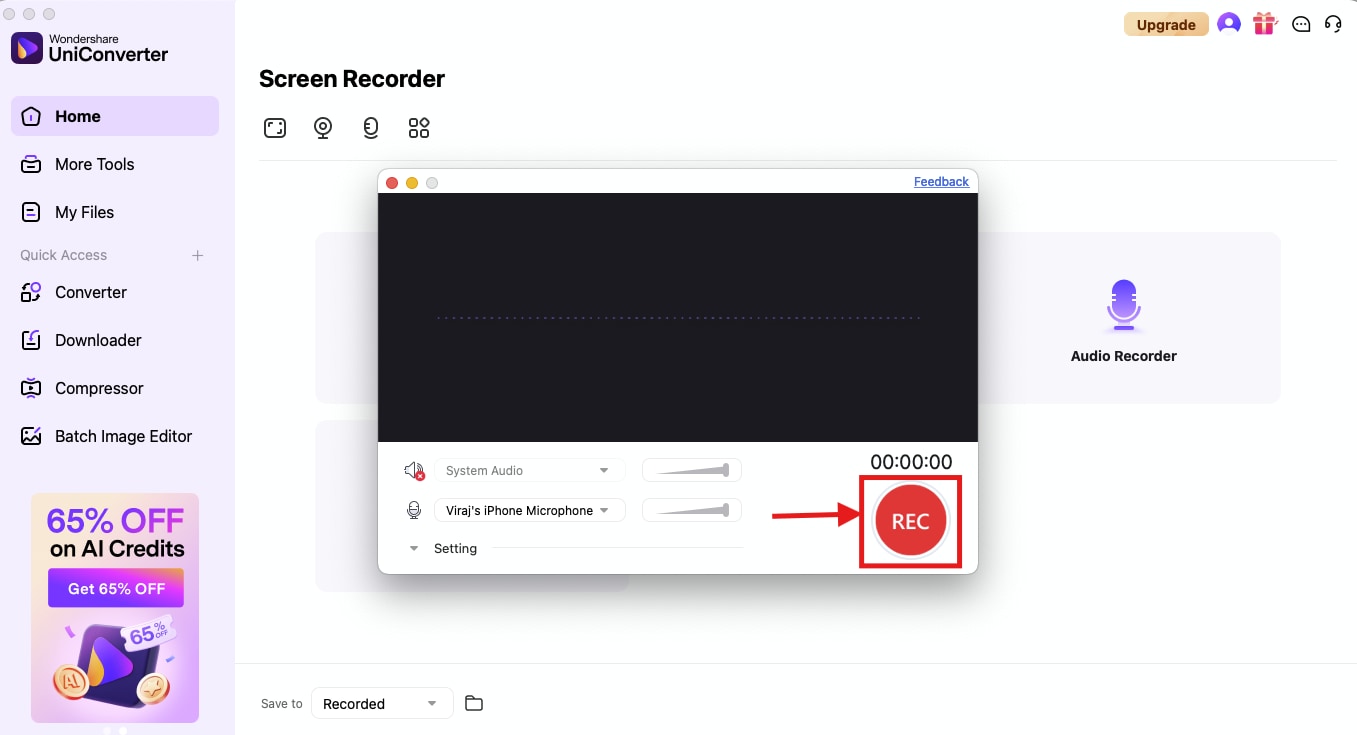
Step 4: Now, click the “Rec” button to start speaking or record a conversation.
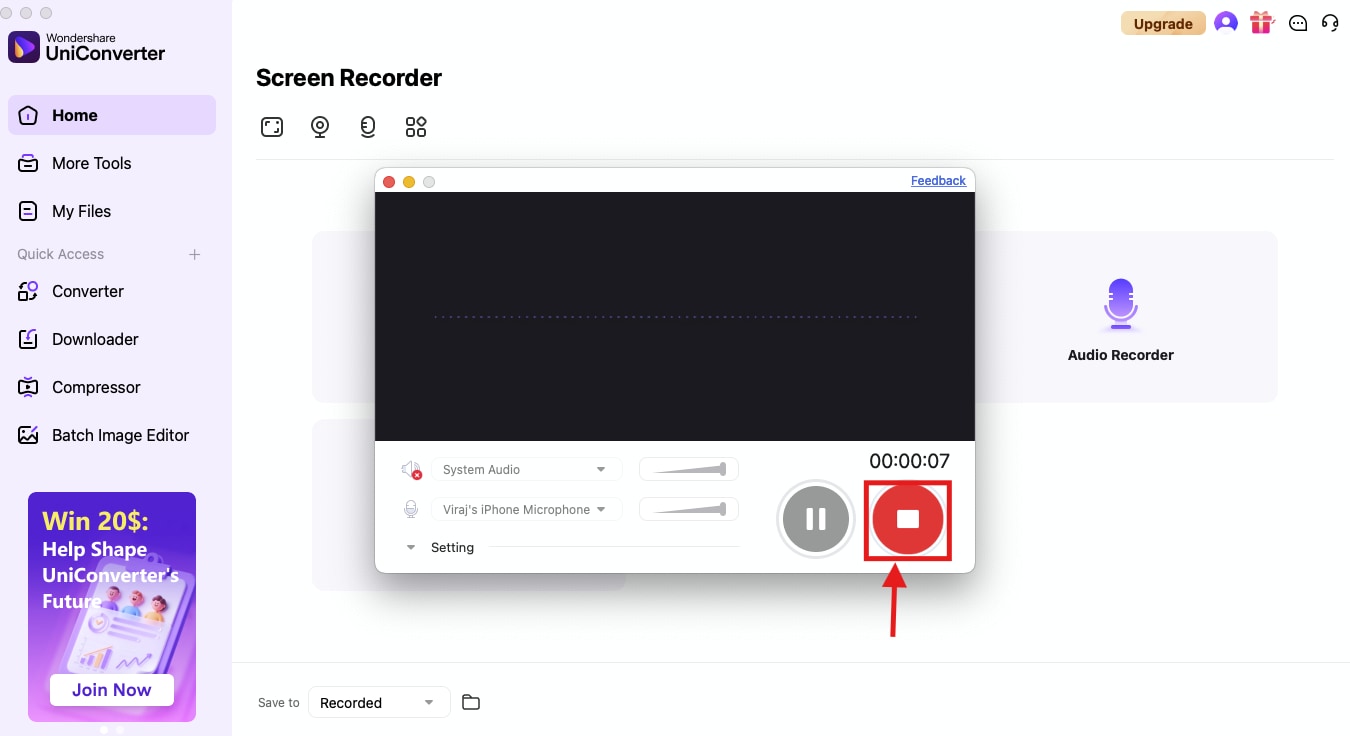
Step 5: Once complete, click the “Stop” button to finish the recording and save it to your storage.
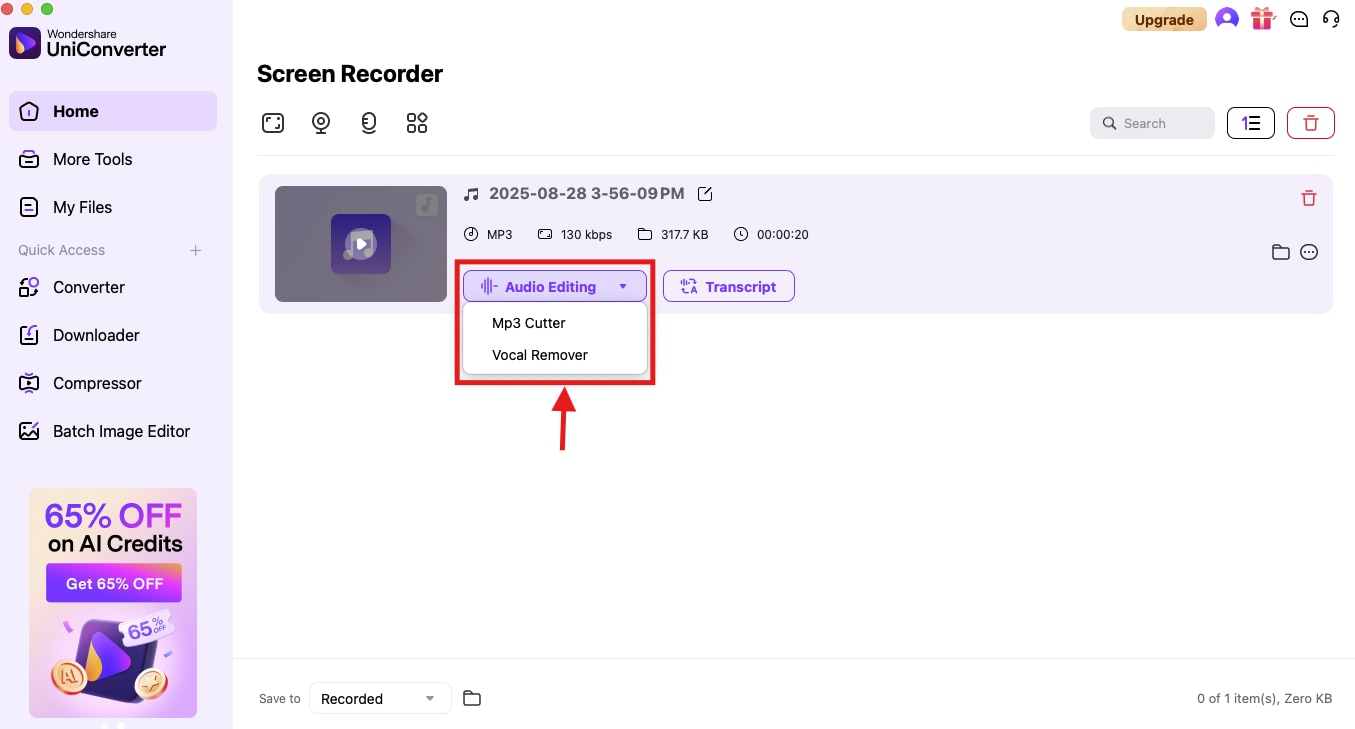
Step 6: Head over to the download page and click the “Audio Editing” dropdown to access options like MP3 cutter and Vocal Remover.
Part 5. Pro Tips for Stereophonic Audio Recording
You might experience stereophonic sound every day, whether listening to music on headphones or jamming out in the car. That said, if you’re recording your audio in stereo, here are a few professional tips to keep in mind:
Prepare Your Environment: A stereo audio recording won’t sound good if noises are coming in the background. It’s therefore crucial to record in a quiet environment with minimal echo or noise. Also, you can surround the microphone or recording device with blankets or curtains to absorb sound reflections.
Position the Recorder Correctly: Many stereo audio recorder apps have a built-in microphone, but for better results, it’s recommended to connect a dedicated microphone to your device. Place the microphone at an optimal distance from the sound source. That is, not too far or close that it causes clipping. Also, ensure that your hands or fingers don’t block the microphones in any way.
Select a Quality App: Use a dedicated stereo recording app, such as Wondershare UniConverter, which supports high-quality, uncompressed audio formats like WAV. Besides, ensure the app has built-in editing tools to fine-tune and clean the audio for better results.
Test Several Playback Devices: As with any stereophonic sound, making multiple playback attempts is crucial before pumping out the final master audio file. A widened stereo audio can leave some phasing issues, so it’s critical to keep your ears open.
Conclusion
At this time, having a reliable and stereo audio recorder is crucial for various applications, including music production, podcasts, and gaming. With a multitude of apps available, finding the best one can be tricky. The apps included in this guide are unique in terms of functionality, but Wondershare UniConverter stands out among them. Its simple interface ensures one-click stereo recording, while its editing features ensure you always have high-quality audio. So, use it now and create an audio that engages your audiences!
Super Easy to Use Stereo Audio Recorder
FAQs
-
1. Does stereo recording always sound better than mono?
Not always. Mono recordings are centered, punchy, and better for single-source clarity. Stereo adds realism and space but may expose room acoustics and require more careful mixing. -
2. When should I record in stereo vs mono?
Record in mono for focused, clean recordings of single sound sources like vocals or instruments. Record in stereo to capture spatial information, ambience, or large ensembles like choirs or orchestras. -
3. Can I add stereo effect after recording in mono?
Yes, artificial stereo can be created in post-production using effects like reverb, delay, or stereo widening plugins, but it won't fully replicate a true stereo recording. -
4. What are typical issues in stereo recording?
Common issues include one channel recording while the other is silent (e.g., only left channel active), phase cancellation or poor stereo image due to incorrect mic spacing or polarity, and a higher noise floor when converting stereo to mono improperly. -
5. What are common stereo recording techniques?
Popular techniques include AB (spaced omnidirectional mics), XY (coincident directional mics), and ORTF (angled directional mics). Microphone placement and angling greatly affect the stereo image and sound quality.

