

Bandcamp is one of the few music platforms that lets artists set their own prices, choose formats, and connect directly with fans. While streaming is popular, many users still prefer Bandcamp downloader so they can listen offline, backup their collection, or support their favorite artists. That's where a Bandcamp downloader comes in.
While Bandcamp already allows legitimate downloads after purchase, users frequently search for alternative methods due to limited offline options or device restrictions. In this guide, you will learn every safe and effective way to download Bandcamp music, and you will also discover how modern converters, like Wondershare UniConverter, can simplify the downloading process without exposing you to unsafe websites or complex setups.

Best Bandcamp Downloader
In this article
Part 1: Why do people download music from Bandcamp?
Bandcamp is an online platform where independent musicians and labels can sell their music directly to fans. Unlike big streaming services, Bandcamp lets artists keep control over their work, set their own prices, and avoid hefty platform fees. This makes it particularly favorable for indie artists, as it offers them full control, fair revenue shares, and direct engagement with their fanbase, helping them grow their careers independently.
When you buy music on Bandcamp, you often get it in multiple formats like MP3, FLAC, or WAV, so you can enjoy the highest quality. Many music fans choose to download from Bandcamp because it offers better sound quality and a way to support the artists they love. This is why Bandcamp downloaders are so popular.
Why would I download Bandcamp music instead of streaming it?
Many listeners look for ways to download Bandcamp songs due to convenience, flexibility, and the need for offline access. Here are some of the most common reasons people prefer saving their Bandcamp collections:
- Offline Access While Traveling: Downloading music from Bandcamp allows you to enjoy your favorite tracks even when you are flying, driving through a remote area, or dealing with a poor internet connection.
- Music Preservation: With Bandcamp's regular updates and occasional removals of albums or edits, you may lose your favorite music collection. If you download music, it ensures that you have a personal copy of your favorite releases, safe from being taken down.
- Convenience and Control: By downloading Bandcamp music, you get complete control over how you listen to it. Instead of relying on the Bandcamp app, you can play your tracks on any music player and listen.
- High-Quality Storage: Many users download music in FLAC or 320 kbps MP3 because they want to enjoy the best possible sound quality. These formats maintain the original fidelity of music and give a clearer listening experience.
Part 2: How do I officially download music from Bandcamp?
To begin your Bandcamp download music process, visit the official Bandcamp website. Bandcamp lets you legally purchase and download albums or single tracks in multiple formats such as MP3, FLAC, WAV, and more. This is a safe and artist-supportive way to enjoy songs offline and eliminate the need to rely on a third-party Bandcamp downloader.
How you can download Bandcamp songs step-by-step:
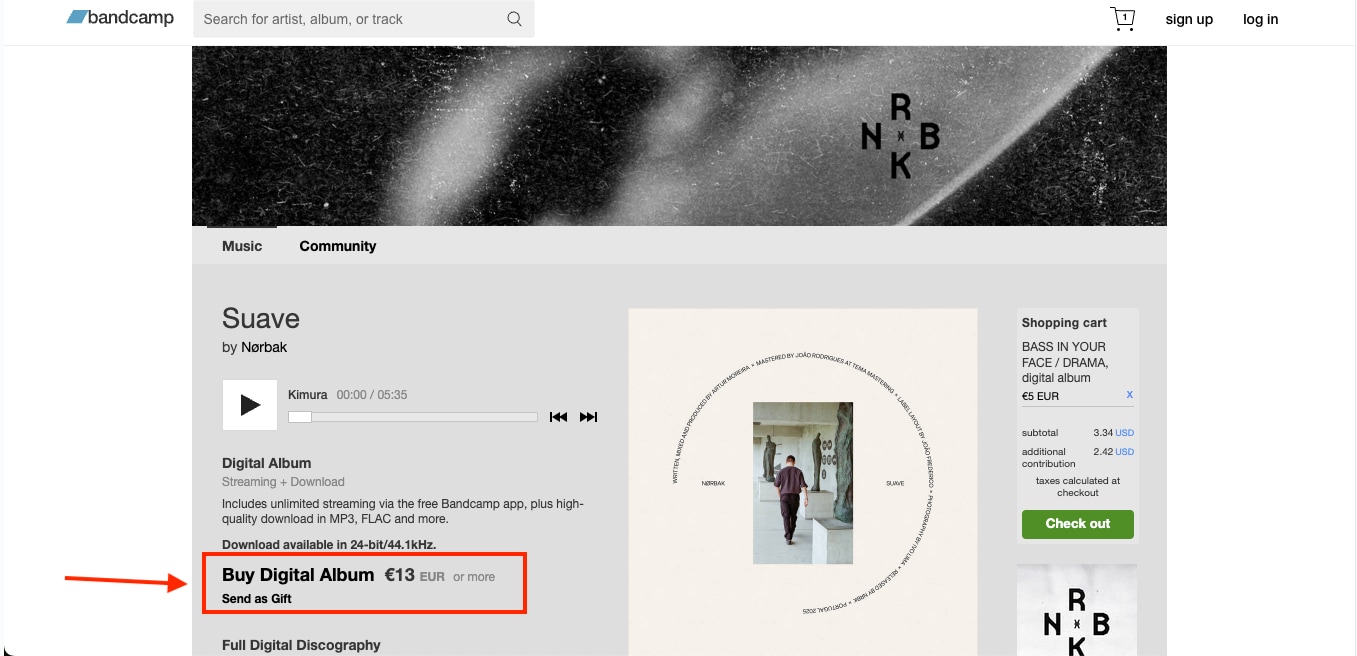
Step 1: From the official website, search for the artist's album or track you wish to buy. Once you have made your choice, click on "Buy Digital Album."
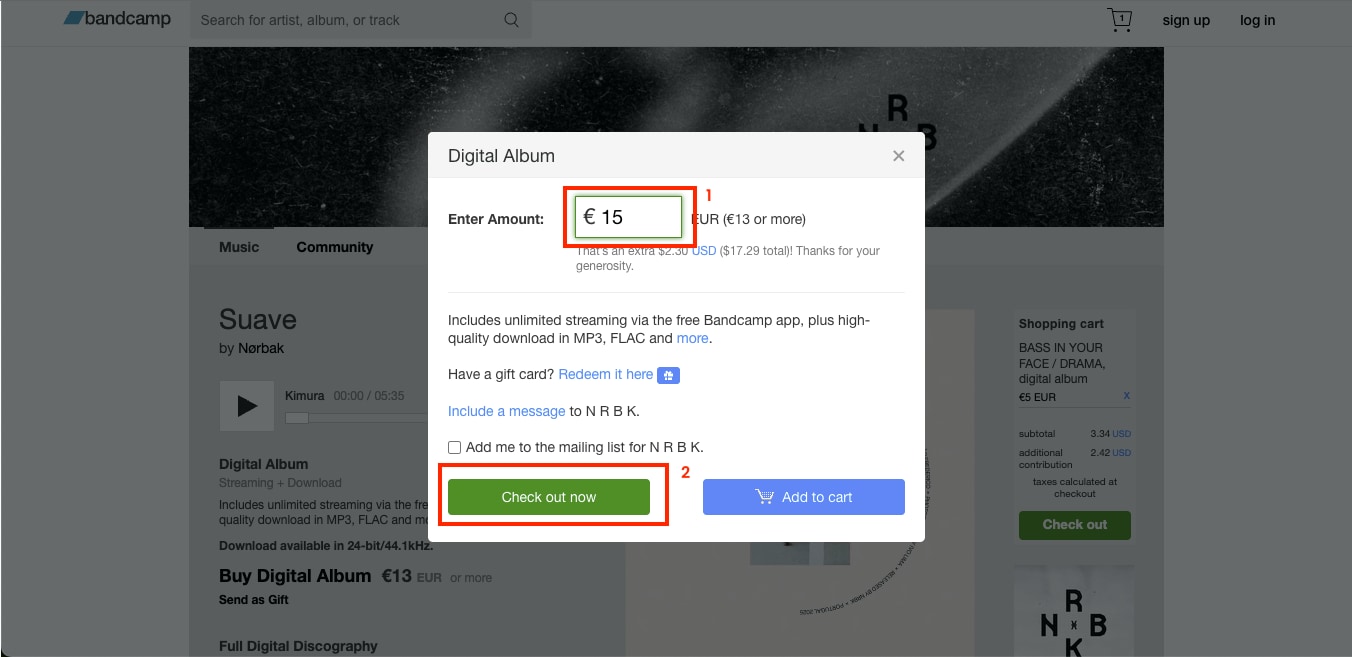
Step 2: A pop-up window will appear asking you to enter the amount you would like to pay. Every artist sets a minimum price, but you can choose to pay more as a gesture of support. After entering the amount, click "Check out now," and confirm the payment.
Step 3: After the payment is processed, Bandcamp sends an email to your registered address containing your download link and detailed instructions.
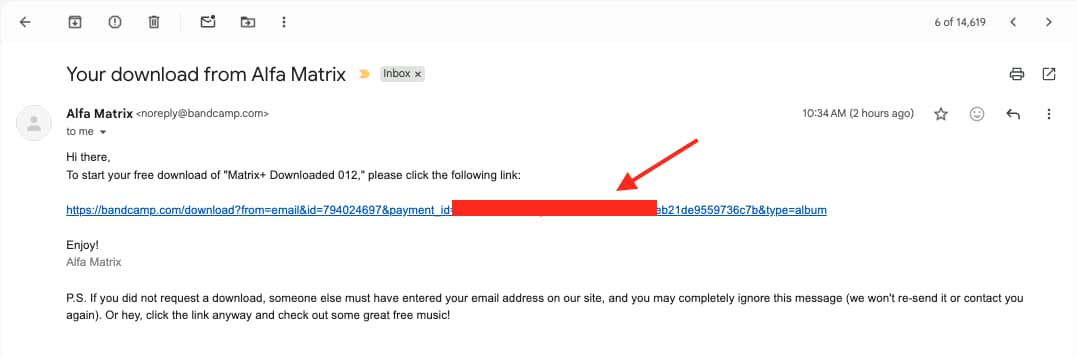
Step 4: Open the email link to access the album page and select your preferred format, such as MP3 320 kbps, FLAC, WAV, or AIFF, and click "Download." The music will then begin downloading directly to your device for personal use.
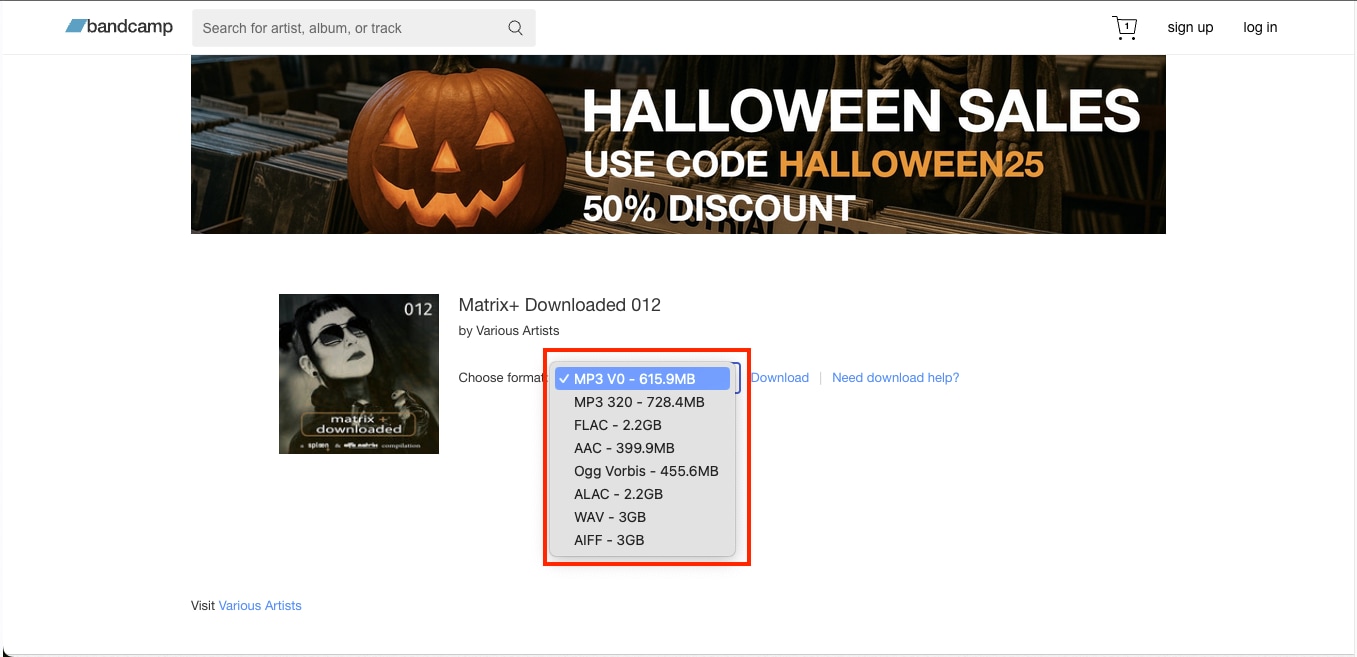
Note:
If you missed the confirmation page, you can still get your music in three easy ways:
- Via Email: Bandcamp emails a direct download link immediately after purchase.
- Collection Page: Visit your Collection tab on the Bandcamp website or Android app to find a Download button beneath each album.
- Purchases Page: Access your full order history on desktop and click Download Album to retrieve your files anytime.
By following these official steps, you will get the best audio quality while supporting artists fairly. However, if you prefer a simpler setup without formatting issues, Wondershare UniConverter can be the best Bandcamp downloader alternative for converting or organizing tracks safely.
Part 3: Top 6 Bandcamp Downloader Tools (Free & Paid)
There are different ways to download music from Bandcamp, and people mainly choose the method that works best for them based on their needs. Some of the users prefer web-based converters for quick access, while others go for desktop apps or browser extensions that make downloading easier.
Each Bandcamp downloader has its own features, so whether you need something simple for occasional use or a tool that can handle a large collection, there is an option for everyone.
Quick Guide: Best Bandcamp Downloader by Use Case
Quick Comparison Table of Top Bandcamp Music Downloaders
Before you choose the best Bandcamp music downloader, this comparison table helps you know which tools perform better in speed, quality, and format options. Here's a concise comparison of the top online desktop and browser-based solutions to download Bandcamp music safely and efficiently.
| Tool Name | Platform | Speed | Audio Quality | Supported Format | Ads | Album Support | Free/Paid |
| Bandcamp Downloader | Web | Fast | Up to 320kbps MP3 / FLAC | MP3, FLAC | No | Yes | Free |
| Bandcamp Album Downloader | Web | Fast | 320kbps MP3, OGG, WAV, FLAC | MP3, OGG, WAV, FLAC | No | Yes (ZIP) | Free (Premium: $7.99) |
| Wondershare UniConverter | Desktop & Web (Windows, Mac) | Very Fast | Up to Lossless | MP3, M4A, FLAC, AAC, WAV | No | Yes (Batch Download) | Freemium |
| BandcampDownloader | Desktop (Windows) | Moderate | 128kbps MP3 | MP3 | No | Yes | Free |
| Batchcamp | Browser Extension | Moderate | Based on the purchased file | MP3, FLAC (as per Bandcamp) | No | Yes (Bulk Download) | Free |
| Bandcamp Enhancement Suite | BrowserExtension | Moderate | Based on the purchased file | ZIP (Purchased Content) | No | Yes | Free |
Best Bandcamp Downloader
Can I download Bandcamp music online without installing anything?
Many users prefer quick web-based options when looking for a Bandcamp downloader. These online platforms make it simple to download Bandcamp MP3 tracks without installing software or browser plugins.
Note: Online Bandcamp converters vary in reliability. Some display intrusive ads, slow down under high traffic, or temporarily fail when Bandcamp updates its player. Avoid entering personal details and always scan downloaded ZIP files before opening.
Some of the most common online Bandcamp downloaders are:
1. BandCamp Downloader
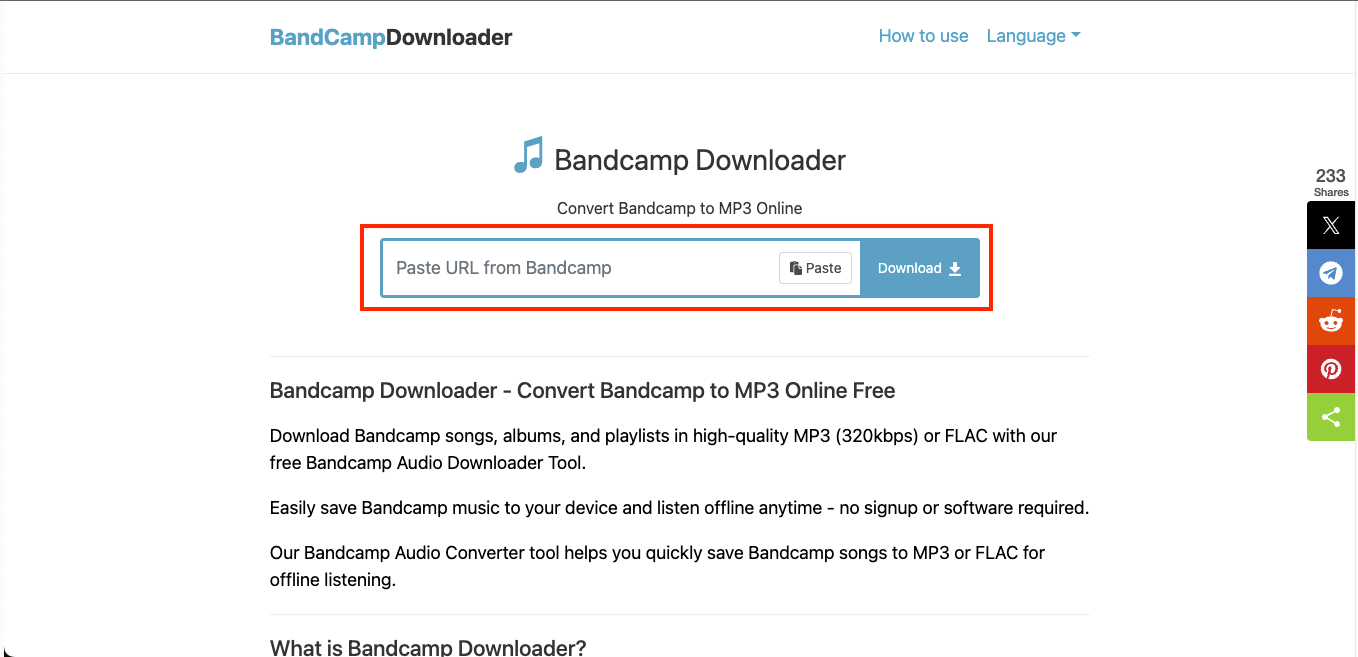
BandCamp Downloader is one of the simplest online websites to convert and download Bandcamp MP3 files for free. You need to paste a Bandcamp URL, and it will instantly save songs, albums, or playlists in MP3 (320 kbps) or FLAC formats.
Key Features
- BandCamp Downloader converts tracks and albums into MP3 320 kbps or FLAC.
- It works on all major platforms, including Windows, Mac, iOS, and Android.
- It automatically adds metadata like cover art, artist name, and album title.
- It is browser-based without any ads, and you do not need to create an account first.
2. Bandcamp Album Downloader
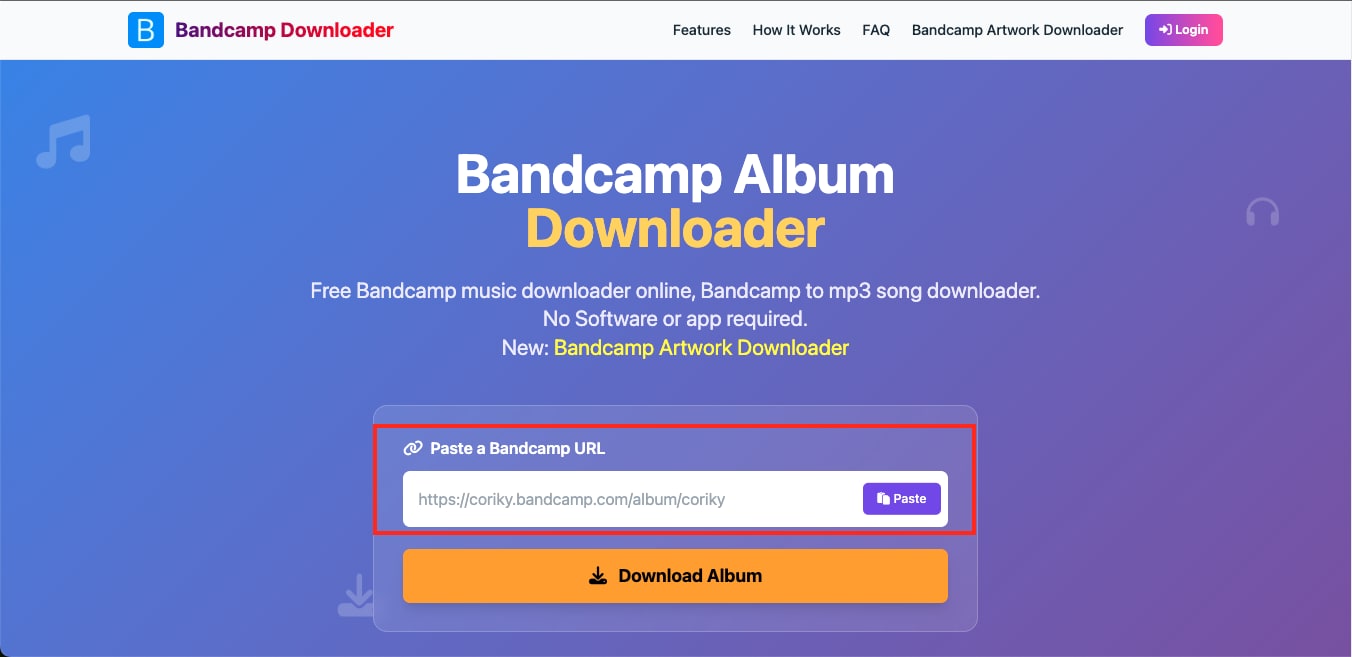
Bandcamp Album Downloader is another popular online Bandcamp MP3 downloader. It focuses on full album downloads rather than individual tracks. It is a browser-based tool and does not require installation, plugins, or extensions.
Key Features
- Bandcamp Album Downloader lets you download entire Bandcamp albums as a single ZIP file.
- It supports 320 kbps MP3, OGG, WAV, and FLAC formats.
- It provides an option to upgrade so you can download unlimited files daily.
- It automatically includes the artist name, track title, and cover art.
What desktop apps can download Bandcamp songs more reliably?
Users who prefer stability and higher control over output quality, desktop software often performs better than online converters. These programs can handle multiple downloads at once, offer format customization, and maintain consistent bitrate levels. A powerful Bandcamp music downloader for desktop also allows users to download Bandcamp MP3 tracks in batches and convert them without losing quality.
1. Wondershare UniConverter
Wondershare UniConverter is one of the most versatile tools for anyone looking for a reliable Bandcamp MP3 downloader. Along with MP3 extraction, it offers multiple audio editing features like noise removal, audio extraction, and more in batch. It lets you download full albums, playlists, or single tracks in high quality while offering automatic conversion to formats like MP3, FLAC, WAV, and M4A.
UniConverter is trusted by millions of users, updated frequently for 2025 compatibility, and known for stable performance across long downloads.
(Disclaimer: Our tool is intended for personal use only. Users are solely responsible for using this tool to save videos or audios, including compliance with platform's terms of service and copyright laws and regulations. We are not liable for any consequences resulting from users' violation of any laws or infringement of others' rights.)
Best Bandcamp Downloader
Key Features
- Wondershare UniConverter offers an MP3 Cutter to give you control over audio editing
- Supports over 1,000 video and audio formats with customizable bitrate options.
- Built-in AI Audio Enhancer tool for extracting vocals and instruments, and for denoising.
- Integrates with an intuitive media converter and CD burner.
2. BandcampDownloader
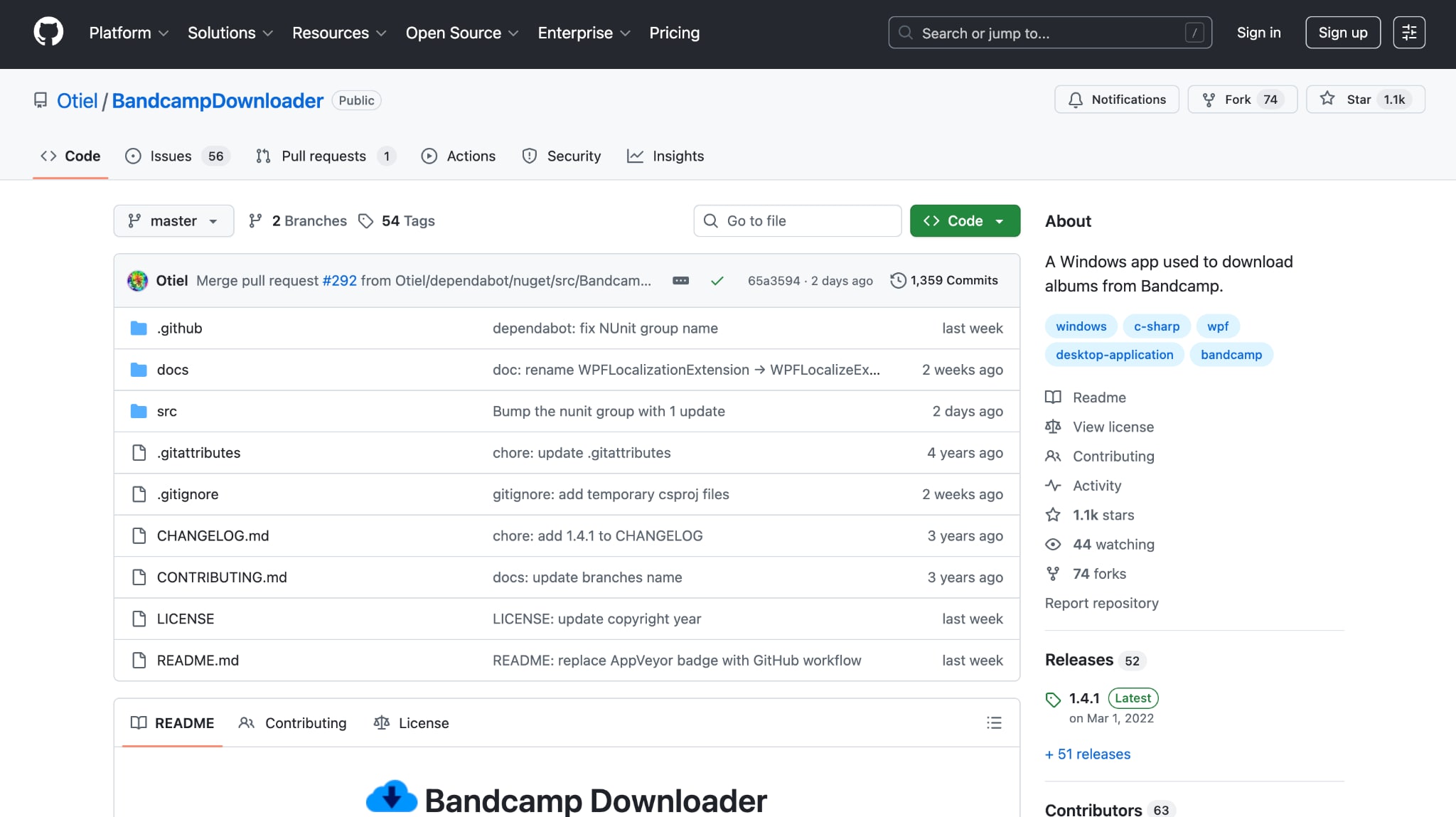
BandcampDownloader is a Windows-based Bandcamp music downloader developed and maintained by multiple open-source contributors on GitHub. It helps users download Bandcamp MP3 files directly from album tracks or artist pages by capturing the 128 kbps streams that are publicly available.
Key Features
- Downloads MP3 files directly from Bandcamp albums, tracks, or artist pages.
- Automatically adds ID3 tags like album name, artist, track title, release year, and lyrics (if available).
- Allows customization of file naming patterns and tagging preferences.
- Creates playlist files (M3U, PLS, WPL, ZPL) automatically.
Browser Extensions as Bandcamp Downloader
Bandcamp music downloader extensions are a smart choice for those who prefer quick, in-browser access without installing additional software. These lightweight tools work directly inside your browser, which allows you to download Bandcamp songs or entire collections in just a few clicks.
1. Batchcamp (Firefox Browser Add-on)
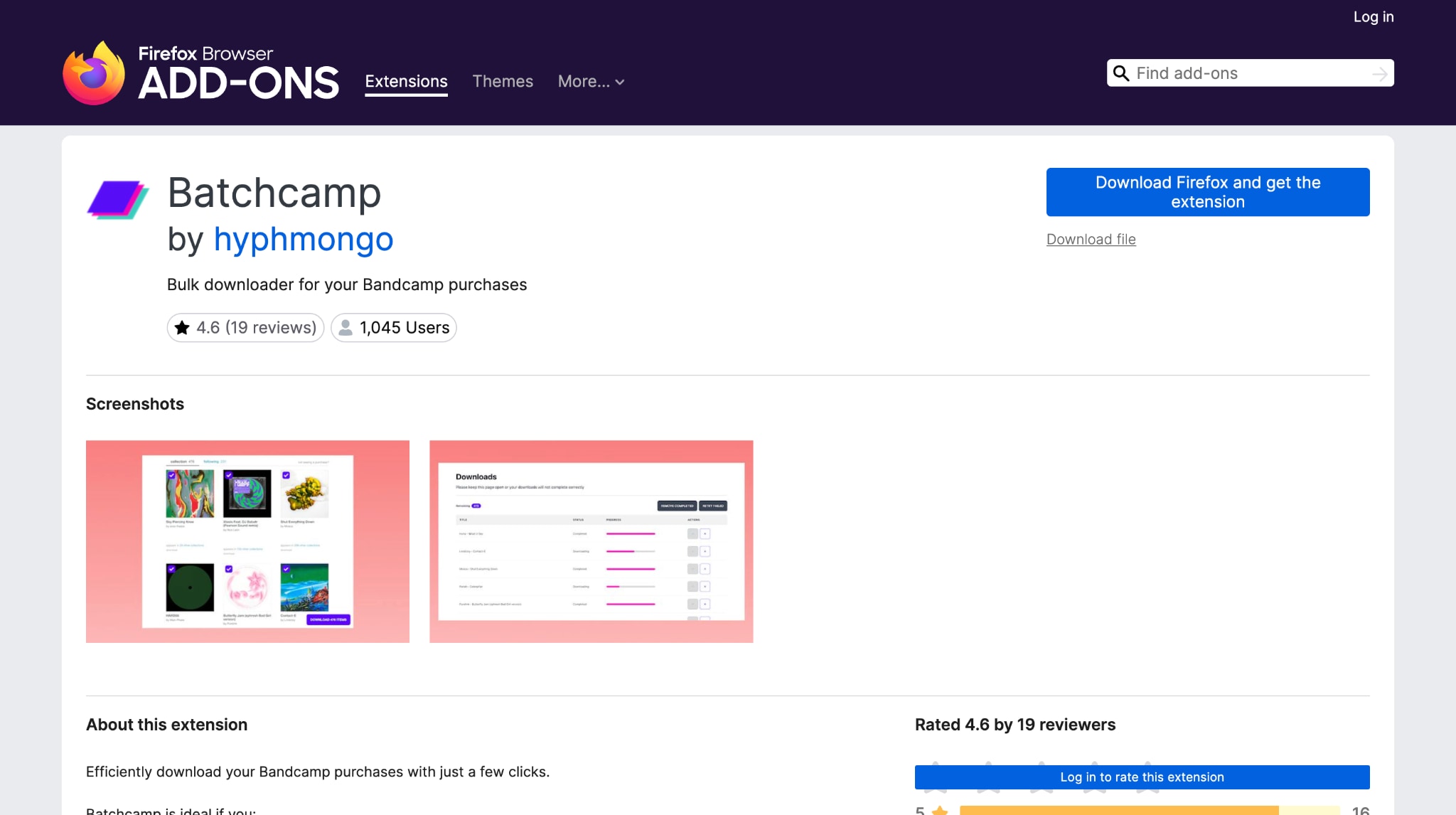
Batchcamp is one of the best Bandcamp downloader extensions for Firefox that lets users download multiple releases from their collection or purchases page at once. It's ideal for those who buy albums regularly on Bandcamp Fridays or need to back up entire discographies.
Key Features
- Select multiple or all releases from your Bandcamp collection or purchases page.
- Queue downloads automatically and monitor progress in a separate tab.
- Retry failed downloads or remove unwanted items.
- Ideal for managing large music libraries for DJing, archiving, or research.
2. Bandcamp Enhancement Suite [Chrome Extension]
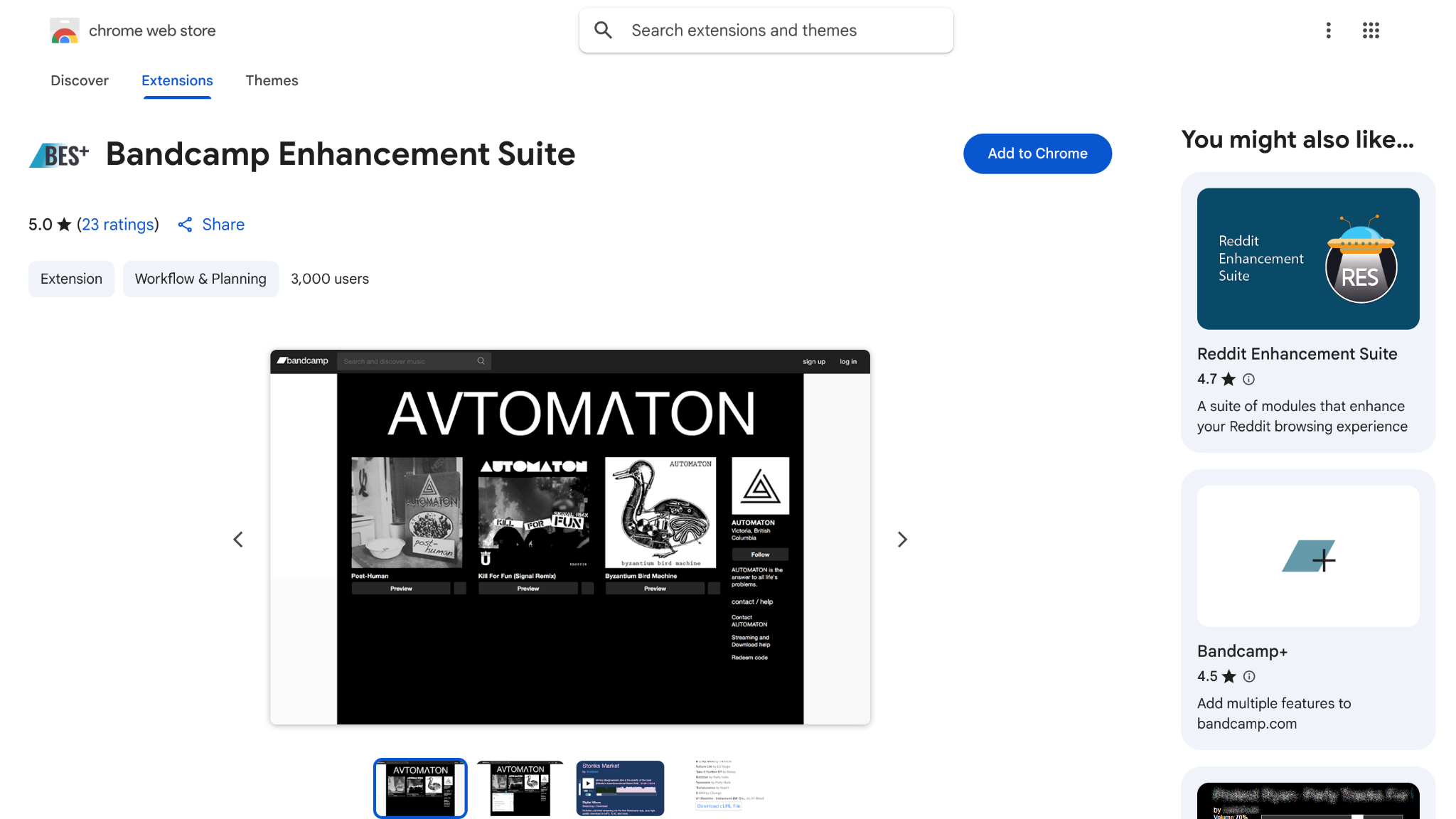
Bandcamp Enhancement Suite is a lightweight browser extension. It is built to improve how users navigate and organize their music collection on Bandcamp. It's designed primarily for DJs and collectors, offering a smoother way to manage purchases, import/export carts, and access post-checkout downloads without leaving the Bandcamp interface.
Key Features
- Adds a "Download ZIP" button post-checkout for quick album downloads.
- Enables cart import/export with URL support for easier bulk management.
- Displays waveform previews, BPM details, and metadata within the Bandcamp interface.
- Keeps the local history of your previewed albums, which you can access later on.
Part 4: How to Download Bandcamp MP3 in 320kbps High Quality?
If you want to download from Bandcamp in the best quality without losing its quality, a 320kbps bitrate is the standard for creators and audiophiles. A reliable Bandcamp downloader 320 kbps, like UniConverter, lets you enjoy high-quality sound while keeping file sizes manageable for offline listening.
Understanding 320kbps Bitrate Quality:
- 128 kbps: Standard quality; smaller file size, but noticeable compression.
- 192 kbps: Balanced option; better clarity without large files.
- 320 kbps: Premium MP3 quality, offering near-CD level sound for the best listening experience.
- FLAC/WAV: Uncompressed lossless options for mastering or archival purposes.
In short, a 320 kbps MP3 uses constant bitrate encoding that preserves more audio data per second. Its frequency response and dynamic range are much closer to CD quality, which is why audiophiles prefer it over 128 kbps or 192 kbps.
Best Bandcamp Downloader
How to Use a Bandcamp Downloader to Save MP3 Songs in 320kbps?
Take these simple steps to use this Bandcamp downloader 320 kbps and enjoy high-quality songs:
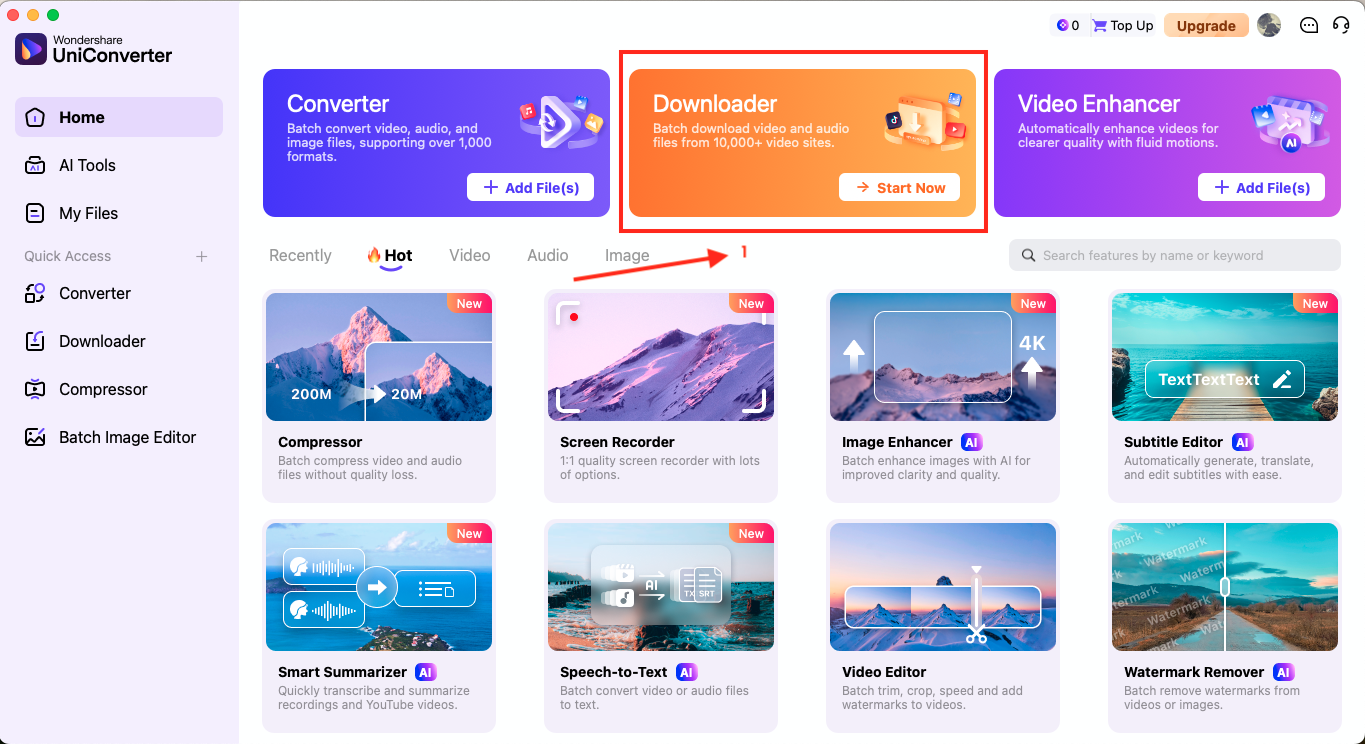
Step 1: Open UniConverter and go to "Downloader." This screen supports batch links for faster processing.
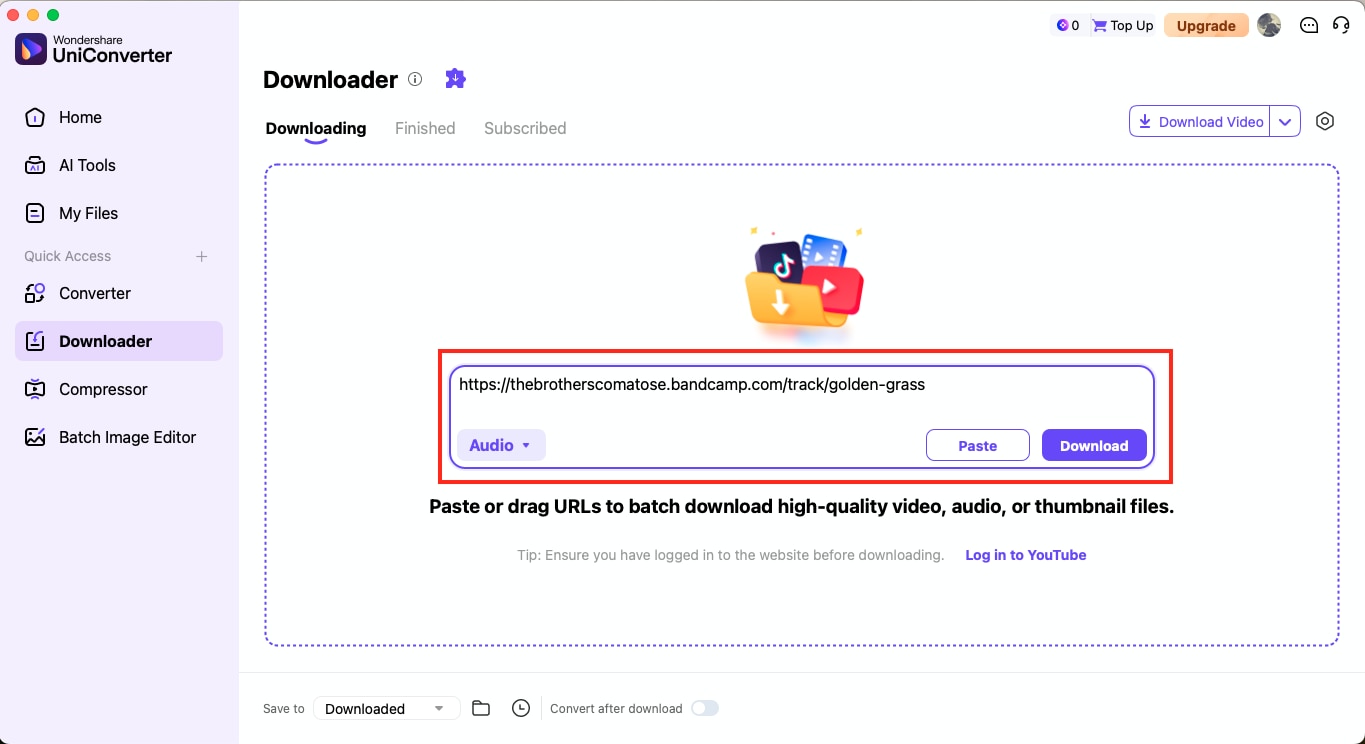
Step 2: Paste the Bandcamp track or album URL into the field and confirm it's detected.
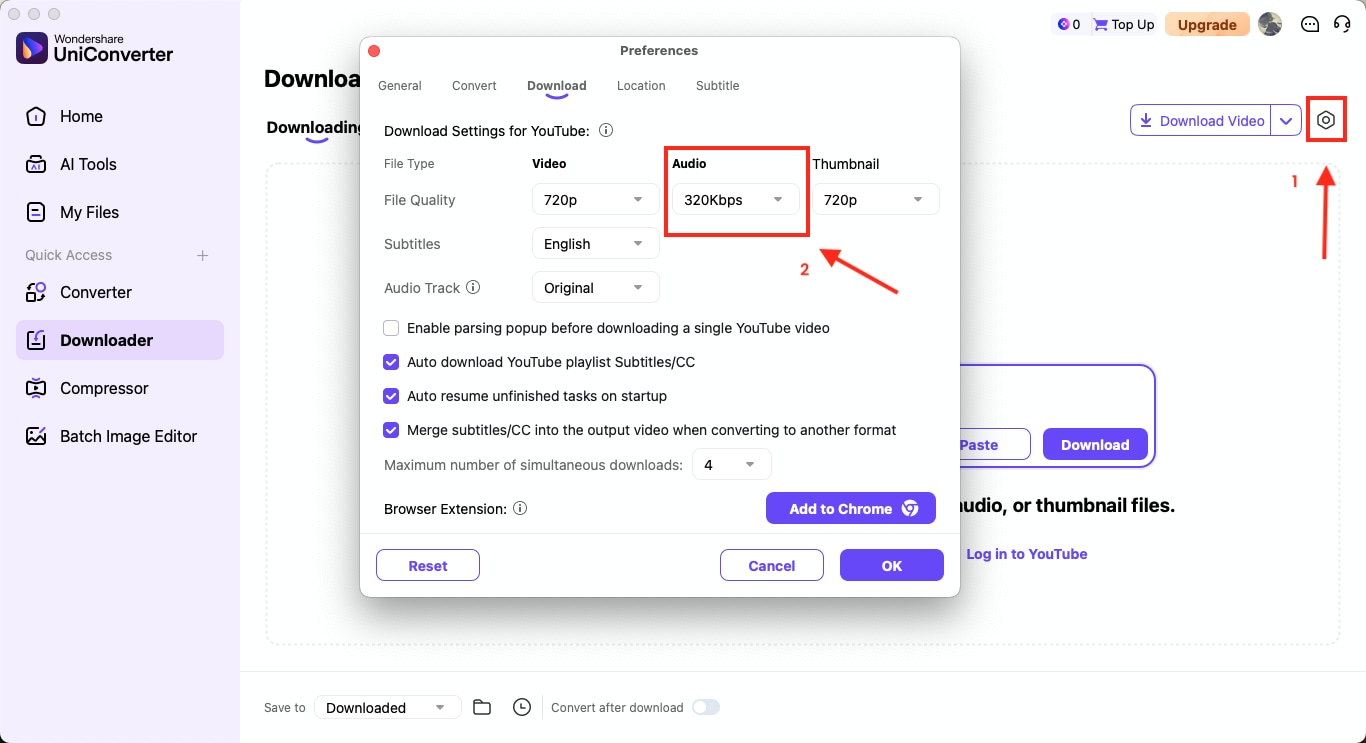
Step 3: Click the gear icon in the upper right to open "Preferences > Download." In Audio quality, select 320 kbps for MP3.
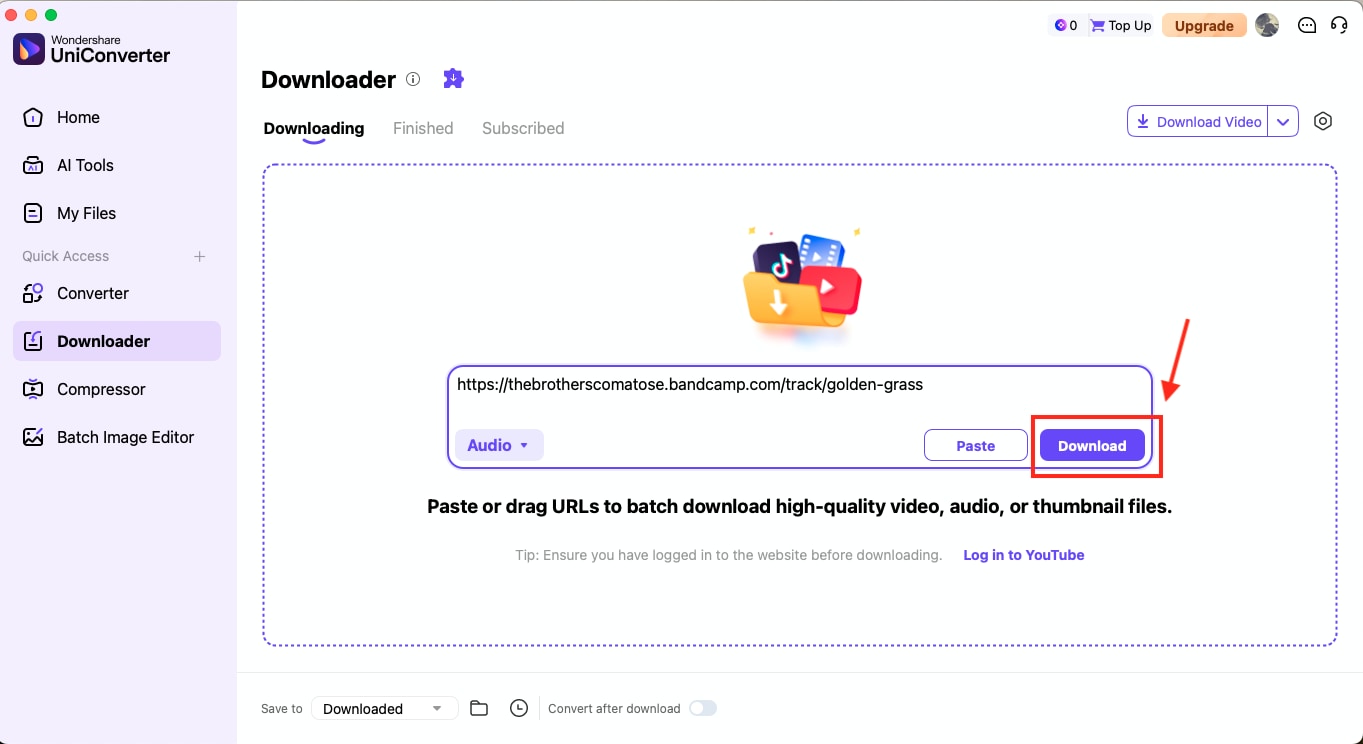
Step 4: Close the settings, then click "Download." UniConverter will fetch the audio and save it as MP3 320 kbps.
Tip: If you plan to download a large Bandcamp library, set 320 kbps as the default once, then paste multiple URLs to run true batch jobs with this Bandcamp music downloader.
Part 5: Convert Bandcamp to MP3 (Quick Option)
If you only need to convert Bandcamp to MP3 quickly, UniConverter offers a one-click solution that saves time without compromising quality. It lets you paste a Bandcamp track link, convert it into MP3, and organize it in your library instantly. This method ensures you always have compatible files for offline playback while maintaining 320 kbps audio clarity. Explore the full step-by-step guide to convert Bandcamp to MP3 >> here.
Part 6: Free Bandcamp Download (Legal Ways)
Some artists on Bandcamp release songs or albums for free to promote their work. UniConverter makes it easy to download from Bandcamp responsibly so you can save those free tracks in MP3, FLAC or WAV formats and still support independent creators. It's a clean, ad-free way to manage free downloads while respecting artist permissions. Learn more about these free Bandcamp download methods >> here.

Part 7: Download Full Albums from Bandcamp
For users who frequently purchase or collect multiple albums, UniConverter's batch download mode streamlines everything. Instead of saving tracks one by one, you can queue entire collections, convert them to 320 kbps MP3, and manage metadata automatically. This makes it a practical, high-efficiency choice for anyone looking for a Bandcamp album downloader to download full albums in high quality.
Conclusion
Downloading music from Bandcamp can be simple and safe when you choose the right method. You can use the platform's official download options for purchased tracks or rely on trusted tools that maintain audio quality and artist integrity. Among several online and offline tools, a reliable Bandcamp MP3 downloader like Wondershare UniConverter offers the ideal balance of security, convenience, and professional-grade sound.
Start downloading and converting your Bandcamp music safely with UniConverter. It gives you 320 kbps MP3 quality, batch downloads, and automatic organization that works on every device.

