

Many music enthusiasts prefer downloading complete Bandcamp albums instead of individual tracks, especially when they want to enjoy uninterrupted playlists or preserve collections for offline listening. Bandcamp itself allows you to purchase and download full albums in various formats such as MP3, FLAC, and WAV. However, when you look for ways to save entire albums quickly or back them up for personal use only, using a reliable Bandcamp album downloader can simplify the process.
In this guide, we will help you explore the best Bandcamp album downloader tools that let you securely download full Bandcamp albums while maintaining high audio quality for personal usage.

Best Bandcamp Album Downloader
In this article
- Part 1: Why do listeners download full Bandcamp albums for offline playback?
- Part 2: What is the Official Way to Download Bandcamp Albums?
- Part 3: Best Bandcamp Album Downloader Tools (Free & Paid)
- Part 4: Download Bandcamp Albums in 320kbps or FLAC Format Directly
- Part 5: Bandcamp Album Download Rules and Best Practices
Part 1: Why Download Full Albums from Bandcamp?
Music lovers often look for ways to download a full album from Bandcamp so they can listen without relying on internet connectivity or streaming platforms. Downloading complete albums also ensures that the collection stays preserved in its intended order and quality, which may create a more authentic listening experience for hardcore fans.
Here are some of the most common reasons you prefer full album downloads:
- Offline Playback: Listeners can enjoy albums anywhere, anytime, without buffering or internet interruptions.
- Backup and Archiving: One can always keep a personal copy of their purchased albums as a backup in case the original files are lost or removed.
- Personal Collections: Music enthusiasts can build a neatly organized music library with their favorite artists and genres.
- Consistent Audio Quality: By downloading an entire album, one can guarantee uniform audio quality across all tracks.
- Artist Support: Purchasing and downloading full albums directly from Bandcamp supports creators and helps them continue making music.
Part 2: What is the Official Way to Download Bandcamp Albums?
The most secure and legitimate method for Bandcamp album downloads is through the official website itself. Bandcamp allows you to purchase digital albums directly from artists and download them in multiple audio formats.
Here’s how to download a purchased album officially:
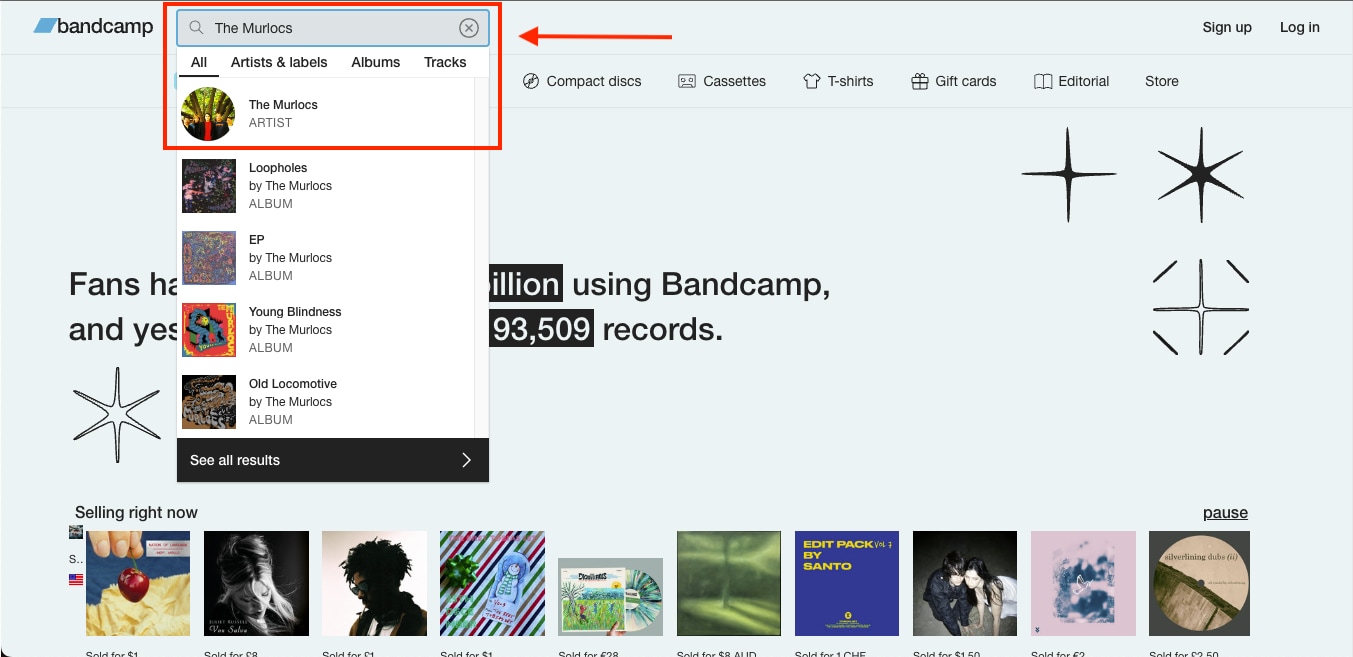
Step 1: Go to the Bandcamp official website and search for the artist or album you want to purchase.
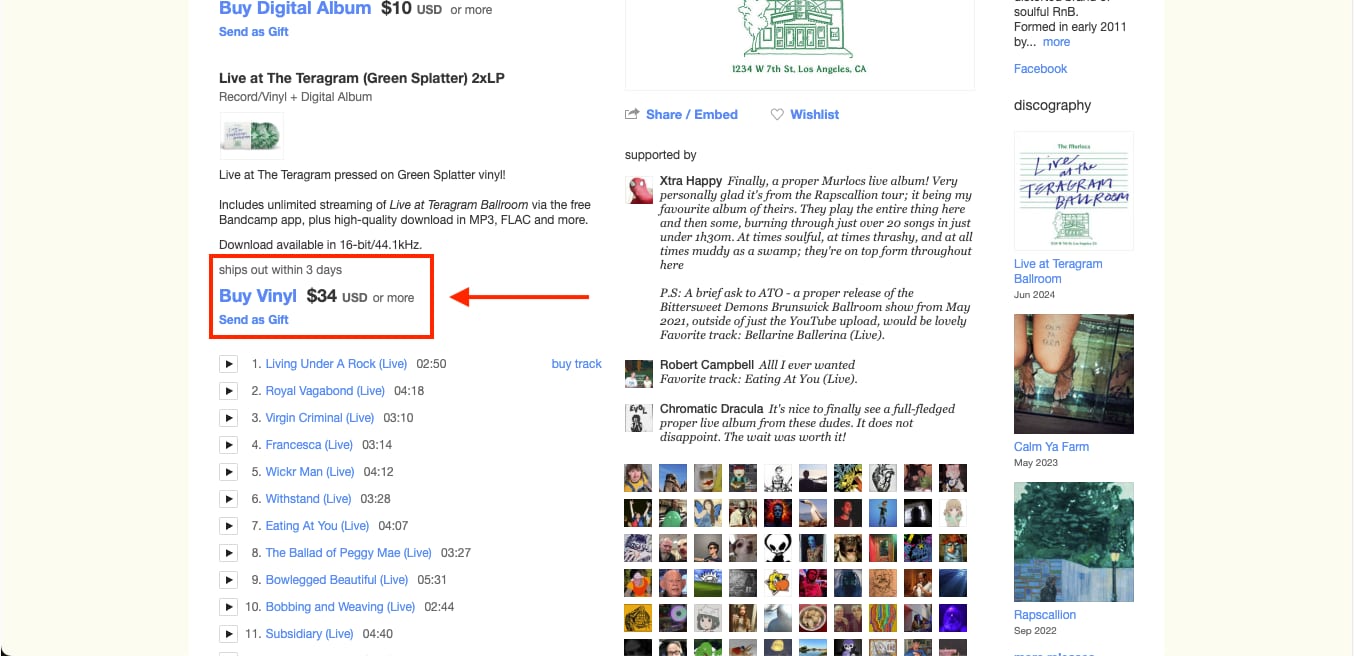
Step 2: As shown in the example, each album page lists all the songs included. Click on Buy Digital Album to proceed with the purchase.
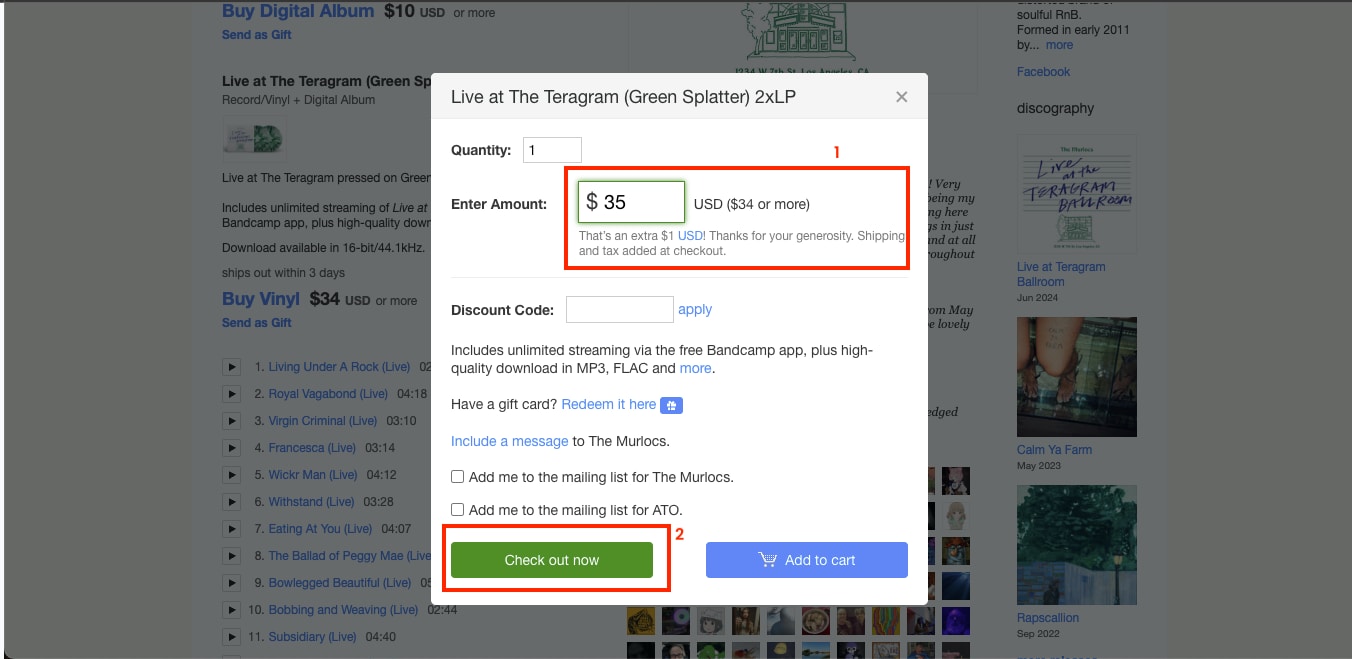
Step 3: Make the payment using your preferred method. The official download link will be sent to your registered email address, or you can access it directly through your Bandcamp account.
Step 4: Open the provided download link, choose your desired audio format (MP3, FLAC, WAV, etc.), and the entire album will be downloaded to your system for personal use.
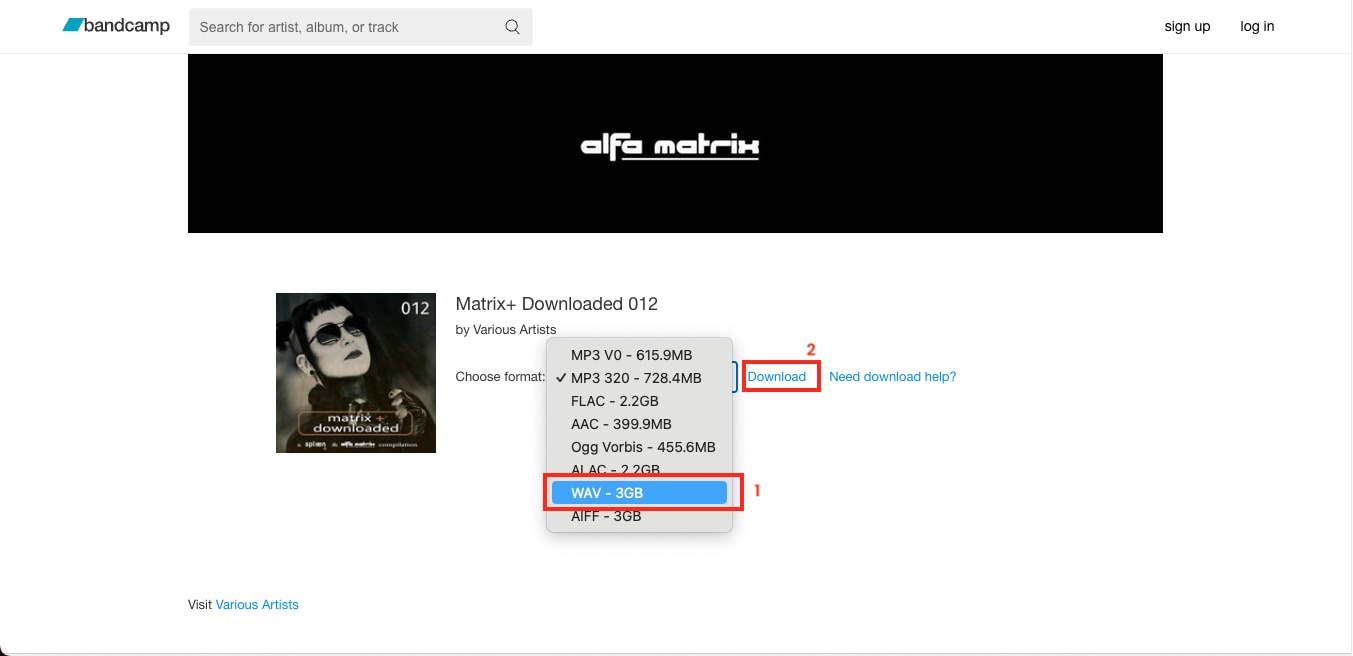
Other legal ways to download albums:
- “Name Your Price” releases
- Free album bundles during artist promotions
- Creative Commons-licensed albums (BY, BY-NC, BY-SA)
Part 3: Best Bandcamp Album Downloader Tools (Free & Paid)
If you are searching for the most efficient Bandcamp album downloader, choosing a reliable tool can make all the difference in quality and speed. The following options are among the best Bandcamp album downloaders available in 2025, offering secure downloads, high-quality conversions, and easy-to-use interfaces suitable for both beginners and professionals.
Quick Guide: Best Bandcamp Album Download Method by Audio Goal
Bandcamp Album Downloader Tools [Quick Summary]
As you can see from the tools mentioned above, choosing the best Bandcamp album downloader depends on your preferences for speed, quality, safety, and available features. Some tools focus on convenience and free access, while others deliver professional-grade performance and bulk downloading options.
| Tool Name | Platform Type | Speed | Safety | Output Formats | Audio Quality | Bulk Download |
| Wondershare UniConverter | Desktop App | Fast | Highly Secure | MP3, FLAC, WAV, AAC, OGG, AMR, MP2, ALAC, AC3, and more | Up to 320kbps / Lossless | Yes |
| NoteBurner Music One | Desktop App | Average | Secure | MP3, FLAC, WAV, ALAC | Up to 320kbps | Yes |
| BandcampDownloader.app | Web-Based | Average | Moderate | MP3 | Up to 320kbps | Limited |
| AnyDownloader | Web-Based | Average | Moderate | MP3 | Around 128kbps | No |
| LocoLoader | Web-Based | Fast | Safe | MP3 | Standard | Limited (Free Plan) |
Desktop tools vs online tools:
- Desktop downloaders offer consistent performance, stable batch processing, and predictable output.
- Online converters are faster for one-time tasks but depend on server stability and bandwidth.
1. Wondershare UniConverter
Wondershare UniConverter is one of the best Bandcamp album downloaders, as it lets you not only download albums but also convert and organize full Bandcamp albums with ease. What sets UniConverter apart from other Bandcamp downloaders is the fact that it not only lets you download individual songs or albums but also provides powerful AI tools that enhance the quality of the songs.
Best Bandcamp Album Downloader
Key Features
- Supports high-speed bulk downloads from 10,000+ platforms, including Bandcamp, and supports multiple formats, including MP3, FLAC, WAV, AAC, and more.
- Built-in free video trimmer feature gives you a personalized experience.
- Noise remover lets you cut the unwanted noise from audio and video, or you can separate music and vocals.
- The AI video enhancer lets you enhance the quality of the video without needing another tool.
2. NoteBurner Music One
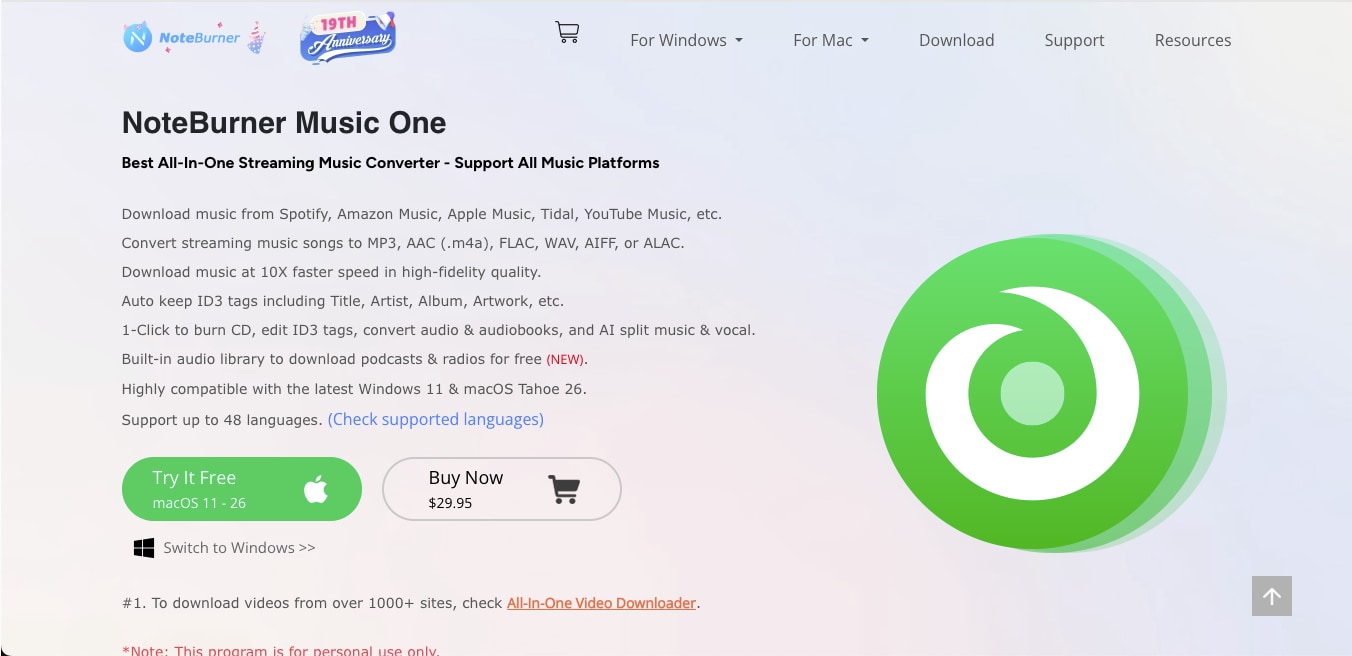
NoteBurner Music One is a feature-rich Bandcamp album downloader designed for those who want high-quality music downloads from multiple platforms. It supports MP3, FLAC, WAV, and ALAC formats while maintaining original 320kbps fidelity. The premium package for this tool costs $29.95/month and allows you to download it for Windows and macOS.
Key Features
- You can download full Bandcamp albums in MP3, FLAC, WAV, or ALAC formats.
- There’s a built-in AI audio splitter to separate vocals and instruments.
- The tool provides smart file organization by playlist, artist, or album.
- It further supports export to iTunes and customizable file naming for easier sorting.
3. BandcampDownloader
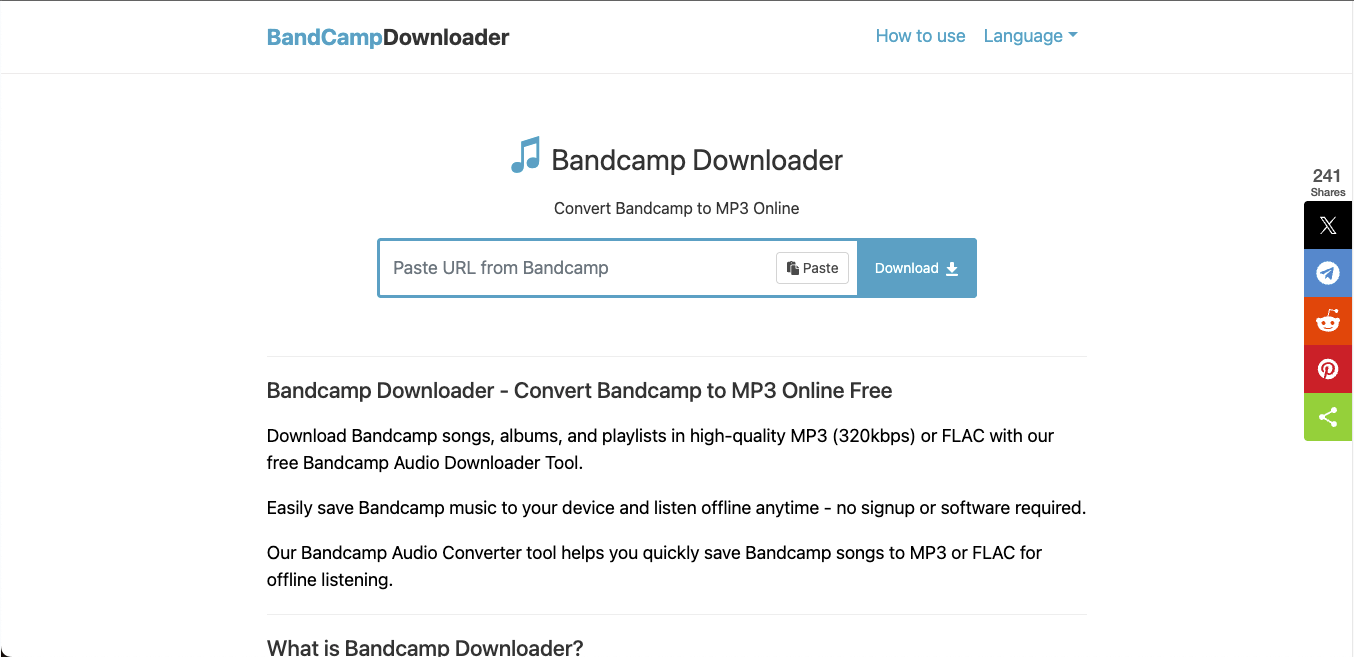
BandcampDownloader.app is a simple, browser-based Bandcamp album downloader that helps you save individual tracks or complete albums directly to MP3 format without installing extra software. It’s ideal for quick, on-the-go downloads and supports up to 320 kbps, making it a practical option for casual listeners who prefer lightweight online tools for downloading a full album from Bandcamp.
Key Features
- This Bandcamp album downloader works entirely online.
- It supports MP3 audio at 128 kbps and 320 kbps.
- This online tool allows you to download full albums with cover art.
- It is compatible with most browsers and mobile devices.
4. AnyDownloader
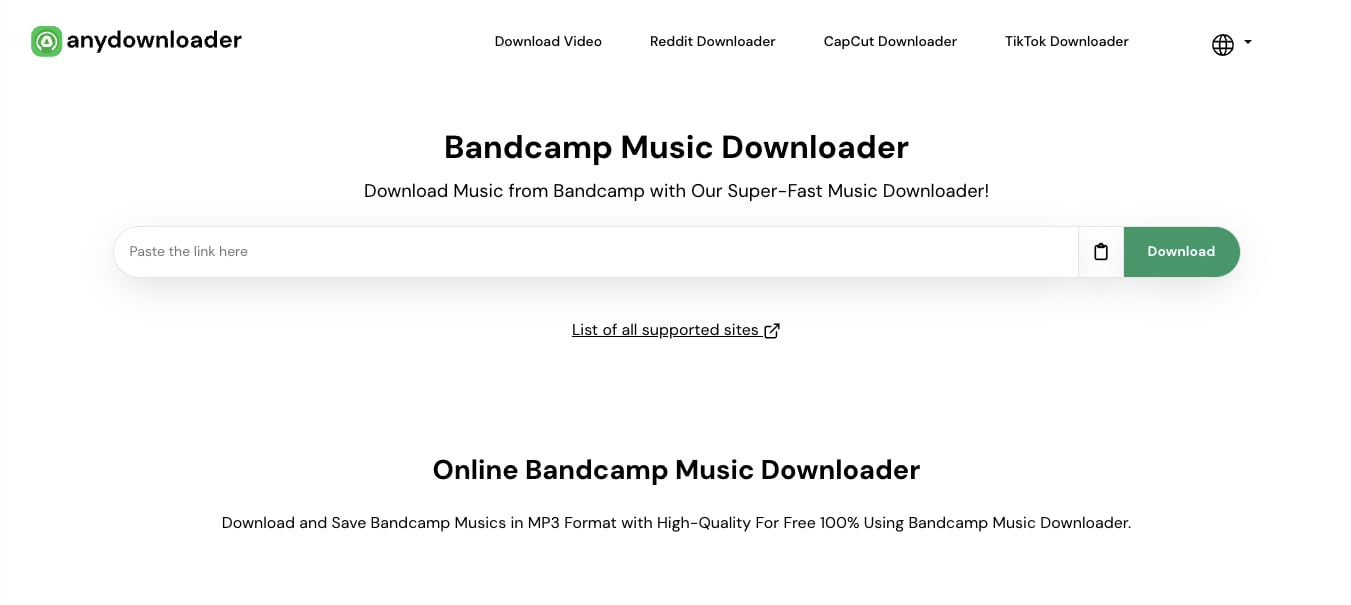
AnyDownloader is a free, web-based Bandcamp album downloader that lets you download music directly in MP3 format without registration or software installation. Its simple drag-and-paste functionality makes it ideal for quick downloads, and it is compatible with both desktop and mobile devices.
Key Features
- This downloader offers a one-click link-based download system.
- It works seamlessly across browsers and devices without plugins or sign-ups.
- It also offers unlimited downloads with straightforward navigation.
- This web-based tool provides options to extract audio in MP3 format for easy playback.
5. Locoloader
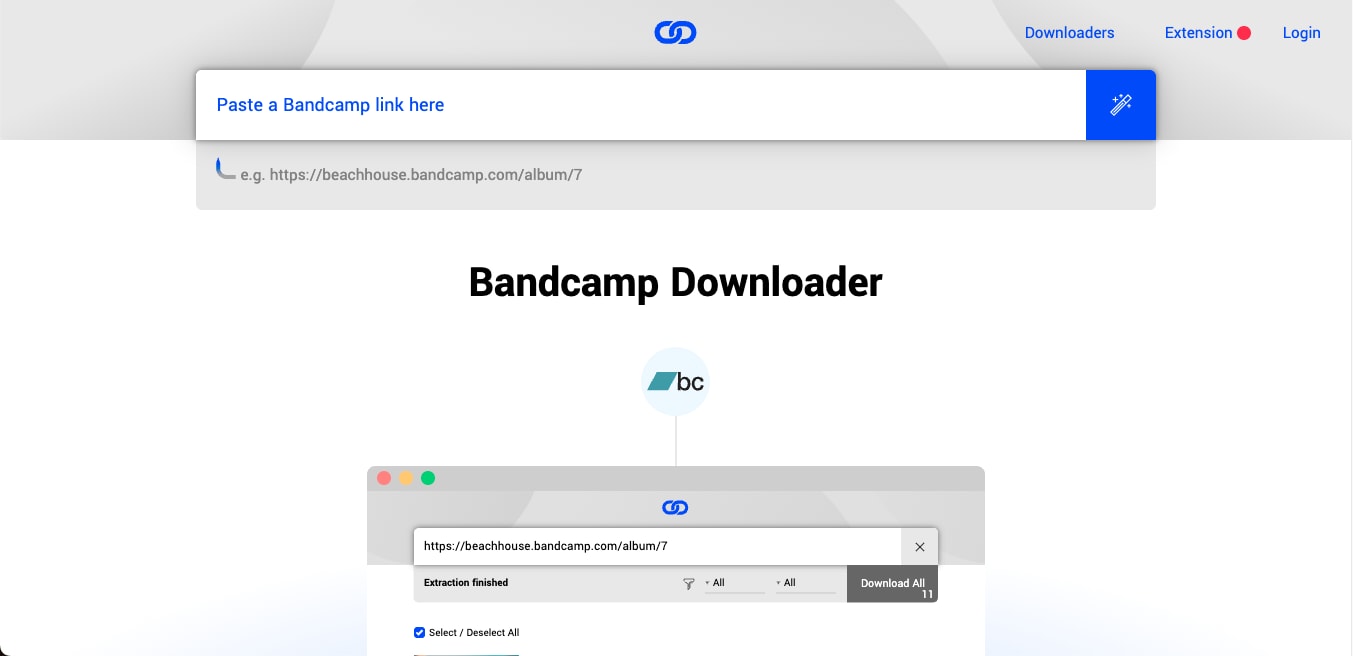
Locoloader is a clean, ad-free Bandcamp album downloader that lets you download both songs and full albums in MP3 format with a single click. It’s a browser-based solution designed for efficiency, which allows two free extractions every six hours or unlimited downloads with a paid subscription starting at $5/month.
Tools like Locoloader and AnyDownloader rely on public mirrors. Server changes may cause unstable performance, occasional redirects, or inconsistent audio quality. Use them for temporary access only.
Key Features
- Downloads both individual tracks and entire albums from Bandcamp.
- Ad-free interface ensures a smooth, distraction-free experience.
- Works directly from the browser without any software installation.
- Subscription option available for faster, unlimited extractions.
Part 4:320kbps MP3 vs FLAC: which Bandcamp download format should you choose?
When choosing between a Bandcamp album download in 320kbps or FLAC format, the decision depends on how you want your music to sound and how much storage you are ready to use. A Bandcamp album downloader in 320kbps gives you high-quality MP3 files that are lightweight and compatible with every device. FLAC is a lossless format meant for listeners who prefer full audio detail with no compression artifacts.
Here’s a simple way to understand the difference:
- 320kbps MP3: These are high-quality audio, small file size, perfect for phones, laptops, and casual listening.
- FLAC (Lossless): These files preserve every detail of the original track, ideal for high-end headphones, speakers, and archiving.
- 128kbps MP3 (not recommended): These are usually not recommended for modern use, as they are smaller size, but noticeable quality loss compared to 320kbps and FLAC.
- WAV (lossless, uncompressed): Highest quality but extremely large files, best for production or mastering use.
As you can see from the above bitrate differences, your choice depends on usage. You can always go ahead with MP3 320kbps for everyday playback and portability, or you can choose FLAC for long-term preservation or a more immersive listening experience. If you ever want to switch formats later, you can use Wondershare UniConverter, which can handle high-quality conversions easily, as long as everything stays for personal use only.
Best Bandcamp Album Downloader
Here’s how you can use Bandcamp album downloader 320kbps for downloading in high quality:
Step 1: Copy the free Bandcamp album link to download.
Step 2: Open Wondershare UniConverter and select Downloader from the homepage.
Step 3: Paste the links of the Bandcamp album, one by one, in separate lines to download them at once.
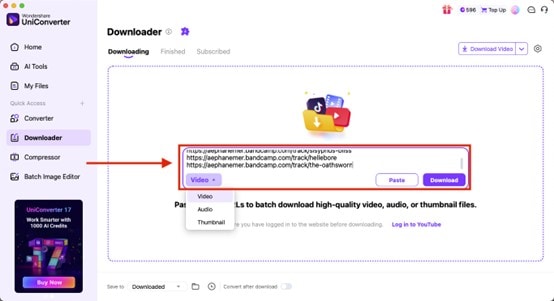
Step 4: Click on the gear icon to open the settings menu. Here, you can choose your preferred bitrate (up to 320kbps), adjust the encoder, and confirm the audio format.
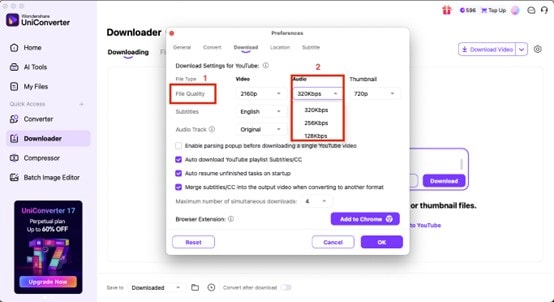
Step 5: Once your settings are finalized, click on Download to save your music in the selected high-quality format for personal use.
Part 5: Bandcamp Album Download Rules and Best Practices
Before using any Bandcamp album downloader, it’s important to remember that many third-party sites promising free full album downloads may host unsafe or pirated content. Downloading from such platforms can expose you to malware or violate copyright laws. The safest approach is always to use Bandcamp’s official platform or trusted tools for personal use only while ensuring that artists receive fair support for their work.
Keep these points in mind to stay safe and responsible:
- Avoid Unverified Websites: It is recommended that one should avoid downloading albums from random sites that claim to offer free or unlimited Bandcamp content.
- Support Artists Directly: It is highly advisable to purchase music from Bandcamp or other legitimate stores so that creators are compensated for their work.
- Use Trusted Tools Only: If you need to use third-party tools, please stick to reliable converters like Wondershare UniConverter that clearly outline their legal usage limits.
- Respect Copyright: Most importantly, always keep downloads for personal listening, backups, or offline playback, without reuploading or redistributing them.
Conclusion
Downloading music responsibly ensures both quality and support for artists. Using a trusted Bandcamp album downloader helps you save full albums in high-quality formats while keeping your collection organized and secure. As mentioned in this guide, it is always recommended that one should prioritize official purchases or verified tools for personal use only to avoid copyright or security risks.
To manage your Bandcamp albums with consistent quality, convert them using Wondershare UniConverter. It maintains clarity, organizes your collection, and prepares your music for every device you use.

