


Most individuals attempt to download a clip directly and are frustrated when the clip is saved as a video, freezes, or fails to open. This leaves users asking, “Why am I not able to download GIFs on Reddit? and the truth is that Reddit itself does not hold GIFs in their actual GIF format. Most posts use the MP4 format, so there is no standard save option.
Additionally, users encounter the issue of “downloaded Reddit GIF not playing correctly” because the file may open as a silent video, freeze, or fail on older phones or apps. Here, a reliable Reddit GIF downloader resolves these issues, and this guide outlines some options.

Best Reddit GIF Downloader
In this article
- Part 1. Why You Can't Directly Download GIFs from Reddit
- Part 2. What Is a Reddit GIF Downloader?
- Part 3. How to Download GIFs from Reddit: Best Reddit GIF Downloaders Compared
- Part 4. Download Reddit GIF vs. Reddit Video – What's the Difference?
- Part 5. Legal and Ethical Considerations When Downloading Reddit GIFs
- FAQs about Reddit GIF Downloader
Part 1. Why You Can’t Directly Download GIFs from Reddit
For better clarity, this section explains why one can’t download Reddit GIF to determine the need for a Reddit GIF downloader:
- Most “GIFs” Are Really Videos: Reddit turns most uploaded GIFs into small MP4 clips to save data and cut file size by a large percentage. The site removes the original GIF, so users receive only the MP4 file and never get a copy of the GIF.
- Files Come From Many Hosts: A Reddit post may pull media from i.redd.it, Imgur, Redgifs, Gfycat, or other sites with their own rules. Each host serves files in formats like GIF, MP4, or WebM, so the same type of post can behave differently.
- Reddit Focuses on Viewing, Not Saving: The Reddit apps are designed for endless scrolling and fast playback rather than direct download access. Menu options hide download tools, so users only see Save or Share buttons and need outside tools to save files.
- Apps Act Differently Across Devices: Some Reddit versions on iOS or Android save a frozen picture or a video that does not loop or play right. Updates or glitches change results without warning, so a working download trick may suddenly stop without reason.
- GIF Files Are Huge and Hard to Handle: True GIFs use limited color palettes but consume significant space when they run long or show high detail and motion. Hence, Reddit replaces them with MP4 clips to reduce storage requirements and manage data usage, so raw GIF files remain hidden.
Part 2. What Is a Reddit GIF Downloader?
The perfect Reddit GIF downloader is an app that accepts a Reddit link and downloads the GIF inside the post. Consequently, you are able to save it on your phone or computer as a video or GIF. Therefore, it ought to accept a Reddit link without having to log in, find the corresponding media, download the best quality, and provide formats.
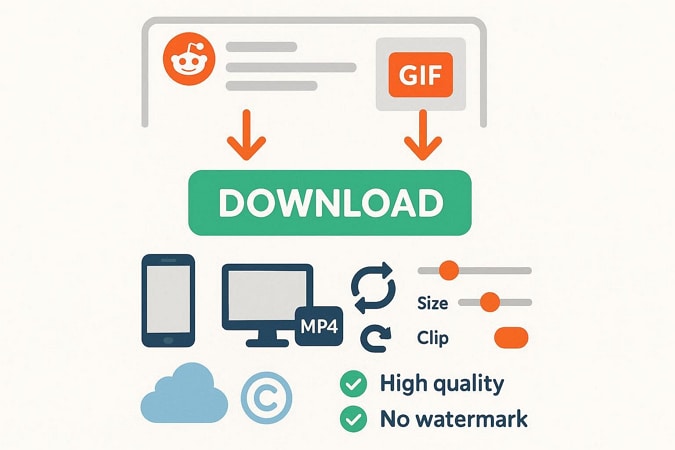
Sometimes a Reddit post contains a real .gif file, usually in old posts or links from outside sites. In that situation, a good Reddit downloader GIF should detect the GIF and let you save it immediately with its loop intact.
Also, it may offer the option to convert the GIF to a small MP4 file for easy sharing. It should allow adjustments to clip length, size, and smoothness, because GIF files grow quickly and require controls to avoid large downloads. Above all, it should also support the main Reddit hosts, save clean files without watermarks, and avoid ads or forced sign-ups.
Part 3. How to Download GIFs from Reddit: Best Reddit GIF Downloaders Compared
To know how you can download GIF from Reddit, review this section and locate online, desktop, and mobile solutions seamlessly:
Method 1: Downloading Reddit GIFs [Top Methods]
For the first method in discussion, we’ll be looking at the potential options that can be considered to download the GIFs from Reddit with ease:
Option 1: Desktop Right-Click Method (For Specific GIF Hosts)
For Reddit to GIF saving, users can simply open the GIF post in the browser and save it in the desired location. This method does not need any third-party tools, so it is faster and safer. Additionally, it works in Chrome, Firefox, Edge, and other major browsers without installing anything from Reddit. Also, the file keeps its original quality because the browser saves what Reddit serves, as guided below:
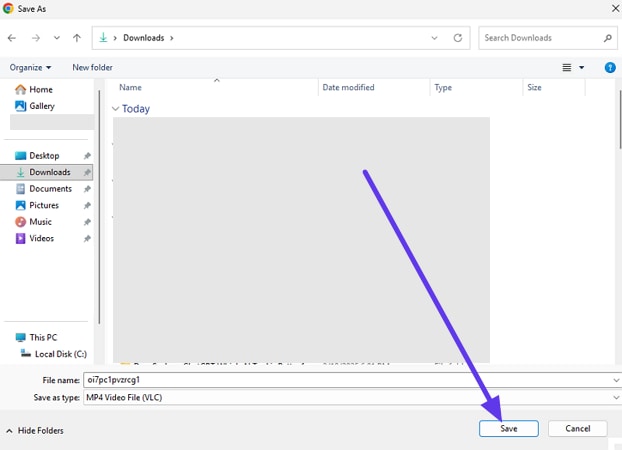
Step 1. Locate the GIF on Reddit you seek to save and right-click on it to choose the “Save Video Frame As..” or “Save Video As…” option.
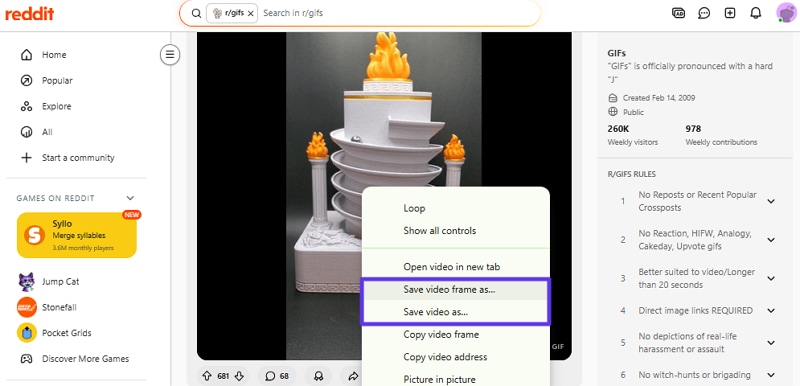
Step 2. On the File Explorer interface, rename the file extension to .gif and click the “Save” button.
Renaming Fails? Convert Reddit Videos to GIFs with UniConverter
If one fails to change the file extension, they can convert the Reddit video to GIF with a simple solution like UniConverter video converter. Its Converter allows you to import multiple videos of any format, like MP4, MOV, MKV, etc., to convert to GIF. Since batch processing reduces manual effort, the intuitive interface also makes usage seamless for beginners.
The tool can also make GIFs from images like JPG, PNG, BMP, and WebP. Users can choose from various images, video, or audio formats, besides GIF, and select the desired quality for conversion. Additionally, it produces high-quality, uncompressed outputs, with the option to choose the desired destination path.
Guide to Convert the Reddit Video to GIF with UniConverter’s Video Converter
To know how you can save a Reddit GIF by converting a video to a GIF with UniConverter’s Converter, review the listed steps:
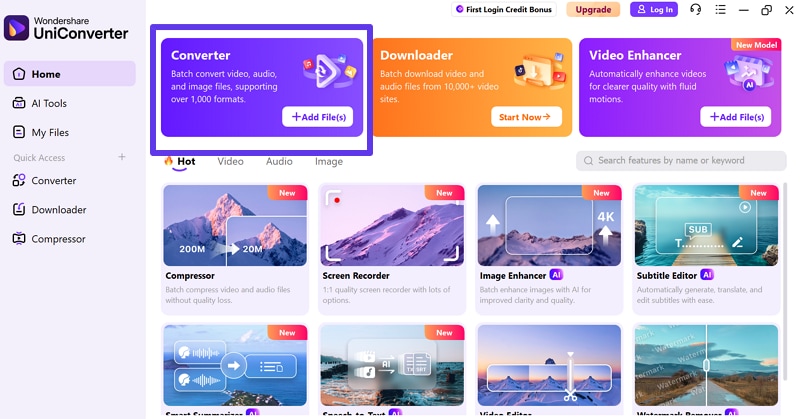
Step 1. Add the Files to the Converter As You Access the Tool
Press the “+Add Files(s)” option under the “Converter,” and add the saved Reddit video to the tool.
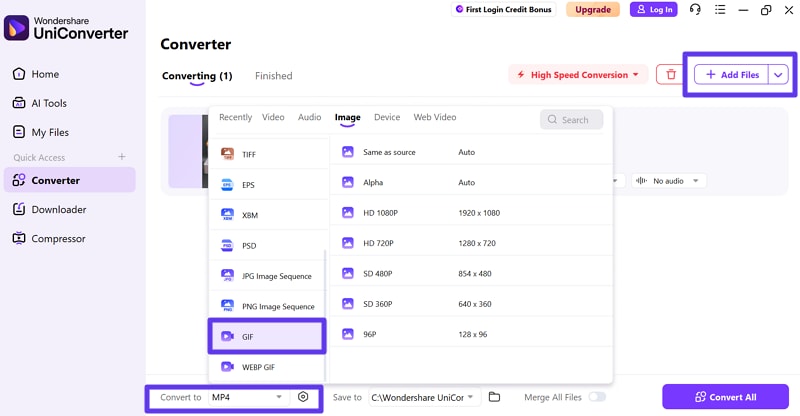
Step 2. Import More Files and Pick GIF in the Image Tab
Choose the “+ Add Files(s)” option at the top right corner to add more files and navigate the “Convert To” section. There, go to the “Image” tab and select the “GIF” format and quality from the given interface.
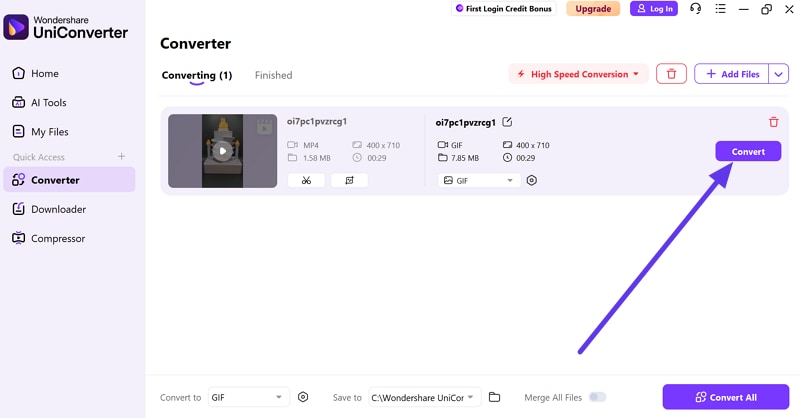
Step 3. Choose the Convert Button To Start the Video to GIF Conversion
Press the “Convert” button and wait until the tool completes the conversion and saves the file to the chosen location.
Option 2: UniConverter Downloader [For Batch Downloads or Conversion]
When you seek to download GIFs in batches, UniConverter batch Reddit GIF downloader can help. Its downloader is designed to batch download the GIF, while allowing the users to paste the link merely. While doing so, they can pause or resume the process, meaning this tool gives complete control over the process. Additionally, you can pick the destination path within the tool to make process automatic and seamless.
Also, with the “Download Video” option, you can choose to download video, audio, or thumbnail. UniConverter makes it effective for you to download the Reddit GIFs through its service, since it is actually a video.
Best Reddit GIF Downloader
Guide to Batch Download Reddit GIFs with UniConverter
To know how to download GIFs from Reddit in batches, review the simple listed steps for guidance:
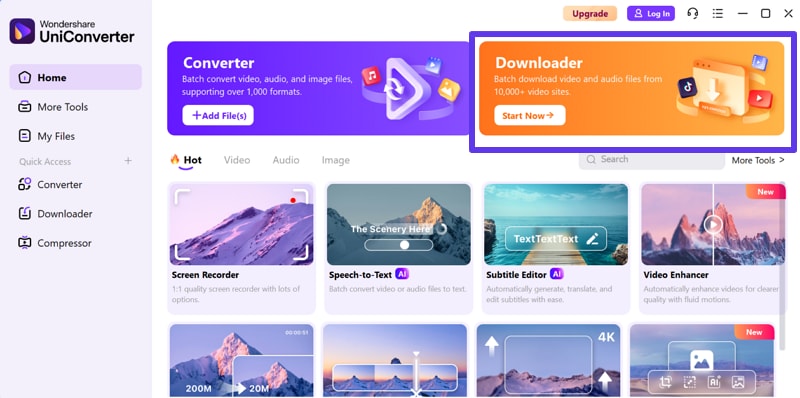
Step 1. Access the UniConverter Downloader and Paste GIF URL
Press the “Start Now” button on the “Downloader” tool and paste the URL of GIF on the new interface.
Step 2. Add More GIF Links and Start to Download
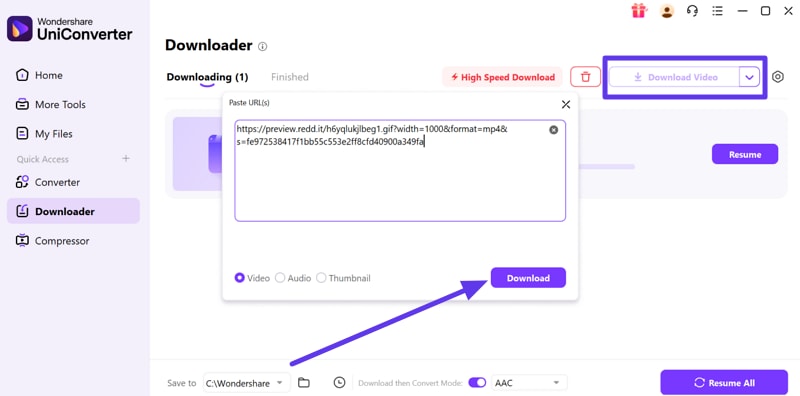
After that, pick the “Download Video” button at the top right corner and paste the link of another GIF to batch download. Once added, choose the “Download” button and commence the process.

Step 3. Resume or Pause Process and Pick Destination Location
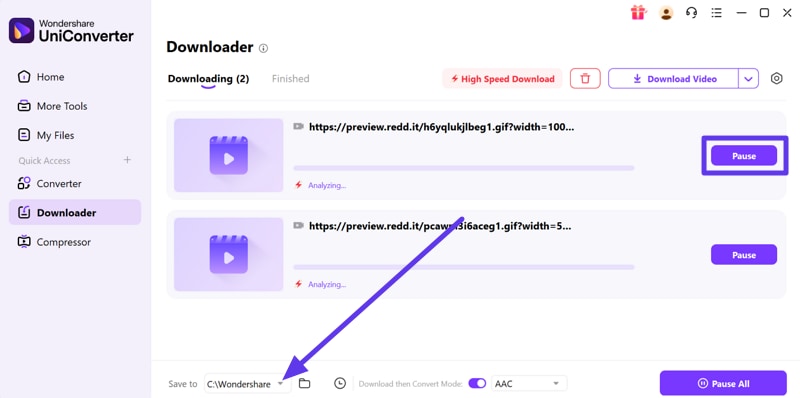
Now, choose to “Pause” the download or pick the “Save To” location to fetch the downloaded GIFs on the PC.
Method 2: Best Online Reddit GIF Downloader Tools (Recommended)
Here are some online tools you can consider to download Reddit GIFs on the go, without installing anything:
1. RapidSave (formerly RedditSave) - Best Overall
This tool supports media from v.redd.it, Imgur, Gfycat, Streamable, Giphy, and similar sites. Additionally, it can save Reddit videos with audio by merging audio and video into a single HD MP4 file and includes a “Download HD Video” button for easy saving. Its use is seamless; users can simply copy and paste a GIF link, making it an ideal choice for all users, as guided below:
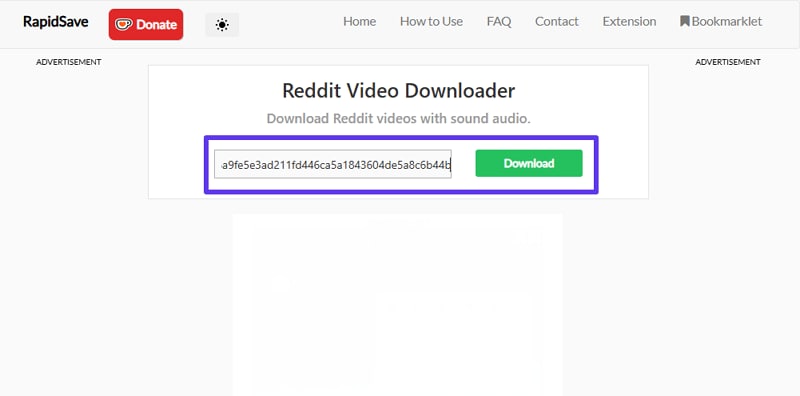
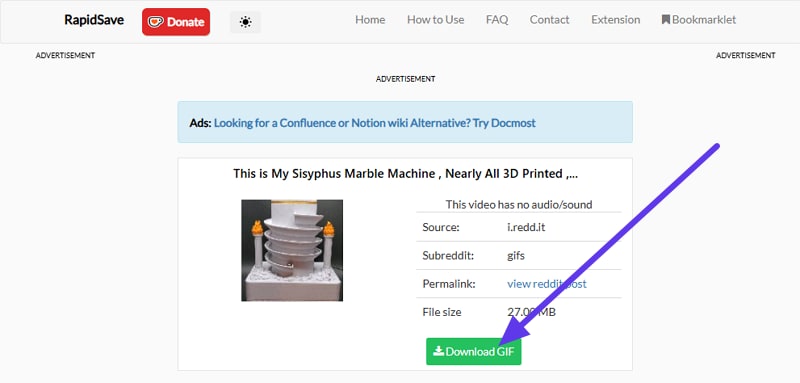
Step 1. Add the Reddit GIF link in the given textbox and press the “Download” button.
Step 2. Review the file details and pick the “Download GIF” option to save.
Key Features
- Works on desktop browsers and saves files to the default download folder.
- Accessible on Android with the same copy‑paste method.
- On iPhone, the “Documents by Readdle” app is used to paste links and save files.
2. RedVid.io - Best for High-Quality Downloads
To know how to download GIFs from Reddit, this option allows you to download Reddit videos, GIFs, images, and audio from post links. You paste a Reddit URL and get the media file directly on your device, with simple usage. Additionally, it can combine video and audio into a single file for offline playback. So, for understanding how it makes GIF downloading seamless, review the given steps:
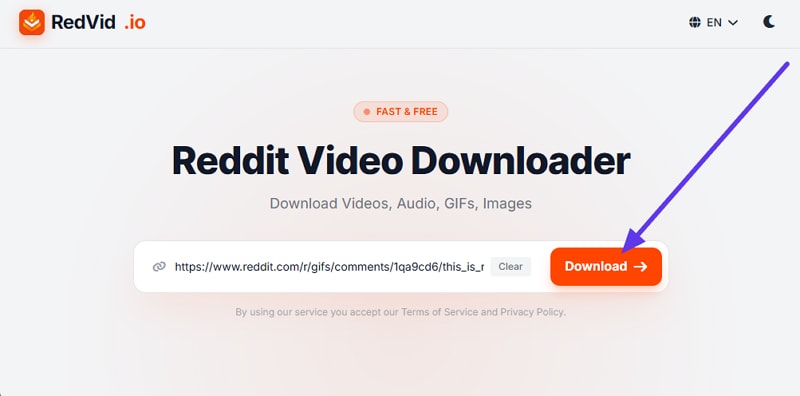
Step 1. Insert the link on the website and press the "Download" button to let the tool extract the file.
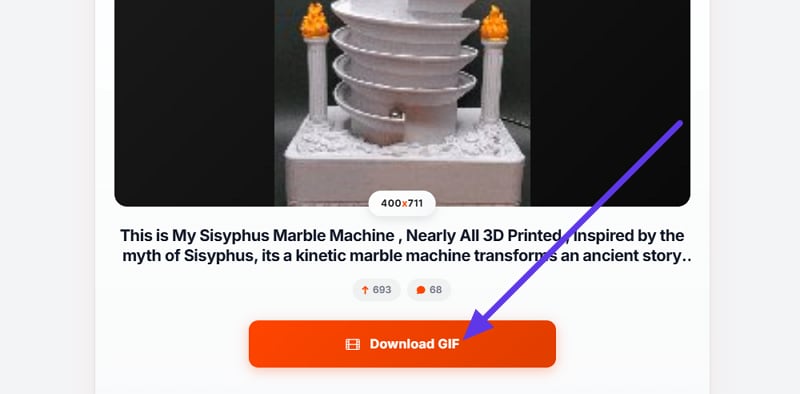
Step 2. As it's here, choose the “Download GIF” button and save it to your device.
Key Features
- Select quality from low to high, save only the video, or extract just the audio.
- For GIFs, it converts the file to MP4 for a smaller size and better support.
- RedVid.io also saves images from posts by pasting the link.
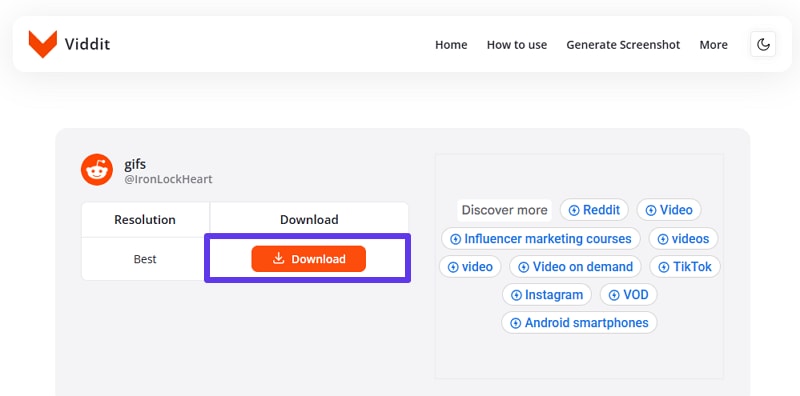
3. Viddit.io - Best for Mobile Users
This online Reddit downloader GIF works both as a website and an Android app. It saves media in HD and lets you select the resolution before download. Hence, the Android app helps frequent users, while the web version works in any browser without registration. The service is free and has no download limits, allowing you to save videos and GIFs as long as you have the correct link, as shown below:
Step 1. Tap the “Download” button as you paste the link in the designated place.
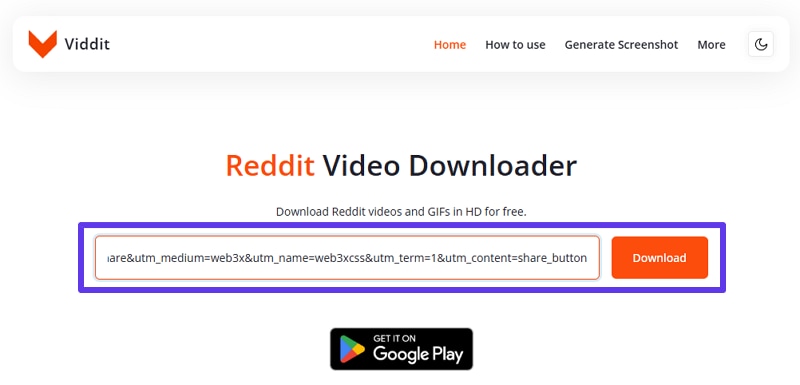
Step 2. If a quality option is listed, choose it and press the “Download” button to save.
Key Features
- An intuitive interface makes usage and tool navigation seamless for everyone.
- Since it's free, there's no sign-up required to download GIFs.
- No limits make the site an ideal deal for free seekers.
Method 3: Direct Save on Mobile Browser (No Tools Needed)
For those looking for the mobile-based Reddit GIF saver options, adhere to the listed guidelines for Android and iOS:
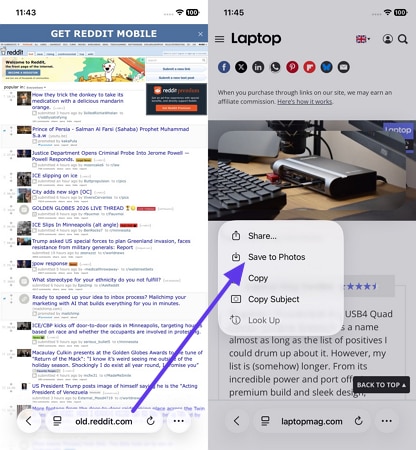
Old Reddit [old.reddit.com]
The old.reddit.com version of Reddit has the classic look with a text-oriented and minimalistic design. It shows several posts simultaneously, and each of them has a title, number of votes, number of comments, and a small thumbnail. Therefore, posts can be posted as Hot, New, Rising, Top, or Controversial, and between subreddits can be changed with the help of header links.
For saving a GIF, the simple steps for Android and iOS are outlined below:
(For iOS)Instructions: In Safari, search for old.reddit.com and paste the link that includes a GIF. After that, long-press the GIF and choose the “Save to Photos” option from the popup menu.
(For Android) Instructions: In a browser, visit old.reddit.com and search for the post with the GIF. Long-press it, then select “Copy Image” or “Download Image” to save it to the device.
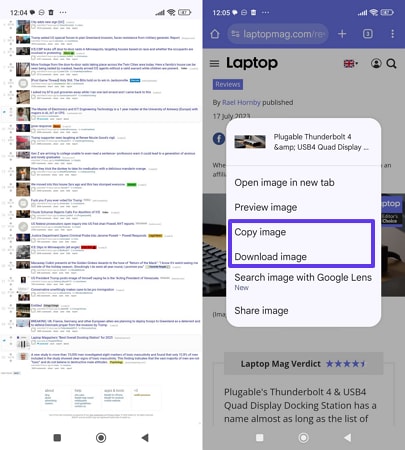
Note: This method works well for GIFs hosted on Imgur or Giphy, but v.redd.it needs tools.
Key Features
- Comments are displayed in a threaded view with fast loading and smaller media.
- Old Reddit uses tools like RES to help moderators manage tasks.
- You can access it at old.reddit.com or select the old layout settings.
Method 4: Browser Extensions for One-Click Downloads
To directly save GIFs from Reddit, users can also use a browser extension; some reliable options are listed below, along with a detailed guide. However, it is advisable to install browser extensions only from official stores to reduce the risk of malware.
1. GIPHY for Chrome
Platform: Chrome and other Chromium browsers, but not Firefox or mobile apps.
Installation: Installable on Chrome and other Chromium browsers.
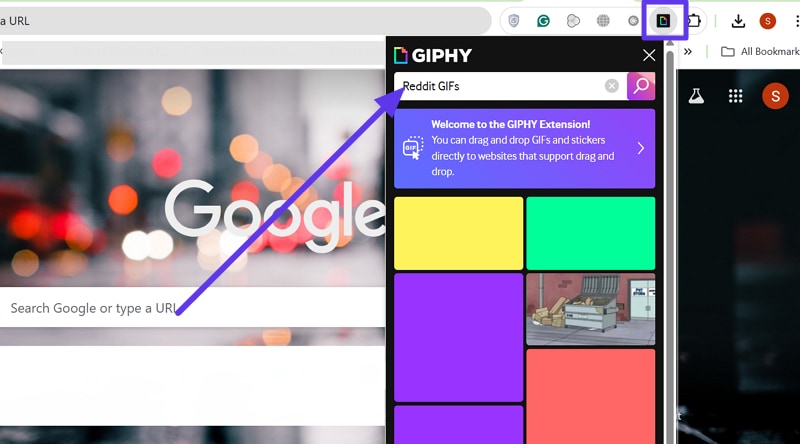
GIPHY for Chrome allows you to download Reddit GIF while browsing, without saving every Reddit GIF. It does not download GIFs directly from Reddit, but it makes it easy to search for similar reaction GIFs in your toolbar. You can drag GIFs into chats, documents, and some editors, which is faster than saving and re-uploading. To determine how it's done, the usage is illustrated below:
Instructions: Install the GIPHY for Chrome extension from the Chrome Web Store, then click its icon in the browser. After that, search for “Reddit GIF” in the search bar and drag it to your desired location.
Key Features
- Clicking a GIF shows a larger, high-resolution version you can save or copy.
- It provides access to a huge library, letting you find reactions anytime easily.
- Works in email, chat, forums, and editors, letting you share GIFs anywhere.
2. Video Downloader for Reddit
Platform: Works on Chrome, Chromium browsers, Firefox, and via RapidSave or Android app.
Best For: Desktop users saving Reddit videos and GIFs without extra steps.
This extension lets you download Reddit videos and GIF-style clips with sound directly from your browser. The toolbar button opens RapidSave in a new tab with the media already detected, and one can save the media seamlessly. Moreover, it works with v.redd.it, Imgur, Gfycat, Streamable, Giphy, and similar sites, and merges audio and video so clips play correctly as MP4.
So, to know how to download Reddit GIFs via this extension, review the listed guidelines:
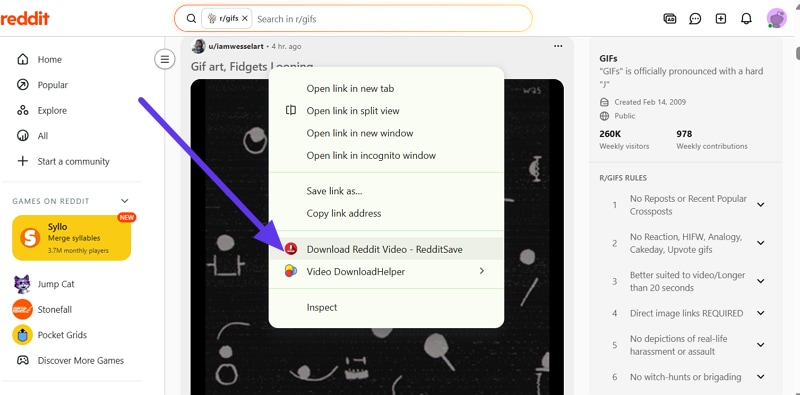
Step 1. Right-click on the GIF’s title to choose the “Download Reddit Video - RedditSave” option as you add the extension to Chrome.
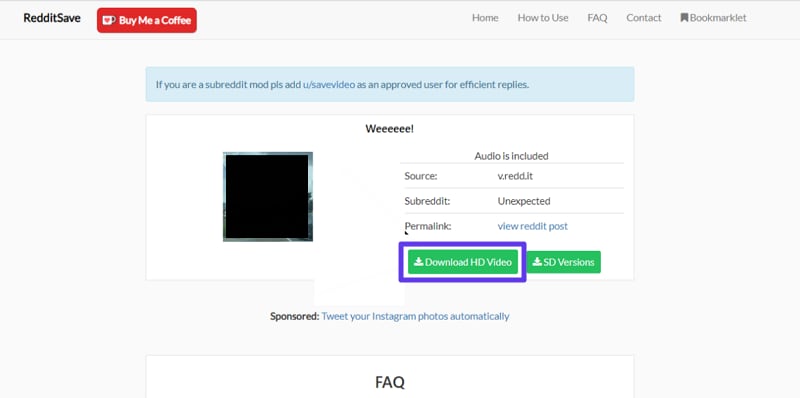
Step 2. When directed to the new interface, pick the “Download HD Video” option.
Key Features
- The extension adds a right-click option to open the download page immediately.
- You do not need to copy links manually, making GIF saving faster.
- It works on Chrome and Firefox, is small, simple, and very fast.
Part 4. Download Reddit GIF vs. Reddit Video – What's the Difference?
When you choose the desired way to download Reddit GIF, it's important to know how it differs from saving the Reddit videos. To that end, this section explains the differences and highlights whether GIF or MP4 is the right choice.
Reddit Video to GIF Conversion
Most Reddit “GIFs” are actually MP4 videos that loop like animations. The original GIF often does not exist, so you download an MP4 by default. Thus, a video becomes a real GIF only when you use a converter or select “Download as GIF” in a downloader, which changes the MP4 frames into the GIF format.
Quality Considerations and File Size Differences
As you download GIF from Reddit, learn the difference between quality and file size via the given comparison:
| Aspect | Reddit Video (Mp4, Etc.) | Gif Converted From Reddit Video |
| Color Depth | Supports millions of colors; preserves gradients and detail better. | Limited to 256 colors; gradients and dark scenes look banded or noisy. |
| Visual Quality At The Same Size | Looks smoother and cleaner at a given file size and resolution. | Needs higher resolution/size to look similar, and still often appears rougher. |
| Typical File Size | Much smaller due to advanced video compression; short clips often ~5-10 MB. | Often many times larger for the same clip; can reach tens or 100+ MB |
| Compression Method | Uses inter‑frame compression (efficiently stores motion between frames). | Stores each frame as a separate image with simple compression. |
Should You Save as GIF or MP4?
So, while understanding how to download GIFs from Reddit, consider the given considerations on when to choose MP4 or GIF format:
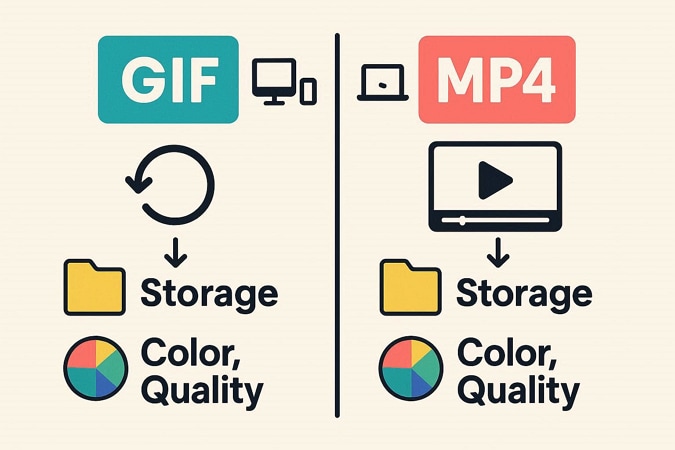
When MP4 Makes More Sense
For Reddit to GIF, MP4 keeps better picture quality with more color and detail. Additionally, it uses far less space because a short MP4 file remains small, whereas a GIF can become huge. Above all, MP4 files play on almost all devices, support audio, and include pause and seek controls.
When GIF May Be The Right Choice
When converting a Reddit video to GIF, some apps and sites treat GIFs as special files that auto-loop inside chats, whereas video files do not. Thus, very short, silent reaction clips work well as GIFs, and the size penalty is minimal for clips under 3 seconds.
Part 5. Legal and Ethical Considerations When Downloading Reddit GIFs
As you can make the choice between MP4 and GIF, adhere to this section and learn about the legality of Reddit downloader GIFs. However, do not consider this to be explicit legal advice, and do your research.
Is It Legal to Download GIFs from Reddit?
Know that downloading Reddit GIFs for personal use is fine; public use risks copyright. For better understanding, adhere to the given detailed comparison table and see the typical usage allowed:
| Aspect | Personal Use (Downloading Reddit GIFs) | Commercial/Public Use (Using Reddit GIFs) |
| Basic Legality | Usually low‑risk if kept private for your own viewing or meme collection. | Risky without permission; content is typically copyrighted by the creator. |
| Ownership Of Content | Downloading does not change ownership; the creator still holds the right | You still do not own the GIF and cannot treat it as your asset. |
| Typical Allowed Use | Saving locally, viewing offline, or backing up your own posts. | Using ads, monetized videos, branded social posts, or products generally requires permission. |
| Attribution | Not usually required for purely private viewing, though credit is courteous. | Credit alone is not sufficient; permission or a license is typically required. |
| Legal Risk Level | Generally low, but laws vary by country. | Higher; unauthorized commercial use can lead to takedowns or claims. |
Copyright Considerations
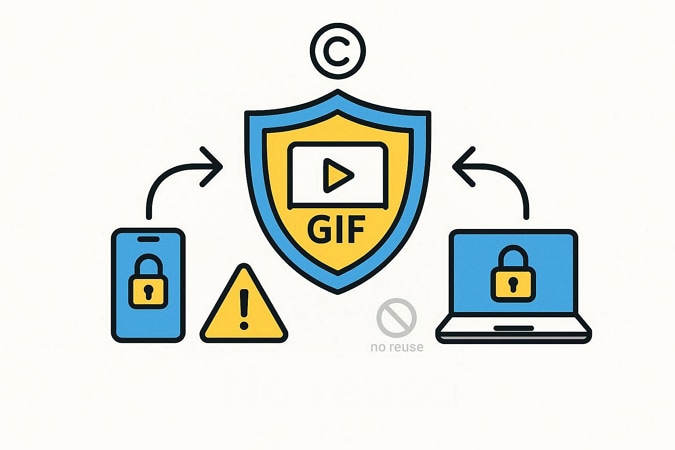
Copyright still applies to Reddit GIFs; downloading does not grant any additional rights. The original creator typically retains ownership of the GIF or video it originated from, even after it appears on Reddit.
Hence, when you save a GIF from Reddit, you only get a private copy on your phone or laptop. You do not gain any additional rights, and cannot assume the file is free to reuse just because it is on your device.
Reddit's Terms of Service
Reddit’s User Agreement sets rules for using, posting, and reusing content. So, if you want to save Reddit GIF, glance at Reddit's terms of service once:
- Reddit gives you a personal, limited license to use its service.
- You own your posts, but Reddit gains broad rights to display them.
- You must have the rights to everything you upload and share.
- You cannot break laws, abuse the platform, scrape, or misuse Reddit content.
- Reddit may remove posts or ban accounts that violate its rules worldwide.
Respecting Content Creators
Treat every GIF as someone’s copyrighted work, not free clip art. Always mention the original creator and link back to the post when sharing, so they get recognition, but credit alone does not replace legal permission. Additionally, do not use GIFs in ads, branded posts, thumbnails, or monetized content without a proper license, especially clips from movies, TV, or celebrities.
Conclusion: Start Saving Your Favorite Reddit GIFs Today
To sum up, this guide has explained what the Reddit GIF downloader is and how you can use it safely. Also, we review online, offline, and extension-based GIF downloaders so you can choose the right option. However, if you failed to rename the extension and save it in the MP4 format, usage of UniConverter is suggested to convert it to GIF. Try UniConverter now for an exclusive downloading experience!

