


Finding a reliable method to save Reels, IGTV clips, and feed videos offline often leads to sheer frustration. Frequent pop-ups, malware risks, and severe quality compression plague many web-based options. Users regularly search for a secure Y2mate Instagram video downloader to bypass these common platform restrictions.
Web-based tools offer quick access but heavily restrict video resolution and lack batch-processing capabilities. Dedicated desktop software provides a cleaner, ad-free environment to manage media securely. This outline explores the most reliable methods to execute a Y2mate Instagram download seamlessly. We will also reveal why upgrading to professional multimedia software is the smartest choice for content creators in 2026.
Table of Contents
Part 1. Can You Legally Download Instagram Videos in 2026?
Understanding the legal boundaries ensures you can save media safely without violating copyright rules.

Understanding Platform Policies
Social media platforms actively discourage third-party scraping to protect user engagement and data. Instagram's terms of service prohibit native downloading of content without explicit permission from the original creator. This policy ensures users remain within the app ecosystem rather than consuming content offline. However, third-party software operates independently, capturing the public video stream for local storage.
Personal Use vs. Fair Use
The ethics of saving creator content rely heavily on the intended application of the media. Downloading a quick tutorial or recipe for personal offline viewing generally falls under acceptable personal use. Fair use allows editors to utilize short, downloaded clips for transformative purposes, such as reaction videos or commentary. Distributing another creator's work for direct profit without permission violates copyright laws and ethical standards.
The Desktop Advantage
Relying on browser-based extractors often exposes devices to aggressive advertising scripts and suspicious background downloads. Experimental web tools frequently vanish, change URLs, or require excessive permissions to operate properly. A professional desktop downloader secures the workstation by operating locally without requiring internet browser extensions. This closed ecosystem ensures media files process safely without compromising the host computer's security.
Part 2. Key Features of a Modern 2026 Instagram Video Downloader
A premium extraction tool should offer essential functions that streamline your media processing workflow.
Lossless Quality & Frame Rate Optimization
Standard web extraction tools often compress large 1080p or 4K files to save server bandwidth. Modern desktop software preserves the original video codec (the tool that compresses and decompresses media files). The ability to maintain lossless quality ensures Reels look crisp on large desktop monitors. Frame rate optimization keeps motion smooth, which is the 2026 industry standard for premium playback.
Batch Processing & Logo Removal
Downloading individual clips one by one consumes valuable editing time during large projects. Batch processing allows users to queue multiple profile links simultaneously for background extraction. High-end software also integrates logo removal tools to clean up the final output file. Stripping away unwanted watermarks post-download ensures the media is ready for immediate professional repurposing.
Advanced Video Deinterlacing
Fast-moving content, such as sports highlights or dance Reels, occasionally suffers from visual artifacting. This tearing occurs when two different video fields overlap incorrectly on progressive screens. Top-tier desktop tools apply advanced video deinterlacing during the download process. This filtering ensures high-action clips play smoothly without distracting horizontal lines or jagged edges.
Part 3. Quick Comparison: 2026 Instagram Video Downloaders at a Glance
| Tool | Batch Downloading | Ad-Free Interface | Frame Rate Optimization | Output Formats | Best For |
| Wondershare UniConverter | Yes | Yes | Yes | MP4, MOV, MP3, etc. | Professional offline editing and batch saving |
| Y2mate | No | No | No | MP4, MP3 | Quick, single web downloads |
| SaveInsta | No | No | No | MP4, JPG | Mobile-friendly browser extraction |
| 4K Stogram | Yes | Yes | No | MP4, JPG | Archiving entire creator profiles |
| VideoProc Converter | Yes | Yes | Yes | MP4, MKV, AVI | Hardware-accelerated processing |
| Snaptube | Yes | No | No | MP4, MP3 | Android mobile users |
| VLC Media Player | No | Yes | No | Varies | Free open-source network streaming |
Part 4. Top 7 Instagram Video Downloaders for Effortless Extraction
1.Wondershare UniConverter (Top Recommendation)
Wondershare UniConverter operates as an efficient media processing toolbox designed for modern digital workflows. It enables rapid extraction of high-quality clips without relying on unstable browser connections or enduring pop-up ads. Content creators value its streamlined interface, batch convert capabilities, and robust performance on large file queues. Instead of struggling with limited web apps, this software provides a secure, dedicated workspace for managing multimedia safely. It delivers high-speed extraction while preserving native 4K resolutions and pristine audio.


All-in-One Multimedia Processing Tool

Supported Device: Windows 11/10/8/7, macOS 10.11 up to the latest macOS versions.
Steps Guide to Download Instagram Video using UniConverter
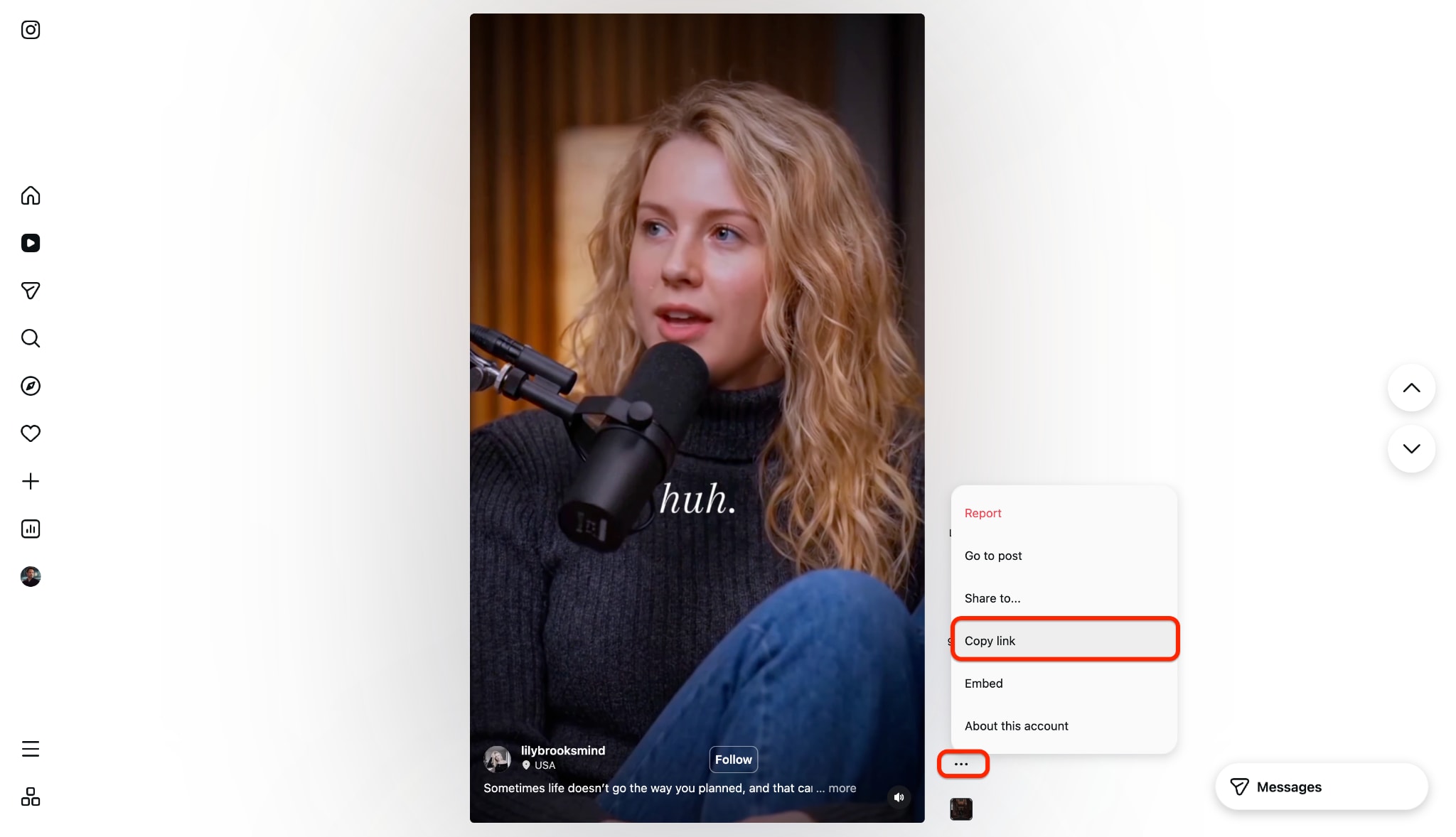
Step 1: Copy the Video Link
Start by opening the social media platform on a web browser and locating the desired post. Click the share icon or three-dot menu to copy the exact URL directly to the clipboard. This action ensures the software targets the correct media file for extraction.
Step 2: Launch the Downloader Tool
Open UniConverter and navigate to the Downloader module located on the main interface. Click the designated "Paste" icon in the corner of the link input box. The software will instantly analyze the copied link and prepare the file for saving.
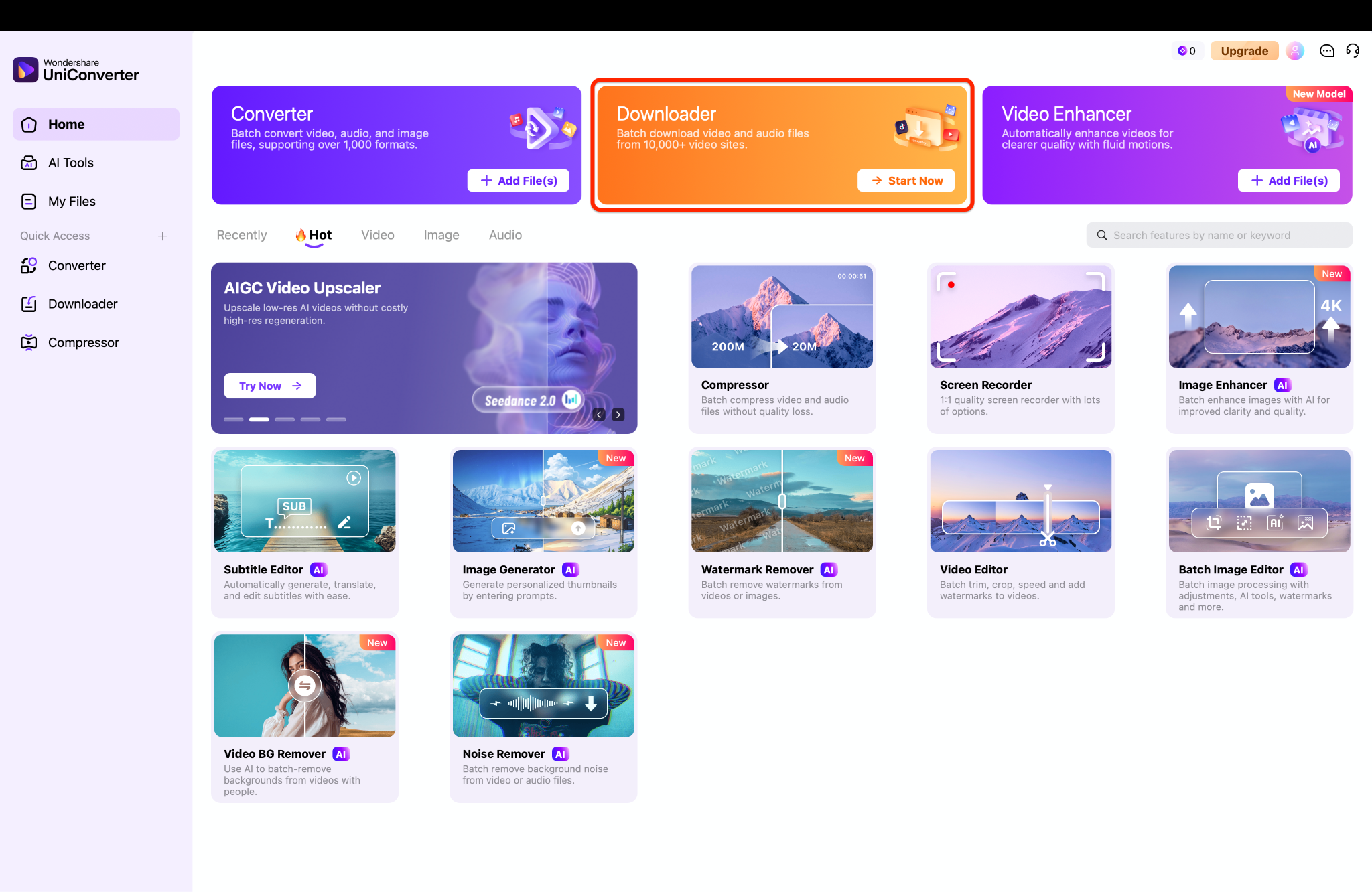
Pro Tip: You can process several clips at once by copying multiple links. Simply paste the links one after another in the input box to batch download them simultaneously, saving you valuable editing time.
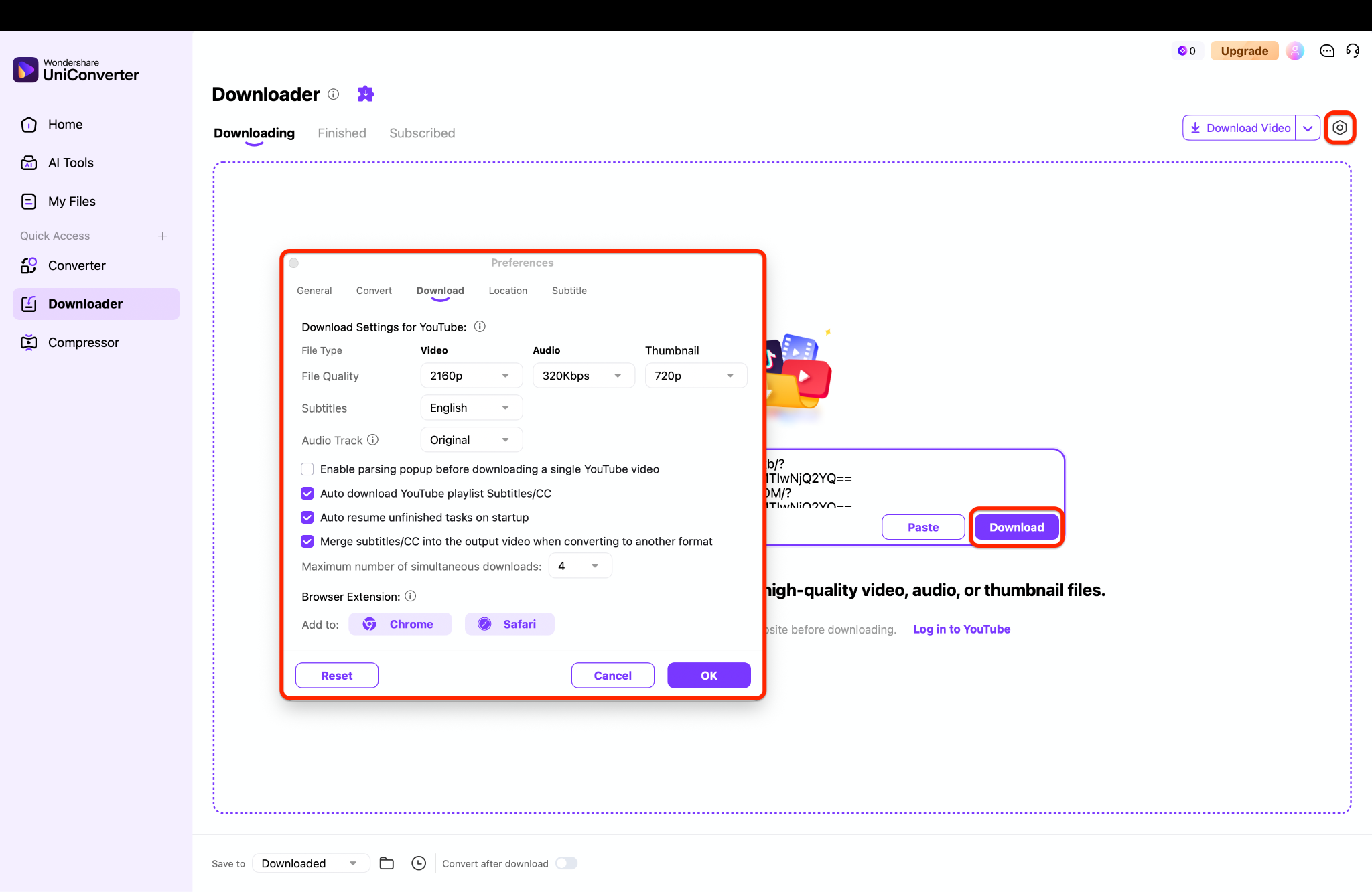
Step 3: Save the Media File
Select your preferred video resolution and output format from the resulting pop-up dialog box. Click the "Download" button to initiate the extraction process immediately to your local drive. Once finished, locate the saved file within the designated output folder for offline viewing.
2. Y2mate (The Browser Staple)
Y2mate remains a highly recognized name for users seeking a quick web-based media fix. This online platform handles basic URL copy-and-paste tasks without requiring a dedicated account. It works efficiently for casual users who only need a single file downloaded quickly. However, its heavy reliance on banner ads can disrupt the navigation experience.
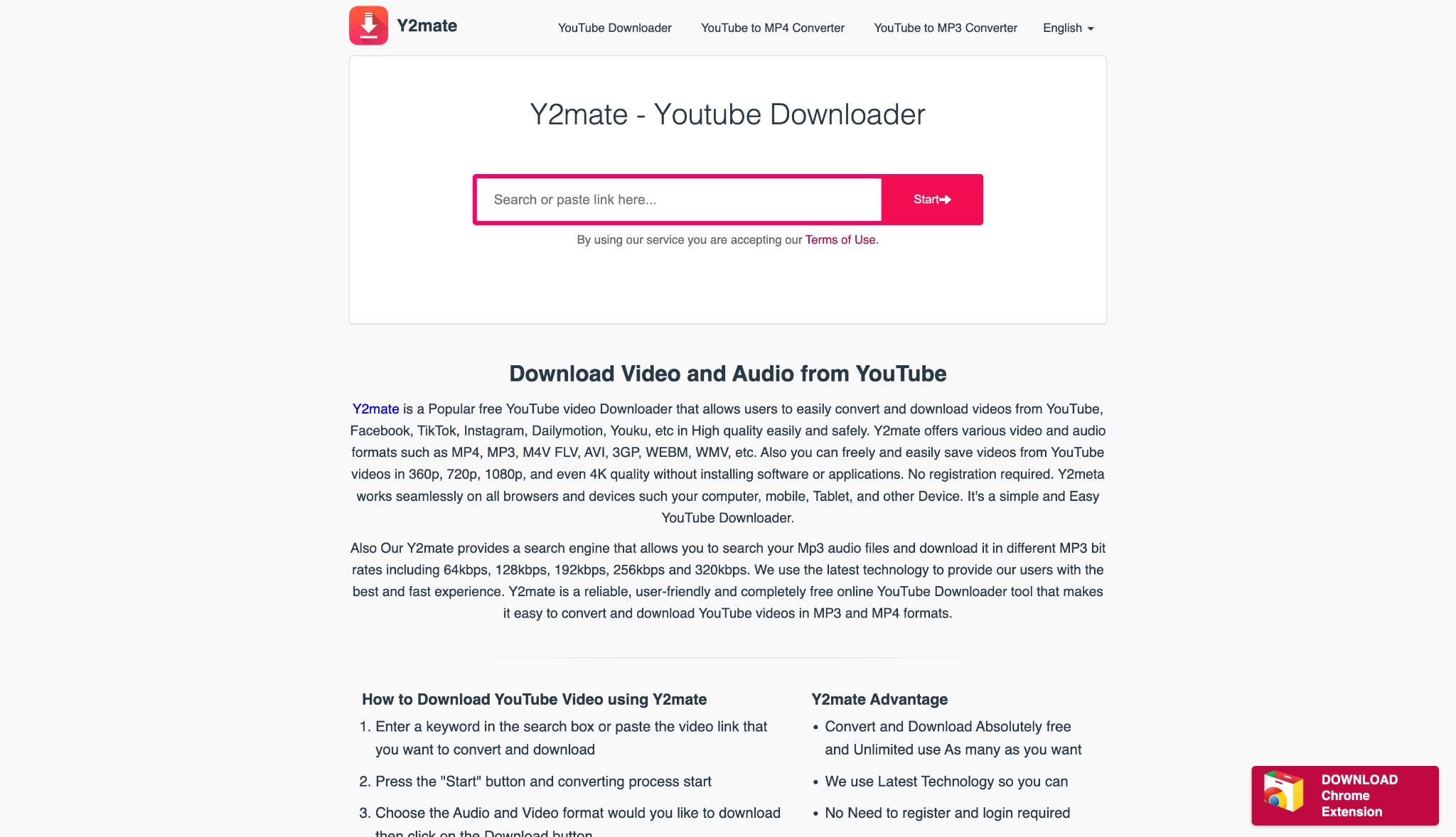
Supported Device: Any device with a modern web browser (Windows, Mac, iOS, Android).
3. SaveInsta (The Web Alternative)
SaveInsta provides a streamlined, browser-based solution explicitly tailored for social media extraction. The interface is simple, requiring users to merely paste a link to retrieve Reels, Stories, or photos. It caters well to mobile users who prefer not to install dedicated applications. The platform processes links quickly but lacks the batch capabilities required for large projects.
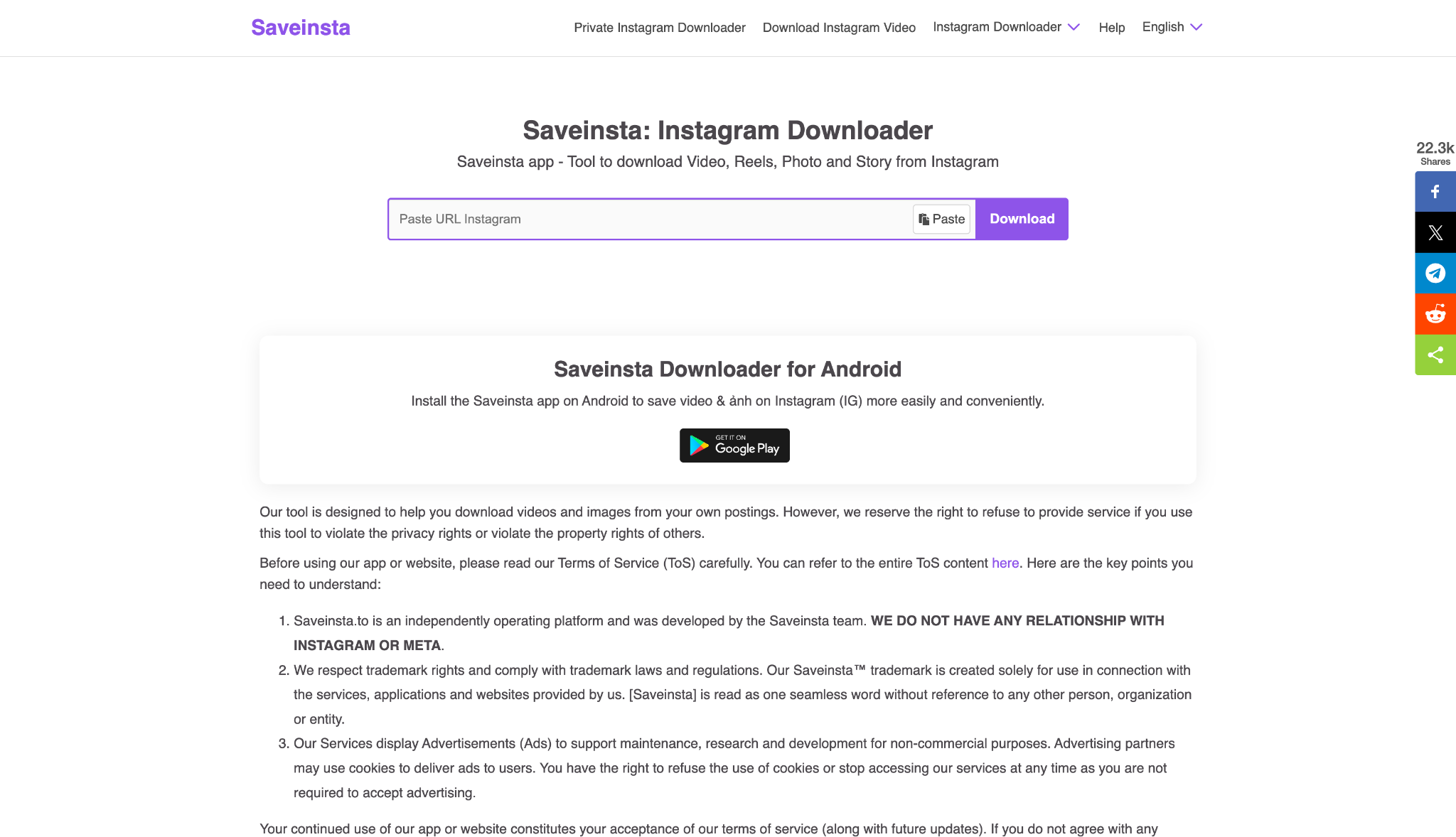
Supported Device: Web-based (Windows, Mac, iOS, Android).
4. 4K Stogram (The Bulk Archiver)
4K Stogram functions as a dedicated archiving tool for entire social media profiles and hashtags. Instead of pasting individual links, users enter a username to download complete accounts. It serves as an excellent resource for creating offline backups of favorite creators or personal archives. The software organizes downloaded media neatly into local folders by date and creator.

Supported Device: Windows, macOS, Linux.
5. VideoProc Converter (The Hardware Powerhouse)
VideoProc Converter utilizes Level-3 hardware acceleration to process large media files rapidly. It acts as a comprehensive media suite capable of downloading, converting, and lightly editing video content. The downloader module handles playlists and high-resolution clips with impressive stability. Its efficient use of GPU power makes it ideal for older computers handling 4K files.

Supported Device: Windows and macOS.
6. Snaptube (The Mobile Specialist)
Snaptube dominates the Android market for users wanting a direct mobile application for media extraction. The app allows users to browse social feeds directly within its interface and download clips seamlessly. It supports various resolutions and easily separates audio tracks from video files. Unfortunately, it is not available on official app stores due to platform policies.
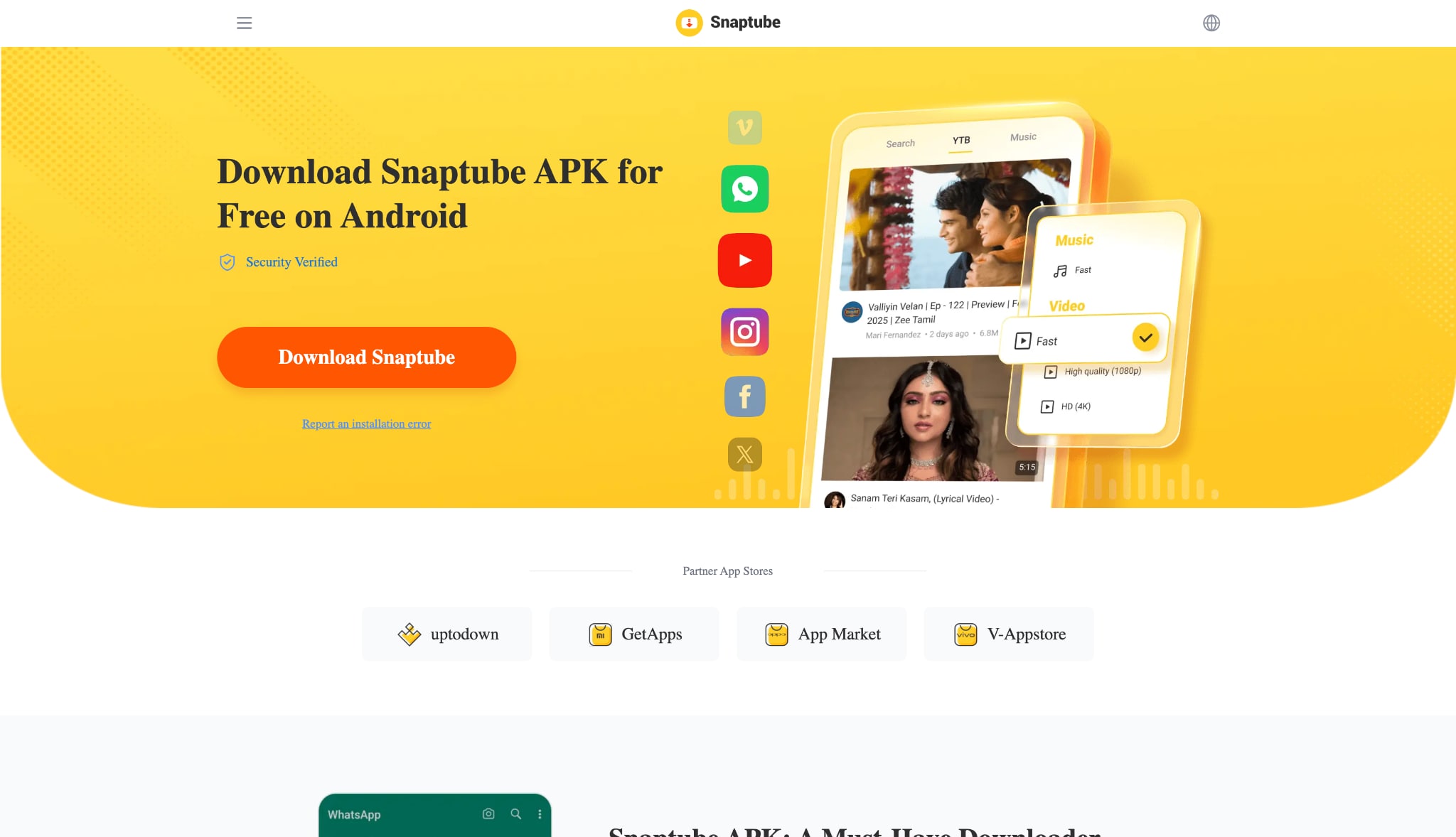
Supported Device: Android.
7. VLC Media Player (The Free Fallback)
VLC Media Player is globally recognized as an open-source tool capable of playing nearly any file format. Beyond playback, it harbors a hidden network streaming feature that can capture online video feeds. By pasting a URL into the network stream, users can record the broadcast locally. The process is highly technical, but it provides a free, ad-free alternative.
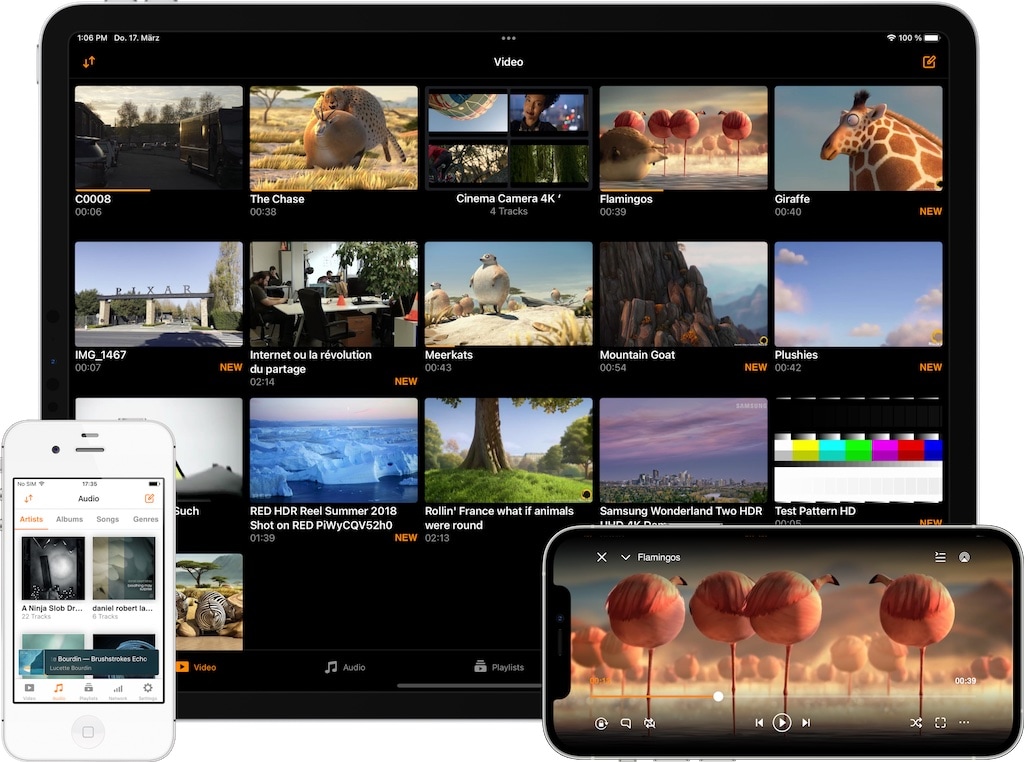
Supported Device: Windows, macOS, Linux, iOS, Android.
Part 5. Ways to Edit and Upgrade Your Downloaded Instagram Videos
Post-download enhancements transform raw social media clips into polished assets ready for professional projects.
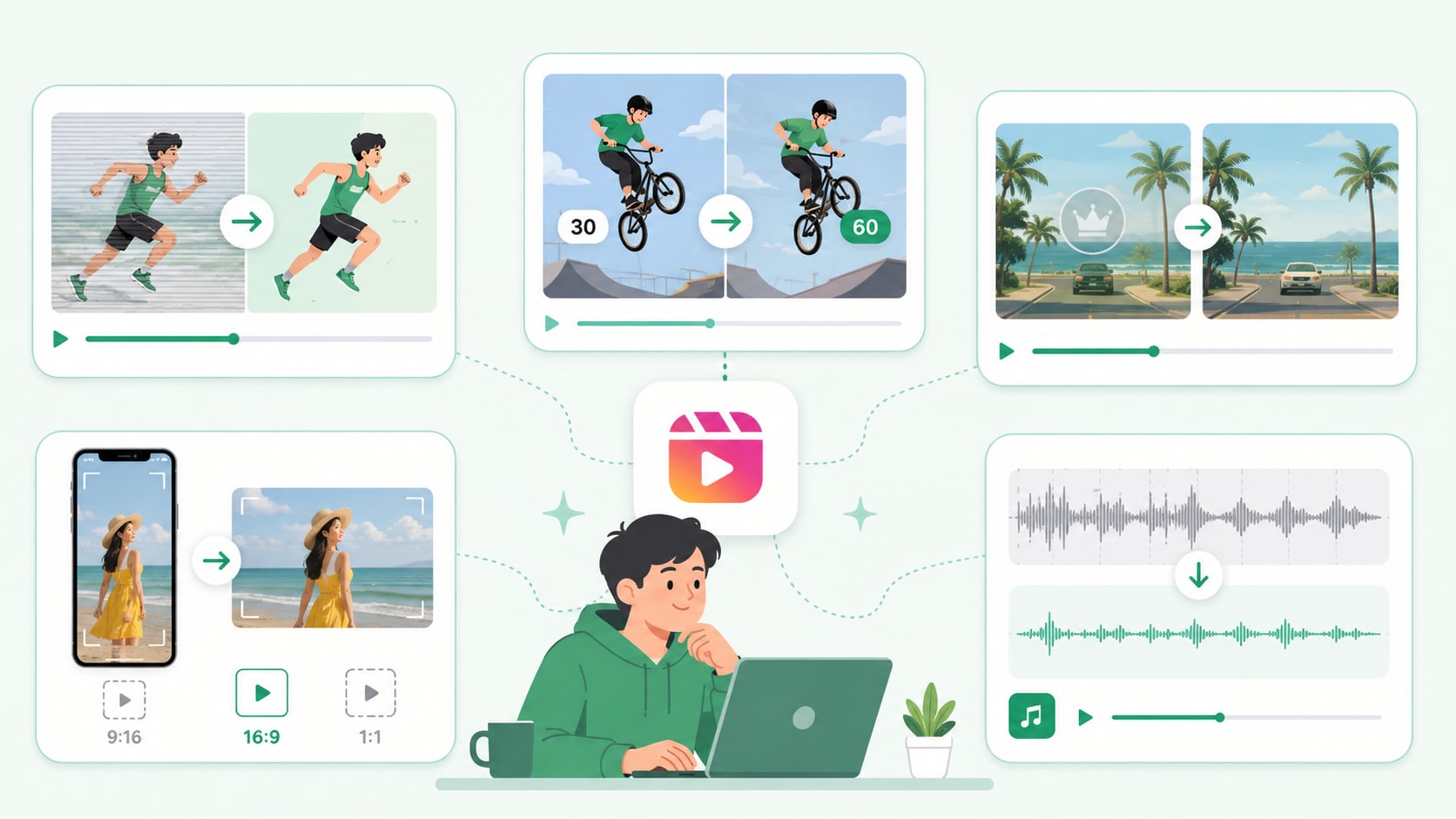
Video Deinterlacing for Smooth Playback
Downloaded fast-motion Reels, especially sports clips or dynamic dance trends, occasionally suffer from severe horizontal line artifacts. This visual tearing happens when interlaced video fields display incorrectly on modern progressive desktop monitors. Applying a deinterlacing filter merges these fragmented frames back into a solid image. This post-download edit restores clean, professional lines, ensuring the action sequence plays smoothly without digital stutter.
Frame Rate Optimization
Standard social media clips generally cap at 30 frames per second to save bandwidth. Upgrading a standard download to a silky-smooth 60fps dramatically alters the viewing experience. Utilizing an AI frame rate optimizer interpolates missing frames to create a fluid, highly responsive visual aesthetic. This critical step ensures repurposed mobile content looks premium and professional when integrated into high-resolution YouTube compilations.
Smart Logo and Watermark Removal
Repurposing media for fair-use commentary often requires cleaning the canvas of distracting elements. Intrusive third-party logos, TikTok watermarks, or heavy text overlays disrupt the visual flow of a reaction video. Using intelligent tools to seamlessly scrub out these elements maintains the focus on the actual content. A dedicated watermark editor precisely erases these graphics by analyzing surrounding pixels, avoiding the need for ugly, heavy blurring effects.
Smart Auto-Cropping for Cross-Platform Repurposing
Social media thrives on vertical 9:16 aspect ratios, which look terrible on traditional widescreen platforms. AI auto-framing automatically tracks the main subject of a vertical Reel and reframes it intelligently. This process easily converts a tall video into a 16:9 aspect ratio for YouTube or a 1:1 square for Facebook feeds. Utilizing smart auto-crop features entirely eliminates the tedious requirement for manual keyframing and subject tracking.
Audio Extraction and AI Noise Reduction
Many creators download a trending Reel purely to secure a popular soundbite, interview clip, or voiceover track. Extracting the MP3 isolates the audio, but the raw file often contains heavy background interference. Applying AI noise reduction meticulously cleans up background wind, traffic hums, or microphone hiss. This cleanup process leaves editors with crisp, studio-quality audio perfectly prepared for insertion into a brand-new media project.
Part 6. Conclusion
Relying on a basic Y2mate Instagram video downloader via web browsers serves well for emergency, single-file saves. However, the constant barrage of pop-up ads, malware risks, and severe resolution limits make web tools a flawed long-term strategy. True content creators require robust software capable of handling batch processing, format conversions, and post-download refinement.
For users who demand high-quality offline playback and professional editing capabilities like video deinterlacing, Wondershare UniConverter remains the undisputed champion for 2026. It seamlessly bridges the gap between secure media extraction and advanced file enhancement. Try UniConverter today to build a faster, cleaner, and highly efficient multimedia processing workflow.

