Quick Answer
- Open the original photo or video first and check a face or small text. If it is already blurry, choose a clearer source before posting.
- If your photo turns blurry after adding music, post the same original twice—first without a song, then with one—and compare the results on the same device.
- If only the music version looks worse, try another photo, test a pre-made video, or report the two results to WhatsApp. If both look blurry, start with a clearer original.
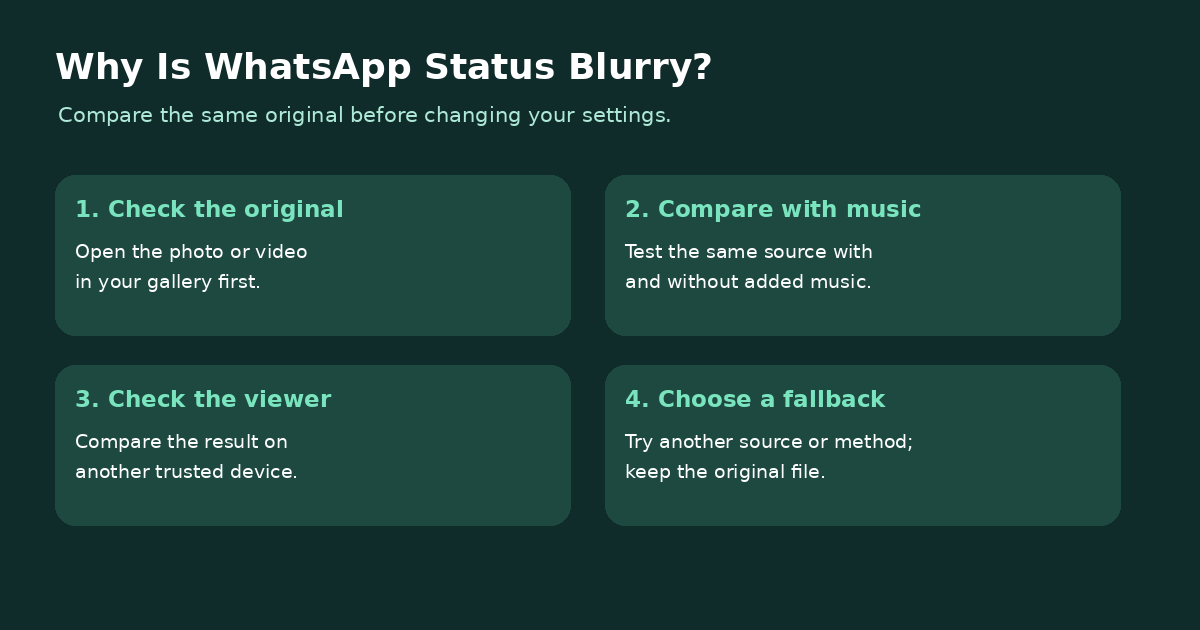
You choose a clear photo, add a song to your WhatsApp Status, and a face or line of text becomes hard to see. The first task is to identify when the loss appears: in the file itself, during the Status workflow, or only when viewing the result.
This guide covers photos and videos on Android and iPhone, a controlled comparison for music, and practical ways to prepare a video when file size or format is the issue.
Quick Navigation
Why Does WhatsApp Status Look Blurry After Uploading?
A soft original, an existing compressed copy, changes made during editing, Status processing, or the way the result loads on a viewer’s device can all be relevant. The file itself is the starting point: zoom in on the original photo or play the original video before creating a Status.
| What you see | Check next | Action |
|---|---|---|
| Original is already blurry | Camera file or earlier edited copy | Use the clearest original available; avoid repeated exports. |
| Only the music version looks worse | Same source, same device and audience | Run the controlled comparison below. |
| Both versions are blurry after posting | Another original and another viewing device | Compare results before changing file settings. |
| Only one viewer sees a soft result | That viewer’s loaded Status on a stable connection | Reopen it and compare with a second trusted viewer. |
| Video is too large to send or difficult to process | Duration, file size and format | Prepare a copy and review it before uploading. |
Why Does WhatsApp Status Become Blurry With Music?
A Status with music can look softer than a plain photo even when both start from the same original. WhatsApp says Status media quality can be lower than the source, while users have reported that adding music produces a visibly blurrier result. Compare both versions to find out whether the quality change occurs in your own music workflow; the precise processing step remains unconfirmed.
WhatsApp supports adding music to photo and video Status updates. Start with the clearest original and compare the same detail on both posts before changing other settings.
In the original Reddit report, the user said the same photo had looked fine a month earlier and the problem started after an automatic app update. If your issue also began after an update, note your WhatsApp version and include that timeline when reporting the difference.
Quick List: Compare a Status With and Without Music
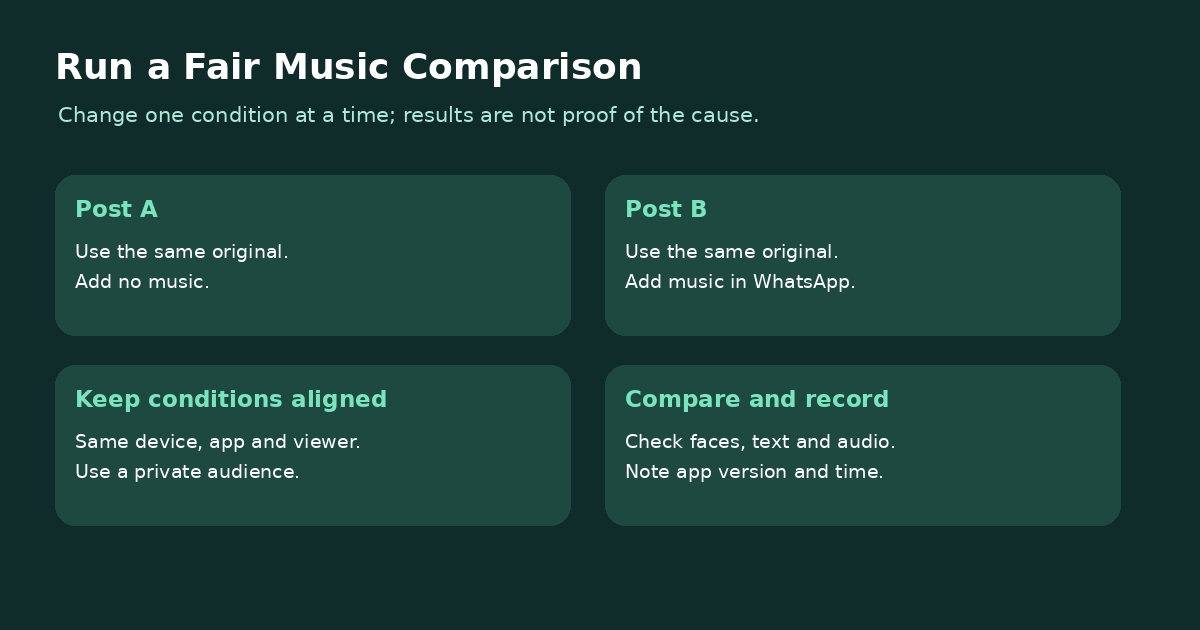
- Choose a clear original. Open a photo or video from your gallery and check a face, small text, or another area where blur is easy to notice. Use the original rather than a screenshot of it.
- Post the first version without music. Select the file for a Status. Keep other edits minimal and use a limited audience when comparing.
- Post the same original with music. Start a new Status with the same file, add a song in WhatsApp, and keep the remaining choices as similar as practical.
- Compare both results. Look at the same detail on your device and, if possible, on a trusted contact’s device. Note the phone model, app version, file type, and whether the difference is visible before or after posting. Remove test updates when finished.
If only the music version looks worse, try another original photo. When the same pattern repeats, post without music, test a video made in an editor, or report the two results to WhatsApp. If both versions look soft, check the original and the viewing device first.
How to Fix a Blurry WhatsApp Status Photo
1. Use the best original photo
Open the image in your gallery and inspect a face or fine text at normal viewing size. A screenshot, image copied through several apps, or previously saved chat copy can already contain reduced detail. If you have the original camera image, select it for the Status test.
2. Reduce repeated edits and exports
Save an edited copy only when needed and check it before uploading. Every extra export is another opportunity to alter dimensions or quality. If one image is clear and another is not, compare their dimensions and origin instead of applying the same change to every photo.
3. Test a version without music
If your photo is clear without a song but blurry with one, you can post the clear version without music or test a short video made from your own photo and licensed audio in an editor. Compare the finished video with the original before posting. Audio added in another editor will not remain an editable WhatsApp music sticker.
How to Fix a Blurry WhatsApp Status Video
Start with the video outside WhatsApp
Play the original and check fast movement, faces, and small text. If the original is already soft, a smaller export will not restore missing detail. If the original looks good, compare it with the posted Status using the same viewing device. For a closer look at the size and quality trade-off, read how to compress video while preserving quality.
Check the size, format, and a short test
Choose a short representative section and play the exported copy before uploading it. If you need a smaller file, adjust the target gradually and compare the result. Do not repeatedly compress the previous output; return to the original for a new attempt. See how to compress a video for more approaches. UniConverter’s WhatsApp video compressor is relevant when preparing a video file, but it cannot control WhatsApp’s later Status processing.
Does WhatsApp compress Status videos?
WhatsApp says photos and videos uploaded to Status can look lower in quality than the original. Check the original and posted version side by side; choose a clear source and avoid repeated exports when preparing the video.
How to Prepare a Video Before Uploading
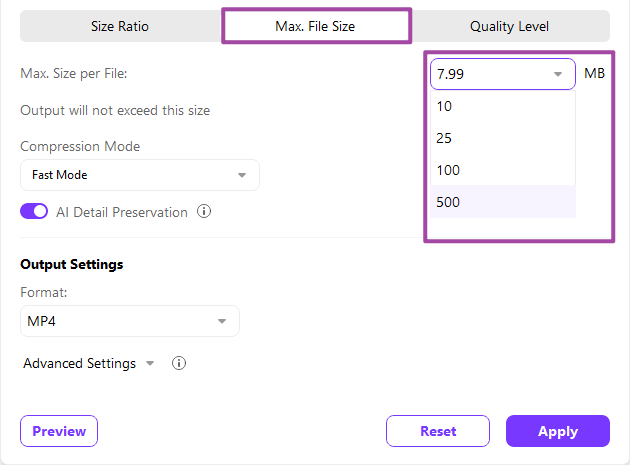
If the original video is too large to share, prepare a smaller copy with UniConverter’s desktop Compressor. Add the original, choose a file-size goal, preview the result, and check the output before sending it to your phone. Increase the target if faces or text become too soft. UniConverter cannot control WhatsApp’s later Status processing.
For a detailed walkthrough, see the UniConverter video compression guide. If you need to prepare several videos, see the batch video compression guide.
WhatsApp Status Quality on Android vs. iPhone
The useful difference to check is the source file, not which phone is inherently better. An iPhone can record in High Efficiency (HEVC) or Most Compatible (H.264) mode; Android recording options also vary by device. In iPhone Settings, open Camera > Formats to see the selected mode. The setting affects future recordings, so check the existing file separately.
For video Status, WhatsApp lists 3GP and MPEG-4 formats. MOV and MP4 are containers, while HEVC and H.264 are video codecs: a container name alone does not tell you the codec inside it or whether WhatsApp will convert a particular upload. If a video will not play or upload as expected, test a copy in a compatible format and compare the result with the original.
For a computer-based workflow, see how to convert MOV to MP4. Converting a file does not guarantee a sharper Status; check the exported video before uploading. For Android and iPhone comparisons, use the same original on both devices and check the result on the same viewer.
Is There an HD Setting for WhatsApp Status?
WhatsApp’s current Help Center states that HD media is not available for Status updates. The HD option and media-upload preference for eligible chats should therefore not be presented as a guaranteed Status setting. Sending a file to yourself in HD and forwarding it to Status changes the workflow; the Reddit user had already tried that without solving the music-related blur.
Check WhatsApp’s HD media guidance and Status help for current availability, since app features can change.
What If Your Status Is Still Blurry?
- Try another original: A single file may be the problem; compare a different photo or short video.
- Check the viewer: Reopen the posted update and ask a trusted contact to check the same detail.
- Check for updates: Confirm that your phone and app are current. If an update or reinstall has already failed, move on rather than repeating it.
- Report a reproducible difference: Contact WhatsApp support with the device model, app version, file type, and the result of the with/without-music comparison. Avoid sending sensitive media unless you are comfortable doing so.
- Choose a fallback: Post without music, test a self-made video, or share the original directly with the intended recipient when maintaining its detail is more important than posting a Status.
Want to keep a WhatsApp Status video for later? See how to save WhatsApp Status videos on Android and iPhone . If image quality matters, ask the person who posted it for the original.
Choose the Fix That Matches the Result
Start by finding out whether the original is clear and whether music changes the posted result. Use the original file, compare one condition at a time, and verify what a trusted viewer sees. For video files that also need a smaller size, preview a desktop export before upload; WhatsApp’s subsequent Status handling remains outside the compressor’s control.
FAQs About Blurry WhatsApp Status Updates
-
Why does WhatsApp Status become blurry when adding music?
WhatsApp says Status media can look lower in quality than the original. If your photo looks worse after adding music, post the same original with and without the song, then compare the same detail. Try another original or post without music if the music version remains blurry.
-
Does WhatsApp compress Status videos?
WhatsApp says that photos and videos uploaded to Status may be lower quality than the original. Check the original and the posted version on the same device to see where the difference appears.
-
Can I upload a WhatsApp Status in HD?
WhatsApp currently says HD media is not available for Status updates. HD controls for eligible chats should not be treated as a guaranteed Status setting.
-
Is WhatsApp Status quality better on iPhone than Android?
Compare the same original on the phones and WhatsApp versions you use. Camera formats, editing settings, and the device used to view the Status affect the comparison.
-
Will pre-compressing a video prevent WhatsApp from reducing quality?
No. Preparing a smaller video can help when file size is the issue, but it cannot guarantee that WhatsApp will leave the Status unchanged.