After TikTok was banned in several countries, including India, YouTube Shorts has quickly become the most engaging format on YouTube, delivering quick bursts of entertainment, education, and creativity in under 60 seconds. From movie trailer reactions to daily challenges, these bite-sized videos often feature audio worth saving, which is exactly why many of you look for a reliable YouTube Shorts to MP3 converter.
Converting YouTube Shorts to MP3 allows you to:
- Listen to your favorite Shorts offline, without needing internet access.
- Extract audio for podcasts, remixes, or educational projects.
- Create personalized playlists of motivational or study content.
- Reuse short sound bites for editing, teaching, or creative projects.
You can convert YouTube Shorts to MP3 by copying the Shorts link, pasting it into a trusted converter, and selecting MP3 as the output format. If you want higher-quality audio, batch downloads, and a more stable workflow, a desktop tool like Wondershare UniConverter is usually the better choice.
In this article
- Part 1: Why Convert YouTube Shorts to MP3 Audio Files?
- Part 2: Is It Legal to Download or Convert YouTube Shorts to MP3?
- Part 3: How to Convert YouTube Shorts to MP3 on Desktop and Mobile
- Part 4: Best YouTube Shorts to MP3 Converters: Detailed Comparison
- Part 5: How to Make the Most of Your YouTube Shorts MP3 Files
- FAQs about YouTube Shorts to MP3 Conversion
- Conclusion
Why Convert YouTube Shorts to MP3 Audio Files?
Many social media users, especially students and content creators, prefer downloading YouTube Shorts audio to MP3 format rather than repeatedly watching short clips. The reason is pretty simple: converting Shorts to MP3 makes it easier to enjoy the content on the go, reuse it for creative work, or simply save inspiring sounds without taking up too much storage.
Here are a few real-world ways people use it:
- Language Learners: Students usually save speech clips or pronunciation lessons to practice anytime, even without internet access.
- Podcasters: Most podcasters go ahead and clip insightful moments from interviews and repurpose them for intros, transitions, or commentary segments.
- Commuters and Students: Foreign language students extract MP3s from YouTube Shorts videos and listen during travel or study sessions without streaming.
- Content Creators: Most TikTok and Instagram Reel creators go ahead and collect background sounds, beats, and ambience from Shorts for future edits and remixes.
- Everyday Users: Most casual YouTube users simply enjoy the convenience of lightweight audio files that are easy to organize, share, and play on any device.
Is It Legal to Download or Convert YouTube Shorts to MP3?
When it comes to converting videos, legality often depends on how the social media content is used. According to YouTube's Terms of Service, downloading any video or audio from the platform without explicit permission is not allowed unless the download button or link is provided directly by YouTube. While YouTube Shorts to MP3 tools exist, using them responsibly is very important for copyright reasons.
It should be noted here that converting YT Shorts to MP3 is safe and legal only when the content falls under the public domain, Creative Commons license, or is used strictly for personal listening. If you want a YouTube Shorts MP3 download high-quality experience, always ensure it complies with YouTube copyright and licensing rules.
Shorts containing copyrighted music may have separate audio ownership. Even if the video is free to view, the soundtrack may not be permitted for download or reuse. Here's a brief usage type description that would help you understand the legal status of downloading and converting YouTube Shorts to MP3.
| Usage Type | Description | Legal Status |
| Public Domain | Content that is free for anyone to use, modify, or distribute. | Safe and legal. |
| Creative Commons | Videos shared with a license that allows reuse with credit to the creator. | Legal with proper attribution. |
| Personal Use | Downloading or converting only for offline listening or study, without sharing or reuploading. | Allowed for non-commercial use. |
Disclaimer: Converting or downloading YouTube Shorts should always be done with respect for the creator's work. Avoid reuploading, redistributing, or monetizing the audio in any way. Keep your usage non-commercial and private to stay on the right side of YouTube's terms. For more clarity, you can visit YouTube's official Copyright Policy.
How to Convert YouTube Shorts to MP3 on Desktop and Mobile
If you have ever come across a Short on YouTube whose audio you wanted to keep, learning how to convert YouTube Shorts to MP3 is simpler than you might think. There are several safe and efficient options available online that help you save audio from Shorts in seconds. From YouTube Shorts to MP3 free online converter to full-featured desktop apps, the process is quick, beginner-friendly, and doesn't require any advanced setup.
Method 1: YouTube Shorts to MP3 Converters on Desktop (Windows/Mac)
If you need reliability, better control over quality, and faster batch downloads, desktop applications are the smarter choice for media conversions. The best YouTube Shorts to MP3 converter software offers higher bitrates, metadata editing, and secure downloads without intrusive ads or slow servers. Check out the YouTube Shorts to MP3 converter, easily accessible on your Windows and Mac devices.
Best YouTube Shorts to MP3 Converter by Situation
The best tool depends on whether you need better quality, batch downloads, or a quick browser-based option.
Wondershare UniConverter
Wondershare UniConverter is the most reliable offline and online MP3 converter and a professional solution for extracting high-quality MP3s from YouTube Shorts videos. It supports over 1,000 formats, allows batch downloads from more than 10,000 video sites, and can convert to multiple formats, like Youtube Shorts to MP4, M4A, WAV, FLAC, and more. What makes it the best YouTube Shorts to MP3 converter is its ability to combine advanced features such as smart audio editing, MP3 trimming, noise removal, subtitle creation, voice cloning, and more.

YouTube Shorts to MP3 Converter
How to Convert YouTube Shorts to MP3 Using Wondershare UniConverter
Follow these steps to learn how to convert YouTube Shorts to MP3 easily:
Step 1: Launch Wondershare UniConverter and go to the Converter tab from the left menu or from the top center.
Step 2: Upload the YouTube shorts through "Drag and Drop" or clicking to import.

Step 3: Choose the output format as MP3 in high quality like 320kbps.

Step 4: Click on "Convert" to transform YouTube shorts to MP3 format in high quality for offline listening.

Step 5: Once the conversion finishes, open the Finished tab to easily locate your saved MP3.

(Disclaimer: Our tool is intended for personal use only. Users are solely responsible for using this tool to save videos or audios, including compliance with platform's terms of service and copyright laws and regulations. We are not liable for any consequences resulting from users' violation of any laws or infringement of others' rights.)
JDownloader
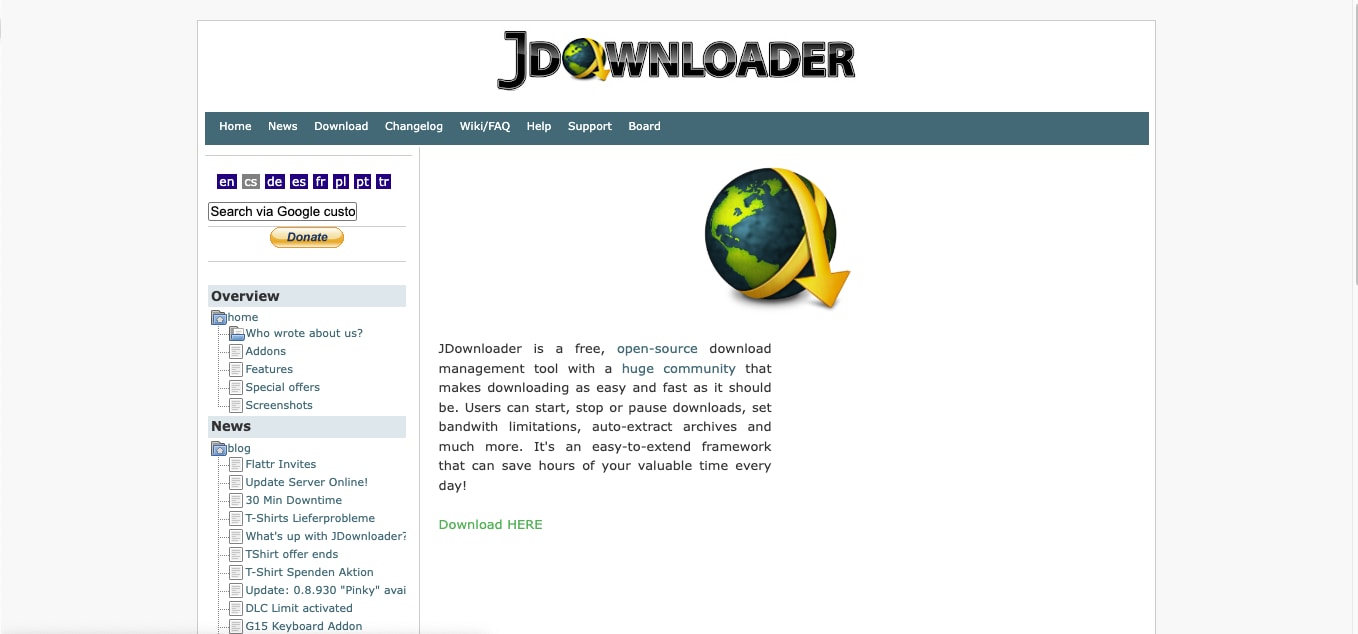
JDownloader is a free, open-source download manager that supports a wide range of video and audio platforms. It can be used to extract MP3s from YouTube Shorts videos by automatically detecting downloadable links and letting you choose between video and audio formats. While it is not as modern or visually intuitive as other options, many still consider it their go-to tool for downloading videos and audio from YouTube.
How to Convert YouTube Shorts to MP3 Using JDownloader
To convert YouTube Shorts to MP3 safe and legal, follow these steps:
Step 1: Download and install JDownloader from its official website for Windows, macOS, or Linux.
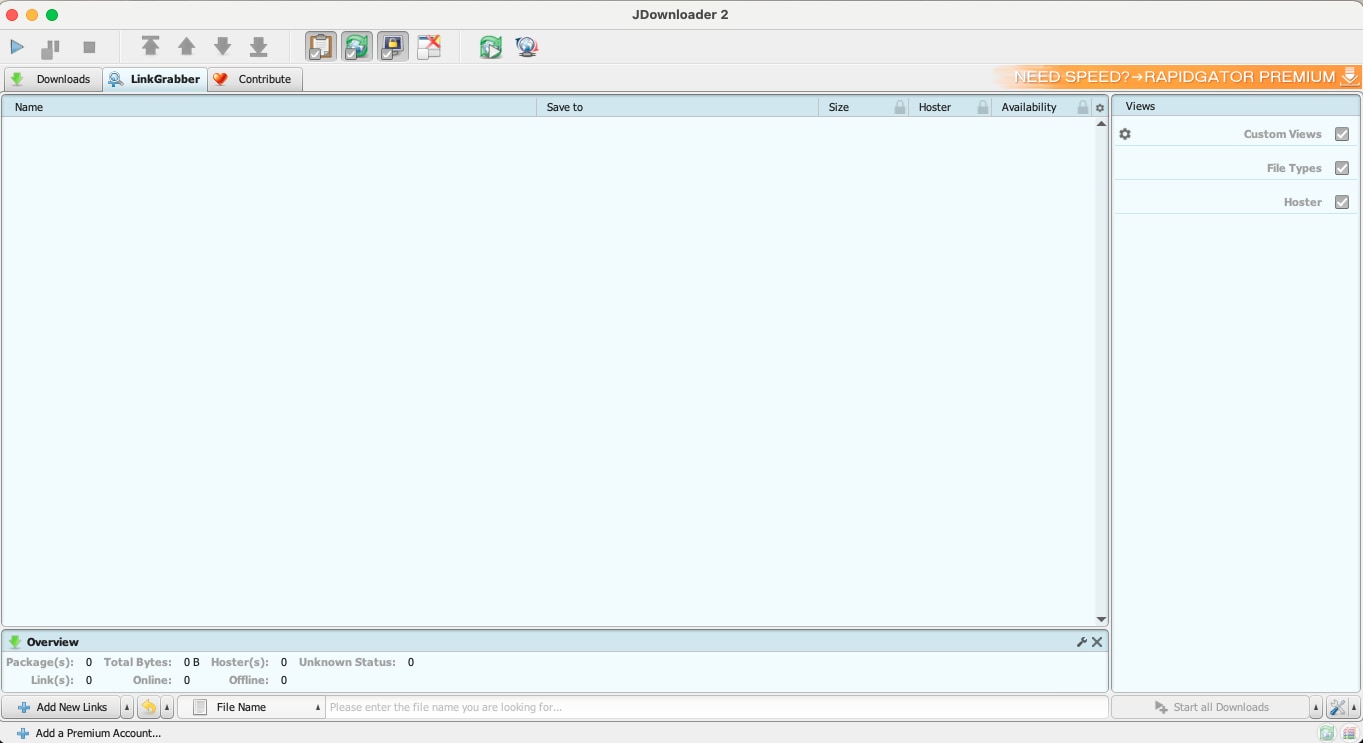
Step 2: Launch the app and open YouTube so you can copy the YouTube Shorts video URL. JDownloader will automatically detect the link under the LinkGrabber tab.
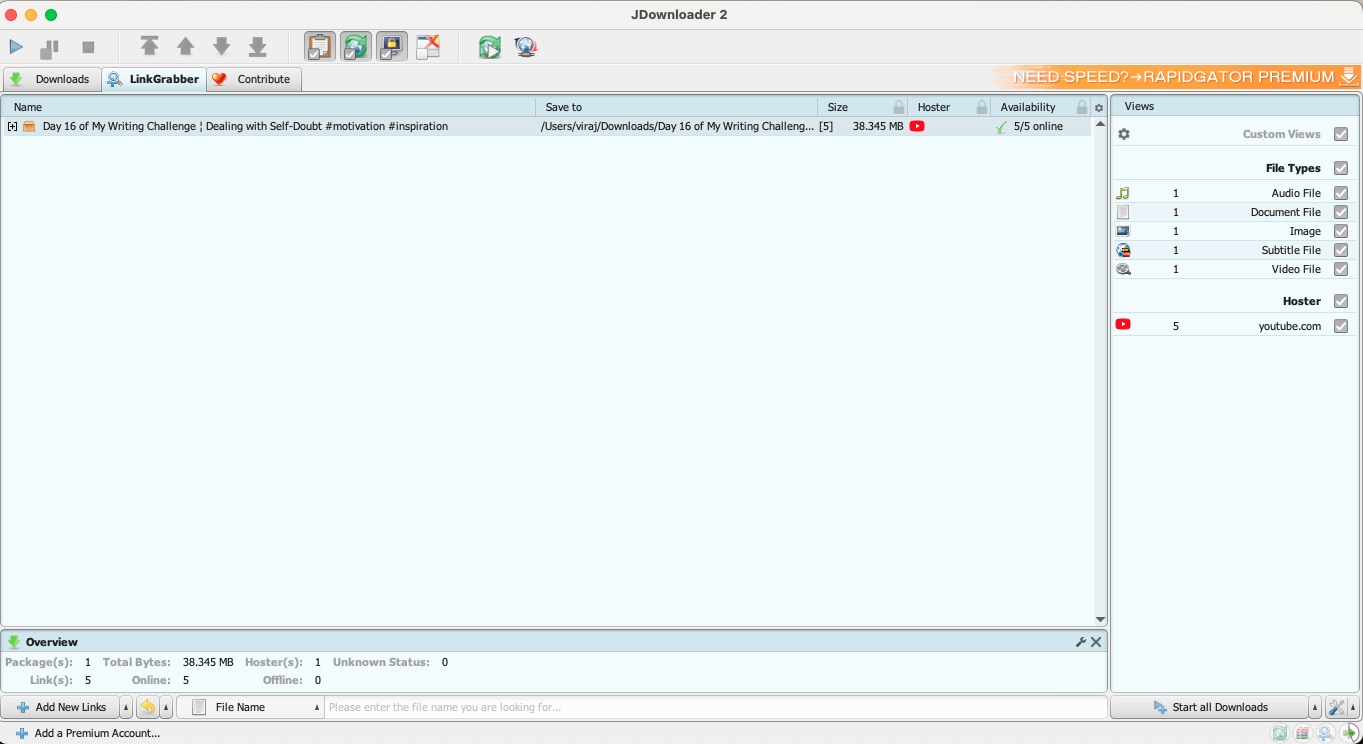
Step 3: Right-click the detected video and select Start Downloads.
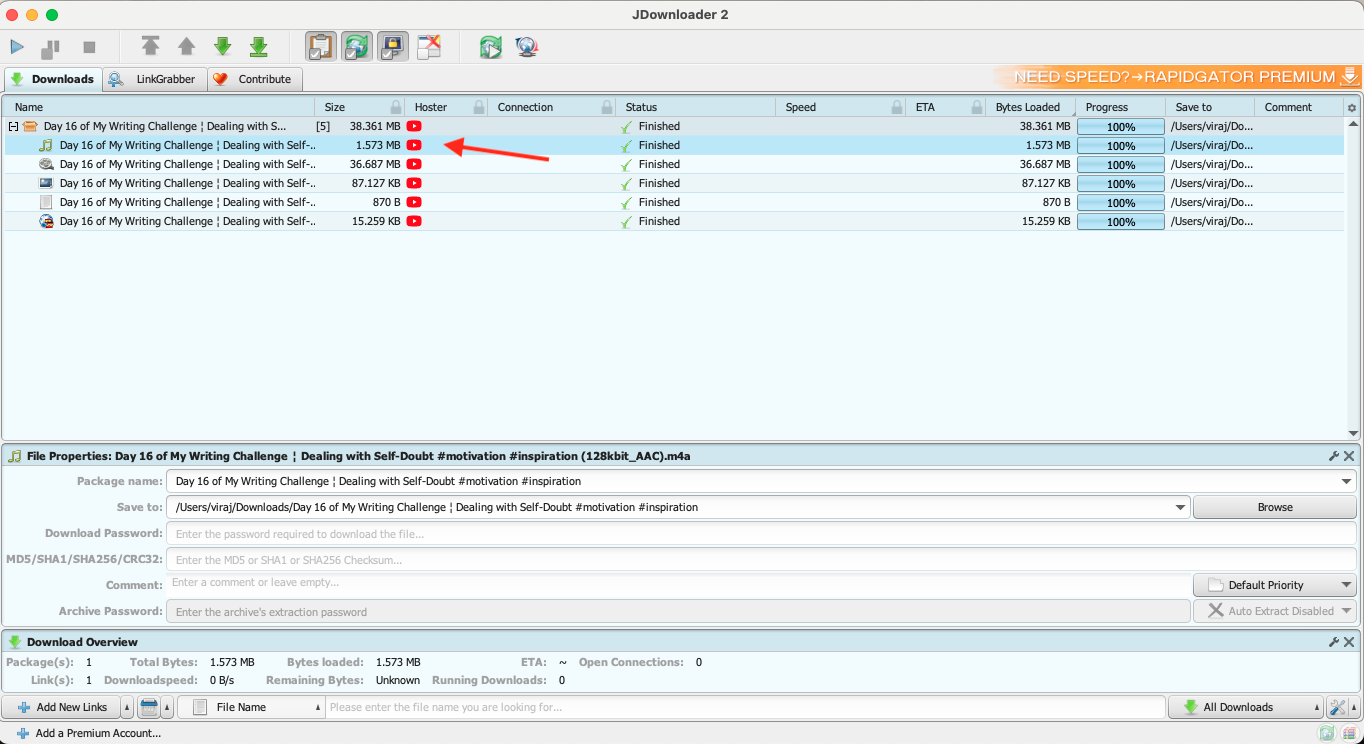
Step 4: Wait for the download to complete, then check the Downloads section to find your saved MP3 file.
Method 2: YouTube Shorts to MP3 Free Online Converters
If you prefer something fast and browser-based, online tools are a convenient way to extract audio without installing software. These YouTube Shorts to MP3 converters work directly in your web browser and let you download the MP3 file instantly. Here are a few of the recommended online converters:
YouTube Downloader
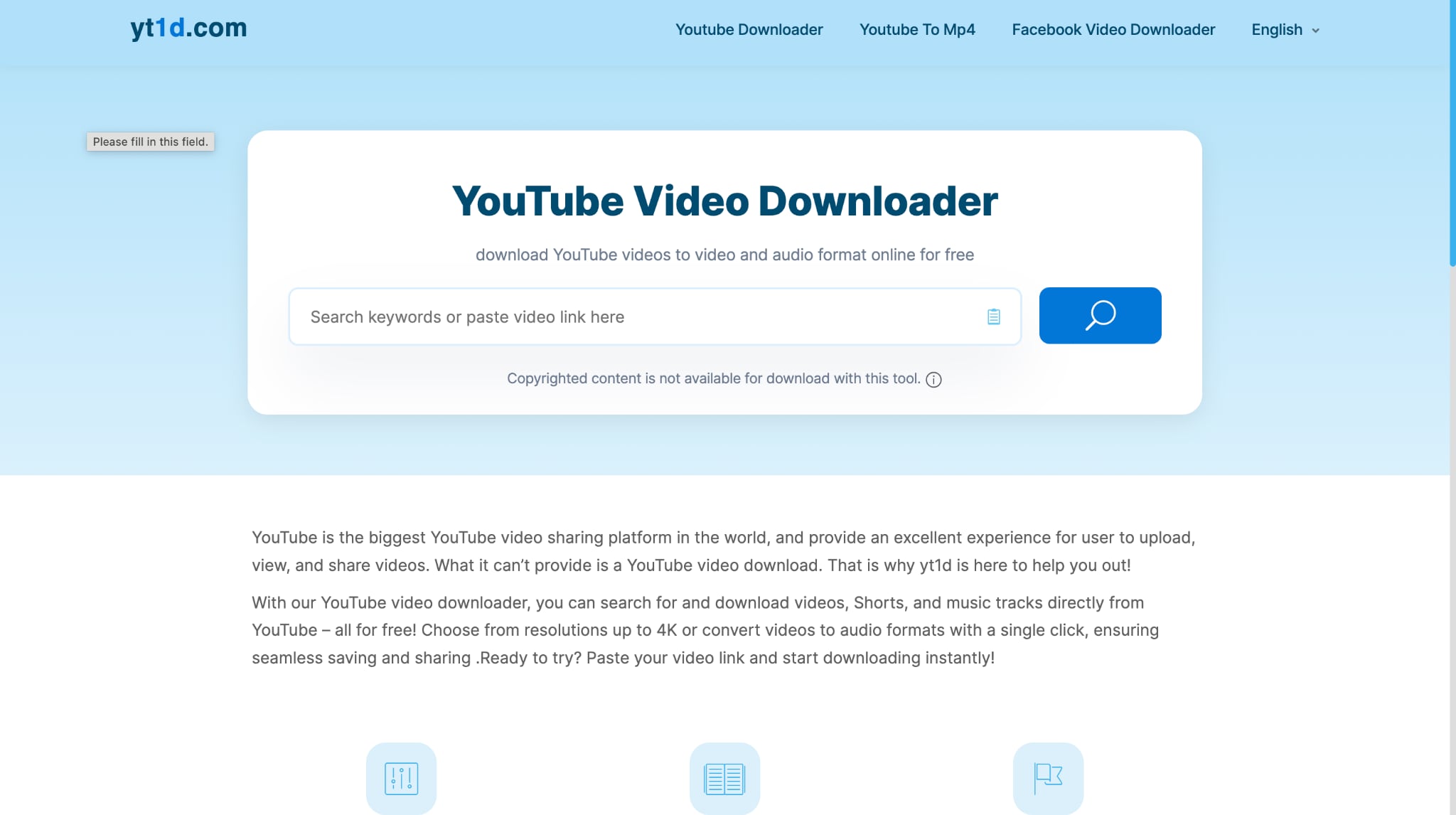
YouTube Downloader is one of the simplest tools for converting Shorts to MP3 audio. It works directly in your browser and doesn't require installation or sign-ups, which makes it ideal for those who want a quick conversion without technical steps. As a free online YouTube Shorts to MP3 converter, it's known for its speed, simplicity, and accessibility across all major devices.
How to Convert YouTube Shorts to MP3 Using YouTube Downloader
Take these simple steps to convert YouTube Shorts to MP3 online:
Step 1: Copy the YouTube Short link you want to convert.
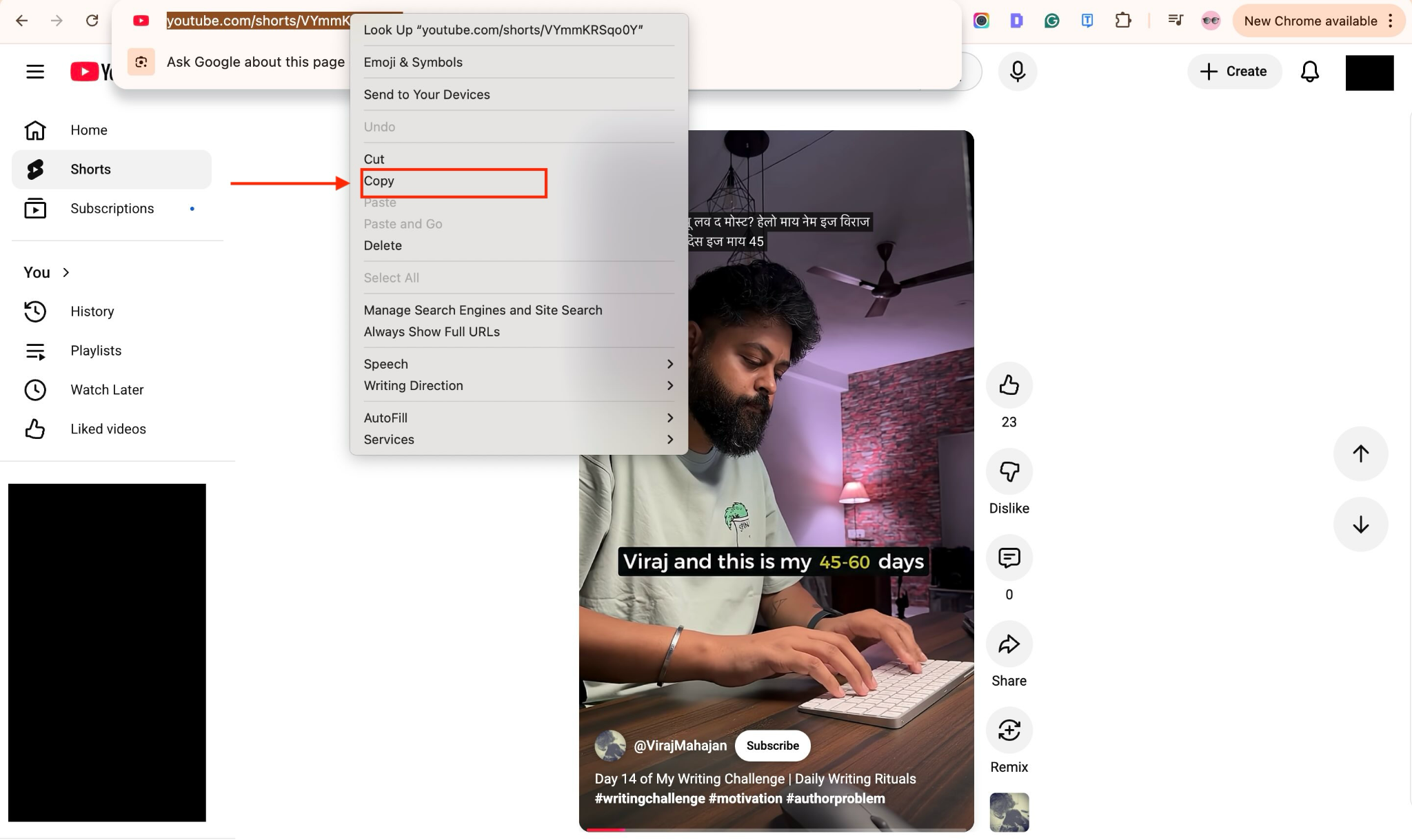
Step 2: Open the YouTube Downloader website and paste the link into the search bar.
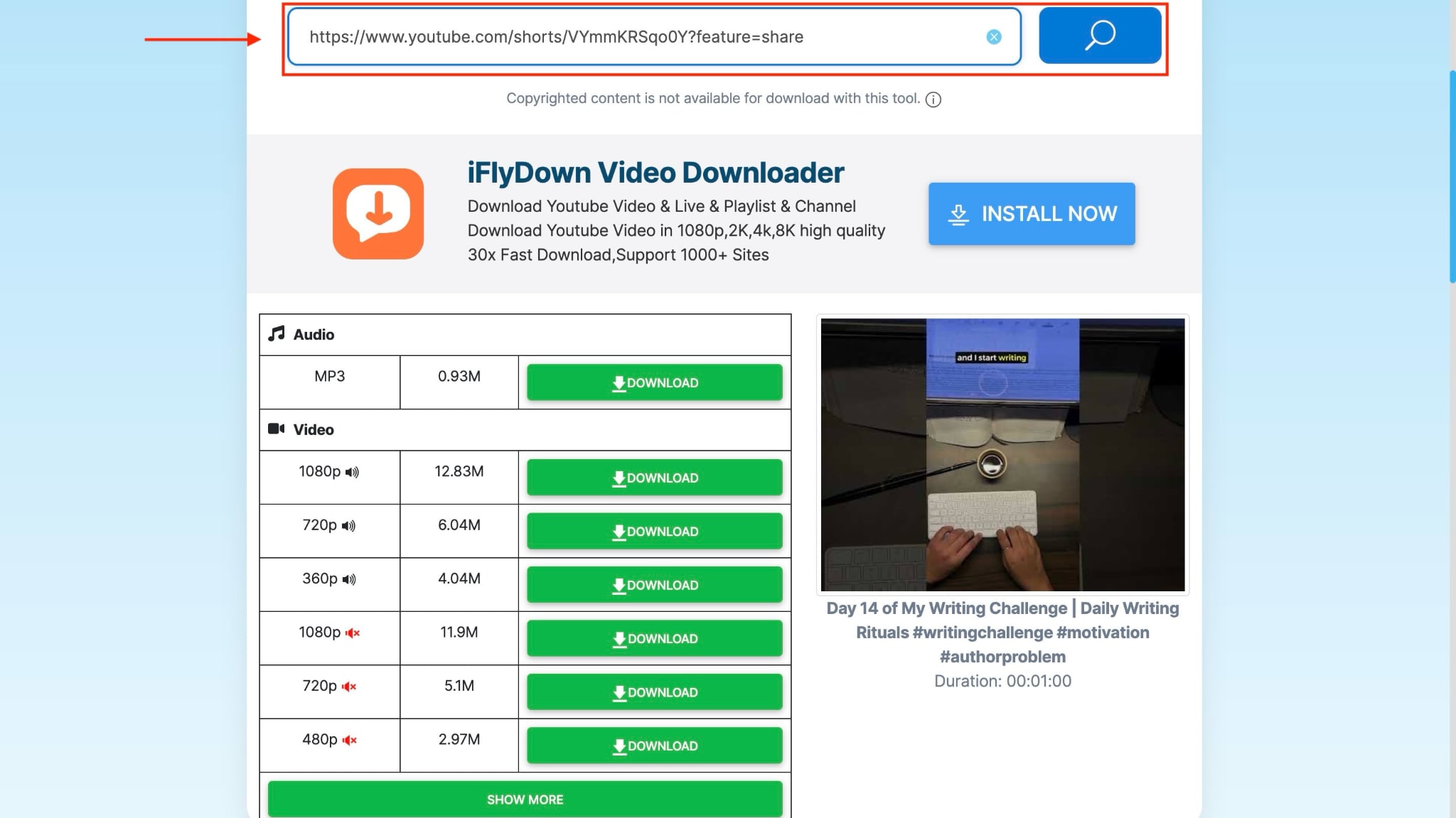
Step 3: You will get an automatic format selection option. Select the preferred MP3 quality offered by the content owner. Click “Download” and it will save to your system in MP3.
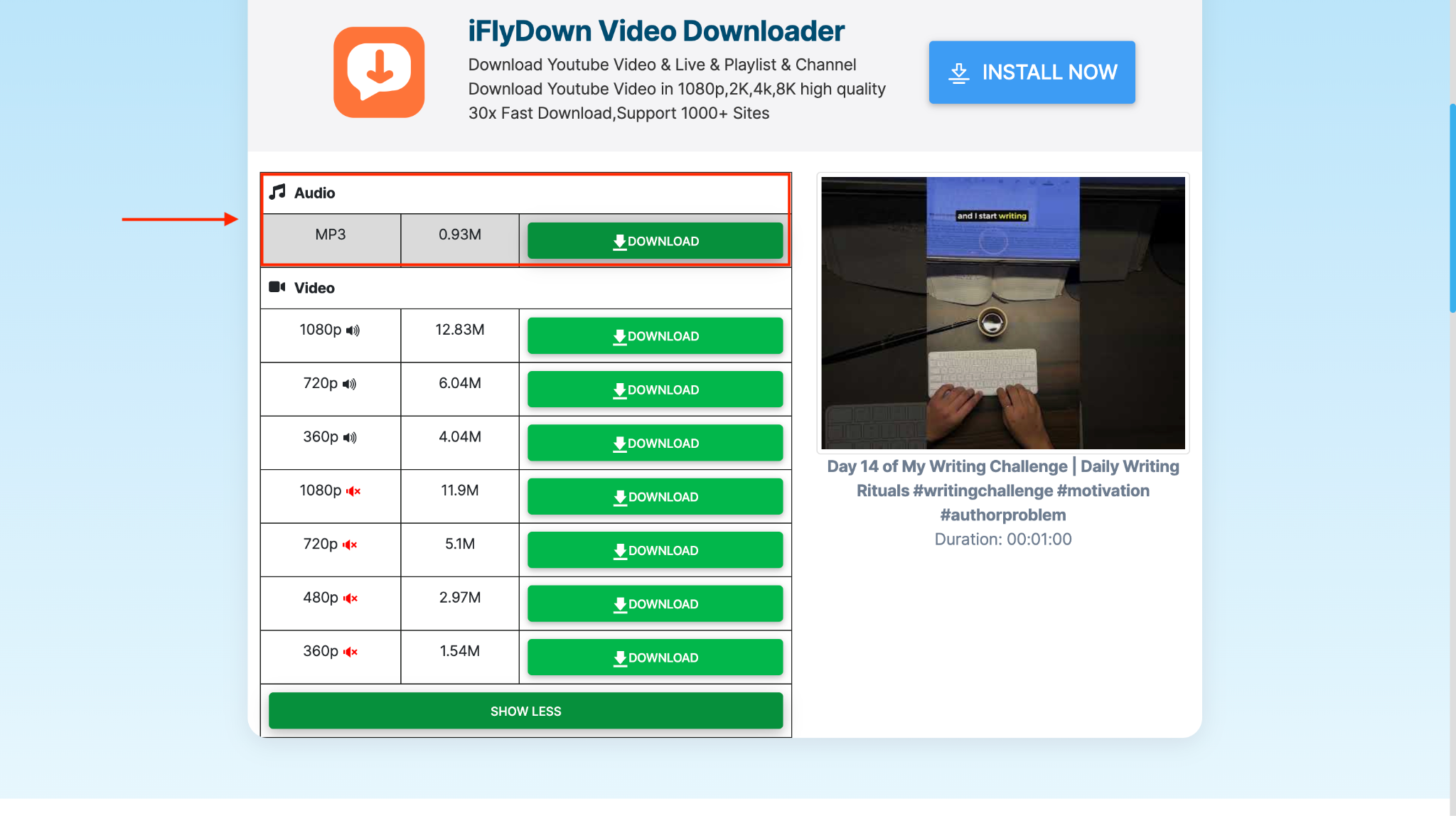
SaveMP3

SaveMP3 is a clean, ad-free YouTube Shorts to MP3 converter that focuses on simplicity and speed. Just like YouTube Downloader, it also works directly in your browser and supports multiple bitrates up to 320 kbps. As a free online YouTube Shorts to MP3 converter, it's ideal for you if you want quick conversions without unnecessary pop-ups or login requirements.
How to Convert YouTube Shorts to MP3 Using SaveMP3
By following this step-by-step guide, you can easily convert YouTube Shorts to MP3:
Step 1: Visit the official SaveMP3 website or search for it online.
Step 2: Copy the YouTube Shorts link and paste it into the search bar. The online converter will automatically detect the video and begin preparing it for download or trimming.

Step 3: Once you are done with audio trimming (optional), click on the "MP3" button and wait for the download to start. Once the progress bar reaches 100%, your audio will be ready for offline playback.

Method 3: YouTube Shorts to MP3 on Mobile [Android/iPhone]
Mobile users can also enjoy quick conversions right from their phones. However, there are no official mobile apps that are available on the App Store or the Play Store. But several developers have created third-party apps hosted on their own websites. Such apps and web-based tools make converting YouTube Shorts to MP3 on mobile effortless, allowing you to save the audio directly to your devices. Here are recommended mobile applications that let you convert YouTube Shorts into an audio file on the go:
YMusic
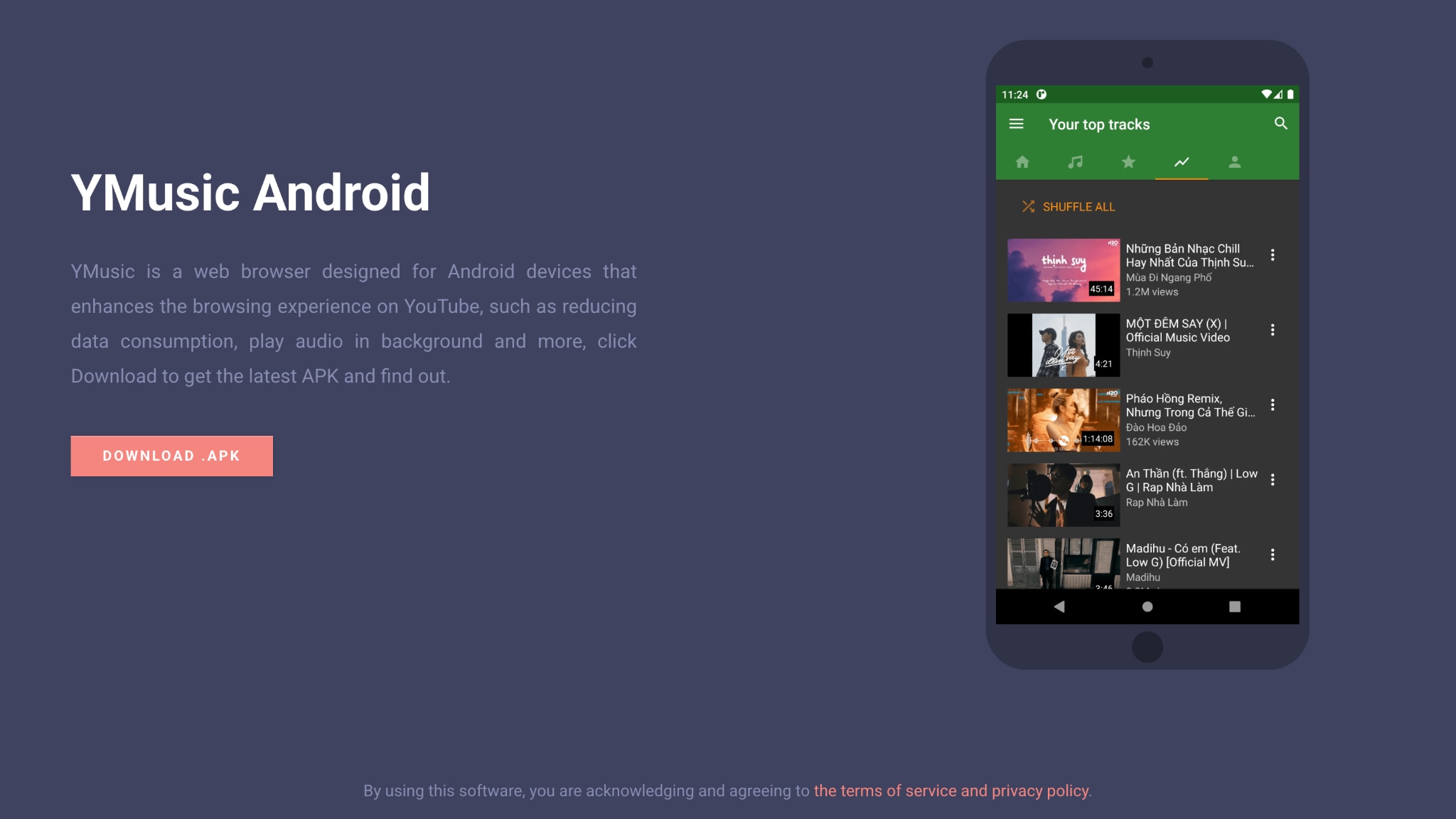
YMusic is a popular Android app that lets you quickly and efficiently convert YouTube Shorts to MP3 files on mobile devices. It acts as a custom YouTube browser that allows background playback and direct audio extraction. This makes it a convenient choice for you to listen offline without using heavy data or third-party sites.
Note: Since YMusic is distributed as an APK, download it only from the official developer source. Do not use modded or repacked builds, as they may contain malware.
How to Convert YouTube Shorts to MP3 Using YMusic
Here are simple steps to learn how to convert YouTube Shorts to MP3:
Step 1: Download and install the YMusic APK from its official website.
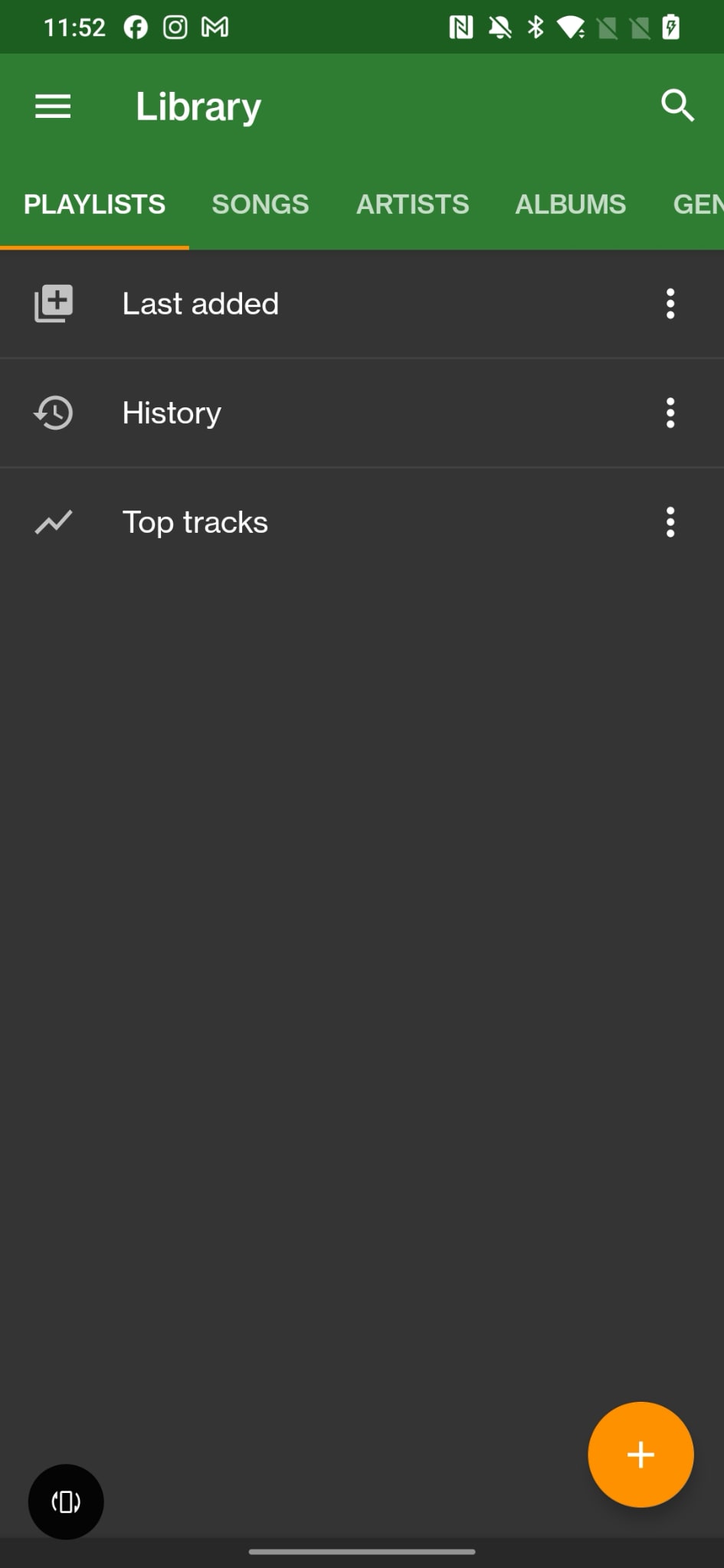
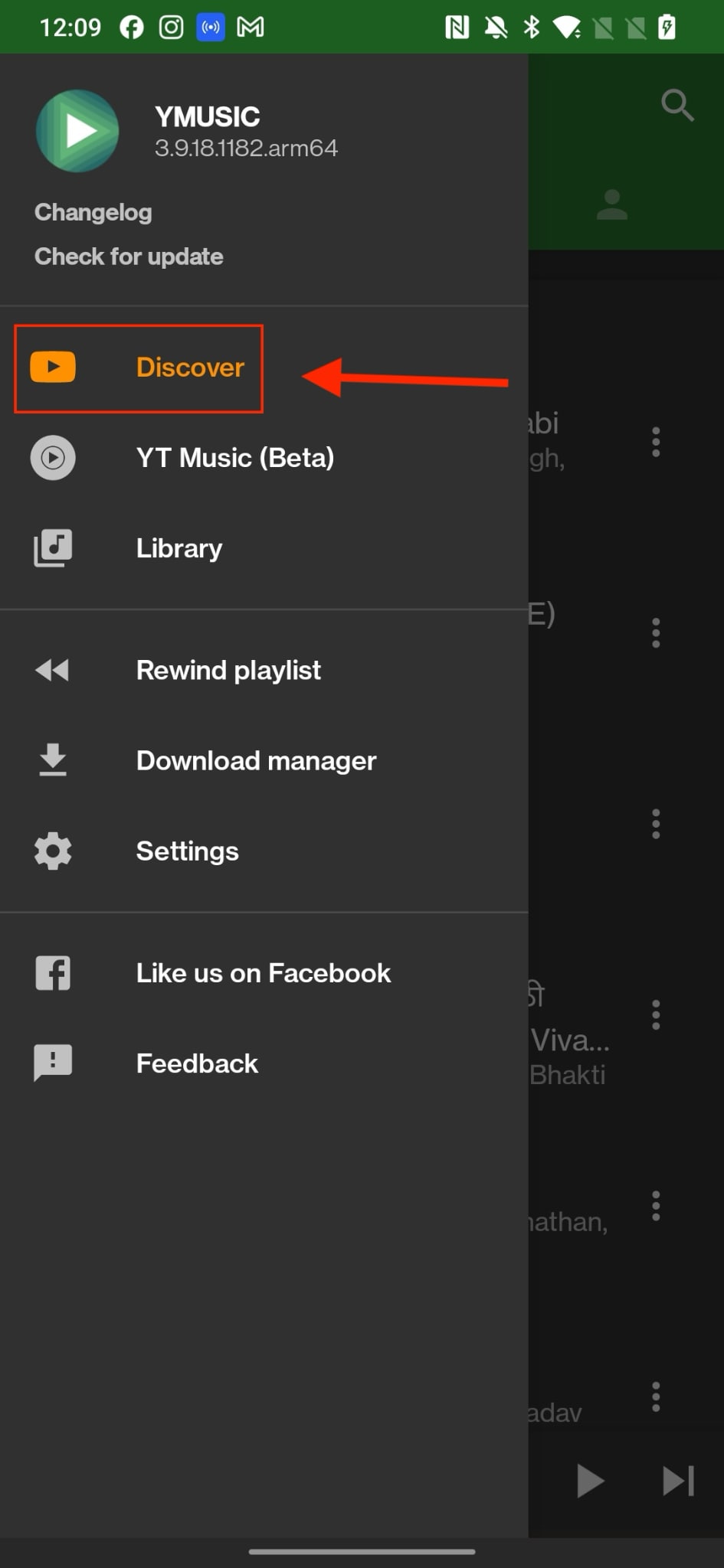
Step 2: Open YMusic and go to the Discover tab.
Step 3: Search for the YouTube Shorts video or paste its link in the search bar.
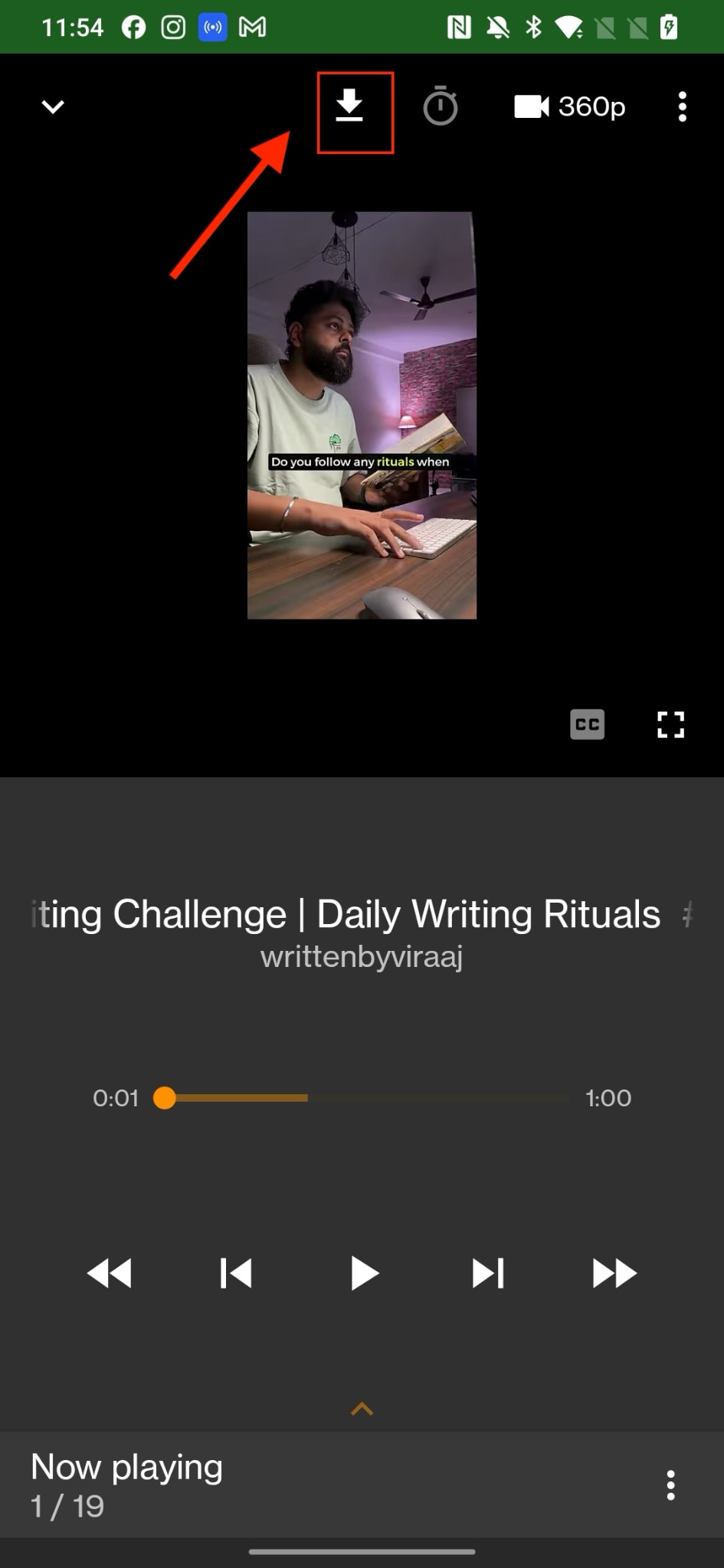
Step 4: Tap the Download icon above the video.
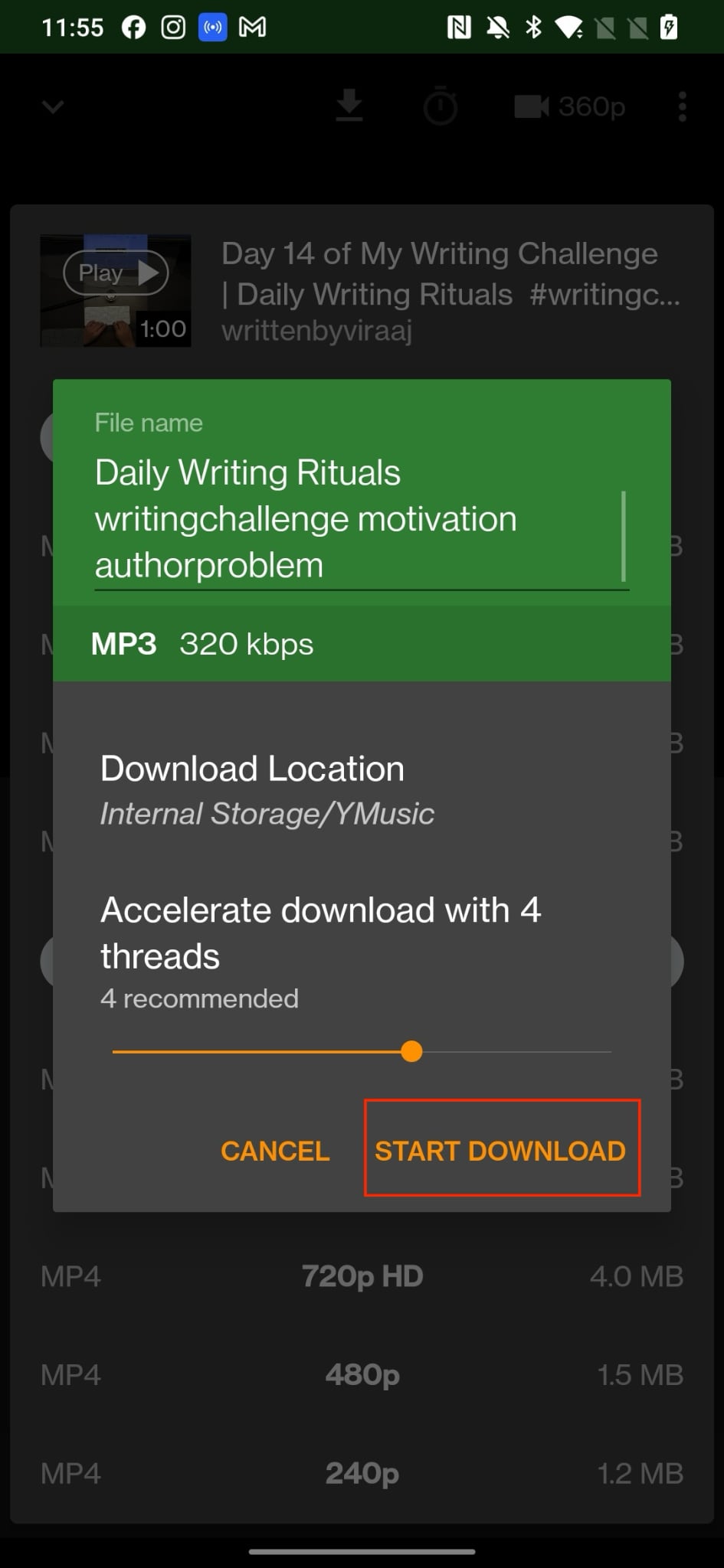
Step 5: Choose the MP3 (320 kbps) option from the Audio Download Links menu.

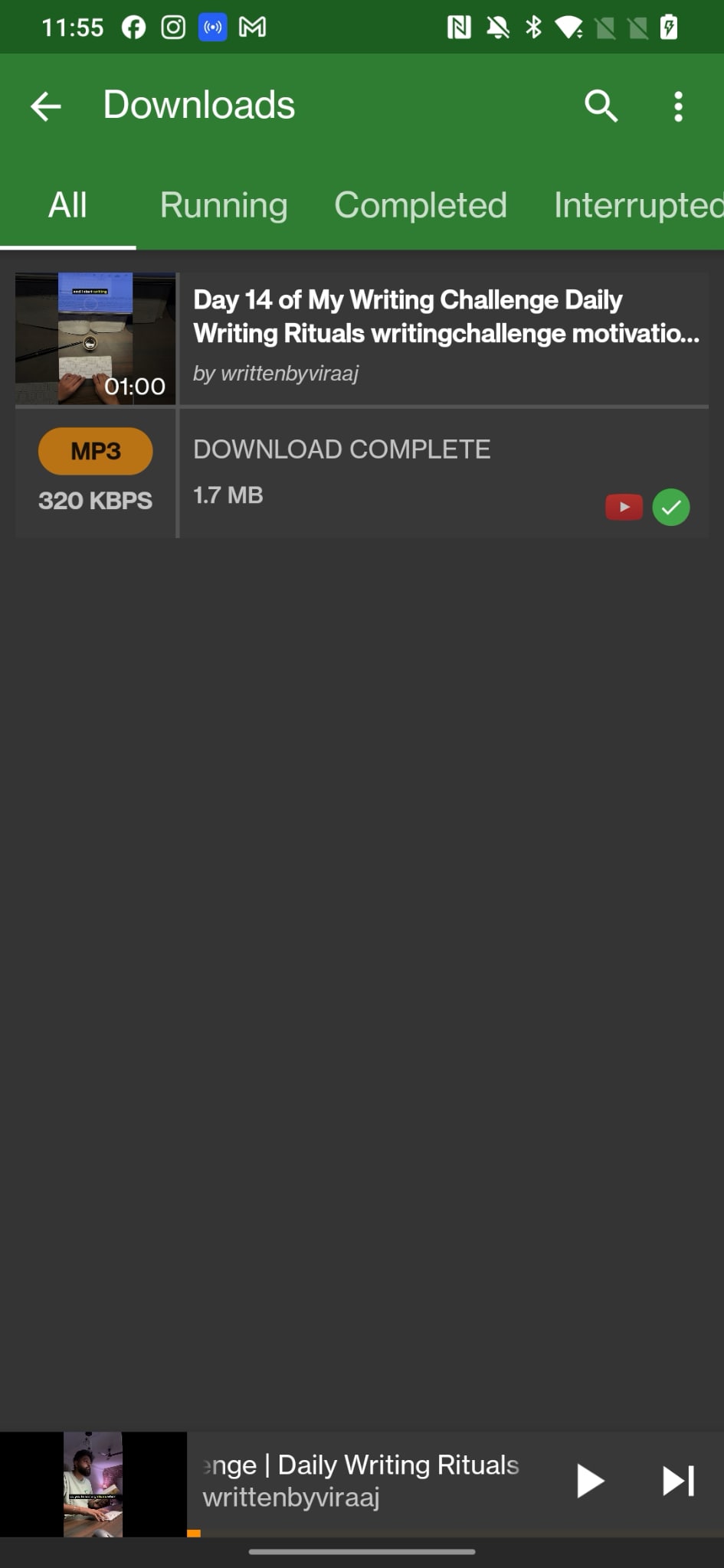
Step 6: Set the download location and tap Start Download to save the MP3 file to your device.
Y2Mate
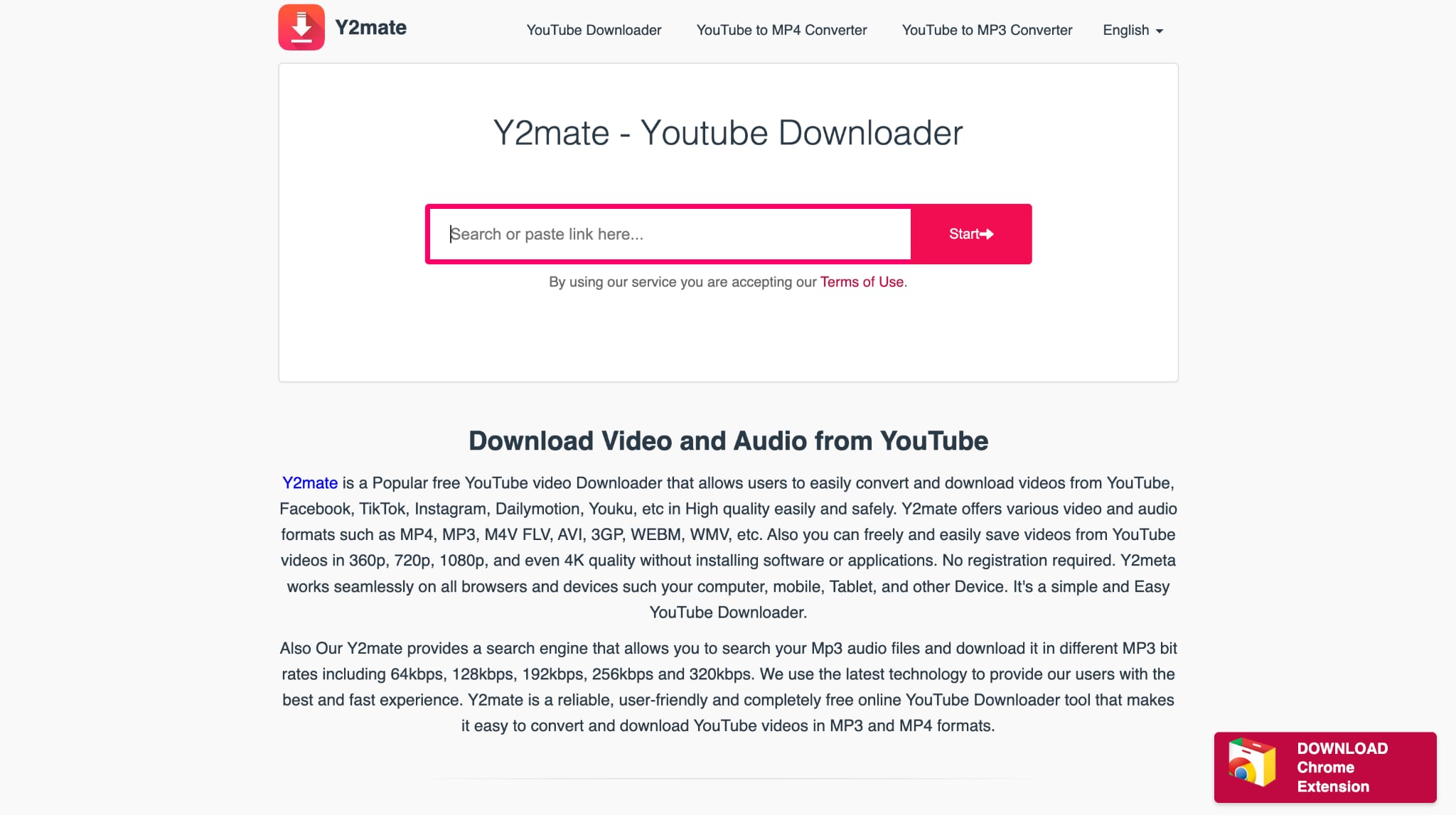
Y2Mate is a free web-based converter that lets you download YouTube Shorts as MP3 or MP4 files directly from your Android and iOS devices, without installation or registration. While it's convenient and fast, the platform is flooded with pop-up ads and raises piracy and data privacy concerns due to its unofficial nature.
Note: Some Y2Mate mirrors contain pop-ups, adware, or cloned phishing pages. Use only the official domain and avoid any version asking for account login or browser permissions.
How to Convert YouTube Shorts to MP3 Using Y2Mate
Follow the given steps to download YouTube Shorts audio in MP3 format:
Step 1: Visit y2mate.lol from your Android or iOS browser.
Step 2: Copy the YouTube Shorts video link and paste it into the search bar.
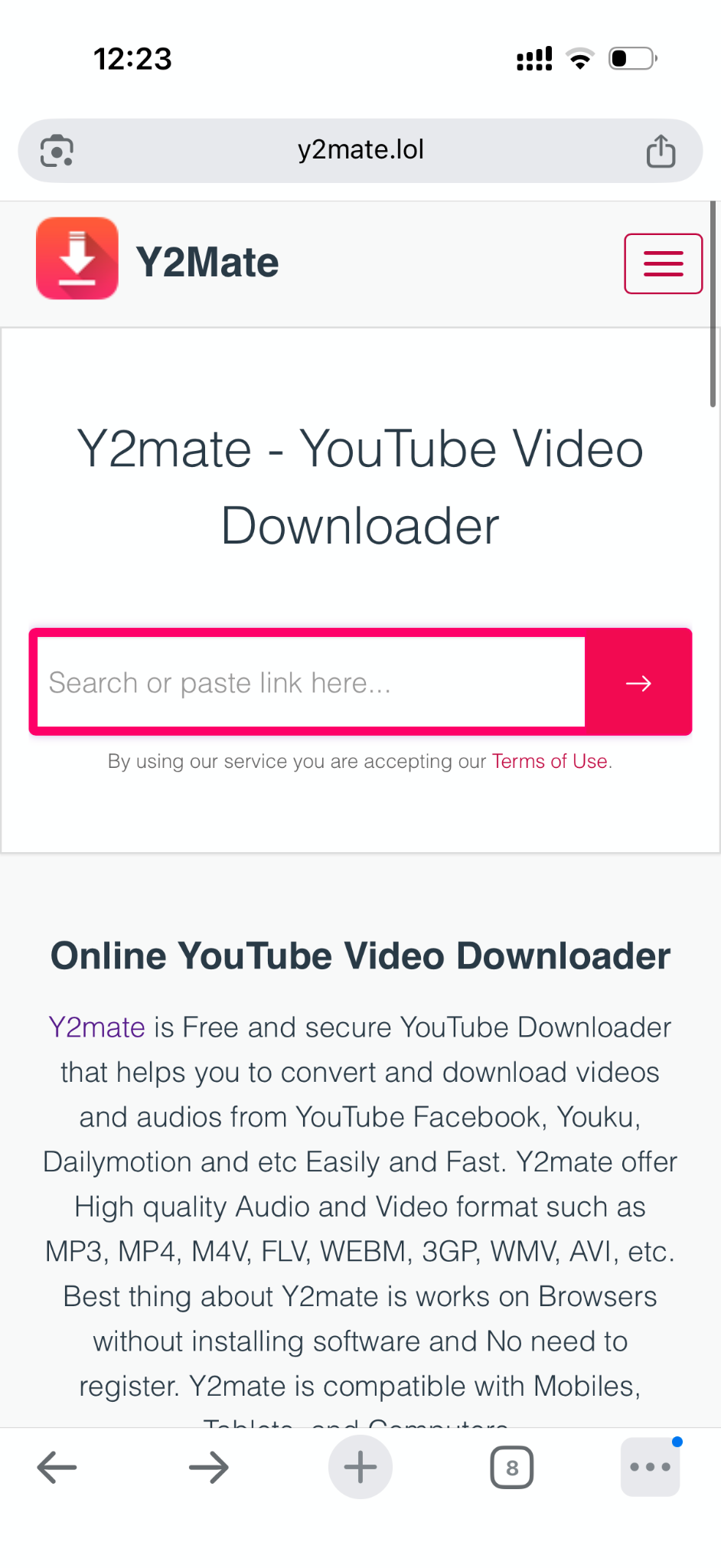
Step 3: Click the Start or Download button to generate the audio options.
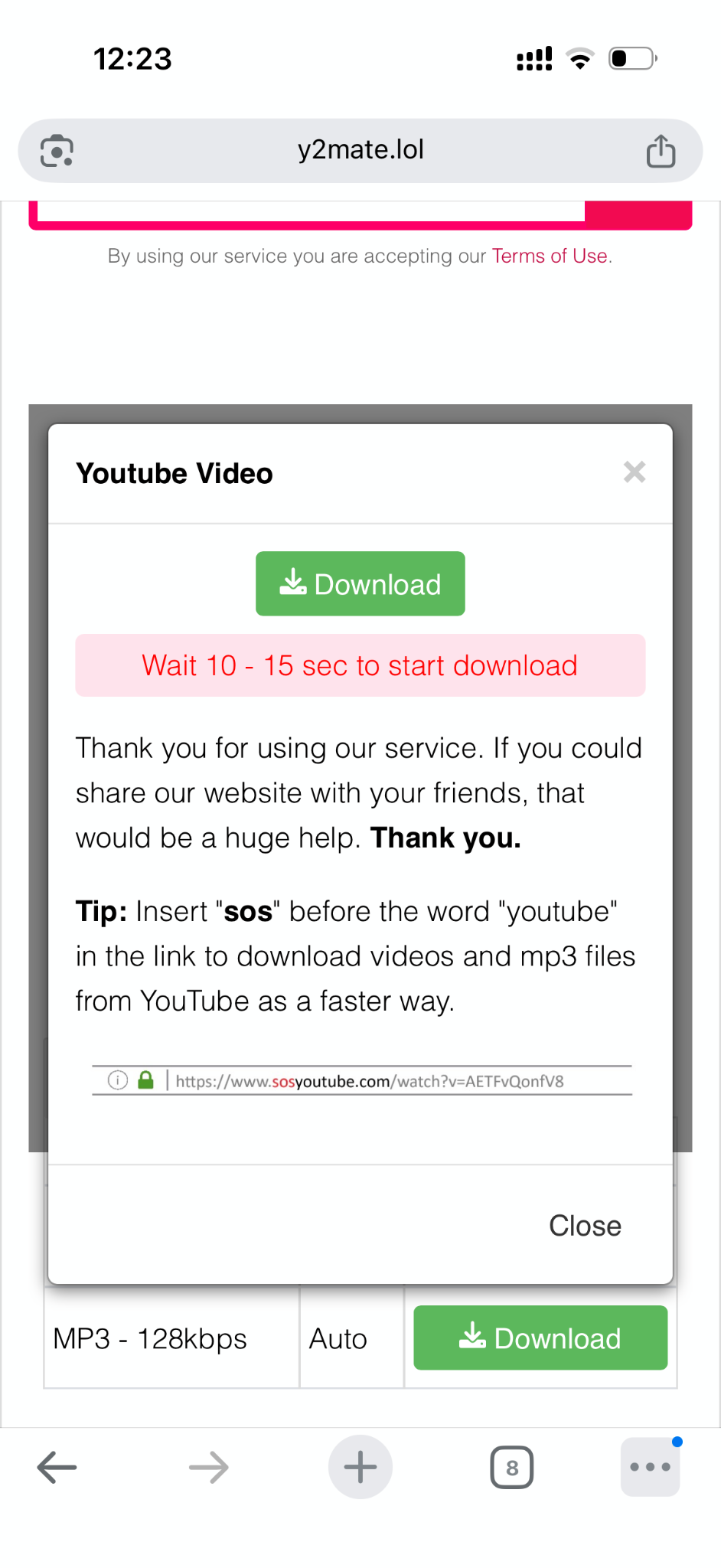
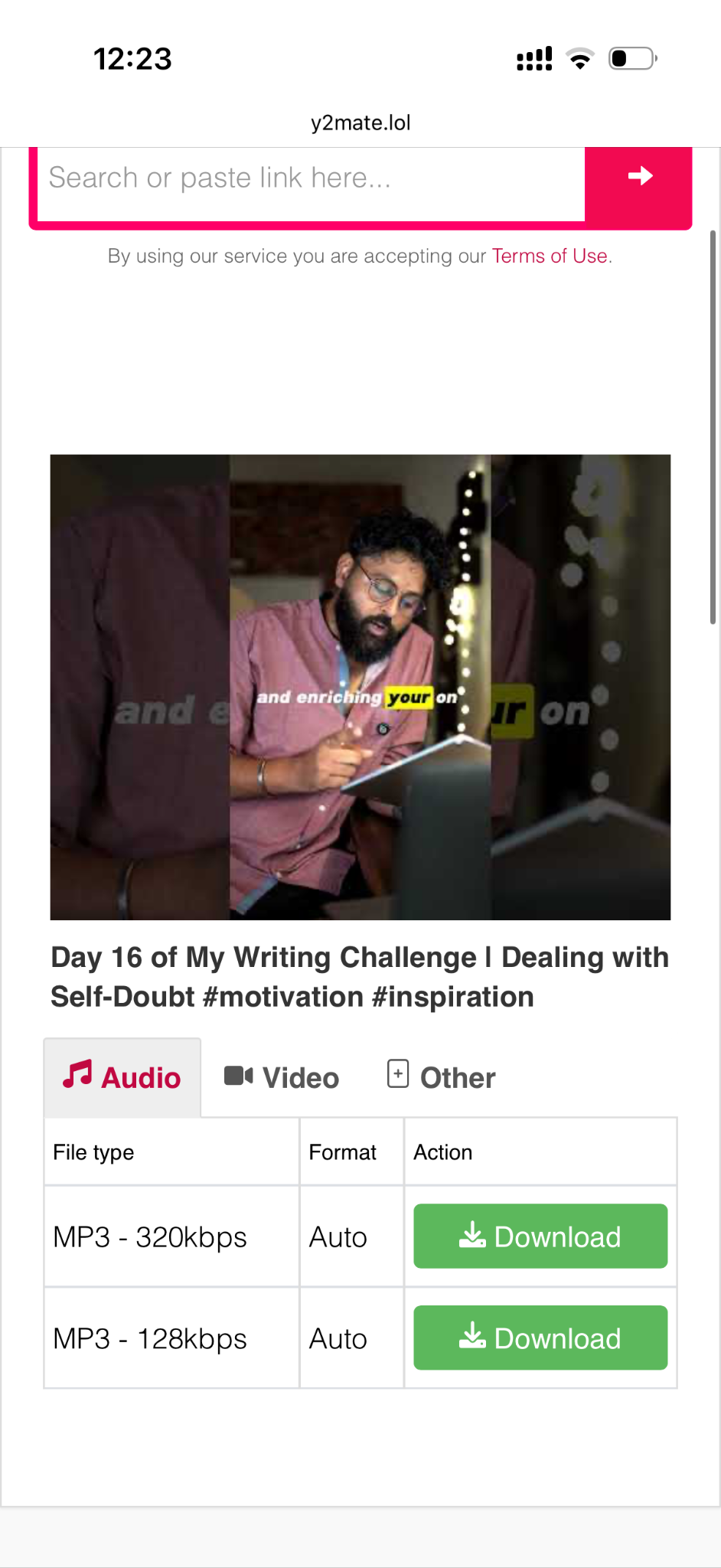
Step 4: Select MP3 - 320 kbps or MP3 – 128 kbps from the available list to download the audio file in your preferred audio format, and then tap "Download" to save the file on your mobile device.
Part 4: Best YouTube Shorts to MP3 Converters: Detailed Comparison
If you are looking for a YouTube Shorts audio-only download option that works seamlessly across devices, the tools that we have mentioned here will surely help. Whether you prefer an app or a web-based solution, each platform offers unique strengths in speed, safety, and quality. Here's a quick look at the best options for YT Shorts to MP3 conversion in 2026.
How We Tested YouTube Shorts to MP3 Converters
We evaluated each tool based on audio quality, ease of use, speed, and how practical it is for saving Shorts audio for offline listening or light creative use.
Audio quality
We checked whether MP3 output stayed clear and consistent for everyday listening.
Conversion efficiency
We reviewed how quickly each tool handled short-form audio conversion.
Ease of use
We compared link handling, setup friction, and overall workflow simplicity.
Practical flexibility
We considered bitrate options, repeat use, and overall usefulness beyond one quick task.
We gave extra weight to audio quality and workflow simplicity because most users want a fast, low-friction way to keep Shorts audio offline.
| Tool | Platform | MP3 Quality | Batch Conversion | Ads / Limitation | Safety | Additional Features | Price |
| Wondershare UniConverter | Windows, macOS | Up to 320 kbps | Yes | No ads | 100% Safe | Batch conversion, audio editing, and trimming | Freemium |
| JDownloader | Windows, macOS, Linux | Up to 320 kbps | Yes | Requires FFmpeg plugin | Moderate (open-source) | Multi-platform support, link auto-detect | Free |
| YouTube Downloader | Web (All devices) | Up to 320 kbps | No | Few ads | Moderate | Simple interface, quick downloads | Free |
| SaveMP3 | Web (All devices) | Up to 320 kbps | No | Limited downloads per hour | Moderate | Multiple bitrate options, ad-free interface | Free |
| YMusic | Android App | Up to 320 kbps | No | Occasional ads | Moderate (APK-based) | Background playback, offline music player | Free |
| Y2Mate | Web (Android, iOS, PC) | 128–320 kbps | No | Many pop-ups and redirects | Low (piracy & ad risk) | Fast browser conversion | Free |
Pros and Cons of YouTube Shorts to MP3 Converters
Each of these tools offers a different balance of speed, quality, and reliability. While some of these offline and online converters prioritize convenience and easy access, others offer advanced features for frequent media file users. Here is a balanced overview of what you gain and what they should watch out for when choosing a YouTube Shorts to MP3 free online converter.
Advantages
- Many converters make it simple to extract high-quality audio without sign-ups or technical steps.
- Tools such as Wondershare UniConverter and JDownloader support batch conversion and deliver consistent 320 kbps output.
- Lightweight online tools like YouTube Downloader and SaveMP3 are ideal for quick tasks and smaller projects.
- Mobile apps like YMusic let you convert YouTube Shorts to MP3s safely and listen to them offline with ease.
Disadvantages
- Free online converters often display pop-ups, ads, or limited download speeds.
- Tools that are not officially connected to YouTube can raise privacy or copyright issues, so it's essential to use only safe, legal methods to convert YouTube Shorts to MP3.
- Some of the open-source or APK-based tools can feel complicated for casual users and may not always be secure.
As you can see from the wide range of tools, it is recommended that you select the tool that fits your purpose, whether you need quick one-time conversions, frequent batch downloads, or reliable high-quality results. If you are looking for a YouTube Shorts to MP3 safe method that ensures consistent performance, Wondershare UniConverter is the ideal choice. It allows you to convert YouTube Shorts to MP3 easily, supports multiple formats, includes built-in editing, and ensures every download remains private, high-quality, and fully secure.
YouTube Shorts to MP3 Converter
Part 5: How to Make the Most of Your YouTube Shorts MP3 Files
Once you finish converting your downloaded YouTube Shorts, a few smart steps can help you get better sound quality, organize your files, and enjoy a smoother listening experience. Here are some practical ways to enhance your converted MP3 files:
- Optimize Sound Quality: Always select the right bitrate before downloading. A higher bitrate, such as 320 kbps, gives clearer sound for music or podcasts.
- Manage ID3 Tags: Add artist names, titles, or custom notes to your MP3 files to make them easier to search and sort later.
- Trim Unwanted Parts: Use UniConverter's built-in audio cutter to remove silence, ads, or background noise before saving.
- Sync Across Devices: Transfer or back up your MP3s to your phone, tablet, or cloud storage so they're always handy.
- Organize Playlists: Create folders or playlists by theme, creator, or mood to make your listening more personal and efficient.
FAQs about YouTube Shorts to MP3 Conversion
Can I convert YouTube Shorts to MP3 from a link without installing software?
Yes. If you only need a quick one-time conversion, you can use a browser-based YouTube Shorts to MP3 converter by pasting the Shorts URL directly into the tool. This is the easiest option for users who want to convert YouTube Shorts to MP3 from a link without downloading extra software.
What is the safest way to save audio from YouTube Shorts?
The safest approach is to use a trusted tool with a clean workflow and avoid websites filled with redirects or pop-ups. If your goal is to save audio from YouTube Shorts regularly, a desktop solution is usually more stable than random online tools, especially when you care about privacy, file quality, and fewer download errors.
Can I download audio from YouTube Shorts in 320kbps quality?
Sometimes, yes, but it depends on the converter and the source quality of the original Short. Many users look for a YouTube Shorts to MP3 320kbps option because it offers better listening quality, but not every tool supports high-bitrate output consistently. It is best to choose a converter that clearly shows available bitrate options before downloading.
Why do some yt shorts to MP3 converters stop working?
Some yt shorts to MP3 tools stop working because YouTube frequently updates link formats, playback rules, or content restrictions. In other cases, the Short may be private, region-locked, age-restricted, or use audio that the converter cannot process correctly. If one tool fails, trying a more updated YouTube Shorts to MP3 converter usually helps.
Is there a difference between a YouTube Short to MP3 tool and a regular video converter?
Yes. A YouTube Short to MP3 tool is usually designed for fast audio extraction from links, while a regular video converter may offer more control over output quality, file management, trimming, and batch processing. If you only need shorts audio download MP3 for occasional use, a simple online tool may be enough. If you convert often, a fuller desktop converter is usually the better long-term option.
Conclusion
Converting YouTube Shorts to MP3 has become one of the easiest ways to turn short-form videos into portable audio files. From saving lessons and podcasts to collecting music or motivational snippets, it serves creators, students, and everyday listeners alike. The key is to use verified, secure platforms and follow fair-use practices to ensure every conversion remains safe and compliant.
If you want a dependable, all-in-one tool that balances quality, speed, and safety, try Wondershare UniConverter. It gives you full control over every step without compromising on sound clarity or data privacy. Turn your favorite YouTube Shorts into crisp, high-quality MP3s with ease.