


As video content continues to dominate, many creators and brands use watermarks to protect their brand identity on YouTube. However, there are situations where removing watermarks from a YouTube video becomes necessary. For example, you want to edit the original YouTube footage, you’re reusing licensed material, or refining exported videos.
Whatever your reason might be, this article will introduce you to the top 10 YouTube watermark remover tools that you can use to remove watermarks from YouTube videos losslessly.
In this article
Part 1: How to Choose the Best YouTube Watermark Remover
Choosing a watermark remover isn’t just about deleting a logo. You need a tool that can preserve video quality and ensure a smooth editing workflow. Here are 5 essential tips to help you choose the best tool to remove watermarks from YouTube.
It Must Be Easy to Use
An ideal watermark remover should have a clean, intuitive interface that doesn’t require advanced technical skills. Look for tools with simple upload options, drag-and-drop functionality, and automatic watermark detection. Also, a beginner-friendly dashboard saves time and reduces frustration.
Video Quality Preservation
Video quality preservation is another essential feature to look for when choosing a YouTube watermark remover. The best YouTube watermark remover should remove watermarks without lowering resolution, distorting visuals, or reducing frame rates. We recommend using an advanced watermark remover that uses AI-powered technology to intelligently fill in removed areas while keeping the footage sharp and natural-looking.
Fast Processing Speed
Speed is another important criterion when choosing a YouTube watermark remover, especially when you want to remove watermarks from large video files. Tools with GPU acceleration or cloud-based processing often deliver faster rendering times without freezing or crashing.
Supported Formats
Before choosing a tool, confirm that it supports widely used video formats such as MP4, MOV, AVI, and MKV. Compatibility ensures you won’t need additional conversion software, which can reduce quality or slow down your workflow.
It Should Be Cost-Effective
You also need to consider the pricing structure of the tool. The best watermark remover balances affordability with performance and features. Look for transparent pricing, free trials, or money-back guarantees. Avoid tools that charge high subscription fees without offering advanced capabilities.
Part 2: Quick Comparison of the Best YouTube Watermark Removers
Choosing the right watermark remover can be challenging with so many tools available, each offering different features, pricing models, and performance levels. To make your decision easier, we’ve created a quick comparison of the most popular YouTube watermark remover tools in 2026.
| Tool Name | Ease of Use | Video Quality Preservation | Supported Formats | Speed | Cost Effectiveness |
| Wondershare UniConverter | User-friendly with clear UI and drag-and-drop tools | Excellent;AI video enhancer; retains HD & 4K quality | MP4, MOV, AVI, MKV & more | 90x faster conversion speed. | Good value with a lifetime option |
| EaseMate AI | Very simple, automatic watermark removal | Strong AI results with minimal artifacts | Common video formats supported | Quick AI-powered processing | Competitive pricing |
| HitPaw | Intuitive interface, beginner-friendly | Good at cleaning watermarks | MP4, WEBM, AVI, etc. | Fast on modern machines | Affordable one-time or subscription |
| Pixlebin | Web-based, easy upload & edit | Solid for simple watermark removal | Web formats & common video files | Instant cloud processing | Budget-friendly |
| Apowersoft | Straightforward online/app tool | Good, though sometimes soft edges | Wide video format support | Cloud/desktop speed varies | Mid-range pricing |
| Photoshop | Steeper learning curve | Excellent control, but manual | Mostly image + some video options | Slow for video | Higher cost, not ideal for bulk |
| Kapwing | Clean online editor + watermark remover | Maintains decent quality | MP4, MOV & web videos | Quick cloud processing | Free tier + paid plans |
| BeeCut | Easy timeline editing | Good video quality output | Most formats supported | Fast local render | Very affordable |
| Wipit | Simple mobile/web option | Good for quick fixes | Common mobile formats | Fast, lightweight | Low-cost tool |
| Fotophire | Classic UI, easy learning | Good results for basic tasks | Popular video types | Moderate speed | One-time purchase |
Part 3: Comprehensive Review of the Best YouTube Watermark Remover
In this section, we provide a comprehensive review of each YouTube watermark remover and what makes it stand out. We examine their key features, strengths, weaknesses, and real-world performance to give you a clearer understanding of what each tool truly offers.
1. UniConverter
At the top of our list is the Wondershare UniConverter All-in-one AI Video Converter & Enhancer. This software allows you to remove or add watermarks to your videos without compromising their original quality.
Whether it's an unwanted logo, text, or object instilled in your video, this tool will erase every bit of it within a few seconds. And the best part is that it offers a wide range of features, including an AI video enhancer that you can use to improve the overall quality of your YouTube video. It can serve perfectly as an object remover for both video and photos, and can easaily help erase floating watermark in videos.
Also, this tool has an online photo watermark remover which offer free and quick image watermark removing without logging in. But the online version has limitations compared to desktop version on batch processing, which allows you to remove watermarks from bulk videos with up to 90x faster speed than regular watermark remover tools.
Key Features:
Automatically improve details in your videos with an excellent AI video enhancer.
Edit videos with ease using reliable video editing tools.
Summarise videos into clear and concise recaps in more than 145+ languages.
Excellent watermark editor for removing and adding watermarks to videos seamlessly.

AI YouTube Watermark Remover for Clean Results
2. EaseMate

EaseMate AI is a browser-based tool powered by AI that lets you erase logos, text, stamps, and other overlays from video content with just a few clicks. All you need is simply upload your file and let the system detect and remove watermarks automatically, then download the clean video in high quality.
The tool supports common video formats such as MP4, MOV, and M4V, and it promises minimal quality loss through intelligent background reconstruction. Also, it’s free and doesn’t require editing skills.
Key Features:
AI-powered automatic watermark removal
Browser-based (no download)
Supports popular video formats
Preserves HD quality post-removal
3. Hitpaw
HitPaw Watermark Remover is a popular tool that uses built-in AI to automatically detect and erase watermarks from both videos and images. Its intuitive interface and multiple removal modes make it accessible to beginners and experienced editors alike.
You can use this software to remove dynamic or floating watermarks with ease and preview results in real time before exporting videos without visible marks. And it supports different customization options for enhancing the quality of your videos.
Key Features:
AI-based watermark detection and removal
Multiple removal modes (AI, matte, smooth, etc.)
Real-time preview before export
Removes dynamic & moving watermarks
4. Pixelbin

Pixelbin’s AI Watermark Remover gives you a streamlined, automation-first experience. You simply upload your file, select the unwanted area, and let its AI inpainting technology handle the whole process. And instead of leaving blurry patches behind, it intelligently rebuilds the surrounding pixels so your image or video looks clean and natural.
Also, Pixelbin is fully web-based, which means you can use it to remove watermarks from YouTube videos from any device without installing software. And if you manage multiple projects, the bulk processing feature helps you move faster.
Key Features:
AI-powered watermark detection & removal
Bulk processing for multiple files
Supports images, videos, and PDFs
Browser-based workflow.
5. Apowersoft
When you need a straightforward video watermark remover that doesn’t complicate your workflow, Apowersoft delivers practical simplicity without sacrificing results. Whether you’re trying to erase logos, text overlays, or date stamps, it lets you highlight unwanted elements and clean them up with minimal fuss. You can either use the web-based version for quick one-click removal or download the desktop app for batch processing and offline work.
Additionally, this software supports a wide range of formats, so you won’t have to convert files just to edit them.
Key Features:
One-click online watermark removal
Batch processing for multiple files
Wide format support (MP4, MOV, AVI, etc.)
No installation required for online workflow.
6. Adobe
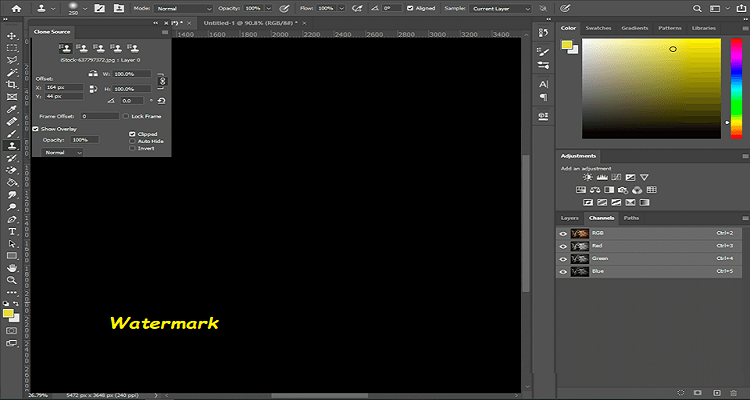
While Photoshop isn’t a dedicated video watermark remover, it’s incredibly powerful if you want precise control over every frame you touch. You’ll need to export key frames from your video and edit them individually, using tools like Content-Aware Fill, Clone Stamp, and patch tools to eliminate watermarks cleanly. This manual approach lets you reconstruct backgrounds exactly the way you want, which is ideal if you’re working with complex overlays or branded graphics that automatic removers struggle with.
Key Features:
Content-Aware Fill and Clone tools for precise edits
Frame-by-frame control for detailed cleanup
Professional layering and masking system
Full Adobe Creative Cloud ecosystem compatibility.
7. Kapwing
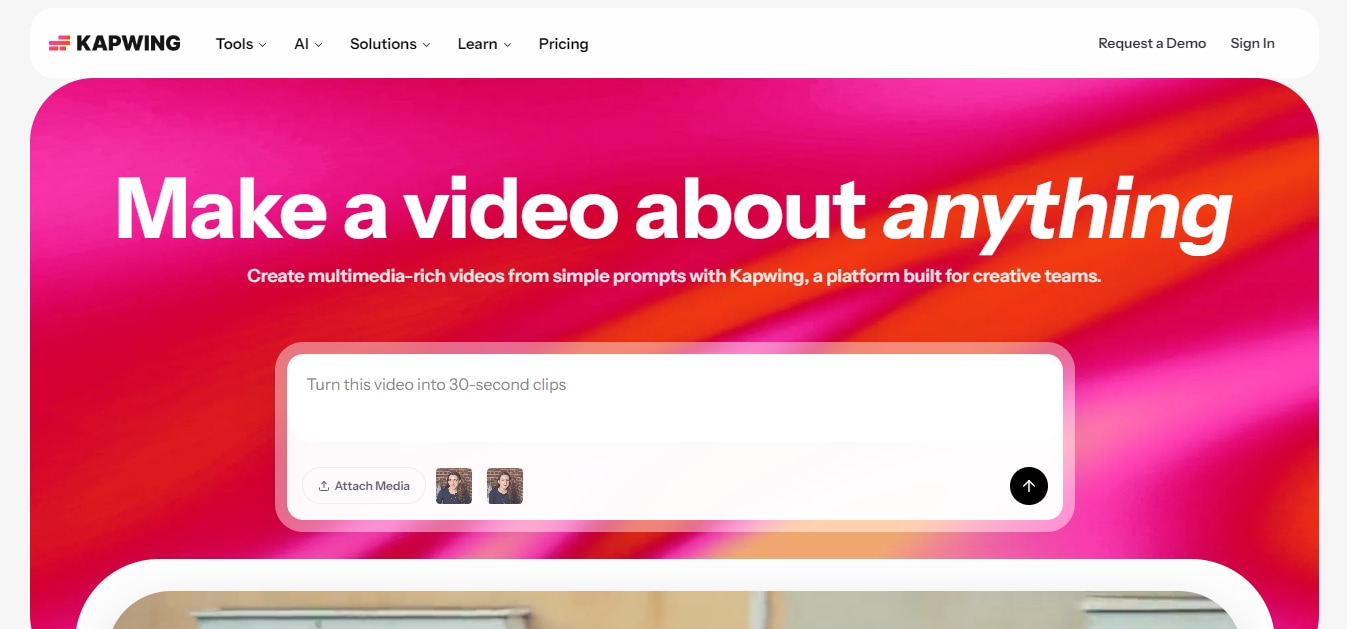
If you want a versatile all-in-one editor that just happens to help with watermark removal, Kapwing is one of the most approachable platforms out there. Although it does not have a dedicated watermark remover, you get the creative control to crop, blur, or overlay elements over watermarks — plus a suite of editing tools that go far beyond simple removal.
Kapwing’s cloud-based editor runs entirely in your browser and also lets you add custom watermarks, subtitles, transitions, and more in the same session. It’s a great pick if you want to refine your YouTube clips holistically rather than just erase a mark.
Key Features:
Browser-based editor with no installation
Smart cropping & overlay tools for watermark hiding
Built-in subtitle and audio cleanup features
Project templates and team collaboration options.
8. BeenCut

BeeCut is not a dedicated AI watermark remover, but it delivers a simple yet practical experience. It gives you basic tools like crop, mosaic, and erase functions that help hide or remove unwanted watermarks from your footage.
Moreover, this tool’s beginner-friendly UI makes it easy to experiment with edits beyond watermark removal, like trimming or adding text, which can help streamline your workflow without overwhelming complexity.
Key Features:
One-click online watermark removal tool
Mosaic & crop options for flexible watermark hiding
Supports a wide range of video formats
No account or installation required for web usage.
9. Wipit
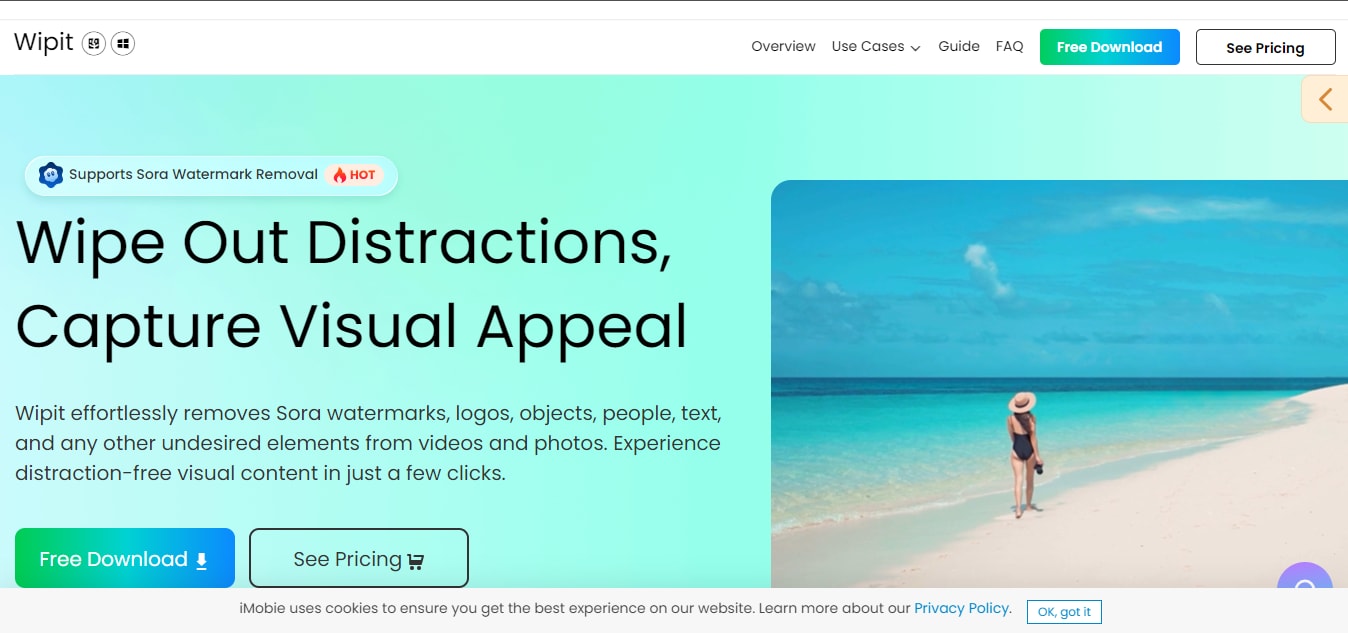
Wipit is another top-level YouTube watermark remover that makes it easy to remove watermarks from videos. Once you upload your video to this tool and mark the watermark area, it intelligently erases it while preserving the surrounding quality.
Wipit also lets you remove text, logos, and other unwanted elements or even add your own watermark afterward. And it supports batch removal to help you streamline the process when handling large files.
Key Features:
AI-powered watermark removal for video & images
Manual watermark selection for precise control
Batch upload with slide preview
Option to add custom watermarks after cleanup.
10. Vmake Watermark Remover
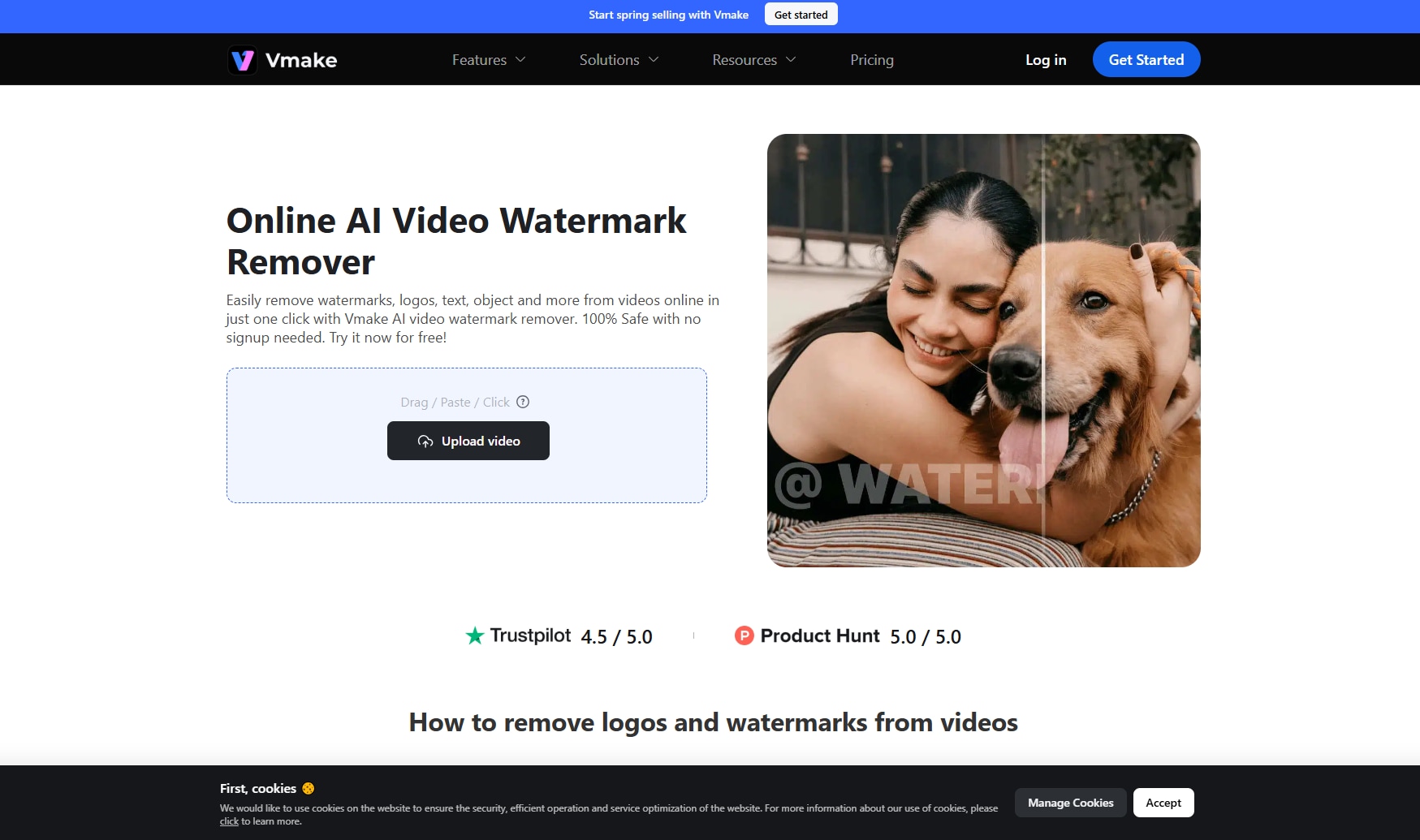
If you’re looking for a simple, browser-based tool to remove watermarks from YouTube videos while also handling a wide range of video edits, Veed.io is a strong choice. Beyond just watermark removal, this platform offers a full suite of online editing features — from automatic subtitles and background noise removal to filters, transitions, and overlays. Its intuitive interface makes it ideal for creators who want to polish their content without downloading heavy software. Whether you’re refining a vlog, repurposing social clips, or removing watermarks from existing footage, Veed.io keeps the process efficient and accessible.
Key Features:
Online watermark remover with drag‑and‑drop simplicity
Built‑in video editor supporting trimming, resizing, and captions
Cloud‑based workflow for quick edits and collaboration
Supports multiple formats for export to YouTube and social media
Part 4: How to Remove Watermark from YouTube Video Losslessly
It’s very easy to remove a watermark from a YouTube video if you have the right tool. Here is a step-by-step guide to using the Wondershare UniConverter software to remove YouTube watermark without reducing quality.
Steps Guide Using UniConverter to Remove YouTube Watermark
Step 1: Launch UniConverter
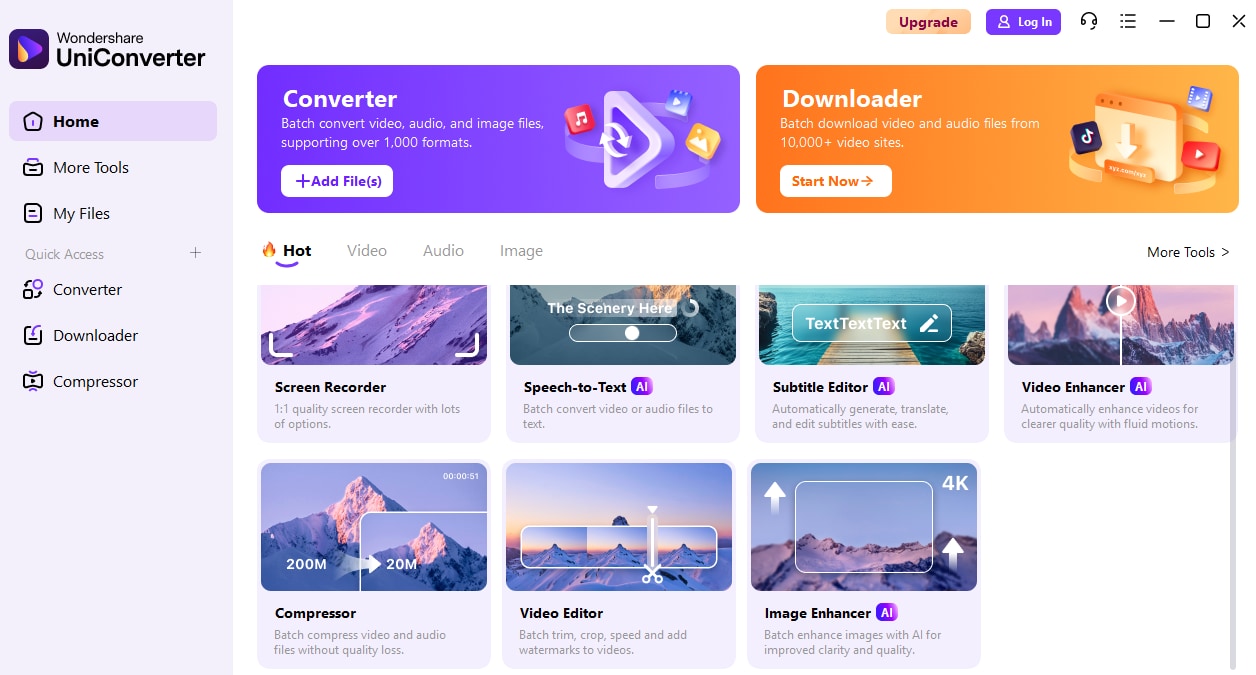
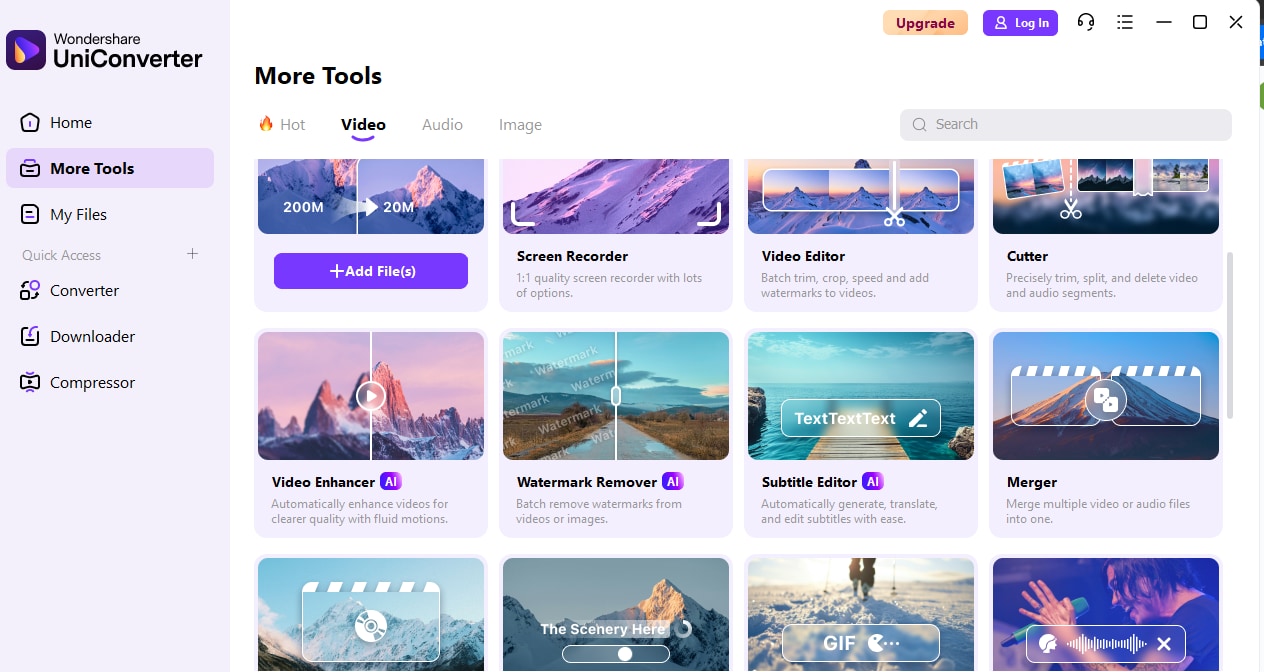
Run the “UniConverter” software on your computer and click on “More Tools” from the left menu.
Step 2: Choose Watermark Remover
Click on the “Video” tab and select the “Watermark Remover” feature.
Step 3: Upload Files
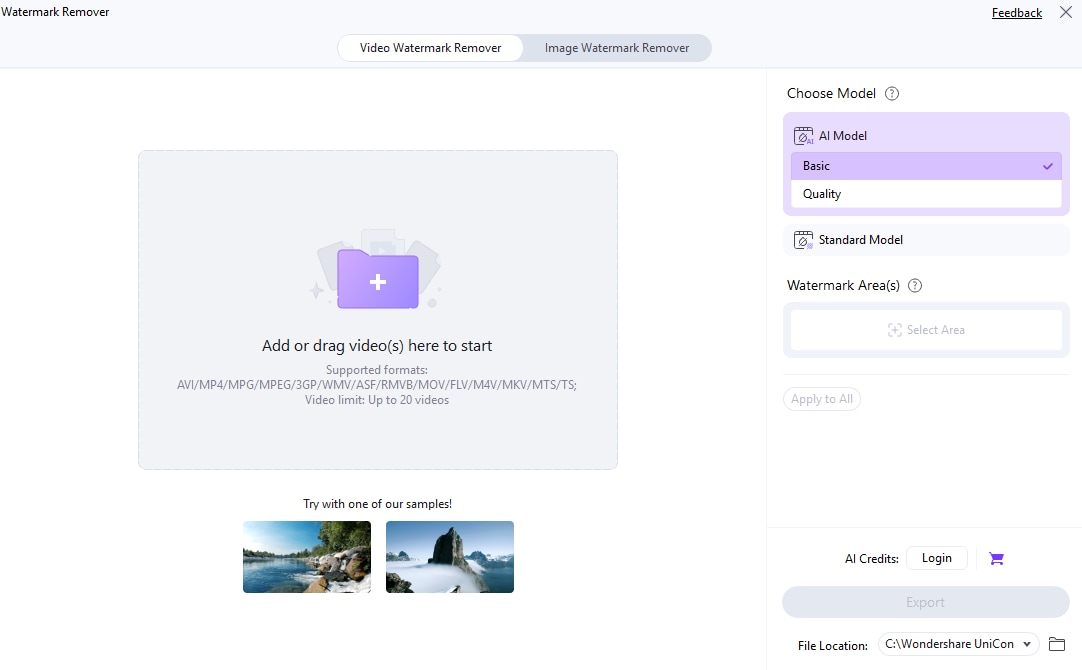
Click on the "Add Files” button to upload the required media file.
Step 4: Choose AI Model
Use your mouse to drag the box to the area where the watermark is located on the video and release the mouse. Then, select the “AI Model” you want to use for the operation.
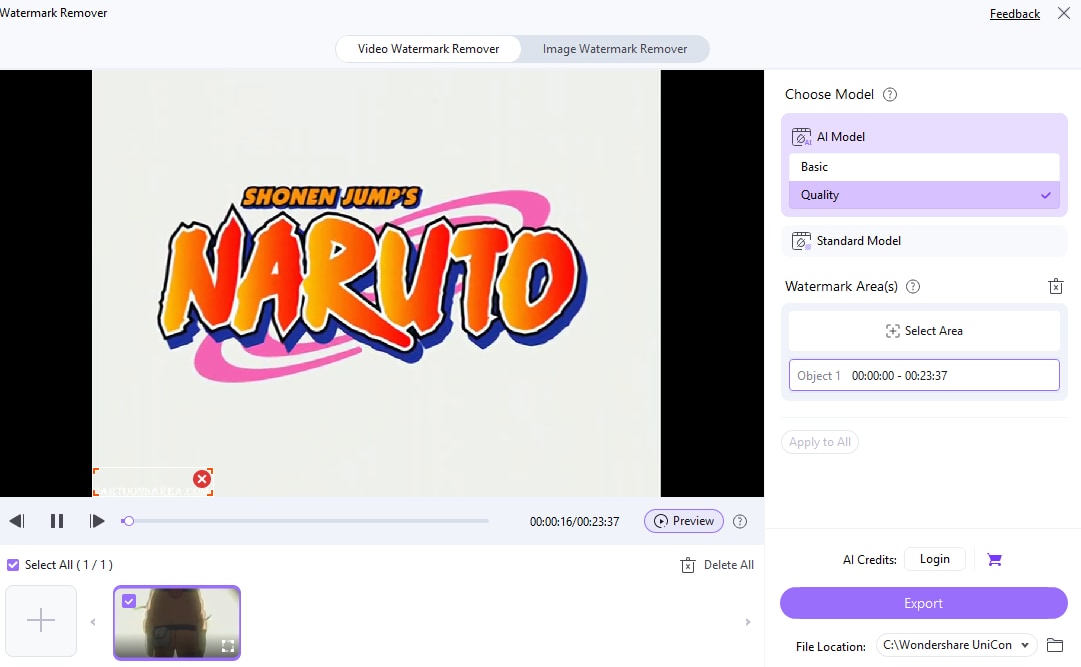
Finally, preview the video output and click on the “Export” button to save the video file.
Part 5: Does Removing a YouTube Watermark Affect Video Quality?
Removing a YouTube watermark can affect your video quality, but it largely depends on the method and tool you use. When you remove a watermark, you’re essentially asking software to reconstruct the pixels hidden behind it. If the tool uses advanced AI inpainting, you’ll often get smooth, natural-looking results with minimal visible distortion. However, lower-quality tools may leave blurry patches, ghosting effects, or slight frame inconsistencies.
You should also consider export settings. Even if the watermark removal looks clean, exporting at a lower bitrate or resolution can reduce overall quality. To maintain sharp visuals, always choose high-resolution output (HD or 4K) and avoid unnecessary compression during the final render.
Conclusion
Choosing the best YouTube watermark remover ultimately comes down to your specific needs, skill level, and budget. As you’ve seen throughout this guide, not all watermark removers are created equal. Some prioritize speed, others focus on precision, and a few offer complete editing suites beyond simple removal. Before making your choice, consider video quality preservation, supported formats, ease of use, and pricing.
If you want fast, AI-powered automation, the UniConverter can deliver clean results with minimal effort.
FAQs
-
1. Can I remove a watermark from any YouTube video?
Technically, watermark removal tools can erase or hide logos from many videos. However, you should only remove a watermark from content you own or have permission to edit. Watermarks are added to protect copyright and brand identity, and removing them without authorization may violate copyright laws or platform policies. -
2. Is there a free YouTube watermark remover?
Yes, some web-based watermark remover tools offer free versions with limited functionality. These often include restrictions such as file size limits, shorter video duration, watermarked exports, or limited processing credits. Free tools may be suitable for occasional use, while paid versions generally provide better quality and fewer limitations. -
3. Can AI remove watermarks without quality loss?
AI-powered tools can minimize visible quality loss by reconstructing the background behind a watermark using inpainting technology. However, no solution can guarantee zero impact on quality, especially if the watermark covers detailed or moving areas. Results depend on video complexity, resolution, and software capability. -
4. Is watermark removal detectable?
In some cases, yes. If artifacts, blurring, or unnatural patches remain after editing, viewers may notice changes. Advanced forensic analysis tools can also detect digital manipulation. When editing licensed content with high-quality software, changes are typically subtle and less noticeable to the average viewer.

