


YouTube Shorts are full of catchy hooks, viral soundbites, and memorable moments that are just too good not to reuse. And if you’re always on the hunt for the perfect ringtone, you’ve probably wondered whether that sound you heard on a YouTube Short could be used for your device’s ringtone.
Well, you can download YouTube ringtone on any device, and the process is surprisingly straightforward.
In this post, we’ll walk you through everything you need to know about converting YouTube Shorts/videos into ringtones. From understanding how it works to practical tips for creating the perfect ringtone, you’ll have all the tools you need. Keep reading!
- Before converting, it’s important to consider audio length, copyright use, and output format compatibility for your device.
- Online tools like YTMP3 are convenient for quick, single-file conversions, though they often limit audio quality and trimming precision.
- Mobile apps such as VidMate and Media Converter – Video to MP3 are suitable for casual use but may include ads or inconsistent output.
- For users who want lossless audio, precise trimming, and batch processing, Wondershare UniConverter works as a trustable YouTube ringtone downloader, offering stable local conversion and better control.
In this article
- What should I check before using a YouTube video as my ringtone?
- How to Turn YouTube to Ringtone in Batch at Lossless Quality on PC
- How to Turn YouTube to Ringtone with an Online Tool
- How to Turn YouTube to Ringtone with a Mobile App
- Advanced Tips to Make the Perfect YouTube Shorts Ringtone
- Conclusion
- FAQ
Quick Comparison: Best Ways to Convert YouTube to Ringtone
If you want to convert YouTube to ringtone, the best method depends on whether you care more about audio quality, speed, trimming control, or device convenience.
| Method | Best For | Quality | Speed | Difficulty | Best Device |
|---|---|---|---|---|---|
| Desktop software | Batch conversion, better trimming, cleaner ringtone output | High | Medium | Easy | PC / Mac |
| Online converter | Quick youtube to ringtone online conversion from one link | Medium | Fast | Very Easy | Any browser |
| Mobile app | YouTube Shorts to ringtone workflows on iPhone or Android | Medium | Medium | Easy | iPhone / Android |
Tip: If you want better control over quality and trimming, desktop software is usually the best option. If you only need a quick one-time conversion, an online tool is more convenient.
Part 1: What should I check before using a YouTube video as my ringtone?
Before you convert a YouTube video to a ringtone, there are a few important details worth understanding.
What ringtone format works on iPhone and Android?
While downloading the audio in MP3 format is usually the safest option, some devices may require a different format. To prevent playback issues, it’s best to check your device’s specifications beforehand and choose the format it supports.
Android: MP3, M4A, OGG
iPhone: M4R
Additionally, keep the clip short (within 20-30 seconds). And always keep the audio clean so that the ringtone starts at the most recognizable part of the sound.
Is it legal and safe to use YouTube audio as a ringtone?
Using a YouTube video sound for your personal ringtone is generally acceptable. However, distributing or monetizing them is unacceptable.
To avoid legal issues, stick to royalty-free sounds you’ve created yourself and do not share or monetize ringtones from copyrighted songs.
Also, when converting a YouTube video to a ringtone, use a reputable YouTube-to-ringtone MP3 downloader. Avoid apps or websites that require excessive permissions, suspicious APKs, or repeatedly redirect (these are the common causes of malware).
Part 2: How to Turn YouTube to Ringtone in Batch at Lossless Quality on PC
If you’re looking to convert YouTube videos to a ringtone in batch on your PC without sacrificing quality, the Wondershare UniConverter software is the best solution.
UniConverter allows you to turn your favorite YouTube videos into audio in any format within a few clicks. All you need is its “Downloader” and “Converter” features. The Downloader feature allows you to quickly save YouTube videos you want to use as a ringtone using their URLs, while the Converter feature allows you to convert the videos to a compatible audio format for your device’s ringtone. Easily copy URL and UniConverter can help convert YouTube link to MP4 videos or ringtones.
The best part about this software is its sleek user interface, which makes it easy for users to navigate features without requiring any technical skill.
Steps guide to convert YouTube to a Ringtone using UniConverter
Step 1: Copy the URL(s) of the YouTube videos you want to convert to a ringtone.
Step 2: Run UniConverter on your Mac or PC and choose the “Downloader” feature.
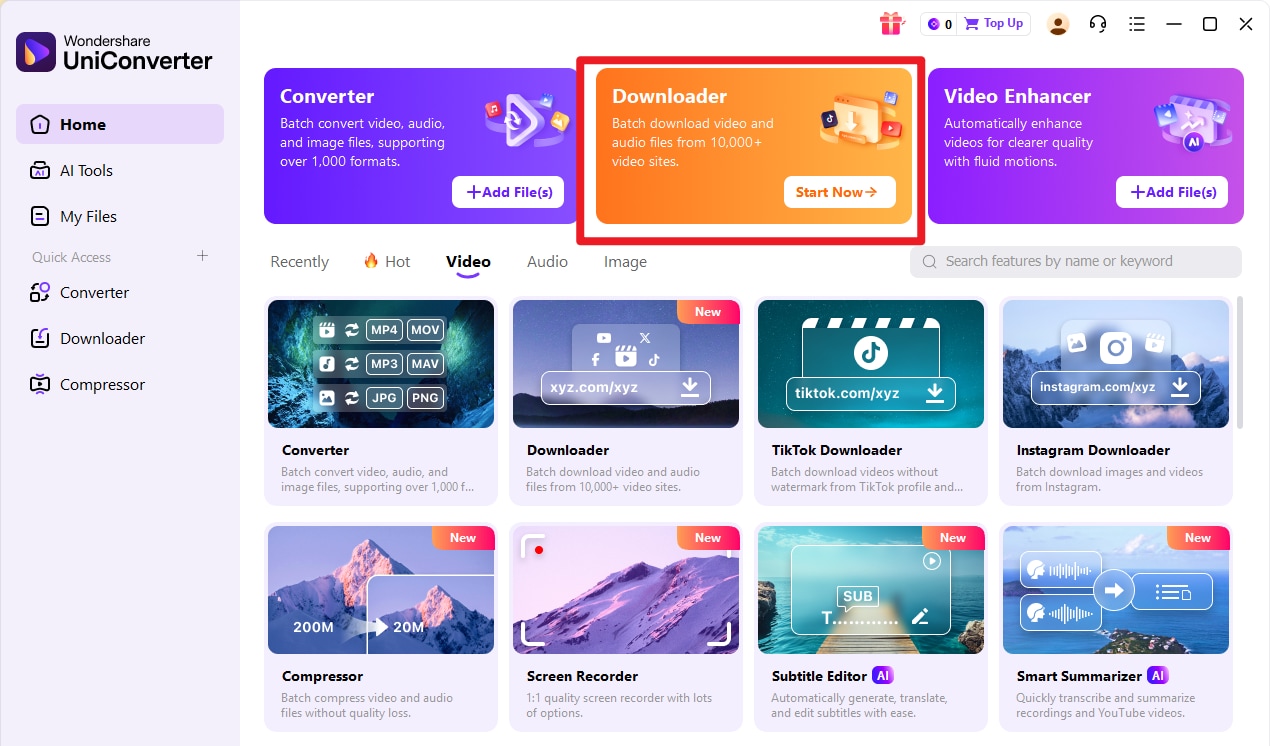
Step 3: Click on the “URL +” button and paste the YouTube video links you want to convert.

Step 4: Next, select the audio format for the video and click the “Download” button to start downloading the video.

UniConverter will allow you to see the download progress. You just need to wait for it to finish.
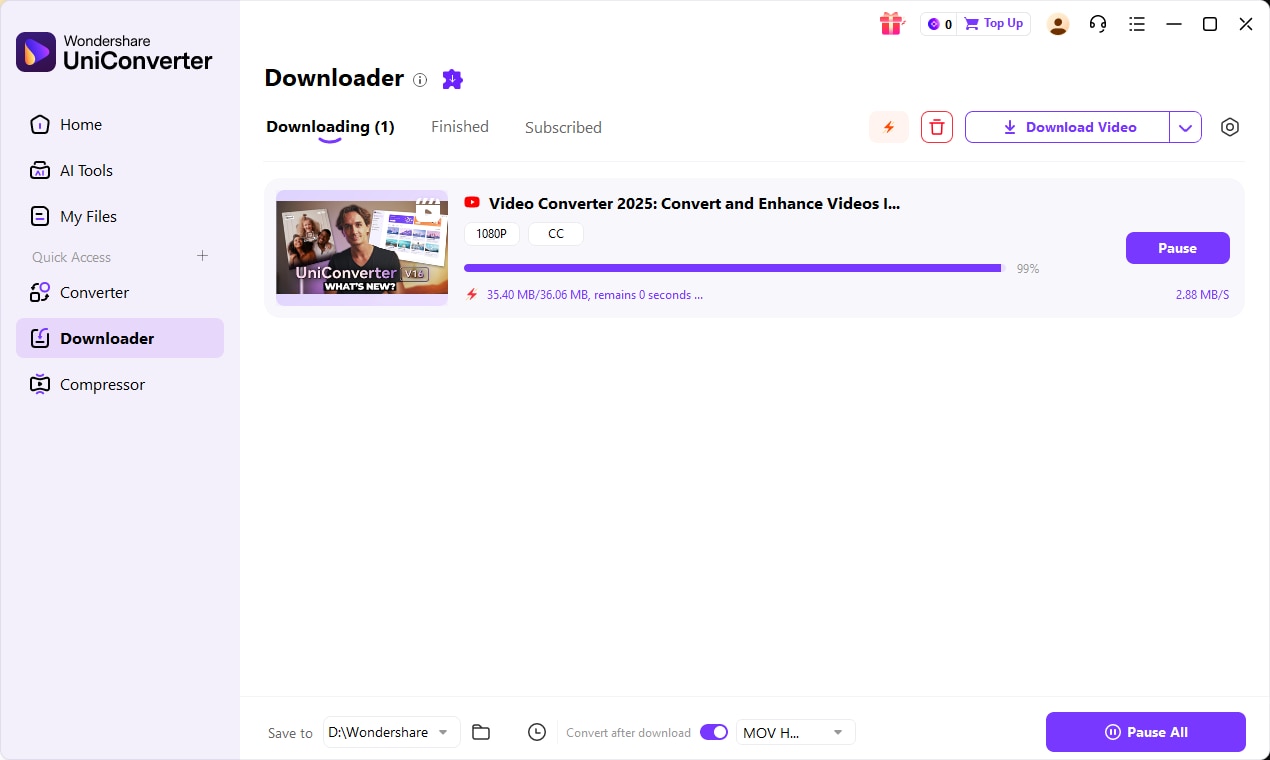

YouTube Ringtone Downloader for Custom Sounds
Part 3. How to Turn YouTube to Ringtone with an Online Tool
Free online tools like YTMP3 allow you to save YouTube videos as audio files using their URLs. This tool is very easy to use, and it delivers high-quality MP3 audio compared to many regular online tools.
Steps guide to convert YouTube to Ringtone using YTMP3
Step 1: Open the “YTMP3” website in your browser.
Step 2: Copy and paste the YouTube video URL you want to turn to ringtone in the “URL Field.”

Step 3: Select the download format. In this case, choose “MP3.”
Step 4: Click the “Convert” button to convert the videos to MP3.
Step 5: Once the conversion is complete, download and save the audio files to your device.
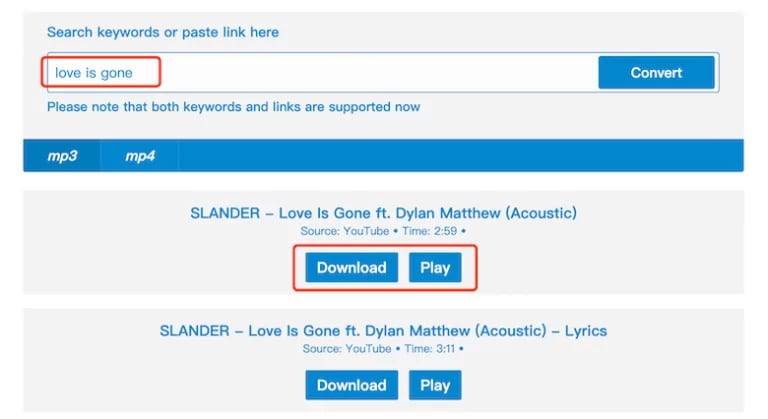
Step 4: Next, you need to trim the desired part of the audio you want to use. So, open “https://mp3cut.net/” in your browser and click on “Open File” to upload the saved file.

Step 5: Select the part of the audio you want to use and click “Trim” to generate the audio clip.
Part 4. How to Turn YouTube to Ringtone with a Mobile App
For mobile users, there are several video-to-mp3 apps you can download from Playstore or App Store to convert YouTube to a ringtone.
iPhone
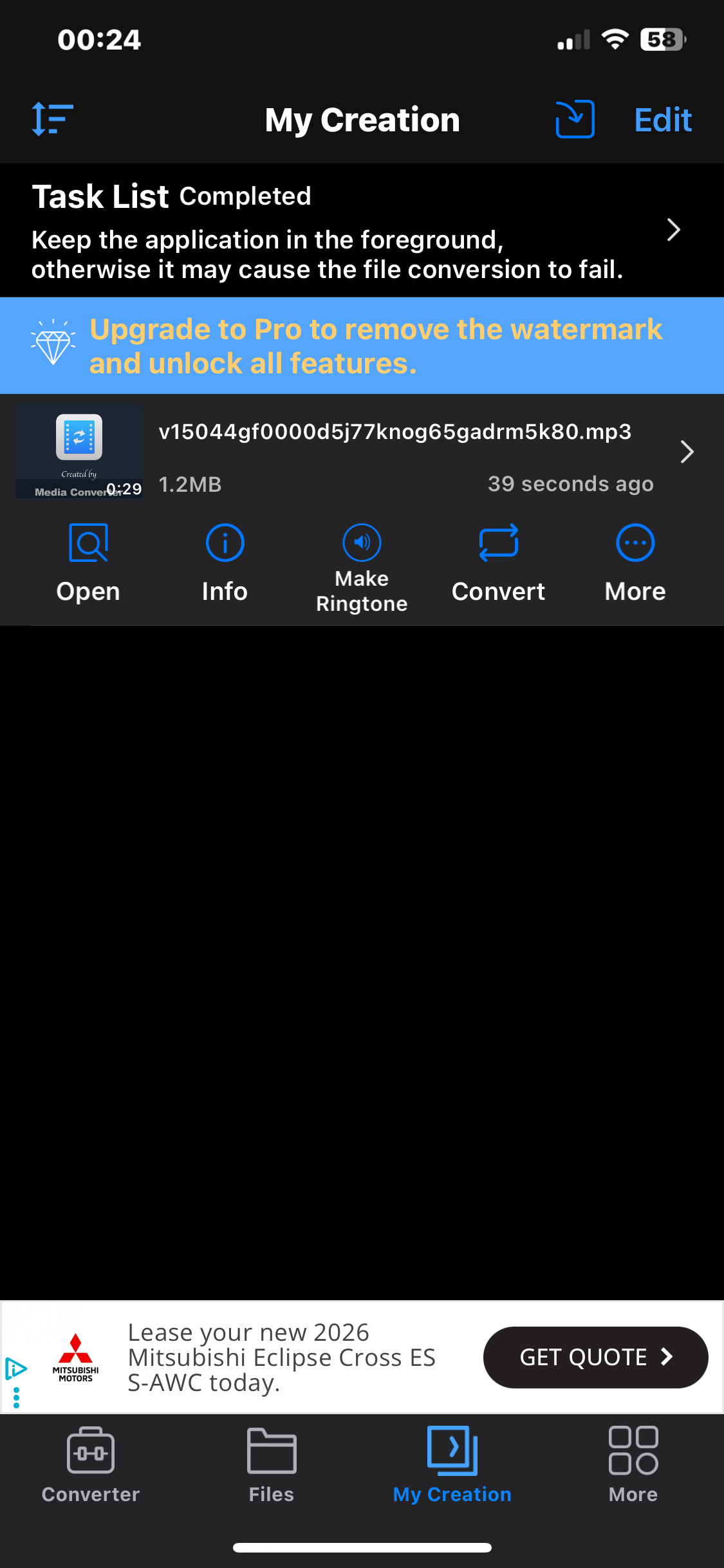
Media Converter - Video to MP3 is a very reliable video converter app that allows you to convert videos to MP3 on your iPhone. And it offers many helpful features, including a video converter, video compressor, video Cropper, etc.
How to use Media Converter - Video to MP3
Step 1: You need to download the YouTube video you want to use on your device locally.
Step 2: Install the Media Converter - Video to MP3 app on your iPhone and launch it.
Step 3: Select “Video to Audio”.
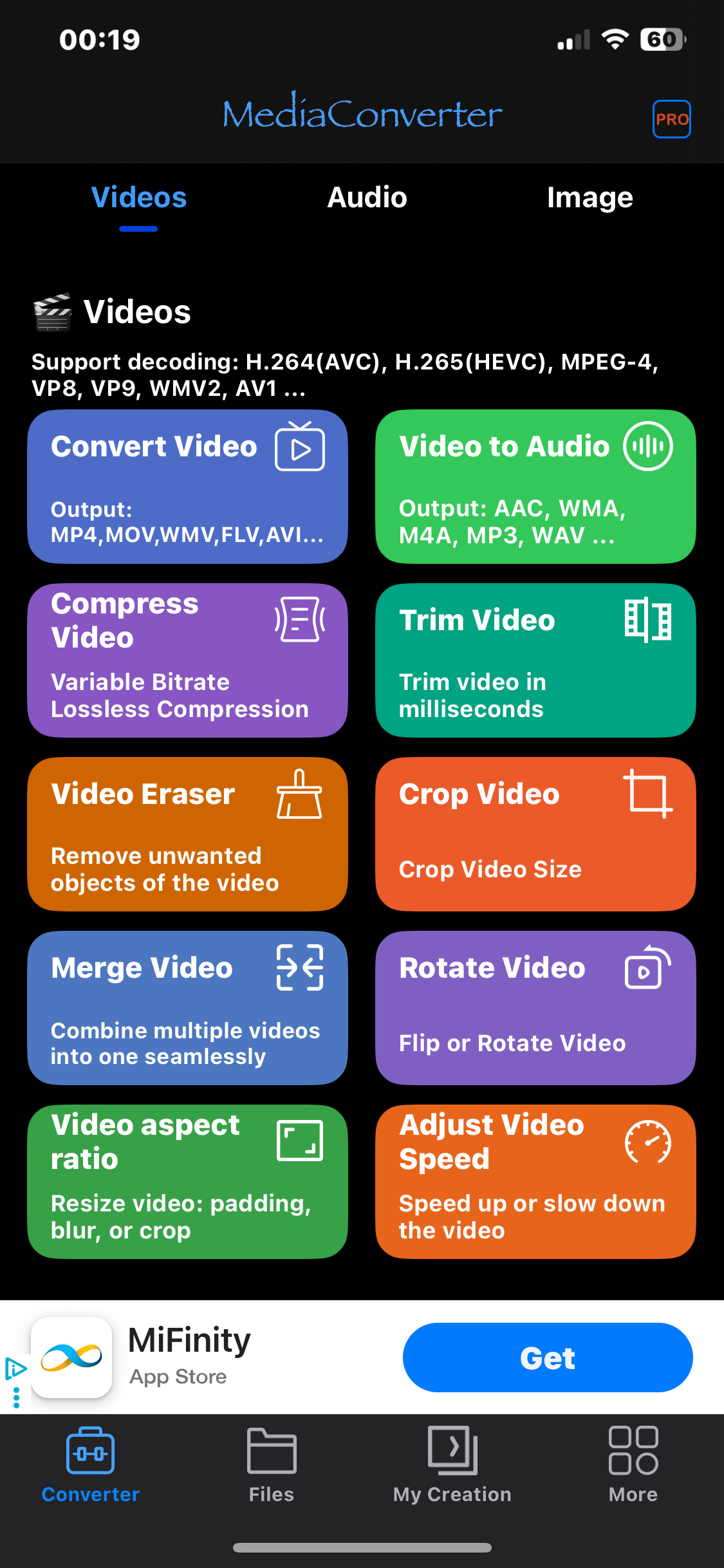
Step 4: Select the “Path” where you want to upload the file from.
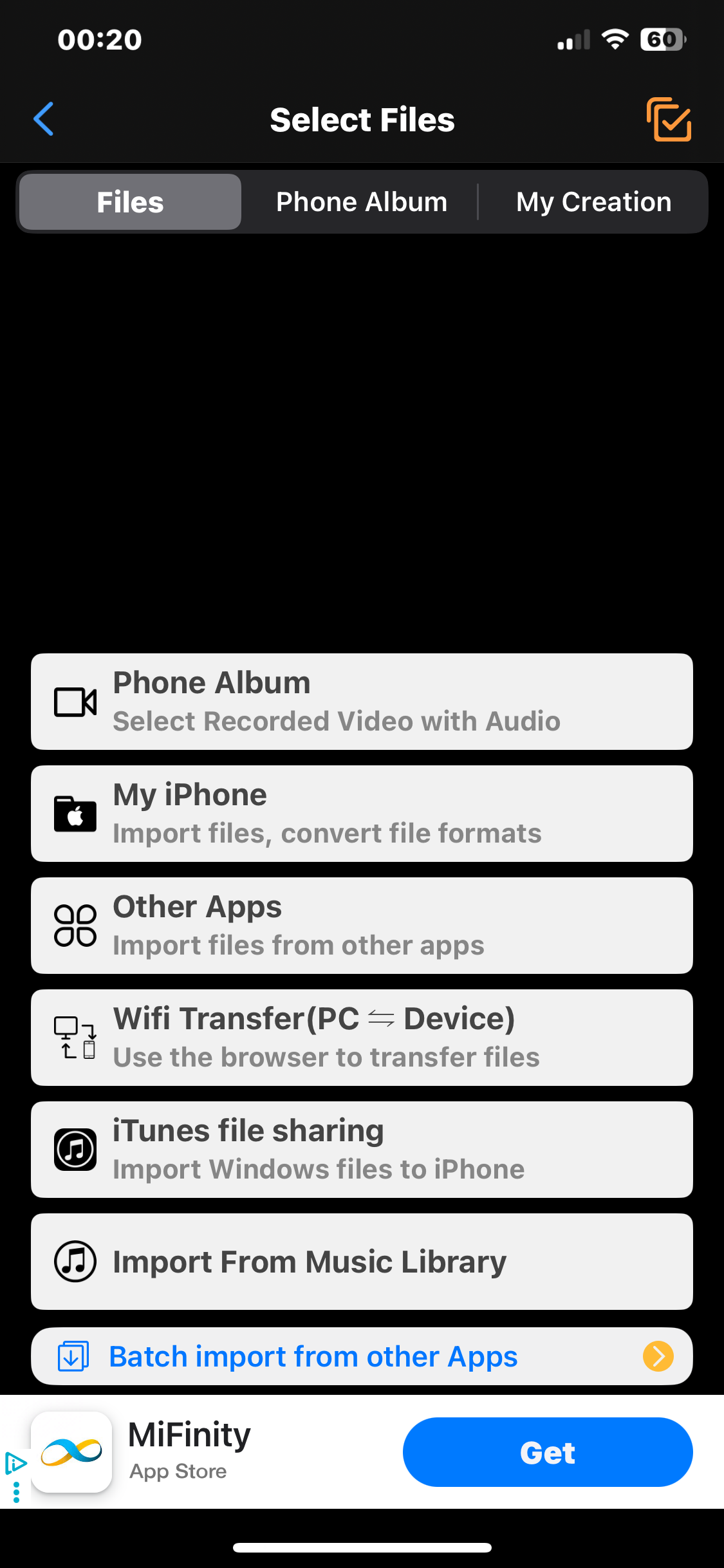
Step 5: Select the video you want to use. And you can select multiple videos by clicking on “Batch Processing.”
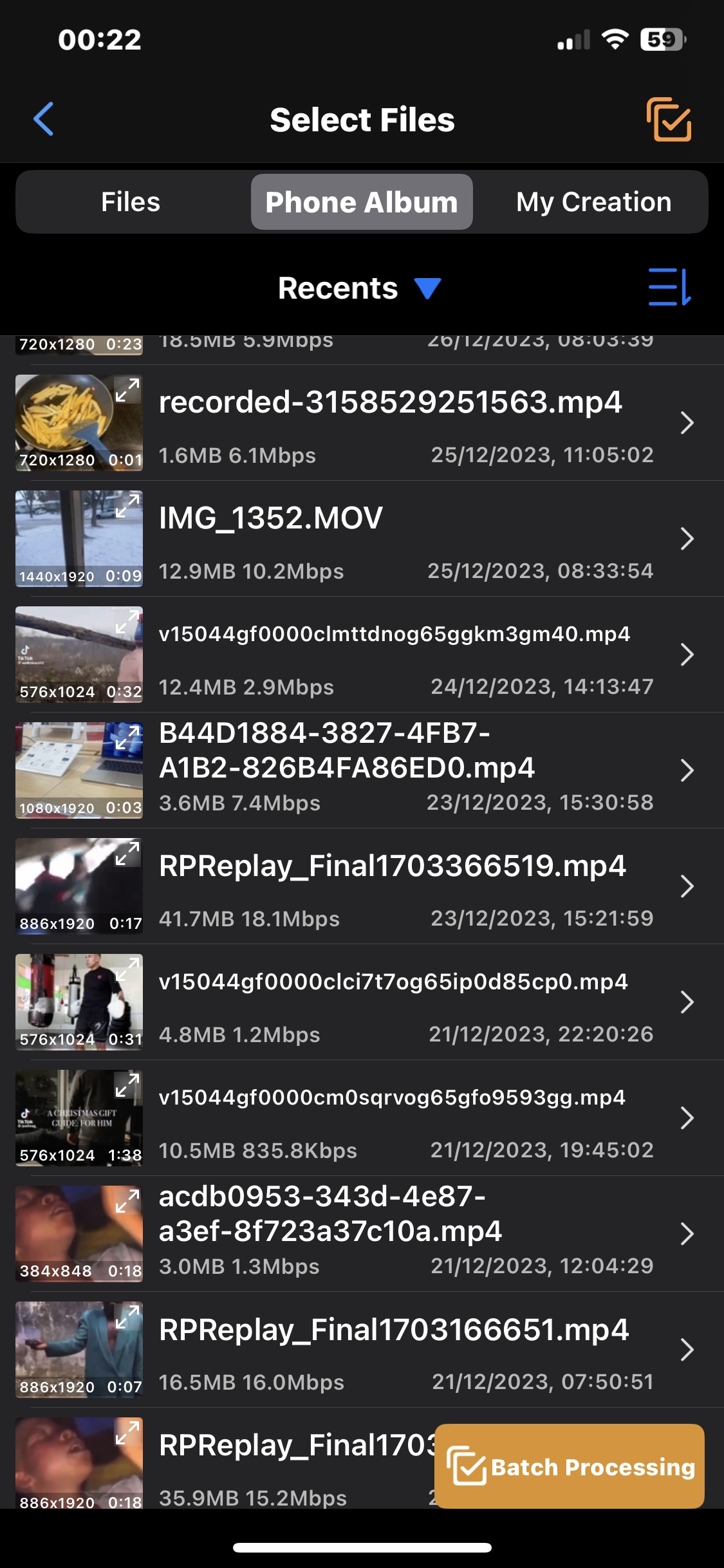
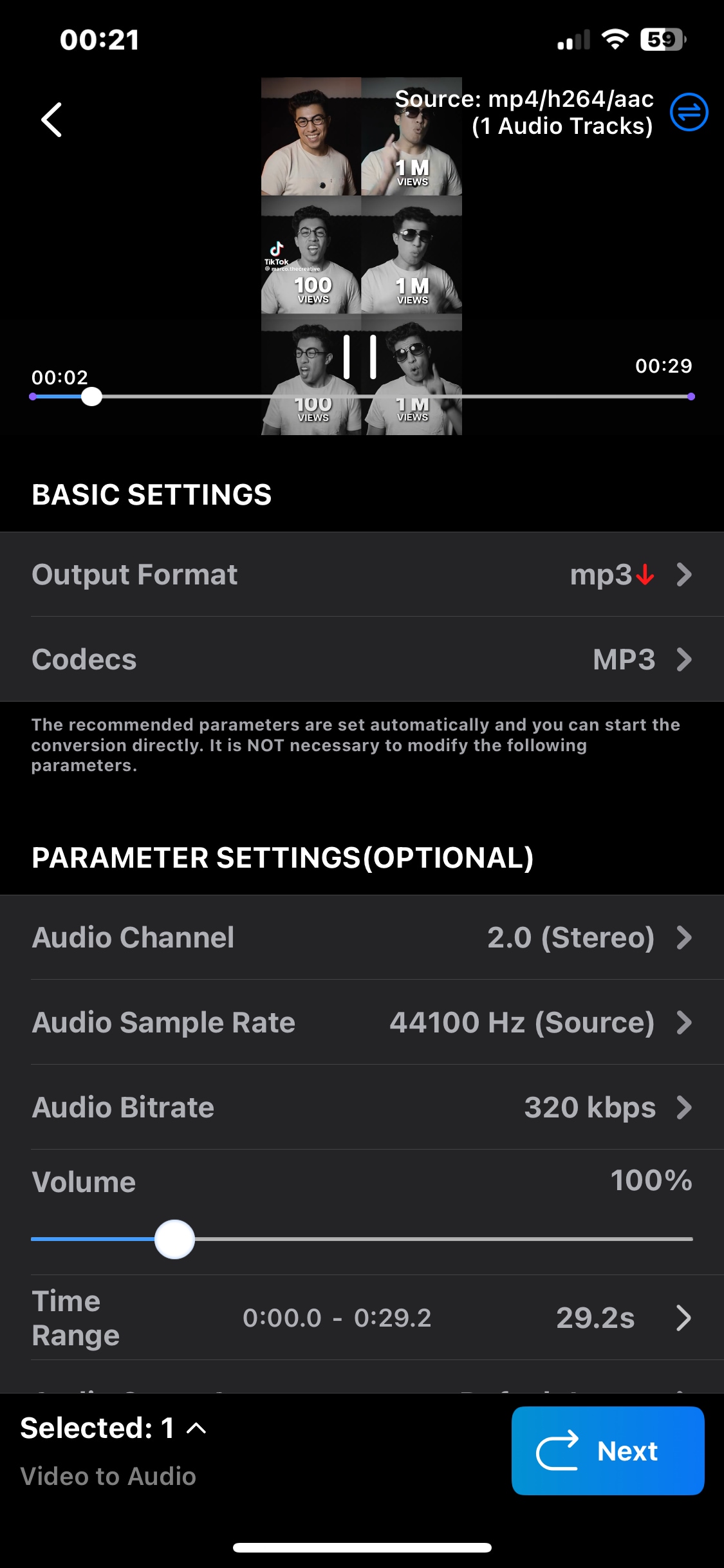
Step 6: Adjust the output settings and tap on “Next.”
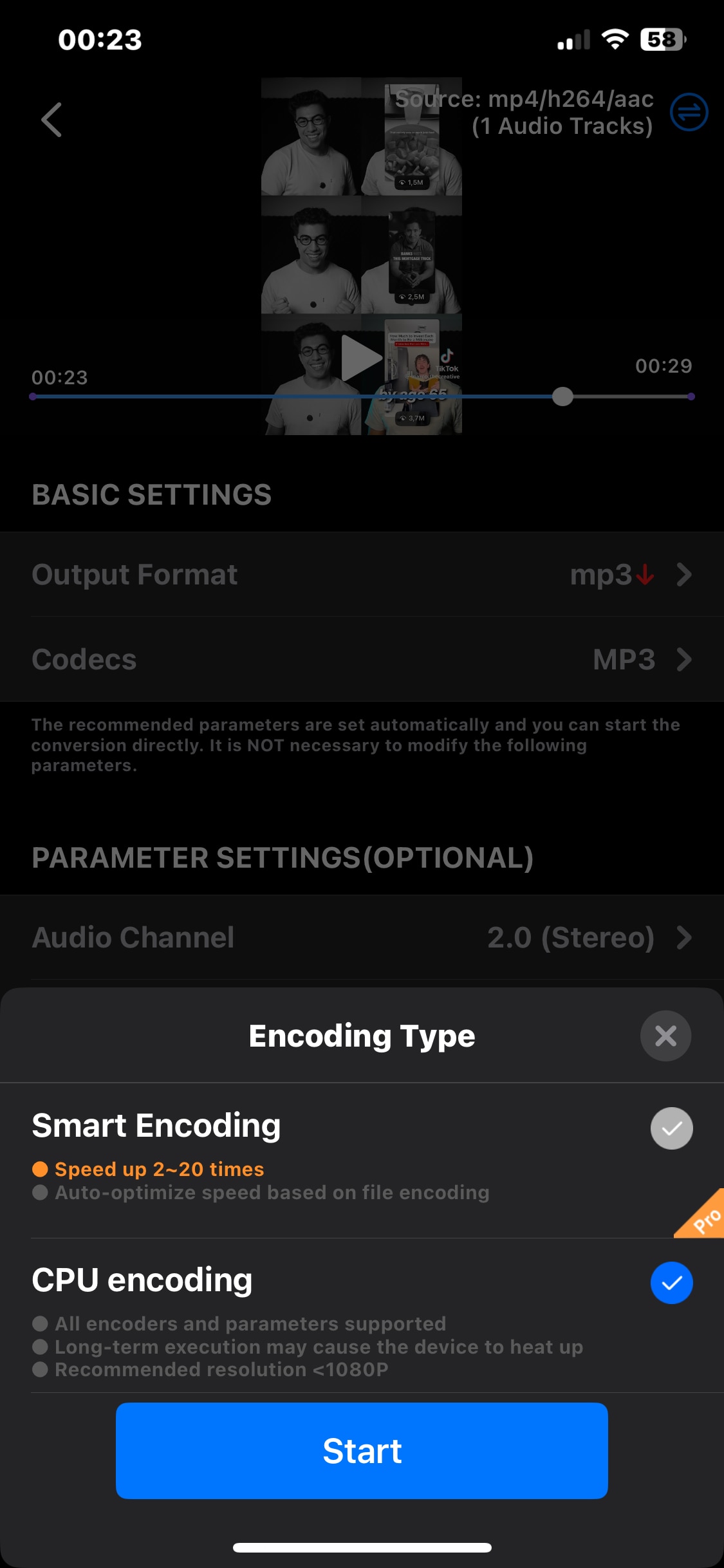
Step 7: Select the preferred “Encoding Type” and tap on “Next.”
Once the conversion is complete, you can use it as your ringtone directly from the app.
Android
VidMate is one of the top Android YouTube to MP3 converters that you can use to convert YouTube to a ringtone. It allows you to browse YouTube videos and convert them to MP3 directly without losing quality.
Also, VidMate supports the download of videos from other popular social media platforms like Facebook, Twitter, etc.
Steps to Convert YouTube Video to MP3 using VidMate
Step 1: Download the “VidMate app” on your Android phone.
Step 2: Launch the app and use the built-in browser to find the YouTube video you want convert to your ringtone. Then, tap on it to play it.
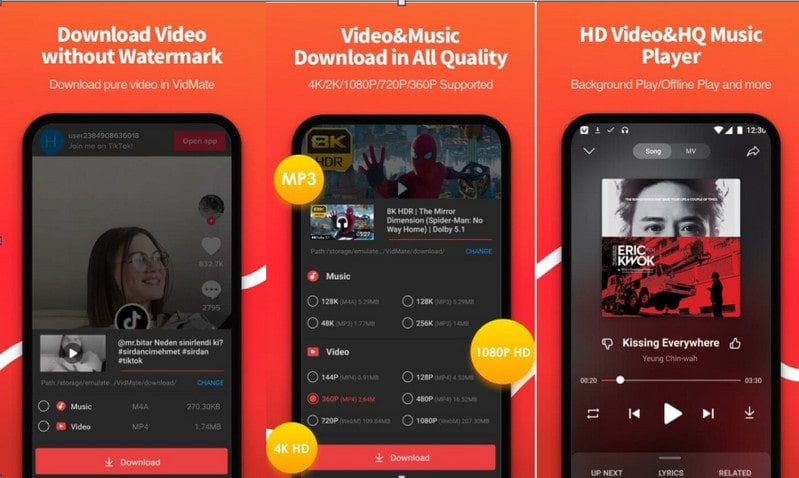
Step 3: Tap on the red “Download” button that appears under the video and select “MP3” as the preferred audio format.
Step 4: Finally, tap on “Download Now” and wait for Vidmate to automatically download the video.
Part 5. Advanced Tips to Make the Perfect YouTube Shorts Ringtone
Creating a perfect ringtone from YouTube shorts goes beyond simply converting the video to audio. The right timing, sound clarity, and organization can make your ringtone more effective and enjoyable. These advanced tips will help you fine-tune your ringtone so it stands out, sounds clean, and is easy to manage on your device.
Choosing the Catchiest 5 Seconds
When it comes to ringtones, shorter is better. Aim for the most recognizable 3–5 seconds of the audio.
Hook timing psychology: The brain reacts fastest to familiar hooks. Choose the moment that instantly signals the sound—often the first beat or phrase people recognize.
Beat drops and vocal cues: Beat drops, bass hits, or unique vocal lines work especially well because they cut through background noise and grab attention immediately.
Enhance Audio Quality for Loud Environments
A ringtone should be audible without being harsh.
EQ and volume boost tips: Slightly boost mid and high frequencies so the sound stands out on phone speakers.
Avoid distortion: Don’t over-amplify the audio. Keep peaks balanced to prevent crackling or unpleasant distortion.
Rename & Organize Ringtones for Easy Access
Good organization saves time later.
Genre-based naming: Use clear names like Funny Shorts, Viral Beats, or Dialogue Clips.
Regional ringtone collections: Create folders for regional sounds, such as Santali ringtone or other language-specific collections, for quick access and personalization.
Conclusion
Downloading YouTube ringtone is a straightforward way to personalize any device. The universal process involves extracting the audio with a reliable converter, trimming it to a short, catchy clip (5-10 seconds is ideal), and setting the file in your device's settings.
Whether using desktop software like UniConverter for quality, online tools for convenience, or mobile apps for on-the-go conversion, the option exists for every platform. Always prioritize reputable tools for safety, respect copyright for personal use, and enhance your audio for clarity. With these steps, your favorite viral sounds can become your new signature ringtone.
FAQs
1. Can I convert a YouTube link to ringtone without saving the full video first?
Yes. Some tools support a direct convert YouTube link to ringtone workflow, which means you only need to paste the URL and extract the audio file. This is often the fastest option for one-time use, although desktop software usually gives better control over output quality and trimming.
2. What is the easiest way to turn YouTube Shorts into a ringtone on mobile?
For most users, the easiest method is to save the Short locally and then use a mobile converter app to turn the clip into a ringtone-ready audio file. This approach works well for youtube shorts ringtone download needs because Shorts are already short, catchy, and easier to trim than full-length videos.
3. Which method is better: a YouTube to ringtone converter online or desktop software?
A youtube to ringtone converter online is better for speed and convenience, especially if you only need one file. Desktop software is better if you want batch processing, cleaner exports, more stable performance, or advanced editing after you convert YouTube video to ringtone.
4. Is it legal to download a YouTube video and use it as my ringtone?
5. Can I use YouTube to ringtone online tools for Shorts, music clips, and regular videos?
Yes. Most youtube to ringtone online tools can work with Shorts, music clips, and standard YouTube videos as long as the link is supported. If your goal is a youtube short ringtone download or a quick youtube to ringtone download, these tools are convenient, but results may vary depending on source quality and tool limitations.

