


In this busy world, digital content has taken over the developing system as we find ways to access such media, like audio, for various purposes. Imagine listening to your favorite podcast on YouTube and wishing to preserve it offline for later.
The best solution is to convert YouTube to WAV audio format, which allows you to create your collection. Read along with this article as we explore multiple helpful YouTube to .wav converters that can rip audio from YouTube within mere seconds.

Best YouTube to WAV Converter
In this article
- Why Convert YouTube to WAV?
-
2 Best YouTube to WAV Audio Converters for PC & Mac
-
6 YouTube to WAV Audio Converters Free Online
-
2 YouTube to WAV file Converters Extension
- YouTube to WAV Converter: Desktop vs Online vs Chrome Extension
- How to Easily Batch Convert YouTube to WAV [Safest & Fastest Way]
- Does Converting YouTube to WAV Affect Audio Quality?
- Conclusion
- FAQs about YouTube to WAV Conversion
Key Takeaways
- [High-Quality Audio Needs] Converting YouTube to WAV preserves original sound quality for editing, archiving, and professional use without further compression loss.
- [Quick Online Access] Tools like YouTubeToWAV, 4Kdownload.to, YTConverter, HireQuotient, Downloaderto, and TubeRipper offer fast, no-install solutions, but may face ads, limits, or stability issues.
- [Browser Convenience] Extensions like Video & Audio Downloader and Audio Downloader Prime enable instant in-browser conversion, though with limited control and potential compatibility risks.
- [Professional Performance] Desktop tools like Wondershare UniConverter and 4K Video Downloader provide faster speed, batch conversion, and higher stability, ideal for users needing efficiency and full control.
Why Convert YouTube to WAV?
There are multiple benefits of YouTube to WAV converter program, but before that, you should understand why it is important. The following are reasons for ripping audio from YouTube videos to WAV:
- Sound Quality: The WAV audio format provides the best sound quality for any video you take from YouTube. This format does not lose any content from the videos and offers the best audio video.
- Compatibility: You can access these WAV files on a wide range of devices and software seamlessly. Moreover, the audio will play back perfectly regardless of the platform the users use.
- Original Experience: When you convert YouTube to WAV, the audio is preserved in its original quality. This way, you can experience the best-quality original soundtrack on your devices anytime.
- Professional Purposes: In the music industry, converting YouTube to WAV audio files can help professionals edit them. They can create masterpieces with these files by adding various details.
- Long-Term Storage: Ripping the audio from YouTube can preserve the recordings, speeches, and music for a long time. Furthermore, these files don't degrade and stay intact for a long time.
How We Tested YouTube to WAV Converters
To provide an accurate and practical comparison of YouTube to WAV converters, we evaluated each tool based on real-world usage scenarios. Our testing focused on three main categories: desktop software, online converters, and browser extensions, ensuring a fair comparison across different user needs.
Testing Criteria
We assessed each tool using the following key factors:
Conversion Speed: Measured how quickly each tool processes YouTube to WAV conversion, considering GPU acceleration for desktop tools and server performance for online tools.
- Audio Quality: Checked whether the output WAV file maintains original audio quality without additional compression.
- Batch Conversion: Evaluated the ability to convert multiple videos at once, which is essential for heavy users.
- Video Length Limits: Tested whether tools support long YouTube videos or impose restrictions.
- Stability & Success Rate: Observed how often conversions succeed, especially with region-restricted or longer videos.
- Security: Reviewed risks such as ads, pop-ups, or permission requirements.
- Ease of Use: Compared user interfaces and overall workflow simplicity.
- Extra Features: Looked for added functionalities like editing, subtitle support, or format options.
Key Findings
- Desktop converters (e.g., UniConverter) performed best overall, offering the fastest speed, highest audio quality, and full feature support.
- Online tools were convenient but limited by file size, speed, and stability.
- Chrome extensions were quick for short tasks but less reliable for longer or complex downloads.
2 Best YouTube to WAV Audio Converters for PC & Mac
Best YouTube to WAV converter software: UniConverter
When it comes to a fast-processing and compatible YouTube to WAV converter, UniConverter is the ultimate solution. This safe youtube to wav converter can easily batch rip audio from any YouTube video files without losing quality. Apart from WAV, it also supports YouTube video to OGG conversion , YouTube to M4R, etc. It leverages advanced GPU technology to enhance the overall conversion process with maximum speed and performance rate.
Other than that, after conversion, utilize the video enhancer feature to personalize the audio or translate it into different languages. This ad free youtube to wav converter also elevates your video and audio from 1080P to 8K within seconds in a seamless conversion process.

Best YouTube to WAV Converter

Pros
- This converter lets you convert any audio and video in over 1000+ formats.
- You can make the converting process a breeze by using the batch conversion feature.
- Keep your audio in perfect, lossless quality.
- All your ID3 tags and metadata stay intact automatically.
- Edit and enhance your tracks right inside the software.
- Enjoy a clean, secure, and reliable experience.
Con
- The free trial version is limited to a number of features you can utilize.
- This feature requires you to install the software before use.
- Regular updates are needed to keep the software running smoothly.
Key Features
- It enables to save youtube videos from url and batch convert them to WAV format.
- UniConverter provides a media playback feature that supports 1000 formats you can watch in 4K to FHD.
- It comes with a collection of professional video editing tools to add watermarks, insert subtitles, and more.
- You can combine several videos into one audio file as well.
- It also lets you customize audio, such as encoder, sample rate, and bitrate settings.
Supported OS
- Windows, macOS
Batch Support: ✔ Full batch conversion supported
Ads Density: ⭐☆☆☆☆ (1/5 – no ads)
Output Control: ⭐⭐⭐⭐⭐ (5/5 – full control: bitrate, sample rate, trim, format, metadata)
Safety Rating: ⭐⭐⭐⭐⭐ (5/5 – fully secure, local processing)
4K Video Downloader: YouTube to WAV converter software
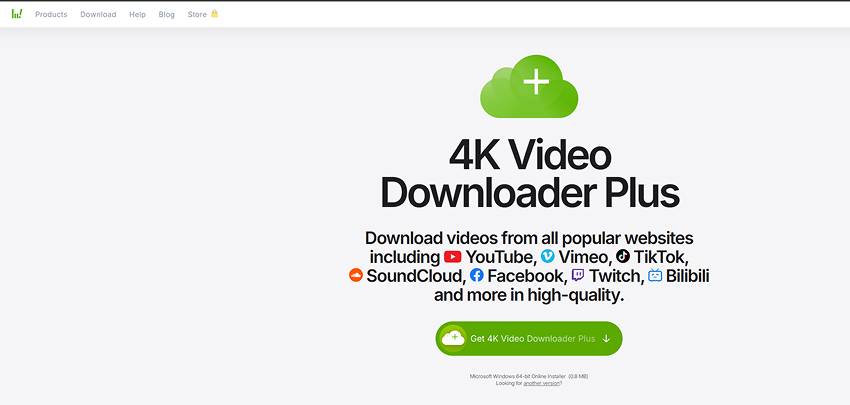
4K Video Downloader is a versatile lossless youtube to wav converter that lets you capture videos and audio from YouTube and other platforms with high-quality output. The ad free youtube to wav converter allows you to convert playlists, channels, and individual videos into multiple formats, including WAV, while preserving the original audio fidelity for offline listening.
Pros
- Extract high-quality audio from YouTube and other popular platforms.
- Supports playlists, channels, and subtitles in multiple languages.
- Retains original video and audio quality.
- Offers batch processing for faster conversion.
Con
- Some advanced features require a paid license.
- Limited free use for large playlists and channels.
- Requires installation on your device.
- Accessing private or restricted content may need authentication.
Key Features
- Apply preferred output settings for all conversions automatically.
- Convert multiple files at once to save time.
- Works with WAV, MP3, MP4, MKV, and more.
- Save subtitles alongside videos in SRT format.
Supported OS
- Windows, macOS
Batch Support: ✔ Supported (playlists, channels, multiple videos)
Ads Density: ⭐☆☆☆☆ (1/5 – no ads, clean interface)
Output Control: ⭐⭐⭐⭐☆ (4/5 – format, quality, subtitles, audio extraction options)
Safety Rating: ⭐⭐⭐⭐☆ (4.5/5 – trusted desktop software, secure environment)
4K Video Downloader vs UniConverter
Compared to 4K Video Downloader for YouTube to WAV conversion, UniConverter offers higher audio quality control, faster batch processing, and built-in editing and compression for more advanced audio workflows.
6 YouTube to WAV Audio Converters Free Online
YouTube to WAV: YouTube converter to WAV online free
With an unlimited scope of output formats and audio quality, YouTube to WAV auio converter is an excellent choice. As one of the best youtube to wav downloaders, it features the option to convert YouTube to WAV in a few seconds within a few simple steps. Also, there are no hidden charges or commitments involved for you to access its conversion feature.

Pros
- You can utilize this tool to download an unlimited number of videos from conversion.
- It is completely free of cost, and you can download any type of video in audio format.
- You can convert long YouTube videos into WAV format without any restrictions.
- It works directly in the browser, so no installation or account setup is required.
Con
- It fails to download several times, and the jump page is slow.
- The conversion speed may slow down during peak usage hours.
- Some audio with regional restrictions cannot be converted successfully.
- The interface contains ads, which may interrupt the overall user experience.
Key Features
- It doesn’t operate outside copyright laws and allows audio extraction from video within these rights.
- The lossless youtube to wav converter is designed to have an intuitive interface for easy navigation.
- This YouTube to WAV converter offers a high-quality audio file on various devices and players.
Supported OS
- Web-based
Batch Support: ❌ Not supported
Ads Density: ⭐⭐⭐⭐☆ (4/5 – ad-heavy with possible redirects)
Output Control: ⭐⭐☆☆☆ (2/5 – very limited, mostly format selection)
Safety Rating: ⭐⭐⭐☆☆ (3/5 – depends on site, moderate risk)
4Kdownload.to
4Kdownload.to is another YouTube to WAV free converter with a user-friendly interface where you can download YT videos. Moreover, as this safe youtube to wav converter is online, it can be used endlessly without needing to be installed on your device. It is a reliable ad free youtube to wav converter with up-to-date cyber defense and the safest conversion.

Pros
- This lossless youtube to wav converter can convert YouTube to WAV within seconds and in high quality.
- You can download endless YT videos in audio at no cost.
Con
- There are a limited number of playlist-downloading settings.
Key Features
- Users can convert and download any content into audio files with no downloading limit.
- The security feature of this lossless youtube to wav converter is excellent as it securely converts and downloads.
- It supports several audio formats and video quality, so you can download YT to WAV easily.
Supported OS
- Web-based
Batch Support: ❌ Not supported
Ads Density: ⭐⭐⭐⭐☆ (4/5 – ads and pop-ups common)
Output Control: ⭐⭐⭐☆☆ (3/5 – basic quality selection)
Safety Rating: ⭐⭐⭐☆☆ (3/5 – moderate safety, ad-related risks)
YTConverter: online YouTube converter to WAV
YTConverter is another free YouTube-to-WAV converter that helps convert YouTube videos to WAV within minutes. Aside from conversion, this one of the best youtube to wav downloaders also supports other conversion formats, like MP3, M4A, OGG, and more. Furthermore, it ensures a seamless conversion process with high-quality results and no disruptions.

Pros
- It is a free conversion lossless youtube to wav converter with no special registration required.
- YTConverter has a simple method for converting YouTube videos into high-quality WAV.
- This tool works smoothly on both mobile and desktop browsers without requiring installation.
- It keeps a stable output quality regardless of the audio length.
Con
- You can't convert videos above the 45-minute standpoint.
- The site interface contains ads, which may interrupt the conversion experience.
- Conversion speed may decrease during busy hours.
- Some region-restricted videos cannot be converted successfully.
Key Features
- YT Converter is known for its intuitive conversion speed and minimum waiting time.
- This tool supports an extensive list of video resolutions and qualities.
- Its simple and progressive interface facilitates an easy conversion process.
Supported OS
- Web-based
Batch Support: ❌ Not supported
Ads Density: ⭐⭐⭐⭐☆ (4/5 – heavy ads and redirects)
Output Control: ⭐⭐☆☆☆ (2/5 – basic format/quality options)
Safety Rating: ⭐⭐☆☆☆ (2/5 – moderate risk, ad-driven environment)
TYConverter vs UniConverter
Compared to YTConverter, UniConverter provides a more stable desktop experience with better output quality, batch conversion, and integrated editing tools, delivering greater flexibility beyond basic WAV extraction.
HireQuotient: convert YouTube video to WAV online
HireQuotient is a straightforward conversion tool that makes the conversion of YouTube to WAV format efficient and easy. It follows the steps of copying a YT URL, pasting it, and converting it into high-quality results. Moreover, this safe youtube to wav converter is perfect for professionals and musicians who need non-compromised audio quality.

Pros
- It maintains the integrity of the original YouTube audio, ensuring clear and crisp audio.
- The converter is compatible with virtually all audio editing software and playback devices.
- The conversion workflow is simple enough for beginners and professionals alike.
- It delivers consistent audio output even for long YouTube videos.
- The interface is clean and intuitive, making the whole process straightforward.
Con
- The conversion button does not work properly at times.
- Large files may take longer to convert than expected.
- Some YouTube links with restrictions may fail to process.
- Occasional page refresh is needed when the interface becomes unresponsive.
Key Features
- There are no signup requirements, and you can start converting without hassle.
- It supports batch processing, allowing the simultaneous conversion of several files.
- This tool offers an ad-free experience, thus enhancing a distraction-free process.
Supported OS
- Web-based
Batch Support: ❌ Not supported
Ads Density: ⭐⭐☆☆☆ (2/5 – low ads, cleaner interface)
Output Control: ⭐⭐⭐☆☆ (3/5 – basic customization options)
Safety Rating: ⭐⭐⭐⭐☆ (4/5 – relatively safe, tool-based platform)
Downloaderto.com
One of the popular YouTube video to WAV converter tools is Downloaderto, where you can download and convert videos with an internet connection. It supports various media platforms, like YouTube, Twitter, and Facebook. This service offers a straightforward process that allows you to secure videos on your device for your personal collection.

Pros
- With this tool, download various audio formats, like AAC, OGG, and M4A, on your device.
- It can download YouTube videos that aren’t easy to save in any format.
- The interface is simple and beginner-friendly, making the process easy for all users.
- The tool provides consistent audio quality even when converting longer videos.
Con
- This converter tool has fewer audio and video features.
- Some YouTube links with restrictions may fail to convert properly.
- The site contains ads, which may slightly affect the user experience.
- Processing speed may slow down during peak usage times.
Key Features
- Downloaderto.com can download more than 20 videos with its fast processing speed.
- The tool is a 100% safe and trustworthy website that offers seamless video conversion into audio.
- There is not the slightest difference in audio quality when you convert using Downloaderto.com.
Supported OS
- Web-based
Batch Support: ❌ Not supported
Ads Density: ⭐⭐⭐⭐☆ (4/5 – ads and pop-ups present)
Output Control: ⭐⭐☆☆☆ (2/5 – limited format/quality control)
Safety Rating: ⭐⭐☆☆☆ (2/5 – moderate risk due to redirects)
TubeRipper
TubeRipper is a free YouTube-to-WAV audio converter that allows you to extract and download YouTube videos in various audio. You can access different audio formats from various sites and platforms supported by this tool. There is no need to register, and users can try it out for free with unlimited accessibility.

Pros
- It has an intuitive interface with no toolbar, allowing easy navigation and conversion.
- The tool supports several audio formats, making it suitable for users with different needs.
- It processes short videos quickly, ensuring fast conversions for simple tasks.
- No account or login is required, offering an easy and hassle-free experience.
Con
- TubeRipper might experience outages or slow performance during peak times.
- Some long or region-restricted YouTube videos may fail to convert properly.
- The site interface contains ads, which may affect browsing and conversion flow.
- Audio output consistency may vary depending on the original video source.
Key Features
- It can produce WAV files without compromising on audio quality.
- There is no need to download or install software for this tool, thus reducing the risk of malware.
- This tool saves you time by allowing multiple videos to be processed at once with batch conversion.
Supported OS
- Web-based
Batch Support: ❌ Not supported
Ads Density: ⭐⭐⭐⭐☆ (4/5 – ad-heavy UI)
Output Control: ⭐⭐⭐☆☆ (3/5 – format + quality selection)
Safety Rating: ⭐⭐☆☆☆ (2/5 – potential security concerns)
2 YouTube to WAV file Converters Extension
Video & Audio Downloader
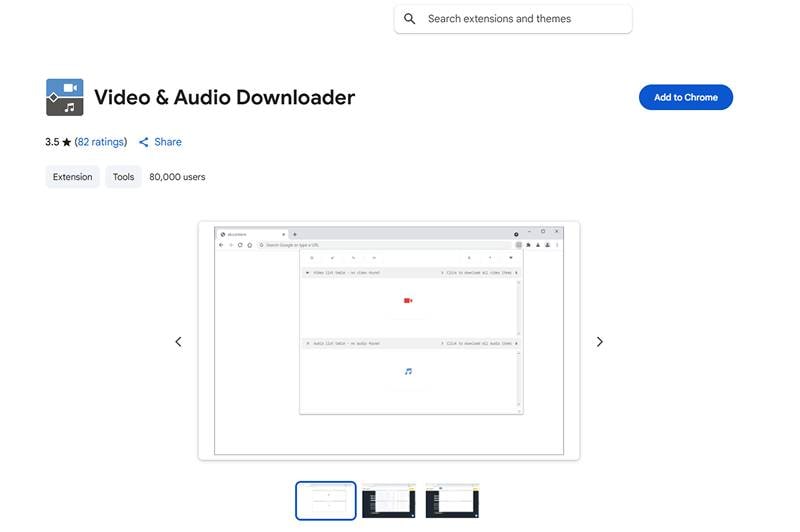
Video & Audio Downloader is a Chrome extension designed to help users extract audio from YouTube and convert it into WAV format with ease. With its browser-based workflow, users can capture high-quality audio directly from online videos without installing standalone software. It is ideal for users seeking a simple, quick, and accessible YouTube-to-WAV conversion method within Chrome.
Pros
- It allows users to extract audio from YouTube directly within the browser.
- Supports several audio formats, making WAV conversions more flexible and convenient.
- The extension is lightweight and does not slow down regular browsing activities.
- No account or additional registration is required to begin extracting audio.
Con
- Some YouTube videos may not be supported due to platform restrictions.
- Audio quality can vary depending on the original video source.
- The extension may require permission updates after Chrome browser changes.
- Occasional compatibility issues occur on certain streaming websites.
Key Features
- Enables quick access to WAV and other audio formats straight from your Chrome toolbar.
- Offers an integrated interface that simplifies the extraction process for beginners.
- Supports both short clips and long videos for flexible conversion.
Supported OS
- Chrome extension (Windows, macOS, Linux)
Batch Support: ❌ Not supported
Ads Density: ⭐⭐☆☆☆ (2/5 – low ads but may include prompts)
Output Control: ⭐⭐☆☆☆ (2/5 – limited to available streams)
Safety Rating: ⭐⭐☆☆☆ (2/5 – requires permissions, privacy risks)
Audio Downloader Prime
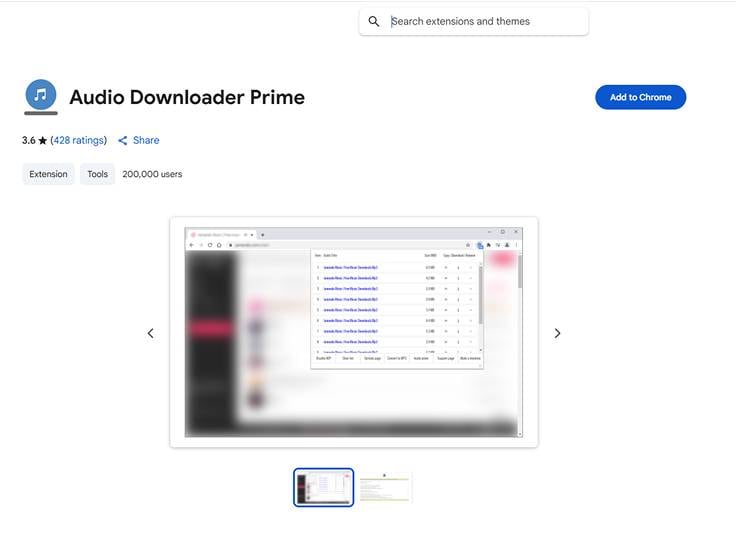
Audio Downloader Prime is a convenient Chrome extension for extracting high-quality audio from online videos, making it a practical option for converting YouTube videos to WAV format. The safe youtube to wav converter offers a simple interface and quick access to available audio sources, enabling users to convert content directly from the browser without external software.
Pros
- Provides a clean and straightforward interface suitable for first-time users.
- Detects multiple audio sources from YouTube pages for flexible conversion.
- Allows quick WAV extraction without requiring additional tools or registrations.
- The extension runs smoothly in the background without affecting browser speed.
Con
- Some YouTube videos may not display extractable audio due to restrictions.
- Advanced settings such as bitrate selection are limited.
- Occasional extension updates may temporarily affect functionality.
- Audio extraction accuracy may vary depending on video compatibility.
Key Features
- Automatically scans web pages for available audio sources for quick WAV extraction.
- Supports multiple audio types, giving users more output flexibility.
- Works entirely inside Chrome without requiring additional apps or installations.
Supported OS
- Chrome extension (Windows, macOS, Linux)
Batch Support: ❌ Not supported
Ads Density: ⭐⭐☆☆☆ (2/5 – minimal ads)
Output Control: ⭐⭐☆☆☆ (2/5 – basic extraction only)
Safety Rating: ⭐⭐⭐☆☆ (3/5 – safer than most extensions but still permission-based)
YouTube to WAV Converter: Desktop vs Online vs Chrome Extension
To help you choose the best YouTube to WAV converter, here is a quick comparison of desktop software, online tools, and browser extensions based on speed, quality, features, and overall convenience.
| Category | Desktop Converter (e.g., UniConverter) |
Online Converter (e.g., YouTubeToWAV, 4Kdownload.to) |
Chrome Extension (e.g., Video & Audio Downloader) |
|---|---|---|---|
| Conversion Speed | Very fast (GPU-accelerated) | Medium – depends on internet speed & server load | Fast for short videos; may fail on long videos |
| Audio Quality | Highest, lossless WAV | Good; may vary by tool | Varies by original video; not fully lossless |
| Batch Conversion | ✔ Supported (best option) | Limited or not supported | Usually not supported |
| Video Length Limit | No limits | Some tools restrict long videos | May fail with long or protected videos |
| Stability & Success Rate | Very stable; highest success rate | Medium – often fails on region-restricted content | Medium – depends on YouTube restrictions |
| Security | 100% safe local processing | Depends on website; ads may appear | Requires permissions; may break after Chrome updates |
| Ease of Use | User-friendly interface; full control | Very easy – no install required | Directly in browser; simple toolbar access |
| Extra Features | Video editing, metadata, subtitles, enhancer, 1000+ formats | Basic conversion only | Basic extraction of available audio streams |
| Best For | Creators, pros, batch tasks, highest quality needs | Quick casual conversions | Fast in-browser audio extraction |
Verdict: For the most reliable experience, highest audio quality, and batch YouTube-to-WAV conversion, the desktop option like UniConverter Youtube to WAV remains the best choice.
How to Easily Batch Convert YouTube to WAV [Safest & Fastest Way]
How to Easily Batch Convert YouTube to WAV [Safest & Fastest Way]
Batch converting YouTube videos to WAV is much easier with a professional tool like UniConverter. Follow these simple steps to convert multiple videos quickly and safely.
Step 1: Launch UniConverter and Open Downloader
Install and open Wondershare UniConverter on your computer. From the main interface, go to the Downloader section to start extracting YouTube videos.

Step 2: Copy and Paste Multiple YouTube URLs
Copy the URLs of the YouTube videos you want to convert. Click Paste URL, and UniConverter will automatically analyze the links. You can add multiple links one by one to prepare for batch processing.

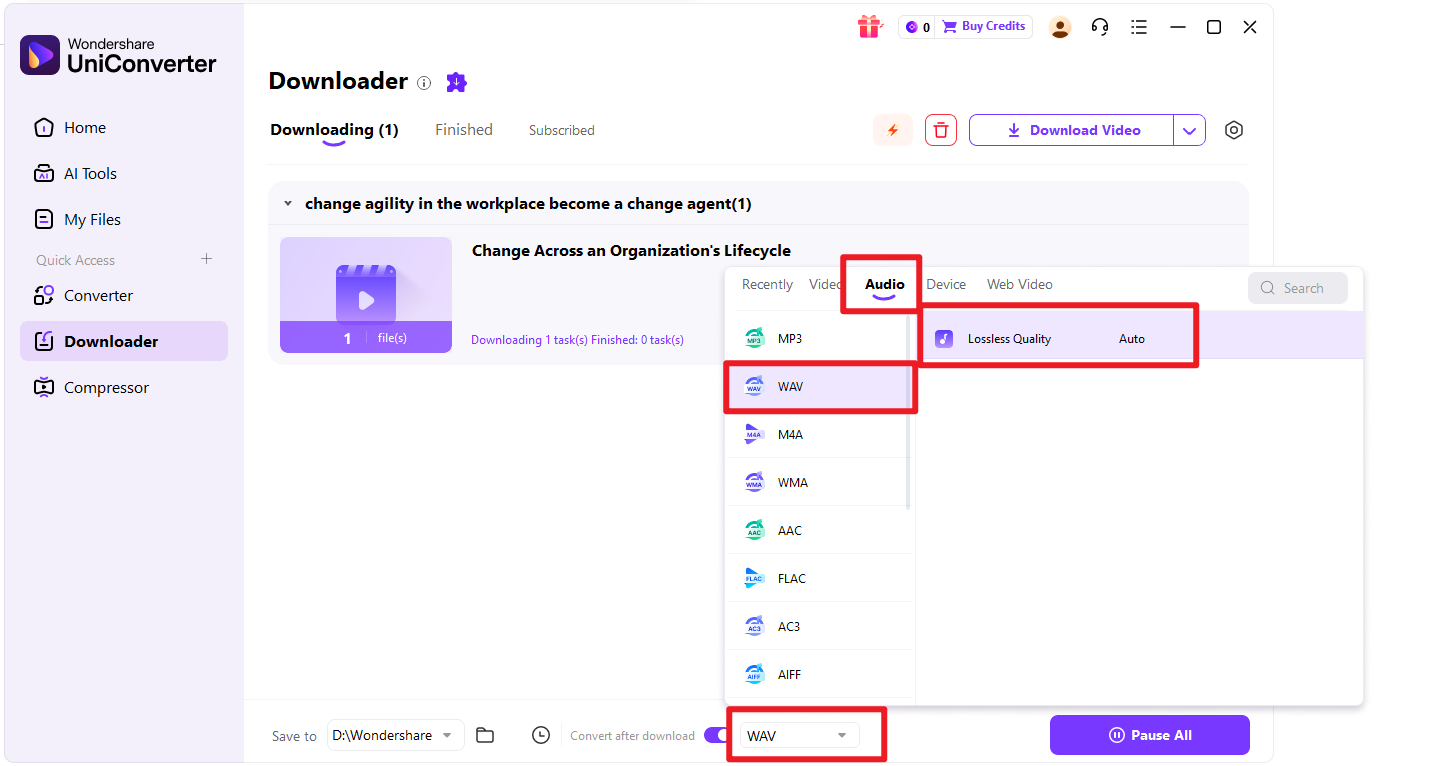
Step 3: Choose WAV as Output Format
Click the Download then Convert Mode and select WAV as the output format. You can also adjust audio settings like bitrate or sample rate for better quality.
Step 4: Start Batch Conversion
After adding all URLs, click Download. UniConverter will process all videos simultaneously, ensuring fast and stable batch conversion.

Does Converting YouTube to WAV Affect Audio Quality?
YouTube Audio Is Already Compressed
Most YouTube videos use lossy audio compression formats like AAC or Opus to reduce file size and streaming bandwidth. This means some audio data has already been removed during upload, so the original quality is not fully preserved.
Converting to WAV Won’t Restore Lost Quality
When you convert YouTube to WAV, you are simply changing the format, not improving the original audio. Since WAV is a lossless format, it will keep the current quality, but it cannot recover the details that were already compressed or lost in the YouTube source.
Why WAV Is Still Useful
Even though it doesn’t improve quality, WAV is ideal for audio editing and post-production. It prevents further quality loss during editing, exporting, or processing, making it a better choice for professionals working with sound.
- WAV vs MP3/M4A: Which Should You Choose?
- MP3 / M4A: Smaller file size, suitable for casual listening
- WAV: Larger file size, best for editing, sampling, and archiving
Conclusion
As we approach the end, we looked at why there is a need to use a converter YouTube to WAV and what tools you should utilize for a seamless conversion. Moreover, we discussed the pros, cons, and key features of the top 10 YouTube to WAV audio converters, providing a deeper understanding.
However, out of these tools, one stood out the most due to its vast collection of features and benefits. That tool is UniConverter, which uses high-tech abilities to safely download and convert videos into WAV audio format with ease.
FAQs about YouTube to WAV Conversion
-
1. What is the best YouTube-to-WAV converter?
Reliable desktop converters are often preferred because they provide stable performance, multiple format options, and additional editing features. They are suitable for both beginners and advanced users. -
2. Can I convert entire YouTube playlists to WAV?
Yes. Some advanced tools support batch processing, allowing you to paste a playlist URL and convert multiple videos to WAV format automatically. -
3. Is it legal to convert YouTube to WAV?
Legality depends on copyright ownership, licensing, and platform terms of service. You should only convert content you own or have permission to use. -
4. Does converting YouTube to WAV reduce audio quality?
No. WAV is a lossless format, so it preserves the original audio quality. However, the final quality is still limited by the source audio provided by the platform. -
5. Are free YouTube to WAV converters safe?
Some free tools are safe, but others may include ads or security risks. Always use reputable services, avoid suspicious websites, and do not provide personal information unnecessarily. -
6. What’s the difference between WAV and MP3?
WAV is an uncompressed, lossless format that retains full audio quality but results in larger file sizes. MP3 is a compressed, lossy format that reduces file size while sacrificing some audio detail, making it more suitable for everyday listening and storage.

