


Finding a reliable YouTube to OGG converter can be frustrating, especially with so many sites and apps available that compromise audio quality. Many users explore simple, safe, and efficient ways to extract high-quality audio from YouTube videos without dealing with their limitations.
In this article, you’ll discover verified Youtube OGG converter tools and easy-to-follow steps for converting YouTube videos to OGG in 2025. So, if you want to get professional-grade results quickly and securely across any device, then you are in the right place.

YouTube to OGG Converter
In this article
- Part 1. Why do people convert YouTube videos to OGG for music, podcasts, and offline listening?
- Part 2. Top 10 YouTube to OGG Converters in 2026
- Part 3. How to Convert YouTube to OGG: Step-by-Step Guide
- Part 4. Should you choose OGG or MP3 for better sound quality, file size, and compatibility?
- Part 5. Is It Legal to Convert YouTube Videos to OGG?
- FAQs About YouTube to OGG Conversion
Part 1. Why do people convert YouTube videos to OGG for music, podcasts, and offline listening?
The OGG is an open-source audio format that uses the Vorbis codec to compress sound files effectively without compromising quality. Unlike the other formats, you do not have to pay to license, create, or even play OGG files. It pays specific attention to reducing the file size without much audible information, so we will go into further detail on its advantages and applications below:
Benefits of OGG Format Over MP3
- Sound Quality on Low Bitrate: It has been widely tested that 128 kbps in the OGG format can be equal to or even higher than 192 kbps in MP3, which is best for streaming.
- Reduced File Size: OGG files are usually smaller than MP3 files; thus, storage is more efficient and faster.
- Open-Source and Patent-Free: It is not subject to any licensing fees, and it can be used and distributed freely like older formats.
- Efficient Compression: This is a type of format that utilizes cutting-edge technology to provide high compression and high quality.
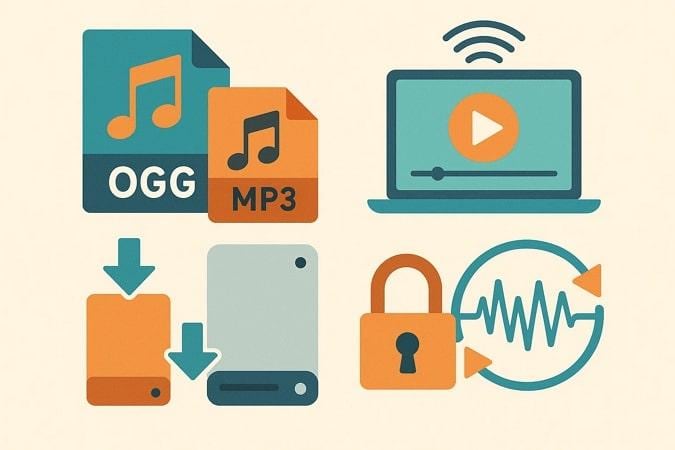
Common Use Cases for YouTube to OGG Conversion
- Offline Use Cases: Users can easily create offline music libraries by converting their favorite YouTube videos to the OGG format.
- Extracting Audios: One can extract podcast audios from YouTube videos for efficient playback and sharing with others.
- Customizing Game Audio: One common use case shared on Reddit is gamers using YouTube audio to add effects.
- Educational Lectures: Users compile lectures for study, revision, or offline learning by saving instructor videos as OGG audio files.
Part 2. Top 10 YouTube to OGG Converters in 2026
Upon hearing about the benefits of the OGG format, it’s time to find the right converter to meet your needs. Choosing a reliable YouTube-to-OGG converter depends on your needs, as each tool offers its own perks and limitations. So we have provided the following comparison table of 10 tools that are evaluated by their main features, making it easier for you to choose:
| Converters | Type | Free | Audio Quality | Batch Processing | Speed | Best For |
| Wondershare UniConverter | Desktop/Online | Freemium | (up to 320kbps) | Yes | Very fast | Pro users, bulk conversions |
| TubeRipper.cc | Online | Yes | (up to 192kbps) | No | Very Fast | Quick single conversion |
| Evano | Online | Yes | (up to 320kbps) | No | Fast | Custom quality, single videos |
| YT OGG | Online | Yes | (128-256 kbps est.) | No | Fast | Personal, ad-free single audio |
| Online Video Converter | Online | Yes | (MP3/OGG up to 192kbps) | No | Fast | Unlimited, social platforms |
| Y2Mate | Online | Yes | (up to 320kbps) | No | Very fast | Multi-platform quick download |
| VLC Media Player | Desktop | Yes | (OGG, user-set) | Yes | Medium | Techies, offline users, control |
| 4K Video Downloader | Desktop | Free/Paid | (OGG, HQ) | Yes | Fast | Playlists, 4K/8K, educators |
| SnapDownloader | Desktop | Trial/Paid | (OGG, user-set) | Yes | Fast | Collectors, playlists, research |
| Any Video Converter | Desktop | Free/Paid | (OGG, AI enhanced) | Yes | Fast | Editors, creators, multi-format |
Which YouTube to OGG converter should you choose for speed, playlists, audio quality, or free use?
- Need it Now: In case of urgency, you can opt for online web-based tools like TubeRipper or Evano to convert YouTube to OGG immediately.
- Highest Audio Quality: If you prefer high audio quality, we recommend tools with the highest ratings, such as UniConverter or VLC.
- Converting Playlists: To convert complete playlists, you can use tools like UniConverter and 4K Video Downloader, which offer batch processing.
- Completely Free: To get a free tool, check the above-listed Free column to choose tools like VLC, Y2Mate, and TubeRipper.
- Professional Workflow: Professionals exploring advanced tools can opt for UniConverter, which offers a range of editing tools.
Pro Tip: If you are a beginner, always start with the YouTube OGG converter online tool, which has a basic workflow for testing. However, if you want a tool with unlimited downloads and that provides the best quality possible outcome, then we recommend using UniConverter.
Best Desktop YouTube to OGG Converters
Online tools are handy, but desktop converters give you better performance and flexibility, so let's explore the following YouTube OGG converters:
1. Wondershare UniConverter ⭐ Editor's Choice
Best For: Content creators, educators, and professionals
Imagine you are a content creator and have just finished filming a series of educational YouTube videos. However, you want to extract audio separately in OGG format to make it easier for users to access. In this situation, we recommend using Wondershare UniConverter, which includes Converter and Downloader feature. While downloading, this YouTube OGG converter lets you choose the desired audio format.
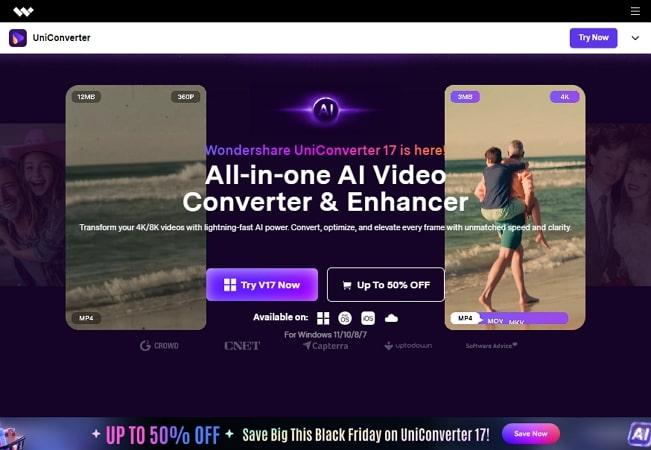
This tool provides a wide support for various video, audio, and image formats to let you choose accordingly. Furthermore, it provides a batch-processing system that saves various videos in a single go to save your time. Moreover, you can opt for its Editor to trim the audio and video, making it perfect for uploading to different platforms.
YouTube to OGG Converter
Key Features
- Auto Downloads: UniConverter automatically saves all videos from your subscribed channels.
- Batch Processing: Users can easily download multiple videos at a single time rather than downloading them separately.
- Other Features: Besides a downloader, it also provides various other outstanding features like compressor, video enhancer, audio enhancer, and much more.
2. VLC Media Player
Best For: Tech-savvy users and enthusiasts who want a free, offline solution
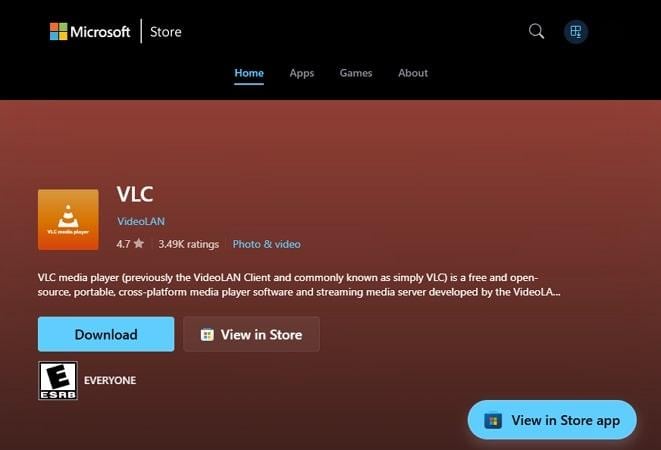
VLC Media Player allows direct conversion of YouTube videos to OGG audio by streaming and saving the audio tracks. It can extract audio from both single and bulk videos simultaneously, reducing manual labor. Users can also customize the settings by adjusting audio bitrate, codec, and sample rate for optimal quality.
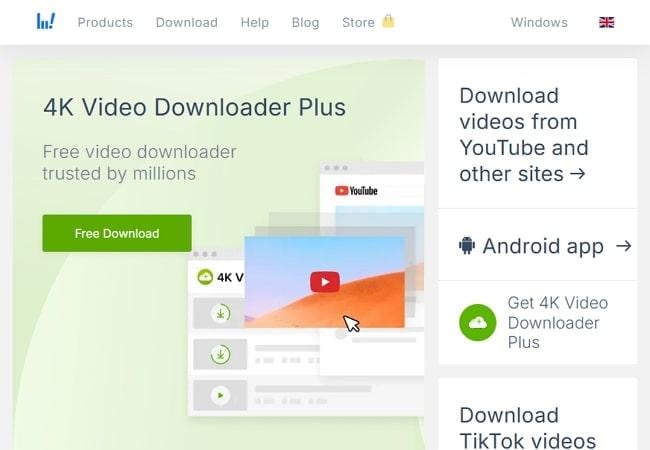
3. 4K Video Downloader
Best For: Power users, researchers, and educators needing to batch download
This desktop converter downloads videos in ultra-high resolutions up to 4K and 8K from YouTube. It is capable of supporting 1000+ sites to get the maximum quality output. Furthermore, it supports a batch processing system to support entire playlists. You can also save captions, subtitles, and annotations in a video and a separate file.
4. SnapDownloader
Best For: Professionals, researchers, and collectors managing large-scale downloads
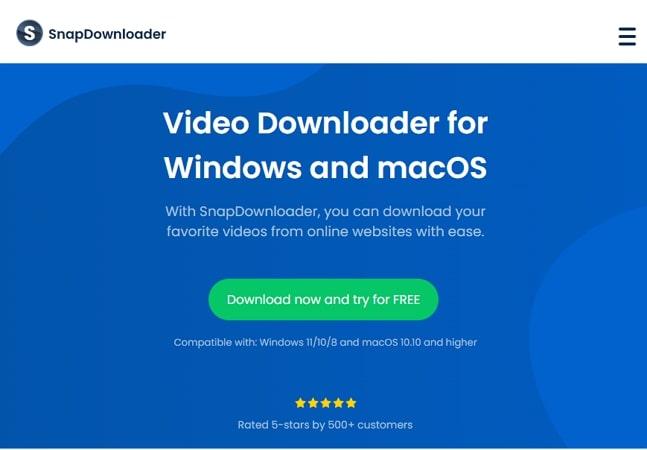
SnapDownloader can download videos from 900+ websites, including YouTube, Facebook, and Reddit, to support up to 8K resolution. It can convert files into major formats, including MP4, MP3, AVI, MOV, and OGG. Users can even schedule their downloads, which is an ideal option for bandwidth management. Furthermore, it's built-in video trimmer lets you trim the video depending on your needs.
5. Any Video Converter
Best For: Free conversion into popular video and audio formats.
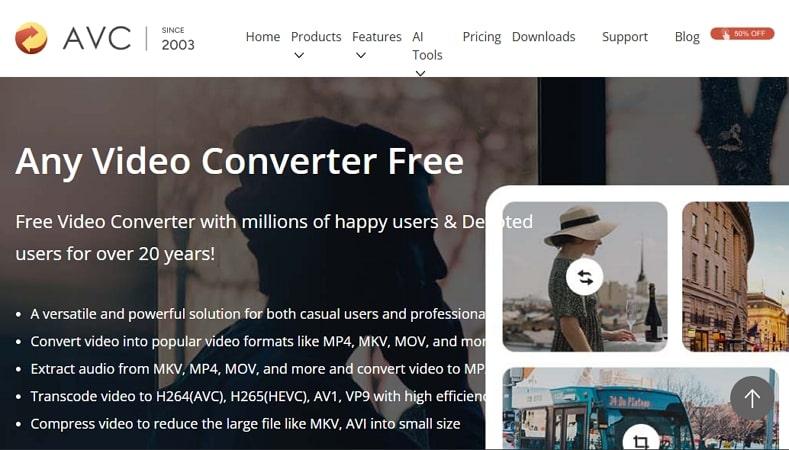
This YouTube video-to-OGG converter provides high-speed conversion with hardware acceleration, up to 130x faster processing with Intel and NVIDIA. It also includes an AI-enhancing feature that upscales low-resolution videos to 4K or 8K to improve quality. Furthermore, it supports formats such as MP3, OGG, M4A, FLAC, and more.
Best Online YouTube to OGG Converters
Want to convert YouTube videos to OGG format directly from your browser? Check out these top online converters that make it fast and effortless:
1. TubeRipper.cc
Best For: Fast, free, and hassle-free conversion of single YouTube videos
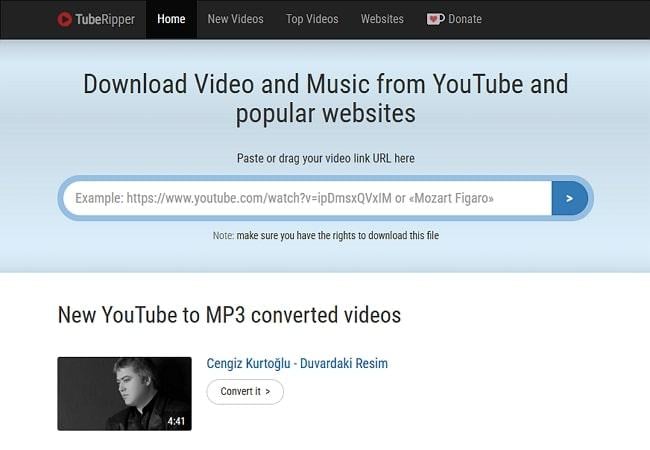
This YouTube OGG converter online tool is a completely free tool that lets you download music tracks by inserting YouTube links. This tool is capable of downloading music from YouTube in just a few seconds, making it ideal. Furthermore, it supports a wide range of audio and video formats, including OGG, WebM, and 3GP.
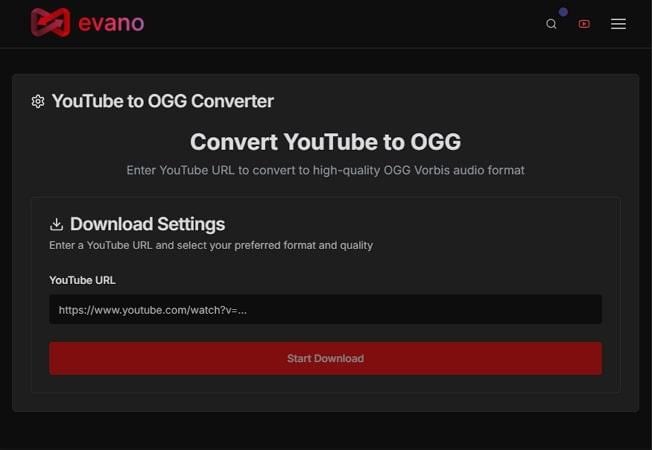
2. Evano
Best For: Quick, free, high-quality conversion with customizable audio settings
Evano efficiently supports OGG Vorbis audio with quality options from 64 kbps to 320 kbps for customizable results. This tool lets you convert any YouTube video, including music, podcasts, tutorials, and live streams, to high-quality OGG audio. Moreover, it provides unlimited usage and global compatibility with media players and platforms.
3. YT OGG
Best For: Personal conversion of an individual YouTube video to the OGG format with no account
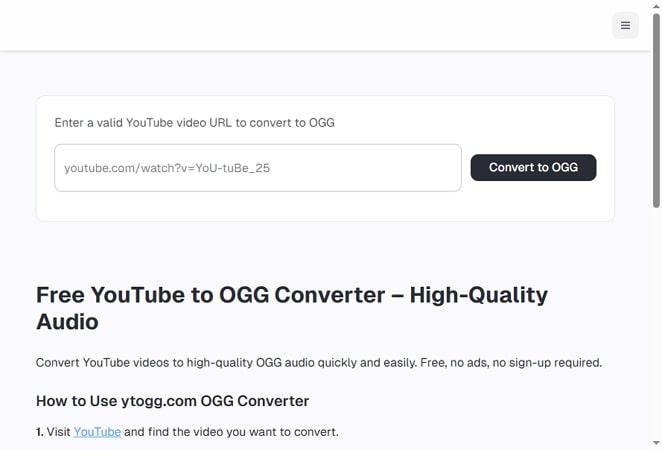
Users simply enter their video links in the bar to fetch the desired OGG file easily. Being a web-based tool, it requires no payment or login credentials, making it a quick solution. YT OGG extracts high-quality OGG audio from YouTube, typically between 128–256 kbps depending on the source.
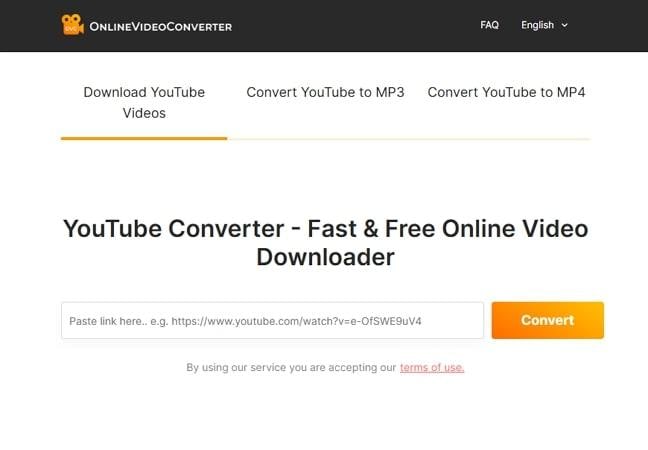
4. OnlineVideoConverter
Best For: Unlimited and secure conversion of YouTube and social media videos
This browser-based tool supports a wide range of websites, including YouTube, Facebook, and Twitter, for audio downloading. It lets you convert videos to various file formats, including MP3, MP4, WEBM, and 3GP, depending on your needs. Furthermore, it provides broader compatibility by being easily accessible from all standard operating systems, including Windows and Mac.
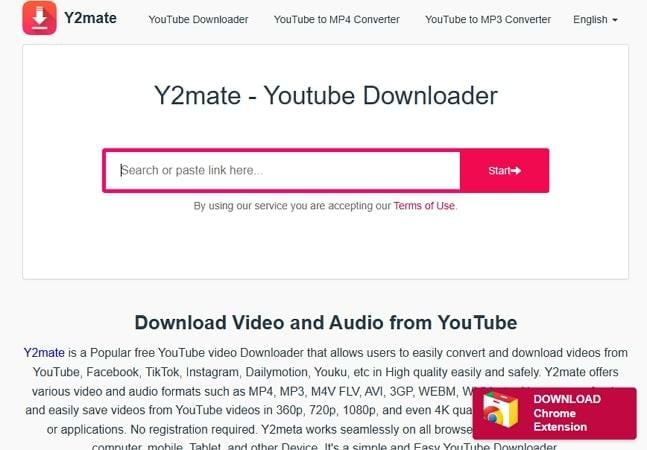
5. Y2Mate
Best For: Casual viewers, students, and creators who need quick, free downloads
Being a web-based tool, it works efficiently across all browsers, including Windows, macOS, iOS, Android, Chrome, and Safari. It provides a built-in search engine for finding your videos without leaving this site. This YouTube OGG converter online tool lets you paste the link and download it instantly.
Part 3. How to Convert YouTube to OGG: Step-by-Step Guide
After knowing the features of YouTube to OGG converters, explore their stepwise guides for both online and desktop tools:
Convert Youtube to OGG Using Desktop Software (Wondershare UniConverter)
Now, if you want to explore the stepwise guide of the most efficient tool, UniConverter, read the following guide:
YouTube to OGG Converter
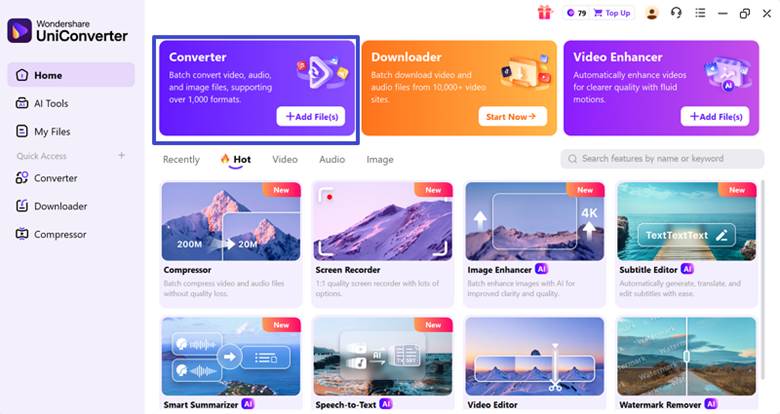
Step 1. Click the Add File(s) Button in the Converter tab
Upon entering the tool, click on the “Add File(s)” button within the “Converter” tab.
Step 2. Choose the File Format and Click the Convert All Button
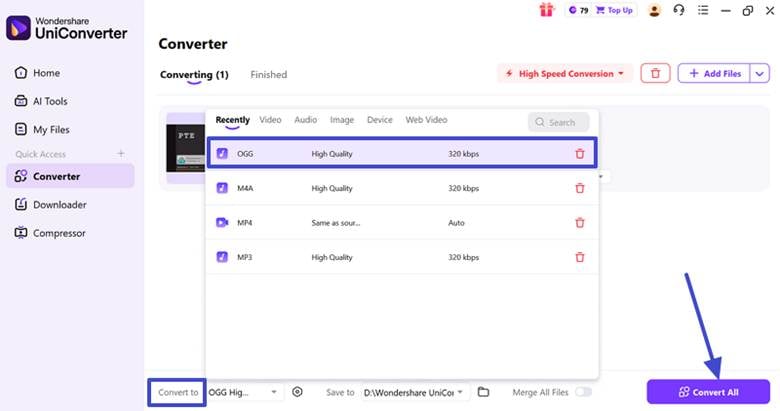
Here, select the “OGG” format for the imported YouTube video and hit the “Convert All” button to begin the process.
Step 3. Access the Converted OGG File
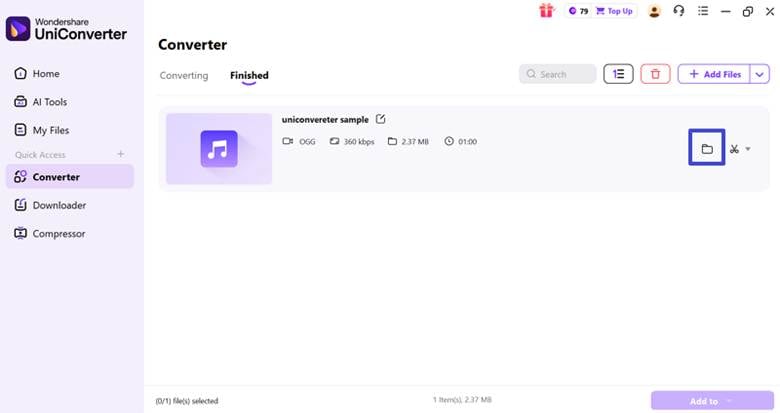
Finally, the audio file is converted successfully, which can be accessed by hitting the “File” icon.
Tip: For those who are using the Downloader feature in UniConverter can also convert their YouTube video to OGG format while keeping within the feature.
Convert YouTube Video to OGG Using Online Converters
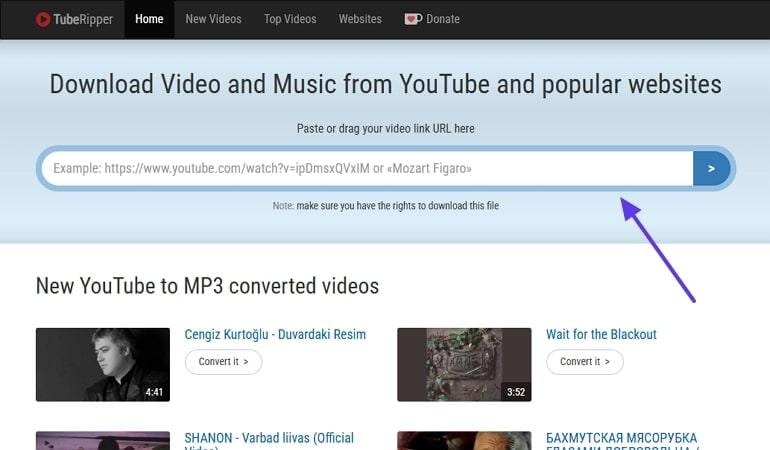
Step 1. Open the “TubeRipper” tool, paste the YouTube video URL, and press the “Enter” key.
Step 2. Here, tap on the “Extract Audio” button to download the audio file to your device.

Pro Tips
- Always use a Browser extension like “Copy URL” to quickly copy the YouTube link.
- After downloading your OGG audio file, ensure to check that it is 3-5MB per 3-minute song at 256kbps.
- If you opt to use batch conversation, then first try it to check the generated audio quality.
Part 4. Should you choose OGG or MP3 for better sound quality, file size, and compatibility?
As most people remain confused between the OGG format and the MP3 format, let's have a quick side-by-side comparison below:
| Features | OGG Format | MP3 Format |
| Audio Quality | Superior at the same bitrate | Good, less detail |
| File Size | Smaller, efficient | Larger for the same quality |
| Compression | Variable bitrate (VBR) | Constant bitrate (CBR) |
| Compatibility | Supported by some devices | Universal device support |
| Licensing & Cost | Open-source, patent-free | now mostly free but less open |
After examining both formats, OGG is a better option for sound quality and storage efficiency. However, MP3 remains the go-to standard for universal access, device support, and flexible tagging.
Part 5. Is It Legal to Convert YouTube Videos to OGG?
Before you use the YouTube to OGG converter, it's crucial to understand the legal boundaries of downloading and converting online content.
Understanding YouTube's Terms of Service
According to YouTube's terms of service, downloading its videos is not allowed unless it provides an official Download button. Downloading copyrighted music or content is a violation of copyright law. However, in some cases, you can download YouTube videos, which are discussed below:
Legal Conversion Scenarios
- Own Uploads: You can download videos you’ve personally uploaded via YouTube Studio.
- Creative Commons Content: Only videos marked with a Creative Commons license allow legal downloads and reuse, but still require proper permissions.
- Public Domain: Content with expired copyright or an explicit public domain declaration is safe to download.
- Educational Use: You can download educational videos for offline learning, but it entirely depends on your country's rules.
How to Check License: Go to the targeted video and look below it to view license information. If "Standard YouTube License" is mentioned, which means copyrighted, and "Creative Commons" means you can use it.
Safe and Ethical Conversion Practices
Once you understand the legal aspects, let's explore safe and ethical conversion practices for the YouTube link to OGG conversion:
- Only Convert Content With Permissions: Always use your own content or Creative Commons content to avoid copyright issues.
- Support Creators: In case you want to download a song, always purchase their playlists from their legal websites, as they earn from them.
- Use For Non-Commercial Purposes: Ensure you dont re-use downloaded files commercially or for sale, as it will lead to copyright cases.
- Check Local Copyright Laws: As copyright laws vary from region to region, always research your local laws before downloading the YouTube video.
FAQs About YouTube to OGG Conversion
1. Can I Convert YouTube to OGG on Mobile Devices?
Yes, mostly online web tools like UniConverter, Evano, and Y2mate allow downloading and conversion. Users simply upload their YouTube links, and it will download an OGG file instantly.
2. What Is the Best Bitrate for YouTube to OGG Conversion?
For most music, 128–192 kbps is considered transparent, but audiophiles may prefer 256–320 kbps for maximum fidelity. OGG Vorbis is efficient, as it can sound as good as a 192 kbps MP3.
3. Are Free YouTube-to-OGG Converters Safe?
Absolutely, most re-updated free web-based YouTube-to-OGG converters like UniConverter are safe. However, these sites may show aggressive ads and permissions that can be distracting.
4. Why Choose OGG Instead of MP3?
OGG is an entirely patent-free, open-source format that delivers better sound quality at lower bitrates. Whereas MP3 is a beneficial file format only in terms of compatibility.
5. Can I Convert Copyrighted YouTube Music to OGG?
No, it is not possible unless you own the content or you have specific permissions. Downloading copyrighted music without permission violates YouTube's terms and can result in legal issues.
6. How Long Does YouTube to OGG Conversion Take?
If you use fast and efficient tools, small videos or tracks typically convert within seconds. On the other hand, for longer videos, you can opt for desktop tools like UniConverter, which provides a batch downloading feature.
7. Does OGG Work on iPhone?
Native iOS apps don't fully support OGG playback as of yet. Users need to opt for third-party tools to open and listen to OGG files on iPhone devices.
8. What's the Difference Between OGG and OGG Vorbis?
"OGG" is the container format, and "Vorbis" is the main audio codec inside the container. OGG files contain OGG Vorbis audio, but the container can also hold other codecs.
Conclusion
In this article, we have provided the 10 most efficient YouTube to OGG converters, along with their strengths and weaknesses. Among all the tools, we recommend using UniConverter, which lets you download and convert multiple videos simultaneously.

