

Are you searching for a fast way to save online videos to your device? Many people look for tools like Y2Down to handle this task. However, safety is a major concern when using free online platforms. If you find yourself asking, is Y2Down safe, you are definitely not alone. Intrusive pop-ups and sudden redirects make users question the platform's security. This comprehensive Y2Down review explores how the service works and evaluates its true safety level. We will examine the risks associated with the Y2Down app and discuss user privacy. Finally, we will guide you toward a reliable Y2Down alternative that protects your computer.
Note: We resolutely oppose all forms of copyright-infringing downloads. This tutorial is only for downloading videos/audio materials that are allowed to save for offline use.

Best Y2Down Alternative for Safe Video Downloads
Table of Contents
What Is Y2Down and How Does It Work?
You might have encountered Y2Down while searching for media saving tools. Whether you come across y2down.cc or y2down.app, both domains lead to the exact same platform. It functions entirely as an online video downloader. An online downloader is a browser-based tool that processes files without installing software. You simply visit the website to use its core functions.
Key Features of Y2Down YouTube Downloader
The Y2Down YouTube downloader provides several basic functions for casual users. It focuses on quick, single-file processing rather than complex media management.
- Online video downloading: You can save media directly through your web browser.
- MP4/MP3 conversion: The tool can extract audio from video files automatically.
- No registration required: You do not need to submit an email address.
- Browser compatibility: It works on Chrome, Firefox, and Safari without extensions.
How to Use Y2Down (Step-by-Step)
Operating this online tool is a straightforward process. You only need the original video link and a stable internet connection.
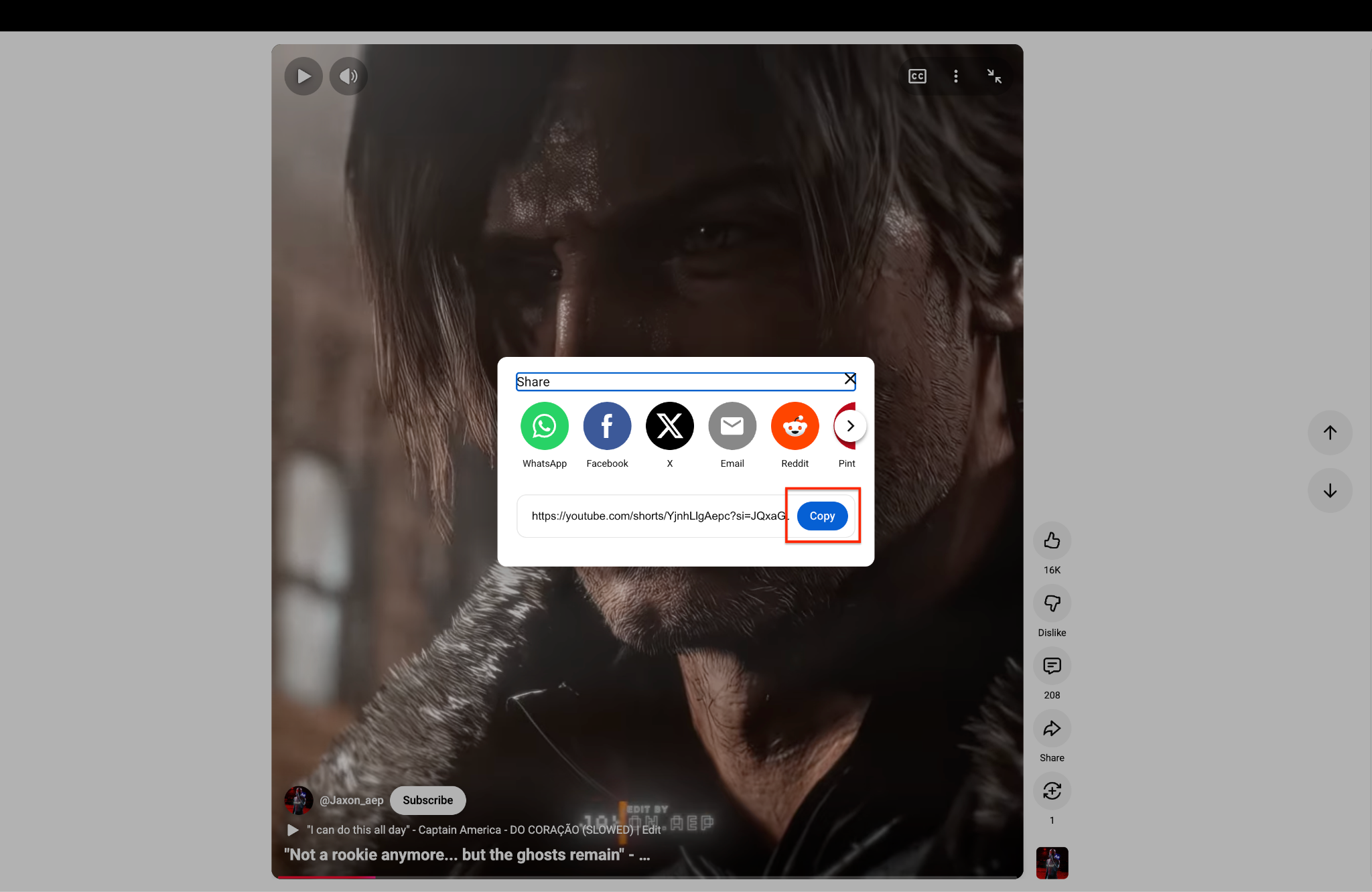
Step 1: Copy the YouTube Link
Open YouTube and find the video or playlist you want to save. Click the "Share" button to open the sharing menu on your screen. Tap "Copy" to easily save the URL link right to your clipboard.
Step 2: Choose Your Format
Go to the Y2Down website and paste your copied link into the main search box. Choose your favorite video or audio format from the drop-down list, then click the "Download" button.
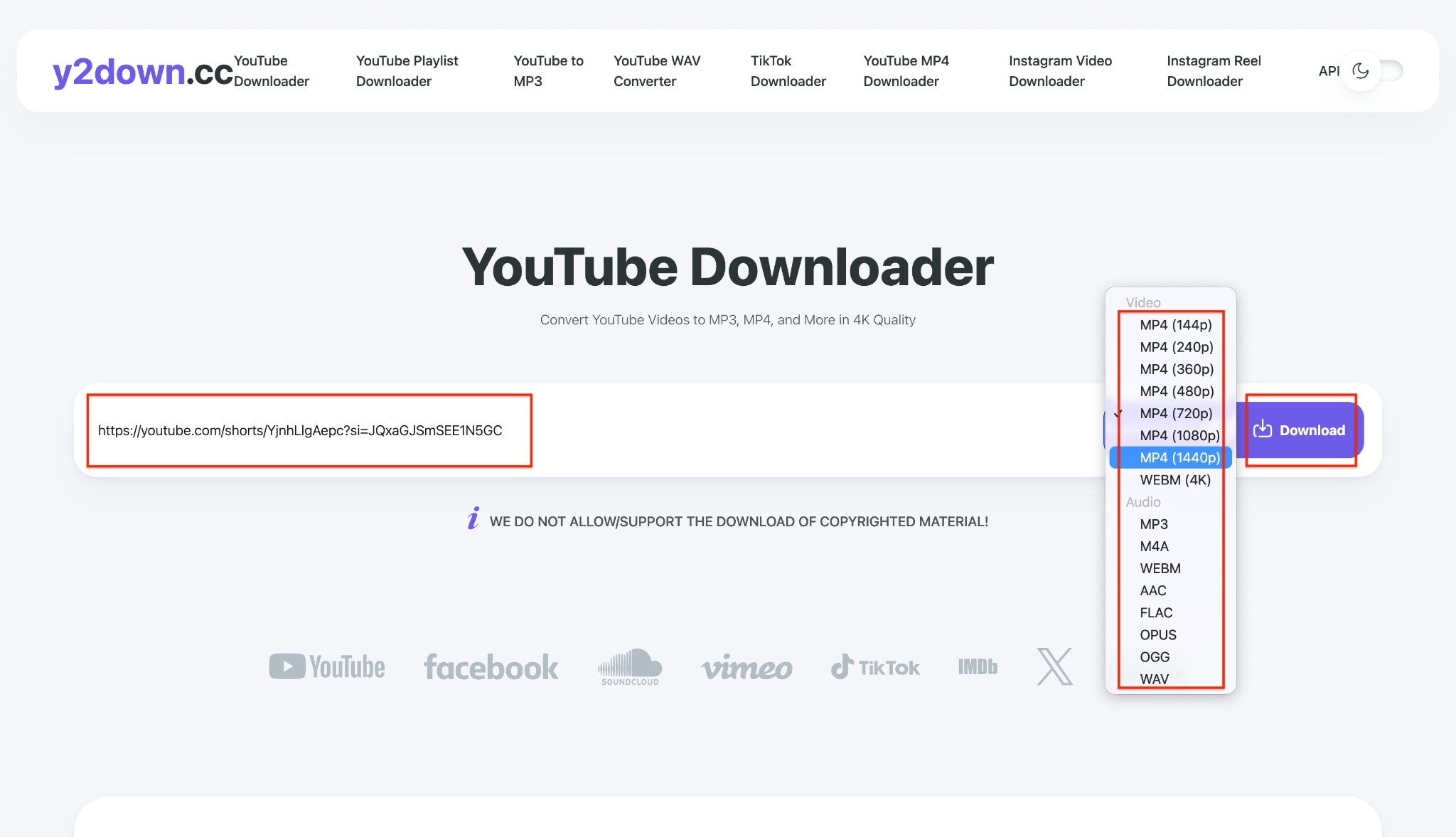
Pro Tip: Always select the MP4 format because it plays perfectly on almost all mobile phones and computers.
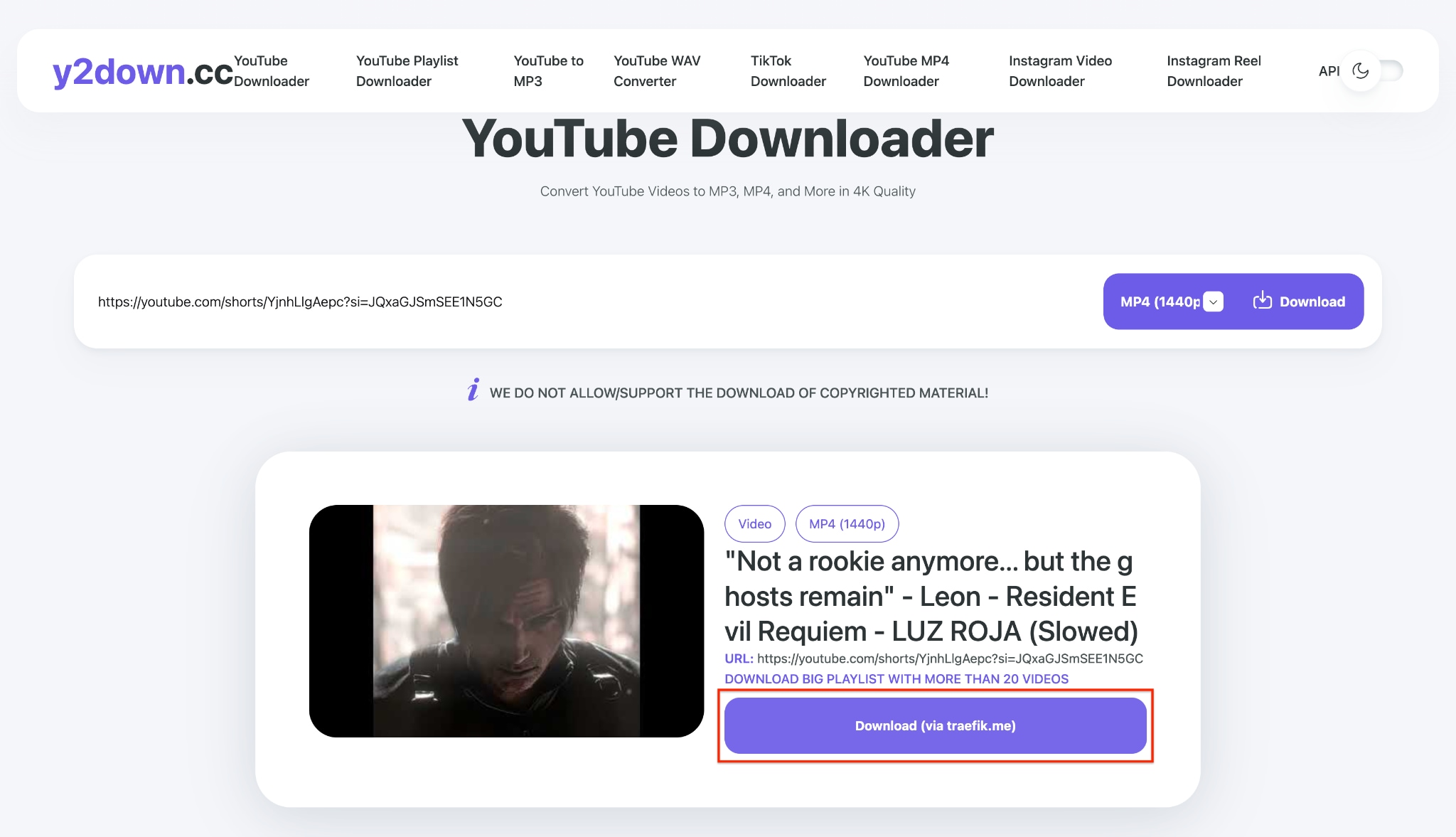
Step 3: Save the File
Wait a few seconds for the website to fully process your video or playlist link. A final, large download button will appear right under the video picture. Click this new button to finish saving the media file safely to your device.
Is Y2Down Free to Use?
Yes, the basic functionality of the website is entirely free. The platform does not require a paid subscription or credit card details. However, the service monetizes your website visits through aggressive display ads. You pay for the free service by viewing pop-ups and navigating through redirects.
Y2Down Review: Pros and Cons
Every software tool has distinct advantages and specific limitations. An objective Y2Down review must examine both sides fairly. This section breaks down the factual performance of the web tool.
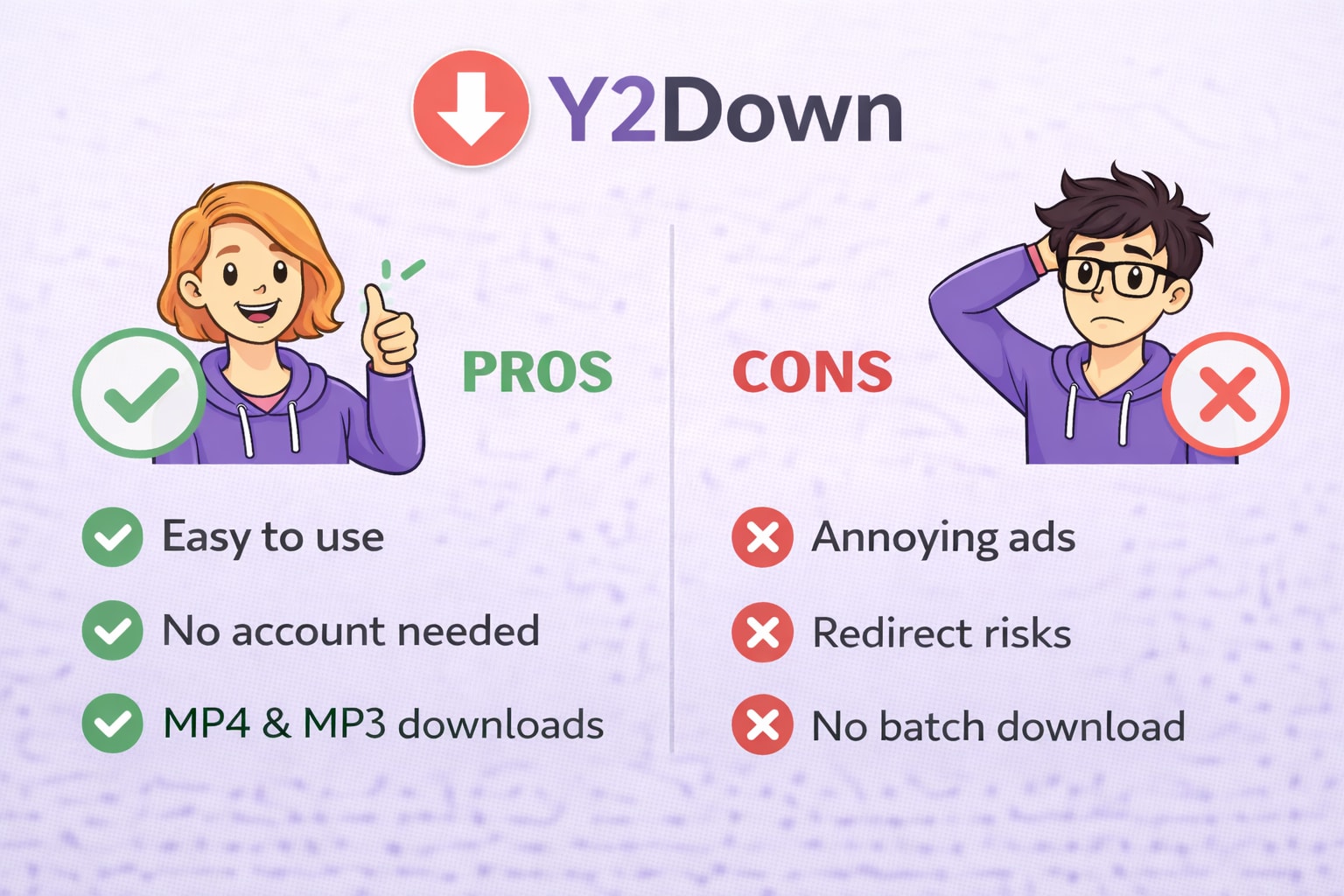
Advantages of Y2Down
Here are the primary benefits that attract users to this specific platform.
- Simple interface: The clean design is very easy for beginners to understand.
- No account needed: You protect your personal email inbox from marketing spam.
- Supports common formats: It processes standard MP4 and MP3 files reliably.
- Quick access: You can open the site and start processing files immediately.
Disadvantages and Limitations
Despite the convenience, the platform carries several frustrating limitations.
- Pop-up ads: You will encounter frequent and highly intrusive advertising banners.
- Redirect risks: Clicking basic buttons often opens completely unrelated, risky browser tabs.
- Limited format control: You cannot adjust advanced settings like video codecs or bitrates.
- No batch download: You must process each video link individually, which wastes time.
Real User Feedback from Forums (Reddit & Quora Insights)
Real users often share their experiences on community forums like Reddit and Quora. Many people post threads asking, "Has anyone used Y2Down safely?"
You will frequently see these common questions:
- "Why does Y2Down redirect me to suspicious websites?"
- "Is Y2Down legal for saving educational content?"
- "How can I stop the pop-up ads on this site?"
Most forum users agree the tool works for occasional, quick downloads. However, they consistently complain about the aggressive advertising network. Many experienced users highly recommend finding a safer Y2Down alternative for regular media tasks.
Is Y2Down Safe to Use?
Device safety is the most critical factor when choosing online media tools. So, is Y2Down safe for your daily workflow? The core website does not usually host direct viruses. However, the third-party advertising networks it uses are highly unpredictable.
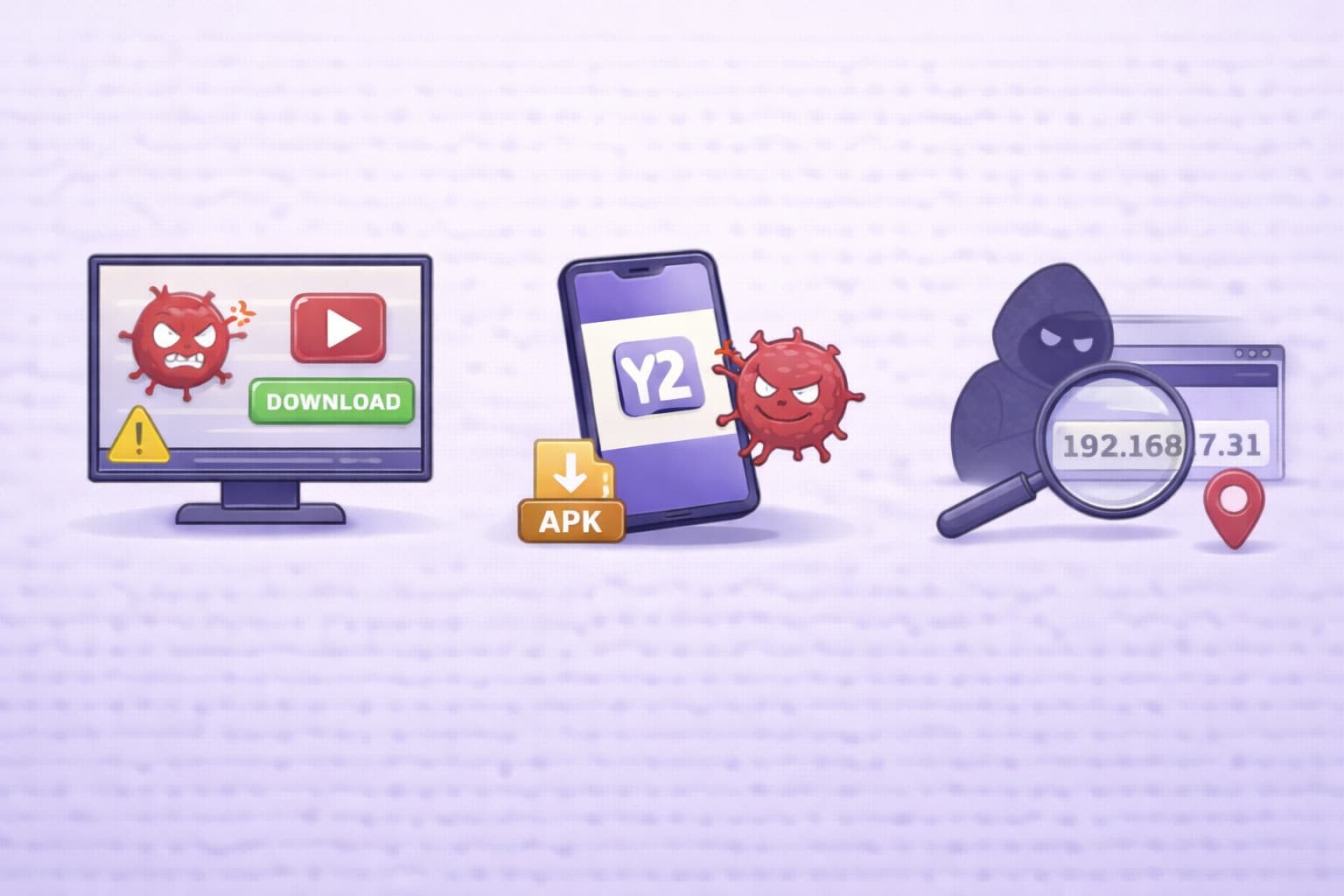
Security Risks to Consider
You must navigate the website carefully to avoid serious digital threats.
- Malicious ads: Pop-up banners can trick you into downloading hidden malware files.
- Fake download buttons: Deceptive graphics often lead to dangerous spam websites.
- Potential malware exposure: Constant site redirects can expose your operating system to viruses.
- Phishing attempts: Some redirects try to steal your personal login credentials.
Is the Y2Down App Safe?
Many mobile users frequently ask, "Is Y2Down app safe to install?" You must know that there is no official app in verified stores. If you find an APK file online, it is created by unknown third parties.
These unverified APK files often carry hidden malicious code. They can abuse browser permissions to access your camera, microphone, or contacts. Installing unverified applications is a massive security risk for your smartphone. You should rely on trusted, verified software instead.
Privacy Concerns and Data Tracking
Many basic reviews ignore the severe data privacy issues of free tools. Free online services often track your personal browsing habits extensively. They collect your IP address and location data to serve targeted advertisements.
These sites may sell your basic data to third-party data brokers. You might notice a sudden increase in spam emails after using them. You can clear your browser cookies to reduce this tracking slightly. However, switching to a local software tool provides much better privacy protection.
Is Y2Down Legal for Downloading YouTube Videos?
Understanding the legal implications of downloading media is very important. Many casual users completely skip this step, but it matters. You need to know the basic rules before saving online content.
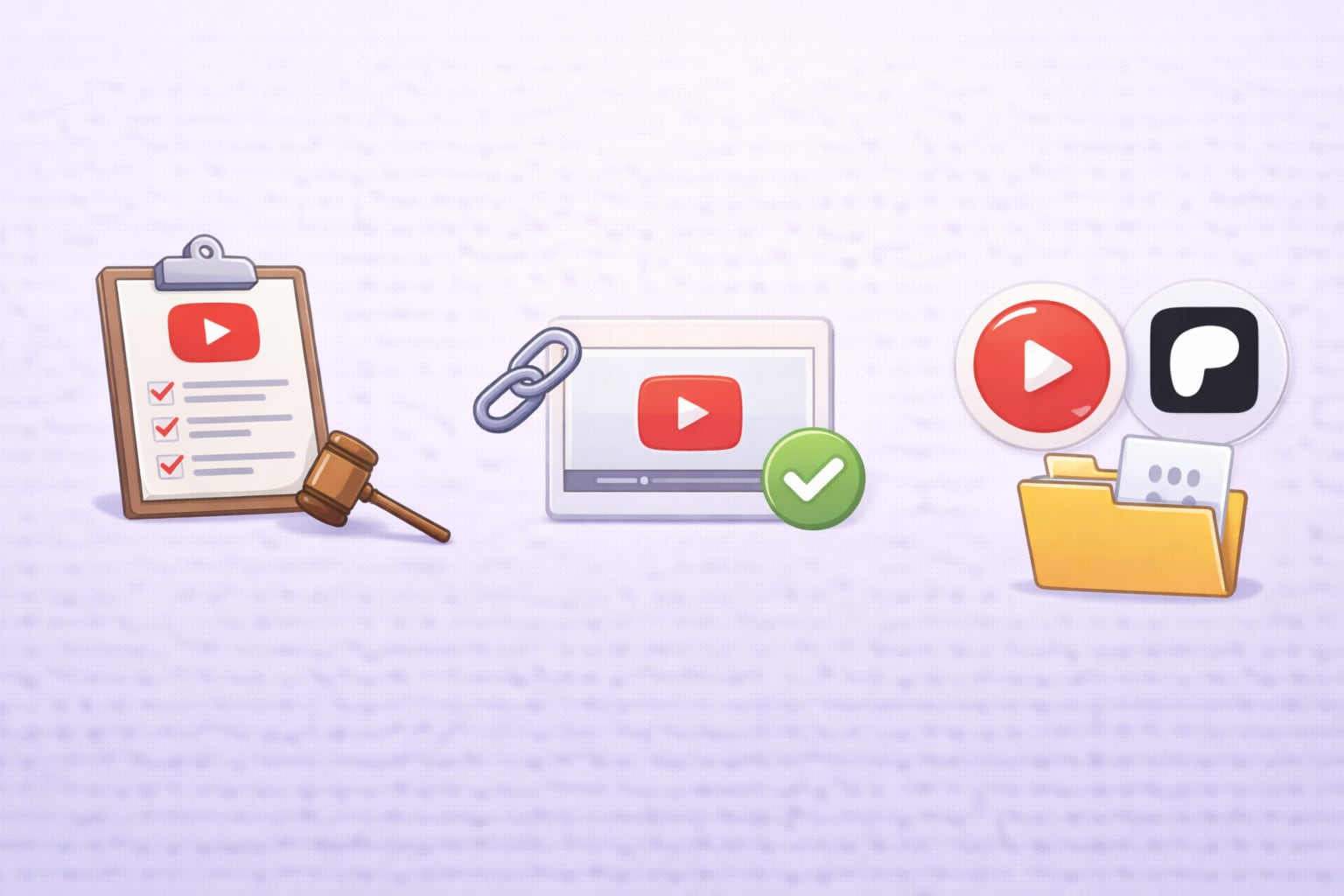
YouTube's Terms of Service Explained
YouTube clearly defines its strict rules in its official Terms of Service. The platform strictly prohibits downloading native videos without their explicit written permission. The company provides a secure download button exclusively for their premium subscribers. Bypassing their built-in player system directly violates these established policies.
When Is Downloading Allowed?
There are a few specific situations where saving videos is generally acceptable. You can download media safely if the original creator provides a direct download link. Videos published under a public Creative Commons license are also usually safe to save. You must always respect international copyright laws and creator rights.
Legal Alternatives for Offline Viewing
If you want to follow the rules strictly, you should use official methods. YouTube Premium allows secure offline viewing directly on your mobile devices. You can also support creators on platforms like Patreon who offer direct file downloads. These methods ensure you support the creators while staying legally compliant.
Why Is Y2Down Not Working? Common Problems
Web-based downloaders are notorious for being highly unstable. You will frequently encounter moments when the service completely fails. Here are the most common reasons why the site might stop working.
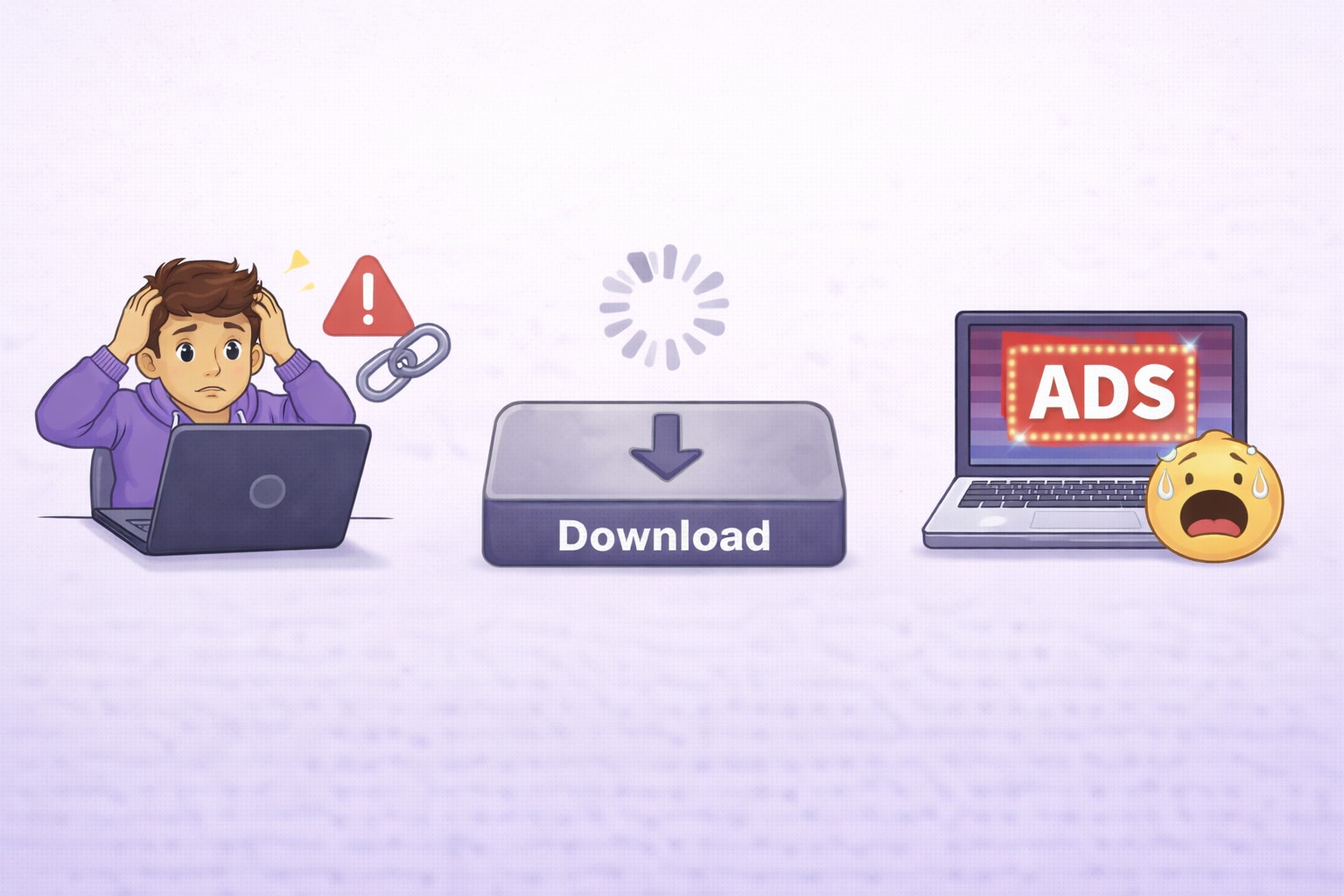
Server Errors and Domain Changes (y2down cc Issues)
The primary domain y2down cc might go offline without any prior warning. Websites like this frequently change their domain names to avoid legal copyright strikes. If the main server goes down, you have no choice but to wait. This unreliability makes it a poor choice for urgent work projects.
Download Button Not Responding
Sometimes, you click the download button, but nothing happens. This usually occurs when the host video platform updates its backend code. The web tool's developers must update their own code to match the new changes. You can try clearing your browser cache, but it rarely fixes this specific issue.
Too Many Ads or Redirects
Excessive ad scripts can severely break the page's HTML layout. Sometimes, an endless redirect loop completely prevents the video from processing. If your browser's ad-blocker is too aggressive, the site might intentionally block your access. You are forced to disable your protection just to use the basic service.
Best Y2Down Alternative (Safer & More Stable Option)
If you are frustrated by ads and crashes, you need a solid Y2Down alternative. A dedicated, installable tool provides a significantly smoother and safer experience.
What Makes a Good YouTube Downloader?
A high-quality media tool should respect both your time and your system's safety. It must offer a completely ad-free interface with batch processing capabilities. You also need flexible format options to support various mobile and desktop devices. Reliable safety control is the most important factor for any software.
Desktop Alternative vs Online Downloader
Online tools are convenient initially but carry long-term security risks. They rely entirely on your current browser stability and internet speed. A desktop alternative installs safely and permanently on your computer hard drive. It utilizes your system's local hardware to deliver faster, more secure file processing.
Why UniConverter Is a More Reliable Alternative
For a secure and highly efficient workflow, UniConverter is an exceptional choice. It is a one-stop multimedia processing toolbox designed to simplify your workflow safely. It replaces risky online tools with a clean, professional desktop environment.

Here is why this software stands out from web tools:
- No pop-up ads: You can work peacefully in a clean, professional application environment.
- Batch processing: You can handle multiple heavy files simultaneously. You can easily try the batch processing tools to save time.
- Advanced tools: You can explore powerful built-in features like the AI video enhancer. You can also improve your photos using the AI image enhancer.
- Extensive capabilities: The software offers a bunch of other innovative AI tools to refine your digital media easily.
Best Y2Down Alternative for Safe Video Downloads
How to Download YouTube Videos with UniConverter
You can save your important media files securely in four simple steps.
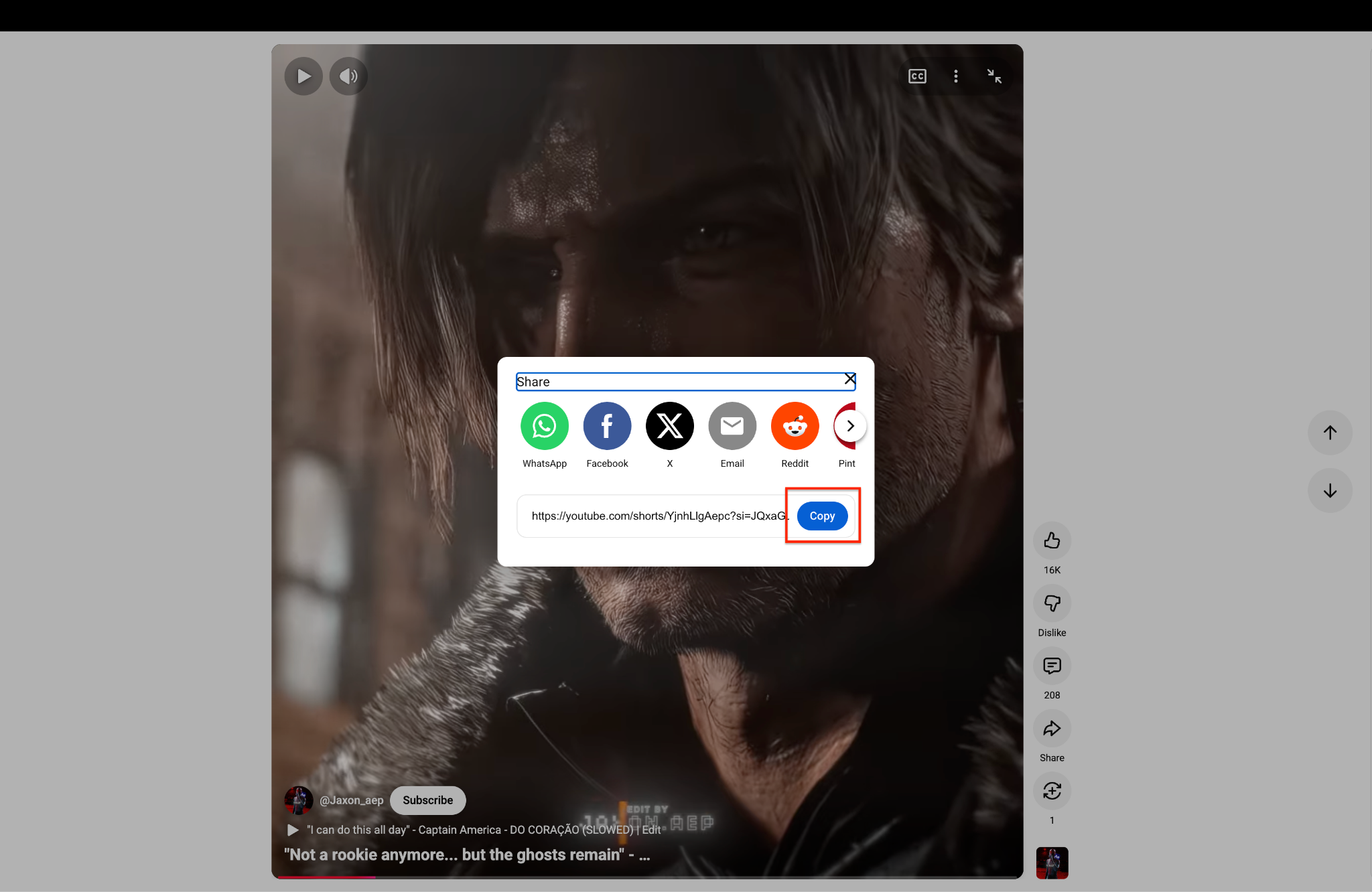
Step1 Copy the YouTube Video Link
Open YouTube and find the exact video you want to keep. Click the "Share" button on the screen to open the sharing menu. Tap the "Copy" button to save the web link to your computer clipboard.
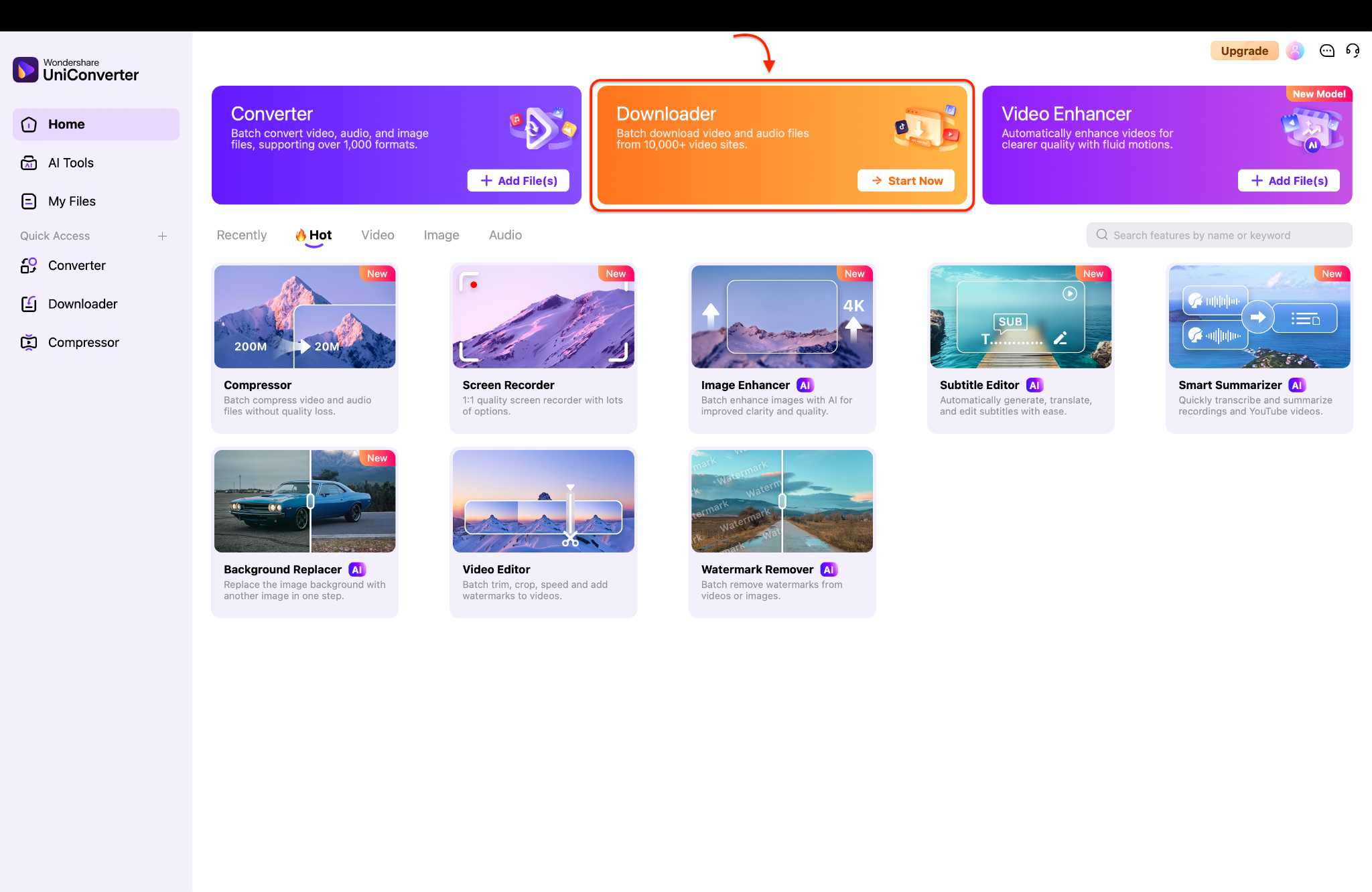
Step2 Launch and Select Downloader
Open the Wondershare UniConverter program on your computer screen. Look for the big orange "Downloader" box right in the top middle of the home page. Click the "Start Now" button to open your new downloading workspace.
Step3 Customize Download Preferences
Click the small gear icon at the top right to open the main settings window. Pick your favorite video quality and click the "OK" button to save your choices.
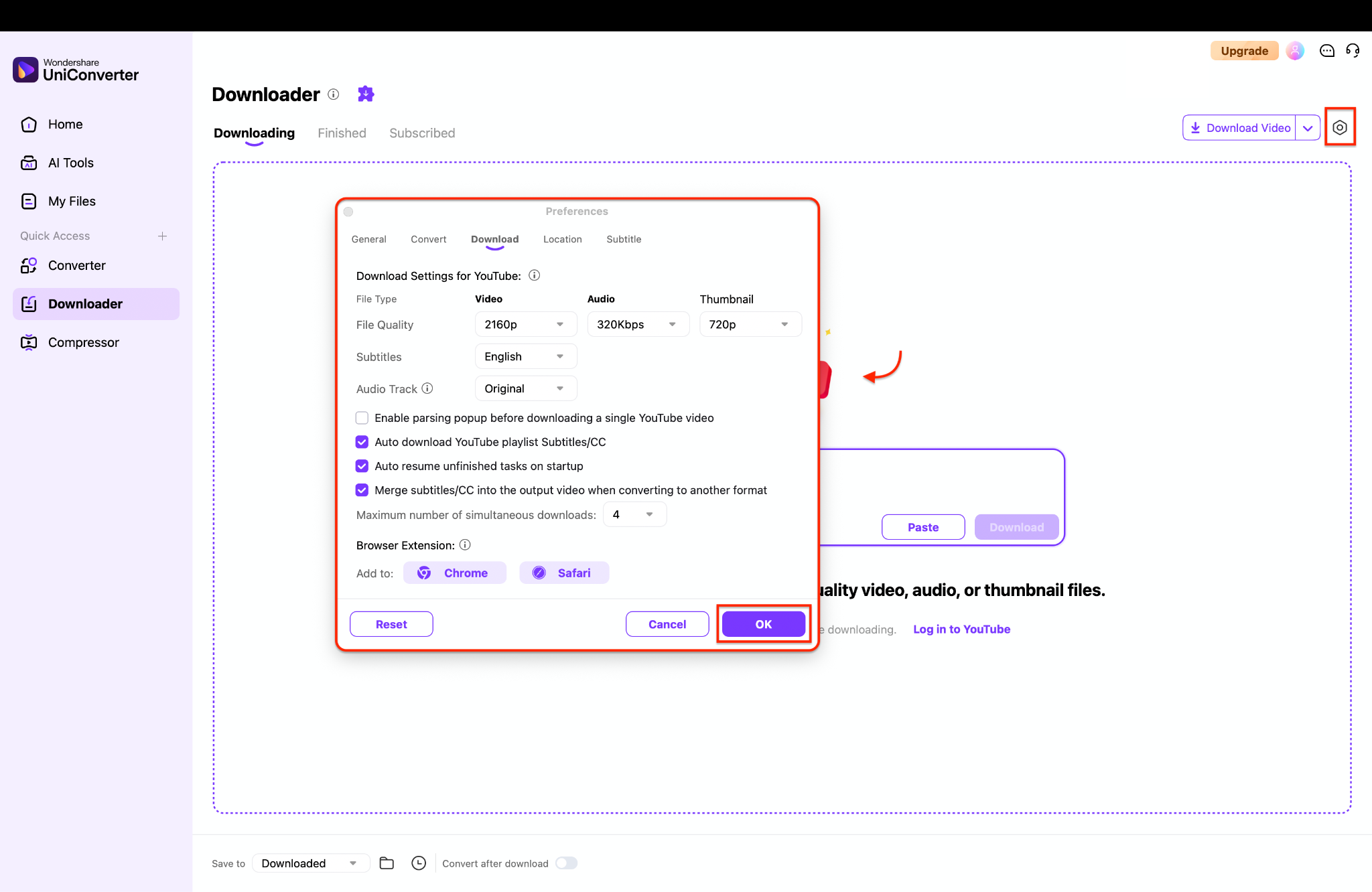
Pro Tip: Check the box for "Auto resume unfinished tasks" so you never lose your download progress if your computer suddenly turns off.
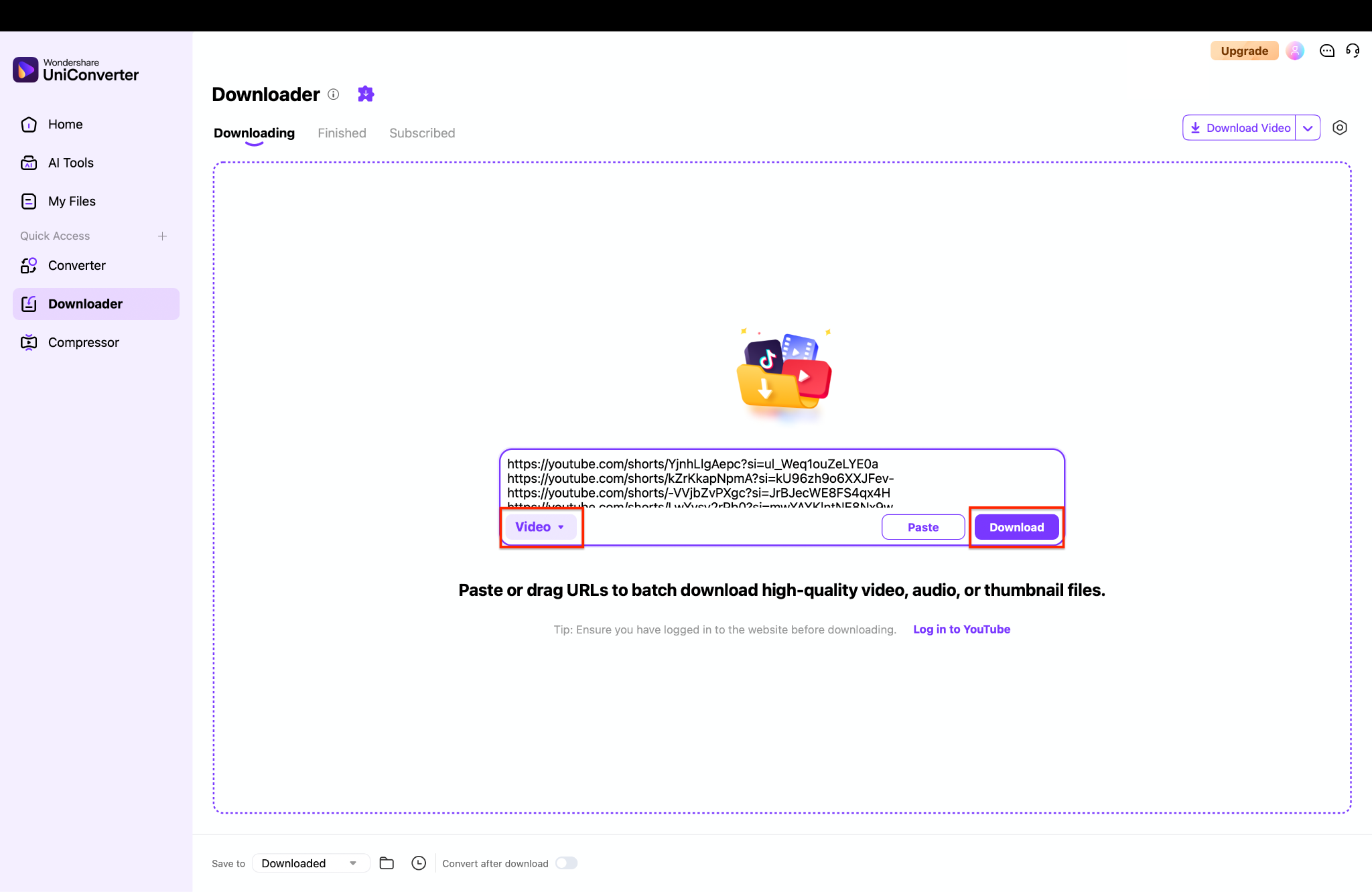
Step4 Input URLs and Execute the Download
Paste your copied video link right into the big center box. Make sure you select "Video" from the small menu on the left side. Finally, click the purple "Download" button to save the file safely to your computer drive.
Y2Down vs Alternative: Quick Comparison Table
Choosing the correct media tool is much easier when you review the facts. You can compare the core differences in the table provided below.
| Feature | Y2Down | Desktop Alternative |
| Ads | Yes | No |
| Batch Download | No | Yes |
| Safety Control | Low | High |
| Format Options | Limited | Multiple |
| Stability | Unstable domains | Stable software |
Final Verdict
Our detailed Y2Down review alternative analysis provides a very clear picture of the situation. The Y2Down YouTube downloader works adequately for a quick, one-off file conversion. However, it carries significant safety risks, annoying ads, and frequent site crashes. You must navigate the platform extremely carefully if you choose to use it. A dedicated desktop alternative offers much more control, enhanced privacy, and daily reliability.
If you want a secure and professional workflow, you can try UniConverter. It is specifically designed to process your media safely without any intrusive ads. You can protect your computer system and enjoy a much better media experience today.

