


You often come across an Instagram Story that looks too good to lose in twenty-four hours. Maybe it is a travel clip you want to save as reference, a creator's edit you want to learn from, or your own Story that deserves a permanent place in your gallery. A high-resolution backup lets you reuse it for reels, reposts, and montages without losing clarity, which is why an Instagram Story downloader 4K becomes so useful. When you save in 4K, every frame stays crisp even on larger screens, which makes it ideal for archiving or creative work.
Quick Ways to Download Instagram Stories in 4K
Quick Guide: Best 4K Instagram Story Downloader by Use Case
Before we discuss different methods and guide you on how to download Instagram stories in 4K, here's a quick summary that would help you understand the quality options and use cases for using different methods:
| Method | Device | Quality Options | Watermark | Ideal For |
| Desktop Software (Wondershare UniConverter) | PC/ Mac | Full quality control, including True 4K, HEVC, and bitrate tweaks | No | Beginners, Creators, editors, or anyone who needs stable 4K downloads and batch processing |
| Online Downloader (StorySaver) | Mobile browser | Saves in the highest available quality (no manual 4K control) | No | Fast, simple downloads without installing an app |
| Mobile Browser Tool (SaveClip.app) | iPhone/ Android | Full HD to the highest available quality (depends on upload) | No | Quick saves on mobile with just a URL paste |

Best Instagram Story Downloader 4K
In this article
- Part 1: What Is an Instagram Story Downloader 4K and How Does It Work?
- Part 2: Why Download Instagram Stories in 4K HD Quality?
- Part 3. Desktop Solutions for Saving Instagram Stories in 4K (PC / Mac)
- Part 4: How to Download Instagram Stories Online in 4K (No Watermark)?
- Part 5: Download Instagram Stories and Highlights in 4K on Mobile (iPhone / Android)
- Part 6: Anonymous and Private Story Downloads - What's Allowed and What's Not
- FAQs About Downloading Instagram Stories in High Quality
Part 1: What Is an Instagram Story Downloader 4K and How Does It Work?
An Instagram Story downloader 4K is a tool that helps you save Stories in ultra-high quality straight from a public profile's link. When you paste a Story URL, an IG Story downloader 4K reads the page, locates the media file, and fetches the highest-resolution version available. It eliminates the need for screen recording while preserving the original clarity.
The most common formats that are currently supported by Instagram stories and respective downloaders are:
- Video Stories: These include vertical clips up to 15 seconds each. A downloader extracts the MP4 source file and upgrades it to the best available resolution.
- Photo Stories: Static images saved as JPG or PNG. These are pulled directly from Instagram's CDN in the highest served quality.
- Carousel Story Frames: Some creators upload multi-frame Stories. The tool fetches each frame individually in its respective format.
A good IG downloader 4K depends on the quality of the original upload. If the creator posted a blurry or low-resolution Story, the tool cannot magically convert it into true 4K. The downloader simply retrieves the highest-resolution file Instagram provides, so the final result always reflects the source. But if you want to enhance the downloaded Instagram stories, you can use Wondershare UniConverter's built-in AI enhancer models.
Part 2: Why Download Instagram Stories in 4K HD Quality?
When you use an Instagram story saver 4K tool, you preserve every detail of the original upload. A 4K Instagram story download gives you sharper frames, smoother motion, and a clean file you can reuse across platforms without watching the quality fall apart. If you often edit content, repurpose footage, or study creator techniques, high resolution helps you maintain control over your final output. You also avoid pixelation that appears when you upscale low-resolution clips for reels or larger displays.
Some of the most common reasons to save Instagram Stories in 4K HD are:
- Archiving Your Own Stories: When you save your Stories in 4K, you protect moments that might matter later. A higher-quality backup keeps colors accurate, text readable, and small details intact, which helps when you revisit them months or years later.
- Better Marketing and Brand Reuse: If you run campaigns, older Stories often return as references or repurposed clips. A crisp 4K version lets you integrate older footage into new ads, highlights, or reels without making the content look dated or blurry.
- Cleaner Edits for Reels and Long-Form Videos: Editors prefer 4K because it handles transitions, color grading, and cropping without breaking. You get more space to adjust your frame, fix exposure, or add animation without watching the file lose sharpness.
- Professional Clarity on Large Screens: When you showcase content on laptops, projectors, or during client meetings, Ultra HD Stories appear more polished. Text stays clean, faces look natural, and motion remains smooth even on wide displays.
- Higher Flexibility Across Apps: 4K files adapt better when you export them for TikTok, YouTube Shorts, Meta Ads, or even your website. Compression algorithms treat high-resolution sources more kindly, so the final output still looks sharp after conversion.
Since quality varies across resolutions, here is a quick comparison that helps you understand what changes when you jump from 1080p to 4K before you start downloading.
Resolution and Bitrate Comparison:
| Resolution | Approx. Bitrate | Visual Quality |
| 1080p | 8 to 12 Mbps | Good for mobile viewing |
| 2K | 12 to 20 Mbps | Sharper on tablets and mid-size screens |
| 4K | 20 to 45 Mbps | Ultra HD clarity with maximum detail |
Part 3. Desktop Solutions for Saving Instagram Stories in 4K (PC / Mac)
If you prefer working on a computer, a desktop setup gives you more control during an Instagram 4K story download. You can manage multiple files, organize folders, and edit everything on a bigger screen without dealing with mobile limitations. A 4K Instagram story download on PC or Mac is also more stable, especially when you want to save longer clips or Highlights.
Desktop tools often support conversion, compression, and batch handling, which helps when you work with Stories regularly. With a reliable program, you get cleaner downloads and a smoother workflow for archiving or editing in Ultra HD. Some of the most common advantages of using a desktop tool are:
- Handles batch downloads efficiently when you need multiple Stories at once
- Offers a more stable connection compared to mobile browsers
- Supports HEVC 4K file handling for lighter, high-quality video storage
- Gives you a larger screen for reviewing and organizing Story clips
- Allows easier editing, trimming, and color correction after download
- Works better for long Highlights that may lag on mobile tools
- Provides faster processing speeds on powerful PCs and Macs
- Lets you store files directly into structured folders for long-term archiving
One such tool is Wondershare UniConverter, which provides an all-in-one media suite for all of your video-related needs.
Wondershare UniConverter
Wondershare UniConverter works as a complete Instagram story downloader 4K tool for anyone who wants more than just a quick save. Instead of relying on unstable web pages, you get a desktop program that processes Story links in high quality and gives you full control over the output settings. It supports video conversion, compression, and editing, which makes it useful when you want to repurpose Story clips for reels, ads, or long-form content.
(Disclaimer: Our tool is intended for personal use only. Users are solely responsible for using this tool to save videos or audios, including compliance with platform's terms of service and copyright laws and regulations. We are not liable for any consequences resulting from users' violation of any laws or infringement of others' rights.)
Best Instagram Story Downloader 4K
How to Download Instagram Stories in High Quality with UniConverter
Here's how to use UniConverter to download Instagram Stories in 4K:
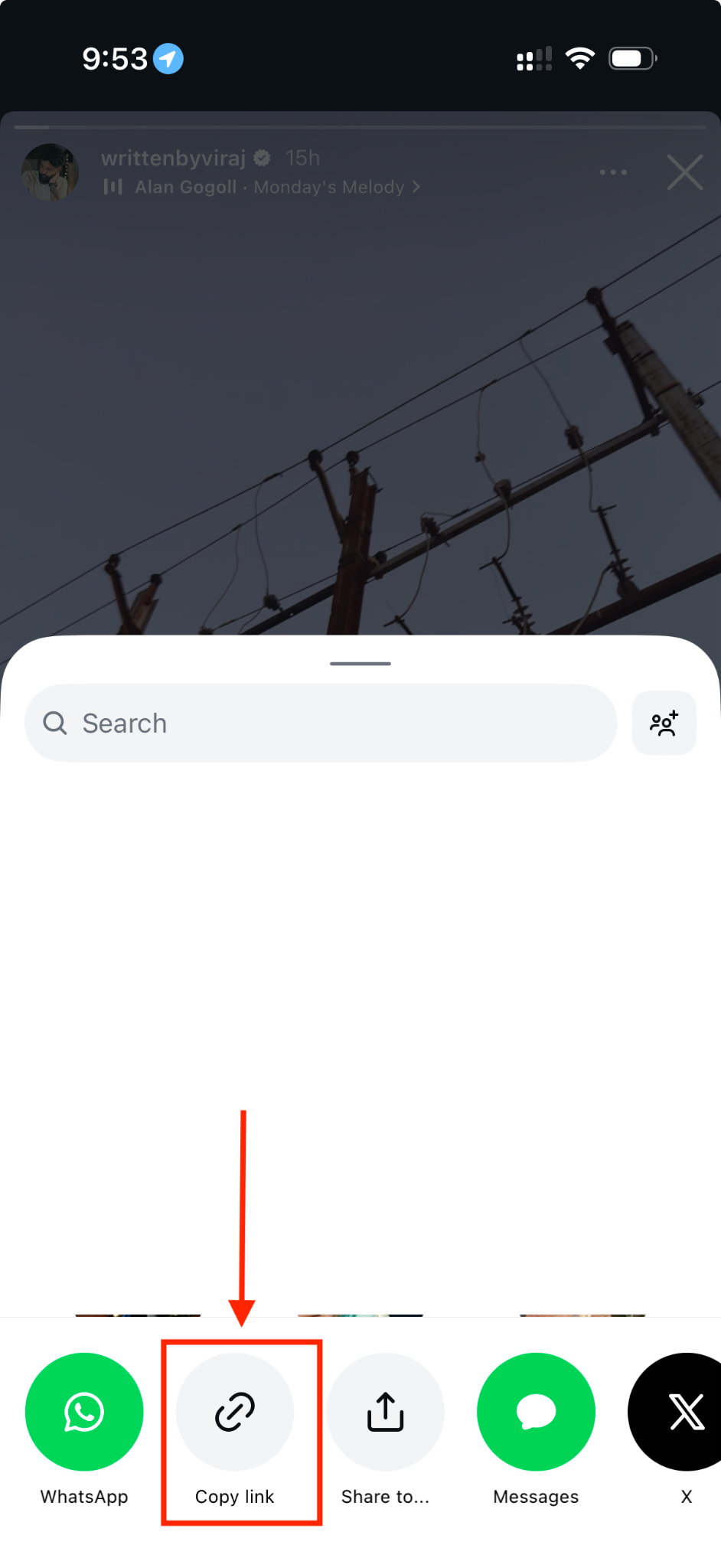
Step 1: Open the Instagram app on your phone, tap the Story you want to save, tap the arrow icon at the bottom right, and copy its link.
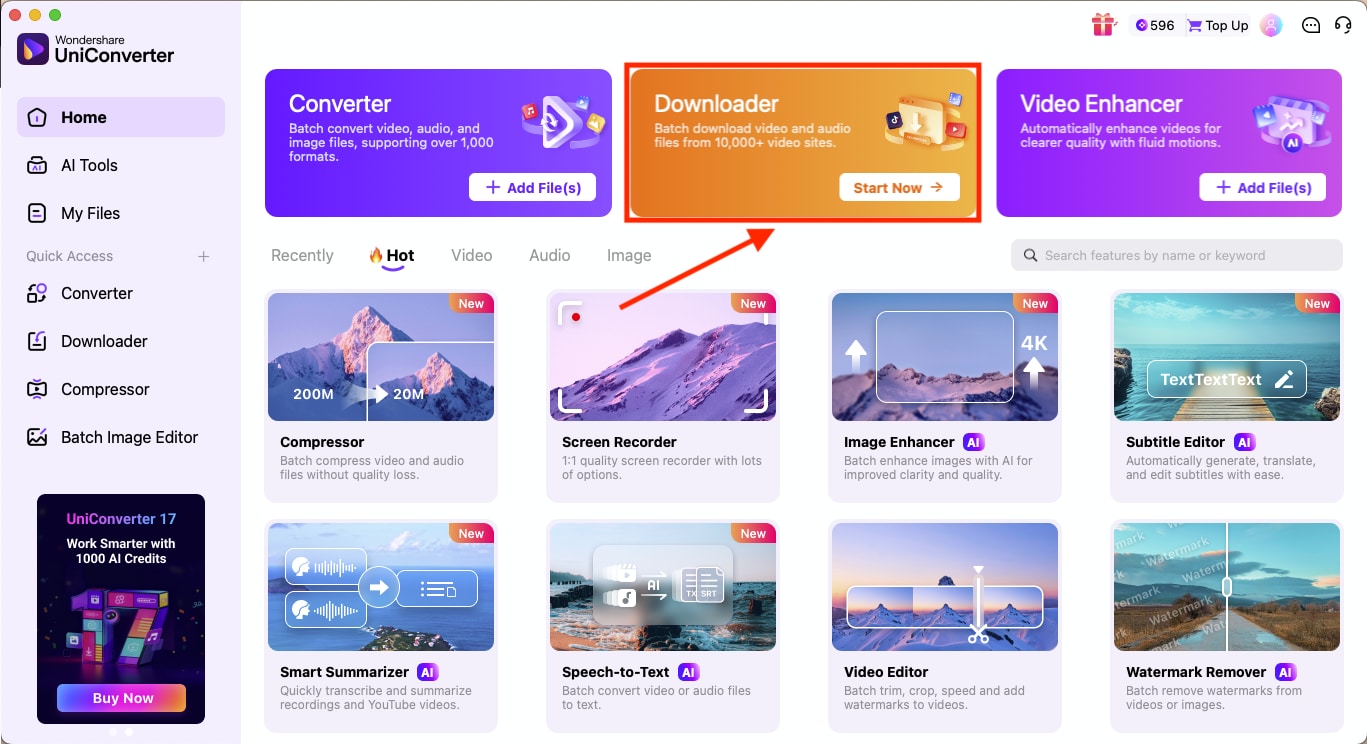
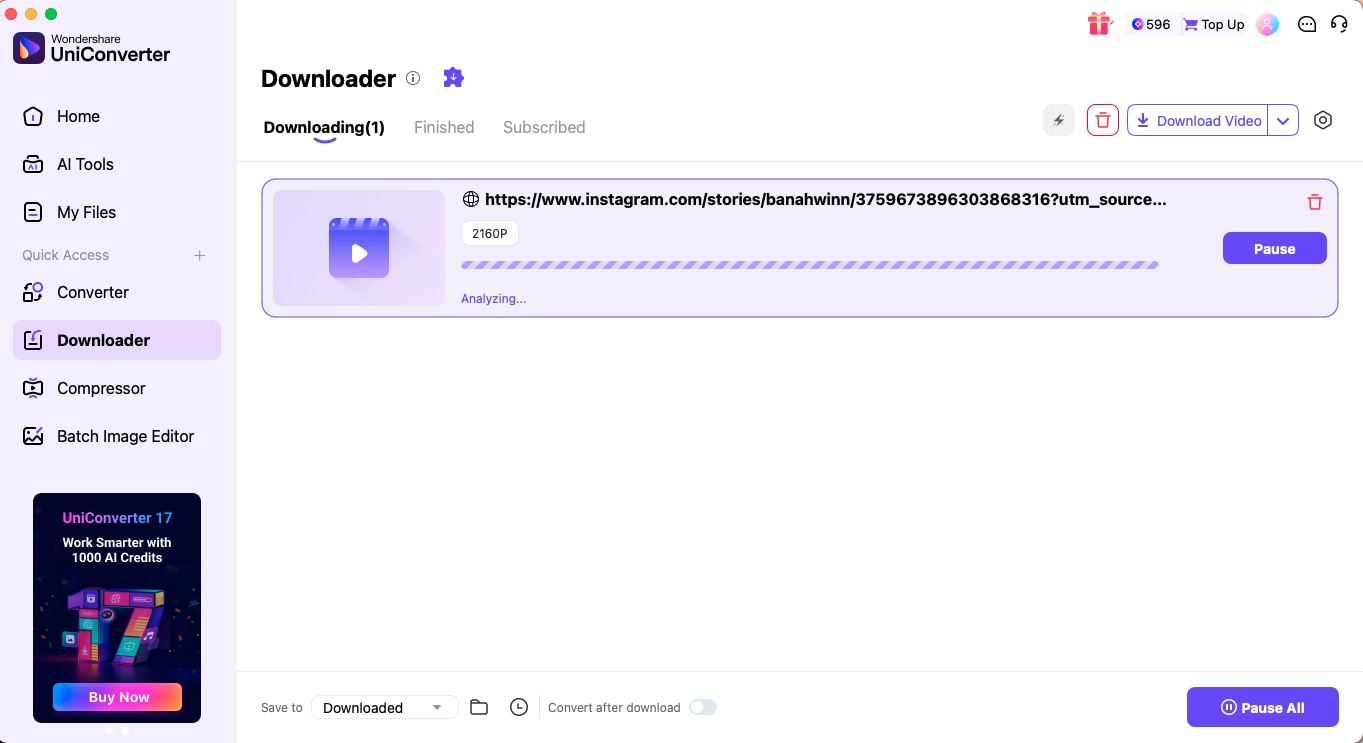
Step 2: Launch UniConverter on your PC or Mac, then click the Download option in the Quick Access section of the left sidebar.
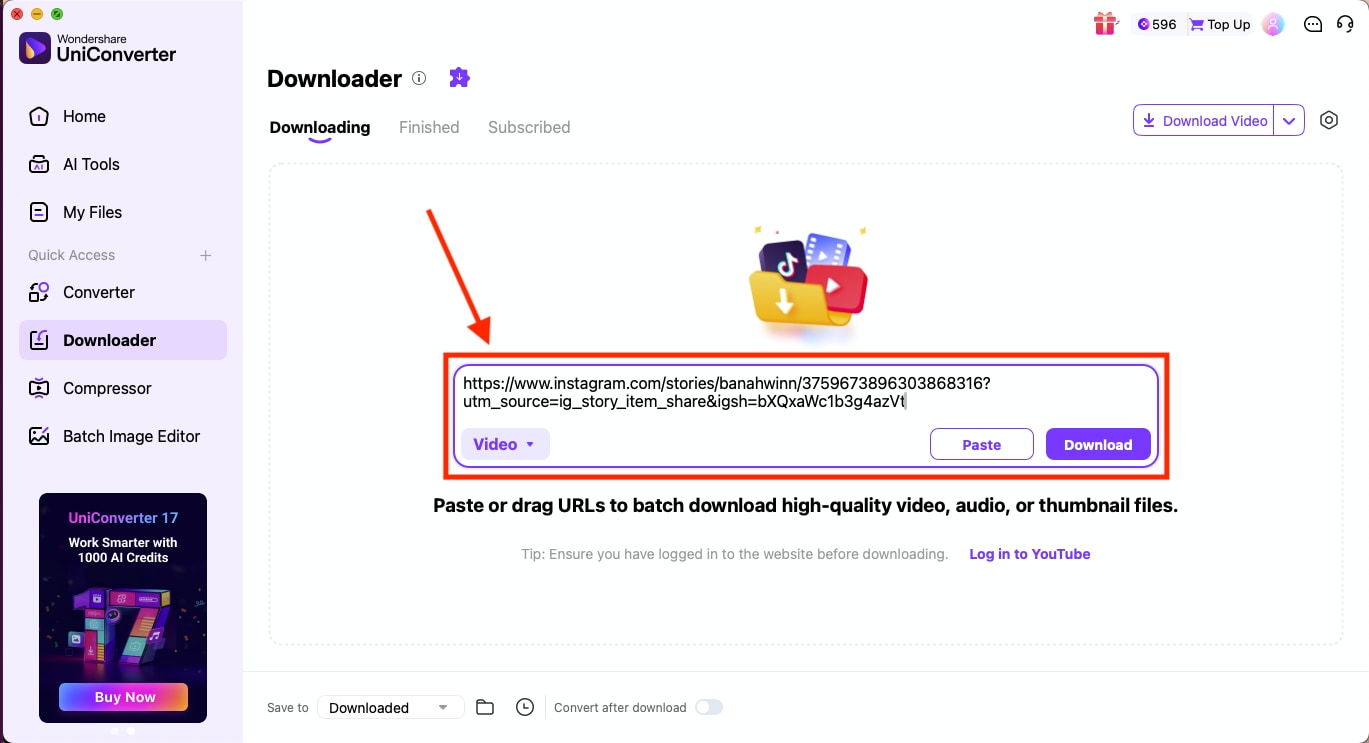
Step 3: Paste the Story link into the input box. Before you start downloading, click the small gear icon in the top-right corner and set the output quality to the highest available format.
Step 4: Click the Download button, and UniConverter will then fetch the Instagram Story and save it in your chosen resolution.


Part 4: How to Download Instagram Stories Online in 4K (No Watermark)?
If you prefer quick access, an online Instagram story downloader with 4K resolution and no watermark lets you save Stories without installing anything.
StorySaver
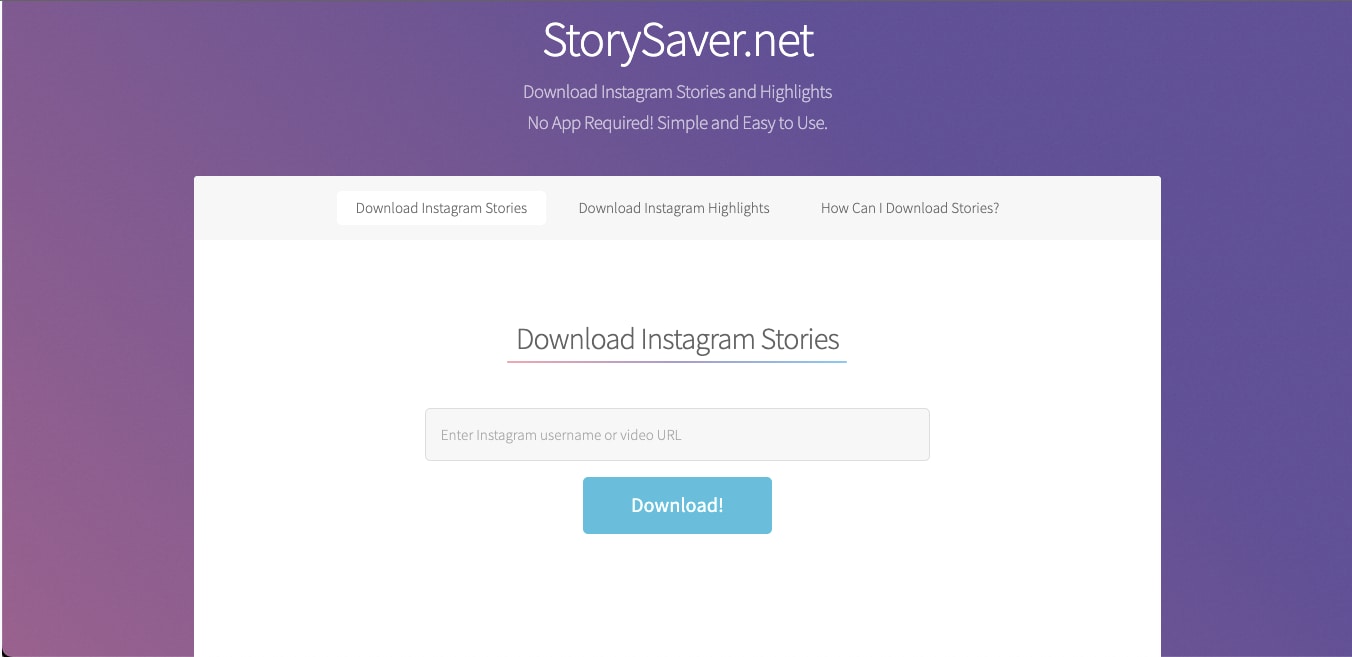
StorySaver is a simple web-based tool that focuses on quick 4K Instagram Story downloads without forcing you to create an account or install heavy software. Paste a link, let the site process it, and save the Story at the highest quality Instagram offers. The interface is lightweight, which makes it convenient when you are on the move or using a shared device. If you want a fast story saver 4K workflow without extra steps, this platform keeps the process clean and easy.
How to Use Instagram Story Downloader 4K Online No Watermark
Here's how you can use an online tool to download Instagram Stories in high quality without any watermarks:
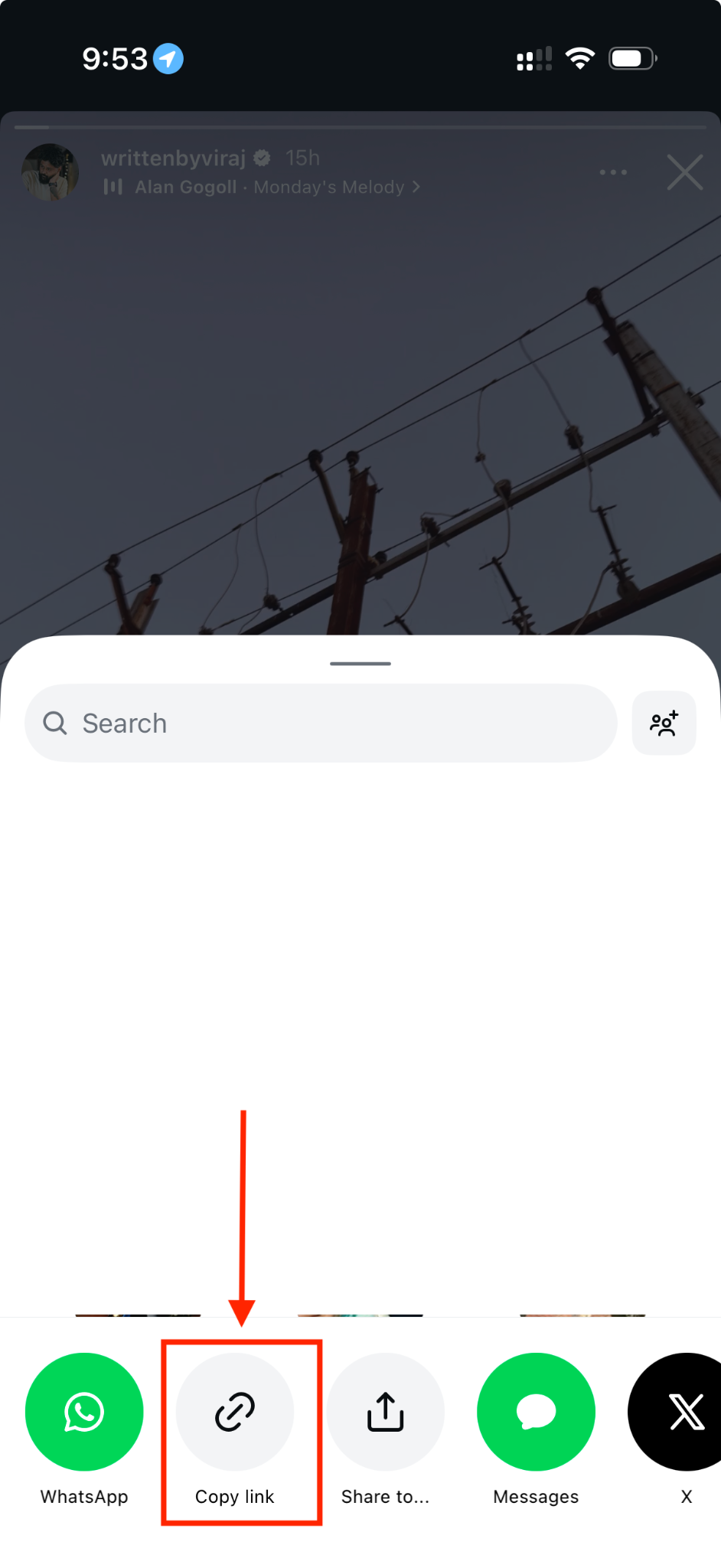
Step 1: Open Instagram on your phone and tap the Story you want to save. Select the arrow icon at the bottom right and choose Copy Link. Instagram only allows link copying from the mobile app, so this step cannot be done on a desktop.
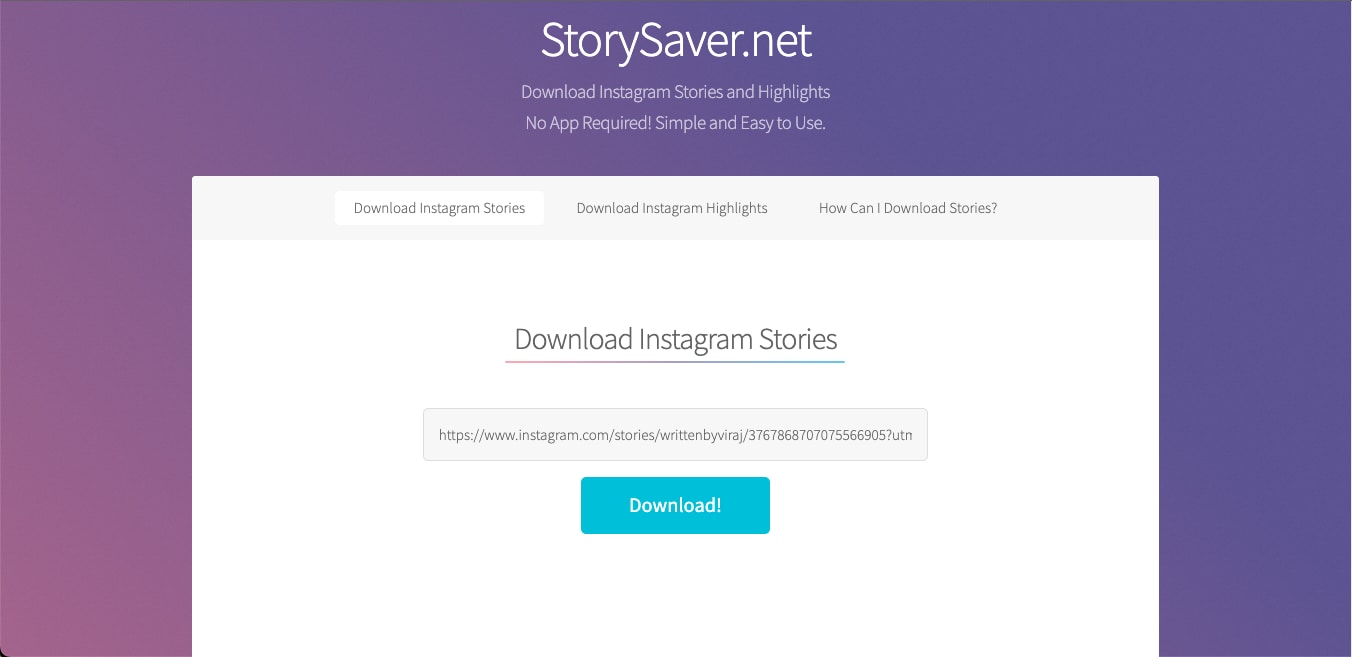
Step 2: Visit StorySaver's official site and paste the copied URL into the input box. Click Download and give it a moment while the tool retrieves the Story.
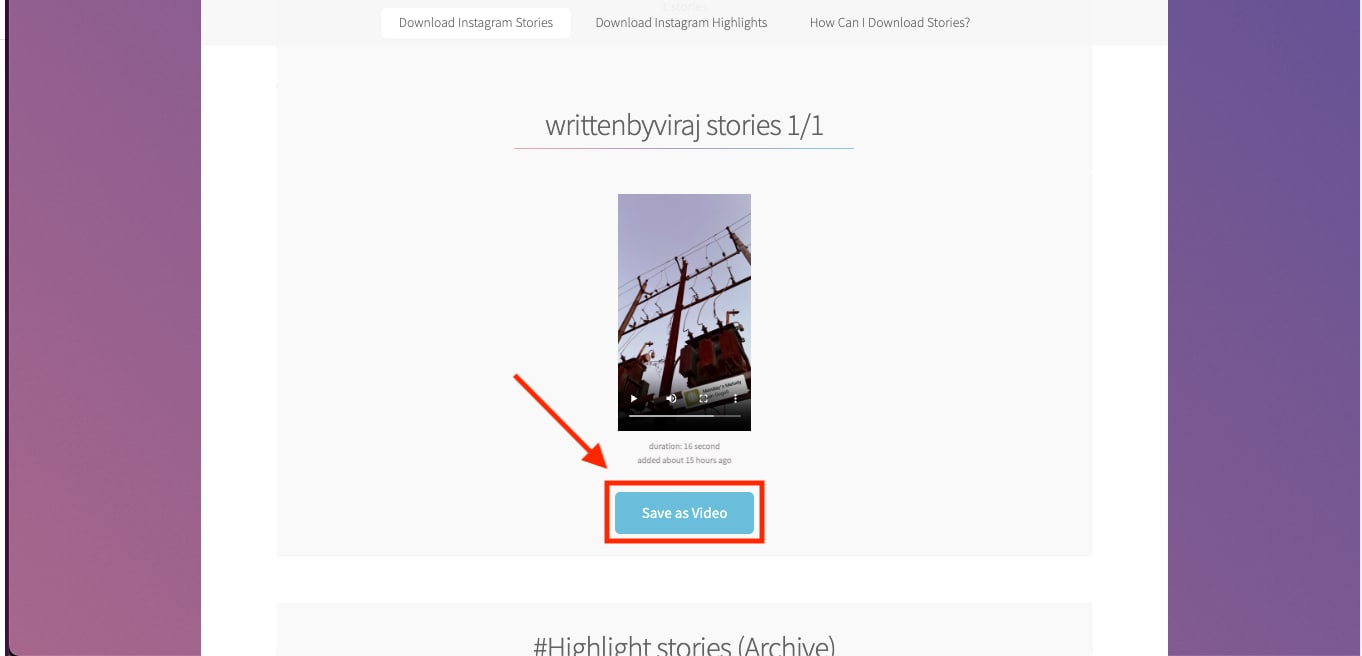
Step 3: When the preview appears, select Download Video. The file will be saved as an MP4 at the same resolution it was originally uploaded in, without any watermark added by the site.
Part 5: Download Instagram Stories and Highlights in 4K on Mobile (iPhone / Android)
If you want the best Instagram story saver in 4K for iPhone and Android, mobile tools offer the most direct and reliable experience. Since you view most Stories on your phone anyway, saving them in ultra HD feels natural and takes only a few taps. Mobile downloaders handle both videos and photos, and many support Highlights alongside regular Stories. You get faster access, fewer browser issues, and a smoother download flow compared to desktop sites. With the right tool, you can keep everything in crisp 4K and manage your saved clips from a single app.
Stories vs Highlights: What You Can Save
| Feature | Stories | Highlights |
| Duration | Visible for 24 hours | Stay on profile permanently |
| Use Case | Quick moments, daily posts | Curated collections, evergreen content |
| 4K Download | Supported through third-party apps | Supported through third-party apps |
| Best For | Fast saving before expiry | Long-term archiving in Ultra HD |
SaveClip.app
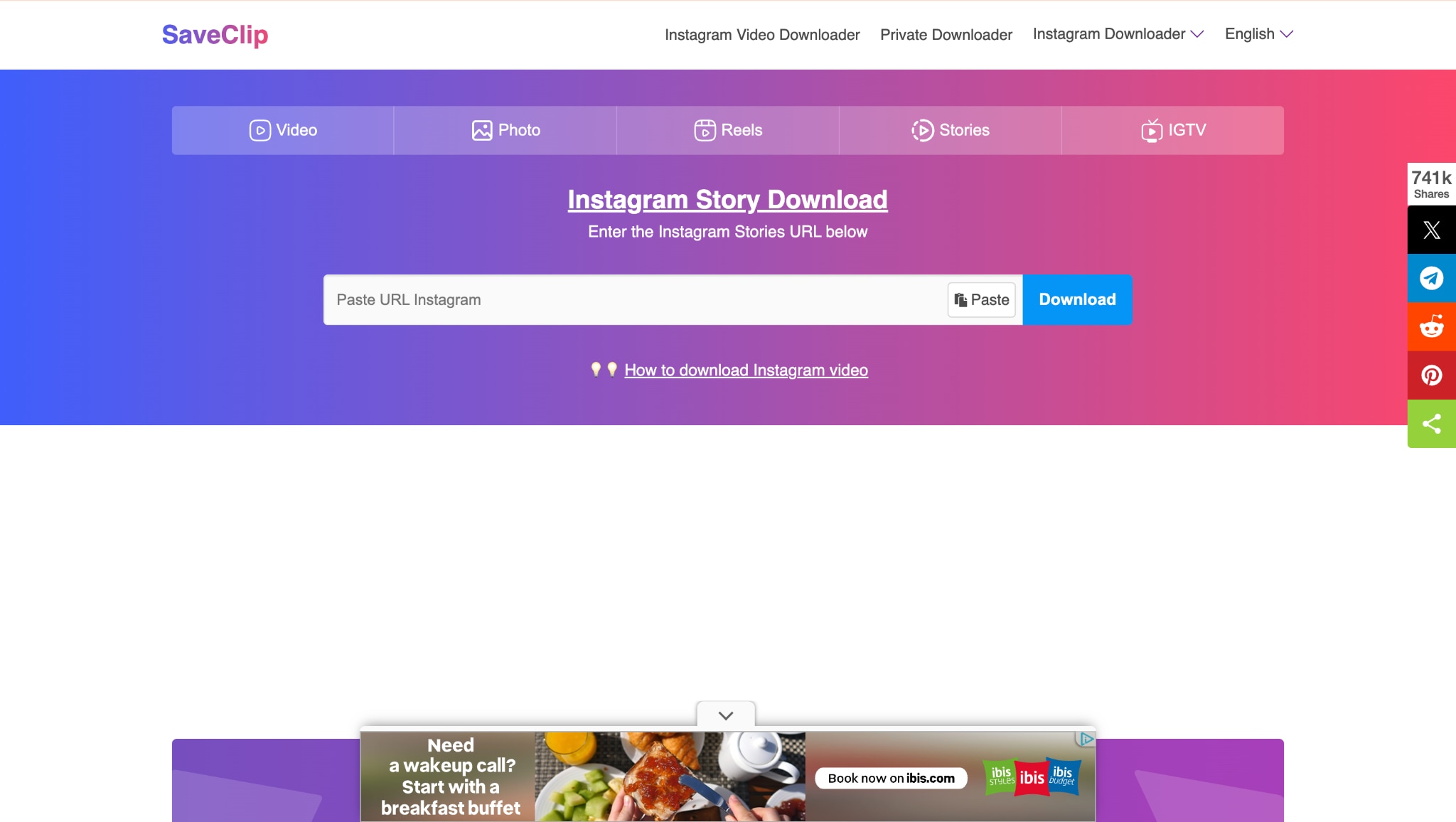
SaveClip.app is a browser-based Instagram downloader that works directly through Safari or Chrome without asking you to install anything. It is built to quickly extract Story links and display the photo or video at the highest quality Instagram provides. Since it runs inside your browser, you can use it on both iPhone and Android with the same simple workflow.
How to Use The Best Instagram Story Saver 4K for iPhone/Android
Here's how to download Instagram Stories on your iPhone or Android phone:
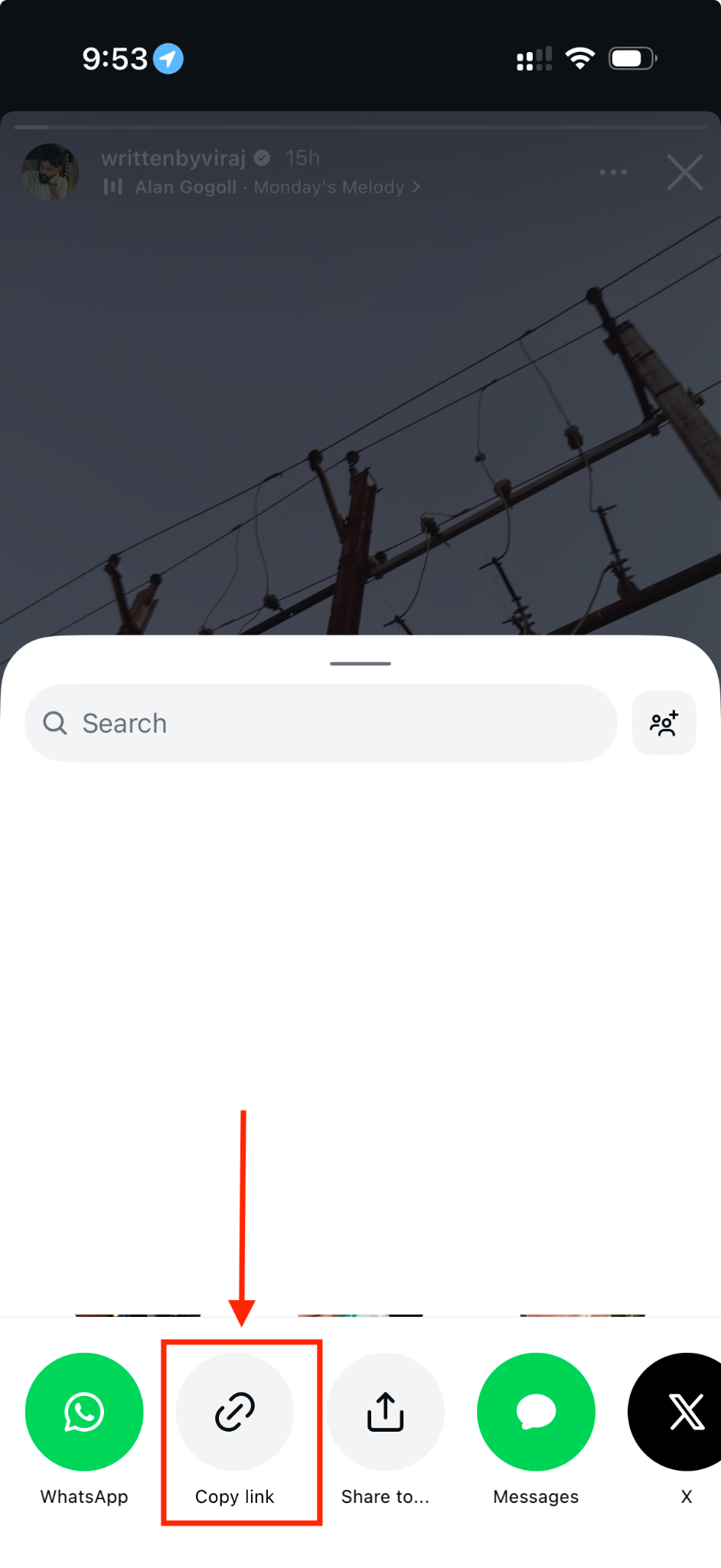
Step 1: Open the Instagram app on your phone, tap the Story you want to save, press the arrow icon on the right, and choose Copy Link. Instagram only lets you copy Story links from the mobile app, so this part must be done on your phone.
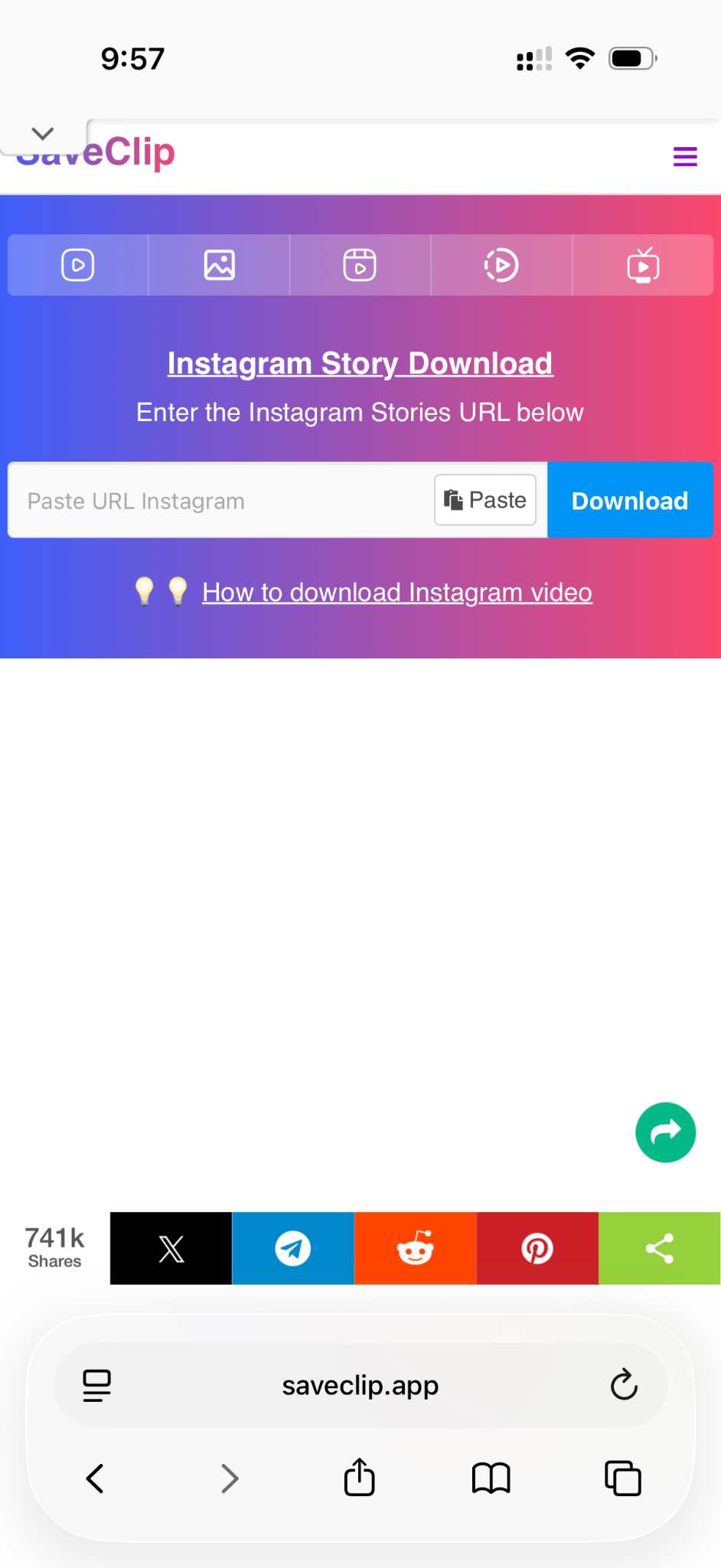
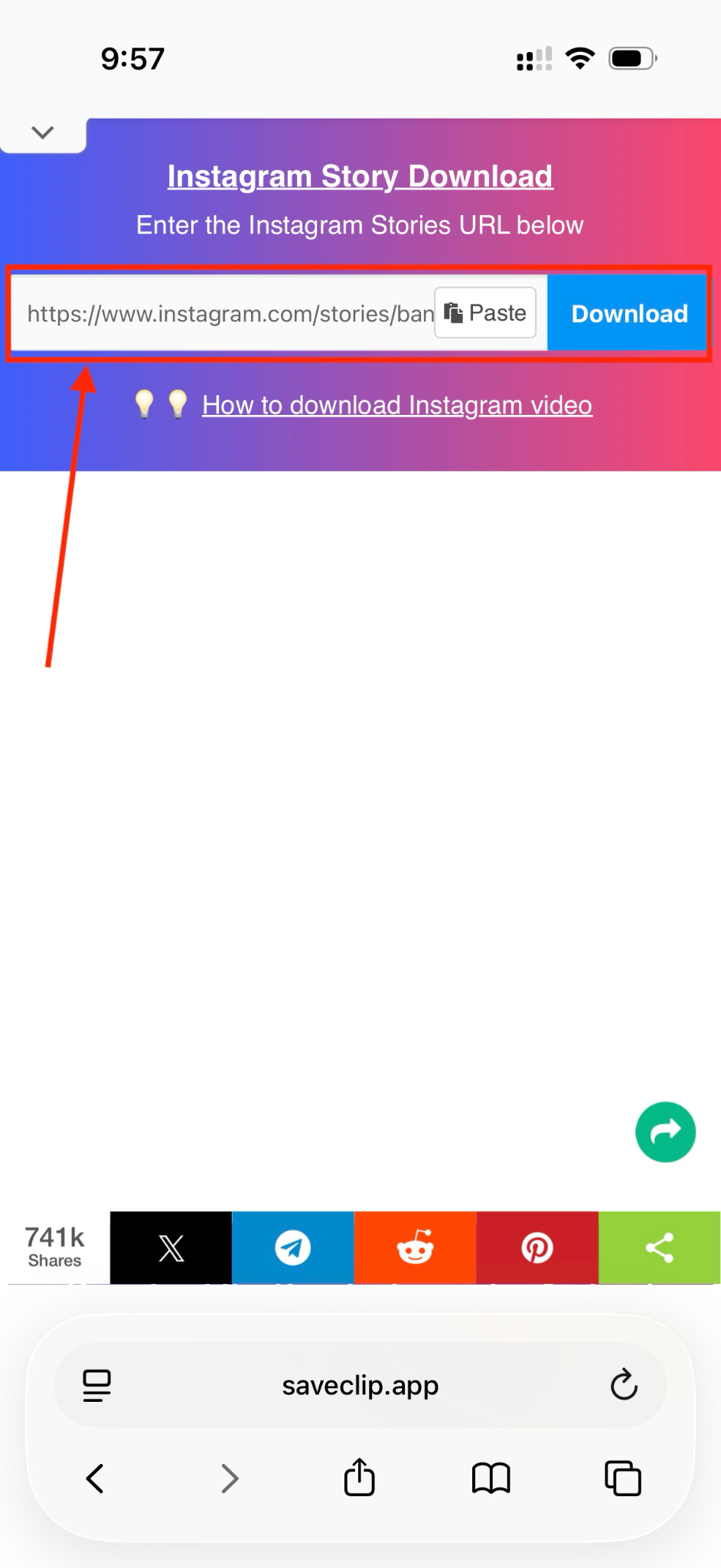
Step 2: Visit the SaveClip.app website in your mobile browser. Paste the copied Story link into the input box and tap Download. The site will take a few seconds to fetch the file.
Step 3: When the preview loads, select Download Photo or Download Video. The file will be saved at the best available quality, with no watermark added by the tool.
How We Tested 4K Instagram Story Downloaders
We rated Story downloaders by output quality, ease of use, speed, watermark results, and reliability.
Video quality
Clear output suitable for reuse.
Download simplicity
Fewer steps and low friction.
Watermark & output
Clean files that are easy to save/share.
Reliability
Stable performance with fewer errors.
We prioritize clarity and real-world saving success.
Part 6: Anonymous and Private Story Downloads - What's Allowed and What's Not
If you are looking for an anonymous Instagram story download method in 4K, it is important to understand what these tools can and cannot do. Most downloaders let you save public Stories without revealing your identity, since the process happens outside Instagram's own app.
Privacy becomes a concern only when someone tries to access restricted content. A safe-use guideline for the private Story downloader 4K is simple: save only the Stories you have permission to access. These tools are designed for convenience, not for bypassing Instagram's security rules. There are a few things that you need to keep in mind when you wish to download a private Instagram Story:
- You remain anonymous when downloading public Stories because you are not viewing them through your Instagram account.
- You cannot legally or ethically download private Stories unless you already have access to them through your own profile.
- Downloaders retrieve content through publicly accessible media links, so private or locked accounts stay protected.
- Use these tools for personal archiving, education, or creative editing, not redistribution or commercial use without consent.
- Respect creators' rights and avoid saving any content that was not intended for public circulation.
FAQs About Downloading Instagram Stories in High Quality
How can I download Instagram Stories in 4K with music?
You need an Instagram story saver 4K tool that can extract both the video and audio from the original link. Copy the Story URL from your Instagram app, paste it into a trusted downloader like Wondershare UniConverter, and select the highest available quality. If the creator uploaded the Story with music, the 4K Instagram story download will include the audio automatically and save it as a clean MP4 file.
Why does the Story quality drop after downloading?
Story quality depends fully on the original upload. If the creator posts a low-resolution clip, no Instagram 4K story download tool can upgrade it to real 4K. Instagram also compresses Stories to reduce file size, which limits clarity. A story saver 4K tool simply retrieves the highest version stored on Instagram's servers, so the final result always reflects the source quality.
Is there a safe Instagram Story downloader 4K without login?
Yes, you can use a safe downloader like Wondershare UniConverter without signing in. It works through public URLs and does not access your account. This makes the process safer than random web tools filled with ads. For a clean 4K Instagram story download experience, stick to trusted desktop programs or verified sites that avoid redirects and pop-ups.
Can I download expired Stories or Highlights in 4K?
Expired Stories cannot be restored unless you posted them yourself and saved them in your archive. Highlights are different because they stay on the profile permanently. You can copy the Highlight link and run it through an Instagram story saver 4K tool to download it in the highest quality available. The clarity depends on how the original upload was created.
How do I save someone's Story anonymously?
An anonymous Instagram story download 4K is possible as long as the Story is public. You paste the URL into a downloader, and the tool retrieves the media without linking the view to your account. You cannot anonymously download private Stories unless you already have access. Anonymity works only for public content, and it should always be used respectfully.
Why can't I get audio in my Story download?
Some songs in Stories come from licensed audio libraries, which Instagram stores separately from the video. This can cause certain StorySaver 4K tools to save only the visual part. In other cases, the creator may have uploaded the Story in mute mode. A desktop tool with better parsing, such as UniConverter, increases your chances of extracting both video and audio into a single file.
Can I download multiple Stories at once in 4K?
Yes, but batch downloads require a desktop program. Online tools handle Stories one at a time, while UniConverter lets you paste several links and run a bulk Instagram 4K story download in a single session. This helps when you want to save full Story sequences or Highlights in consistent quality.
What's the difference between Story and Highlight downloads?
Stories expire after twenty-four hours, so you need to save them quickly. Highlights stay visible permanently, which gives you more time to run a 4K Instagram story download. The download method is the same, but Highlights may include older clips uploaded at lower resolution. A story saver 4K tool retrieves them at the highest available quality, but it cannot improve the original file.
Conclusion
With the right Instagram Story downloader 4K tool, you can save any public Story in crisp, ultra HD quality without losing details. You now know how to use online tools, mobile apps, and desktop programs to create clean backups, repurpose clips, and archive highlights for future use. A story saver 4K method works best when you follow safe practices, respect privacy, and download only the content you are allowed to access.
If you want the smoothest experience and the highest-quality files, try Wondershare UniConverter to download and save Instagram Stories in true 4K with one click.

