

Have you ever missed an Instagram live or wished you could watch someone’s live one more time? Since Instagram Live broadcasts disappear immediately after they end, the only way to rewatch them is to save the recording. That’s why many of you ask: how to save an Instagram Live video?
This article outlines methods you can follow for Instagram Live video download for future reference. Follow through the methods and never miss your favorite live Instagram moments again.

Top Live Video Downloader
In this article
- Part 1: How Can I Save a Live Video from Instagram [Official Ways in 2026]
- Part 2: What’s Allowed and What’s Restricted When Saving Instagram Live Videos
- Part 3: Legal Compliance to Download Instagram Live Videos in 2026
- Part 4: How to Save an IG Live Video Using Third-Party Tools
- Part 5: Safer Alternatives to Downloading Instagram Live Videos
- FAQs about Downloading Instagram Live
Part 1: How Can I Save a Live Video from Instagram [Official Ways in 2026]
Method 1: Save the Instagram Live Video Immediately After Ending the Live
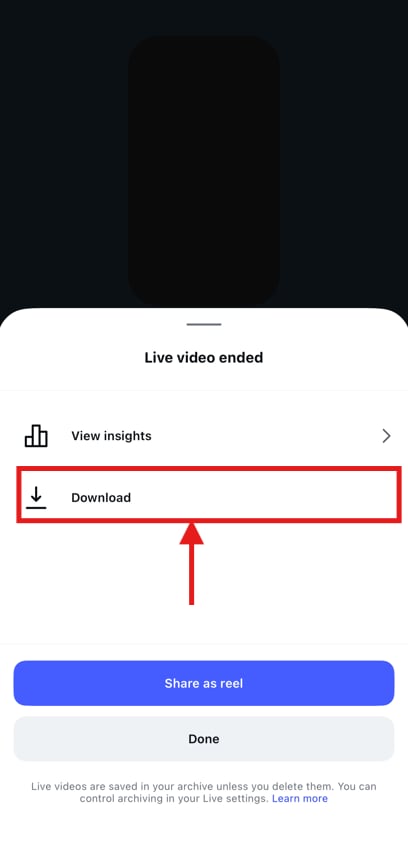
If you’re the host, you can save the Instagram Live video immediately after it ends. When you end the live stream, click “Download” to save the video to your camera roll. However, this method saves only the video itself and does not include reactions or live interactions.
Method 2: Download an Instagram Live Video from the Instagram Archive
Instagram saves your live streams in the archive for 30 days, from where you can download and share them later. However, this works only if the “Save Live to Archive” option is enabled in your settings. Here’s how to turn it on:
Step 1: Tap the profile picture icon at the bottom-right corner, followed by the three lines at the top-right.
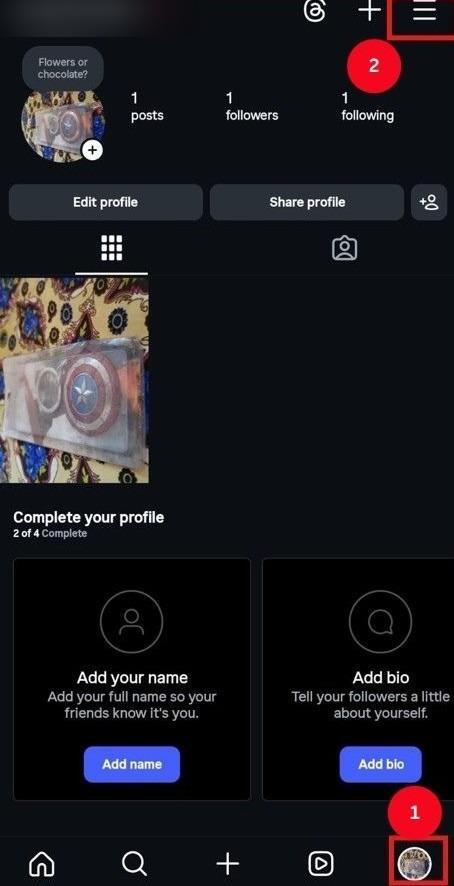
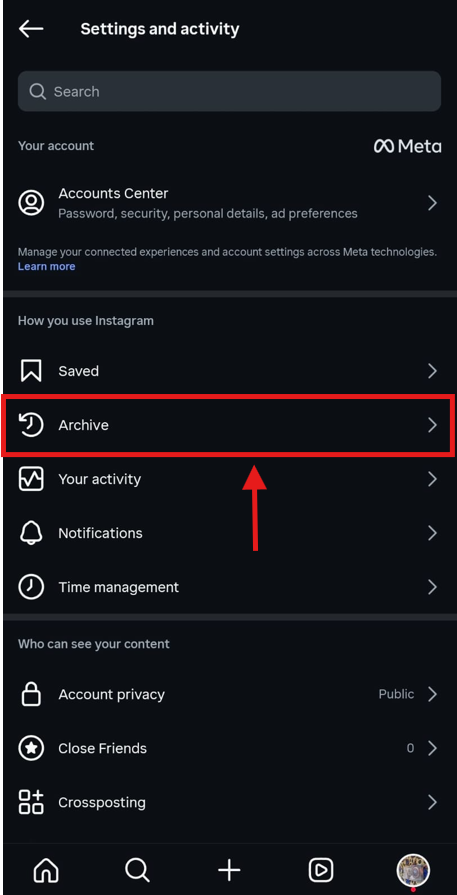
Step 2: From the list of options, click “Archive,” where you’ll find your saved live sessions as they end.
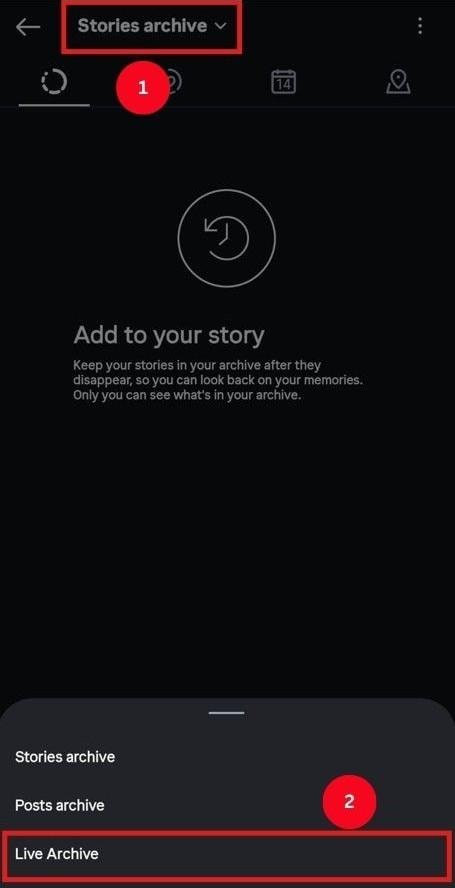
Step 3: On the new window, tap the dropdown menu and select “Live Archive.”
Step 4: Click the three dots at the top right and select “Settings.”
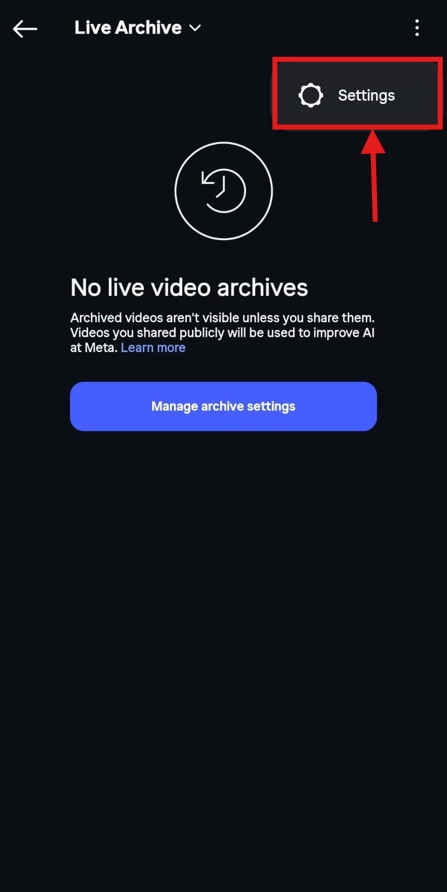
Step 5: Toggle the “Save Live to Archive” option to save your live streams to the archive.
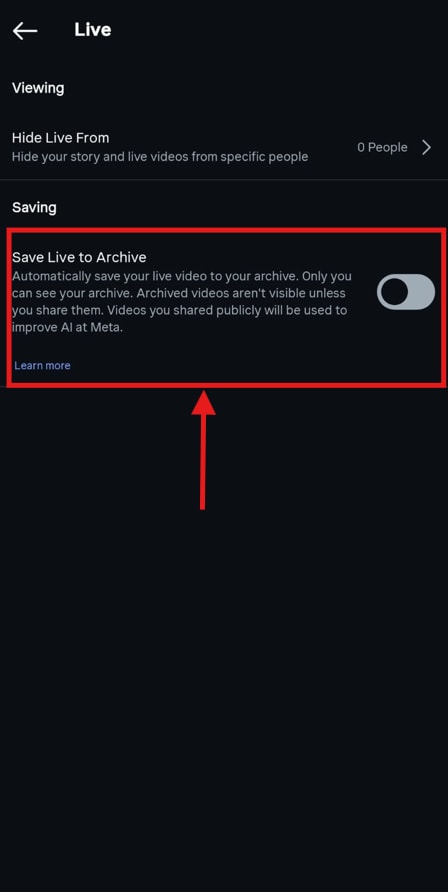
Your Instagram Live videos will now be automatically archived and available for downloading and sharing for 30 days. Access the Instagram Live Archive by following the steps above. Now, to download the videos, follow the steps:
Step 1: Scroll to the live video you want to download and play it.
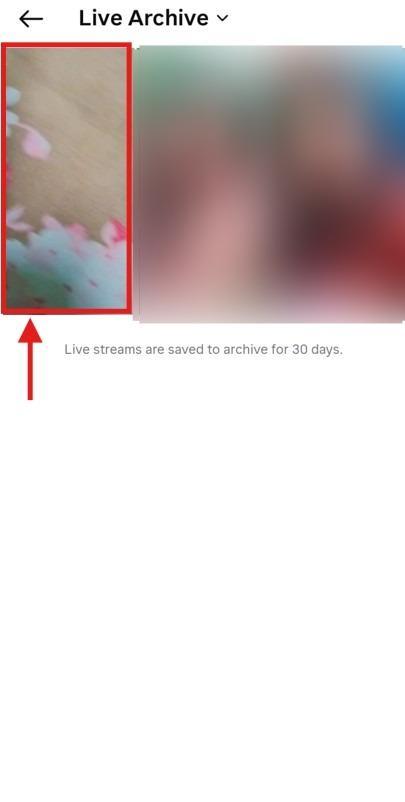
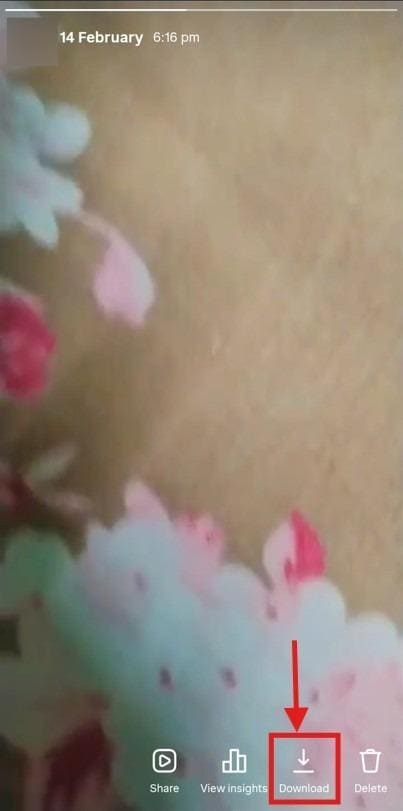
Step 2: Tap “Download” from the options at the bottom to save the live video to your local storage.
Method 3: Save Instagram Live Video as a Replay (If Enabled)
If you have enabled the “Save Live to Archive” option from Instagram settings, you can save the Instagram live video as a replay. Here are the steps:
Step 1: When your live broadcast ends, click on “Share as Reel” to post it to your profile.
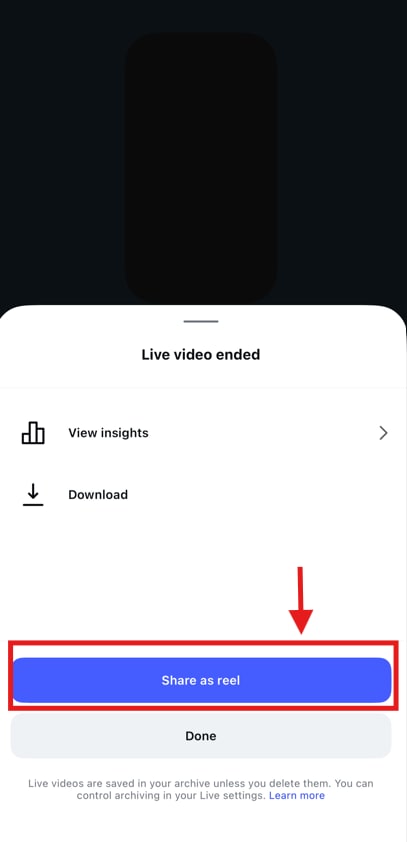
Step 2: Your followers can view the live stream as a video. To download the video, they can click the “Download” option to save the broadcast to their camera roll.
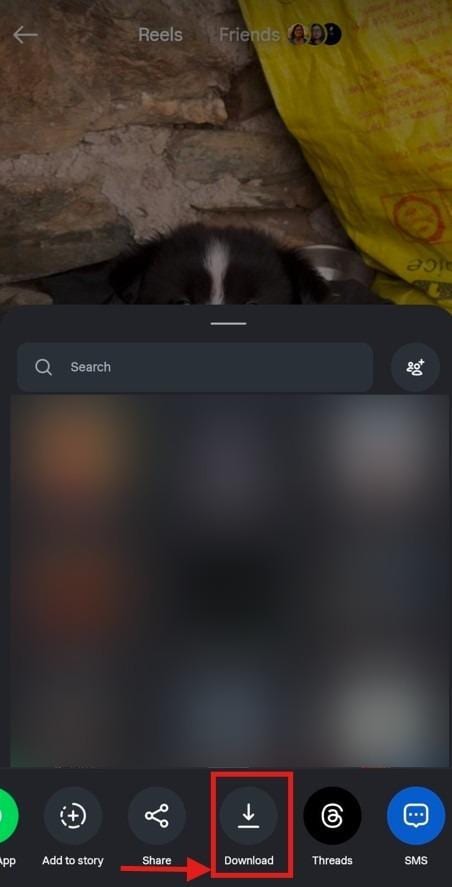
Method 4: Requesting the Live Video Directly from the Creator
Even if the creator has posted the Instagram Live as a reel, it’s only downloadable if they have followed you or set their profile to “Public.” If not, the answer to how I can save a live video from Instagram is to ask the creator directly.
You can send a direct message, politely asking if they plan to save and share the live stream. If not, you can ask them to save the live video to their “Live Archive,” share it to the profile as a reel or video post, and enable the “Download” option.
Part 2: What's Allowed and What's Restricted When Saving Instagram Live Videos
If you’re the broadcaster, saving Live Instagram videos is quite straightforward. However, for viewers, downloads are restricted to protect the creator's content and privacy. As of 2025, Instagram has introduced stricter eligibility requirements for users to go live.
Instagram’s Terms of Use for Live Content: Instagram doesn’t have a native download button for viewers to download the live videos. It’s up to the broadcaster to post the live video and make it available for download to your followers.
Regardless, anyone can use screen-recording software and third-party tools to record others’ live streams.
Copyright, Consent, and Creator Rights: As with any social media platform, Instagram lets you download other creators’ live broadcasts as long as they’ve enabled downloads.
However, as per Instagram’s Terms of Use, you cannot post someone else’s content without their permission. If you do that, it constitutes copyright infringement, and Instagram will suspend or even remove your account.
Public vs. Private Lives: What Changes Legally: When a live stream is broadcast from a public account, it can be viewed by anyone who has access to the platform. Viewers may technically be able to screen record or download it using platform features or third-party tools. By choosing to go live from a public account, the creator makes the stream accessible to the public. However, redistributing, reposting, or commercially exploiting that content without the creator’s permission may still infringe copyright or violate their publicity rights.
At the same time, private lives are limited to approved followers. You can still view, record, or download a live Instagram stream, but sharing it outside the approved group may violate privacy and confidentiality expectations.
Part 3: Legal Compliance to Download Instagram Live Videos in 2026
When looking for answers on how to save a live video from Instagram, keep in mind the legal requirements for downloading and using that content. These include how you use live video and when downloading can violate Instagram policy.
- Personal Use vs. Redistribution: You may download a creator’s live stream at any time via official methods for personal use, such as educational reference, competitor analysis, or archiving. However, re-uploading the live video or generating revenue from it constitutes copyright infringement and can result in account suspension or even a ban.
- Fair Use Scenarios: There are a few use cases for live videos that qualify as fair use. For example, you can use a short, relevant segment of the live video to review, critique, or analyze. Using a live video in a tutorial or educational video is also considered fair use.
- When Download Becomes a Policy Violation: Downloading an IG live video for business, advertising, or financial gain without consent is considered illegal. Moreover, downloading videos from unauthorized third-party websites, especially from private accounts, can violate Instagram’s Terms of Service.
Part 4: How to Save an IG Live Video Using Third-Party Tools
Method 1: How to Download Instagram Live Videos on PC and Mac
Wondershare UniConverter
When you’re looking for an answer on how to save Instagram live videos that creators have shared as reels or lives that are streaming, desktop apps are stable and provide more control compared to online or mobile options. There are many desktop downloaders available, but Wondershare UniConverter stands out for its simple interface, multi-format support, and video enhancement capabilities.
UniConverter also supports higher resolutions up to 4K and can batch-download multiple live streams or replays simultaneously. Since everything runs on your PC or Mac, you avoid random freezes, browser slowdowns, and download errors.
Top Live Video Downloader
Key Features
- Wondershare UniConverter supports video downloads up to 4K quality, and pulls the highest available resolution with steady motion, clear colors, and no glitches.
- You get access to a video editor tool where you can cut, merge, adjust audio, add subtitles, and apply filters.
- UniConverter offers an AI online video enhancer that upscales video quality to 4K.
- UniConverter video compressor also reduces file sizes without compromising detail. It’s helpful to upload or share live videos on platforms with restrictive size limits.
How to Download Instagram Live Videos Using Wondershare UniConverter?
Here’s how to download Instagram live videos using UniConverter in 4K:
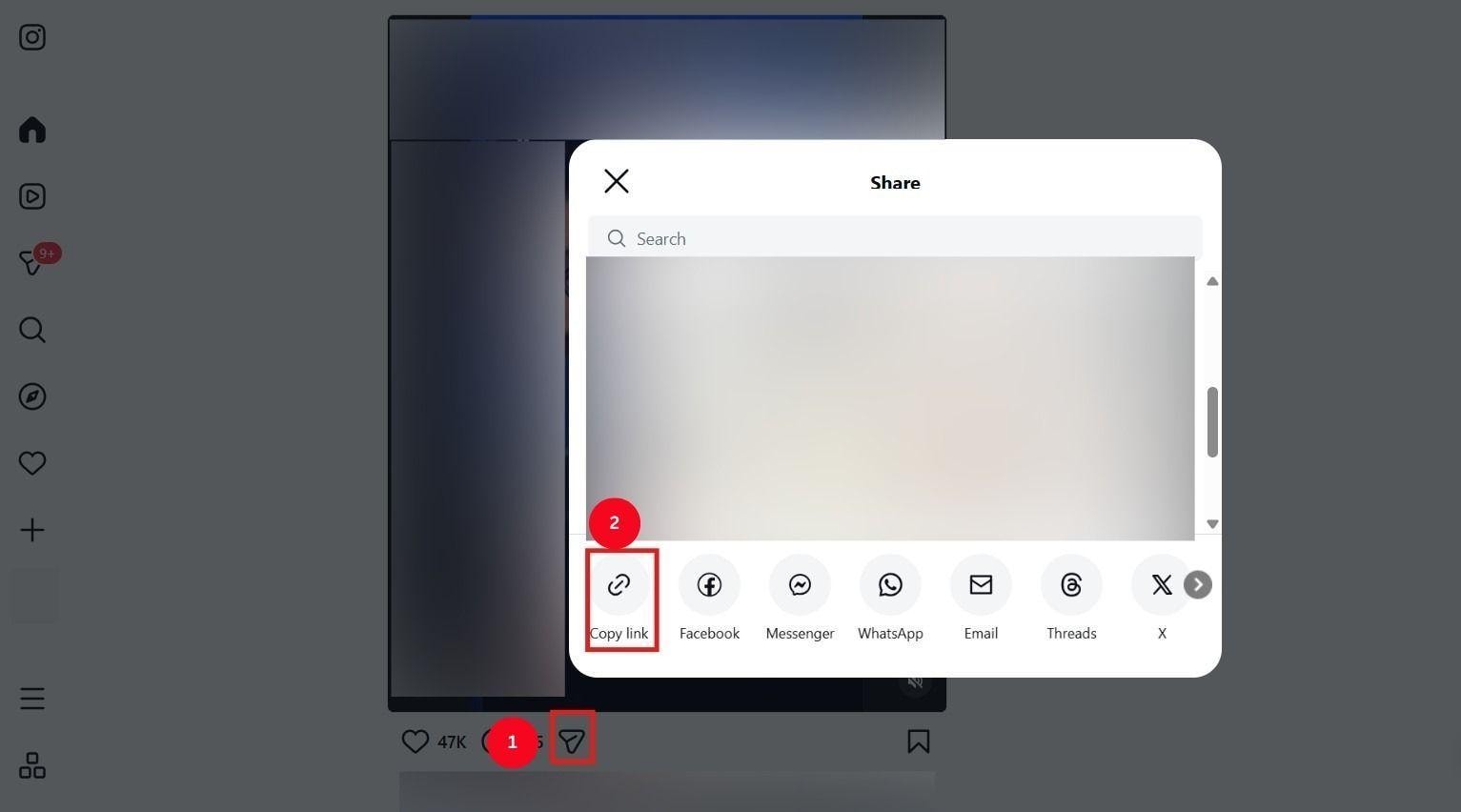
Step 1: Open the Instagram app or website, open the live video you want to download, tap “Share,” then click “Copy Link.”
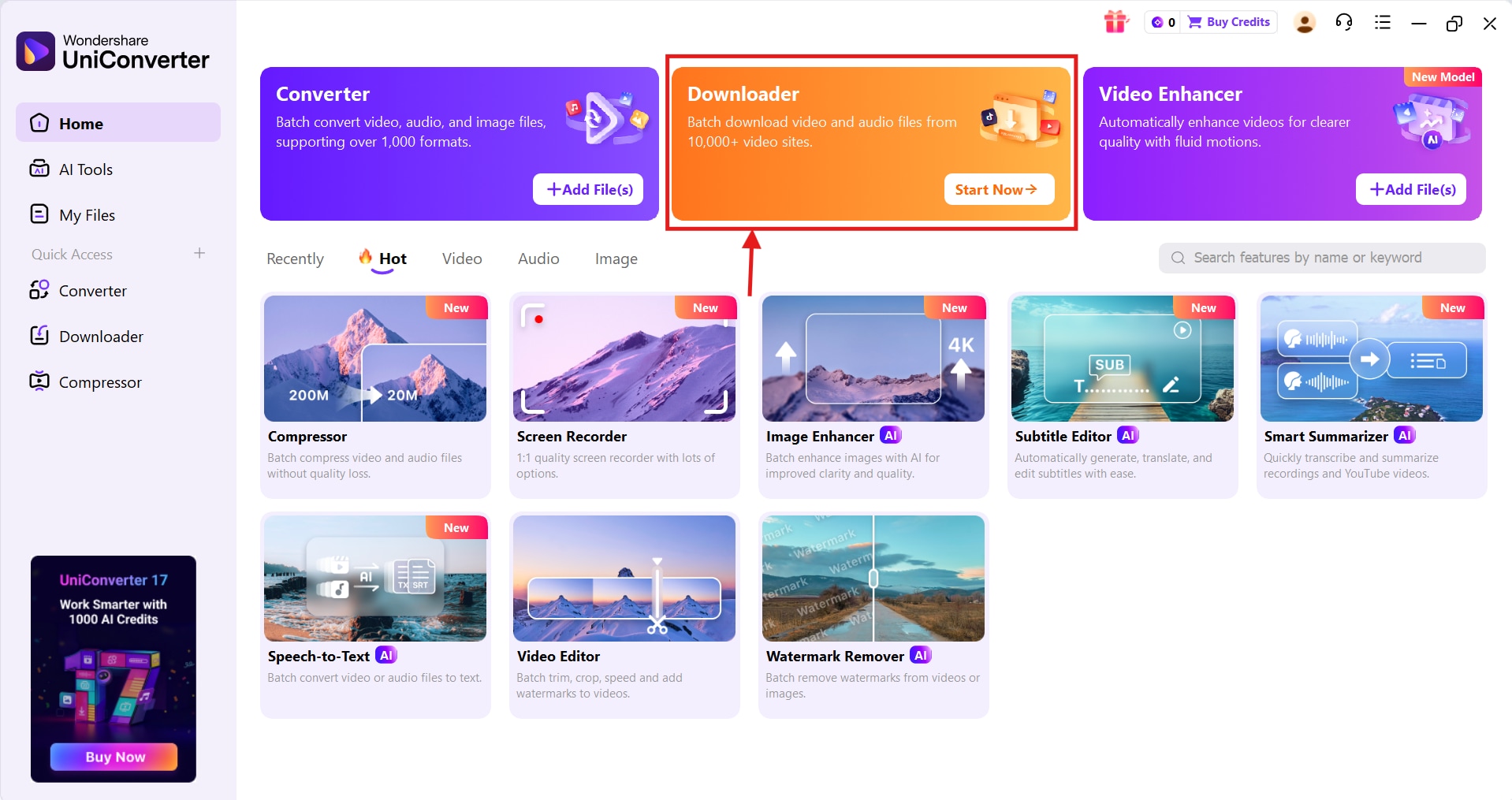
Step 2: Free Download Free Download and Launch UniConverter on your desktop, and click the “Downloader” option at the top of the dashboard.
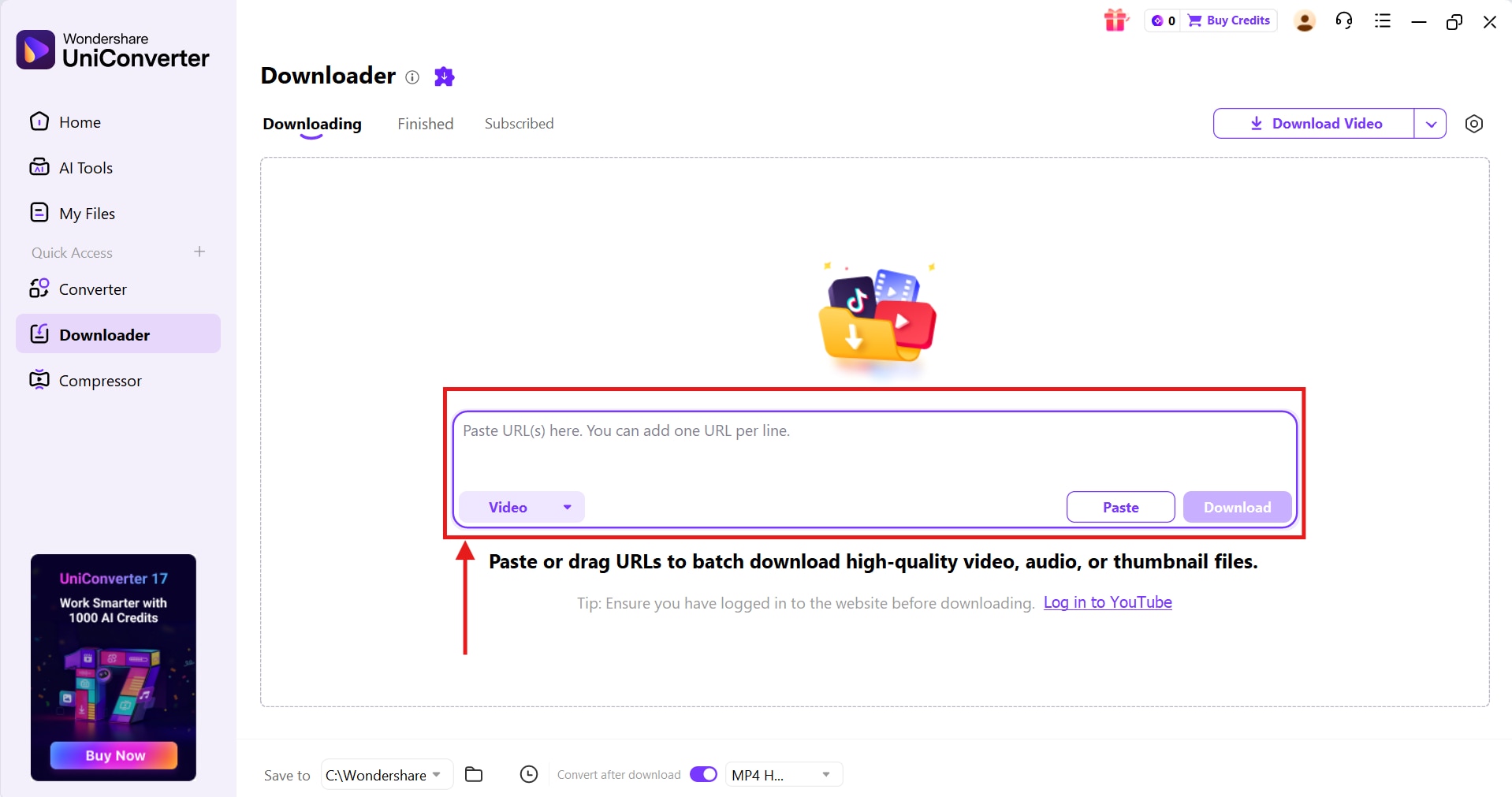
Step 3: In the window that opens, paste the Instagram Live broadcast link, then click the “Download” button.
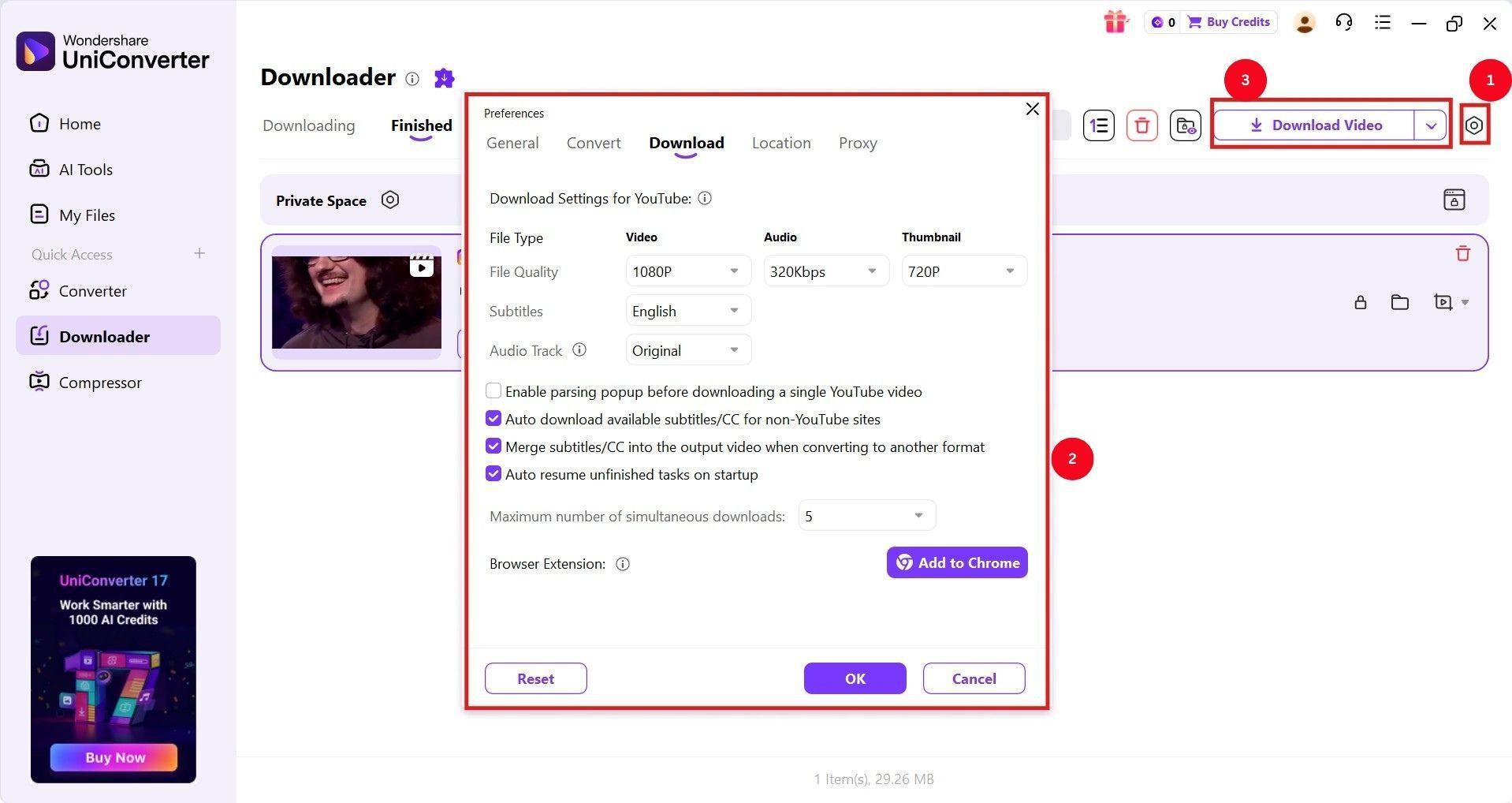
Step 4: As UniConverter processes the video, click the “Gear” icon on the right side to access the “Settings” menu. Here, select your preferred video quality, confirm the changes, and click the “Download” button to download the live streams without any watermark.
Method 2: How to Download Instagram Live Videos Using Online Tools
Snapinsta
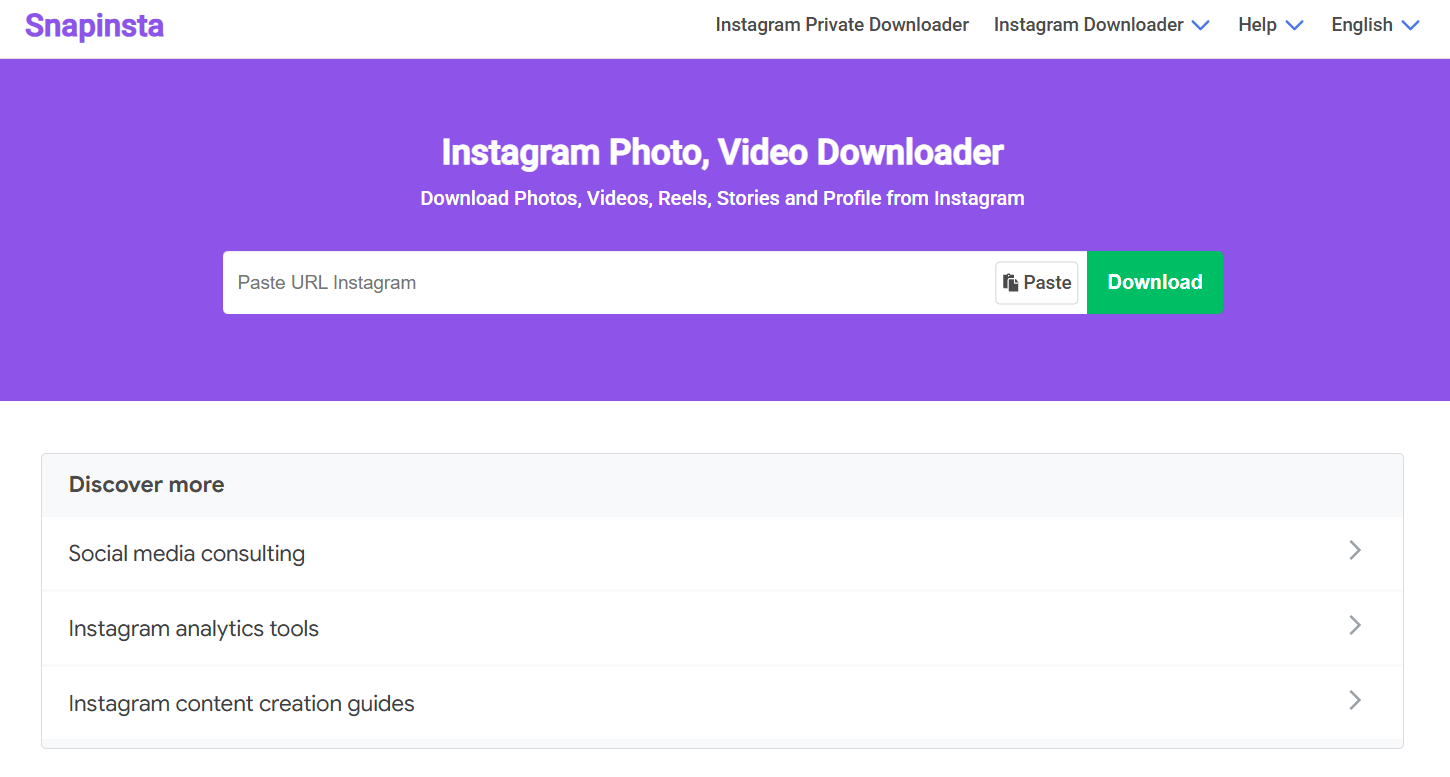
When you want to quickly download Instagram live videos, online tools become the simplest way to start. Online downloaders like Snapinsta don’t require installation, offer a copy-and-paste interface, and provide a watermark-free file for editing and offline viewing.
Snapinsta can also help save Instagram posts and stories without requiring a sign-up. However, keep in mind that Snapinsta can only download live videos that creators have shared as reels. The interface is also filled with pop-up ads, which can often get frustrating.
How to Use Snapinsta to Download Live Instagram Videos:
Here’s how to use Snapinsta to download live Instagram videos:
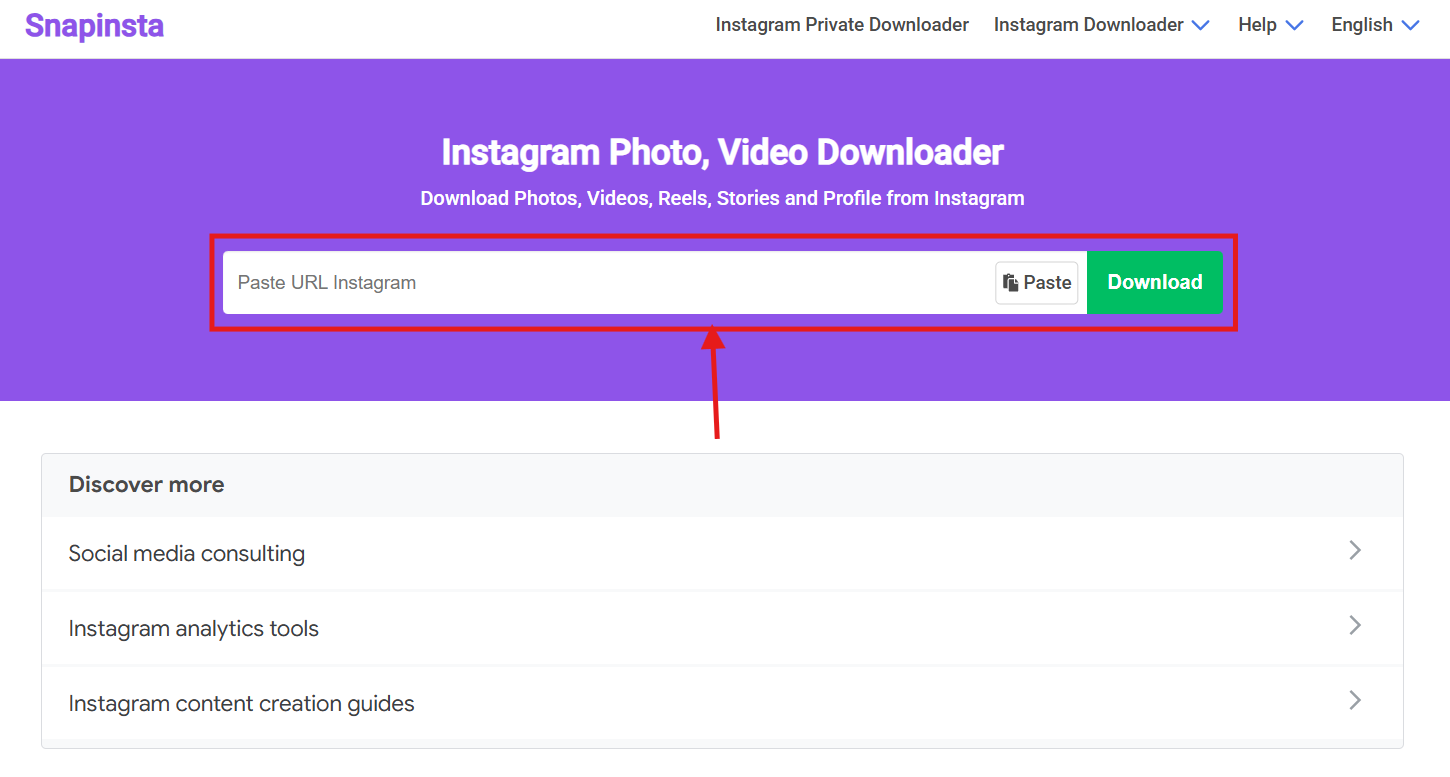
Step 1: Head over to Snapinsta’s official page, paste the Instagram live URL in the blank input space, and click on “Download.”
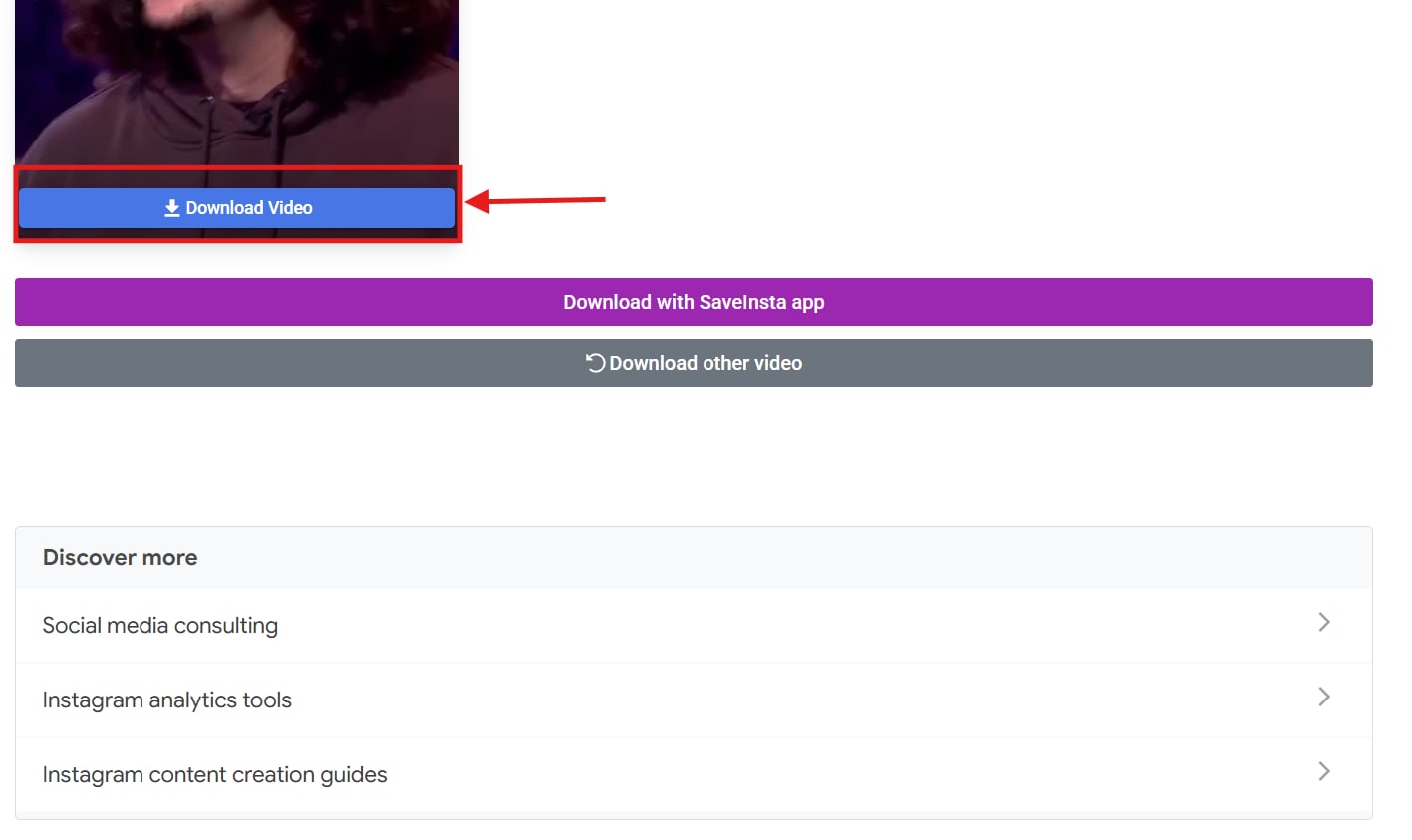
Step 2: Scroll down to find the live video and click “Download Video,” and it will be saved in your local storage.
Method 3: How to Download Instagram Live Videos on Android and iOS
InstSaver: Video Downloader
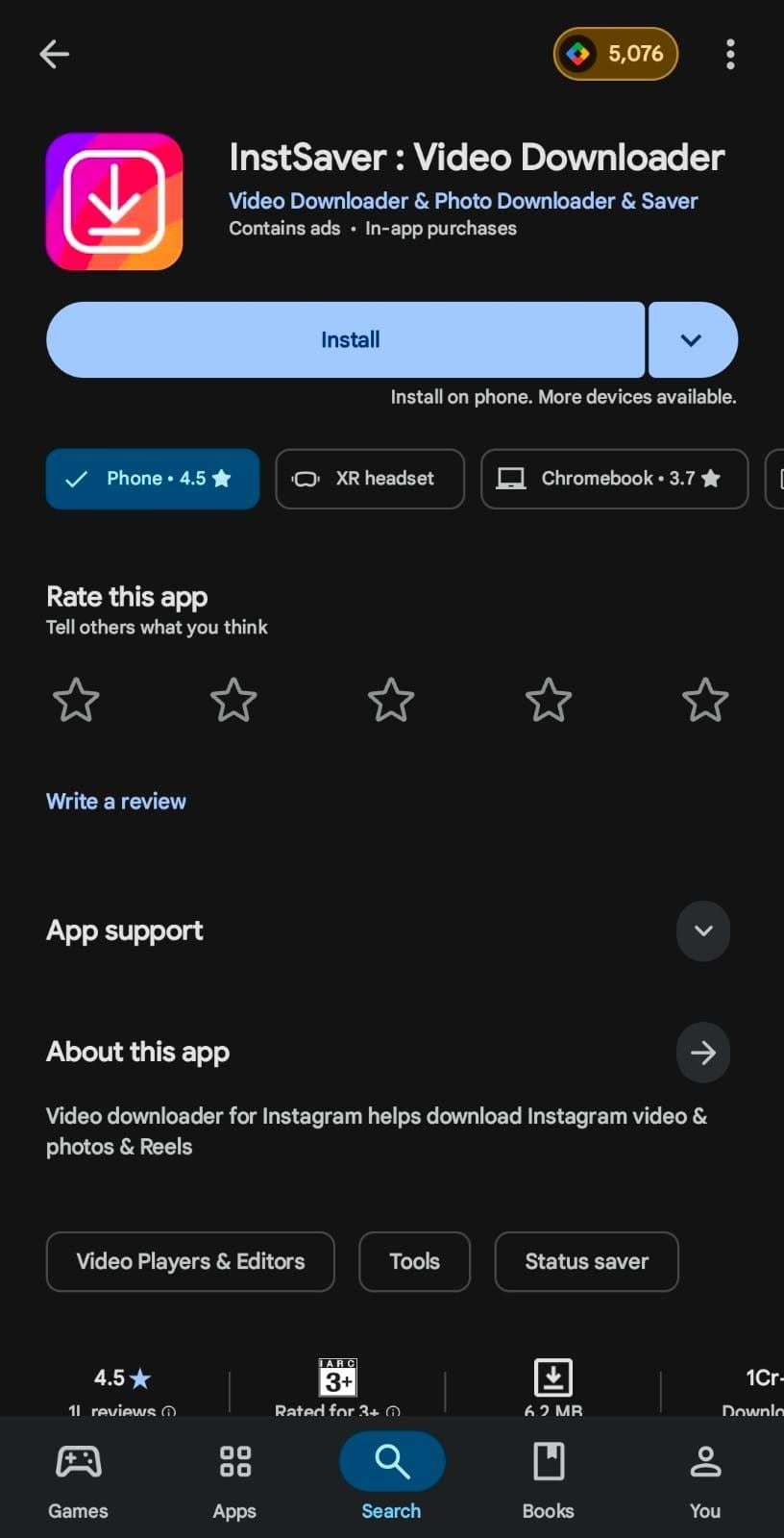
Android and iOS apps make it easy to download Instagram Live videos that are shared as reels, even when you are on the move. Downloaders like InstSaver: Video Downloader are popular and provide high-quality live video downloads. The interface is simple, downloads are quick, and the built-in player lets you play saved videos.
How to Download an Instagram Live Video Using InstSaver: Video Downloader
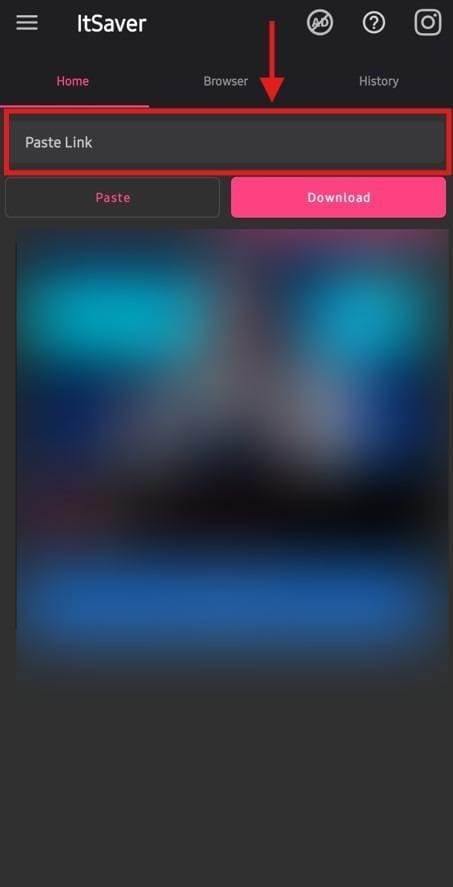
Step 1: Launch InstSaver: Video Downloader on your smartphone, then paste the link to the Instagram live stream into the input box.
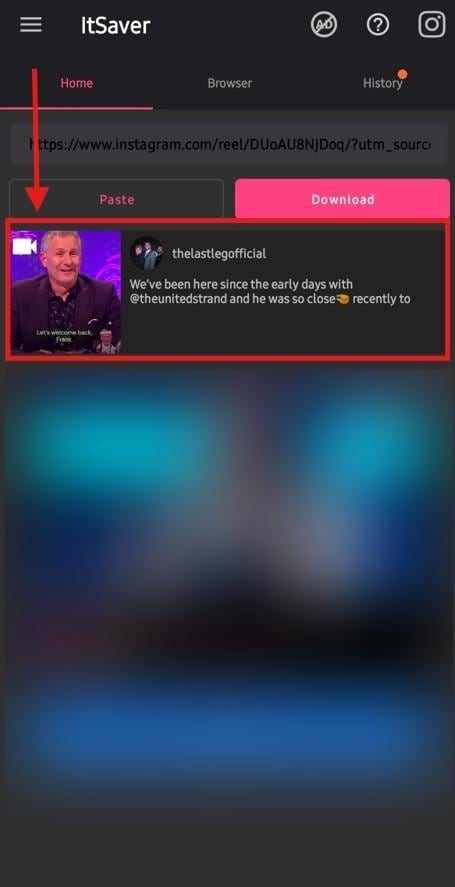
Step 2: InstSaver fetches the live video from Instagram and automatically saves it in your local storage.
Part 5: Safer Alternatives to Downloading Instagram Live Videos
Third-party downloaders can be a reliable way to download Instagram live videos, but they can violate the platform’s terms of service and put your account at risk. If you want to keep your Instagram account safe, here are some safer alternatives:
- Screen Recording with Consent: Obtain permission from the creator to record their entire live session on your device. You can use the built-in screen recorder or a third-party app such as AZ Screen Recorder on Android. Meanwhile, you’ll find the screen record button in the Control Center of your iPhone. Hit the record button before live begins.
- Saving Lives Via Creator Collaboration: Instead of screen recording someone else’s Instagram live or downloading it, you can collaborate with the creator. You can co-host an Instagram Live session, and once the stream ends, you can save it to your local storage.
- Use Instagram Highlights and Clips Instead: Many creators save their live sessions to stories and add them to highlights. This way, the live stream permanently stays on the profile. You can ask the creator to share a specific clip you need instead of downloading the entire live stream.
FAQs about Downloading Instagram Live
Can you save Instagram Lives as reels?
Yes, you can save Instagram Lives as reels. Once your live stream is over, you can select “Share as Reel” directly from the screen or find it later in your Live Archive. The live stream shared as a reel won’t include the original comments, reactions, or likes.
Do Instagram live videos automatically save?
Yes, Instagram Live videos automatically save to your Live Archive only if you turn on the “Save Live to Archive” option. However, Live Archives stores live streams for 30 days, so you need to download them manually before they are permanently deleted.
Can you rewatch an Instagram live?
Yes, you can rewatch an Instagram Live the broadcaster has saved and shared as a reel. After a broadcast ends, creators can share the replay on their profile for 24 hours or in their archives for 30 days.
Where do Instagram Lives get saved?
Instagram Live sessions are saved in the Live Archives but disappear after 30 days. To download the live version, access it, and download it manually to your device.
Conclusion
"How can I save a Live video from Instagram" may sound tricky at first, but it isn’t actually. There are many tools available online, on mobile, and on desktop that make it simple to download an Instagram live stream.
Although mobile and online methods are simple, they may include ads, and downloads can sometimes fail. It’s therefore recommended to use reliable desktop downloaders such as Wondershare UniConverter. The interface is simple and supports batch downloads of streaming live or already-saved live videos (replays).
Use Wondershare UniConverter today and get high-quality Instagram live videos easily!

