


You may already know how powerful Sora is for turning ideas into videos, but actually saving those videos can feel harder than creating them. The download button disappears, the watermark stays stuck on some clips, and batch downloading is still not supported.
This guide solves this problem. You will learn every working method for a reliable Sora video download across the web, desktop, and mobile. You will get official steps, third-party tools, browser extensions, and a last-resort option when nothing else works.
Whether you are using Sora 1 or the newer Sora 2 video downloader workflows, you will find a way that actually works.

Best Sora Video Downloader

In this article
Part 1: Understanding Sora Video Downloads: What You Need to Know
What Is Sora, and Why Download Its Videos?
Sora is OpenAI's text-to-video generator that converts written prompts into full-motion clips with photorealistic visuals, effects, and dynamic movement. The newer Sora 2 model delivers even higher quality with better realism, improved motion consistency, and optional audio sync.
Downloading your outputs matters because you want to use them outside the app, showcase work, or build creative assets you fully control.
Downloading Sora videos lets you reuse clips across edits, presentations, social posts, portfolios, and client work without relying on the app. It also preserves drafts and protects your library in case your feed changes or files disappear.
Sora's Official Download Limitations
You can only download videos you created, and free plans add a visible watermark on exported files. The download button also moves depending on the platform, and users often report that it disappears entirely on mobile or in the Explore feed, which has led to Reddit threads asking where the button went or why sharing stopped working.
Legal and Ethical Considerations
Downloading Sora videos is permitted for your own creations, but using outputs from other creators requires explicit permission and must follow OpenAI's terms of use. Fair use applies only in limited cases, especially for commercial projects, and C2PA watermarking makes attribution visible.
Always verify rights before republishing or editing downloaded Sora content.
Part 2: Best ways to download Sora videos on web, mobile, and desktop in 2026
Method 1: Official Sora App Download (iOS, Android, Web)
The most reliable way to download Sora videos is directly from the official app. Here is the step-by-step guide to downloading a video:
Quick Guide: Best Sora Video Download Method by Use Case
Download on the Web
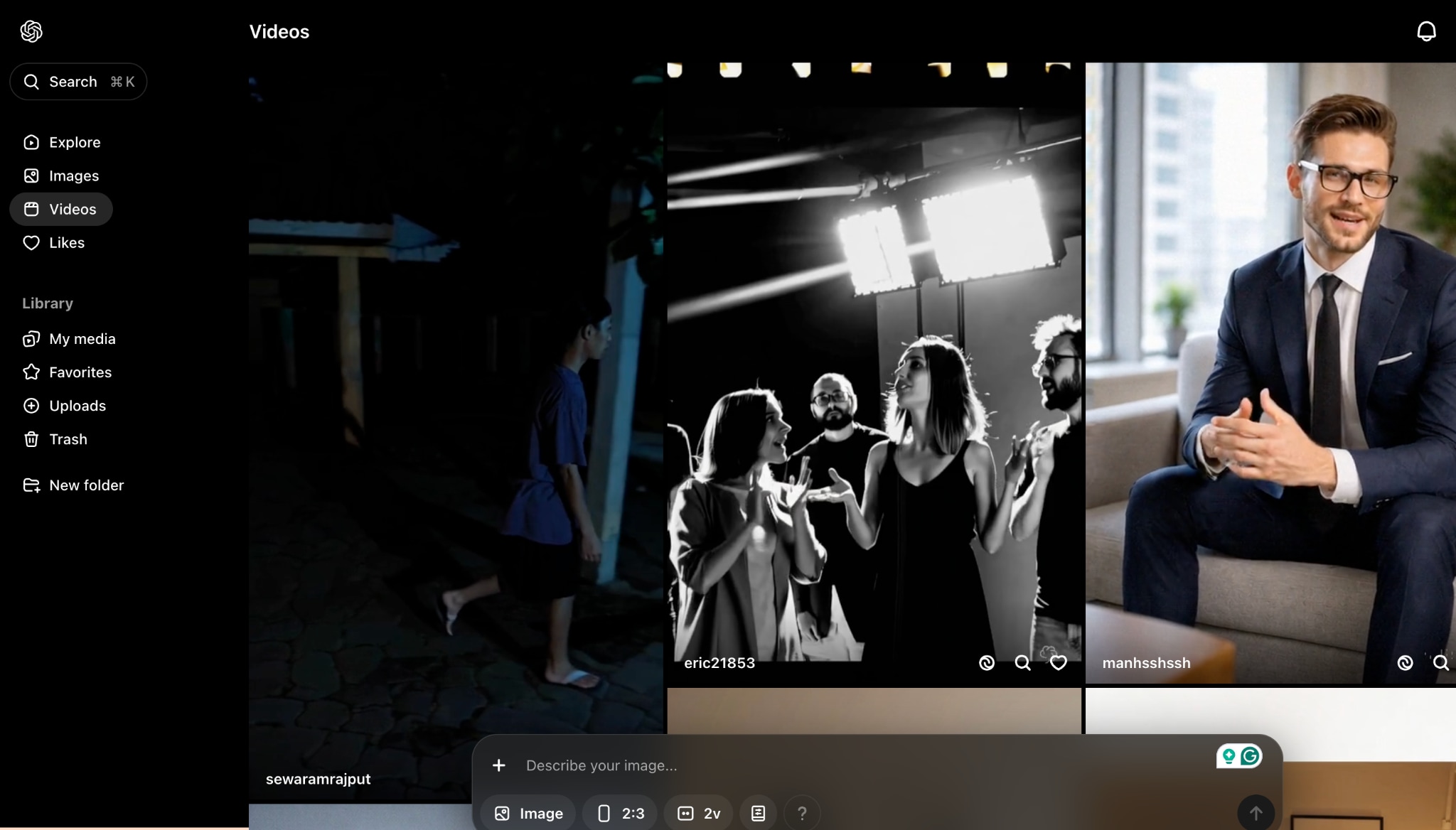
Step 1: Go to your Sora workspace and open the video.
Step 2: Click the three dots beside Share and select Download to save the MP4 locally.
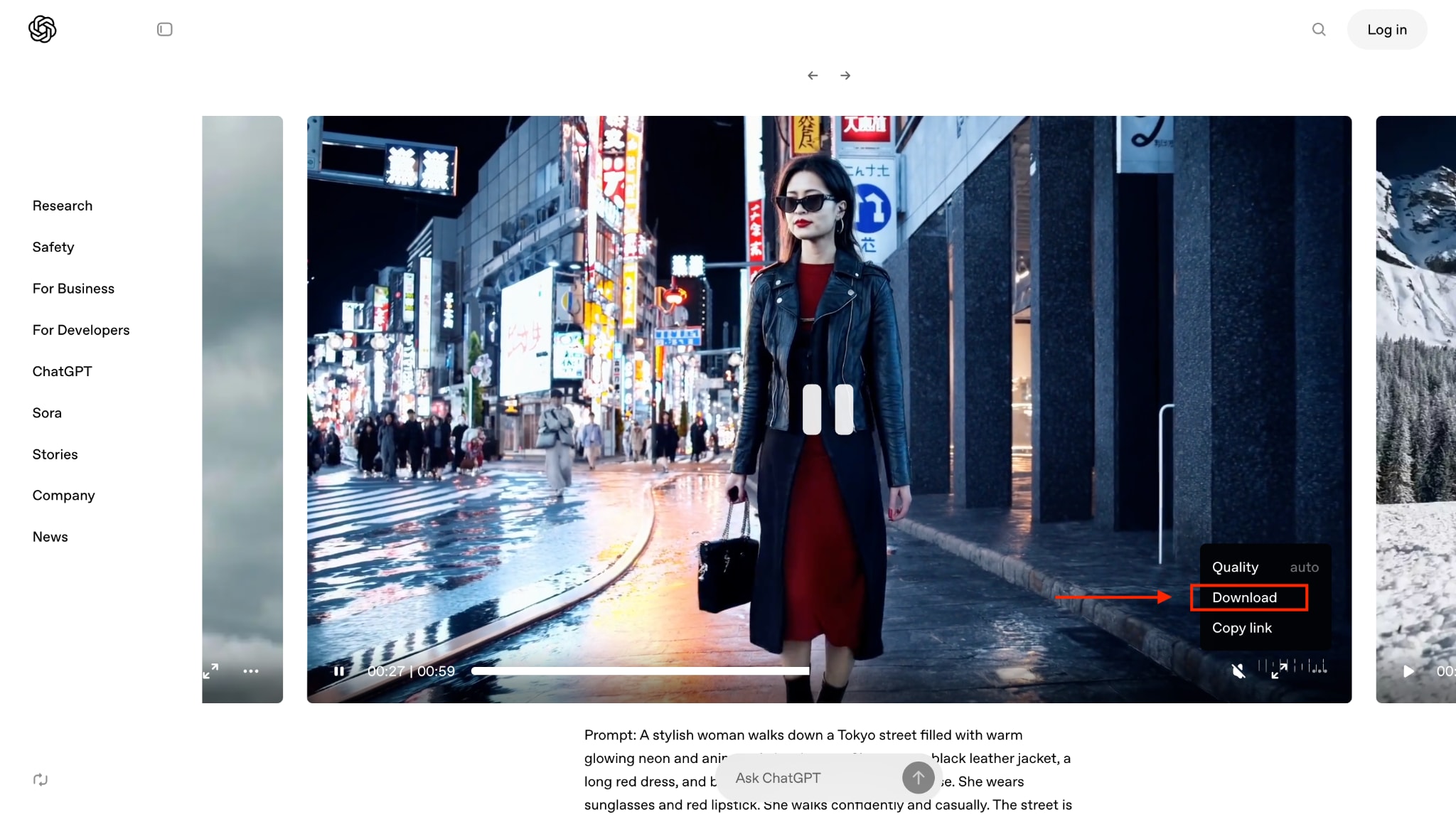
Download the Mobile App (iOS & Android)
You can download the video in the exact same way from the Sora mobile app for Android and iPhone. Open the video, tap the three dots, and then choose "Download." The file will be saved to your device's library.
Note: The UI has changed recently, which is why many users think the download button disappeared. It now sits inside the three-dot menu on your project page.
Method 2: Batch Download Sora Video on Desktop

If you want to download Sora videos to MP4 in batch, Wondershare UniConverter is a great choice. Its batch download capabilities, high-quality conversion without requiring a different setup, and video editing features make it stand out among Sora video downloaders.
Key Features
- Snag dozens of Sora videos in one go, preserving original audio quality.
- Its video trimming feature snips clips precisely while keeping audio synced perfectly.
- With the watermark editor, you can add or remove watermarks without distorting soundtracks.
- Audio extraction pulls high-fidelity audio tracks from videos for podcasts or edits.
Best Sora Video Downloader
How to Bulk Download Sora Videos with UniConverter
Follow these steps to download batch Sora Videos quickly:
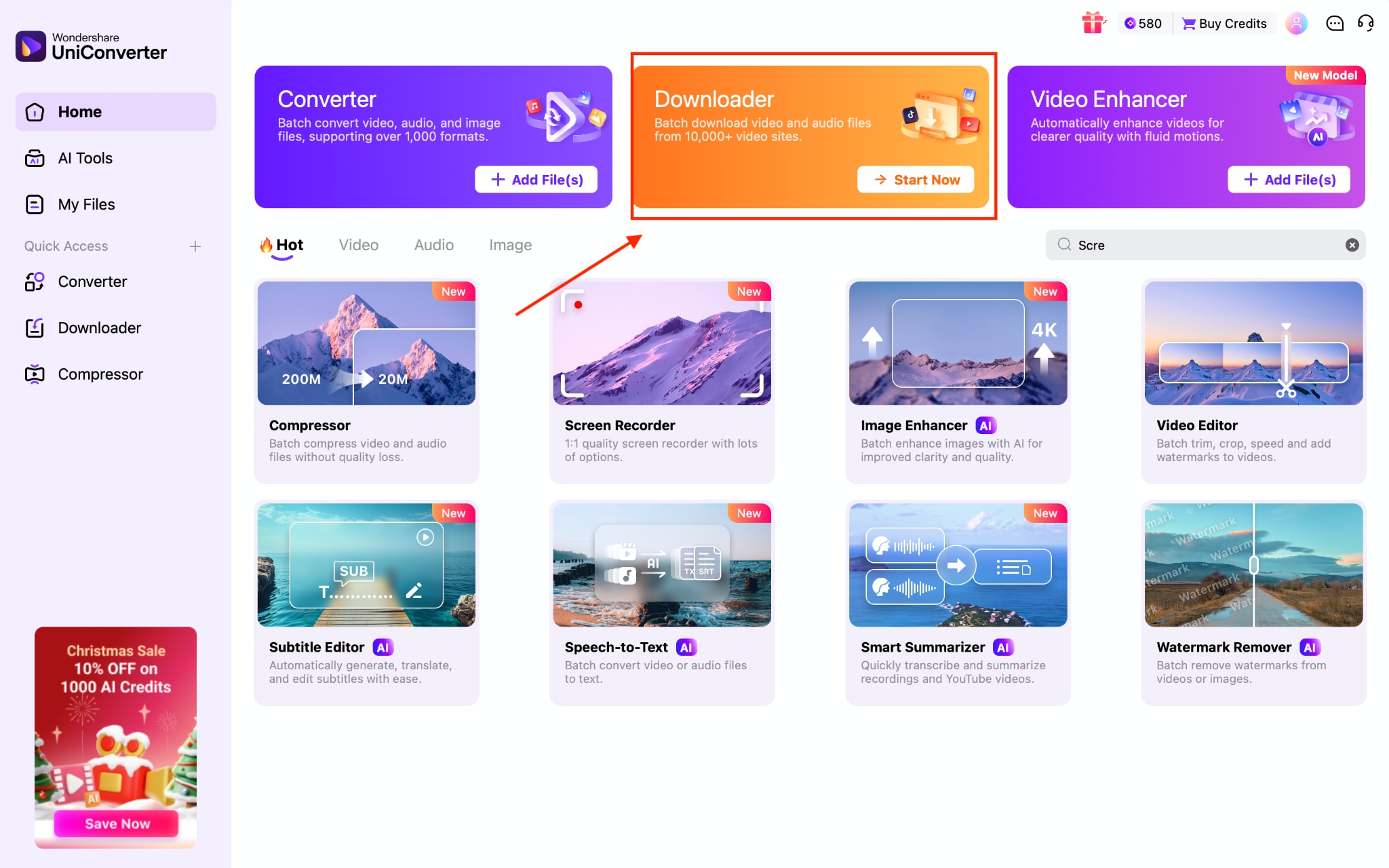
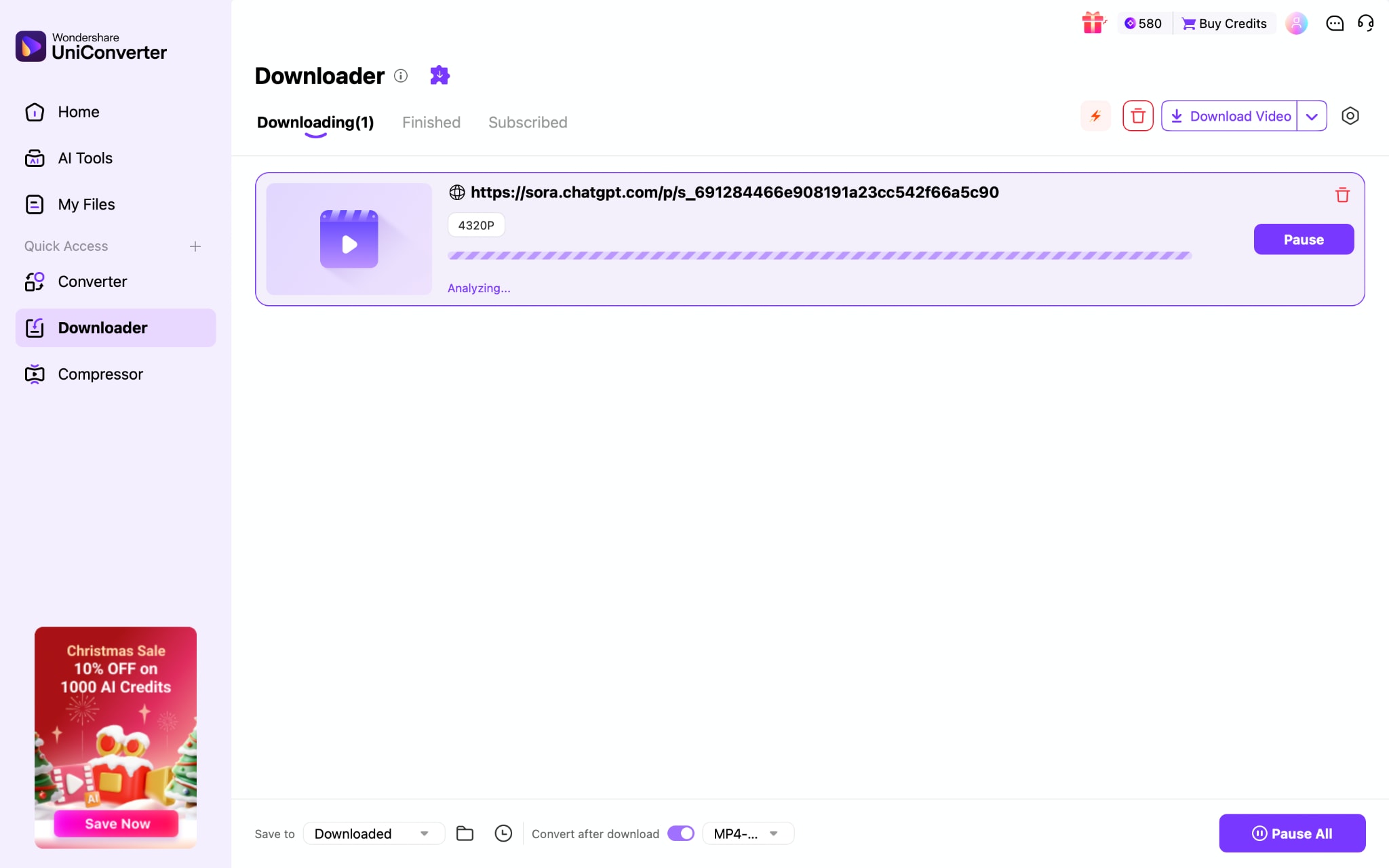
Step 1: On UniConverter's homepage, click "Downloader."
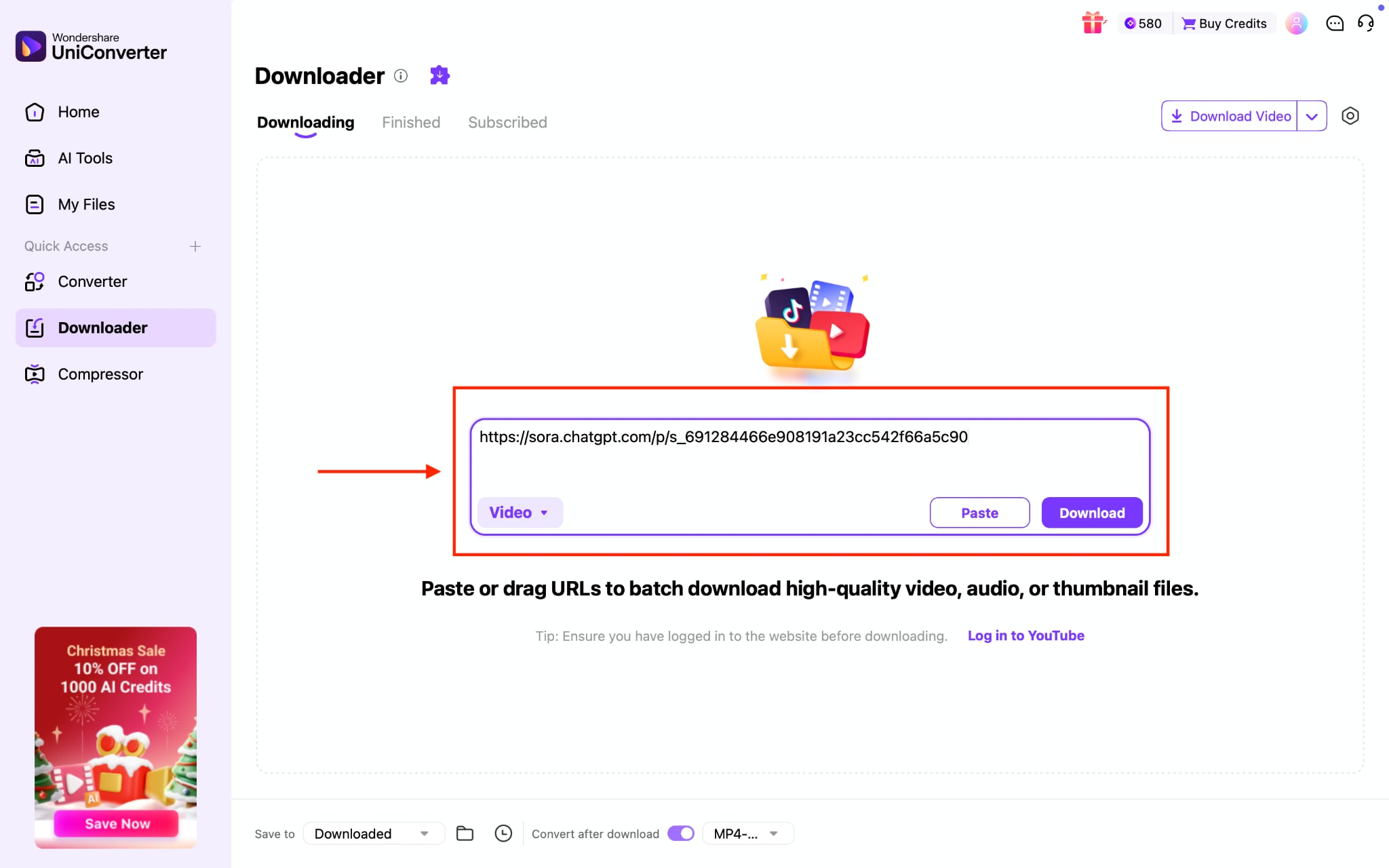
Step 2: Paste the Sora video links for batch downloading.
Step 3: Click "Convert after download" to choose formats and video quality.
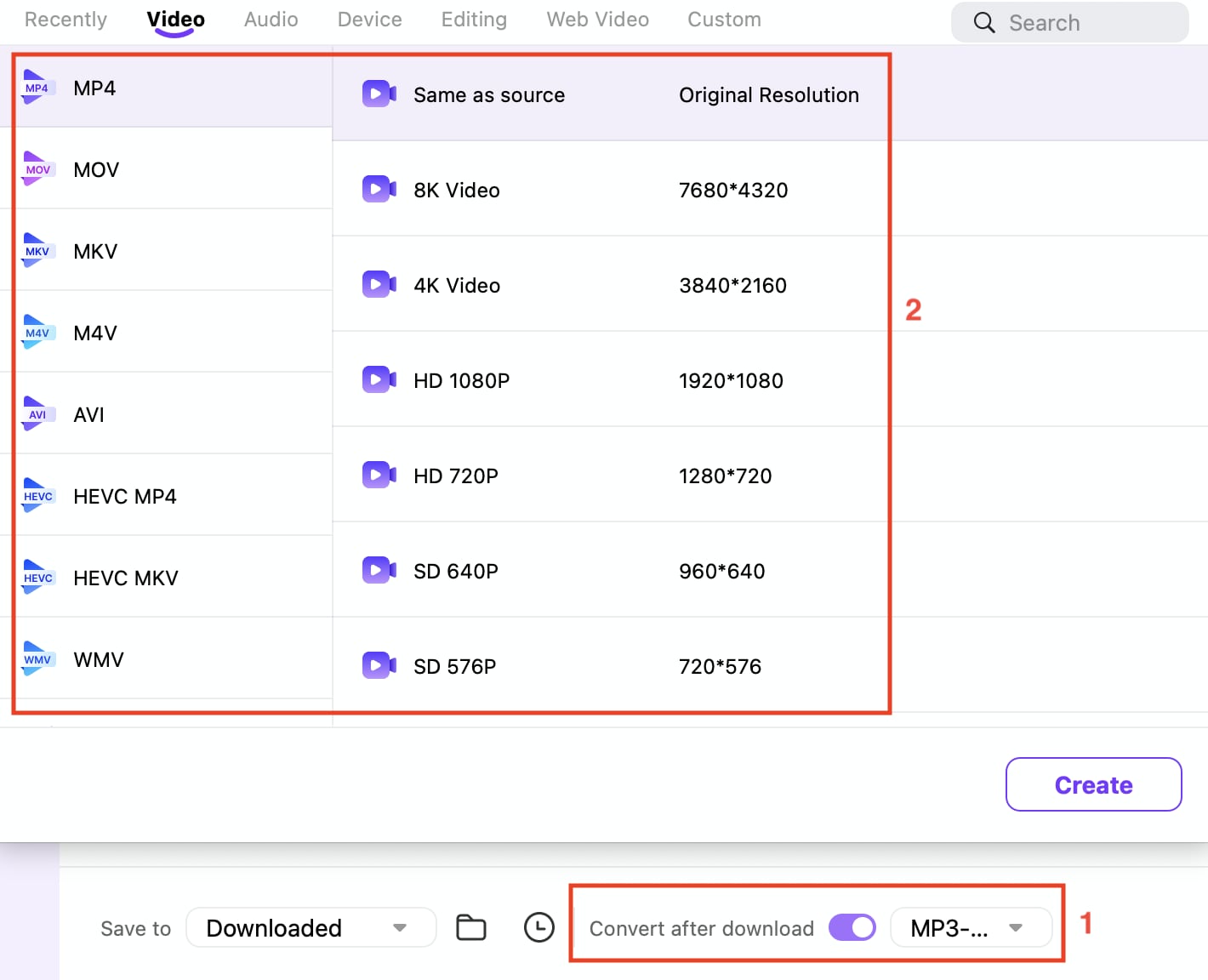
Step 4: Click "Download," and the video will be saved to your system within a few seconds.
Method 3: Online Sora Video Downloaders (No Installation)
The fastest way to download Sora videos without cluttering your device with software is to use online web-based downloaders. These browser-based tools let you download Sora videos directly through paste-and-click simplicity, working on any device, desktop, mobile, or tablet.
Here is a comparison table, comparing all online Sora video downloaders, so you can make the right choice based on your preference:
How We Tested Sora Video Download Methods
To build this guide, we reviewed Sora video download methods based on download reliability, watermark handling, output quality, workflow convenience, batch potential, and overall usefulness across web, mobile, and desktop.
This section helps readers understand our testing logic before they review the Sora video download methods below.
| Feature | SaveSora | FliFlik | Sora Video Downloader | Fineshare Vora |
| Download Speed | Instant | Seconds | Seconds | Seconds |
| Watermark Removal | Automatic | AI-Powered | Automatic | AI-Enhanced |
| Original Quality | Preserved | Preserved | Preserved | Preserved + Enhanced |
| Free Tier Limits | None | No limits | No limits | 1 task/time; 15-day storage |
| Safety Score | Moderate | Moderate | Good | Good |
| Installation | Not required | Not required | Not required | Not required |
| Registration | Not needed | Not needed | Not needed | Optional |
| Video Format | MP4 | MP4 | MP4 | MP4 |
| Prompt Access | Yes | No | Yes | Video enhancement instead |
| Privacy | Secure | No data storage | Anonymous | Confidential |
SaveSora
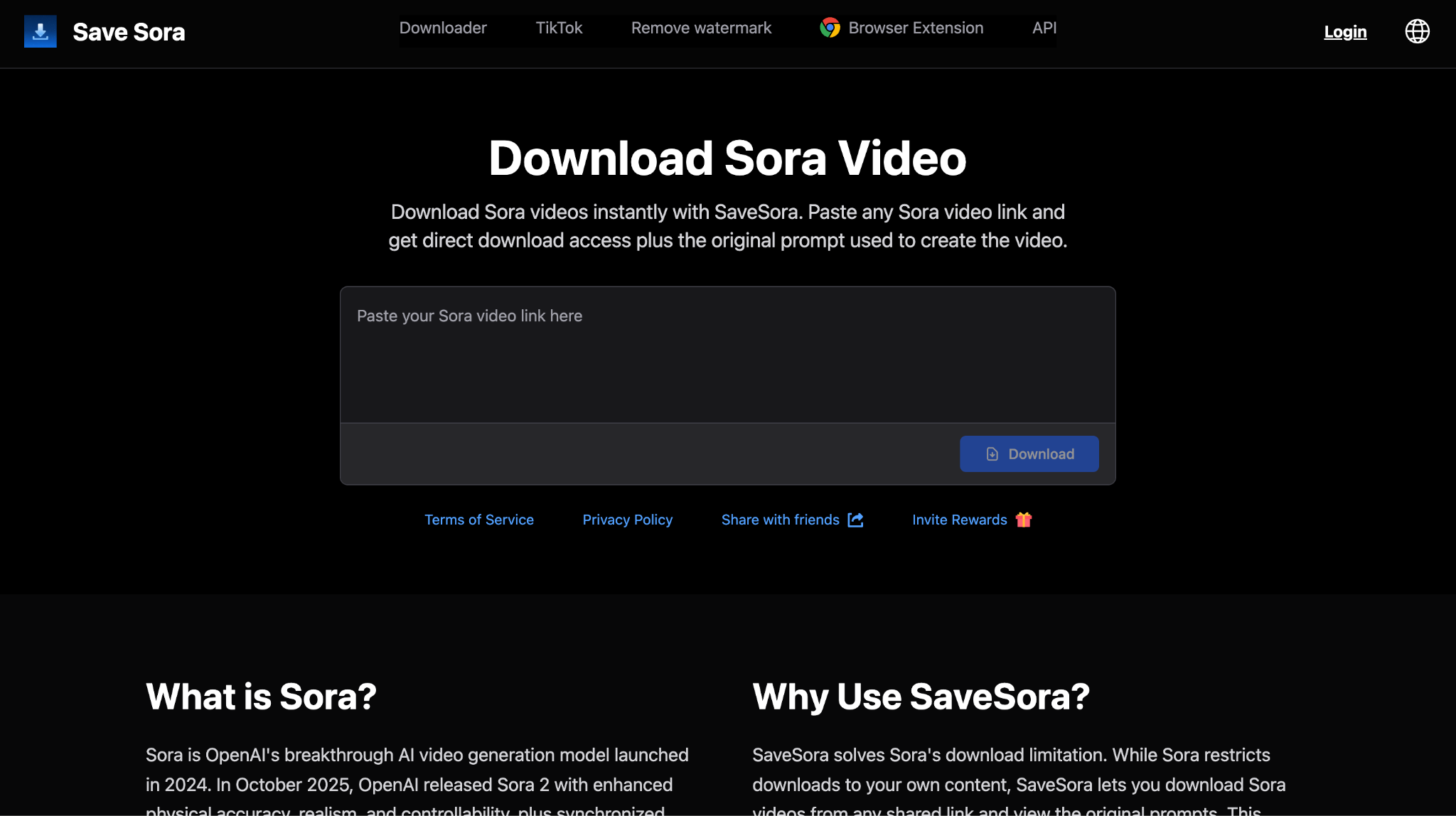
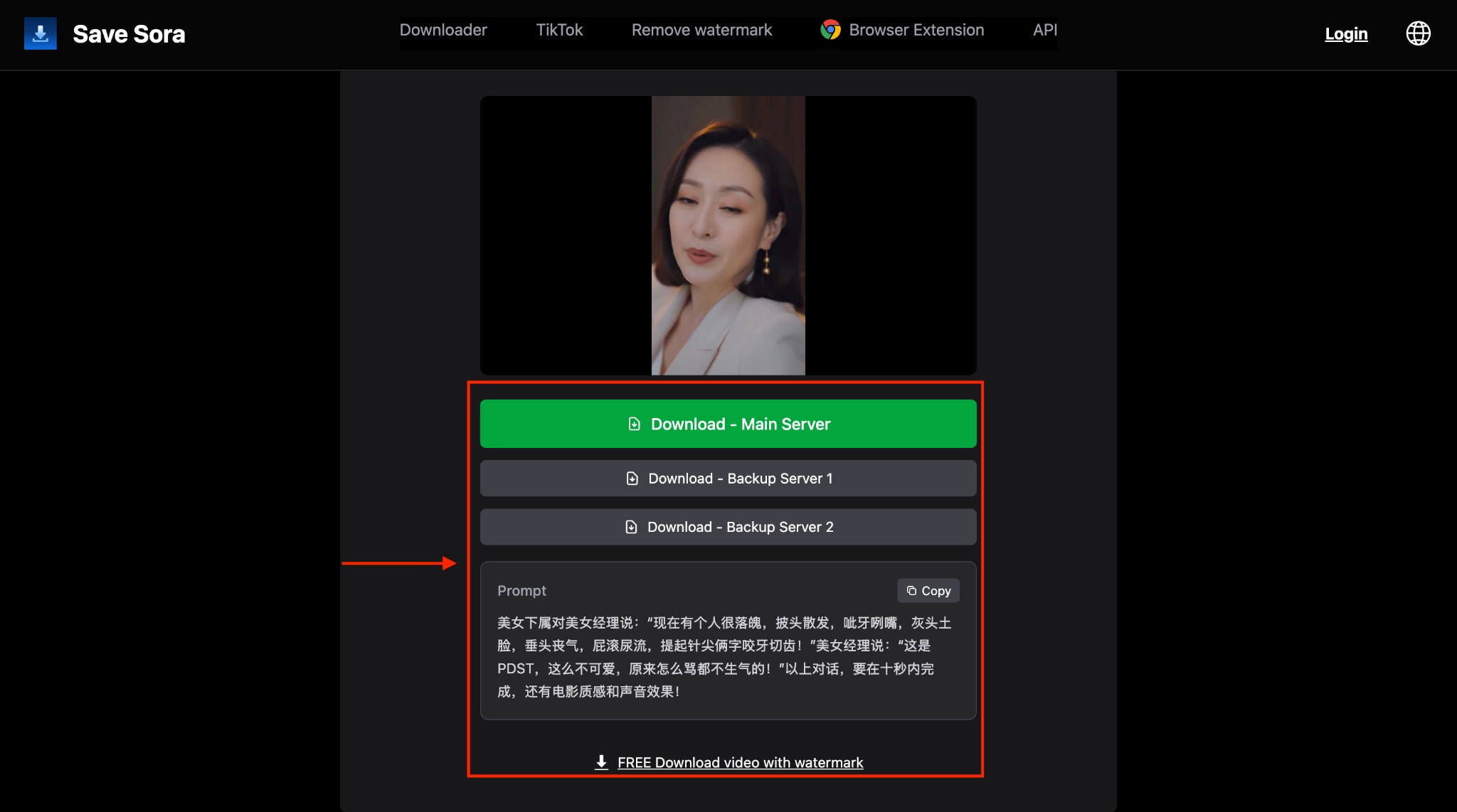
SaveSora is a free, browser-based downloader that lets you download any public Sora video by simply pasting its link and downloading it instantly. SaveSora provides access to the original prompts behind AI-generated videos, enabling users to understand and learn from creative generation techniques.
How to Download with SaveSora
Step 1: Visit the official website, paste the link, and click "Download."
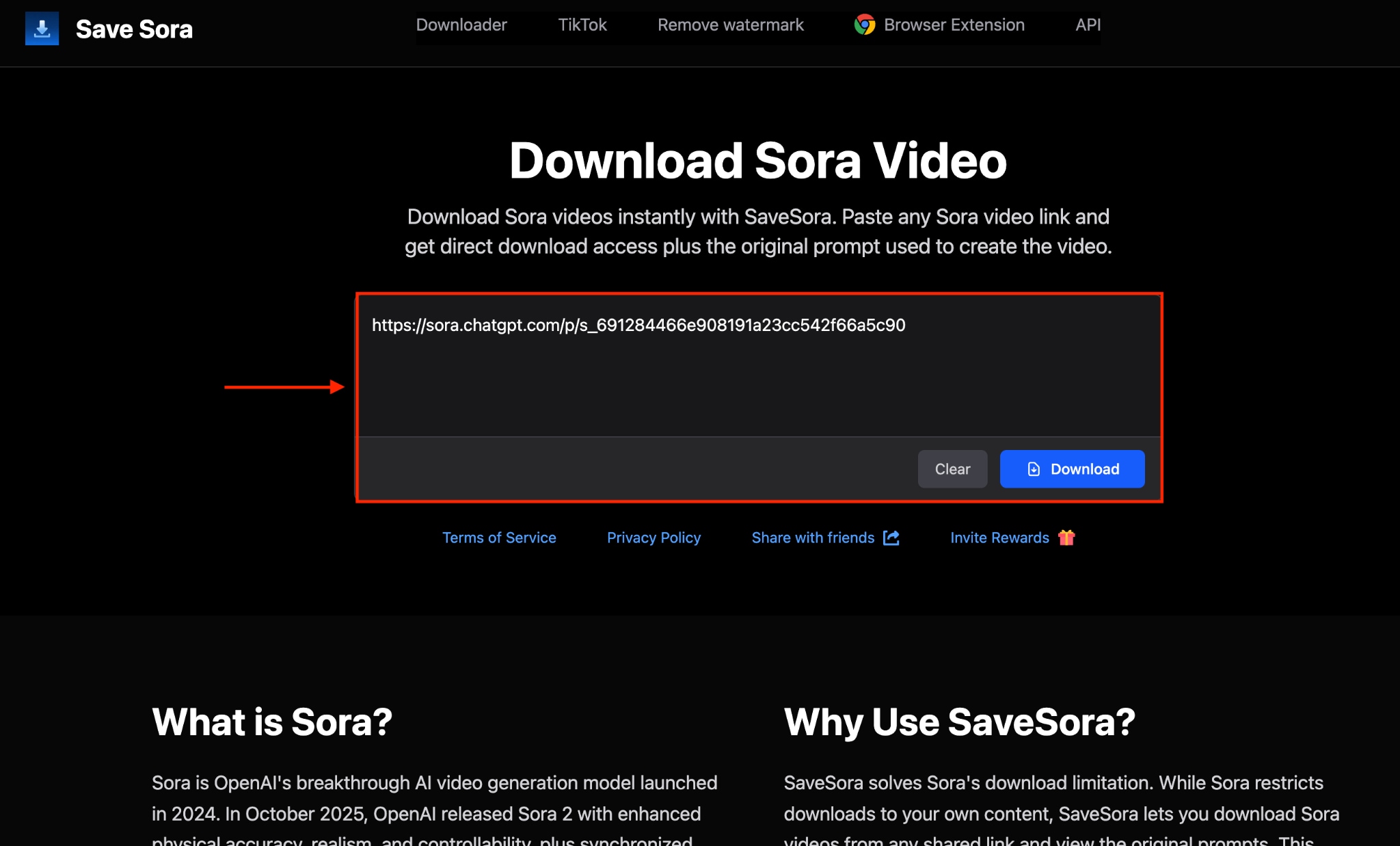
Step 2: After a few seconds, the video will be fetched. Choose the download option and save the video.
FliFlik
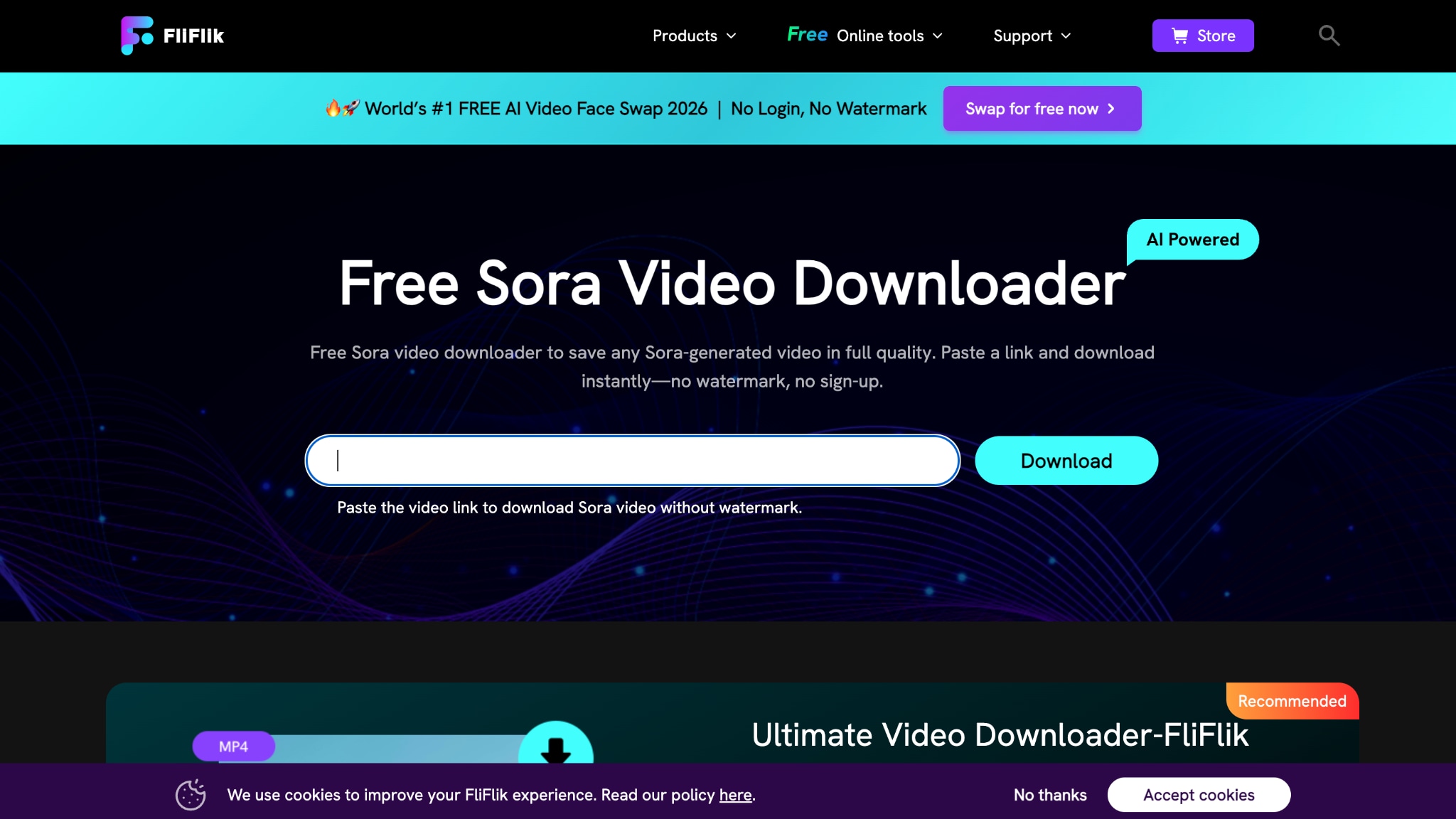
FliFlik operates as an online downloader featuring advanced AI-powered watermark removal, using motion tracking and texture synthesis to intelligently reconstruct areas of video obscured by the Sora watermark. The tool processes downloads within seconds while maintaining motion consistency, lighting accuracy, and overall visual quality.
How to Download Sora Video with FliFlik
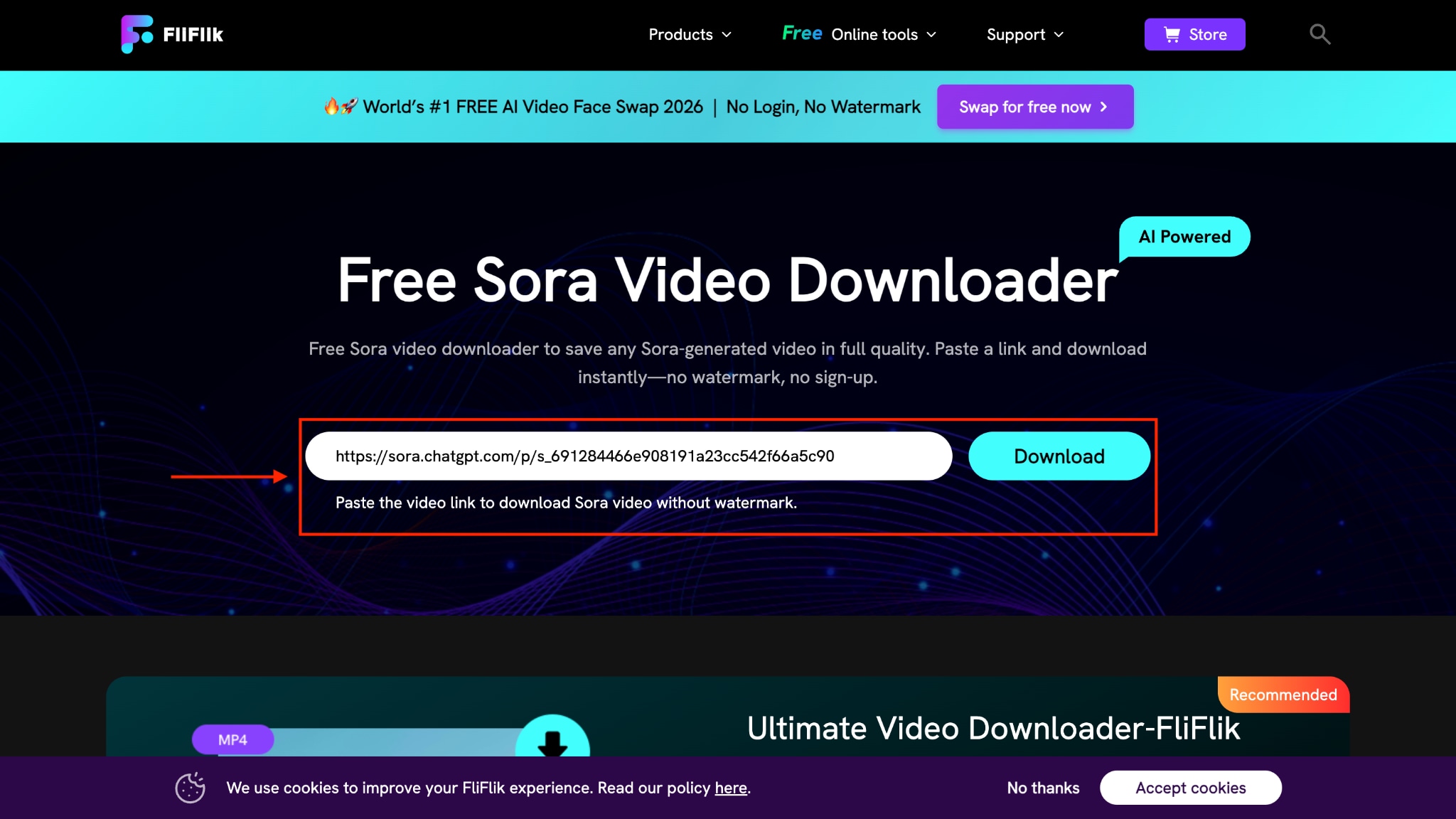
Step 1: Paste the link that you copied from Sora and click "Download."
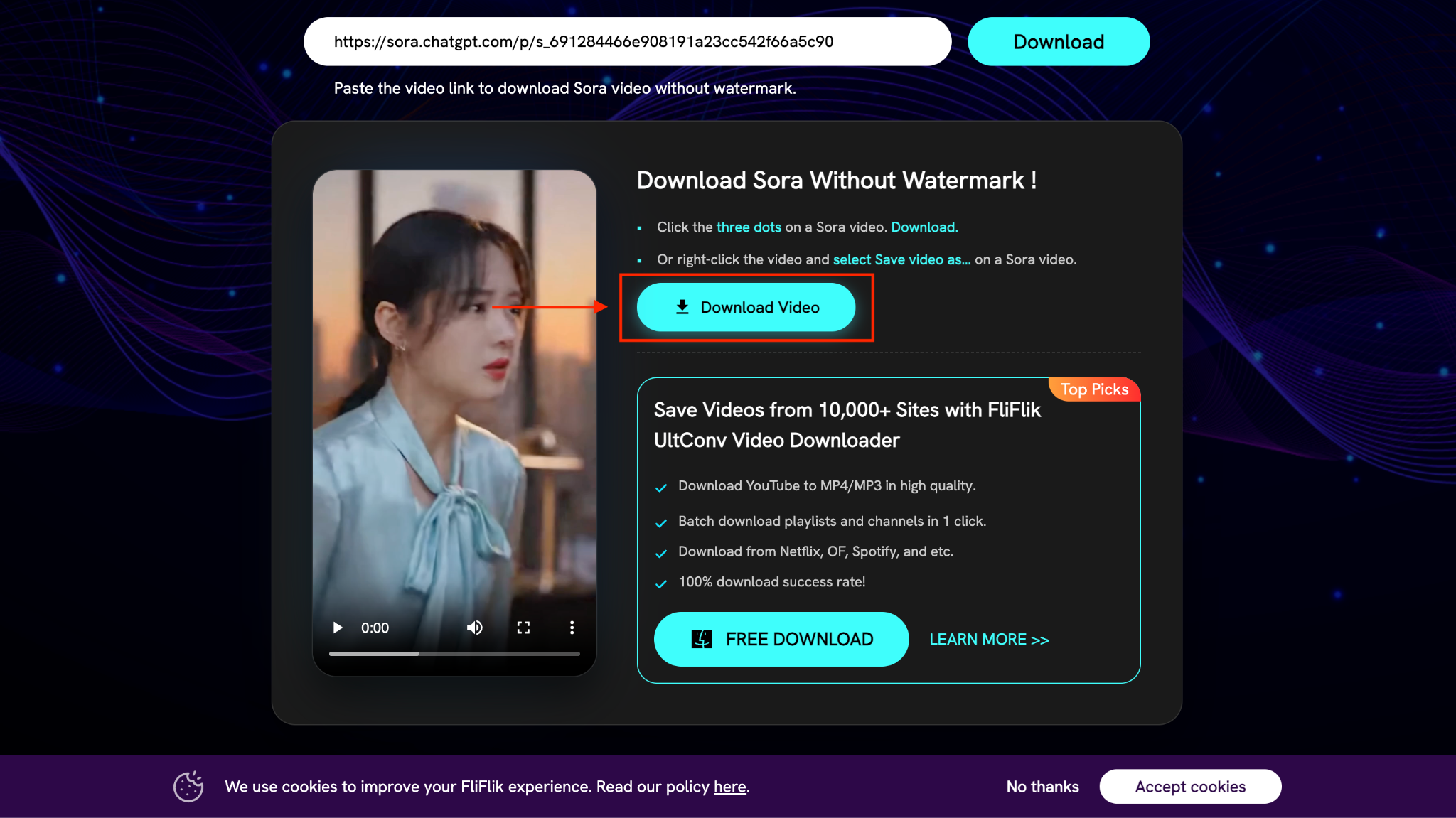
Step 2: After a few seconds, you can see the video and click "Download Video."
Sora Video Downloader
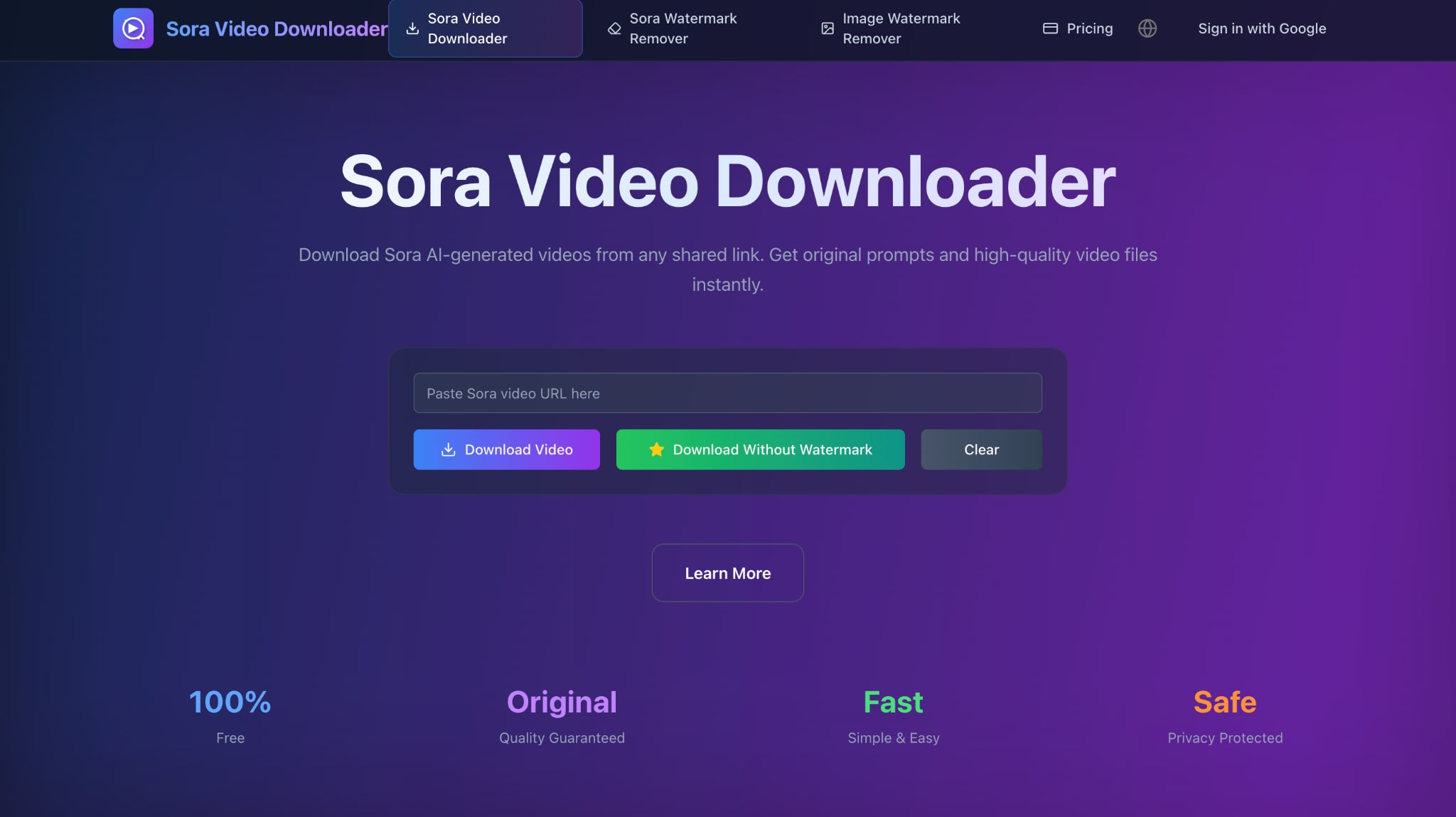
Sora Video Downloader provides a straightforward solution for accessing shared Sora content with one-click downloads and immediate access to original prompts. As an independent downloader not affiliated with OpenAI, it serves researchers, content creators, and learners who want to study and save public Sora videos.
How to Download with Sora Video Downloader
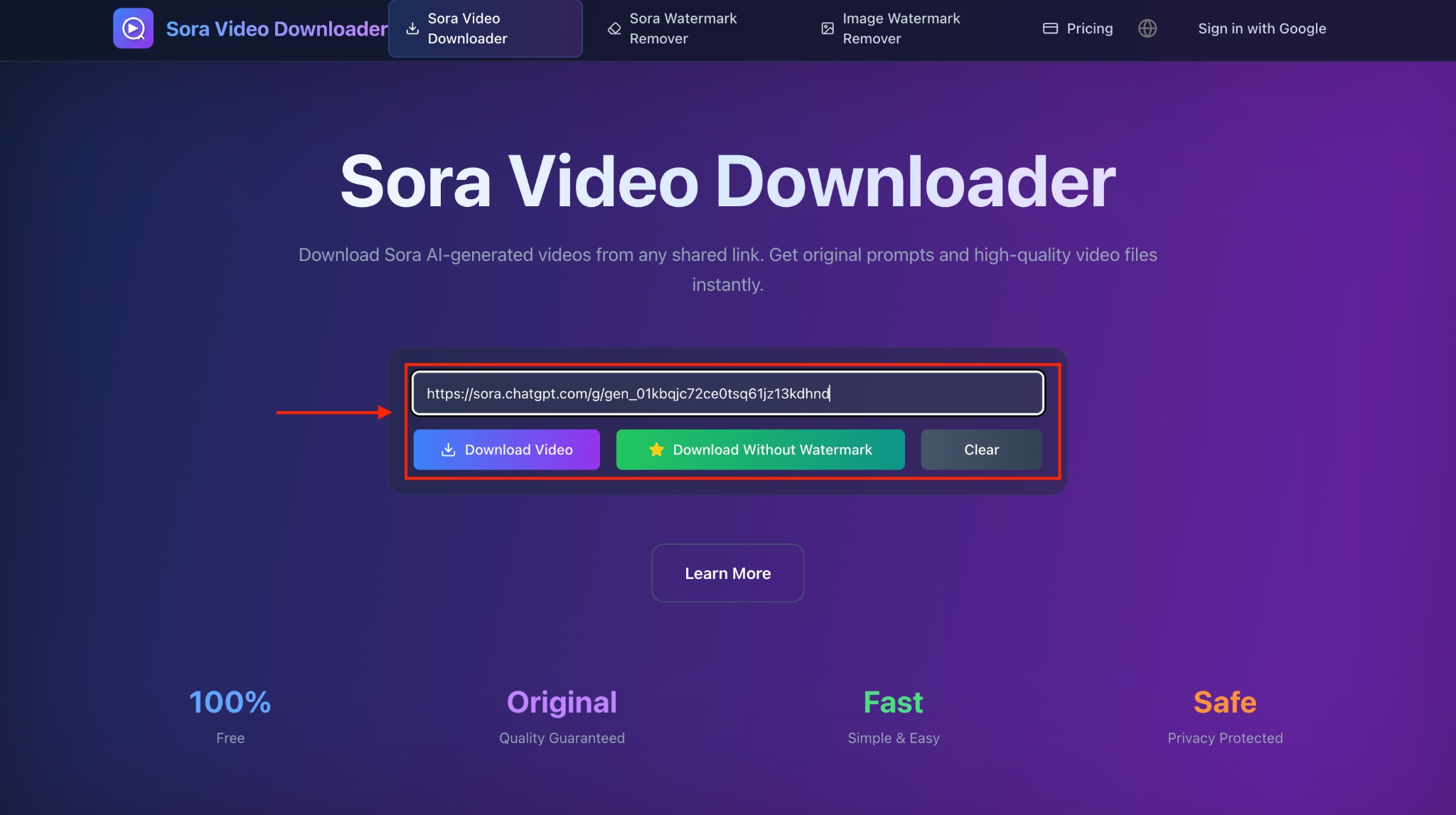
Step 1: Paste the link and click "Download Video."
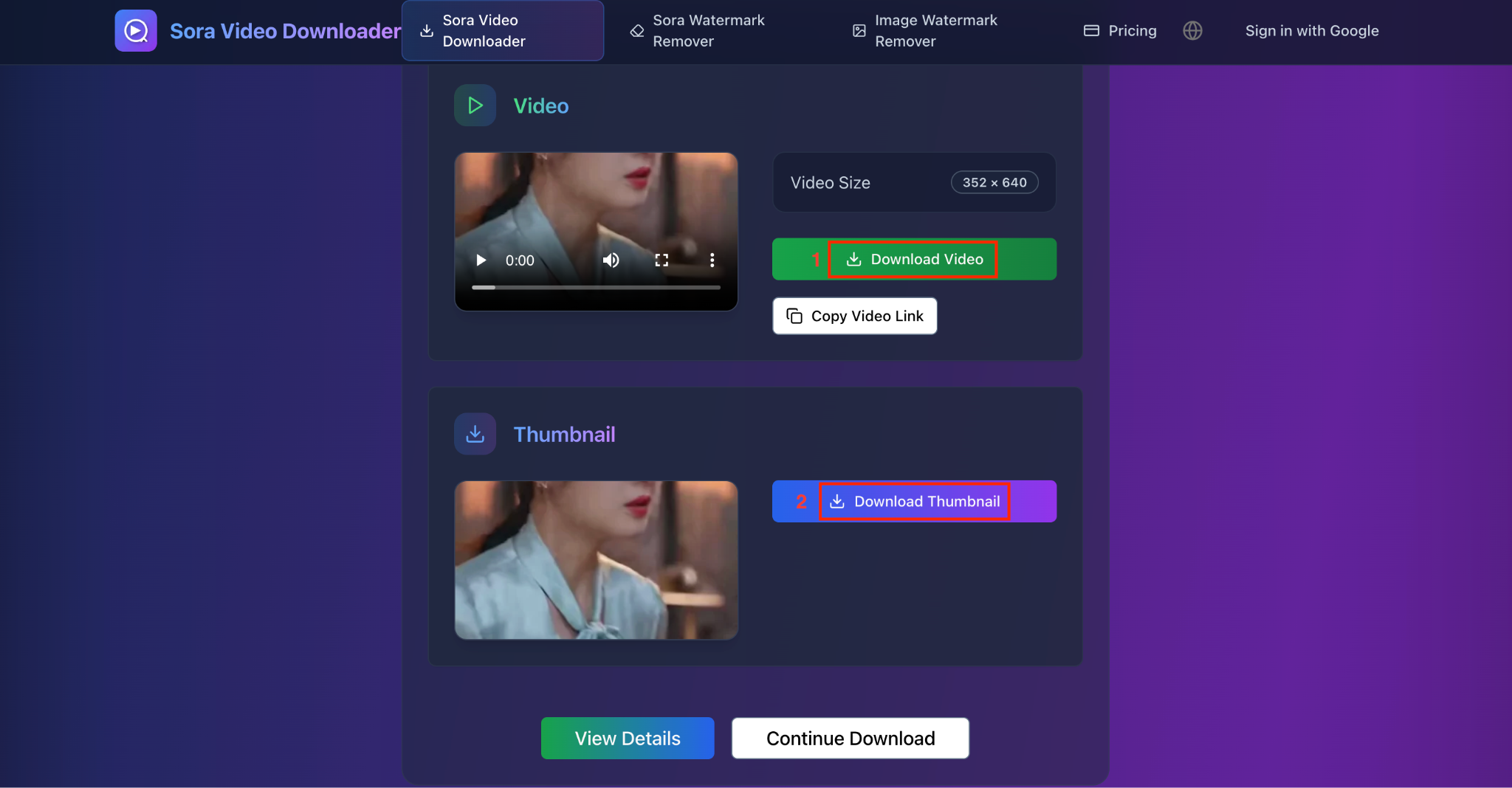
Step 2: Within a few seconds, you can download the video. Click "Download Video" or "Download Thumbnail," as needed.
FineShare Vora
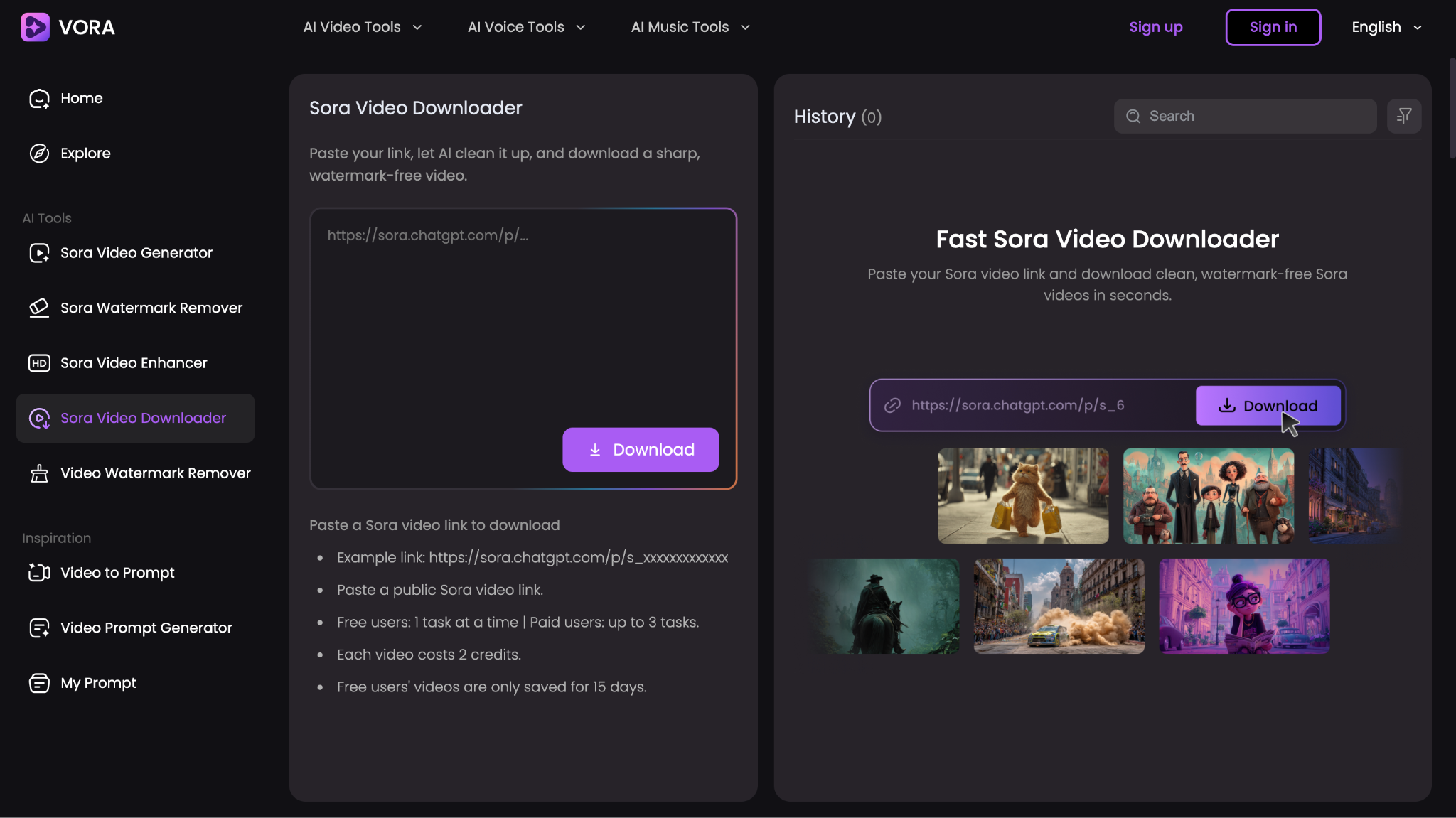
FineShare Vora lets you not only save Sora videos but also improve their quality to 4K standards. The tool uses a credits system: free users can perform one task at a time, with downloaded videos retained for 15 days, while paid users unlock concurrent processing and extended storage.
How to Download with Fineshare Vora
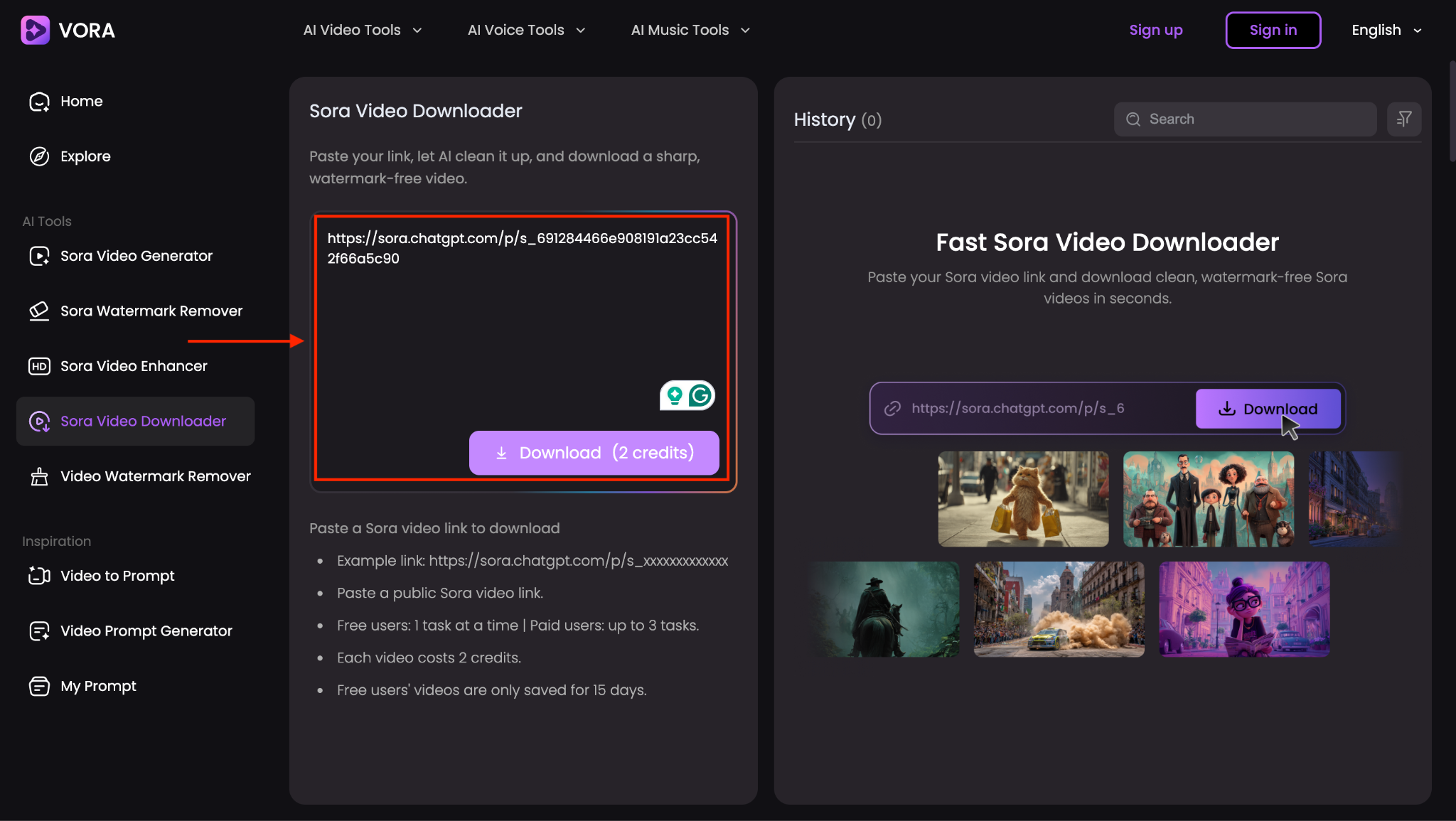
Step 1: Copy the video link that you want to download, paste it, and click the "Download (2 credits)” button.
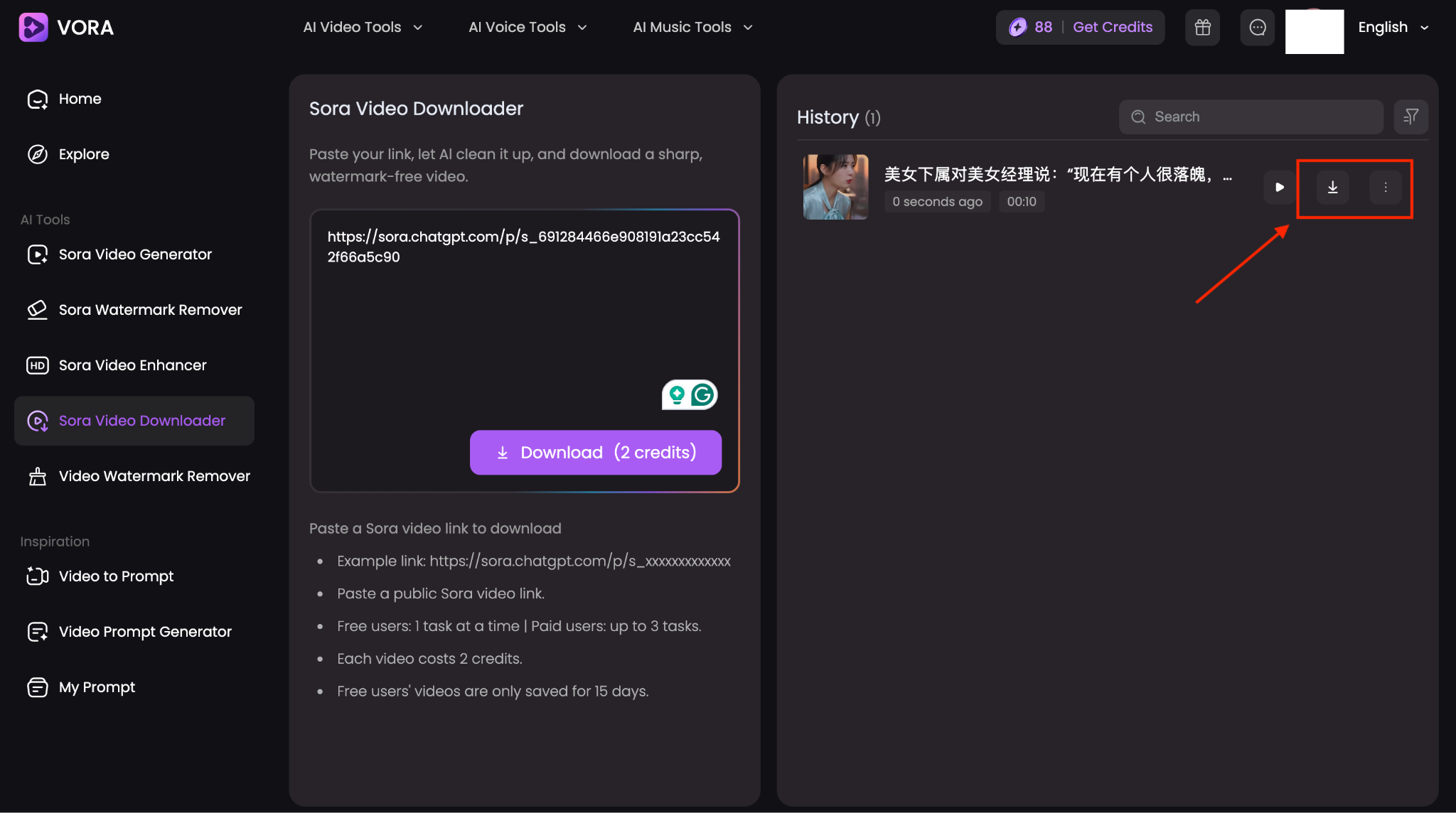
Step 2: Within a few seconds, you can download the video by clicking the three dots or download sign.
Method 4: Chrome Extensions for Sora Video Download
Sora Video Download Chrome Extension lets you download videos with just one click, no link copying, no tab switching. Here are the top 2 Chrome Extensions that work for you:
SaveSora Chrome Extension
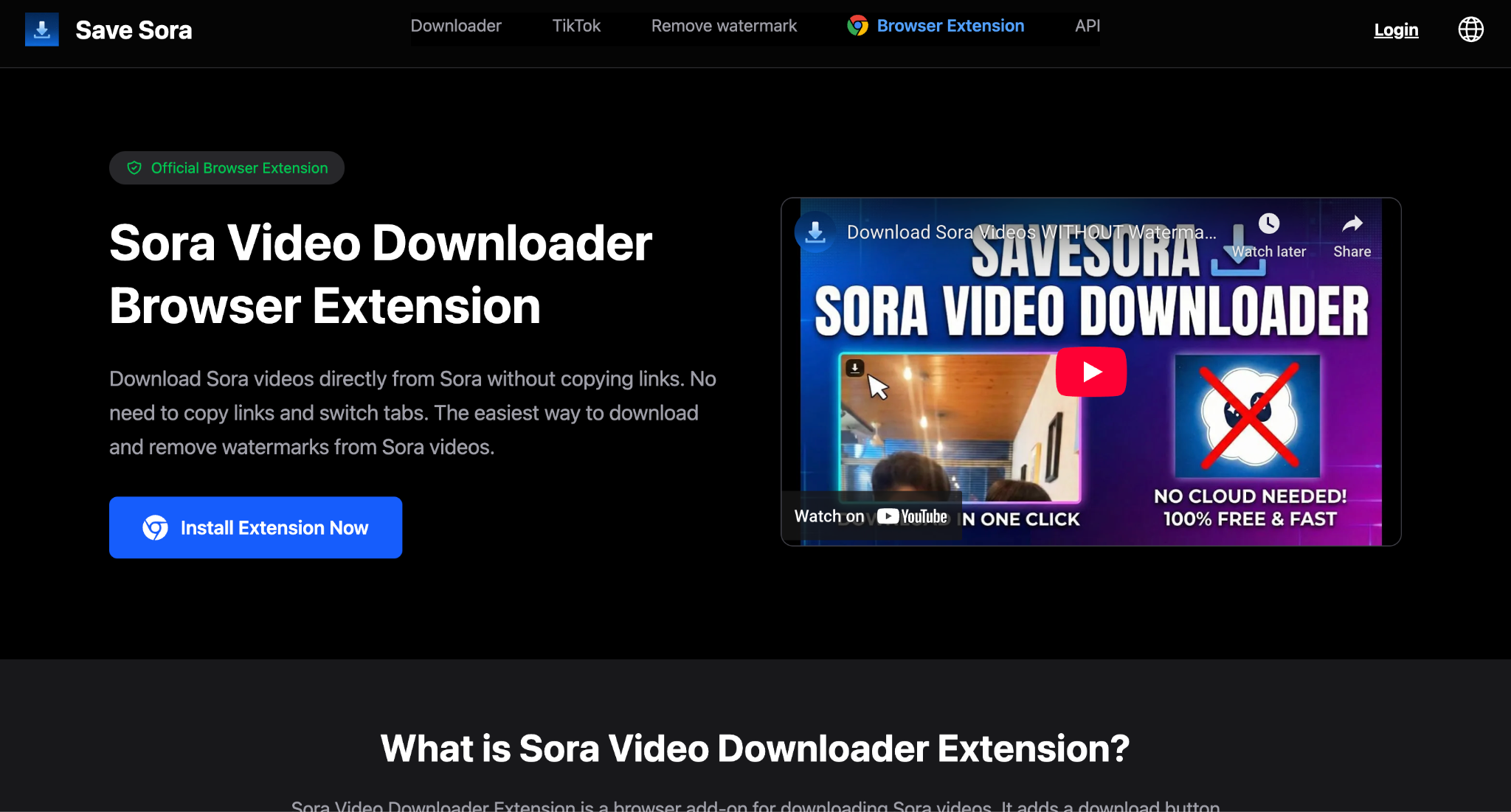
SaveSora's official Chrome extension is what you get when a tool maker goes all-in on simplicity. It adds a download button to every Sora video on sora.chatgpt.com, syncs with your SaveSora account, and gives you unlimited downloads of original videos with daily free credits for watermark removal, too.
How to Install and Use SaveSora Chrome Extension
Step 1: On the webpage, click on "Install Extension Now."
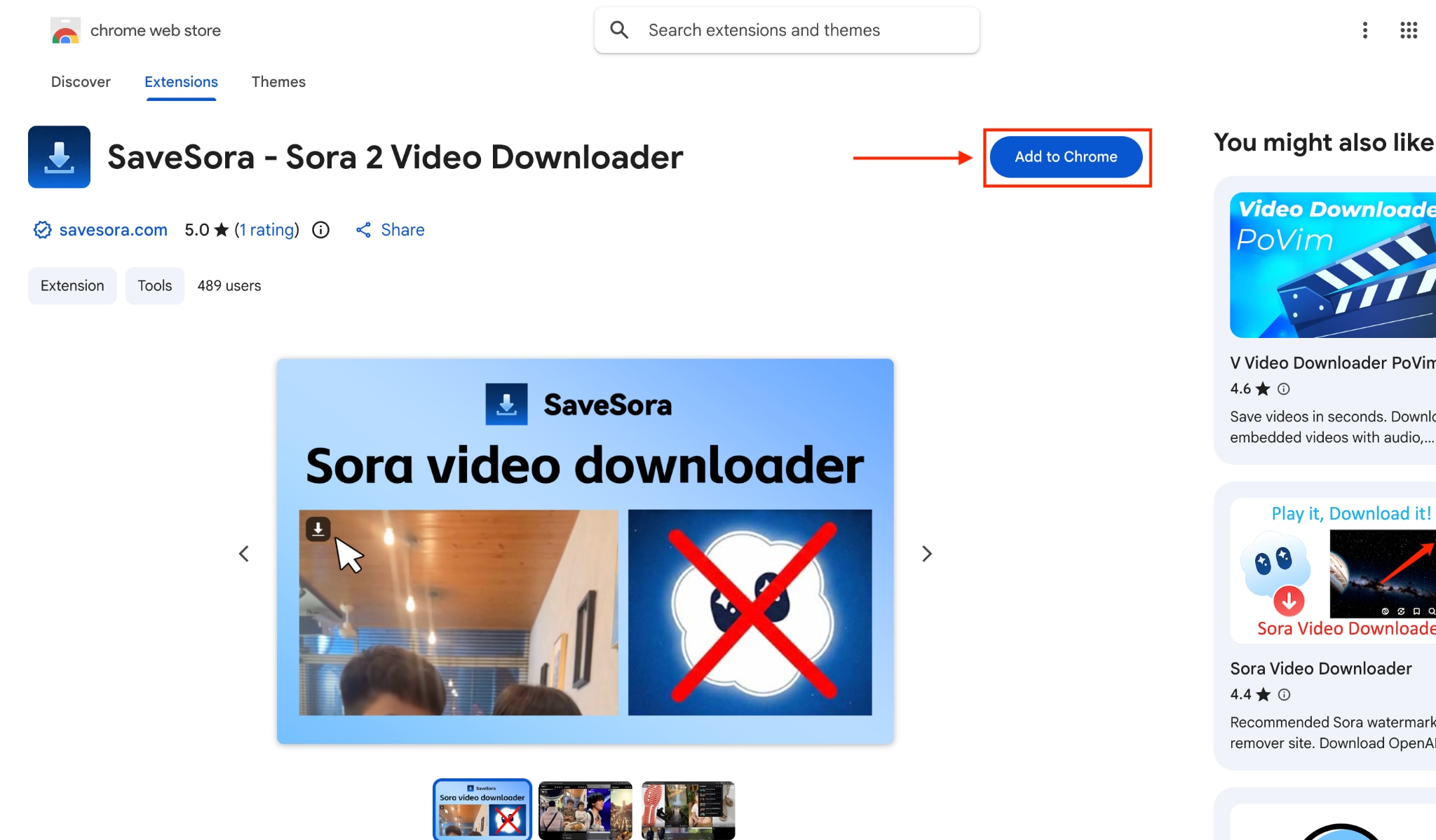
Step 2: Now, it will take you to YouTube's page and click "Add to Chrome."
Step 3: It will automatically take you to Sora. Here, click the video to open the download option, and the video will download automatically.
OpenAI Sora Video Downloader
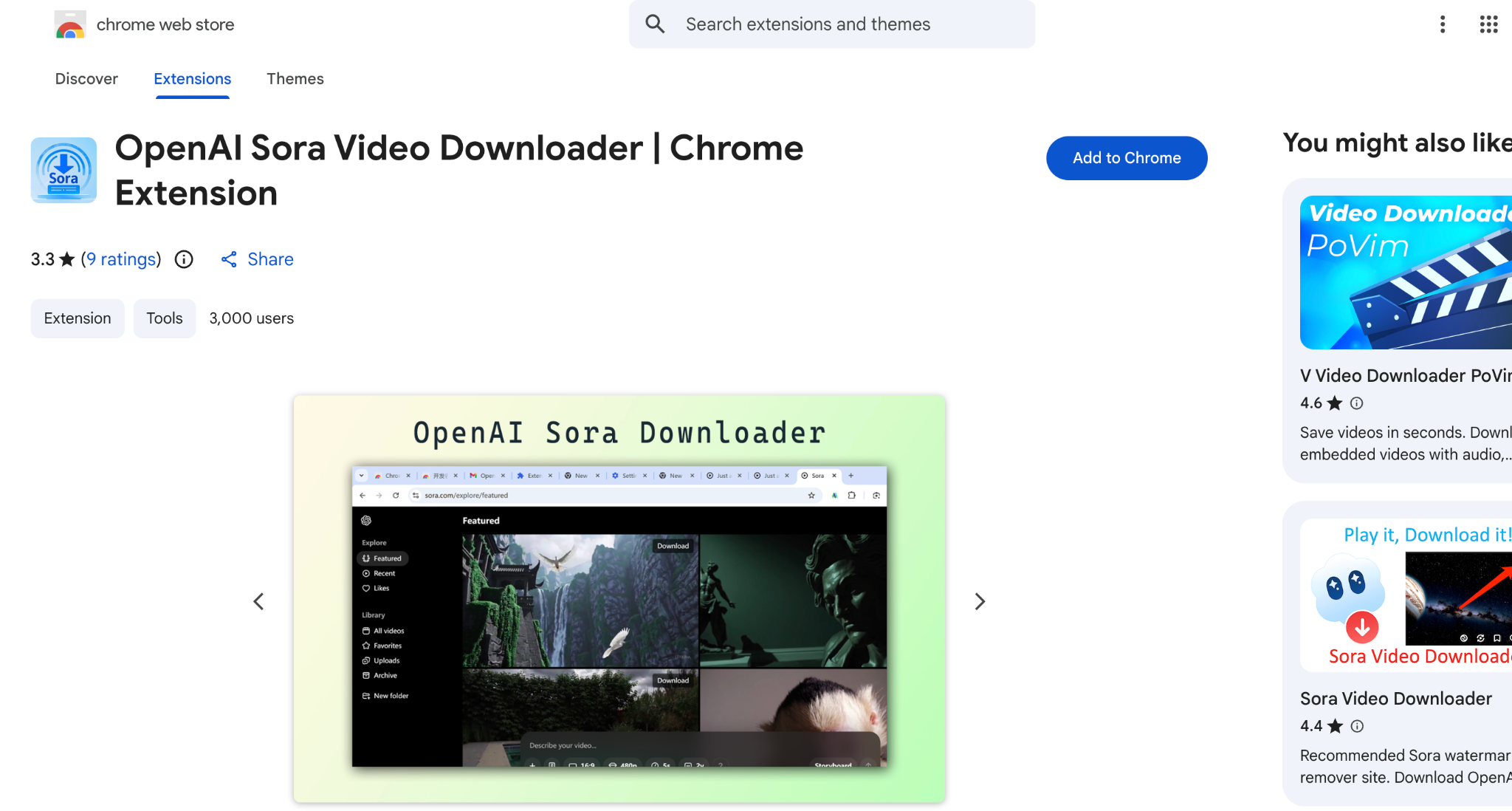
If simplicity's your thing and you want the absolute bare minimum, the OpenAI Sora Video Downloader extension does exactly what it promises: one click, and your video downloads. It is straightforward to use; click the button in the top-right corner, watch it download to your Chrome downloads folder, and done.
How to Use OpenAI Sora Video Downloader Extension
Step 1: On the webpage, click "Add to Chrome," and the extension will be added to your Chrome.
Step 2: Navigate to sora.chatgpt.com and browse your video library.
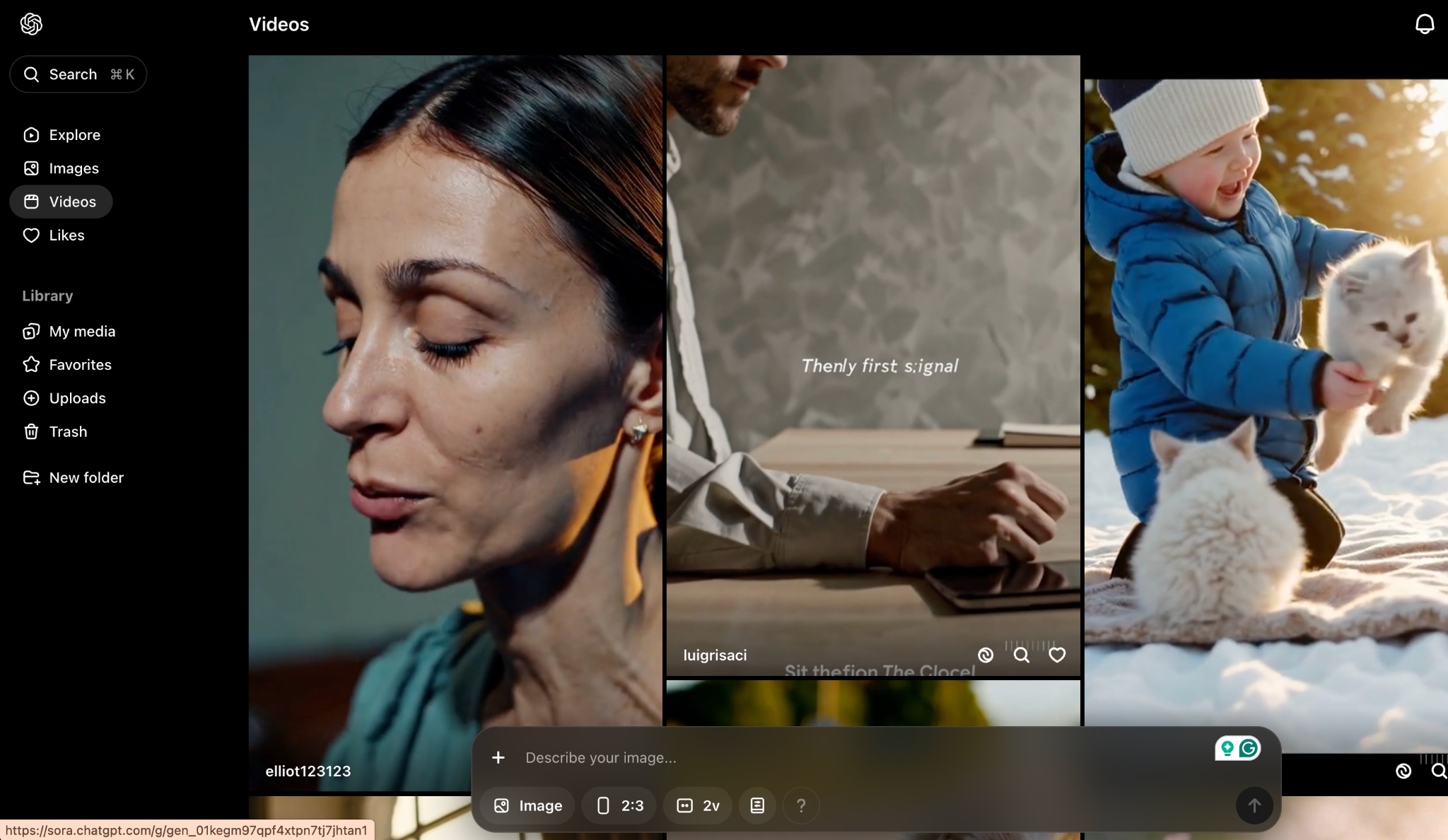
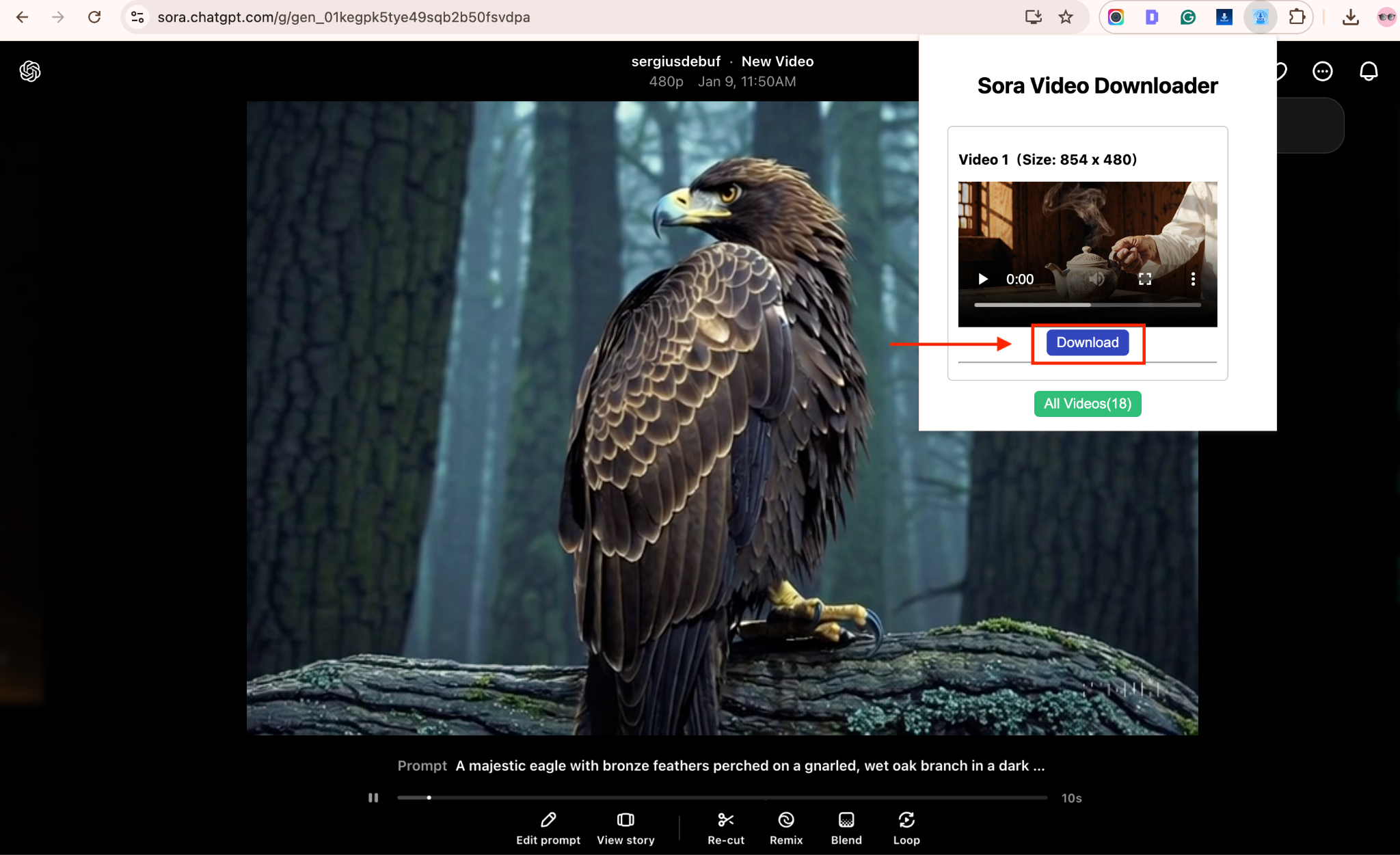
Step 3: Choose any video and click the extension, and click "Download."
Installing extensions grants permissions, so evaluate them carefully. SaveSora has a proven track record, while the OpenAI Sora Video Downloader is newer with broader tab access, so restrict permissions to Sora when possible. Only keep extensions you actively use and remove anything dormant to minimize risk.
Method 5: Screen Recording as Last Resort
Screen recording steps in when every other Sora download method hits a wall. It works reliably because you're capturing whatever plays on your screen in real time, no links, converters, or browser tricks needed. UniConverter is a solid pick because it records smoothly, supports long clips, and delivers HD output without freezing.
To achieve the best quality, switch the recording window to full screen, select the highest resolution available, and minimize background apps to prevent screen pop-ups or notification noise from interfering with the video.
How to Save Sora Video with Screen Recording Using Wondershare UniConverter
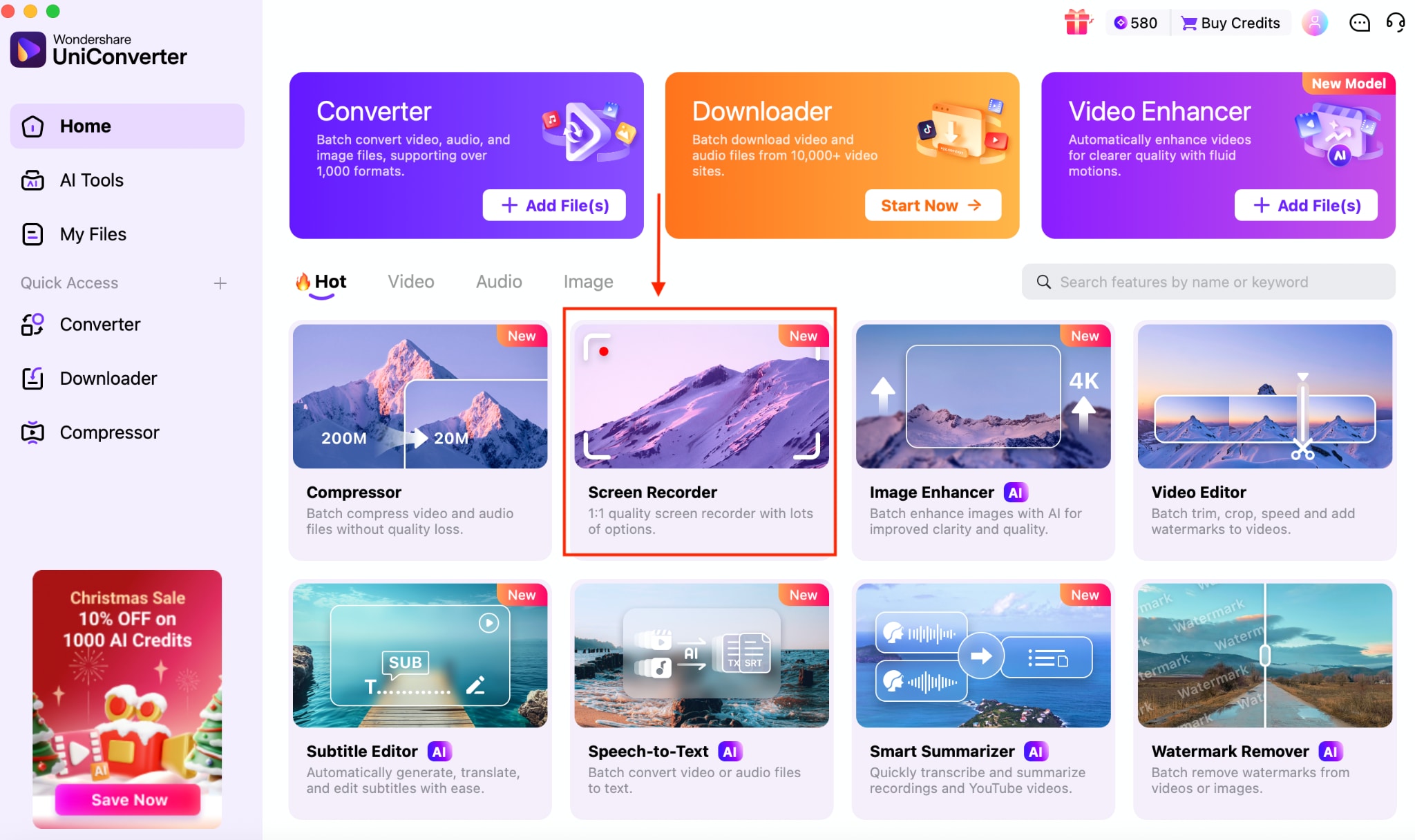
Step 1: On the dashboard under the Hot section, click on "Screen Recorder."
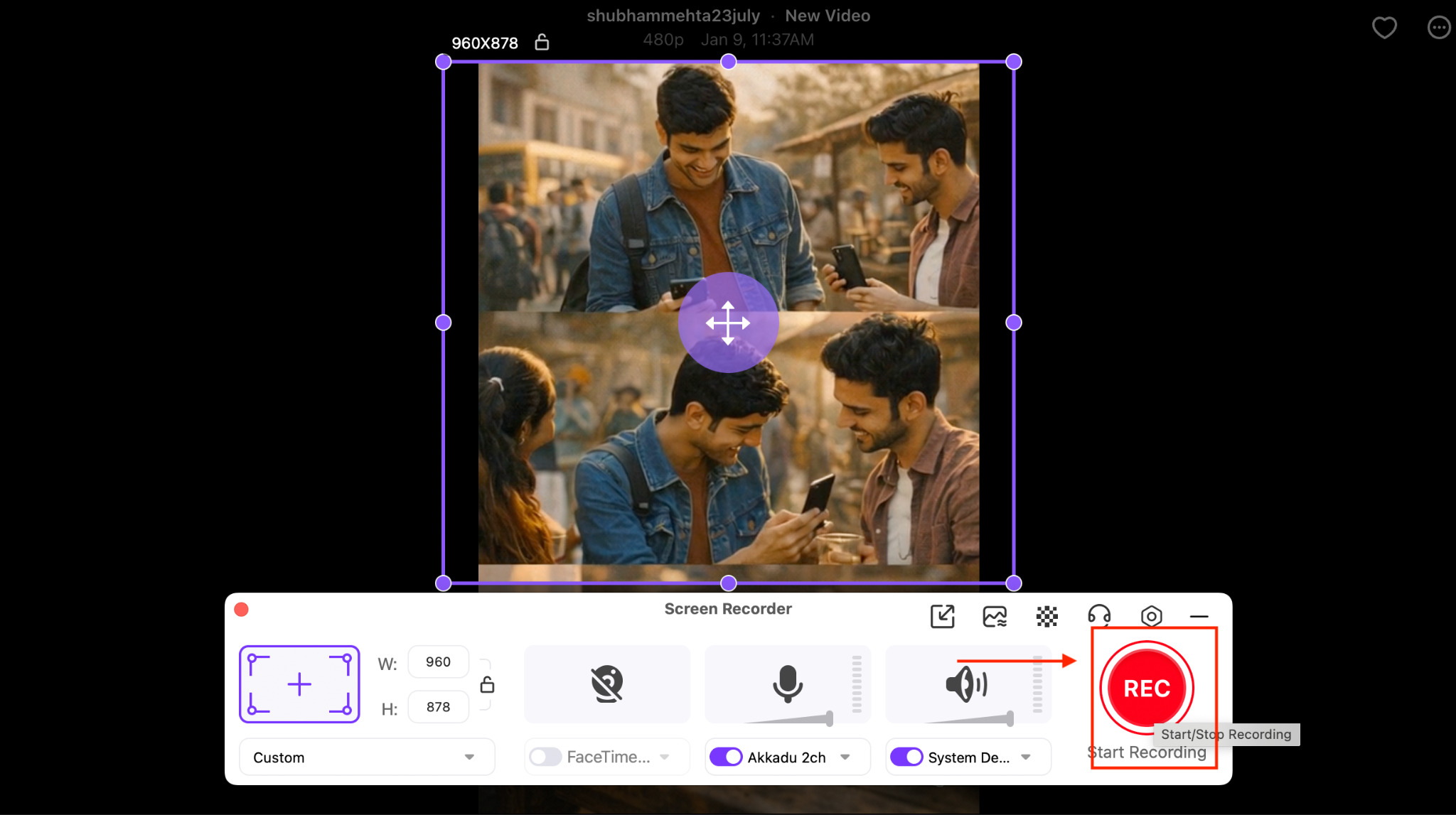
Step 2: The Recorder will appear on your desktop. Open Sora, then click the video you want to record. Click on the "Rec" button to start recording.
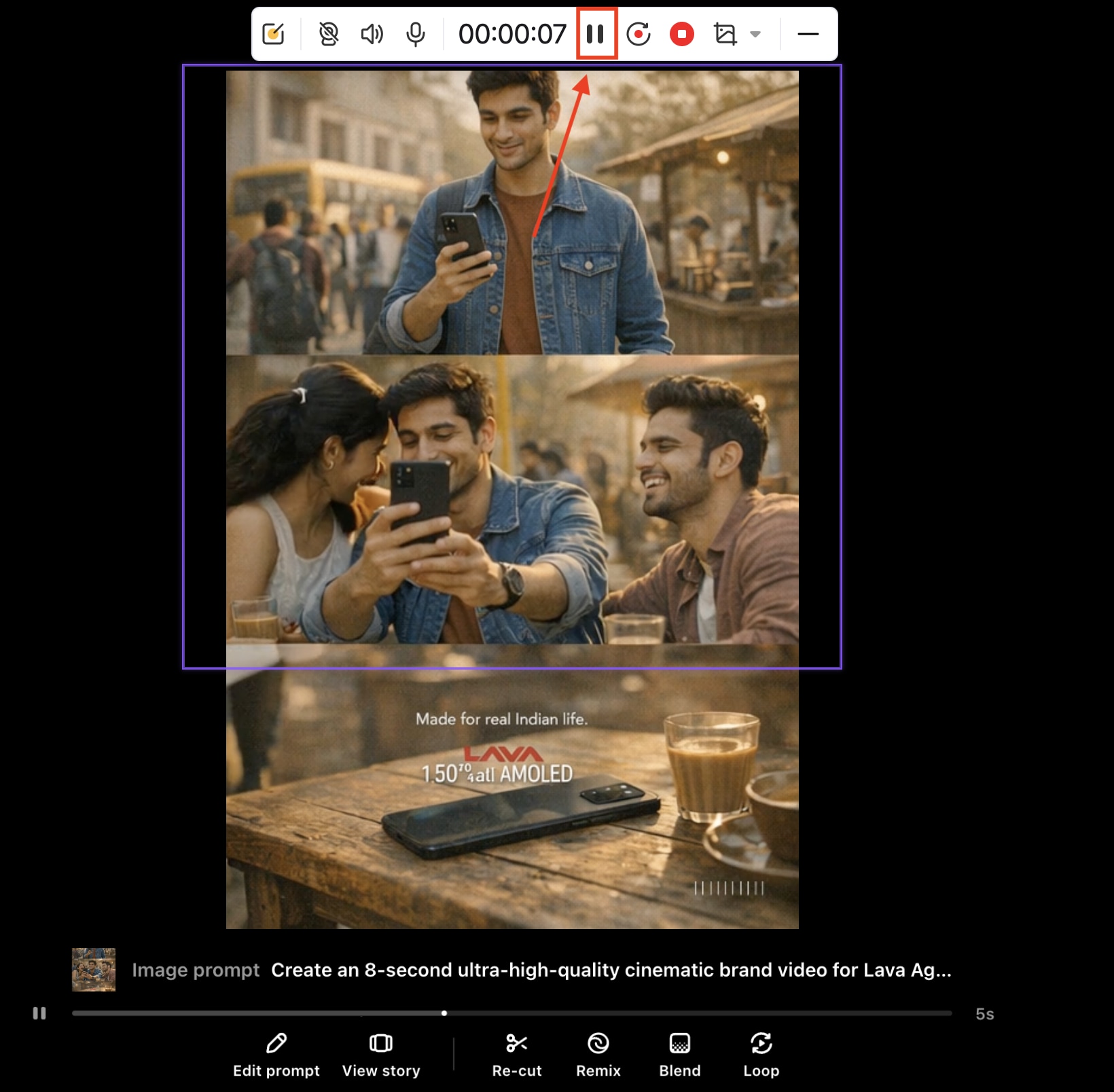
Step 3: Once the video is complete, stop recording. You will find the video on your desktop.
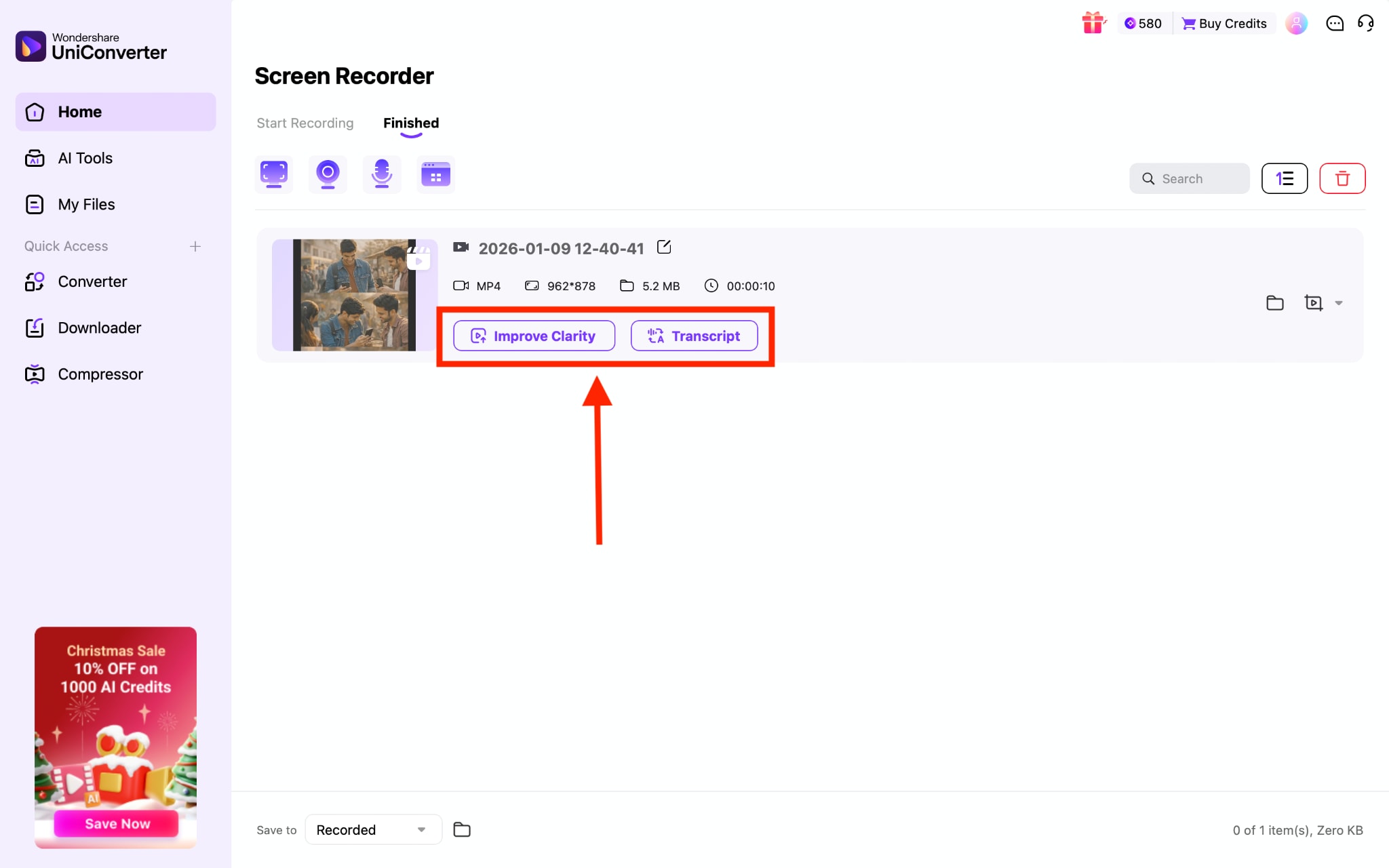
Step 4: On the desktop, you can enhance video clarity or obtain a transcript, as well.
Part 3: How to download Sora videos without a watermark
Sora places a watermark on most exports to promote transparency, protect creators, and embed C2PA metadata that proves a video was generated by AI. That is why standard downloads still show a visible logo on the final file.
If you want clean Sora 2 downloads without a watermark, you have two main paths: the official method available through paid plans, or third-party watermark-removal tools that process the exported file.
Official method:
- Upgrade to ChatGPT Pro or a paid Sora tier.
- Open your project and select Download before publishing to the Explore feed.
- Export the file to your device. Paid tiers allow watermark-free retrieval for your own creations.
UniConverter
If you want to download Sora video without a watermark, UniConverter can do it for you. It mostly depends on the source of the video; it downloads videos without any watermark. If, in some cases, it has a watermark after downloading, you can remove it with one click at the same time.
How to Remove a Watermark from Sora Video
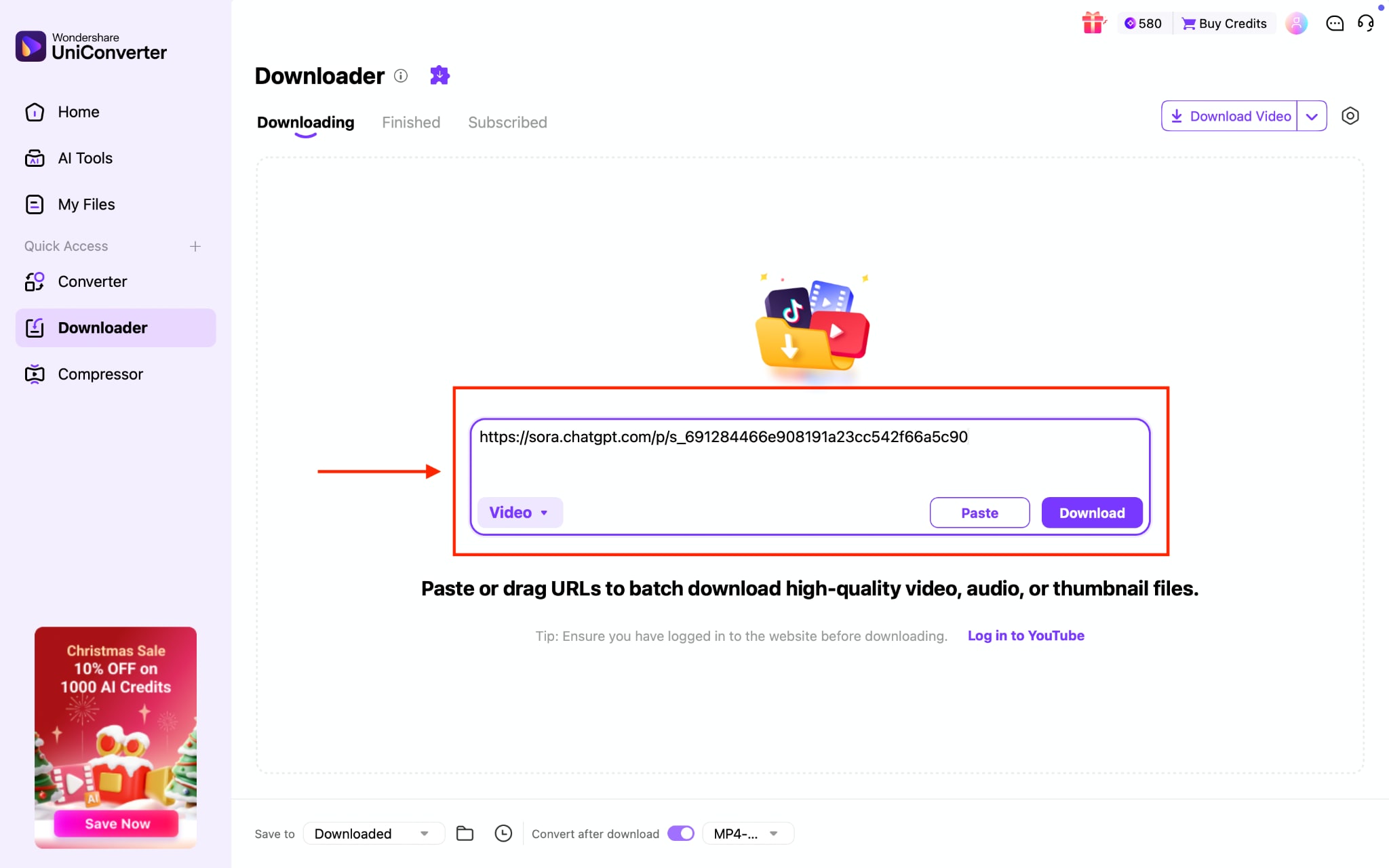
Step 1: Paste the links to the downloader and click "Download."
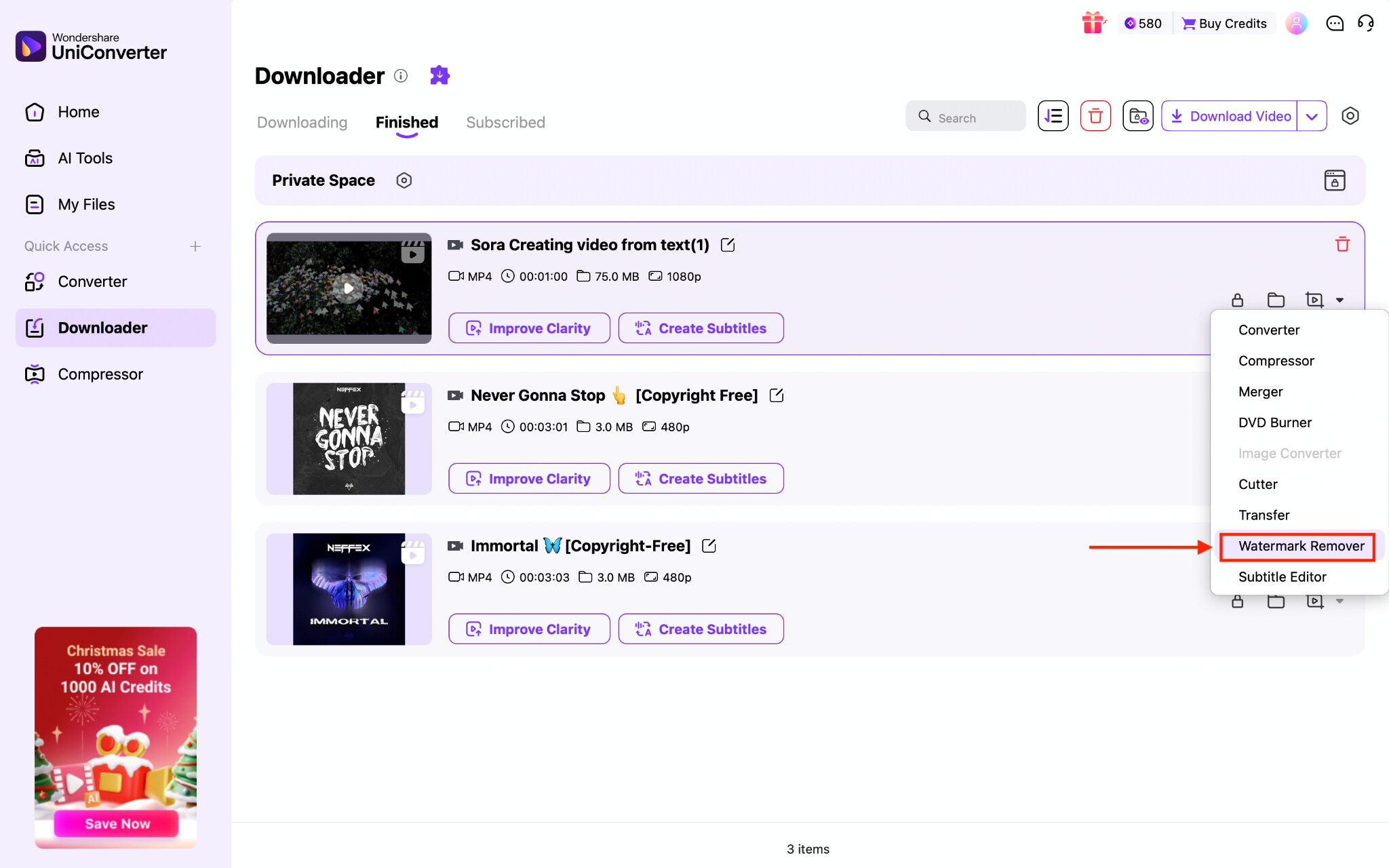
Step 2: After the download completes, click the video-like icon, then select "Watermark Remover."
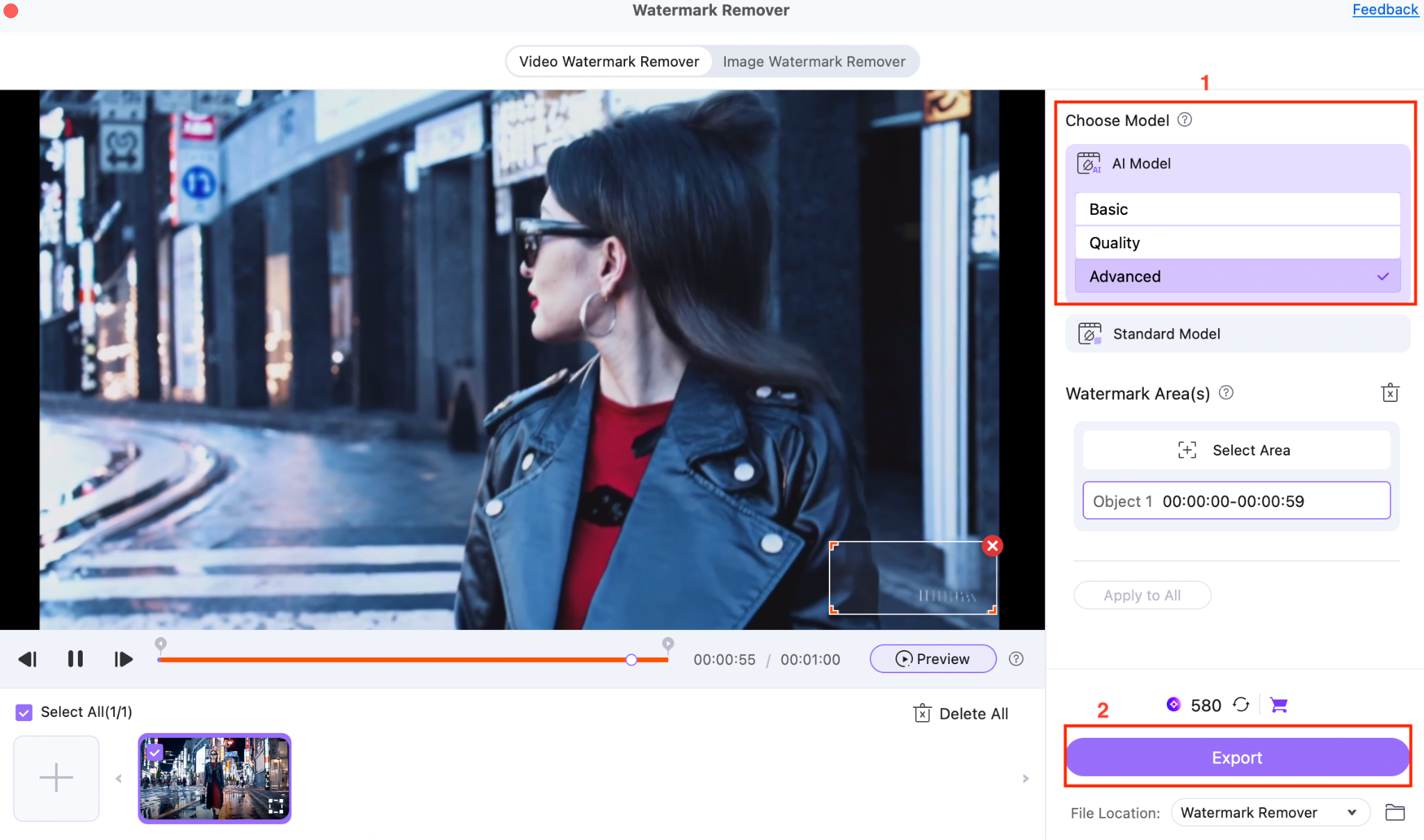
Step 3: Move your cursor over the video, select the watermark area, and click the "Export" button.
Conclusion: Best Practices for Sora Video Downloads
Sora video download options are growing rapidly, and you now have multiple reliable paths to save, reuse, and repurpose their creations. The official export remains the cleanest, safest choice, followed by desktop batch tools, online Sora video downloader sites, and Chrome extensions for faster one-click access. When these fail, recording the screen guarantees you still walk away with your clip.
Choose tools that protect privacy, preserve quality, and respect ownership rights, especially when handling Sora 2 outputs or removing watermarks. If you need the highest level of control, from batch downloads to AI watermark cleanup, Wondershare UniConverter delivers the most comprehensive feature set.

