PornTrex Downloader: How to Download PornTrex Videos (Windows, Mac & Online)

A PornTrex downloader may be a desktop app, online URL tool, or browser extension. The main differences are link support, task management, and where the finished file is saved.
In This Article
- Download PornTrex Videos with UniConverter
- Download from PornTrex Online
- Use PornTrex's Own Download Option or a Browser Extension
- Choose a PornTrex Download Method
- Fix PornTrex Download Problems
- FAQs
1. How to Download PornTrex Videos with Wondershare UniConverter
Wondershare UniConverter is a Windows and Mac desktop app with a built-in Downloader. It can queue multiple authorized URLs, track progress, locate finished files, and convert or compress a local file afterward. A user-provided compatibility record includes a Win/Mac pass for www.porntrex.com; individual URLs and output options can still vary.
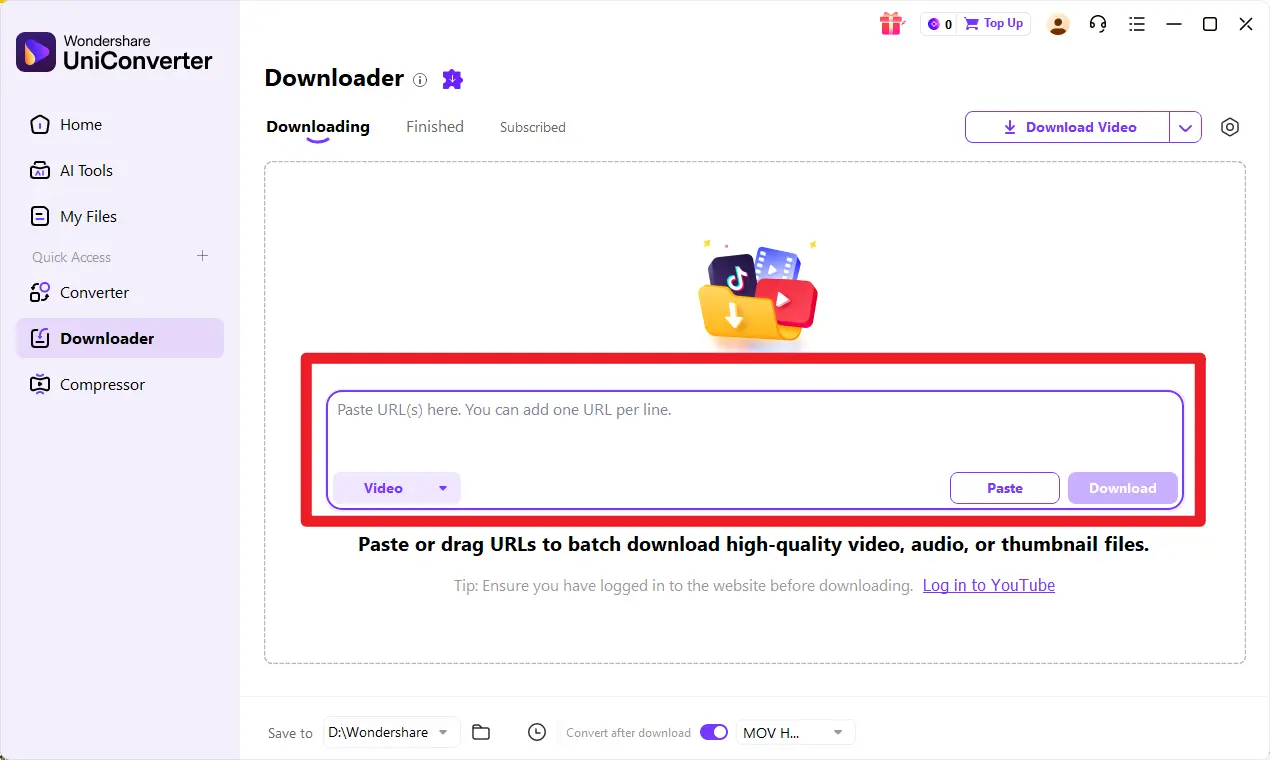
Step 1. Open the Downloader module
Launch UniConverter and select Downloader from the Home screen or navigation menu. Use Converter for files already saved locally.
Step 2. Copy the individual PornTrex video URL and paste it
Copy the address of the individual video page you are authorized to save and paste it into Downloader. For a batch, add one supported video URL per line. Keep the video download type selected; audio and thumbnail are separate task types, not MP4 settings.
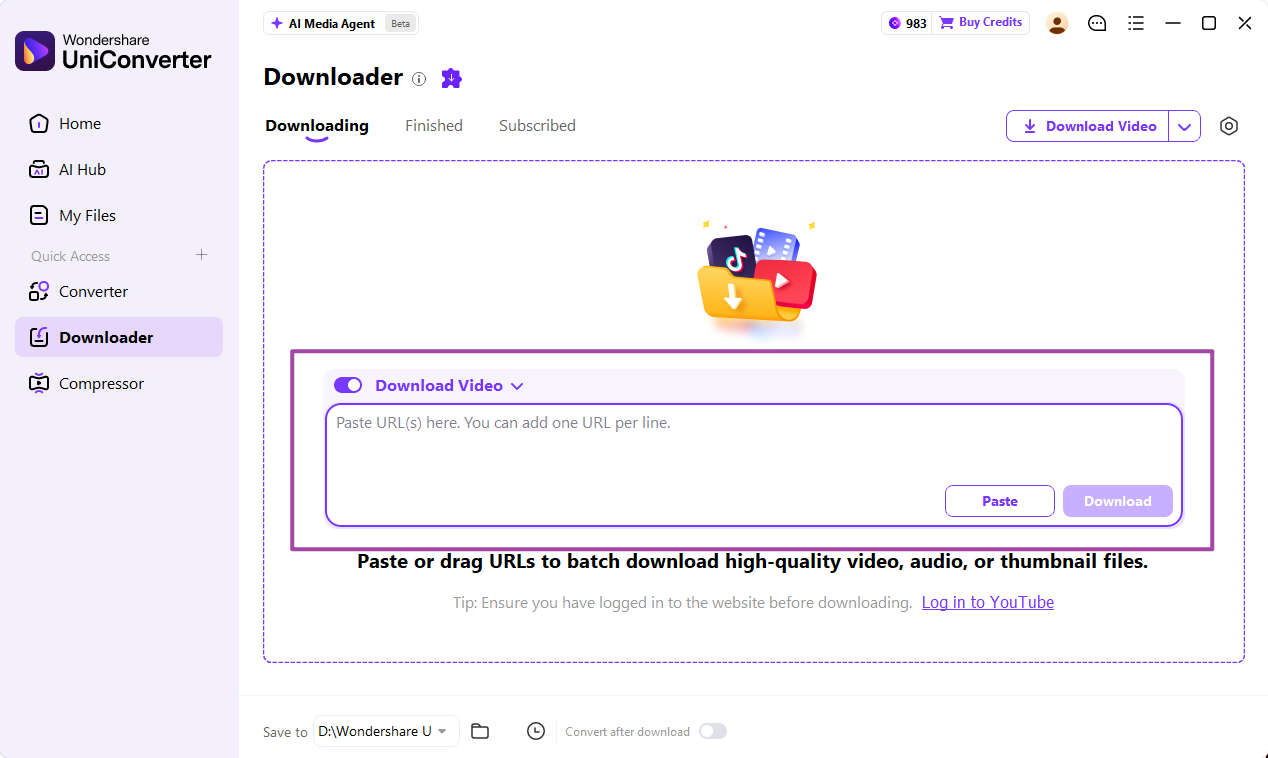
Step 3. Choose the available options and click Download
Click Download. UniConverter analyzes the link as the task starts and shows options when available. Choose an offered quality or format; the current official guide does not require a separate Analyze button. Quality depends on the source.

Step 4. Track progress and find the finished file
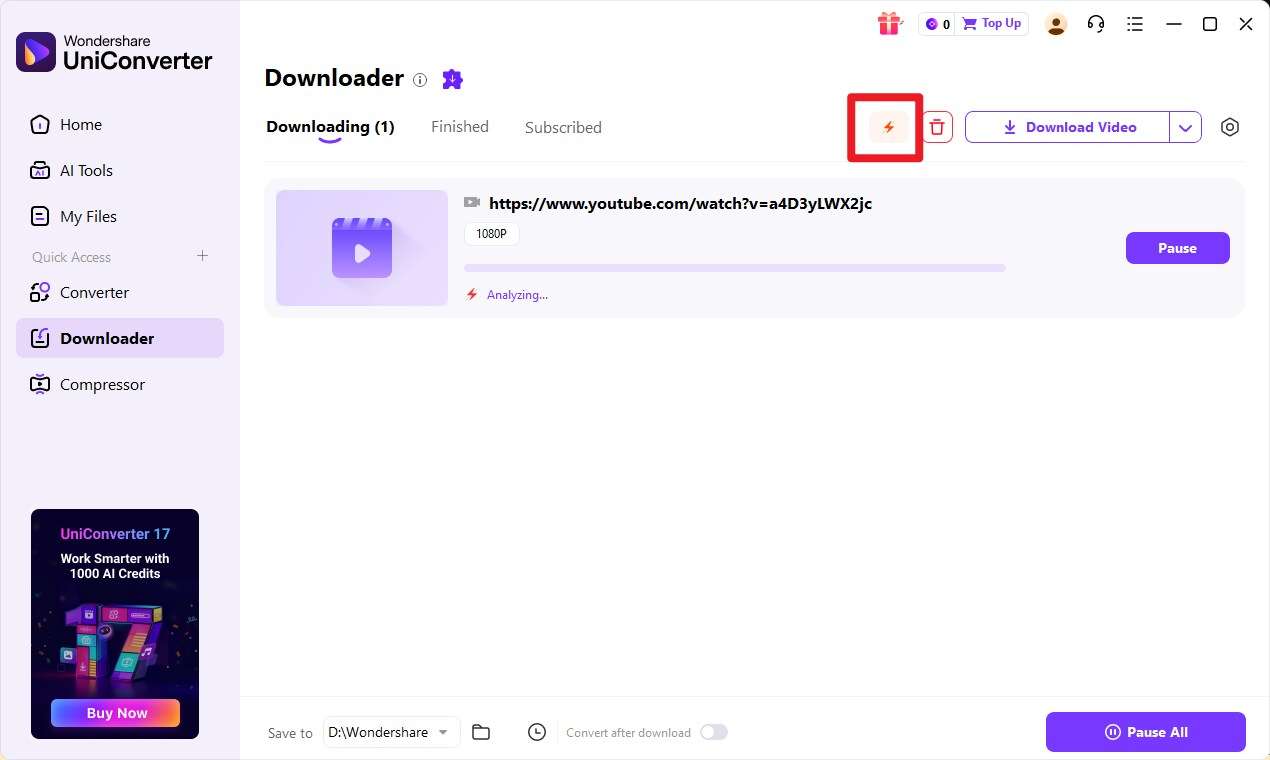
Track tasks in Downloading. When complete, open Finished and use the folder control to locate the file. If it is missing, check the save destination.
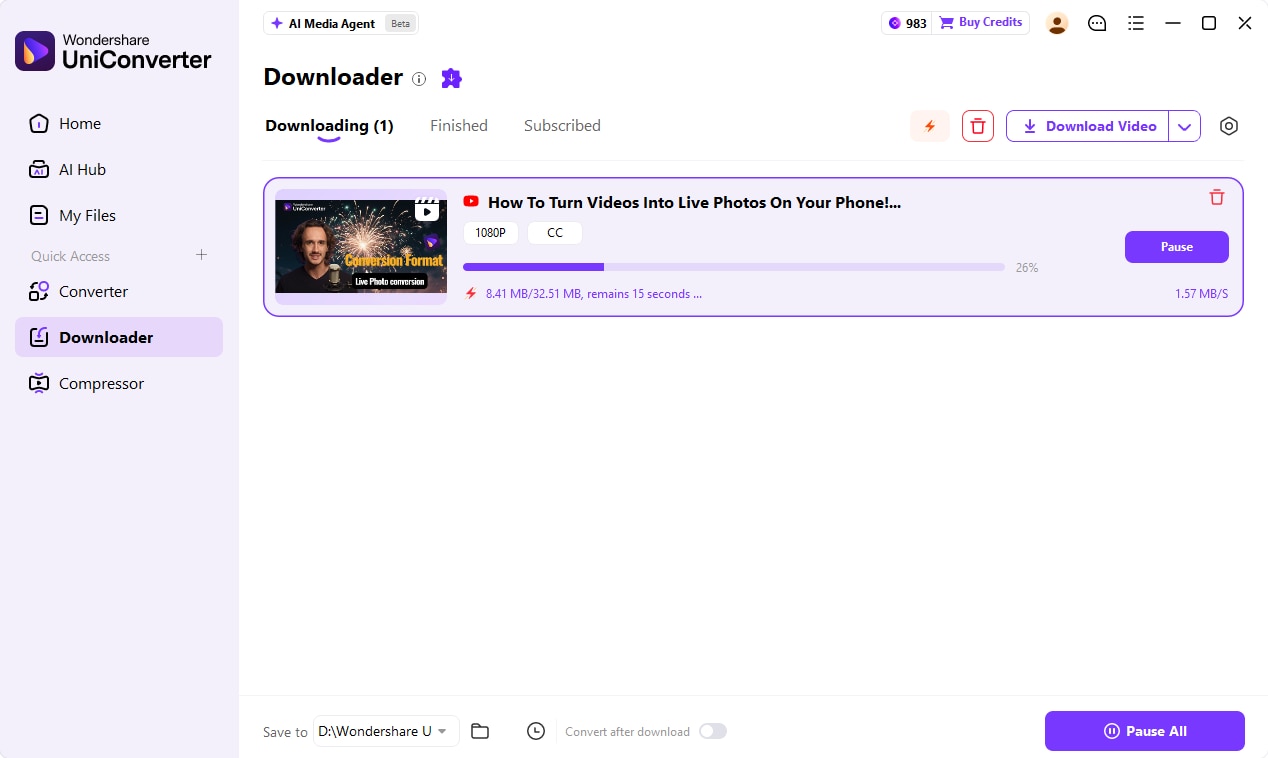
Download several PornTrex videos in one queue
UniConverter can add multiple supported URLs to one batch. It runs up to 10 simultaneous downloads: this is a parallel-task limit, not a cap of 10 URLs or a promise of unlimited queued tasks. Extra tasks wait for an active slot. See the Batch Video Downloader guide for details.
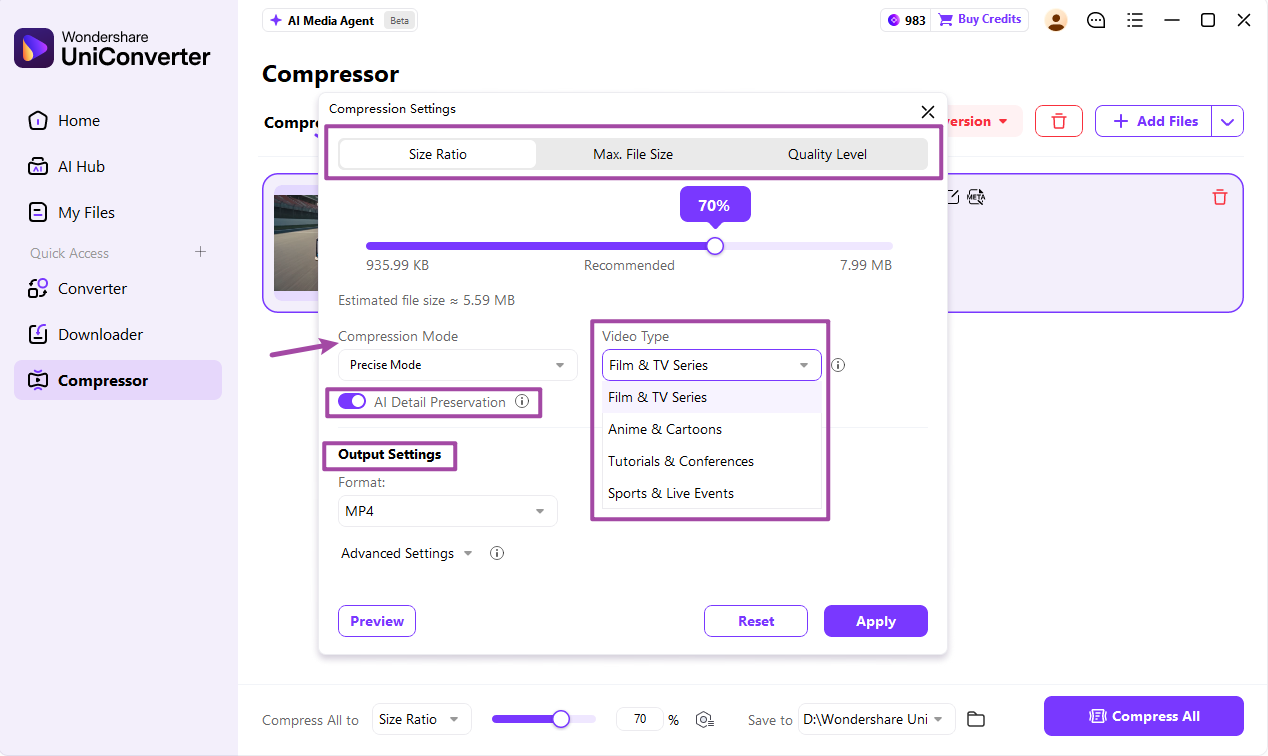
After downloading: convert or compress the file if needed
Use Converter for a different container or device preset, or the Video Compressor to reduce file size. These are post-download tasks and cannot restore detail missing from the source.
2. How to Download from PornTrex Online
Browser-based tools are most useful for a single public video when you do not need a desktop task queue. A dedicated PornTrex page is evidence that the service targets the site, not a guarantee that every URL will return a downloadable file.
Option 1. Locoloader
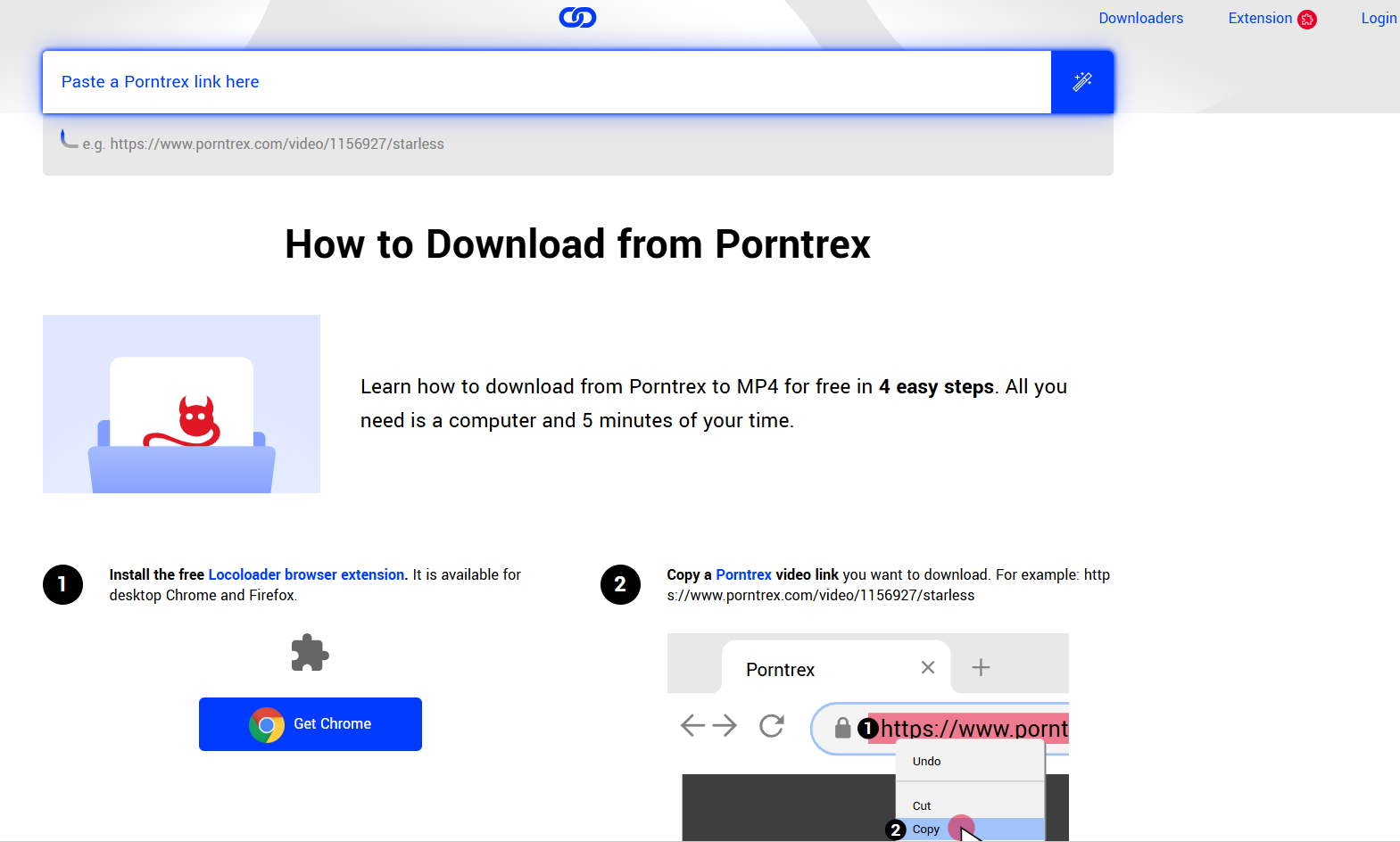
Locoloader's PornTrex downloader publishes a browser-based input form and says it can return MP4 options in available resolutions. Locoloader is an independent third-party service and states that it is not affiliated with PornTrex.
- Open the Locoloader PornTrex downloader page.
- Copy the individual public video-page URL you are authorized to save and paste it into the input field.
- Wait for the page to return available download links. If options appear, choose one and save the file.
Pros: dedicated PornTrex page and an online URL workflow. Cons: results depend on the source and current service behavior; it does not provide UniConverter's local Finished workspace or managed multi-URL queue.
Option 2. TubeOffline
TubeOffline's PornTrex page publishes a video URL field and conversion-format controls. The page says registration is not required; the returned result still depends on what the service can read from the individual public page.
- Open the TubeOffline PornTrex page.
- Paste the authorized public video-page URL into the URL field.
- Use the format and download controls shown if the service returns a usable result.
Pros: a dedicated URL form for one-off attempts. Cons: no desktop-style task queue or Finished workspace, and no guarantee that every URL will work.
For several authorized links, a desktop queue provides clearer task and file management. Do not use online tools to bypass account, age, geographic, download-disabled or DRM restrictions.
3. Use PornTrex's Own Download Option or a Browser Extension
Check the site's own download option first
The official PornTrex homepage says videos can be downloaded by registered members with a valid email address. If you are using an authorized account, open the individual video page and use the site's own Download control when it is available for that video. The homepage does not document the button's exact location on every page, so this guide does not assume a fixed position. Do not attempt to override a disabled control or restricted page.
Browser extension: PornTrex Downloader by SERP Apps
The SERP Apps extension project says to install a release build, open a supported watch page, start playback, then use its popup or in-page control to view available options. Browser support can vary by build.
Trial and license: the project states that it includes 3 free downloads, uses email one-time-password sign-in, and requires a paid license for unlimited downloads. Its license is proprietary. Review the current terms before installing; it is not a Wondershare or PornTrex product.
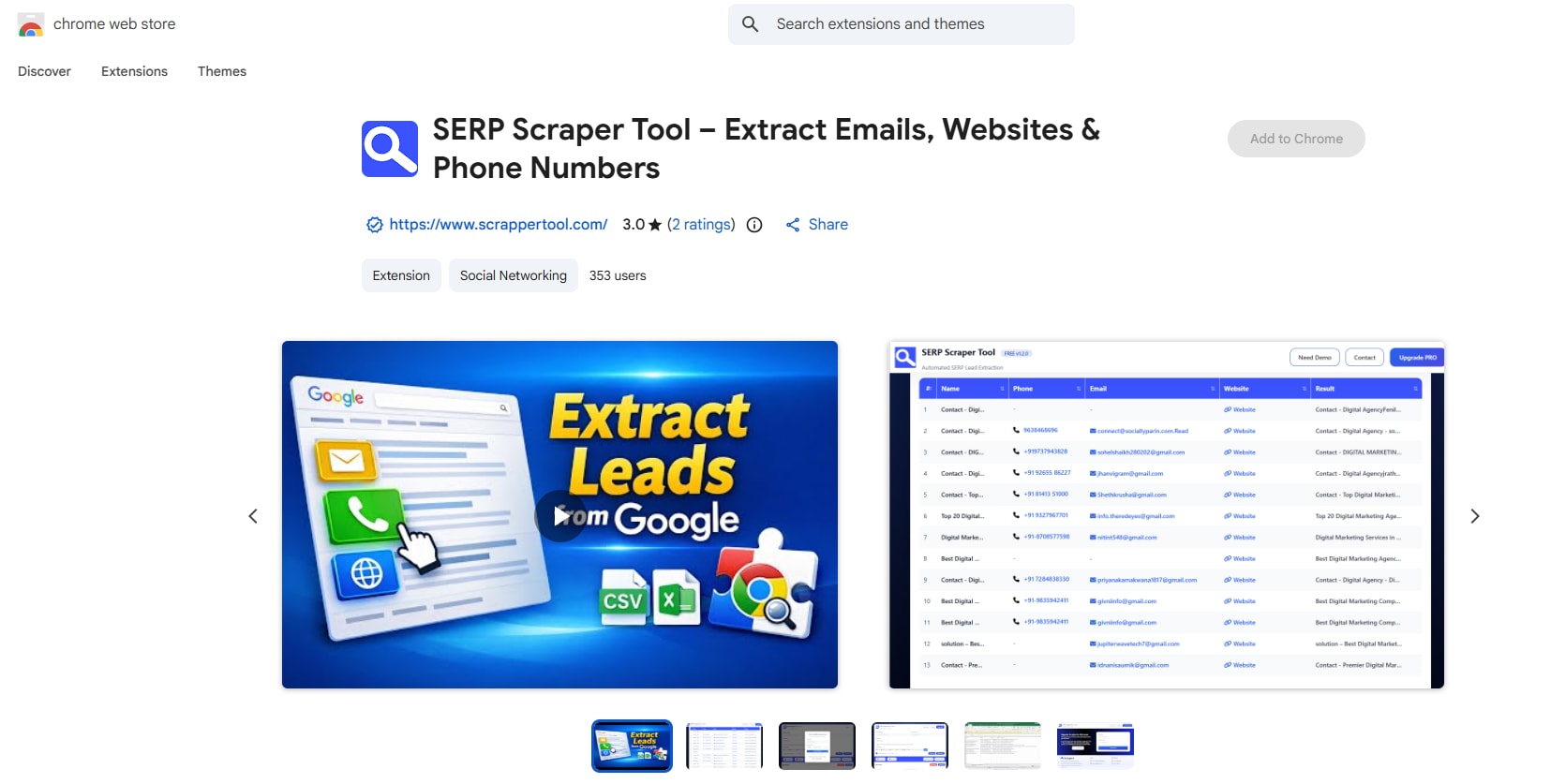
No clean, non-explicit real extension screenshot was available for this draft, so no synthetic UI is shown. Use it only with media you are authorized to save.
4. Which PornTrex Download Method Should You Use?
| Method | Device / install | Best fit | Main condition |
|---|---|---|---|
| UniConverter Downloader | Windows or Mac; desktop app | Multiple URLs, progress and Finished-file management | Supported URLs/options; up to 10 simultaneous tasks |
| Locoloader online page | Browser-based URL form | One public video | Returned links and available resolutions depend on the service and source |
| TubeOffline | Browser; no install | One public URL | Depends on the returned result |
| PornTrex's own option | Browser; account may be required | When a Download control is offered | Use the site's normal account flow |
| SERP Apps extension | Supported desktop browser; install required | Supported open watch pages | 3-download trial, email OTP and paid license for unlimited downloads |
For one clip, try the site's own option or an online tool. For several links, use a desktop queue. Review an extension's publisher, permissions and license before installing.
5. PornTrex Download Not Working? Causes and Fixes
A failed download can stem from the URL, source availability, media detection, transfer, file location or playback. Match the symptom to the fix below.
| What you see | Possible cause | What to do |
|---|---|---|
| The tool rejects the URL | The URL is for a category, search/listing page or unrecognized embed. | Copy the address of the individual public video page and submit that URL. |
| The video page no longer opens | The source was removed or is no longer public. | Open the original page normally. If it is unavailable, a downloader cannot restore it. |
| No media is detected | The player has not exposed a supported source, or the method cannot read the current delivery format. | Let the public page and player load normally, then retry or use another permitted method. Do not bypass access controls. |
| The download stops partway | The connection or source transfer was interrupted. | Use Resume if available, or retry when the connection is stable. |
| The file is missing | It was saved to another destination. | In UniConverter, open Finished and use the folder control or check Save to. In a browser, check download history and Downloads settings. |
| The file will not play | The transfer is incomplete or the player lacks codec/container support. | Confirm file size and duration. If complete, convert the local file to a supported format such as MP4 when available. |
| Quality is lower than expected | The source exposes limited quality options. | Choose the best option offered. Downloading cannot add missing detail. |
For post-download formats, see the video conversion guide; for multiple URLs, see the batch downloader guide.
FAQs About PornTrex Downloads
How do I download videos from PornTrex?
Use PornTrex's Download control if available to your account. Otherwise, paste the public video URL into an online tool or UniConverter and choose an offered output.
Is there an online PornTrex downloader?
Yes. Locoloader and TubeOffline have PornTrex-specific pages. Paste a public video URL and choose a returned option; limits can change.
Can I download PornTrex videos on Windows and Mac?
UniConverter is available for Windows and Mac. A user-provided record includes a Win/Mac pass for www.porntrex.com; individual URLs can vary.
Can I download multiple PornTrex videos at once?
UniConverter queues multiple URLs and runs up to 10 simultaneous downloads. This limits parallel tasks, not total URLs. The online tools are for one link per run.
Can I save PornTrex videos as MP4?
Choose MP4 if offered. Otherwise, convert the saved file to MP4 in UniConverter when its formats are supported.
Why is my PornTrex download not working?
Common causes include a non-video URL, removed source, unavailable options or interrupted transfer. Copy the individual video URL and confirm the page opens.
Where are my downloaded videos saved?
In UniConverter, open Finished and use the folder control. In a browser, check download history and the configured save location.
Conclusion
Start with the individual video-page URL and choose the method that fits: the site's own option, an online tool for one public link, or UniConverter Downloader for a managed Windows or Mac queue. Conversion and compression are optional follow-up tasks. Save only content you are authorized to keep.
Disclaimer: Downloading online videos without permission may violate a site's terms or copyright law. Only save content you own, have permission to keep, or are otherwise authorized to download, and follow applicable laws and creators' rights.