


Have you felt the moment when you captured a perfect moment, and later the picture turned out to be blurry or grainy? You need not worry about this anymore. With the help of a picture cleaner tool, you can quickly clean up your photos and enhance the image quality by sharpening the edges, removing blur, and improving the overall clarity. A reliable image cleaner tool will clean up your image without distorting the original photo.
In this article, you will get reliable and professional tools that will help you edit and clean up an image. With powerful desktop options to quick mobile-friendly options, there are multiple ways to clean pictures based on your needs.
In this article
- What It Does: A picture cleaner enhances image quality by removing blur, noise, grain, and compression artifacts.
- AI Advantage: Modern tools use AI to detect imperfections and restore details automatically with minimal manual effort.
- Tool Options: Desktop, online, and mobile tools offer different levels of control, speed, and ease of use depending on user needs.
- Efficient Solution: Wondershare UniConverter provides AI-powered cleanup, batch processing, and high-quality output in a simple workflow.
Part 1. What is a Picture Cleaner & How Does a Picture Cleaner Work?
A picture cleaner is a photo enhancement tool that lets you improve the visual quality of any image by removing imperfections like blur, compression errors, pixelation, and grains. The image cleaning process was a manual-heavy process, but now with AI-powered tools it has become easy to get high-quality pictures.
An AI-powered picture cleaner uses machine learning models trained on millions of images. These models differentiate between clean image details and unwanted issues. Once you upload a photo to the platform, the AI engine analyzes the image with trained patterns like edges, textures, lightning, and color transitions.
Advanced picture cleaners use neural networks to predict missing details in low-resolution or damaged images. These functionalities help you restore old images while preserving natural textures, sharpness, and color accuracy without manual editing.
Part 2. 10 Picture Cleaners to Clean Up Photos (Offline, Online, and Mobile)
Here are the most effective image cleaner tools that you can use across different platforms, including PC, online browsers, and mobile platforms.
Best Picture Cleaner Tools for PC and Mac
Cleaning up photos using desktop software like Wondershare Uniconverter, Adobe Photoshop, and GIMP becomes easy and gives professional results. Below is a detailed list of desktop tools that you can pick accordingly:
1. Adobe Photoshop

Adobe Photoshop is an image cleaning tool that gives you complete control over the clean-up process. With options like Mask and AI-powered Neural Filters, you can precisely clean up images to achieve a professional finish. Although the tool is powerful, its complexity makes it less intuitive for new users.
Key Features
AI Neural filters to fix damages in the image.
Non-destructive layer editing.
High-end output quality.
2. Wondershare UniConverter
Wondershare UniConverter is suited for quick and consistent image cleanup in batches with minimal manual input. With its AI-driven tools, users can easily enhance image quality, remove unwanted elements, and restore visuals with just a few clicks. Whether you're dealing with blurry photos, background distractions, or watermarks, UniConverter watermark remover simplifies the editing process without requiring advanced skills. You can use it to remove unwanted elements, like a person or certain objects, or to remove details, like facial pimples or wrinkles. Its intuitive interface and fast processing make it ideal for both beginners and professionals. For a better visual look, you can also use its image enhancer to identify noise, rough edges, and other imperfections intelligently and separate real image textures from unwanted distortion.
Key Features
- The image BG remover lets you remove the background and add a different one as per your requirement.
- With the AI image enhancer online, you can fine-tune clarity and details to avoid multiple export versions.
- It lets you work precisely to remove noise and smooth pixelated edges while ensuring that the image does not look over-processed.
- You can also convert images from one format to another, including PNG, TIFF, and SVG.

Smart Picture Cleaner for Natural, Balanced Results
3. GIMP
GIMP (GNU Image Manipulation Program) provides you with traditional image editing tools suitable for users who want hands-on control in the cleanup process. When working with GIMP, the image cleanup depends largely on filters and your technical skills rather than automation and AI engines. The absence of native AI cleanup functionality is a major downside.
Key Features
Built-in blur filters and masking support.
Multi-layer workflow for precise and in-depth editing.
Additional features can be added in the form of plug-ins.
4. Affinity
Affinity Photo works well as a picture cleaner when you want hands-on control. You can clean up noise, sharpen soft edges, and fix imperfections without harming the original photo. Since edits are non-destructive, you’re free to experiment and fine-tune results until the image looks just right.
Key Features
Advanced retouching and smoothing tools
Performance is optimized for users who want professional-level output.
Frequency separation functionality for heat images.
Best Online Picture Cleaner Tools for Free
If you are looking for a one-time picture cleaner tool, a browser-based option can be a good choice. With options like Fotor, Pixlr, and VanceAI Image Enhancer, you can instantly clean up images on your browser without any setup or installation.
5. Fotor
Fotor is a one-click AI-powered online image cleanup tool that focuses on simplicity and instant results. The AI-powered platform uses trained data to remove imperfections from the image without the need for technical expertise. However, you have limited control over the output, and there is a compromise in the image quality.
Key Features
AI-powered blur removal and visual enhancer.
You can clean up images with just one click.
Supports various image formats like JPEG, PNG, SVG, and TIFF as well.
6. Pixlr
Pixlr is an online browser-based picture cleaner that gives you an effective combination of both automatic and manual tools. If you are looking for a lightweight tool that lets you perform manual adjustments, Pixlr is the right tool for you. However, Pixlr does not support batch processing with slow performance on large images.
Key Features
Layer-based editing functionality.
You get a host of AI-assisted commands and functions.
Multiple filter and blur options for a precise clean-up process.
7. Vance ai
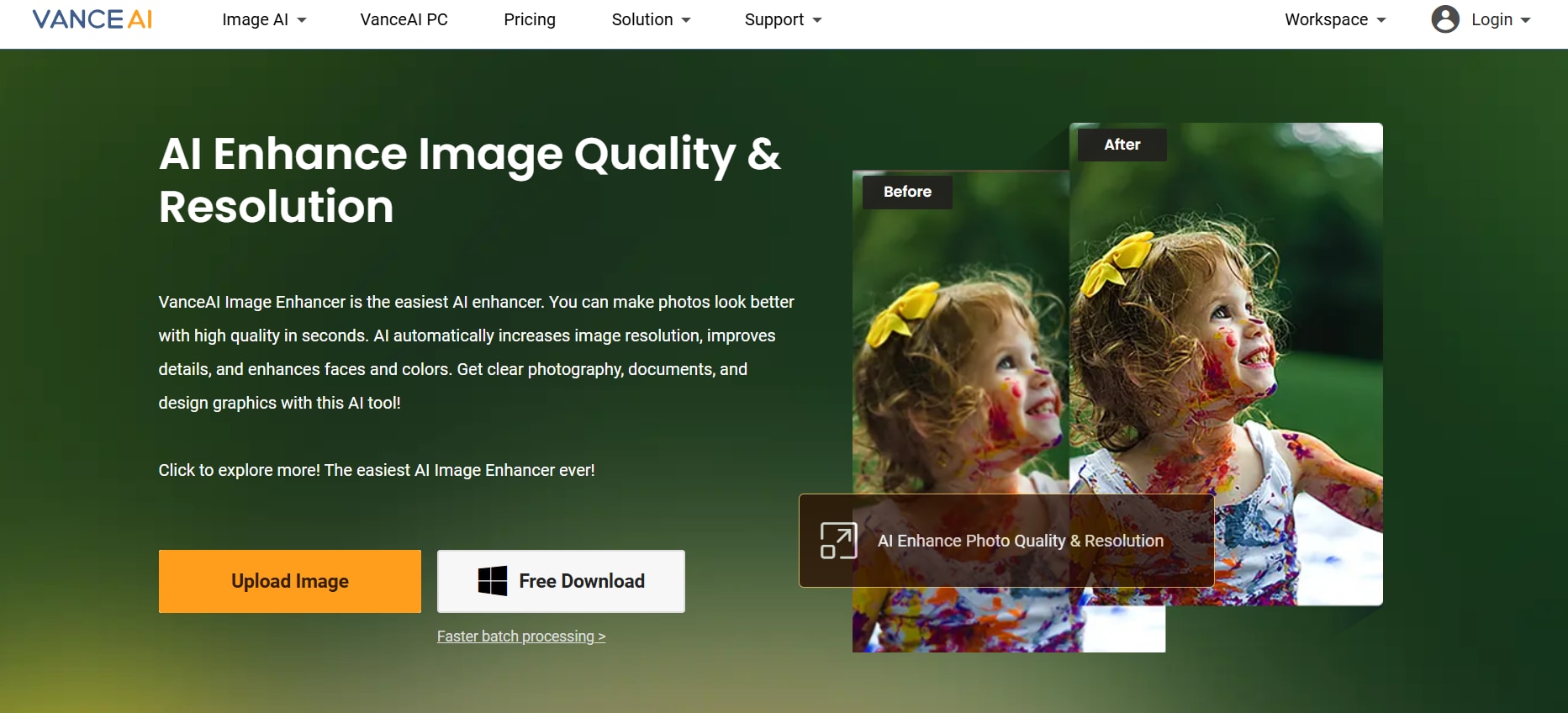
VanceAI Image Enhancer is an easy-to-use picture cleanup tool that is trained on AI models, particularly for low-quality and small-sized images. The AI engine enhances the images and removes minute imperfections for a professional output. However, you will have to upload images to the cloud, which raises privacy concerns.
Key Features
You can use the upscale feature to improve the quality of low-resolution images.
AI-powered engines for automatic image enhancement.
Cloud-based processing for instant results.
Best Mobile Picture Cleaner Apps for Android and iOS
Image cleaner tools on your mobile devices are suitable when you are on the go. With tools like Remini, Snapseed, and Picsart, you can clean up images that you click on a vacation and share them on your social media instantly.
8. Remini (Android and iOS)
Remini is an AI-based photo restoring and enhancing tool that quickly cleans your image on your mobile device. You can use Remini to enhance blurry and wrongly compressed images, especially portraits and faces. However, the free version puts a limit on the daily enhancements.
Key Features
One-tap portrait enhancement to remove blurs and grains.
The user-interface has a mobile-first approach.
AI-powered engines assist in sharpening the output.
9. Snapseed (Android and iOS)
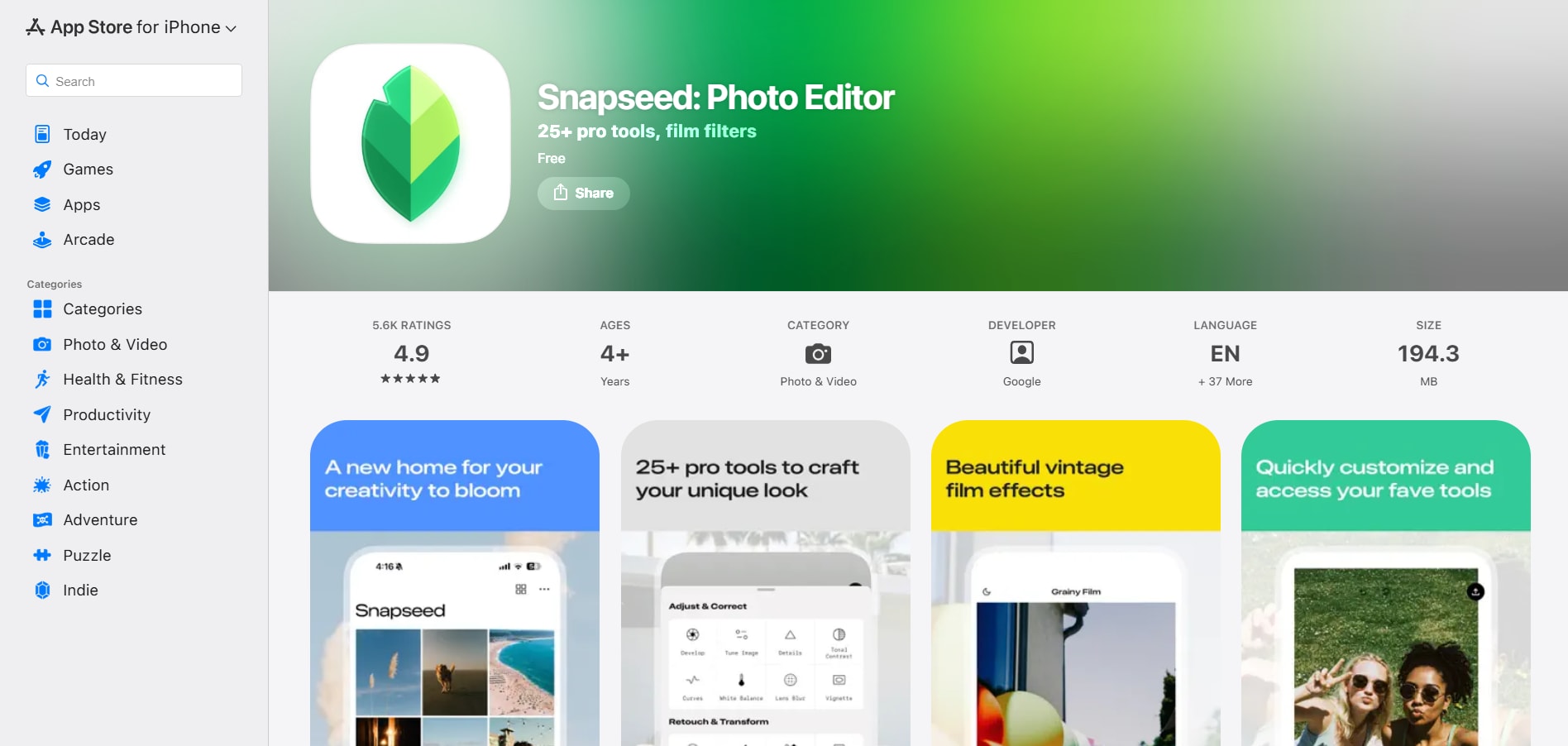
Snapseed offers professional-grade image cleanup and editing tools without AI automation, making it suitable for users who want complete control over the process. However, Snapseed is slow for batch edits and requires technical understanding and knowledge.
Key Features
Non-destructive editing layers that are similar to Adobe Photoshop.
Precise sharpening option for rectifying blurred edges.
You can add soft darkness and lightness to the corners with ease.
10. Picsart (AndroidandiOS)
Picsart works as a quick picture cleaner when you want fast fixes on your phone. You can remove unwanted objects, reduce noise, sharpen details, and clean up images with a few taps. It’s ideal for casual edits and social posts, though ads and paid features can interrupt the workflow.
Key Features
AI-powered editing tools that clean up images with just one click.
Sharpen details, reduce noise, and improve clarity in low-quality images.
Combine basic picture cleaning with filters, stickers, and background edits.
Part 3. How Does AI Auto Watermaker Clean Pictures?
AI Engine analyzes the pictures to pixel level to understand the structure, texture, and other patterns. With the results, the system is able to distinguish between actual image details and imperfections like blur, grain, or compression artifacts. The AI engine that reconstructs the missing details while preserving the natural colors and textures.
Step-by-step Process for Using Wondershare UniConverter AI-Powered Picture Cleaner
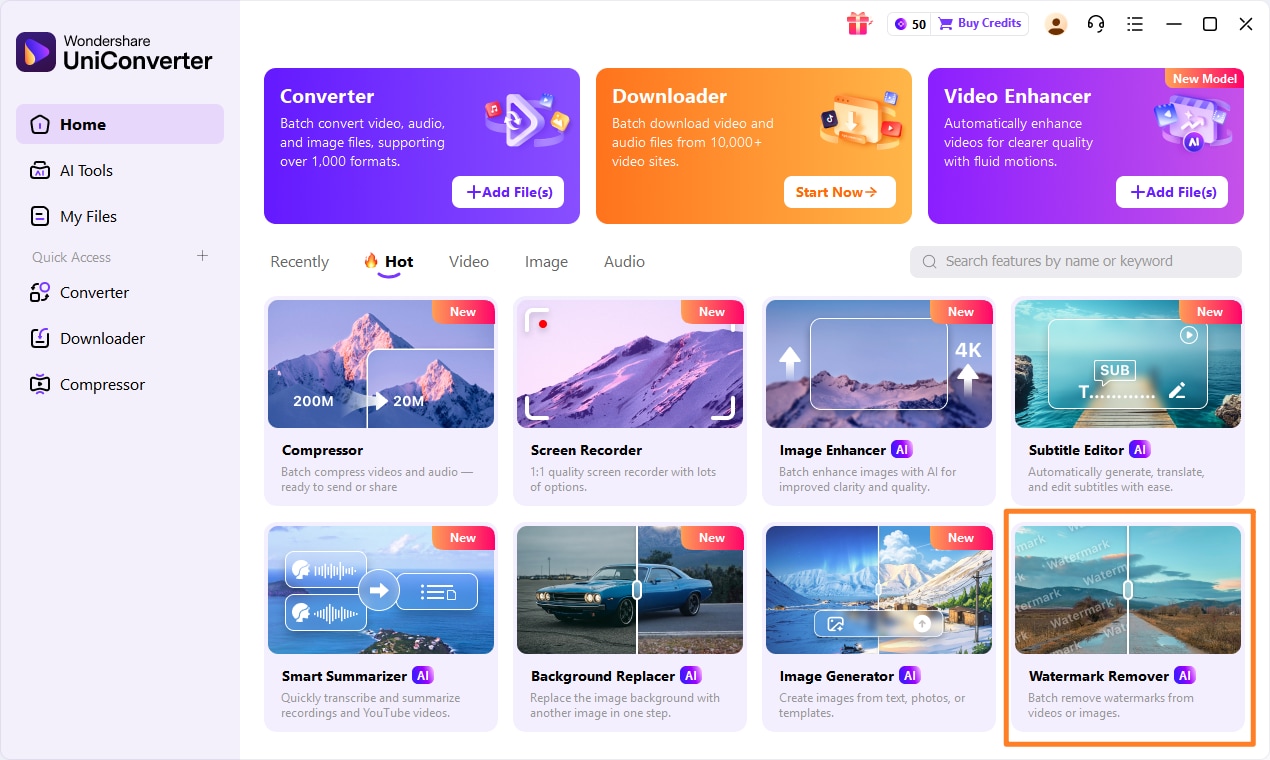
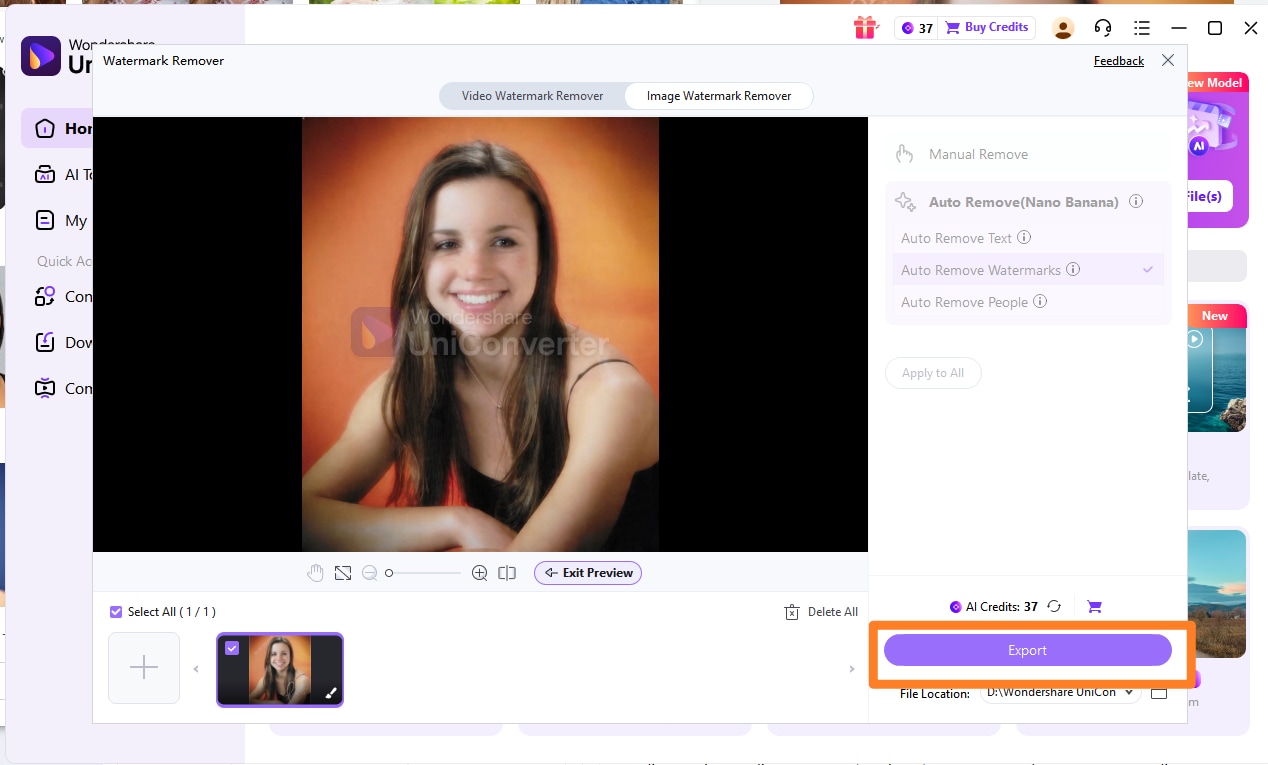
Step 1. On the Wonderare UniConverter dashboard, click on the “AI Tools” button on the left-hand menu. Click on the “Image Enhancer” option.
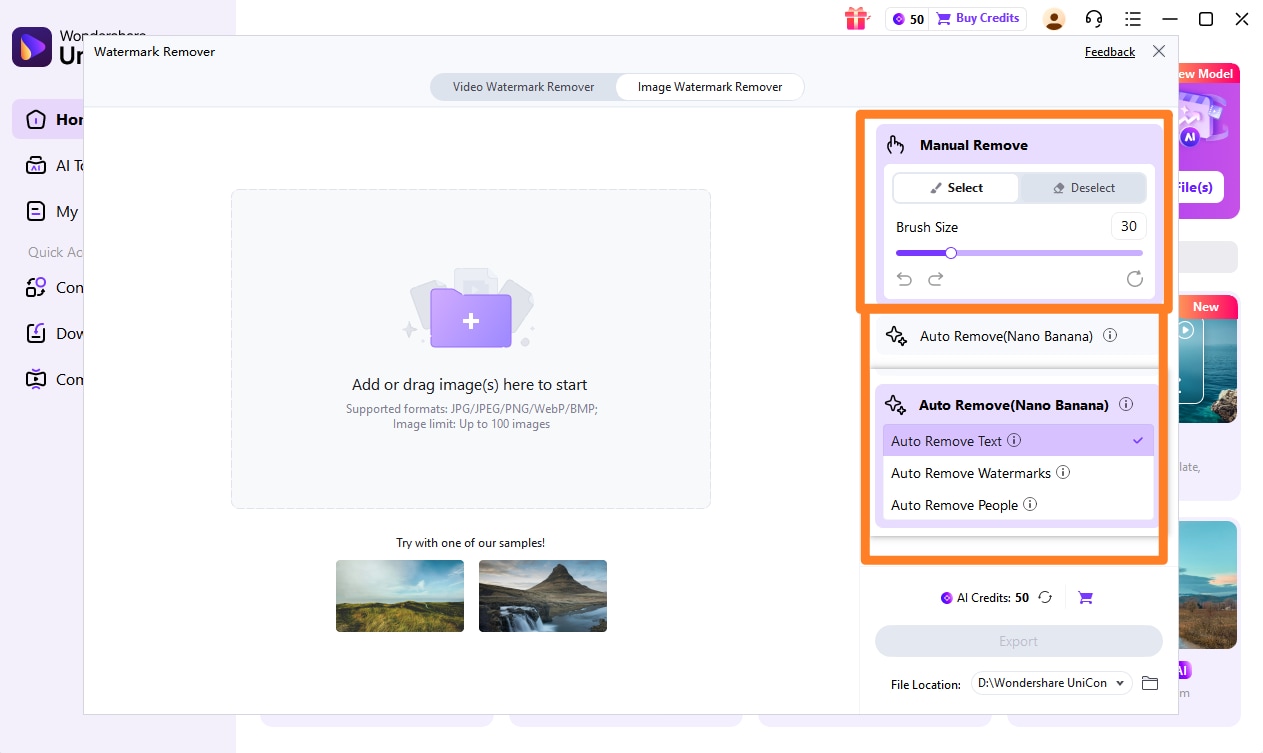
Step 2. Use the “Add Files” button to upload the image(s) that you want to clean up. Use the selection tool (brush or box) to highlight the blemishes, elements, or watermark you want to remove. Adjust the selection size for better accuracy.
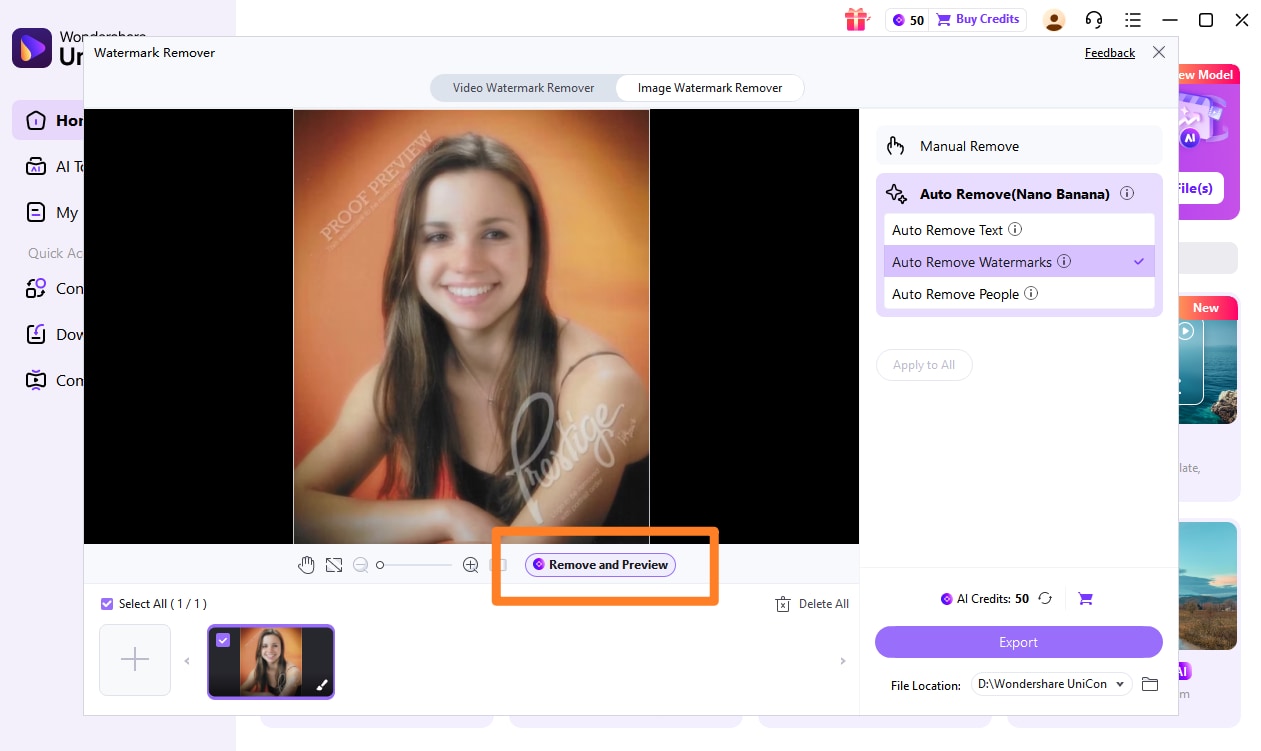
Step 3. Click the mode to apply the effect and click the preview botton to confirm result.
Step 4. Click on the “Export All” button to save the rectified image to your device.
Part 4: Comparison Table of Best Picture Cleaner Tools
Below is a comparison table that will help you make an informed decision as per your requirements and skill level.
| Features | Platform Support | AI Automation | Noise Reduction | Edge Refinement | Batch Processing | Offline Use | Beginner-friendly | Manual Controls | Free Version | High-Resolution Image Support | Focus on Details |
| Wondershare UniConverter | Desktop and browser | Yes | Yes | Yes | Yes | Yes | Yes | Limited | Yes | Yes | High |
| Adobe Photoshop | Desktop App | Yes | Yes | Yes | Yes | Yes | Learning curve | Yes | No | Yes | High |
| GIMP | Desktop App | No | Yes | Yes | Yes (with plugins) | Yes | No | Yes | Yes | Yes | High |
| Affinity Photo | Desktop App | No | Yes | Yes | Yes | Yes | Medium | High | Yes | Yes | High |
| Fotor | Desktop, mobile, and Browser | Yes | Yes | Basic | No | No | Yes | Low | Yes | Yes | Medium |
| Pixlr | Browser and mobile | Yes | Yes | Yes | No | No | Yes | Low | Yes | Yes | High |
| VanceAI Image Enhancer | Browser | Yes | Yes | Yes | No | No | Learning curve | Low | Limited credits | Yes | High |
| Remini | iOS and Android devices | Yes | Yes | Yes | No | Yes | Learning curve | Very low | Yes | Yes | High |
| Snapseed | iOS and Android devices | No | Yes | Basic | No | Yes | Yes | Medium | Yes | Yes | Medium |
| Picsart | iOS and Android devices | Yes (basic) | Yes | Basic | No | Yes | Yes | Medium | Yes | Yes | Medium |
Conclusion
A picture cleaner can rectify and enhance your images that look blurred or unpolished. Although manual professional tools provide more control and help you remove imperfections precisely, AI-powered models do the same instantly with less technical know-how. When choosing a tool, you have to make a decision based on the speed, accuracy, and ease of use.
With Wondershare UniConverter, you get an all-in-one multimedia converter that helps you rectify images with high-resolution output and minimal technical complexity. If you want batch processing with high-quality results, Wondershare UniConverter can be an ideal choice for you.
FAQs
-
1. Can a picture cleaner improve images taken in low light?
Yes. AI-powered picture cleaners can reduce noise and imperfections caused by low-light conditions. However, extremely dark images may still lose some texture during enhancement. -
2. Are picture cleaner tools safe for private or sensitive photos?
Offline tools are generally safer because files remain on your device. When using online tools, always review their privacy policies before uploading sensitive images. -
3. Can picture cleaners restore old scanned photographs?
Yes. They can reduce dust, scratches, and minor damage in scanned photos. For heavily damaged images, additional manual editing may be required. -
4. Does using a picture cleaner reduce image quality?
High-quality tools are designed to enhance images without reducing quality. However, excessive processing or aggressive smoothing may make images look unnatural. -
5. What is the difference between a picture cleaner and a photo editor?
A picture cleaner focuses on improving image quality automatically (removing noise, blur, and artifacts), while a photo editor provides broader manual editing tools like cropping, color adjustment, and filters.

