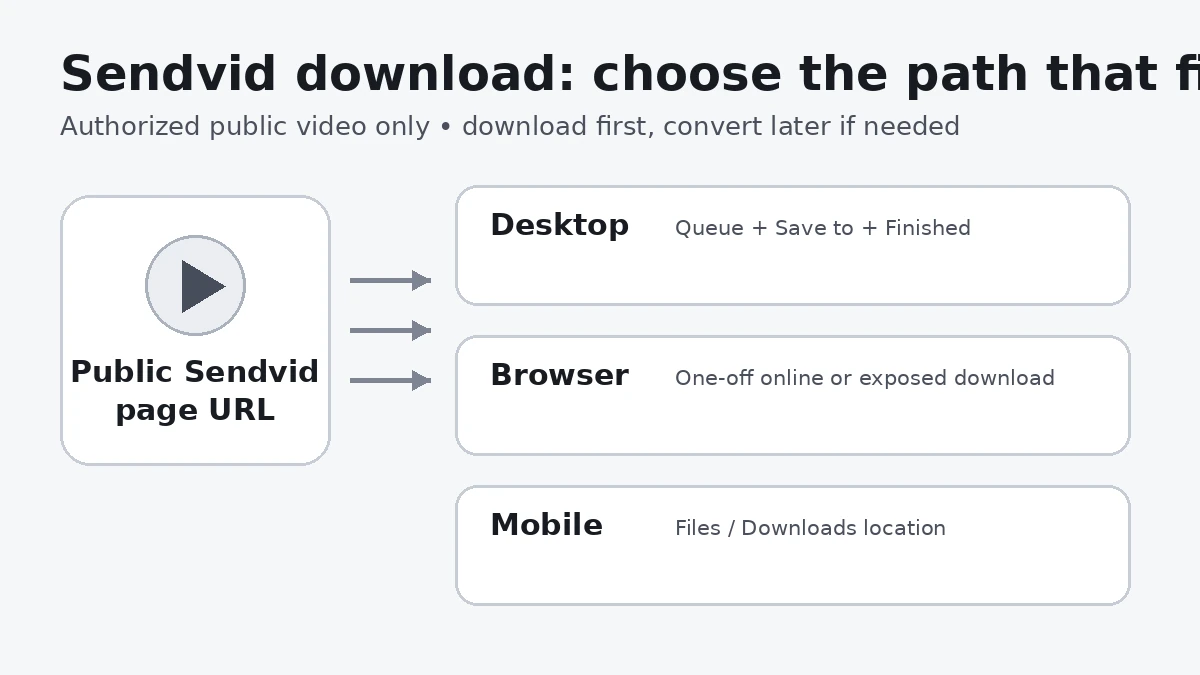
Sendvid is a general video hosting and sharing service. Its public help focuses on upload, playback, sharing, privacy, and retention rather than documenting a universal viewer-side download button. For one accessible video, a browser or online tool may be enough; for repeated URLs, a chosen save folder, and task history, a desktop download manager gives more control.
In this article
Part 1. How to Download Sendvid Videos with Wondershare UniConverter
Wondershare UniConverter Downloader fits users who want a managed Windows or Mac workflow instead of a one-off browser save. Sendvid support here is based on the supplied Windows and Mac supported-site records, while the steps follow current UniConverter Downloader guidance.
- Choose the save folder: use Save to before starting the URL task.
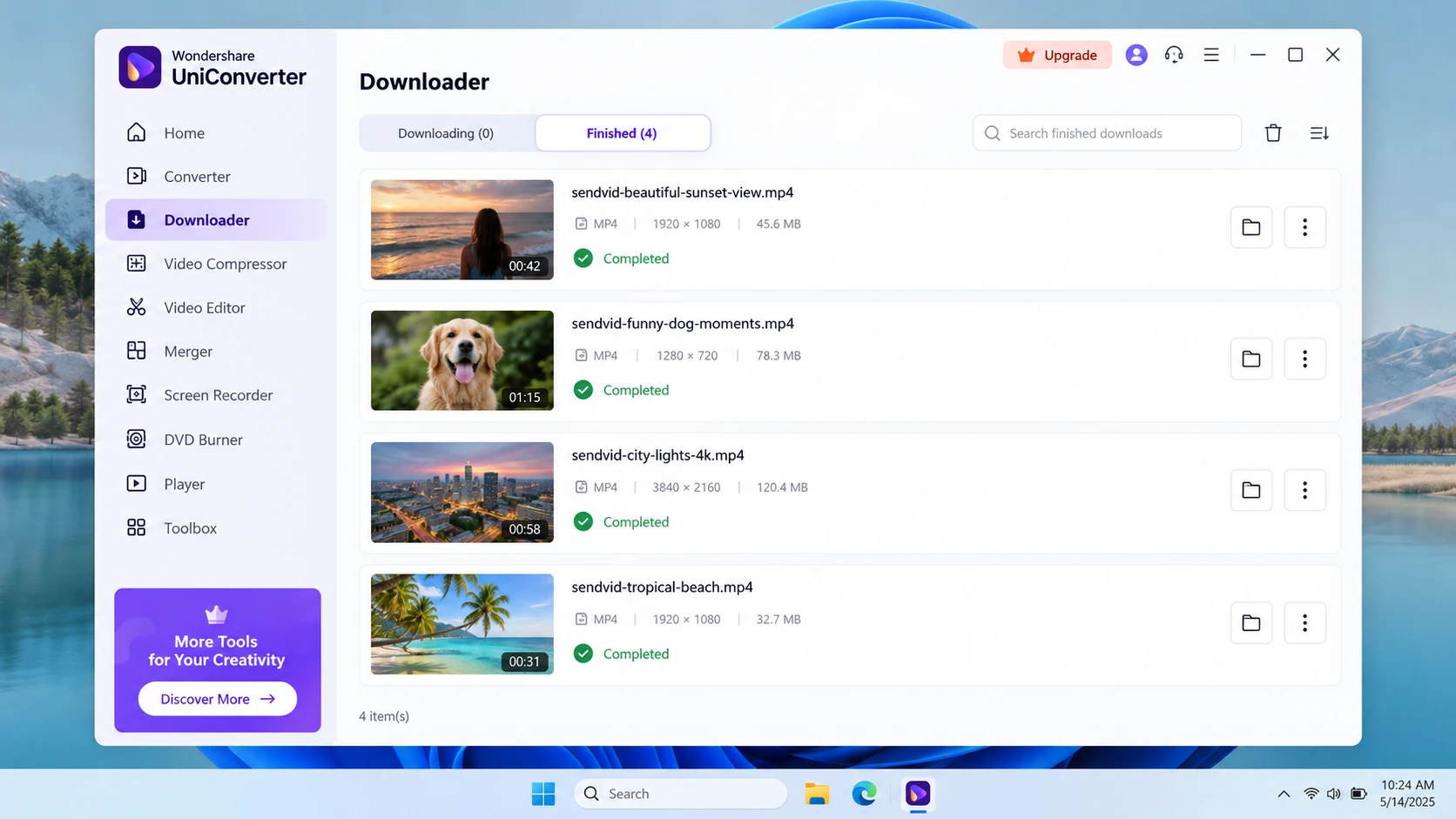
- Manage the queue: use Downloading for active items and Finished for completed files.
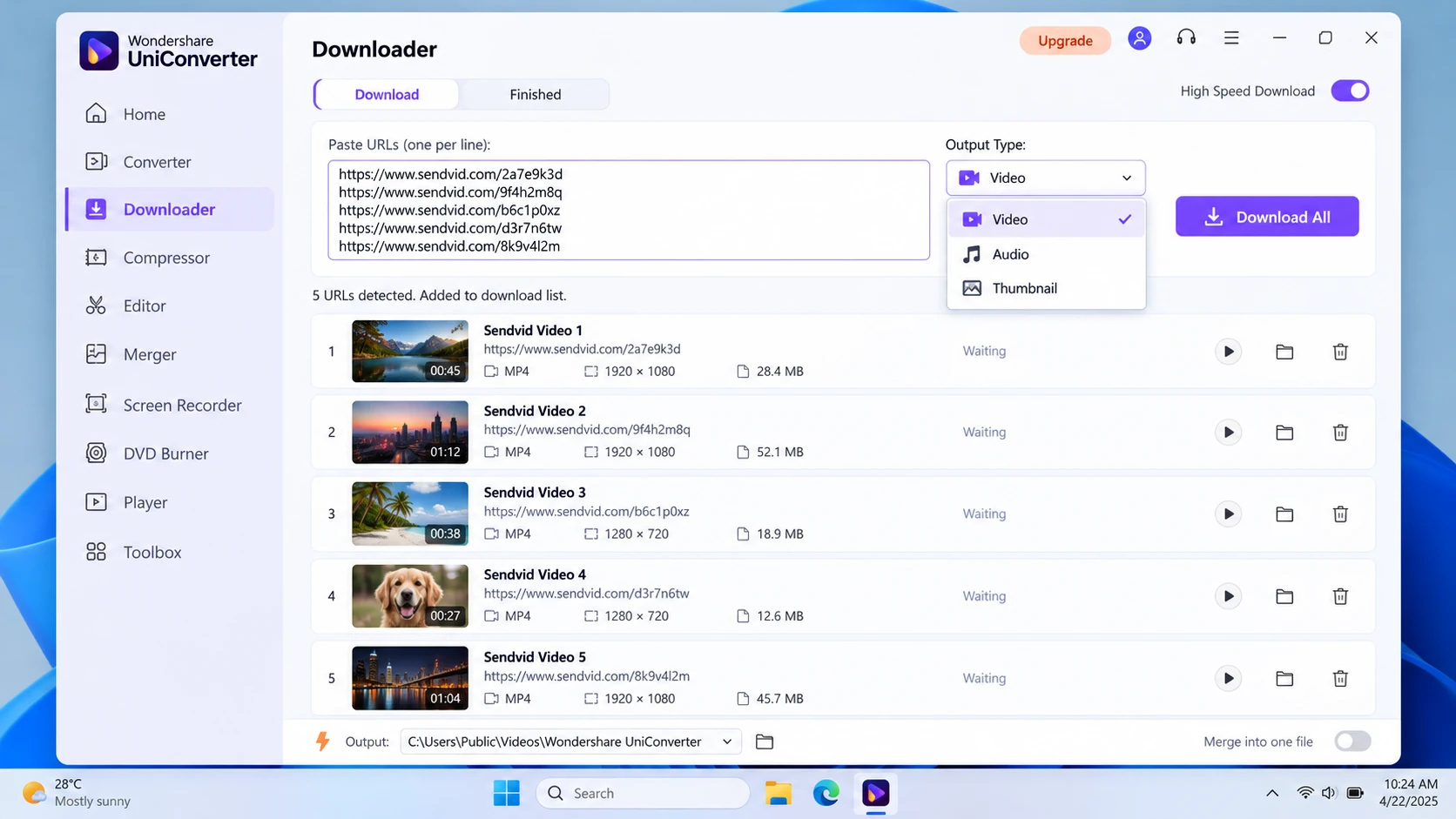
- Handle multiple supported URLs: current Batch Video Downloader guidance supports multiple links and up to 10 simultaneous tasks.
- Process locally afterward: convert or compress only after the file has been saved.
Returned qualities or formats depend on the source. A later conversion format is not a promised Downloader output for every Sendvid page.
Step 1. Open UniConverter Downloader
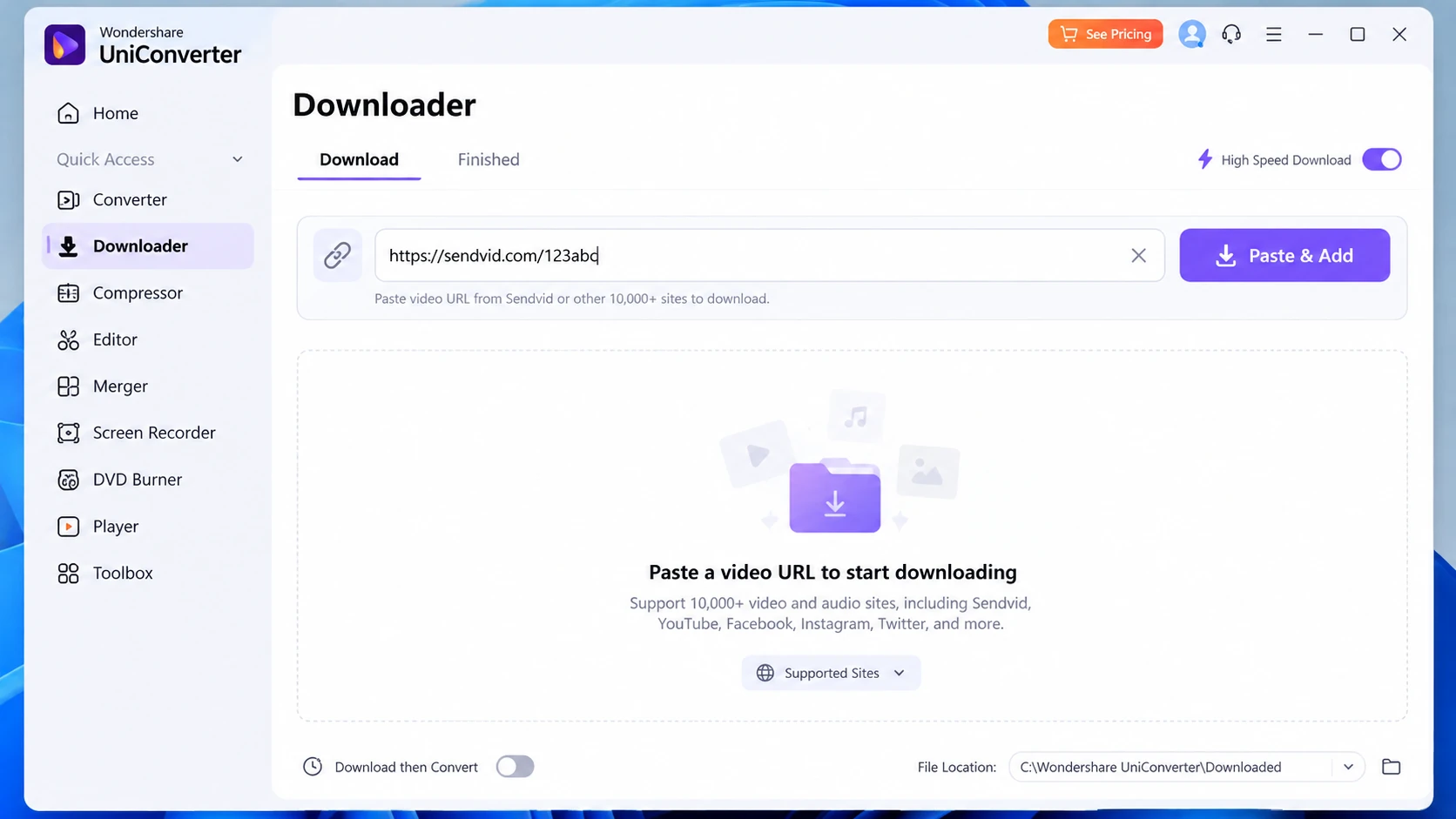
Install and open Wondershare UniConverter on Windows or Mac. Select Downloader from the main interface. The Downloader workspace handles URL-based tasks; it is not the mobile download guidance page.
Step 2. Copy the complete Sendvid URL
In your browser, play the publicly available video on its Sendvid page and copy the complete address from the URL bar. Copy the Sendvid page link, not the surrounding forum page or an incomplete share snippet. A typical page address looks like https://sendvid.com/abcdefg; the code here is only an example, not a real download target.
Step 3. Paste the URL and start Download
Paste the link into Downloader's URL field. Set the Save to folder and select the video download option where offered, then use Download. UniConverter analyzes the page URL; a successful result depends on the individual accessible source. If you have several supported videos, add the URLs to the task list. Available quality, audio or cover options can vary by source; they are not guaranteed Sendvid outputs.
Step 4. Monitor downloads and multiple URL tasks
Use Downloading to review running tasks, progress and pause/resume controls. The official preferences permit up to 10 simultaneous downloads, with additional supported tasks queued; this is a concurrency limit, not a claim that every URL is compatible.
Step 5. Find the video in Finished
Once a task completes, open Finished, then use Open or Open File Location to locate its local file. Check that the file opens, plays through the expected duration and matches the intended Sendvid clip. If you need an MP4 for another device, converting the already saved file is a separate next step.

Part 2. How to Download Sendvid Videos Online
If you need a single authorized public file without installing desktop software, the two services below have pages specifically naming Sendvid. A listed page does not prove every submitted link will work, and neither service provides UniConverter's local Finished task list.
Option 1. YT1Save Sendvid Downloader (redirects to 9xbuddy)
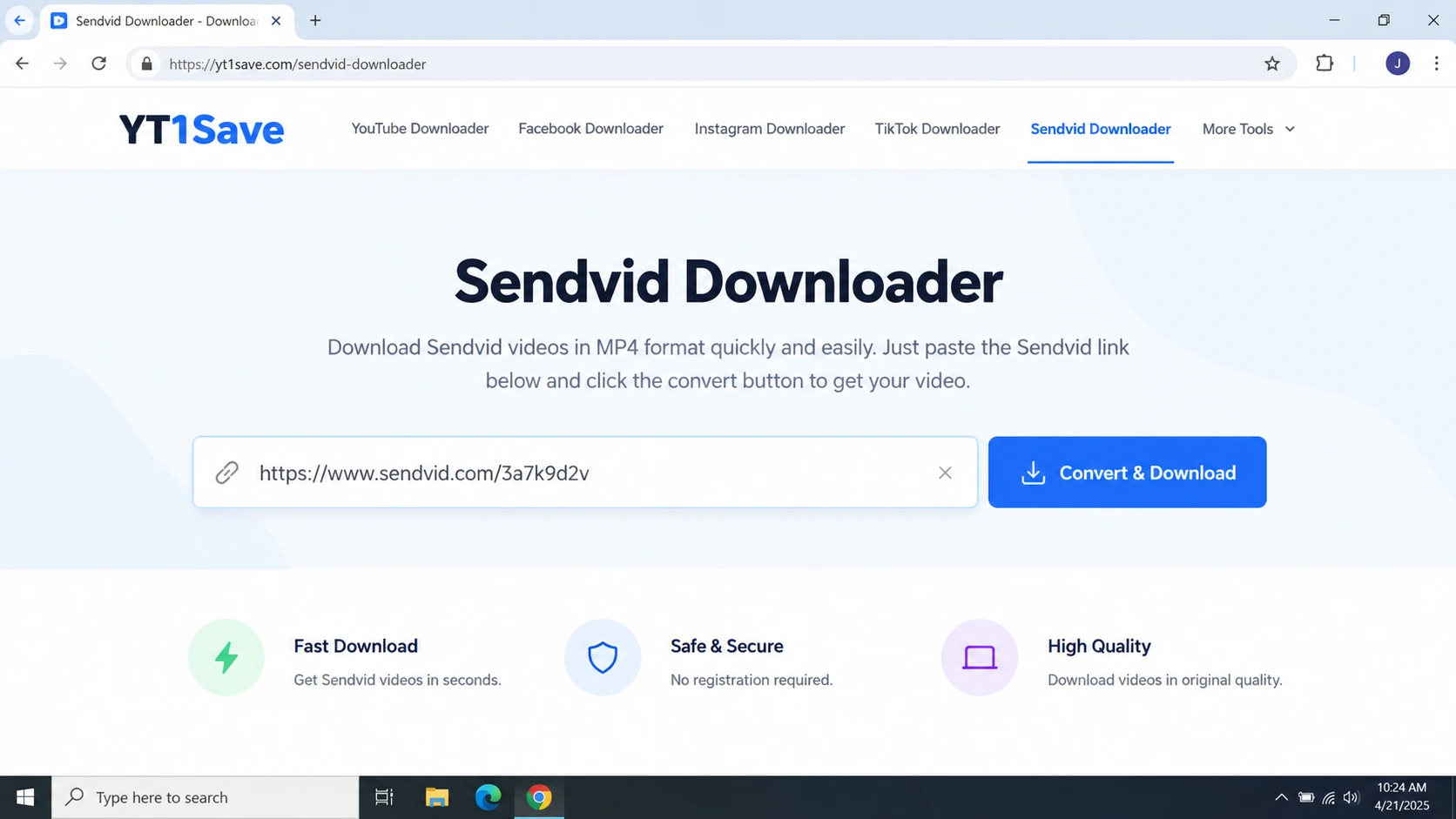
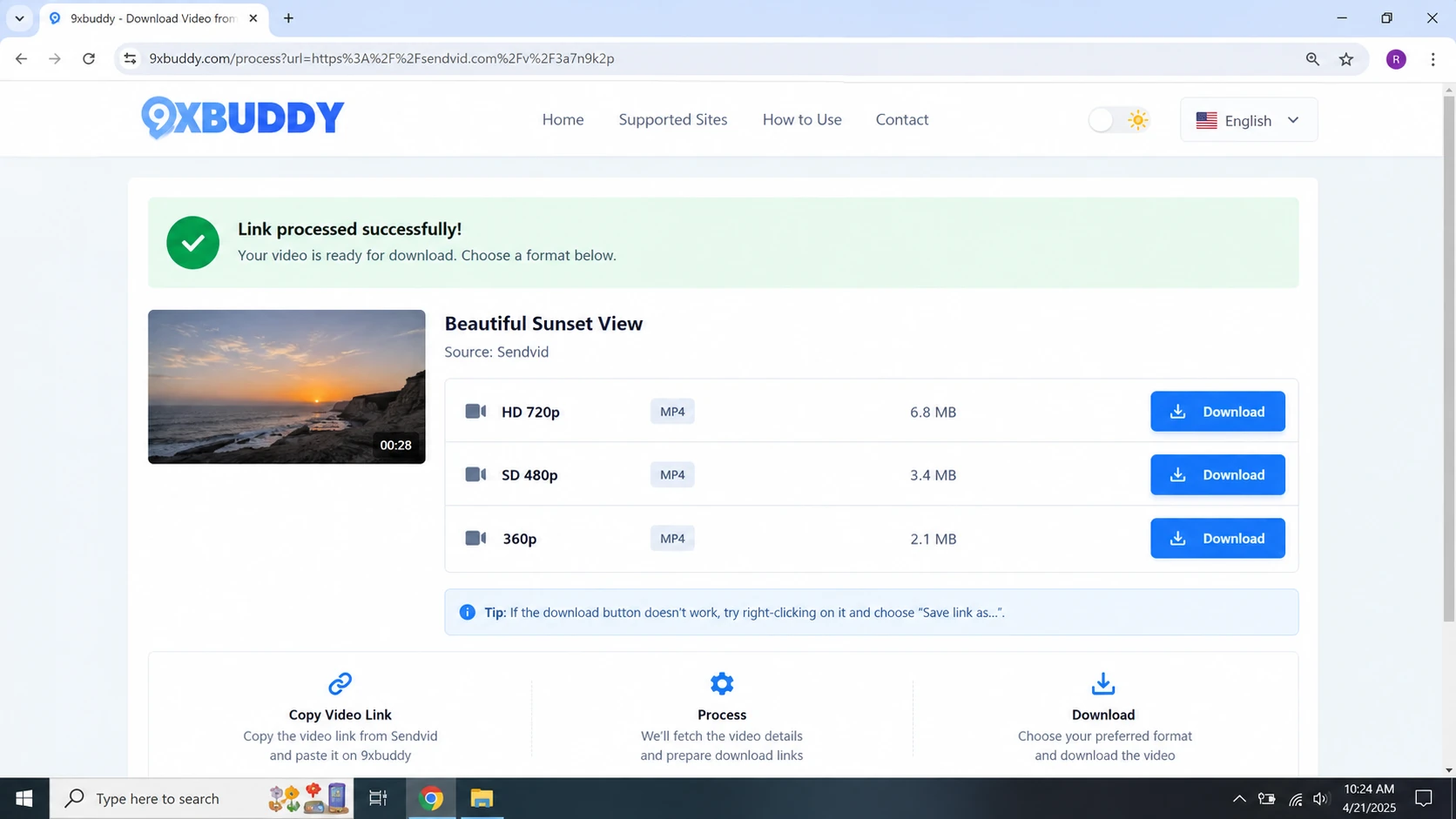
Open the YT1Save Sendvid page. Its own instructions explicitly state that YT1Save forwards submitted links to 9xbuddy, which handles the available download results. It is a referral route, not an independent Sendvid download engine.
- Copy the public Sendvid video-page URL and paste it into the YT1Save input.
- Choose Convert and follow the redirect to 9xbuddy.
- When a supported file result appears, choose its corresponding Download control and save it. Formats and quality are limited by the source and current service response.
Option 2. TubeOffline SendVID Downloader
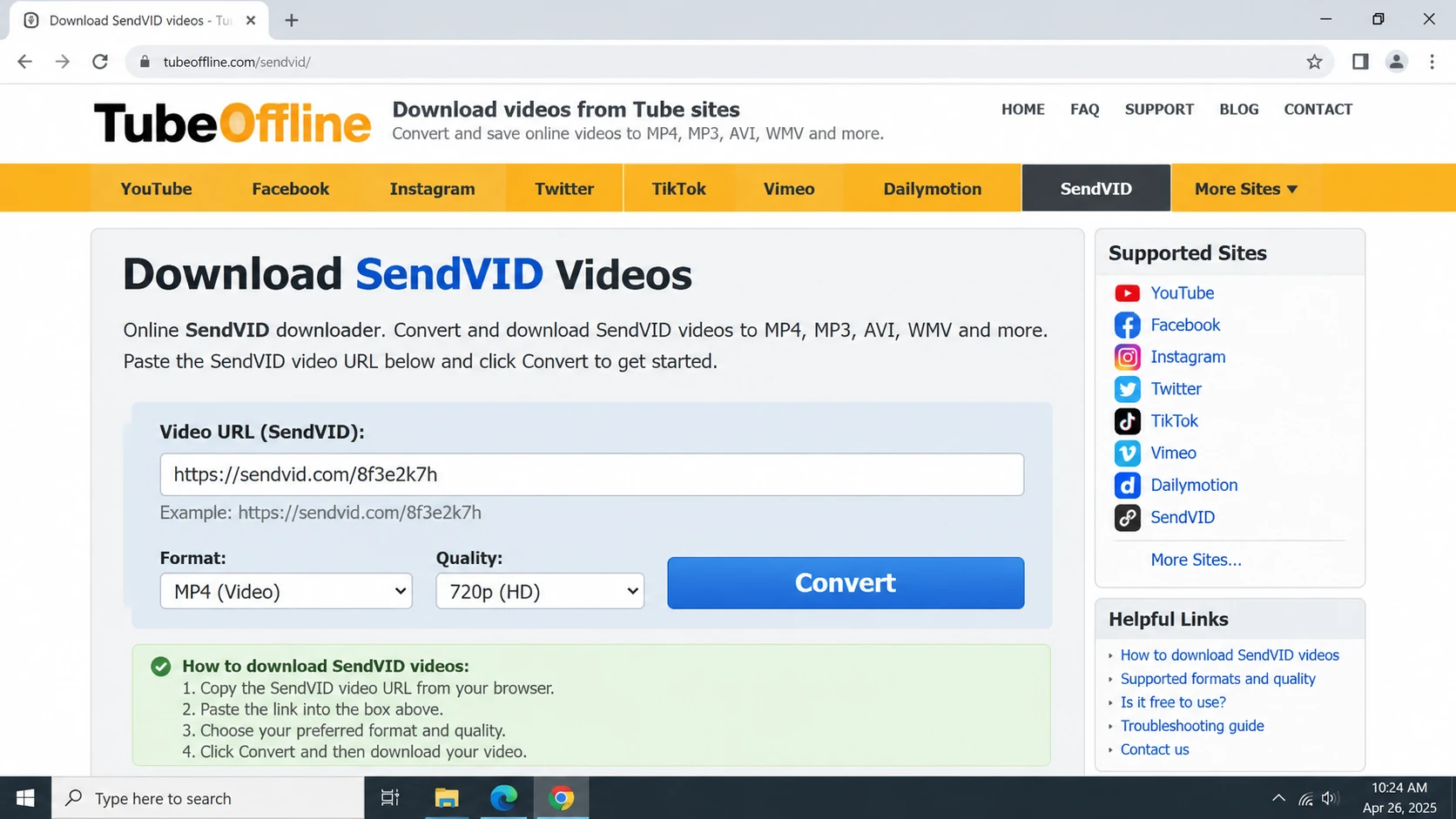
TubeOffline's SendVID page shows a video URL input and conversion-format selectors. It is an alternative when you prefer a dedicated SendVID form rather than the YT1Save-to-9xbuddy redirect.
- Open TubeOffline's SendVID page and paste the complete video page URL into the video URL field.
- Choose an available conversion option where the page provides one, then submit the form.
- If a downloadable result is returned, use the result-specific file link to save it. A successful media result was not independently reproduced for every source URL.
Which download button should you use? After the form processes a URL, use the action attached to the returned file and its format/size information. Do not click unrelated promotional banners or installation prompts. If no actual media result appears, try the other documented tool or a supported UniConverter desktop task rather than repeatedly clicking advertisements.
For several authorized links and one saved-file destination, the desktop Downloader offers clearer queue and file management than repeating these website forms.
Part 3. How to Save Sendvid Videos on Android and iPhone

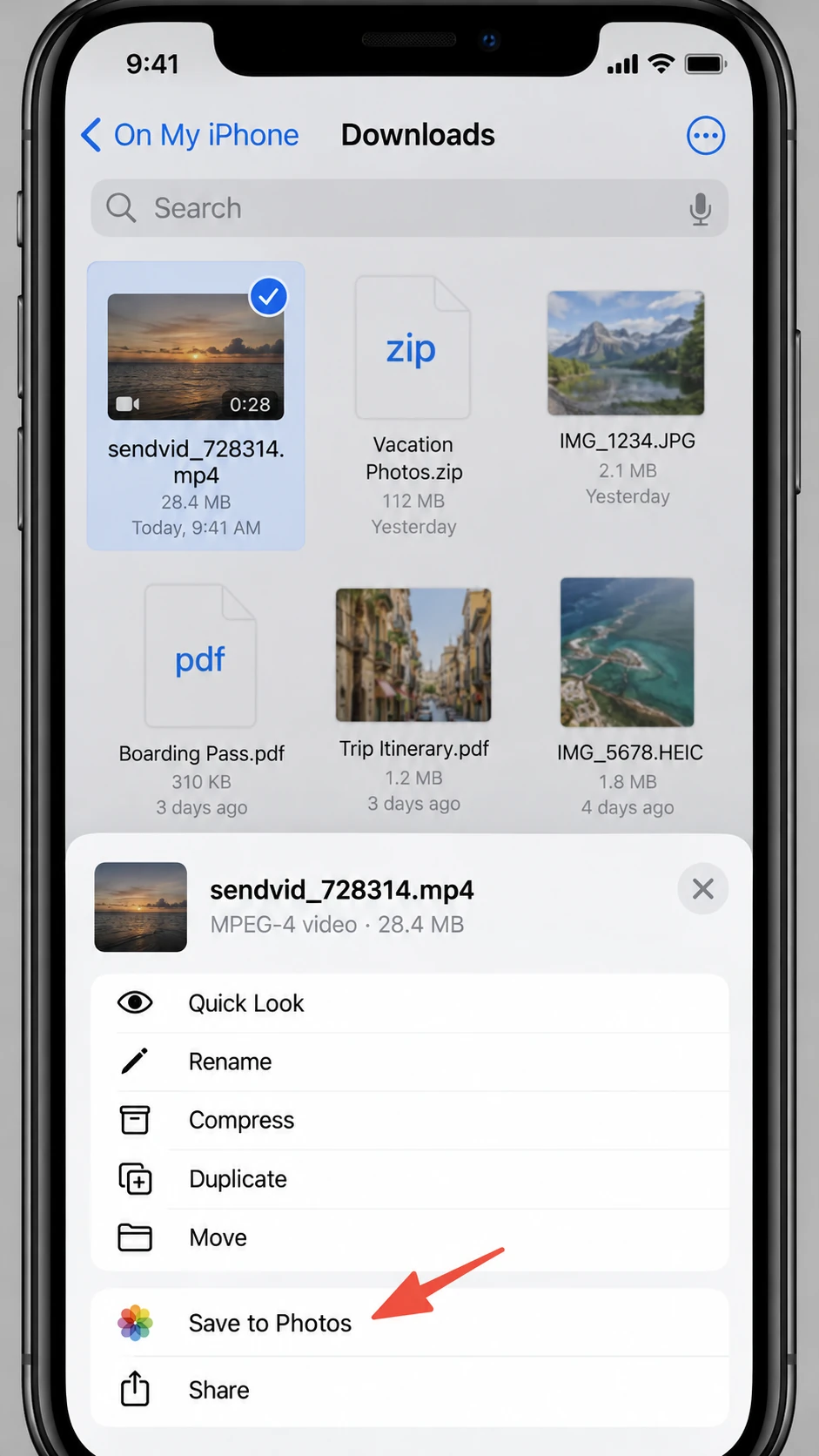
On mobile, open one of the browser-based methods from Part 2, submit the Sendvid page URL, and save a returned media file only when a standard browser download action is available. Then find the file in the device's file manager. Browser download and “save to Photos/Gallery” are separate actions.
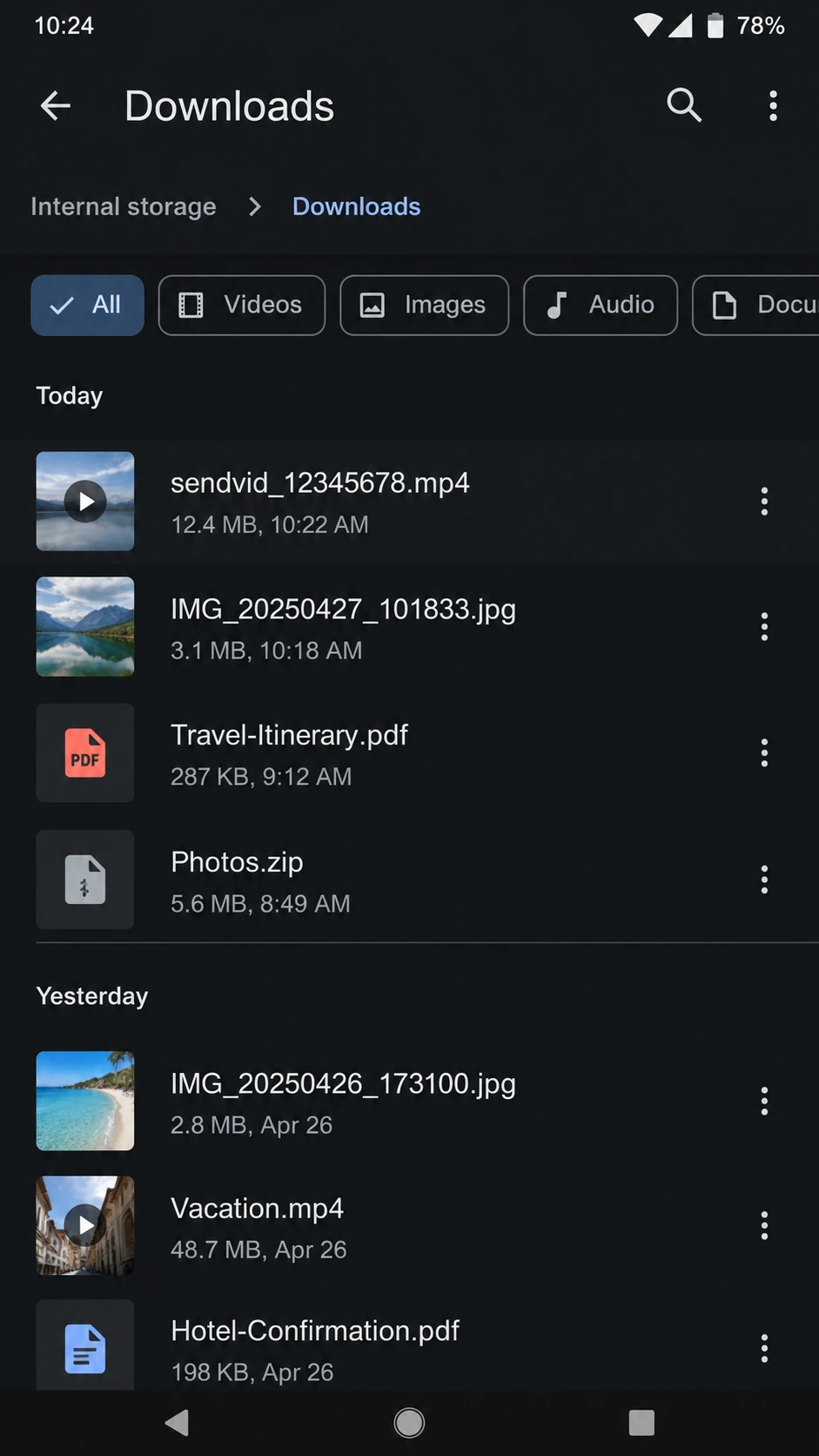
Android: use the browser download action, then open Downloads
In Chrome on Android, tap the real file result from the online tool and accept Download if Chrome presents that action. A long-press download action is only applicable when the browser offers one. Afterward, open Files or Chrome's Downloads page. File-manager names can vary by device maker.
iPhone: find Safari downloads in Files
When Safari exposes a download action, finish the transfer and open Files > Browse > Downloads. If Safari uses iCloud Drive, check its Downloads folder. Moving a compatible local video into Photos is a separate save/share action.
Part 4. Can You Download Sendvid Videos with a Browser Extension?
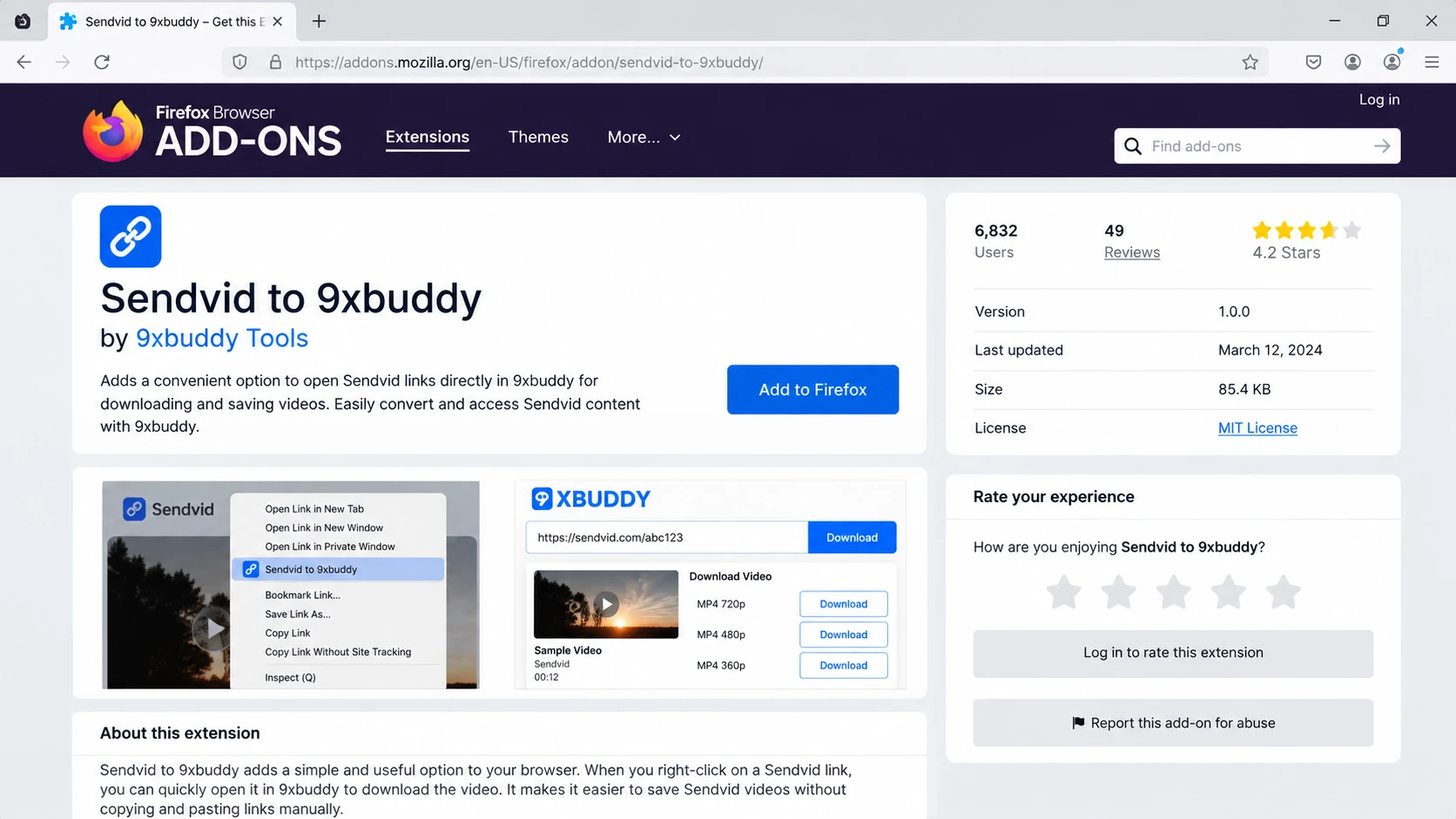
A currently verifiable Sendvid-specific option is Sendvid to 9xbuddy for Firefox. Mozilla lists version 1.0.5, updated January 31, 2026. It forwards the current Sendvid page URL to the external 9xbuddy processor rather than downloading by itself.
- Install the add-on from Mozilla's Firefox Add-ons listing.
- Open the public Sendvid video page you are allowed to save.
- Click the extension icon. It forwards the current page URL to 9xbuddy, where download results depend on the link.
- If 9xbuddy returns an authorized download result, use that result page to save the file.
This route depends on both the add-on and 9xbuddy. No comparably well-verified, currently available Sendvid-specific Chrome or Edge extension was found; a prominent result still marks its own extension as “Coming Soon,” so it is excluded.
Part 5. Why Is My Sendvid Download Not Working?
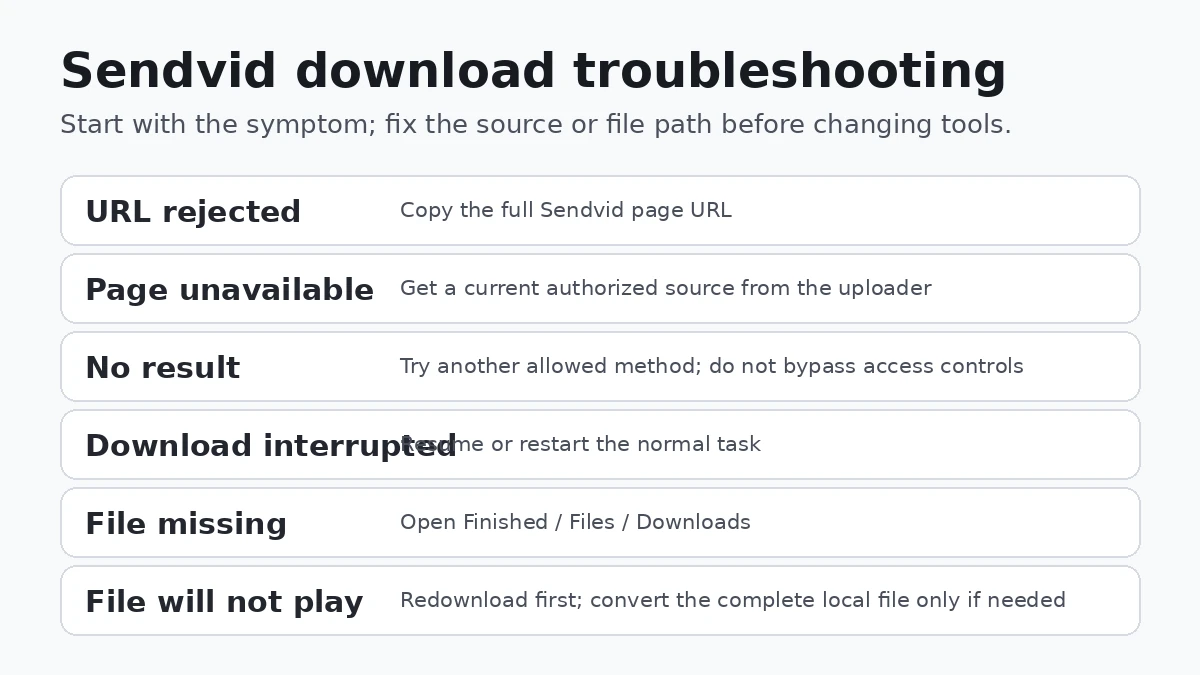
Separate source problems from tool problems: start with the symptom, then apply the narrow fix.
| Symptom | Likely cause | What to do |
| The URL is rejected immediately. | The address is incomplete, shortened, or wrapped. | Open the Sendvid page and copy the full address bar URL again. |
| The page no longer opens or plays. | The source may have been removed; Sendvid says inactive videos can be removed after 90 consecutive days without views. | Ask the uploader for a current authorized copy or link. |
| The page plays, but one tool returns no result. | That tool may not recognize the current source delivery. | Try another authorized method shown here. Do not bypass private, login-required, download-disabled, age/geo restrictions, or DRM. |
| The download stops partway through. | A network or temporary source/tool failure may have interrupted it. | Resume or restart the normal task from the original public URL. |
| You cannot find the saved video. | The save folder differs from what you expected. | Use Finished > Open File Location; on mobile, check the Downloads locations above. |
| The file downloads but will not play correctly. | The transfer may be incomplete, or the local container/codec may not suit the player. | Redownload first. If the complete local file still needs a compatible container, use the Converter afterward and choose MP4 separately. |
Conversion or compression comes after download. Use it only when the saved local file has a compatibility or size problem.
Related Download Guides
For other public hosting pages, see the EroMe video download guide or MyVidster download guide. Use the guide that matches your source platform.
FAQs about Sendvid Downloading
-
How do I download a Sendvid video?
Copy the complete public Sendvid page URL, paste it into UniConverter > Downloader, choose Save to, start Download, then use Finished > Open File Location. Success still depends on the individual accessible link. -
Can I download Sendvid videos online?
Yes, if the public link is recognized. YT1Save has a Sendvid page but redirects to 9xbuddy for results; TubeOffline has a dedicated SendVID entry form. Neither guarantees every source will work. -
Can I save Sendvid videos on iPhone or Android?
Yes, if the browser exposes a standard download action. iPhone downloads normally appear in Files > Downloads; Android downloads normally appear in Files or Chrome > Downloads. Photos/Gallery is a separate save step. -
Can I download multiple Sendvid videos?
Yes. UniConverter can queue multiple supported URLs, with current official guidance allowing up to 10 simultaneous tasks. Review them in Downloading and Finished. -
Where are my downloaded Sendvid videos saved?
Use Save to and Finished > Open File Location in UniConverter. Browser downloads normally go to Downloads; on iPhone check Files > Downloads, and on Android check Files or Chrome > Downloads. -
Why is my Sendvid download not working?
Recopy the full page URL and confirm the public page still plays. If the source was removed or one tool no longer recognizes it, use another authorized method rather than bypassing access controls. -
Can I convert a downloaded Sendvid video to MP4?
Yes. After the video is saved locally, open the file in UniConverter Converter and choose MP4. Conversion is a separate post-download step, not a promised Downloader output.
Conclusion
For an authorized Sendvid video, start with the complete public page URL. UniConverter adds a chosen save folder, queue management, Finished history, and file-location controls; a browser method can be enough for one link, and mobile users should look in Downloads after the browser transfer.
If saving fails, diagnose the link and source first. Convert or compress only after a valid local file exists.