


Saving videos from the MyVidster platform lets you watch your favorite content offline anytime. Many users want to download from MyVidster to enjoy content without relying on a constant internet connection. Online tools, desktop software, and browser extensions give you an opportunity to download videos with ease.
This guide provides detailed methods to help you save your favorite videos safely. Users can create a personal video library while avoiding common issues or download failures. Selecting the right tools guarantees optimal downloads for private video archives.

Best MyVidster Video Downloader
In this article
- Part 1. What Is MyVidster and Why Download Videos?
- Part 2. Top 3 Methods to Download from MyVidster
- Part 3. Batch Download MyVidster Videos in High Quality with Desktop Software
- Part 4. How to Download MyVidster Videos Using Online Tools
- Part 5. How to Download Video from MyVidster with Extensions
- Part 6. Legal and Safety Considerations
- FAQs about MyVidster Video Download
Part 1. What Is MyVidster and Why Download Videos?
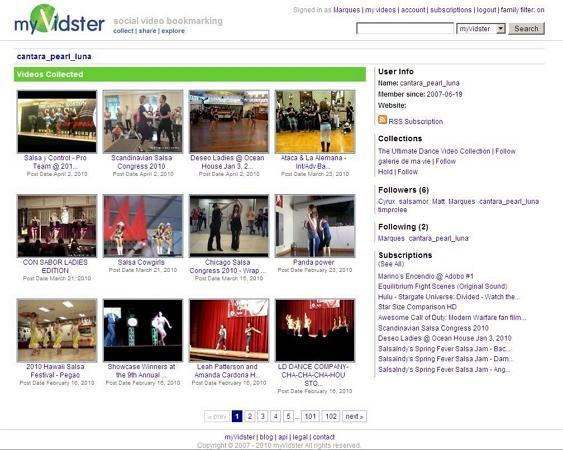
MyVidster is an adult video bookmarking site that allows one to save clips on a very large variety of websites. It enables users to organize their favorite content into collections and playlists so they can watch it later. Instead of hosting every video itself, the platform mainly relies on submitted links and shared sources.
Many people use MyVidster to discover new adult content and follow what is trending in specific categories. Users can share videos with friends and curate clips they want to revisit. Its simple interface enables the registered members to browse, save, and manage their videos easily.
Reasons to Download MyVidster Videos
After learning about the platform, many users like to save videos offline for backup or personal use. Downloaded videos stay available even when the internet connection is completely unavailable. Below are some legitimate reasons to download video from MyVidster.
- Watch Without Internet: Users can access their favorite clips whenever they want, even when they are not online.
- Saving Top Picks: You can keep the videos you enjoy most so they stay easy to find and play again.
- Creating Reference Libraries: Put videos into your own private collections for repeated viewing or personal study.
Part 2. Top 3 Methods to Download from MyVidster
Downloading videos from MyVidster can be done in several ways, depending on your device and technical comfort level. There are those users who find it easier to use rapid internet tools and those who are accustomed to desktop applications and browser extensions. Now we will explore the three best methods to dl MyVidster videos and help you choose the right one.
Desktop Software (Advanced Features)
Many users rely on desktop software to download from MyVidster when they need better quality and advanced features. Now we will explore the best software options for downloading MyVidster videos reliably.
1. Wondershare UniConverter
Best For: UniConverter is best for video editors and anyone managing frequent downloads, conversions, and compression of large multi-format libraries for multi-platform delivery.
Best MyVidster Video Downloader
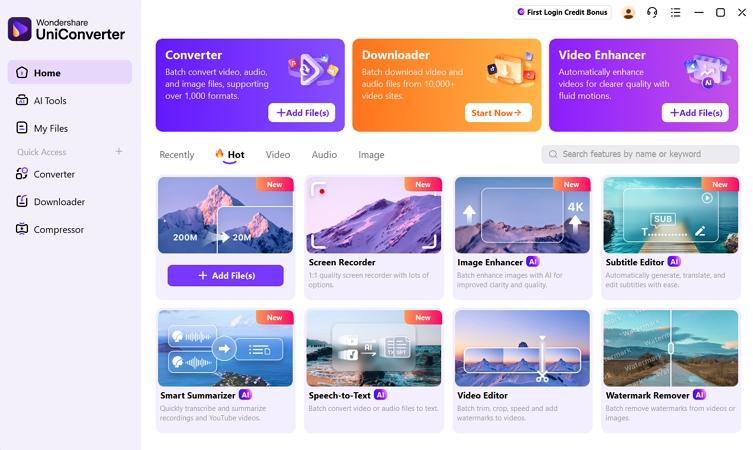
This desktop tool works as a dedicated downloader for MyVidster videos, allowing users to save clips directly to their computers. It supports batch downloading, so multiple MyVidster video links can be downloaded simultaneously. Users can also organize downloaded videos into folders and label them for easier offline access.
UniConverter lets you convert MyVidster videos into many formats like MP4 or MP3 for playback on phones, tablets, or PCs. Built-in trimming and compression features allow adjusting file sizes without losing quality. All tools work together to make saving and managing MyVidster videos simple.
2. Jaksta Media Recorder
Best For: Power users who routinely archive livestreams and subscription-only broadcasts for structured offline libraries.
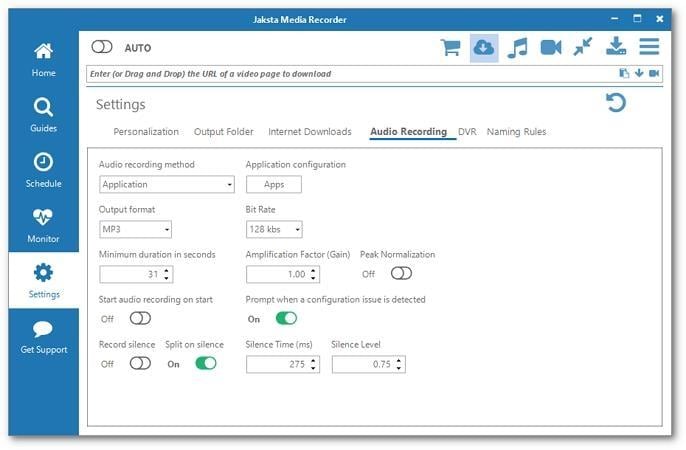
An all-in-one media capturing solution used to download video from MyVidster and save streaming videos from countless sites. It acts as a powerful YouTube and streaming recorder, even handling premium services using DVR-style background capture. With an intelligent scheduler and monitor, you can automatically grab live streams. Finally, this flexible converter with device presets organizes recordings and prepares them for libraries.
Online Video Downloaders (No Installation Required)
Online video download tools are utilized by individuals who want a way to save MyVidster videos without installing software. Let's explore the most reliable tools for downloading MyVidster videos.
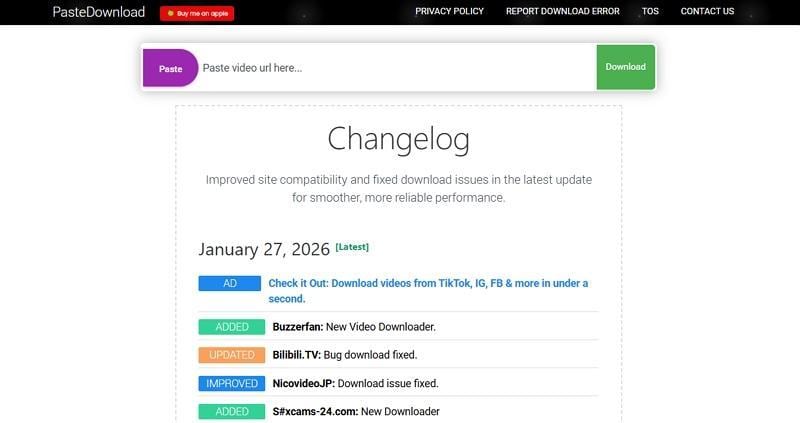
1. PasteDownload
Best For: Users who want one-time downloads without dealing with complex settings or tools
This service lets people save videos and music from many well-known online sites. It runs entirely in the browser and uses common formats like MP4 and MP3 files. The platform suits anyone who wants an easy way to keep a few clips offline. Sometimes downloads fail when heavy traffic puts an extra load on the servers.
2. TubeOffline
Best For: Individuals who need quick, one-time MyVidster downloads without installing software or creating any online accounts.
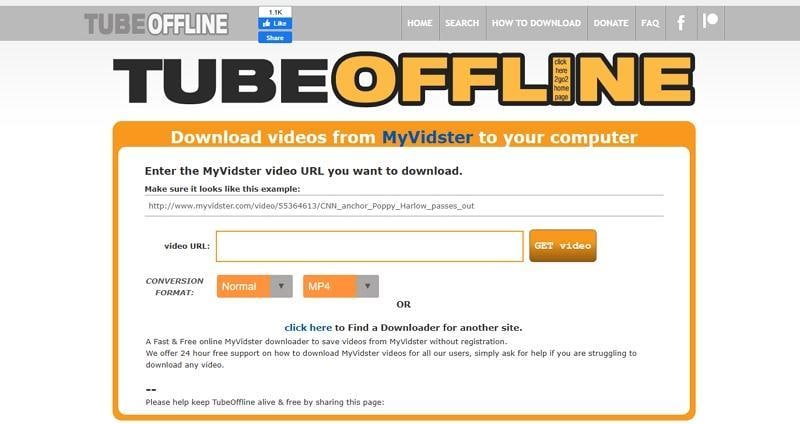
TubeOffline offers a free way to download MyVidster video files to computers and mobile phone devices. Users paste a MyVidster video link, then choose formats like MP4, FLV, or MP3 before downloading. The site targets people who want fast downloads without creating an account or installing software. Basic guidance and support are available if someone struggles to make a specific video download correctly.
3. FetchFile
Best For: Anyone needing to grab a watermark-free clip from any site in MP4 or MP3 format.
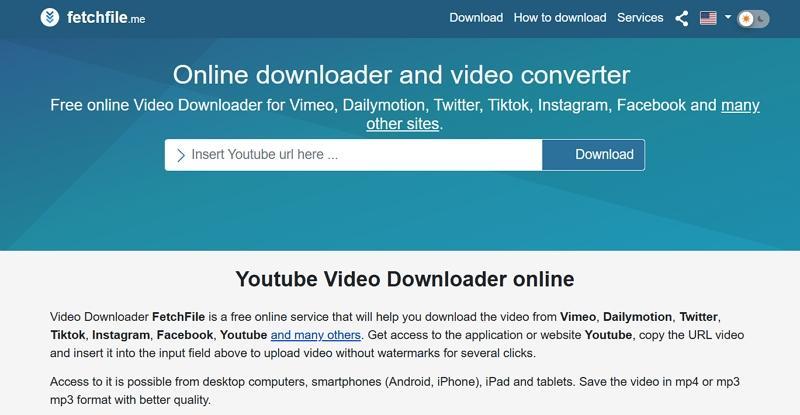
An online downloader on this site lets visitors save videos from platforms like YouTube and TikTok without watermarks. Access works through browsers on desktops and similar internet-connected devices across major systems. This service supports MP4 for video and MP3 for audio, aiming for good quality output. Usage stays free with no registration or software installation required, keeping the process simple and low-friction.
Browser Extensions (Seamless Integration)
Browser extensions integrate directly with your browser for quick, one-click video downloads. Below are the recommended extensions for downloading MyVidster videos easily and safely.
1. Video DownloadHelper
Best For: Those needing an easy way to save media on Firefox or Chrome turn to this extension.
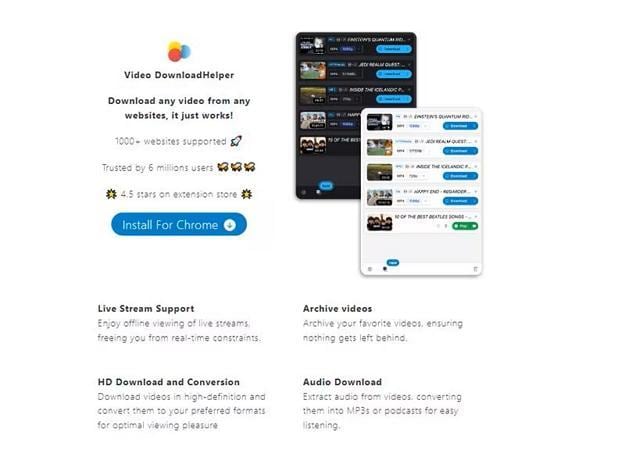
An easy browser add-on, this tool focuses on capturing everyday streaming clips. It helps users download MyVidster video files and many other streaming videos, with support for MP4 and gallery saving. You can also convert files, extract audio, and sort download variants with simple controls for every site. This makes it especially useful for people organizing mixed-format study materials and client examples.
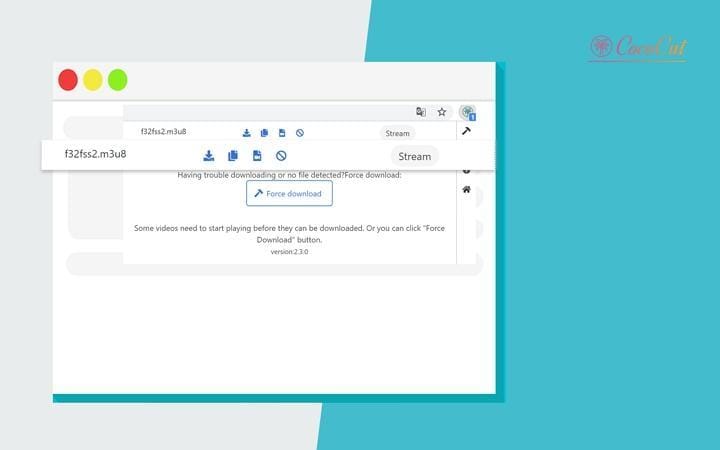
2. CocoCut - Video Downloader Extension
Best For: People who constantly save course videos and niche streams in Chrome or Edge.
This extension quietly detects playable videos, including HLS streams and live content, then saves them. It stores videos as MP4 or MP3 without extra software, keeping everything simple. All downloading and processing stay on your device, which better protects your privacy. With quality options and cached data, it delivers smoother downloads instead of gimmicks.
Part 3. Batch Download MyVidster Videos in High Quality with Desktop Software
For frequent or high-quality downloads, Wondershare UniConverter is the best choice. It keeps original video quality, including 4K, and supports batch downloading for multiple videos. Unlike online tools, it handles large files, offers various formats, and includes conversion and basic editing.
Using Wondershare UniConverter for MyVidster Downloads
To download MyVidster video files in high-resolution, adhere to the steps below to see how it works:
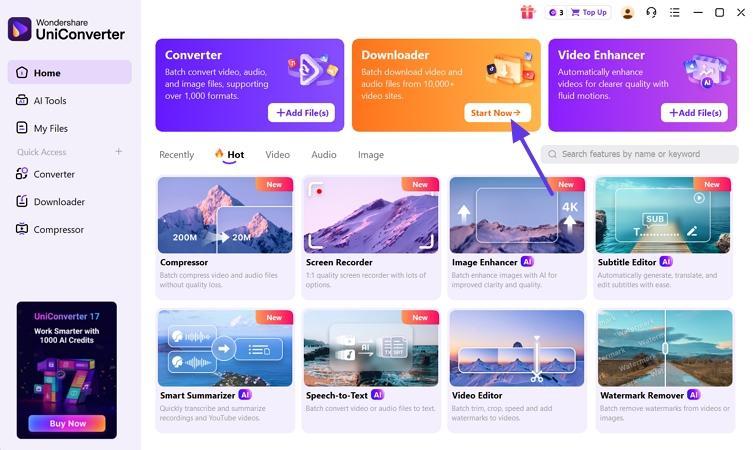
Step 1. Enter The UniConverter Downloader Interface
After you enter the main tool, press the “Start Now” button under the “Downloader” mode to proceed further.
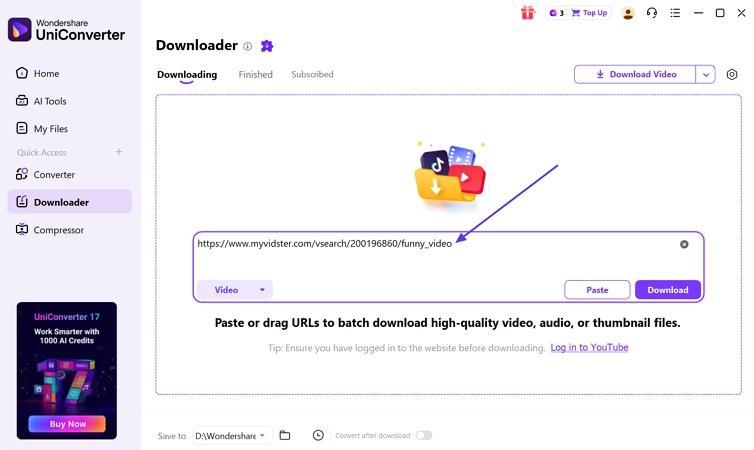
Step 2. Insert MyVidster Video URL
Next, copy the MyVidster video URL and paste it into the URL box on the UniConverter’s interface.
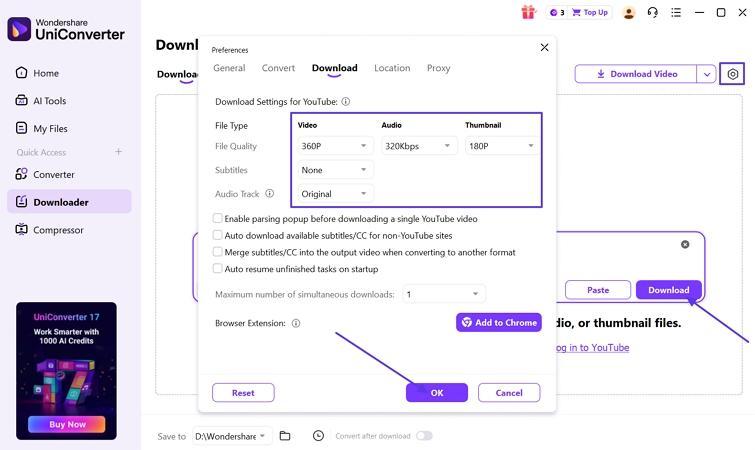
Step 3. Select Download Preferences
Now, click on the “Download Preferences” icon in the right corner and set the preferences. Once done, press the “OK” button and click on the “Download” button to start the download.
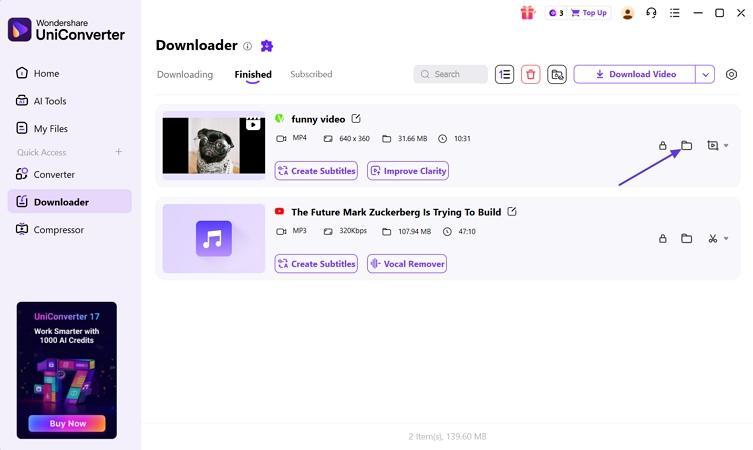
Step 4. Access Downloaded Video Location
Lastly, click the “Open File Location” icon to open the folder where the video is saved.
When to Use Desktop Software vs. Online Tools
To decide between desktop software and online tools, look at the table below for a clear comparison.
| When to Use | Desktop Software | Online Tools |
| Large or Multiple Videos | Best for big files and batch downloads | Not ideal, usually single video only |
| High-Quality Output | Maintains original quality, supports 4K/HD | Limited quality and format options |
| Occasional Downloads | Overkill for small tasks | Fast and convenient for occasional use |
Part 4. How to Download MyVidster Videos Using Online Tools
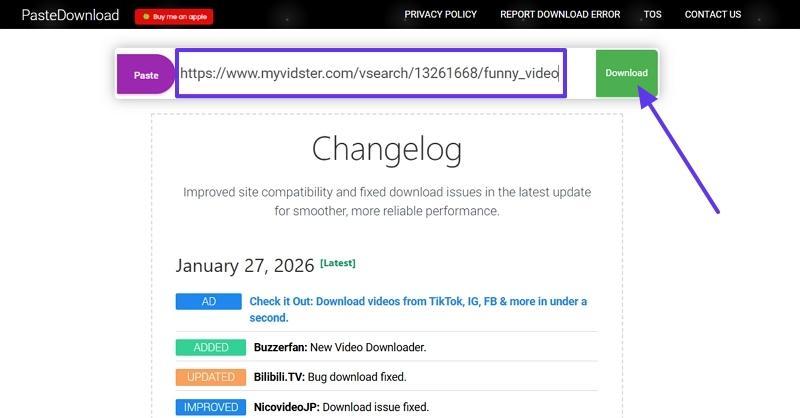
Online tools make downloading MyVidster videos simple for users who prefer browser solutions. They work without installing extra software, saving time and storage space on devices. Now, let’s take the PasteDownload tool and follow the steps below to download My Vidster videos:
Step 1. Once you enter the main interface, paste the video URL in the designated box, and the download will start automatically.
Step 2. Scroll down the page and click the “Download” button under the specific video quality you want to download.
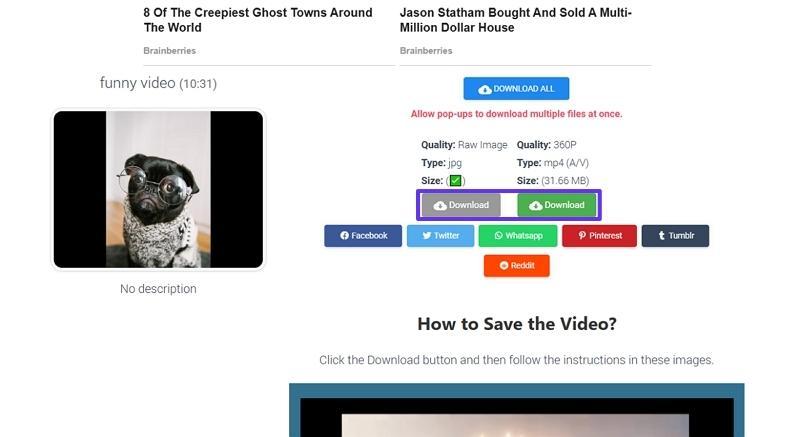
Tip: If the download doesn’t start automatically, try refreshing the page or using a different browser.
Part 5. How to Download Video from MyVidster with Extensions
Browser Extensions are convenient for users who want seamless integration without installing extra software. Let’s take Video DownloadHelper and go through the steps below to learn how to download video from MyVidster:
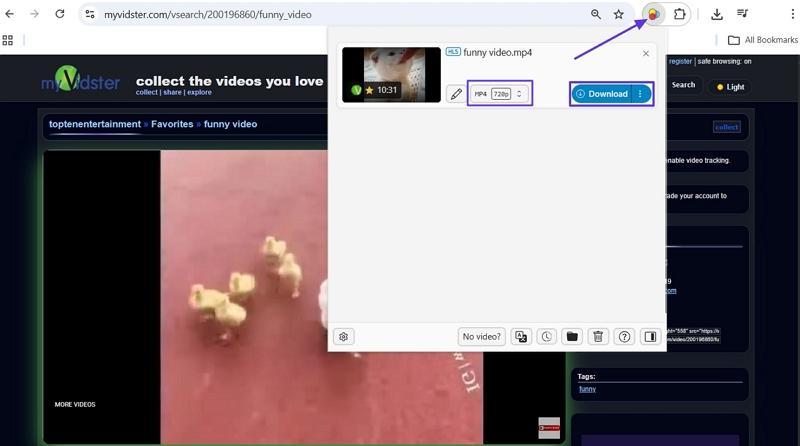
Step 1. Start by adding this extension to your Chrome browser and playing the video on MyVidster.
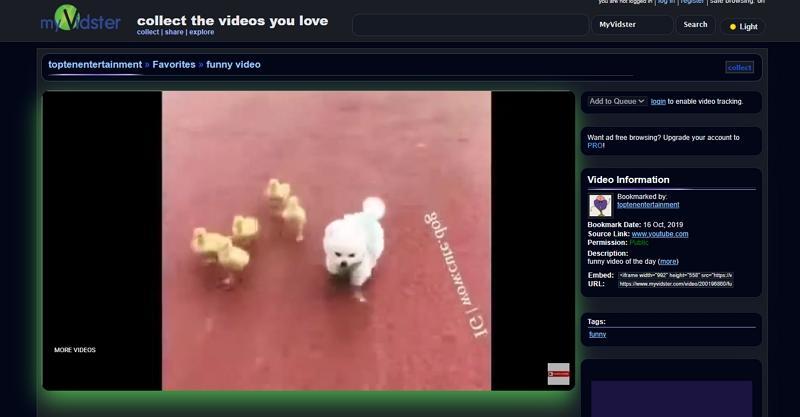
Step 2. Afterwards, click the “Extensions” icon and choose the video quality. Next, press the “Download” button. Your video will be downloaded to the preferred Downloads folder of your PC.
Part 6. Legal and Safety Considerations
When downloading videos from MyVidster, it’s important to be aware of legal and safety issues. Respecting copyright and protecting your device from malware ensures a secure and responsible downloading experience.
Is It Legal to Download from MyVidster?
It is generally legal to download My Vidster videos for personal use, but avoid sharing or commercial use. Now, let’s take a closer look at the legal and safety aspects of downloading from MyVidster.
Copyright and Fair Use
Most videos on MyVidster are protected by copyright and cannot be shared freely. Personal use is generally allowed, yet sharing publicly can lead to legal problems. Always follow copyright laws carefully when saving or using videos from MyVidster.
Personal vs. Commercial Use
Before deciding how to download videos, look at the table below to distinguish between personal and commercial use.
| Use Type | Is Downloading Allowed? | Risk Level |
| Personal | Yes | Low |
| Commercial | No | High, requires permission |
Content Creator Rights
Creators own all content uploaded to MyVidster, and their rights must be respected. Do not alter and republish any videos without obtaining proper consent. Respect these rights to ensure ethical use and avoid legal disputes.
Recommended Practices for Downloading
Look at the guidelines mentioned below to stay safe while saving videos published on MyVidster.
- Only download videos from MyVidster for personal and private use purposes.
- Never share copyrighted content on public platforms to avoid legal issues.
- When possible, one should always give due credit to the first maker.
- Use trusted tools and allow antivirus protection to prevent malware infections.
How to Download Safely from MyVidster
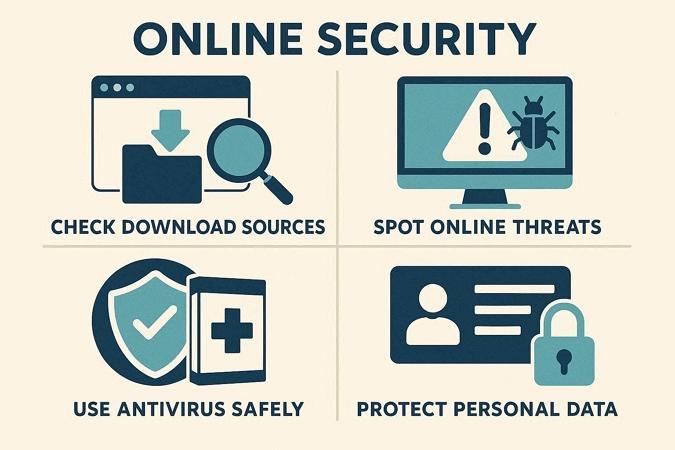
Now, look at the tips below to protect your device while downloading videos from MyVidster.
- Check Download Sources: Favor download utilities and sites with strong reputations and consistent community feedback.
- Spot Online Threats: Stay alert to pages requesting unusual permissions plus extra personal data without justification.
- Use Antivirus Safely: Ensure your security software stays updated and scan each newly obtained file carefully.
- Protect Personal Data: Avoid submitting passwords and sensitive details on download pages that appear slightly suspicious.
Conclusion
In conclusion, we explored how to download from MyVidster using online tools, desktop software, and browser extensions. Most options preserve video quality, though some lack advanced editing features. Wondershare UniConverter stands out for batch downloads, format conversion, and metadata management. Always choose the method that fits your needs and follow legal, safe, and ethical practices.

