

Many creators want premium stock videos and music without paying for expensive subscriptions. Users rely on a downloader when subscriptions block quick access to essential stock media. StoryBlocks offers vast libraries, yet downloading assets for offline workflows remains restrictive. Creators feel stuck when deadlines approach, and files cannot be saved for editing.
This challenge affects YouTubers, educators, and designers producing content at scale. Using a Storyblocks downloader helps save videos, audio, and images. This guide will explore the top tools and safer alternatives for smarter creative workflows in 2026.
In this article
- Part 1. What is a Storyblocks downloader and what does it do?
- Part 2. Best Free StoryBlocks Video Downloader Tools in 2026
- Part 3. StoryBlocks Downloader Comparison Table
- Part 4. How to Download StoryBlocks Videos Without a Watermark [Step-by-Step]
- Part 5. Best Alternatives to StoryBlocks Downloaders (Legal Options)
- Part 6. Is using a Storyblocks downloader legal?
- FAQs about StoryBlocks Downloader
Part 1. What is a Storyblocks downloader and what does it do?
StoryBlocks downloader is a tool that helps creators save media content for later editing. It connects with your StoryBlocks account to make licensed files easier to access. The tool is used to speed up collecting assets from the StoryBlocks media library. Creators use it to avoid navigating pages while downloading stock content.
This downloader simplifies how users organize stock resources for frequent creative work. Instead of downloading each asset, it streamlines the entire process into a few clicks. That smoother workflow reduces wasted effort and speeds up production timelines. It is useful for editors and YouTubers needing reliable visuals and sounds.
Types of Content in StoryBlocks Downloader
Now, look at the main content types supported by this downloader.
- Stock Videos: These include HD and 4K clips, b‑roll, intros, outros, and simple backgrounds.
- Audio Tracks: These provide background music and sound effects for videos, podcasts, and ads.
- Images: This category offers photos and graphics that work well for thumbnails, banners, and presentations.
- Templates: With these, you get video layouts, titles, and graphics that help finish edits faster.
Why do people use a Storyblocks downloader?
Before exploring the best video downloading tools, let’s first look at the key benefits.
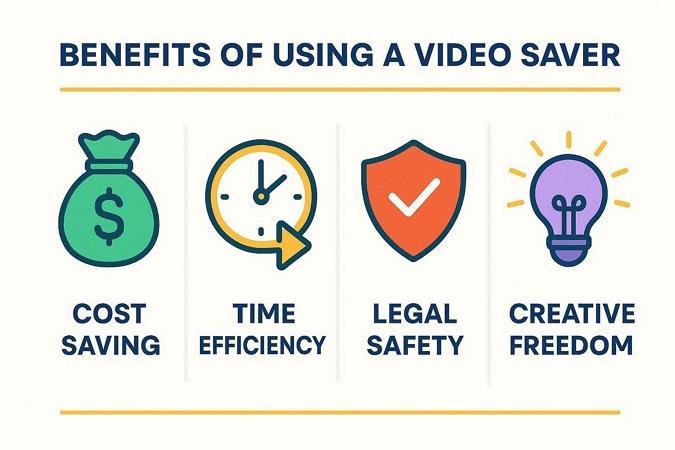
- Cost Savings: A StoryBlocks downloader helps you use your existing paid subscription benefits. You avoid purchasing separate clips or tracks elsewhere, which reduces production expenses.
- Time Efficiency: The downloader lets you grab many videos and media content files. You spend less time searching and downloading and more time editing.
- Legal Safety: Downloads come from a licensed, royalty‑free StoryBlocks library with clear usage rights. You avoid risky StoryBlocks free download sources that may cause takedown issues.
- Creative Freedom: Having many saved assets gives you the flexibility to test different ideas. You can experiment with many visual and audio combinations without worrying about repeated downloads.
- Consistent Quality: The tool keeps your projects built from professional, reliable stock media resources every time. Using the same trusted library helps maintain a unified style across campaigns.
Part 2. Best Free StoryBlocks Video Downloader Tools in 2026
In 2026, several free tools make downloading StoryBlocks videos faster and easier for creators. These downloaders allow users to save every popular file format. Without further ado, let’s explore the top free StoryBlocks video downloader tools available this year.
1. Steptodown StoryBlocks Downloader
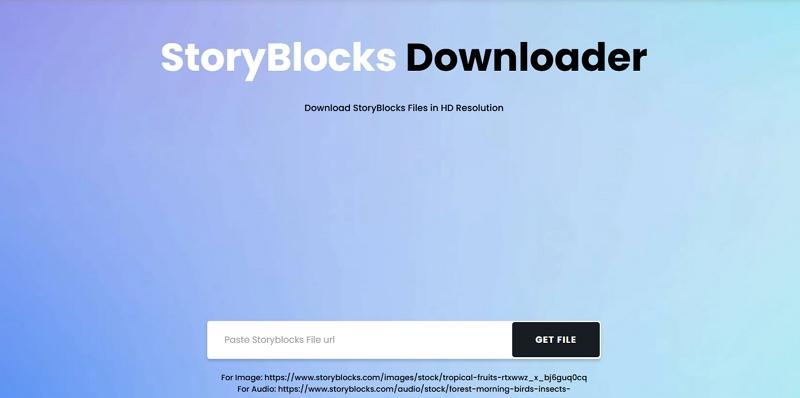
Steptodown offers a straightforward online method to download StoryBlocks media without complexity. Users can paste a StoryBlocks video, audio, or image link into the downloader and fetch files. This approach saves time and effort compared to manual downloads through many StoryBlocks pages. Its simple interface makes saving stock media easy for creators with little technical experience.
Key Features
- Offers HD and 4K video resolution selection before downloading.
- Allows audio extraction from StoryBlocks videos for separate MP3 downloads.
- Provides preview thumbnails of the selected media before initiating download.
2. BeatSnoop StoryBlocks Downloader
A free Story Block video downloader that allows creators to save premium videos online. It provides high-speed access to both HD and 4K StoryBlocks video content. The tool supports saving many media files without affecting their original resolution or quality. Creators can manage downloaded files immediately and prepare them for editing or content projects.
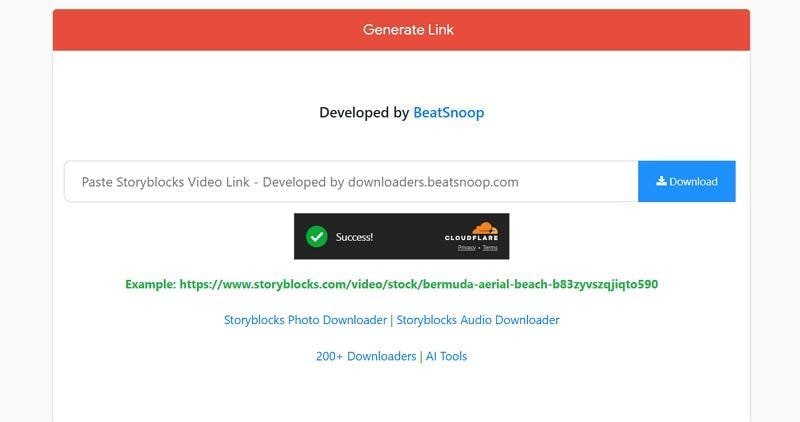
Key Features
- Allows downloading StoryBlocks videos in MP4, MOV, and WebM formats.
- Detects downloadable media from StoryBlocks links without extra configuration.
- Lets users choose video resolution, such as 720p, 1080p, or 4K, before downloading.
3. Fetchpik StoryBlocks HD Downloader
This Story Block video downloader lets creators save high‑quality media with simple clicks. It supports downloading photos, audio, and videos from the StoryBlocks library. The tool retrieves original quality files suitable for editing or reuse in creative projects. Its clean online interface simplifies grabbing StoryBlocks assets without complicated steps.
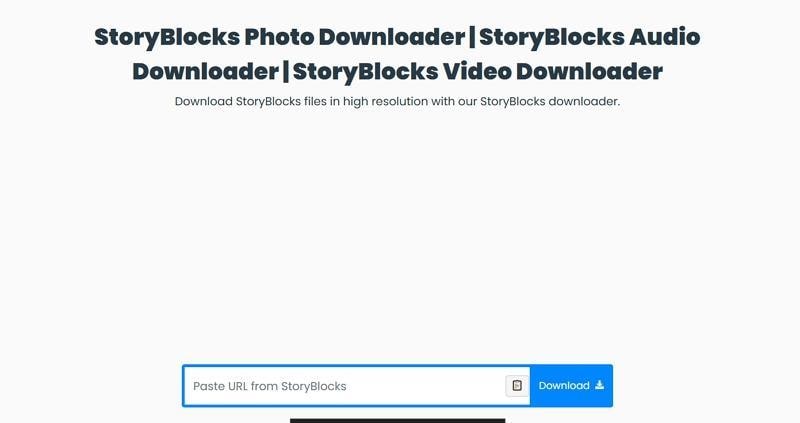
Key Features
- Offers a simple download button that initiates file saving.
- Provides quick preview links before downloading to confirm the correct StoryBlocks asset.
- Maintains exact file names from StoryBlocks for easier asset organization after download.
4. Downloader.Ia StoryBlocks Downloader
Downloader.la provides a free way to access StoryBlocks video, audio, and image files online. The tool fetches original StoryBlocks content and makes media available in downloadable formats. It supports many media types to help creators collect stock assets for editing and design workflows. This lightweight online downloader requires no registration and works in modern web browsers.
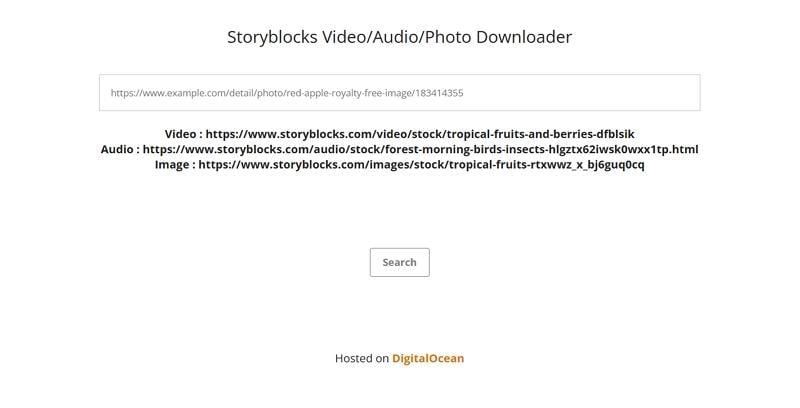
Key Features
- Detects StoryBlocks media type and displays separate download links for each asset.
- Generates direct downloadable file links without storing user files on its servers.
- Includes basic error feedback when media links are invalid or unsupported.
5. Awesome StoryBlocks Downloader
This free web‑based tool retrieves original StoryBlocks videos, music, templates, and images. Awesome‑DL StoryBlocks Downloader lets creators access premium StoryBlocks content with minimal effort. It delivers unmodified media files suitable for editing or inclusion in creative workflows. The dashboard also links to a Telegram bot for alternate download methods.
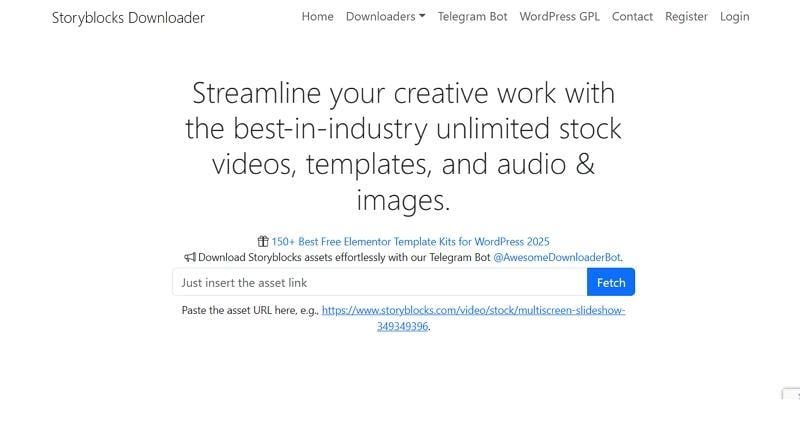
Key Features
- Compatible with bulk media fetching from many StoryBlocks links.
- Support many asset types like plugins, motion graphics, and footage.
- Dual access methods through the main website and the Telegram bot.
Part 3. StoryBlocks Downloader Comparison Table
Choosing the right tool to download StoryBlocks videos and other media files can improve your editing workflow. To help you choose the best downloader, we’ve compared the top tools side by side.
| Tool | Download Speed | Max Quality | Watermark Removal | File Types Supported | Ease of Use | Cost |
| Steptodown StoryBlocks Downloader | Medium download speed | HD and 4K | No | Video, audio, images | Simple web form | Free online tool |
| BeatSnoop StoryBlocks Downloader | Fast per link | HD | No | Video only | One-page downloader | Free online tool |
| Fetchpik StoryBlocks HD Downloader | Quick start | HD/original | No | Video, images, audio | Paste–preview–download | Free online tool |
| Downloader. la StoryBlocks Downloader | Medium to fast | Original quality | No | Video, images, audio | Link and result view | Free online tool |
| Awesome StoryBlocks Downloader | Quick download | Original quality | No | Video, audio, templates, plugins | Web + Telegram bot | Free trial, paid for unlimited downloads |


Part 4. How to Download StoryBlocks Videos Without a Watermark [Step-by-Step]
Having compared the top tools, you might have opted for the best option that works for you. Now, let's see how the Story Blocks downloader online and desktop tools work.
Method 1: Using Online Downloader Tools
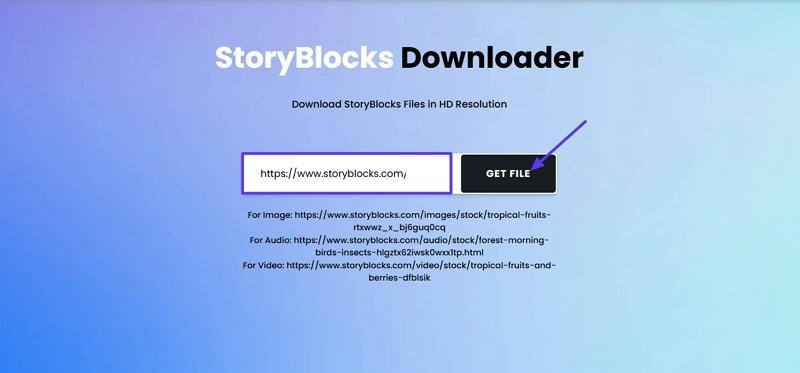
Downloading StoryBlocks videos online is quick and doesn't require installing more software. Let's take Steptodown Downloader as an example and follow the steps below to see how this works:
Step 1. First, enter the main interface and paste the StoryBlocks video URL in the designated box. Next, press the “Get File” option to search for the video.
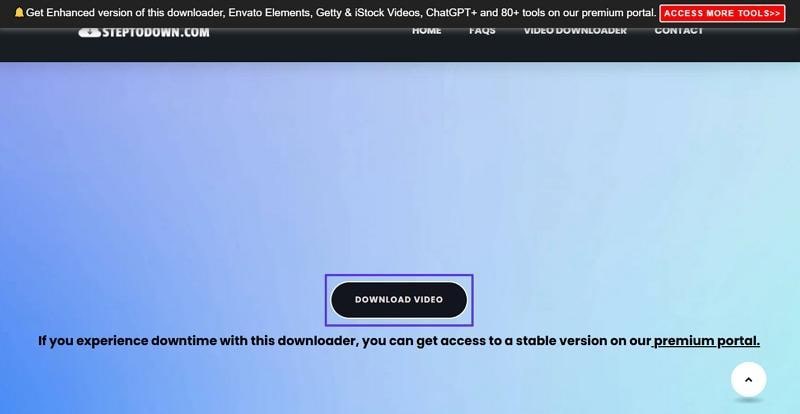
Step 2. Once the platform searches the video, press the “Download Video” button to download the file.
Method 2: Using UniConverter for Watermark Removal and Enhancing StoryBlocks Videos
You can directly save watermarked StoryBlocks videos from the site. After downloading StoryBlocks videos, you need to remove watermarks, and this is where UniConverter helps you most. It lets you import those watermarked preview clips and remove watermarks using dedicated AI models for video cleanup. The algorithm analyzes surrounding pixels and blends the watermark region intelligently for cleaner test visuals. You still must follow StoryBlocks licensing rules before publishing any final exported projects.
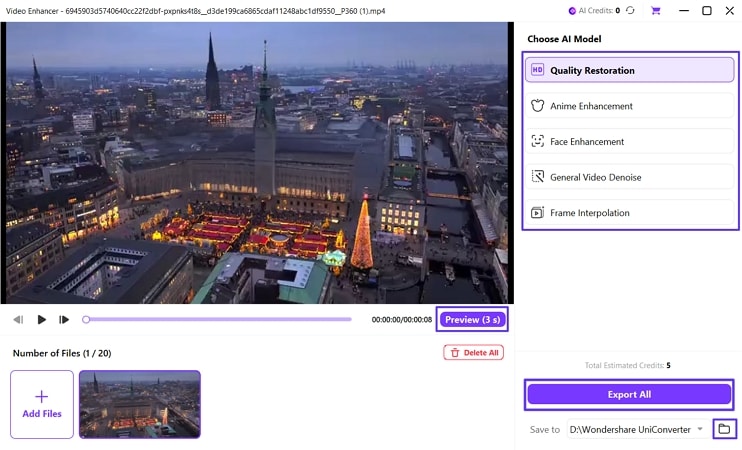
Beyond watermark cleanup, UniConverter also improves downloaded StoryBlocks footage using several focused AI enhancement models for quality. Its face enhancement mode sharpens facial details in talking head and interview videos. Frame interpolation creates extra in‑between frames, producing smoother motion for fast action or camera moves. Quality restoration reduces noise, fixes softness, and upgrades low-resolution clips for polished results.

Best Video Watermark Remover & Enhancer
How to Remove Watermarks From StoryBlocks Videos Using UniConverter
Now, follow the steps below to remove the watermark from downloaded videos using this tool:
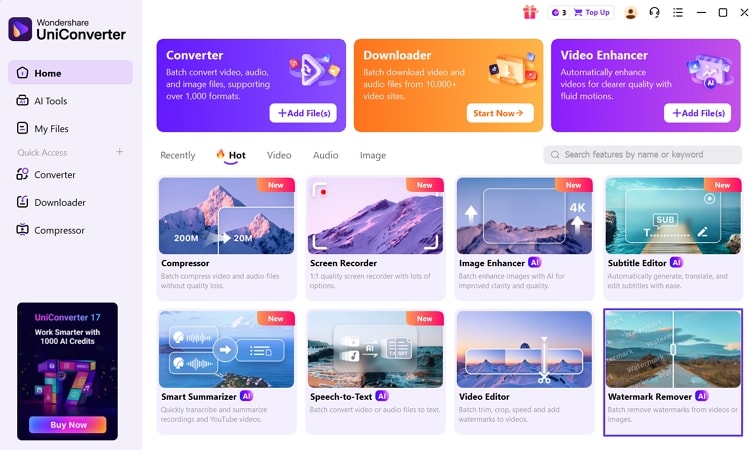
Step 1. Access Watermark Removal Feature
Once you access the main interface, locate and press the “Watermark Remover” tool.
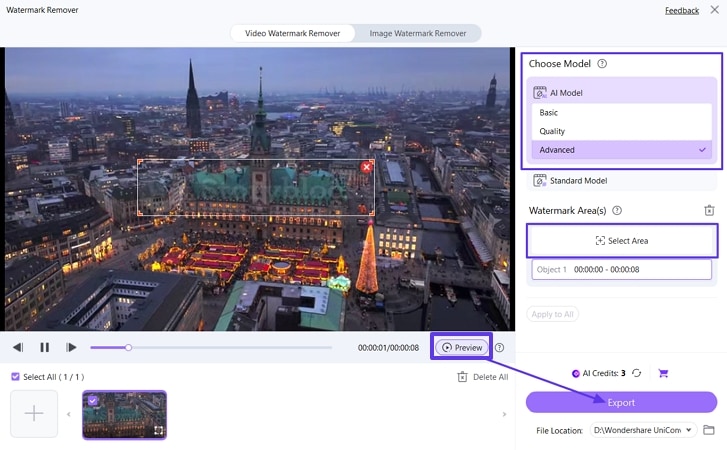
Step 2. Choose an AI Model and Select the Watermark Area
After you import your video, select an AI Model and press the “Select Area” option to select the area with the watermark. Once done, press the “Export” button to start the removal process. After the process is completed, press the “Preview” button to preview the final video.
Step 3. Access Final Video File Location
Next, press the “Open Folder” icon to access the folder where the final video is saved.
Guide to Enhance Videos After Watermark Removal
Sometimes, the video becomes distorted after you remove the watermark using UniConverter. So, go through the steps below to enhance videos if needed:
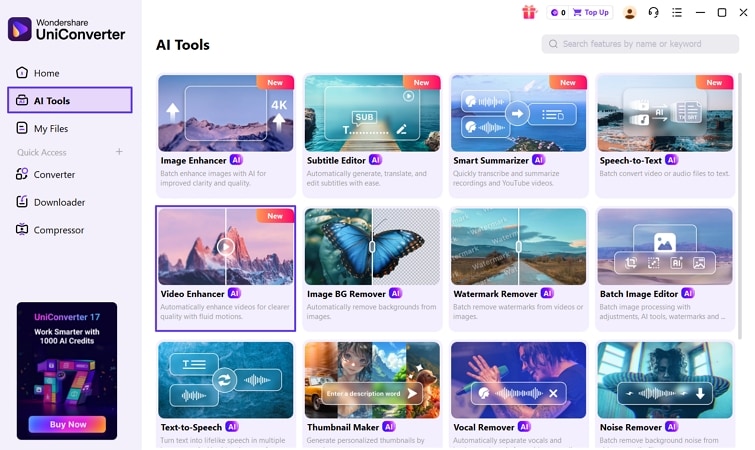
Step 1. Access Video Enhancer Tool
On the main interface, press the “AI Tools” tab and press the “Video Enhancer” tool. This will lead you to the interface where you can import your video.
Step 2. Select AI Enhancement Model
Once the video is imported, choose a suitable AI Model and press the “Preview” option to view the before and after video. If the final result is acceptable, press the “Export All” button to save the final video. After export, press the “Open Folder” option to enter the final video location.
Part 5. Best Alternatives to StoryBlocks Downloaders (Legal Options)
While Story Block video downloader tools may seem convenient, unofficial tools can create copyright issues. There are many legal alternatives that help creators access quality media without breaking platform policies. These options suit users wanting responsible ways to find videos and other content files. Let's explore StoryBlocks previews, free stock websites, and affordable subscription plans below for creators.
StoryBlocks Free Account (Download Previews for Testing)
StoryBlocks provides a free account allowing users to download watermarked previews of media assets. These previews help creators test videos, audio, and images inside editing software before final purchases. This approach reduces risk by letting users check quality, style, and project suitability.
Free previews support smarter decisions without forcing immediate payment or long-term commitment from creators. This makes upgrading to a full StoryBlocks subscription informed for serious creators.
Free Stock Media Platforms
Creators who prefer not using a Story Blocks downloader still have reliable options for sourcing legal stock media. Several free platforms provide royalty-free media for creators needing safe, legitimate alternatives online.
- Pixabay: Offers completely free videos and images for personal and commercial use without attribution. Content works well for video websites, presentations, and social media projects worldwide.
- Pexels: Provides high-quality free stock videos and photos updated with trending content. Media fits marketing campaigns, blogs, reels, and modern creative brand projects.
- Videvo: Supplies free stock video footage and motion graphics suitable for commercial projects. Some files need attribution, which should be checked before publishing final content.
- Unsplash: Delivers premium quality free photography with easy download options for creative workflows. Images suit websites, advertisements, presentations, and clean, modern visual design projects.
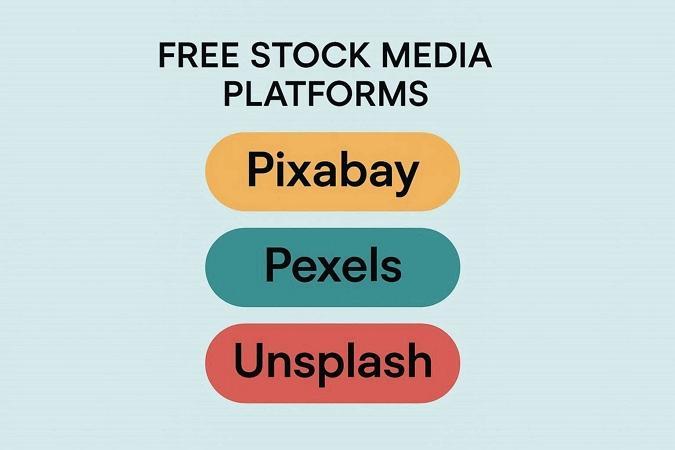
These platforms are ideal for creators on a budget or those testing ideas before buying premium content. Creators can choose platforms based on media type, licensing needs, and content quality.
Affordable Storyblocks Subscription Plans
For creators who need consistent access to quality media, StoryBlocks provides cost-effective subscriptions. These subscriptions offer flexible download limits and long-term value for creative needs. Let's explore StoryBlocks plans to find the best option for your workflow.
| Plan | Pricing | Monthy Credits | Notes |
| Essentials | $21/month | 3,000 Credits | Perfect for occasional users |
| Unlimited All Access | $30/month | 4,500 Credits | Best value for regular users |
Comparing Cost vs. Risk of Using Downloaders
Using unofficial StoryBlocks downloaders may seem free, but it can cause legal problems. Creators risk potential content removal when relying on unsafe downloaders online. Subscriptions provide a fixed cost, allowing access to high-quality media every month. Paying for a plan avoids unpredictable risks compared to downloading.
Perpetual License: Keep Downloads Even After Cancellation
StoryBlocks gives a perpetual license for all media downloaded during the subscription period. Users can continue using videos, audio, and images even after their subscription ends. This allows creators to keep important assets for projects without extra payments required.
Downloaded content remains available for future work to provide security for creative workflows. A perpetual license makes subscriptions more valuable to save money compared to repeated purchases. It also makes sure creators can reuse assets in many projects without worrying about the end.
Part 6. Is using a Storyblocks downloader legal?
A Story Block video downloader may seem convenient for saving media offline. Many creators have questions about the legal implications of downloading StoryBlocks content. Creators must understand copyright and licensing rules before operating any downloader for media projects.

With Subscription vs Without Subscription
To understand the risks, let’s compare downloading with a subscription versus without one.
| Parameter | With a Valid Subscription | Without Subscription |
| Legality | Completely legal under StoryBlocks terms | Illegal, violates copyright rules |
| Access | Full media access according to plan | Limited access requires downloaders |
| Usage Rights | Royalty-free for personal or commercial use | No official rights, risky to use |
| Risk | Minimal, safe for projects | High-potential content removal |
Royalty‑Free Licensing and Attribution
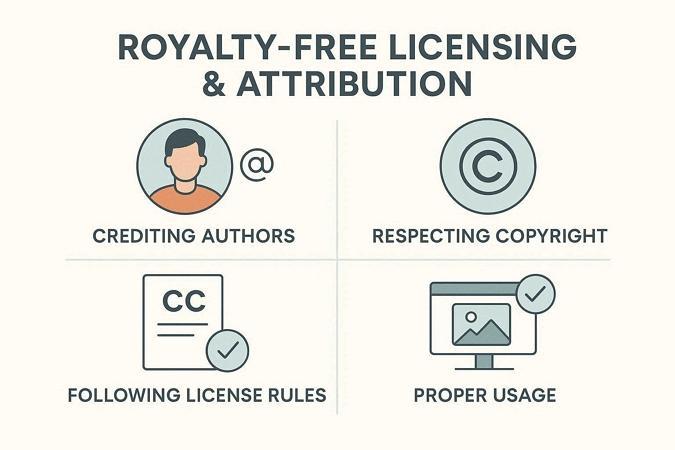
StoryBlocks provides royalty-free media so creators can use content without paying usage fees. Royalty-free does not mean unlimited use. License rules apply for personal and commercial projects. Proper attribution helps creators respect copyright and use StoryBlocks media in projects. Look at the licensing and attribution practices to stay safe from legal risks.
- Always credit StoryBlocks when required by the specific media license terms.
- Include the author or creator's name if provided along with the content.
- Avoid modifying content in ways that violate the license agreement.
- Use downloaded media only for allowed purposes under subscription rules.
Terms of Service Considerations
When using a legal StoryBlocks video downloader without a watermark, you must follow the terms. Sharing downloaded content outside allowed purposes can result in account suspension. Creators should read StoryBlocks guidelines to remain legal and avoid any potential issues.
Conclusion
To conclude, we explored many StoryBlocks Downloader options for videos, audio, images, and templates. Some tools work online easily but lack format conversion or batch download capabilities for efficient workflows. Wondershare UniConverter excels with quality preservation, format conversion, and batch processing in one seamless tool. Always select methods that fit your workflow while following legal, safe, and ethical practices.

