

DeepAI Text to Image is a web-based image generator that lets you type a prompt and generate an image. It is free to use without creating an account. It is one of the oldest image generators, which is why so many creators still try it first for quick images, thumbnails, or social graphics.
The real limit shows in the image quality. There is no such free cap, but the image quality is not up to par every time you generate one. One more thing: your generated images stay public by default unless you pay for Pro. To overcome these limitations, you might consider alternatives to Deep AI Text to Image.
This guide covers 6 DeepAI alternatives that deliver high-quality results with minimal effort, even during a free trial.
In this Article
- How to Use DeepAI Text to Image for Free
- What Are the Limitations of DeepAI Text to Image
- What Are the Best DeepAI Alternatives in 2026
- How to Generate an Image from Text with UniConverter
- DeepAI vs. UniConverter: A Side-by-Side Comparison
- Tips to Get Better AI Images from Any Text-to-Image Tool
- Conclusion
- FAQs
Part 1: How to Use DeepAI Text to Image for Free
Follow these simple steps to use DeepAI text to image for free:
Step 1: Go to the official DeepAI Text to Image website.
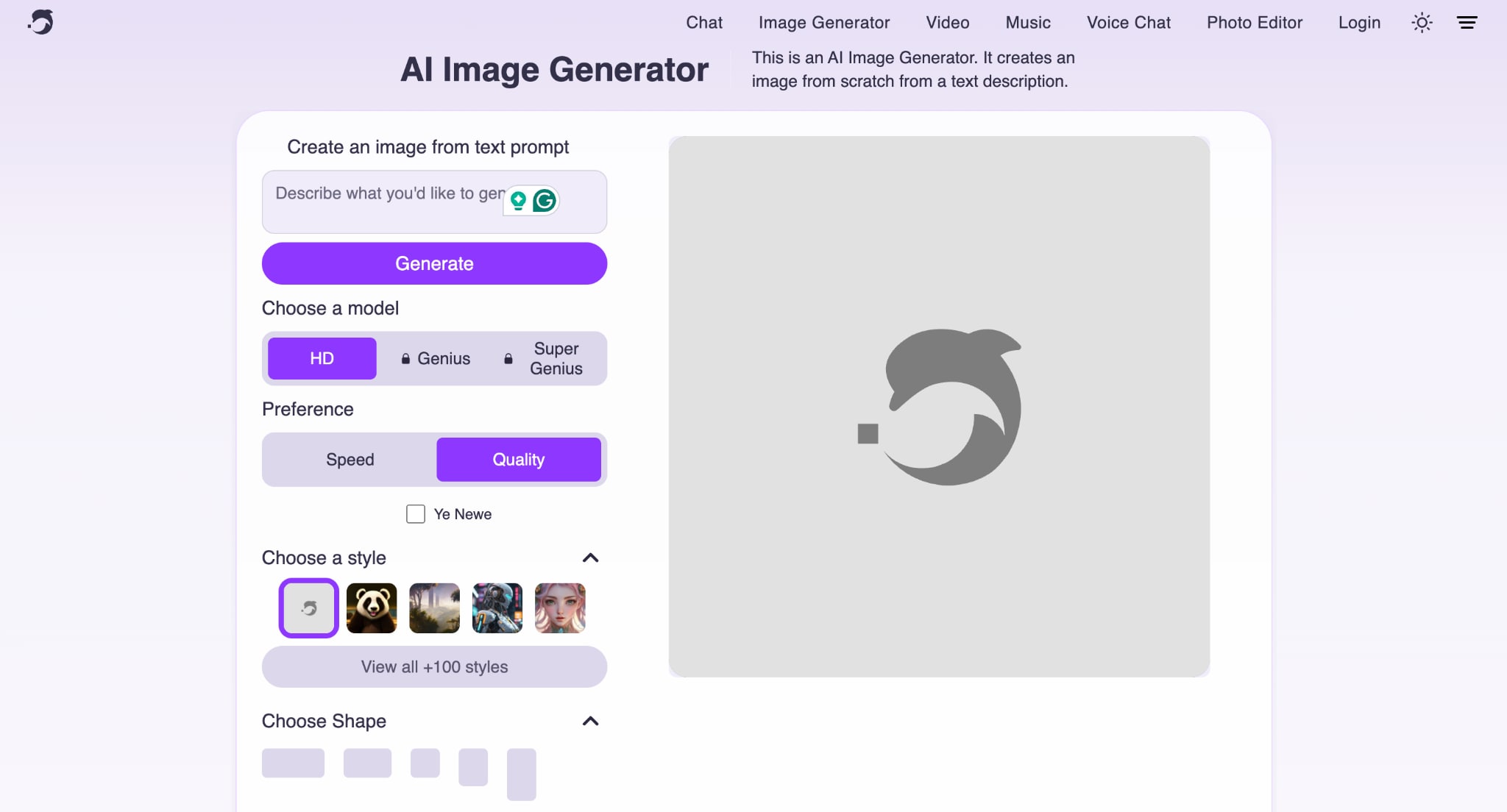
Step 2: Write down the prompt. Keep the HD quality, as free users can only get HD, and let them choose between Speed and Image Quality.
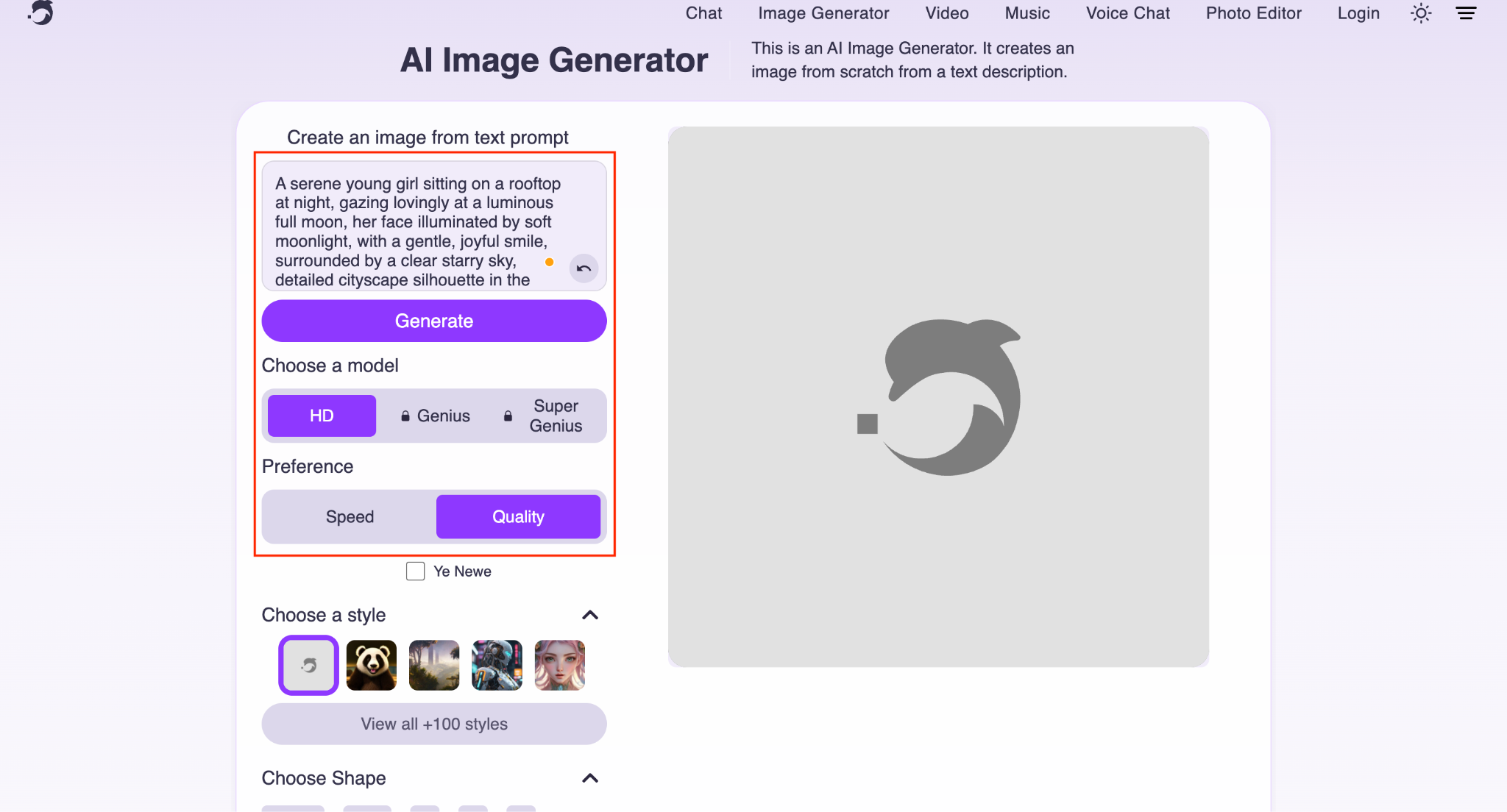
Step 3: Choose the image style and size. Once done, click the Generate button.
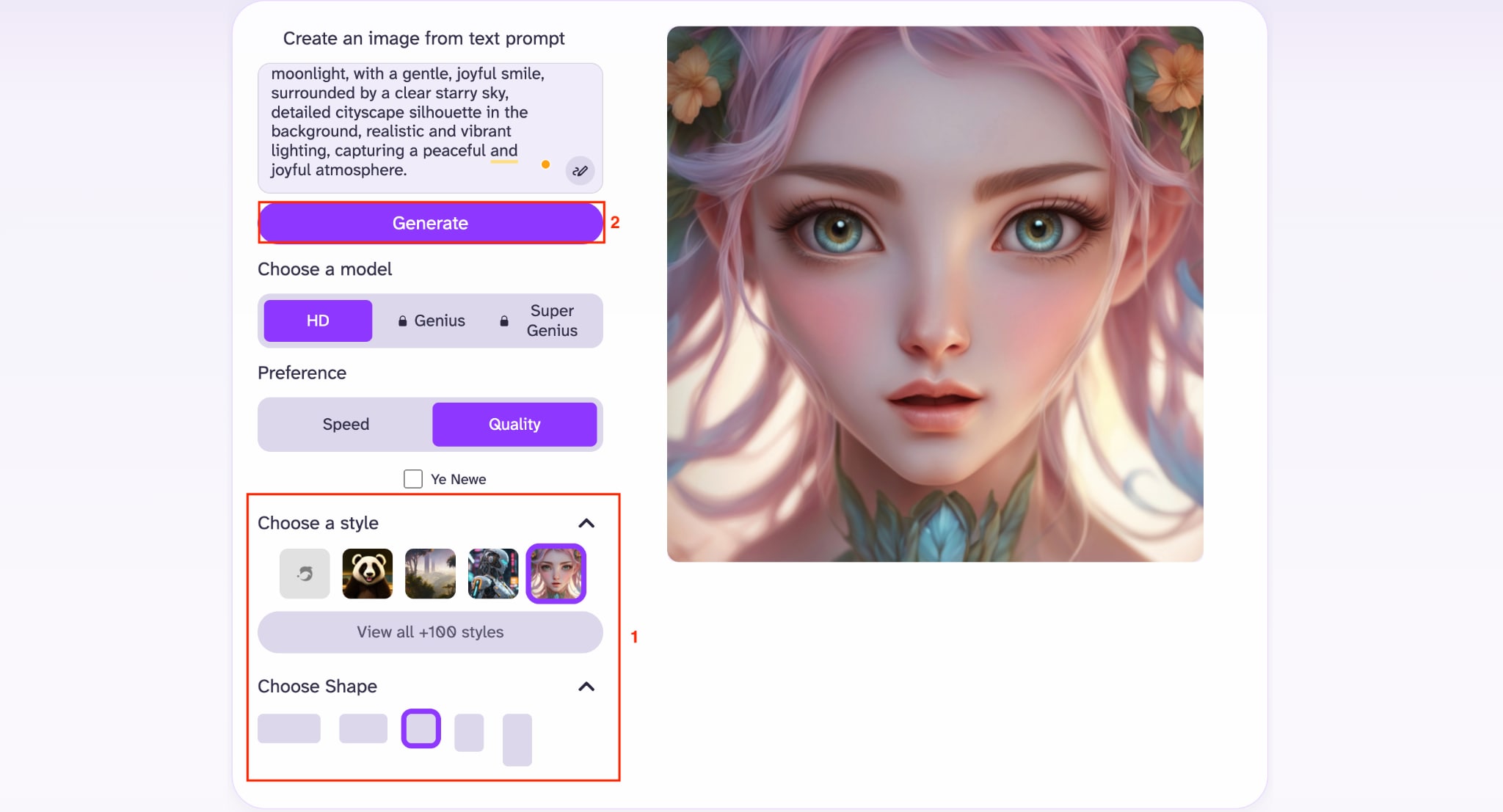
Step 4: DeepAI will generate the image within a few seconds. If you are satisfied with the outcome, click the Download button. If not, then edit the prompt and get a new image.
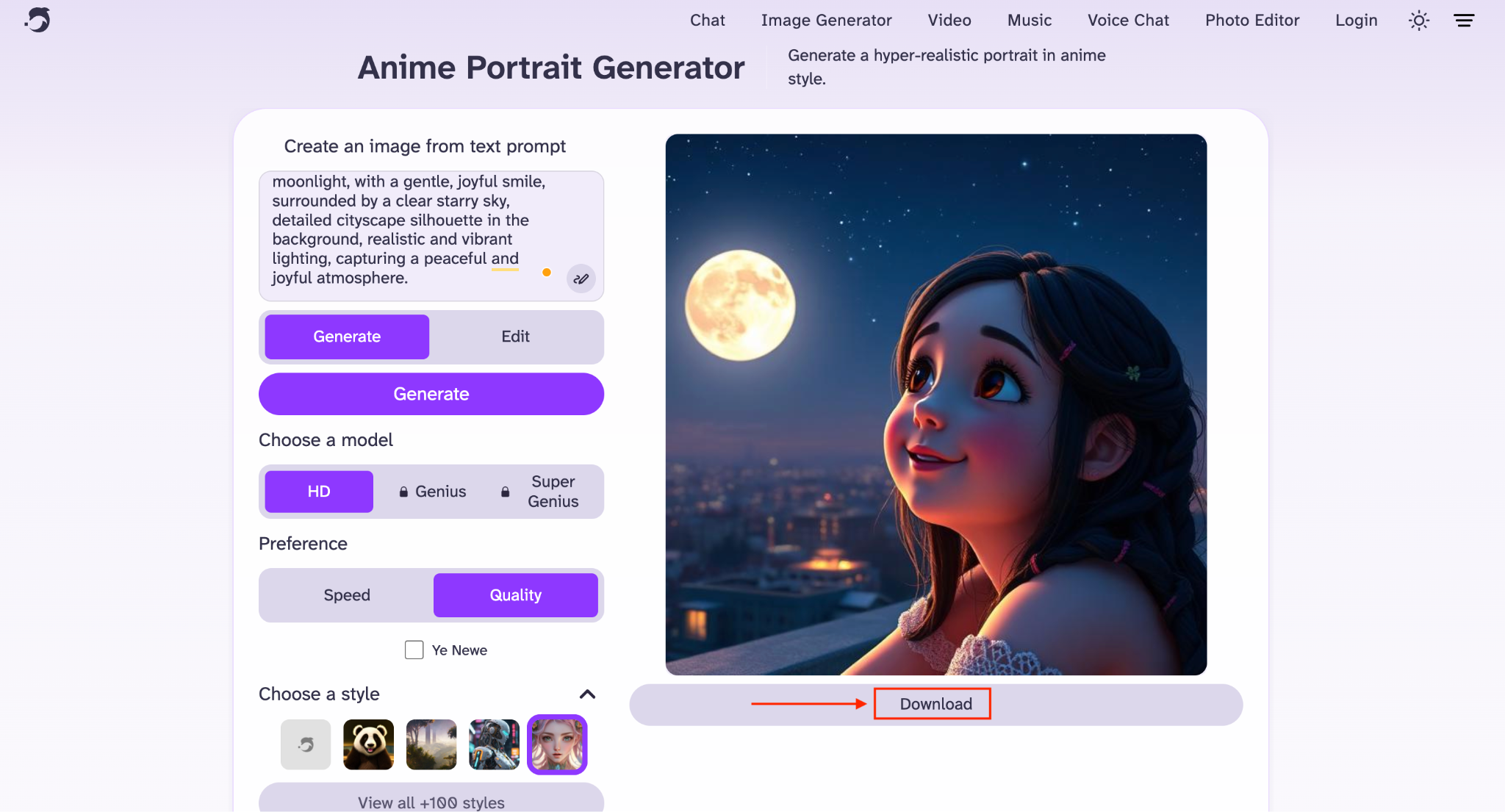
Free and Pro differ in two places: quality and privacy. Free gives you standard-quality output, puts your images in DeepAI's public gallery, and shows ads while you generate. Pro keeps generations private and unlocks Genius and Super Genius quality.
How to Write DeepAI Text to Image Prompts for Better Results
Write DeepAI Text to Image prompts the way you would describe a photo to someone who cannot see it. Name the subject first, then add details about setting, lighting, mood, and art style in that order. A prompt like "a golden retriever puppy playing in autumn leaves, warm afternoon light, photorealistic" gives the model far more to work with than just "a puppy."
Lead with the main subject and action before adding style words.
Add a specific art style keyword, such as "digital painting" or "watercolor," to guide the output.
Mention lighting and mood (soft morning light, dramatic shadows), as these guide the composition in a clear direction.
Keep prompts under two sentences. Long, cluttered prompts confuse the model more than they help it.
Who Can Use DeepAI Text to Image AI Tool
DeepAI Text to Image works best for people who need quick, low-stakes visuals rather than polished, client-ready deliverables. It suits hobbyists, students, and small creators who want a free starting point, but it starts to show its limits once you need brand consistency or commercial exclusivity. The table below breaks down where it fits well and where it falls short.
| User Type | Best Use Case | Fit for DeepAI |
| Bloggers and social media managers | Quick featured images and social graphics | Good |
| Students and hobbyists | Concept art, personal projects | Excellent |
| Marketing teams and agencies | Branded, print-ready campaign visuals | Limited |
| App developers | Lightweight image API integration | Good |
| Professional designers | High-resolution, exclusive commercial art | Weak |
Part 2: What Are the Limitations of DeepAI Text to Image
The biggest limitations of DeepAI Text to Image are its capped image resolution, public-by-default generations on the free plan, inconsistent adherence to prompts for complex requests, and output quality that lags behind newer AI image models.
Limited image resolution: DeepAI does not offer higher output resolutions beyond its current limits, making it less suitable for large-format printing or projects that require ultra-sharp images.
Free images are public: Images generated on the free plan are displayed in DeepAI's public gallery. Private image generation is available only with a Pro subscription.
No exclusive ownership: DeepAI treats generated images as the public domain, meaning you cannot claim exclusive rights to the artwork. This may be a drawback for commercial projects that require unique, protected assets.
Weaker prompt following: The standard model can struggle with long, detailed prompts and may ignore or simplify parts of your instructions. More accurate prompt interpretation is reserved for the paid Genius Mode.
Inconsistent visual style: Recreating the same artistic style across multiple generations can be difficult, making it harder to maintain consistent branding for marketing campaigns or social media content.
Now that you know what DeepAI Text to Image can and can't do, let's look at its pricing to see whether the paid plans justify the additional features and higher usage limits.
| Plan | Price | What It Includes |
| Monthly Pro | $9.99/month | 500 HD image generations, 60 Genius Mode images, 10 Super Genius 2K images, 1,750 standard AI chat messages, 250 Genius chat messages, 25 seconds of AI video generation, 1 Hollywood Mode video, and 100 AI-generated songs. |
| Yearly Pro | $89.99/year | Includes the same monthly allowances as the Monthly Pro plan but bills annually, saving $29.89 per year (roughly three months free). |
Part 3: What Are the Best DeepAI Alternatives in 2026
The best DeepAI alternatives in 2026 include Wondershare UniConverter, Midjourney, ChatGPT's image generator, Adobe Firefly, Ideogram, and Leonardo AI, each solving a different gap DeepAI leaves open, from text rendering to commercial safety to bundled video tools.
Wondershare UniConverter

All-in-One Multimedia Processing Tool

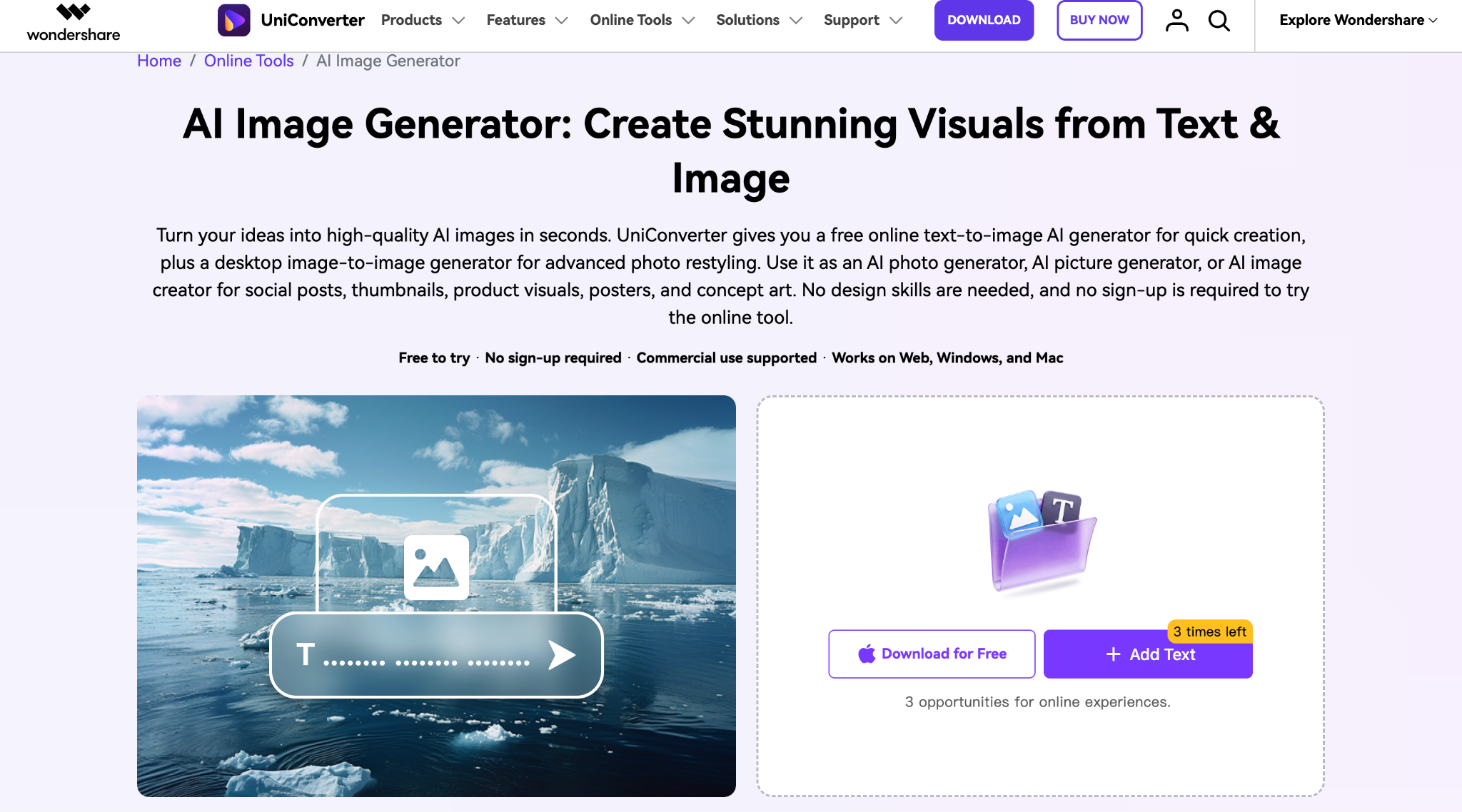
Wondershare UniConverter is a practical alternative to DeepAI if you want a simple way to create images from text and also restyle existing photos. It offers a free online image generator without sign-up for quick designs, while the desktop version adds image-to-image editing. It works well for social posts, thumbnails, product visuals, posters, and marketing graphics.
Key Features of Wondershare UniConverter
Generates YouTube thumbnails and social visuals directly from text prompts.
Sits alongside 18+ other AI tools, including background remover and video enhancer, in one app.
Available on desktop and as an online tool, so you are not locked into one device.
Best for: Content creators who want text-to-image generation bundled with video and photo editing in a single app.
Midjourney
Midjourney is a great choice if you're looking for more detailed and artistic images than DeepAI. It consistently produces high-quality illustrations, fantasy scenes, cinematic artwork, and realistic portraits with minimal prompting. While there's a learning curve and you'll need a paid plan to generate images, the visual quality is among the best if you care more about stunning results than speed.
Key Features of Midjourney
Produces the industry's most consistently polished, gallery-ready images.
Relax Mode on Standard and higher plans gives unlimited slower generations.
Stealth Mode (Pro and Mega plans) keeps your generations private.
Best for: Designers and agencies who prioritize visual polish over speed or budget.
DALL-E 4 (ChatGPT)
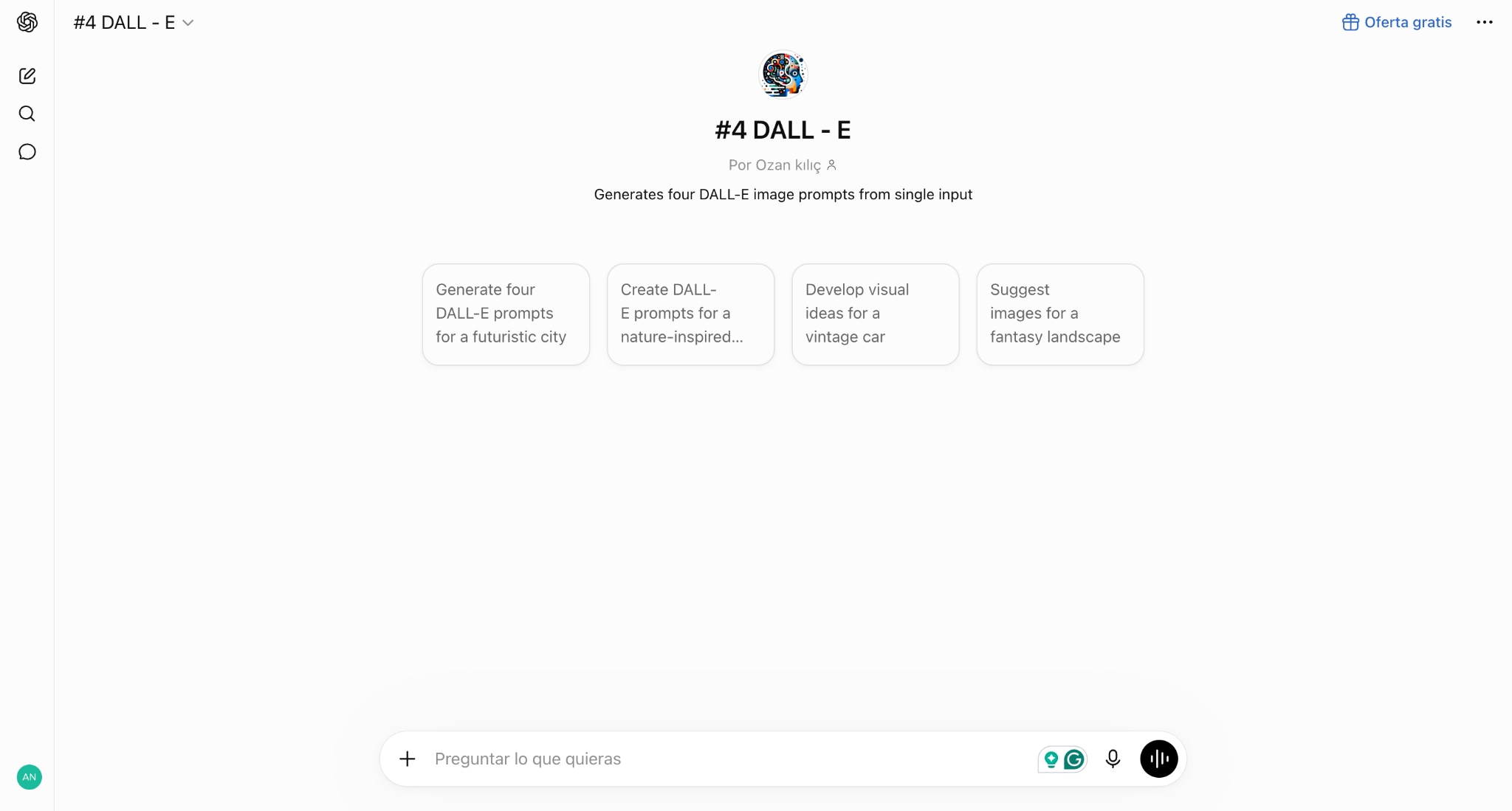
DALL-E 4 is ideal if you want accurate results without spending time refining prompts. It follows detailed instructions well, generates realistic images, handles text inside images better than most alternatives, and lets you edit specific parts of an image through simple conversational commands. If you already use ChatGPT, it feels like a natural upgrade from DeepAI for everyday creative work.
Key Features of DALL-E
Understands conversational, multi-step prompt refinement inside the same chat.
Renders text within images more accurately than most photorealism-focused tools.
Supports image editing and inpainting by modifying selected parts with simple text instructions.
Best for: Writers and marketers who already use ChatGPT and want images without switching tools.
Adobe Firefly
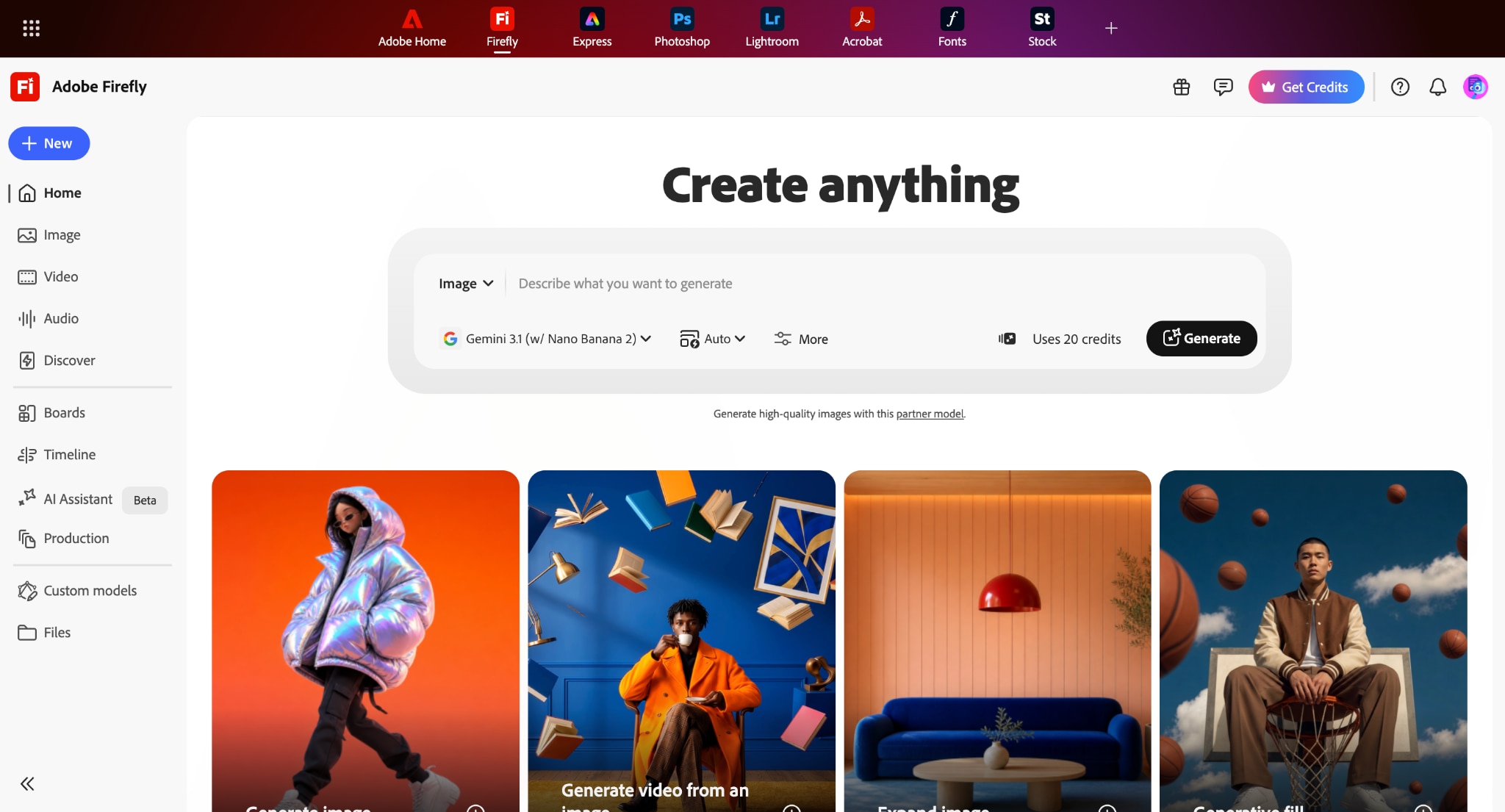
Adobe Firefly is a strong option for designers, marketers, and content creators who need images that fit into professional workflows. It creates clean, high-quality visuals and integrates directly with Photoshop, Illustrator, and other Adobe apps. Firefly is also trained on licensed content, making it one of the safer choices for commercial projects where copyright concerns are a factor.
Key Features of Adobe Firefly
Trained on licensed content only, backed by Adobe's IP indemnification.
Integrates directly into Photoshop and Illustrator for Creative Cloud users.
The free plan includes 25 generative credits per month to test the tool.
Best for: Brands and agencies that need legally defensible, commercially safe AI images.
Ideogram
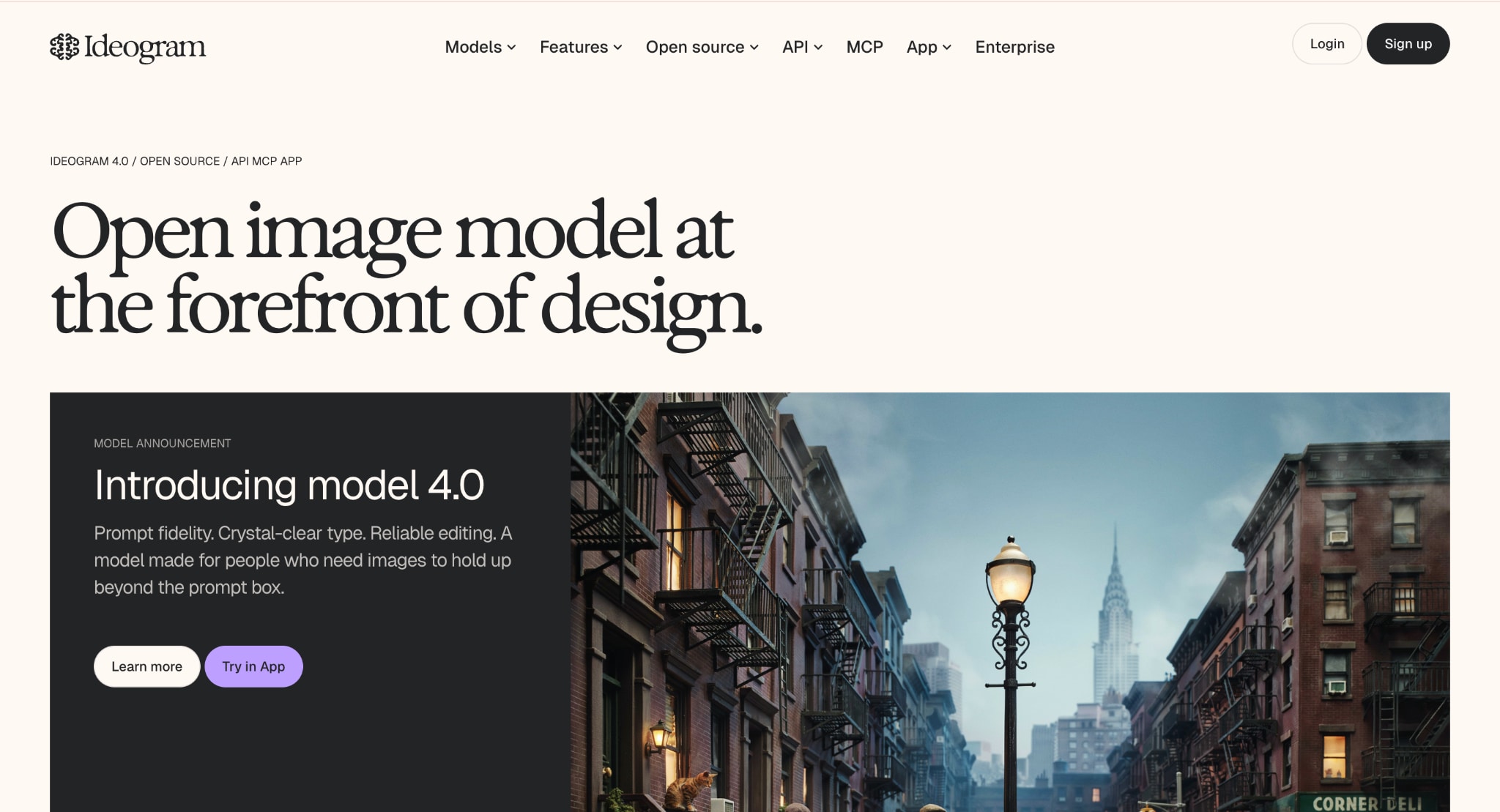
Ideogram is an ideal choice if your images need readable text, such as posters, logos, social media graphics, or product ads. Unlike many image generators that struggle with lettering, Ideogram produces much cleaner typography while still generating attractive artwork. If you're frustrated by DeepAI creating distorted text, this is one of the easiest alternatives to switch to.
Key Features of Ideogram
Best-in-class text rendering for posters, logos, and social ad graphics.
The free tier gives roughly 40 images per day across 10 prompts.
The Magic Prompt feature auto-expands short prompts into more detailed ones.
Best for: Designers creating posters, infographics, or any image where legible text matters.
Leonardo AI
Leonardo AI gives you more control over the final image than DeepAI. You can choose different image models, maintain a consistent visual style, generate multiple variations, and fine-tune outputs for game assets, marketing content, or concept art. It offers generous free usage compared to many premium competitors, making it a solid option for creators who regularly generate images.
Key Features of Leonardo AI
The free plan gives 150 daily tokens with no expiry date.
AI Canvas allows precise, localized edits within a generated image.
Includes image, short-video, and model-training features on a single platform.
Best for: Creators who want a generous free tier plus granular editing control as they scale up.
Here is a quick overview of each Deep AI Text-to-Image generator alternative:
| Tool | Image Quality | Text Rendering | Free Access | Starting Price |
| Wondershare UniConverter AI Image Generator | Excellent for quick visuals, social content, thumbnails, and marketing graphics | Moderate | Free online generation available; advanced features require desktop version | Starts at $9.99/month |
| Midjourney | Excellent for artistic images, realistic scenes, and cinematic visuals | Moderate | No permanent free plan | Starts at $10/month (Basic plan) |
| ChatGPT (GPT Image) | Very good for realistic images, edits, and following detailed instructions | Strong | Limited image generation available with free ChatGPT access | ChatGPT Go starts at $8/month |
| Adobe Firefly | Very good for professional designs and commercial visuals | Moderate to Good | Free plan with limited daily generations | Starts at $9.99/month |
| Ideogram | Very good for posters, logos, and creative designs | Excellent | Free plan available with limited generations | Starts at $20/month |
| Leonardo AI | Very good for game assets, concept art, and styled visuals | Moderate | Free plan with daily token limits | Starts at $12/month |
Note: Pricing and free limits change frequently because most image generators now use credit-based systems instead of fixed image counts.
Part 4: How to Generate an Image from Text with UniConverter
Follow the steps below to generate an image from text with UniConverter:
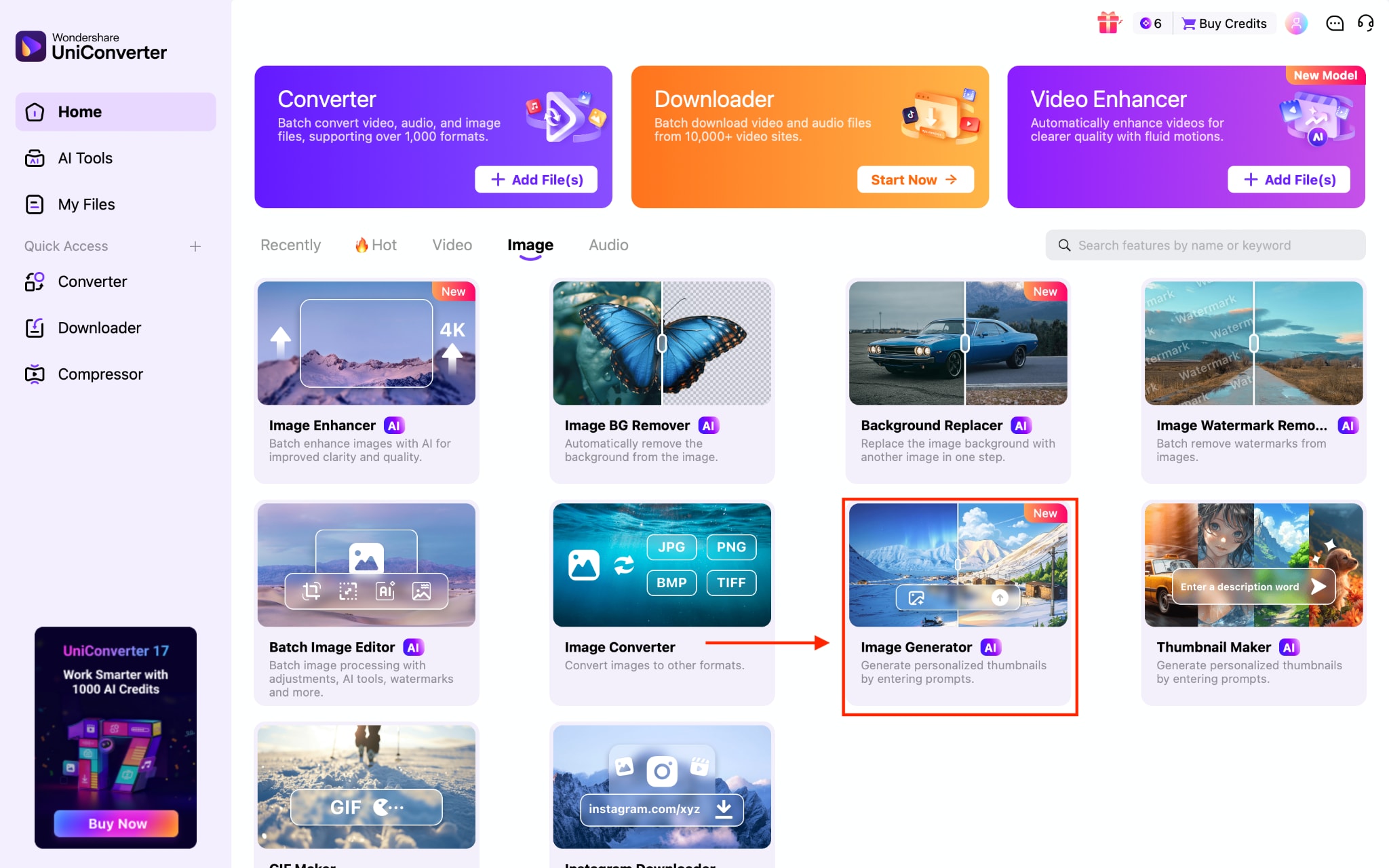
Step 1: On the UniConverter dashboard, choose Image Generator under the Image section.
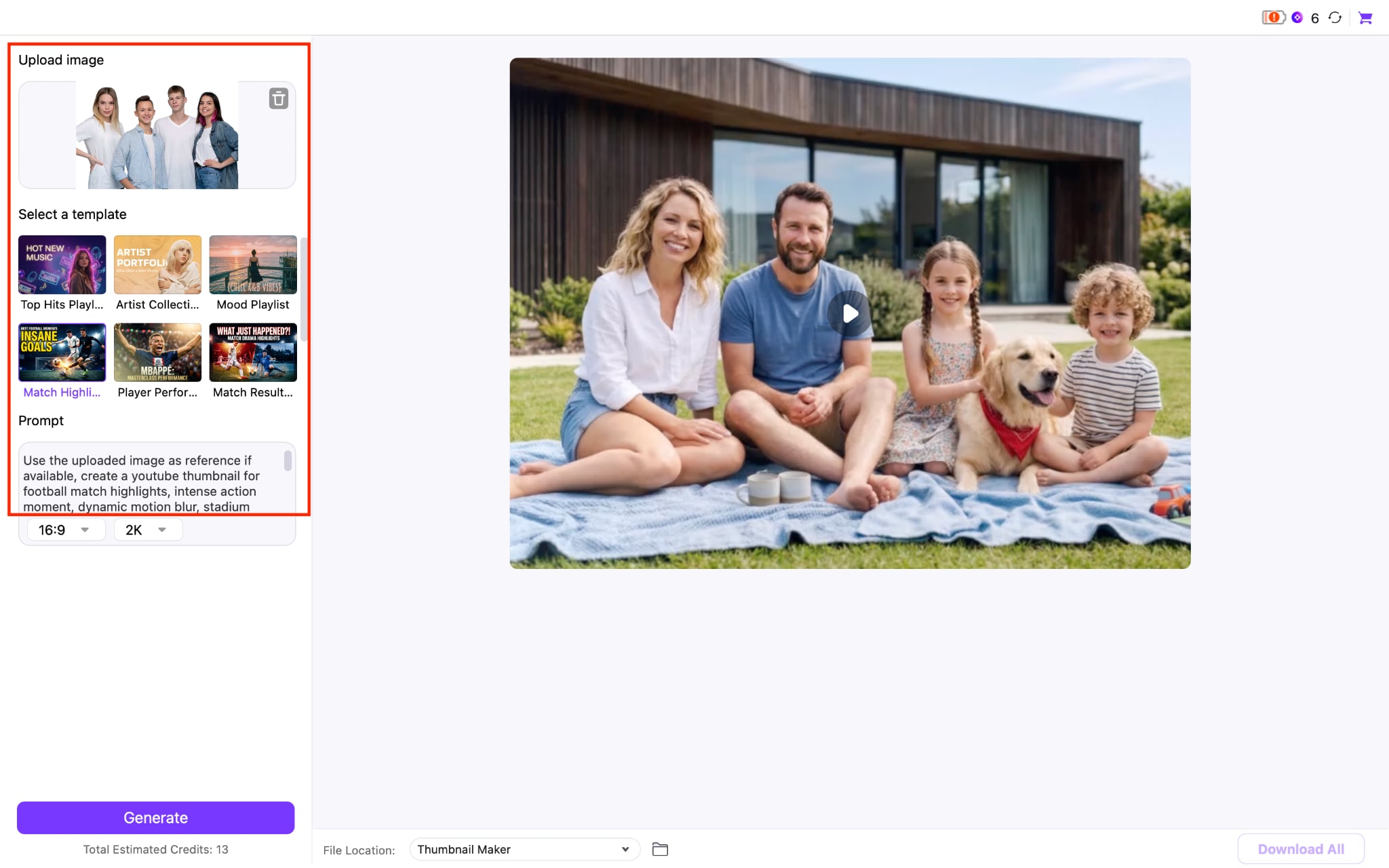
Step 2: Now upload the image as a reference, choose the template, and the text prompt will be automatically added.
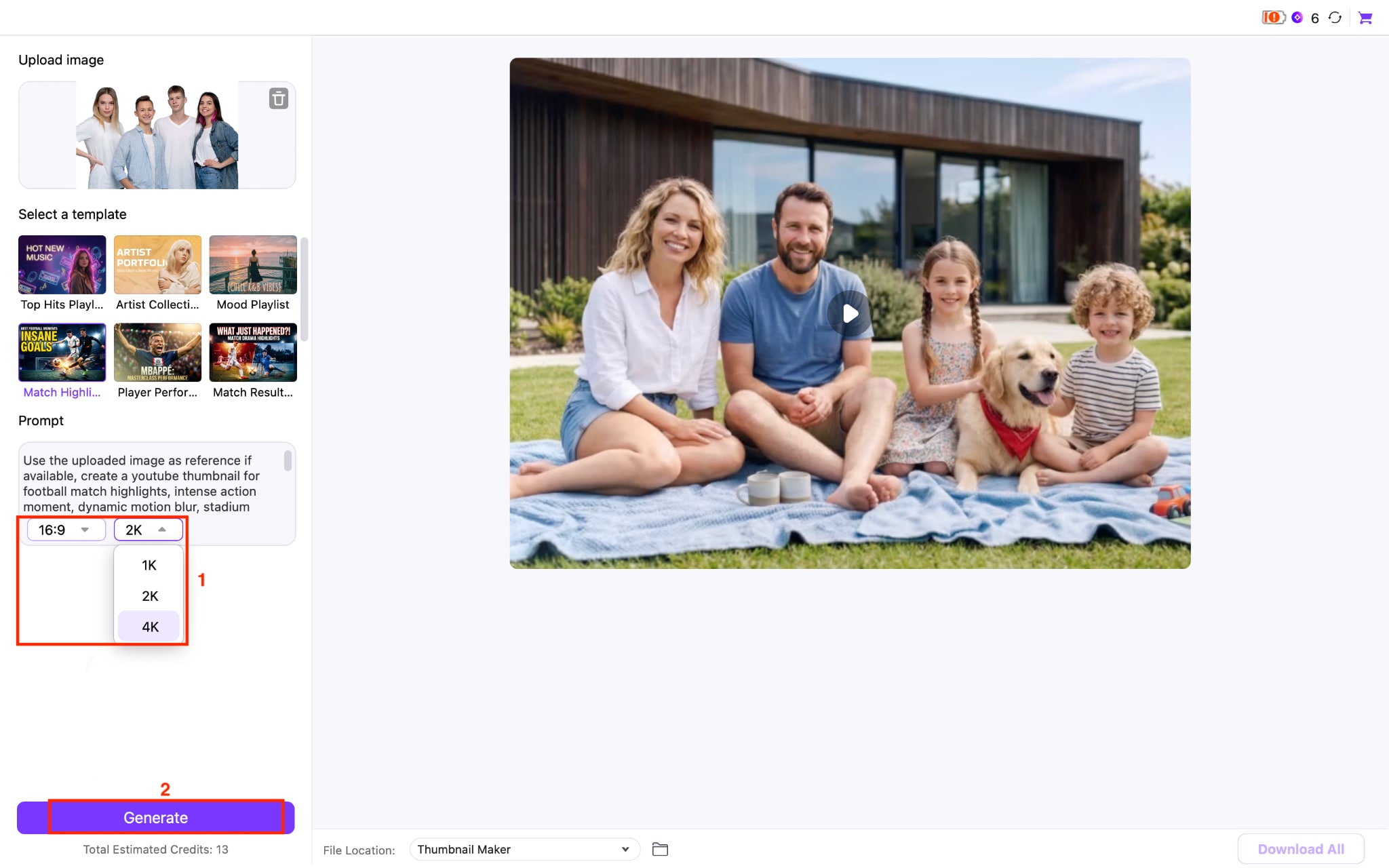
Step 3: Choose the image ratio and output quality, and hit the Generate button.
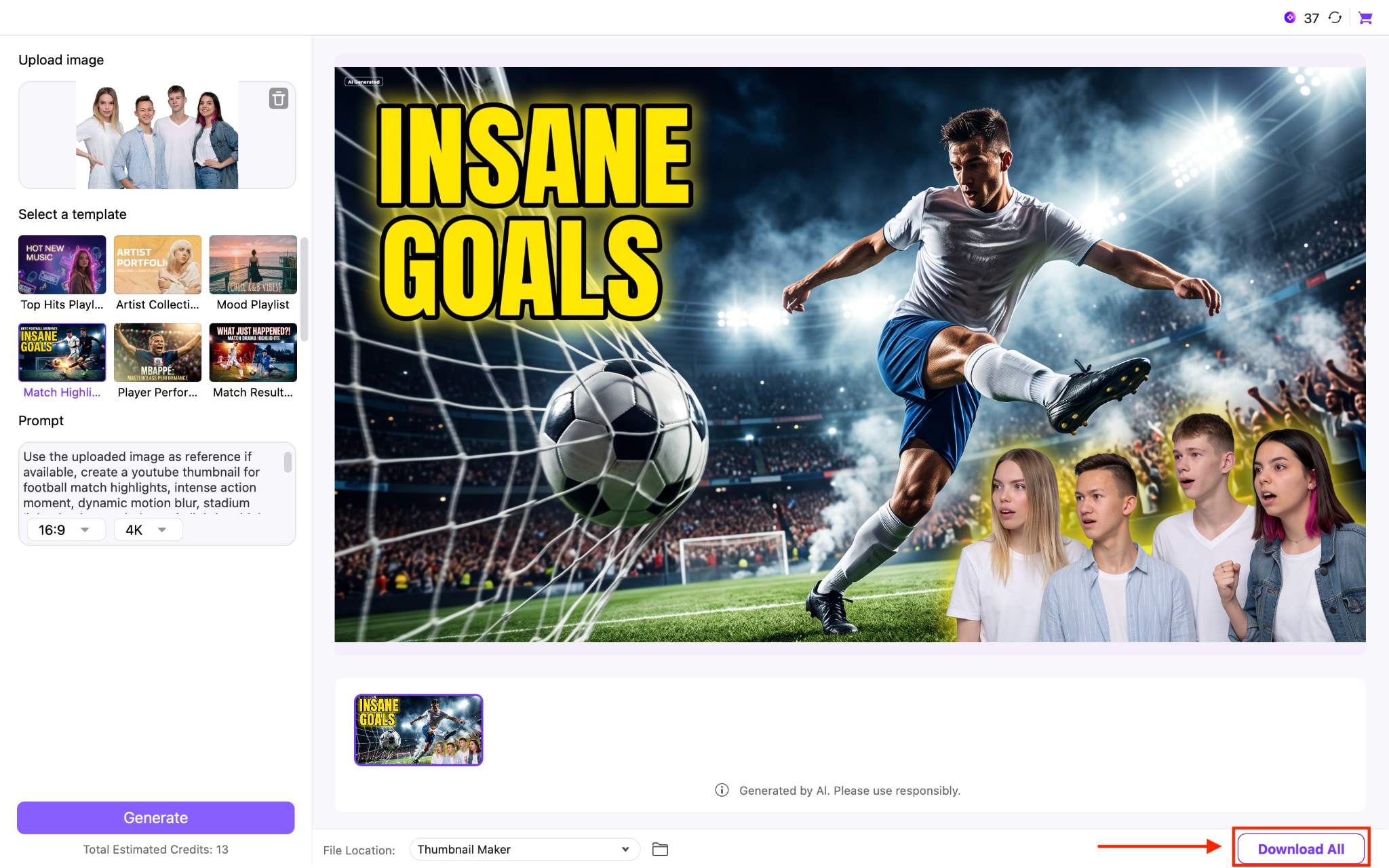
Step 4: In under 60 seconds, it will generate a perfect 4K quality thumbnail. Tap the Download All button to save the photo.
Part 5: DeepAI vs. UniConverter: A Side-by-Side Comparison
DeepAI and UniConverter both offer a DeepAI Text to Image style workflow, but they serve different kinds of projects. DeepAI works well as a standalone, browser-based generator for quick, casual images, while UniConverter positions text-to-image generation as one piece of a larger content production toolkit that also handles video and audio.
| Feature | DeepAI | UniConverter |
| Core focus | Standalone image, video, chat, and music generator | All-in-one media converter with bundled AI tools |
| Free access | Free tier with public images, no sign-up | 7-day free trial of the full AI toolkit |
| Starting paid price | $9.99/month | $9.99/month |
| Image privacy on free tier | Public by default | Private during trial and subscription |
| Bundled tools | Chat, video, music generation | Video conversion, compression, editing, background removal |
| Best fit | Casual, quick image generation | Creators who need images plus video/audio production in one place |
If you only need occasional images, DeepAI's free tier is hard to beat on price. If you are already juggling video edits, thumbnails, and image touch-ups for the same project, UniConverter's bundled workflow saves you the hassle of switching between multiple subscriptions.
Part 6: Tips to Get Better AI Images from Any Text-to-Image Tool
You get better AI images from any text-to-image tool by writing specific, structured prompts and refining your output instead of accepting the first result. These habits apply across DeepAI, UniConverter, and every other generator on this list.
Describe subject, setting, lighting, and style in that order for consistent results.
Generate multiple variations of the same prompt and pick the strongest one.
Use negative prompts when supported to exclude unwanted elements, such as extra limbs or text artifacts.
Match your aspect ratio to the platform you are publishing to before you generate.
Test the same prompt across two tools before committing to one for a project, since style strengths vary a lot between generators.
Conclusion
DeepAI Text to Image is still a convenient option when you need a free and quick way to turn ideas into visuals. However, if image quality, privacy, consistent results, or advanced editing matter for your work, you'll likely outgrow its capabilities. For creators who regularly create thumbnails, social media graphics, or marketing assets, using a more comprehensive solution can save time and effort.
Wondershare UniConverter combines AI image generation with photo and video editing tools in one place, making it a practical choice for creators who want to streamline their entire content creation workflow instead of switching between multiple apps.

