

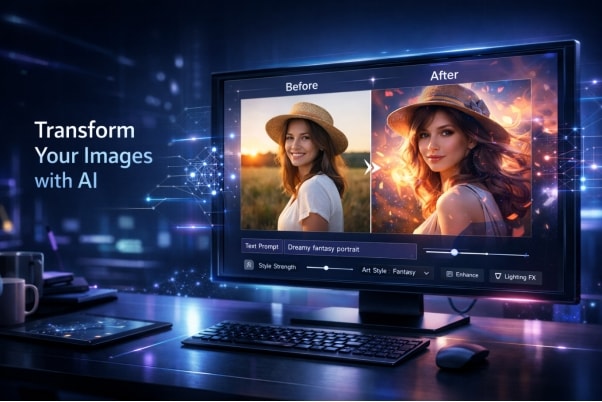
An image-to-image AI generator is a tool that transforms an existing image into a new version based on prompts, style controls, or reference inputs. It can restyle visuals, enhance quality, change backgrounds, or generate entirely new variations while preserving key elements from the original. People use these tools to create thumbnails, marketing assets, social media content, and design iterations much faster than manual editing.
But the best image-to-image AI generator does more than apply filters. It understands your input, follows prompts accurately, and produces outputs you can actually use. Whether you are redesigning visuals, creating content, or experimenting, the gap between average and high-performing tools is significant.
This guide focuses on 10 image-to-image AI generators that stand out in 2026, evaluated based on prompt control, output quality, resolution, speed, and pricing, so you can find tools that genuinely deliver.
In this Article
Part 1: What is an Image-to-Image AI Generator?
An image-to-image AI generator is a tool that transforms an existing image into a new version using prompts or style controls. It preserves key elements like composition and structure while applying changes such as style, lighting, colors, or full visual redesign.
Note: Different tools use different model types, including diffusion models and proprietary systems, so output quality, control, and consistency can vary.
Part 2: Quick Comparison Table: Image to Image AI Generators
AI image to image generators promise the world, but only the best deliver consistent, high-quality results that match your prompts. This table ranks the top 10 options by key strengths like ease of use, unique features, and output quality.
| Tool | Free Plan | Starting Price | Best For | Main Limitation | Commercial Use |
| Wondershare UniConverter | Offer a free trial, not a plan | $9.99/month | Simple thumbnails & enhancements | Image-to-image is not available online | ✅ Yes |
| ElevenLabs | ✅ Yes (10K credits/month) | $5/month | Content with voiceovers | Video features are mostly paid | ✅ Yes |
| Adobe Firefly | ✅ Yes (25 credits/month) | $9.99/month | Artistic style transfers | Free credits run out quickly | ✅ Yes |
| Kling AI | ✅ Free trial | $1.19/week | Cinematic storytelling | Premium features are expensive | ✅ Yes |
| Grok | ❌ No | $0.02/image | Quick edits & upscaling | Pay-per-image can get costly | ✅ Yes |
| Krea.ai | ❌ No | $9/month | Real-time pro workflows | Steep learning curve | ✅ Yes |
| Artlist.io | ⚠️ Limited trial | $11.99/month | Multi-model blending | Full access requires a subscription | ✅ Yes |
| Google Gemini | ✅ Yes | $19.99/month | Ecosystem-integrated edits | Limited to the Google ecosystem | ✅ Yes |
| NoteGPT | ✅ Yes (no signup) | $9/month | Casual free experiments | Limited control, inconsistent results | ❌ No |
| ChatGPT | ✅ Yes | $8/month | Conversational quick tweaks | Not as advanced as dedicated tools | ✅ Yes |
Part 3: How We Evaluated Each Image to Image AI Generator?
To ensure fair and consistent comparisons, each image-to-image AI generator was tested using the same set of inputs, prompts, and evaluation conditions.
Part 4: Best Image-to-Image AI Generators (Ranked)
Below are the top ten image to image generators that provide high-quality results, ranging from beginner-friendly tools to advanced platforms with a short learning curve.
1.Gemini
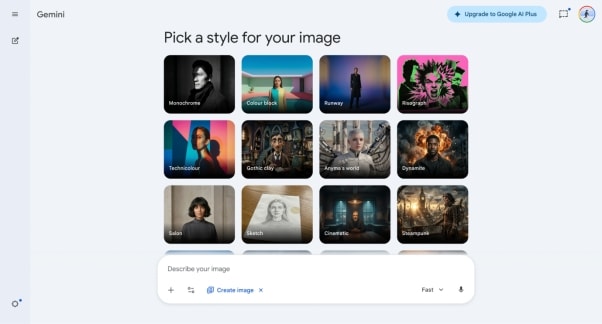
Google Gemini is best for users who want fast, prompt-based image editing within the Google ecosystem.
Google Gemini is a powerful AI tool that offers advanced image editing and generation capabilities. It allows you to transform images using simple text instructions, such as changing lighting, applying styles, or resizing formats. The tool is deeply integrated into Google’s ecosystem, making it easy to use on supported devices. It’s known for producing high-quality results quickly, but access may depend on your device or subscription.
Key Features
- It allows you to edit and transform images with simple natural-language prompts.
- The tool supports style transfer, lighting adjustments, and visual enhancements.
- It can automatically resize images for different formats without losing quality.
- It handles text placement inside images effectively.
2.Adobe Firefly
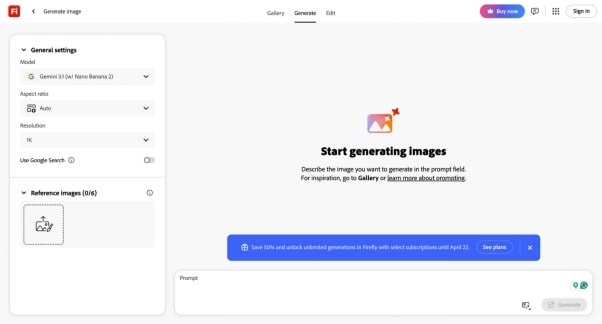
Adobe Firefly is best for creatives already in the Adobe ecosystem who need professional style transfers.
Adobe Firefly’s Image to Image tool is designed for creative style transfers. You upload any photo, enter a descriptive prompt (“in the style of Van Gogh” or “as a vintage poster”), and Firefly re-paints the scene accordingly. It offers many presets (pop art, seasonal, sketch, etc.) and a slider to adjust visual intensity. It also lets you choose from models like Firefly’s own or partner models (e.g., OpenAI’s DALL·E/GPT-Image)
Key Features
- It allows you to transform images using text prompts to apply different artistic styles and visual effects.
- The tool includes a wide range of built-in filters, including vintage, sketch, and pop art styles.
- It offers an intensity slider that lets you control how much the AI alters your original image.
- It integrates seamlessly with Adobe Creative Cloud apps like Photoshop and Illustrator.
3.Kling AI
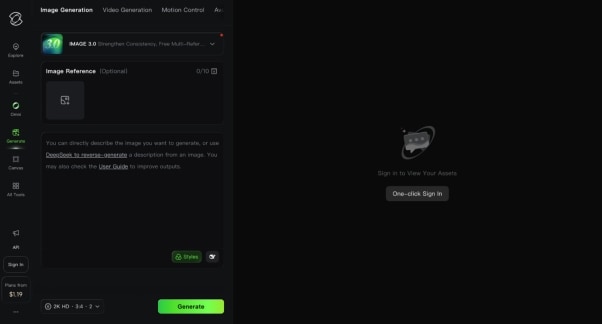
Kling AI is best for filmmakers and storytellers who need cinematic, high-detail visual outputs.
Kling AI is a cinematic-focused image and video generator known for producing highly detailed and realistic visuals. It allows you to transform images using prompts while maintaining lighting consistency and storytelling quality. Kling AI supports multiple reference images and offers strong control over composition using negative prompts. Kling is ideal for filmmakers, designers, and storytellers who want high-quality visuals.
Key Features
- It generates cinematic-style images with realistic lighting and a consistent visual storytelling style.
- The platform supports multiple reference images to improve accuracy and control.
- It includes negative prompt features to remove unwanted elements from outputs.
- It offers high-resolution outputs suitable for professional projects.
4.Grok
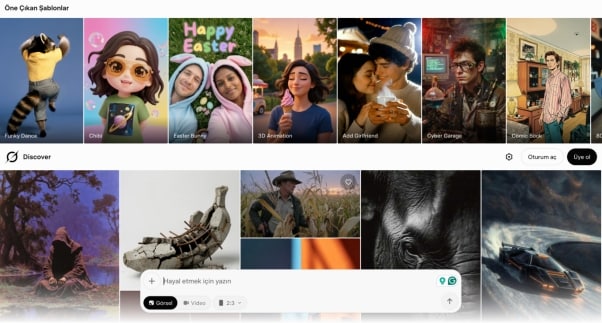
Grok is best for users who want quick, practical edits without committing to a subscription.
Grok Imagine is a newcomer in the AI image space, offering powerful editing and transformation features. It focuses on practical image manipulation such as background replacement, inpainting, and style transfer. The interface is simple: upload an image, enter a prompt, and generate results quickly. It also supports cinematic color grading and upscaling up to 2K resolution. One thing to note here, as Grok is a new tool, features may update with time.
Key Features
- It lets you edit images using prompts for tasks such as background replacement and object removal.
- The tool supports inpainting and outpainting to extend or modify images.
- It includes color grading and style transfer features for visual enhancement.
- It offers upscaling capabilities up to 2K resolution.
5.Wondershare UniConverter
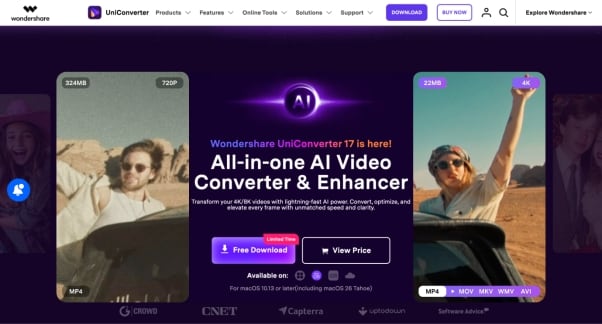
Wondershare UniConverter is best for users who prefer an offline, all-in-one toolkit with a simple guided workflow.
Wondershare UniConverter is an all-in-one media toolkit that includes image-to-image capabilities alongside video and audio features. It works well for basic transformations like thumbnails, background edits, and quick enhancements. The interface is straightforward, making it easy for beginners to generate results without much setup. However, compared to dedicated image-to-image AI tools, it offers less flexibility in prompt control and advanced style transfer. It is more suitable for simple, practical edits rather than complex creative transformations or high-end visual experimentation.
Key Features
- Provides offline image processing for privacy-focused workflows
- Includes background removal for quick subject isolation
- Supports watermark removal for basic image cleanup
- Allows image format conversion for broader compatibility

All-in-One Multimedia Processing Tool

6.ElevenLabs
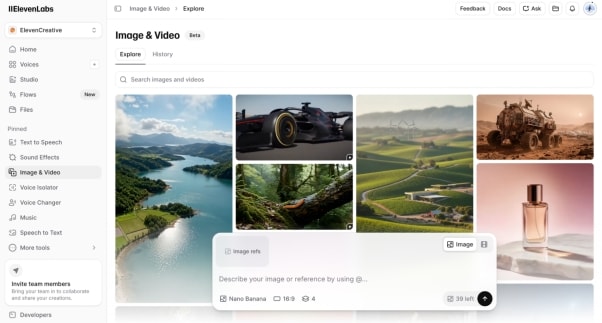
ElevenLabs is best for content creators who want to combine image transformation with AI voiceovers.
ElevenLabs has evolved from a voice AI platform into a broader creative suite that includes image-to-image and video generation. It allows you to transform images using multiple AI models, supporting styles like realism, animation, and artistic edits.
Its main strength lies in creator workflows, especially when you need to pair visuals with AI-generated voiceovers, lip-sync, or video outputs. However, for pure image-first use cases, it is less specialized than dedicated image-to-image tools that offer deeper prompt control and advanced visual editing features.
Key Features
- It provides multiple AI image models that let you generate visuals in styles ranging from realistic to animated to artistic.
- The platform integrates voice generation and lip-sync features, enabling you to turn images into talking visuals.
- It supports high-quality exports in PNG for images and MP4 for videos.
- It includes built-in upscaling and enhancement tools to improve image clarity and detail.
7.Krea.ai
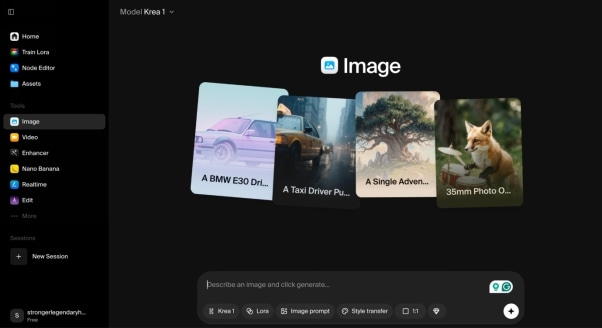
Krea.ai is best for advanced users and teams who need real-time generation with maximum model flexibility.
Krea.ai is an advanced AI creative tool designed for professionals and teams. It offers real-time image generation, meaning you can see results instantly as you type or sketch. With access to over 150 AI models, it provides flexibility for creating and editing images. Krea also supports LoRA training, allowing you to build custom styles.
Key Features
- It provides real-time image generation that updates instantly as you type or draw.
- The platform offers access to over 150 AI models for different styles and outputs.
- It includes high-resolution upscaling options up to 4K and 8K quality.
- It allows users to train custom models for personalized styles using LoRA.
8.Artlist.io
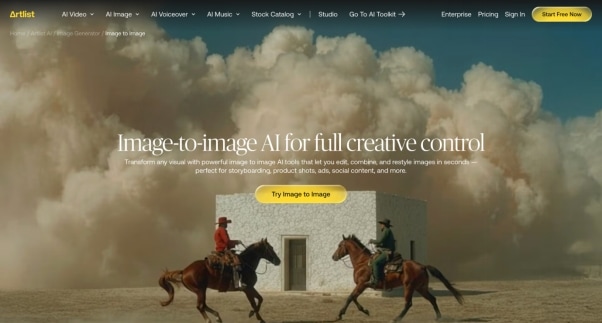
Artlist.io is best for professionals who want access to multiple top AI models in a single platform.
Artlist AI Image-to-Image is a powerful creative tool designed for users who want full control over how their visuals are transformed. Instead of relying on a single AI model, it gives you access to multiple advanced models like Nano Banana, Seedream, FLUX, and Kling, all in one place. You can upload one or more images, describe the changes you want, and generate results in seconds.
Key Features
- It provides access to multiple advanced AI models, allowing you to switch between different styles and generation capabilities on a single platform.
- The tool supports multi-image input, making it easier to blend, remix, or combine visuals for more complex creative outputs.
- It allows detailed prompt-based editing, giving you full control over style, composition, and transformations.
- It offers fast generation and iteration, so you can refine results quickly without slowing down your workflow.
Pricing
Free trial available (limited usage)
AI Starter: $11.99/month
AI Professional: $89.99/month
Enterprise: Custom credits
9.ChatGPT
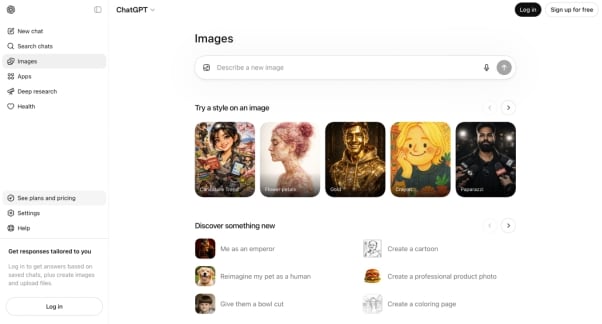
ChatGPT is best for users who want quick, conversational image edits without switching tools.
ChatGPT also offers image generation and editing features through its AI models. You can upload an image and ask it to modify or transform it using simple prompts. The biggest advantage is convenience, as everything happens within a chat interface. While it’s not as specialized as dedicated image tools, it works well for quick edits and creative ideas. For heavy usage, paid plans provide better speed and more generation capacity.
Key Features
- It lets you generate and edit images directly in a chat interface.
- The tool understands context, making it easier to refine prompts and results.
- It supports basic image editing tasks, such as background removal and transformations.
- It enables quick experimentation without needing separate tools.
10.NoteGPT
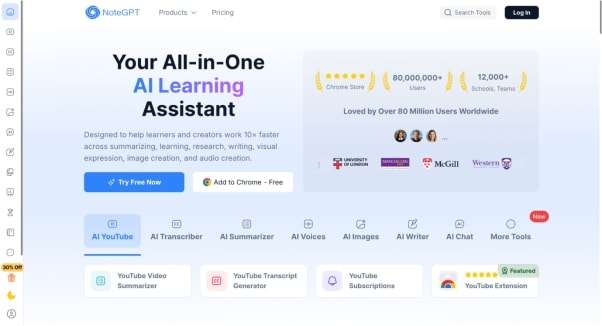
NoteGPT is best for casual users and students who want instant, free image generation with no signup.
NoteGPT is a simple and accessible AI tool that includes a free image generator powered by advanced models. It’s ideal if you want quick results without signing up or dealing with complicated settings. You just enter a prompt, and it generates images instantly. While it doesn’t offer deep customization like professional tools, it’s a great option for casual users, students, or anyone experimenting with AI image generation.
Key Features
- It lets you generate images instantly from simple text prompts.
- The platform uses advanced AI models to deliver good-quality outputs.
- It offers unlimited free image generation without requiring a sign-up.
- It provides quick downloads for generated images.
Part 5: How to Use Image to Image AI Generator for Free?
Follow the steps below to use the best AI image to image generator for free on your desktop:
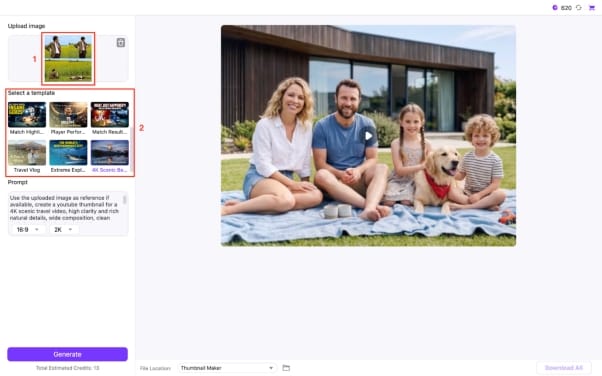
Step 1: Go to the dashboard, navigate to the section “Hot” and choose “Image Generator.”
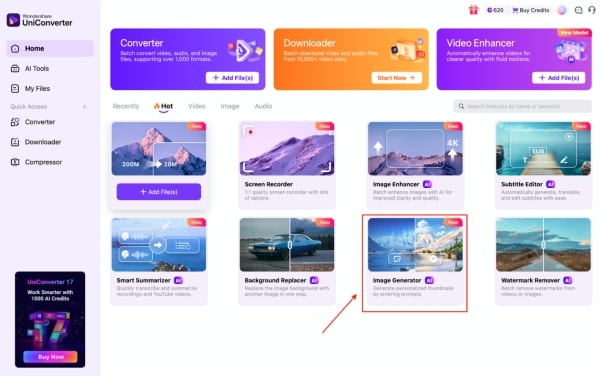
Step 2: Upload the image from your device and choose a template. According to the chosen template, the prompt section will be updated with all details. If you do not want to choose a template, then give a detailed prompt.
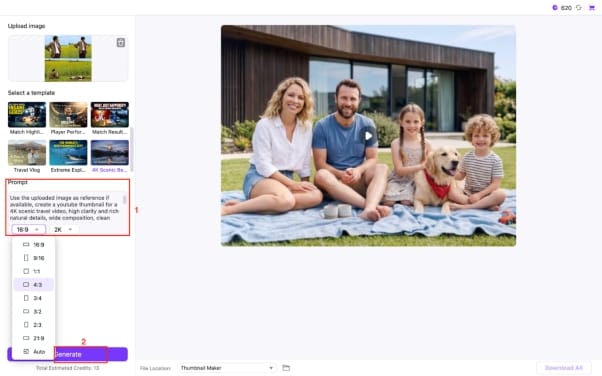
Step 3: Select the frame rate and output quality. Click the “Generate” button to start.
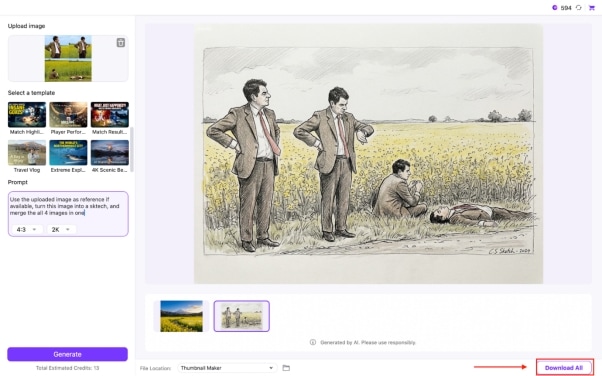
Step 4: Click the “Download” button to save the output.
Conclusion
Image to image AI generators have made visual creation faster, more flexible, and far more accessible. You can now transform ordinary images into high-quality visuals with just a few inputs, whether you are working on content, design, or creative projects. The key is choosing a tool that matches your workflow and learning how to guide it effectively for better results.
If you want a simple and reliable option with a guided workflow, Wondershare UniConverter is worth trying. It is especially useful when you prefer an easy process that avoids complex settings, while still delivering clean, consistent image outputs.

