


TubiTV is a free, ad-supported streaming platform that lets you watch thousands of movies and TV shows without paying for a subscription. Its growing library of popular titles makes it a favorite among movie lovers who enjoy free streaming. However, one of the biggest frustrations you may face is the lack of an offline viewing option. Since there's no direct way to download from TubiTV, many start searching for reliable TubiTV downloader tools to save videos for personal use.
In this comprehensive guide, we will explain why TubiTV doesn't allow downloads, explore the safest methods to download Tubi movies free, and introduce practical tools for converting, compressing, or editing videos after downloading.

Best Tubitv Downloader
In this article
- Part 1: What Is TubiTV and Why Is It So Popular?
- Part 2: Can You Download Movies from Tubi for Offline Viewing?
- Part 3: Best TubiTV Downloader Tools for Desktop, Mobile, and Browser Workflows
- Part 4: How to Download Tubi Movies for Personal Offline Viewing
- Part 5: Is It Legal to Download from Tubi?
- Part 6: Safe Ways to Use a TubiTV Downloader
- FAQs on TubiTV Downloader
Part 1: What Is TubiTV and Why Is It So Popular?
TubiTV is a free streaming platform that has become one of the most popular choices for movie lovers seeking entertainment without paying a hefty subscription fee. It operates as an ad-supported streaming service, where it gives you access to thousands of movies and TV shows across genres while keeping everything completely legal and easy to use.
- The platform's clean interface, fast load times, and broad device compatibility have helped it stand out among free entertainment apps on Android, iOS, and smart TVs. To understand what makes Tubi so popular, let's look at a few key points that define its rise:
- It features a massive library of movies, TV shows, and live channels covering every genre imaginable.
- The platform works smoothly across smart TVs, gaming consoles, web browsers, and mobile devices.
- It's entirely free, relying on short ad breaks instead of subscription plans or hidden fees.
However, the main drawback of Tubi is the lack of an offline viewing feature, which means you can't save videos for later. This limitation often leads people to look for a video downloader tool that supports HD movie downloads for personal offline viewing.
Part 2: Can You Download Movies from Tubi for Offline Viewing?
If you are thinking, “Can you download movies on Tubi?”, then the answer is no, Tubi does not officially support downloads. If you are wondering, "Can I download movies on Tubi?" or "Can you watch Tubi offline?" the answer is still no, as Tubi does not offer any offline download feature. The reason lies in how the service operates and the agreements it maintains with content providers.
Here's why Tubi restricts offline downloads:
- The platform runs entirely on advertisements, which means content must be streamed with active ad placement. If you download a movie or TV show, it would bypass ads and reduce the company's revenue.
- Most movies and shows on Tubi are licensed from studios and distributors that restrict offline copies for copyright protection.
- Tubi's app and web infrastructure are designed for streaming, not for storing files for later viewing, which helps maintain lightweight performance across devices.
Despite this limitation, you often look for legal ways to download from TubiTV for personal use. While Tubi doesn't offer a built-in solution, several third-party apps and browser-based tools can help you save videos to watch later without an internet connection. However, these should always be used responsibly, keeping Tubi's and other content providers' copyright and platform policies in mind.
Part 3: Best TubiTV Downloader Tools for Desktop, Mobile, and Browser Workflows
When it comes to saving Tubi videos for offline viewing, the only option available is to use third-party TubiTV downloader tools. Some of the best TubiTV video downloader software are designed to help you download movies or shows safely, convert them into compatible formats, and watch them later without an internet connection.
If you have been searching for a TubiTV downloader for Android/iOS, or desktop software that can safely download movies and shows for offline use, this quick comparison table provides detailed information to help you find a practical, secure solution.
How We Tested Ways to Download Movies from Tubi
For this guide, we reviewed methods related to saving or accessing Tubi movies offline based on ease of use, download practicality, playback quality, and whether each approach fits real user needs without adding unnecessary complexity.
Workflow simplicity
We checked how easy each method is to follow, including setup steps, device requirements, and how quickly users can start saving content.
Offline practicality
We compared whether the method produces files or viewing options that are actually convenient for offline access later.
Playback quality
We reviewed video clarity, audio stability, and whether the saved result remains watchable on common devices.
Usability trade-offs
We also considered limitations such as ads, restrictions, extra steps, or workflow friction that affect everyday usefulness.
This page gives extra weight to practical offline viewing and simple workflows, since users here usually want a realistic way to access Tubi content more conveniently rather than just a theoretical method list.
| Tool Name | Platform | Video Quality | Batch Downloads | Supported Formats | Subtitles |
| Wondershare UniConverter | Windows, Mac | Up to 8K UHD | Yes | MP4, FLAC, MOV, WEBM, and more | Yes (multi-lingual) |
| StreamFab Tubi Downloader | Windows, Mac | Up to 720p HD | Yes | MP4, MKV | Yes (multi-language) |
| CleverGet | Windows, Mac | Up to 8K UHD | Yes | MP4, MKV, WEBM | Yes |
| PlayOn Cloud | iOS, macOS | Up to 1080p | Limited | MP4 | Yes |
| SealAPK | Android | Up to 4K | Yes | MP4, MP3, WEBM | No |
| FetchV Extension | Chrome, Edge | Up to 1080p | No | MP4, WEBM, FLV | Partial |
| Video DownloadHelper | Chrome, Firefox | Up to 720p | Yes | MP4, MKV, WEBM | Partial |
Best Option for Watching Tubi Content Offline
If you use Tubi, the right approach depends on whether you only want easier playback, personal offline access where allowed, or post-download conversion and compression tools.
Desktop Software to Download TubiTV Movies
Desktop-based downloader tools are ideal for those who want stability, higher download speeds, and advanced control over video quality. These applications often include built-in converters, format selectors, and subtitle options, which makes them ideal for those who want to learn how to download Tubi movies for personal viewing.
Wondershare UniConverter — best for managing personal offline copies and video conversion
Wondershare UniConverter includes a built-in downloader that allows users to save Tubi videos for personal offline viewing. You can paste the video link inside the downloader, choose your preferred output quality, and save the file directly to your system. Along with downloading, it offers a complete toolkit for converting, compressing, trimming, and organizing your Tubi videos, which makes it a strong all-rounder for anyone managing offline content on Windows or Mac.
Best Tubitv Downloader
StreamFab Tubi Downloader — best for Tubi-focused desktop downloads
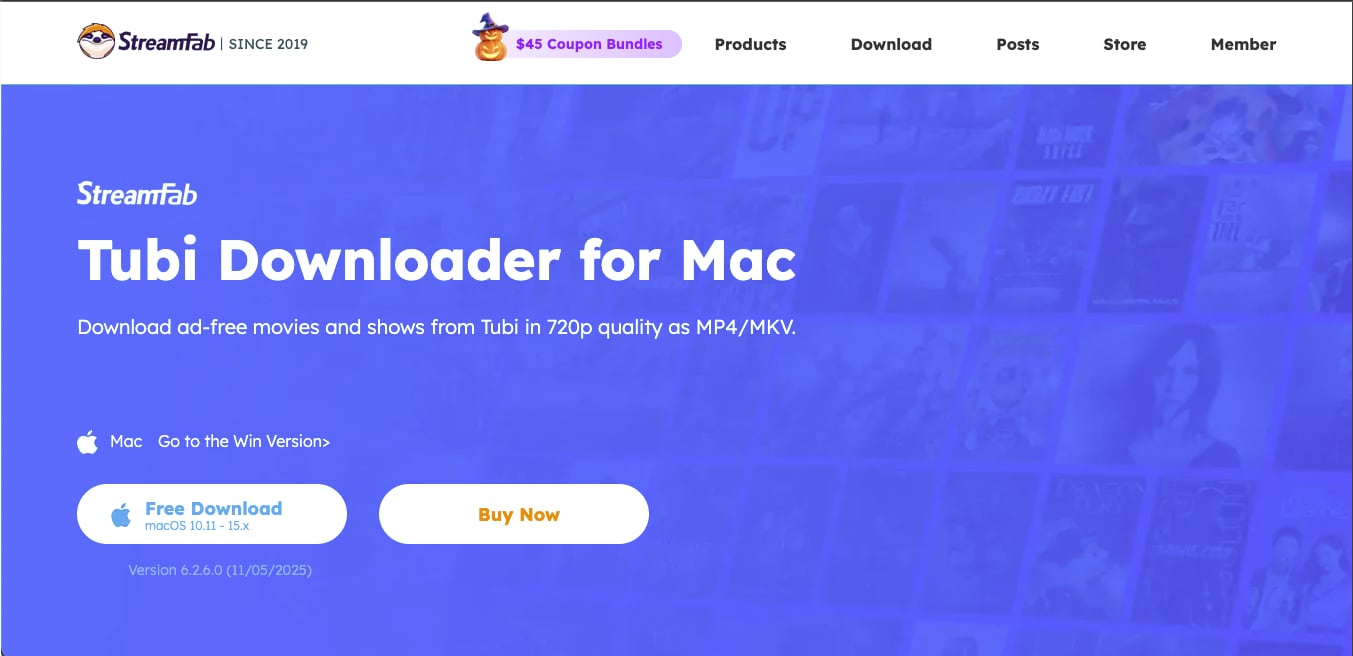
StreamFab is one of the best Tubi video downloaders and is highly recommended for its reliable desktop solution for saving video content in HD quality. This Tubi downloader lets you download ad-free movies and shows in 720p as MP4 or MKV files, making it convenient for offline viewing.
CleverGet Downloader — best for high-resolution desktop downloading workflows
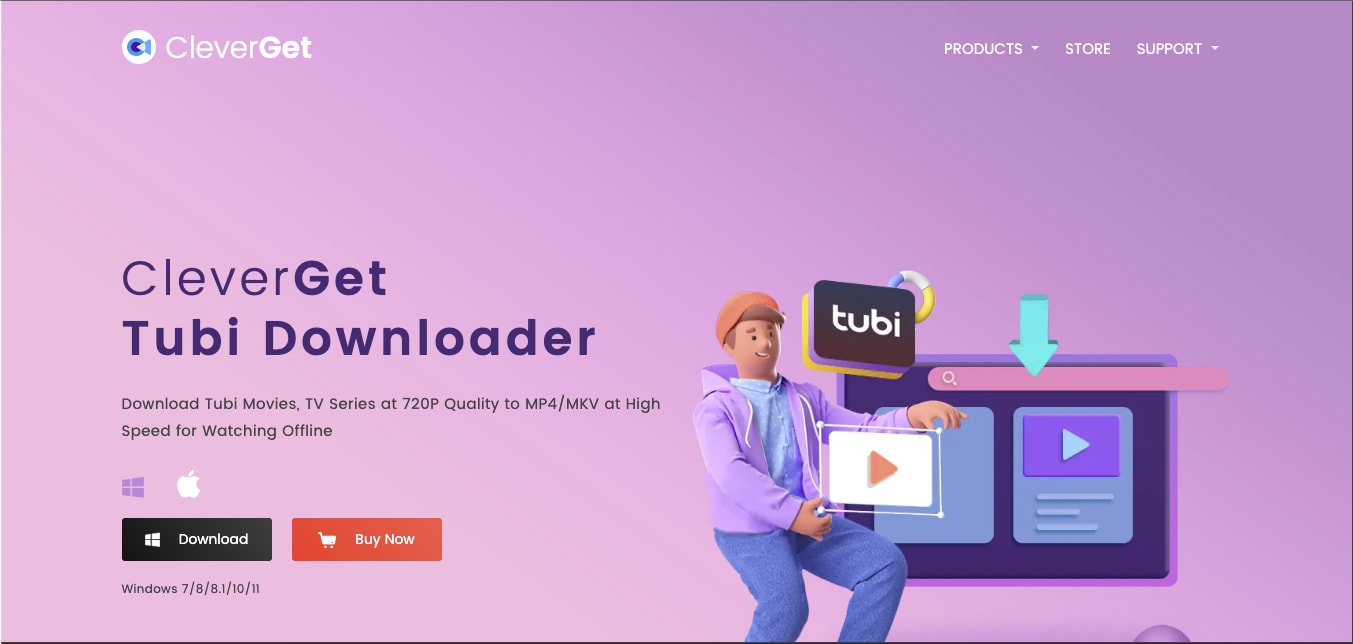
CleverGet is a powerful, all-in-one solution for watching offline without internet, as this Tubi downloader supports saving videos from over 1,000 platforms, including Tubi, Netflix, YouTube, and Hulu. It allows you to record and download up to 8K videos with 320 kbps audio and convert them to MP4 or MKV formats without losing quality.
Mobile Apps to Download Tubi Movies for Free
While there are no official mobile apps designed to download Tubi movies for offline viewing, there are certain third-party mobile apps that you can download to watch Tubi offline. Some of the most common third-party TubiTV downloaders for Android/iOS are:
PlayOn Cloud — best for cloud DVR-style Tubi recording on mobile
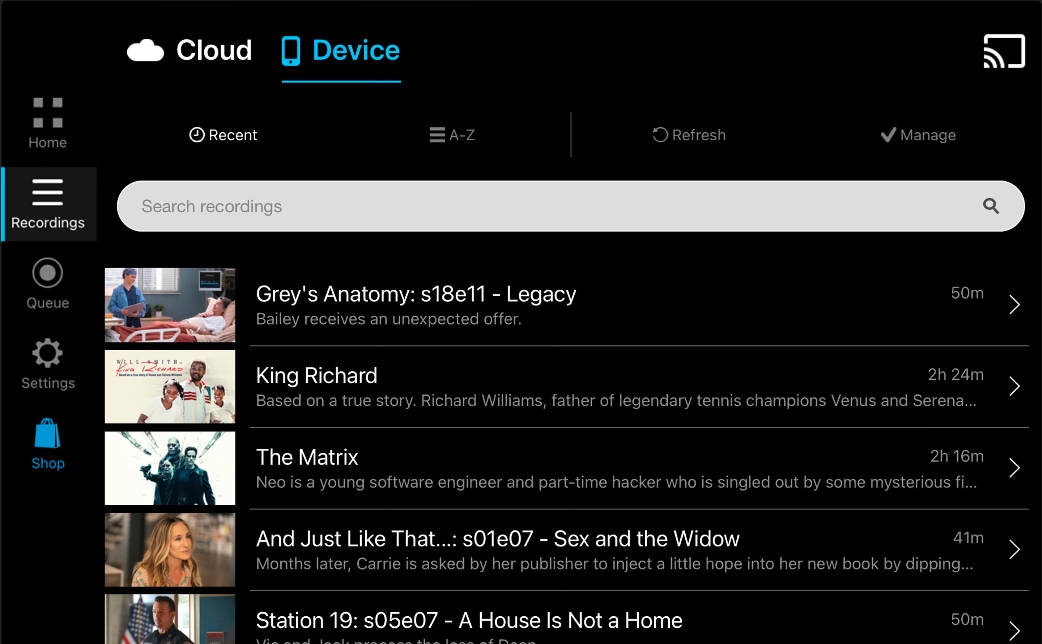
PlayOn Cloud is a popular mobile app that acts as a cloud-based DVR, which allows you to record and save streaming videos from platforms like Tubi, Netflix, Disney+, Hulu, and more. Once recorded, videos can be downloaded to your iPhone, iPad, or Mac for offline playback in up to 1080p resolution.
PlayOn is a recorder, not a downloader. It captures the video as it plays, producing a clean MP4 file without ads. Because it records the stream, it behaves differently from direct downloaders. The app automatically skips ads and stores recordings in the cloud, so you can watch them anytime without worrying about expiration.
SealAPK App — best for Android-based video saving workflows
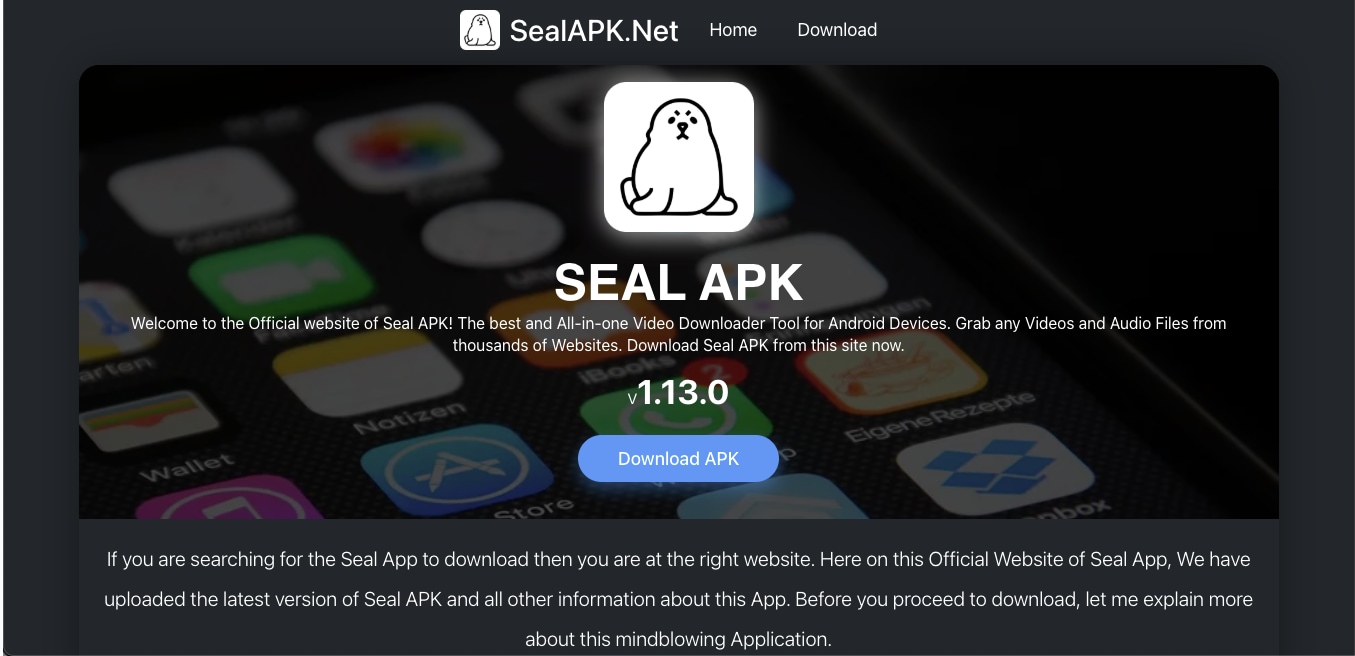
SealAPK is an Android video downloader app designed to save videos and audio from popular streaming and social platforms such as YouTube, Facebook, Twitter, TikTok, Reddit, and Tubi. Developed by JunlFood24, the app supports multiple resolutions ranging from 480p to 2160p and audio quality from 64 kbps to 320 kbps.
Tubi Video Downloads from Web Browsers
Online downloaders offer a browser-based alternative that doesn't require any installation. Browser-based downloaders extract the streaming source link directly from the Tubi page. These tools work for quick, one-off downloads but may fail if Tubi updates its player.
These Tubi movie downloaders are lightweight, easy to use, and work across devices, though they may have limitations in quality or file size.
FetchV Video Download Extension — best for browser-based Tubi video detection
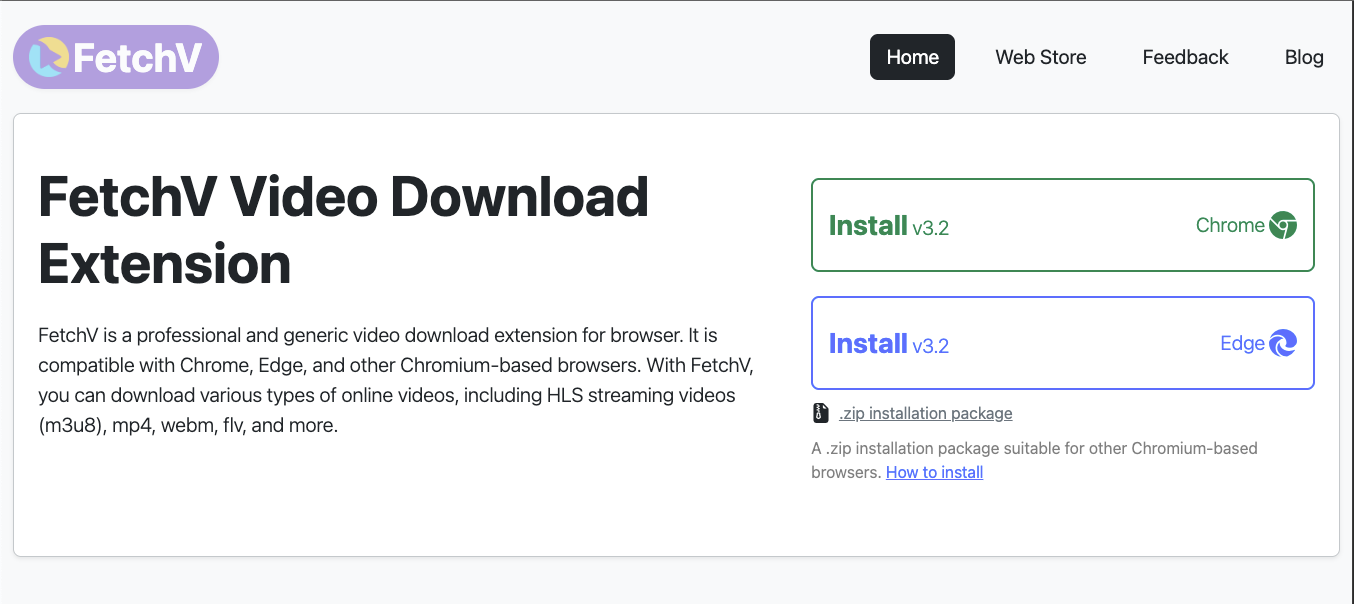
FetchV is a browser-based Tubi video downloader extension compatible with Chrome and Edge. It supports both static and streaming video downloads, which makes it easy to save TubiTV content and other online videos in MP4, WEBM, or FLV formats. With advanced features such as HLS (m3u8) video merging, recording mode, and multi-threaded acceleration, this video downloader tool delivers a fast, stable download experience directly from your browser.
Video DownloaderHelper — best for Firefox and Chrome video capture workflows
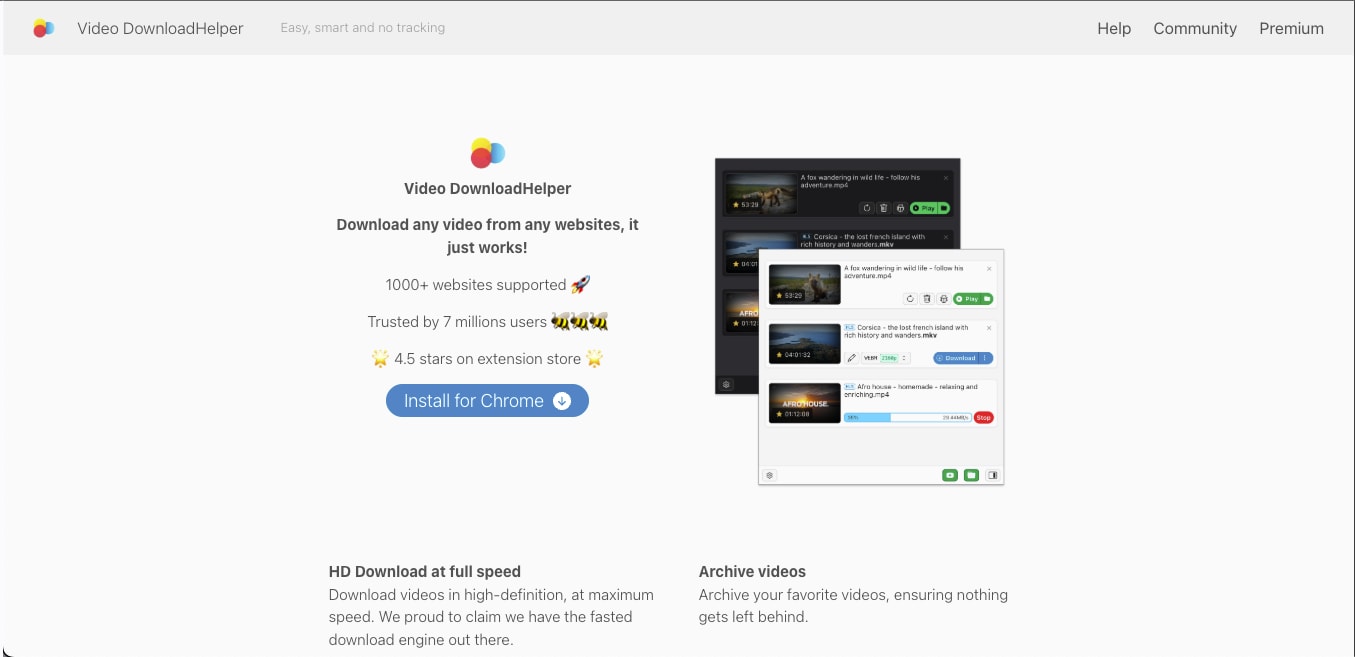
Video DownloadHelper is one of the best Tubi video downloaders for offline viewing. Just like FetchV, it is also compatible with Chrome and Firefox, and supports over 1,000 websites. The extension also includes built-in tools to extract audio, organize downloads, and store videos for offline playback.
Part 4: How to Download Tubi Movies for Personal Offline Viewing?
If you are wondering about how to download Tubi movies or looking for ways to understand if you can download movies on Tubi, please note that the process involves using a trusted video downloader tool compatible with your device. Now, depending on whether you use Windows, macOS, iOS, or Android, the steps may differ slightly.
To help you choose the right TubiTV downloader, we will break tools into:
- Desktop apps: Most stable, support HD, batch downloads
- Mobile apps: Convenient for Android/iOS
- Online tools: No installation needed but limited stability
Method 1: Download Tubi Movies on Mac or Windows System
Those who prefer watching on a computer, desktop software provides the most control over video quality and file format. Wondershare UniConverter makes it easy to manage TubiTV downloads in HD and store them locally for offline access. Here are the steps that would help you download Tubi movies:
Best Tubitv Downloader
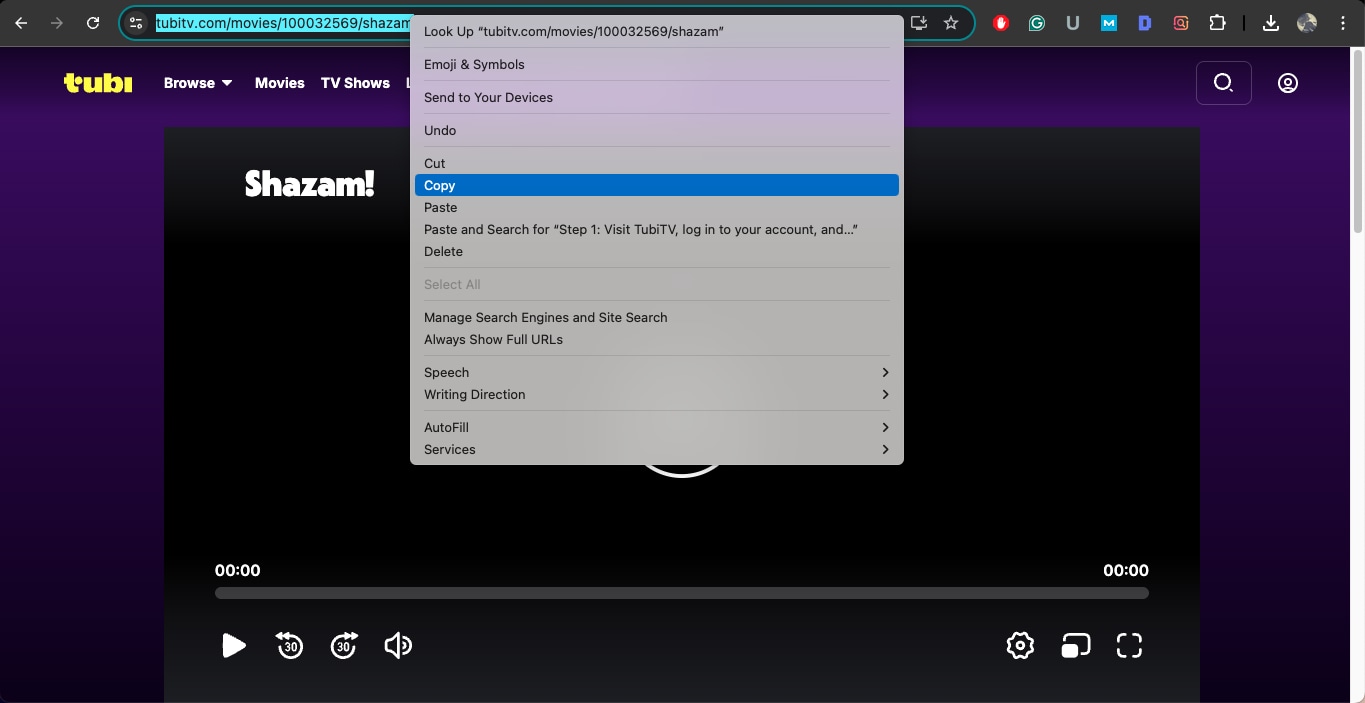
Step 1: Visit TubiTV, log in to your account, and open the movie or show you want to save for personal offline viewing. Copy the video URL from your browser.
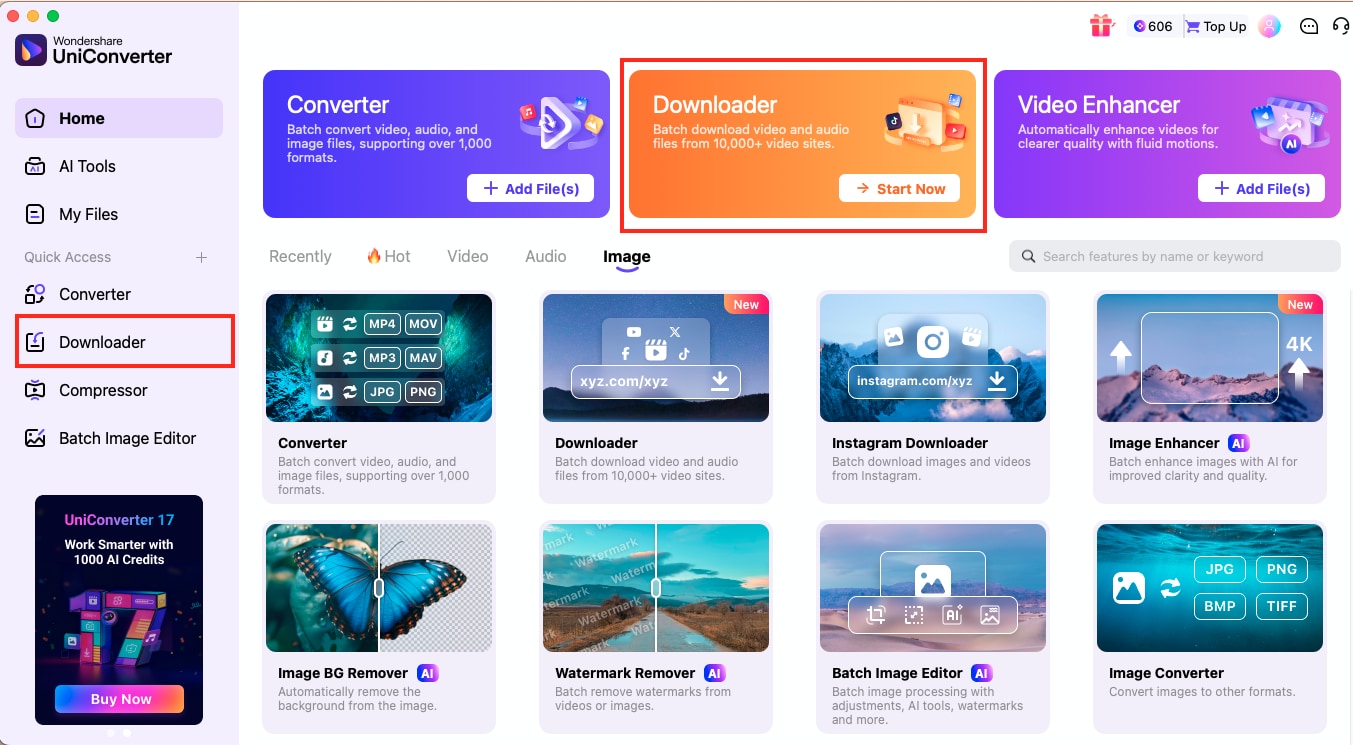
Step 2: Open Wondershare UniConverter and select Downloader from the Quick Access panel. Paste the copied Tubi link into the download field.
(Disclaimer: Our tool is intended for personal use only. Users are solely responsible for using this tool to save videos or audios, including compliance with platform's terms of service and copyright laws and regulations. We are not liable for any consequences resulting from users' violation of any laws or infringement of others' rights.)
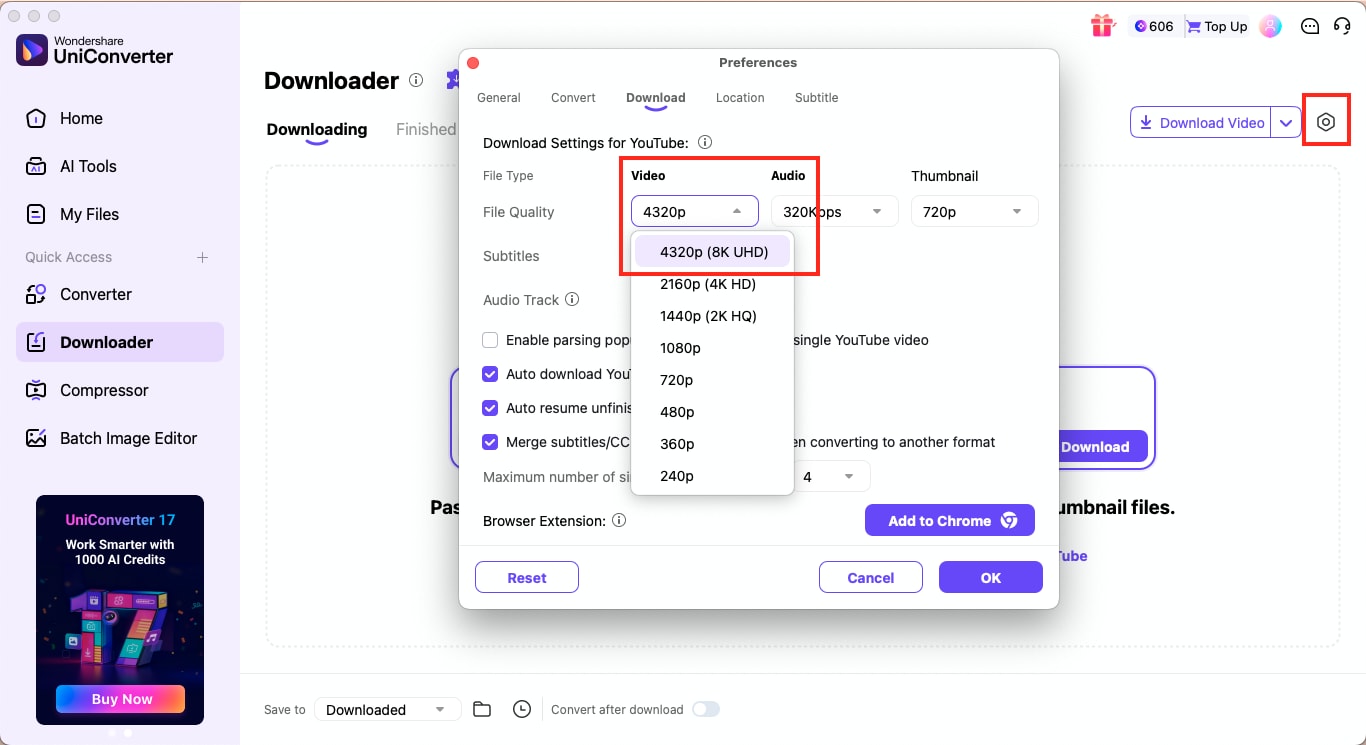
Step 3: Click the gear icon in the top-right corner to open download settings. Here you can choose your preferred output format and enable 4K or 8K video quality if needed. After setting your preferences, click Download, and UniConverter will save the video to your system for personal viewing.


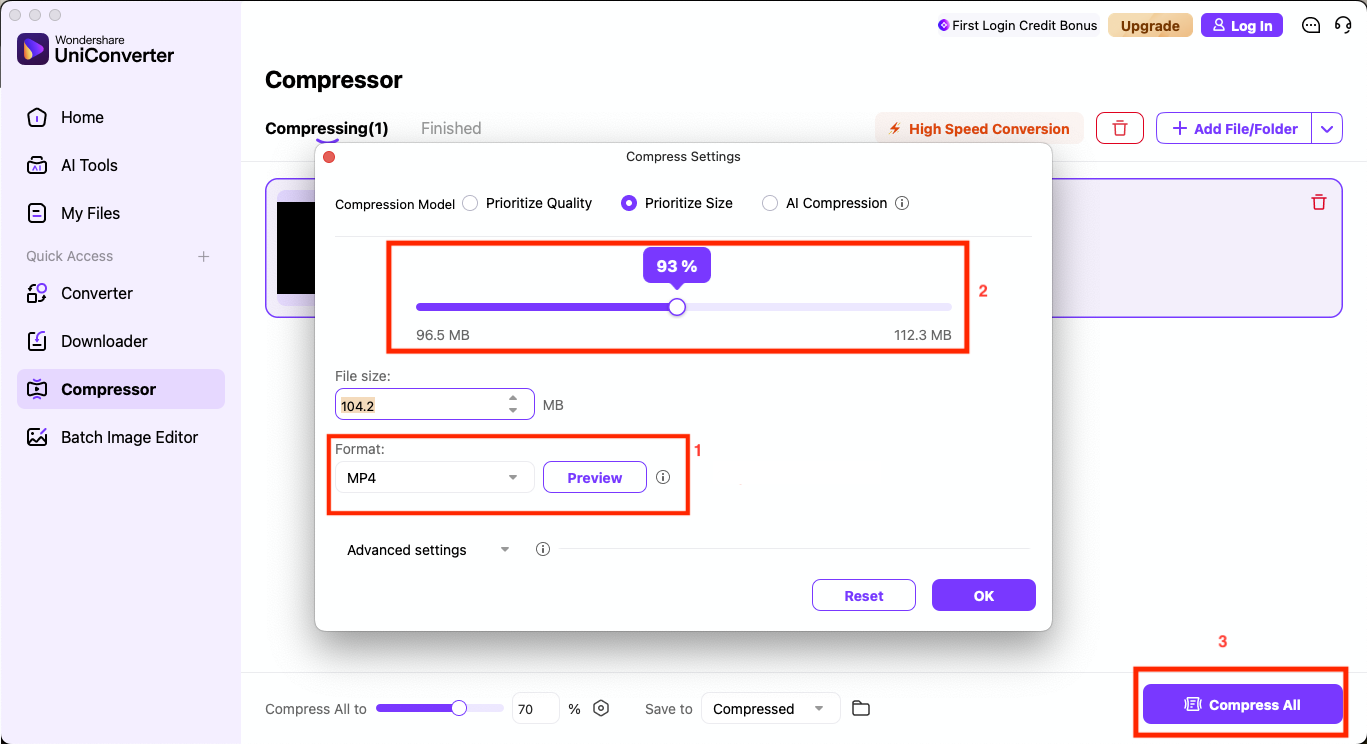
Once you have downloaded the movie from Tubi, you can use Wondershare UniConverter to convert or compress the file. Here are the quick steps that would help you compress the Tubi movie file into MP4:
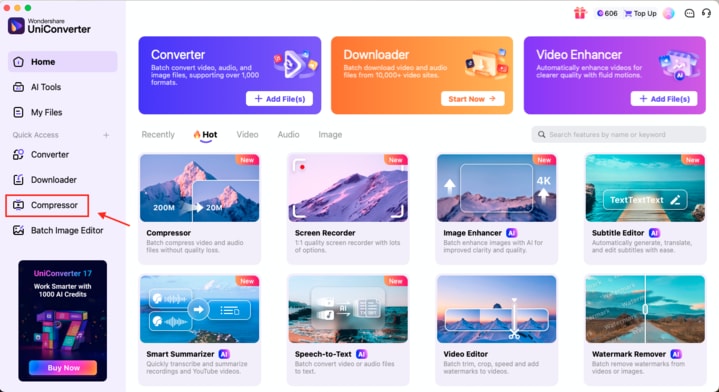
Step 1: From the UniConverter homepage, click on Compressor from the left-side panel.
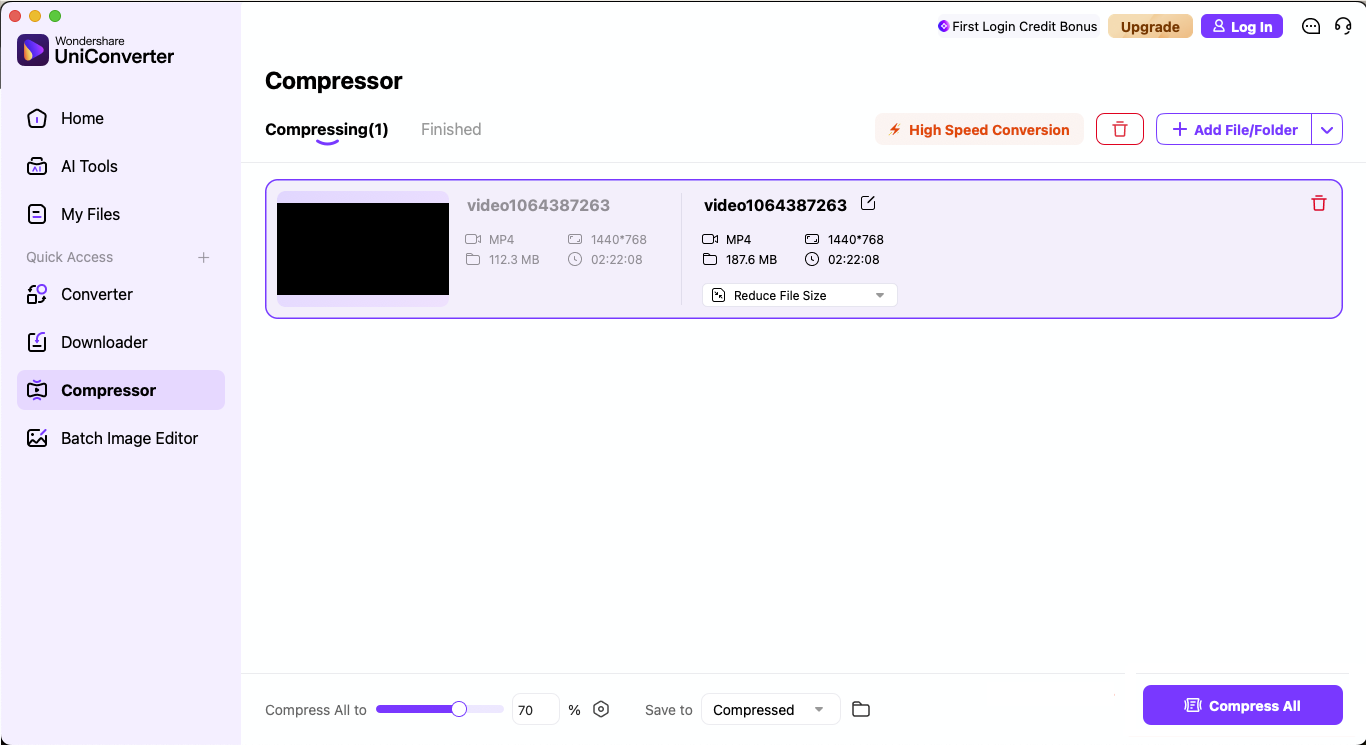
Step 2: Click Add File/Folder, then import the downloaded movie or multiple video files.
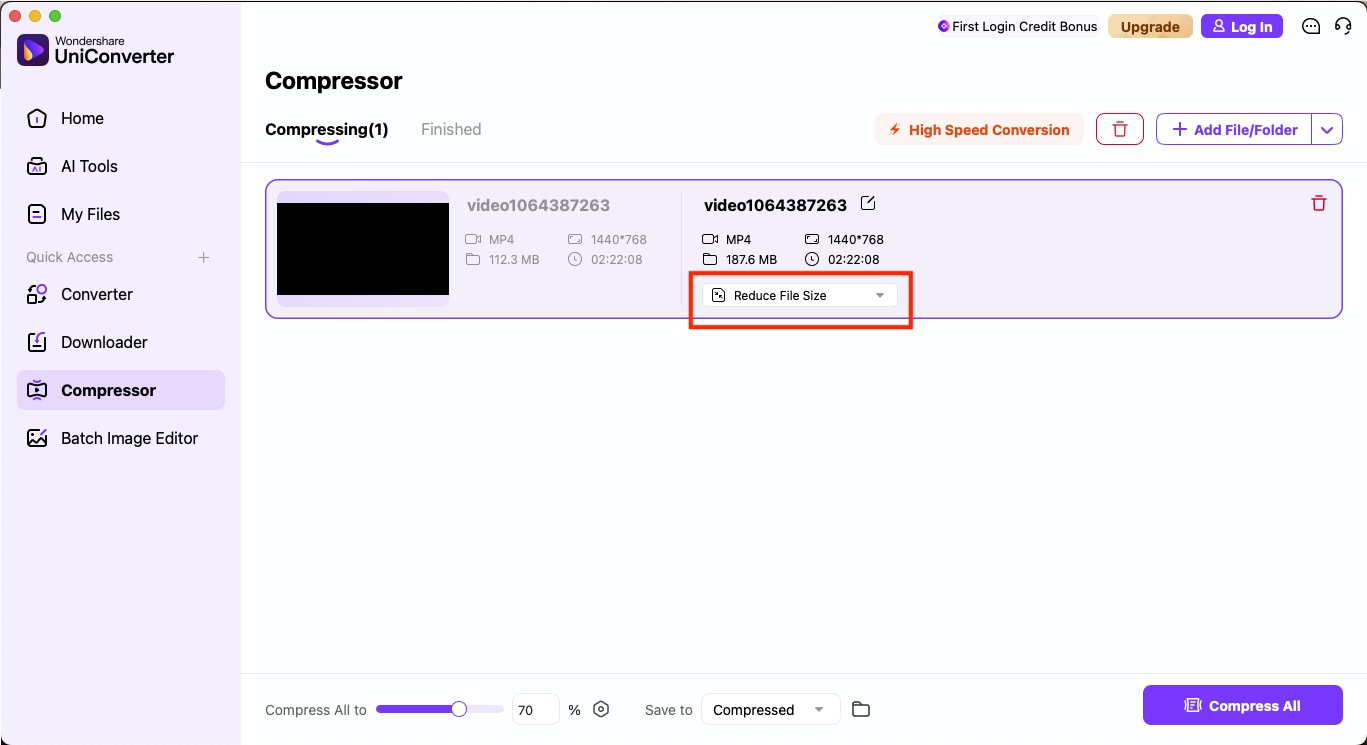
Step 3: Select "Reduce File Size" to open the compression settings.
Step 4: Choose your desired compression model and video format (MP4, MKV, AVI, etc.). Drag the slider to adjust the output size, then click OK to confirm. Once all settings are configured, click "Compress All" to begin. The optimized videos will be saved automatically, maintaining excellent quality while reducing file size for smoother playback and storage efficiency.
Method 2: Download Tubi Movies on Android/iOS
On iPhone and Android devices, downloading Tubi content requires an approved recording app or a cloud-based app such as PlayOn Cloud or SeakAPK. Here are the quick steps that would help you download Tubi movies or shows on your Android devices:
Step 1: Copy the Tubi video link, then tap Paste in the SealAPK app to import it automatically.
Note: The app may fetch the streaming source if supported in your region.
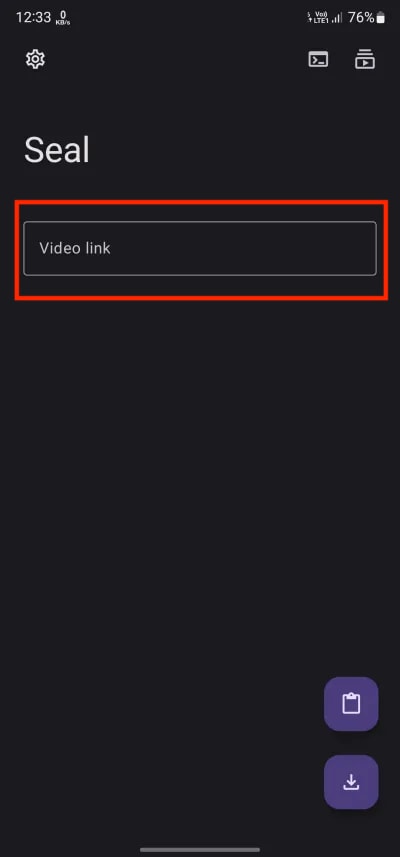
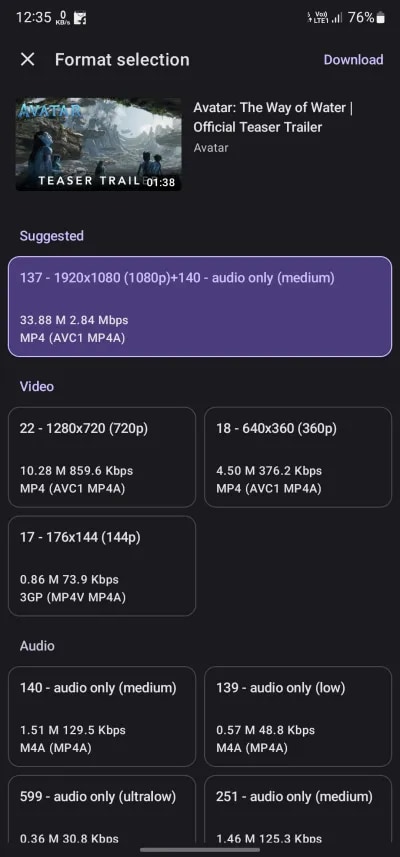
Step 2: Adjust the video settings, such as format, resolution, and quality, then tap Download to begin saving the file.
Step 3: Open the Downloads section in the app to manage your saved videos and audio files.
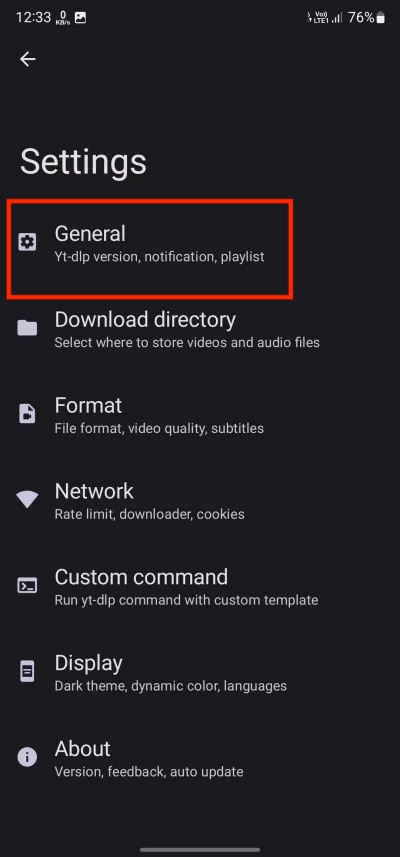
Step 4: For uninterrupted background downloading, set the app's battery usage to Unrestricted in your system settings and ensure the latest version of yt-dlp is installed.
Method 3: Batch Series Download for Binge Watch
If you are managing multiple titles, several desktop tools now support batch video download to save time. This method helps you queue multiple movies or shows at once while preserving naming conventions and basic metadata, such as title, resolution, and subtitles. Here's how to do that in UniConverter:
Best Tubitv Downloader
Step 1: Open TubiTV and log in to your account. Go to the TV show you want to binge-watch offline and copy the series page URL for personal viewing.
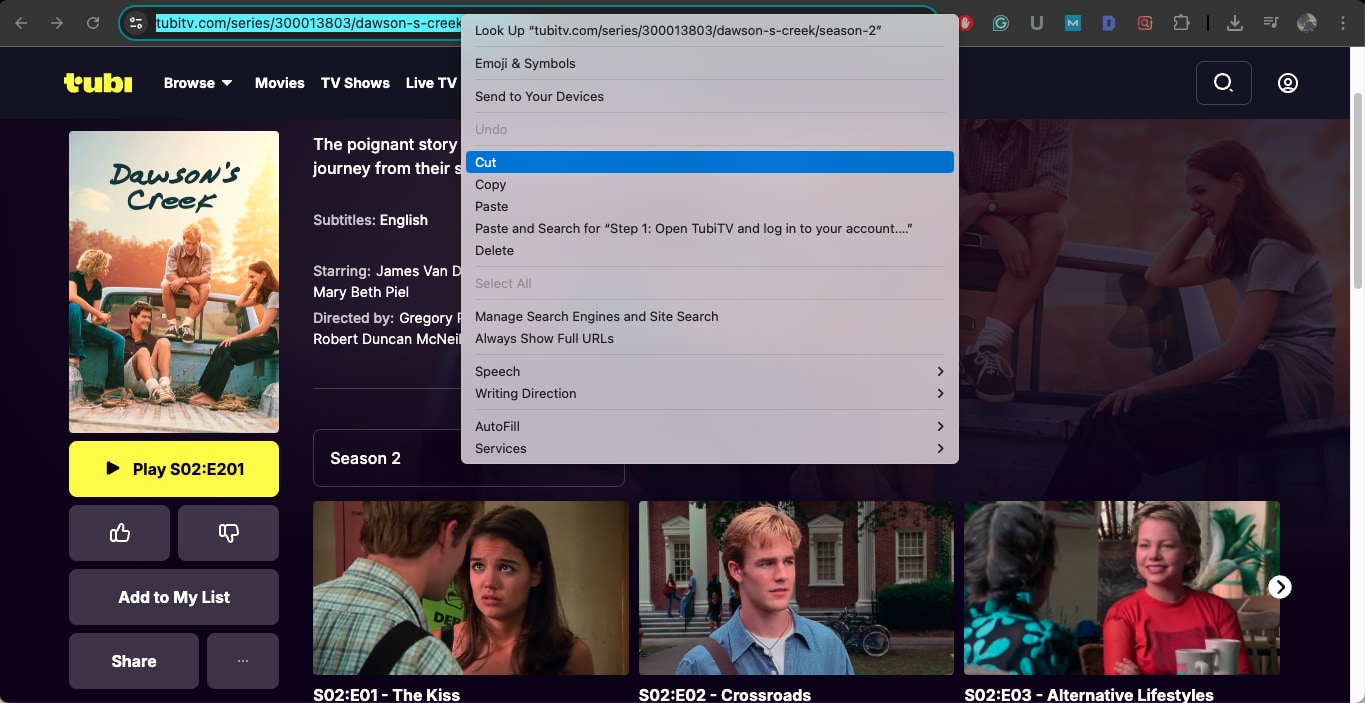
Step 2: Launch Wondershare UniConverter and select Downloader from the home page or Quick Access panel. Paste the copied show link into the input field.
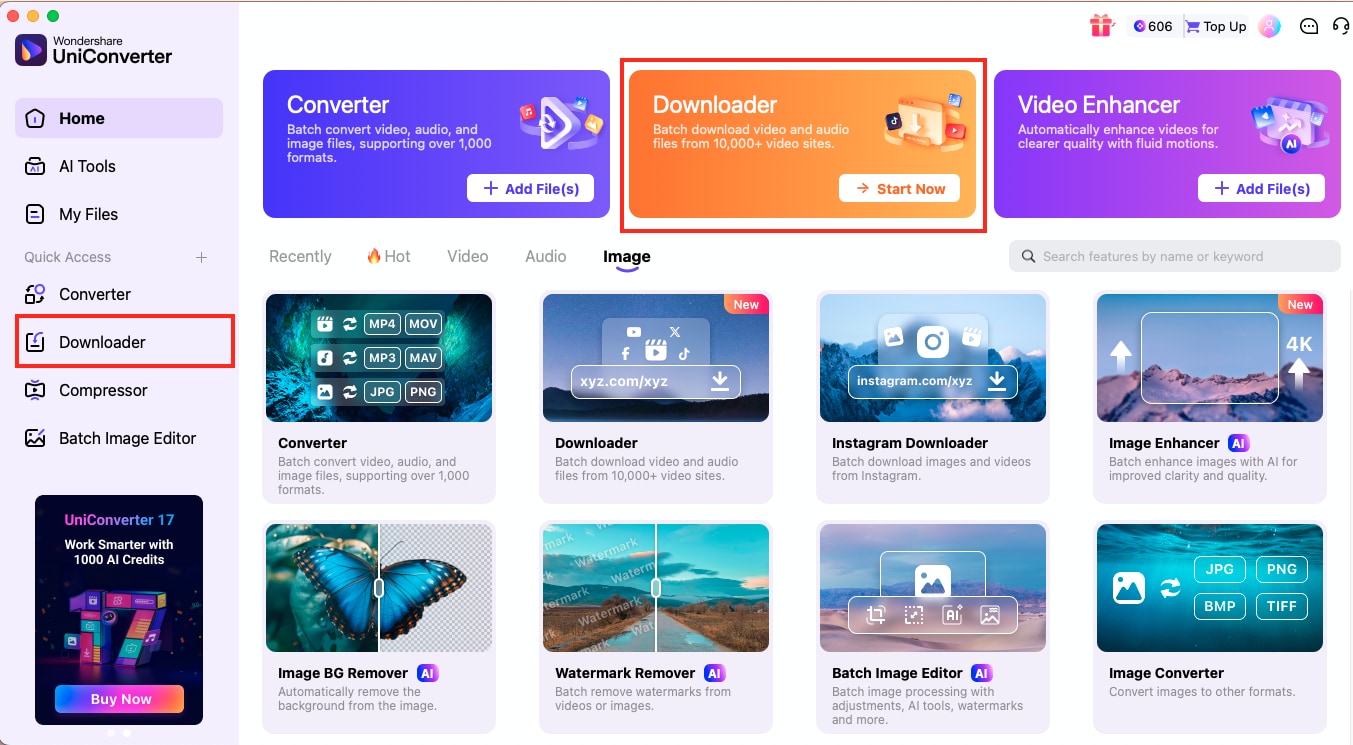
Step 3: A pop-up window will appear showing all available episodes. The settings panel will let you choose output preferences such as video quality, format, and file location. These settings will apply to every episode in the batch.
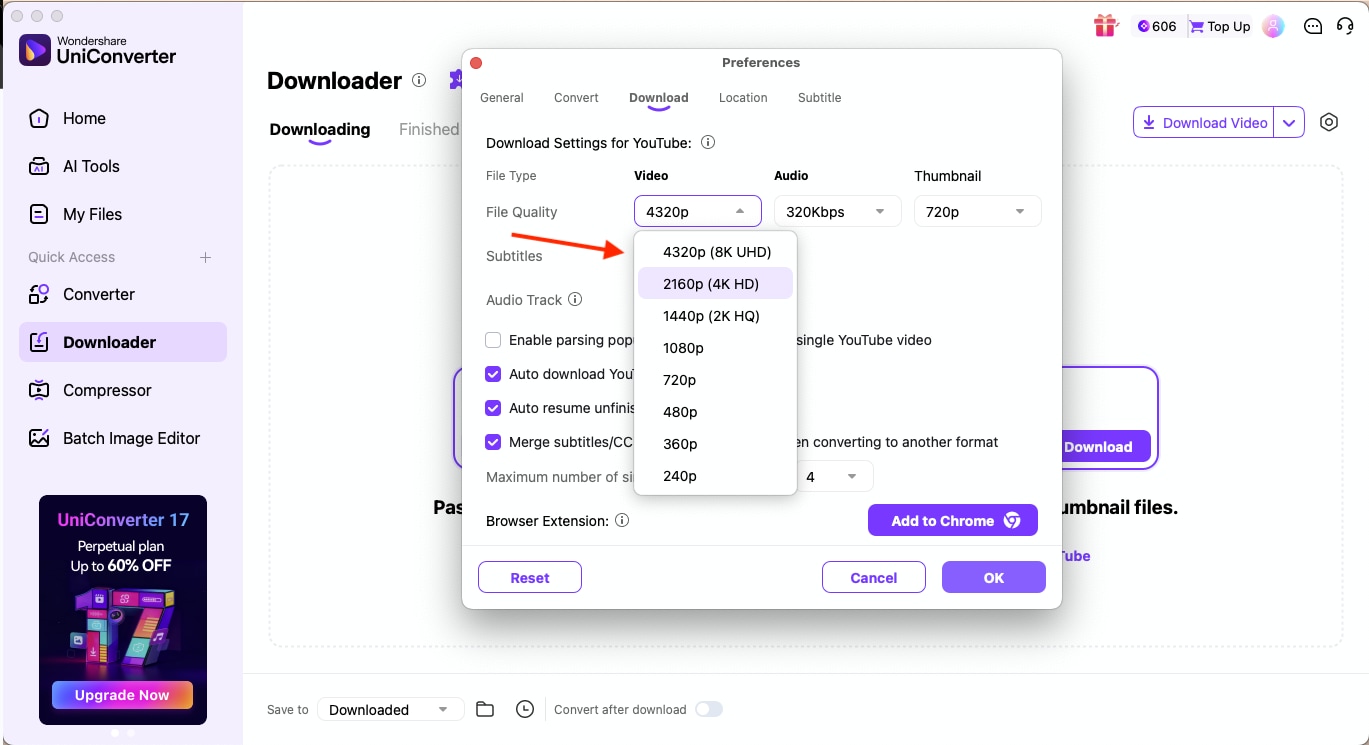
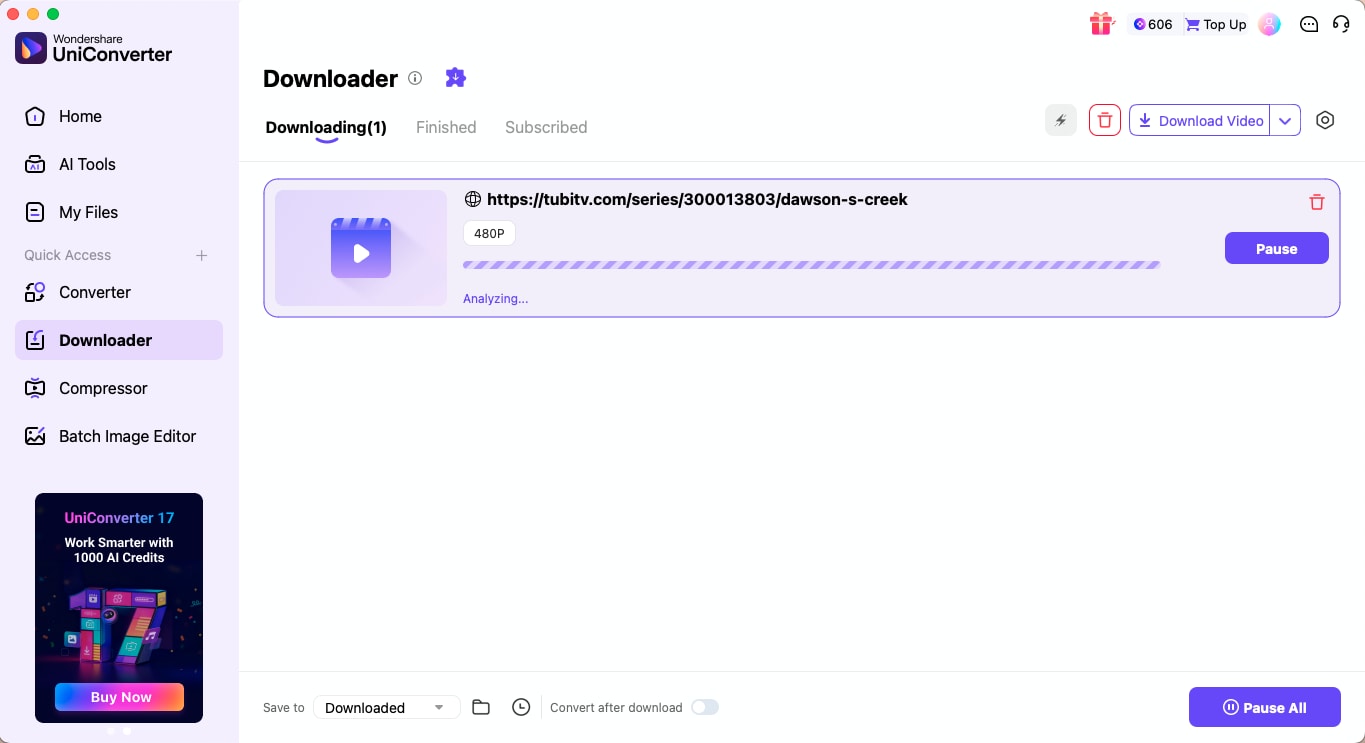
Step 4: After adjusting your preferences, click Download. UniConverter will automatically queue and save every episode, giving you the entire show ready for offline viewing.
Part 5: Is It Legal to Download from Tubi?
Some Tubi titles include DRM protection. DRM-enabled content cannot be downloaded using standard online tools. Only the screen-recording method or DVR-style apps may work.
Many people search on search engines and also ask AI tools, "Is it legal to download movies from TubiTV?" The simple answer is no, it is not legal to download from Tubi because downloading videos without Tubi's permission violates its terms of service. The platform's content library is governed by streaming rights and copyright laws that only allow ad-supported streaming, not offline distribution.
Here's what you should know before trying to save Tubi content:
- As mentioned earlier, Tubi runs on an ad-supported streaming model, which funds its free content through short ads.
- Each title on the platform is protected by copyright law and licensed for online viewing only.
- Downloading or redistributing content outside Tubi's app may breach its terms and agreements with studios.
- The question "Is it legal to download movies from TubiTV?" often arises because you want offline access, but Tubi's current revenue model does not support it.
- If you still use any third-party solution, do it only for personal, non-commercial use and avoid sharing or uploading the files online.
More importantly, you can always avoid tools that:
- Ask for Tubi login or password
- Ask to install unknown extensions
- Redirect to multiple ads
- Claim to download 4K or 8K Tubi videos (Tubi does not provide these resolutions)
It is always recommended to use official or authorized offline features when they are available, which will ensure that your viewing habits remain safe and responsible.
Part 6: Safe Ways to Use a TubiTV Downloader
When using any TubiTV downloader, safety should always come first. Many third-party tools claim to help you save movies for offline viewing, but not all of them are reliable or secure. To protect your data and device, follow these essential tips if you decide to use this free streaming movie platform.
- Use only trusted software or verified video downloader tools with positive reviews.
- Avoid suspicious websites or pop-ups offering “HD movie download“ that often carry malware or phishing links.
- Keep your antivirus software active to block harmful scripts or background installations.
- Never redistribute or upload downloaded files, as it may violate copyright laws and Tubi's terms of service.
FAQs on TubiTV Downloader
Can I download movies on Tubi?
No, you cannot download movies directly from Tubi because the platform does not offer an official offline viewing option. If you are looking for Tubi free movies download alternatives, you often rely on verified TubiTV video downloader tools that enable personal offline viewing while ensuring safety and compliance with copyright laws.
Can I watch Tubi offline?
No, Tubi currently requires an internet connection to stream content. Since the service earns revenue through ads, offline playback is not supported.
What is the best Tubi downloader?
UniConverter and StreamFab stands out for its high-quality downloads, batch processing, and metadata preservation. CleverGet is another reliable choice for 4K and 8K streaming downloads.
Are Tubi downloads ad-free?
Since Tubi does not allow official downloads, any files saved with third-party tools won't include integrated ads. However, downloading videos outside Tubi's app may violate licensing terms, so such downloads should be used strictly for personal, non-commercial viewing.
Is it safe or legal to download from Tubi?
Downloading content from Tubi without permission is illegal and violates their copyright agreements. Still, if you download for private viewing and avoid sharing, the risk would remain minimal. However, always use secure tools, keep your antivirus active, and respect creators' rights.
Can I download TV shows in bulk from TubiTV?
No, bulk downloads are not officially supported on TubiTV. Each title on Tubi is streamed individually, and any mass downloading would likely breach the service's terms of use.
Can I download TubiTV movies on mobile devices?
No, Tubi's mobile app does not support offline playback or downloads. However, you can explore reliable Tubi free movie download tools that are compatible with Android and iOS devices.
Conclusion
As you learned from this comprehensive guide, Tubi doesn't offer a built-in option for offline viewing, which is why using a secure TubiTV downloader is the best way to download from TubiTV for personal use. Always make sure to respect copyright and streaming rights by downloading only for private viewing and not for redistribution.
After saving your favorite Tubi shows or movies, you can easily refine them using Wondershare UniConverter, an all-in-one video solution that helps you download, convert, compress, and edit files without compromising quality.
After downloading your favorite Tubi movies, optimize them with Wondershare UniConverter. Convert, compress, and clean up your files for the best offline viewing experience on any device.

