


We can only retain so much information in a single meeting session, which often leads to forgetting important points. Recording a lengthy meeting is a weird idea and could also be impractical. If you use AI to take notes of your sessions, you can go through the points at any time at your convenience. With AI meeting note takers, users can quickly note down the important points.
Besides, it helps you go through the action points and important decisions when needed. The following article lists the top 10 note-taking tools, along with their pros and cons.
In this article
Part 1. Considerations When Selecting a Qualified AI Meeting Note Taker
The idea of automated note-taking sounds exciting, but you need to pick the right tool for it. If you do not know how to choose the best platform, the following points will help:
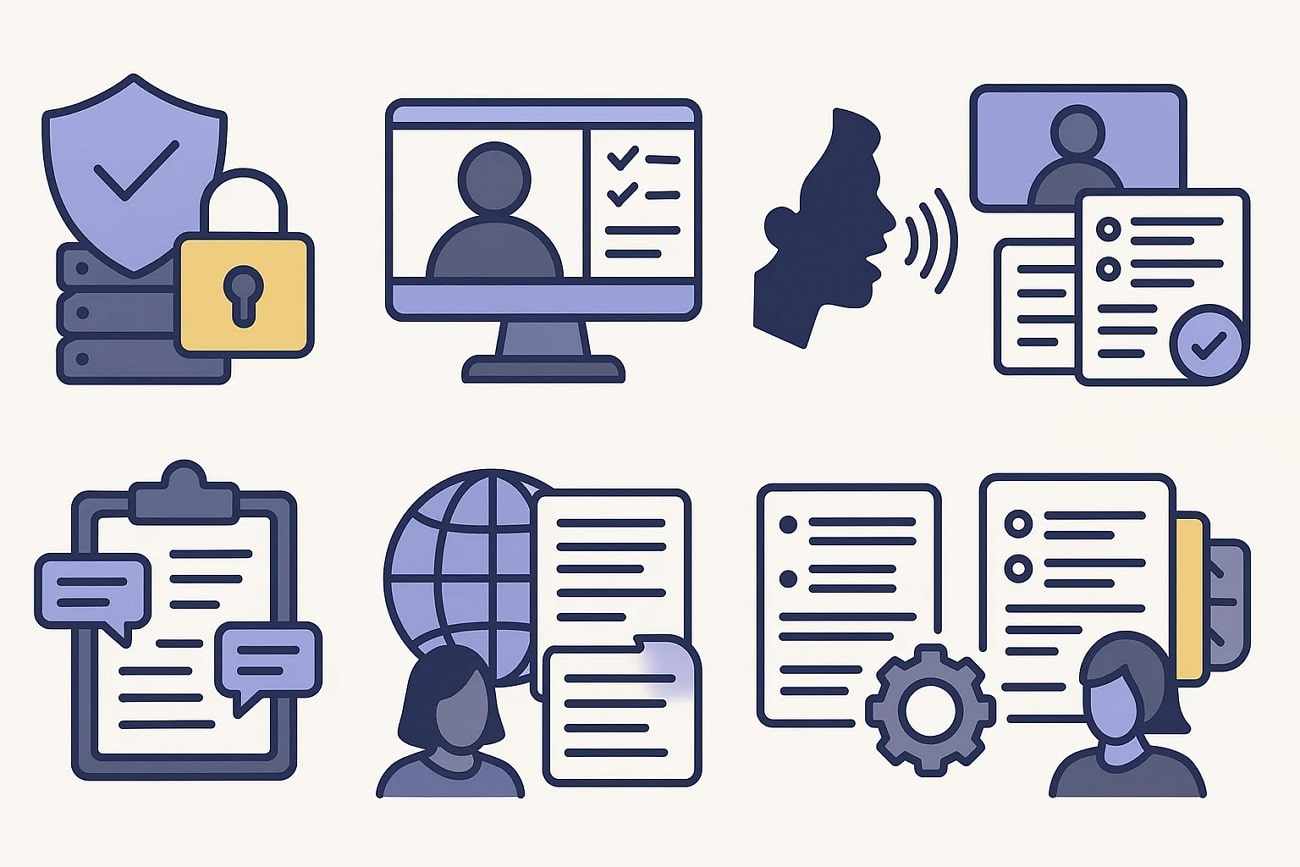
Data Security and Privacy Compliance
Companies need assurance that confidential business information will not be misused or exposed. When choosing an AI meeting note taker, ensuring data security should be the top priority. The tool must comply with regulations like GDPR or have encryption, secure cloud storage, and access control.
Integration with Meeting Platforms
Without proper integration of notes, manual uploads or additional steps can waste time. A good meeting notes AI tool should work seamlessly with popular meeting platforms and ensure smooth setup without technical headaches.
Accuracy of Transcription and Summarization
Poor speech-to-text quality can lead to misunderstandings or missed details. Advanced AI models should also provide clear summaries rather than just raw transcripts. They should also have accuracy to ensure that action items, deadlines, and key points are reliably captured.
Real-time and Post-Meeting Capabilities
Real-time features help participants follow along and clarify points instantly. Post-meeting summaries provide structured insights for review and documentation. The best tools offer both, balancing speed with thoroughness, meeting diverse team needs effectively.
Support for Multiple Languages
A quality meeting summary AI tool should handle various languages and accents accurately to allow international teams to collaborate without language barriers. It is a bonus if your tool offers real-time translation to improve inclusivity further.
Customization and Note Organization
Every organization has a different style of making notes, and that is where customization comes in. It lets teams decide whether they want bullet points, detailed summaries, or categorized action items. Good organization features, like tagging, filtering, and topic grouping, make notes more straightforward to navigate. This also ensures that important information is always accessible when needed.
User-friendly Interface and Collaboration Features
Lastly, your tool should have a simple user interface that allows you to efficiently move from feature to feature. Collaboration features, such as shared workspaces, comments, and integrations with project management tools, increase the value of your tool. Teams can directly turn notes into tasks, reducing the gap between meetings and execution.

Easy to Use AI AI Meeting Note Taker
Part 2. Best 10 AI Meeting Note Takers of the Year
We know that note-taking is an essential part of a meeting, so choosing the right tool is the key. The following list of AI meeting notes tools is worth considering:
1. UniConverter
When looking to speed up your note-taking process, use UniConverter Speech to Text Tool. With its batch-processing utility, this tool converts multiple audio meetings into textual notes instantly. Once you import the audio file into the system, you can transcribe it into over 130 languages to reach a wider audience. The transcribed file can be exported as an SRT or a TXT file for enhanced shareability across platforms.
If you are looking to create AI for meeting notes to see who said what, you can enable the speaker detection options. The time codes next to each dialogue help you navigate to the desired section of the transcript. When creating subtitles from the meeting audio, you can select a custom number of characters per line for easy readability. The files of subtitles can be exported in SRT, VTT, ASS, and SSA formats.

Reviews
Shivakumar C: “There is no aspect of Wondershare UniConverter that fails to accomplish my video conversion needs.“
Steve Paris: “…it’s very well designed and easy to use…”
2. Otter.ai
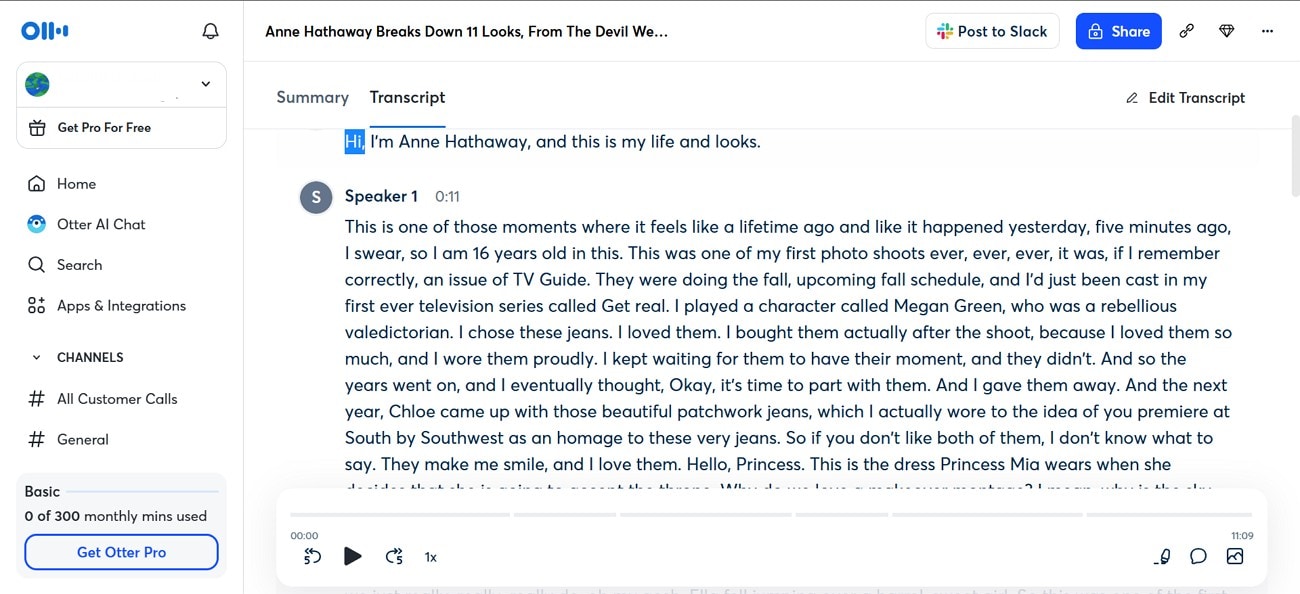
Users looking for real-time meeting transcriptions can look into the live transcription features of Otter.ai. If you cannot understand a point in the transcript, use AI Chat and let it simplify. The Otter voice meeting notes have a good memory and answer your questions from any past conversations. When you do not have the time to read lengthy meeting notes, just read the automated summary to understand the overview.
Review
Meg St-Esprit: “Integrates easily with most video conferencing platforms.”
3. Read.ai
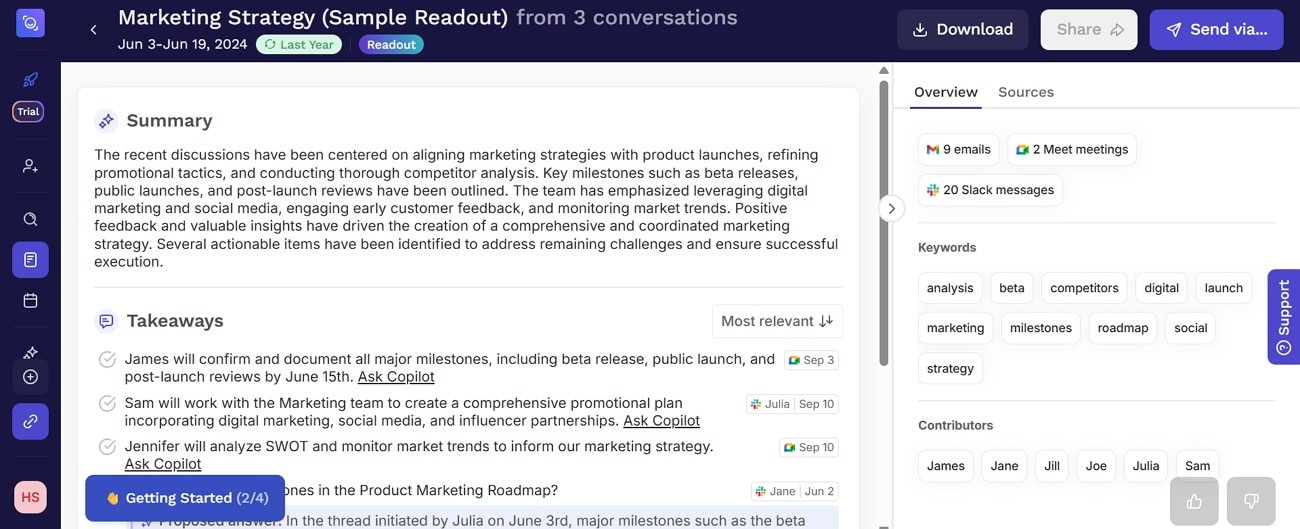
Read.ai’s meeting pilot converts your emails, meetings, and messages into text. This platform is compatible with Google Meet, Zoom, and many other online meeting platforms. Besides plain text conversions, this Zoom AI notetaker generates summaries for you. It also creates automated highlights and recaps of the meeting to prevent you from reading the entire thing. You can also review the action items to implement the meeting's outcomes.
Review
Reddit: “Some users find Read.ai helpful for quickly summarizing long texts and meetings…”
4. Krisp
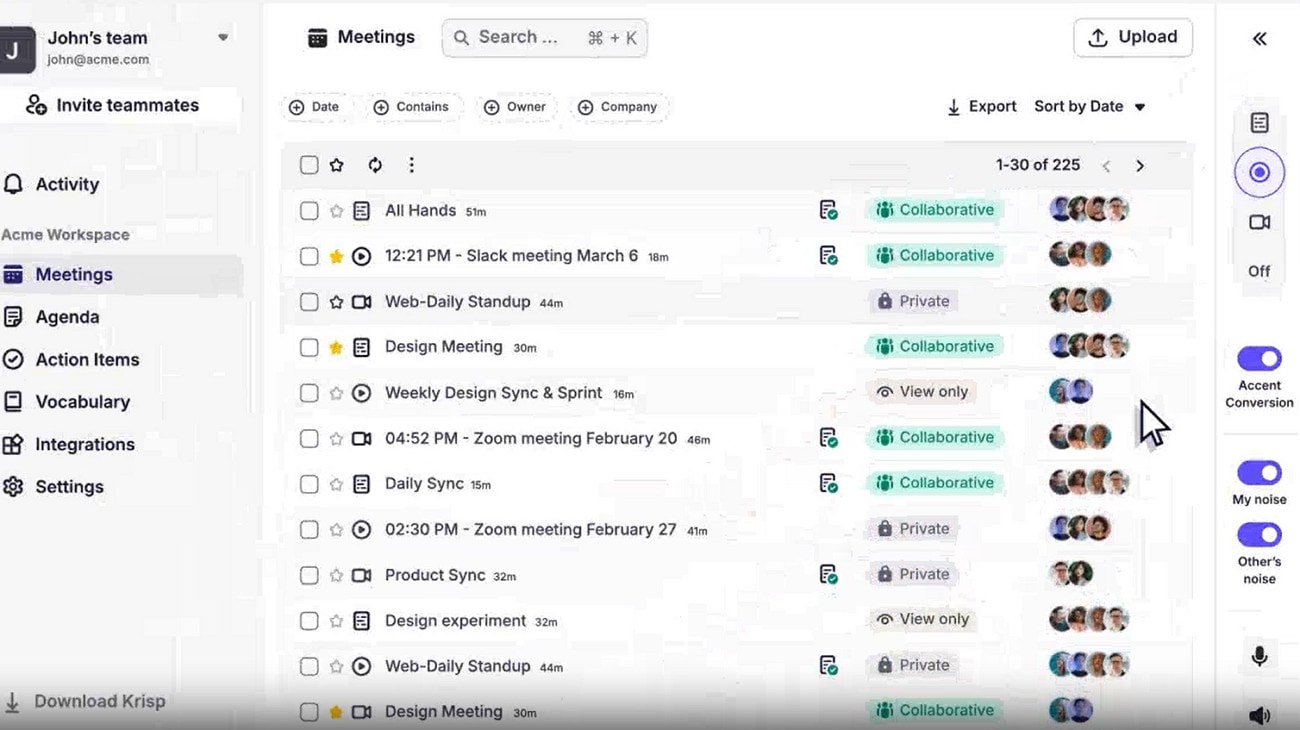
From action items to key points, you can get it all using Krisp. Besides generating a transcript for a live meeting, users can upload an offline session and convert it into text. The summary settings are customizable, helping you generate long or short precis. If the meeting was recorded in a noisy area, use the built-in noise reduction tool offered by this meeting summary AI taker.
Review
roleplay_oedipus_rex: “Krisp is great, you can clap right next to the mic and it won’t register it, etc…”
Easy to Use AI AI Meeting Note Taker
5. Fireflies.ai
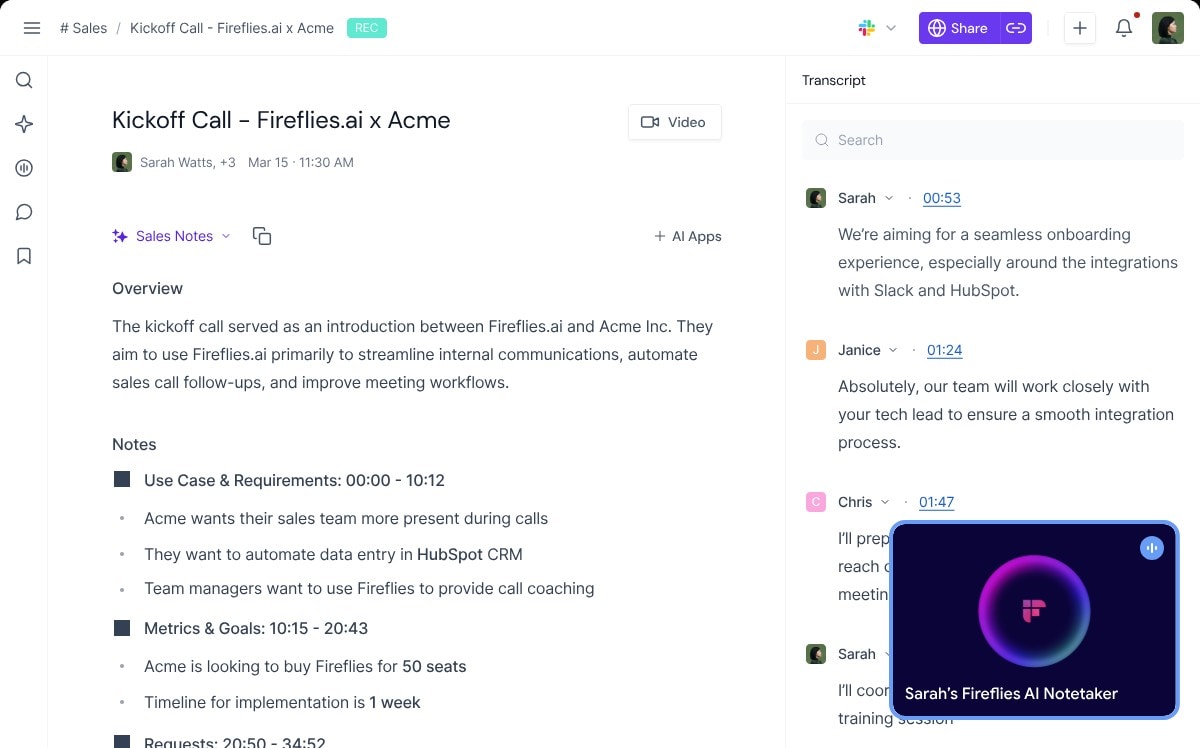
Supporting more than 100 languages, Fireflies.ai is among the leading meeting note takers. With its intelligent language detection powers, this platform switches languages automatically in every meeting. This AI note taker for Zoom generates transcripts with time codes for accurate navigation through the notes. It mentions the names of speakers to show who is saying what. Besides an automated summary, you can explore the overview to skip the unnecessary details.
Review
r/LovedByCreators: “Summary bullets were 90–95% accurate in my testing.”
6. Tldv.io
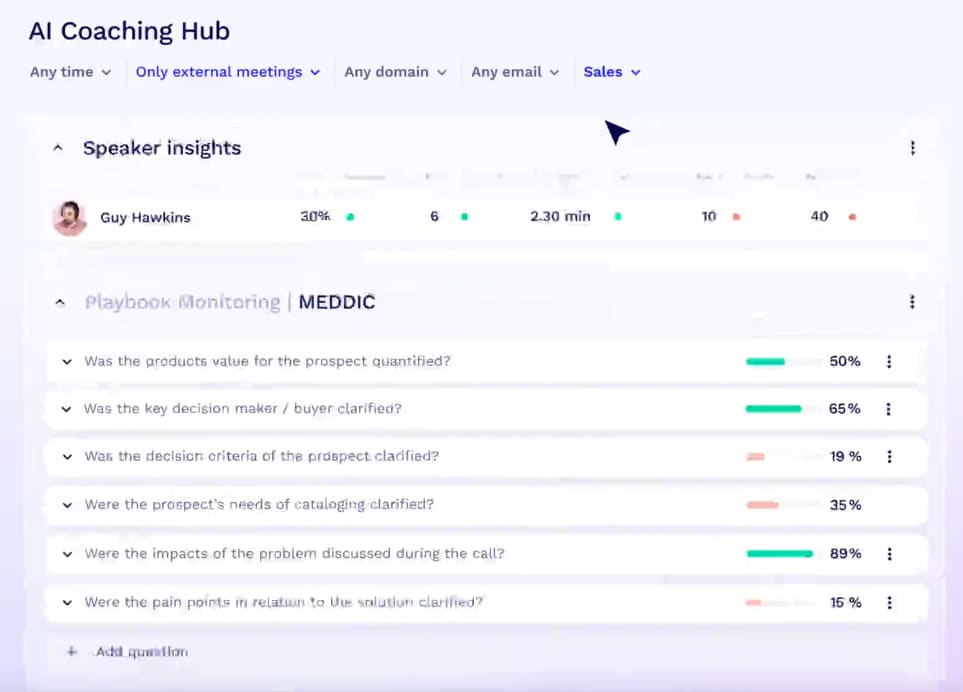
This platform has a unique feature that allows you to review the speaker's insight. Using this facility, users can see the talking and questioning timing of each speaker. It automatically joins the meetings on your schedule and transcribes them. Besides names, this AI meeting summary generator also displays the emails of each speaker of the meeting. It automatically shares your summaries with your team to implement the action points.
Review
Anahi F.: “The tool is powerful, but there are a few areas for improvement. Sometimes the AI summaries miss subtle context, which means I still need to double-check recordings…”
7. MeetGeek
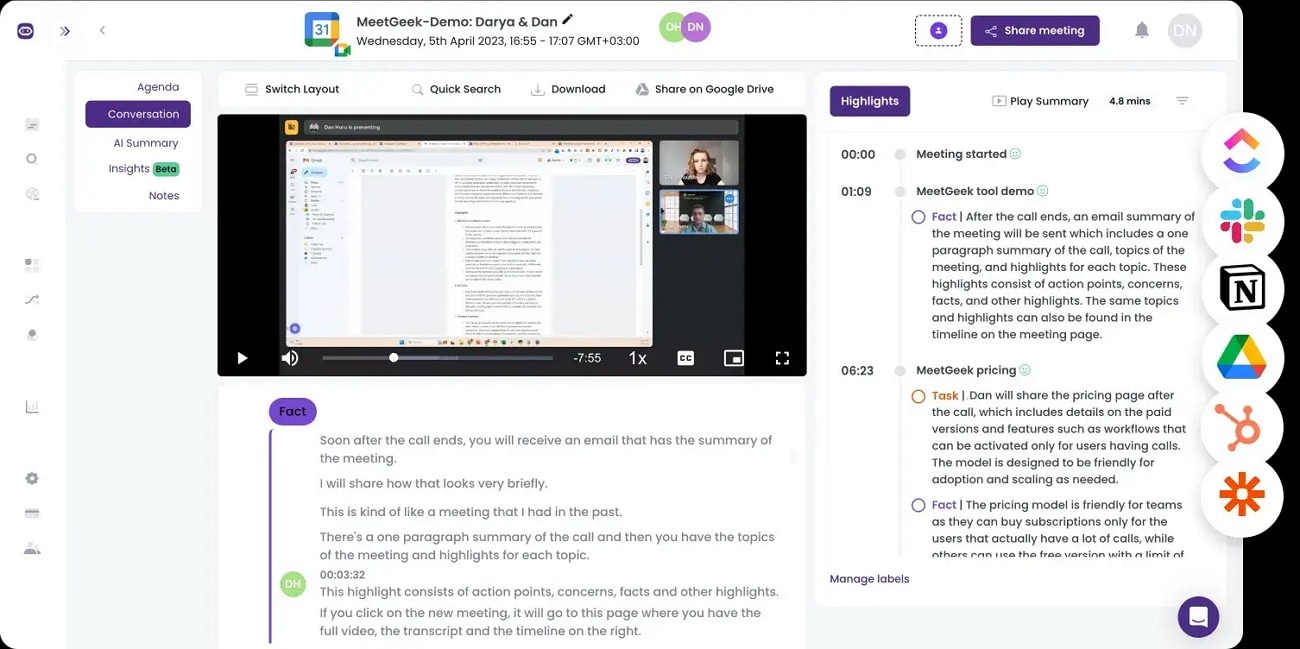
Besides transcribing, this platform allows you to record, pause, and automate meetings easily. MeetGeek notetaker doesn’t require a desktop tool and works fine with online platforms too. Using its collaborative features, share points from past meetings with your team. It supports over 50+ languages to help you understand meetings with international teams. From the number of spoken words to the duration of speech, everything can be discovered in the analytics.
Review
Elena: “We use MeetGeek for our Google meetings and we are fully satisfied with this tool…”
8. AI for meeting notes
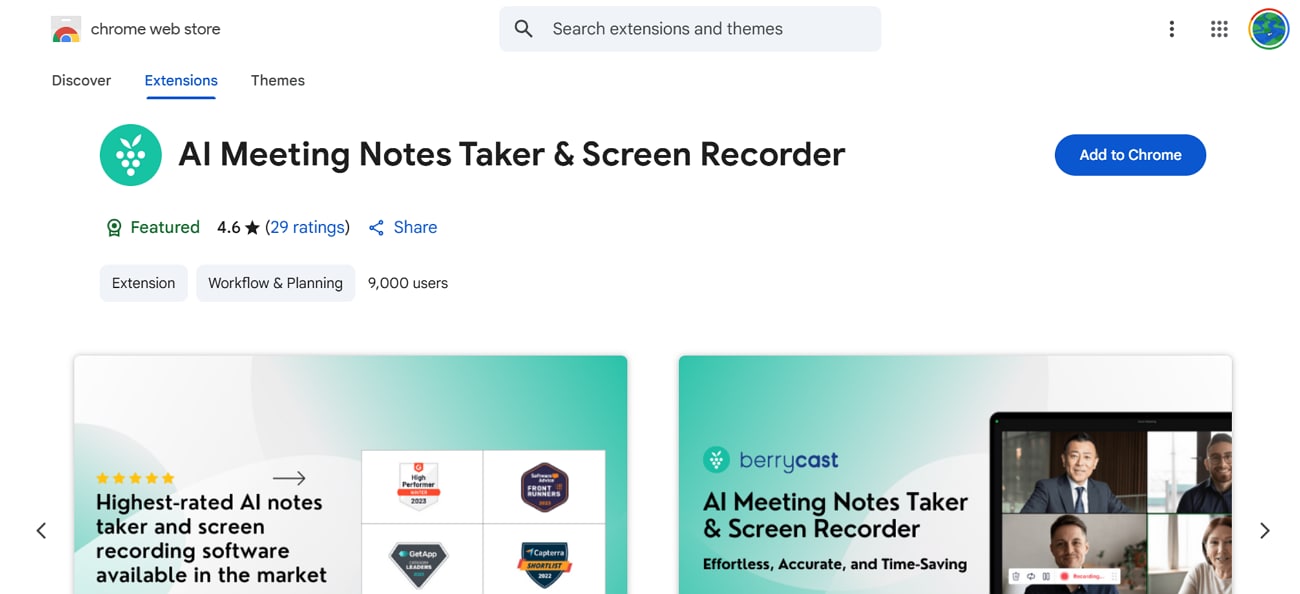
Users who want a quick way to transcribe their meetings can look into this note-taking extension. This AI for meeting notes tool allows you to collaborate with your team to share a screen cast. It allows integration with Google Meet and over 15 other online meeting platforms. Besides preparing textual notes of your meetings, it offers a screen recording feature to capture the actual meeting.
Review
Juan Pardo: “Berrycast is my go to app for recording videos…”
9. Bubbles
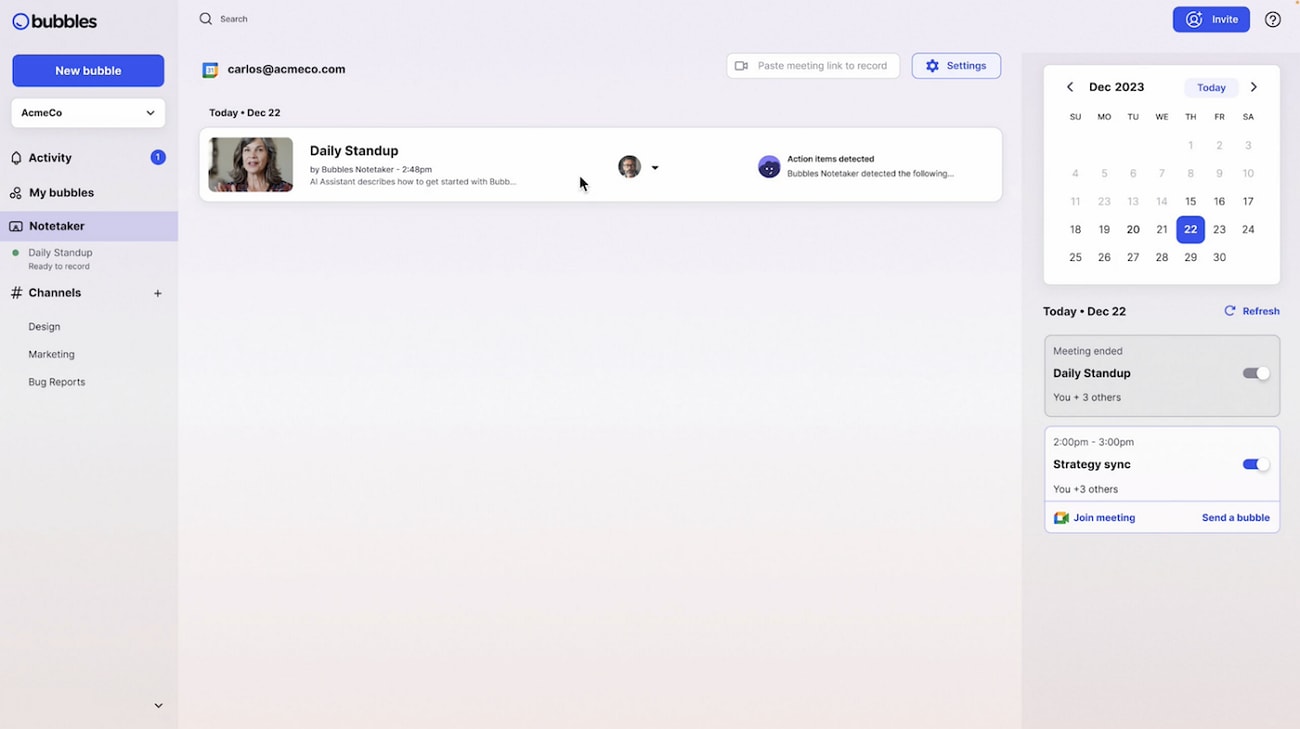
Connect your calendar with Bubbles and have it transcribe and record your meetings. As soon as you end the meetings, you will get automated action points for the session. This AI meeting summary generating tool provides you with a chatting service to discuss meeting key points with the team. Your meetings can be organized in a single interface as channels.
Review
Dylan H.: “While Bubbles allows you to share individual sites, I would prefer if you could also be able to share spaces too.”
10. Notion
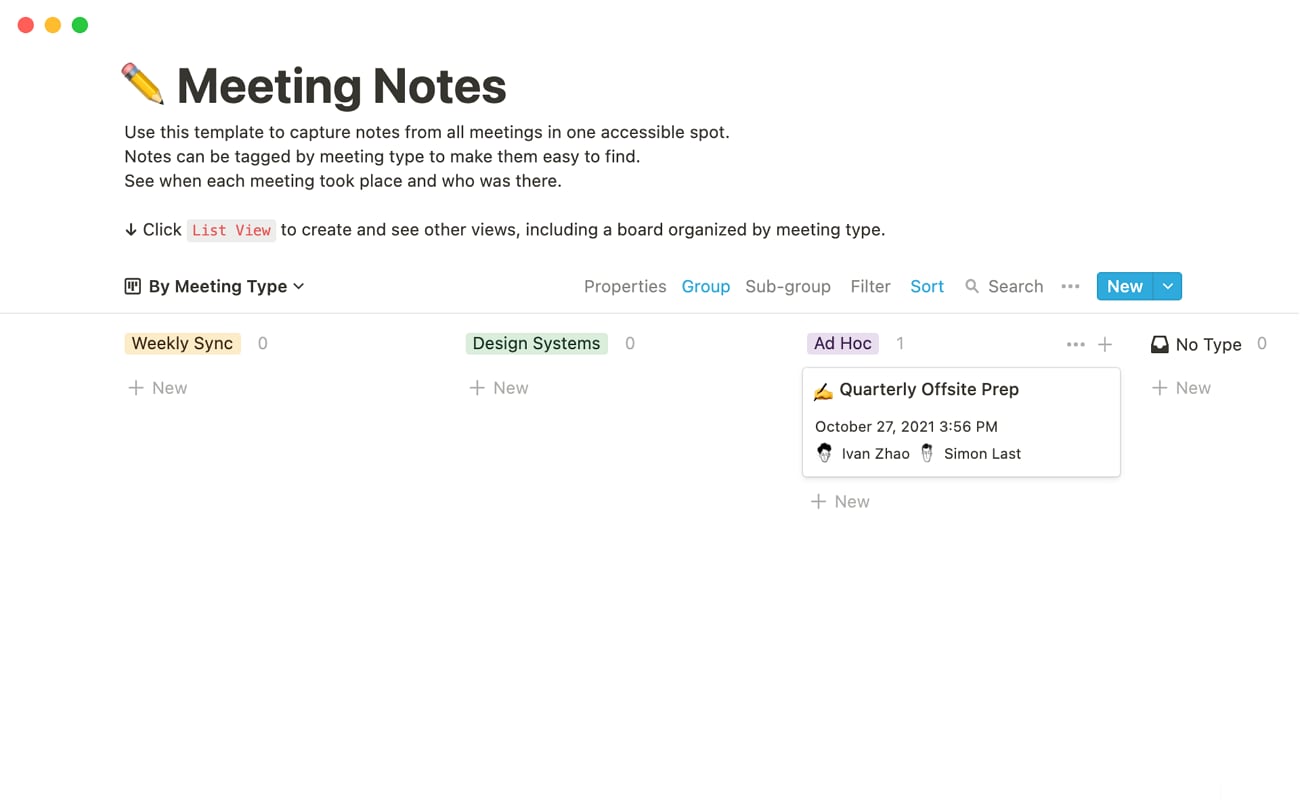
Notion understands the information that needs to be put in a sentence or bullet points and organizes them accordingly. The AI chatbot answers your questions and simplifies the complex concepts of your meeting. You can make a calendar in Notion and organize your meetings along with their notes. This AI note taker for Zoom mentions the names of attendees in each meeting to help you keep track of the participation.
Review
仁之介: “While Notion is extremely versatile, it can feel a bit slow when loading large pages or databases, especially with many embedded files.”
Easy to Use AI AI Meeting Note Taker
Part 3. Comparison Table of the Best 10 AI Meeting Note Takers
The section above discusses the best 10 AI meeting notes taking tools in detail. However, you can go through the following table to have a quick comparison of the above-mentioned platforms:
| Tool | Subtitle Generation | Language Support | Accuracy | Batch Processing | Result Type |
|---|---|---|---|---|---|
| Wondershare UniConverter | Present | 130+ | High | Present | TXT, subtitles |
| Otter.AI | Absent | 3 free | Average | Absent | TXT, PDF, Docx |
| Read.AI | Absent | 20+ | Low | Absent | Text, Summary |
| Krisp | Absent | 16 | Average | Absent | Text |
| Fireflies | Absent | 100+ | Average | Absent | Text, Summary |
| Tl;dv | Absent | 30+ | Low | Absent | Summary Text, Email Share |
| MeetGeek | Absent | 50 | Low | Absent | CRM/Docs |
| AI Meeting Notes Taker & Screen Recorder | Absent | 60 | Low | Absent | Screen record, text |
| Bubbles | Absent | Not specified | Average | Absent | Action points, chat |
| Notion | Absent | 16 | Average | Absent | Export data as PDF/HTML/MD |
Part 4. How to Easily Take Video Meeting Notes with AI
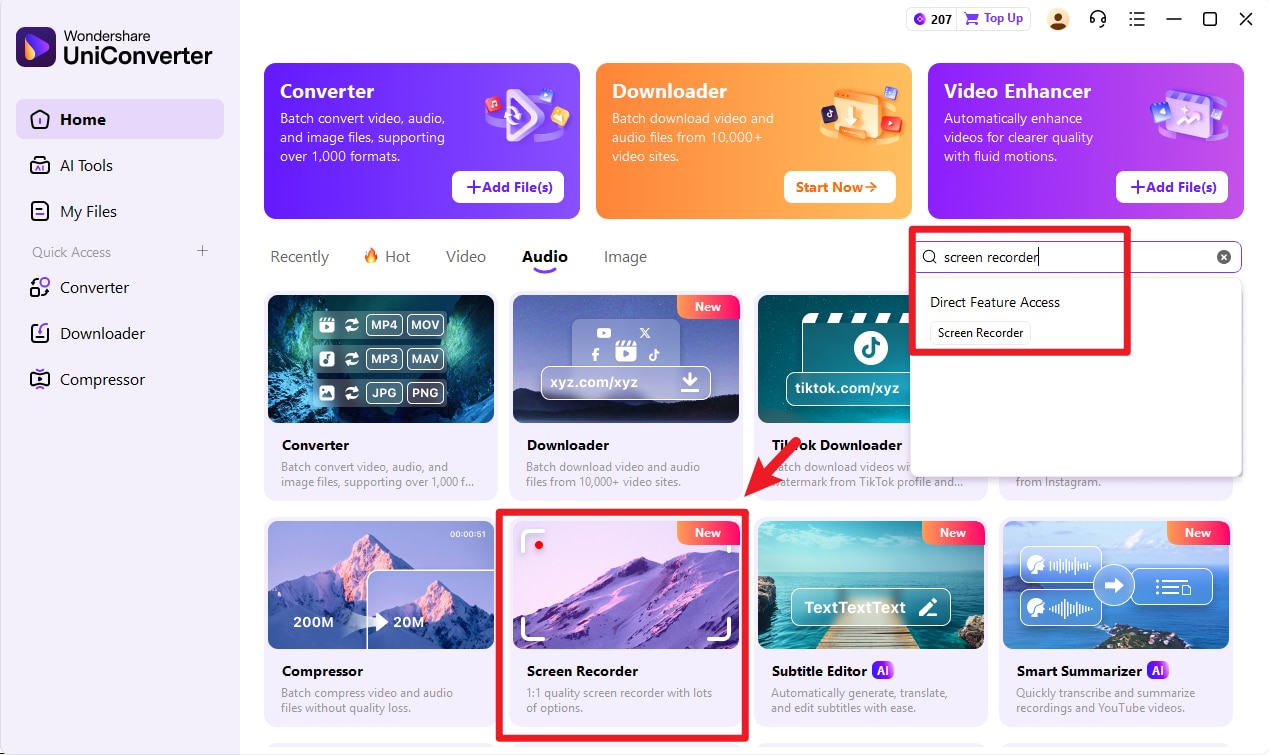
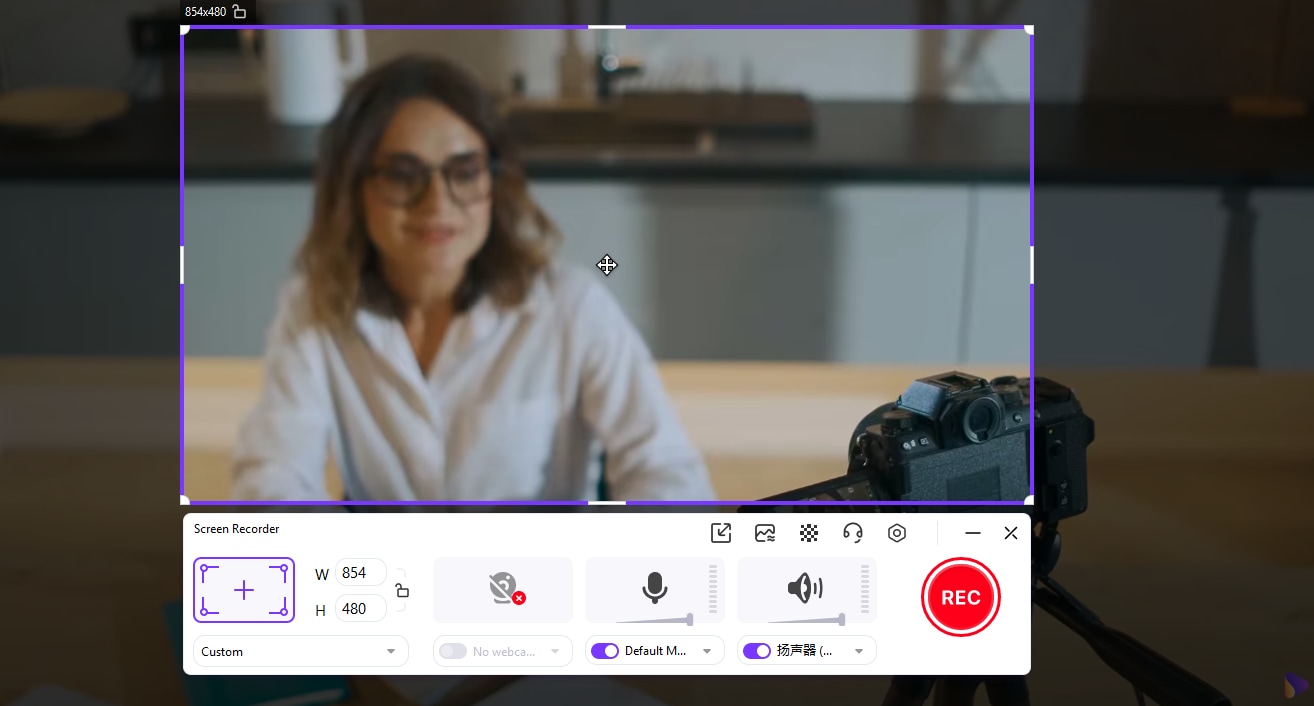
Step 1. Launch UniConverter Screen Recorder
Open UniConverter on your PC or Mac. From the main menu, select Screen Recorder.
Step 2. Configure Recording Settings
Choose Full Screen or adjust a custom recording area, then pick the microphone (system or external) for clean audio capture.
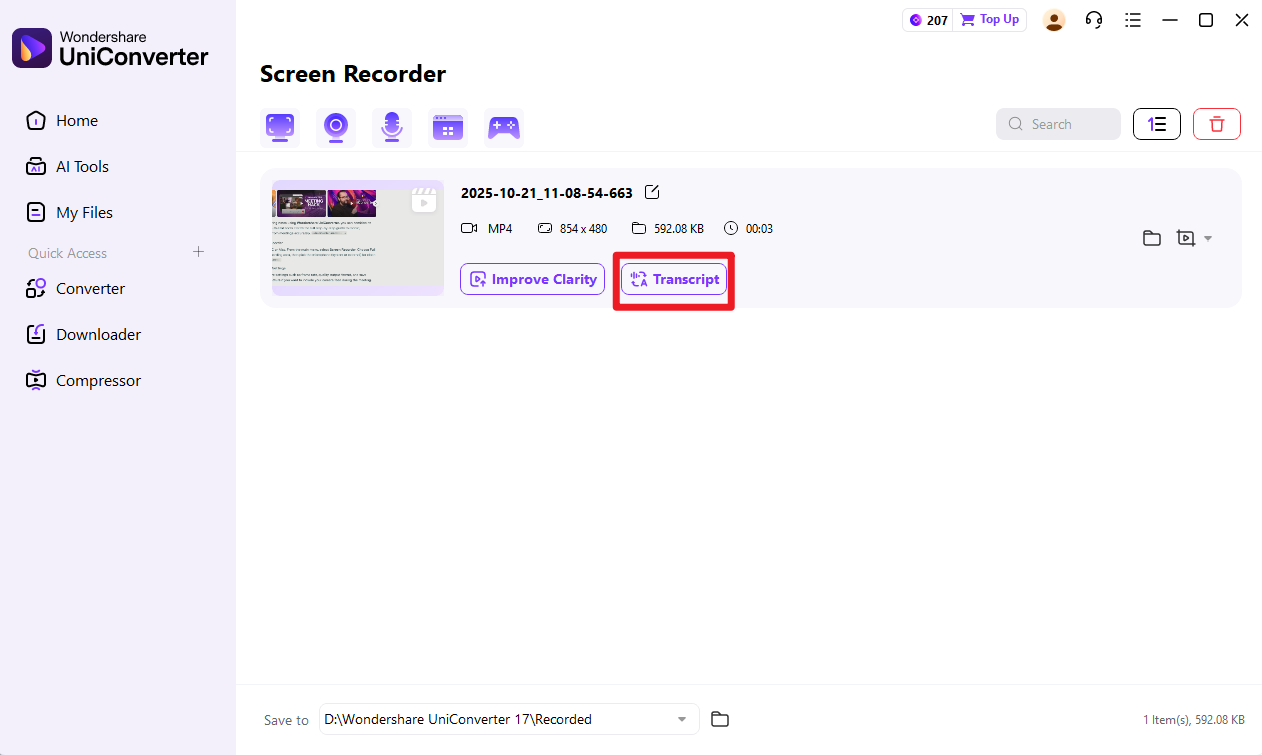
Step 3. Use Speech-to-Text AI
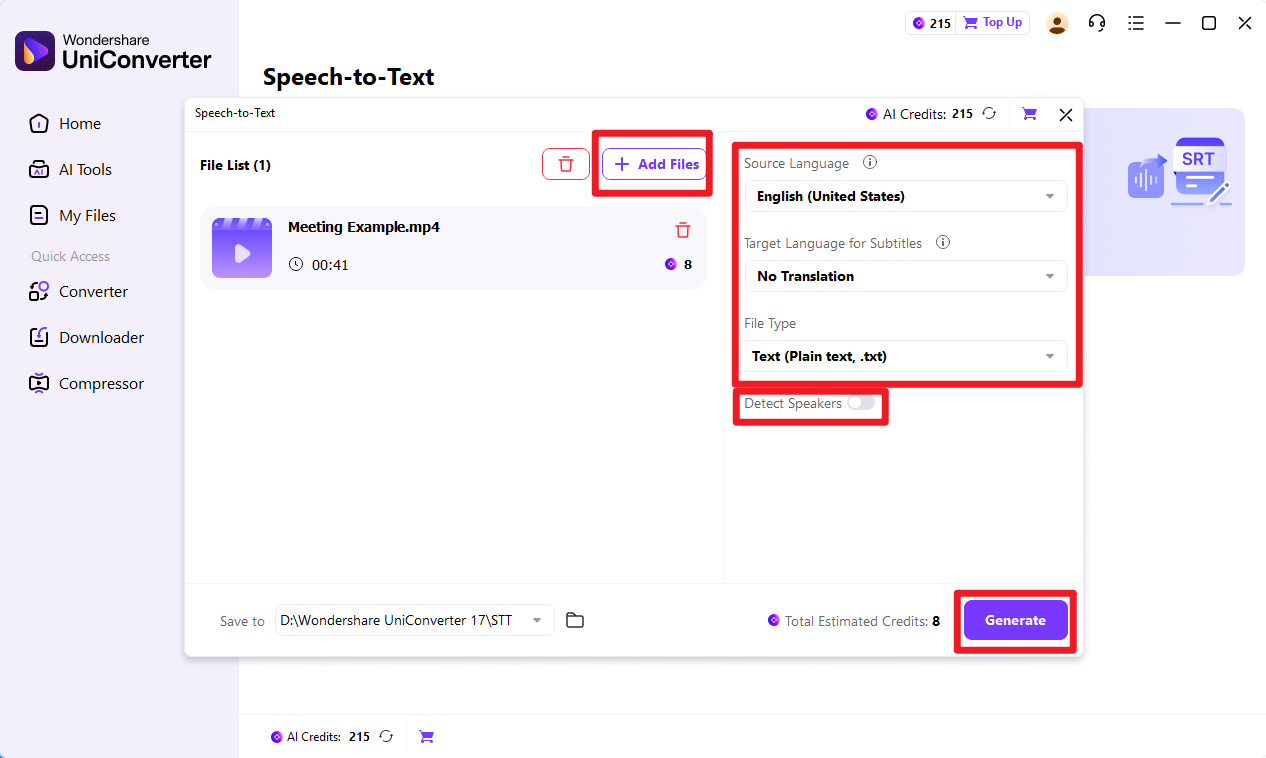
After recording, return to UniConverter’s home screen. Under More Tools, choose Speech-to-Text AI. Upload the recorded video or audio file. Select the meeting’s spoken language and enable Speaker Detection if there were multiple participants.
Step 3. Generate and Review Notes
Hit Transcribe to generate text automatically. UniConverter’s AI produces a transcript with timestamps and speaker differentiation. Once completed, you can highlight key points or summarize discussions manually. Export the text as .txt, or .srt files. This transcript can be revised or shared with your team as structured meeting notes.
Conclusion
Conclusively, AI meeting note takers have evolved the ecosystem of online meetings, with their robust transcripts. This article explored the top 10 tools that transcribe your sessions into textual summaries. Among all the tools discussed, UniConverter Speech to Text had the most reliable functionality. It ensures accuracy and efficiency by transcribing multiple audio files in a single task. Moreover, it also generates accurate subtitles for your sessions to enhance retention.
Frequently Asked Questions
-
1. How does an AI meeting note taker work?
It connects to online meeting platforms, listens to the conversation, converts speech into text, and applies natural language processing to summarize key points and more. -
2. Which meeting platforms support AI note takers?
Most AI note takers integrate with popular platforms like Zoom, Microsoft Teams, Google Meet, and Webex. Some also work with phone calls or uploaded audio recordings. -
3. Are AI meeting note takers accurate?
While all AI meeting notes tools claim accuracy, there are always some errors in the results. Therefore, it is better to use UniConverter’s AI Speech-to-Text feature to ensure efficiency with accuracy. -
4. Can AI note takers summarize discussions automatically?
Advanced tools provide summaries, action items, and highlights so users can quickly review what was decided without reading the entire transcript.

