


The rise of AI lecture summarizer tools in 2025 has revolutionized in a way that is better for everyone. Rather than making physical notes, have lecture notes AI tools to summarize the entire video on your behalf. Be it video lectures, live streams, or traditional audio, the most capable AI summarizers are able to extract the key points, organize the content into clear chapters, and provide well-organized notes.
Nevertheless, when you are researching a good video summarization tool, this article is what you will need. We have provided you with the most efficient methods through which you can easily transcribe your videos.
In this article
Part 1. Where Does an AI Lecture Summarizer Helps?
If you are curious to explore the AI lecture summarizer tool, go through the following part to know in which scenarios this tool can be utilized:
Scenario 1
The Scenario: A university student is juggling multiple courses, each with lengthy lectures or guest speakers, which are difficult to follow in real time. Traditional note-taking often results in missed concepts and fragmented summaries.

How a Summarizer Helps: An AI summarizer will transform entire lectures into structured, highlight-rich notes and even diagrams, making it easy for students to identify key ideas and diagrams. This transforms hours of recordings into minutes of focused review, which saves plenty of time for students.
Ideal For: Students struggling to keep up with difficult material or fast-paced classes requiring rapid review
Scenario 2
The Scenario: Upcoming finals are near students, and they want to maximize their overall study time. They have dozens of lecture recordings, but manually creating review notes and extracting crucial exam topics is time-consuming within this short span of time.
How a Summarizer Helps: In this scenario, AI lecture summarizers are beneficial as they transcribe video files into exam-focused bullet points, extract questions, and highlight keywords or custom topics. All in all, it helps students organize content by chapters and ensures no important material is missed for their exam prep.
Ideal For: Anyone preparing for exams who wants to efficiently review and extract key points from multiple classes.
Scenario 3
The Scenario: An international student attended a class delivered in a language that he is still mastering. While basic concepts are understandable, cultural details and technical vocabulary are often confusing. This is why the student is unable to understand the deeper meaning of the topic, making it tough to follow the lesson fully.
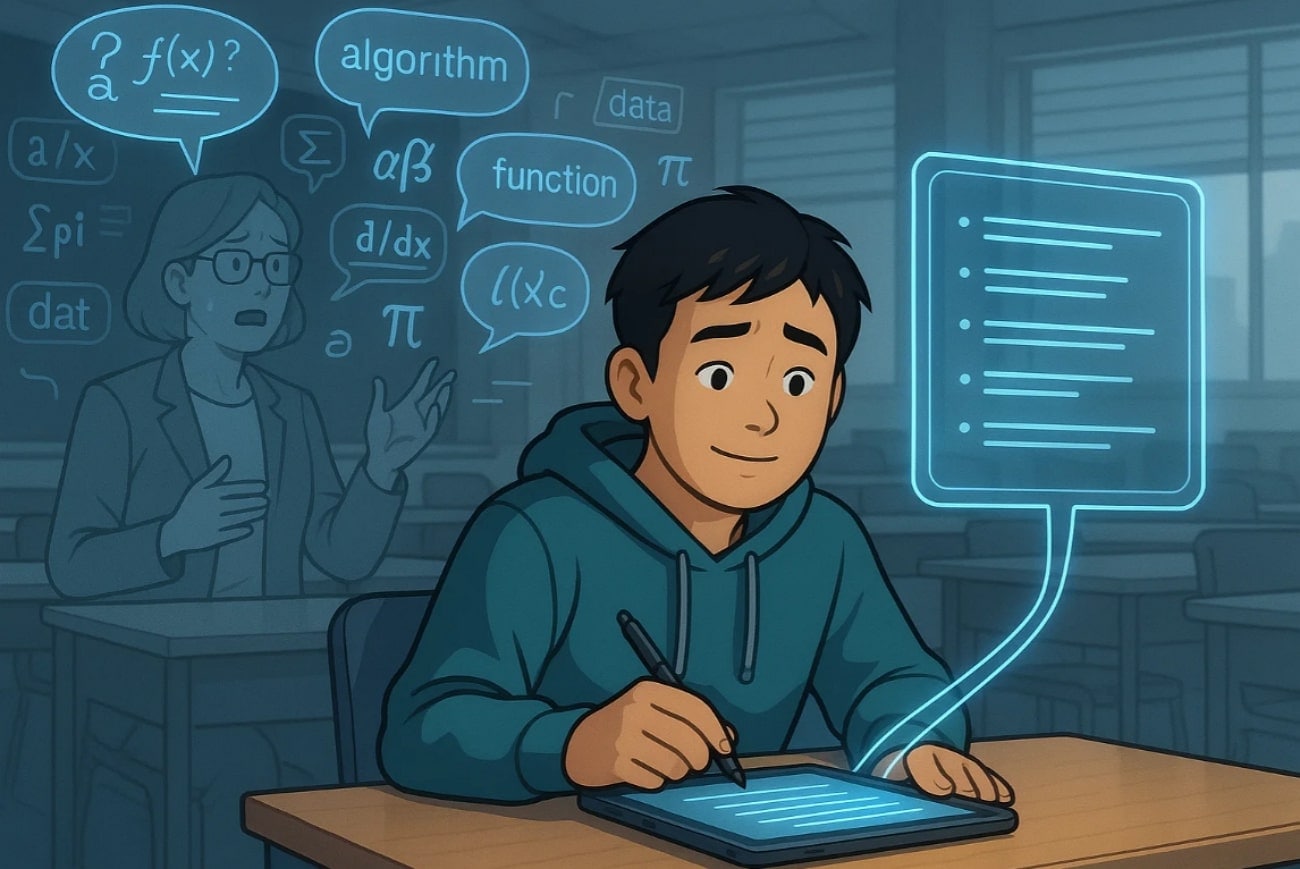
How a Summarizer Helps: Within this situation, these summarizers are helpful as they transcribe all the main points within the file to easily read it later. Furthermore, he can even translate the video file into his mother tongue to efficiently understand the real context behind it.
Ideal For: Learners studying abroad, multilingual classrooms, or anyone needing translation alongside summarization
Scenario 4
The Scenario: There is a remote employee who joins several meetings and webinars each week. Reviewing recordings and writing minutes of every meeting takes up his valuable work hours. However, he still sometimes overlooks some key insights of the meeting, which is concerning for his job.
How a Summarizer Helps: For his help, he can use an AI lecture notes generator that creates concise, actionable meeting notes, including action items and summaries with timestamps for context. In this way, he saved himself plenty of time and, at the same time, provided error-free data.
Ideal For: Professionals, project managers, and teams working remotely who want to streamline workflow and focus on priorities.

Easy to Use AI Lecture Transcriber & Summarizer
Part 2. Built-In AI Lecture Summarizer in Education Platform
Best For: Automatically summarizing lectures and meetings to create searchable content.
Users can opt for Otter.ai’s AI lecture summarizer, which provides a specific built-in AI lecture summarizer feature. This tool lets users summarize audio and video by simply uploading them. Furthermore, you can add your live meeting link, and it will provide you with live transcriptions side-by-side for easy understanding. After transcribing, it enables users to share transcripts, add comments, highlight key sections, and embed images or slides.
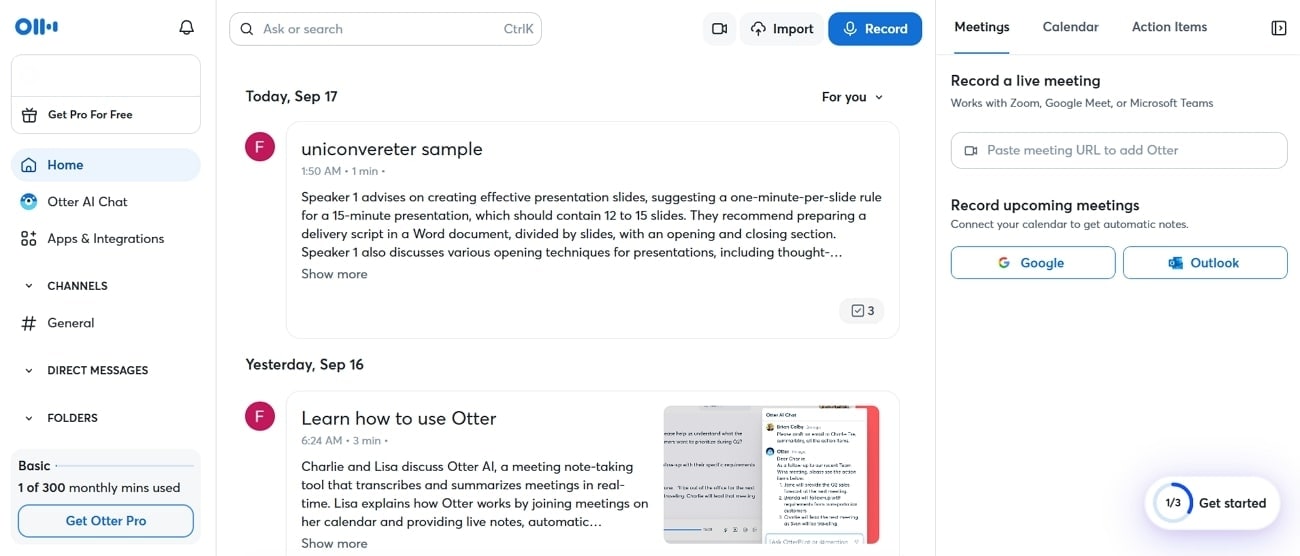
Detailed Stepwise Guide to Use Otter.ai
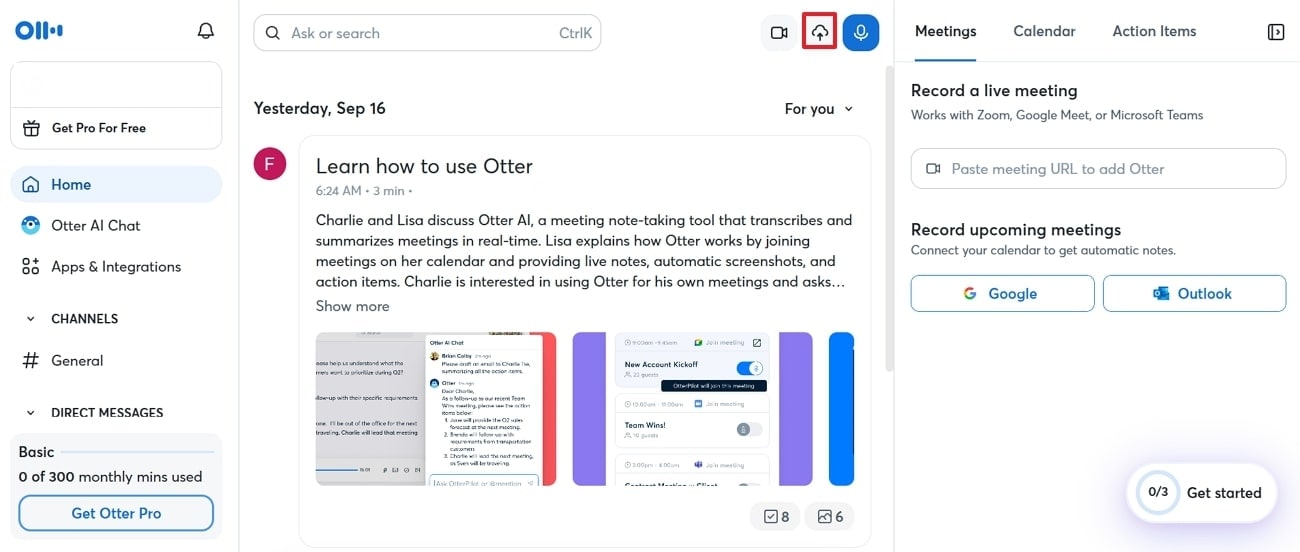
Step 1. Initiate by launching Otter.ai and clicking on the "Cloud Upload" icon to insert the desired video into the device.
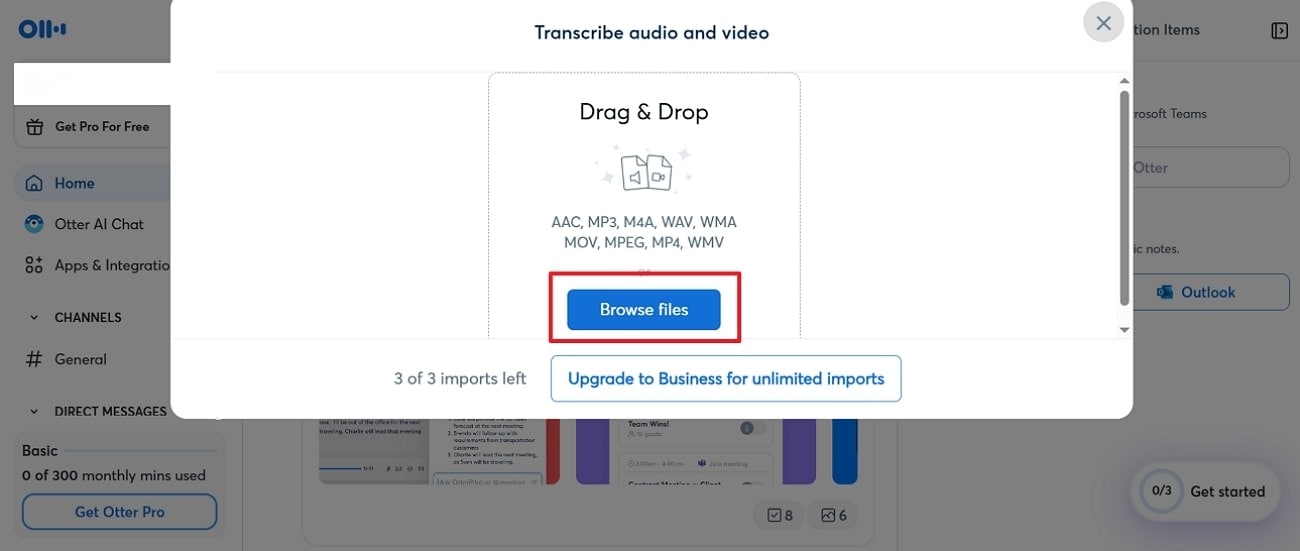
Step 2. Here, tap on the "Browse Files" to insert the desired file from the device to transcribe it.
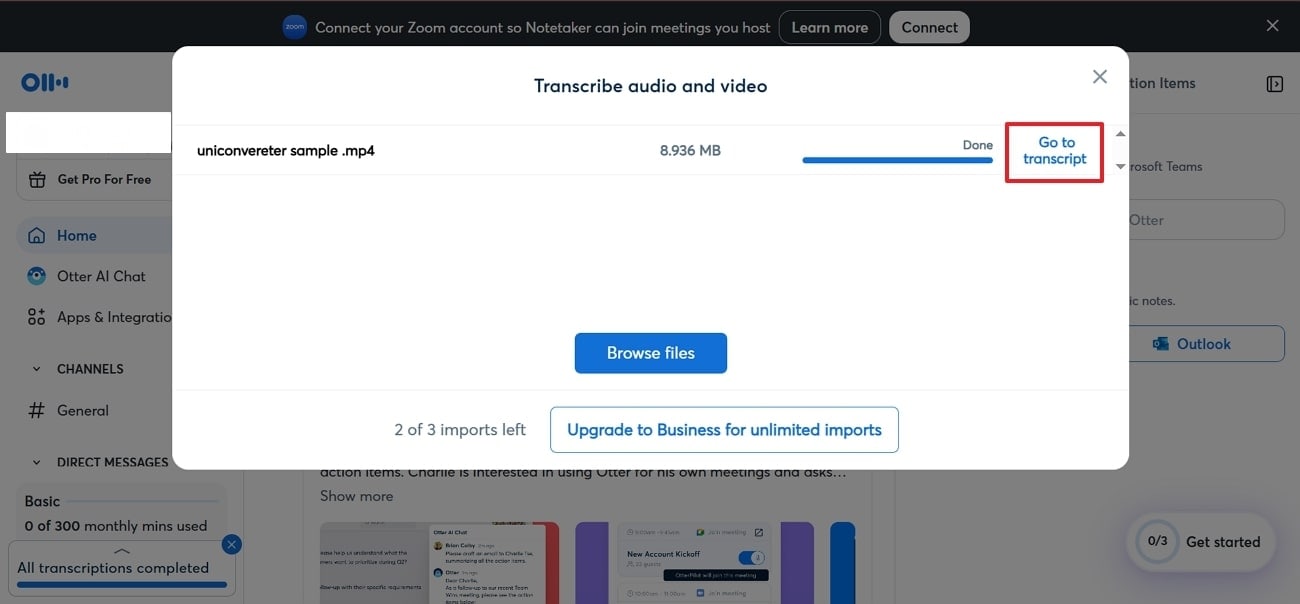
Step 3. Once your video is transcribed, click on the "Go to Transcript" button to access the generated transcriptions.
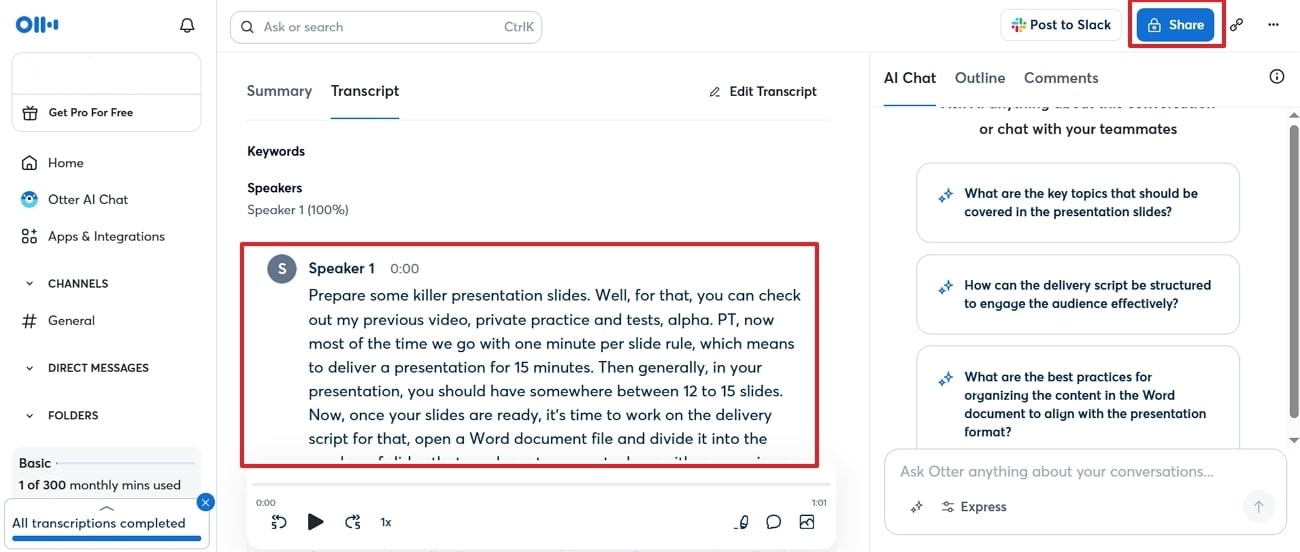
Step 4. Here you will see the whole transcribed data that you can preview to check accuracy and click on the "Share" button to get it saved to the device.
Review
“I've tried a few transcription tools, but so far Otter is the best when it comes to recognizing speech. Otter captures spoken words very well. Now that it has AI functions as well, it's even easier to keep on top….” - Ildi H.
Part 3. Most Efficient Batch AI Lecture Summarizer
Best For: Quickly converting audio or video files into accurate, multi-language transcripts and subtitles with batch processing.
Suppose you are a researcher and want to transcribe numerous videos to text to easily make notes. In this situation, we recommend using Wondershare UniConverter Smart Summarizer, which lets you access its batch processing system to efficiently transcribe all text at once. Users simply need to import their desired file, and it accurately converts speech into well-structured text using advanced speech recognition technology.
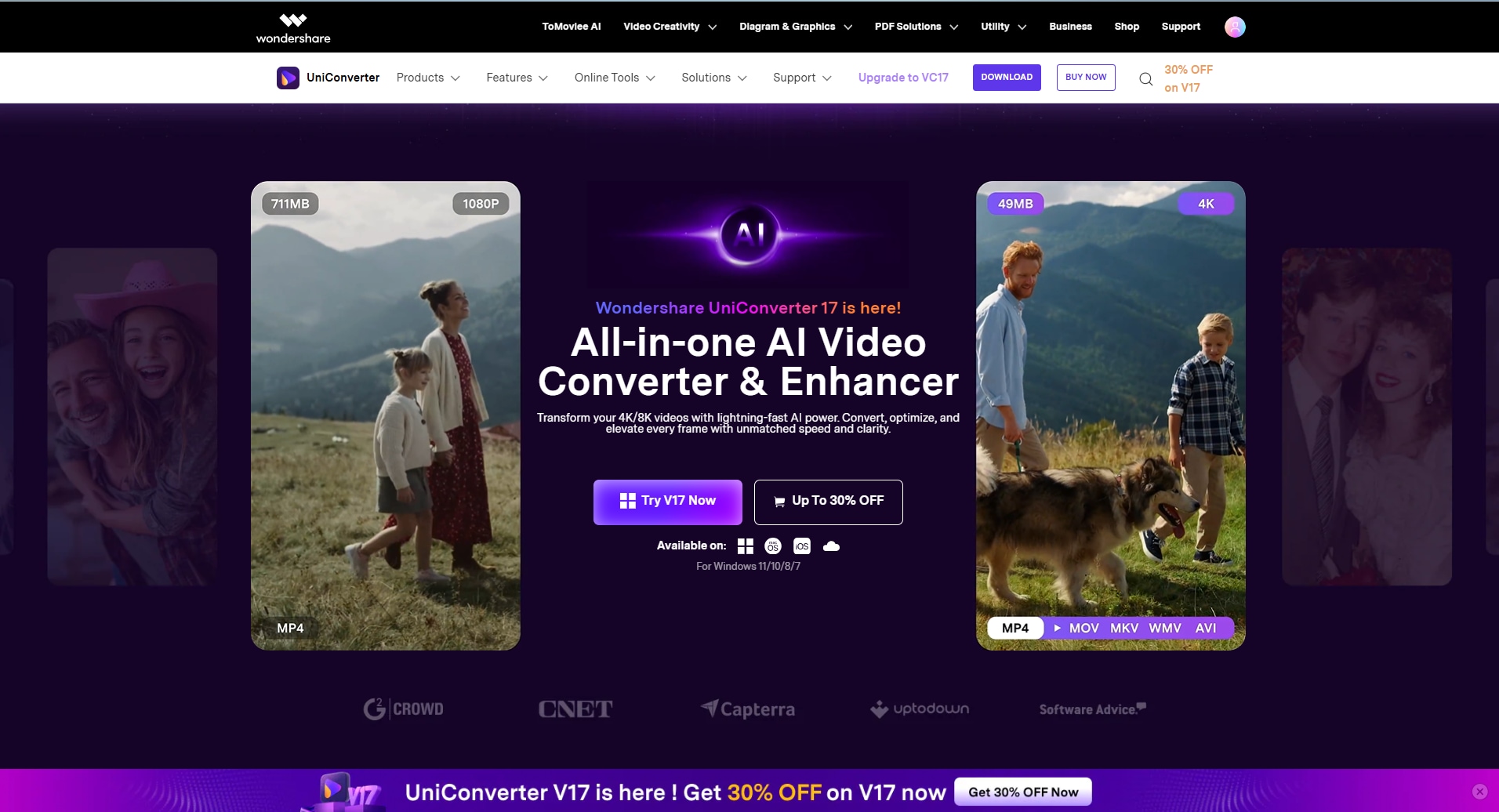
Uniconverter allows transcription from a wide range of audio and video formats, including MP3, MP4, and WAV. Furthermore, it lets you review the generated outcome before even downloading it to ensure its accuracy.
Expert Guide to Use UniConverter For Lecture Summarization
Step 1. Access UniConverter to Select the Speech to Text Feature
As you launch the tool, click on the “Smart Summarizer” feature located at the main interface.
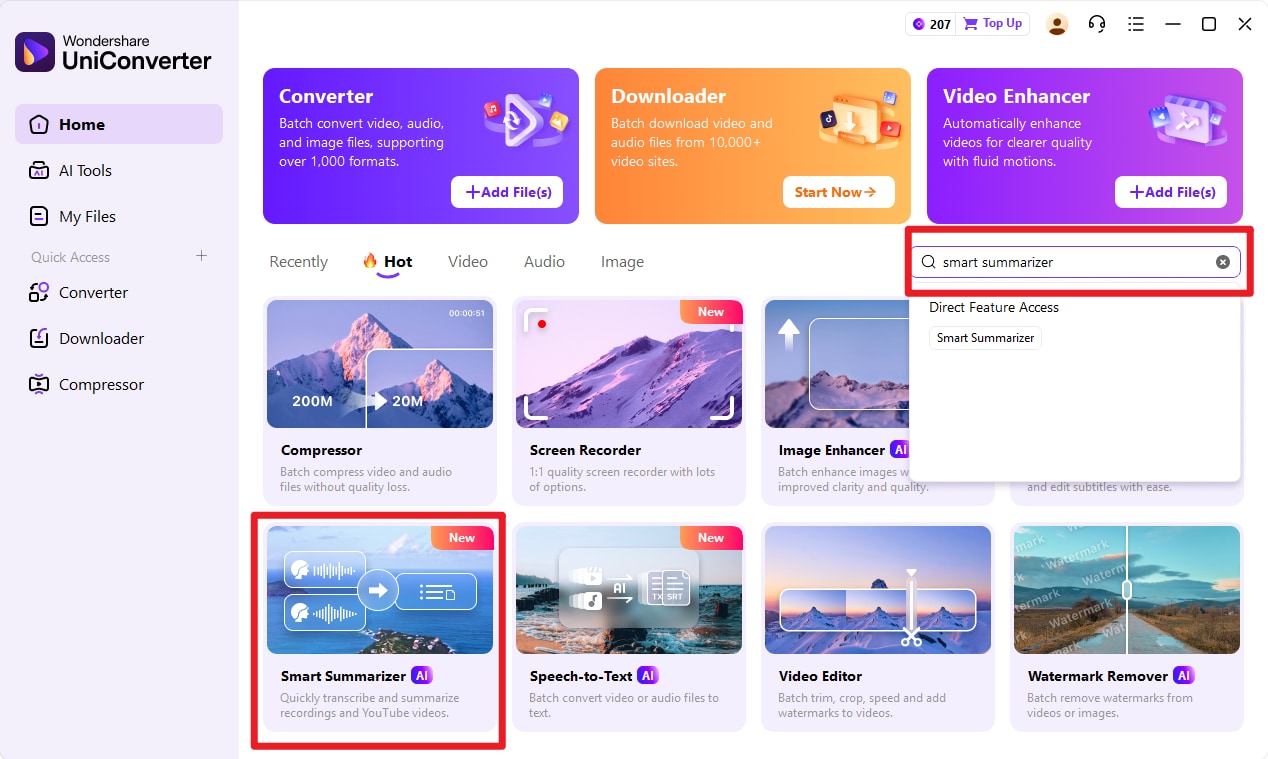
Step 2. Click +Add File(s) to Insert the Desired Video
Here, click on the "+Add File(s)” option within the “Batch Transcription” tab to insert desired videos
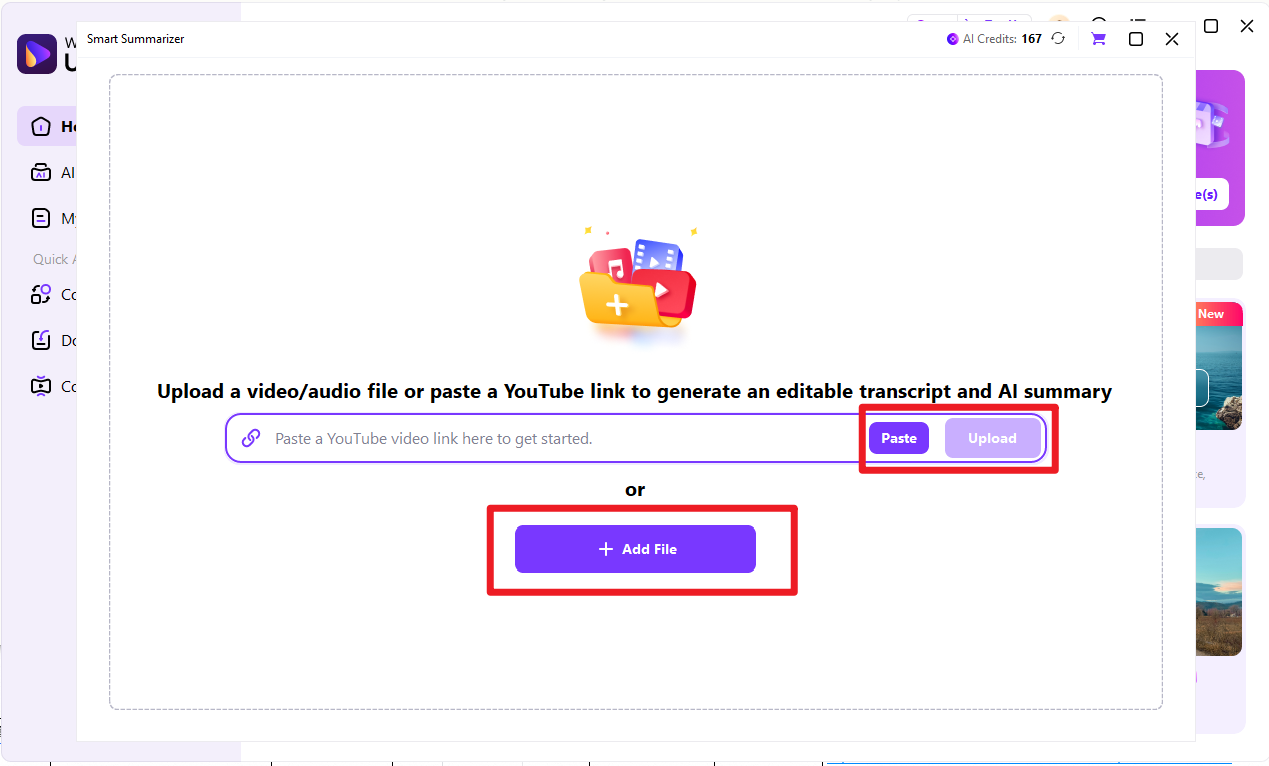
Step 3. Choose Desired Language for the To-Be-Generated Summarized Text
Here, choose the desired language in which you want to transcribe and click on the "Generate" button to initiate the transcribing process.
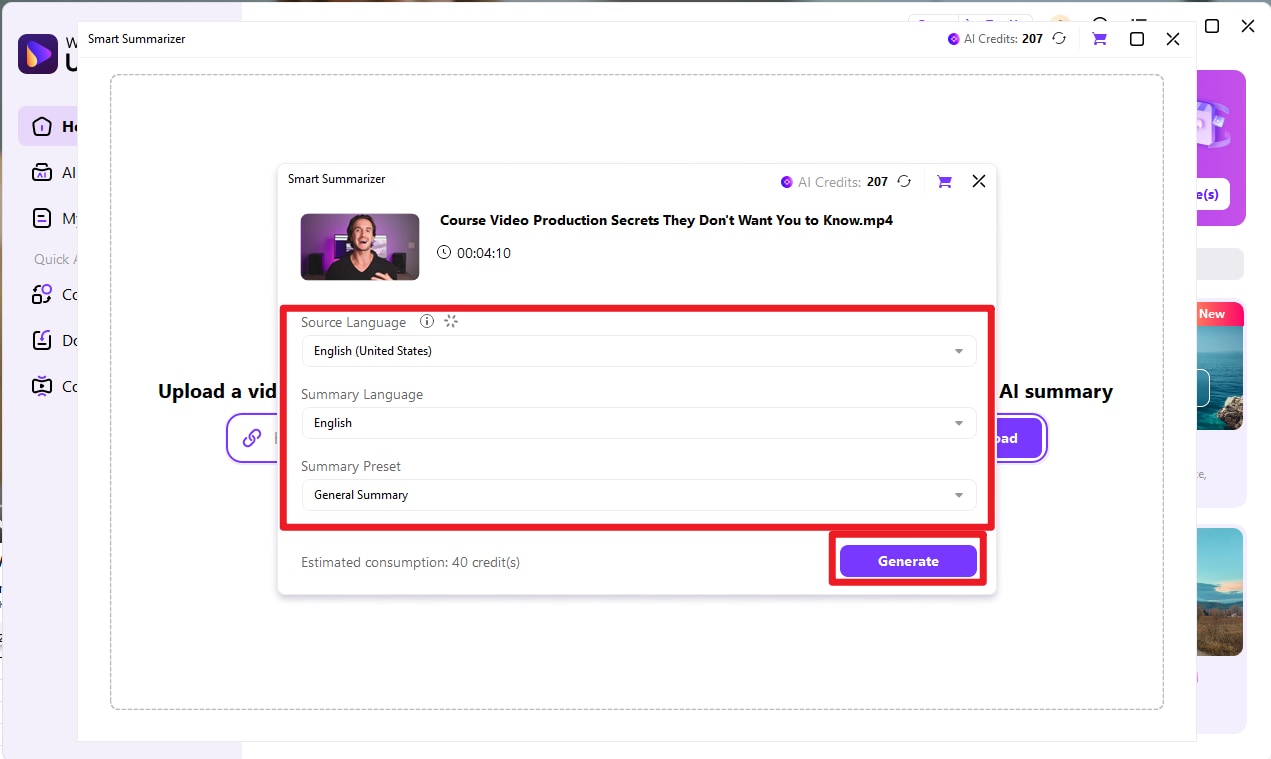
Step 4. Preview, check and confirm to export AI summary
After summary generated, check the speaker information, summary content. After confirmation, click export to choose required export format and export your lecture summary.
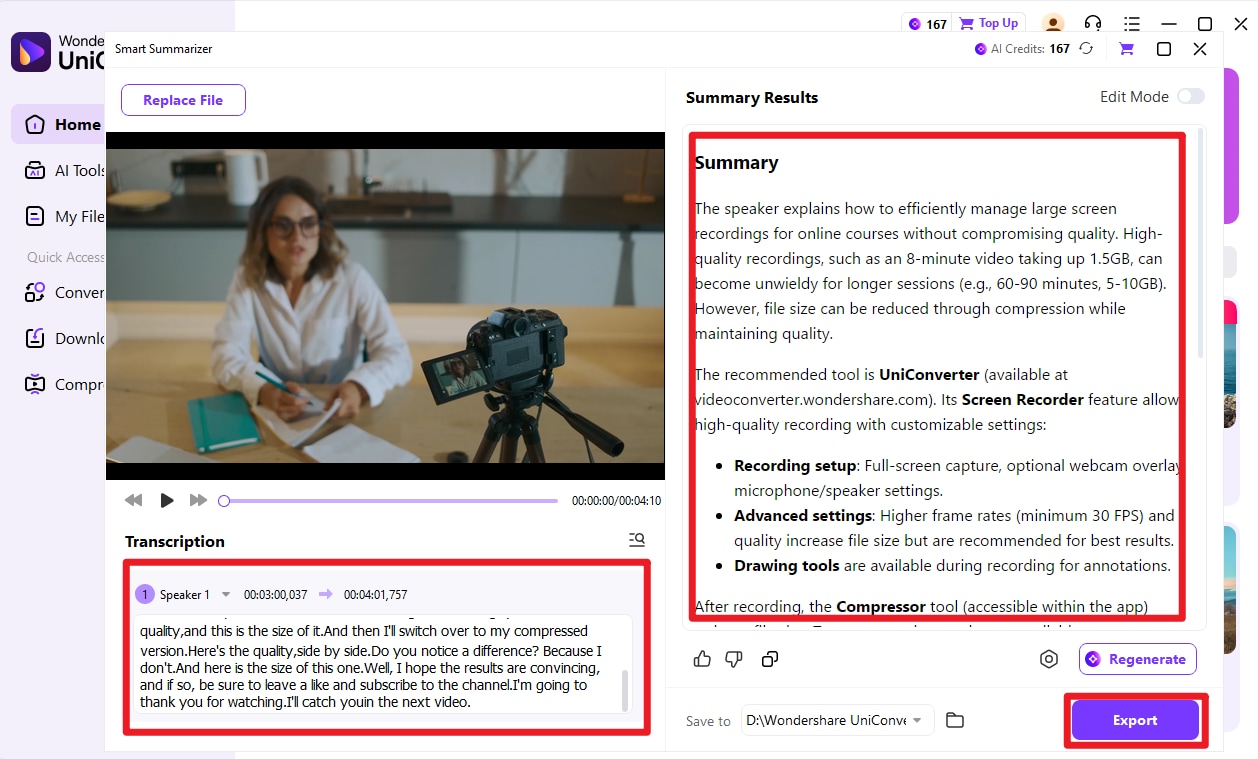
Review
"So far, I haven't found anything that I don't like, and that makes it hard to choose what I like best. I truly enjoy the ease of the screen capture function, which allows me to capture and use it in my presentations..." - Darryl D.
Easy to Use AI Lecture Transcriber & Summarizer
Part 3. Compatible AI Lecture Summarizer Online Web Tool
Best For: Generating concise study notes, flashcards, and quizzes from online lectures and videos.
Besides a desktop, if you want to opt for an online summarizing tool, Knowt is a great option. This tool allows uploading any video (including YouTube links) and receiving a concise summary of the content in seconds. It also provides an AI assistant to ask questions about the lecture and get instant responses about the content. Knowt automatically generates quizzes from summarized content, influencing active learning.
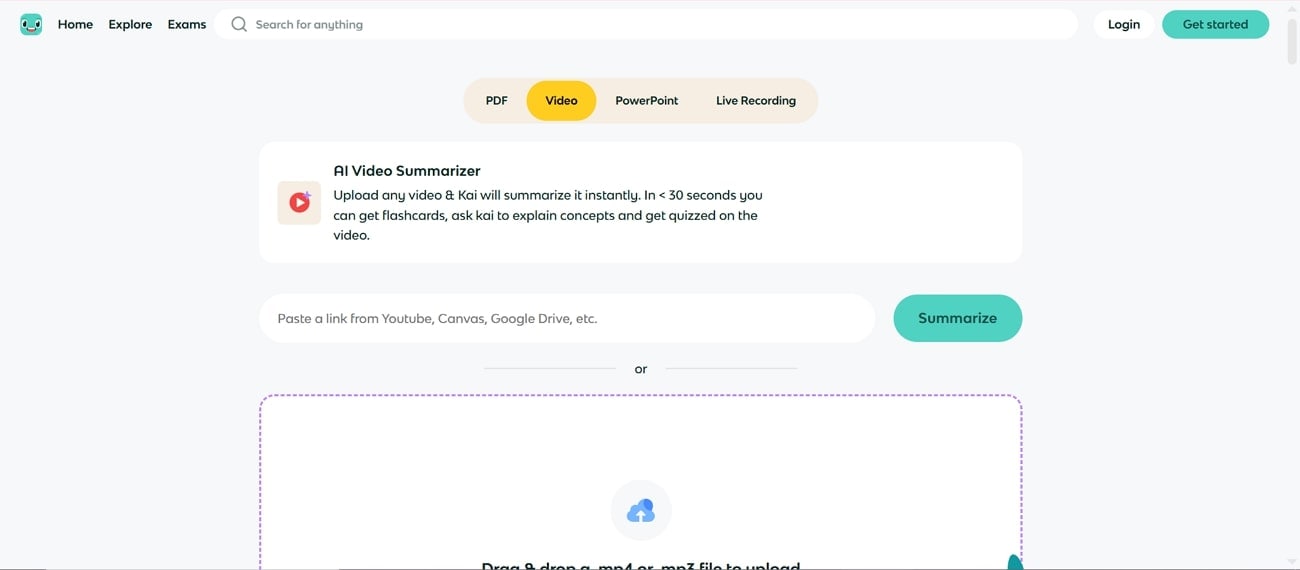
Detailed Guide to Summarize Text Using Knowt
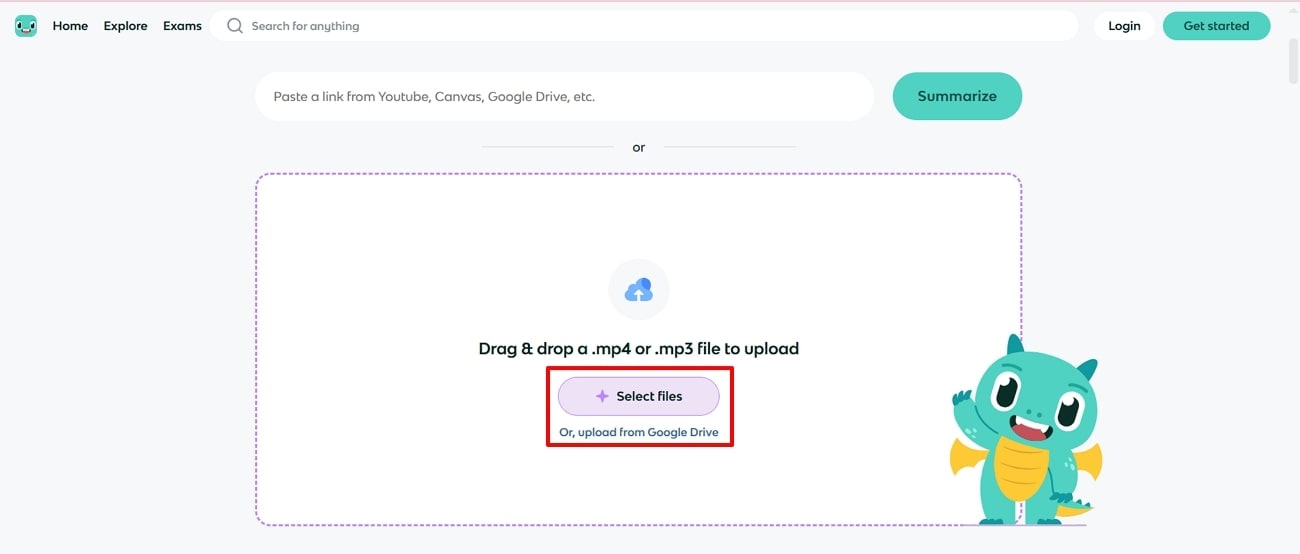
Step 1. Launch the tool and click on the "Drag and Drop a .MP4 or .MP3 File to Upload" to insert the desired video.
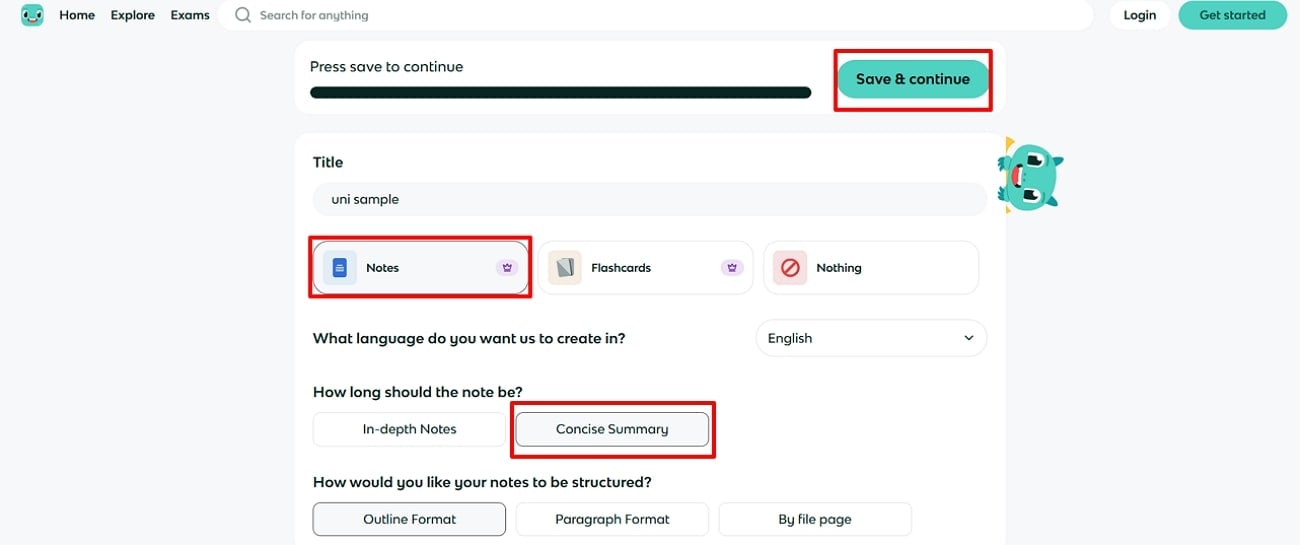
Step 2. Here, click on the desired settings and tap on the “Save and Continue” button to start the summarization process. After a while, it will show you the whole summary of the inserted video of tool.
Review
“Super positive experience using it. I love how you can import flashcard sets from Quizlet, and they manage the formatting very well. Free to use, which is a huge plus over Quizlet” - Eggg
Part 4. Easy to Use AI Lecture Summarizer Mobile App
Best For: Instantly summarizing meetings, lectures, and videos into actionable, searchable notes.
If you want to transcribe your lecture video instantly, know that you can also opt for mobile transcription apps like Notta [Android/iOS]. It lets you transcribe text by directly importing files, recording audio, or pasting online meeting URLs. Notta lets you transcribe live recordings and uploaded files instantly with outstanding accuracy. It is capable of transcribing audio into 58+ languages, making it ideal for multilingual users.
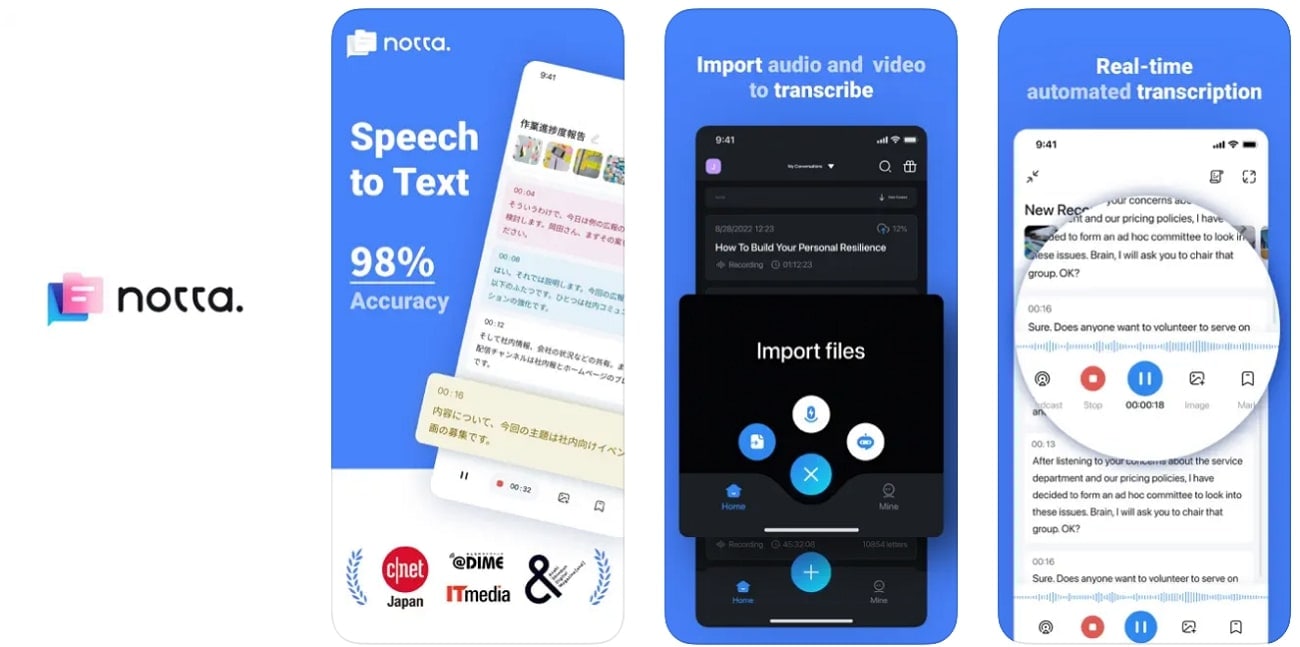
Expert Guide to Use Notta.AI Summarizer App
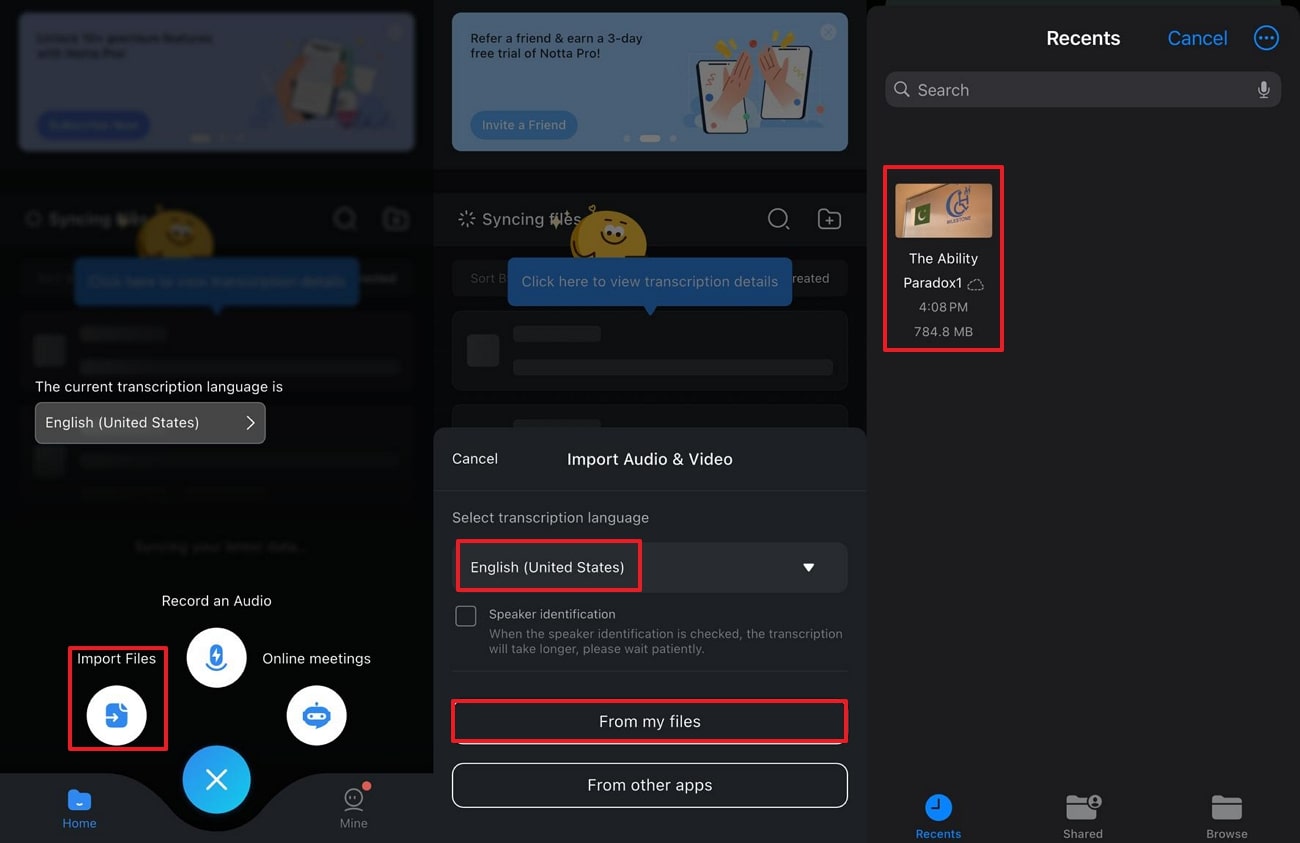
Step 1. At first, access the app, click on the "+" icon, and select the “Import Files” button. Then, choose the desired language, then tap “Select From Files”, and choose the desired video from drive.
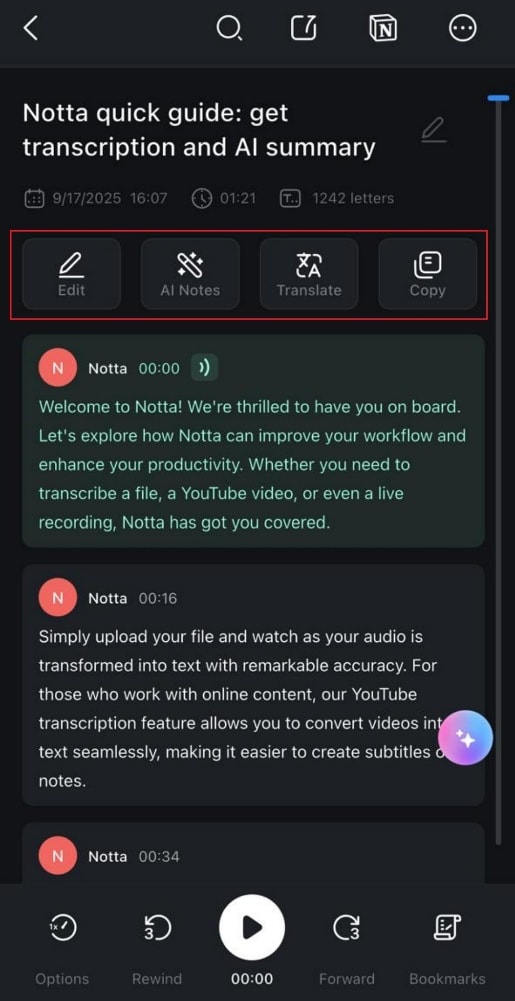
Step 2. As you import the file, it will provide you transcribed summary of the file that you can further edit or copy for later use.
Review
“It also offers automatic translation for meetings and audio or video files. Second, I enjoyed using Notta's mindmap feature.” -Aaron K.
Part 5. Lightweight AI Podcast Summarizer Extension
Best For: Summarizing YouTube and web videos in the browser with clear bullet points, mind maps, and interactive AI chat.
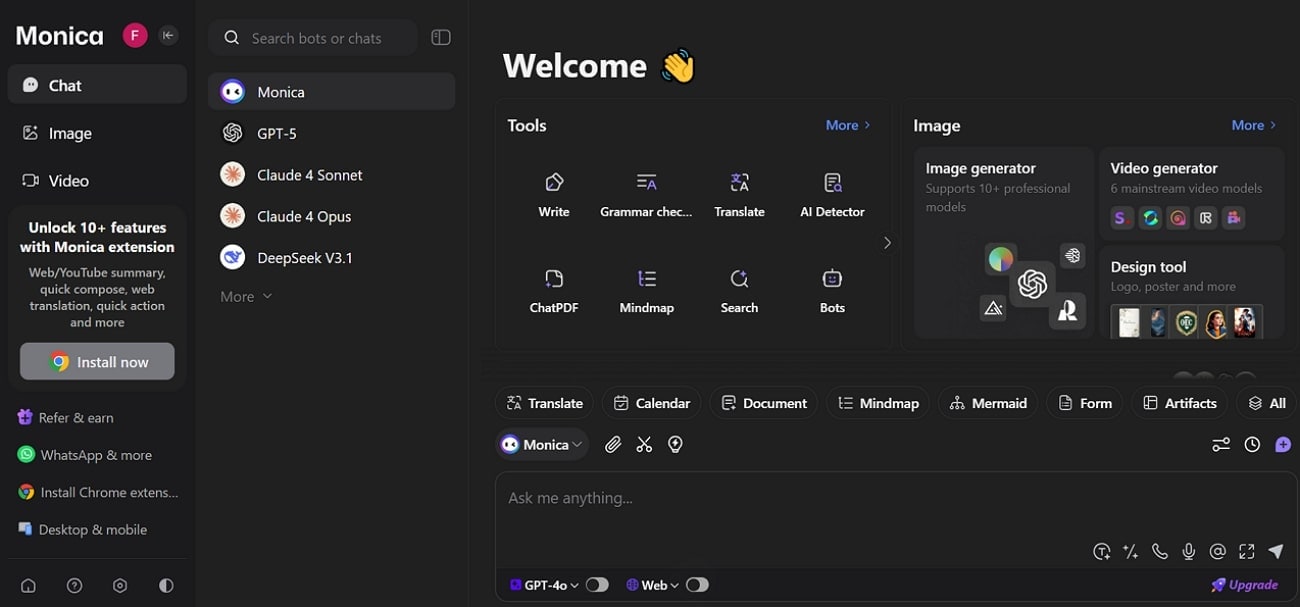
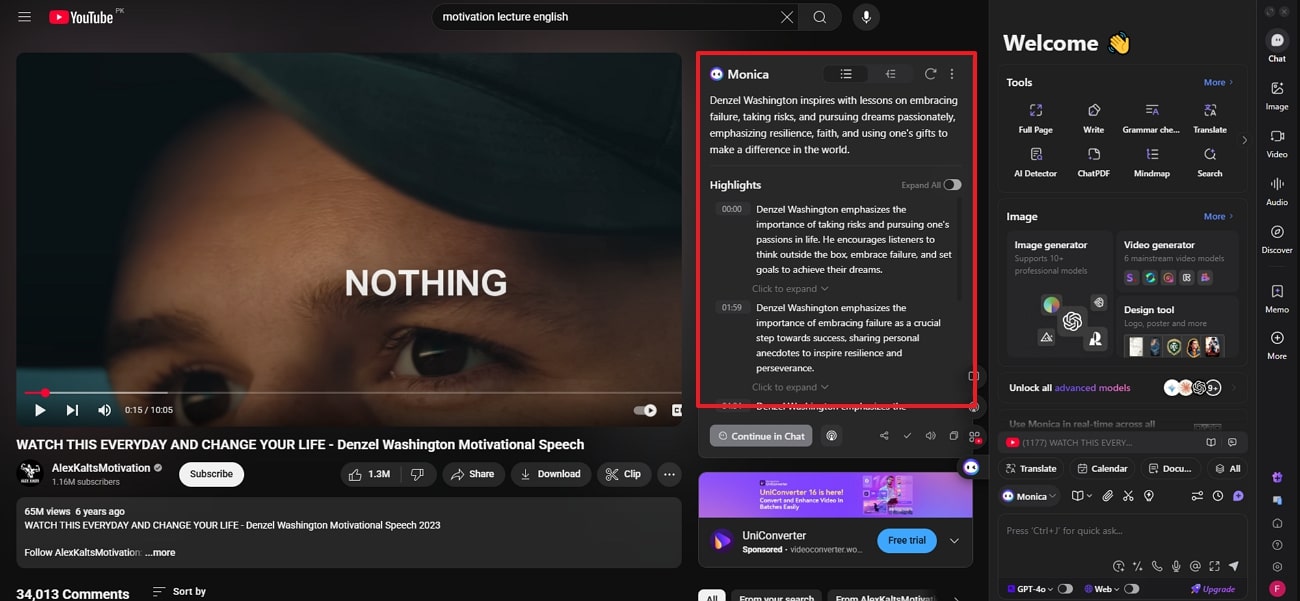
By using Google extensions like Monica, you can transcribe your videos in real-time. This tool generates concise summaries and key point highlights for YouTube and other online videos in seconds. It utilizes advanced models like GPT-4o, Claude 3, and Gemini 1.5 for accurate content analysis and natural language responses. Furthermore, Monica is capable of summarizing and translating videos in over 20 languages for global accessibility.
Expert Guide to Use Gemini Video Summarizer
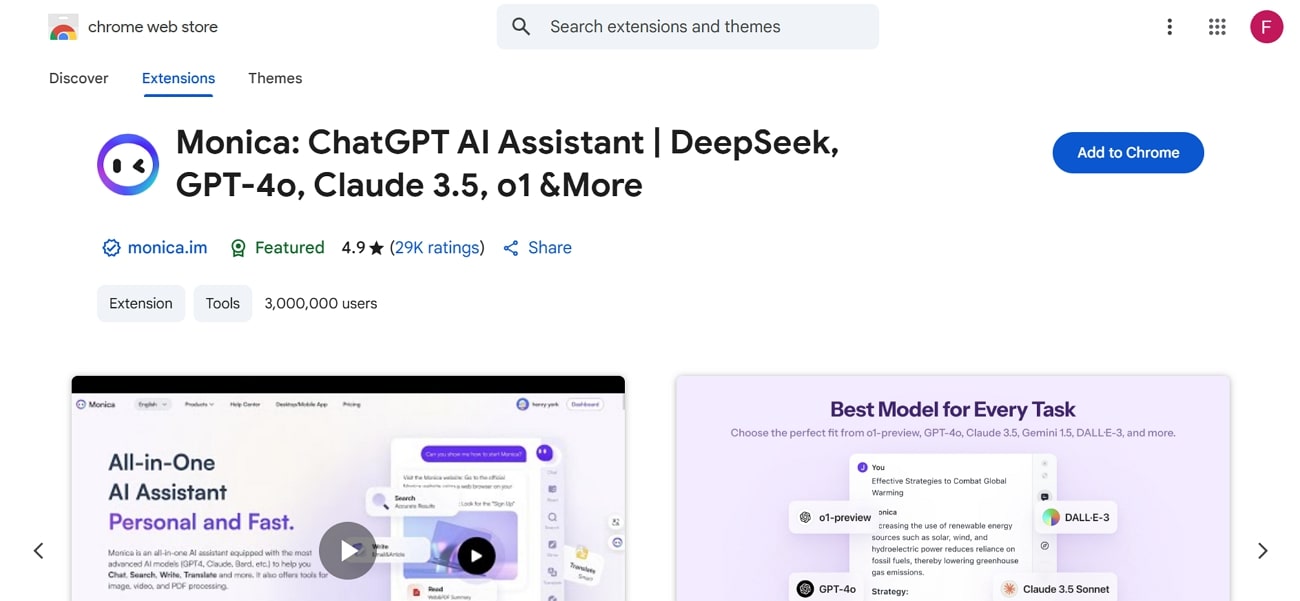
Step 1. Initiate by going to Google Chrome and adding Gemini by clicking the "Add to Chrome" button.
Step 2. Now, go to YouTube and open a video you want to transcribe, then enable the extension to start the transcribing process.
Review
“..I used to have the paid subscription, but it only gave me 200 prompts to use with the best models, which is the main reason someone will pay for it, but 200 prompts per month is very restrictive." -Laís Maranhão.
Easy to Use AI Lecture Transcriber & Summarizer
Conclusion
Summing up, anyone can transcribe their video to text by just inserting the desired video into the lecture note AI tool. For your ease, we have listed the best methods that you can utilize, including desktop, online, and web tools. However, if you want to transcribe all the videos simultaneously, then we recommend using UniConverter Video Summarizer, which lets you transcribe your text in more than 25+ languages.
Frequently Asked Questions
-
1. What formats do these AI summarizers support?
Most AI lecture summarizers process video, audio, and text formats and provide output in TXT, PDF, and DOCX files. Many modern tools also support direct uploads or pasted links such as YouTube URLs. -
2. How accurate are AI lecture summarizers?
Modern AI summarizers claim up to 99% accuracy in extracting key concepts. However, accuracy depends on audio quality, language, and the tool’s efficiency level. -
3. Are there usage limitations for free versions?
Yes, free versions usually allow summarizing only a limited number of lectures per month. They may also restrict access to full summary outputs or advanced features like downloads and customization. -
4. Can lectures in different languages be summarized?
Many AI lecture summarizers support multiple languages. In addition to summarization, some tools also provide translation features, allowing users to convert lecture content into other languages for easier understanding.

