

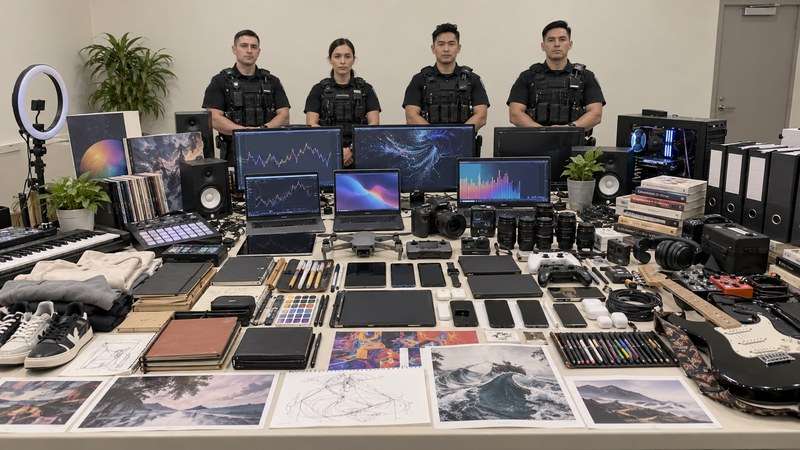
The joke is simple: a collection of hobbies is staged like a serious police evidence photo. One person's image might show cameras and books; another's might show running shoes and houseplants. This is an invented meme, not a real search, arrest, or assessment of the person.
In this article
Part 1. What Is the Viral ChatGPT Police Raid / Seized Items Trend?
People ask an image-capable AI to create a fictional police photo with officers standing behind supposedly seized items. The display is based either on information available to ChatGPT or on hobbies the user explicitly supplies. The humor comes from treating harmless objects—books, fitness gear, pet toys, or craft supplies—as though they were a major discovery.
Users call the format a ChatGPT police raid prompt, seized items prompt, house search image, or police evidence photo trend. The names are still evolving. None implies that the image documents an actual police event.
Part 2. Copy-and-Paste ChatGPT Seized Items Prompts
Choose how much personal context to include. The first prompt asks ChatGPT to use relevant information it has available. The second works in ChatGPT or another text-to-image generator because you supply all the objects yourself.
Personalized ChatGPT prompt
Create one fictional, humorous documentary-style photo. Four generic officers stand in a back row behind a long table densely covered with supposedly seized items, facing the camera as if posing for a press photo. Choose a dense but harmless collection of objects inspired by interests, hobbies, habits, or preferences I have shared with you. Make the visual joke specific, but do not suggest I committed a real crime. Do not include weapons, drugs, real police insignia, my face, name, address, workplace, school, family members, phone number, IDs, financial information, documents, or identifying text. If you lack reliable context, use generalized fictional hobby items. Use a straight-on wide news-photo composition in a bright, ordinary institutional room with a light neutral wall. Let the crowded tabletop fill the foreground and keep all four officers visible behind it.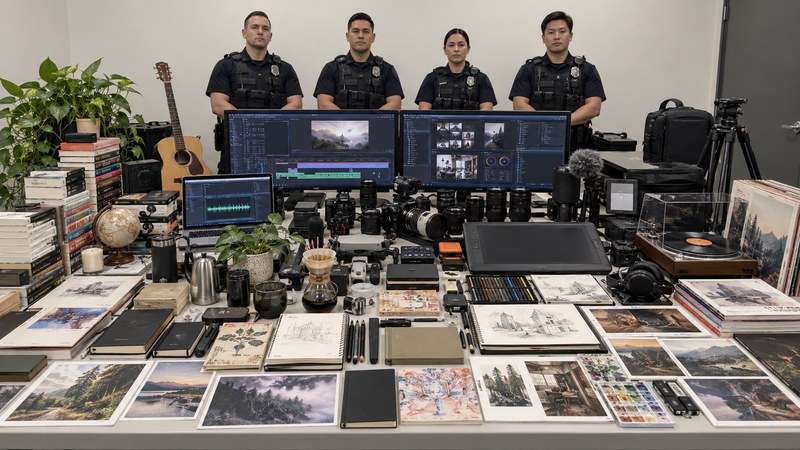
Privacy-safe prompt for ChatGPT or UniConverter
Create a clearly fictional, lighthearted press-display photo with four generic officers standing in the back row behind a long table densely filled with hobby objects. Base the dense but harmless collection of objects ONLY on these interests I provide now: [INSERT THREE TO FIVE HOBBIES]. Do not use earlier chats, memories, inferred location, family details, workplace information, or personal identifiers. Invent generalized props rather than reproducing my real possessions. Include no weapons, drugs, real agency marks, names, addresses, documents, readable private information, or implication of an actual crime. Use a wide, front-facing news-photo composition in a bright, ordinary institutional room with a light neutral wall. Fill the long tabletop with many variations of the supplied hobby items, keep all four officers visible behind it, and keep any text minimal.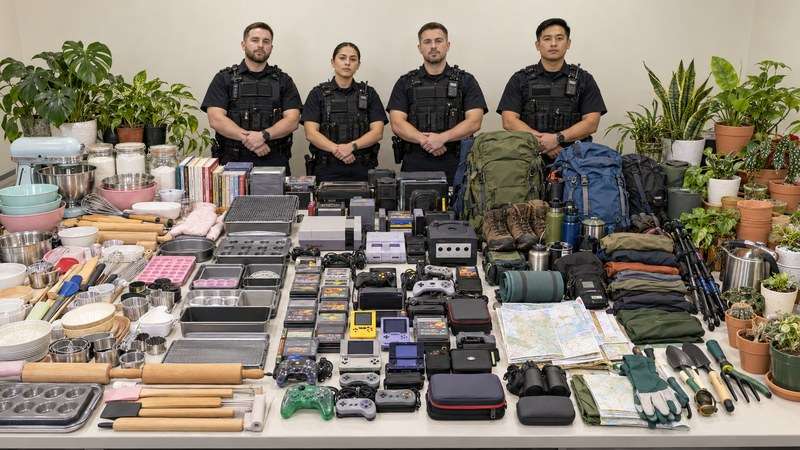
Part 3. How to Make the Police Raid AI Image with UniConverter
UniConverter supports text-to-image generation both online and in its desktop Image Generator. This makes it a direct way to create the fictional scene when you know which interests should appear. Choose the browser route for a quick text-only image. Choose the desktop app if you want the Image Generator workspace and its available output settings; a reference photo is optional and unnecessary for a generic hobby display.
| Route | Starting point | Best use here |
| Online | AI Image Generator, then Add Text | Generate a fictional scene from the privacy-safe prompt in a browser. |
| Desktop | Home → Image → Image Generator | Enter the same prompt, choose available output options, and review the result in the app. |
Option A: Create from text with UniConverter Online
Open the UniConverter AI Image Generator. The current online interface shown in the related UniConverter guide begins with Add Text.
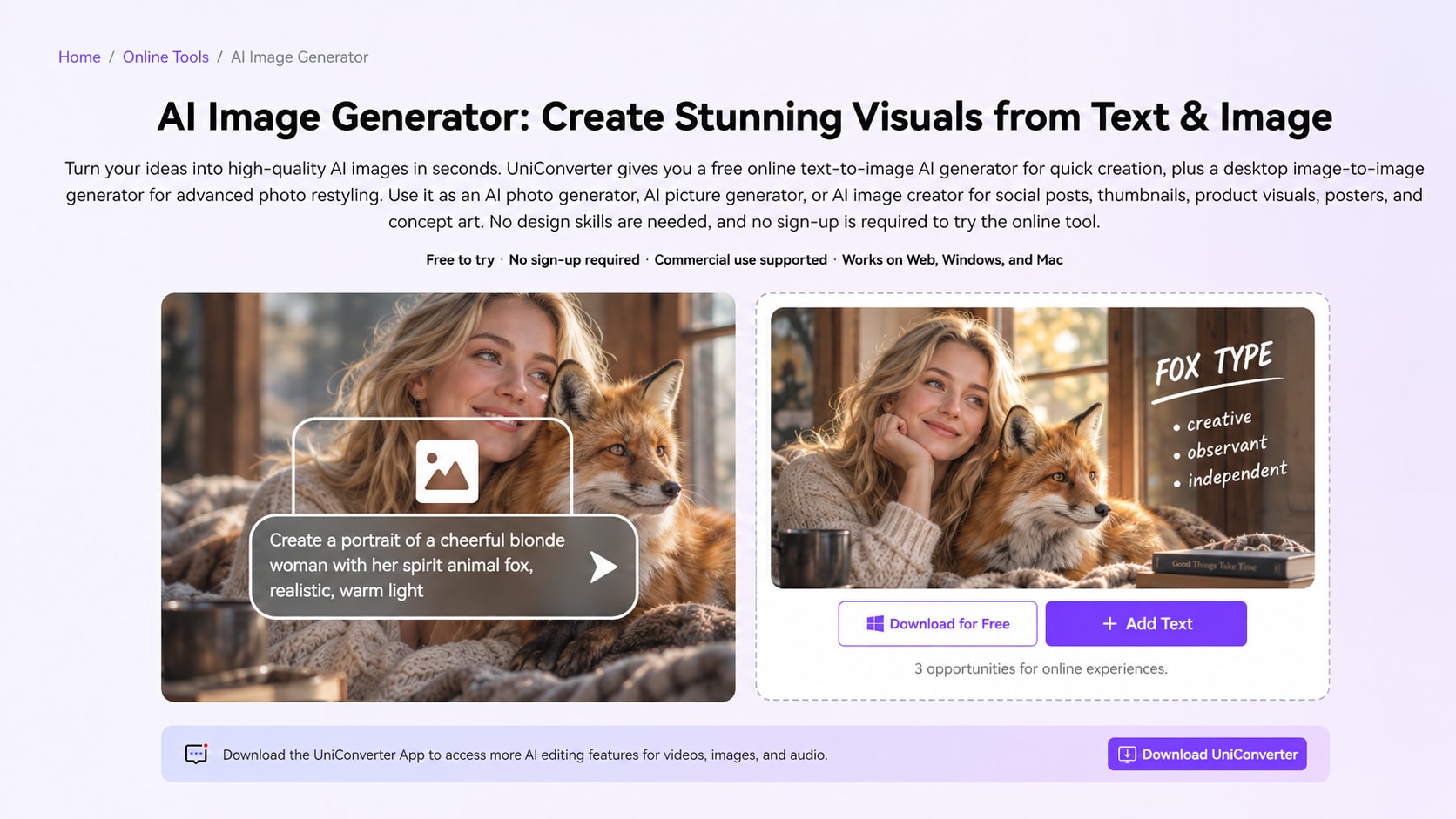
- Open the online generator and select Add Text. Start a new text-based image rather than uploading a personal photo.
- Enter the privacy-safe prompt. Replace the bracketed interests with three to five hobbies. Name a generous spread of recognizable props, the officers' position, lighting, and the wide evidence-table composition.
- Generate and inspect the scene. Check the current tool panel for the available format and account options. Download only after reviewing small text, objects, and background clues. If something is wrong, refine the prompt and generate another version.
Option B: Create it in UniConverter Desktop Image Generator
Step 1. Open Image Generator. Launch UniConverter. From Home, choose the Image category and open Image Generator.
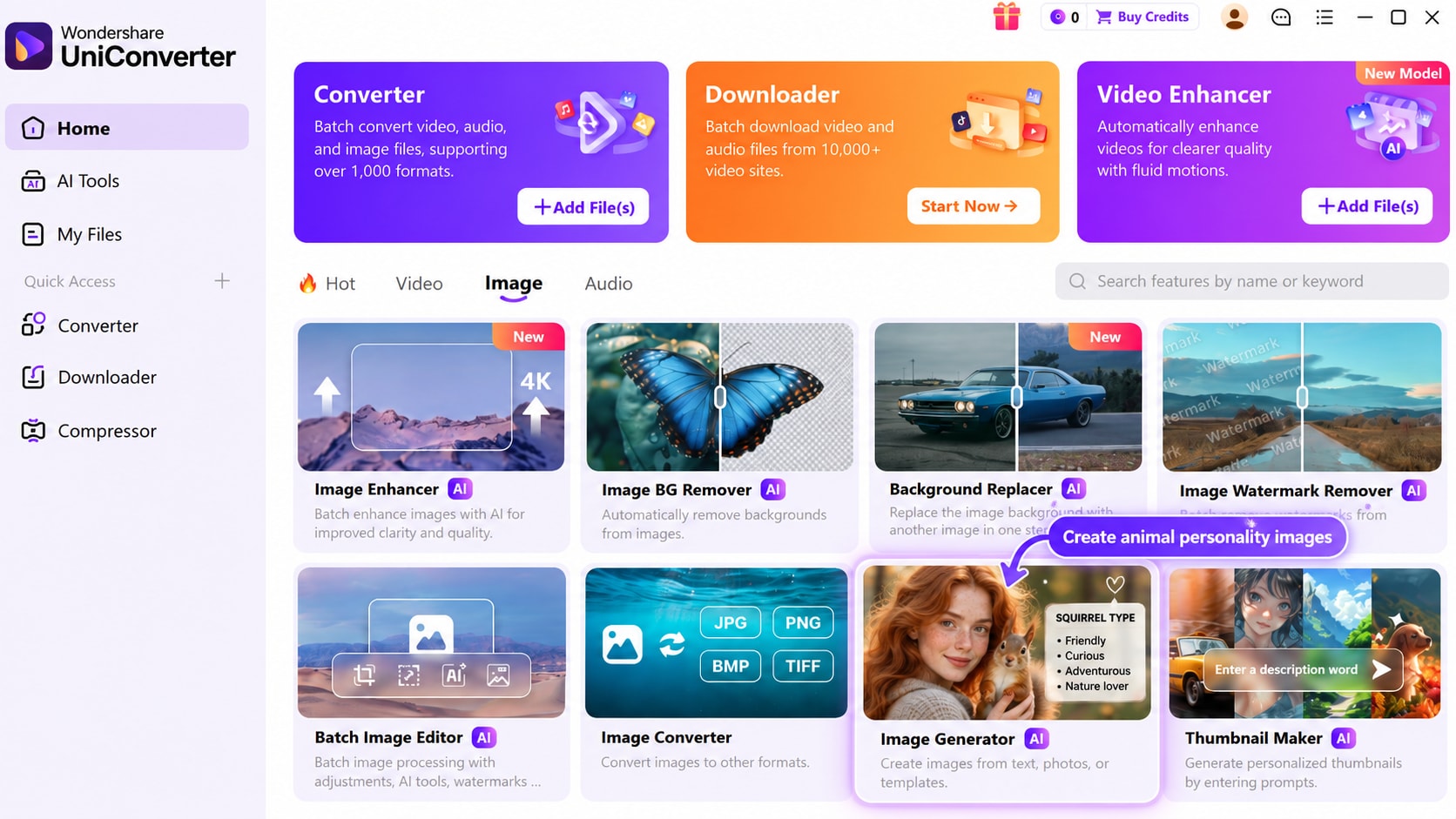
Step 2. Enter the prompt and choose output settings. In Image Generator, enter the privacy-safe scene description in the field labeled Describe what you want to generate. Choose a model and the available aspect-ratio and resolution options. A wide ratio gives the table room; a vertical ratio can suit a social story. Leave the reference-image area empty for a text-only scene. Model names and output options may change with updates.
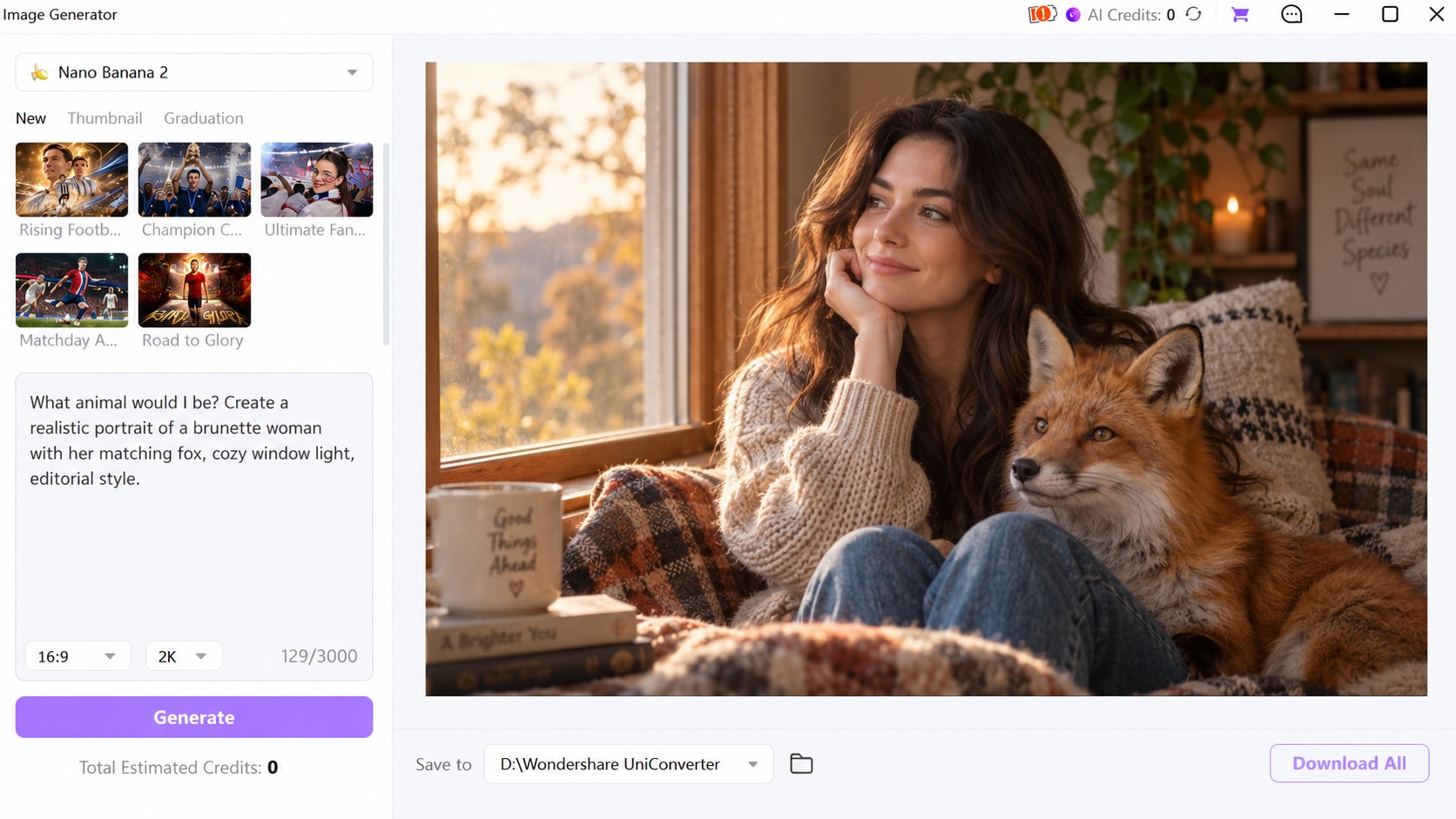
Step 3. Generate, review, and save. Choose the available output location, click Generate, and inspect the finished image at full size. The referenced desktop interface includes Download All for saving the result. If the model invents a name, an unwanted object, or an allegation, change the prompt and generate another image before sharing.
Create Your Fictional Seized-Items Photo
Part 4. Prompt Variations and Better Results
Change the object list while keeping the scene and privacy limits consistent:
- Gamer: controllers, headset stands, game cases, and an absurd knot of charging cables.
- Fitness fan: running shoes, resistance bands, shakers, and too many water bottles.
- Photographer: cameras, tripods, memory cards, and a comical pile of lens caps.
- Book lover: annotated novels, bookmarks, reading lamps, and a towering unread pile.
- Pet owner: toys, leashes, and treat jars, without real pets or identifying tags.
- Retro version: keep the hobby objects but request the look of a staged old newspaper photograph without real agency insignia.
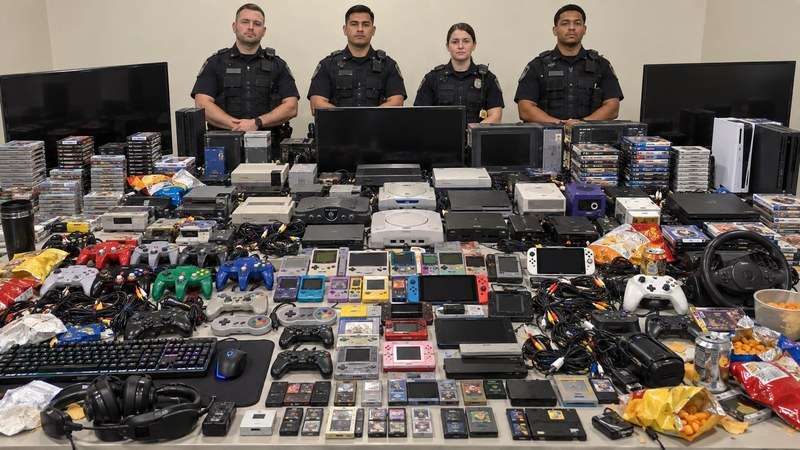
For a more deliberate joke, specify an object count and a contradiction: “Treat my twelve houseplant watering cans as the dramatic discovery.” For a cleaner image, ask for minimal text and keep the main display unobstructed. If the first result combines contradictory instructions, start a new generation with a shorter prompt.
Part 5. Why Are Some Items Wrong, and What Should You Check Before Posting?
An unexpected object is not evidence that ChatGPT knows a hidden fact about you. It might use relevant available conversation context, infer a loose association, or simply invent a plausible prop. Asking about an item once does not mean you own it. UniConverter likewise generates an interpretation of the text you supply; it cannot verify your possessions.
Depending on settings, ChatGPT may reference saved memories or past conversations for personalization. OpenAI explains this in its memory guidance. If you want a controlled ChatGPT version, provide only a short hobby list and request no prior context. OpenAI's current Temporary Chat guidance also distinguishes Personalized and Unpersonalized options chosen before a temporary chat begins. A fresh ordinary chat alone should not be treated as a guarantee that personalization is off.
Pre-post checklist:
- Zoom in on names, IDs, letters, receipts, phone screens, and generated labels.
- Check faces, family references, children, pet tags, schools, workplaces, addresses, and location clues.
- Look for distinctive belongings or invented text implying real wrongdoing.
- Regenerate or remove sensitive details, then inspect the saved copy again.
- Caption the post as an AI-generated fictional meme so it is not mistaken for a real police photo.
If you used a reference photo, review what it reveals before uploading or posting the output. A text-only hobby prompt usually gives this meme enough specificity without a personal photograph.
FAQs About the ChatGPT Seized Items Trend
-
What is the ChatGPT seized items prompt?
It asks an image-capable AI to create a fictional police-style display of objects associated with someone's interests. The scene is a visual joke, not actual evidence. -
What is the ChatGPT police raid trend?
It is the same broad image format often called the seized-items or house-search trend: ordinary belongings are staged as a dramatic fictional police photo. -
How do I make the police raid AI image?
Use the prompt above in ChatGPT or enter the interests-only version into UniConverter's Online or desktop Image Generator. Specify the harmless props, generate, refine, and check the result. -
Can UniConverter generate this image from text?
Yes. UniConverter's online AI Image Generator and desktop Image Generator support text-to-image creation. Supply the scene and hobbies in your prompt; UniConverter does not read your ChatGPT history. -
Why does ChatGPT seem to know what items to include?
It may use information available in the conversation and, depending on settings, relevant memory or chat history. It may also guess or invent items. -
Can private information appear in the picture?
It can. Check names, screens, documents, signs, family references, and distinctive possessions throughout the image before sharing. -
How do I avoid using previous chats for this trend?
Provide only the hobbies you choose, ask for no previous context, and check available personalization controls. Where offered, choose Unpersonalized before starting a Temporary Chat. -
Why are some seized items completely wrong?
An AI image generator creates a plausible scene rather than a verified inventory of your life. It can make weak associations and invent props. -
Is the ChatGPT police raid image real?
No. Images made for this meme are fictional AI-generated scenes and should not be presented as records of an actual search or wrongdoing. -
What should I check before posting?
Inspect small labels, screens, documents, faces, names, workplace and location clues, and any wording that makes an invented accusation seem factual.

