

Getty Images is one of the largest stock photo platforms on the internet, and demand for its high-quality content among designers, bloggers, digital marketers, and students remains very high. You’ll find dozens of Getty Image Downloaders, but downloading images from the platform without a proper license can violate copyright laws, especially for commercial use.
So, if you plan to publish, sell, or publicly distribute Getty images, this guide covers the legal ways to download from Getty Images. You’ll also learn how to enhance images after download by using image enhancers like Wondershare UniConverter.
Note: All resources and content mentioned in this article, are sourced from publicly available internet resources. This article aims to provide users with information and references and does not imply endorsement or promotion of any specific website or download method. We are not responsible for the legality, accuracy, completeness, or reliability of any third-party websites or resources.

Enhance Getty Images to 4K Quality with UniConverter
In this article
- Part 1. Understanding Getty Images Licensing & Legal Download Options
- Part 2. Popular Free Getty Images Downloader Tools (Use Responsibly)
- Part 3. How to Legally Download Getty Images Without Watermark (Step-by-Step)
- Part 4. How to Enhance or Upscale Getty Images with UniConverter
- Part 5. Copyright & Legal Considerations To Download From Getty Images
- FAQs about Getty Images Downloader
Key Takeaways
Getty Images protects its content through licensing and punishes any unauthorized use.
The legal ways to download from Getty Images include licensing, using the embed feature, or its Open Content Program.
You can use Wondershare UniConverter to upscale your low-quality downloaded images in your desired formats in batches.
Part 1. Understanding Getty Images Licensing & Legal Download Options
Getty Images’ huge selection of premium-quality images explains why searches for keywords like “Getty Images downloader” or “download from Getty Images” are quite high. Getty Images operates on a paid licensing model, and you must purchase an image or video license for most commercial purposes.
You can try out the available Getty Images downloaders to download images and videos for personal research. However, most fail to export the Getty content without watermarks due to the strict platform policy against unauthorized use.
Other than heavily watermarked images, Getty Images uses layered protection through dynamic image loading, preview-only rendering, and segmented image delivery.
Getty actively monitors how the content is used, and using watermarked images without a license can result in hefty fines, legal notices, and takedown requests.
However, if the plan is to use the Getty Images for research, teaching, and practice of art and art history, the Getty makes high-resolution image collections available for free through its Open Content Program.
Part 2. Popular Free Getty Images Downloader Tools (Use Responsibly)
Many online downloaders provide free access to Getty Images’ photo and video, but using watermarked content without a license may violate the platform’s terms of service. Only use these downloaders to preview content, for personal research, and media boards. The legal rule applies to both images and videos.
Online Getty Images Downloaders Overview
Before you dig deep into the best Getty images downloaders, here’s a tabular comparison to provide you with an idea of what each has to offer:
| Tool | Image Quality | Video Support | Watermark-Free | Best For |
| Experts Tool | 4K/Original | Yes | Yes for Image | Quick downloads without sign up |
| Fetchpik Downloader | 4K/Original | Yes | Yes | Fast Getty images and video downloads |
| StepToDown | 2K/Original | Yes | Yes | Fast, simple online downloading |
| Gettyimages Downloader | 4K/Original | No | Yes | Image-only Getty downloads |
| Downloader.la | 4K/Original | No | Yes | Multi-platform image downloads |
1. Experts Tool
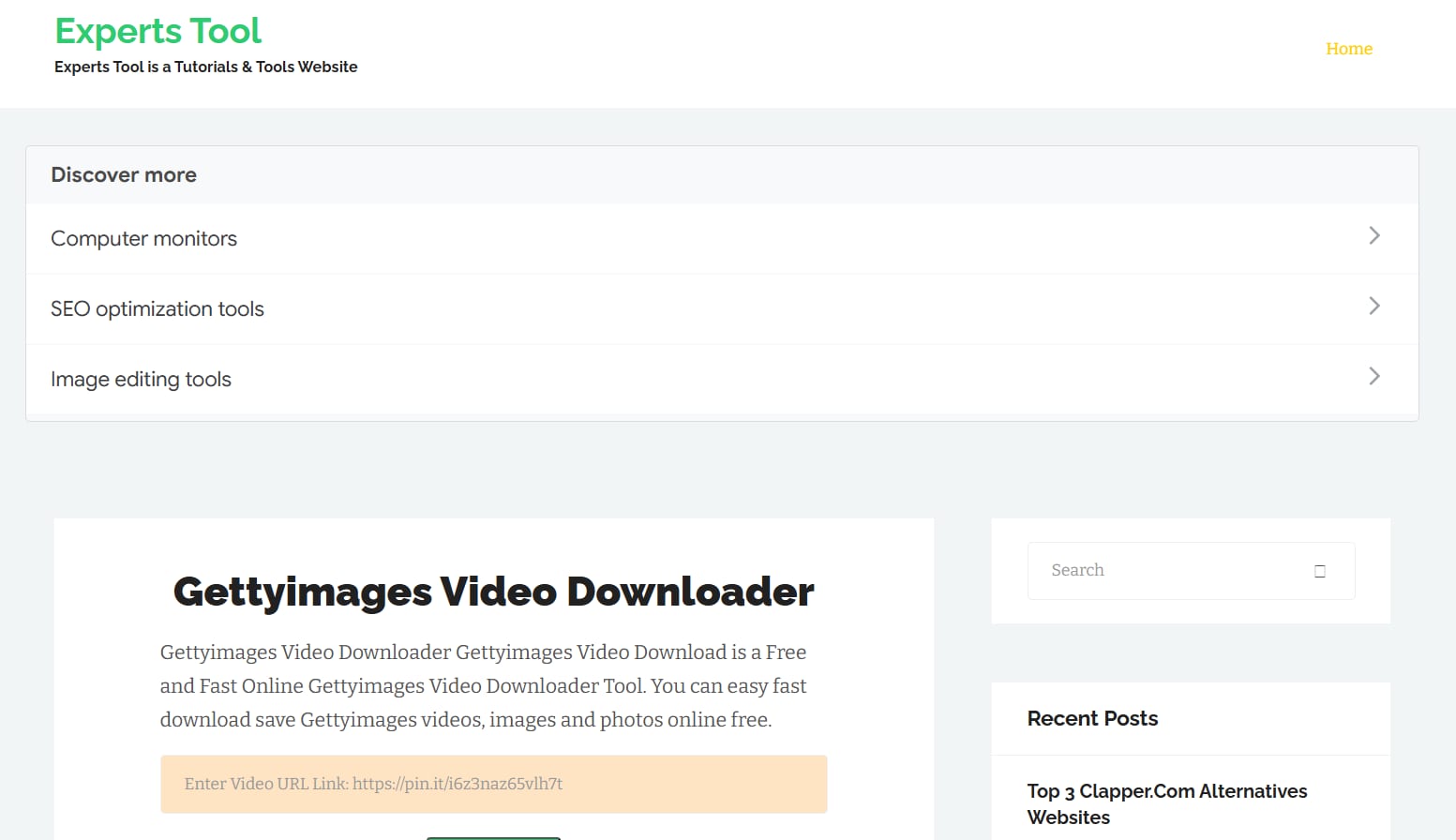
Experts Tool is a popular Getty Images video downloader that balances functionality with simplicity. It doesn’t require a login, supports high-quality image downloads (up to 4K), and works on other platforms like Dailyhunt, Shutterstock, Dreamsite, and Adobe Stock Video.
Key Features
- Experts Tool also provides image compression, calculator tools, and number generator tools.
- Download videos and images from plenty of websites.
- Experts Tool is optimized for high-speed downloads.
Image Quality Available: High-resolution, original-sized images.
Video support: Yes, up to 1080p.
Best Use Case: Downloading HD images and 1080p videos from Getty Images and other media-hosting platforms.
2. Fetchpik Downloader
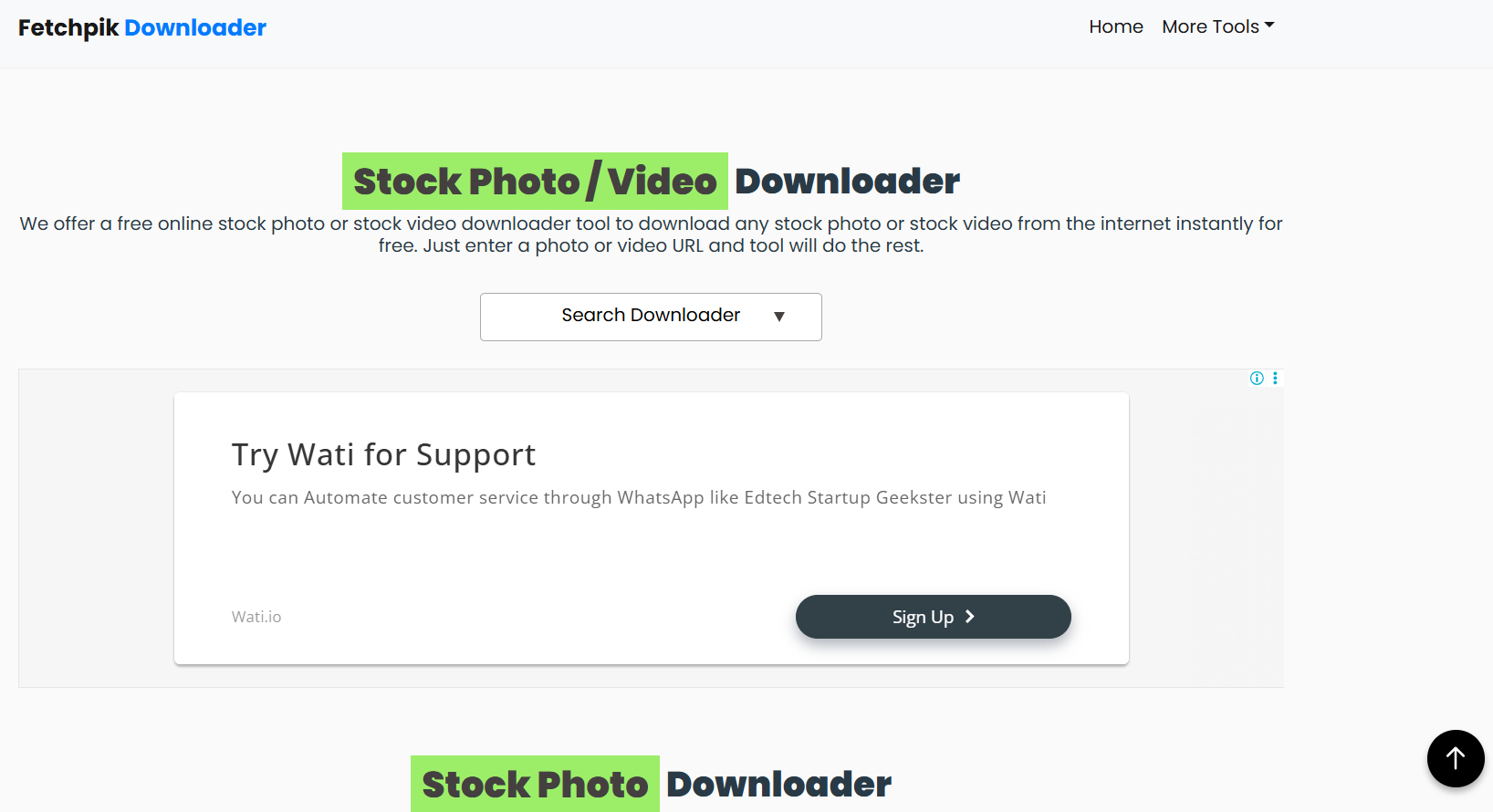
Fetchpik Downloader offers a straightforward copy-and-paste interface for downloading high-quality images and videos from Getty Images for free. Similar to Experts Tool, Fetchpik Downloader supports multiple formats (JPG, PNG, and MP4) and provides thumbnail previews to help you download the right image or video.
Key Features
- Fetchpik Downloader can download watermark-free images from Getty without a license.
- Hosts several AI tools, including filter effects, background removers, image enhancers, and more.
- Supports image and video downloads from hundreds of websites.
Image Quality Available: Up to 4K, original-sized image
Video support: Yes, up to 1080p
Best Use Case: Lightweight, web-based tool to download 4K Getty images without a watermark.
3. StepToDown
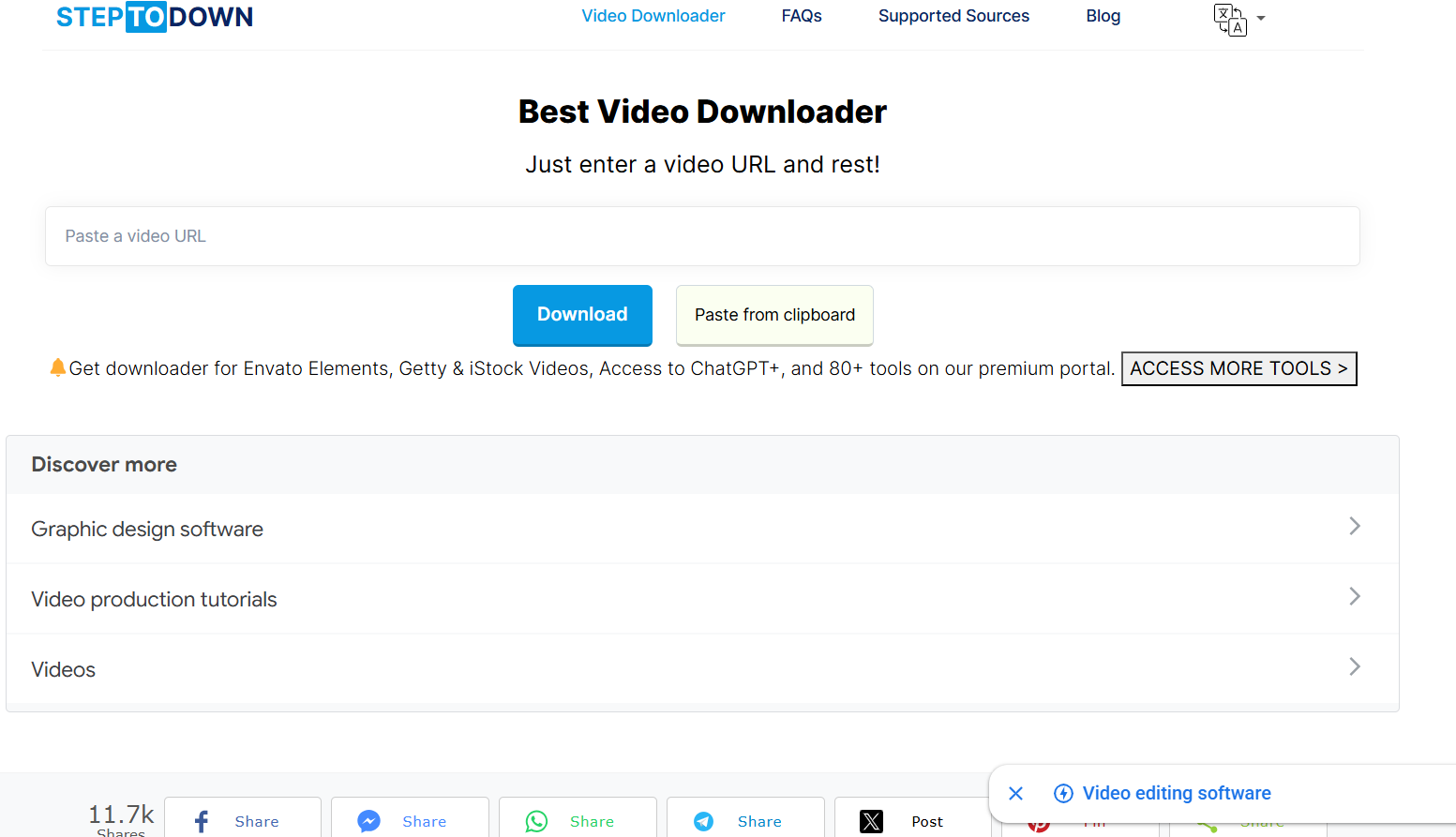
StepToDown is another Getty Images video downloader that lets you download high-quality images or videos with a few clicks. Unlike most online downloaders, StepToDown supports bulk image downloads from Getty and other platforms like Shutterstock, Freepik, and more. Also, compared to Fetchpik Downloader, the online downloader has fewer ads.
Key Features
- StepToDown supports bulk download of images.
- Supports downloads in multiple formats like MP4, MP3, JPEG, PNG, and GIF.
- StepToDown is compatible with most devices, such as Android, iOS, Windows, and Macs.
Image Quality Available: Up to 2K, original-sized image
Video support: Yes, up to 1080p
Best Use Case: Users who want to download multiple Getty images at once without installing software.
4. Gettyimages Downloader
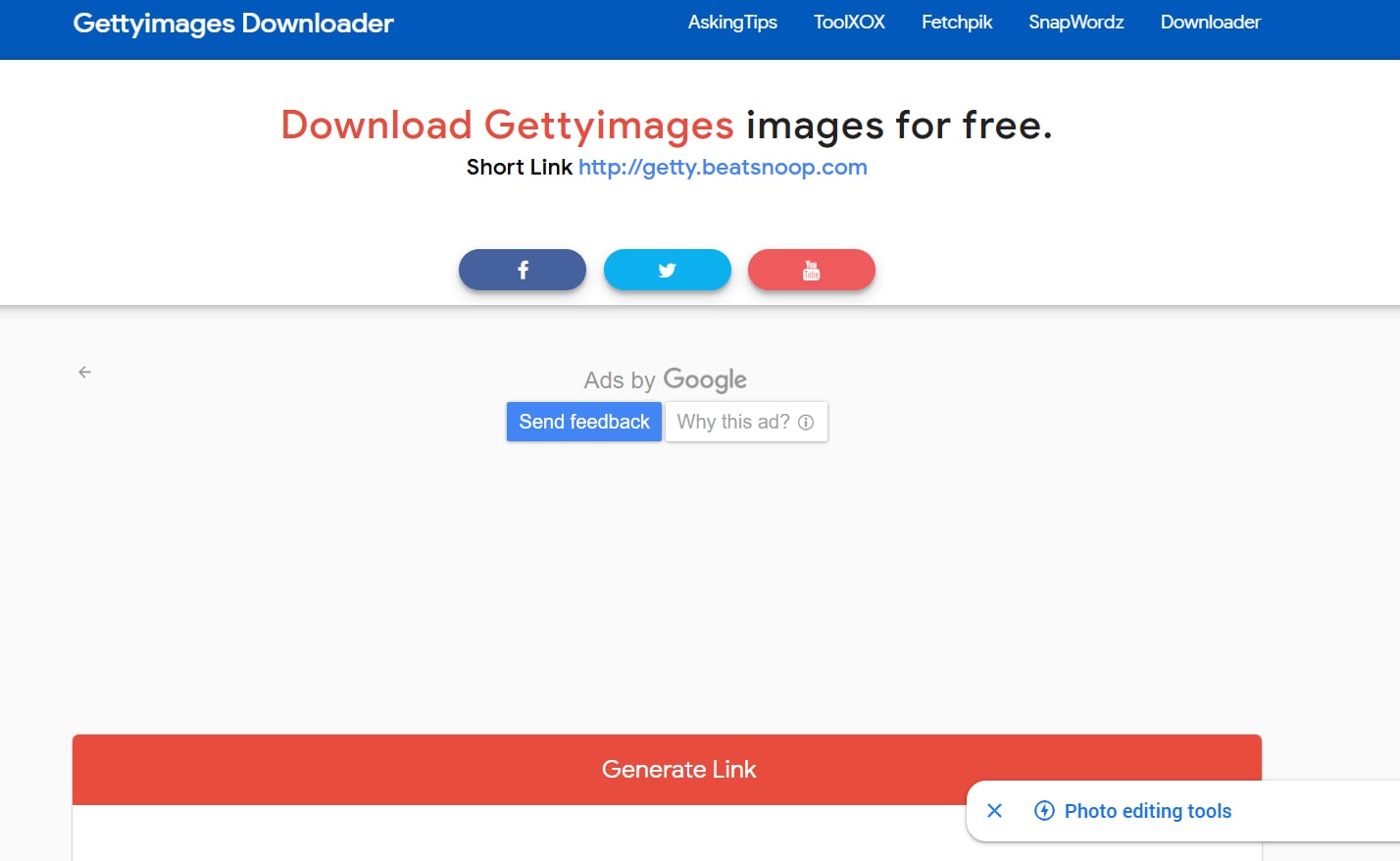
Gettyimages Downloader is an image-only downloader that lets you quickly preview images in full resolution or 4K. It has a simple copy-and-paste interface, and its outputs are watermark-free. Besides, downloads are fast, and Gettyimages Downloader works with almost every web browser, including Chrome, Firefox, Opera, Safari, and more.
Key Features
- Gettyimages Downloader supports fast and watermark-free image downloads.
- The downloader is available for the most popular operating systems, such as macOS, Windows, and Linux.
- Gettyimages Downloader offers unlimited, free downloads.
Image Quality Available: Up to 4K, original-sized image
Video support: No
Best Use Case: One-click high-quality licensed stock images and vector downloader from Getty Images for personal reference.
5. Downloader.la
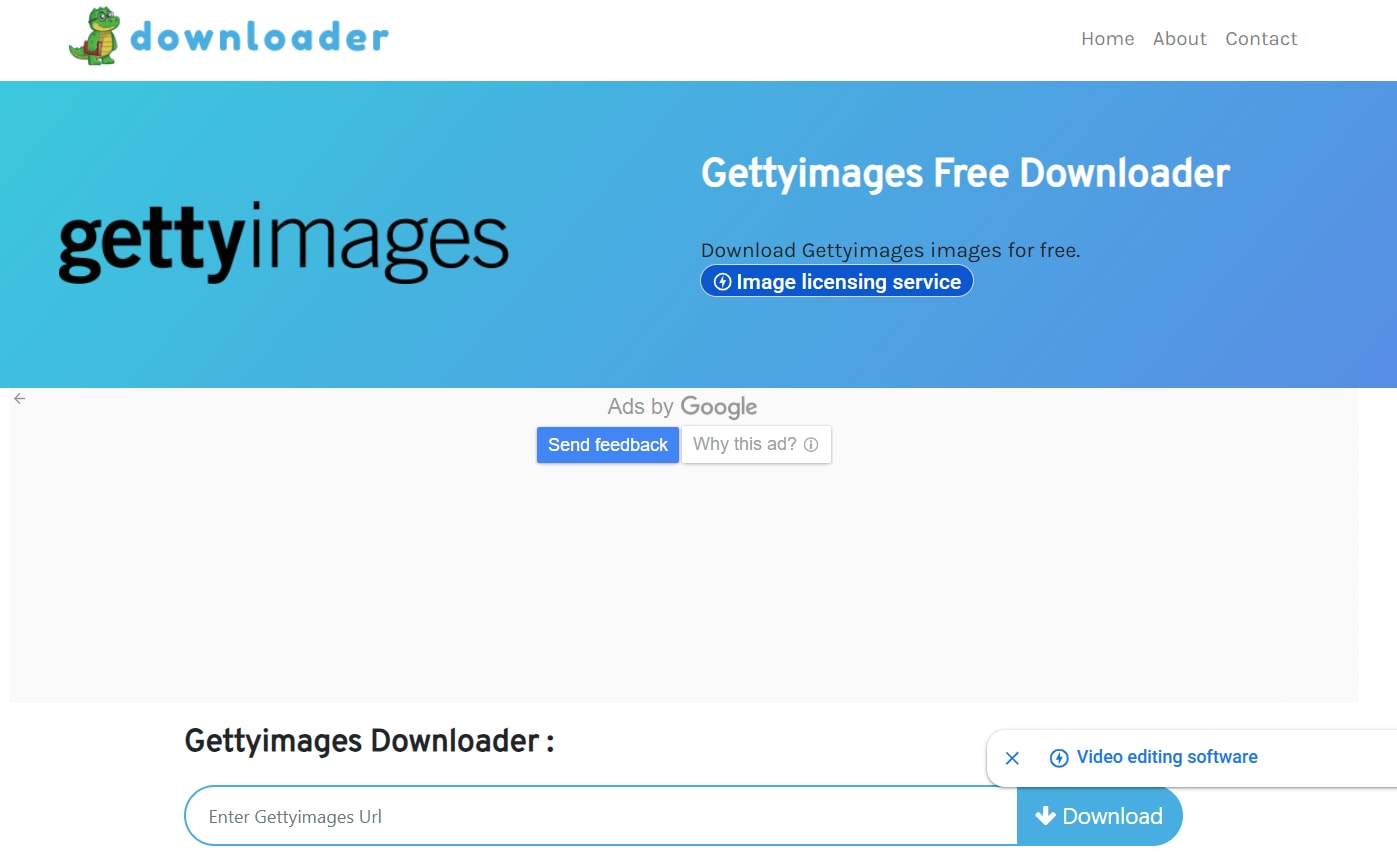
Downloader.la is a Getty Images downloader that provides quick, simple access to premium Getty Images content. The downloader supports high-quality downloads (up to 4K) without any logos or watermarks. Also, Downloader.la offers a cleaner UI and smoother navigation, with minimal ads.
Key Features
- Downloader.la supports high-quality image downloads from platforms such as Shutterstock, Adobe Stock, Alamy, and more.
- There is a free online image editor that adds effects, edit and adjusts your images.
- Downloader.la offers fast downloads.
Image Quality Available: Up to 4K, original-sized image
Video support: No
Best Use Case: Users who want to download high-quality images quickly from Getty and 30+ different stock photo sites and social media platforms.
Disclaimer: Downloaders such as Gettyimages Downloader and Fetchpik Downloader produce watermark-free output, but using the Getty images commercially without a license is illegal and violates copyright law. Unauthorized downloads can lead to huge penalties and lawsuits, so it’s crucial to stay careful and avoid downloading Getty images or videos without license.
Limitations of Getty Images Downloader Tools (Images & Videos)
The Getty downloaders may seem like a great way to download premium, licensed images and videos for free, but these have a few limitations. These are explained as follows:
- Legal Limitations: Using an image or video for internal research is completely different from publishing it on social media or a website and monetizing it. Even downloading media files from Getty without a license can violate the copyright laws. Getty actively monitors the use of the stock images/videos, and any unauthorized use can lead to penalties, a ban, or other legal consequences.
- Quality Limitations: Most online downloaders claim to support downloads of 4K images, but these claims are almost always exaggerated or fake. The preview quality often maxes out at 1080p. Not only images, but the video quality is capped at 1080p, compared to licensed 4K or 8K options.
- Watermark Issues: Getty Images adds watermarks to every image and video it hosts to prevent unauthorized use without a license. Some tools claim to remove watermarks, but doing so isn’t legal and may constitute a copyright violation. Regardless, the online Getty Images watermark remover may not work well with videos and leaves a blurry patch.
- Practical Constraints: Beyond legal limitations, there are practical constraints with online Getty Images downloaders. For one, although online downloaders like Downloader.la claim faster downloads, they struggle with longer videos. The downloaders often fail during downloads or are unable to parse URLs, and most don’t support batch video downloads, with format support limited to MP4.
Given the legal risks and limitations of using online downloaders, most users might find value in licensing and using free, official ways to use Getty Images’ content. This is especially true for video projects, where online downloaders degrade quality and pose legal risks.
Enhance Getty Images to 4K Quality with UniConverter
Part 3. How to Legally Download Getty Images Without Watermark (Step-by-Step)
Method 1: Purchase Getty Images License
The best and legal way to download Getty Images is to purchase the license from the creator, and the steps are as follows:
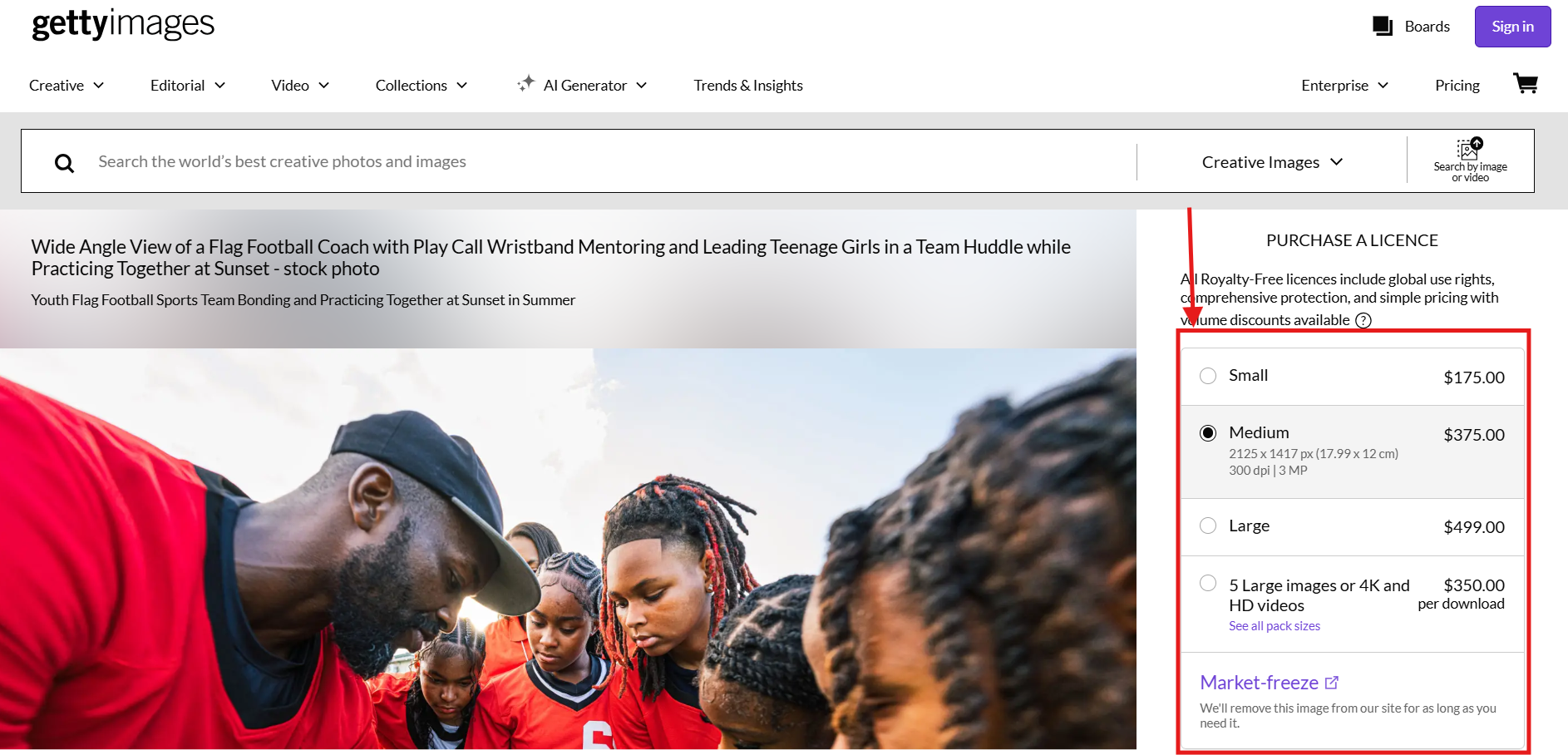
Step 1: Find and access the image or video you want to download. Now, select the license type (Royalty-free or Rights-managed) and size. The cost of purchasing the license will vary accordingly.
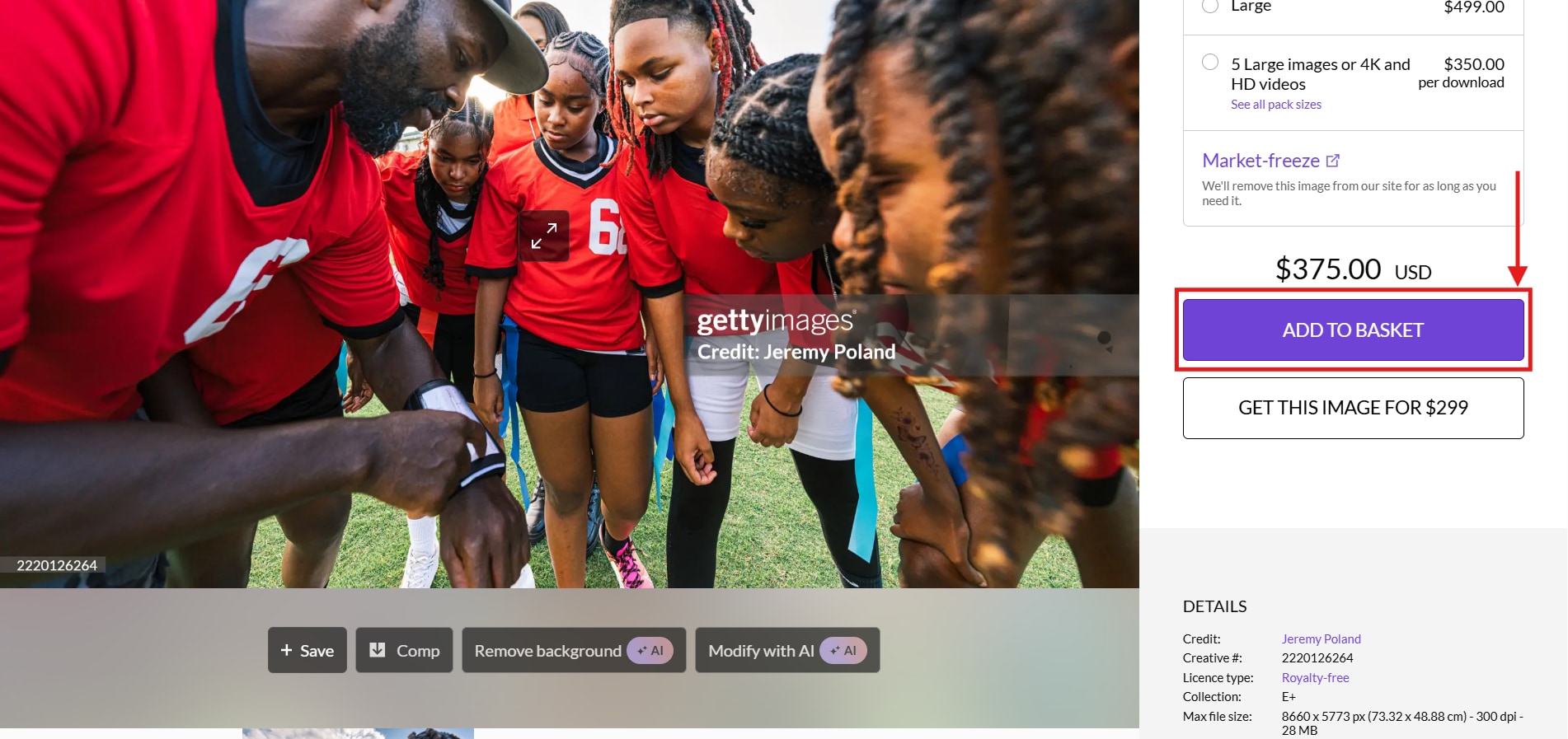
Step 2: Now click “Add to Basket” to add the image or video to the basket and follow the prompts to pay the license fee.
Step 3: The high-quality image/video without a watermark gets saved in your local storage. Getty Images also provides a license document that you must store in a secure location to avoid misplacement.
Method 2: Use Getty Images Embed Feature (Free, Limited Use)
If you want free stock images from Getty, using the Getty Images Embed feature is the safest legal option for non-commercial use.
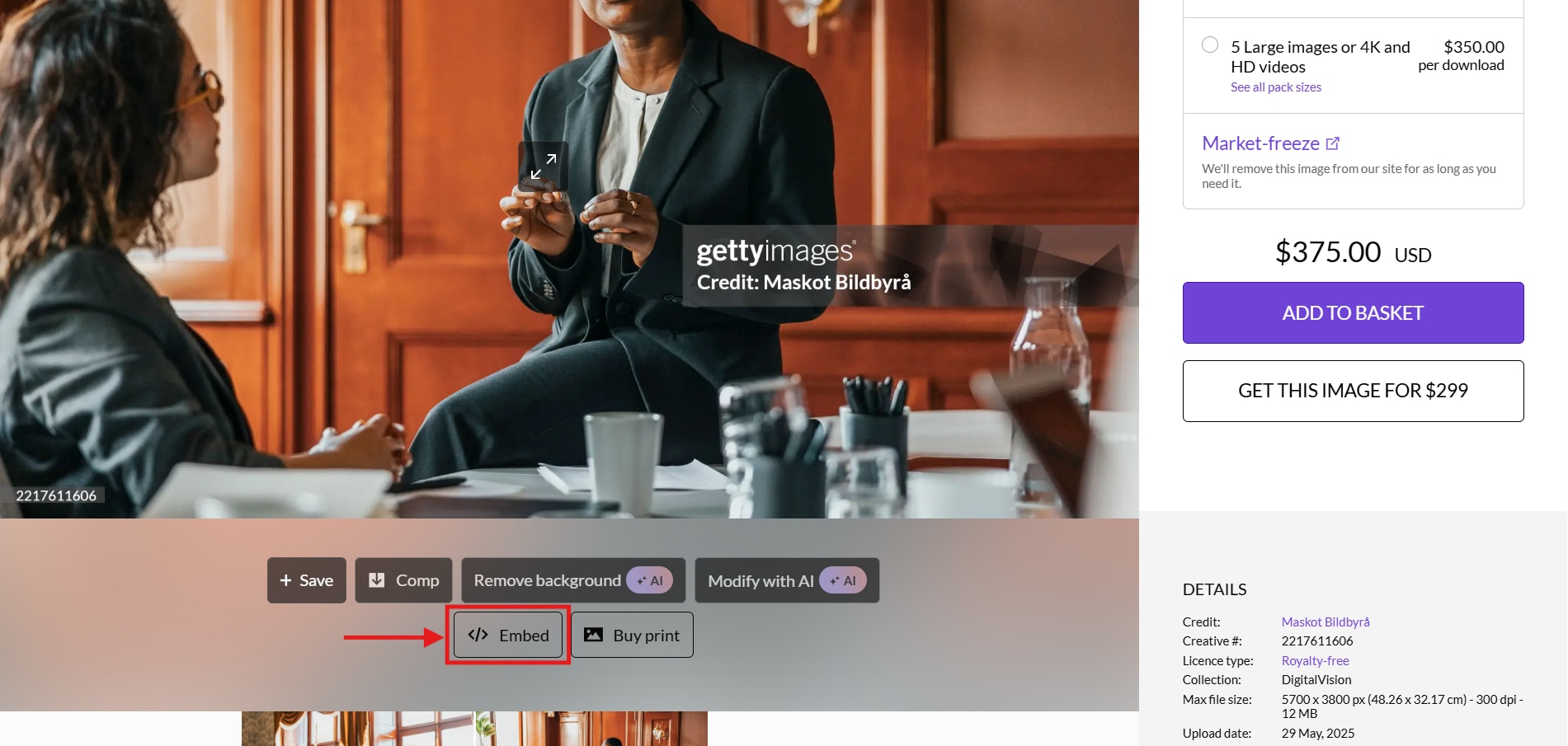
Step 1: Find the image on Getty Images and click the “Embed Icon” from the listed options.
Step 2: Click the dropdown menu to select between “Standard Code” and “Legacy Code,” and copy the code.
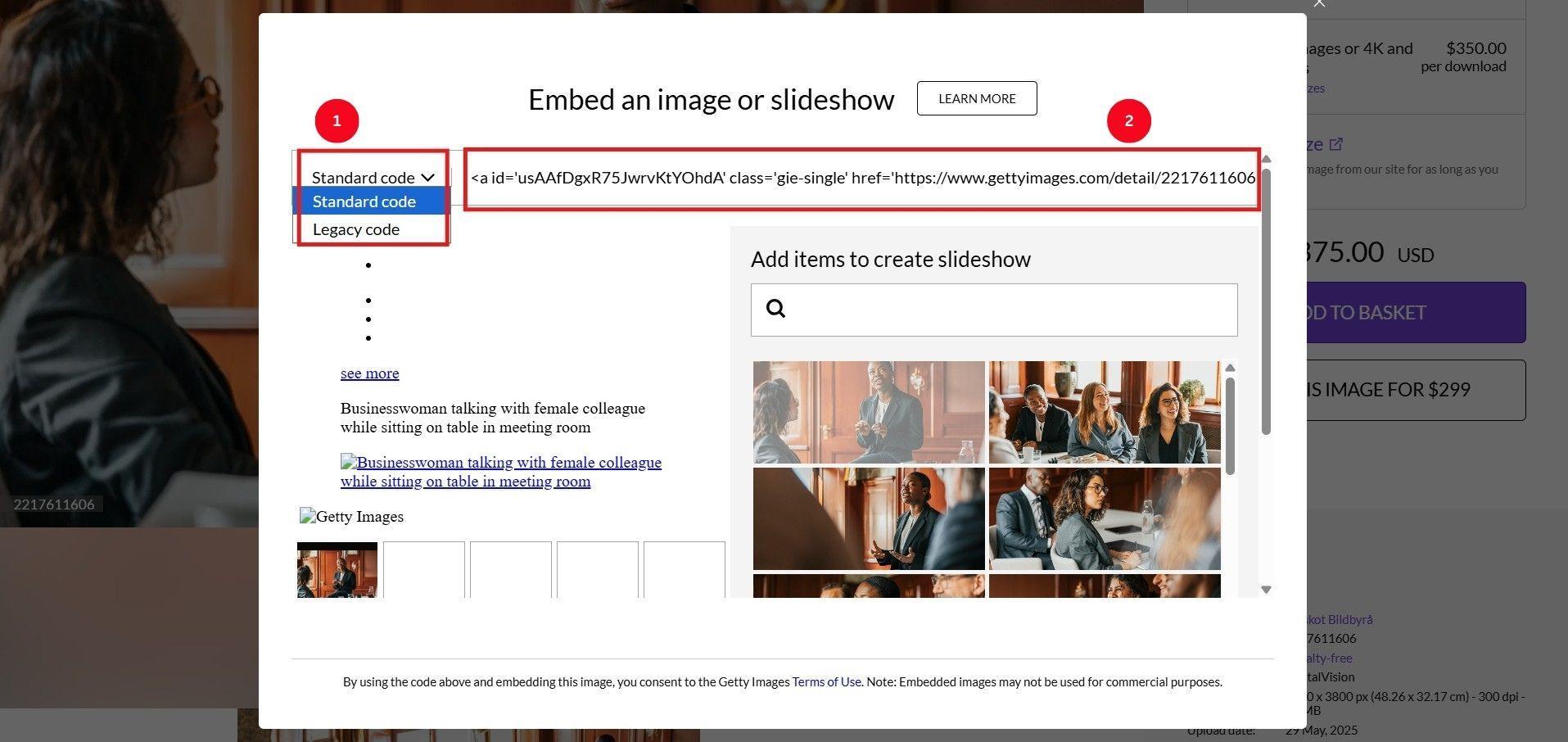
Step 3: Now, paste the copied code into your blog or website. This is legal as long as you are using it for non-commercial purposes.
Method 3: Getty Open Content Program (Public Domain)
Getty also offers special licenses for educational institutions and non-profits to access a collection of high-resolution images of public domain artwork for free. As per Getty, under its Open Content Program, more than 160,000 images from public-domain art and archives in its collections have been made freely accessible since 2013.
However, you must reach out to the Getty’s team to get free images for educational and non-profit uses.
Part 4. How to Enhance or Upscale Getty Images with UniConverter
Once you have legally obtained the images or videos from Getty, you can upscale and make the output project-ready using Wondershare UniConverter.
Why Enhance Getty Images Quality After Download?
The preview images or free images you download from Getty’s public domain are not of high-quality, which is why you must use reliable image enhancers.
- Embed Previews and Free Stock Photos are of Lower Quality: The embed previews from Getty Images are typically low resolution (1080p) and appear blurry when printed at 300 DPI or played on modern 4K screens. Upscaling stock photos to 4K ensures high-quality, crisp prints at 300 DPI and clearer, sharper images on large screens.
- Licensed Images Need Format Conversion: Though Getty images and videos are delivered in high-quality, ready-to-use formats such as JPEG, EPS, or MP4/MOV, you may need a specific file format for a specific use. Here, image upscalers like Wondershare UniConverter can convert images to any format without affecting image or video quality.
- Batch Processing: Rather than upscaling images and videos individually, you can leverage Wondershare UniConverter's batch processing to save time and be more efficient. UniConverter’s fast conversion lets you batch convert hundreds of images for websites or presentations in minutes.
How UniConverter Upscale Getty Images Quality?
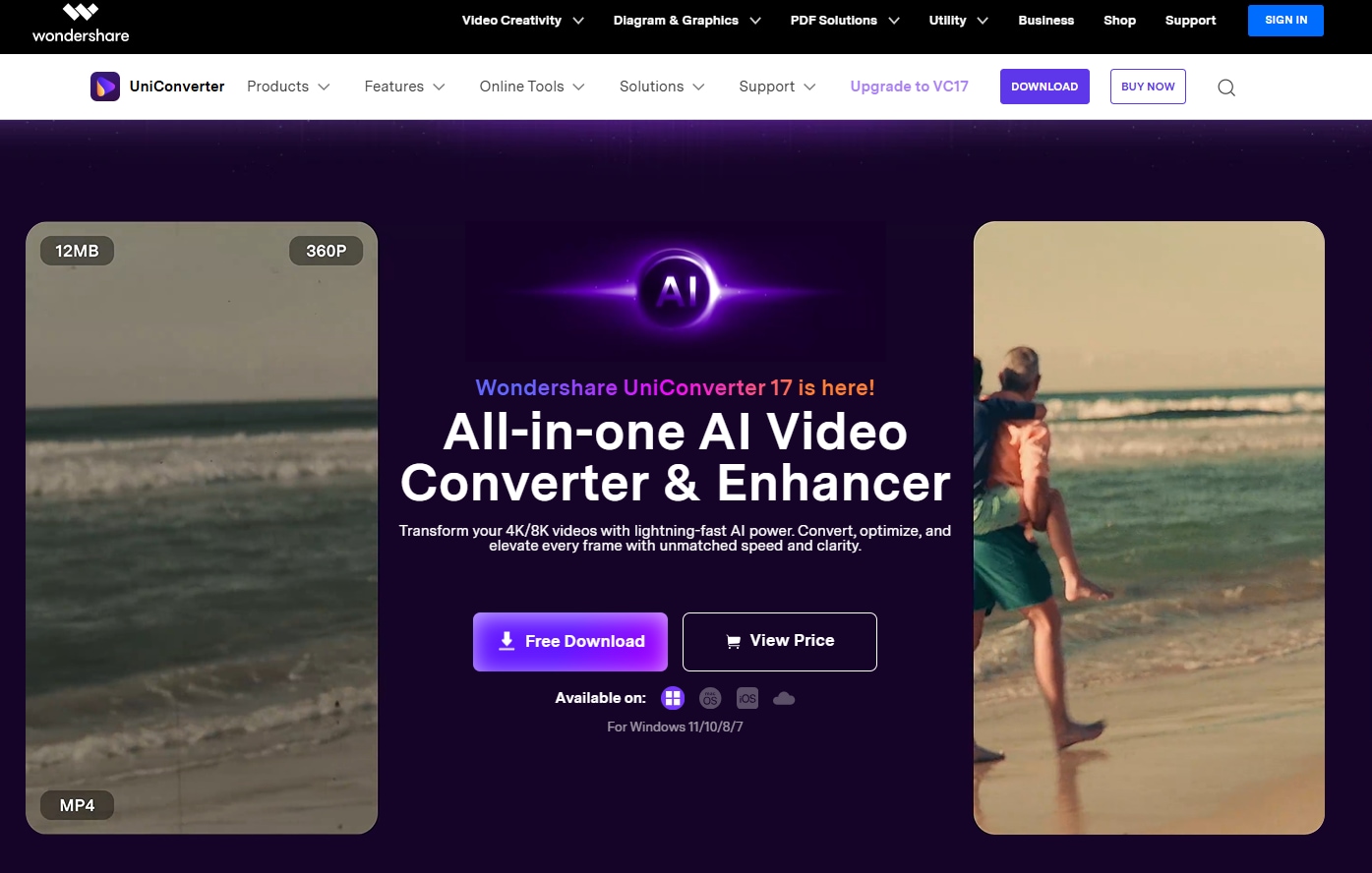
When it comes to increasing resolution, switching formats, or fixing pixelated images, Wondershare UniConverter stands out with its simple interface and powerful image enhancement features.
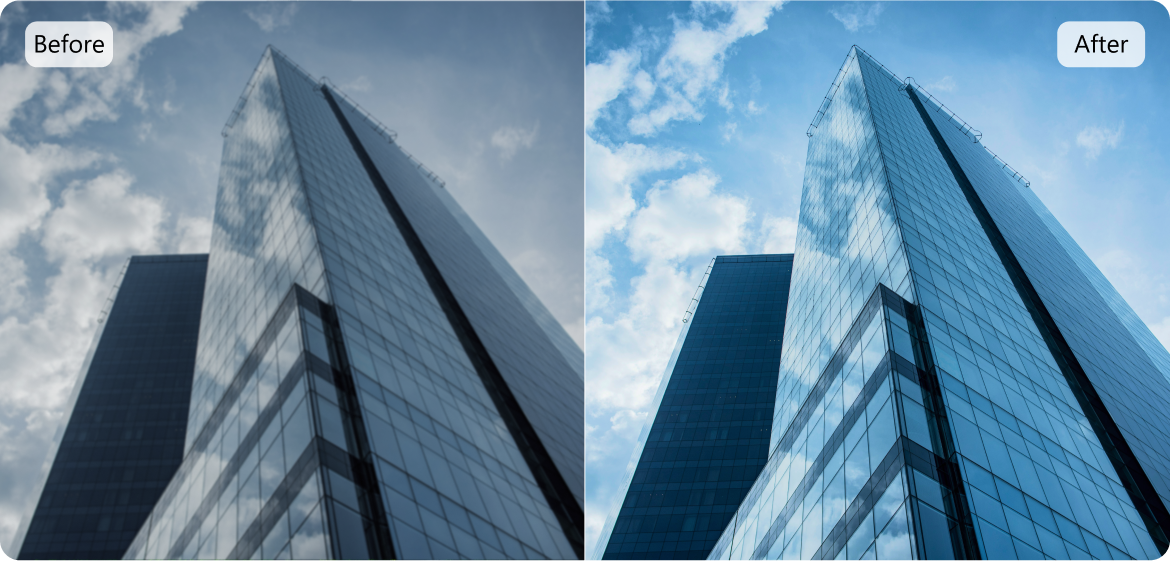
UniConverter’s AI Image enhancer can upscale the legally downloaded Getty images by sharpening the fine details, brightening underexposed shots, restoring details, reducing noise, and upscaling resolution in a single click.
Wondershare UniConverter also has a batch-processing feature that can upscale multiple images at once. It’s a practical solution for designers, photographers, and other professionals who want to convert their legally downloaded Getty images to the high-quality formats they need.
Enhance Getty Images to 4K Quality with UniConverter
Key Features
- Image Upscaler: Wondershare UniConverter can upscale your photos to up to 4X without over-editing or losing authenticity.
- Image Editor: UniConverter’s Image Editor can perform a variety of processes on your photos, including cropping, angle rotation, brightness, and contrast adjustments.
- Noise Reduction: UniConverter can clean up grain and digital noise, especially in low-light or high-ISO photos.
- Format Conversion: UniConverter’s Image Converter supports conversion in 50+ image formats, including JPEG, PNG, TIFF, HEIC, and WebP.
- Batch Processing: It can batch process up to 20 images at once while maintaining the original image quality.
- Quality Optimization: It allows you to adjust the resolution, DPI, and compression to generate professional images.
- Fast Processing: UniConverter supports GPU acceleration to batch convert images within minutes.
Step-by-Step: Use the AI Image Enhancer of UniConverter
Here are the steps you can follow to enhance legally downloaded Getty images using Wondershare UniConverter:
Step 1: Navigate the UniConverter’s homepage and locate the “Image Enhancer” tool in the “Image” tab.
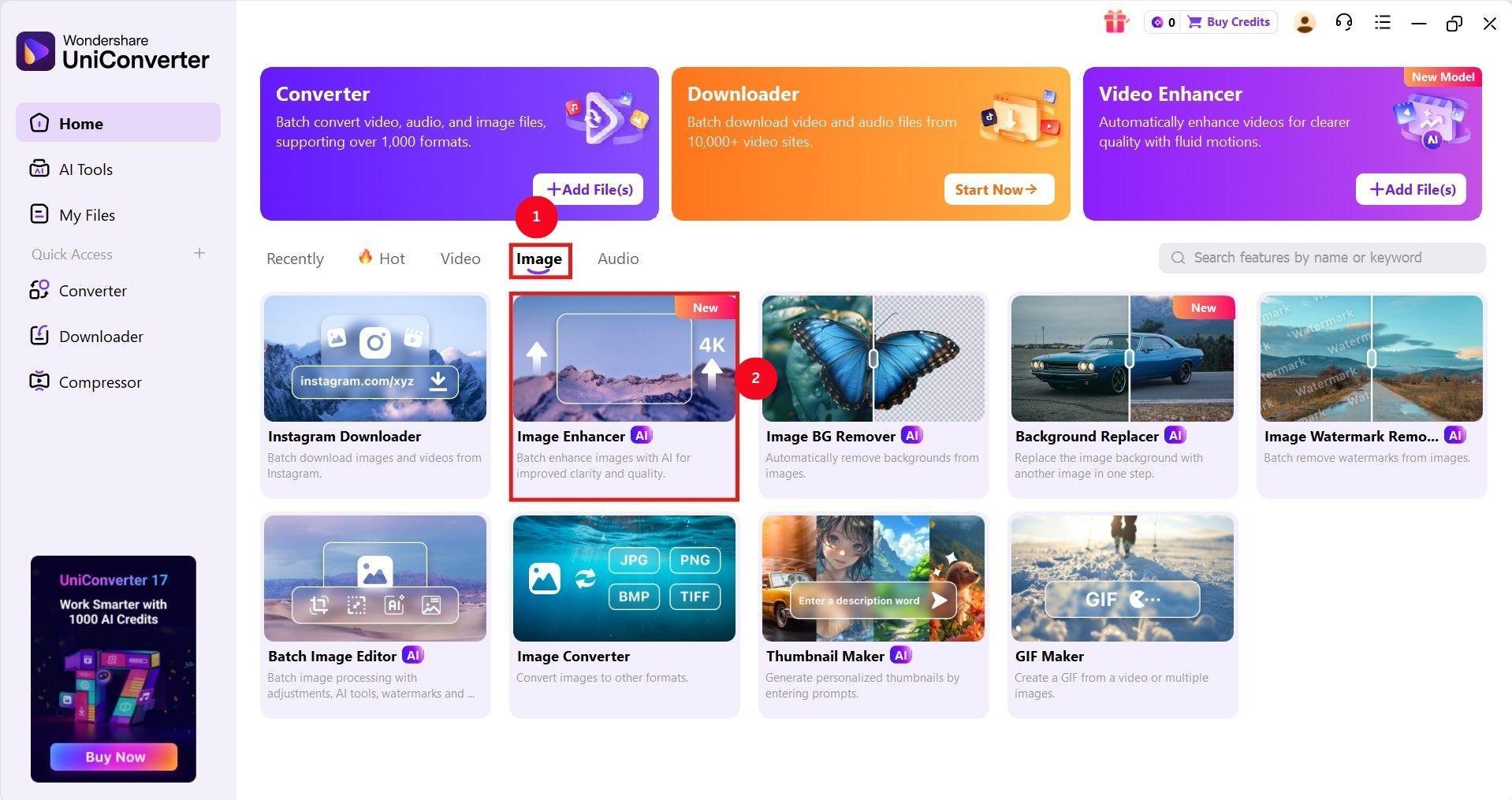
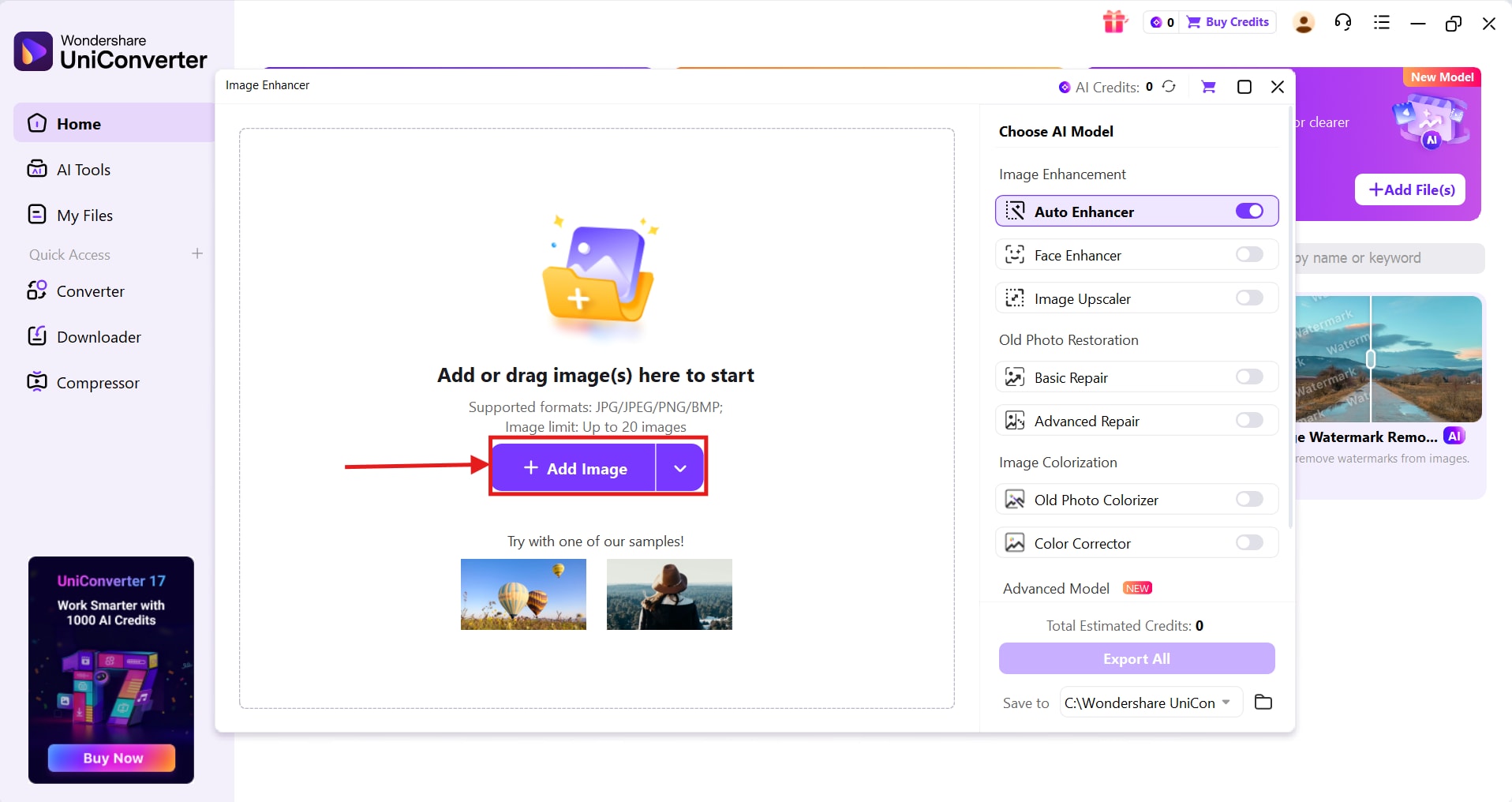
Step 2: Click “+Add Image” to add the Getty images you want to upscale.
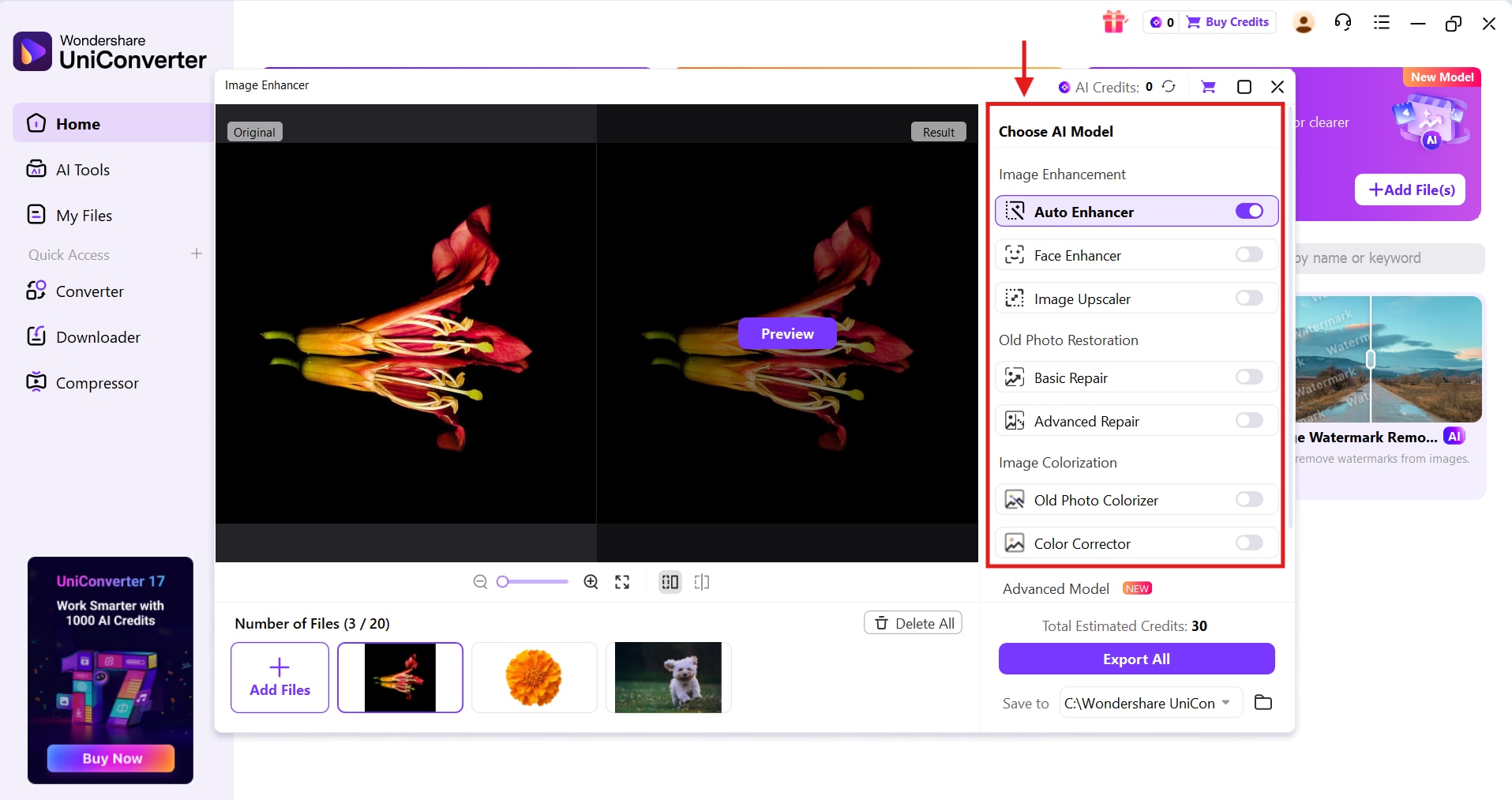
Step 3: As the images are uploaded, choose the AI model on the right menu bar to adjust shadows, exposure, highlights, or denoise them.
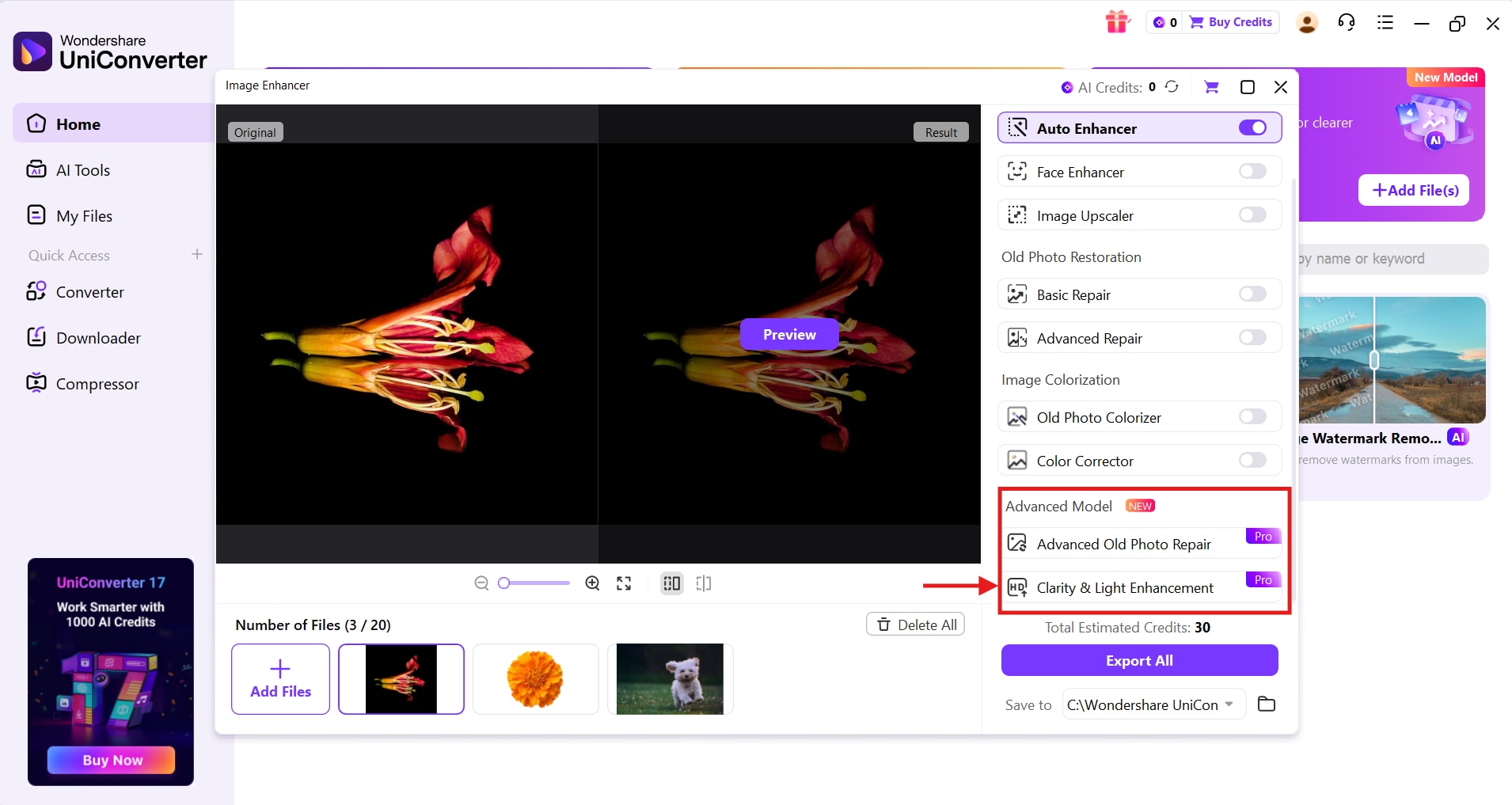
Step 4: You can also access UniConverter’s “Advanced Model” and select the “Clarity & Light Enhancement” feature to fix the blurry portions and lighting.
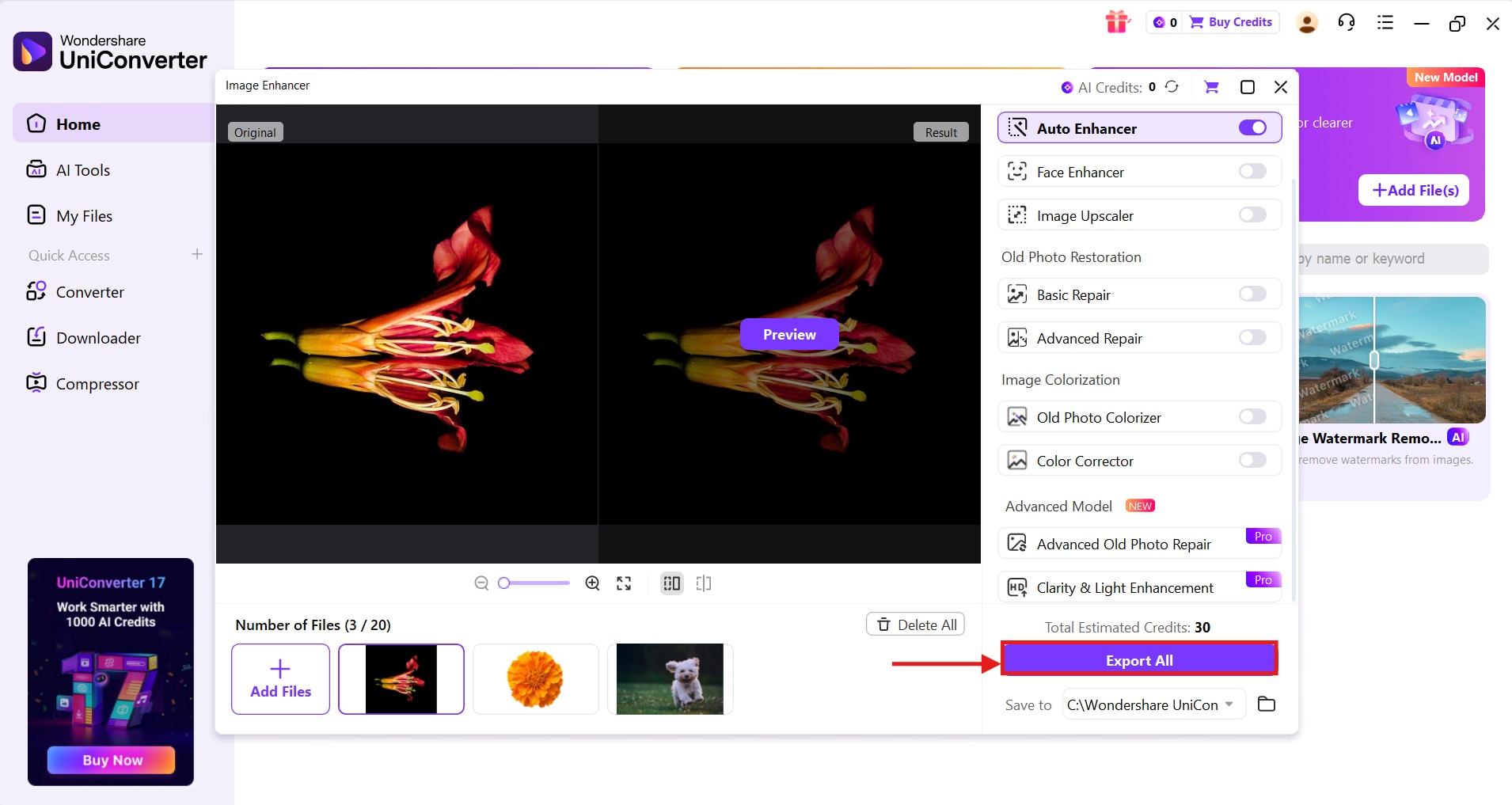
Step 5: Apply the edits individually for every uploaded image. Once you’re satisfied with the settings, click “Export All” to apply the changes and save the images in your local storage.
Part 5. Copyright & Legal Considerations To Download From Getty Images
As mentioned earlier, Getty Images is focused on protecting its vast library of licensed imagery and enforces copyrights against unauthorized commercial use. In cases of infringements, Getty demands licensing fees and cease-and-desist actions.
Getty can also take legal action, and violators may face fines of up to $250,000 per offense and up to 5 years of imprisonment under U.S. Department of Justice.
Keep in mind that the copyright holder (Getty) is the original creator, not Google or the website that displays it before you. It’s therefore recommended to use the “Usage Rights” filter in Google Images to determine if the shown image is copyrighted or not. Or, you can use Google Lens to perform a reverse image search to reveal original sources and license details.
The safe option is to use licensed images and free embeds, or websites that don’t charge the high fees Getty Images charges for licensed images.
Conclusion
There aren’t any Getty Images downloaders that offer unlimited, high-quality images for free. Although Getty Images offers a limited free usage with its embed feature for non-commercial use. However, using the Getty Images content for commercial purposes without a license can result in financial consequences and even imprisonment.
For creators who download licensed images from Getty and want to prepare them for printing and large-scale display, Wondershare UniConverter is a useful tool. The all-in-one video conversion tool can enhance your photos to 4K quality and in any of your desired formats.
Use UniConverter today and convert Getty images into high-quality images without worrying about licensing or watermarks.

