


Don't let your Facebook memories fade away or become inaccessible due to unforeseen circumstances. This guide will show you how to download all pics from Facebook, using reliable and efficient methods. From desktop software to mobile solutions and browser extensions, we'll cover everything you need to know to create a complete backup of your photo collection. Start your photo backup journey today and ensure your memories are always within reach.
In this article
- Part 1: Best desktop tools to download all Facebook photos
- Part 2: Download and manage Facebook photos with UniConverter
- Part 3: Download all Facebook photos on iPhone or Android
- Part 4: Download Facebook Page photos online with Publer
- Part 5: Download All Facebook Photos with a Chrome Extension
- Part 6: Download a Facebook album with the built-in option
- Conclusion
- FAQs
Best desktop tools to download all Facebook photos
Preserving your digital memories is crucial, and having a local backup of your Facebook photos ensures their safety. This section explores three distinct desktop tools to download all images from Facebook, each with its own strengths and functionalities.
1. 4K Stogram
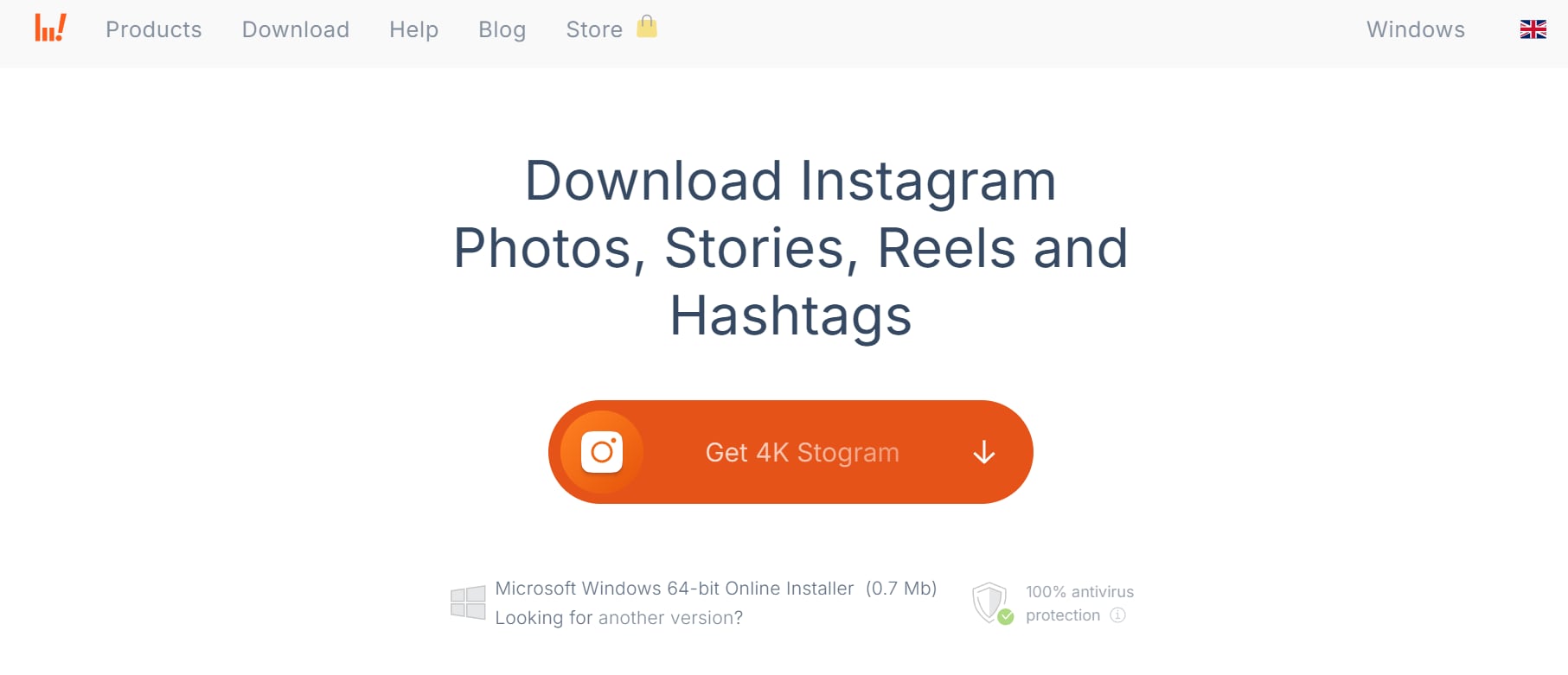
4K Stogram is a reliable desktop tool that allows users to download all Facebook photos effortlessly. It supports bulk downloads of albums, images, and videos while maintaining high resolution. With its auto-sync feature, you can save new Facebook uploads automatically. This tool is ideal for users looking for a seamless way to back up their Facebook memories.
Features:
- Bulk Facebook photo downloads: Easily download all Facebook pictures from albums, pages, and private accounts in one click. The tool automatically saves images in high resolution to your local storage.
- Auto-sync with Facebook uploads: Once linked, 4K Stogram continuously syncs and downloads new Facebook photos. This feature ensures you never miss any newly uploaded images.
- High-resolution image saving: Photos are saved in their original quality without compression. This ensures that your images remain sharp and clear even after downloading.
- Support for private albums and pages: By logging into your Facebook account, you can download photos from private albums and groups. This makes it an ideal tool for backing up personal memories.
- Simple and user-friendly interface: The software is designed for easy navigation, allowing users to quickly find and download all photos on Facebook without complications.
User Reviews
- "I needed a quick way to download all my Facebook photos, and the 4K Stogram worked perfectly. The auto-sync feature is a huge plus!" – Michael R.
- "Great tool for bulk downloading Facebook albums, but the free version limits downloads, which is frustrating." – Sophia L.
- "Simple and efficient! I use it to back up my Facebook pictures, and the high-quality downloads are impressive." – Daniel M.
Steps to Download Facebook Photos with 4K Stogram
Step 1: Install and launch 4K Stogram
Download and install 4K Stogram on your desktop. Open the application and get ready to fetch Facebook photos.
Step 2: Enter Facebook username or album URL
Copy and paste the Facebook profile, page, or album link into the search bar. Press enter to load the available photos.
Step 3: Start downloading all photos
Click the Download button to save all images to your computer. The tool will automatically fetch and store them in high quality.
2. JDownloader
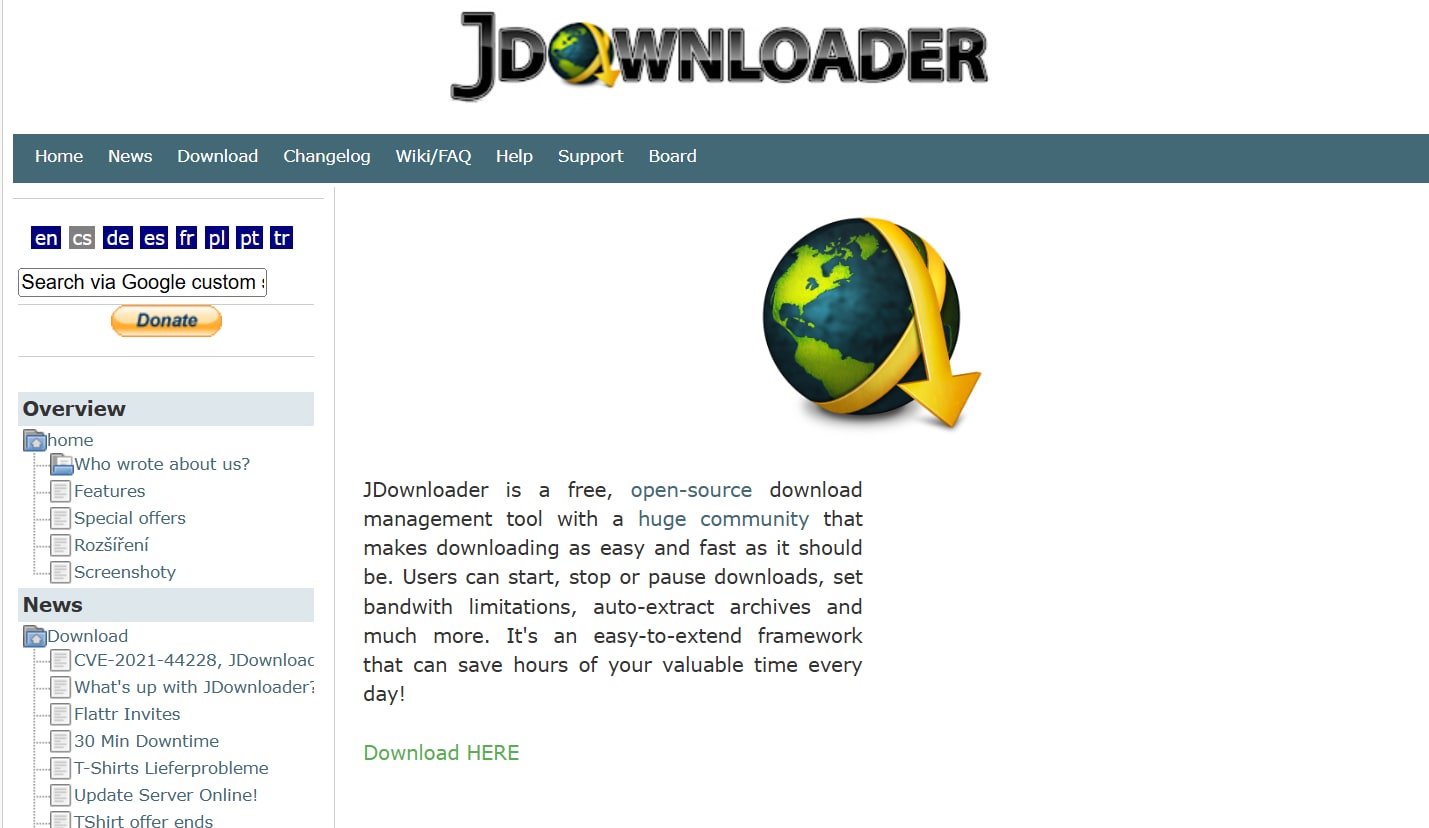
JDownloader is an open-source tool that simplifies the process of downloading all images from Facebook in bulk. It automatically detects media links from Facebook albums and pages, making downloads quick and efficient. The software offers pause/resume functionality, ensuring a smooth experience even for large files. With its extensive compatibility, JDownloader is a great option for hassle-free Facebook photo downloads.
Features:
- Automatic Facebook link detection: Simply copy a Facebook album URL, and JDownloader will detect it instantly. This saves you time by eliminating manual link entry.
- Batch downloading for multiple albums: You can queue multiple Facebook albums for downloading at once. This makes it an efficient tool for large-scale downloads.
- Supports pause and resume downloads: If your internet connection drops, you can pause downloads and resume later. This prevents data loss and saves bandwidth.
- Works with private and public albums: JDownloader can download all Facebook photos from both public pages and private profiles (with login access). This flexibility makes it a great choice for all users.
- Customizable download settings: Users can set speed limits, prioritize files, and adjust storage locations. This helps manage downloads according to your preferences.
User Reviews
- "JDownloader makes it super easy to grab Facebook albums, but the interface is a bit confusing at first." – Emily W.
- "I love that it's free and supports batch downloads. Just wish I didn’t have to install Java to use it." – Chris T.
- "Once I figured out how to use it, it worked great for downloading all my Facebook pictures at once!" – Oliver P.
Steps to Download Facebook Photos with JDownloader
Step 1: Open JDownloader and copy the album link
Launch JDownloader on your desktop. Copy the Facebook album URL you want to download, and the software will detect it automatically.
Step 2: Add the album to the download list
Go to the LinkGrabber section, where JDownloader will display all detected images. Select the photos you want to download.
Step 3: Start downloading Facebook images
Click the Start button to begin downloading. Your Facebook photos will be saved to the specified folder on your device.
3. HiTube Facebook Photo Downloader
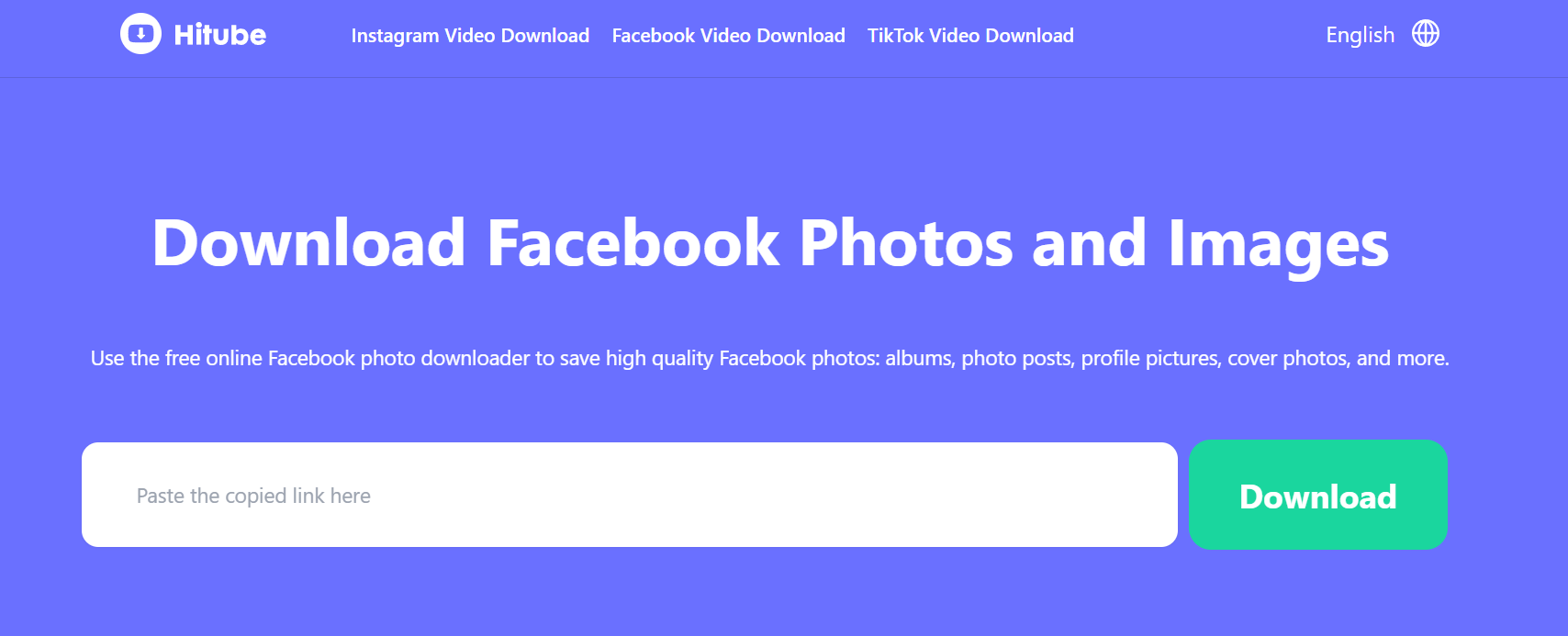
HiTube Facebook Photo Downloader is a web-based solution designed to download all your Facebook pictures without software installation. It allows users to save public and private Facebook albums quickly by simply pasting the album URL. The tool is easy to use, making it perfect for those who prefer a straightforward online downloader. Whether you're on desktop or mobile, HiTube ensures fast and efficient Facebook photo downloads.
Features:
- No installation required: This is a web-based tool, so you can download all pics from Facebook without installing software. Simply open the site and start downloading.
- Fast and secure downloads: HiTube quickly fetches and saves Facebook images in their original quality. It does not store or share user data, ensuring privacy and security.
- Compatible with mobile and desktop: Whether you're on a phone or computer, HiTube works seamlessly. It provides an easy way to save Facebook photos on any device.
- Supports both individual and album downloads: Users can either download single photos or entire albums in one go. This flexibility makes it a convenient choice for different needs.
- Easy-to-use interface: Just paste the album URL and hit download. This makes it a great choice for users who want a quick and simple way to download all pictures from Facebook.
User Reviews
- "Super convenient! I downloaded my Facebook album in minutes without installing anything." – Liam D.
- "Works well for public albums, but I wish it had an option for private photo downloads too." – Rachel S.
- "Great for quick downloads, but sometimes it fails to fetch all images if the album is too large." – Jake H.
Steps to Download Facebook Photos with HiTube Facebook Photo Downloader
Step 1: Open the HiTube website
Go to the HiTube Facebook Photo Downloader website on your browser. No installation is required to start downloading.
Step 2: Paste the Facebook album URL
Copy the link to the Facebook album or profile photos you want to download. Paste it into the provided input box on the website.
Step 3: Click Download and save the photos
Hit the Download button, and HiTube will fetch all available images. Once processed, save them to your device in original quality.
Download and manage Facebook photos with UniConverter
Wondershare UniConverter is a powerful, all-in-one media solution that simplifies the process of downloading and managing your online photos. Beyond its well-known video conversion capabilities, it offers robust download features, allowing you to easily retrieve your images. This software eliminates the need for multiple tools, providing a streamlined workflow for backing up and organizing your precious memories. With its intuitive interface and batch processing, UniConverter makes preserving your online photo collections a straightforward task.

Best Video Downloader
Features
- Direct Photo URL Downloading: UniConverter allows you to download photos directly from URLs, simplifying the process of saving images from online sources.
- Batch Photo Downloading: Download multiple photos at once, streamlining the backup of entire albums or collections.
- High-Quality Photo Preservation: UniConverter maintains the original photo quality during downloads, ensuring your images are preserved in their best form.
- User-Friendly Interface: UniConverter provides an intuitive and easy-to-navigate interface, making photo downloading accessible to users of all technical levels.
- Download Preview: Before downloading, UniConverter allows you to preview the photos, ensuring you are downloading the correct images.
Download Facebook photos with UniConverter step by step
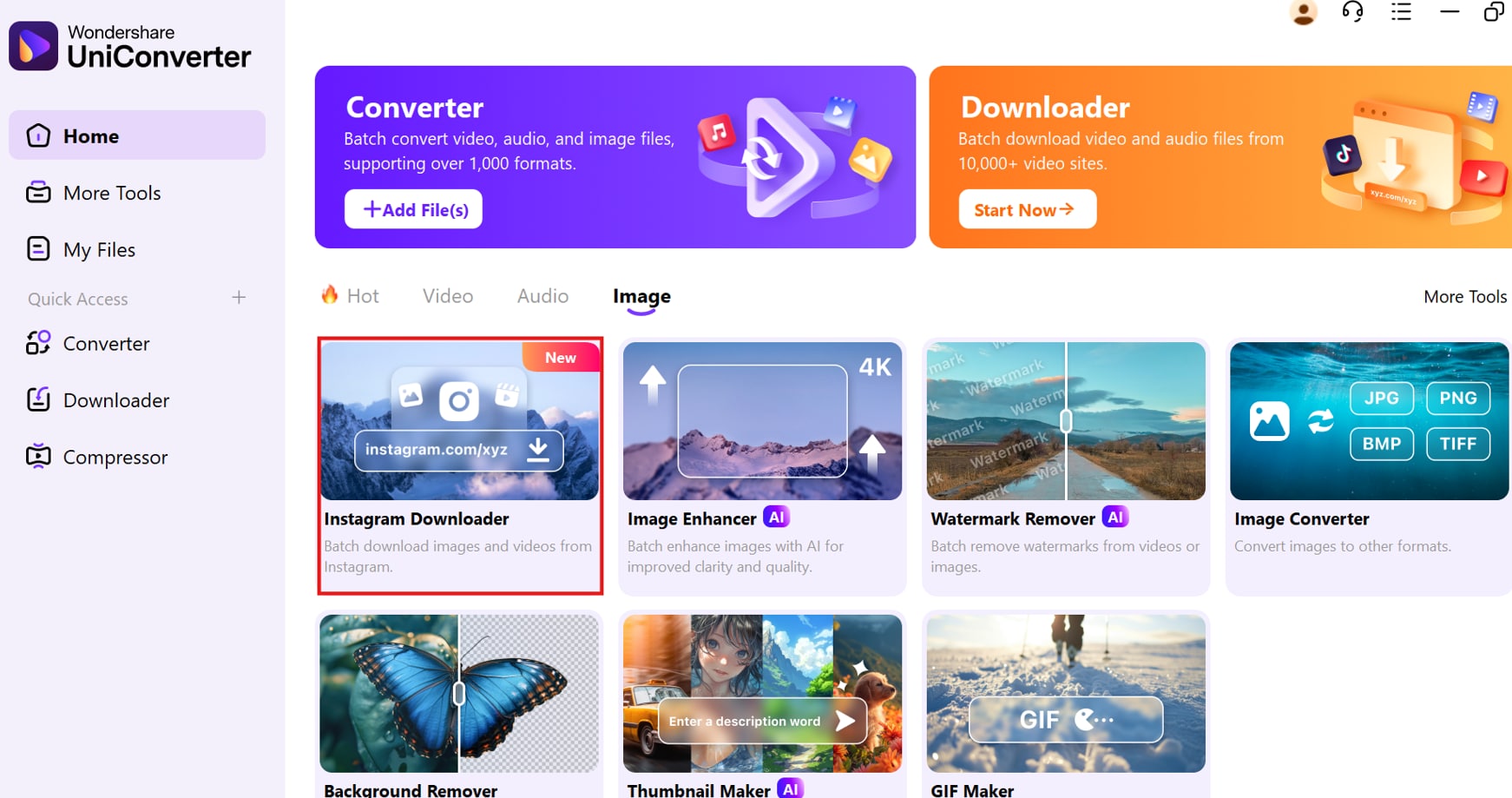
Step 1: Open UniConverter and Access the Instagram Downloader
Launch UniConverter on your computer's desktop. Locate the "Image" tab on the main interface screen. Select the "Instagram Downloader" feature for streamlined image downloading.
Step 2: Paste the Link
Copy the complete URL of the photo you wish to download. Paste the copied link into the UniConverter's designated search bar. Click the "Analyze" button to extract the image data.
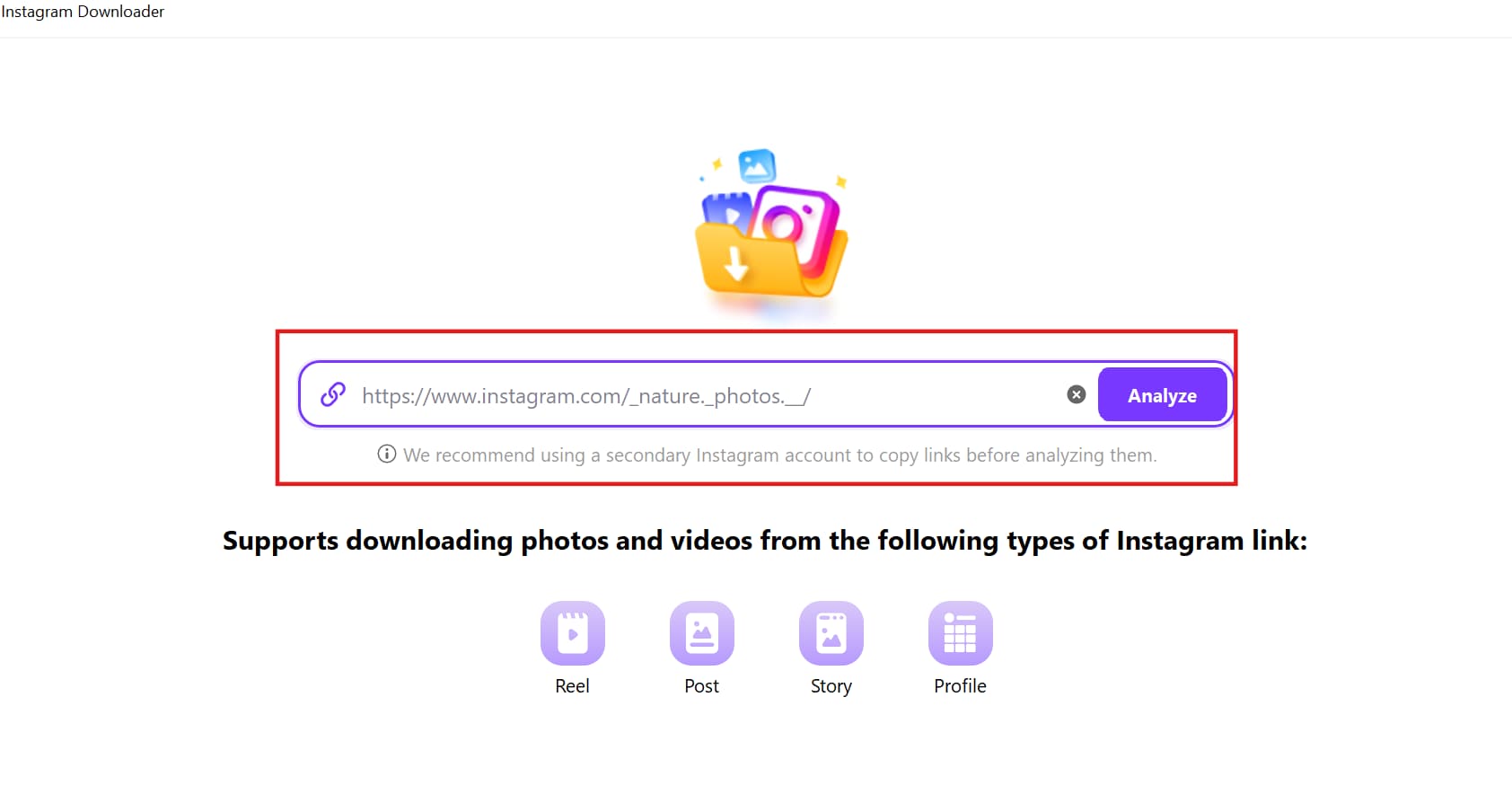
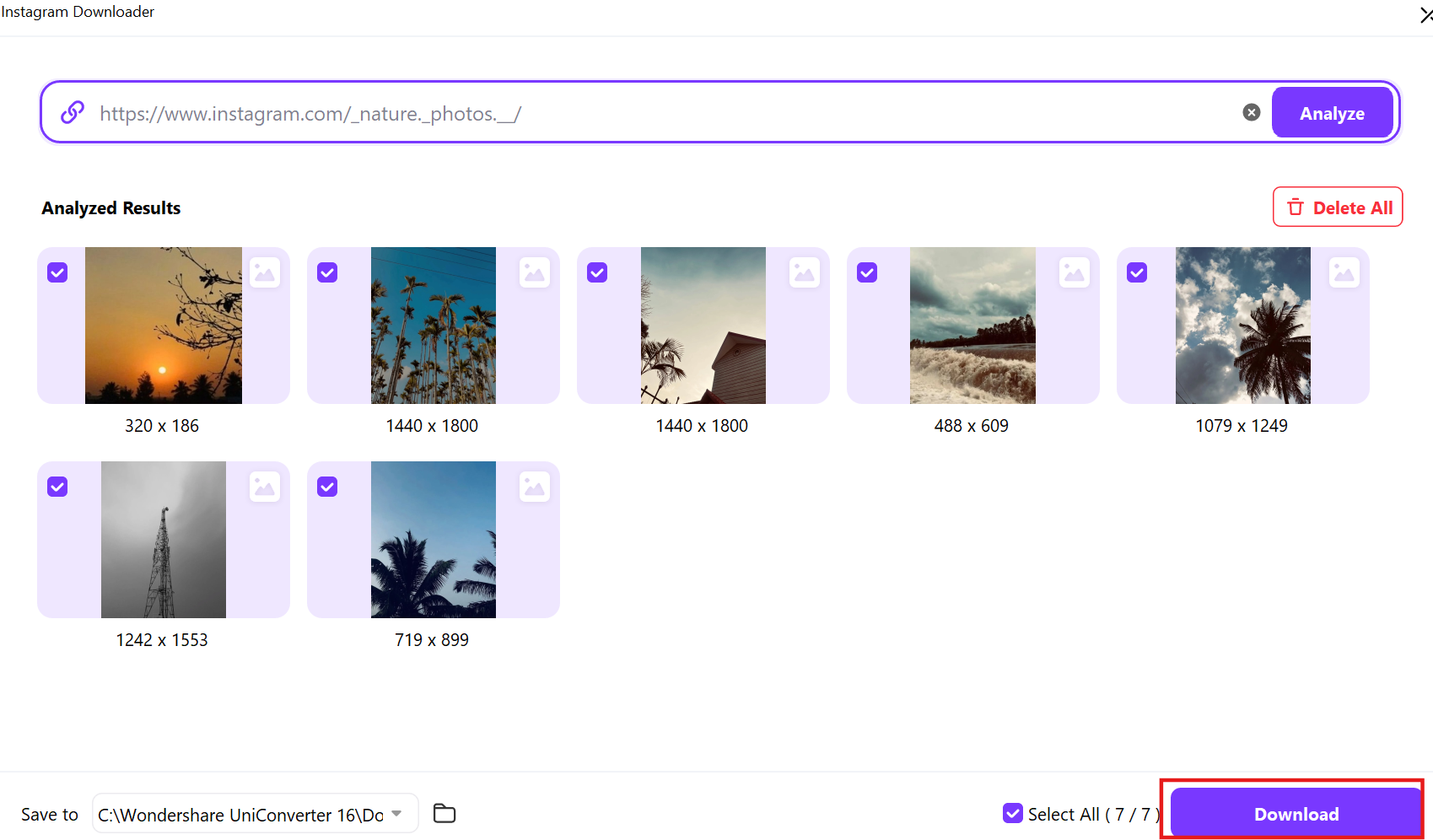
Step 3: Download and Save the Image
After the link is analyzed, choose your preferred image resolution and format. Select the "Download" button to save the photo directly to your chosen folder location.
Download all Facebook photos on iPhone or Android
Downloading all your Facebook pictures directly to your phone is easier than ever. Whether you’re switching devices, creating a backup, or simply organizing your photos, you can save all your Facebook images in just a few steps. Follow this simple guide to download all your Facebook photos on your mobile device quickly.
Steps to Download All Facebook Photos on Your Phone
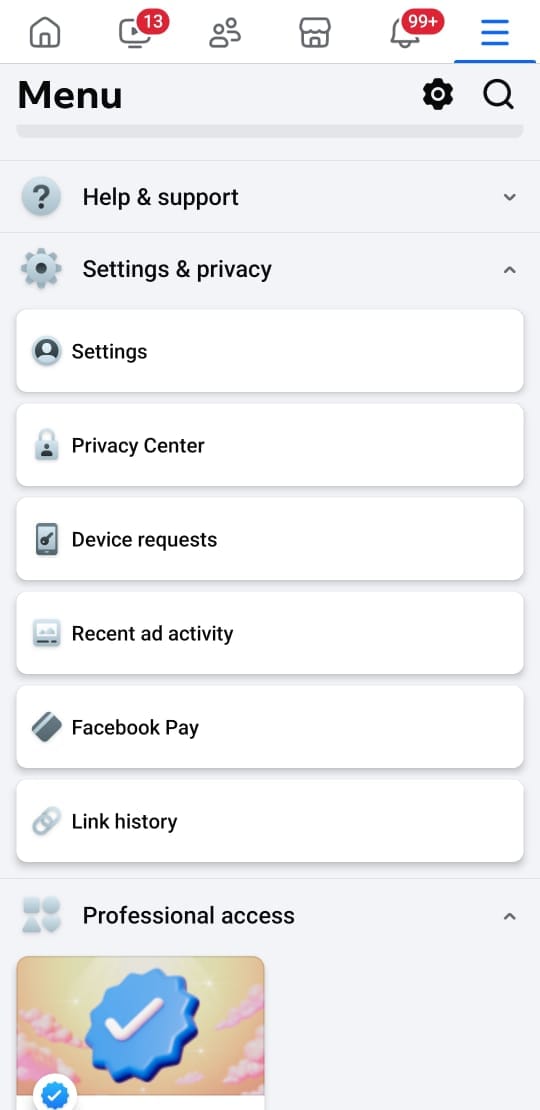
Step 1: Open the Facebook App and Access Settings
Launch the Facebook app on your phone and tap the Menu (☰) button in the top-right (Android) or bottom-right (iPhone). Scroll down and select Settings & privacy > Settings to proceed.
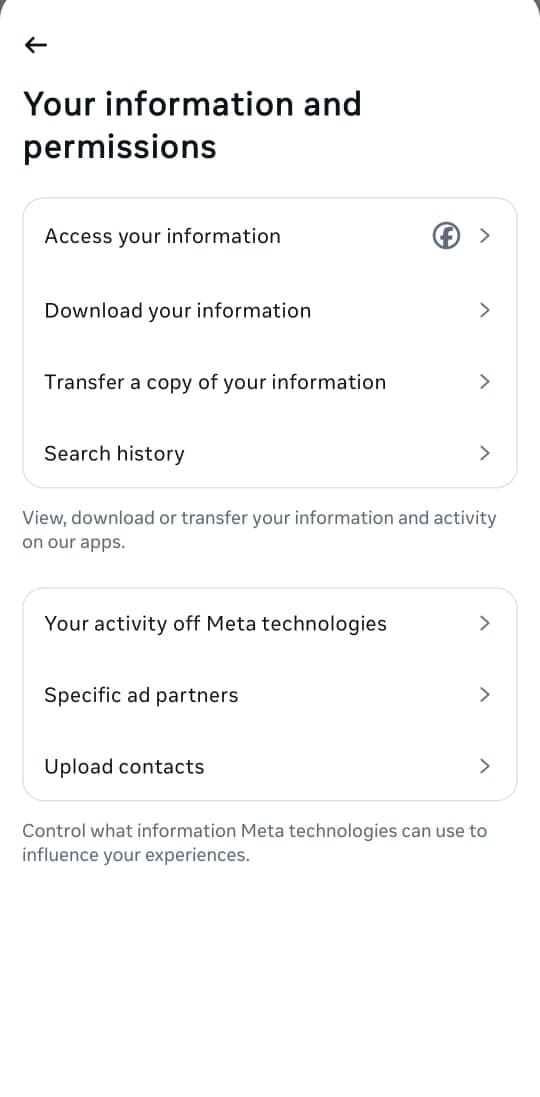
Step 2: Navigate to "Download Your Information"
Under Your Facebook Information, tap on Download Your Information. This section allows you to request a copy of your photos, videos, and other account data.
Step 3: Start the Download Request and Select Data
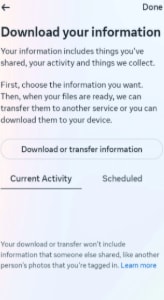
Tap Continue to get started, then select Download or Transfer Information. Choose Specific types of information and check only Posts to download just your images.
Step 4: Click "Download to Device" and Set Preferences
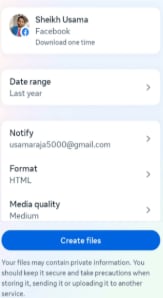
Tap Download to Device, then select your Date Range, preferred Format, and Media Quality. Once done, tap Create files to generate the download request. Once the file is ready, Facebook will notify you to download and save your photos.
Download Facebook Page photos online with Publer
If you're looking for a seamless way to download all Facebook pictures from a page, Publer is a great tool. Publer is primarily a social media management tool, but it also allows users to bulk-download Facebook photos effortlessly. Follow the steps below to download your Facebook page photos quickly.
Steps to Download All Facebook Page Photos Using Publer
Step 1: Copy the Facebook Page Post URL
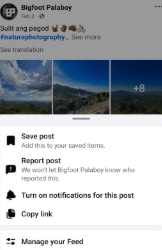
Log in to Facebook and search for the page that contains the photos you want to download. Navigate to the post with the image, click on the three dots (⋮), and select Copy Link to copy the post’s URL.
Step 2: Paste the Link into Publer
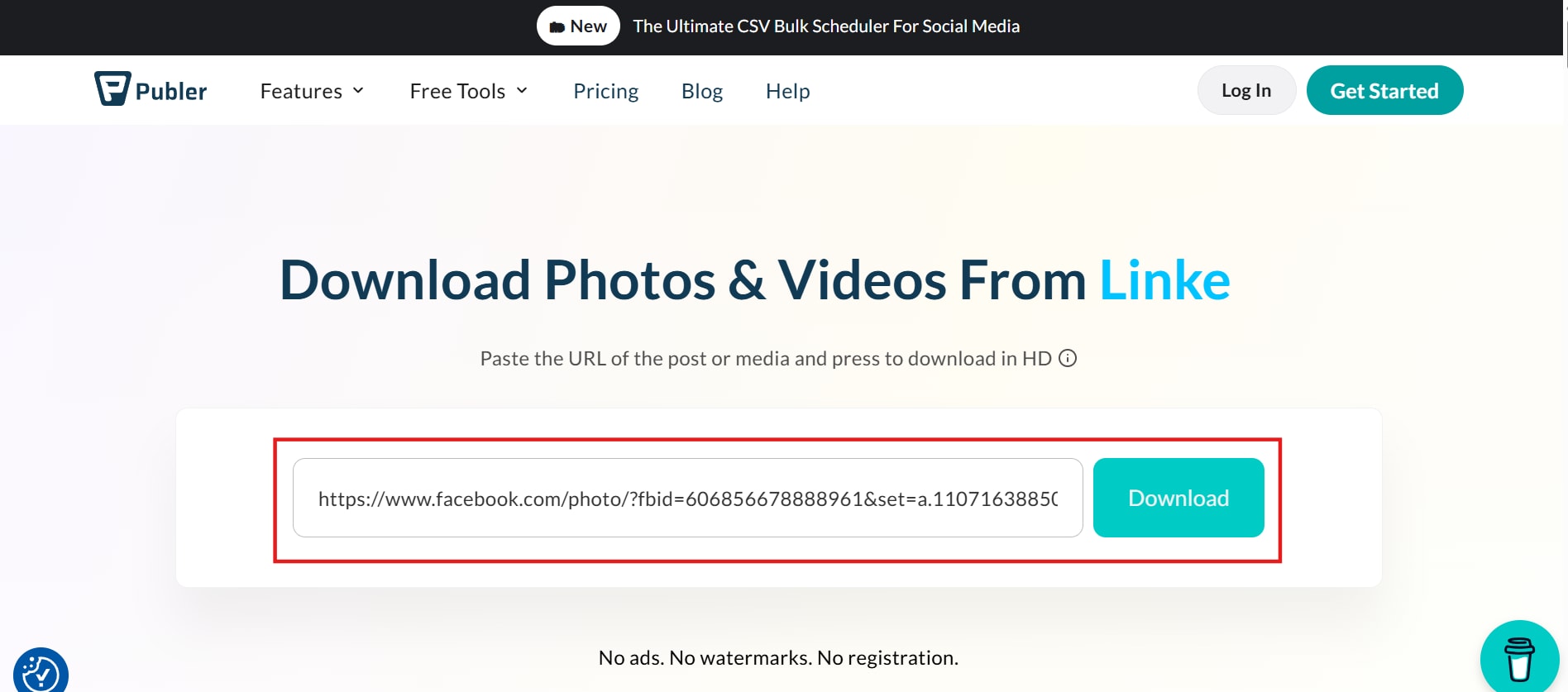
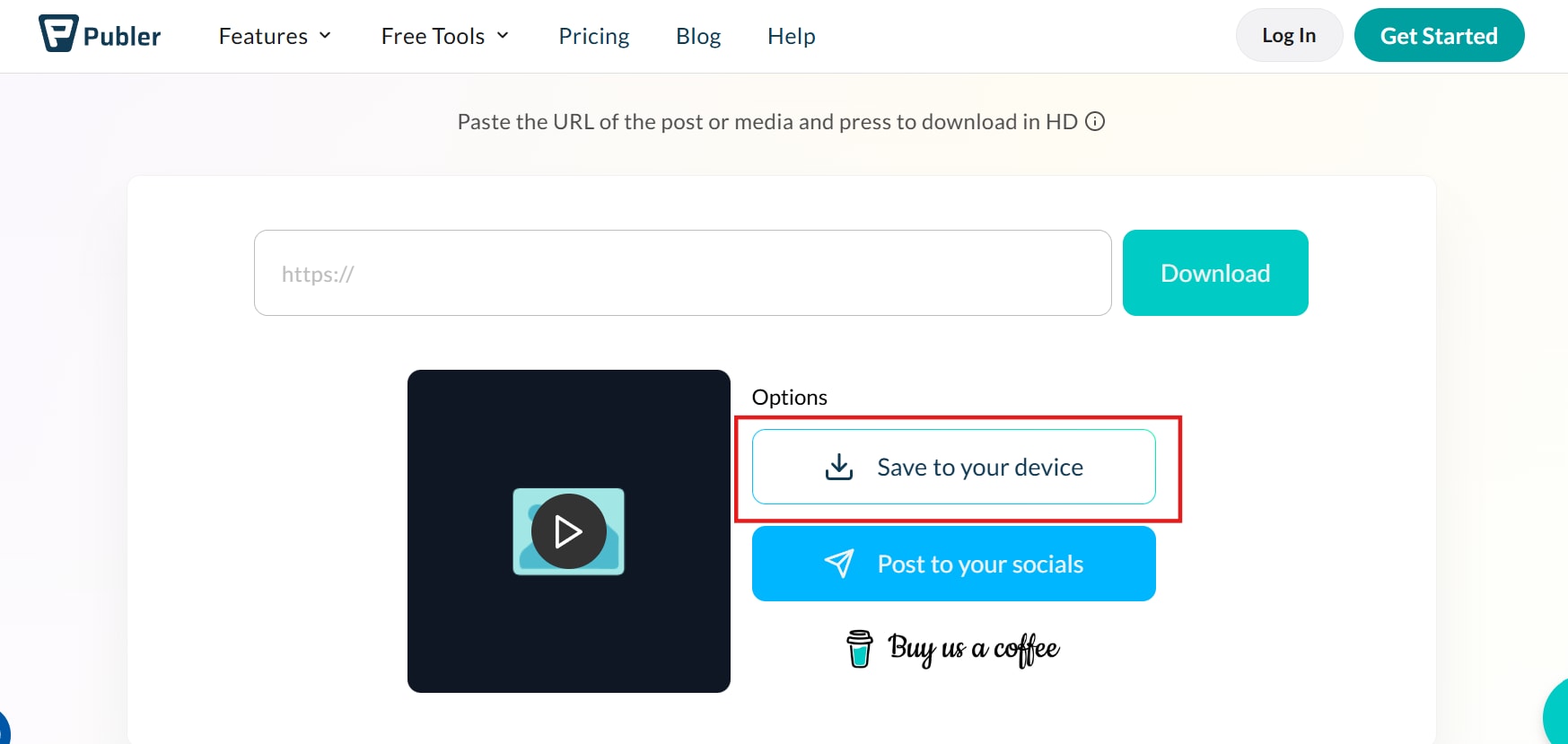
Open Publer in your browser and navigate to the download tool. Paste the copied Facebook post URL into the given input box and click the Download button to fetch the image.
Step 3: Download the Photo to Your Device
Once Publer processes the request, click on Save to your device to save the photo. The image will be stored in your downloads folder, ready for offline access.
Download All Facebook Photos with a Chrome Extension
To download all Facebook photos, using a Chrome extension like ESUIT Photos Downloader Facebook is a great option. ESUIT allows you to bulk-download Facebook photos and albums directly from your browser without any manual saving. Follow these simple steps to get started.
Steps to Download All Facebook Photos Using ESUIT Chrome Extension
Step 1: Install ESUIT Facebook Image Downloader
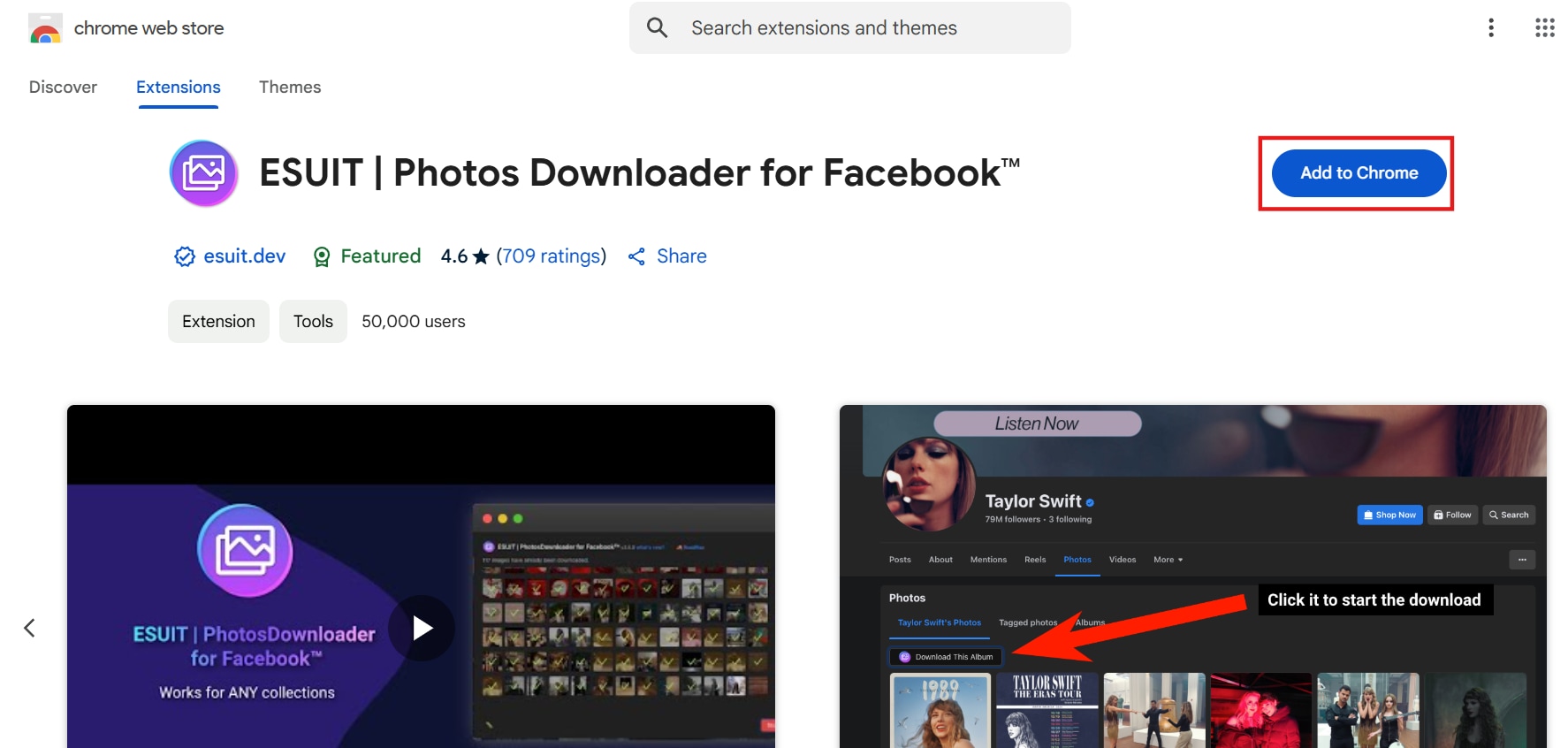
Open Google Chrome and visit the Chrome Web Store. Search for ESUIT Photos Downloader Facebook and click Add to Chrome to install the extension in your browser.
Step 2: Open Facebook and Access the Photos Section
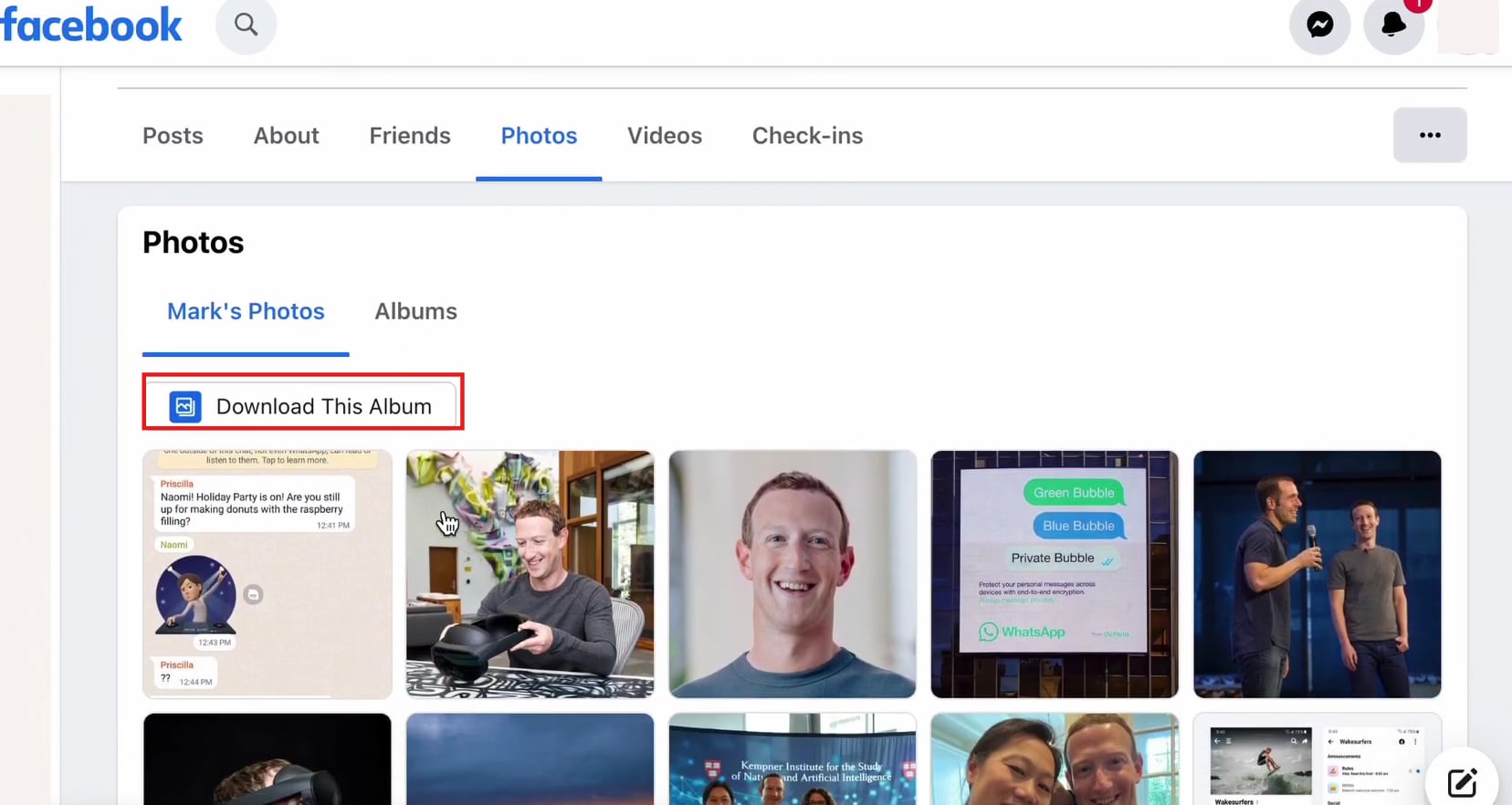
Log in to Facebook and navigate to the Photos section from your profile or page. You will see a button labeled "Download This Album" on the screen.
Step 3: Start the Download and Save Photos
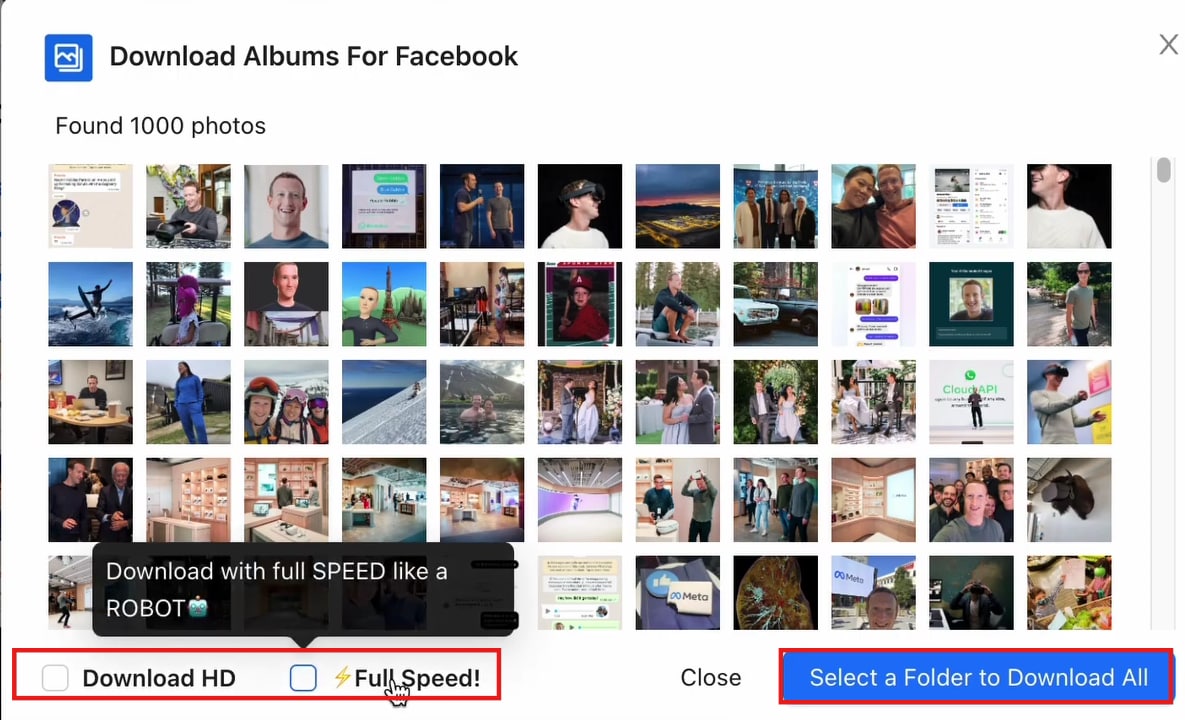
Click on the Download This Album button to start the process. Adjust the settings in the opened window, then click "Select a Folder to Download" and choose a location on your computer to save the photos.
Download a Facebook album with the built-in option
Downloading all photos from a specific Facebook album can be done effortlessly using Facebook’s built-in option. This method allows you to download all photos on Facebook from a single album without needing extra tools. Follow these simple steps to save your Facebook album in just one click.
Steps to Download All Photos from a Facebook Album
Step 1: Log in to Facebook and Open Your Album
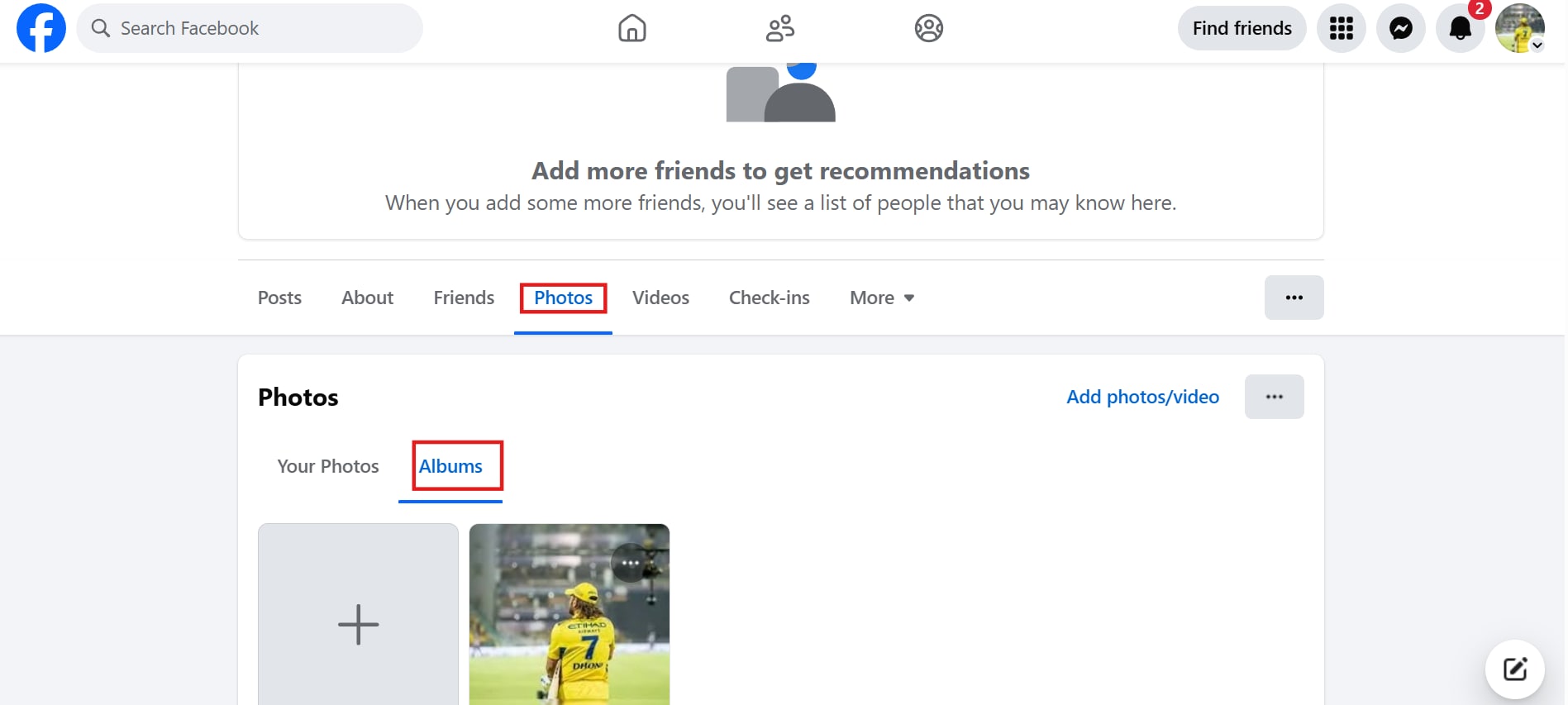
Log in to Facebook and go to your profile. Navigate to the Photos section and select the Album that contains the pictures you want to download.
Step 2: Access the Album Options
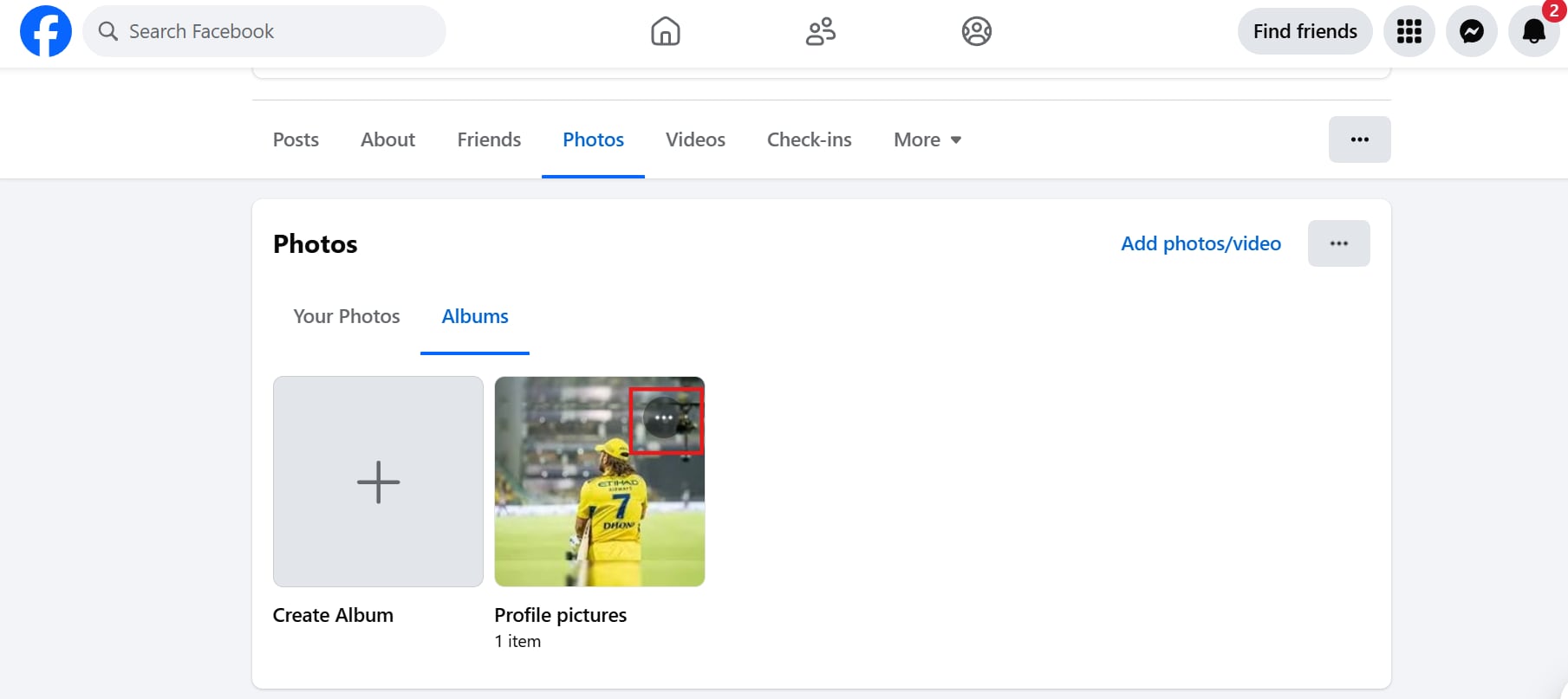
Once inside the album, locate the Three Dots (...) menu at the top-right corner of the page. Click on it to view the available options.
Step 3: Click "Download Album" and Save Photos
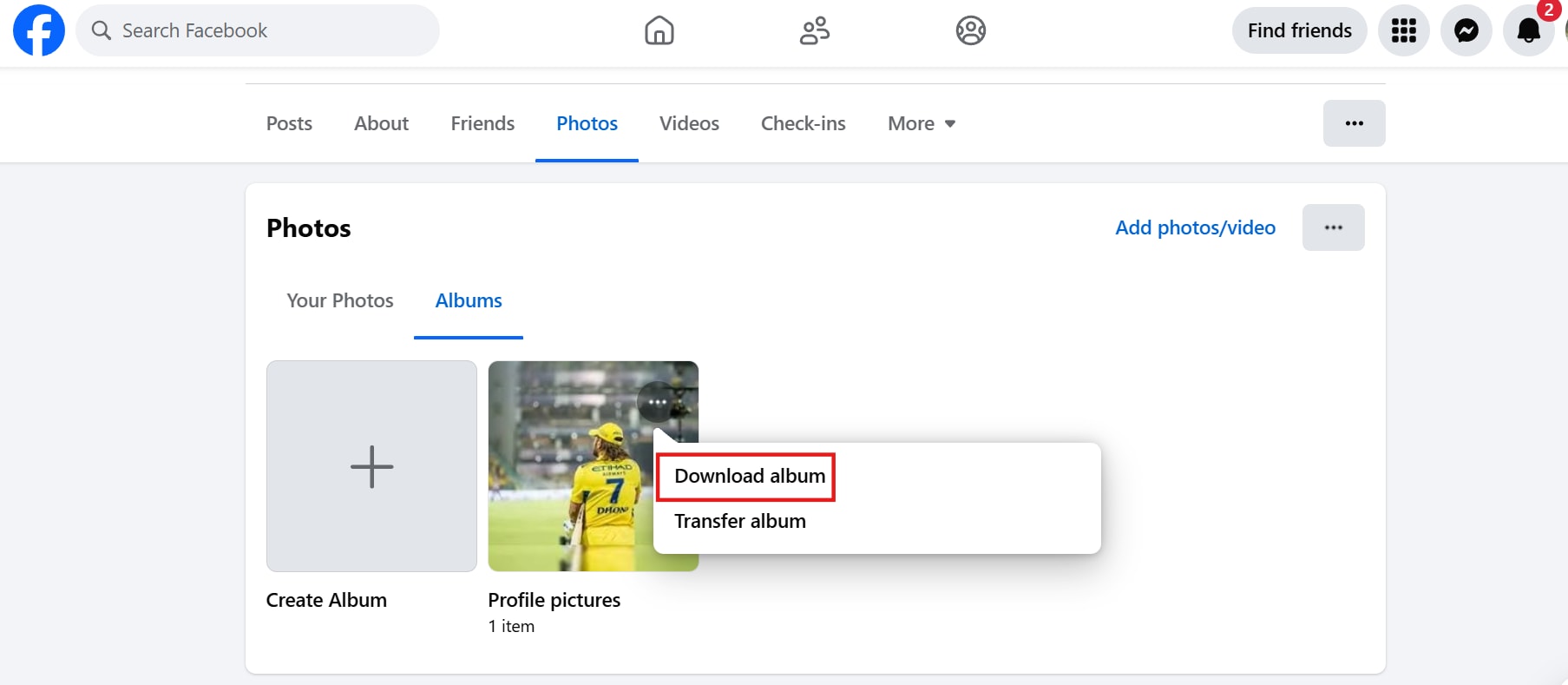
Select "Download Album", and Facebook will generate a ZIP file containing all the photos. Once the file is ready, download it and extract the images to your device.
Conclusion
Downloading all your Facebook photos doesn’t have to be complicated. Whether you prefer Facebook’s built-in tool, browser extensions, online downloaders, or third-party software, this guide has covered multiple ways to download all Facebook pictures effortlessly. From saving entire albums to bulk-downloading Facebook page photos, these methods ensure you never lose your precious memories. For an all-in-one media management solution, consider using UniConverter. Besides downloading Facebook photos, UniConverter offers powerful tools like Image Enhancer, which improves photo quality, and Image Converter, which lets you change image formats easily. It’s a perfect choice for organizing and enhancing your downloaded photos.
FAQs
1. Can I download all my Facebook photos at once?
Yes, Facebook provides a Download Your Information tool that allows you to save all your photos and videos in one ZIP file. You can access it through Settings > Your Facebook Information.
2. What is the best way to download all FB photos in bulk?
The easiest way to download all FB photos in bulk is by using Facebook’s Download Your Information feature. For third-party options, 4K Stogram or JDownloader work well for saving multiple albums.
3. How do I download all my Facebook photos in high quality?
To download all my Facebook photos in the best resolution, select High Media Quality whenrequesting the download file in Facebook’s settings. This ensures your photos are saved in their original quality.
4. Can I download all images from Facebook using a Chrome extension?
Yes, using the ESUIT extension lets you download all images from Facebook quickly. Install it, open Facebook, and use the extension to download albums or profile pictures.
5. How long does it take to download all my Facebook photos?
The time to download all Facebook photos depends on the number of images and internet speed. Small albums take minutes, while full profile downloads can take a few hours. Facebook will notify you once the file is ready.

