


Do you spend hours watching lengthy YouTube tutorials, lectures, or meetings? What if you could get the key insights in seconds without wasting valuable time? With endless videos uploaded daily, it’s easy to feel overwhelmed and struggle to capture the essence of the content you actually need. A YouTube video summarizer powered by AI can instantly create concise summaries, helping you save time while still grasping the core ideas.
This guide is for students, professionals, and creators who want quick takeaways without sitting through entire videos. We’ve tested dozens of tools—from advanced AI summary platforms to simple transcript condensers—to bring you the best free YouTube video summarizers in 2025. By the end, you’ll know how to batch summarize videos effortlessly and choose the right tool to match your workflow.
In this article
Part 1: Why You Need a YouTube Video Summarizer
With the sheer volume of video content in 2025, watching every second isn’t realistic. A YouTube video summarizer helps condense long lectures, webinars, and tutorials into digestible highlights. Here’s how different audiences benefit from it:
For students
A YouTube video summarizer allows students to quickly condense lectures, tutorials, and online classes into clear notes. This makes exam prep and revision more efficient while freeing up time for deeper study. Instead of replaying long videos, students can focus on the most important concepts. By integrating summaries into their study routine, they can retain knowledge more effectively.
For professionals
Busy professionals can extract key action items and insights from webinars, training sessions, or industry talks in minutes, not hours. This ensures no critical information is missed, even with a packed schedule. It’s a smart way to stay updated without disrupting productivity. Over time, this approach builds sharper decision-making and better time management.
For researchers
Researchers save time by summarizing academic presentations, interviews, and conference sessions without watching hours of footage. This helps streamline literature reviews and data analysis. Summarizers highlight only the most relevant points, accelerating research outcomes. They also make it easier to compare multiple sources in less time.
For content creators
Creators can use summarizers to analyze competitor strategies, identify trending ideas, and generate fresh content concepts faster. By condensing long-form videos, they can spot patterns and opportunities quickly. This speeds up content planning and improves market adaptability. Ultimately, it helps creators stay one step ahead in the competitive digital space.
For accessibility
Summarizers provide concise, easy-to-read outputs for viewers who are deaf or hard of hearing. Instead of struggling with lengthy transcripts, they can access clear overviews of video content. This enhances inclusion and ensures vital information is never lost. Such accessibility features also expand a brand’s reach to broader audiences.
For global audiences
Many YouTube video summarizers now integrate translation features, making content accessible across languages. This helps global audiences understand foreign lectures, talks, or tutorials effortlessly. Breaking language barriers makes knowledge more universally available. It also fosters cross-cultural learning and collaboration at scale.
Part 2: How We Tested and Selected These YouTube Video Summarizers
Choosing the right YouTube video summarizer in 2025 requires more than just speed—it’s about reliability, usability, and trust. To ensure only the best tools make the list, we tested each summarizer against clear, practical criteria:
Accuracy
A summarizer is only as useful as the precision of its output. We checked whether each tool captured the video’s core ideas without distorting meaning or leaving out crucial details. Accuracy was measured by comparing generated summaries with the actual video content. Tools with consistently reliable outputs were prioritized for recommendation.
Output quality
Different users need different formats—some prefer bullet points, while others want structured paragraphs, timestamps, or even visual mind maps. We evaluated how well each tool presented summaries and whether the format made content easier to absorb. The best tools offered flexibility, allowing users to switch between multiple output styles.
Ease of use
The value of a summarizer depends on how quickly users can generate results. We examined the setup process, interface design, and the number of steps required to summarize a video. Whether it was a website, browser extension, or mobile app, smooth navigation was key. Tools with intuitive workflows scored higher in our evaluation.
Free tier limits
Not all tools offer the same value at no cost. We reviewed what users can access on the free plan—such as daily summary limits, maximum video length, or advanced options like export formats. This helped identify which tools provide the best balance of features for free. Those with generous free tiers stood out as the most user-friendly.
Additional features
Some summarizers go beyond basics by offering transcript extraction, translation support, note-taking integrations, or easy sharing. We highlighted these extras, as they can make a tool more versatile for professionals, students, and global audiences alike. Features that saved time or enhanced collaboration were rated especially valuable.
Privacy & safety
With AI tools, data security is critical. We only included summarizers from reputable providers with transparent privacy policies. Each selected tool was assessed for how it handles user data, ensuring safe use without compromising confidentiality. Only tools with a proven track record of secure practices were shortlisted.

Easy To Use YouTube Video Transcriber
Part 3: Top 6 Free YouTube Video Summarizers
With hundreds of AI tools claiming to summarize YouTube videos, we tested and narrowed the list down to the six best free summarizers in 2025. Each tool was evaluated for accuracy, usability, and reliability, ensuring you can extract key insights from long videos quickly. Below, we break down each tool with features, working steps, and what makes them worth using:
1. UniConverter
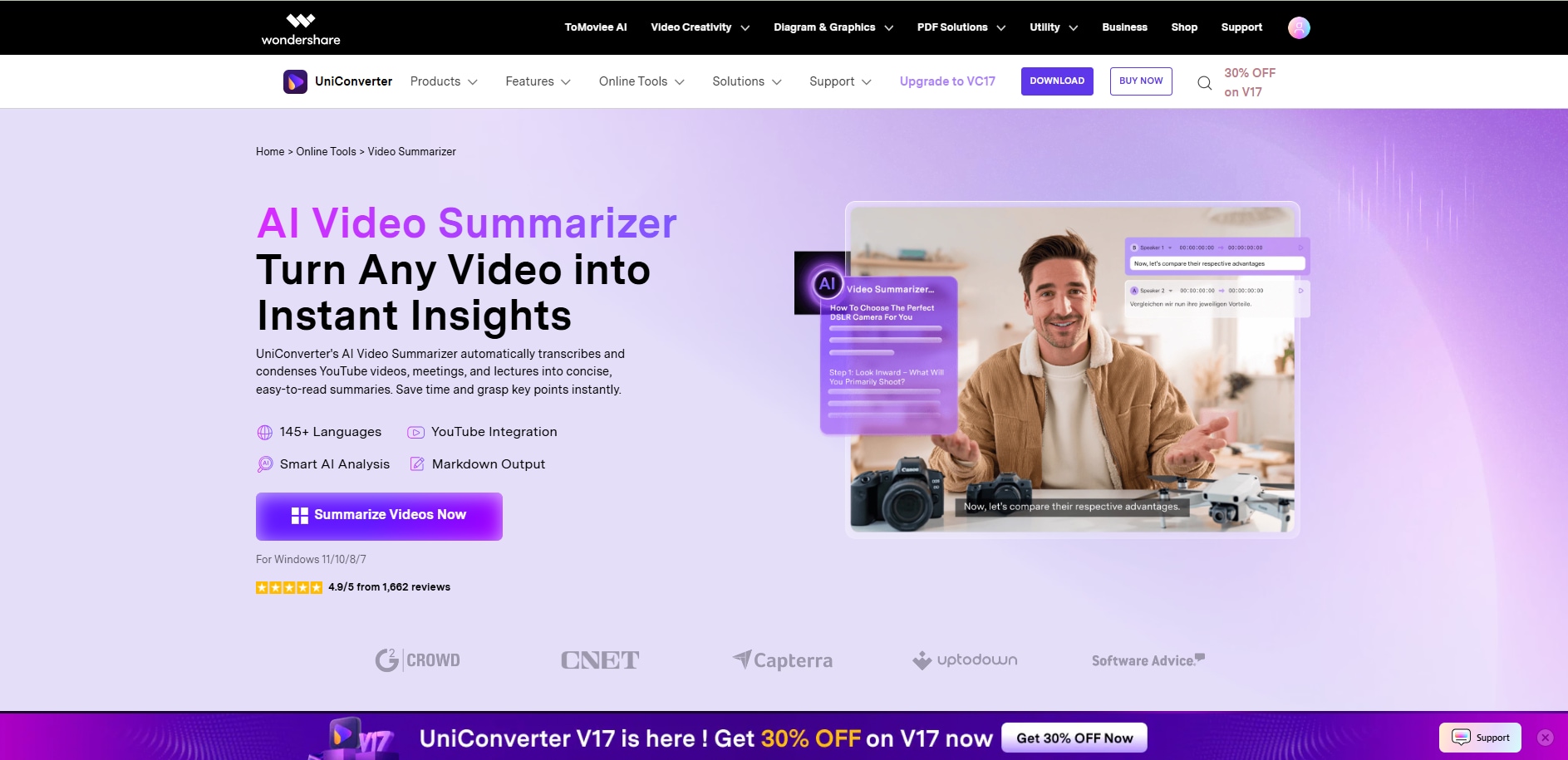
UniConverter (Wondershare) is an all-in-one AI-powered tool that effortlessly converts, edits, compresses, and summarizes videos, including YouTube content. Its YouTube Video Summarizer transforms lengthy videos into concise, readable insights by using AI speech recognition and natural language processing to extract key points. Ideal for creators, educators, and professionals, it reduces watch time while maintaining full context and precision.
Key Features:
- AI YouTube summarizer with transcript and highlight extraction
- Link to YouTube summary conveniency
- Suppport 38+ video formats including avi, .mp4, .mpg, etc. and 25 audio formats including .mp3, .wav, .wma, .ape, etc.
- Converts, compresses, and edits videos in 1,000+ formats
- Adds subtitles, transcribes speech, and enhances video quality
How it Works:
- Upload or paste a YouTube link, and UniConverter’s AI automatically transcribes speech, extracts main themes, and creates concise text or bullet summaries.
Best For: Content creators, students, marketers, and educators who need fast, accurate YouTube summaries without watching long videos.
Free Tier: Free trial version with 50 AI credits for AI functions, and limited times for free trial of other functions.
Why We Chose It: UniConverter stands out for combining summarization, video editing, and conversion in one app. Its clean interface and powerful AI make it a time-saving solution for anyone handling multiple YouTube videos or educational content regularly.
2. Eightify
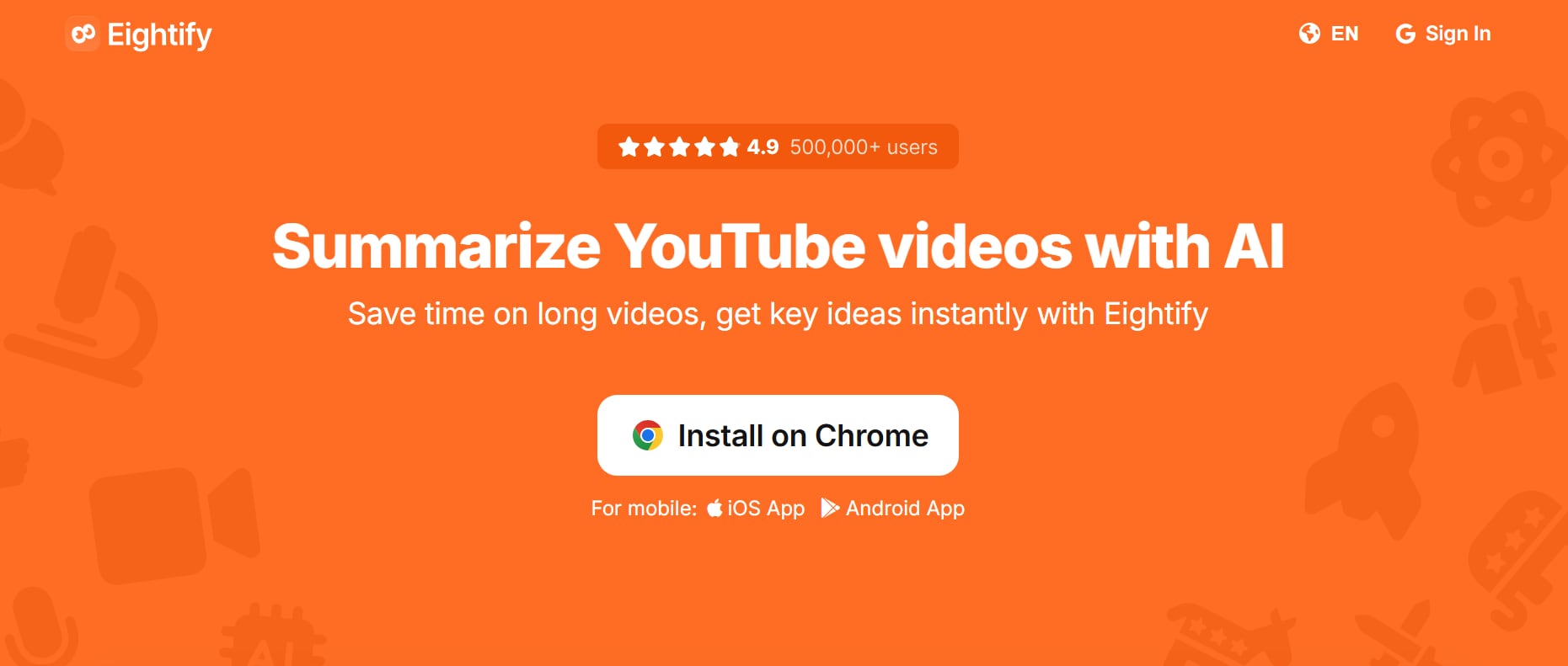
Eightify is one of the most popular AI-powered YouTube video summarizers, trusted by students, professionals, and researchers alike. Built as a Chrome extension, it works directly on YouTube, instantly generating summaries without the need for copy-pasting links into external sites. The tool leverages advanced AI to create concise yet detailed breakdowns in seconds, helping you focus only on the most important points. Eightify also supports multiple output formats like bullet points and paragraph summaries, making it versatile for both academic and business use. Its sleek UI, strong accuracy, and seamless integration with YouTube make it one of the top choices in 2025.
Key Features:
- AI-powered instant YouTube video summaries
- Works directly as a Chrome extension on YouTube
- Multiple summary formats: bullet points, paragraphs, highlights
- Timestamp-based insights for quick navigation
- Export options for study or professional notes
- Lightweight and easy-to-use interface
- Multilingual support for global users
- Regularly updated with new features
How it Works:
- Install the Eightify Chrome extension.
- Open any YouTube video and click the Eightify icon.
- Instantly receive AI-generated summaries with key points.
Best For: Students, researchers, and general users who want a seamless experience.
Free Tier: Limited free summaries per day with essential features.
Why We Chose It: Eightify stood out for its accuracy, direct YouTube integration, and clean user experience, making it the best option for fast and reliable summaries.
3. NoteGPT
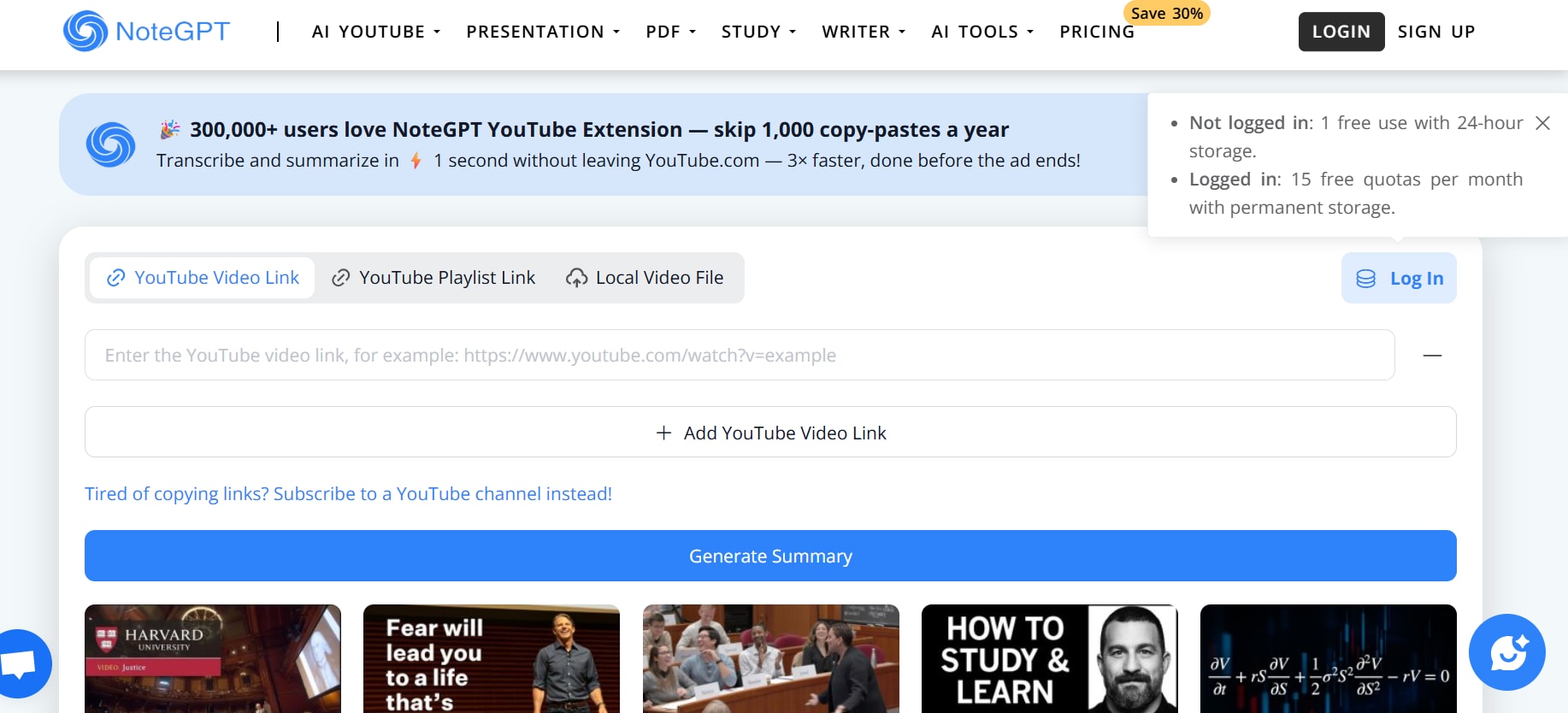
NoteGPT is a clean, online YouTube video summarizer tool that lets you paste a video link and get a summary in one click. It works well for students, creators, and researchers who want to capture essentials quickly without having to download or use complex software. The interface is minimal, focusing entirely on speed and relevance. There’s also support for summarizing multiple videos (batch summarization). It handles long videos, even if there are no subtitles, and offers translation features for global content. The summaries tend to be sharp and to-the-point, which helps when you're pressed for time. Additionally, NoteGPT allows users to export summaries for offline use, making it easy to reference or share with others. Its AI-powered engine ensures consistent quality and readability across diverse video topics.
Key Features:
- Summarize long and multiple YouTube videos at once.
- Handles videos without subtitles.
- Powerful subtitle translation (60+ languages).
- Clean UI with minimal setup required.
- Supports batch summarization up to a set number of videos.
- Free plan gives essential summarization features.
- Good accuracy in retaining the main ideas.
- Essential for fast review of lectures, conversations, or tutorial content.
How it Works:
- Copy & paste the YouTube video link into NoteGPT.
- Click “Generate Summary” (the tool fetches the transcript, auto-generates the summary).
- Read or download the summary with translations and key takeaways.
Best For: Students, researchers, and general users who want a seamless experience.
Free Tier: Offers free summaries (including long videos), batch summarization, subtitle translation.
Why We Chose It: Because of its strong mix of features (batch ability, translation, no-subtitle handling) while maintaining simplicity and speed, NoteGPT stands out among free summarizers.
4. Krisp YouTube Video Summarizer
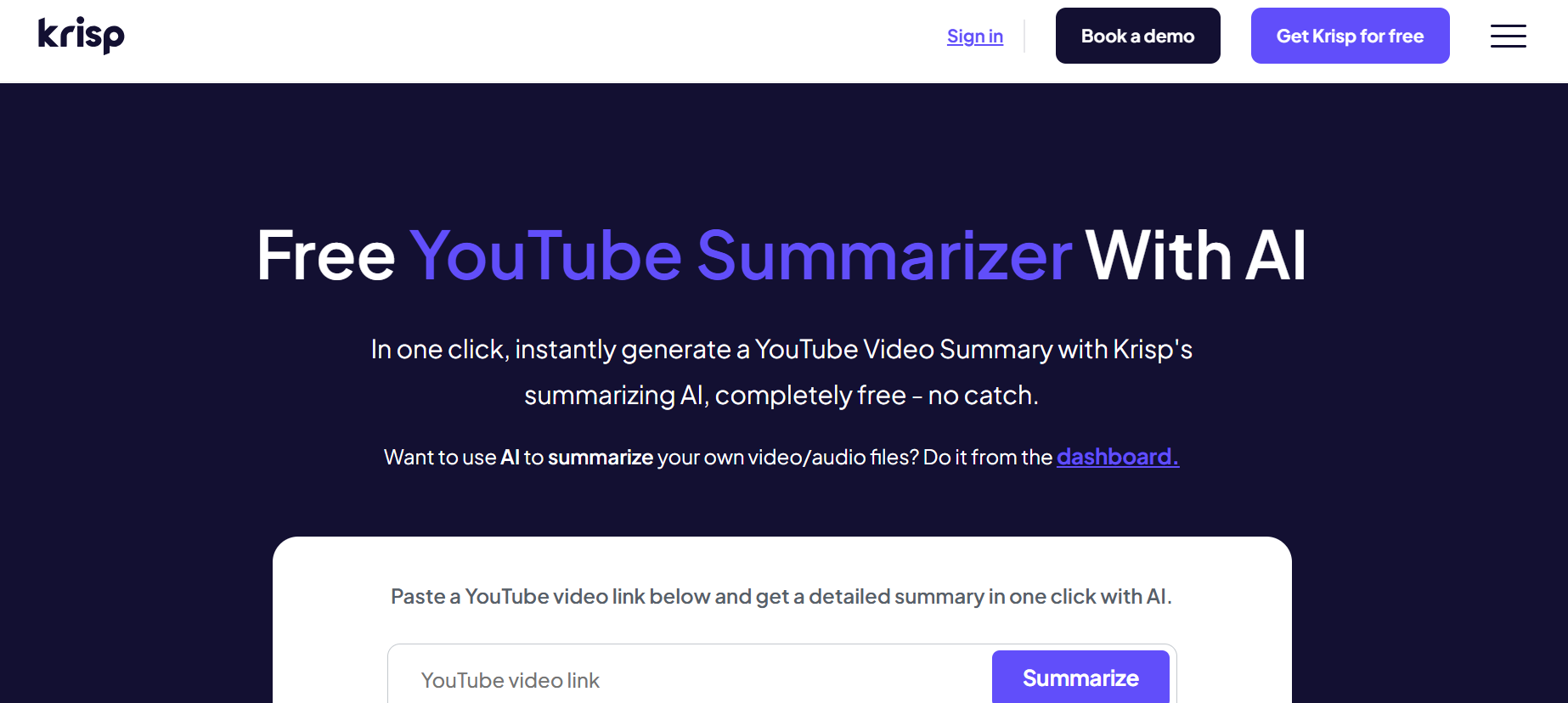
Krisp’s YouTube summarizer is focused on one-click simplicity: paste a video link, and immediately get a summary. There’s no extra signup required to try it out, which means very low friction. The tool is free, with a promise of “no catch,” making it ideal for people who just want to test or use a summary occasionally without commitment. The output is clear, typical in paragraph or bullet style, and you can also download the summary in text form. For those wanting a distraction-free interface, Krisp keeps things minimal and direct to the point. Additionally, Krisp’s summaries maintain accuracy even for moderately long videos, helping users grasp key points quickly. Its lightweight design ensures fast processing without delays, making it a convenient tool for on-the-go summarization.
Key Features:
- Free YouTube summarizer with no signup required.
- Summaries are generated with a single click once the link is provided.
- Downloadable summary (e.g. .txt file).
- Supports summarizing both short tutorials & long videos.
- Clean UI, no clutter or ads.
- Convenient for occasional or one-off summarization tasks.
- Accurate extraction of key insights, without extra fluff.
- Faster time to result — often a few seconds once a link is processed.
How it Works:
- Paste the YouTube video URL into Krisp’s summarizer form.
- Click the “Summarize” button.
- View (and optionally download) the summary.
Best For: Students, researchers, and general users who want a seamless experience.
Free Tier: Completely free for summarizations, with download option.
Why We Chose It: Because its “one click, no signup” model makes access very easy, and it still delivers reliable summaries without major limitations in the free mode.
Easy To Use YouTube Video Transcriber
5.Notta
Notta offers a YouTube summarizer plus full transcript extraction, with multi-language support and good privacy. You paste the video link, choose the language you prefer, and Notta gives you both a summary and the transcript—helpful if you want to dive deeper. It supports 50+ transcription languages and has translation capabilities as well. The UI is polished, and the free plan gives enough functionality to test out without committing. Ideal if you often need both summary + transcript for study or work. Additionally, Notta allows you to export summaries and transcripts in multiple formats, making it easy to integrate with notes or presentations. Its reliable AI ensures that key points are captured accurately, even in long or complex videos.
Key Features:
- Transcription + summarization in one tool.
- Support for many languages (50+ for transcription, translation in many).
- Easy interface: browser-based, works on desktop and mobile.
- Timestamps included in summaries to jump to specific parts.
- Chrome extension option for convenience.
- Clear privacy protections, SSL/security.
- Good output quality for both paragraph and point-form summaries.
How it Works:
- Enter the YouTube video link into Notta’s summarizer page.
- Choose the language and click “Summarize.
- View both the transcript and the summary, plus optional translation.
Best For: Students, researchers, and general users who want a seamless experience.
Free Tier: Basic summarization + transcript; limited number of summaries, some advanced features locked behind paid plan.
Why We Chose It: Because it offers a good combination of transcript + summary, multilingual support, and strong privacy — making it versatile for many users’ needs.
6.Heuristica YouTube Video Summarizer
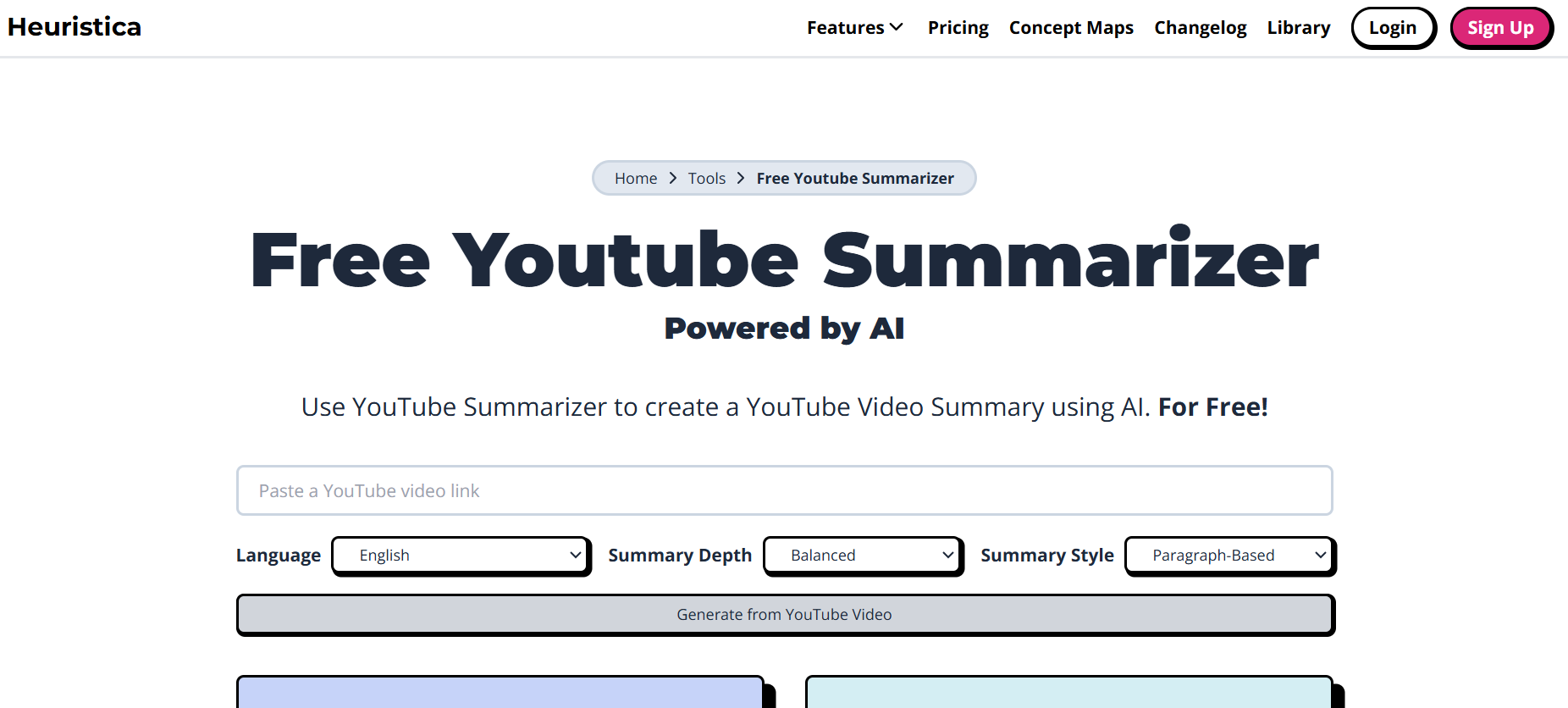
Heuristica is useful for learners and multilingual users thanks to its multiple-language support, style options, and full free usage. You get to choose the summary depth (concise vs. detailed), and whether you want bullet-point style or paragraph style, depending on what kind of note or review you need. It also supports many languages, which helps non-native English speakers follow along more comfortably. The tool is free and has no complicated signup; accuracy is decent for common video types. If you want customizable summary depth (e.g., fast skim vs more thorough read), this tool is very handy. Additionally, Heuristica maintains clear formatting and readability, making summaries easy to study or reference later. Its lightweight design ensures quick processing, even for longer videos, without slowing down your device or browser.
Key Features:
- Multiple language support (20+ languages).
- Option for summary style: bullet points or paragraphs.
- Adjustable summary depth: concise, balanced, detailed.
- Free to use without subscription.
- Customizable output (editable summaries).
- Simple, clean interface.
- Good for language learners or global users.
- Effective for both short tutorials and longer content.
How it Works:
- Paste the YouTube video link into Heuristica’s summarizer input box.
- Select preferred style and depth of summary.
- Generate and view or copy the summary.
Best For: Students, researchers, and general users who want a seamless experience.
Tier: Fully free for summary generation; style and depth options included.
Why We Chose It: Because of its flexibility in style & depth, multilingual support, and 100% free access with no hidden fees — great for those wanting adaptability.
7. Noiz
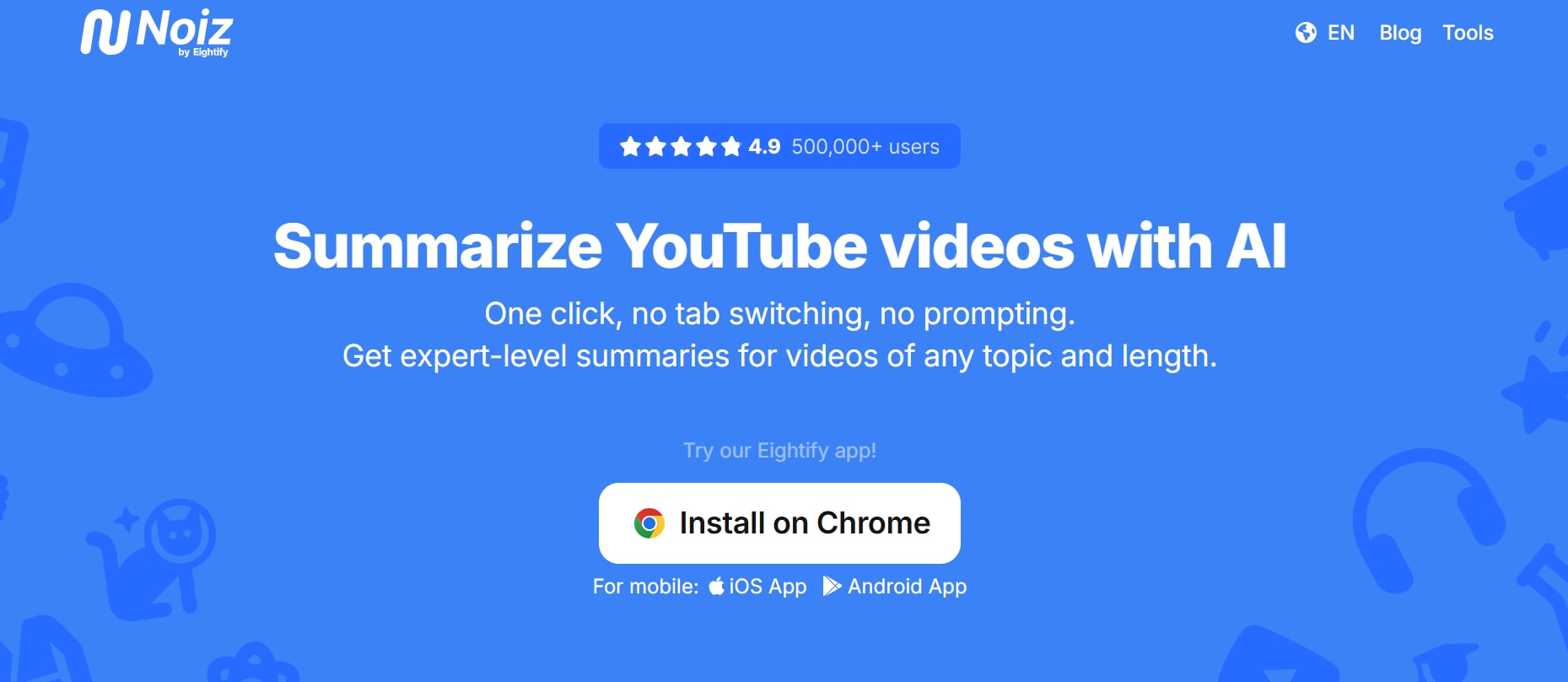
Noiz gives you expert-level summaries from YouTube videos in one click, plus support for many languages and formats. It works as a Chrome extension or via mobile apps, so you can use it on desktop or phone. The summaries are readable, with timestamps and multiple styles for output. It's liked by many for its speed and for the clarity of what it outputs. For multilingual content and long videos, it holds up fairly well. Great value, especially if you consume content across devices or on the go. Additionally, Noiz offers reliable AI accuracy even with complex or technical content, making it suitable for professional and academic use. Its clean interface and fast processing make it easy for users to quickly extract insights without any learning curve.
Key Features:
- Summarize YouTube videos with AI (one click).
- Supports 41 languages.
- Offers timestamped summaries.
- Video-to-text conversion for readable transcripts.
- Works across browser + mobile apps.
- Handles long videos well.
- Clean UI, easy one-click usage.
- Good reputation among users.
How it Works:
- Install the Noiz extension or open the app.
- Go to a YouTube video, and click the “Summarize” or “Summarize Video” button.
- Receive the summary with transcript/timestamp outputs.
Best For: Students, researchers, and general users who want a seamless experience.
Free Tier: Free summaries, many languages supported; mobile + browser usage
Why We Chose It: Because of its strong language support, cross-platform availability, timestamps, and quality of output — great for users who move between devices or need clarity in format.
Here’s a comprehensive comparison table for all six YouTube video summarizer tools in 2025:
| Tool | Product Type | Output Style | Language Support | Batch Summarization | Ease of Use | Unique Differentiator |
| UniConverter | Desktop | Bullet points, Paragraphs, Highlights | 80+ languages | No | Very easy | Link to YouTube summary without local downloading |
| Eightify | Chrome Extension | Bullet points, Paragraphs, Highlights | English (main) | No | Very easy | Direct integration with YouTube for instant summaries |
| NoteGPT | Web-based | Bullet points, Paragraphs | Multiple languages | Yes | Easy | Supports batch summarization and exportable summaries |
| Krisp | Web-based | Bullet points, Paragraphs | English | No | Extremely simple | No signup required; one-click summary |
| Notta | Web + Chrome Extension | Bullet points, Paragraphs, Timestamps | 50+ languages | Yes | Moderate | Combines transcript extraction with summaries |
| Heuristica | Web-based | Bullet points, Paragraphs | 20+ languages | No | Easy | Customizable summary depth (concise vs detailed) |
| Noiz | Chrome Extension + Mobile App | Bullet points, Paragraphs, Timestamps | 40+ languages | No | Easy | Cross-device support with multiple summary styles |
Easy To Use YouTube Video Transcriber
Part 4: How to Easily Batch Summarize YouTube Videos
Manually summarizing one video at a time can be tedious, especially if you’re working with long playlists, lecture series, or multiple webinars. Batch summarization solves this problem by letting you process multiple videos at once, giving you consistent and structured summaries in less time. This is where Wondershare UniConverter comes in.
UniConverter is not just a video converter—it now supports AI-powered tools that help you extract transcripts, generate summaries, and process multiple YouTube videos in bulk. With its intuitive interface, you can load several video links or files, apply summarization settings, and let the AI generate digestible key points in minutes. This makes it ideal for students handling course playlists, professionals analyzing industry webinars, or creators doing competitor research.
Steps to summarize YouTube video with UniConverter:
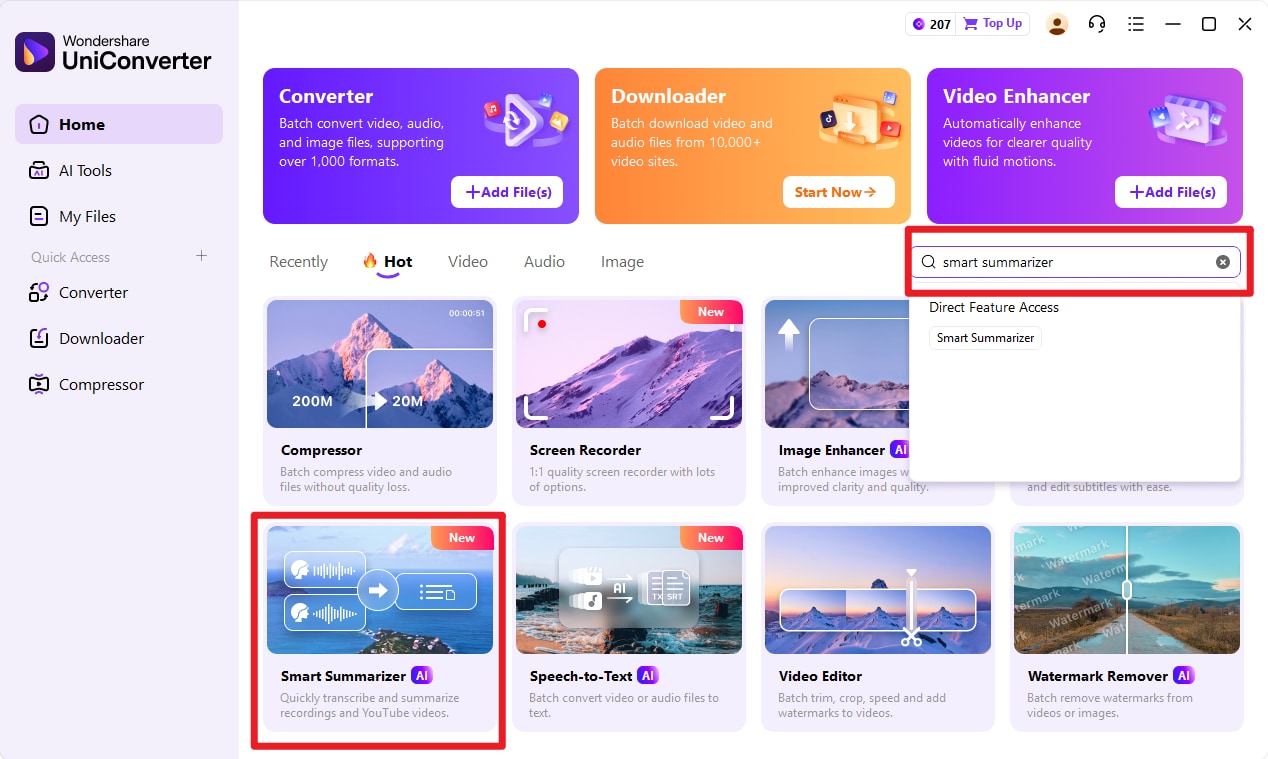
Step 1. Find Smart Summarizer in UniConverter
Install and launch UniConverter to find Smart Summarizer.
Step 2. Copy the YouTube Video Link
Open the YouTube video you want summarized. Copy its URL from the browser’s address bar. For accurate summaries, choose videos with clear speech and minimal background music, such as interviews, tutorials, or lectures.
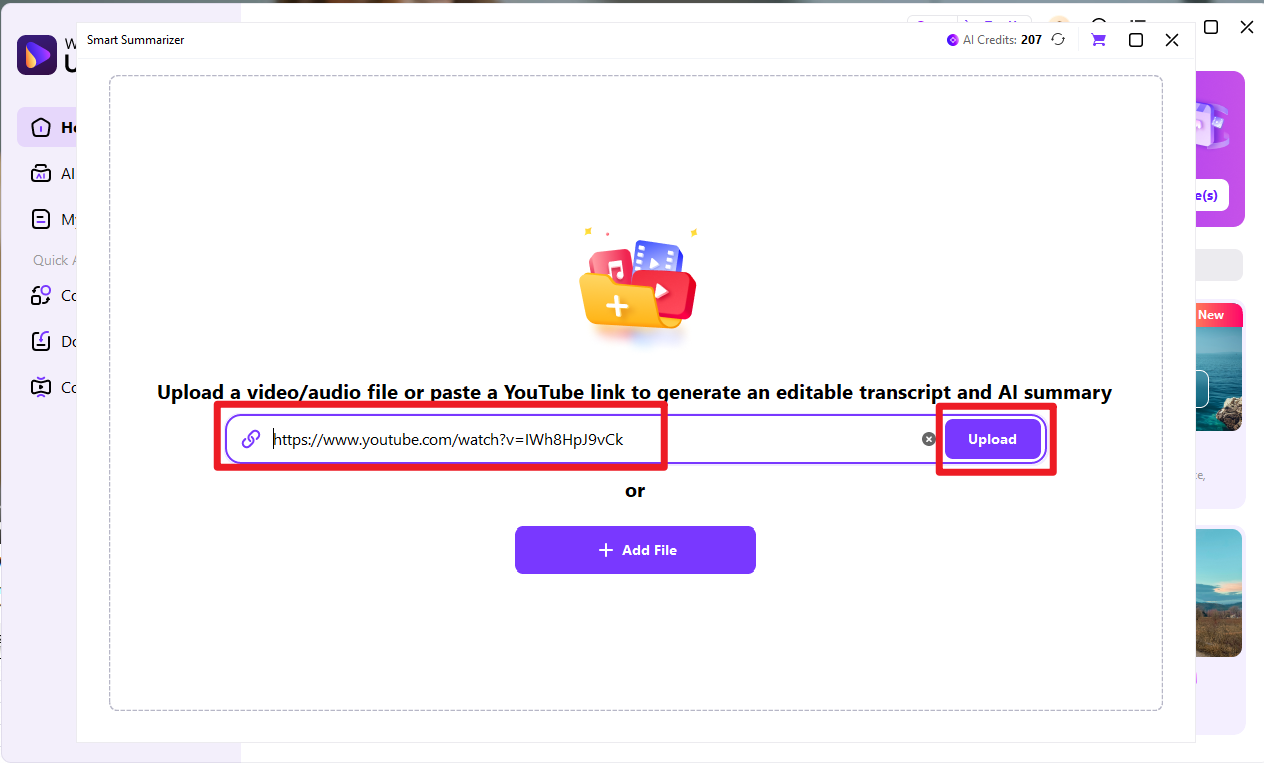
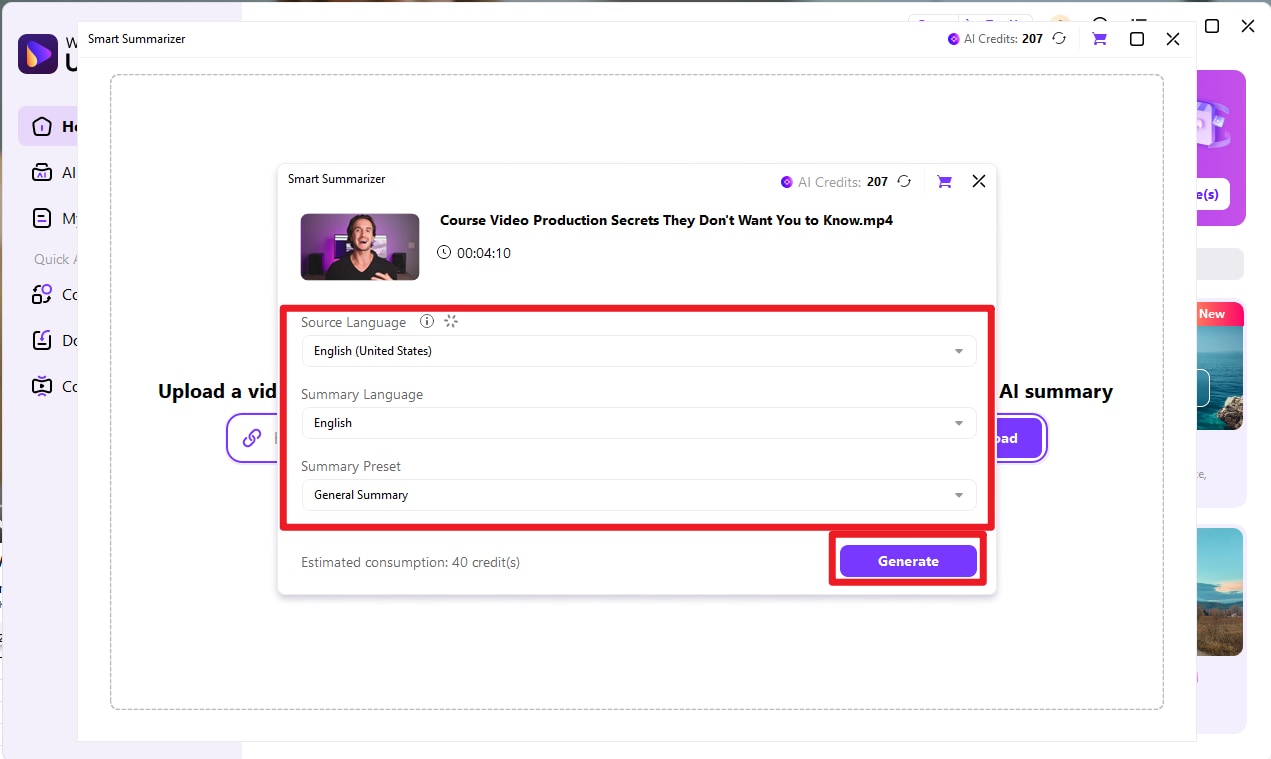
Step 3. Generate Transcript and Summary
Click Start Transcription. UniConverter will analyze the video using AI-powered natural language processing to extract core ideas, highlights, and timestamps. When the transcript is ready, click Summarize to automatically condense it into essential points or bullet summaries.
Step 4. Review and Edit
Review the summarized output to adjust key details, especially for technical or educational videos. You can add section headings or merge short sections for flow and readability.
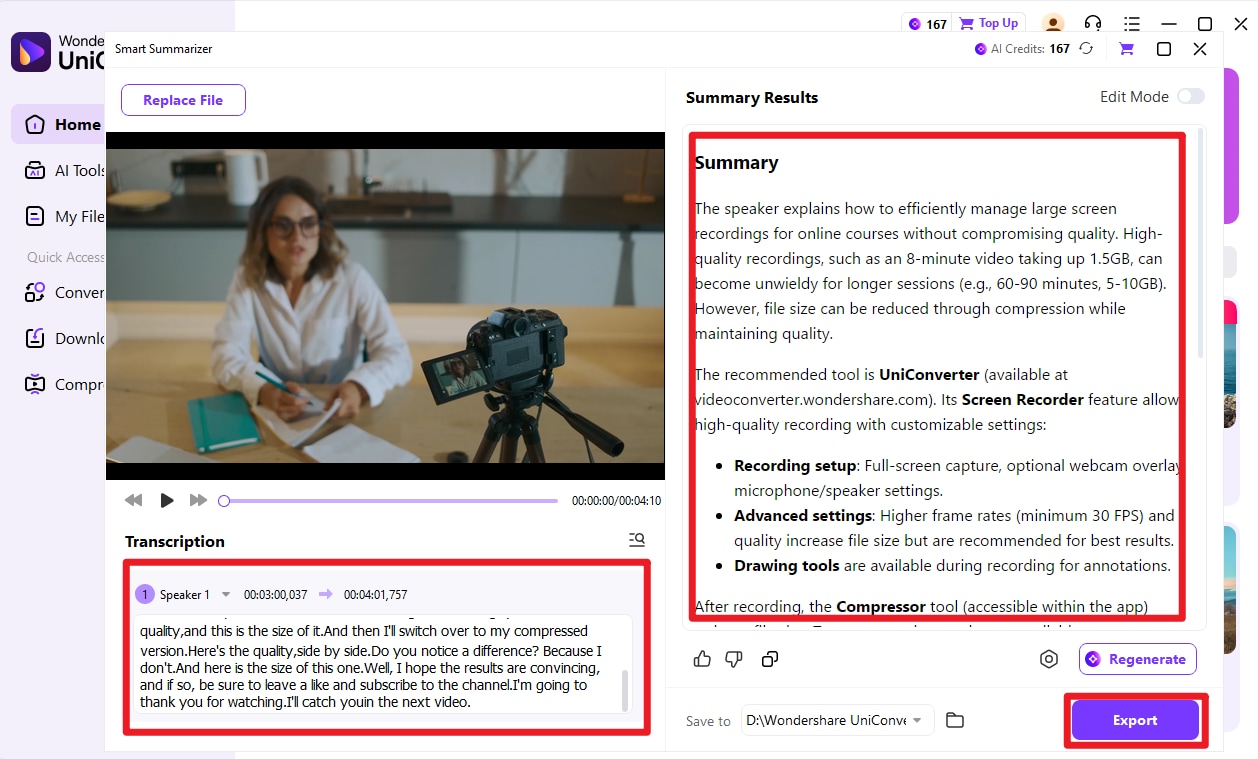
Step 5. Review and Edit
Finally, click Export and choose your preferred format (TXT, DOCX, or PDF). The exported summary can be used for research notes, content planning, or quick video briefs.
Conclusion
In 2025, YouTube video summarizers have become indispensable for students, professionals, researchers, and content creators who want to capture key insights quickly. These AI-powered tools condense long videos into concise summaries, saving hours of watching and improving productivity. From Chrome extensions to web-based platforms, the tools we covered are accurate, easy to use, and versatile for different needs.
For handling multiple videos efficiently, Wondershare UniConverter offers seamless batch summarization, generating transcripts and summaries for several videos in minutes. Its AI-assisted features and intuitive interface make it perfect for research, study, and content creation workflows. By leveraging these tools, you can focus on applying knowledge rather than consuming it passively. Start using UniConverter YouTube video summarizer today to extract essential insights faster and smarter.
FAQs
-
1. Which types of videos can be summarized effectively?
YouTube video summarizers work best on videos with clear audio, structured content, and available transcripts or captions. Tutorials, lectures, webinars, product reviews, and interviews are ideal, while highly unstructured content like vlogs or live streams may produce less precise summaries. Choosing videos with a clear narrative ensures you get the most accurate and useful summaries. -
2. Are YouTube video summarizers free to use?
Many YouTube video summarizers offer free tiers with limited features, such as a daily quota of summaries or maximum video length. Advanced options like batch processing, longer videos, or export formats are often available in paid plans, but free versions are usually sufficient for students, casual users, or initial testing. -
3. Can I summarize multiple YouTube videos at once?
Yes, some tools support batch summarization. For example, allows you to process multiple videos simultaneously, generating summaries and transcripts for entire playlists in minutes. This feature is especially useful for students, researchers, or creators who need to analyze several videos efficiently. -
4. How accurate are YouTube video summarizers?
Accuracy varies depending on the tool and the quality of the video’s audio or transcript. Most modern AI summarizers capture the core ideas effectively, but it’s recommended to review the summaries for critical tasks like academic research or professional reporting to ensure no important details are missed. -
5. Can these tools help with accessibility or language barriers?
Yes. Many summarizers include translation and subtitle extraction features, helping global audiences or viewers who are deaf or hard of hearing access content more easily. This ensures that key insights are available regardless of language or accessibility needs.

