
Looking forhow to add collaborator on Instagram, how to do a collab post on IG, or even how to collaborate on Instagram after posting? You’re not alone. Collaboration is the new currency on IG, and knowing how to collab with someone on Instagram the right way can be 10 times your reach. Whether you’re co-creating content with influencers, teaming up for a giveaway, or boosting your brand, this guide breaks down every angle of how to do collab post on Instagram and makes you a pro—fast.
We'll cover how to invite a collaborator on Instagram, accept collaboration requests, and even what to do if you missed inviting someone initially. Let’s dive into how to make collab posts on Instagram work for you.
In this article
Part 1: What is Instagram Collaboration?
Instagram’s Collab feature allows you to co-author content—ideal for anyone wondering how to do a collab on Instagram. Instead of tagging a friend in the caption, you actually share the same post—likes, comments, and visibility included. It’s the core of how to make a collaborative post on Instagram work.
Supported Media:
- Feed Posts (including carousels)
- Reels (for those asking how to collab on Instagram Reels)
Not Supported:
- Stories
- Live Videos
- Multiple collaborators on a single post (for now)
Yes, you can collab a post on Instagram, but both users must accept the request to be listed as co-authors. That’s the first rule in learning how to collaborate on Instagram posts.

Batch Image Resizer for Ingstagram on Win and Mac
Part 2: Use Cases of Instagram Collaboration
Are you still not getting why and how to collab post on IG? These real-world examples will inspire you:
Brand + Influencer Partnerships
Think of a skincare brand teaming up with a content creator to co-author a Reel—this is a great example of how to send collaboration request on Instagram in a way that feels authentic and aligned.
Musician + Videographer Drops
When a musician and a videographer drop a Reel together, it’s the perfect showcase of how to make a collab post on Instagram that gives credit where it’s due and spotlights everyone involved.
Giveaway Campaigns
Ever seen a joint giveaway where both accounts share the same post with the rules? That’s a go-to move for how to do collab post on IG—it boosts engagement and reaches two audiences at once.
Product Launches
Launching a product? Tagging a trusted creator in a collab post can seriously boost your reach. It’s a proven way for how to do a collaboration post on Instagram that sells—and builds instant trust.
If you’ve been wondering, how do you collaborate on Instagram? These real-world examples offer a clear, practical roadmap to get started.
Part 3: Benefits of Collaborating on Instagram
Thinking of teaming up on the 'Gram? Whether you're launching a product, promoting music, or just trying to grow your audience, collaborations aren't just incredible—they're conversion gold. Here's why learning how to make collab posts on Instagram is a game-changer:
Double the Reach
One post, double the impact. Your content shows up on both profiles at once—how to make collab posts on Instagram scale your content effortlessly and boost visibility overnight.
Audience Crossover: Share your spotlight and step into theirs. Collaborations unlock whole new audiences—this is how to collaborate on Instagram post and grow without ever boosting or buying ads.
Credibility Boost
Instant authority. When you co-post with someone respected, your account gains trust by association. That is how to add someone as a collaborator on Instagram and tap into their credibility like a social shortcut.
Saves Time
One post. Two accounts. Zero extra effort. That’s how to add collab on Instagram and streamline your posting while expanding your reach.
If you’re not collabing, you’re leaving growth on the table.
Part 4: How to Invite Others to Collaborate on Instagram
Whether you're learning how to invite collab on Instagram or how to collaborate on Instagram after posting, follow these steps:
How to Add a Collaborator on Instagram (Step-by-Step):
Step 1: Create Your Post or Reel
Start by uploading your photo, video, or Reel as you usually would on Instagram.
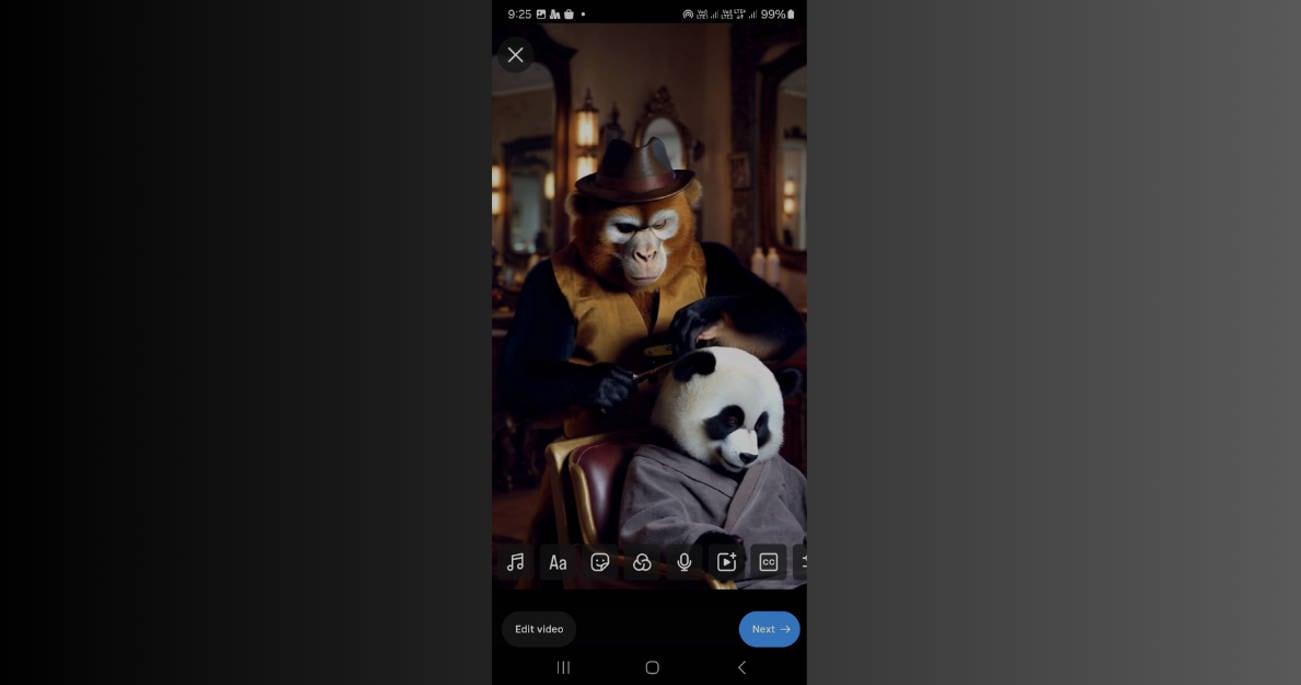
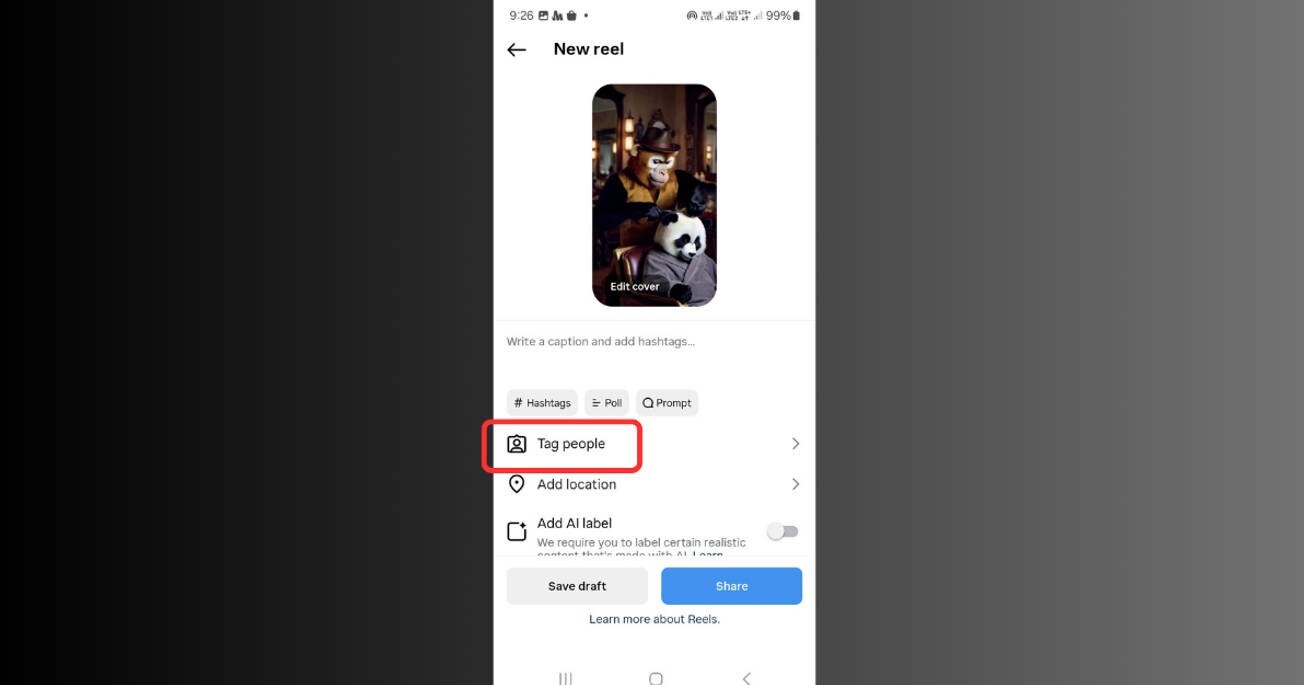
Step 2: Tap “Tag People”
On the caption screen, tap “Tag people” to begin adding others.
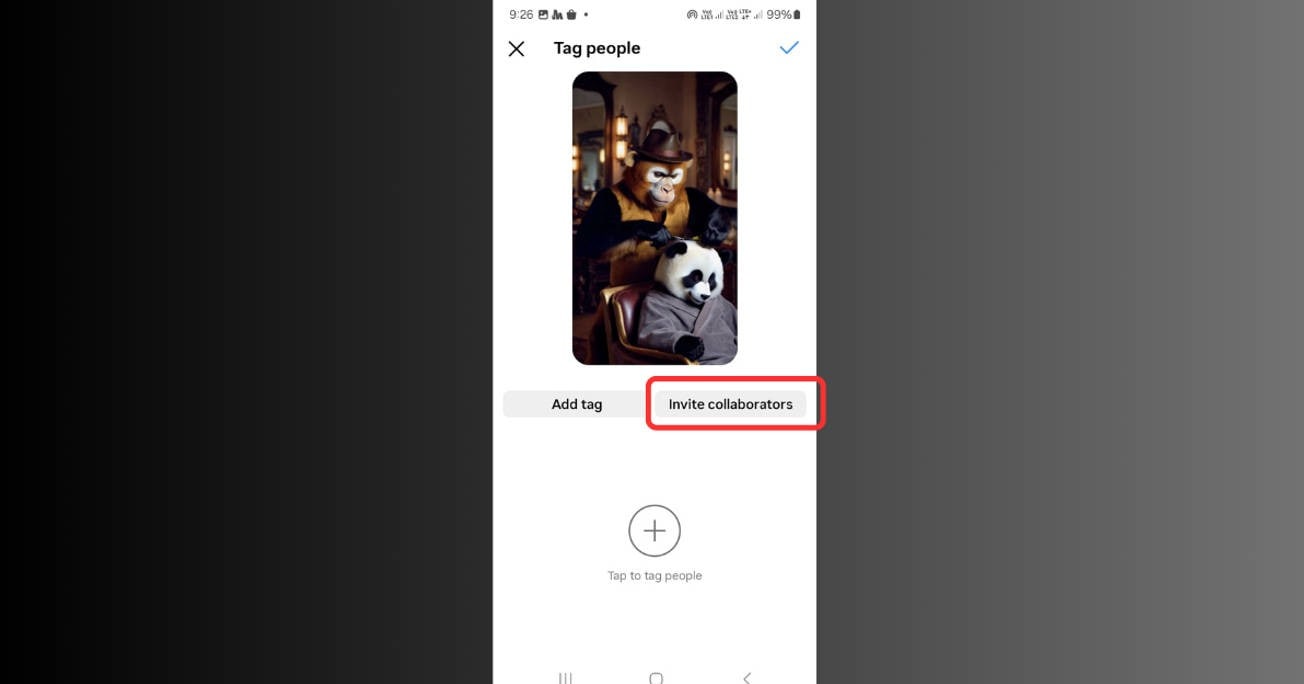
Step 3: Choose “Invite Collaborator”
Below the tagging option, tap “Invite collaborator.”
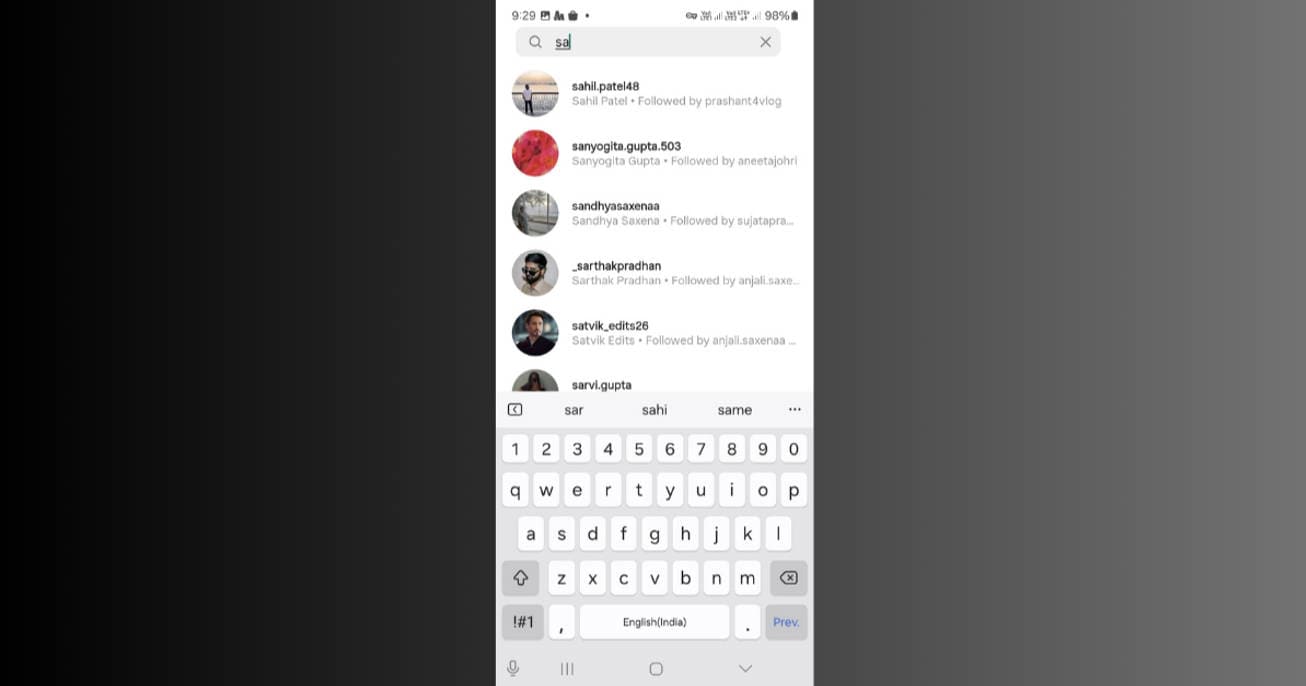
Step 4: Search and Select the Collaborator
Type the username of the person you want to collaborate with and select them.
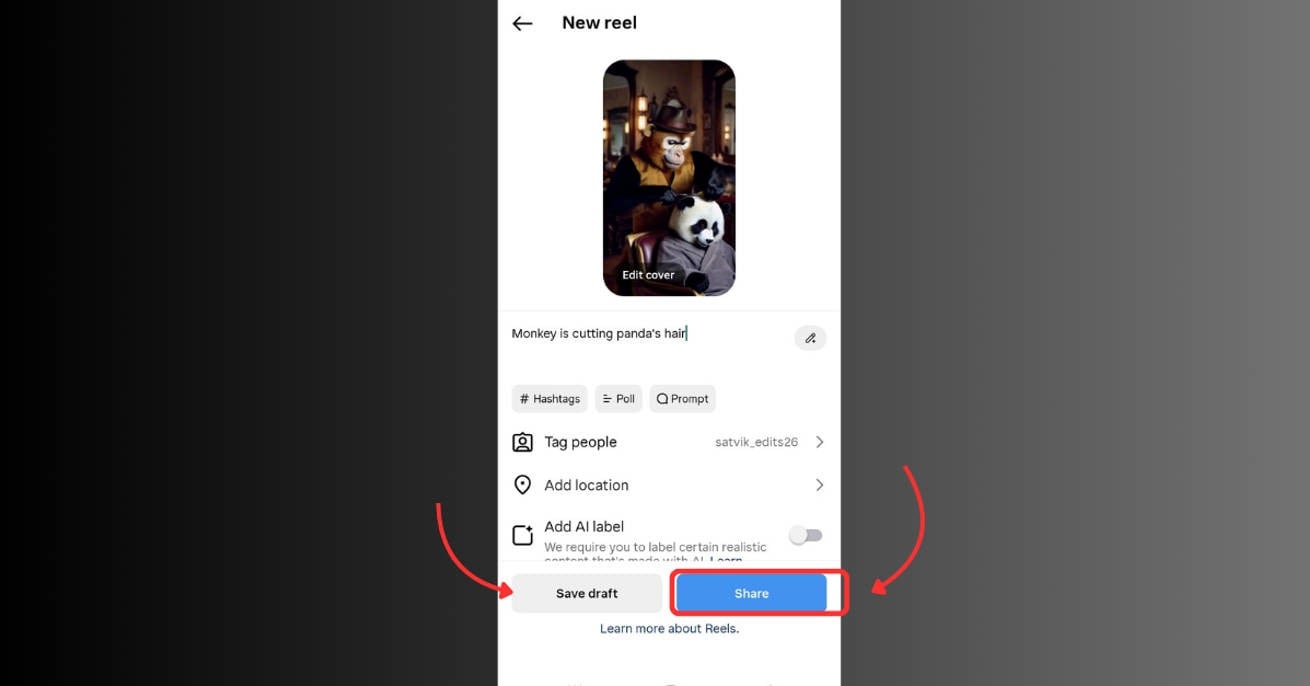
Step 5:Tap “Share” or “Save as Draft”
Once you've added your collaborator and finished editing your post or Reel, tap “Share” to publish it immediately or “Save as Draft” to post it later.
The other person will receive a collaboration request. This is how to send collaboration request on Instagram and how to collaborate post on Instagram after posting (by deleting and reposting).
If they approve, the post appears on both profiles with shared likes/comments. That’s how to accept collaborator on Instagram and go live together.
Batch Image Resizer for Ingstagram on Win and Mac
Part 5: Bonus—Batch Resize Photos for Instagram Collaboration
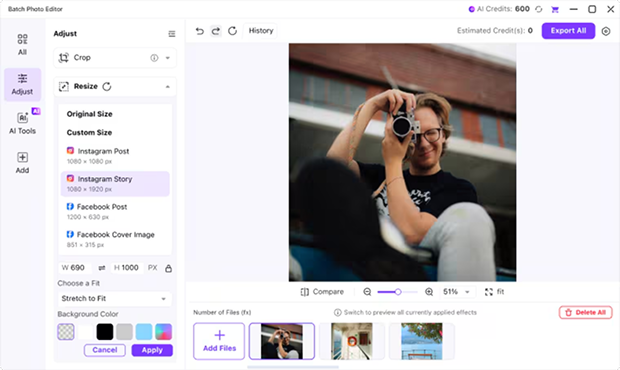
Do you have visuals to prep before you make a collab post on IG? Use UniConverter to batch-resize them perfectly for Instagram.
Why UniConverter Image Editor Rocks:
- Resize multiple images at once.
- Choose IG presets: 1:1, 4:5, 9:16.
- Keep photo quality top-notch.
- Convert JPG, PNG, WEBP easily.
Steps to Resize Photos Using UniConverter:
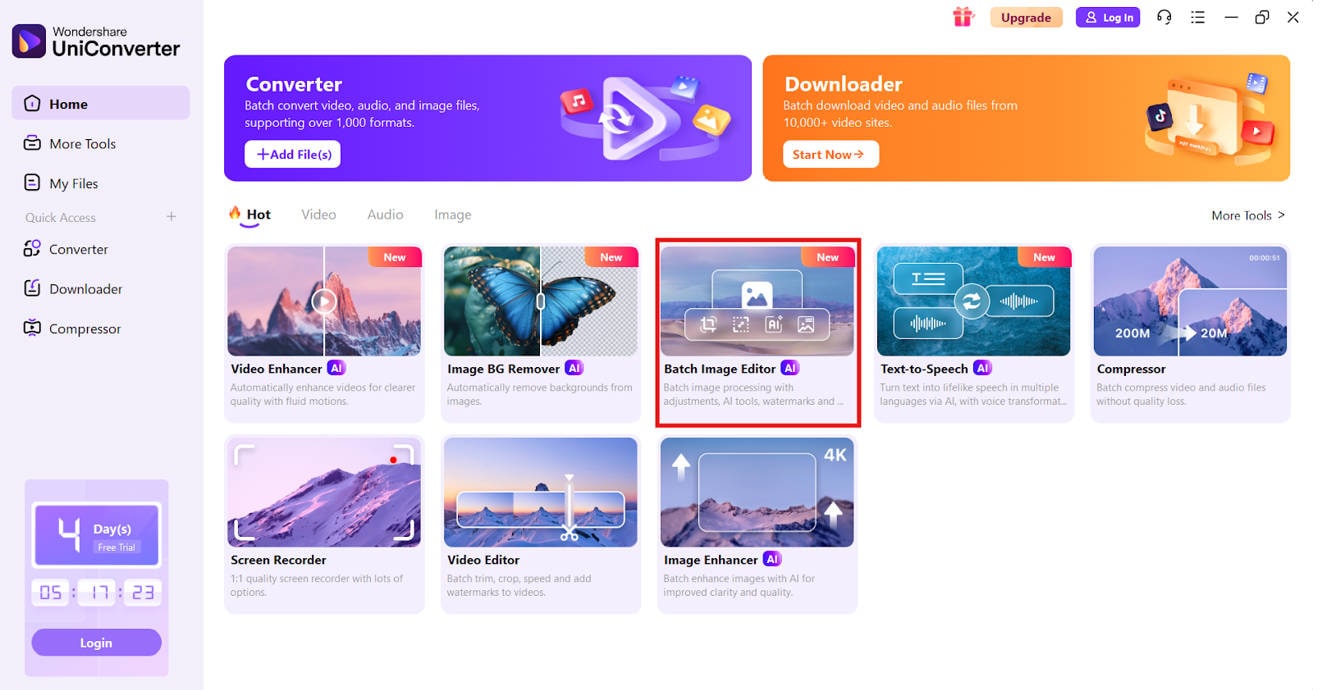
Step 1: Open UniConverter and Select Image Converter
Launch UniConverter and hit the “Batch Image Editor.”
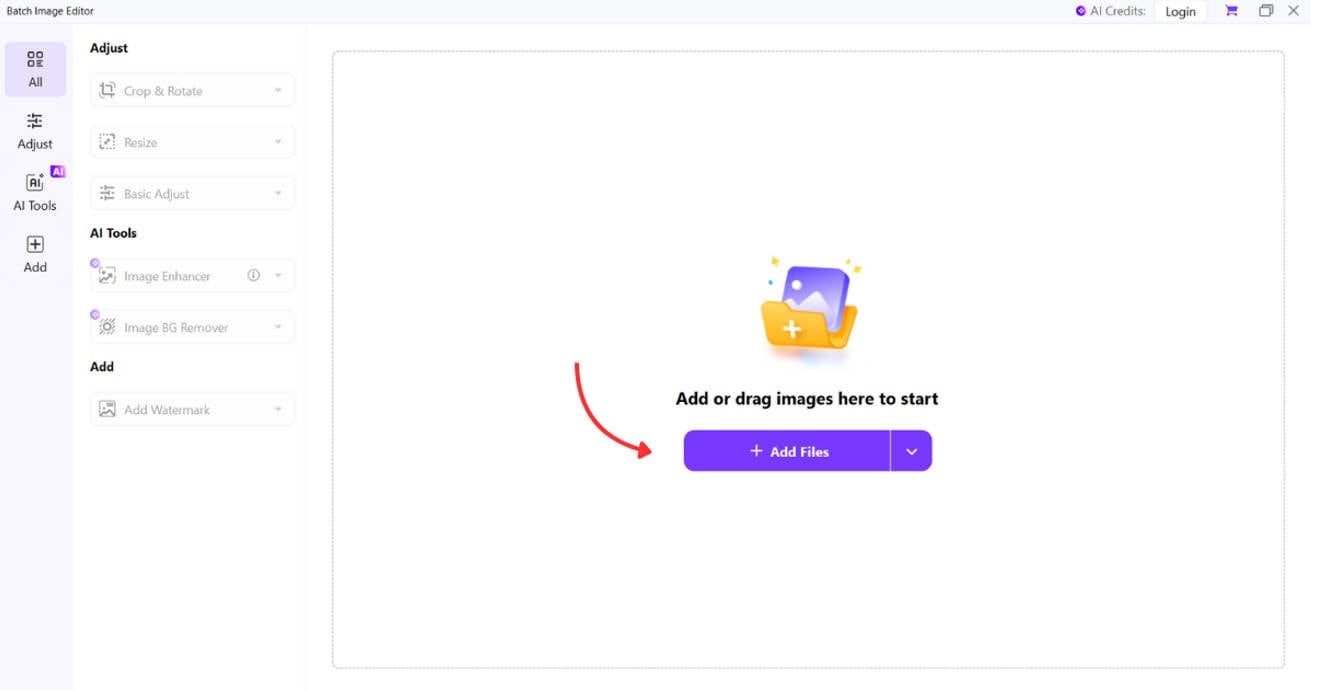
Step 2: Upload Your Images
Click “Add” to upload the images you want to resize. You can upload multiple files in one go.
Step 3: Set Instagram Preset or Custom Dimensions
Choose a preset for Instagram (square, portrait, etc.) or manually enter custom dimensions.
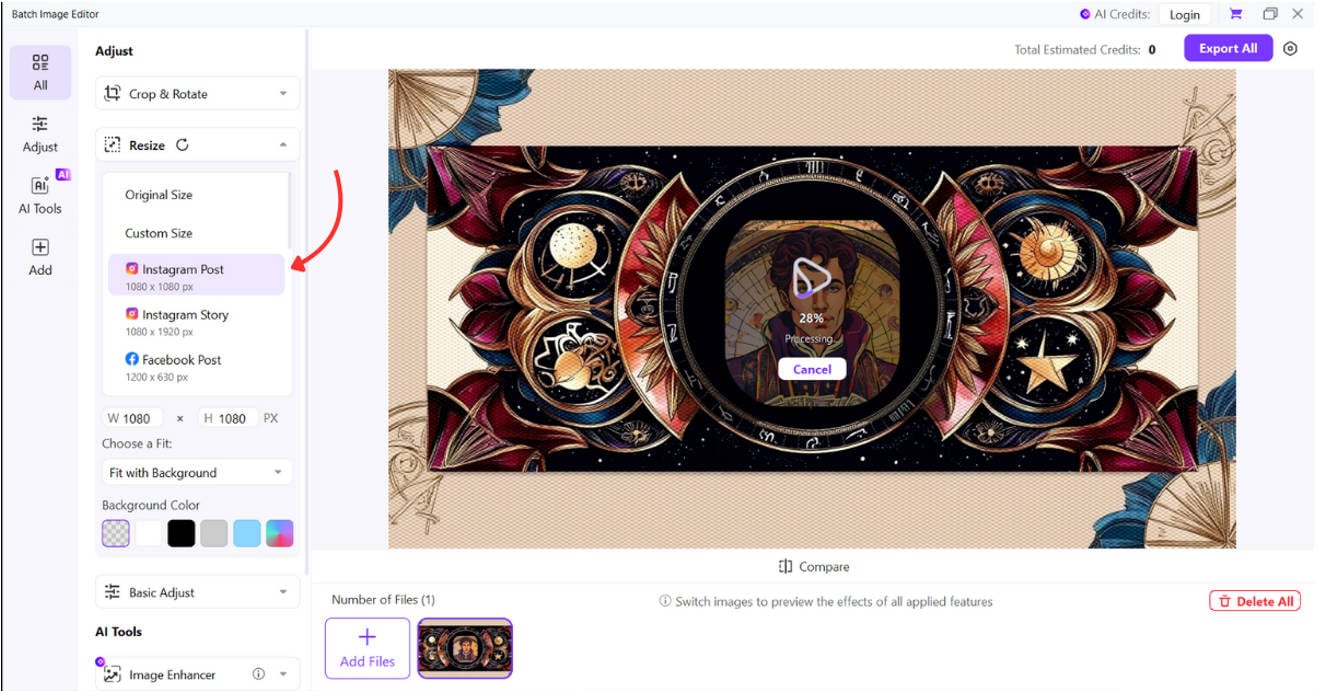
Step 4: Click “Export All” to Download
After configuration, click “Export All” to process and download your images.
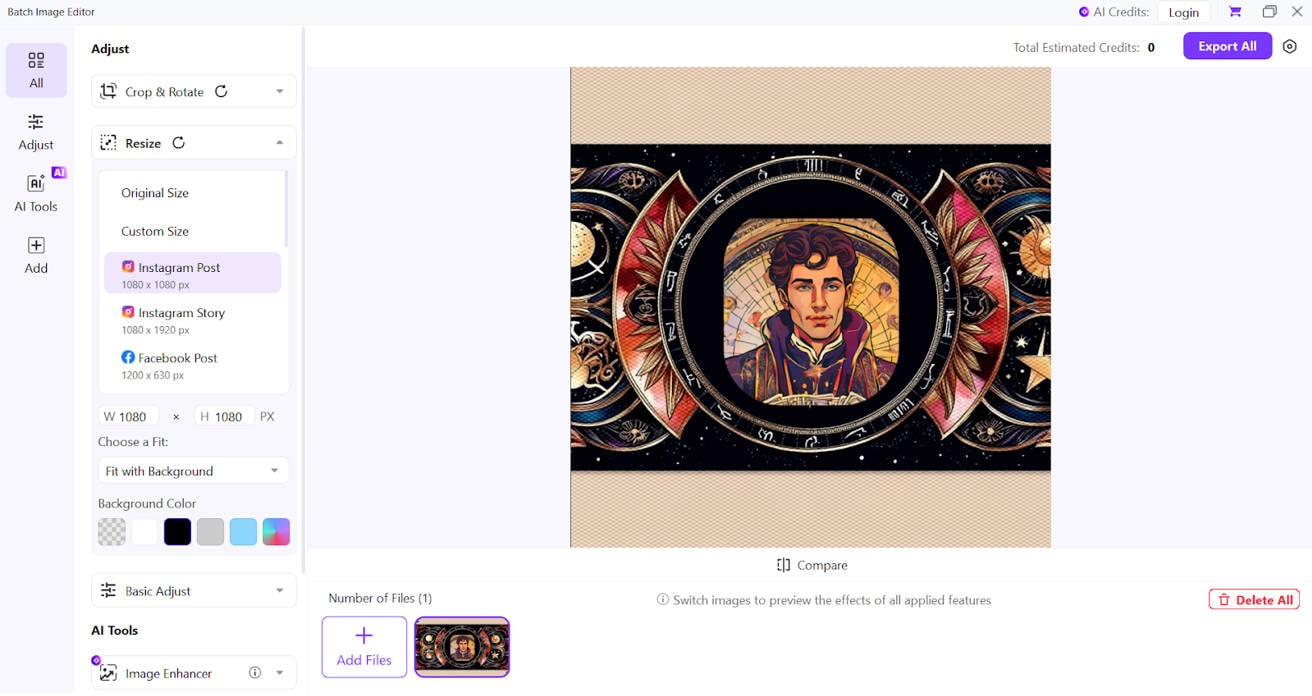
It’s the fastest way to polish content for a collaborative post on Instagram.
Conclusion
Instagram Collabs are more than a trend—they’re your best shot at algorithm-proof reach. From how to do collab on Insta to how to invite a collaborator on Instagram, you now know the whole playbook. Add strong visuals, innovative strategy, and UniConverter into the mix—and you won’t just post. You’ll collaborate like a pro.
Batch Image Resizer for Ingstagram on Win and Mac
FAQs
-
1. How to add a collaborator on Instagram?
Create a post → Tap “Tag People” → Select “Invite Collaborator” → Choose the user → Post. -
2. How many collaborators can I add?
Only one collaborator per post currently. -
3. What if I forget to invite someone?
You’ll need to delete and repost. That’s how to collaborate on Instagram after posting. -
4. Can I collaborate on Stories?
No, Instagram Collab is only for feed posts and Reels. -
5. How to accept collaborators on Instagram?
You’ll get a DM invite. Open it and tap “Accept” to co-author the post.