


Trying to save a video from Dailymotion only to realize there's no official download button can be frustrating, especially when the internet is slow or the video needs to be watched offline. If you're looking for a reliable way to convert Dailymotion to MP4, the good news is that several proven methods make it possible without sacrificing quality.
This guide walks through practical solutions to download Dailymotion to mp4: professional desktop software for high-quality downloads, free online converters for quick one-time use, and simple mobile workarounds when a computer isn't available. Each method is explained clearly, including its strengths, limitations, and best use cases.
In this article
- Part 1: Why do people convert Dailymotion videos to MP4 for offline viewing?
- Part 2: Use the Reliable Dailymotion to MP4 Converter
- Part 3: Free Online Dailymotion to MP4 Converters
- Part 4: How can you save Dailymotion videos as MP4 on mobile?
- Part 5: Legal Considerations: Can You Download Dailymotion Videos?
- FAQs About Dailymotion to MP4 Conversion
Part 1: Why do people convert Dailymotion videos to MP4 for offline viewing?
Before choosing a download method, it helps to understand why so many people prefer to convert Dailymotion to MP4 instead of keeping videos in their original streaming format. MP4 is one of the most widely supported video formats, making it practical for playback, storage, and sharing without compatibility issues.
Here's why MP4 is the preferred choice:
- Universal Compatibility: Works smoothly on Windows, macOS, iPhone, Android, tablets, smart TVs, and most media players without extra codecs.
- High-Quality Support: Handles HD and even 8K resolution while maintaining efficient file size.
- Offline Viewing: MP4 is ideal for travel, commuting, or areas with unstable internet.
- Easy Editing: MP4 is compatible with popular video editing tools for trimming, merging, or adding subtitles.
- Simple Sharing and Archiving: You can easily upload MP4 files to cloud storage, transfer them between devices, or store them long-term without format conflicts.
Part 2: Use the Reliable Dailymotion to MP4 Converter
If you want a stable, high-quality solution instead of dealing with ads, broken links, or quality loss, Wondershare UniConverter is the best Dailymotion to MP4 downloader for desktop. Instead of relying on unstable browser tools, you can convert Dailymotion videos to MP4 with precise output settings, stable performance, and no quality degradation during processing.
Wondershare UniConverter is designed for people who care about output clarity, file management, and long-term reliability; not just quick, low-quality conversions.

Dailymotion to MP4 Converter
Why Choose UniConverter for Dailymotion Downloads?
High-quality outputs, batch processing, support for 1000+ formats, audio/video editing features, and many other reliable features make UniConverter a better option for downloading Dailymotion videos to MP4.
- You can convert videos to MP4 in original resolution, including 720p, 1080p, 4K, and 8K, without unnecessary compression.
- You can batch-process multiple video files at once, saving time when handling multiple downloads.
- A built-in video and audio cutter lets you trim, crop, merge clips, add subtitles, and apply watermarks before exporting to MP4.
- It supports over 1,000 sites or platforms, giving you flexibility beyond just converting Dailymotion videos to MP4.
- There are no ads, pop-ups, or hidden malware risks, making the workflow secure and distraction-free.
- GPU acceleration technology delivers significantly faster conversion speeds compared to browser-based tools.
Step-by-Step: How to Convert Dailymotion to MP4 with UniConverter
Below is a simple guide to converting Dailymotion videos to MP4 with UniConverter while preserving the original resolution and achieving faster processing.
Step 1: On the Wondershare UniConverter's dashboard, click "Downloader."
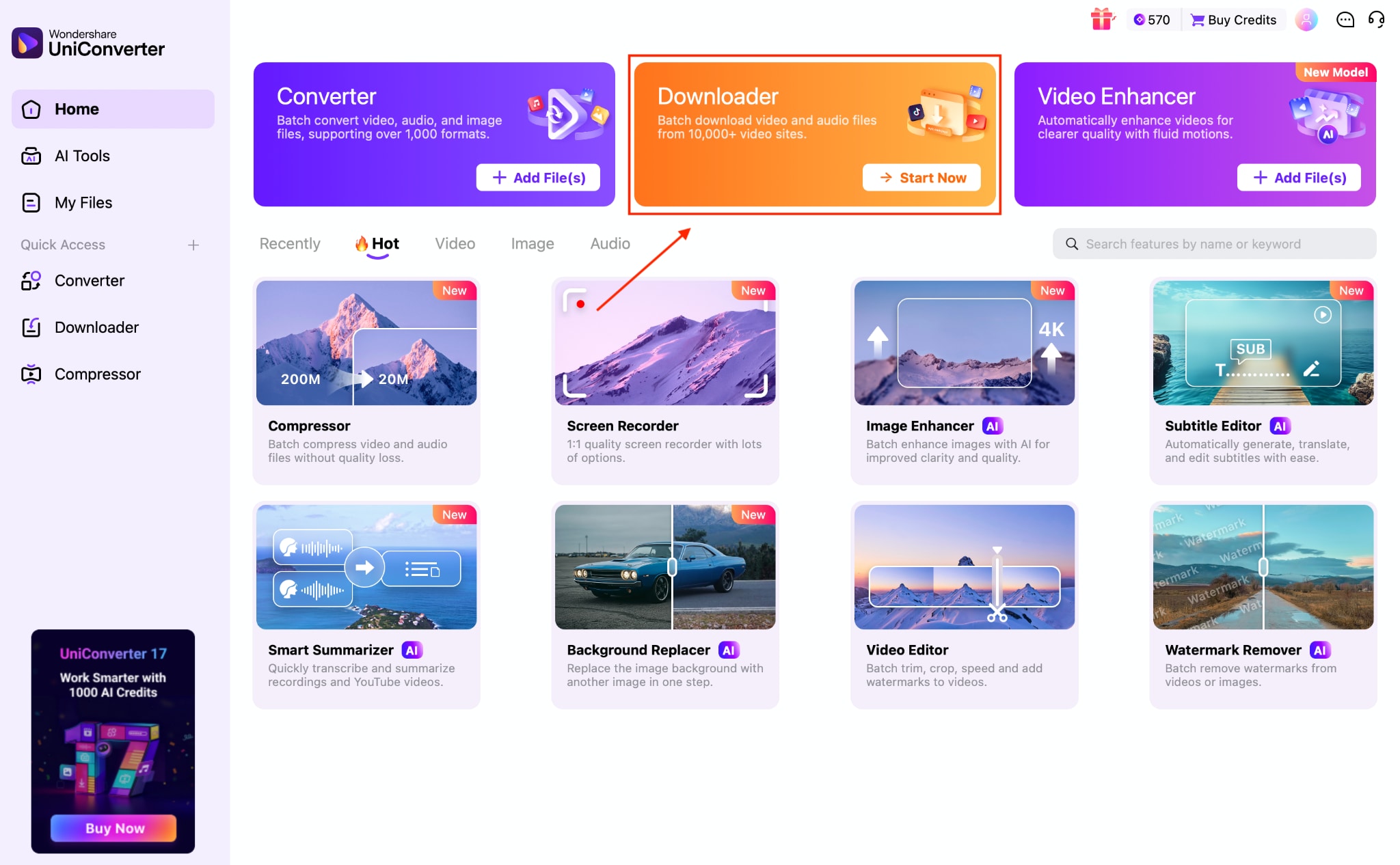
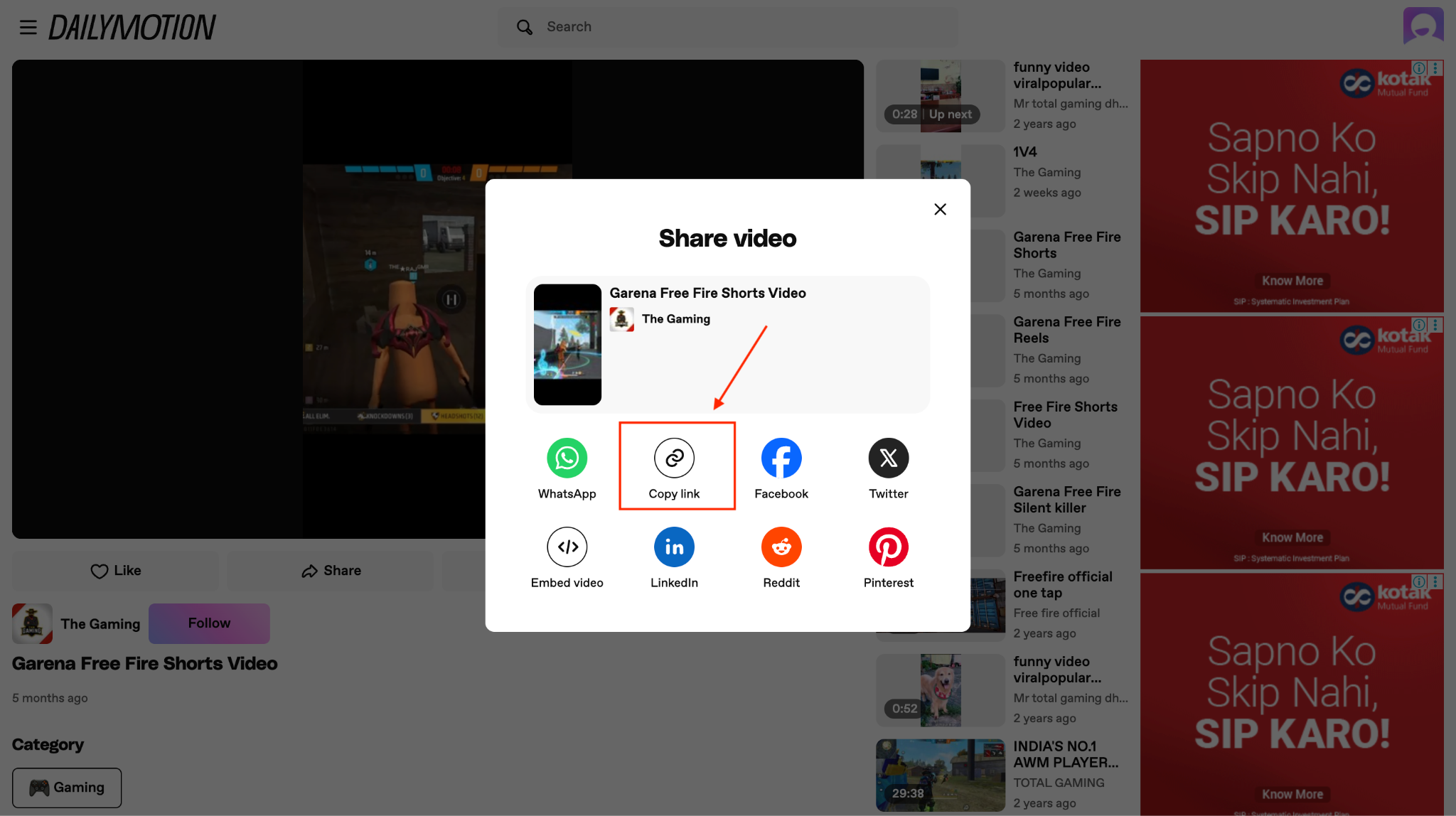
Step 2: Visit the official Dailymotion website, choose a video you want to download, click the share icon, and copy the link.
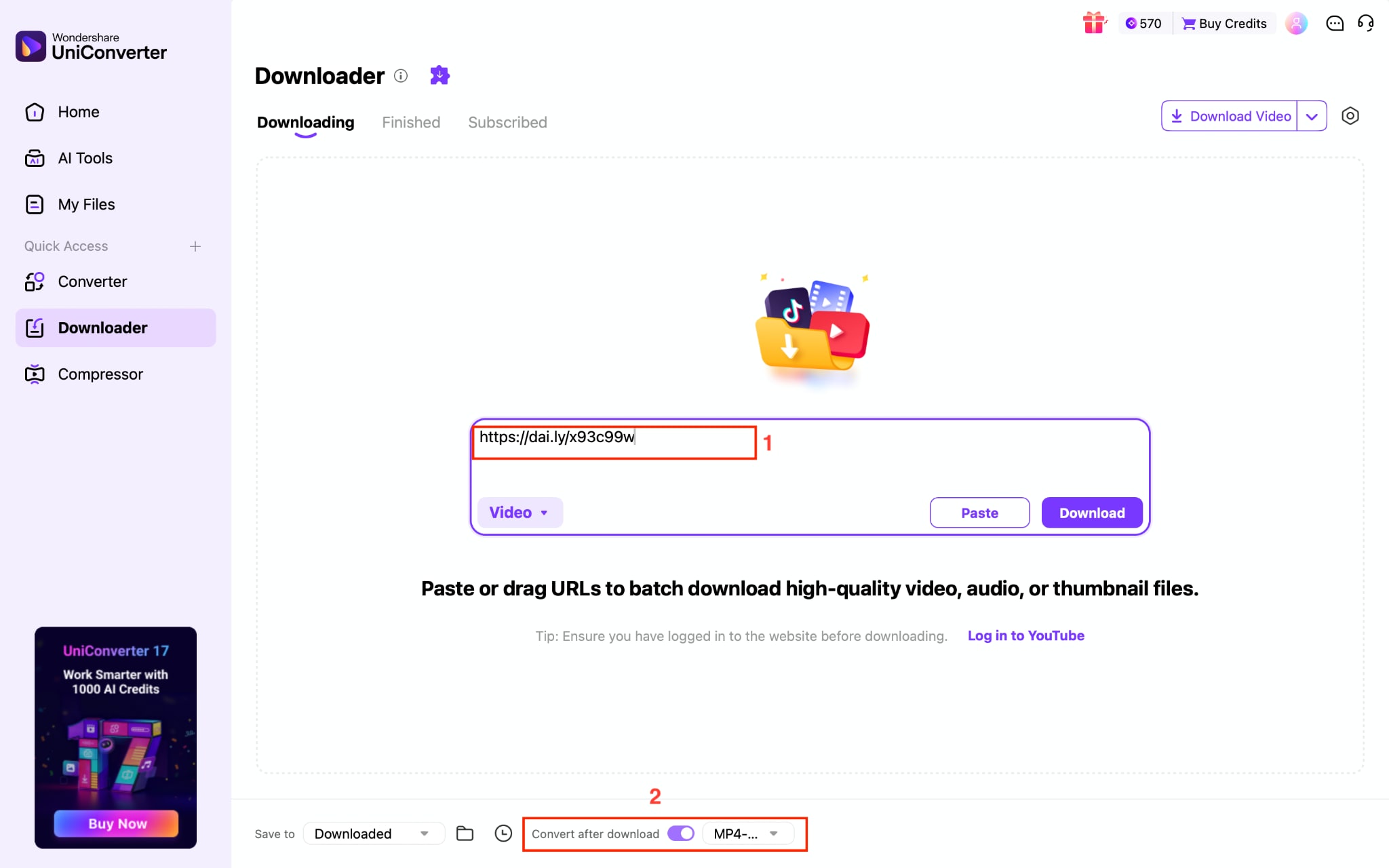
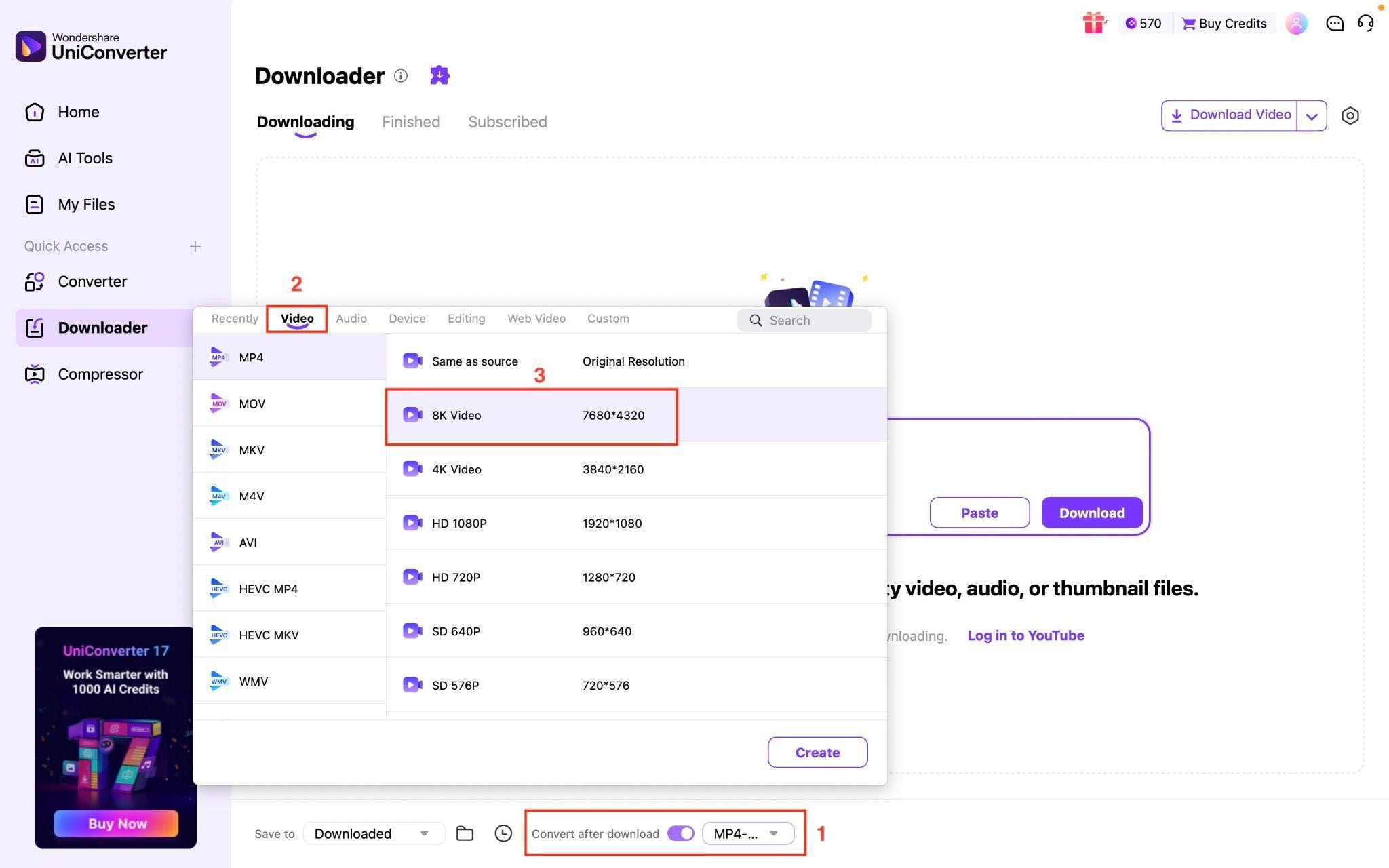
Step 3 (Optional): Paste the Dailymotion video link and click the "Convert after download" option, which is optional. If the format you want is MP4, then you shouldn't enable this option.
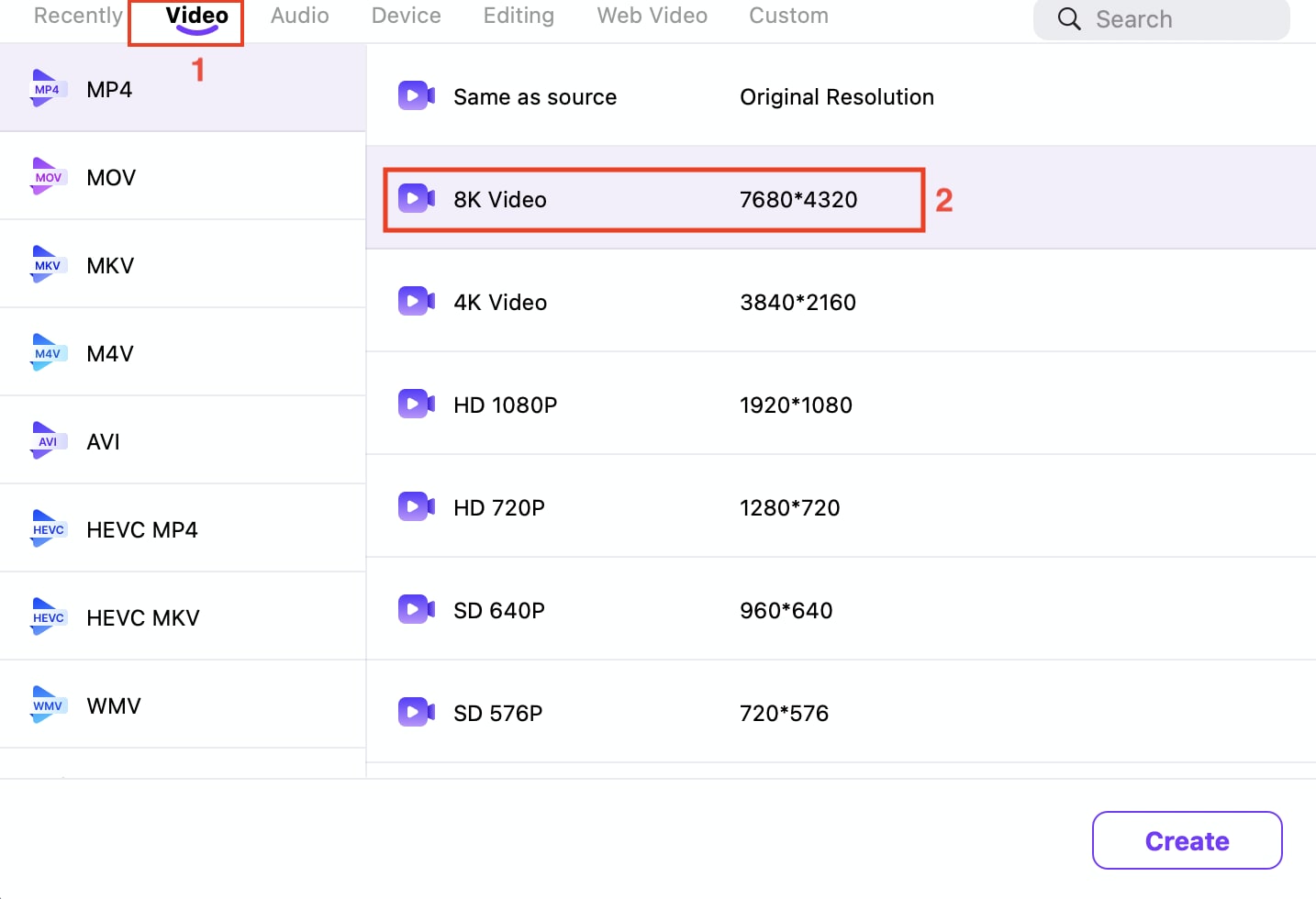
Step 4: Click the "Video" option, choose MP4 as output format, and select resolution.
Step 5: For further customization, click the "Settings" icon in the upper-right corner, then navigate to the covert option. Choose the option that best suits your requirements and click "OK."
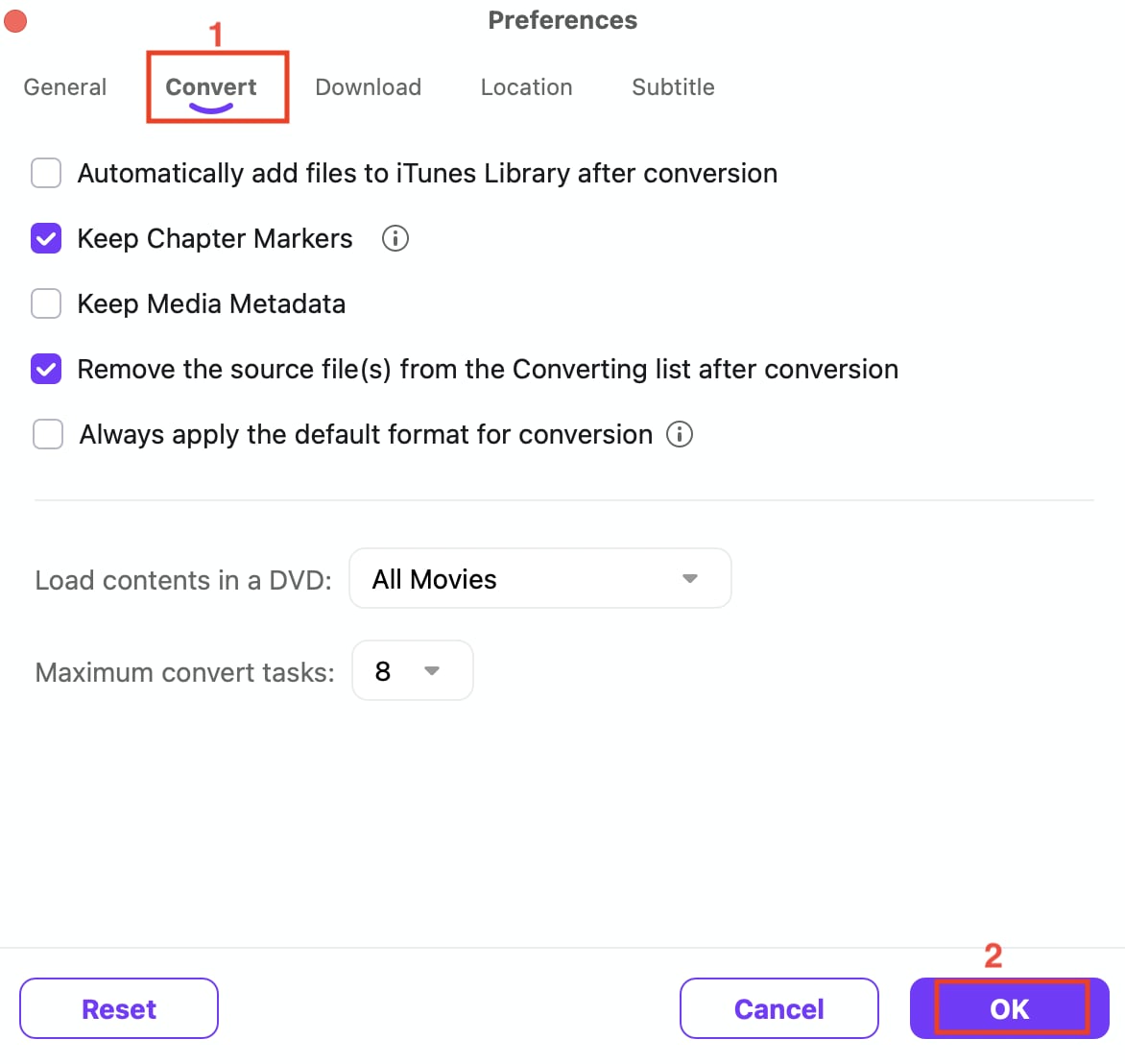
Step 6: Click "Download" to save the Dailymotion video in MP4 format. It will take up to 10 seconds to download a 1-minute video.
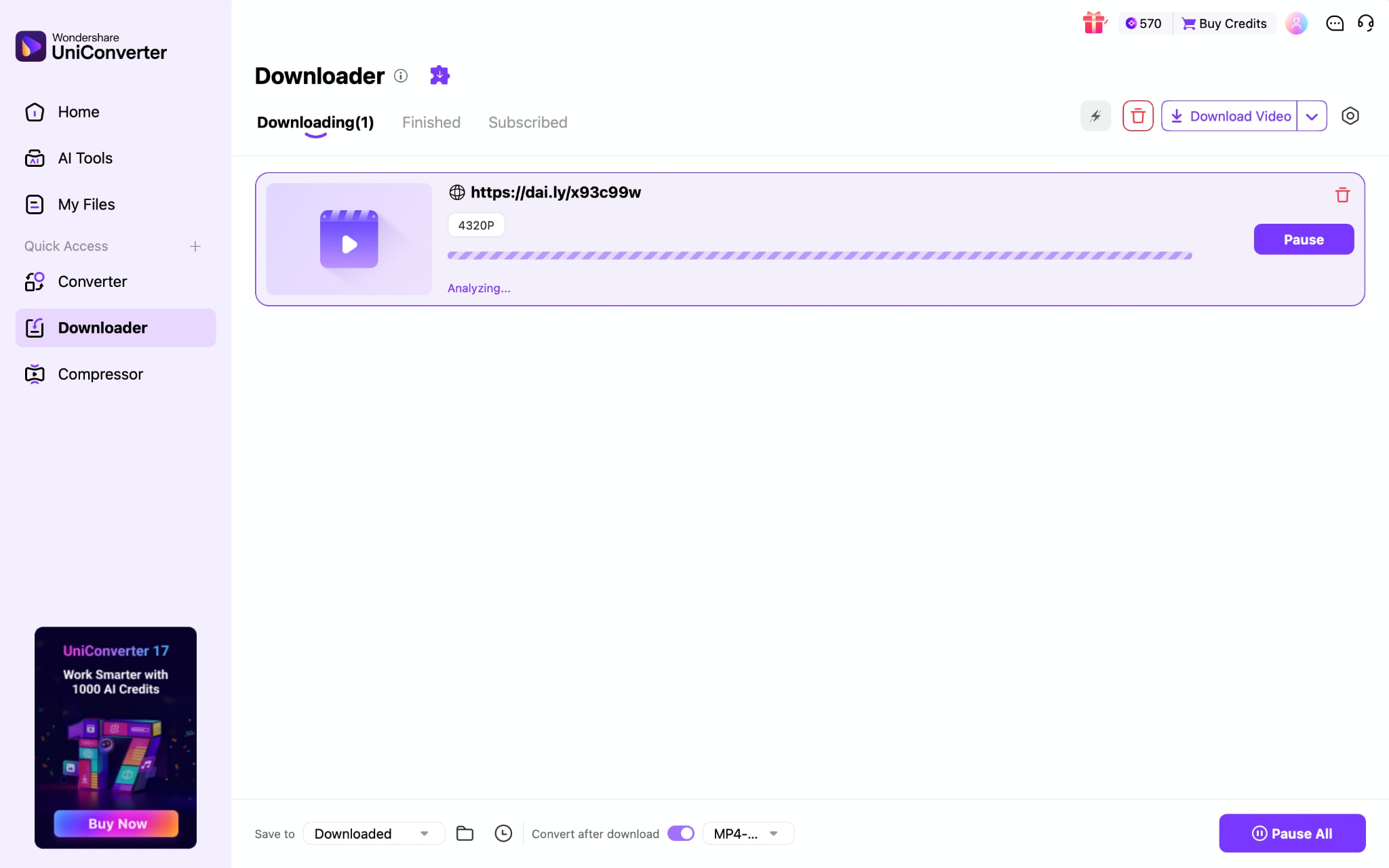
Batch Download Dailymotion Playlists to MP4
If you need to convert an entire Dailymotion playlist to MP4, doing it one video at a time is inefficient and time-consuming. UniConverter simplifies this process by automatically detecting all videos in a playlist URL, enabling you to batch download Dailymotion content in a single streamlined workflow.
Instead of copying individual video links, open the playlist on Dailymotion and copy the full playlist URL from the browser's address bar.
How you can download a complete Dailymotion playlist to MP4:
Step 1: On the UniConverter's dashboard, click "Downloader."
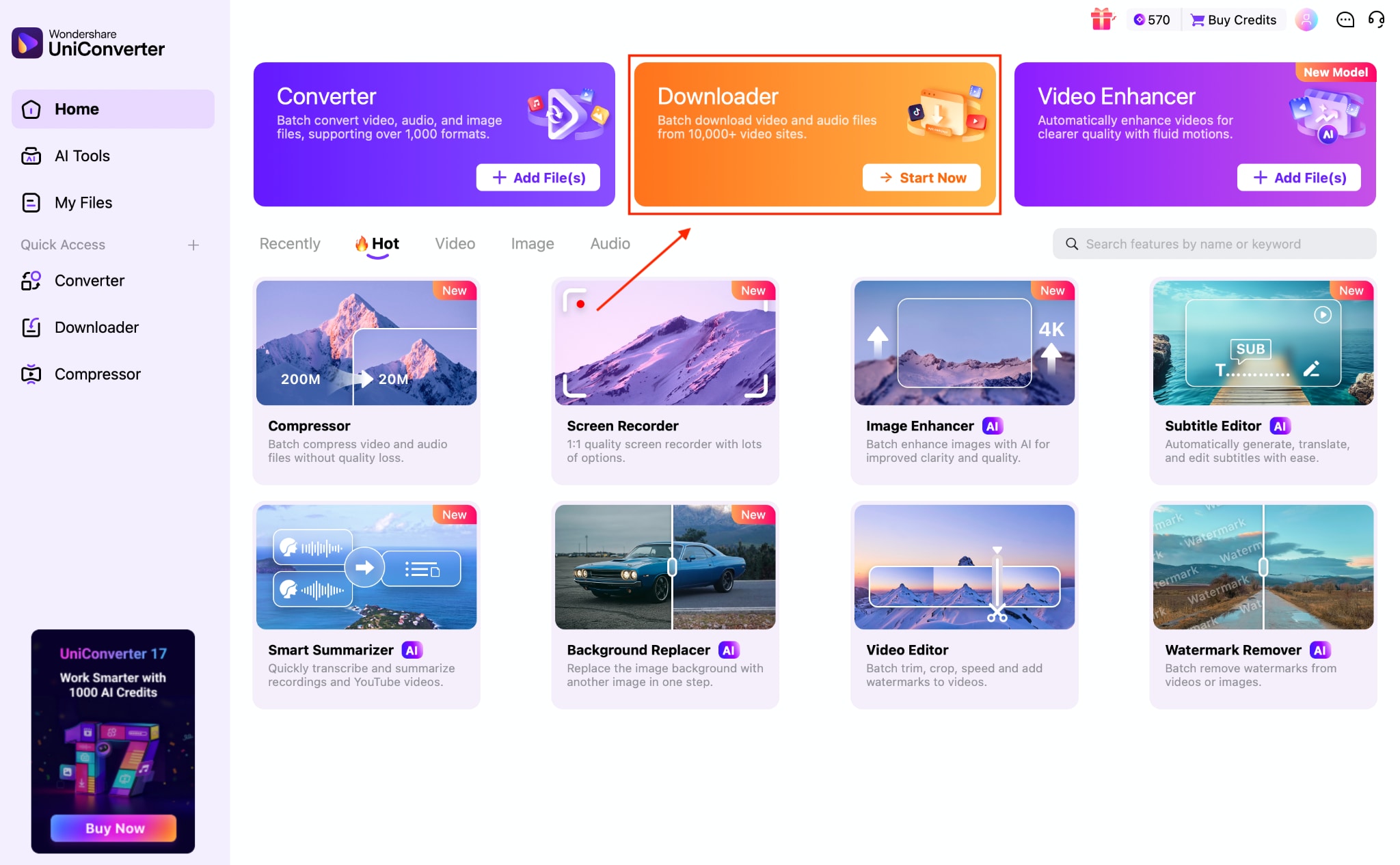
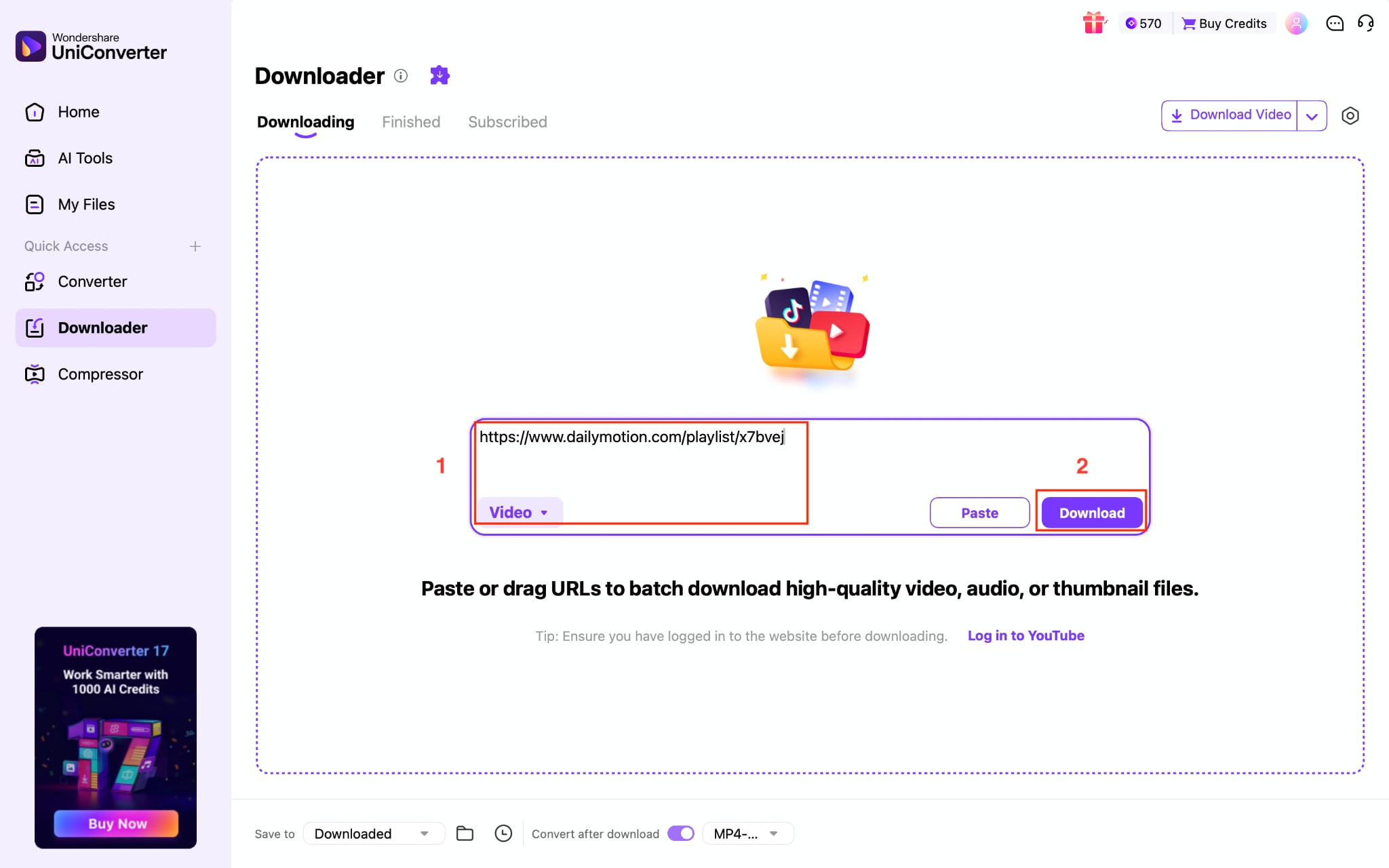
Step 2: Paste the Dailymotion playlist link, choose the format, and click "Download."
Step 3: UniConverter automatically analyzes the link and displays videos. Here, you can choose the output quality and click "Continue."
Part 3: Free Online Dailymotion to MP4 Converters
Online Dailymotion to MP4 converters are convenient if you need a quick, one-time solution and prefer not to install software. While they're easy to access, online Dailymotion to MP4 converters often come with tradeoffs in quality, speed, and reliability compared to desktop tools.
Quick Guide: Best Dailymotion to MP4 Method by Download Priority
Top 5 Online Tools Comparison Table
| Tool Name | Max Quality | Batch Support | Ads/Pop-ups | Download Speed | Ease of Use | Safety Rating |
| SaveTheVideo.com | Up to 1080p Full HD when available | No (single video only) | Yes | Medium | Easy | ★★★★☆ |
| dmvideo | Below 720p | No (manual playlist only) | Yes | Very Fast | Easy | ★☆☆☆☆ |
| SaveFrom.net | 720p | No (individual videos) | Yes | Fast | Easy | ★★☆☆☆ |
| Vidomon | 360p, 480p, and 720p | No (single videos only) | Yes | Fast | Easy | ★★★★★ |
| SnapAny | 480p | Yes (via desktop app) | No (minimal) | Fast | Easy | ★★★★★ |
SaveTheVideo.com
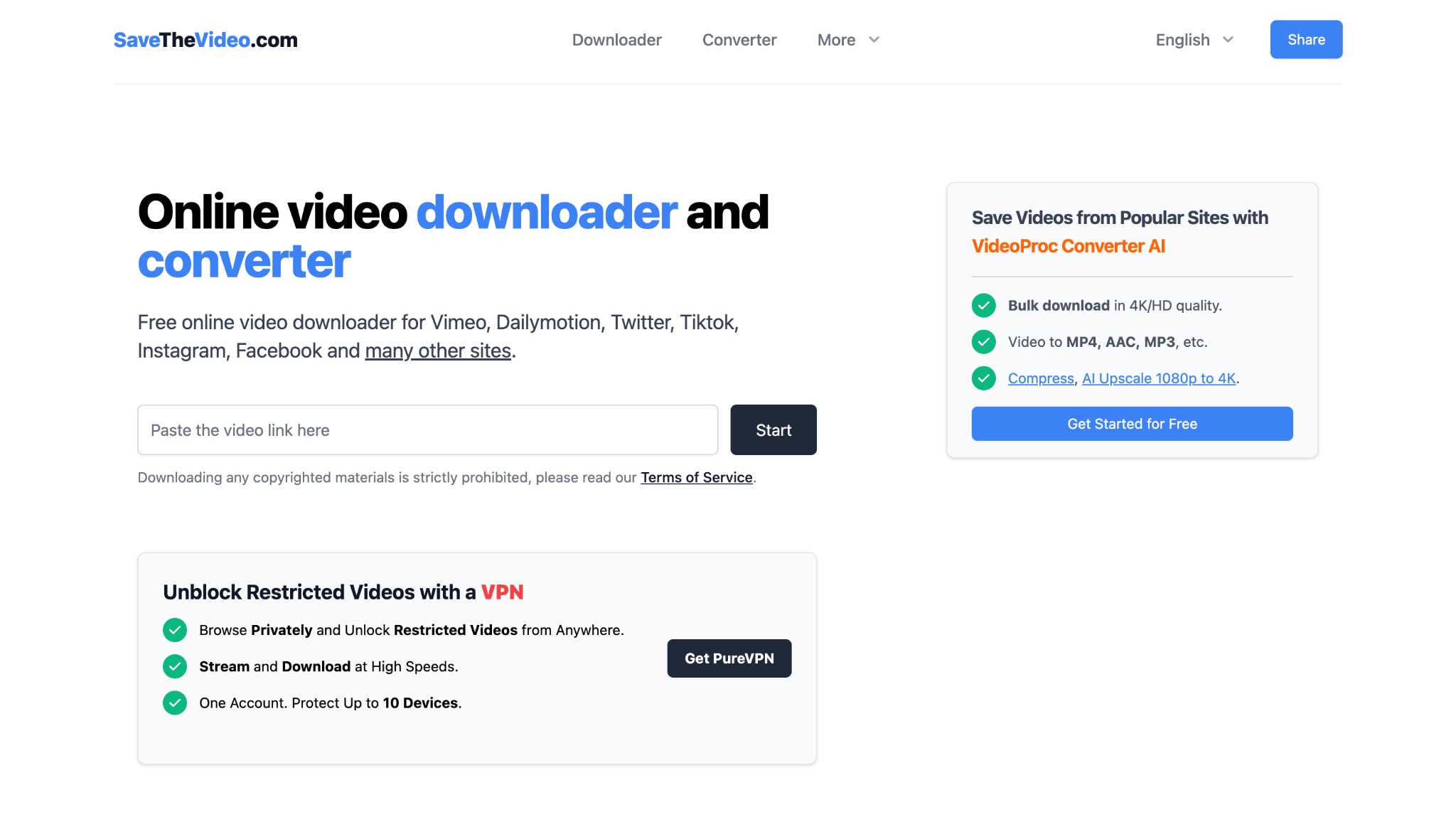
If you prefer not to install software and need a quick browser-based solution, SaveTheVideo.com offers a simple way to convert Dailymotion videos to MP4 online. Just paste the video link, choose the format, and start the process directly in your browser. It also supports multiple output formats like MP4, MP3, AAC, and WebM, along with basic features such as trimming and subtitle downloads.
How to Download Dailymotion Videos MP4 Online with SaveTheVideo
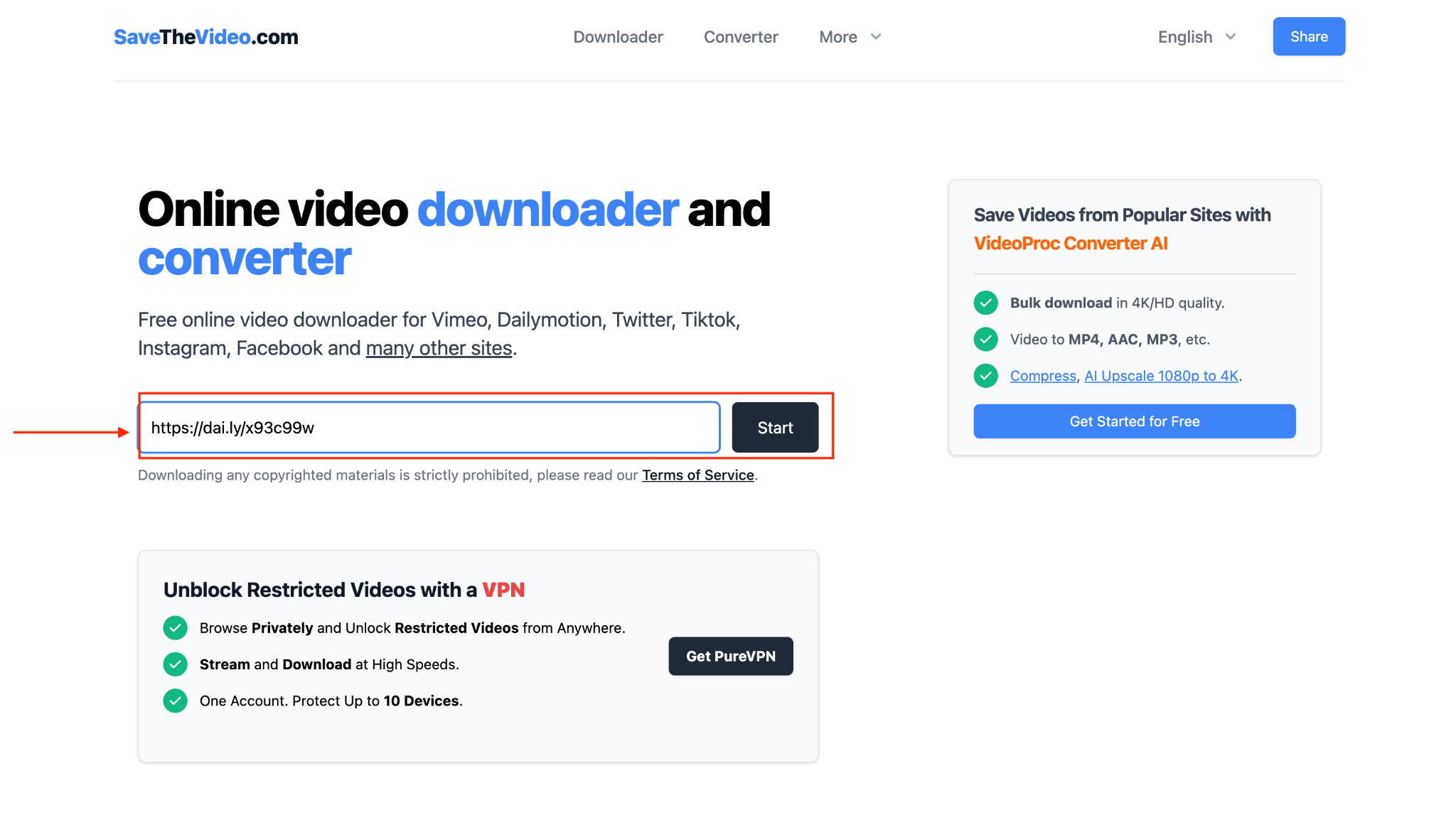
Step 1: Visit the official website, paste the Dailymotion video link, and click "Start."
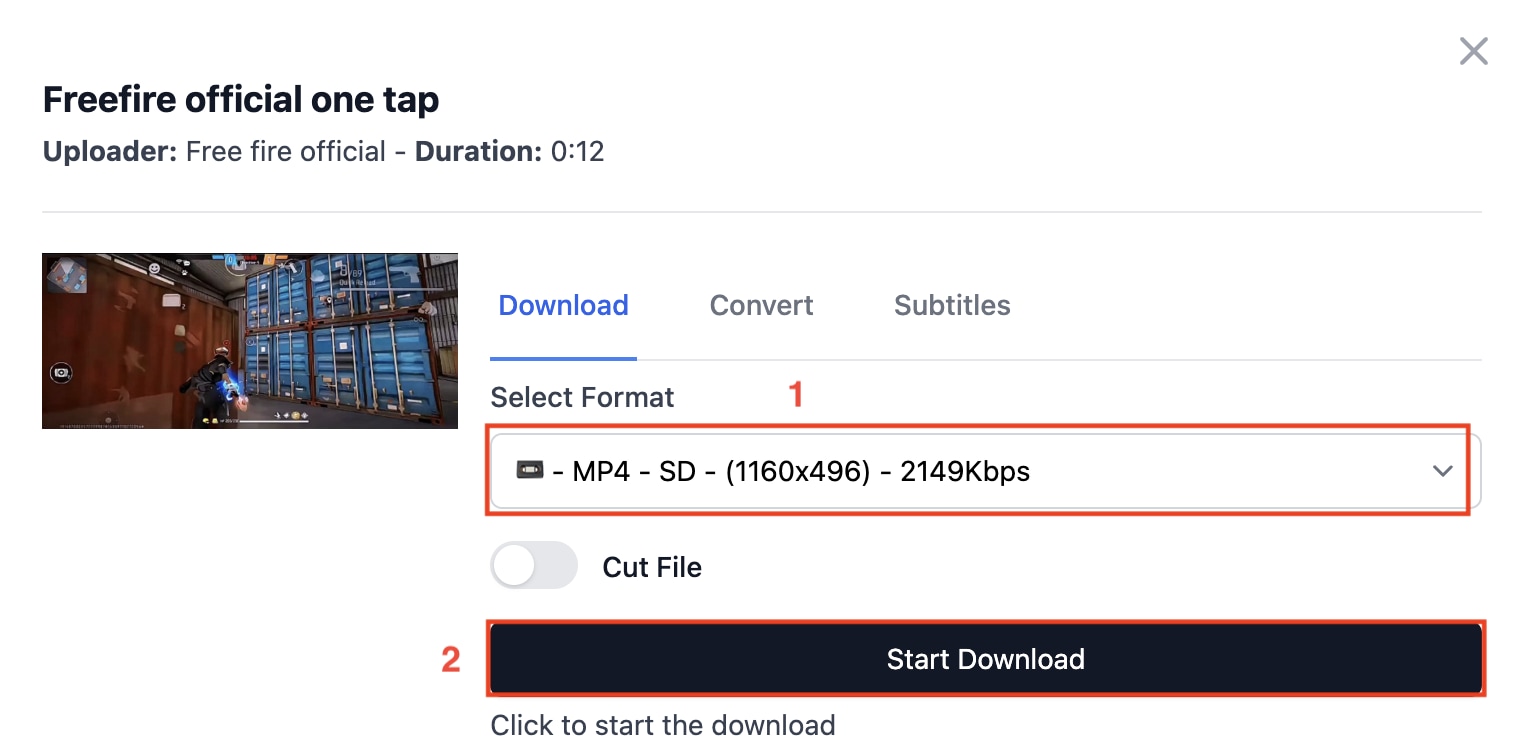
Step 2: Choose the output quality and click "Start Download."
Best for: Occasional users who want a free, no-installation online option to convert Dailymotion videos to MP4.
Dmvideo
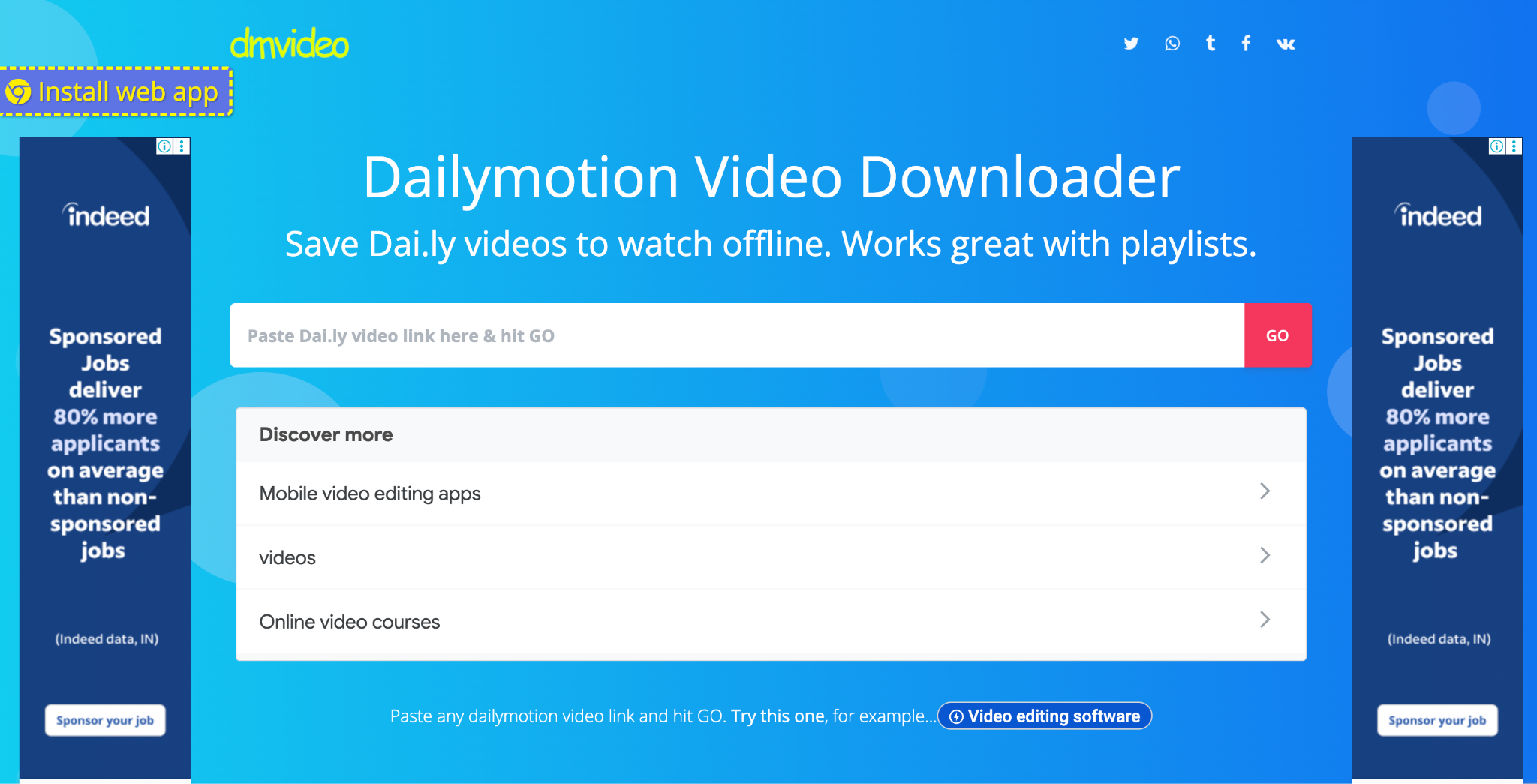
If you want a simple browser-based Dailymotion video downloader, dmvideo provides a straightforward way to convert videos to MP4 online. There is no registration required, and it works on both desktop and mobile browsers without installing additional software.
One useful feature of dmvideo is that it detects a Dailymotion playlist and displays up to 100 videos, allowing you to open and download them individually.
How to Download Dailymotion Videos to MP4 Online with Dmvideo
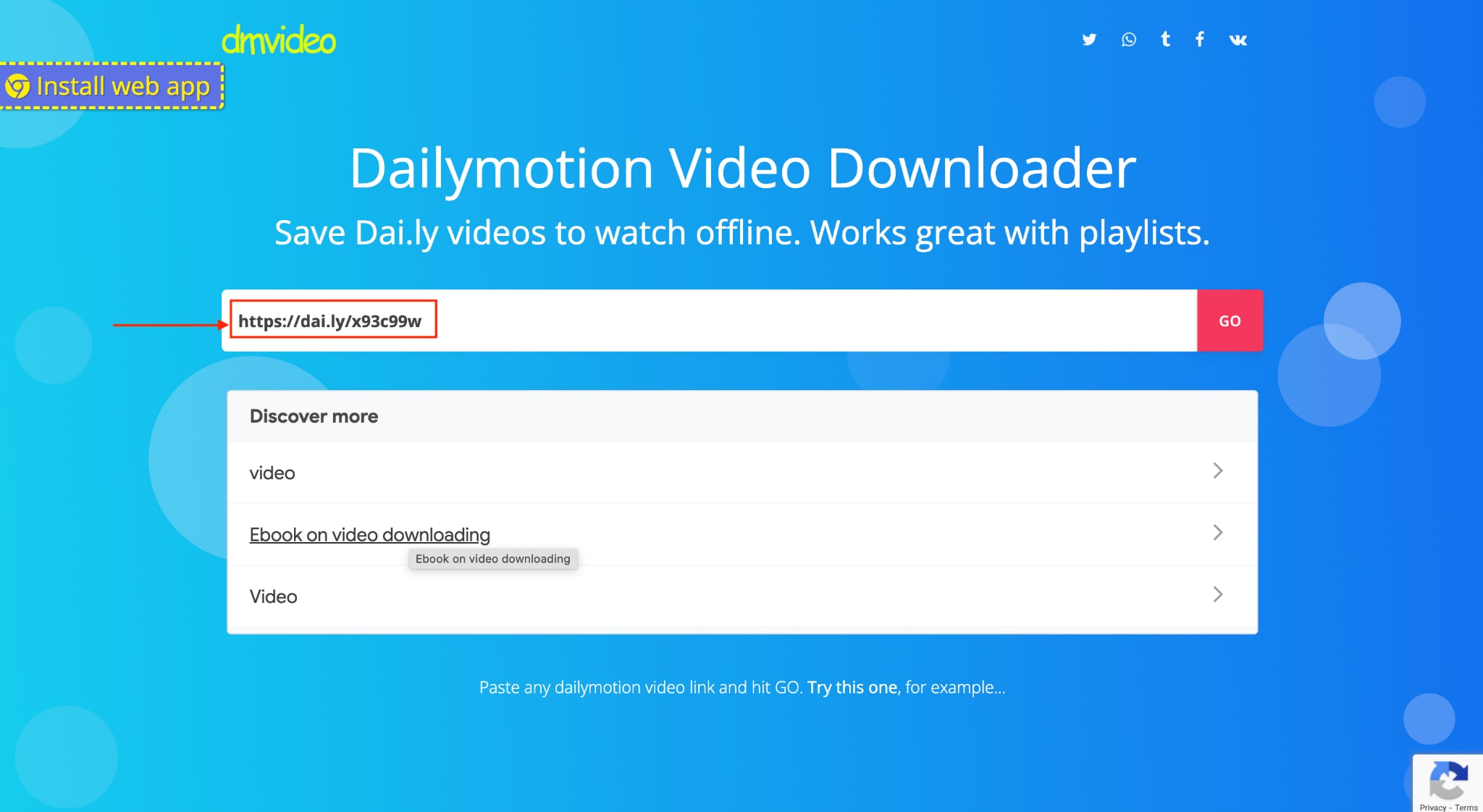
Step 1: Paste the link and click "Go."
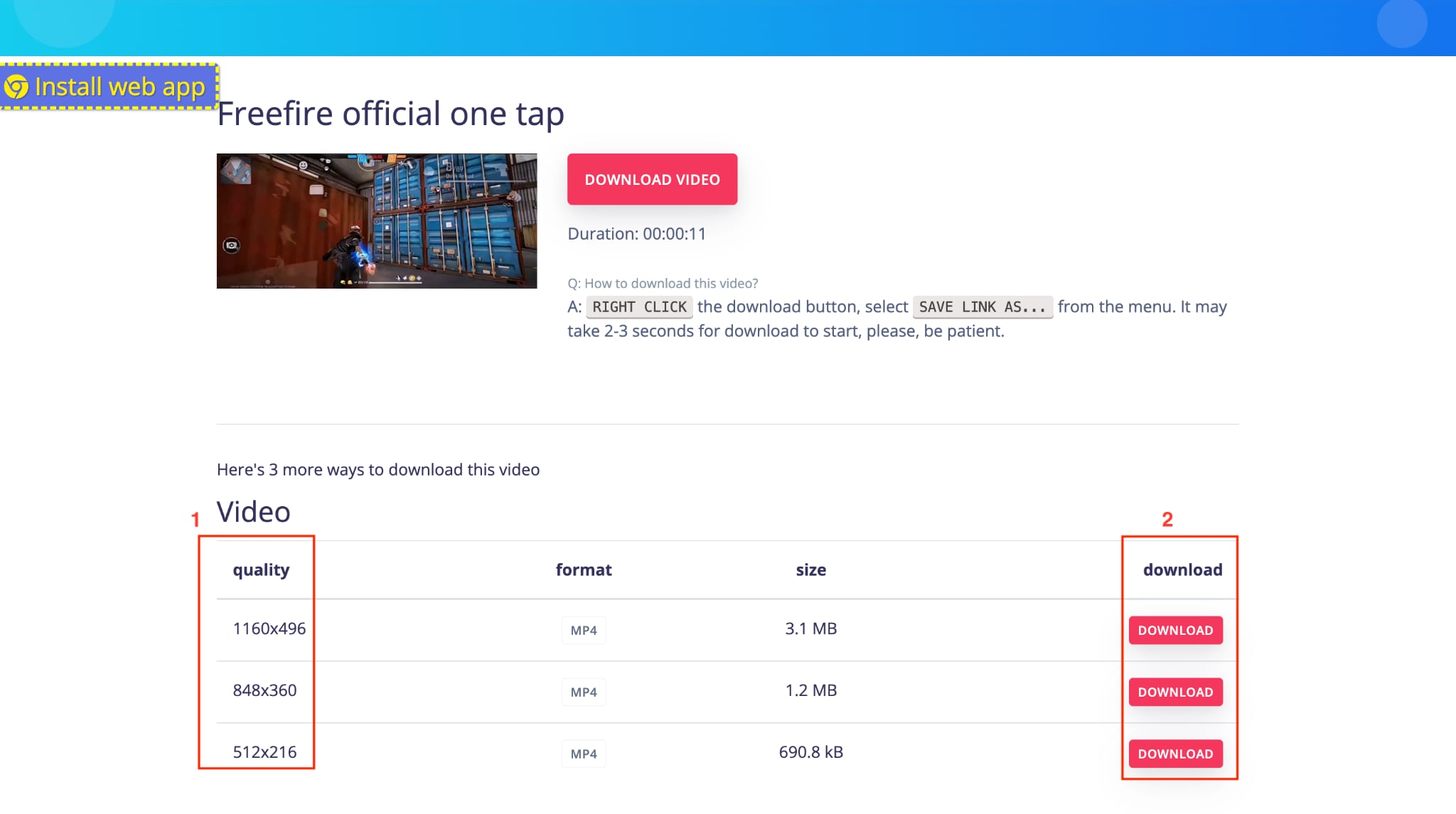
Step 2: Scroll down a little bit, choose the file size and quality, and click "Download."
Best for: Users who want a free online option with basic playlist handling and no software installation.
SaveFrom.net
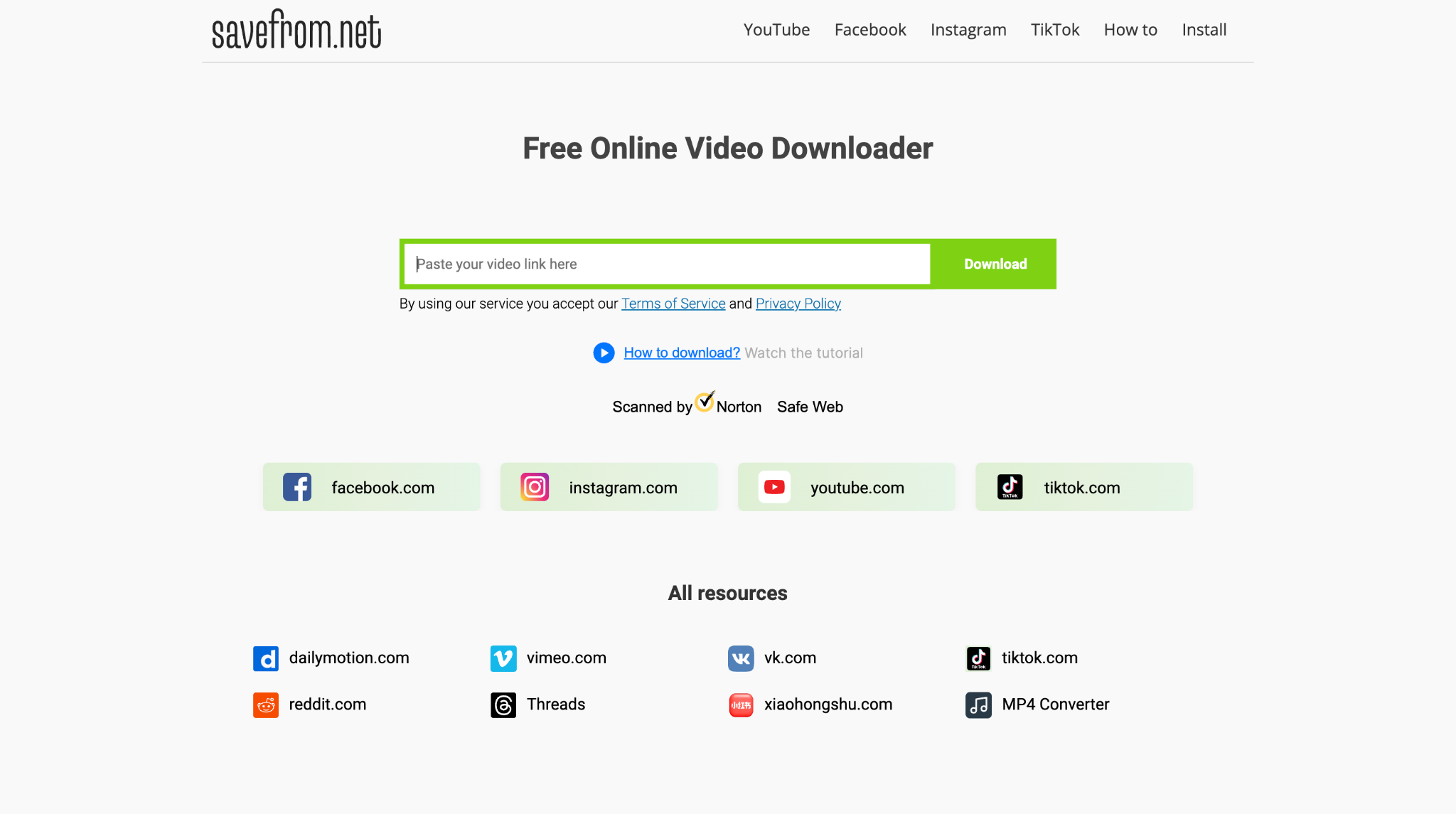
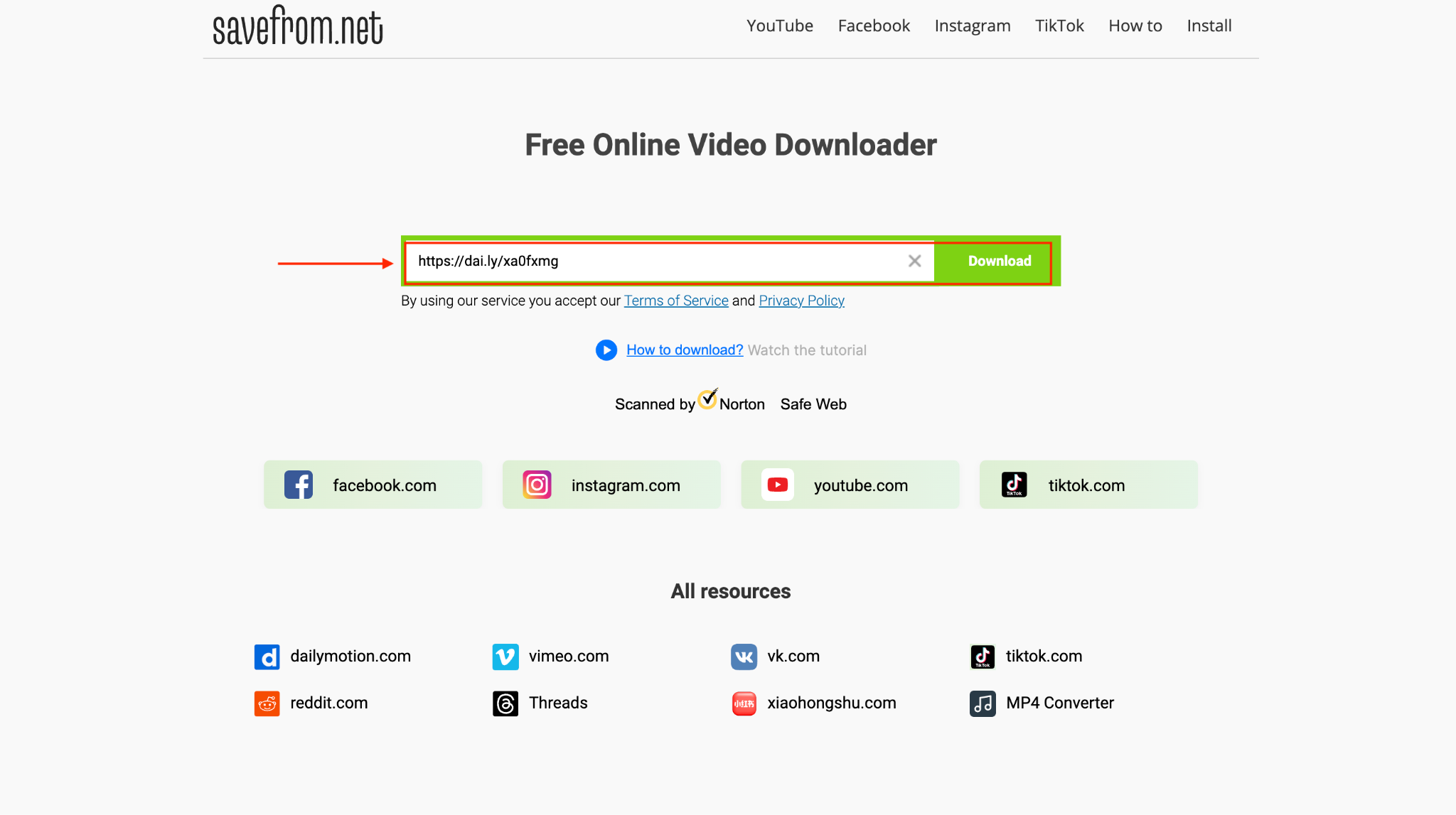
SaveFrom.net is a widely used web-based video downloader that supports Dailymotion and many other platforms. SaveFrom.net works directly in your browser and also offers a Chrome extension for quicker access when downloading videos frequently. The platform supports multiple resolutions, including HD and sometimes 4K, depending on the source file.
How to Convert Dailymotion to MP4 Online with SaveFrom.net
Step 1: Visit the official website, paste the link, and click "Download."
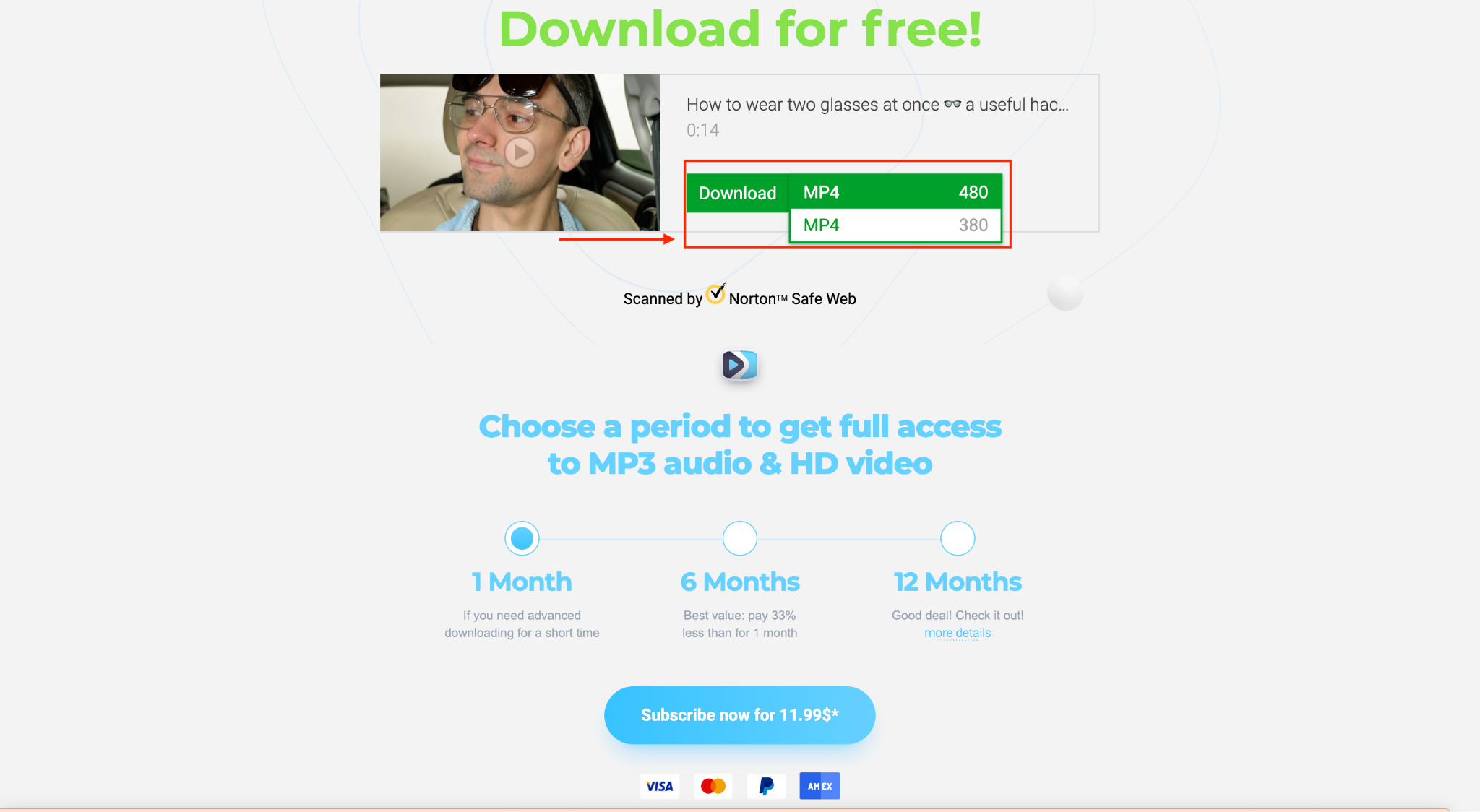
Step 2: Wait 10-12 seconds for the video to download in MP4, select the format, and click "Download."
Best for: Users who want a quick browser-based Dailymotion to MP4 option with extension support for faster access.
Vidomon
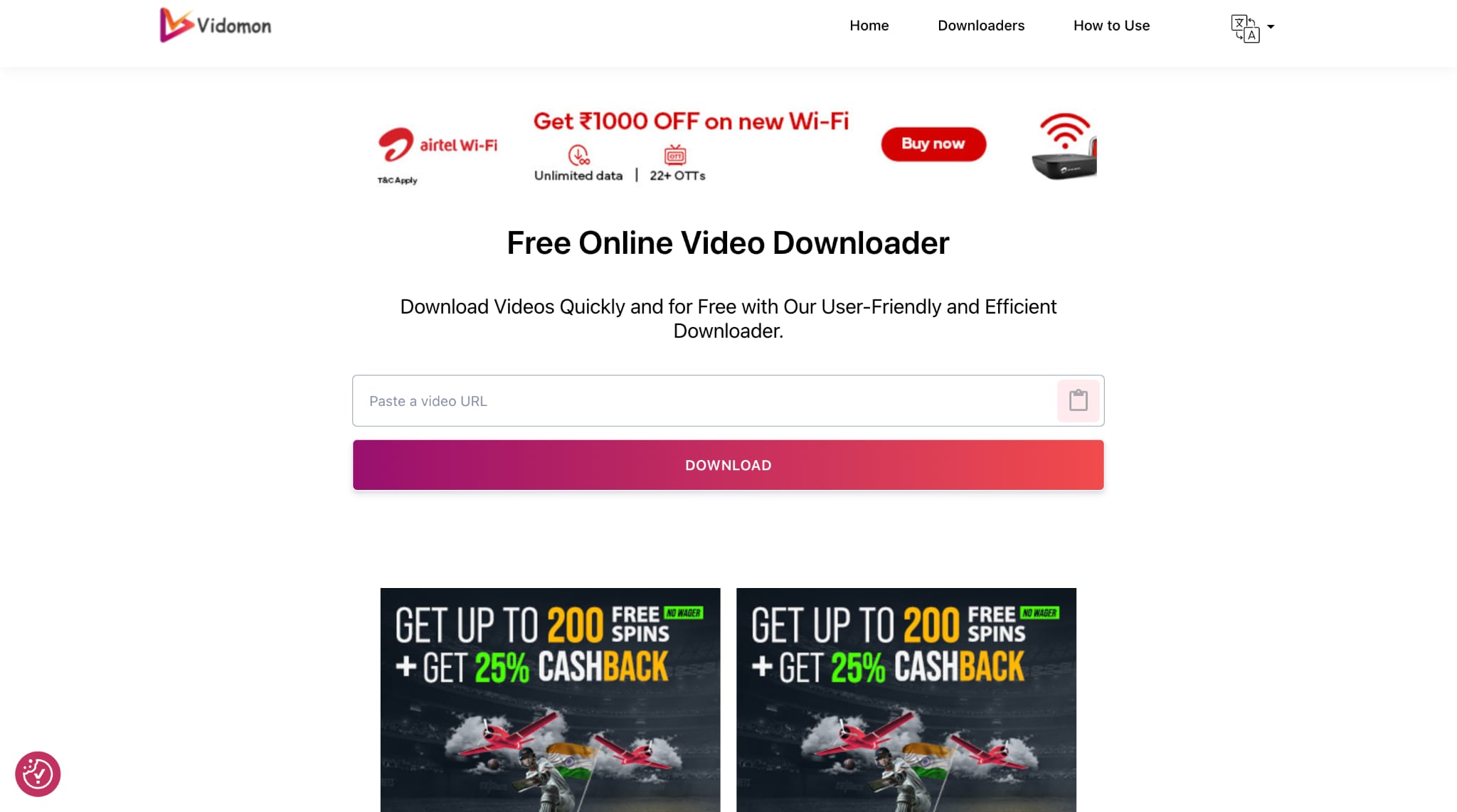
Vidomon is an online Dailymotion video downloader that lets you paste a video link and instantly generate MP4 download options. It supports multiple resolutions, including 360p, 480p, 720p, and 1080p, depending on the source file. It offers unlimited downloads and does not require account registration.
How to Save Dailymotion Videos to MP4 with Vidomon
Step 1: On the official webpage, paste the link you copied from Dailymotion and click the "Download" button.
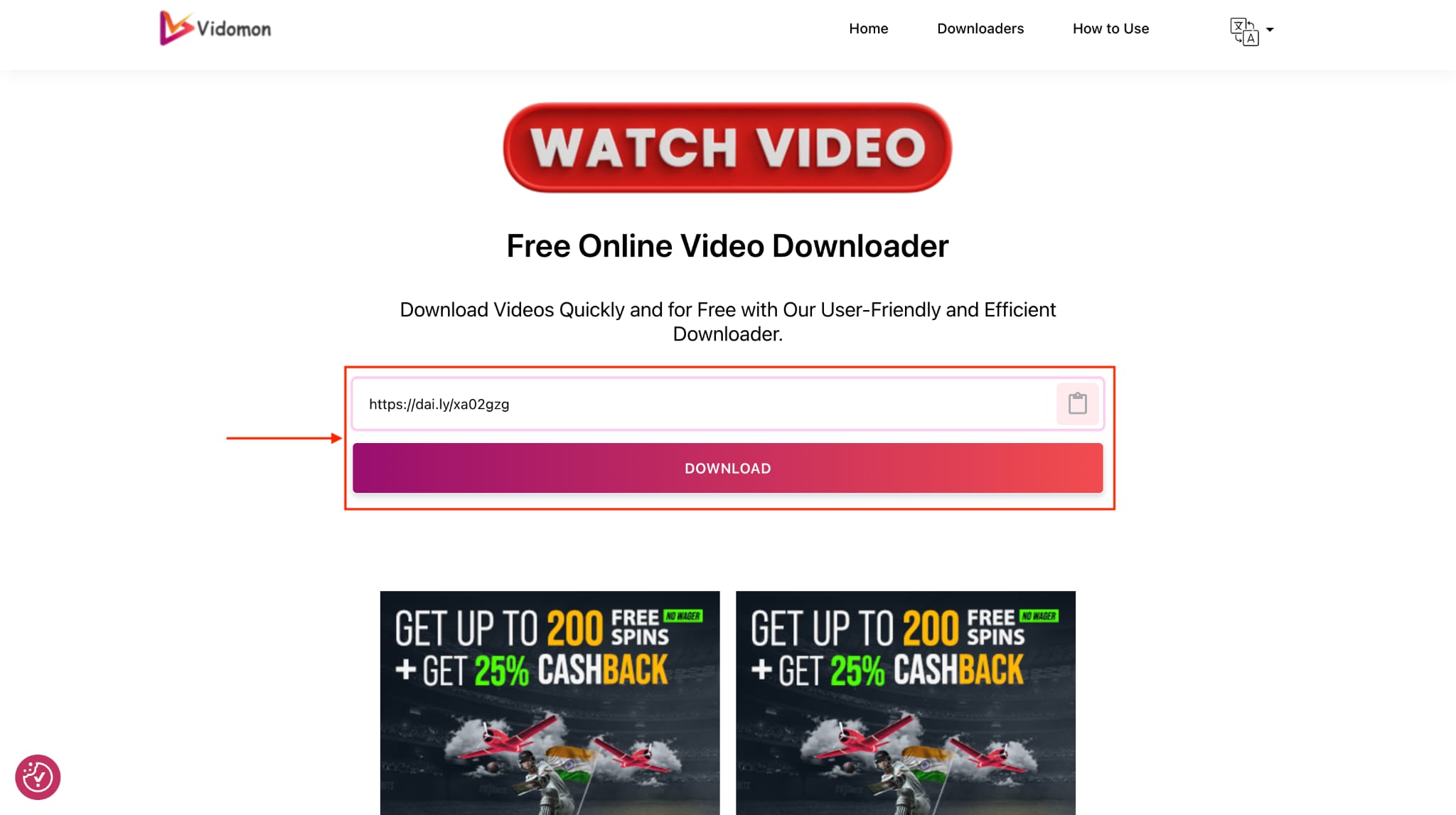
Step 2: Click the file quality option, and the video will be automatically downloaded to your device.
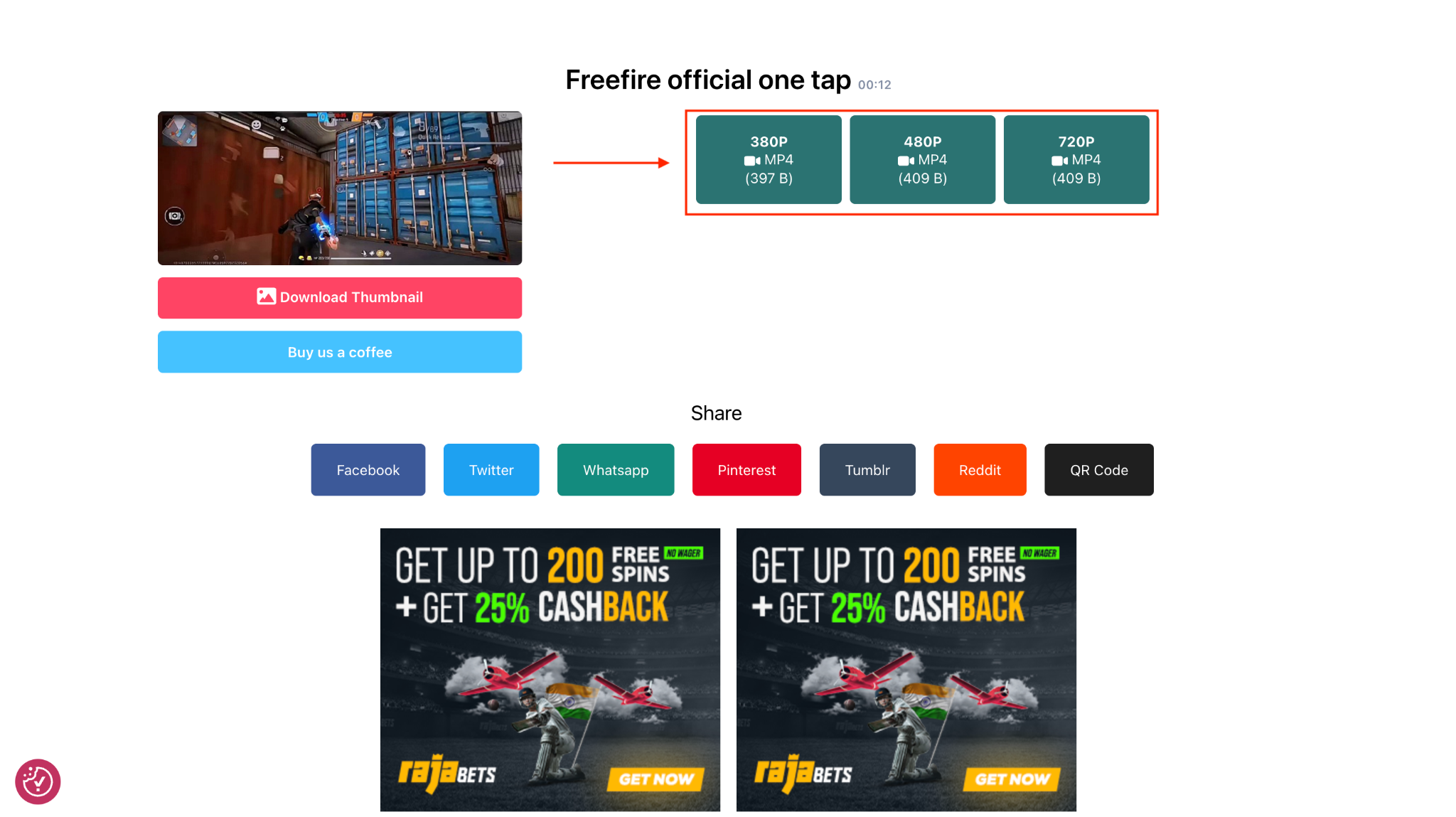
Best for: Users who want a simple, resolution-based Dailymotion to MP4 option with no download limits.
SnapAny
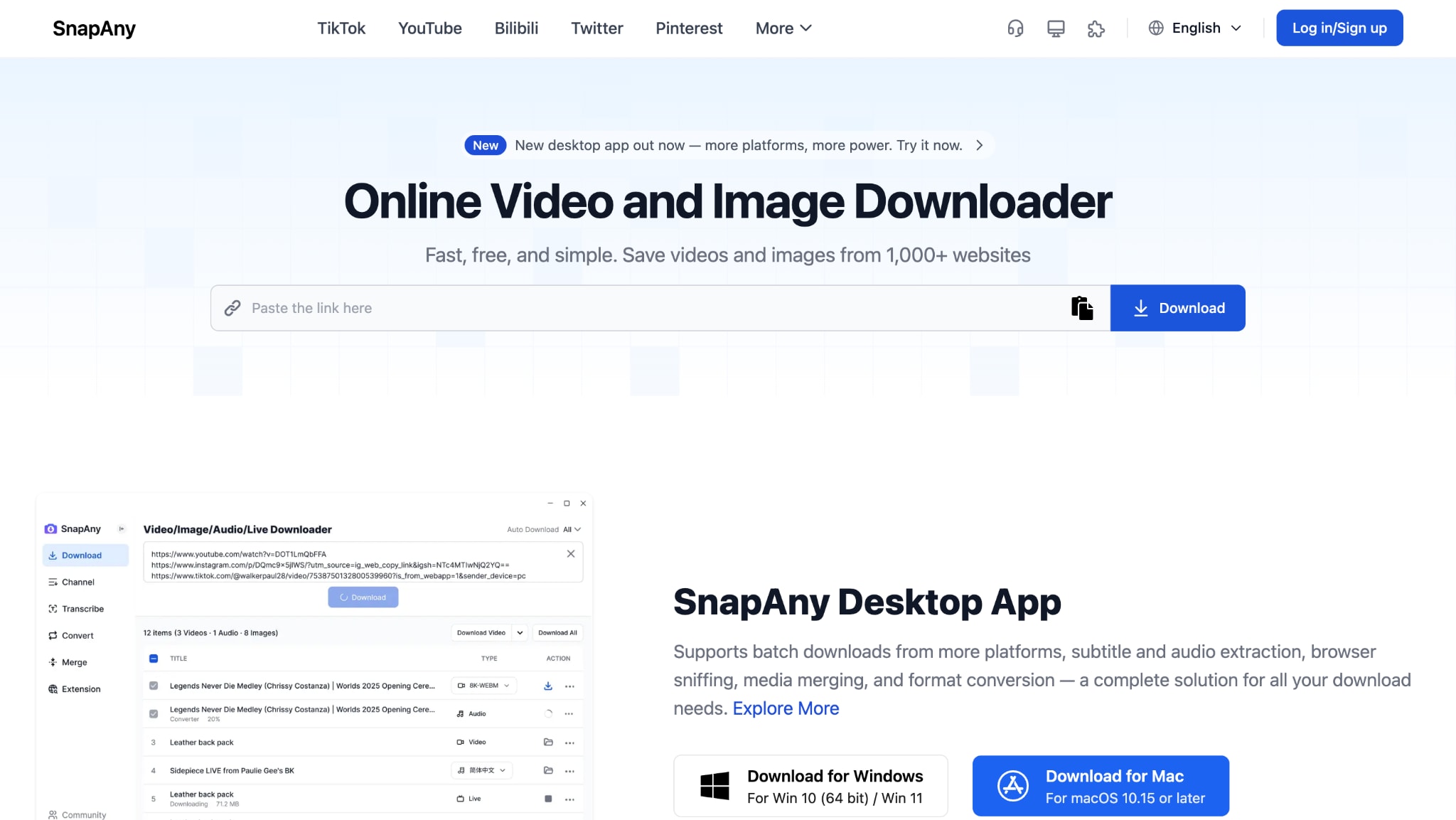
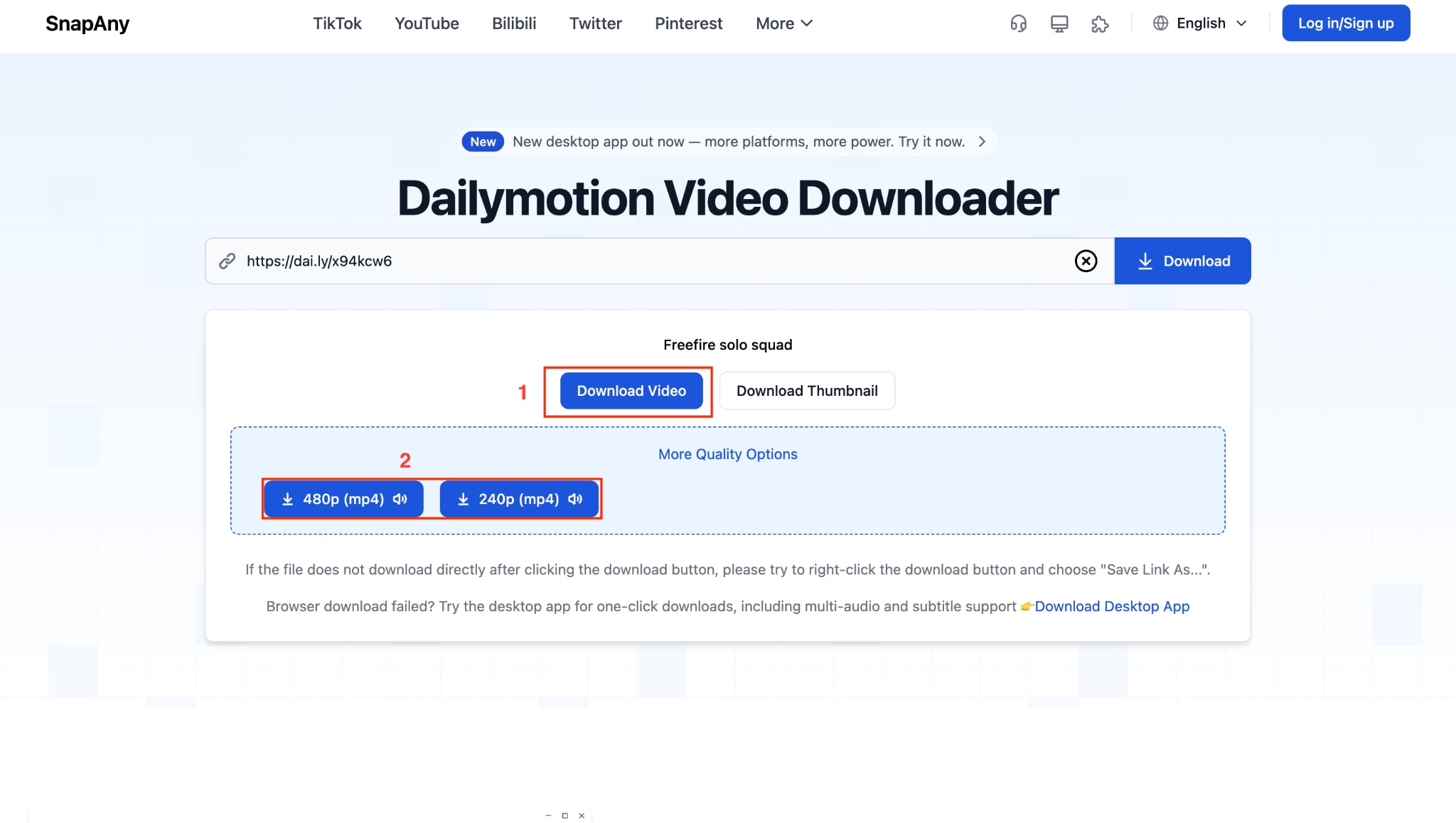
SnapAny provides both an online Dailymotion video downloader and a dedicated desktop app for more advanced use. You can paste a Dailymotion video link into the web tool to access MP4-quality options, such as 240p and 480p. It also offers a browser extension that automatically detects videos on a page, reducing the need for manual copy and paste.
How to Download Dailymotion Videos to MP4 with SnapAny
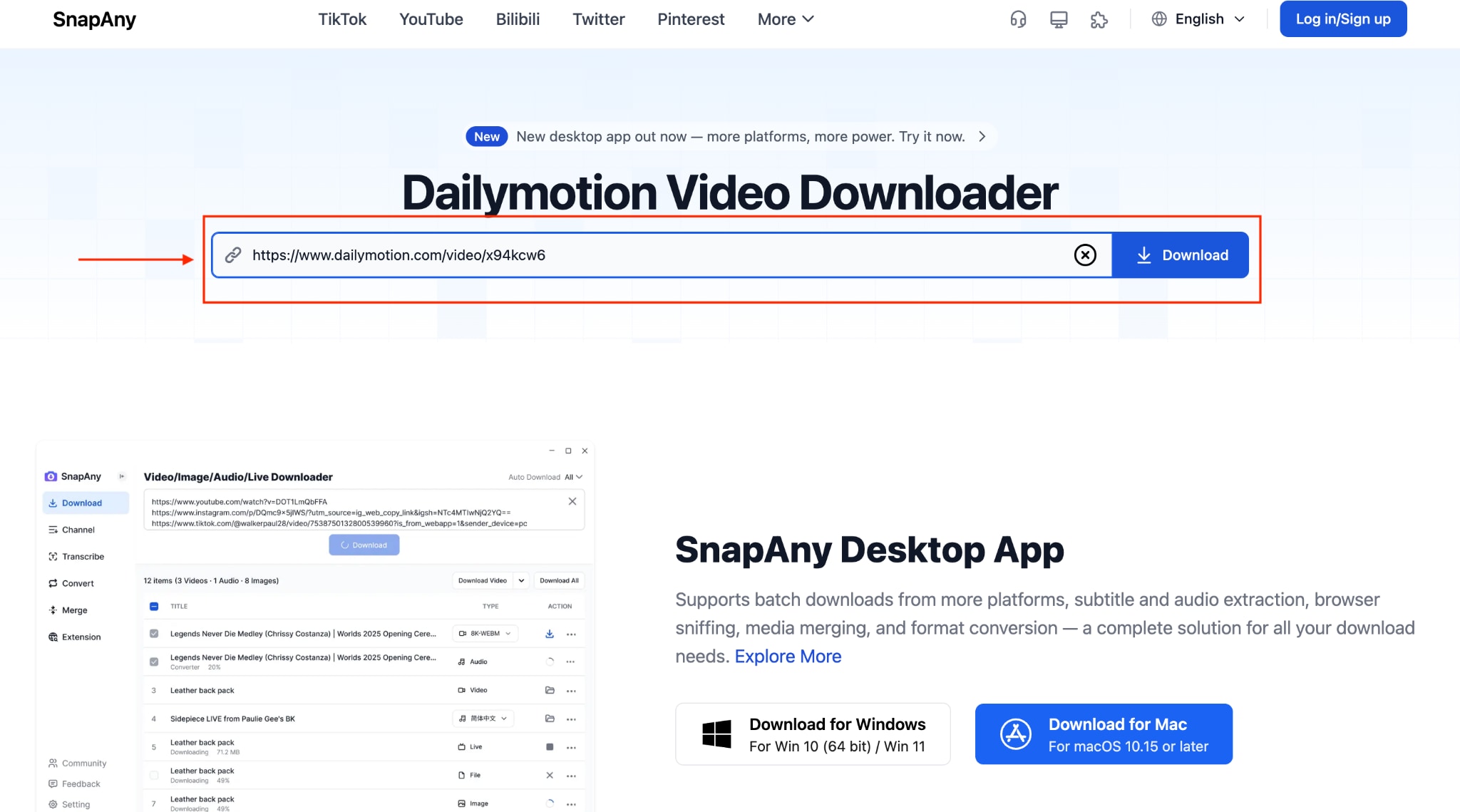
Step 1: On the official SnapAny website, paste the link and click "Download."
Step 2: Click the "Download Video" option, choose the video quality, and click to download.
Best for: Users who want flexible options, including browser extensions or desktop-based Dailymotion to MP4 downloads.
Limitations of Free Online Converters
Using a Dailymotion to MP4 converter online free tool can be convenient when you only need a quick, one-time conversion. Here are some common limitations to keep in mind:
- Output quality is often limited to 480p or 720p, even if the original video is available in 1080p or 4K.
- Pop-ups, redirect ads, and promotional banners can interrupt the process and slow you down.
- Some platforms may log activity or track usage, which raises privacy concerns.
- Many tools stop working without notice due to policy changes or server issues.
- Private, age-restricted, or region-locked videos typically cannot be processed.
- Download speeds depend on shared servers, which can lead to long wait times.
- Playlist handling and true batch processing are rarely supported.
- Suspicious ads may expose your device to potential security risks.
For users who need reliable, high-quality downloads, professional software like UniConverter offers better value.
Dailymotion to MP4 Converter
Part 4: How can you save Dailymotion videos as MP4 on mobile?
If you're looking for a simple way to download Dailymotion videos on iPhone or Android, you can save them directly from your mobile browser. However, for higher-quality, batch downloads, using UniConverter on a desktop and then transferring the files to your phone remains the better long-term solution.
Mobile Download Options Overview
If you want to convert Dailymotion videos to MP4 directly on your phone, there are a few viable options. Each comes with different levels of convenience, quality, and safety. Here is a simple breakdown to help you choose the right approach.
| Option | How It Works | Pros | Cons |
| Online tools via mobile browser | Open Safari or Chrome, visit SaveFrom.net or DMVideo.Download, paste the video link, and download | • No app installation required• Works on both iOS and Android• Quick setup for single-video downloads | • Quality may be capped at 480p or 720p• Only processes one video at a time• Ads and pop-ups may interrupt |
| Documents by Readdle (iOS only) | Use the app’s built-in browser to access an online converter and save the MP4 file locally | • Saves files directly to device storage• Better control over file management• Fewer browser redirection issues | • Requires installing a third-party app• Slightly more setup steps• Still dependent on online converter quality limits |
| Dedicated Android APK apps | Install third-party Dailymotion downloader apps outside the Play Store | • May allow direct in-app downloading• Can integrate basic format selection• No need to switch between browser tabs | Higher malware and security risks• Privacy concerns with unknown developers• Apps are often unstable or removed |
For occasional mobile use, browser-based tools are generally the simplest choice, but they are not ideal for high-quality or bulk conversions.
Recommended: Desktop Download + Cloud Sync Workflow
If you care about quality and want a cleaner, long-term setup for Dailymotion to MP4 mobile viewing, the most reliable method is to use desktop software first, then transfer the files to your phone. Convert videos on your computer with UniConverter, especially when handling multiple files or working with higher resolutions.
Once the MP4 files are ready, organize them into folders and sync them to your phone using Google Drive, Dropbox, Apple iCloud, or AirDrop. This workflow ensures stable Dailymotion downloads on iPhone and Android with original quality preserved.
Download UniConverter to build your video library efficiently, then sync to any device.
Part 5: Legal Considerations: Can You Download Dailymotion Videos?
Downloading videos from streaming platforms like Dailymotion is a sensitive topic because of copyright and intellectual property laws. In most countries, content is automatically protected the moment it's created, and only the copyright owner has the exclusive rights to copy, distribute, or make derivative works from it. Downloading copyrighted material without permission can violate local laws and platform rules, even if the content is publicly accessible online.
On the official side, Dailymotion's Terms of Service explicitly prohibit downloading, copying, or redistributing platform content without the express permission of the rights holders.
There are lawful situations where saving a video is acceptable: for example, if it is your own uploaded content, video is licensed under Creative Commons (and you follow the license terms), the creator has granted you clear permission, or the content is in the public domain. Some legal systems also allow limited use under "fair use" or similar exceptions for teaching, criticism, or research purposes, though those rules vary widely by jurisdiction.
Disclaimer: This guide is provided for educational purposes and is intended to help you back up content you are authorized to use. Always respect creators' rights and support them via official channels like streaming, subscriptions, and ads, and make sure you confirm you have the legal right to download any video before doing so.
Conclusion
The right Dailymotion to MP4 conversion solution depends on your priorities. For occasional, one-time downloads, free online tools are convenient and require no installation, but they often limit quality, speed, and advanced features. If you want original resolution, faster processing, and support for playlists or batch downloads, desktop software delivers far more reliability and control.
For users who regularly convert Dailymotion videos to MP4 and want consistent results, UniConverter provides the most efficient workflow. Download UniConverter to save high-quality videos faster, with better stability and long-term usability.

