


Ever watched a video that starts by zooming out from Earth, traveling through the cosmos to deep space — past planets, stars, and galaxies? Pretty breathtaking, right? Thanks to the power of AI, you no longer need an expensive camera setup or a NASA budget to make one. With numerous easy-to-use AI video generation tools now available, anyone can create these cinematic, jaw-dropping videos in just a few minutes.
Let's dive into how AI Earth Zoom Out videos are reshaping content creation with steps guide to follow, and look into detailed comparison to find your best picks, and how to improve your AI Earth Zoom Out videos to the next level with UniConverter.
In this article
Part 1. Detailed Comparison of Online Earth Zoom Out Video Makers
|
Tool |
Pricing |
Resolution |
Video Length |
Bonus |
|
Higgsfield AI |
$9–$50/month |
Max 720p |
Up to 5 sec |
Diverse prompt examples |
|
Media.io |
$9.99–$39.99/month |
Up to 720p |
Up to 8 sec |
Multiple models optional |
|
Clipfly |
$3.33–$11.99/month |
Alleged 2K |
Up to 5 sec |
Auto BGM feature |
|
Imgkits |
$6–$12/month |
Max 720p |
Up to 10 sec |
Detailed prompt template |
|
Flux1.ai |
$11.90–$59.90/month |
/ |
Up to 5 sec |
Advanced AI models |
|
Deep Nostalgia AI |
$18.90–$59.90/month |
Up to 720p |
Up to 10 sec |
Multiple models optional |
|
EarthZoomOutAI.com |
$5.99–$39.99/month |
Alleged 5K |
Up to 5 sec |
Diverse movement options |
Part 2. Why Earth Zoom Out AI Videos Are Perfect for Creators
Earth Zoom Out videos are more than just visually striking — they carry emotional weight, and they make for some seriously engaging content. Whether you’re on YouTube, TikTok, or making a documentary, these videos can instantly make your content feel bigger and more epic. Here are just a few ways you can use them:
YouTube Vlogs or Intros
Imagine starting your vlog with an Earth zoom-out that begins in your hometown and ends in the vastness of space. It’s an attention-grabber right from the start. This effect sets a bold cinematic tone and works great for travel vlogs, big announcements, or personal stories. It provides that “bigger picture” feeling — both literally and emotionally.
TikTok & Reels
Short-form videos are all about grabbing attention fast, and an Earth Zoom Out is the ultimate scroll-stopper. A quick 10-second zoom-out can easily go viral when paired with dramatic text or trending audio. It taps into curiosity, the enormity of space, and even humor, all of which make these videos share-worthy.
Music Videos
Whether you're creating a dreamy, ambient vibe or a futuristic atmosphere, Earth Zoom Out videos fit seamlessly. Artists use these zooms for Spotify Canvas loops, lyric videos, or full-fledged music videos. It’s an easy way to create a sense of depth in the music, especially if the genre has a chill or sci-fi feel.
Trailers & Sci-Fi Content
Starting a trailer with an Earth zoom-out has been a go-to for sci-fi filmmakers for years. It helps create an instant sense of scale — perfect for intergalactic adventures, time travel, or futuristic tech. It tells your audience, “This story is bigger than life itself,” and sets the stage for something extraordinary.
Documentaries
In documentaries, especially those about nature, space, or science, Earth Zoom Out videos can make complex, global issues feel more accessible. A zoom from a single city or region to a full Earth shot makes it easier for viewers to grasp broad concepts like climate change or biodiversity.

Easy to Use AI Video Enhancer
Part 3. 7 Easiest Ways to Use Earth Zoom Out Video Makers
1 Higgsfield AI
Higgsfield AI is known for portrait-based zoom and style effects and quick AI video previews. It excels in experimenting with multiple AI video styles and starting zooms from portraits or subjects. Higgsfield AI is great for creating creative zoom effects, especially if you're looking to zoom out from portraits or specific subjects.
Effect Preview
Pros & Cons
Step by Step Guide
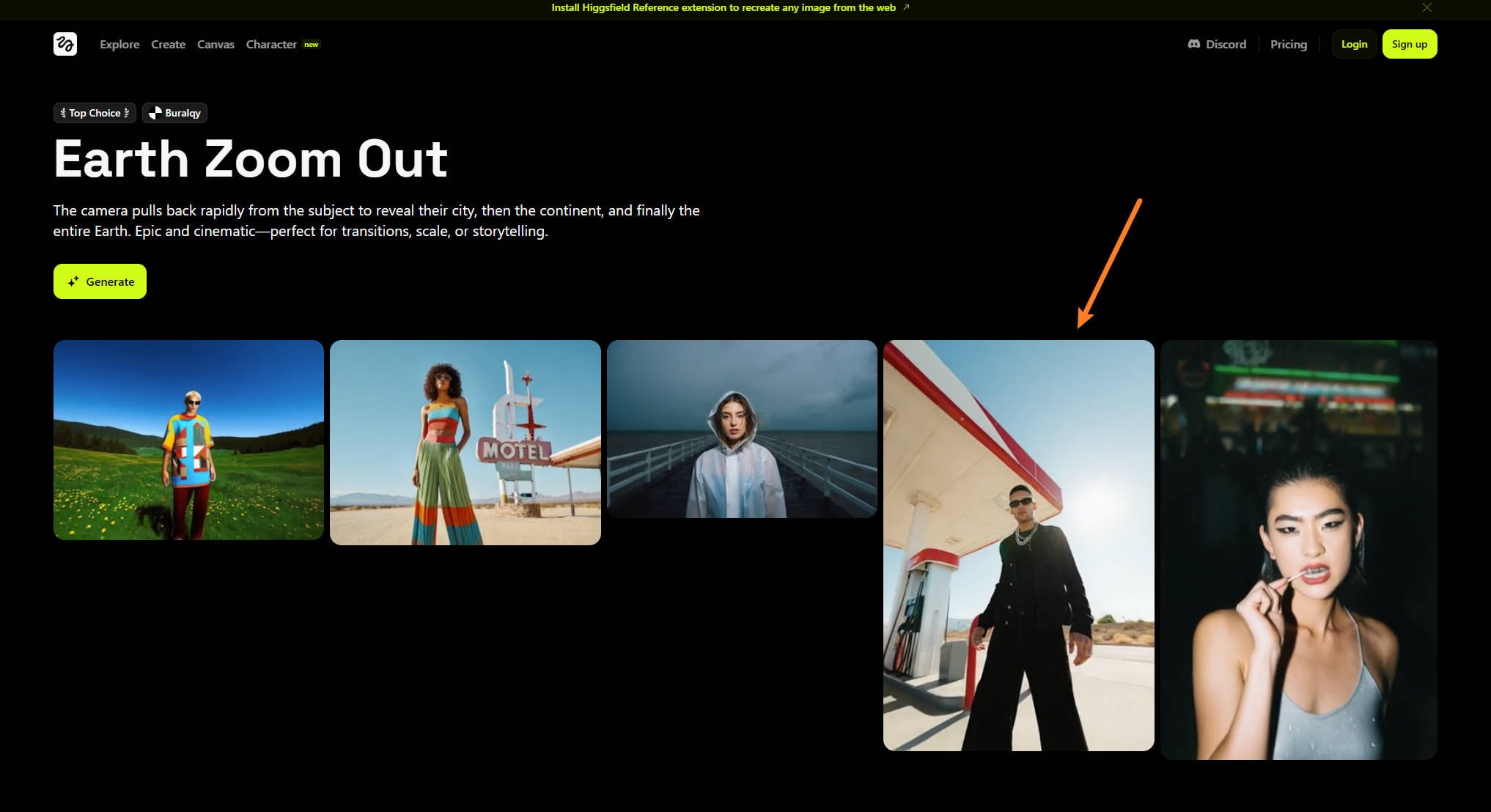
Step 1. Open Higgsfield AI Video Generator, click to copy or upload your images and prompts.
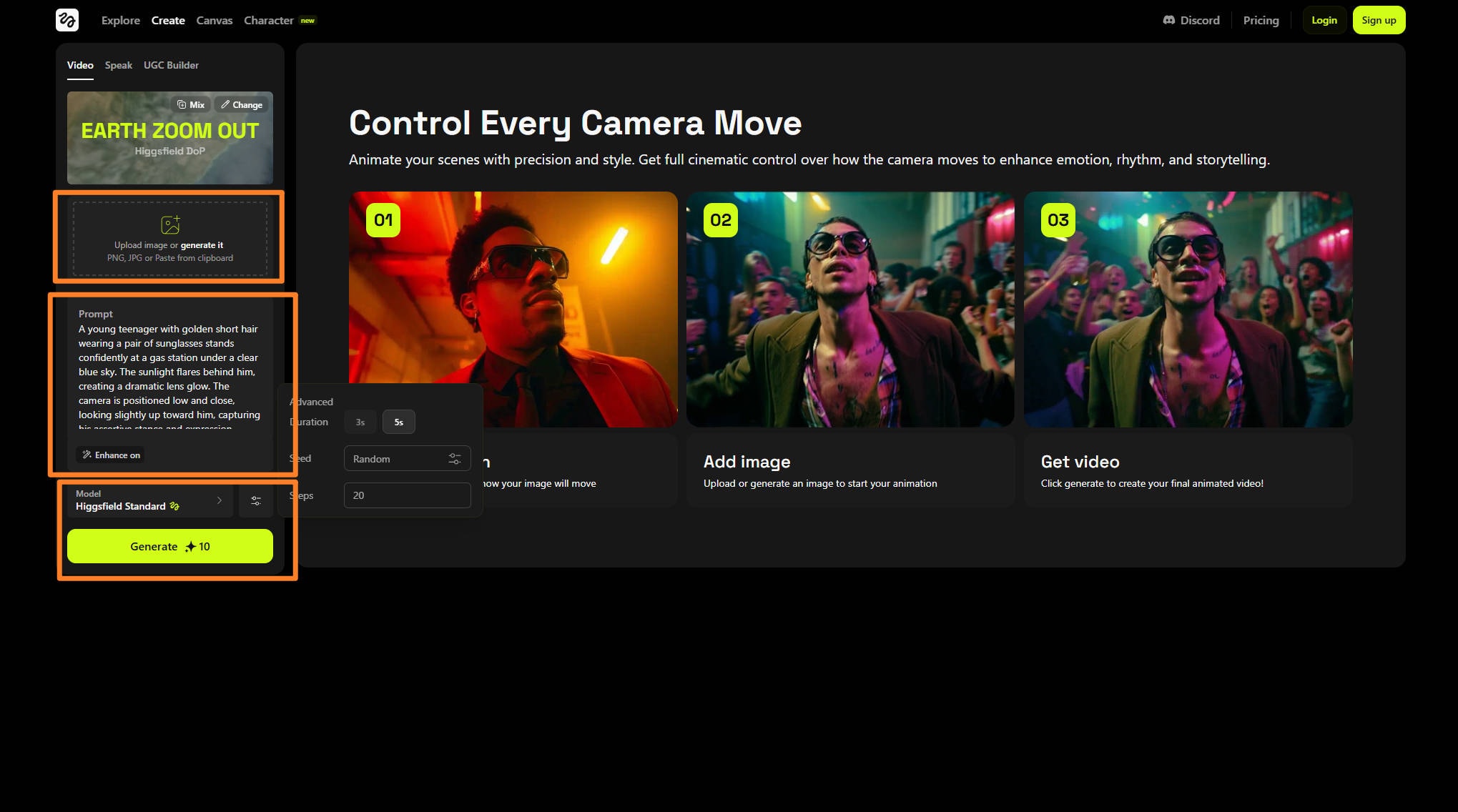
Step 2. Customize options like video model, seed and steps etc.
Step 3. Generate and export if the result is satisfying.
2 Media.io
Effect Preview
Media.io is a free, browser-based video generator with AI-enhanced tools for quick Earth Zoom effects creation. It supports various input formats and offers features like trimming, transitions, auto subtitles, and AI voiceovers. It offers free templates with prompt to easily generate videos at one click.
Pros & Cons
Step by Step Guide
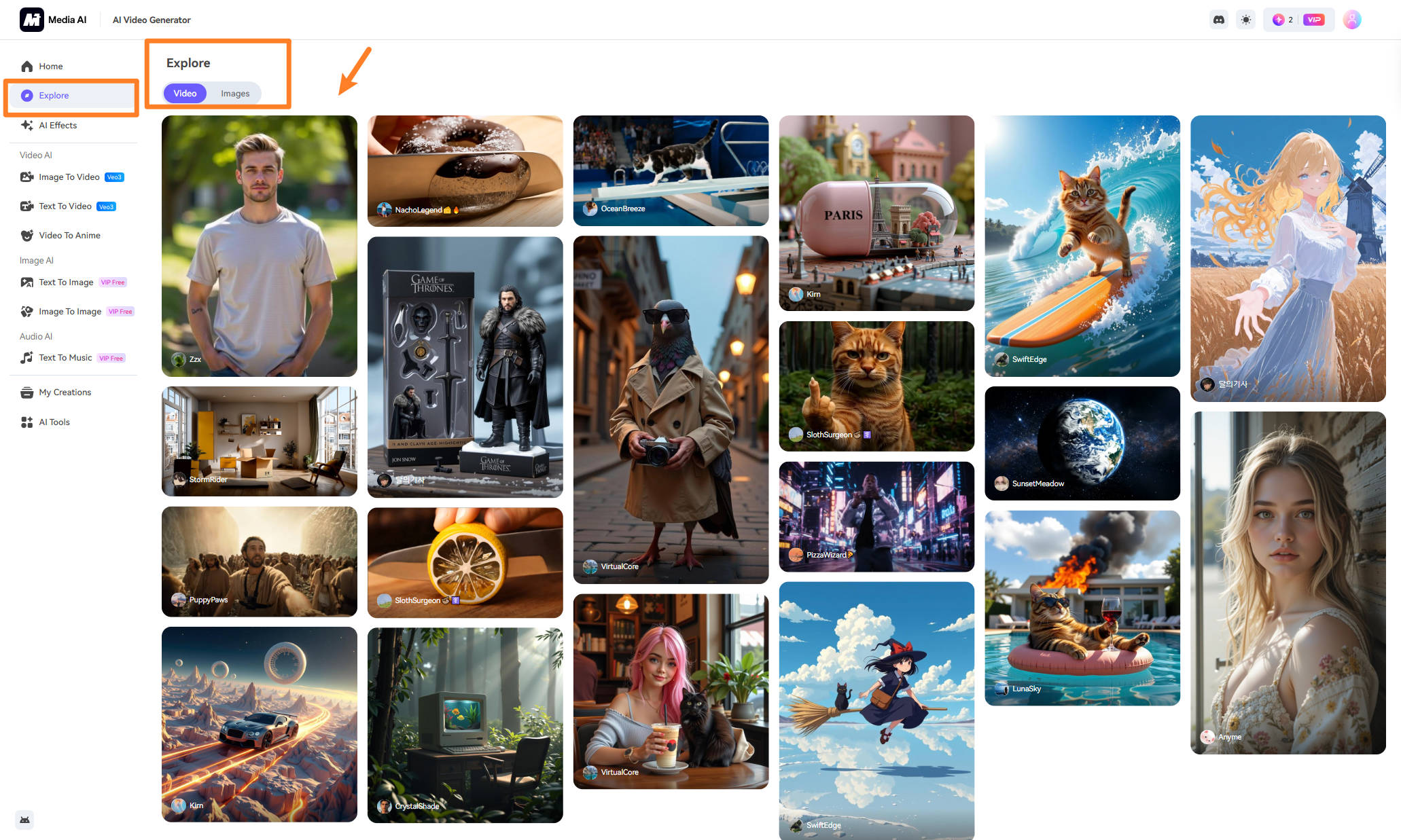
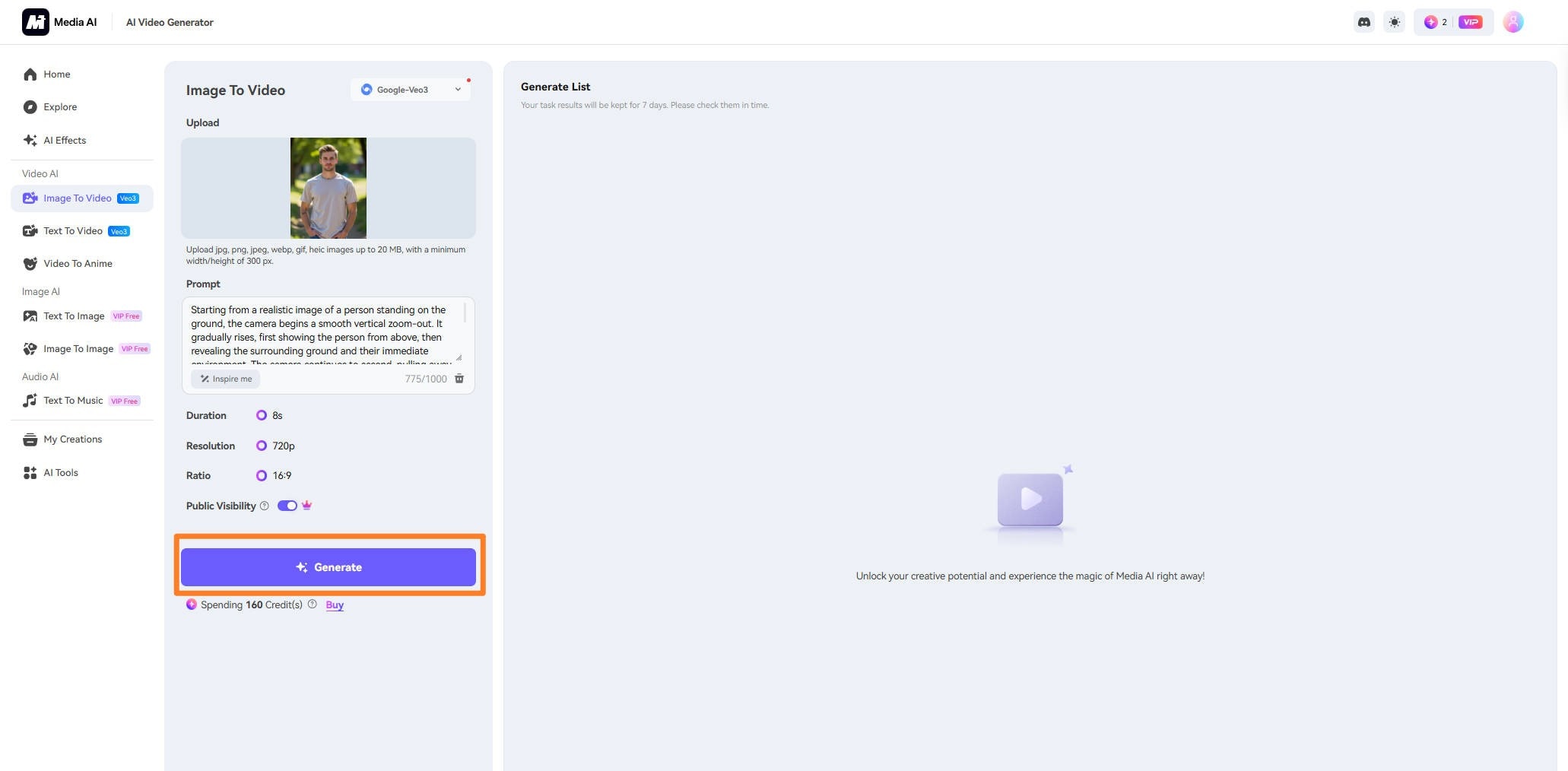
Step 1. Open Media.io and click the Earth Zoom Filter to automatically fill the image and prompts.
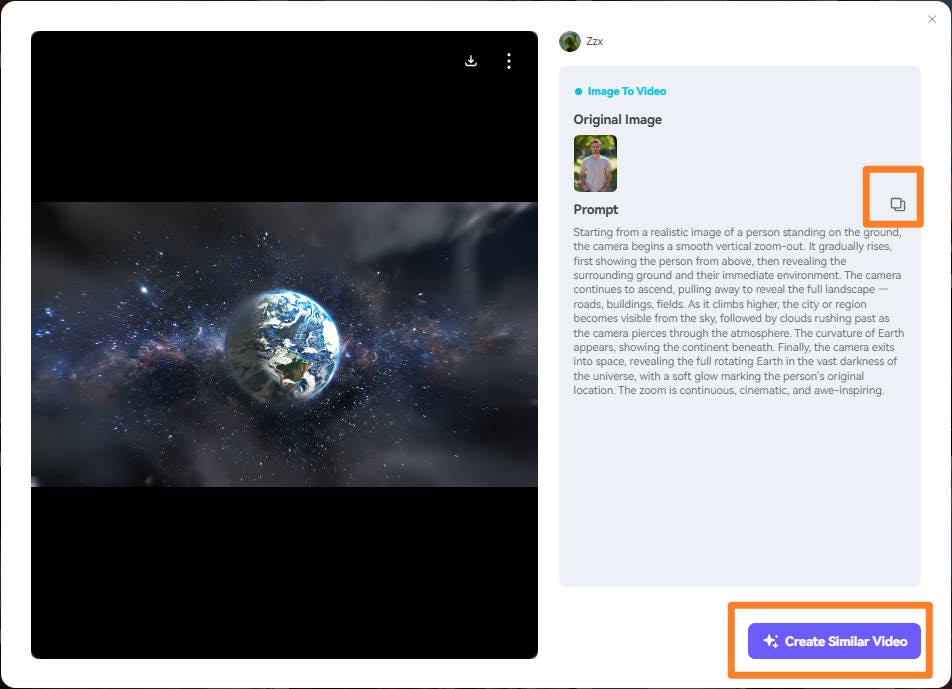
Step 2. You can click on the template to open prompt details can copy for futher optimization.
Step 3. Customize options like AI video generation model, video length, etc. You can also optimize prompts based on effects you want. Generate and export your video. The result will only be kept within a week.
3. Clipfly
Effect Preview
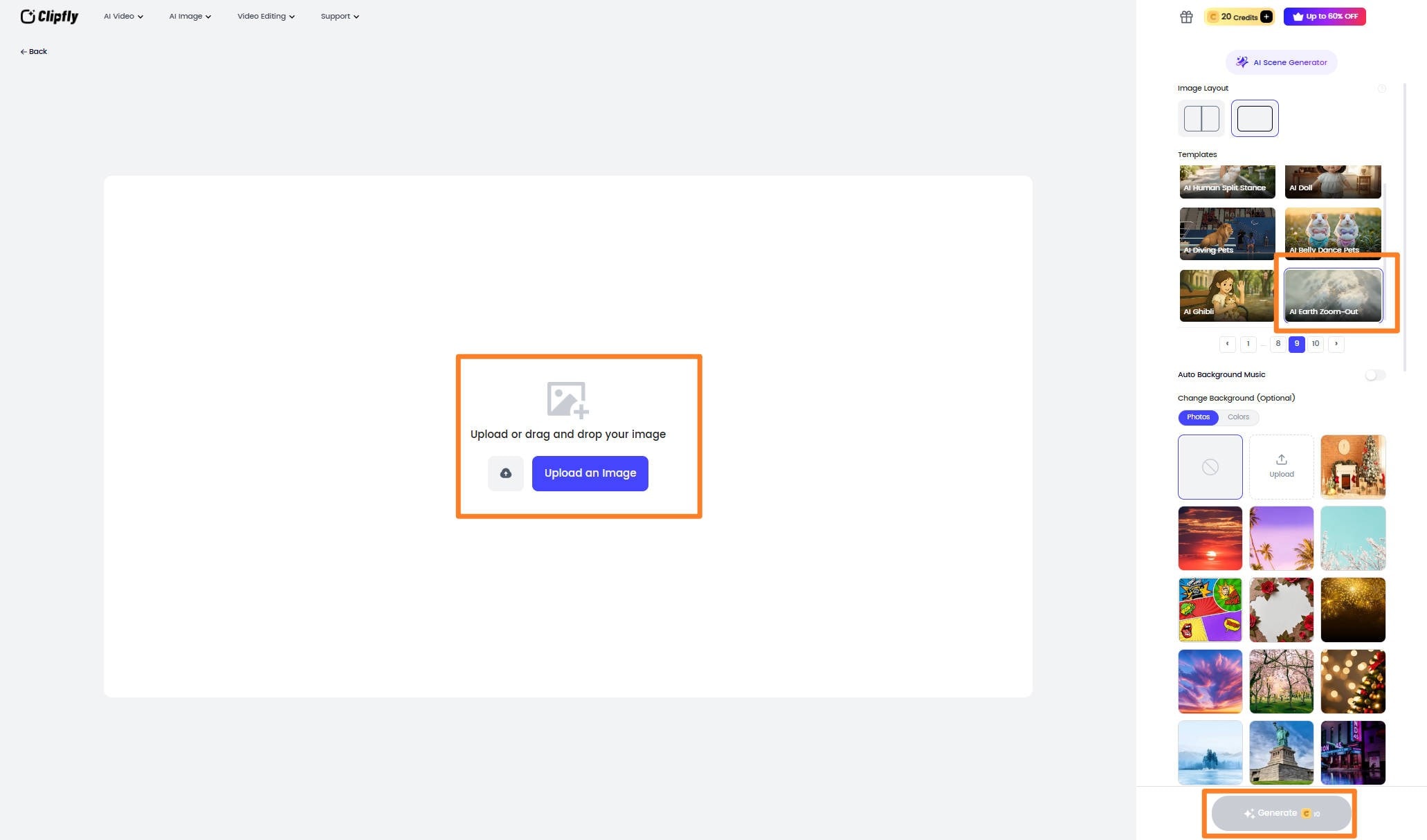
Clipfly is a fast, browser-based tool that lets you create dynamic videos from text or images. It’s perfect for quick, social media-ready clips. You can even enhance your generate AI Earth Zoom Out videos with automatic background music.
Pros & Cons
Step by Step Guide
Step 1. Open the Clipfly AI Video Generator and choose the Earth Zoom Filter.
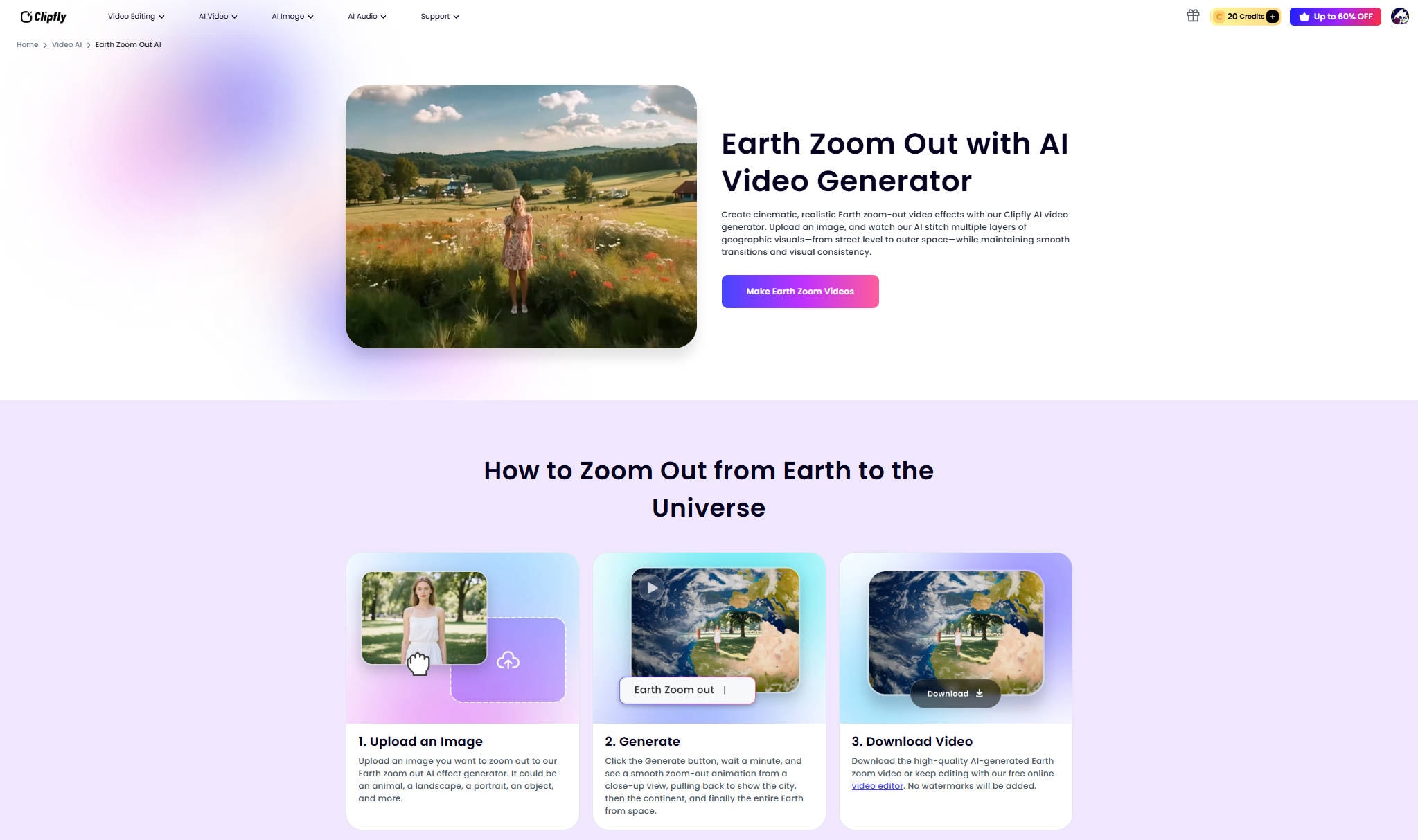
Step 2. Customize options like automatic BGM, backgrounds or image layout.
Step 3. Generate and export your Earth Zoom video clip.
Easy to Use AI Video Enhancer
4. Imgkits
Effect Preview
With Imgkits, you can easily turn text prompts or images into professional-grade videos. The tool supports up to 4K resolution for paid plans, and it’s perfect for creators who want to generate high-quality AI Earth Zoom Out videos without complex editing. It is another tool suitable for content creation, social media, marketing, and business presentations
Pros & Cons
Step by Step Guide
Step 1. Open Imgkits AI Video Generator and click to head the working panel.
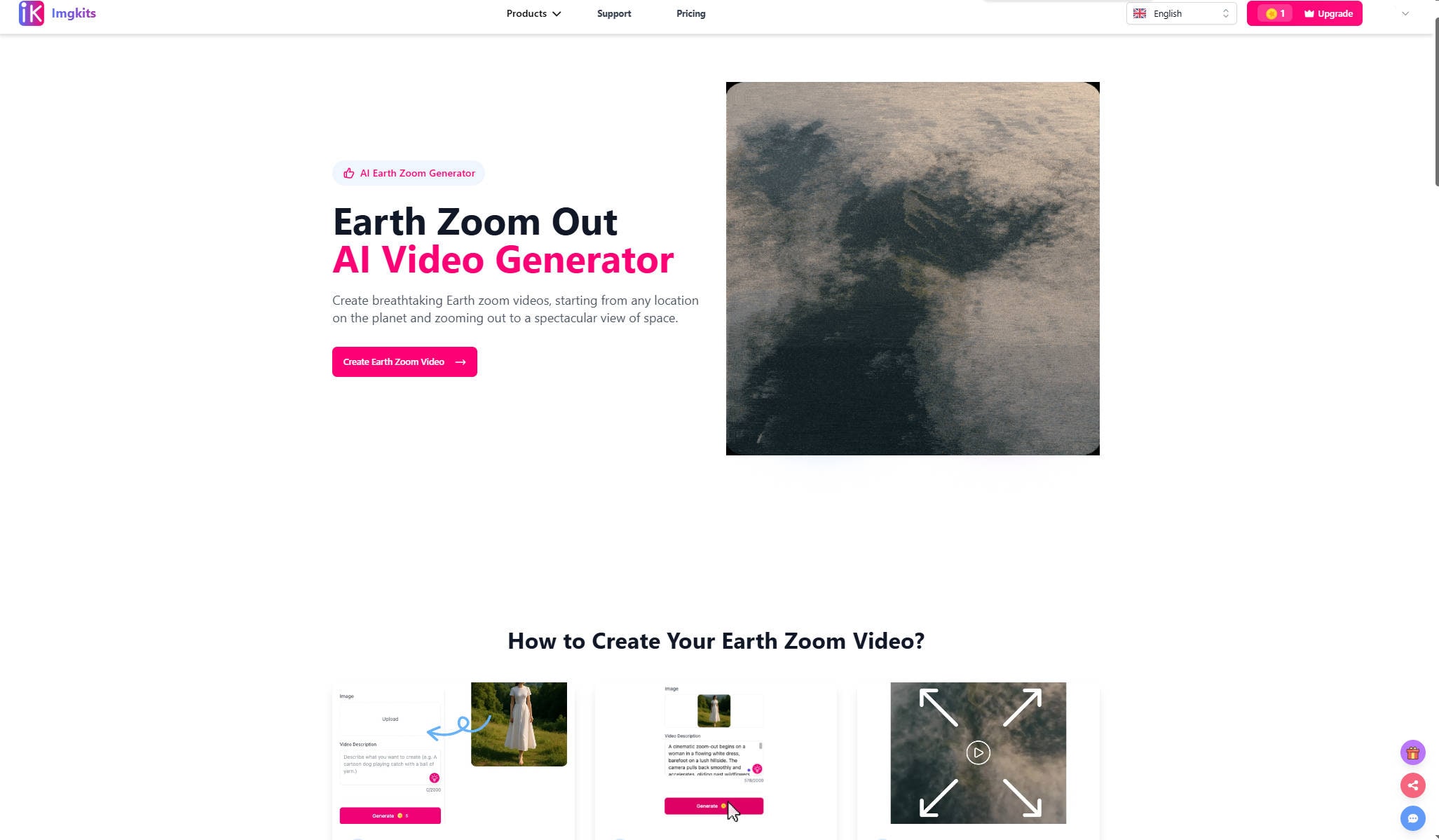
Step 2. Customize options like uploaded images, video length, resolution and aspect ratio, etc.
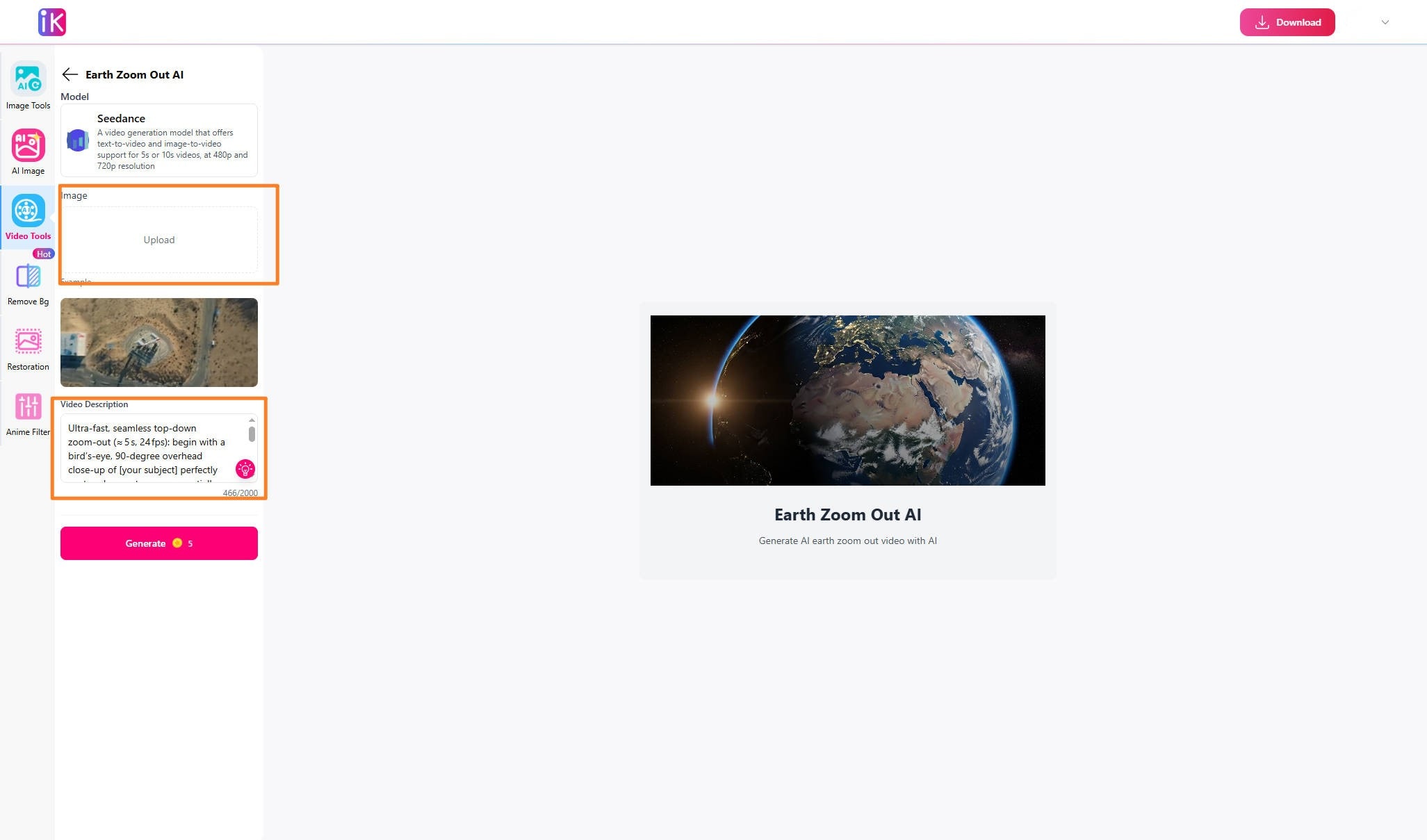
Step 3. Generate and export the final result.
5. Flux1.ai
Effect Preview
Flux1.ai is a powerful platform for creating realistic AI-generated images and videos developed by Black Forest Labs. It’s primarily focused on images but is still evolving in terms of video production. This tool is ideal for quick, creative social media clips. Flux1.ai emphasizes accurate prompt adherence, high image quality, and efficient resource use, catering to creative professionals, developers, and AI researchers.
Pros & Cons
Step by Step Guide
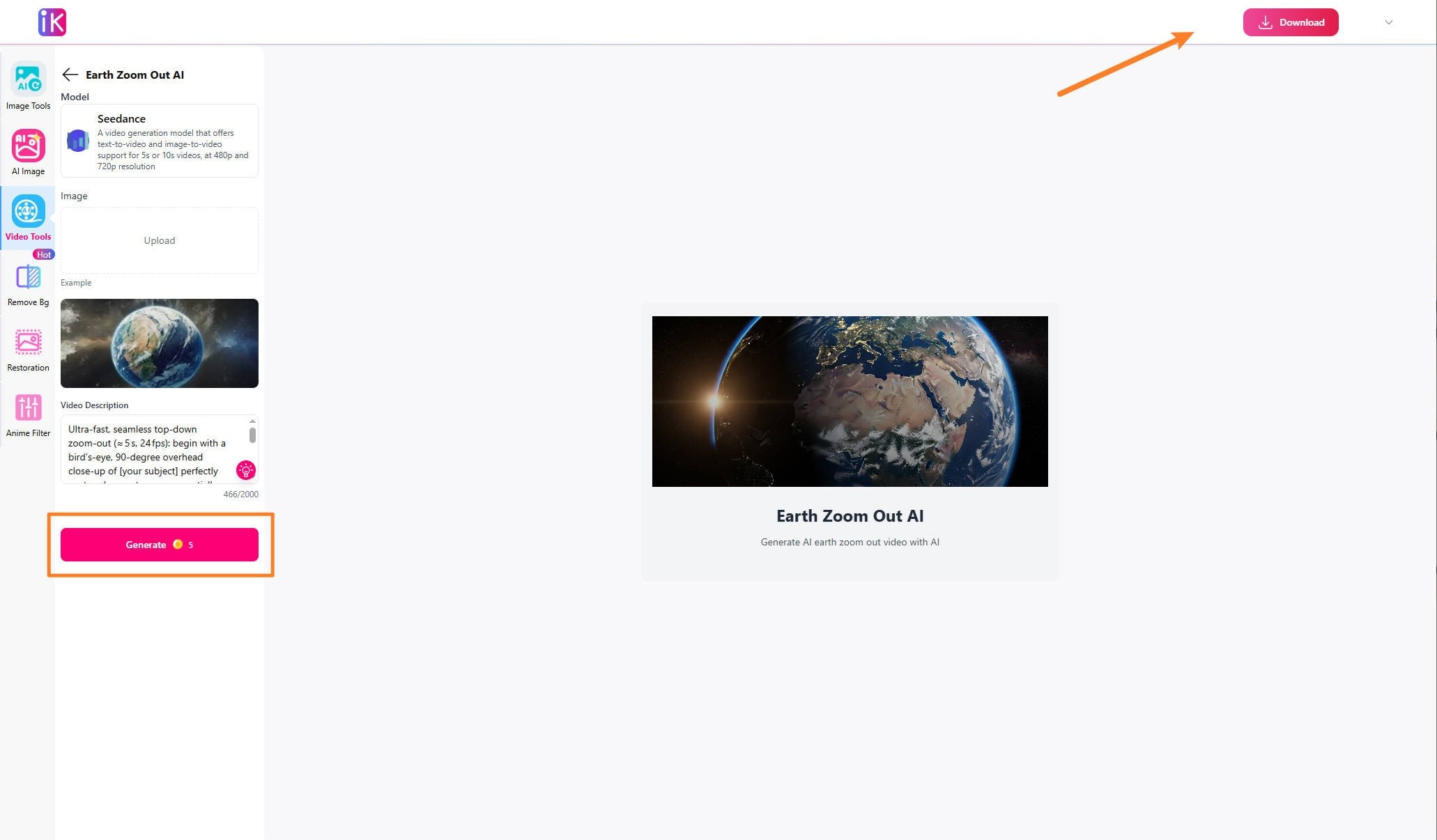
Step 1. Open the Flux1.ai AI Video Generator and upload your images and prompts.

Step 2. Customize options like video length, resolution and aspect ratio, etc.
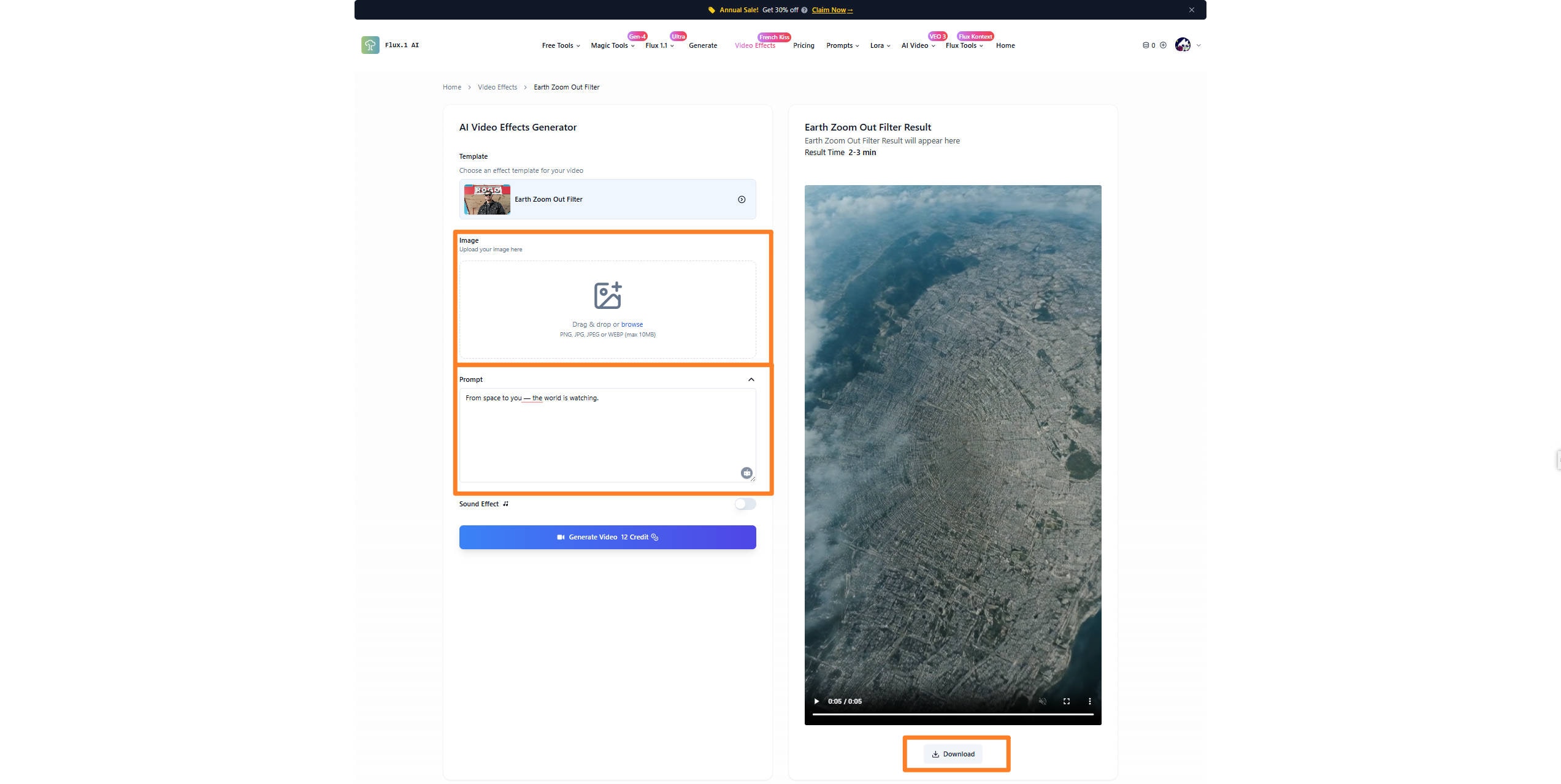
Step 3. Generate and export if result is satisfying.
6. Deep Nostalgia AI
Effect Preview
Though Deep Nostalgia AI is geared toward animating photos, it can be used creatively for unique, personal video effects. It’s best for bringing portraits to life rather than creating full Earth Zoom Out videos. Developed by MyHeritage, this tool is especially popular for genealogical research and personal family history storytelling. Users upload a photo and receive a lifelike animation without needing editing skills.
Pros & Cons
Step by Step Guide
Step 1. Open Deep Nostalgi AI Video Generator, click the template to put in your your images and prompts.
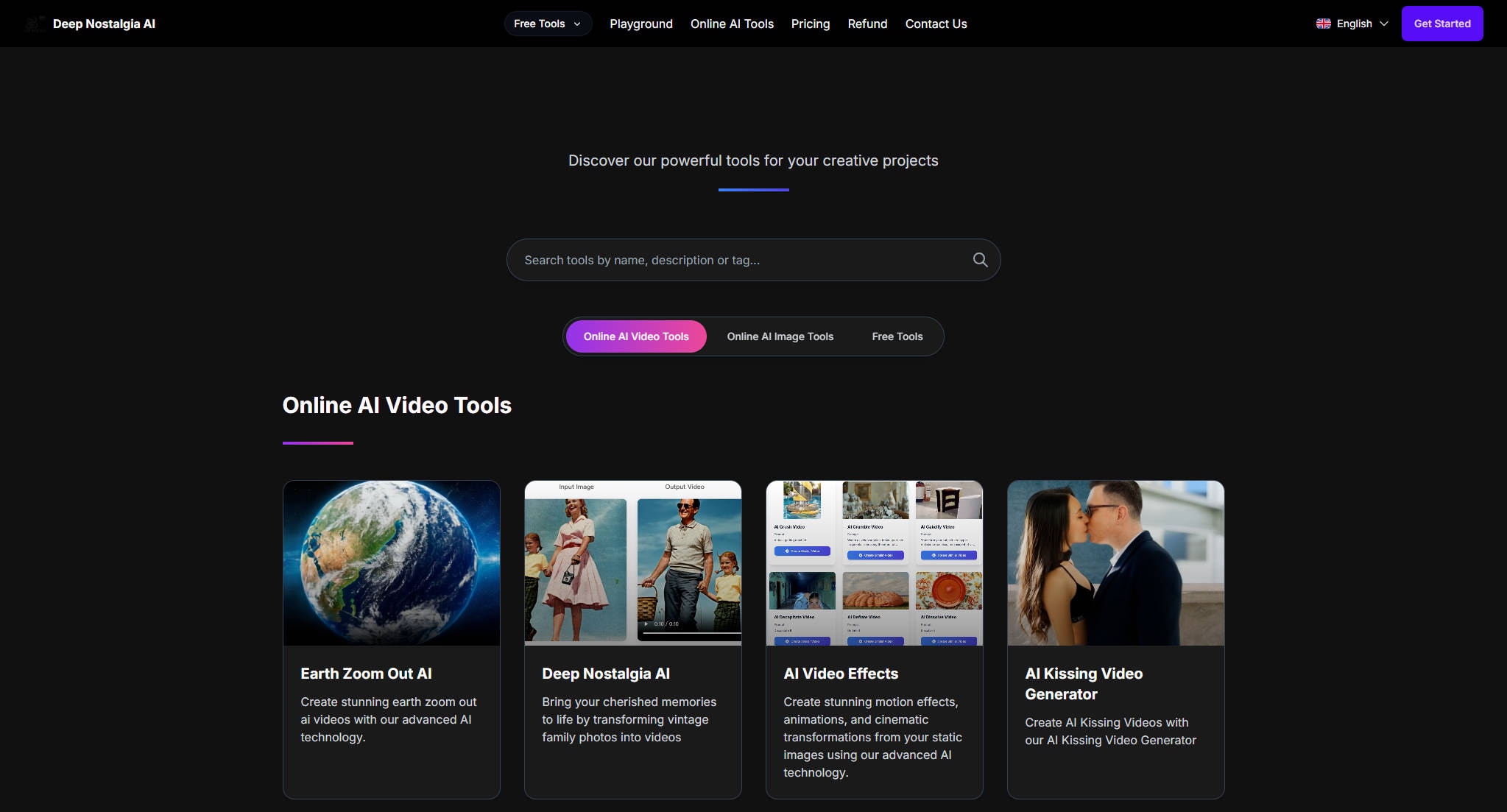
Step 2. Customize options like video model, video length and aspect ratio, etc.
Step 3. Generate and export the video.
7. EarthZoomOutAI.com
Effect Preview
As the name suggests, EarthZoomOutAI.com specializes in Earth Zoom Out videos. This tool creates smooth zooms from close-ups to distant views of Earth, making it ideal for educational, scientific, or artistic content. The tool focuses on creating engaging time-lapse style geography or space-related visual content, though detailed commercial or consumer-focused product info is limited.
Pros & Cons
Step by Step Guide
Step 1. Open EarthZoomOutAI.com and scroll down the page to find the input interface.
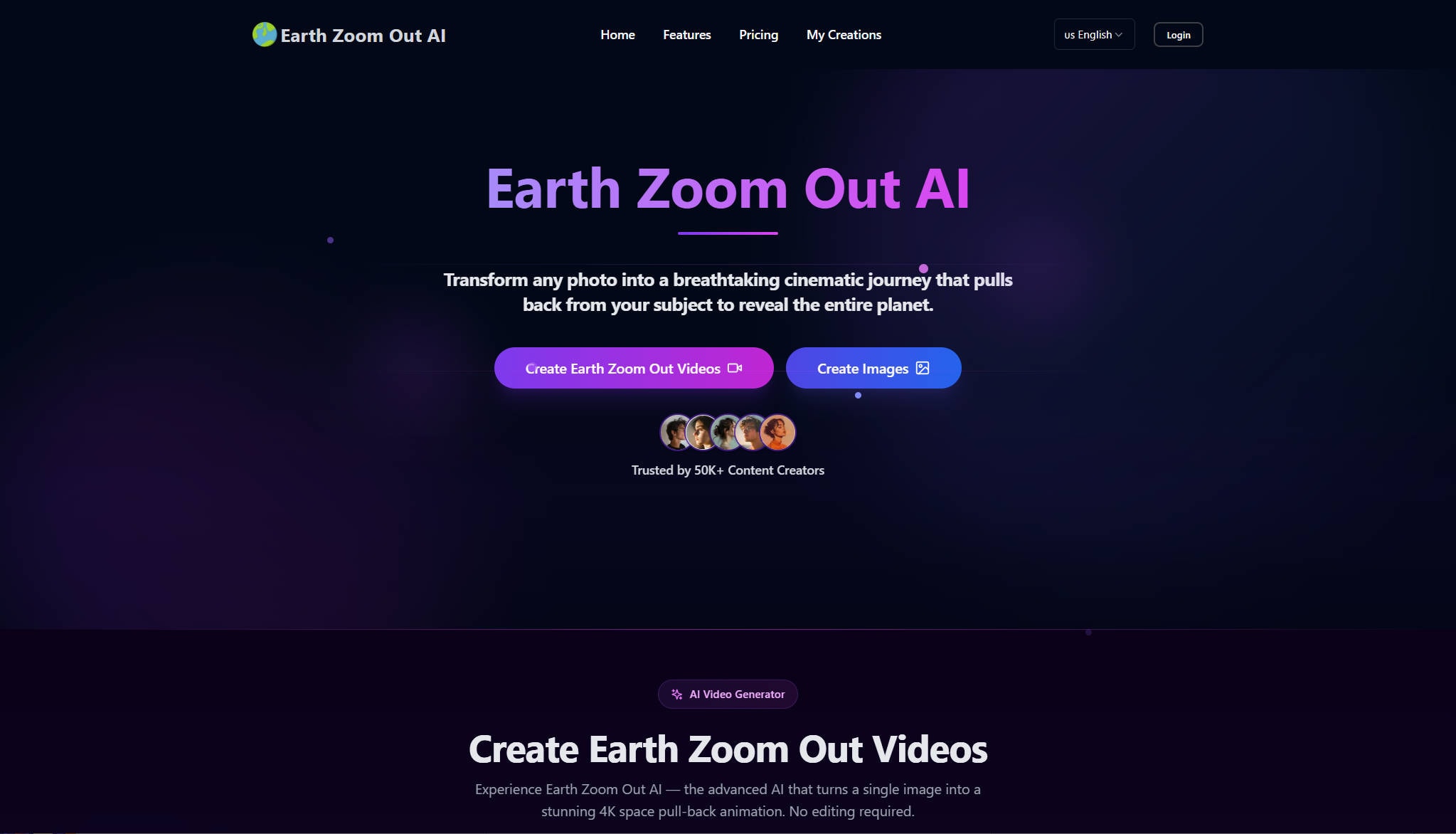
Step 2. Upload your images and prompts and customize options of video movement, aspect ratio, etc.
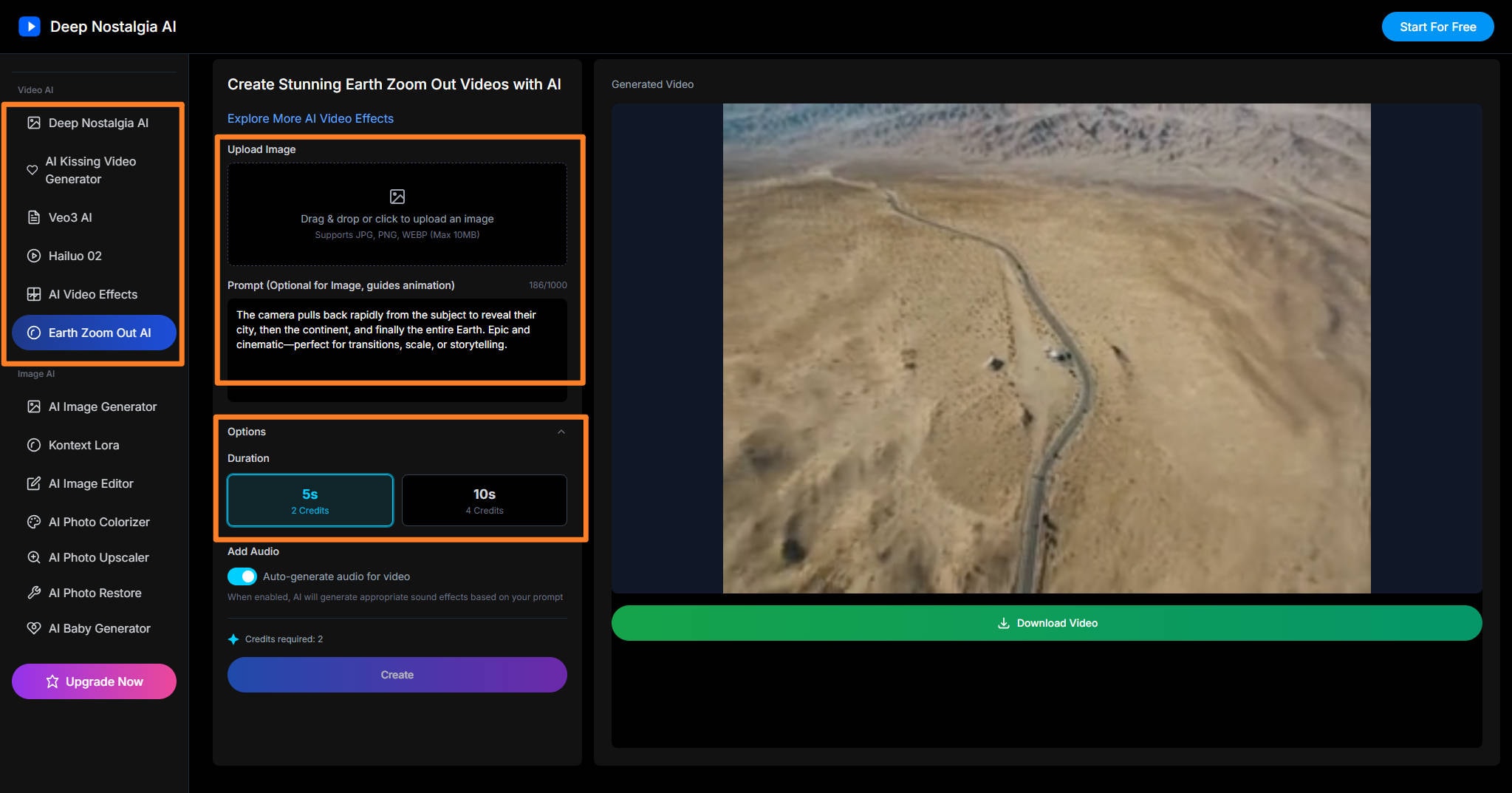
Step 3. Generate and export your video.
Part 4.Examples and Tips for Writing Earth Zoom Out Video Prompt
Examples
Basic Zoom Out:"A person standing in a grassy field, slowly zooming out to reveal the surrounding landscape, then the continent, finally showing the entire Earth from space, cinematic, smooth transition."
Cinematic Space-Themed Prompt: "Low-angle close-up of a woman's face, looking upward with wonder, dramatic rim lighting, ultra-detailed digital painting. Camera pulls back, revealing her spacesuit, then the spacecraft window, showing Earth’s glowing horizon, ending with a wide-angle shot of Earth from orbit, 4K, motion blur, cinematic, deep colors, lens flare, ethereal atmosphere."
Custom Geographic Path: "Starting from a city street, zoom out through the city skyline, revealing the country, continent, then the entire planet spinning in space, ending in a cosmic wide shot, high realism, smooth motion."
Expert Tips
-
Use location cues: Mention cities, landmarks, or continents for a more defined zoom pathway.
-
Set mood and lighting:Add mood descriptors to match the atmosphere you want (e.g., "sunset light," "dusk," "intense colors").
-
Add stylistic directions: Words like “smooth camera pull-back,” “epic,” or “photorealistic” guide the AI on style.
-
Adjust scope: Specify if you want to stop at Earth orbit, zoom out even farther to the solar system, or beyond.
-
Specify Zooming Movement: Experiment with camera movement words: “crane shot,” “dolly out,” “parallax zoom.”
-
Consistent Descriptions: Use consistent Earth zoom out references to keep AI from changing styles mid-scene.
- Avoid Abrupt Scene Changes: Focus on one continuous zoom-out—avoid listing too many separate ideas.
Part 5. How to Enhance Earth Zoom Out AI Videos to Cinematic Level
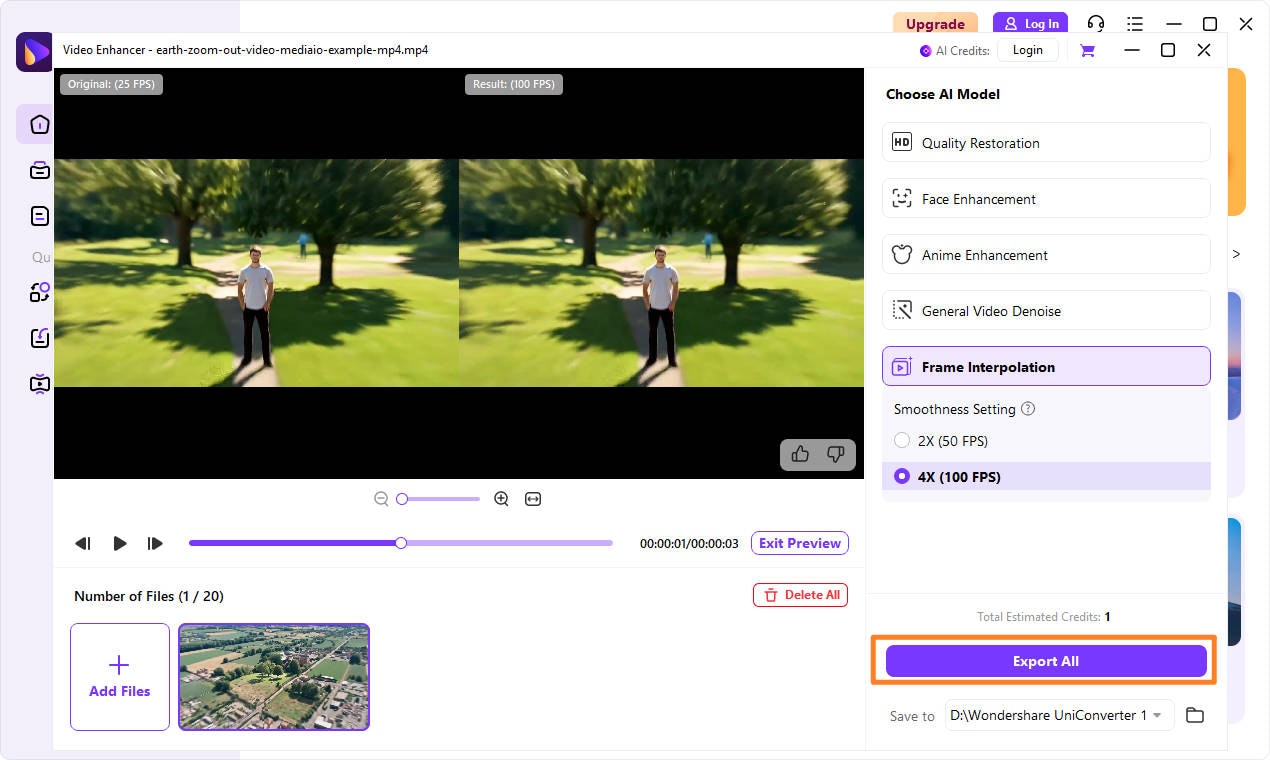
Want to make your Earth Zoom Out videos even more stunning? UniConverter is a great choice for enhancing your AI-generated Earth Zoom Out videos. This tool improves video resolution, reduces noise, and adds a level of sharpness that will make your videos look more polished and professional. Whether you're sharing on YouTube, TikTok, or Instagram, UniConverter AI Video Enhancer offers diverse AI models makes it simple to level up your videos to cinematic level. Here comes easy steps guide to follow:
Step 1. Install and launch UniConverter
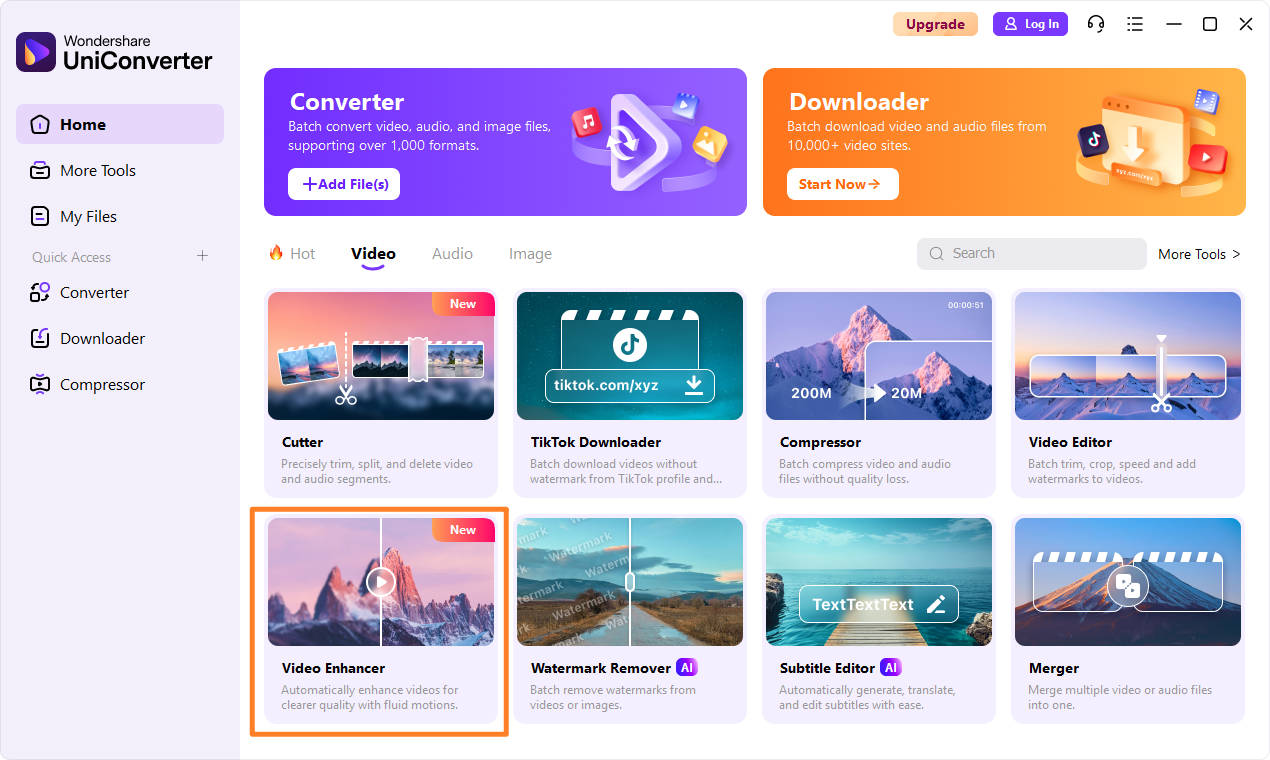
Step 2. Click AI Video Enhancer and pick AI model to enhance videos, for lower fps you can pick frame interpolation, for lower resolution enhancement you can pick quality restoration.
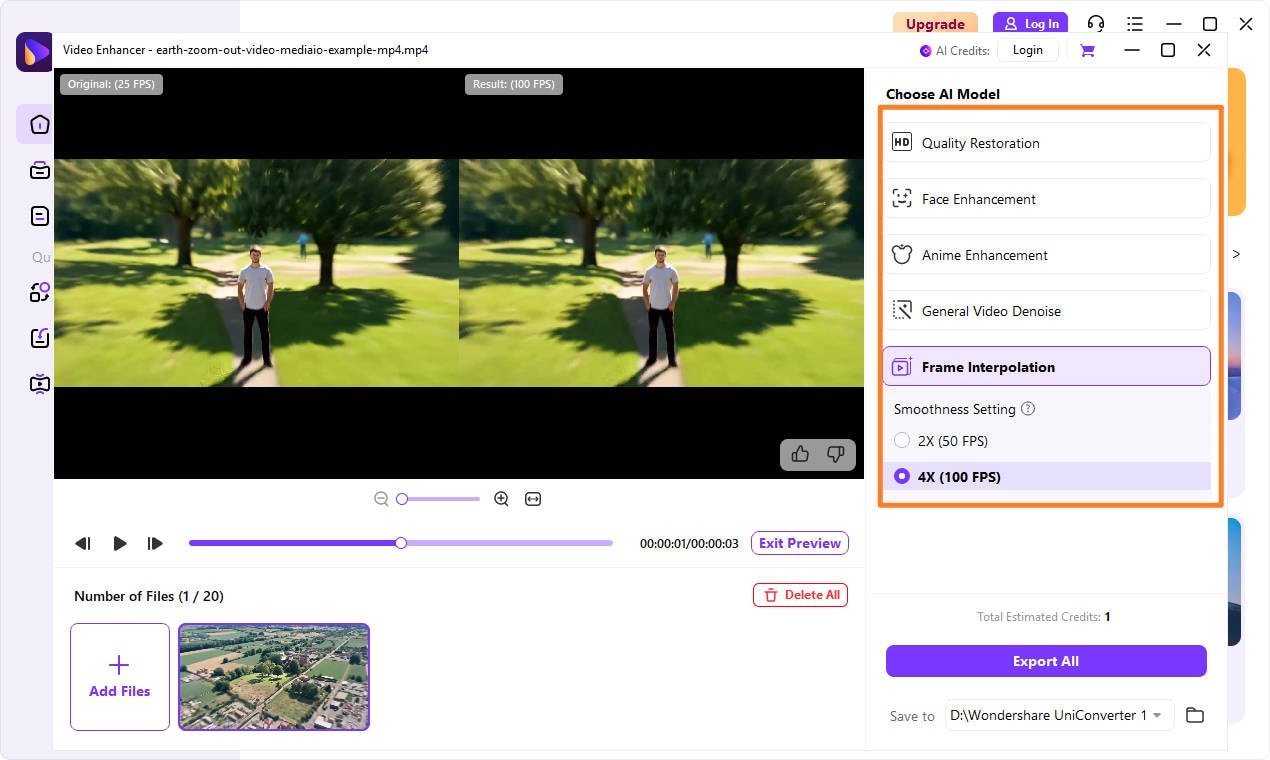
Step 3. Enhance and download video clips.
Conclusion
Creating Earth Zoom Out videos has never been easier. With powerful AI tools like Higgsfield AI, Clipfly, Imgkits, and EarthZoomOutAI.com, you can make these epic effects a reality without needing to spend hours editing. If you want to take your videos a step further, UniConverter’s AI Video Enhancer is a perfect way to enhance your content and boost its visual quality.
These tools empower creators to produce eye-catching content, helping you stand out and attract more views on platforms like YouTube and TikTok. So why wait? Start making your own Earth Zoom Out AI videos today!
Easy to Use AI Video Enhancer
FAQs
-
1. Why is my render failing or taking too long?
Render issues may be due to high resolution settings, large file sizes, or server overload; try reducing video quality or using a different platform. -
2. Can I control or edit how far the zoom goes?
Most platforms don’t offer precise control, but you can adjust the starting and ending zoom points to some extent. More detailed prompts of movement also helps to control zoom distance. -
3. Are there tips to make zooms smoother or more cinematic?
Enhance smoothness by using AI tools like UniConverter for video refinement or adjusting the zoom speed for a more gradual transition. -
4. How do I make an Earth Zoom Out AI video for free?
You can create Earth Zoom Out videos for free using platforms like Clipfly and Media.io, though you'll be limited to lower quality and watermarked exports. -
5. What is the maximum video quality/resolution available?
Some platforms like EarthZoomOutAI.com offer up to 5K resolution, while others max out at 720p or 1080p.

