

When you are trying to capture special moments in low-light conditions, the pictures can often end up blurry. Your product images for your online business and important documents can suffer the same thing, making them unusable. However, there are online tools available to unblur pictures and save you from extensive labor and a hit on your wallet.
In this article, we have explored the top 9 tools to unblur image free with detailed steps, which are easily accessible through web browsers. You’ll also find a detailed comparison table of their specs, which will help you choose a tool according to your preferences.
In this article
Part 1. Top 9 Tools to Unblur Pictures Free Online
While you look for tools to unblur image free online, we have compiled a list for you with top picks that can give you the best results instantly:
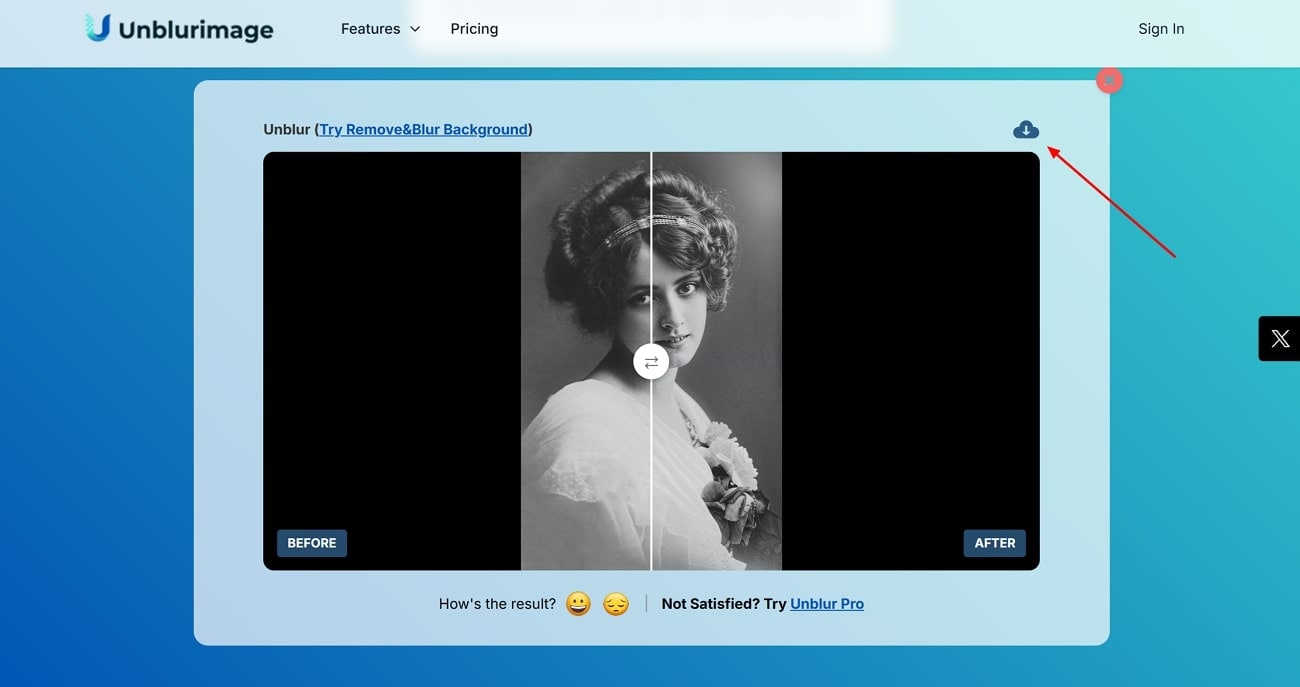
1. Unblurimage
Offering an advanced AI-driven unblurring, this online tool supports various file sizes without compromising image quality. It doesn’t require you to log in and supports batch unblur for up to 3 photos at a time. The processed images do not have altered details, while this program also claims automatic deletion of data after 24 hours to ensure safety.
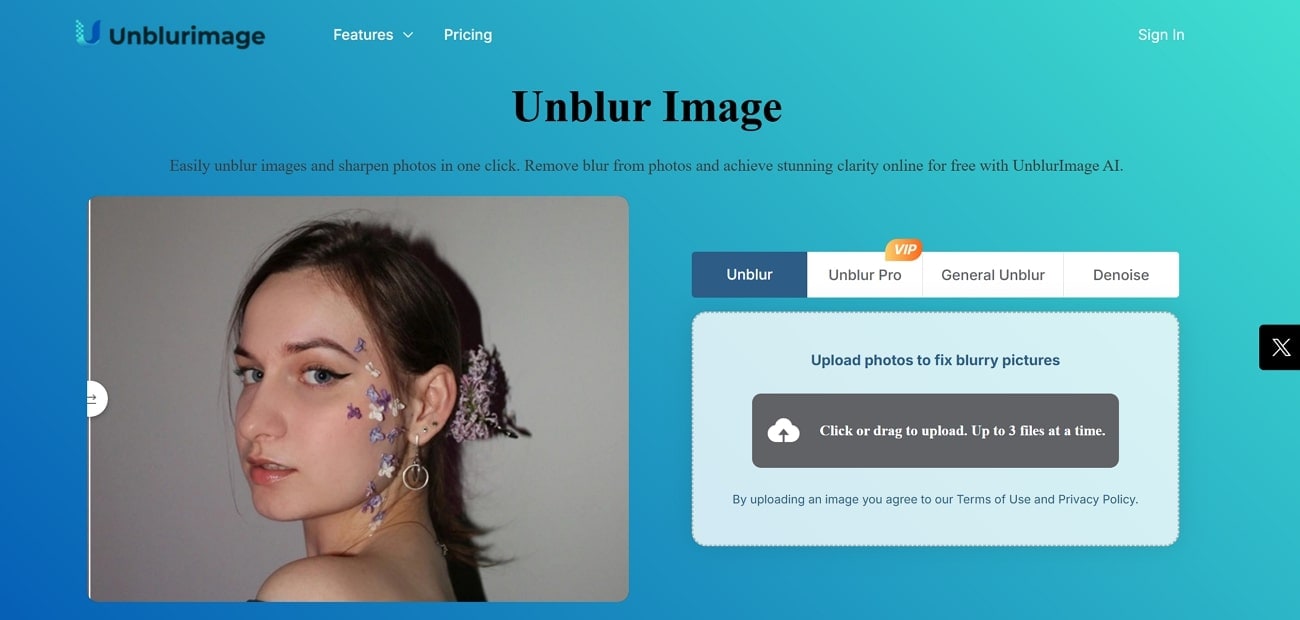
A Comprehensive Guide On Using UnblurImage AI to Unblur Images
Instructions. Open up the tool’s main page and select the "Click or drag to Upload" box to insert your image. The image will be uploaded and enhanced, which can be saved by tapping the "Download" icon on the top right of the enhanced image.
2. Remaker
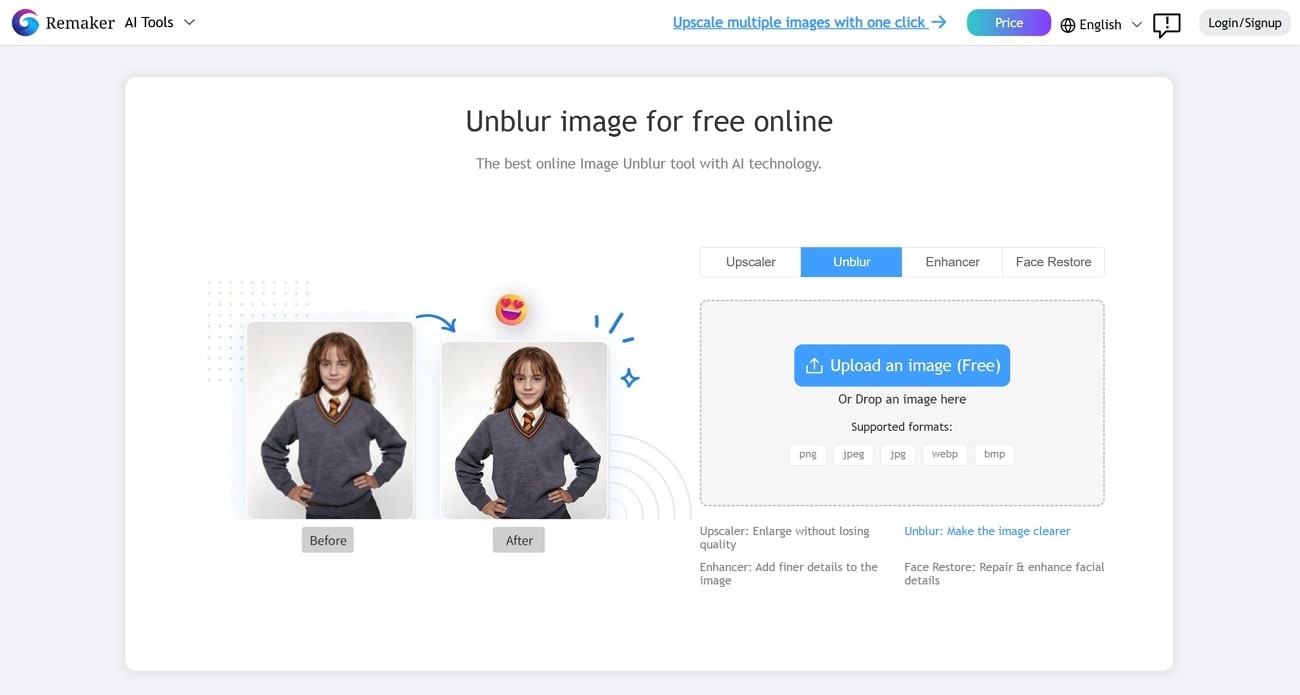
This online platform provides intelligent detection to modify the motion and Gaussian blurs to unblur photos free. It doesn't require any technical skills and supports many formats, including PNG and JPG. Besides unblur, it also gives complementary editing options like enhancing effect and face restore to aid in the overall quality upgradation.
Step-By-Step Guide On Removing Blur Using Remaker AI Tool
Step 1. Hit the “Upload an Image” button to add your image, which will be automatically enhanced.
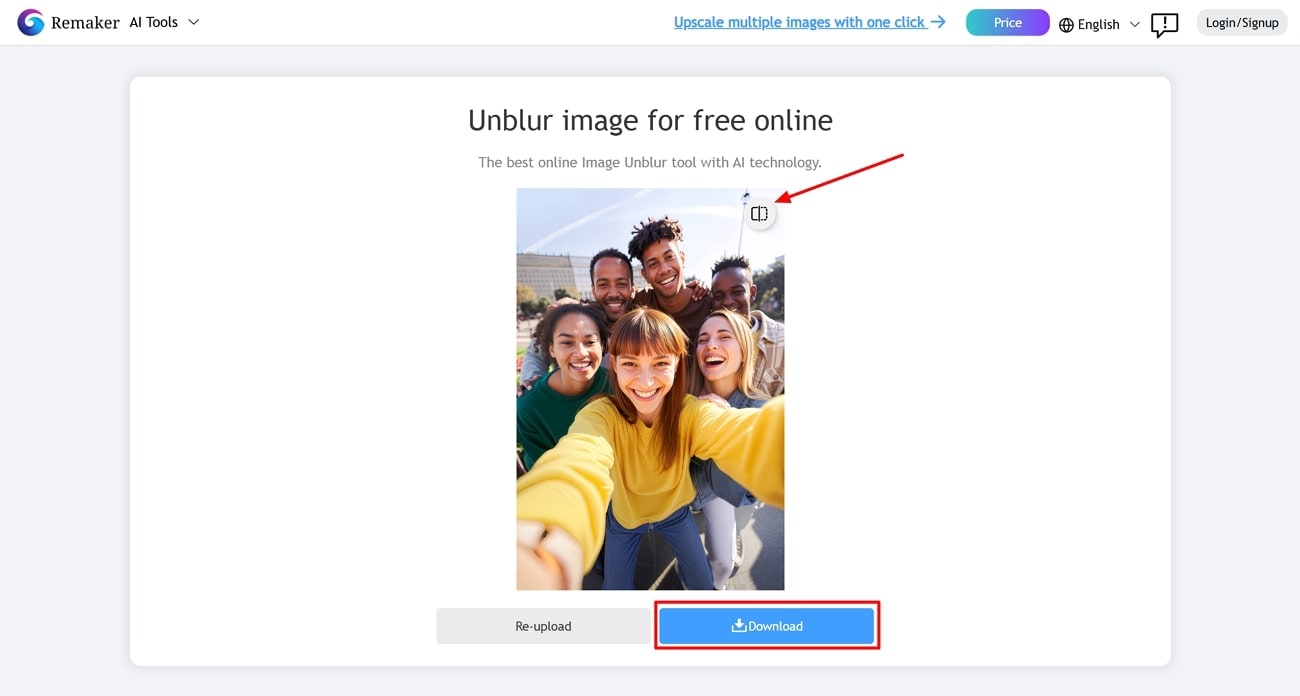
Step 2. You can compare it with the original picture with the “Compare” button at the top, and save it by pressing the “Download” button at the bottom of the image.
3. Picwish
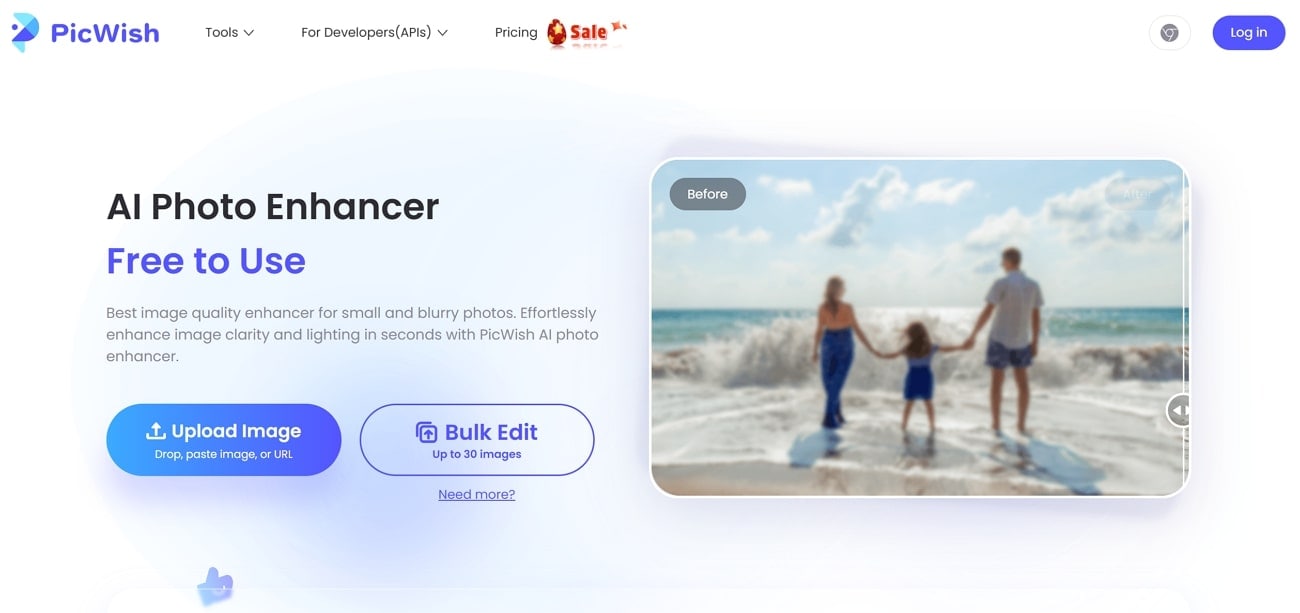
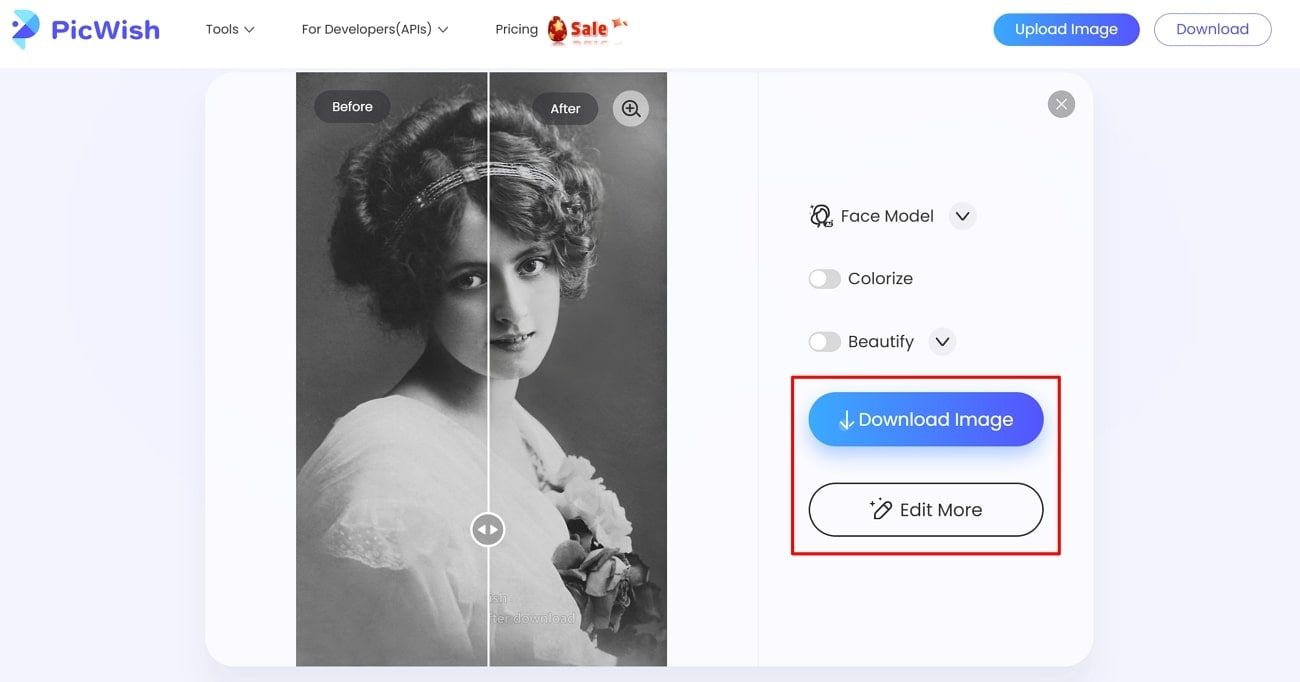
Featuring a user-friendly interface and powerful features, PicWish allows you to edit pictures after deblurring, like a colorize option. You can choose from face models to enhance portrait images while you deblur them for an enhanced effect. A number of other customization and refining options are also available within the unblur AI free tool, including opacity and size adjustments.
A Complete Go-To Guide to Unblur Photos Using Picwish AI
Step 1. Once inside the tool, hit the “Upload Image” button to choose the image, which will take you directly to the next interface with the unblurred image.
Step 2. Click on the “Download Image” button to save the unblurred image or tap “Edit More” to customize it further.
4. Pixelcut
With many positive reviews, this site allows you to restore details in your blurry photos with two resolution options in the upscale feature. You can also modify the background or retouch the picture for more visual clarity and appeal. Pixelcut allows you to zoom in on your edited photos to see all the details and compare results to ensure satisfaction when you unblur images for free.
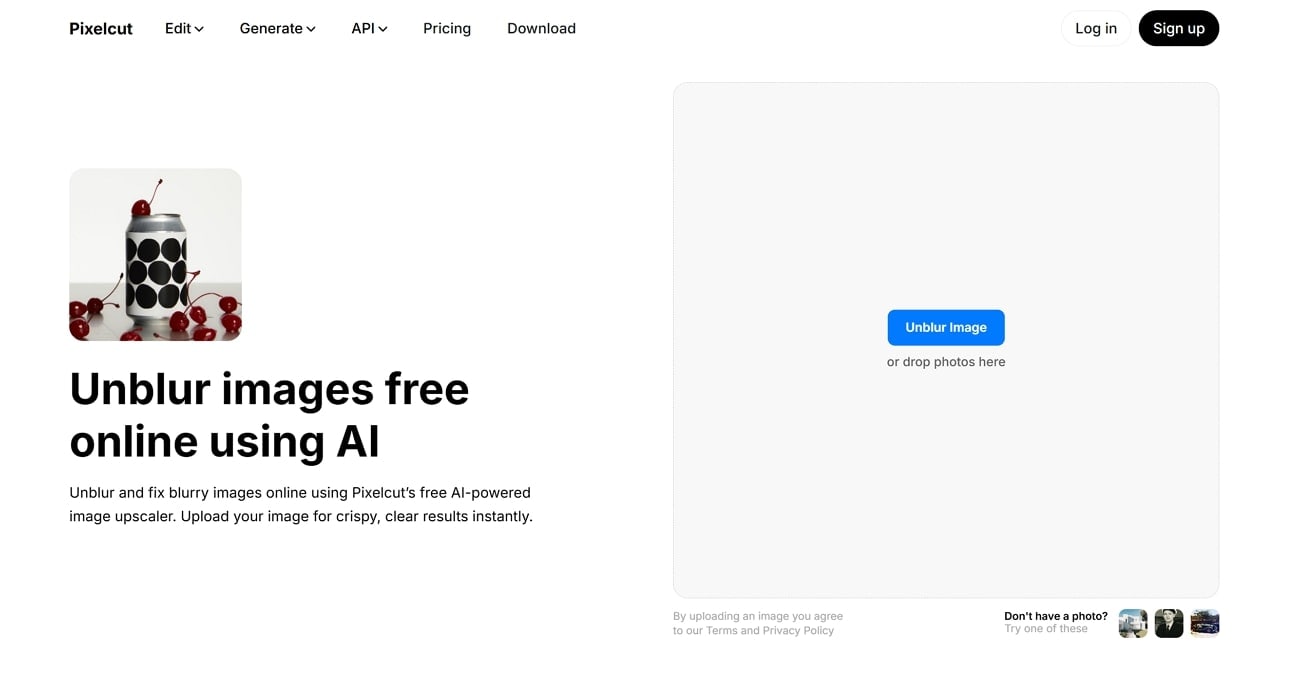
A Beginner’s Guide to Restoring Image Sharpness using Pixelcut AI
Step 1. On Pixelcut’s main webpage, click on the “Unblur Image” button to import your blurry photo into it.
Step 2. After your image is deblurred, click on the “Download” button on the top right to save it to your system. However, you can consider changing the “Pixelcut Fast Upgrade” option to your desired range, if needed.
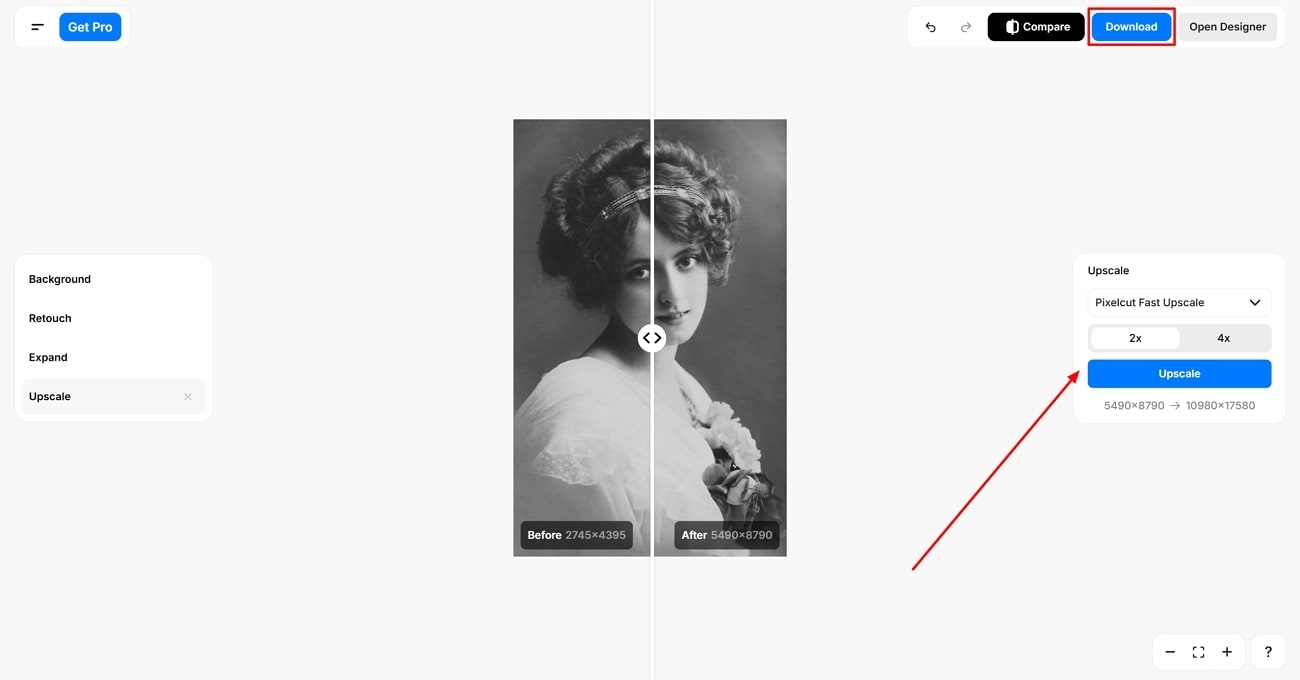

Easy to Use Enhancer to Unblur Image
5. IMGGEN.AI
This AI-powered tool allows for instant blur removal and sharpening, and gives watermark-free pictures. It has a minimalist interface that allows for a swift and convenient deblurring experience while supporting various image formats. Other advanced features offered within the tool, like the AI shadow generators, can add depth back to your deblurred images.
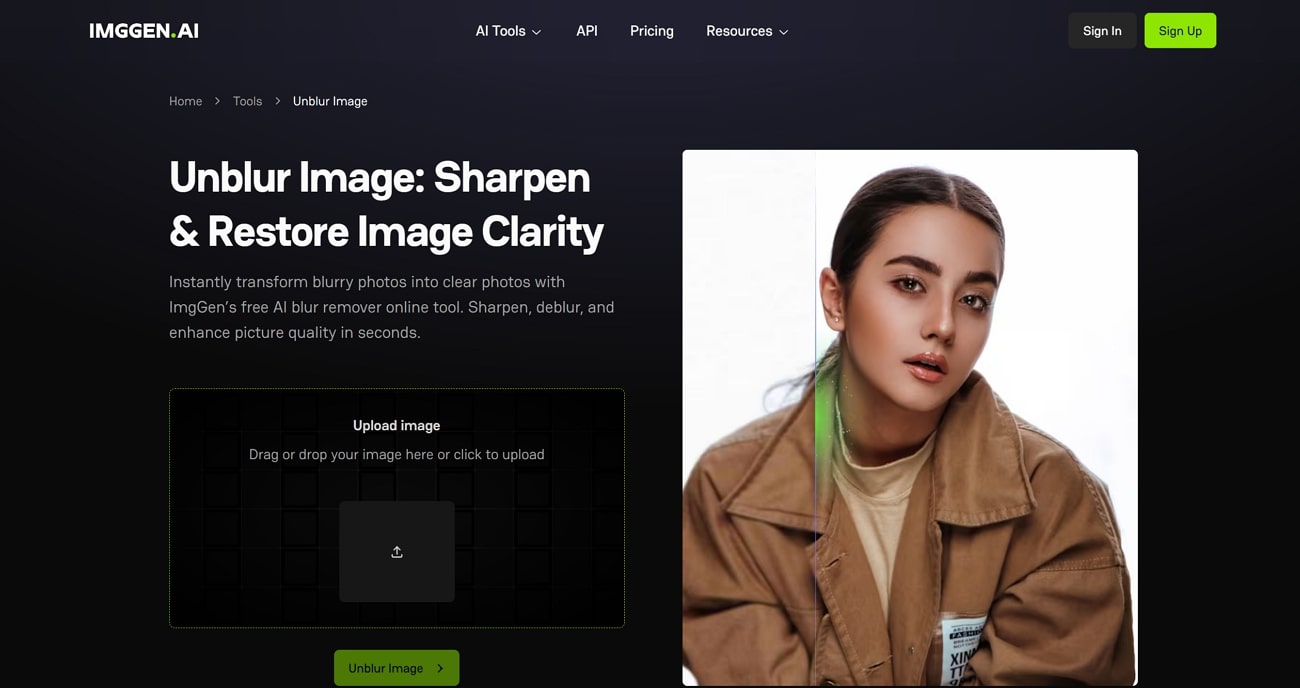
Quick Tutorial On Removing Blur from Photos with Imggen AI
Step 1. Click on the “Upload image” box within Imggen AI’s homepage and press the green “Unblur Image” button.
Step 2. Once the processing is done, press the “Watch an Ad to Download” button to save your clear image.
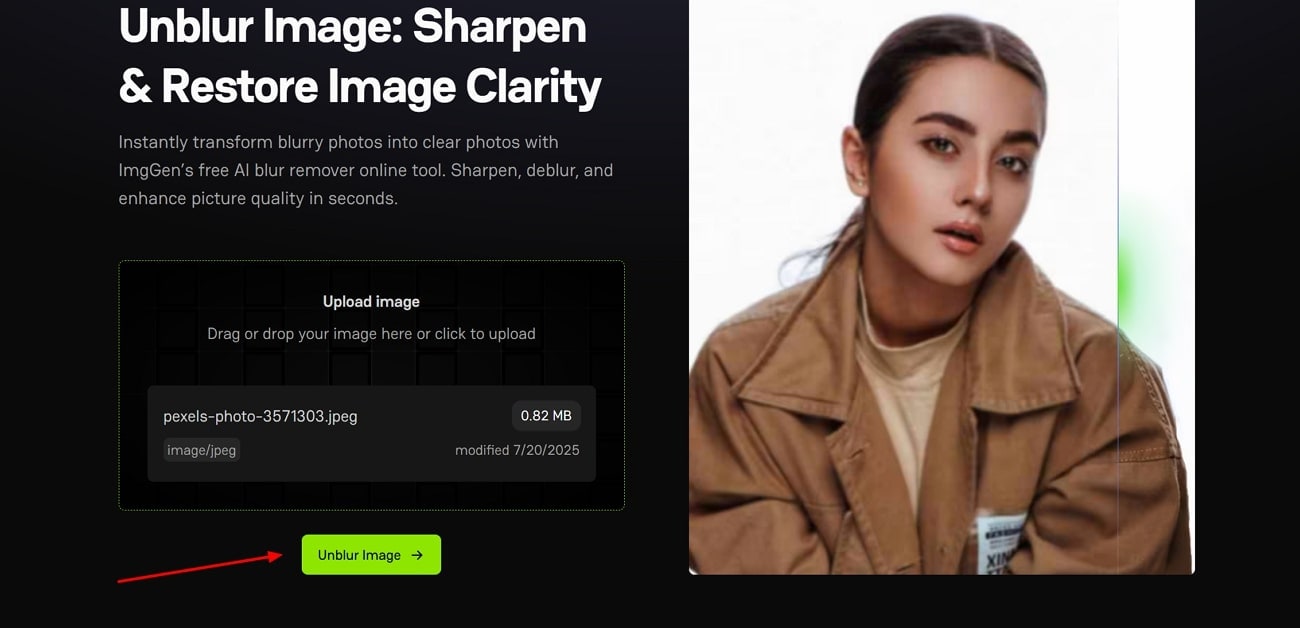
6. Visual Paradigm
Providing wide data accessibility with cloud storage, Visual Paradigm even supports batch processing. The free photo unblur tool, with its minimalist interface, is suitable for a wider user base. The real details are preserved without distortion, while it also promises data security with its dedicated privacy protocols.
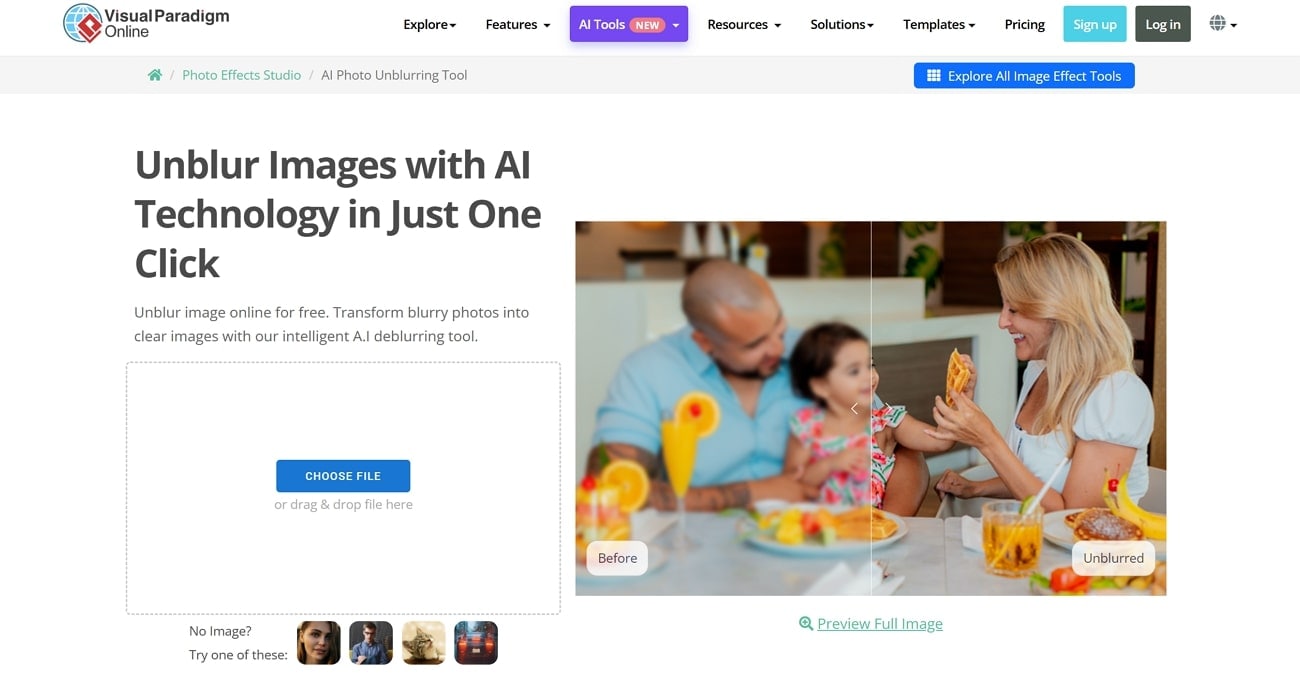
A Simple Walkthrough to Use the Visual Paradigm Unblur Feature
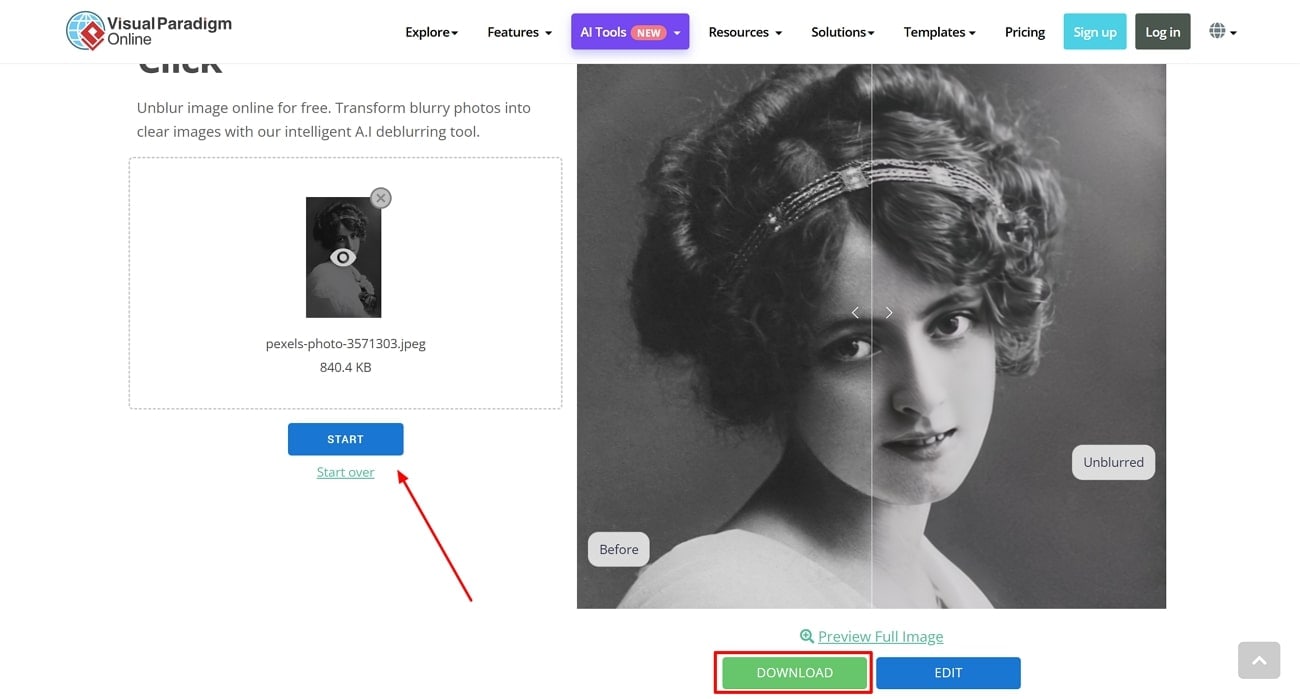
Step 1. To start the process, use the "Choose File" button to import your image and click "Start" to initiate image deblurring.
Step 2. When the process is complete, press the “Download” button to export the enhanced image in high quality.
7. Open Art
Open Art is a highly advanced tool packed with features that also restores the image quality while deblurring the images. It allows for adjustable modes of creative and precise enhancement and even has specialized AI models for styles and faces. You can also do advanced customization in this tool with AI prompts to guide the process while you unblur photo for free.
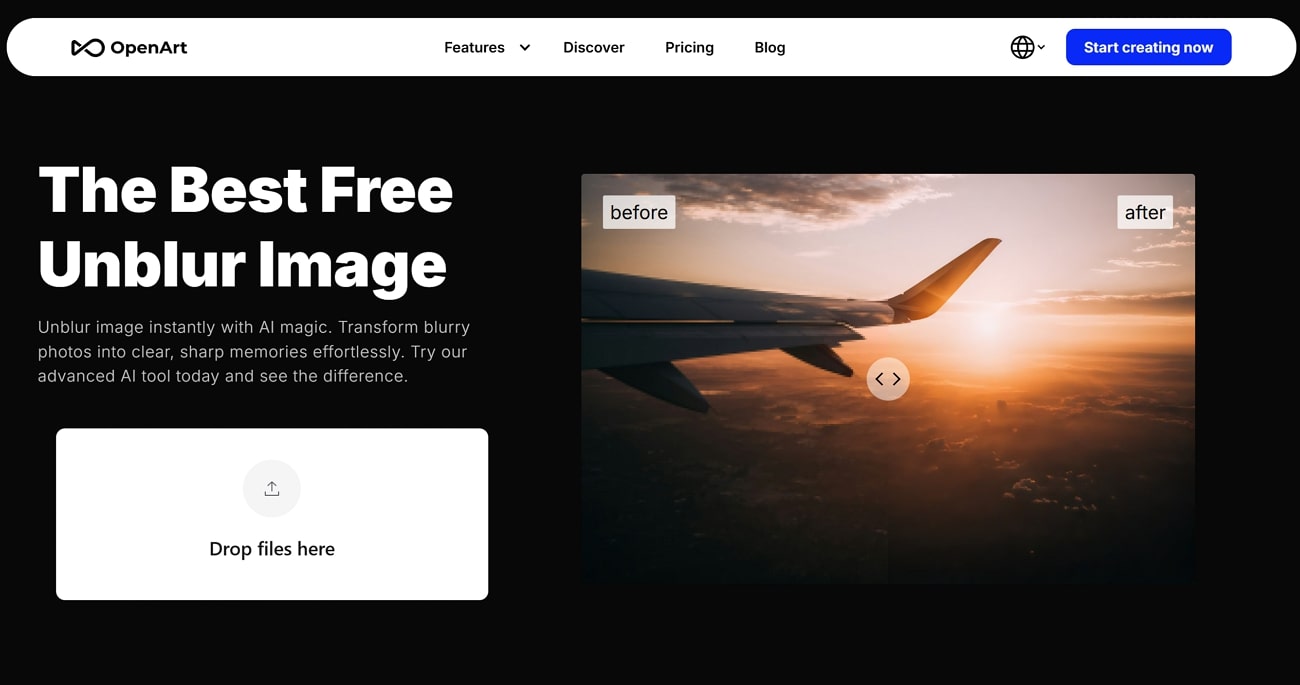
Quick Hands-On Guide to Unblur Images with Open Art Blur Remover
Step 1. Tap on the “Drop Files Here” on this deblur site page, and you will be taken to the next interface.
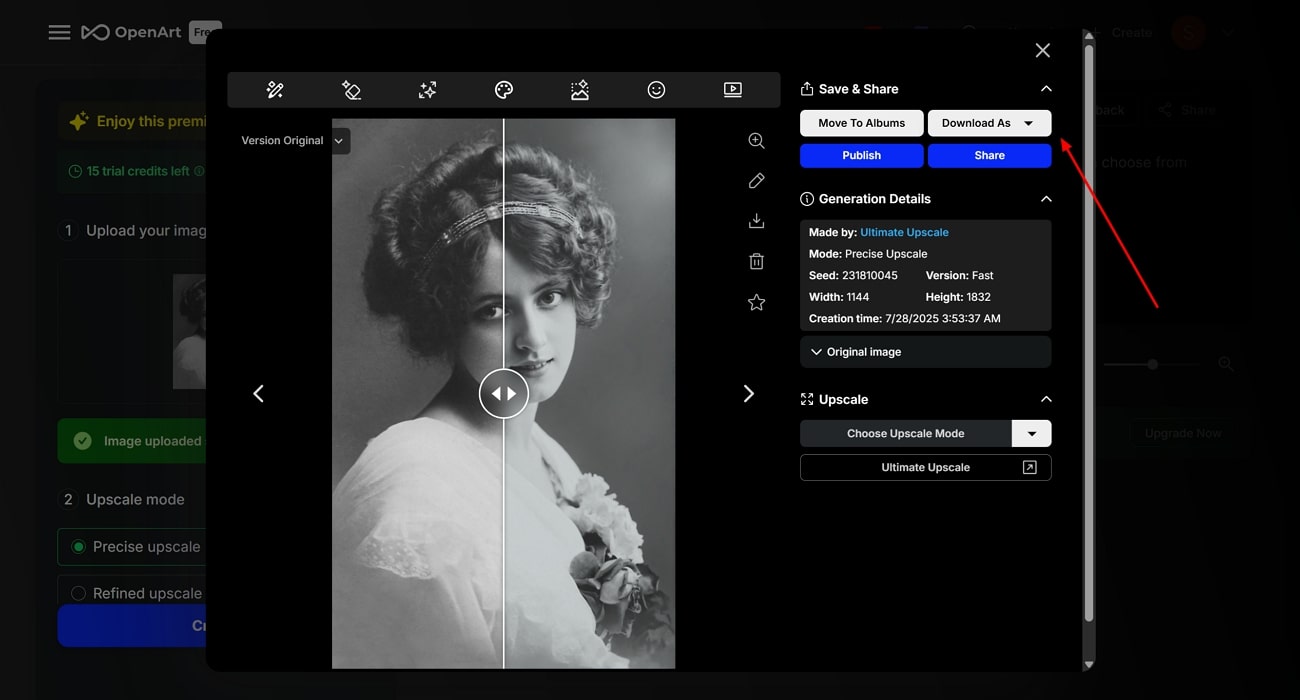
Step 2. Upon choosing the “Upscale Mode” and “Version,” click on the “Create” button to process it and select the “Download” button to save it to the device.
8. Media.io
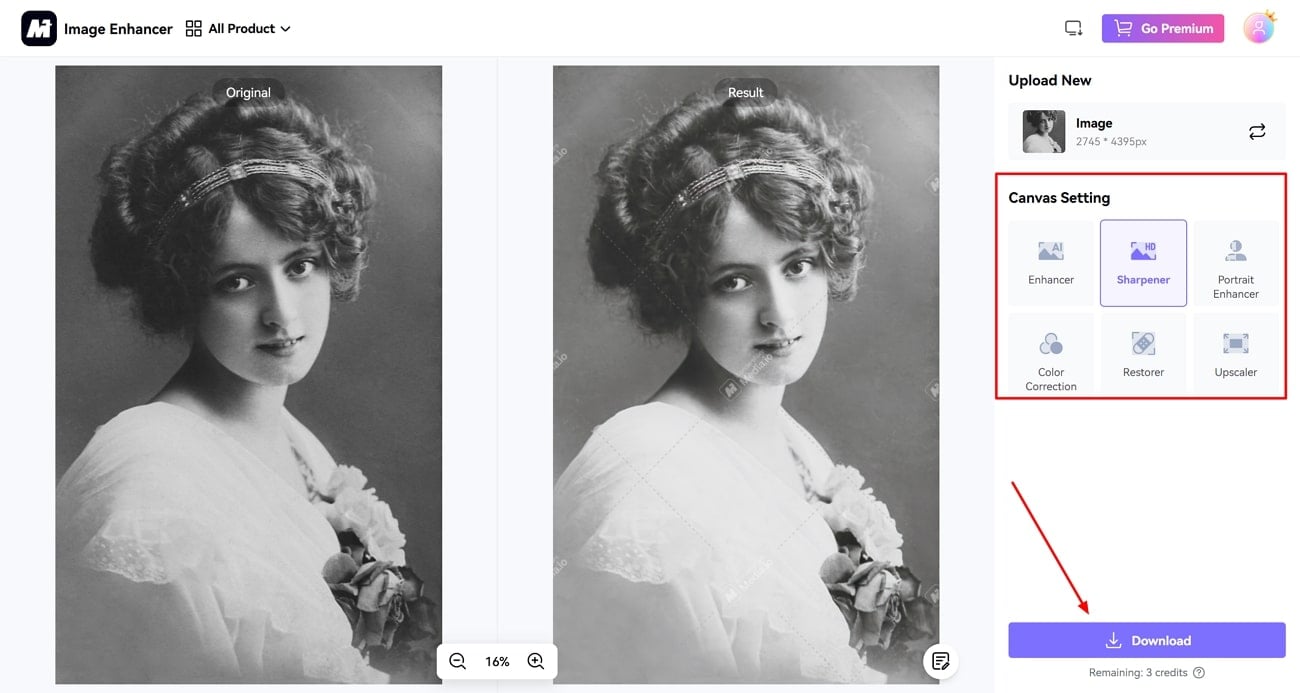
Known among the platforms to unblur photos free, it provides various photo-enhancing features like portrait enhancer and sharpener. You can also adjust the colors of your image by using the color correction option available in the same window. While you preview and compare the before and after pictures, you can zoom in on the results to see if anything is missing.
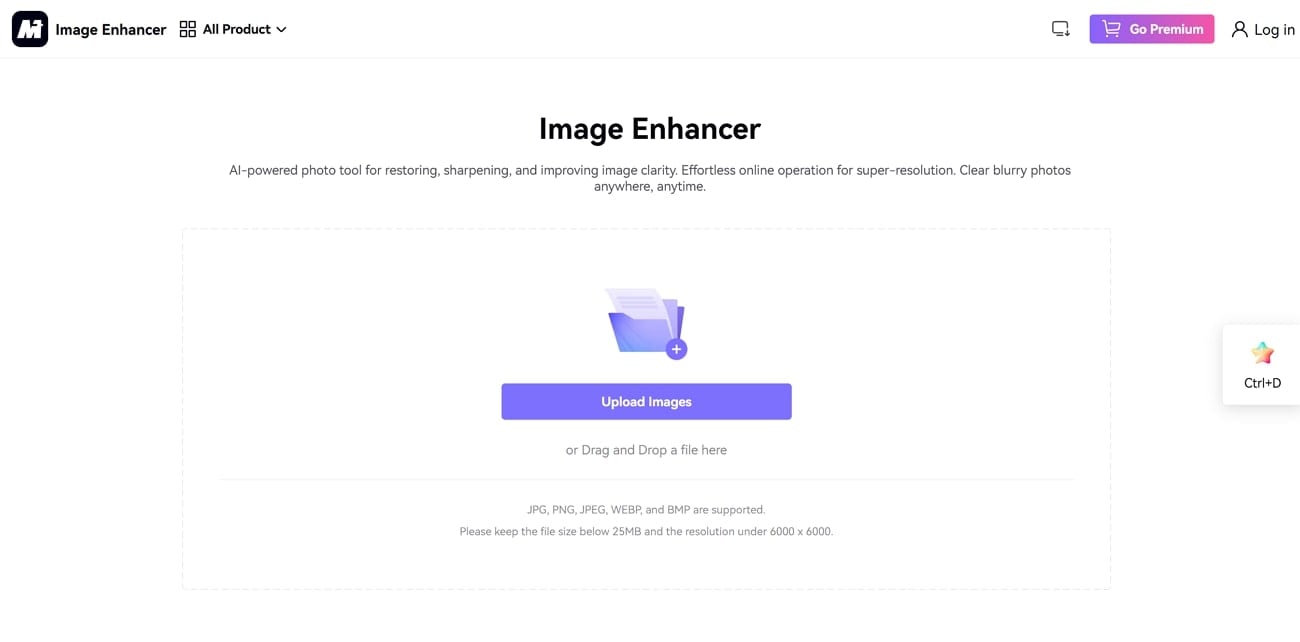
A Complete Step-by-Step Guide on Deblurring Pictures with Media.io
Step 1. On the image enhancer tool, select the “Upload Images” button to add your blurry photos to the tool. The image will be directly enhanced in a few moments, allowing for comparison with the original one.
Step 2. With the right “Canvas Setting” selected, once the image is processed, hit the “Download” button to save it from Media.io.
9. Artguru
Equipped to handle portraits and landscapes, it can create sharp results without requiring registration, enabling you to unblur images online for free. One of its unique features is its tremendous capacity to batch deblur photos. It is available in a large variety of languages, making it accessible to a much wider audience than the standard English-speaking user base.
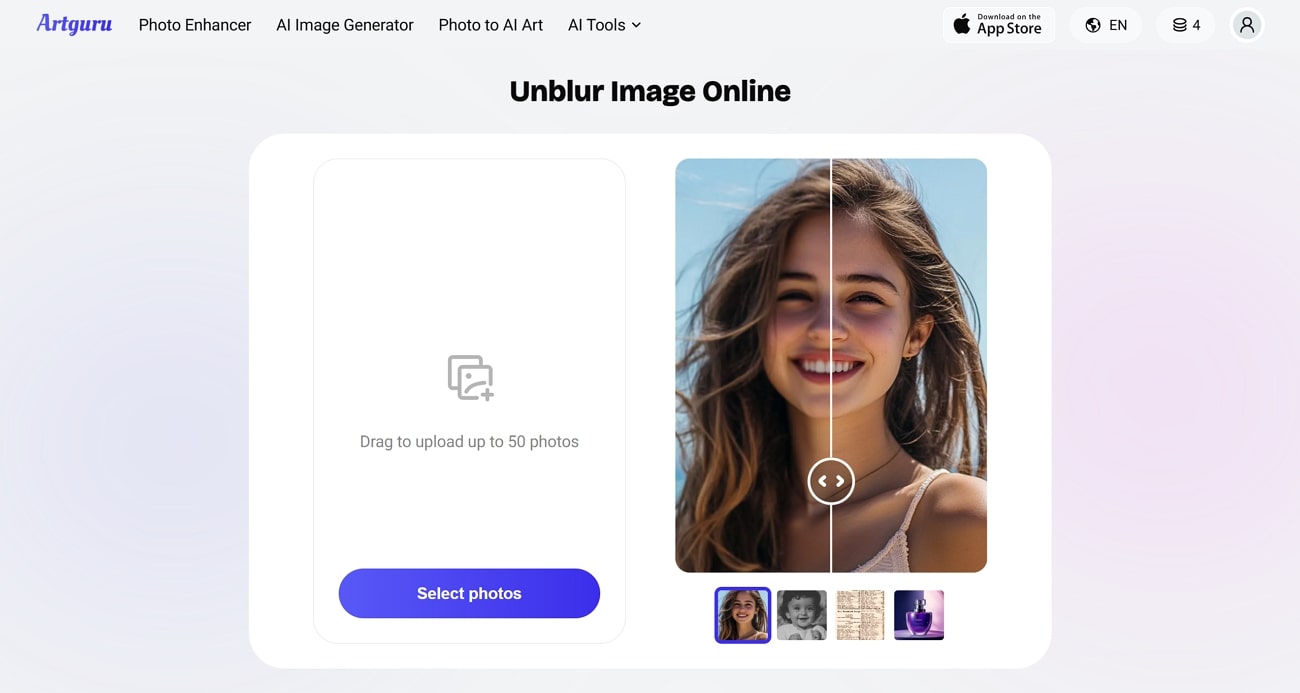
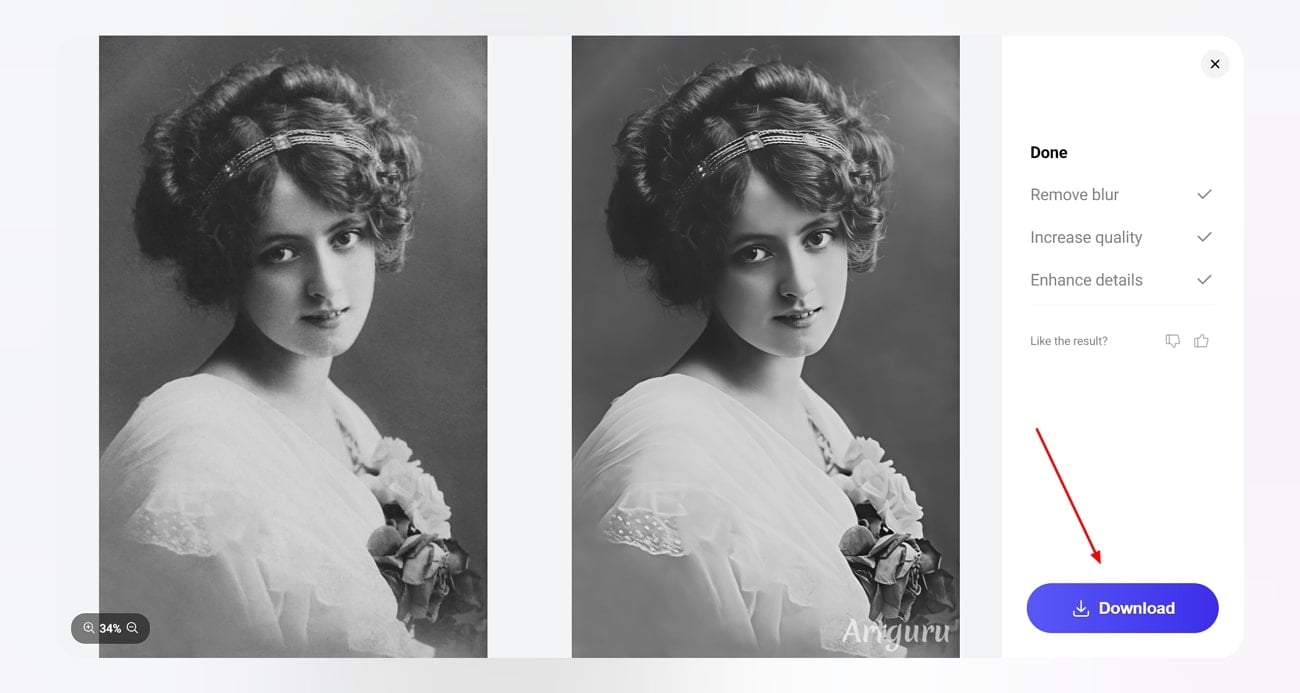
A Detailed Step-By-Step Guide On Photo Deblurring Through Artguru
Step 1. Once you are within Artguru, click the “Select Photos” button to import your blurry image.
Step 2. Following this, Artguru performs the basic deblurring process. As soon as the image is processed, use the “Download” button to save it successfully on your device.
Easy to Use Enhancer to Unblur Image
Part 2. Quick Comparison of Online Unblur Picture Tools
While you are seeking a free unblur image tool, go through this detailed comparison to analyze the specifications and choose the one suited to your needs:
| Tool | Ad Density | Batch Processing Support | Platforms & Device Support | Watermark | Supported File Formats | Pricing Plans |
|---|---|---|---|---|---|---|
| UnblurImage AI | Ad-free | Yes (up to 3 free, 5 with account) | Browser (all devices) | No | JPG, PNG | Subscription: $0.078/credit One Time: $0.200/credit |
| Remaker AI | Very Low | No | Browser (cross-device) | No | Many | 530 Credits: $9.99 |
| PicWish AI | None | Yes (bulk up to 30) | Web, Windows, Mac, iOS, Android | No (with pro version credits) | Multiple Formats | One-time: $1.59/day Yearly: $3.33/month Monthly: $6.99/month |
| Pixelcut AI | Minimal | Yes (Pro plan) | Browser, mobile apps | Yes (in free) | JPEG, PNG | Pro: $10/month Pro+: $30/month Max: $60/month |
| Imggen AI | None | No (individual processing) | Browser | Yes (in free version) | JPG, PNG | Pro: $9.99/month Plus: $29.99/month |
| Visual Paradigm | None | Yes | Browser, Windows, Mac, Linux | No | Multi support | Enterprise: $89/month Professional: $35/month Standard: $19/month Modeler: $6/6 month |
| Open Art | None | Yes (Parallel processing available in higher plans) | Browser, all devices | Yes (free version) | Multiple formats | Essential: $14/month Advanced: $29/month Infinite: $56/month Team: $34.9/month |
| Media.io | None | Yes | Web browser across all devices | No | Diverse format support | Standard: $9.99/month Pay-as-you-go: $18.99 |
| Artguru AI | Moderate | Up to 50 photos per batch | Browser | Yes (in free version) | JPEG, PNG | Monthly: $9.99/month Annual: $59.99/year |
Part 3. Efficient Choice: How to Batch Unblur Images with UniConverter
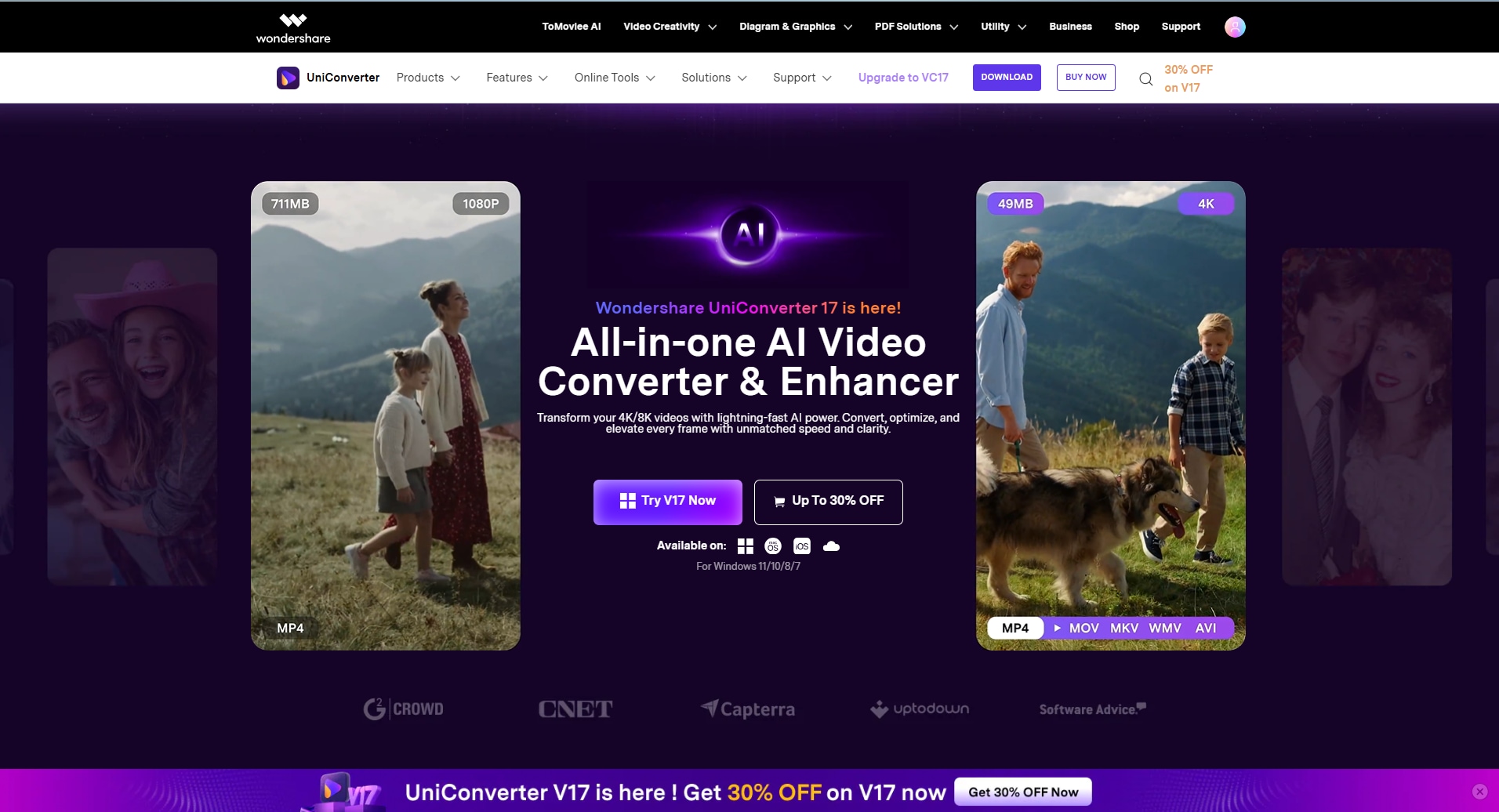
When you have dozens of images to enhance, online free photo unblur tools might not be the perfect choice. A slow internet connection and other limitations of these tools can lead to inconsistent results, derailing your workflow. For such situations, you need a superior image enhancer like Wondershare UniConverter, which gives professional-grade image enhancement with its batch processing, allowing up to 20 photos at a time.
The tool features dedicated AI models to enhance your images, restoring their original details and upscaling the quality. Users can compare the original photos with the enhanced versions before downloading to ensure complete satisfaction. The program also supports multiple formats, including JPG and PNG, and offers a range of AI models to choose from, such as face enhancer and auto enhancer.
Feature Points of UniConverter Image Enhancer
- Face Enhancer smooths skin, brightens eyes, and sharpens facial details.
- Old Photo Restorer repairs scratches, tears, and faded areas with AI restoration.
- Old Photo Colorizer adds natural colors to black-and-white images.
- AI Denoiser removes noise to create clean, high-detail images.
- Color Correction adjusts brightness, contrast, and hue for natural tones.
A Complete Guide to Unblur an Image with Wondershare UniConverter
If you have decided to give this unblur AI free tool a try, follow the given instructions to carry out the simple process:
Step 1. Access The Tool and Select The Image Enhancer
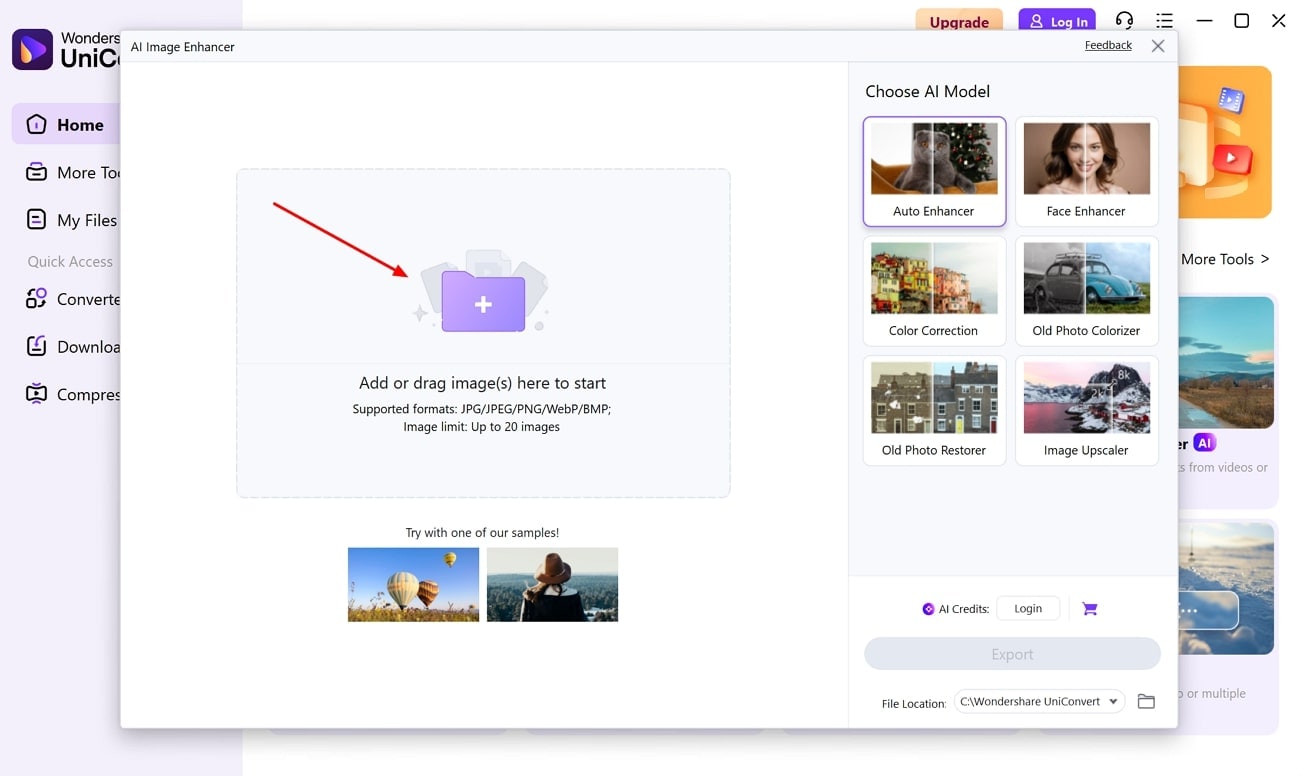
Launch the program and select the “Image Enhancer” tool to start. Once the tool is accessed, click on the “+” button to import your image into the tool.
Step 2. Select The Image Upscaler and Start the Unblurring Process
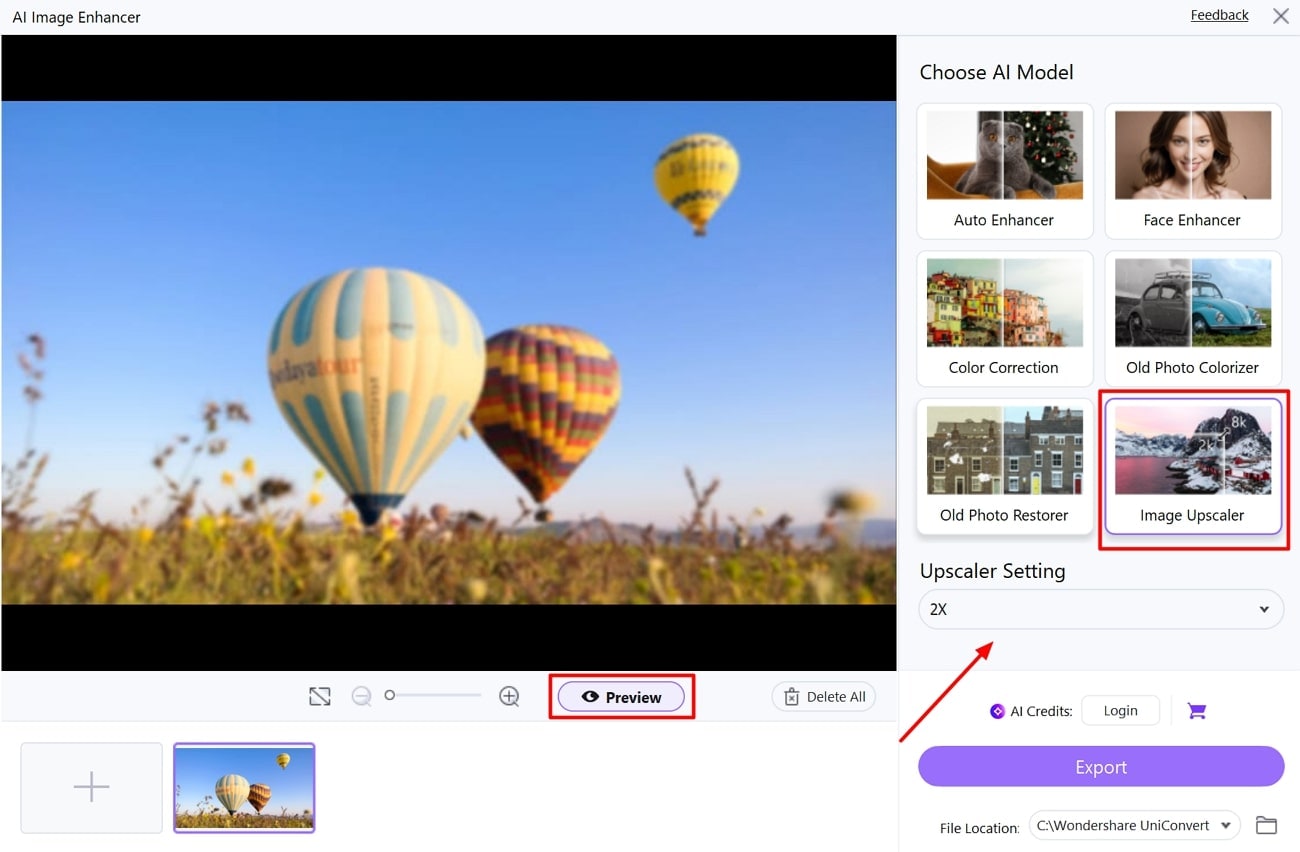
From the given “AI Models” section, pick the “Image Upscaler” option, define the “Upscaler Setting,” and press the “Preview” button to initiate the process.
Step 3. Export Your Clear Image After Enhancement
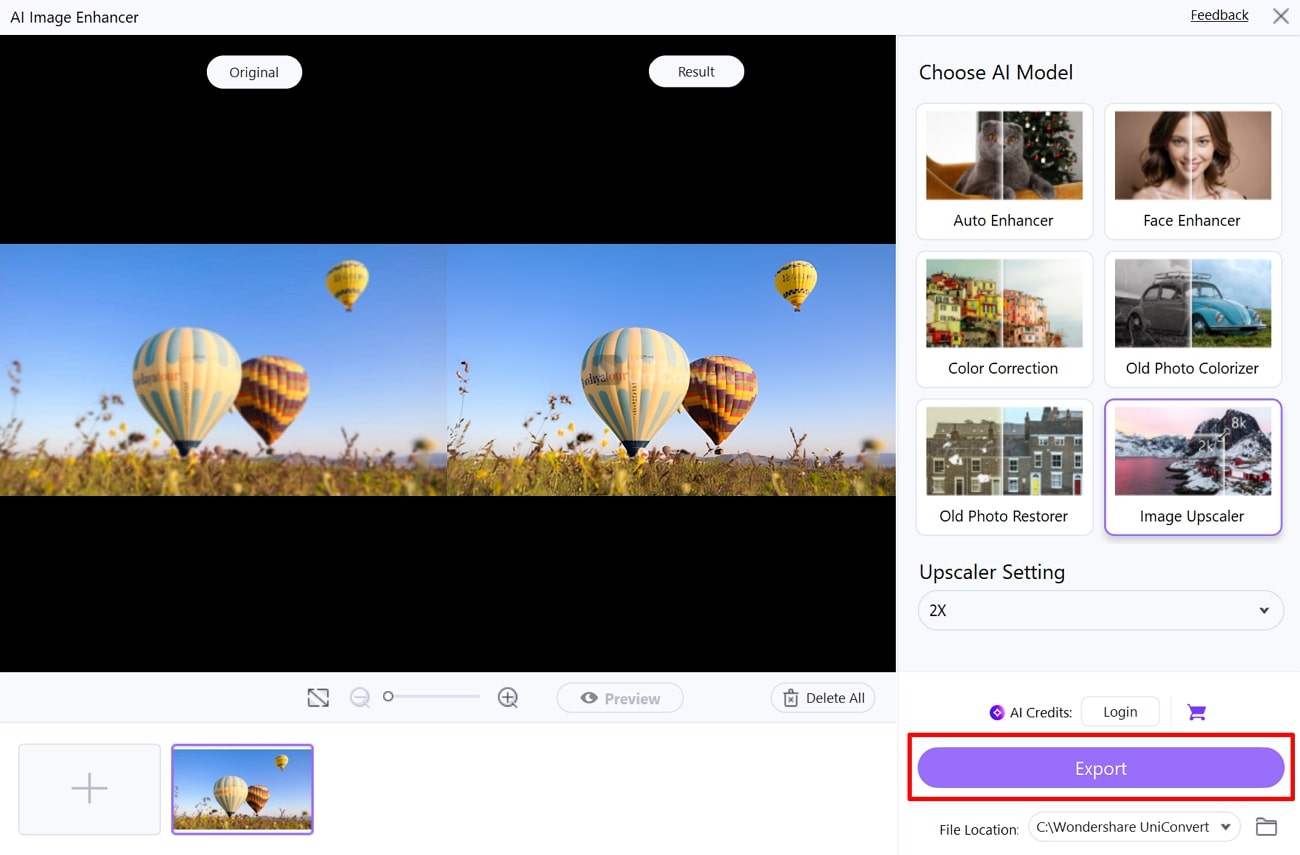
Once you see the unblurred image on the screen and are satisfied with the results, save it by hitting the “Export” button.
Easy to Use Enhancer to Unblur Image
Conclusion
To conclude, enhancing images can be necessary to elevate the visual impact and clarity to be noticed in the digital world. In this article, we have explored 9 different tools to unblur image free with a detailed guide to perform the deblurring process in each. Moreover, when you want serious deblurring and upscaling of larger image batches, we recommend using UniConverter Image Enhancer to deblur your images.
FAQs
-
1. Is good-quality unblurring available with completely free tools?
Yes, many AI-driven tools offer genuine and high-quality deblurring capabilities without a watermark, provided they are not used for commercial purposes. However, most free versions have limited functionality compared to the premium or paid ones. -
2. How do AI unblur programs actually work?
These programs use deep learning models that have been trained on millions of blurry and clear image pairs for predicting the patterns. Once the AI has analyzed patterns, it reconstructs textures and edges for a clear result. -
3. Do photo-enhancing tools enhance resolution along with fixing the blurs?
Many of the free photo unblur tools upscale the image resolution to bring sharper details to the photo. Although this dual feature is not available in all tools, you can get both size enhancement and deblurring in one step. -
4. Can I unblur a photo document to have clear-looking text?
Text in scanned documents and screenshots can become readable after deblurring in the enhancement tools, which can detect digital and scanned photo text. The results can vary depending on the extent of the blur, but most cases will result in significant improvement.

