

Blurry faces, missing pixels, grey boxes—corrupted photos are every digital memory keeper's nightmare. Whether it's due to file transfer errors, memory card. Thankfully, modern online photo repairer tools in 2025 are more innovative, faster, and more accessible than ever. From restoring facial details to fixing broken pixels and recovering entire corrupted image files, these tools now offer one-click solutions powered by AI.
In this guide, we've tested and reviewed the 10 best online tools to repair photos, complete with side-by-side examples, format support comparisons, and repair speed breakdowns—so you can choose what works. Let's begin!
You can also click here directly jump to the comparison picture of 9 tools restoration result.
Table of Contents
Part 1. Best 9 Tools to Repair Photos Online
Here are 9 standout tools that help users repair picture online free and restore clarity to damaged or broken images. We tested them on the same corrupted sample to ensure a fair comparison.
With the help of these image repair online free tool, you can breathe new life into your precious memories. There's no need to download software—just use these top-rated platforms to repair picture online free and enjoy restored, high-quality visuals in just a few clicks.
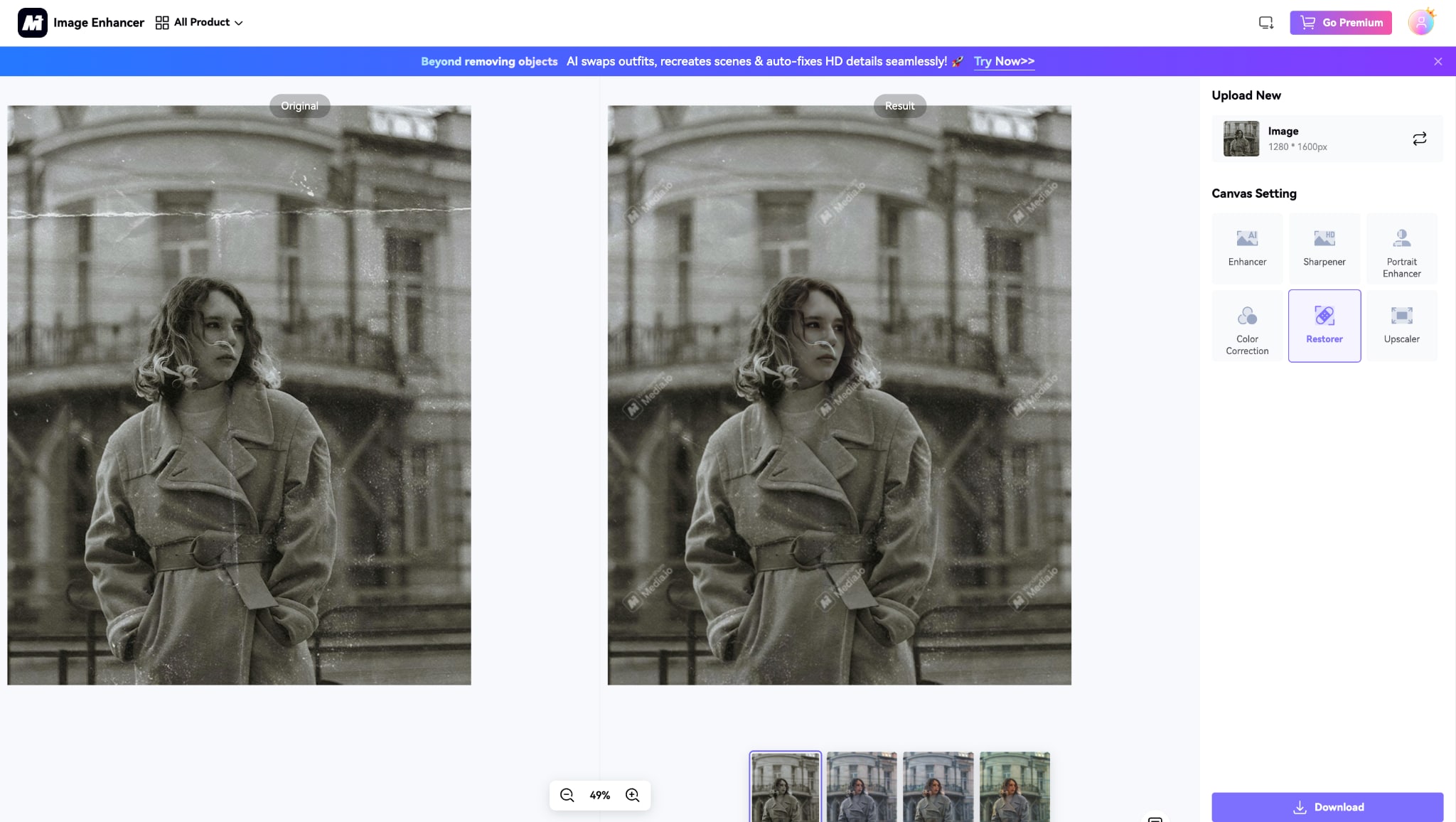
1. Media.io – Image Restorer
Media.io Image Restorer is an advanced photo repair online tool designed to enhance old, blurry, or faded images. Powered by AI and machine learning, it can intelligently analyze and restore lost details, making it ideal for damage photo repair online. The tool runs directly in your browser and requires no technical knowledge.
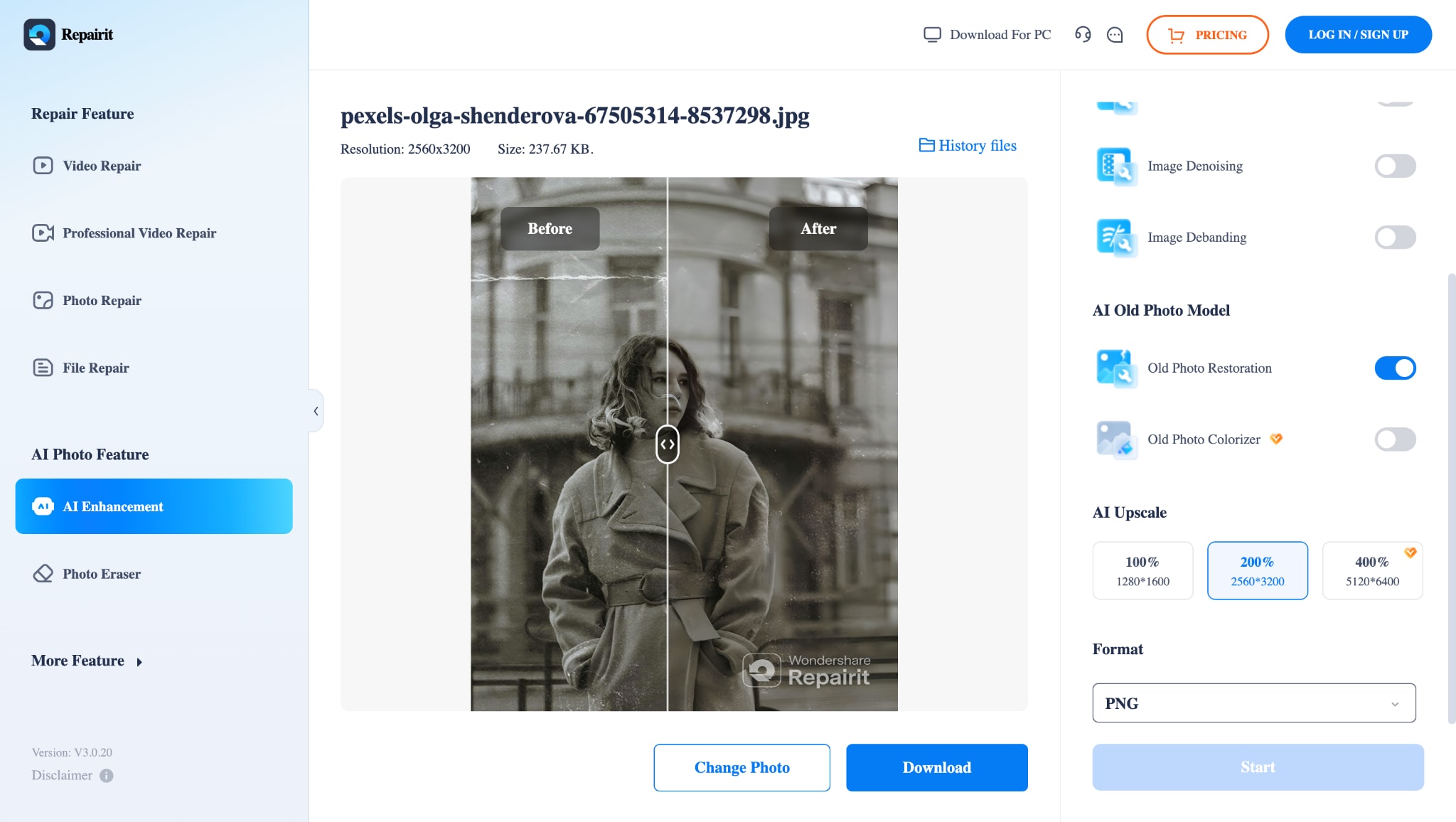
2. Repairit Online AI Old Photo Restoration
Wondershare Repairit Online is a cloud-based damage photo repair online free tool that makes fixing old and corrupted photos easy. It removes scratches, noise, and blur while restoring color and facial clarity. You can even preview the restored image before downloading, ensuring satisfaction.

Easy to Use Batch Old Photo Restorer
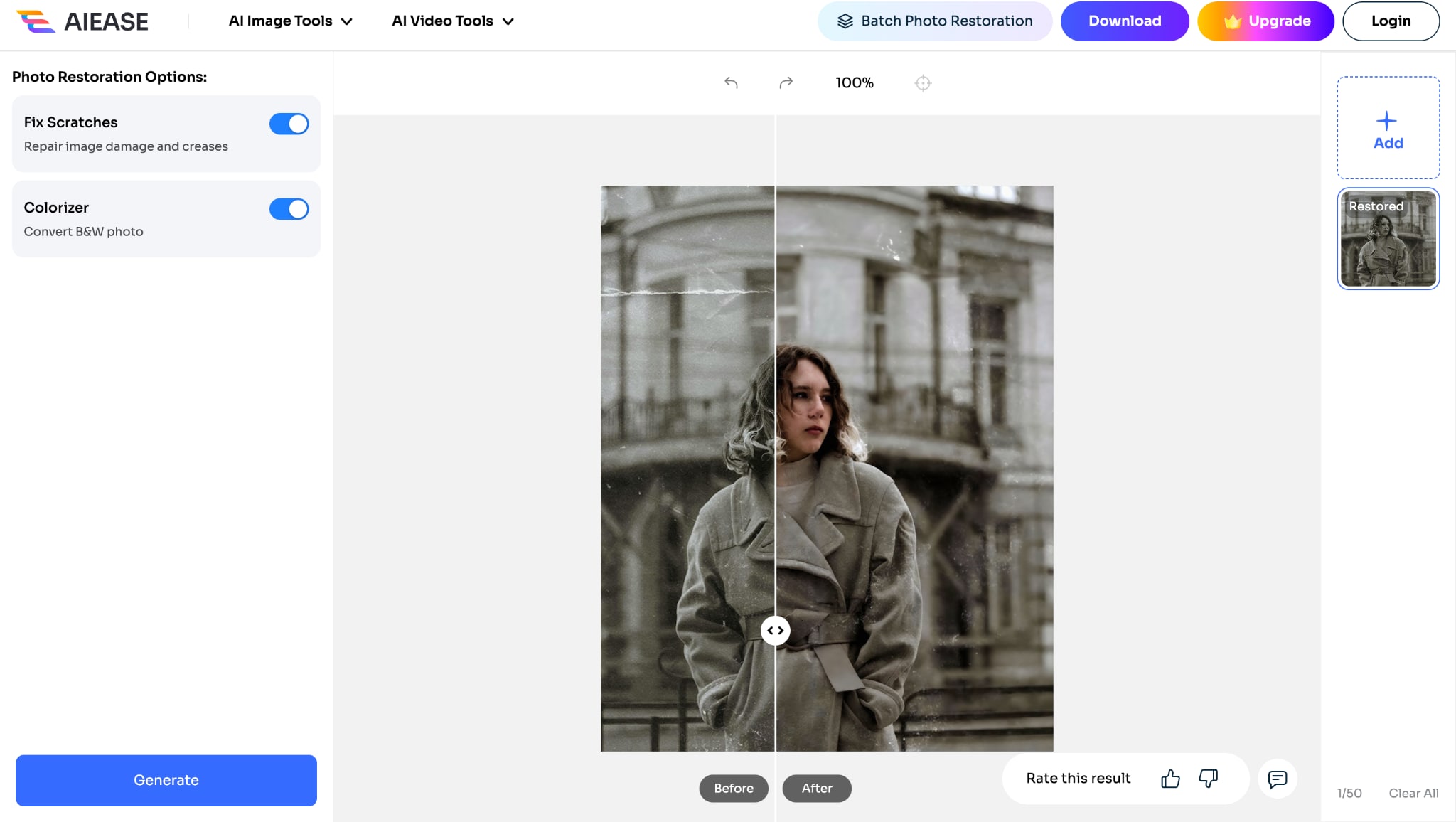
3. AIEase Photo Restoration
4. Remini Old Photo Enhancer
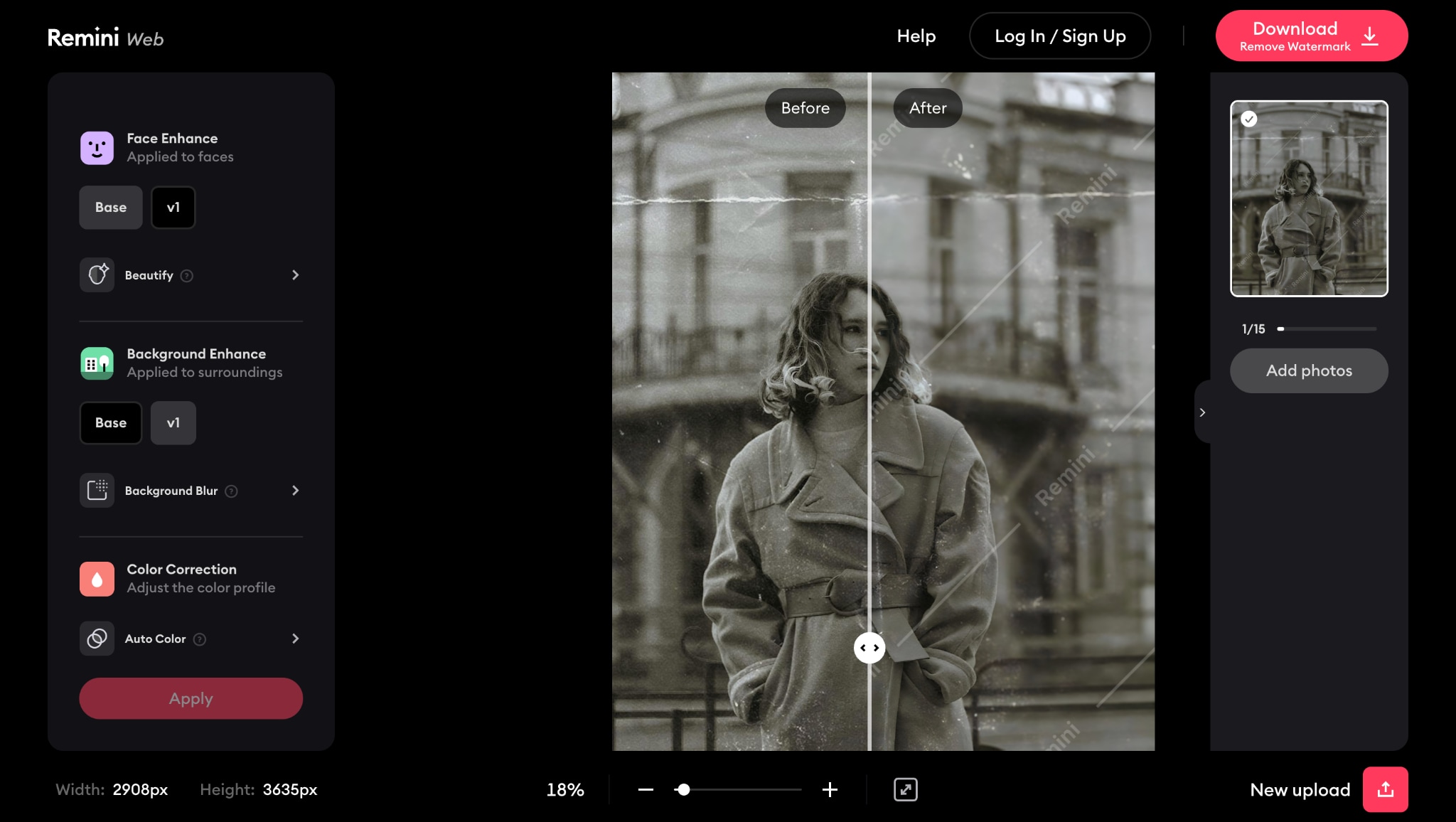
Remini Old Photo Enhancer is a trusted solution to repair photo online free and upscale images to HD quality. From faded to blurry pictures, Remini revives details using AI-driven enhancement. It also lets users modify backgrounds and beautify faces in a single workflow.
5. Toolsmart's Photo Restoration
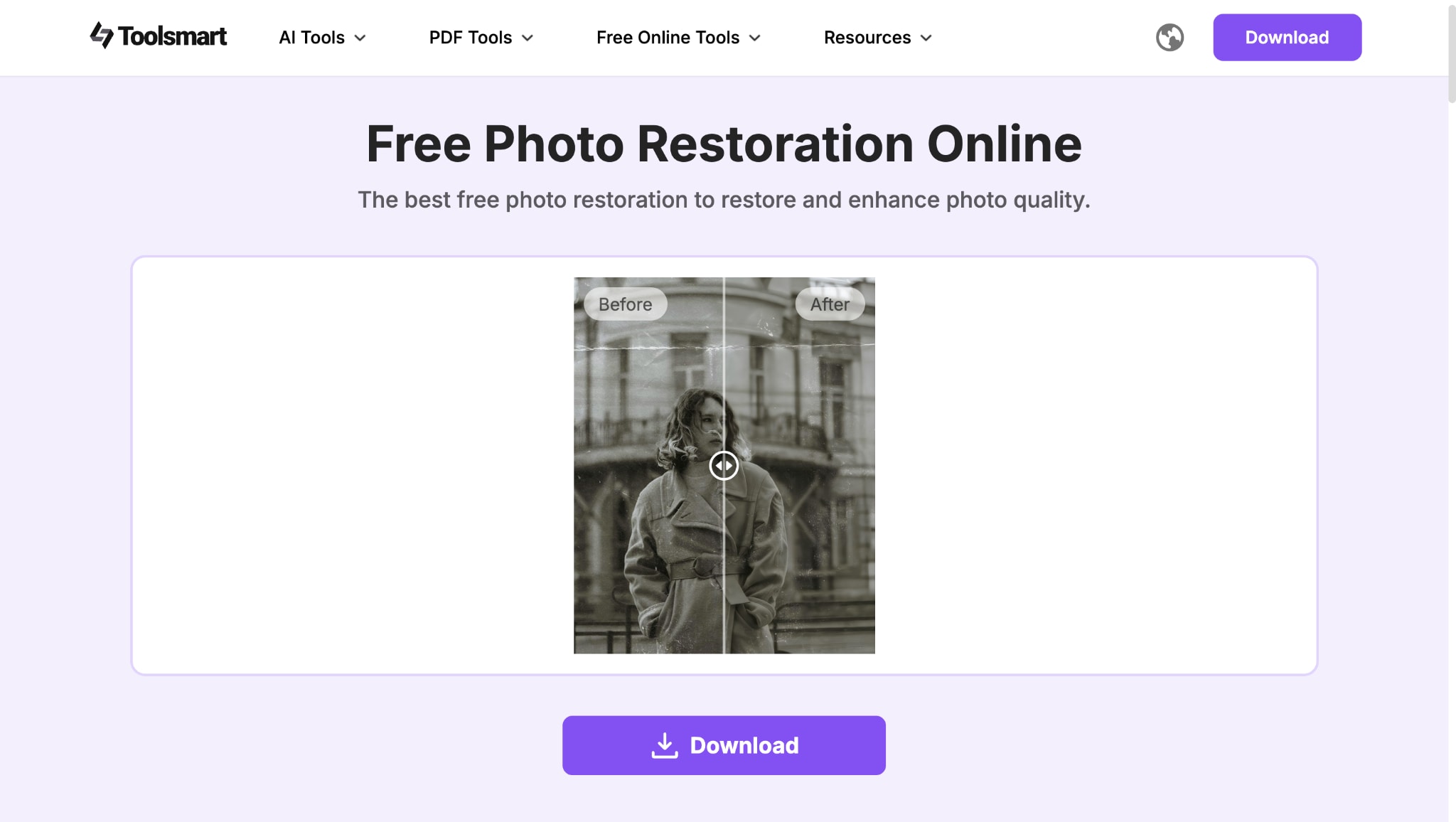
Toolsmart's Photo Restoration stands out for its flexibility and variety of photo repair online options. You get access to nine different AI-powered restoration styles, letting you pick the best match for your image. It also offers a unique slider to control how closely the output resembles the original, making it ideal for scanned photos with faded or damaged details. The tool also supports general enhancement, scratch removal, and stylistic tuning—all without watermarks or downloads.
6. Picsart
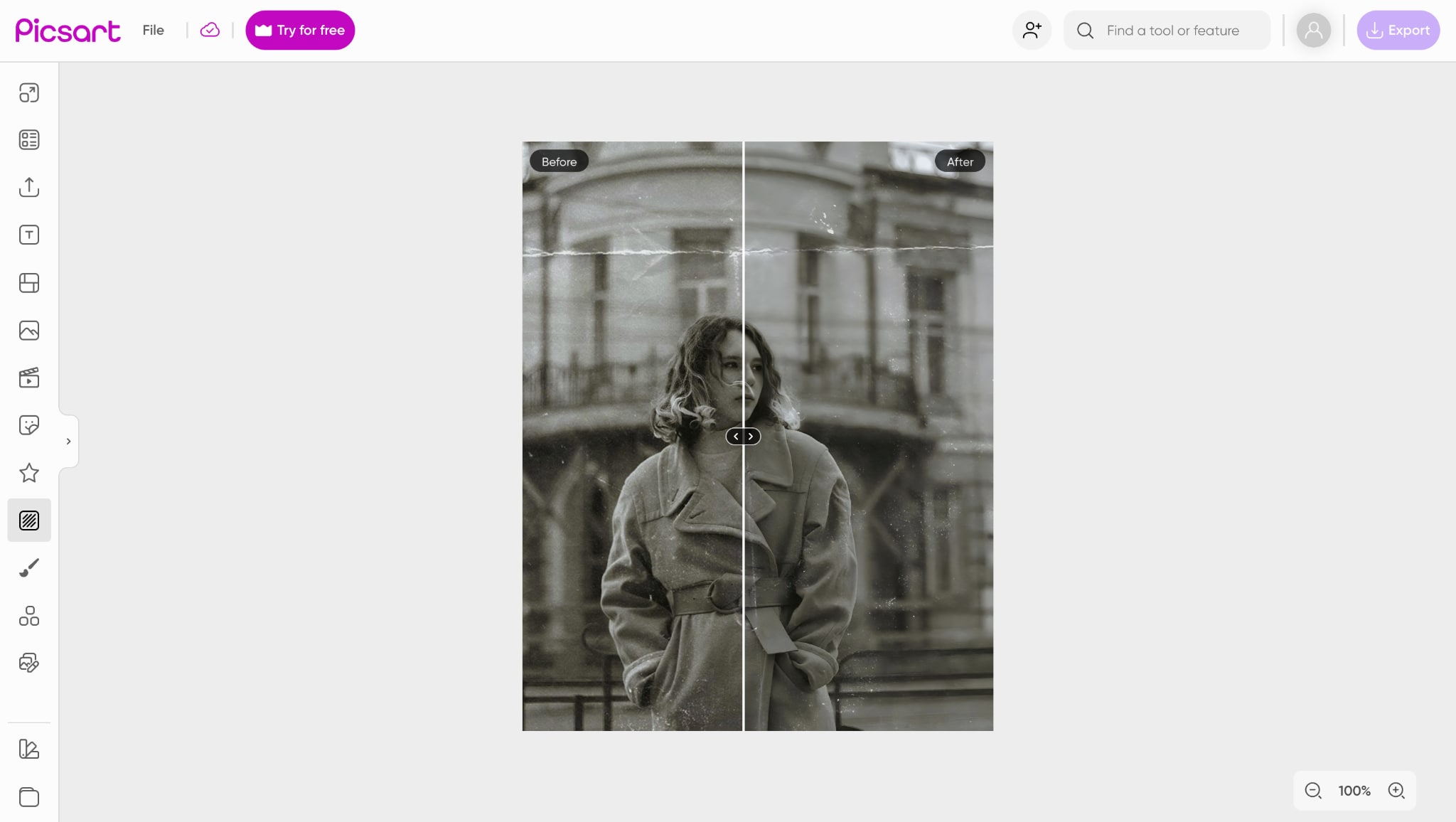
While Picsart isn't strictly a damage photo repair online tool, it offers light restoration capabilities combined with rich creative tools. Its AI enhancement cleans up minor flaws like mild blurring and color fade. Once restored, you can personalize your image by adding filters, text, or artistic frames—all in the same platform. It's ideal for users who want to repair picture online free and customize the results in one place.
Easy to Use Batch Old Photo Restorer
7. Nero AI
Nero AI is a clean, distraction-free image repair online tool that focuses on one-click old photo restoration. It specializes in correcting discoloration and restoring faded details, especially on aged or yellowed pictures. While it doesn't offer manual settings, its AI does a solid job for quick, automatic damage photo repair online jobs.
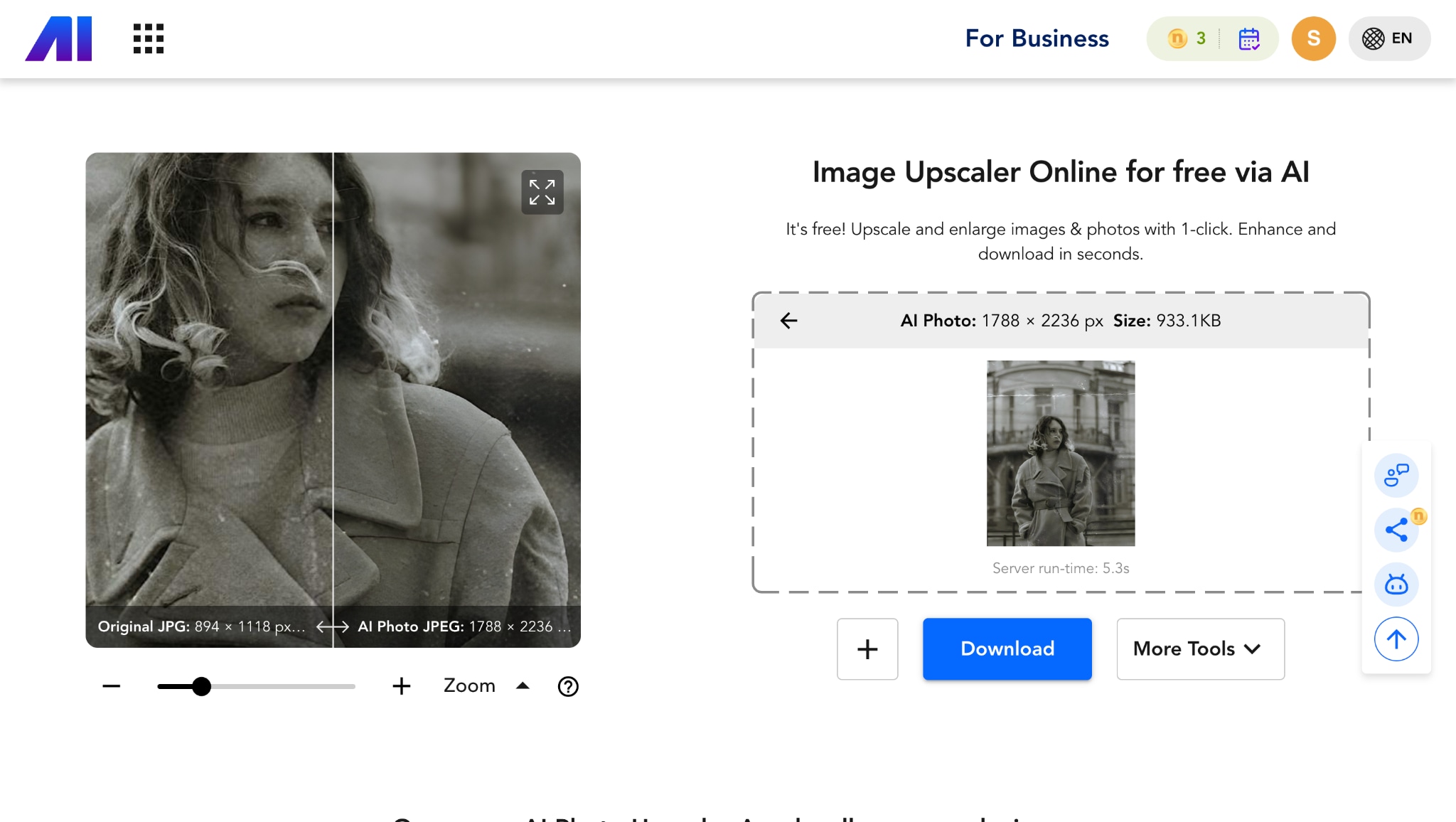
8. Hotpot AI
Hotpot AI offers a dedicated photo repair online tool focused on restoring old, scratched, or faded photographs with precision. It uses AI-driven enhancement to remove imperfections, improve resolution, and bring back lost color and sharpness. The tool also provides creative editing options, but its core strength lies in fast and effective damage photo repair online free for nostalgic or archival images.
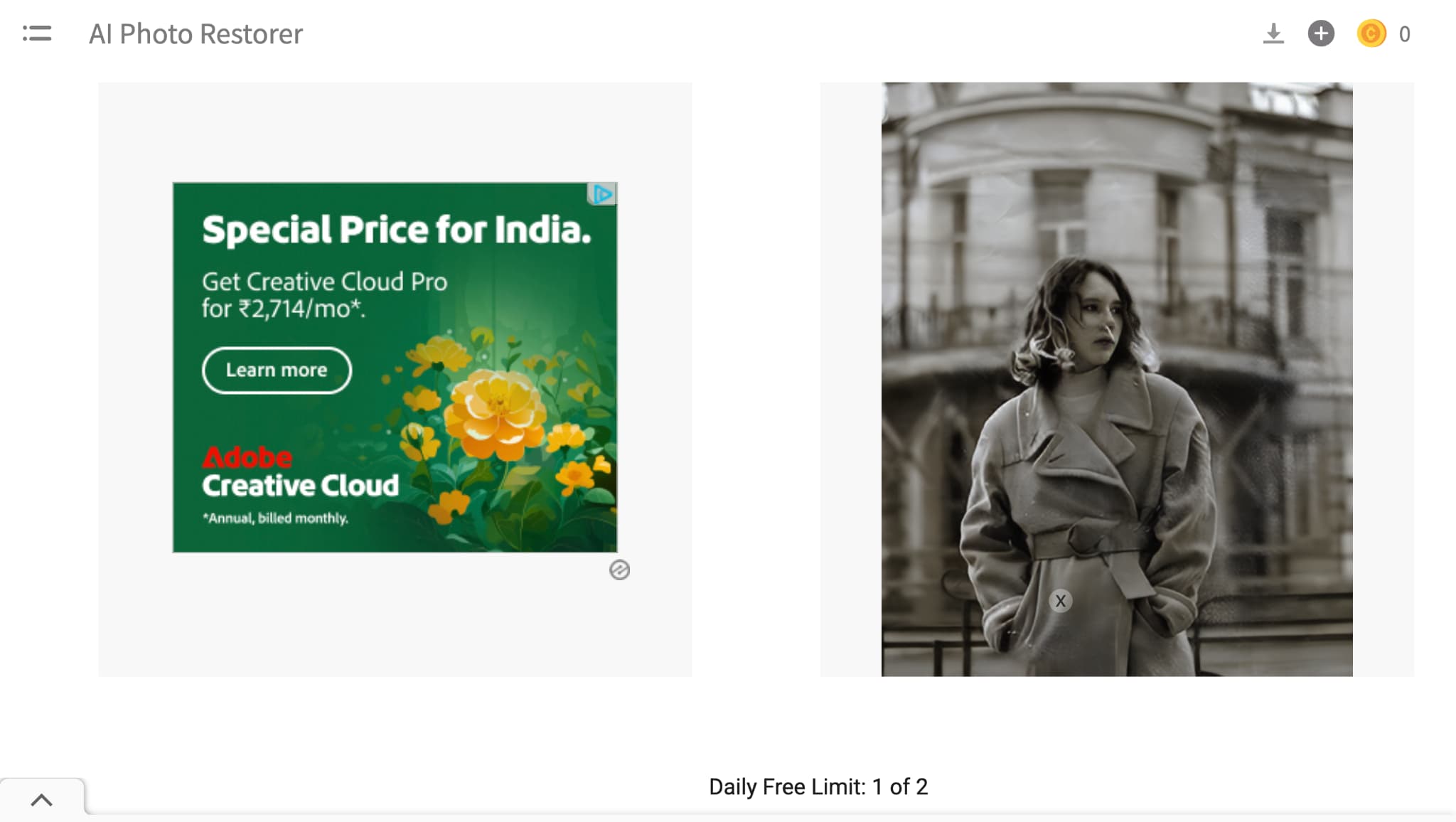
9. Phot.AI
Phot.AI is an all-in-one image repair online platform that supports both enhancement and personalization. The old photo restoration feature removes blemishes, color fades, and low resolution, while offering tools to upscale and sharpen photos in seconds. You can also use AI-powered adjustments to tweak color balance, exposure, and clarity—making it a flexible option for corrupted image repair online or artistic enhancement.
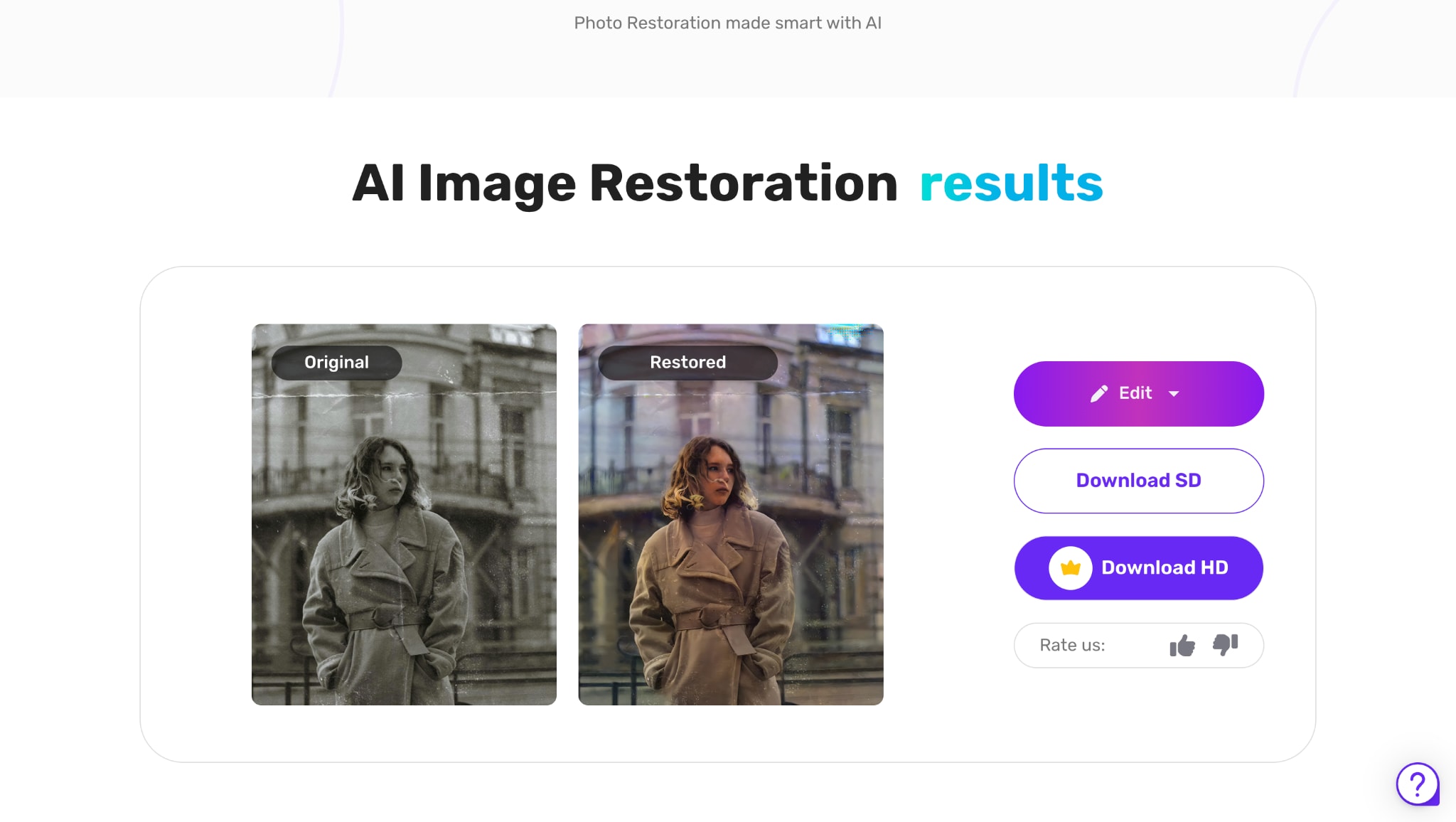
Easy to Use Batch Old Photo Restorer
Part 2. Quick Overview of 9 Corrupted Photo Fixer Tools
When you're trying to fix corrupted photos, speed, quality, and format support can make all the difference. Whether your goal is to recover corrupted images, restore old JPEGs, or repair corrupted images online free, each tool comes with its pros and limitations. Some are lightning-fast but work only on JPG files, while others support multiple formats but require paid plans or have file size caps.
The comparison table below provides a quick snapshot of how these tools perform on key metrics, including pricing, speed, and file support. It's designed to help you find the right balance between convenience and quality—especially if you're working with large or multiple photos.
Tip: Scroll down to see a visual comparison of results from all 9 tools using the same corrupted image.
| Tool Name | Pricing (Free/Paid) | Processing Speed | Max File Size | Supported Formats | Key Feature |
| Media.io | Free (Paid from $9.99/mo) | Fast | 5 MB (Free) | JPG, PNG | One-click browser-based restoration |
| Wondershare Repairit Online | Free (Paid from $9.99/mo) | Medium | 30 MB | JPG, PNG, BMP, WEBP | Preview before download |
| AIEase | Free (Paid: $9.95/100 credits) | Fast | 5 MB (Free) | JPG, PNG | Batch + colorize B&W photos |
| Remini | Free (Paid from $5.99/week) | Slow | 10 MB | JPG, PNG, WEBP, GIF, PSD, HEIC, HEIF, and AVIF | Best for facial enhancement |
| Toolsmart | Free | Medium | 15 MB | JPG, PNG | 9 restoration styles + no watermark |
| Picsart | Free (Premium $12/mo) | Medium | 25 MB | JPG, PNG, WEBP, TIFF, SVG | Combines repair + creative editing |
| Nero AI | Free (Premium $9.99/mo) | Fast | 10 MB | JPG, PNG, BMP, WEBP, HEIC, HEIF, and AVIF | Auto color correction |
| Hotpot AI | Free (Pro $10/mo) | Medium | 5 MB (Free) | JPG, PNG, BMP, SVG | Scratch/noise removal |
| Phot.AI | Free (Paid from $10/mo) | Fast | 20 MB | JPG, PNG, TIFF | Advanced AI retouching |
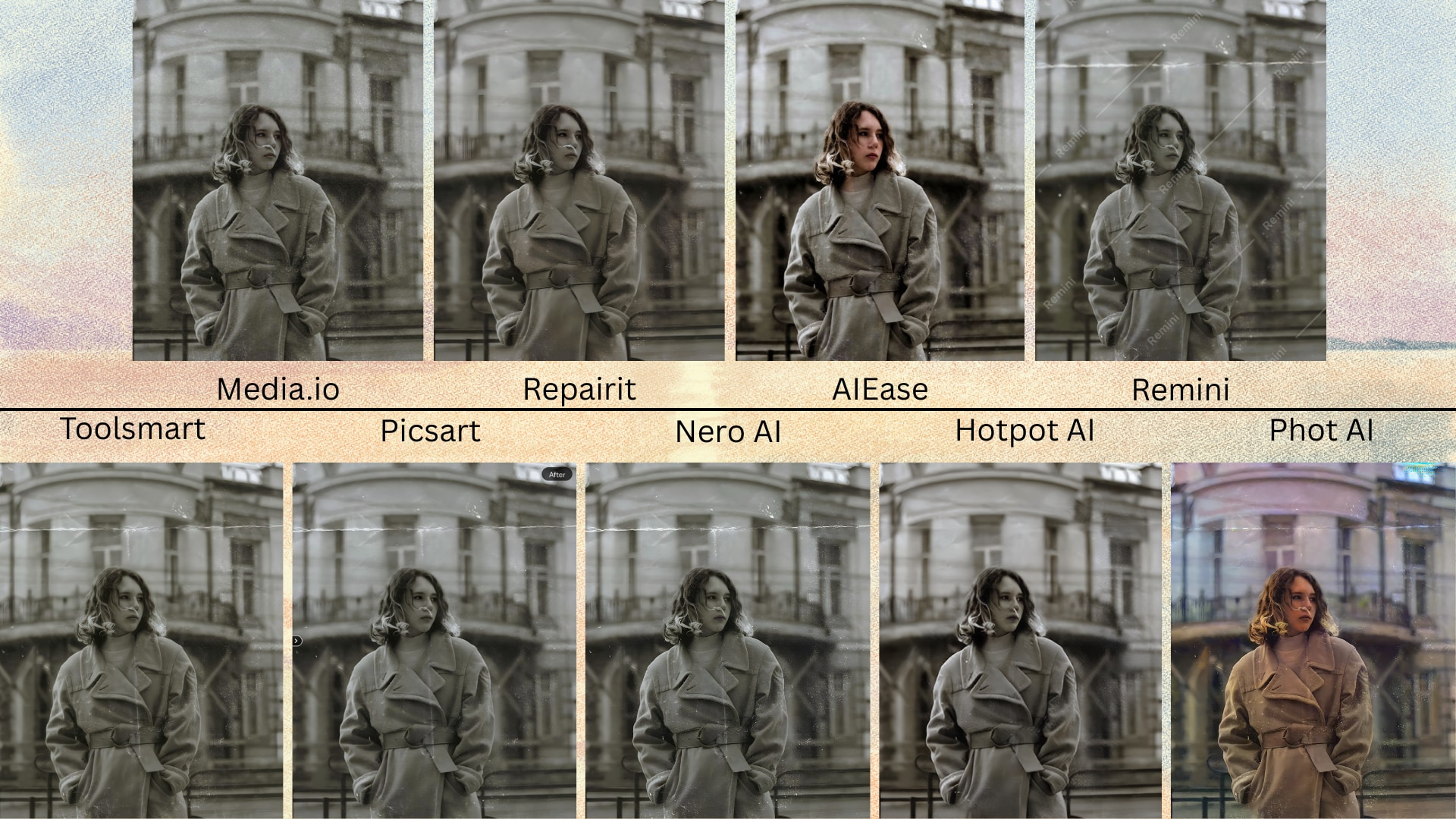
Collage: Same Corrupted Image Repaired Using All 9 Tools
Visual Proof: Which Photo Repair Tool Delivers the Best Results?
To give you a real sense of what to expect, we ran the same heavily corrupted image through each of these tools. The results are compiled in the collage below, showing a clear before-and-after comparison for every solution. This visual comparison helps highlight differences in color restoration, sharpness, and artifact removal across platforms. Some tools restored facial features accurately, while others struggled with noise and compression damage. If you're looking to assess which platform truly delivers the best repair quality visually, this collage is your cheat sheet.
Part 3. Backup Choice: How to Easily Batch Repair Images with UniConverter
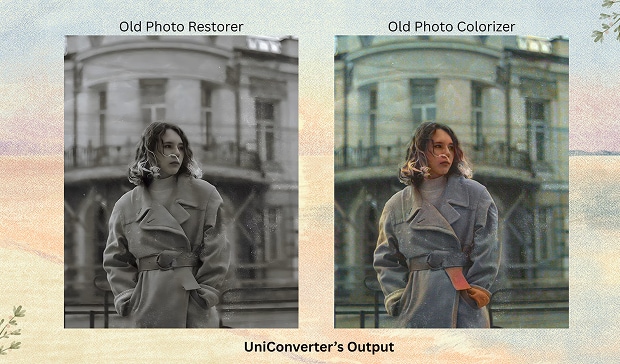
When you're dealing with an extensive collection of old or damaged images, batch repair becomes essential. That's where UniConverter's AI Image Enhancer stands out as a reliable backup choice. Developed by Wondershare, this tool lets you repair picture online free in bulk—whether your photos are blurry, pixelated, discolored, or faded with time.
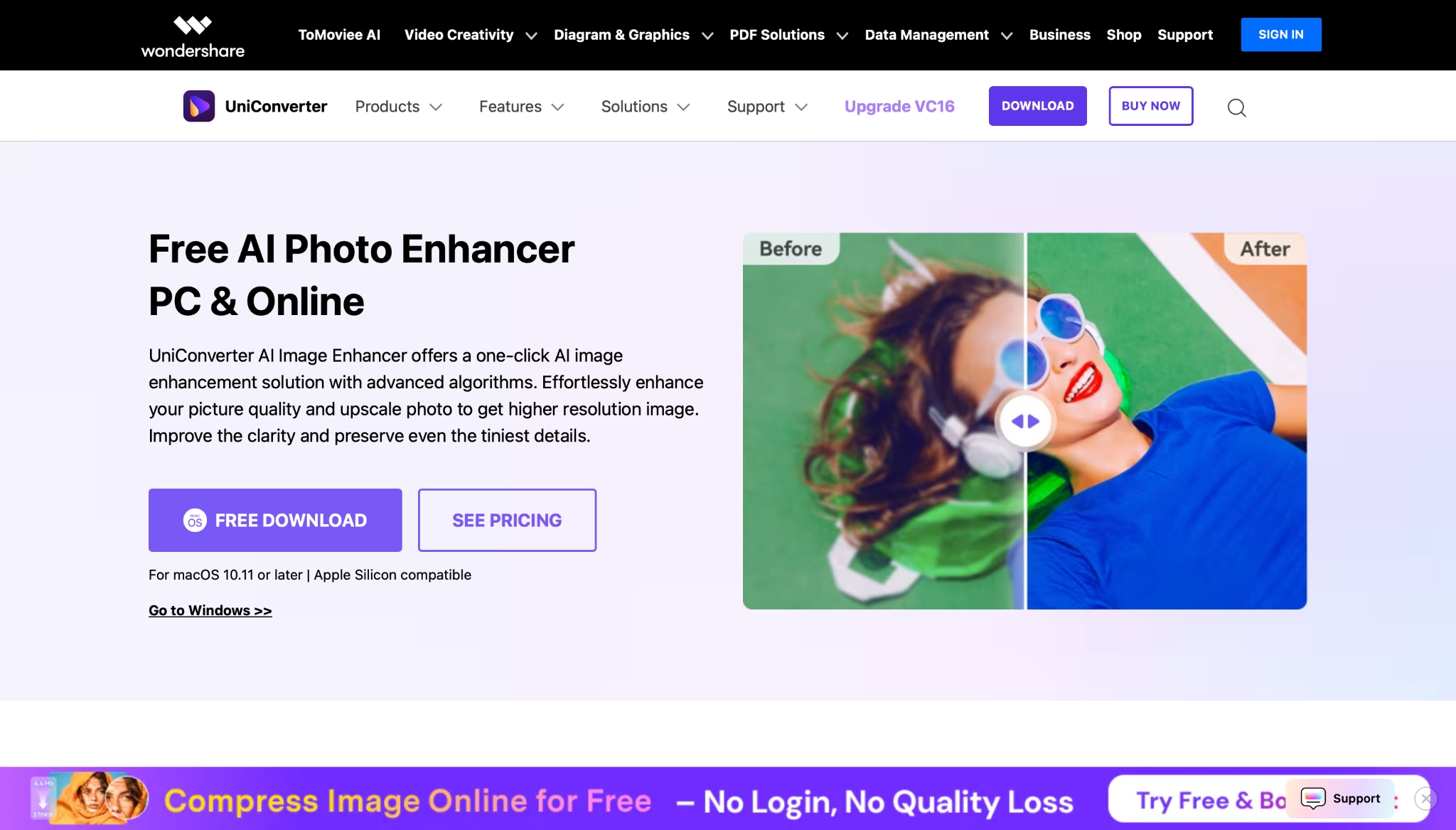
What makes UniConverter even more appealing is its stability across older systems and slower networks. Unlike many resource-heavy tools, UniConverter delivers stable and fluent performance, even on low-spec computers and weak internet connections, ensuring you don't sacrifice quality for convenience.
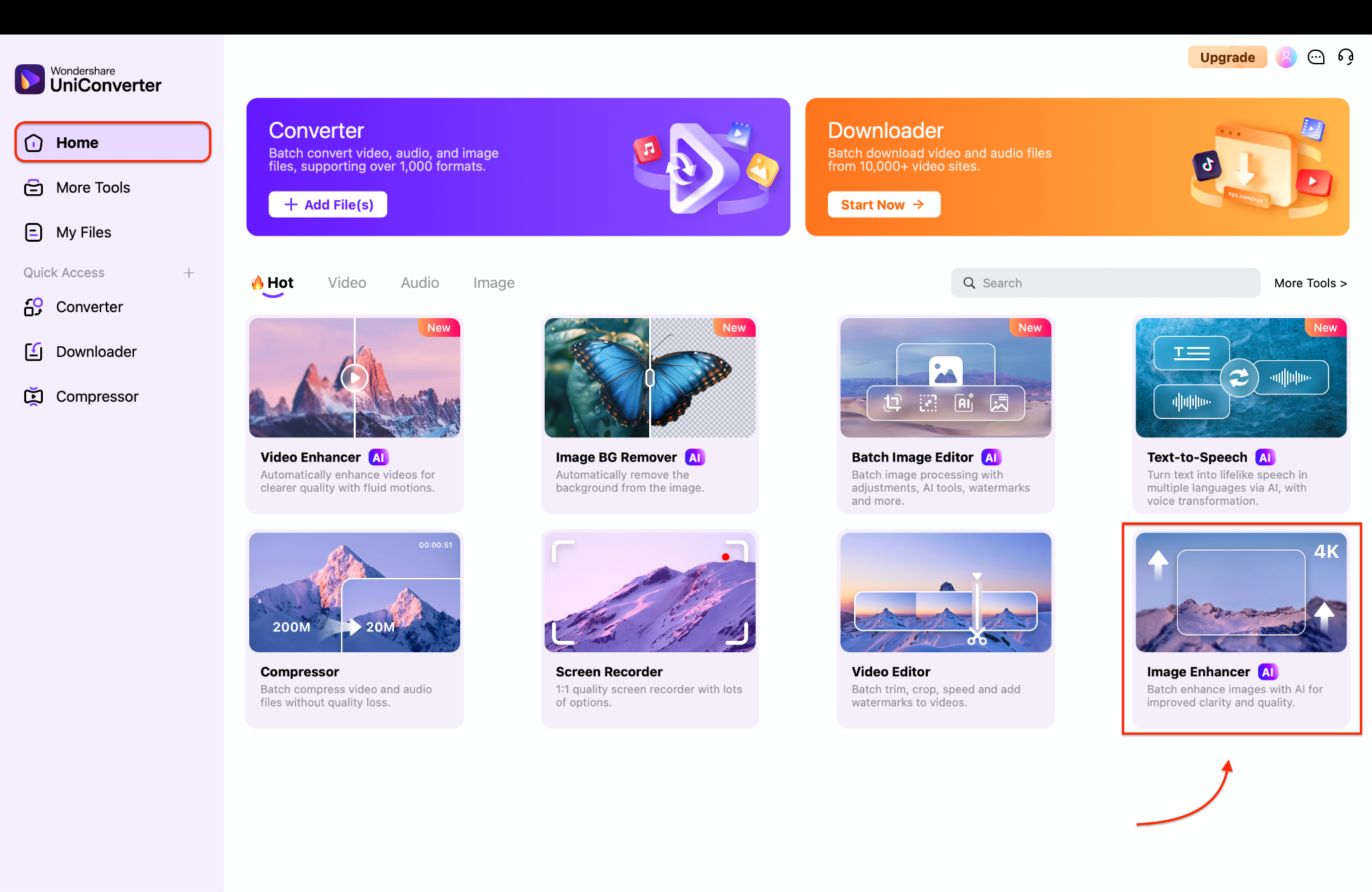
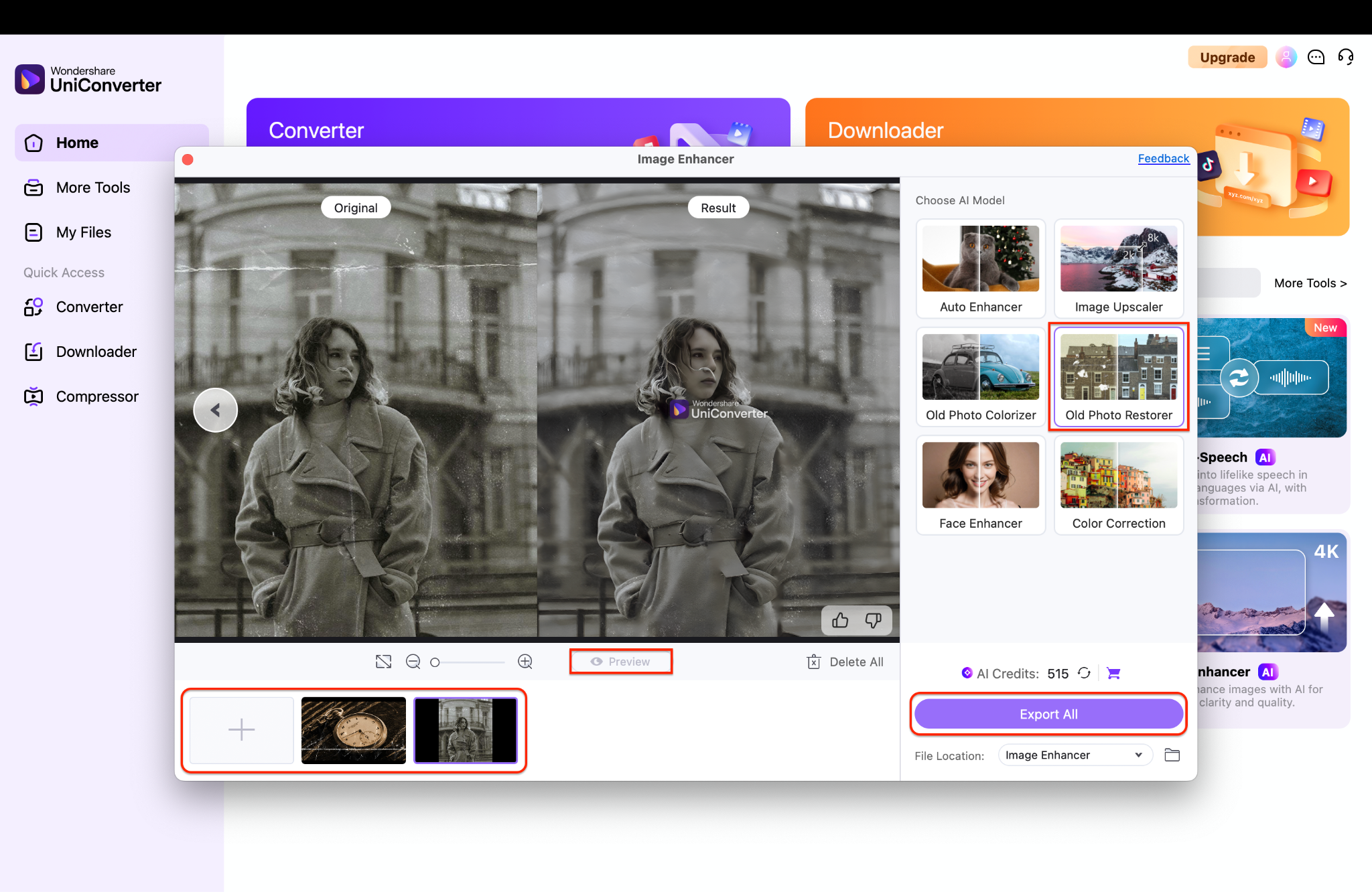
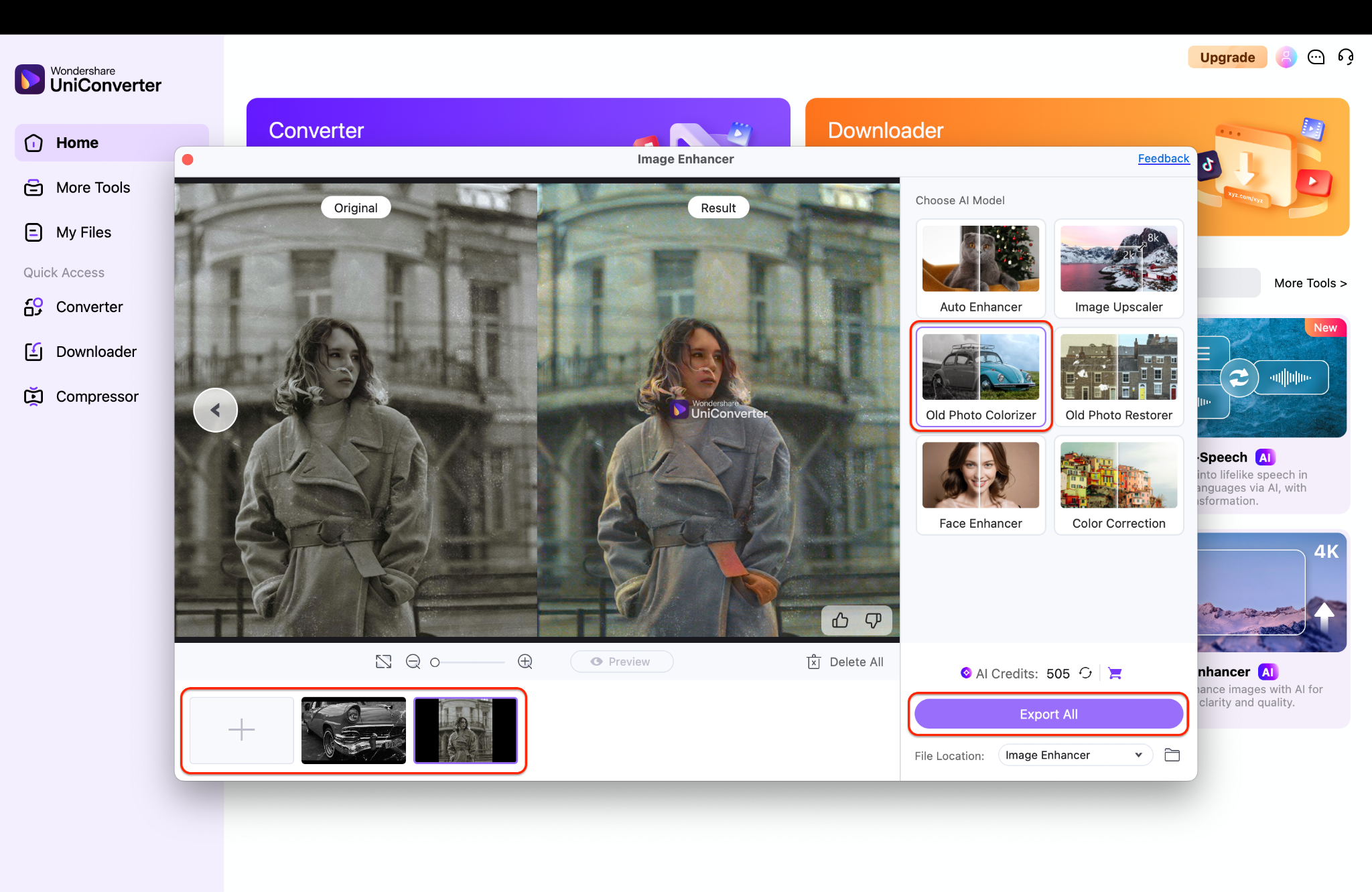
Final Results:
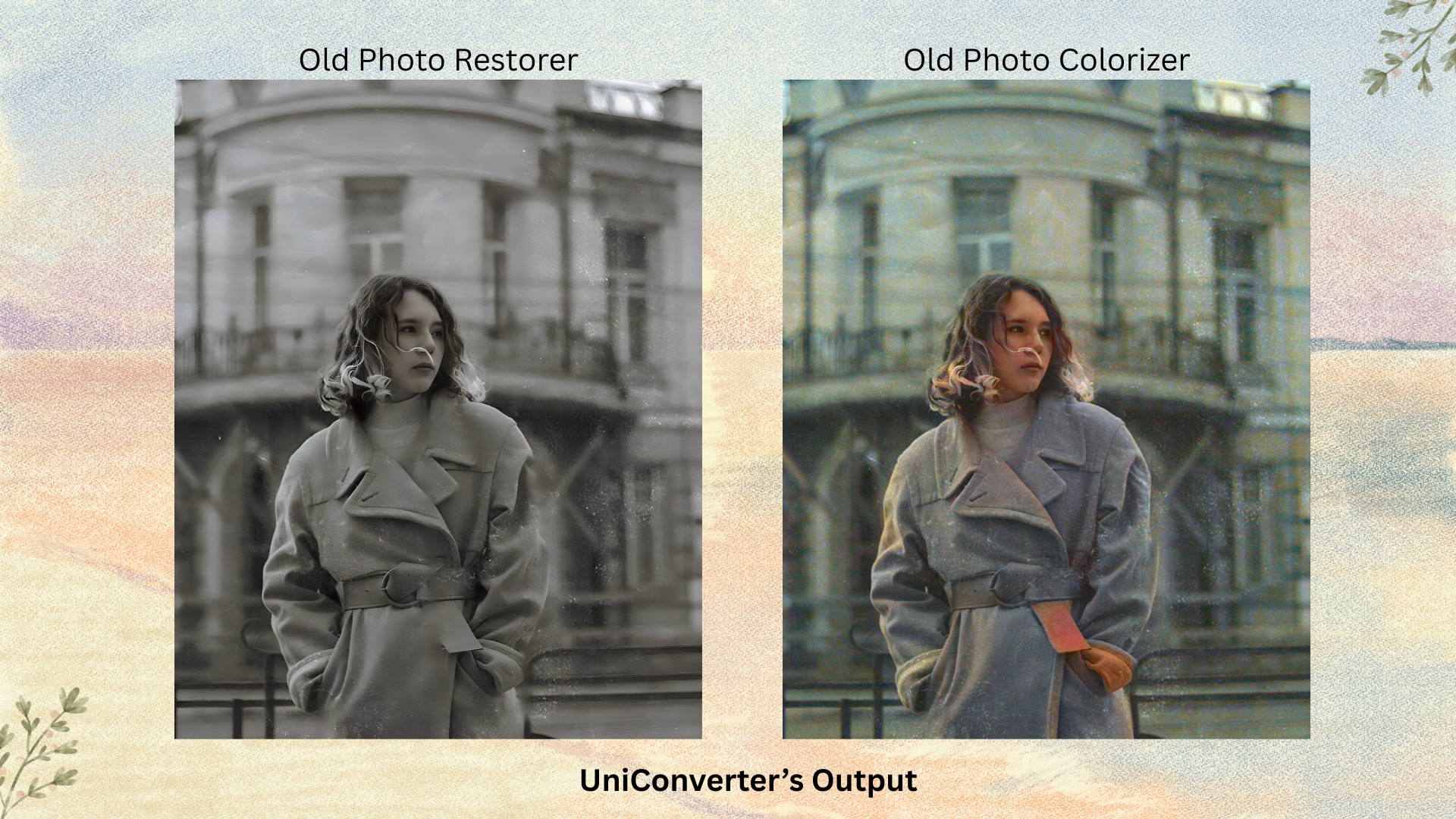
Key Features of UniConverter AI Image Enhancer for Old Photo Restoration
AI-Powered Old Photo Restoration: Uses deep learning algorithms to automatically repair faded colors, scratches, and blurriness while preserving original details. The AI intelligently distinguishes between intentional vintage effects and damage for natural-looking results.
Batch Repair for Multiple Old Photos: Processes hundreds of photos at once with consistent quality, ideal for large archives of damaged family photos. Unlike resource-heavy tools, UniConverter ensures stable performance even on older computers.
Color Correction & Enhancement: Restores washed-out or discolored tones to their original vibrancy without oversaturation. The tool's lightweight design allows smooth operation even on slower networks, avoiding crashes during processing.
Noise & Grain Removal: Cleans up film grain, dust, and digital noise while preserving critical textures (e.g., fabric, handwriting). Optimized algorithms ensure fluent performance on low-spec PCs, unlike GPU-dependent alternatives.
Face Enhancement for Old Portraits: Sharpens blurry faces and facial features in group photos or solo portraits. The AI works efficiently without lagging older systems, thanks to its balanced resource usage.
High-Resolution Output: Upscales photos to 4K resolution for printing or enlarging, maintaining clarity without taxing system resources. Exports are optimized for fast saving even on HDDs.
Offline Desktop Version: The desktop app processes photos locally, eliminating reliance on cloud uploads—ideal for slow or unstable internet. Users report smooth operation on Windows 7/8 and older macOS.
Multi-Format Support: Works with JPG, PNG, TIFF, BMP, and other formats common in scanned albums. The tool's efficient coding prevents crashes during batch conversions on older systems.
Seeking the most reliable method to repair corrupted images online without limitations or lag? Download UniConverter now and restore every memory in high definition—fast, secure, and in bulk.
Conclusion
Whether you're looking to repair pictures online for free, recover from corrupted images, or perform batch processing on older machines, there's a reliable solution that fits your needs.
For those dealing with bulk restoration, UniConverter's AI Image Enhancer delivers image repair online with stability, even on slow networks and outdated PCs. Try UniConverter AI Image Enhancer—it excels at repairing corrupted images online, even under weak networks or older systems.
Easy to Use Batch Old Photo Restorer
FAQs
-
1. Can I repair picture quality using photo repair online tools without installing software?
Yes, many photo repair online tools like Media.io and VanceAI work directly in your browser. They allow you to restore faded, blurry, or damaged photos with AI, no downloads required. -
2. How do I repair picture online free if my image is scratched or blurry?
You can easily repair a picture online for free using tools like Toolsmart or Hotpot AI. These platforms offer free scratch removal, deblurring, and color enhancement without watermarking your images. -
3. What's the best way to do damage photo repair online for free for old family photos?
For damage photo repair online free, try Phot.AI or UniConverter. Both tools are excellent for restoring vintage images by removing cracks, restoring faded tones, and sharpening details. -
4. Are there tools that support pixel repair online for corrupted or glitched images?
Yes, Hotpot AI and Repairit specialize in pixel repair online. These tools analyze broken image sections and intelligently reconstruct missing or corrupted data for cleaner results. -
5. Is it safe and reliable to use corrupted image repair online tools?
Absolutely. Trusted platforms like Wondershare Repairit offer secure and efficient corrupted image repair online that restores unreadable or grey-boxed images without compromising quality.

