


Watermarks can be frustrating, but online platforms like Fotor Watermark Remover offer a creative way to remove watermarks from images/videos without damaging their quality.
Today, many users around the world use Fotor Watermark Remover to erase watermarks from their images and videos. But if you’re a newbie, you might be wondering if the tool lives up to its claims.
In this review, you’ll discover whether Fotor Watermark Remover can truly erase watermarks without damaging image quality. We’ve explored everything you should know about the software, including how it works, its key features, pricing, pros & cons, and more. Let’s dive right in!
In this article
- Fotor Watermark Remover Key Features & Review
- Pricing & Plans for Fotor Watermark Remover
- Steps Guide to Use Fotor Watermark Remover
- Pros & Cons of Fotor Watermark Remover
- Fotor Watermark Remover Ratings
- Best Alternative to Fotor Watermark Remover Software
- How Fotor Watermark Remover Stacks up Against UniConverter
- FAQs
- Conclusion
Part 1: Fotor Watermark Remover Review & Key Features
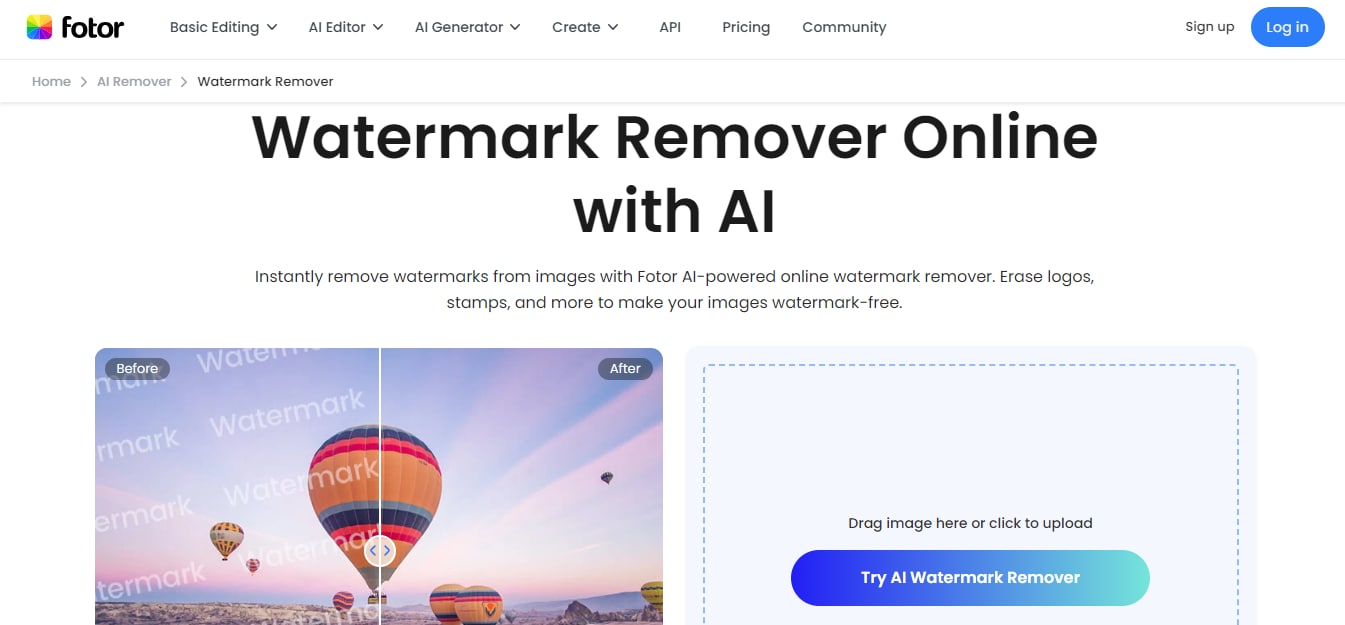
Fotor Watermark Remover is an AI-powered browser-based tool that allows you to erase watermarks from your videos and images within a few seconds. The tool uses advanced artificial intelligence to detect and analyze the selected watermark area. It studies nearby textures, colors, and patterns, then intelligently reconstructs the background so the edit blends seamlessly.
What sets Fotor apart is its intuitive user interface. You can quickly remove unwanted elements from videos and images with minimal effort. And it supports many popular formats, including JPG, PNG, WebP, MP4, MOV, etc.
Fotor Watermark Remover Key Features
Fotor Watermark Remover has many helpful features, including;
Intelligent AI Removal
Fotor uses artificial intelligence to analyze the surrounding pixels of a watermark and fill in the selected area convincingly. It also supports an AI enhancer, which enables you to upscale\, unblur, sharpen, and restore the quality of your images.
Multiple Selection Tools
To mark what you want removed, Fotor offers intuitive brush and lasso options. The brush lets you paint over areas precisely, while the lasso is great for freeform shapes—helping you target text, logos, or irregular objects more accurately.
Support for Common File Types
Whether your image is in JPG, JPEG, PNG, WebP, MOV, or MP4, Fotor handles it. That broad support ensures you rarely need to convert formats before editing.
Batch Processing
For users who work with many images at once, batch removal saves a lot of time by applying the same watermark removal process across multiple files in one go.
Preview and Undo
Fotor provides real-time previewing so you can see how your changes affect the image before finalizing. Plus, unlimited undo lets you correct mistakes instantly without restarting your project.
Part 2: Pricing & Plans for Fotor Watermark Remover
Free vs. Paid: What’s the Difference?
Free Version: Ideal if you only need occasional watermark removal or are testing the tool. You get basic editing tools and a small number of free AI credits, but downloads include Fotor watermarks and quality limitations.
Paid Versions (Pro / Pro+): Paid plans unlock full AI-powered features, including high-resolution, watermark-free exports, more monthly credits for editing and generation, larger cloud storage, and premium creative tools. Pro is great for casual creators or small business users, while Pro+ is best for design professionals or frequent editors who need batch processing and higher credit limits.
Subscription Plan of Fotor Watermark Remover
| Plan | Price (USD) | Main Features |
| Basic (Free) | $0 | Basic editing Limited credits Watermarked exports 512 MB cloud storage |
| Premium (Pro) | $10.99/month $39.99/year |
100 AI credits/month HD downloads No watermark exports 2 GB cloud storage |
| Premium (Pro+) | $19.99/month $89.99/year |
AI batch editing 300 AI credits/month 100 GB cloud storage |
| Fotor Max | $51.99/month $149.99/year |
1000 AI credits/month 500 GB cloud storage Advanced AI tools |
| AI Credits (Add-on) | One-time or Subscription Starting from $9.99 |
Flexible credit packages Up to 10,000 credits |
Overall, the paid plans are great for a full Fotor experience — especially useful if you regularly work with watermarked photos/videos.
Part 3: Fotor Watermark Remover Detailed Steps Guide
Now that you understand the value of Fotor's Watermark Remover for creating pristine visuals, let's dive into the practical side. With just a few simple clicks, you can transform your cluttered images into clean, professional assets. Follow this straightforward guide to master the tool and start removing unwanted watermarks like a pro.
Steps Guide to Use Fotor Watermark Remover
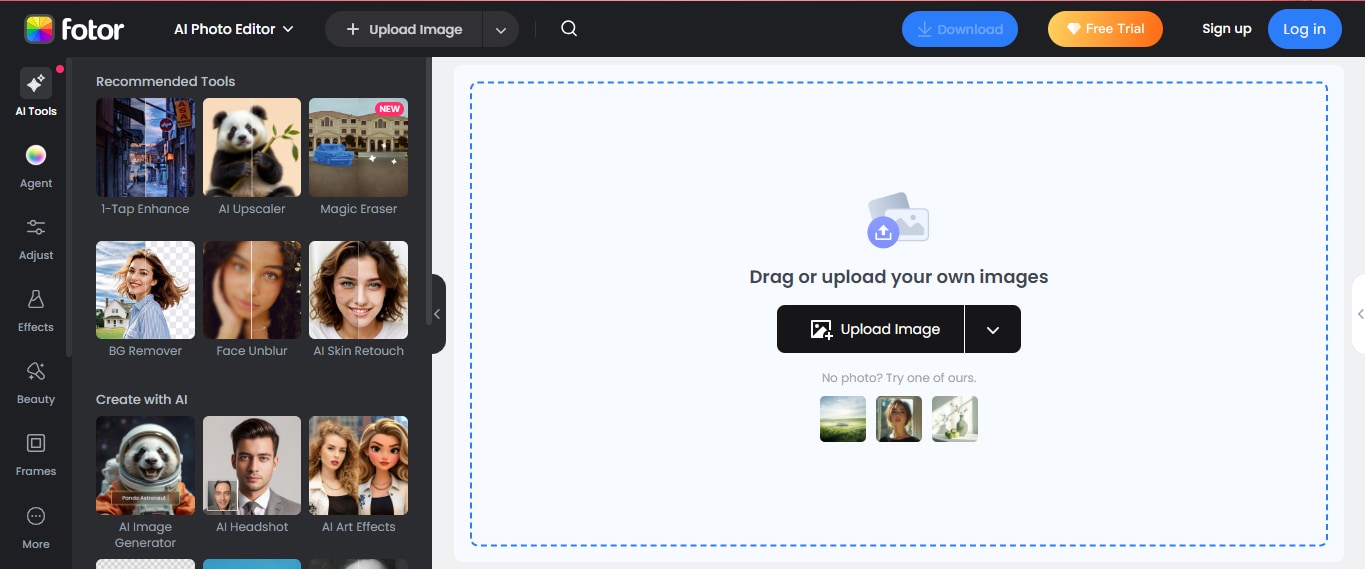
Step 1: Open Fotor Watermark Remover
Open the “Fotor Watermark Remover” tool in your browser and click on “Upload Image” to add the media you want to remove the watermark from.
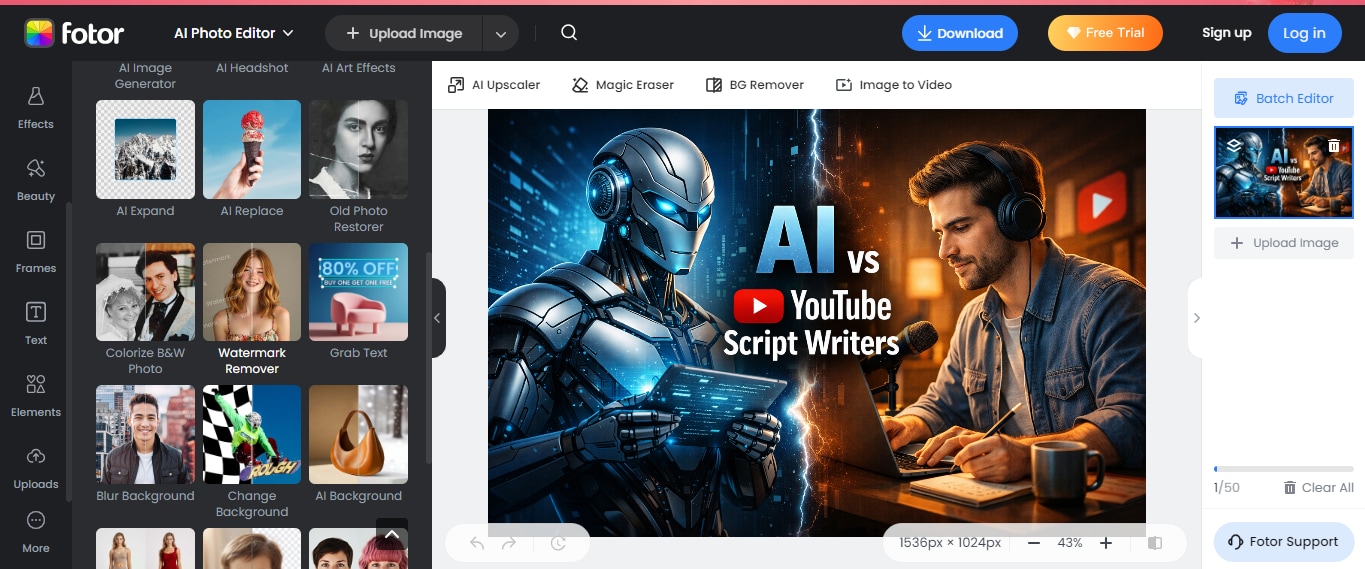
Step 2: Select Watermark Remover
Once you upload the image, select “Watermark Remover” from the left menu.
Step 3: Choose Remover Mode
Choose the “Mode” you want to use for the removal and click on “Remove.”
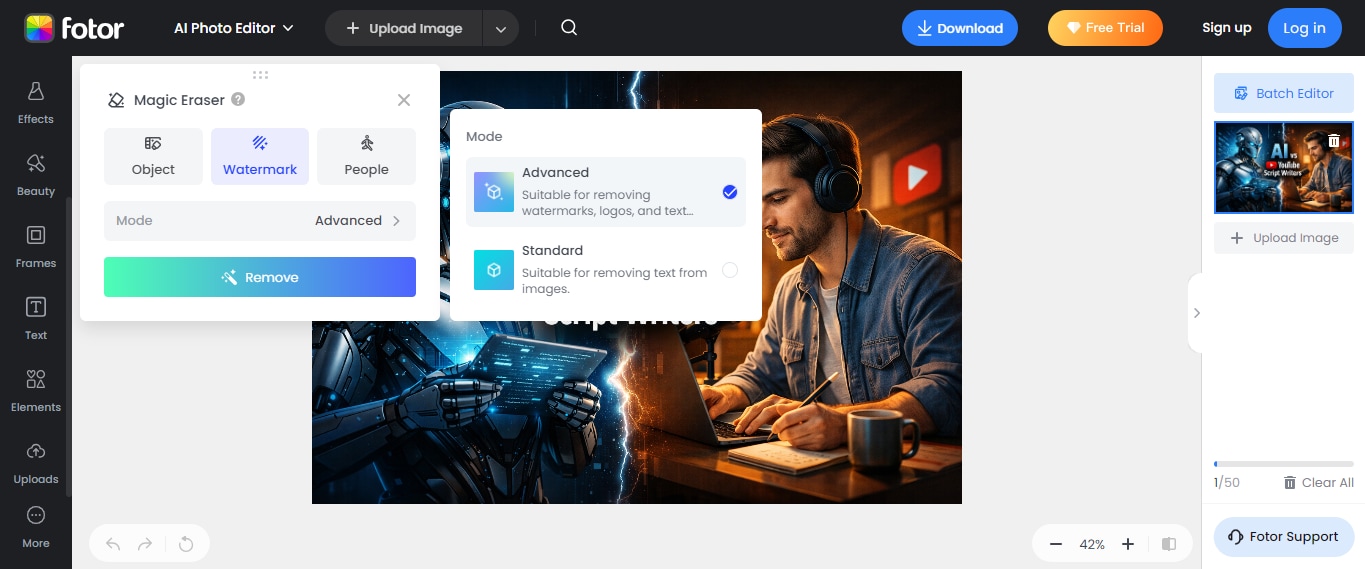
Once the tool successfully removes the watermark, you can export the files to your local storage.
Part 4: Pros & Cons of Fotor Watermark Remover
Pros
Easy AI-Powered Removal: The AI intelligently fills in backgrounds after removing watermarks, making edits appear smoother and more natural than with basic clone tools.
Beginner-Friendly Interface: You don’t need advanced skills — selection tools are intuitive and simple, so even first-time users can start editing quickly.
Supports Common Image Formats: Fotor works with popular formats like JPG, JPEG, PNG, and WebP, meaning most photos from cameras or phones are ready to edit instantly.
Batch Processing (Premium): If you upgrade to Pro+, you can remove watermarks from many images in one go — a huge time-saver for content creators and professionals.
Real-Time Preview & Undo: Offers instant previews and unlimited undo, which enables you to fine-tune edits without stress or guesswork.
Cons
Limited Free Version: The free plan offers only a small number of AI credits and includes watermarks on exports, limiting usefulness unless you upgrade.
Occasional Artifacts on Complex Backgrounds: On highly textured or detailed backgrounds, the AI might leave slight distortions or ghosting effects.
Credit-Based Restrictions: Some removal tasks use up AI credits, which might feel limiting if you work on many images often — especially on the lower-tier plans.
Part 5: Fotor Watermark Remover Ratings
We also checked what other users are saying about the Fotor Watermark Remover tool after using it. Here is what some of them said in their reviews:
Positive Review from Trustpilot
I have been using Fotor for a few years now for basic editing and its features. I find it fairly easy to use. Now I am learning how Ai can turn a photo into a video, a text into an image, and it's all interesting. For me there's a lot of trial and error with my intent versus the actual Ai output, plus understanding how to use the credits, but even with the surprises, it's great for me to learn new ways to bring creative ideas to life.
Fotor is constantly wasting my credits by refusing to follow directions. It will follow directions fine, then all of a sudden it stops and wont correct itself until I ask it thd same thing 4 or 5 times! Its way to expensive and the sign up is very deceptive. They don't tell you when you buy a subscription that you sill still constantly be paying for credits to use it on top of that. It does a good job on some requests, but it tends to revert to what it wants to do with the image regardless.
Fotor isn't my main photo editor, but I use it regularly to create frames, add text to my photos, or make fun creations using AI. There are many other features that I don't use, but I know they exist and may be interested in them someday. I'm glad this unique editor exists, I think it's reasonably priced, and I've had some good experiences with customer service, where Christine responded quickly to resolve my issues. In short, I'm a very satisfied customer so far.
Negative Review from Trustpilot
I recently tried Fotor for their batch editing feature with AI tools, and it turned into a complete nightmare. I signed up and paid for the Pro plan thinking it would cover what I needed, but right after, when I went back to actually use it, the app forced me to upgrade to the Pro+ plan for the same features. It felt like classic bait-and-switch tactics.
Part 6: Best Alternative to Fotor Watermark Remover Software
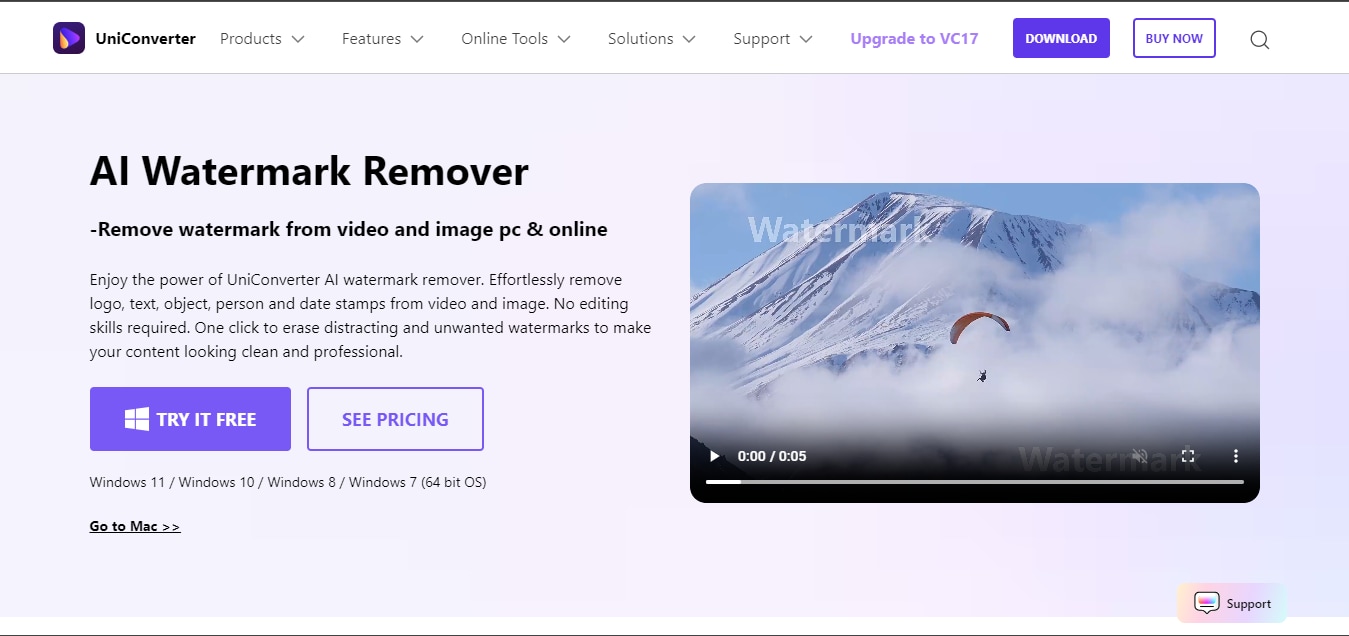
If you’re looking for a reliable alternative to Fotor Watermark Remover, Wondershare UniConverter is a strong all-round option. This tool has an excellent watermark remover that allows you to erase objects, persons, dates and stamps, logos, and texts from your photos or videos quickly and efficiently.
You can use this tool to erase watermark from videos or images in various formats on PC desktop, including JPEG, PNG, MP4, MOV, MKV, and many more. If you just want to use web app, you can also choose its online free image watermark remover. And the best part? it has extra feature like AI image enhancer, old photo restoration, and many more that you can use to improve the overall quality of your photos.
Key Features
- Remove watermarks from images and videos without blur.
- Batch remove watermarks from multiple images or videos in a single click.
- Built-in AI video and image enhancer to upscale video and image quality.
- Powerful video and image compressor to reduce file size without reducing image/video quality.
How to use UniConverter to Remove Watermark
Step 1: Launch UniConverter
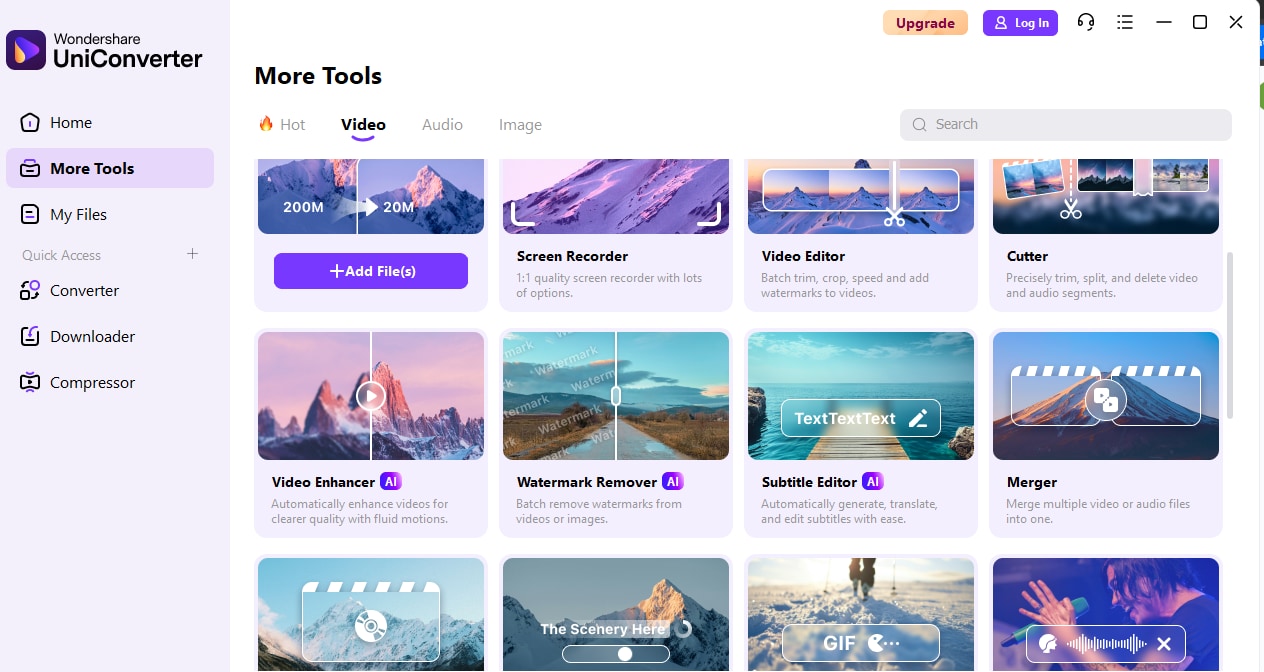
Launch “UniConverter” on your Mac or PC and select “More Tools” > “Watermark Remover.”
Step 2: Upload Files
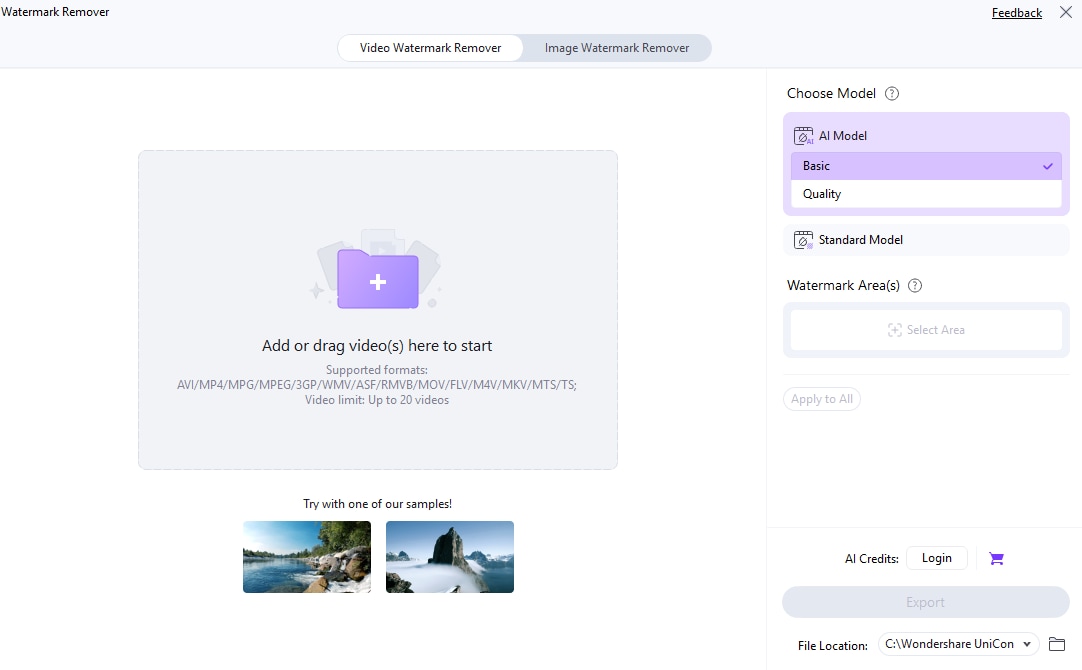
Click on the "Add Files” button and upload the photo/video you want to remove the watermark from.
Step 3: Choose Area
Click on “Select Area” from the right menu and use your computer’s mouse to drag the box to the area where the watermark is on the video/photo.
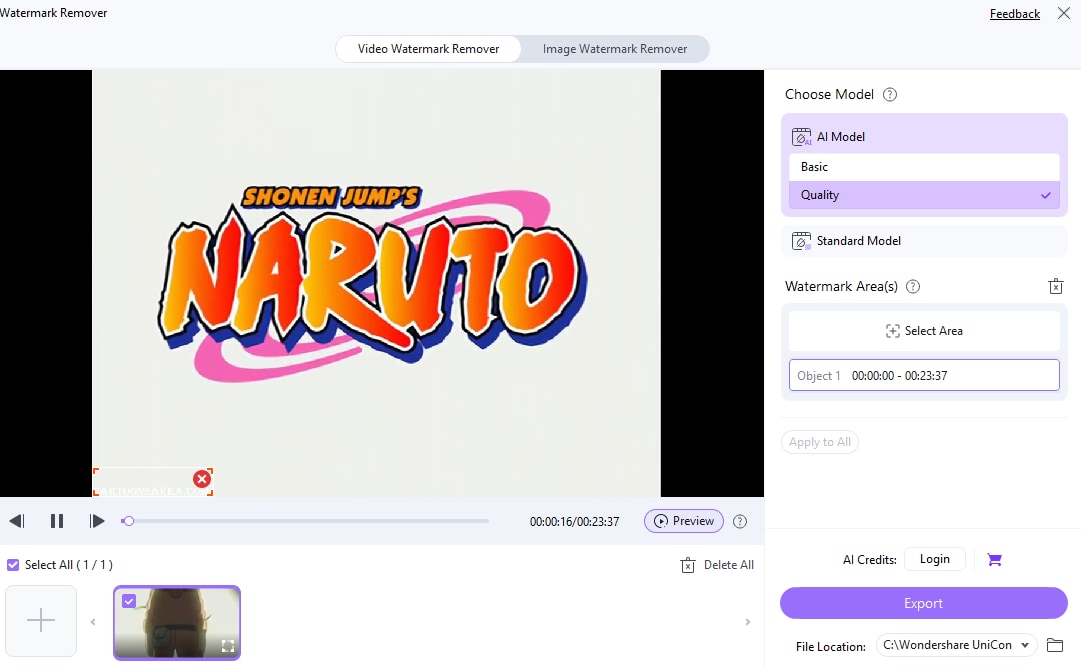
Finally, select the “AI Model” you want to use for the process and click on “Export” to save the video/photo without a watermark.

Qualified Fotor Watermark Remover Alternative
Part 7: How Fotor Watermark Remover Stacks up Against UniConverter
To evaluate Fotor Watermark Remover performance, we also compared it UniConverter, and here is how it performed;
| Feature | Fotor Watermark Remover | UniConverter |
| Primary Focus | Image and simple watermark removal as part of a broader photo editor | Comprehensive media toolkit with watermark removal for both images and videos (desktop app) |
| Watermark Removal Type | AI-powered image watermark removal is best for logos/text; video support is more limited and less seamless in some cases | AI watermark removal for both images and videos; uses brush/selection tools for precise marking |
| Batch Processing | Generally does not offer batch watermark removal in the watermark tool itself | Supports batch removal for images and video files in bulk on desktop versions |
| Speed | High Speed | 90x Faster Speed |
| Supported Formats | Common image formats (JPG, JPEG, PNG, WebP); video watermark removal support is limited | Broad support, including JPG, PNG, WebP, BMP for images; supports video formats like MP4, MOV for watermark removal |
| Ease of Use | Very simple and beginner-friendly online/web-based interface | More powerful but requires installation; desktop UI has more tools and controls |
| Additional Editing Tools | Full suite of photo editing tools (filters, templates, design features) | All-in-one media toolkit: converter, compressor, editor, enhancements, plus watermark removal |
| Output Quality | Good for everyday image edits, but large or complex watermarks sometimes leave artifacts | High-quality results, especially on images and videos; AI blending and preservation of resolution |
| Cost/Access | Freemium with watermark-free exports behind paid plans | Desktop software with free trial; full feature set requires purchase/licensing |
Conclusion
Overall, Fotor Watermark Remover is an excellent watermark remover tool. Although it falls short in some aspect like batch watermark removal and video watermark removal, you can use it to remove watermark from your images with high quality. And it supports many helpful templates and AI powered features that allows you to enhance the quality of your images without requiring advanced knowledge.
However, if you still decide to use an alternative tool, we highly recommend using UniConverter.
FAQs
-
1. Is Fotor Watermark Remover safe?
Yes. Fotor Watermark Remover uses SSL-encrypted connections, and uploaded files are typically deleted from its servers within about 24 hours. The platform is widely used and generally considered safe for watermark removal tasks. -
2. Can Fotor Watermark Remover remove logo watermarks?
Yes. Fotor’s AI-powered remover can detect and eliminate logo watermarks, text, signatures, stamps, and other visual marks from images in just a few clicks. -
3. Is Fotor 100% free?
Fotor offers a free tier that allows limited access to watermark removal and other tools. However, the free version may include usage limits, lower-resolution exports, or watermarked outputs. A Pro or Pro+ subscription is required for full-feature access and watermark-free results. -
4. Is there a mobile version of Fotor Watermark Remover?
Yes. Fotor provides mobile apps for both iOS and Android, including watermark removal and other image editing features for on-the-go use.

