Only download videos you have the right to save, such as your own uploads or content you have permission to keep. Public, freely available pages are the ones these tools are designed for.
SpankBang is a large video-hosting site, and many of its clips disappear or move over time. Saving the ones you are allowed to keep is easier when you have one dependable tool rather than a different website for every attempt. This guide explains the desktop workflow first, then the free online options, then a troubleshooting table, so you can finish the download and manage the file afterward.
In this article
- How to download SpankBang videos with UniConverter
- Free online SpankBang downloaders (9xbuddy and Dirpy)
- Official download options and browser extensions
- Which method should you use?
- SpankBang download not working
- FAQ
How to download SpankBang videos with UniConverter
Wondershare UniConverter is an all-in-one desktop toolkit for Windows and Mac. Its Downloader module is the part you want here: it takes video URLs, analyzes them, and saves the file, then hands it to the same app for conversion or compression if you need it. The official workflow is documented in the UniConverter download guide, and the interface has four areas you will use: the Downloader entry point, the URL box, the task list, and the Finished tab.
Why start with UniConverter
- URL-based downloading — paste a supported media page URL and let the tool fetch the stream.
- Batch and multi-URL — add several URLs at once (one per line) instead of repeating single-link steps.
- Up to 10 simultaneous downloads — a queue you can watch, pause, resume, and prioritize, so you are not tied to one file at a time.
- Post-download workflow — the Finished files can be converted or compressed in the same app, no second program required.
Step 1. Open the Downloader
Install and launch UniConverter, then choose Downloader from the quick-access entries. The Downloader screen has three tabs — Downloading, Finished, and Subscribed.
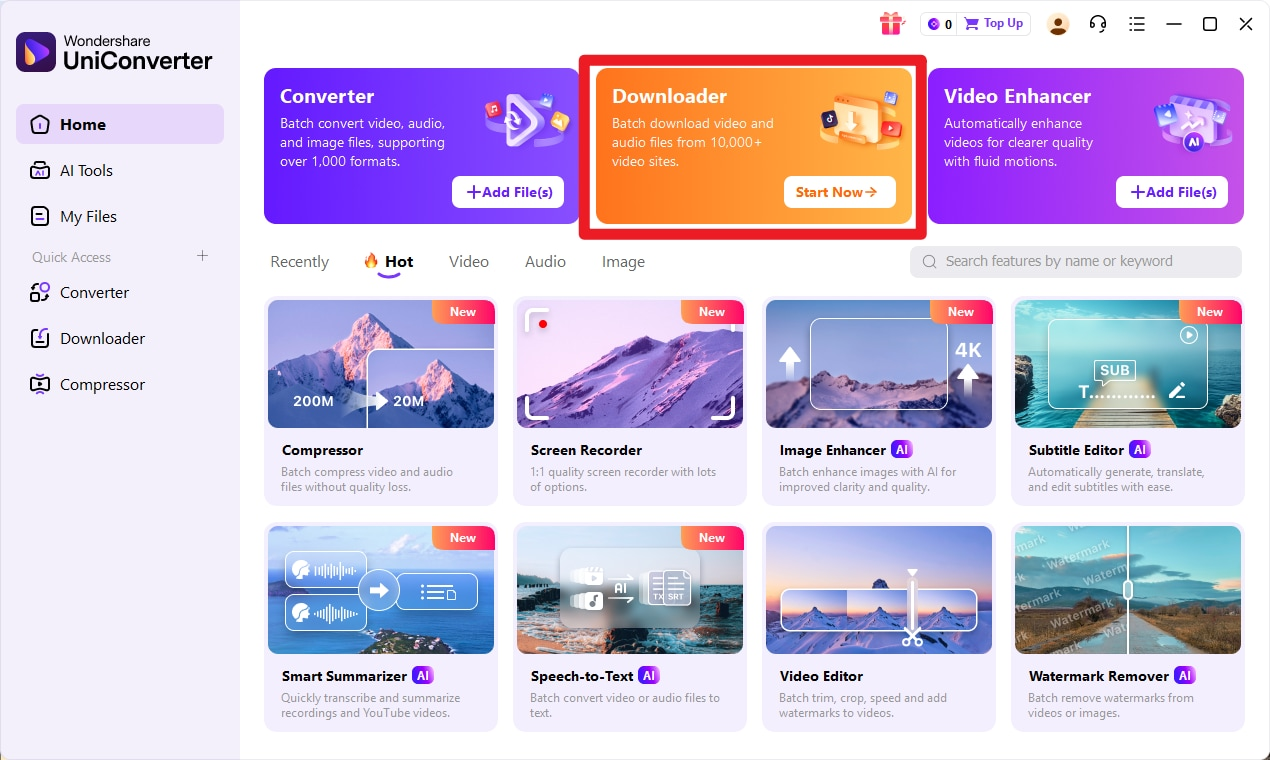
Open UniConverter and select Downloader. The orange card is the entry point for URL-based downloads.
Step 2. Copy the SpankBang video link and paste it
Open the SpankBang video page and copy its address. Back in the Downloader, paste it into the box that reads “Paste URL(s) here. You can add one URL per line.” Use the format selector to tell UniConverter whether you want Video, Audio, or a Thumbnail. To queue a batch, paste each URL on its own line.
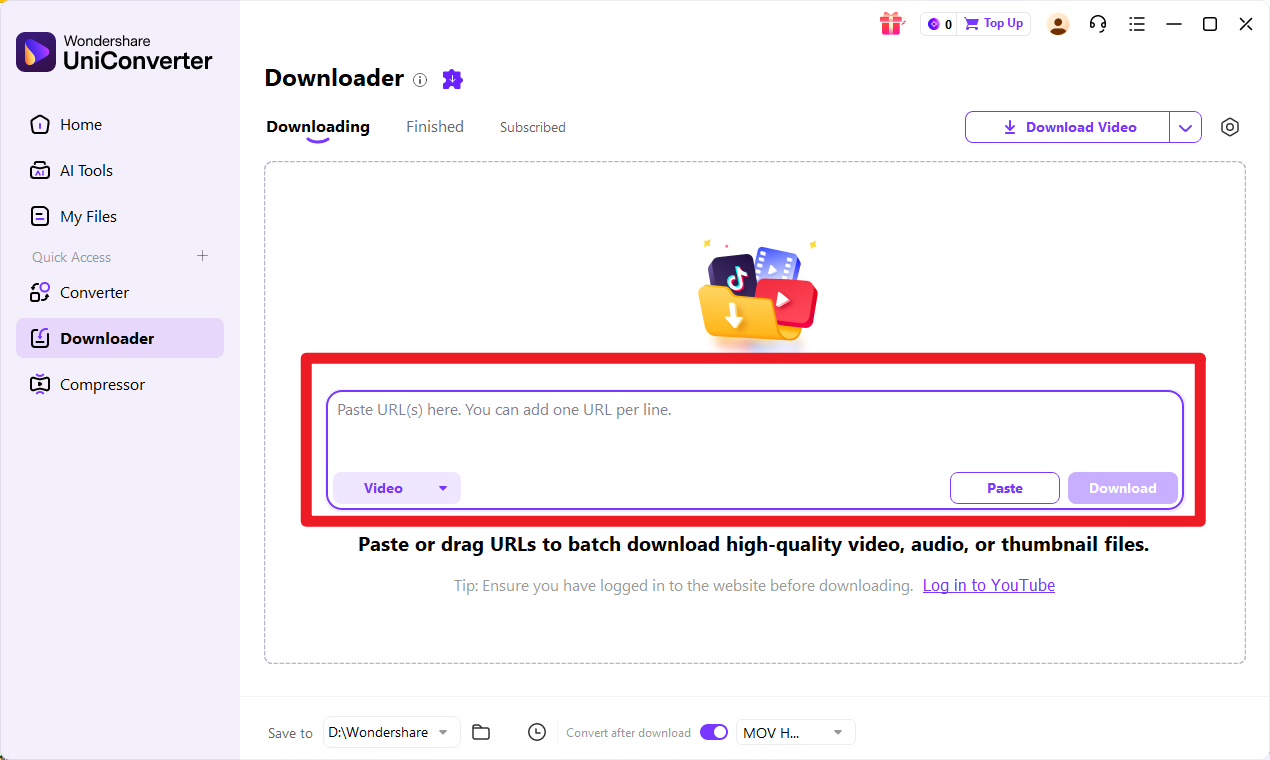
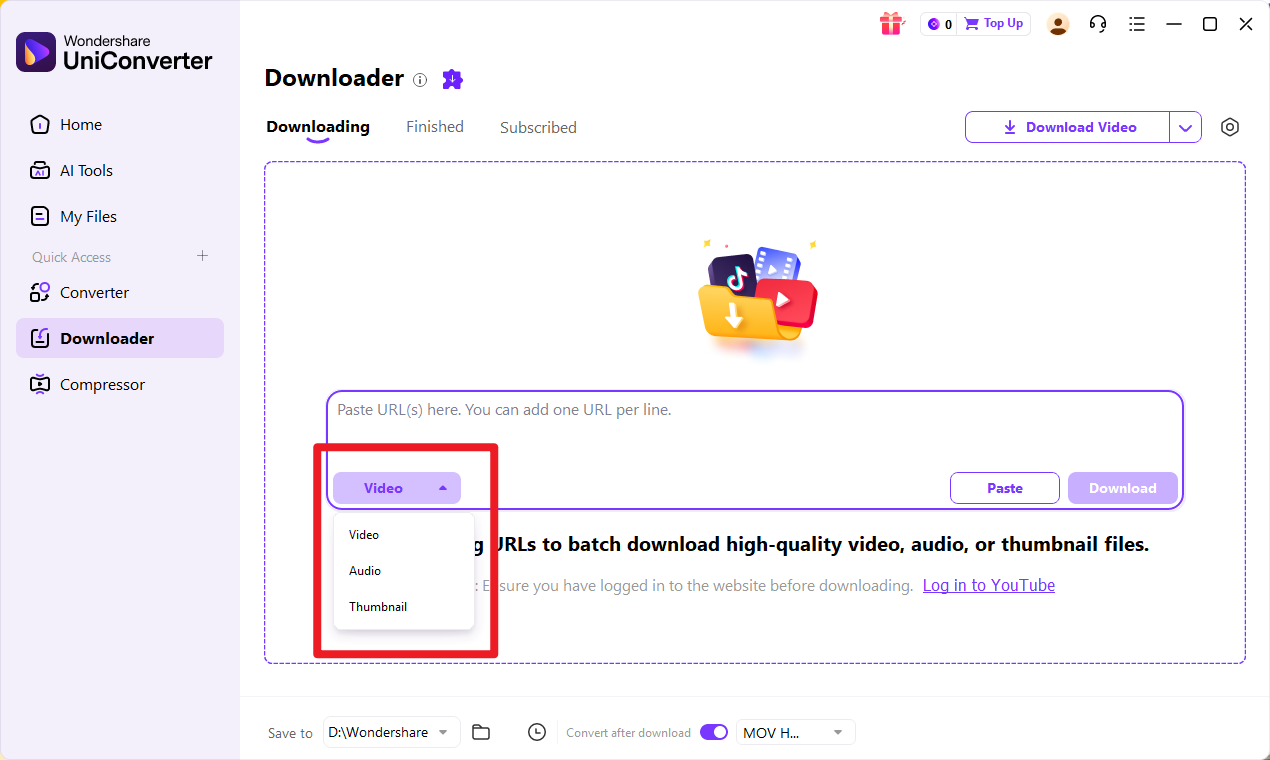
Paste the SpankBang URL into the Downloader box; add one URL per line for a batch, then pick Video, Audio, or Thumbnail.
Step 3. Analyze the link
Click Download and UniConverter analyzes the URL, reading the renditions it can reach. A status line shows “Analyzing…” next to the task while the available options are gathered.
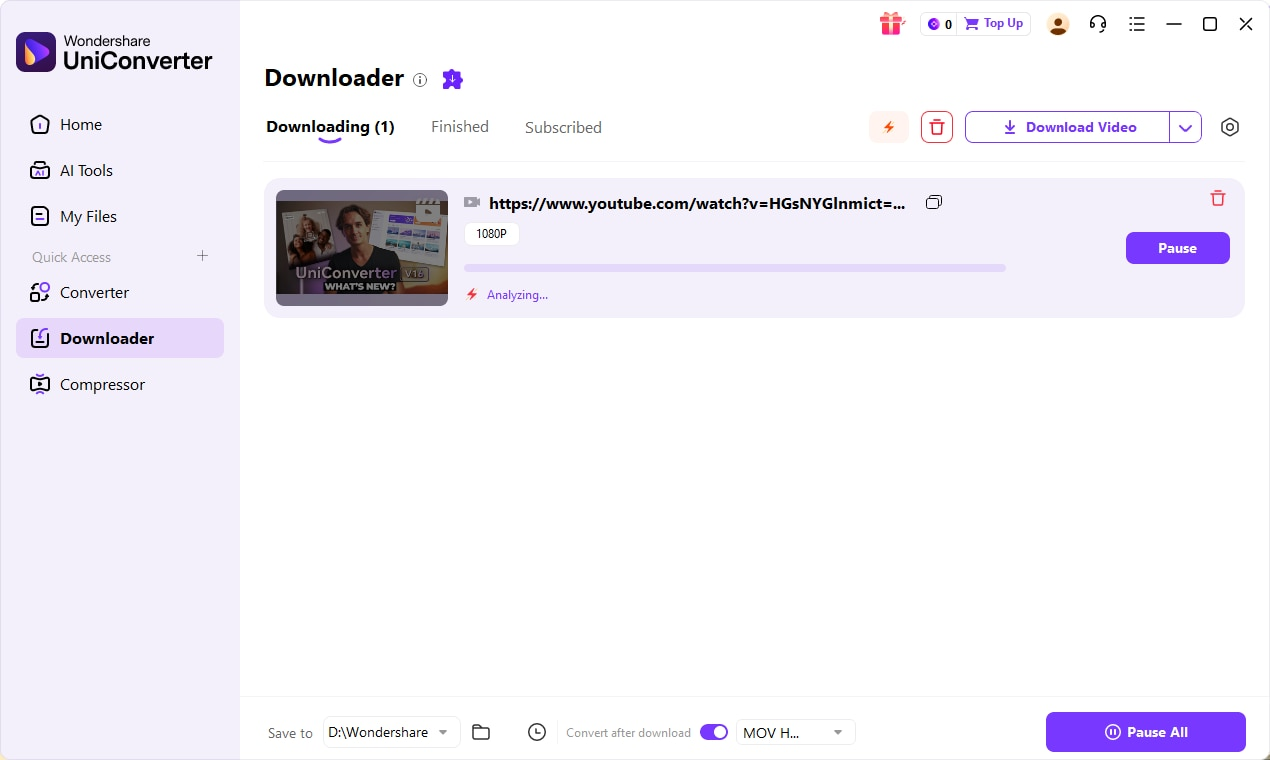
The official guide illustrates URL analysis with a generic media task; this is not a SpankBang compatibility test.
Step 4. Choose an available option and download
Select the format and resolution that are actually offered for that video, then start the download. The task moves to the Downloading list with a progress bar, speed, and Pause/Resume controls. Because the app supports up to 10 simultaneous downloads, several tasks can run together and you can prioritize any of them from the right-click menu.
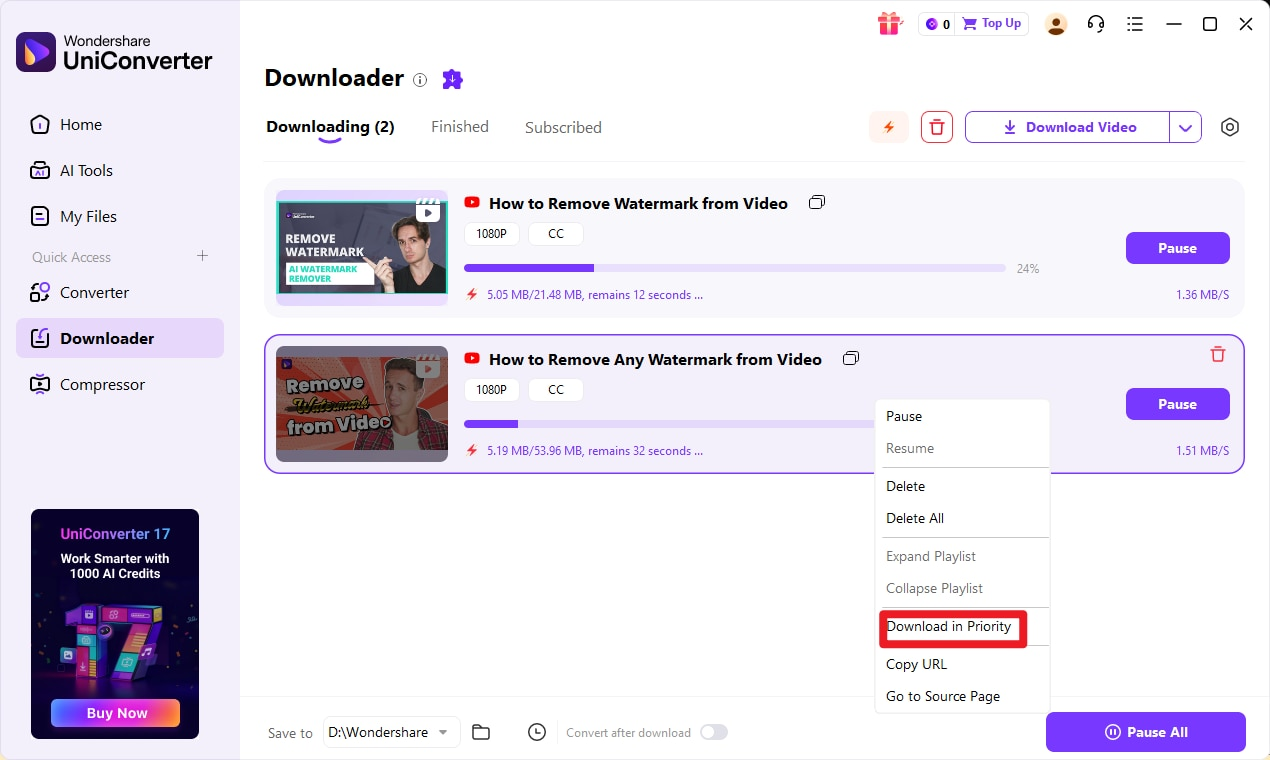
The official desktop screenshot shows a task queue and download controls. Interface details can vary by version and operating system.
The queue holds several tasks; pause or resume tasks when those controls are available.
Step 5. Find the finished file and convert or compress it
When a task completes it moves to the Finished tab. From there you can rename the file, open its folder, or play it. The bottom bar shows the Save to path (for example D:\Wondershare) — that is where the downloaded file lives on disk.
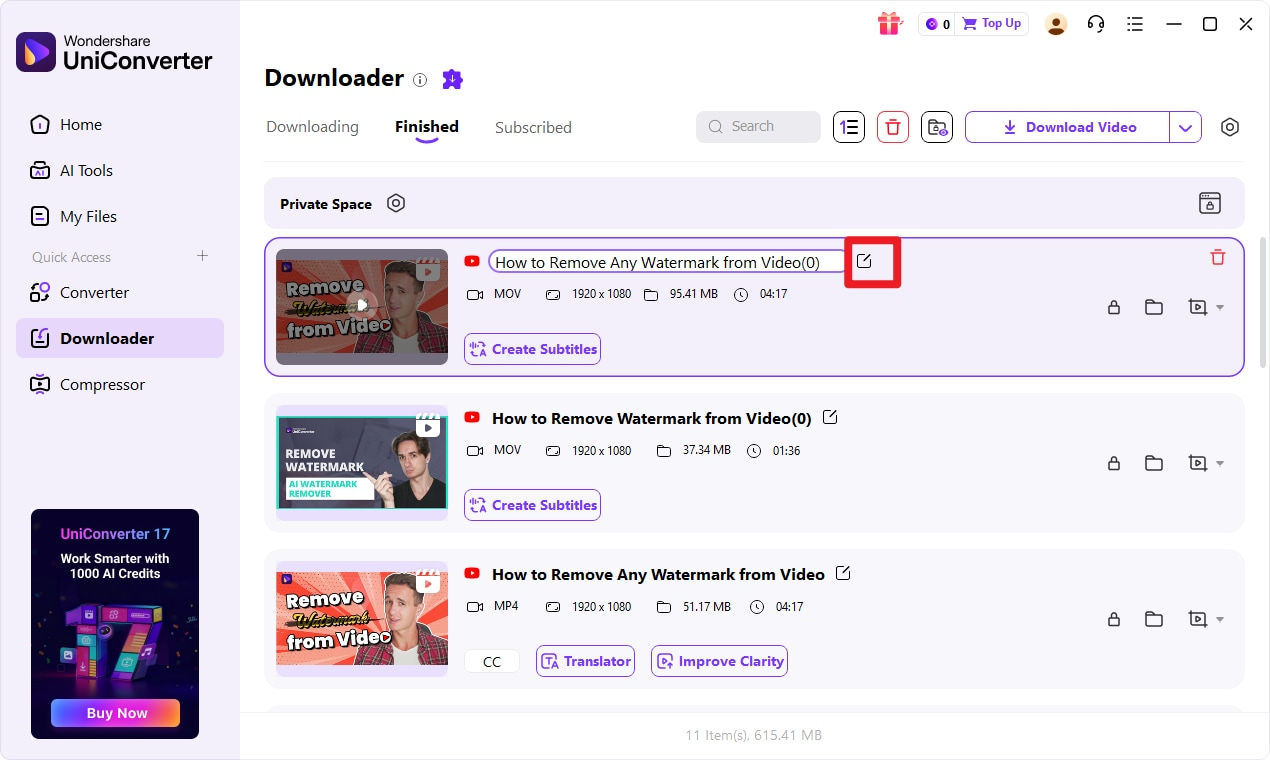
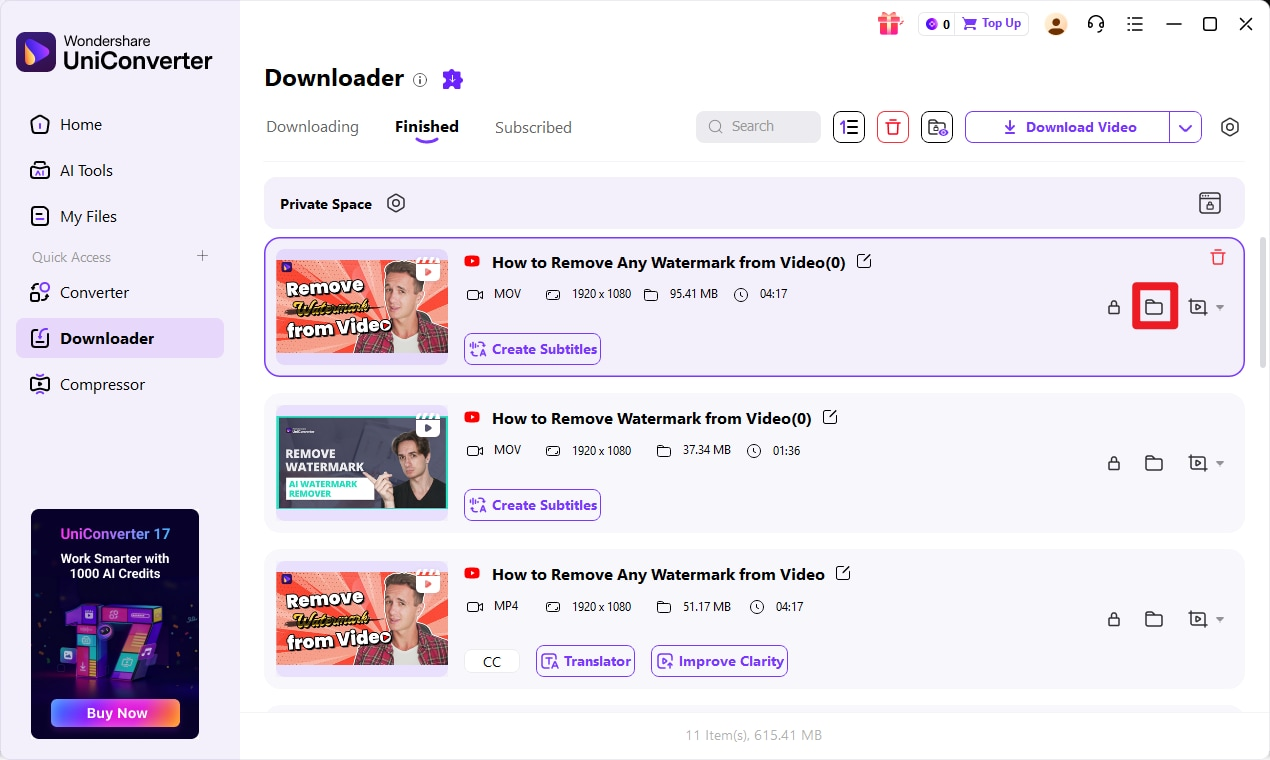
Finished downloads are listed with their format, resolution, and size; use the folder icon to open the save location.
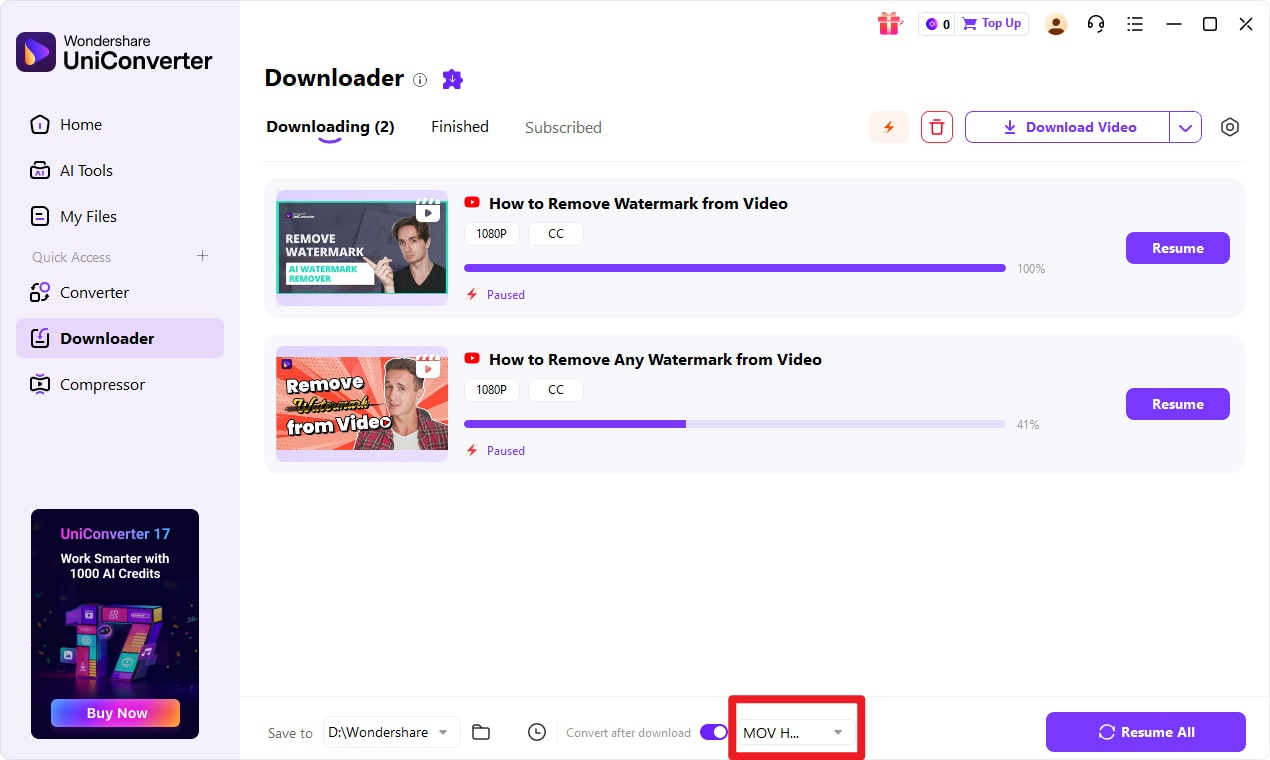
If you want a smaller file or a different container, switch on Convert after download before downloading, so each finished clip is converted on the fly. You can choose from common formats such as MP4 or MOV and the resolutions the source supports. For a finished file you can also use the separate Converter or the Compressor module afterward.
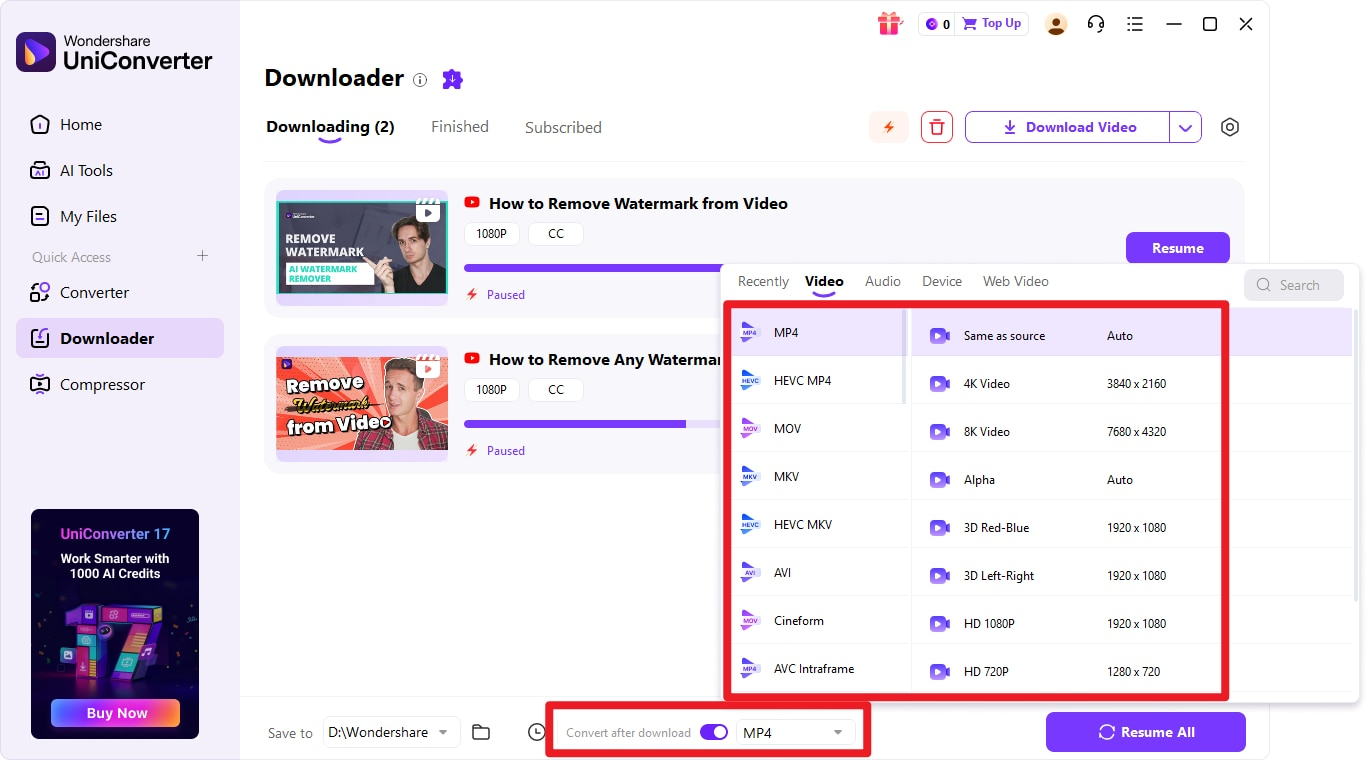
Turn on “Convert after download” and pick a format and resolution so the saved file is ready to use.
Free online SpankBang downloaders
A browser-based downloader may suit an occasional file if it supports the source URL. The options below are alternatives to investigate, not tools verified here through a successful SpankBang download. Availability, output formats, account requirements, and pricing may change.
9xbuddy — a browser-based alternative
URL: 9xbuddy
If the page is available, paste the individual video URL and see whether it detects downloadable media. Save only a file option the service actually offers. If it cannot process the link, do not assume that switching domains or adding an extension will solve the issue.
Best for: An occasional supported URL when a browser-based workflow is sufficient.
Limitations: Current SpankBang support, free limits, output formats, and account requirements were not confirmed through a download test for this article.
Dirpy — another online option
URL: Dirpy
Check the options shown on the current service page before entering an authorized video URL. Do not assume that a format, batch size, or free allowance mentioned elsewhere is included in the current plan.
Best for: Exploring an online workflow for a source the service can actually process.
Limitations: A successful SpankBang download and current plan limits were not independently established here. Use a desktop workflow when you need local file management and conversion after a supported download.
Official download options and browser extensions
If the source page provides an official download option for content you are permitted to save, follow that option and its stated conditions. Button availability and account requirements can vary; this guide does not assume that every SpankBang page has a download button or a fixed daily allowance.
Browser extensions may detect media on supported pages, but site compatibility, permissions, and free limits vary. Use the browser's official extension store and review the permissions requested before installation. An extension is not a workaround for a source that disallows downloading.
Do not attempt to bypass private, login-required, download-disabled, age, region, or DRM restrictions. Public availability alone does not grant permission to download a video.
Which method should you use?
| Method | Device | Install? | Best for | Key condition |
|---|---|---|---|---|
| UniConverter Downloader | Windows, Mac | Yes | Batch jobs, task management, post-download convert/compress | Publicly reachable video link; quality depends on the source |
| 9xbuddy (online) | Desktop & mobile browsers | No | An occasional supported URL | Publicly available video only |
| Dirpy (online) | Desktop & mobile browsers | No | An occasional supported URL | Supported source URL; current service conditions apply |
| SpankBang Download button | Any (browser) | No | The most direct option when it is offered | Option must be offered and permitted by the source |
| Browser extension | Desktop browsers | Yes | On-page one-click saving with a quality picker | Extension must support SpankBang; free limits may apply |
The table is a starting point, not a ranking: a single clip favors an online tool, while a batch you intend to keep and convert favors the desktop Downloader.
SpankBang download not working
Most failures come from the link or the tool state, not from one tool being “wrong.” Match your symptom below.
| Symptom | Likely cause | What to do |
|---|---|---|
| The tool says nothing was found / nothing to download | You pasted a category, search, or profile page instead of the video page | Open the individual video, copy that page’s URL, and paste it again |
| The video page loads but the file never starts | The video was removed or is no longer available | The clip is gone; choose a different source you are allowed to save |
| The downloader does not detect any media | The page changed, the URL is unsupported, or the tool needs an update | Update the app or extension to the latest version and retry |
| Download stops partway, or shows a 403/410-style error | Permission denied, an expired link, unavailable media, or a network interruption | Check that the source still permits access; update the tool and retry only an authorized, supported URL |
| You cannot find the file after downloading | It saved to a folder you have not opened | Check the Save to path at the bottom of the Downloader, or open the Finished tab and use the folder icon |
| The downloaded file will not play | Container or codec mismatch after a broken download | If the file is complete, convert it to MP4 with a compatible codec; conversion cannot repair missing download data |
FAQ
How do I download videos from SpankBang?
For a supported, authorized URL on a computer, try a desktop downloader such as Wondershare UniConverter: open the Downloader, paste the SpankBang video URL, click Download, let it analyze the link, choose an available format and quality, and start the download. The file then appears in the Finished tab, and the Save to path shows where it is stored.
Does SpankBang offer a download option?
Use an official download option if it appears on the source page and the source permits saving the video. Availability and account conditions vary; do not bypass a disabled button or an access restriction.
Can I download SpankBang videos on Windows and Mac?
UniConverter Downloader is available on Windows and Mac. A SpankBang URL can be downloaded only if the current app supports it and the source allows access. Interface details may differ by version and operating system.
Is there an online SpankBang downloader?
Browser-based services such as 9xbuddy and Dirpy are alternatives to check, but this article does not establish their current SpankBang compatibility through a successful test. Confirm the options offered on the live service page for an authorized URL.
Can I download multiple SpankBang videos?
With UniConverter you can paste several URLs (one per line) and it supports up to 10 simultaneous downloads, with a queue you can pause, resume, and prioritize. Only supported and authorized URLs can be processed; check current online-service limits rather than assuming a fixed batch allowance.
What video quality can I download?
Only what the source video offers. Downloaders can list renditions such as 720p or 1080p when SpankBang serves them, but none can create a higher resolution than the original has.
Why is my SpankBang download not working?
Check three things first: that you copied the individual video page URL (not a listing page), that the video still exists, and that your download tool is up to date. If a download stopped partway, retry it, and if you cannot find the file, open the Save to folder or the Finished tab.
Conclusion
For an authorized SpankBang URL that the app supports, a desktop workflow lets you download and manage the result in one place. UniConverter’s Downloader handles multiple URLs and up to 10 simultaneous downloads, then lets you convert or compress the finished file — while online services may offer a browser-based alternative when they support the source. Download only what you are entitled to save, and keep the limitations in mind when a page is restricted.