


Welcome to your complete Bunkr download guide. Many people use Bunkr to share large media files. However, finding a safe way to download from Bunkr can be tricky. You might want to save a single clip or grab a full collection. This guide will show you how to securely download Bunkr videos and albums. We test various methods to help you save time. Let's dive into the easiest ways to handle a Bunkr album download.
Quick Answer: What Is the Best Way to Download Bunkr Videos or Albums?
The best Bunkr downloader depends on what you need to save. For one public video or file, the safest option is the official download button or your browser’s built-in save option. For a full Bunkr album download, use a desktop downloader or a trusted link-grabbing workflow that can queue multiple accessible media links. Online Bunkr downloader tools are convenient for single files, but they are usually less reliable for large albums, private links, or dynamically loaded pages.
| Need | Best method | Why |
| Download one Bunkr video | Direct download | Fastest when the file is public and the download button is available. |
| Download a full Bunkr album | Desktop or batch downloader | Better for multiple files, large albums, and repeated downloads. |
| Use without installing software | Online Bunkr downloader | Convenient for quick single-file tasks, but less stable for albums. |
| Fix Bunkr download problems | Troubleshooting steps | Helps when the player fails to load, links expire, or downloads stop midway. |

Top Video Saver
In this article
- Quick Answer: Best Way to Download Bunkr Videos or Albums
- Why Do People Look for Ways to Save Bunkr Videos or Albums?
- Compare Bunkr Download Methods
- Method 1: Directly Download a Bunkr Video or File
- Method 2: Download Bunkr Albums in Bulk
- Method 3: Use an Online Bunkr Downloader
- Method 4: Use a Browser Extension
- Troubleshooting: Bunkr Download Not Working
- Is It Safe to Use a Bunkr Downloader?
- Can You Download Private Bunkr Albums?
- FAQs about Bunkr Download
Why Do People Look for Ways to Save Bunkr Videos or Albums?
Bunkr is a popular cloud hosting platform. People use it to store and share images, clips, and documents. Users often want a reliable Bunkr download method to save content locally before links expire or get deleted.

What Is a Bunkr Album?
A Bunkr album is a shared collection of media files under one album link. It may include videos, images, audio, documents, or mixed file types. When users search for a Bunkr album downloader, they usually want a faster way to save multiple public or authorized files instead of opening each item one by one.
What Are Bunkr Files?
Bunkr files can include videos, images, audio, documents, or other media uploaded inside a Bunkr album or shared through a single file page. If you only need one public file, direct download is usually enough. If you need many files from the same album, a batch-friendly Bunkr downloader is more practical.
Is There an Official Bunkr Download Option?
Bunkr allows basic downloading, but it has limits. The platform does not offer a native "download all" button for albums. This means saving 50 files requires 50 separate clicks. This limitation creates the need for third-party tools to help you download from Bunkr efficiently.
Comparison Table – Best Bunkr Download Methods
Not every Bunkr downloader works for the same task. Some methods only save one public video, while others can queue multiple accessible links from a Bunkr album. Use the table below to choose the safest workflow for single videos, Bunkr files, or full album downloads.
| Tool Name | Tool Type | Best For | Album Support | Speed | Ease of Use | Main Limitation | Safety Note |
| Direct Download (Inspect) | Browser Built-in | Advanced users saving one public Bunkr video or file | No | Fast | Hard | Manual process; not suitable for full Bunkr album downloads | Safest when used only for public or authorized files |
| UniConverter | Desktop App + Extension | Batch link workflow, local media management, conversion, and compression | Yes, when media links are accessible | Very Fast | Easy | Requires desktop installation; advanced features may require a paid license | Better for local file handling and avoiding risky online pop-ups |
| JDownloader 2 | Desktop App | Large Bunkr album queues and complex link extraction | Yes | Fast | Hard | Interface can be confusing for beginners and requires setup | Download only from the official source and review fetched links before starting |
| PasteDownload | Web Tool | Quick single-file Bunkr video downloads without installing software | No | Medium | Easy | Usually cannot handle full albums or dynamically loaded album pages | Avoid login prompts, fake buttons, and excessive redirects |
| TubeOffline | Web Tool | Fallback option for single Bunkr files when other online tools fail | No | Medium | Easy | Older interface and may fail with temporary or dynamic media links | Use only for public links and avoid downloading any suggested extra software |
| Video DownloadHelper | Browser Extension | Frequent browser-based video saving from public media pages | Limited | Fast | Easy | May miss full albums or require extra steps for certain media streams | Review extension permissions before installing or updating |
| CocoCut | Browser Extension | Capturing stubborn or hidden media fragments from a playing video | Limited | Fast | Medium | Requires the browser tab to stay open and may not work for every album page | Use official browser stores and avoid granting unnecessary permissions |
How We Reviewed Bunkr Download Methods
We reviewed each Bunkr download method based on practical user needs: whether it works for single videos or full albums, whether it supports batch downloads, how easy it is for beginners, whether installation is required, and what safety risks users should know before downloading files.
- Single-file support: Can it save one public Bunkr video or file?
- Album support: Can it handle multiple accessible links from the same album?
- Ease of use: Is it suitable for beginners or only advanced users?
- Stability: Does it handle large files, timeouts, or stopped downloads?
- Safety: Does it avoid login prompts, suspicious ads, and unnecessary permissions?
Method 1: Directly Download a Bunkr Video or File Without Extra Tools
Sometimes the simplest approach is the best. You can perform a Bunkr video download without any extra software.
When Direct Download Works
Direct downloading works best under specific conditions. You can use this method if:
- The original uploader enabled the download feature.
- A visible "Download" or "Save" button appears near the media player.
- The file is public and not restricted by a password.
How to Directly Download a Bunkr Video
If the file allows it, saving the video is very simple.
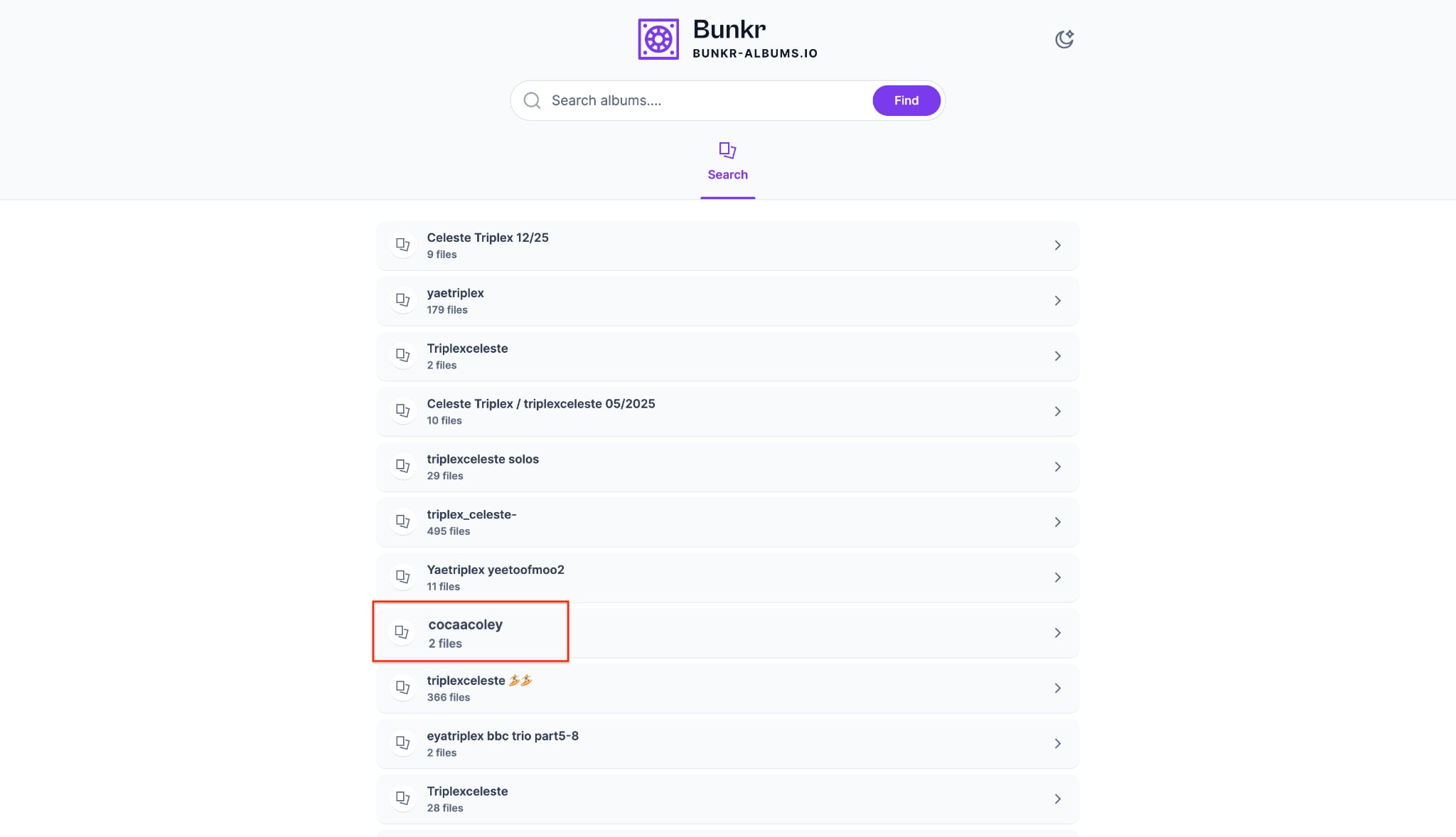
Step 1: Find and Open the Album
Go to the Bunkr website and use the search bar to find the content you are looking for. Click on the specific album name from the search results to open it.
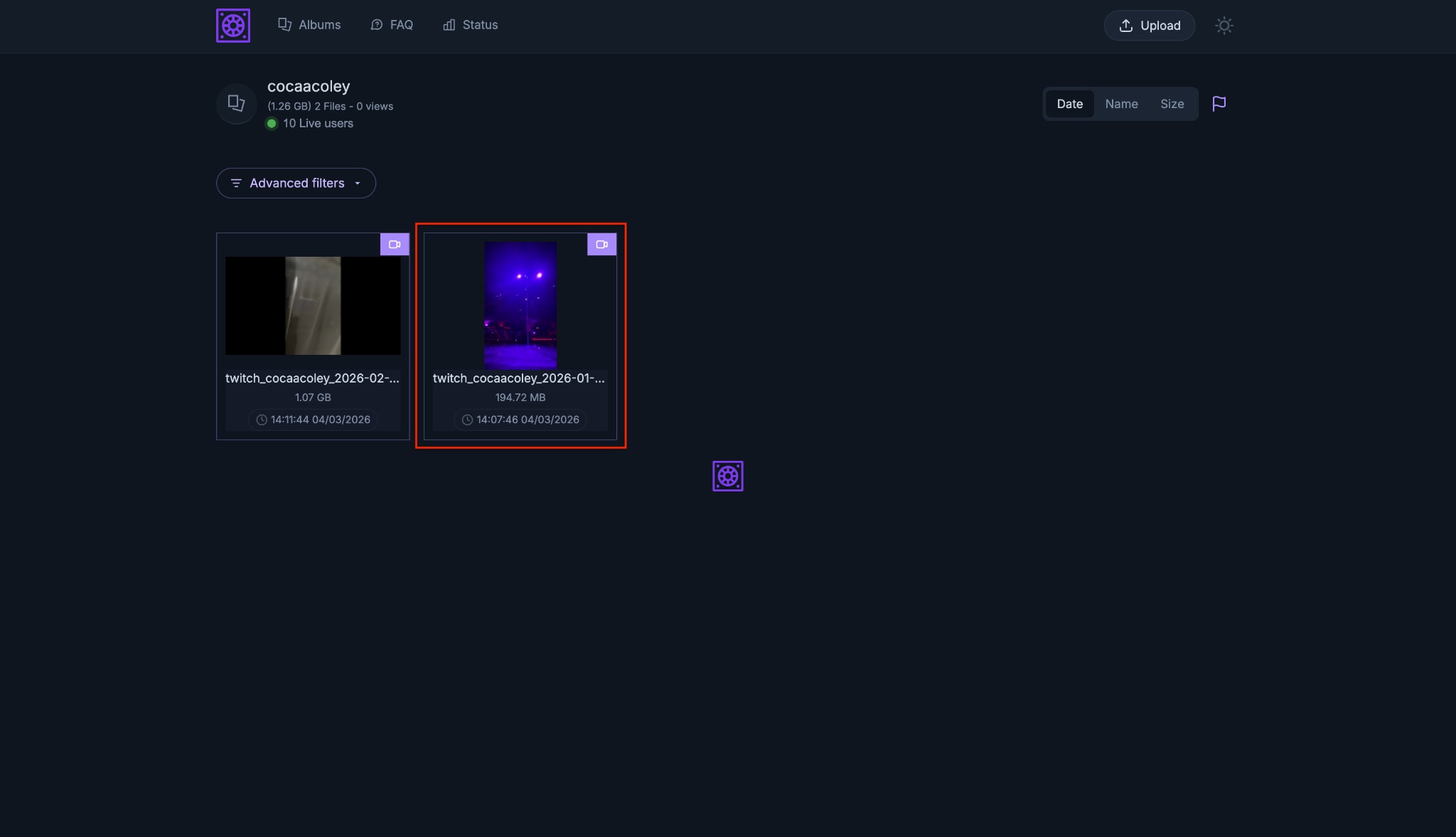
Step 2: Select Your Video
Once the album loads, you will see a grid of all the files stored inside. Browse through the gallery and click on the specific video or image you want to save.
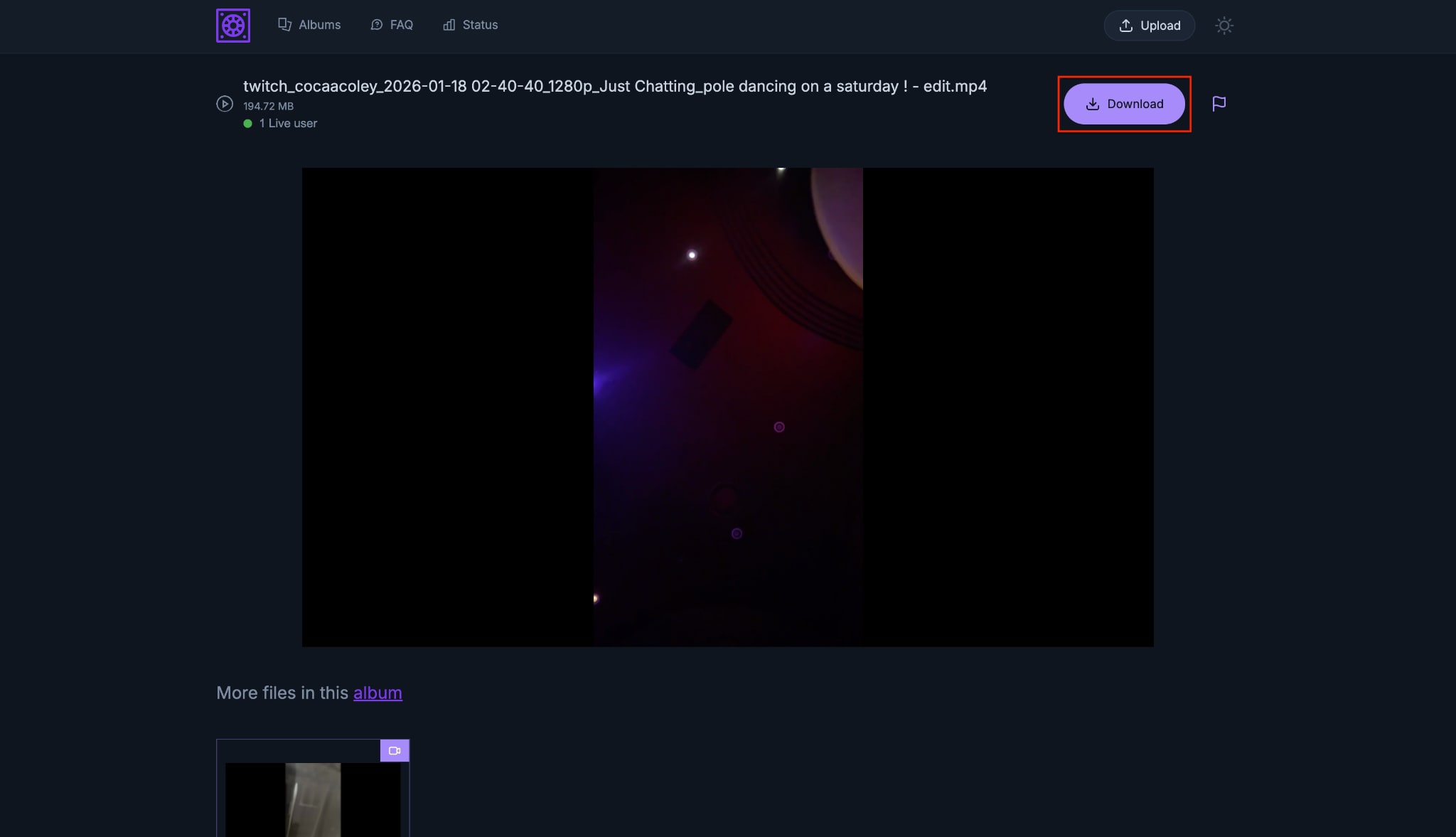
Step 3: Click the First Download Button
The media file will open in a larger preview window on your screen. Look at the top right corner of the page and click the purple "Download" button.
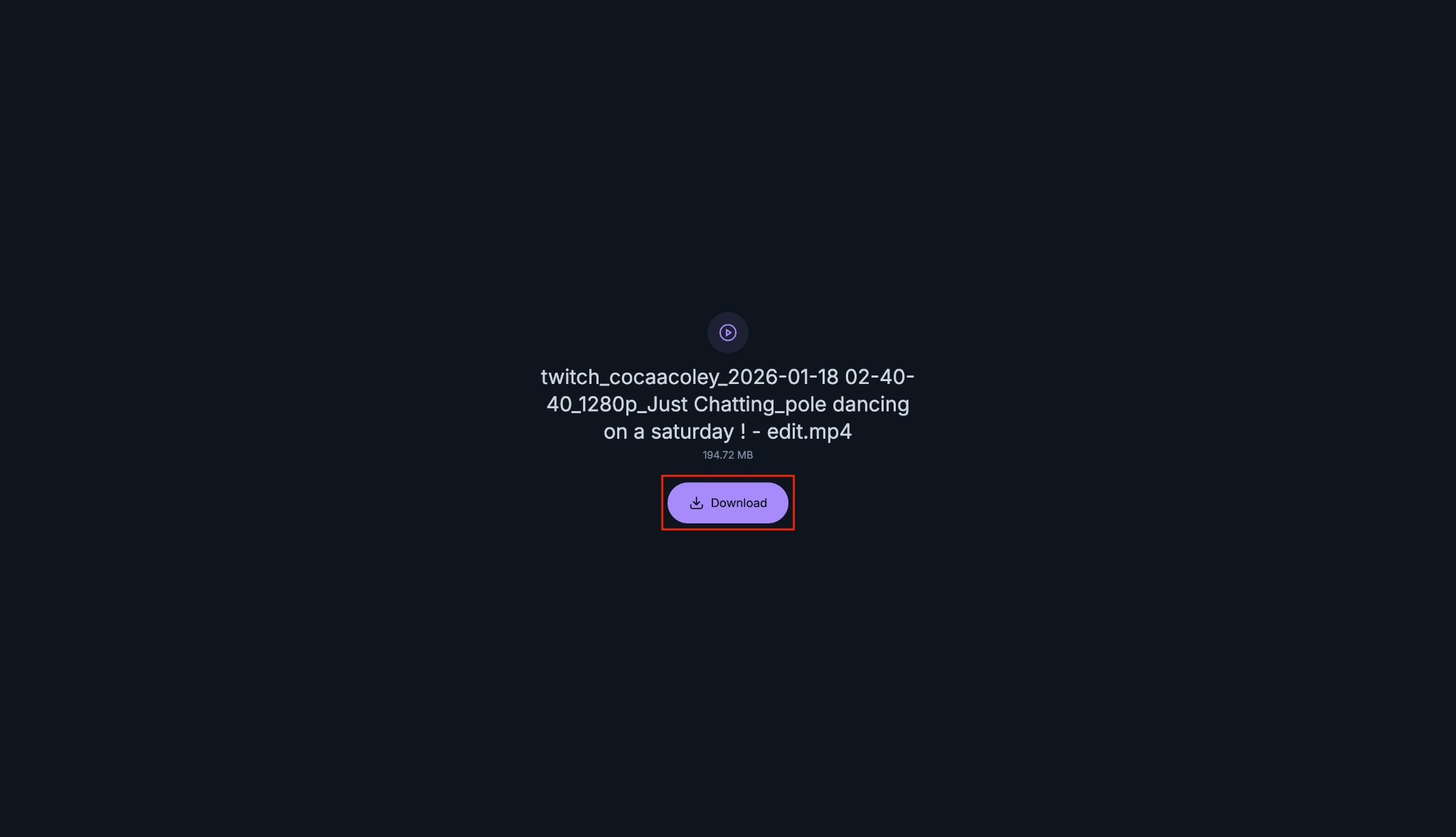
Step 4: Confirm and Save
You will be taken to a final screen showing the file's name and exact size. Click the purple "Download" button in the center of the screen to save the file directly to your device.
Use Browser Developer Tools (Advanced Direct Method)
If the download button is missing, you can use your browser's Developer Tools. This acts as an advanced direct method for a download Bunkr video task.
Step 1: Open the Video Page
Open the video page on Bunkr.
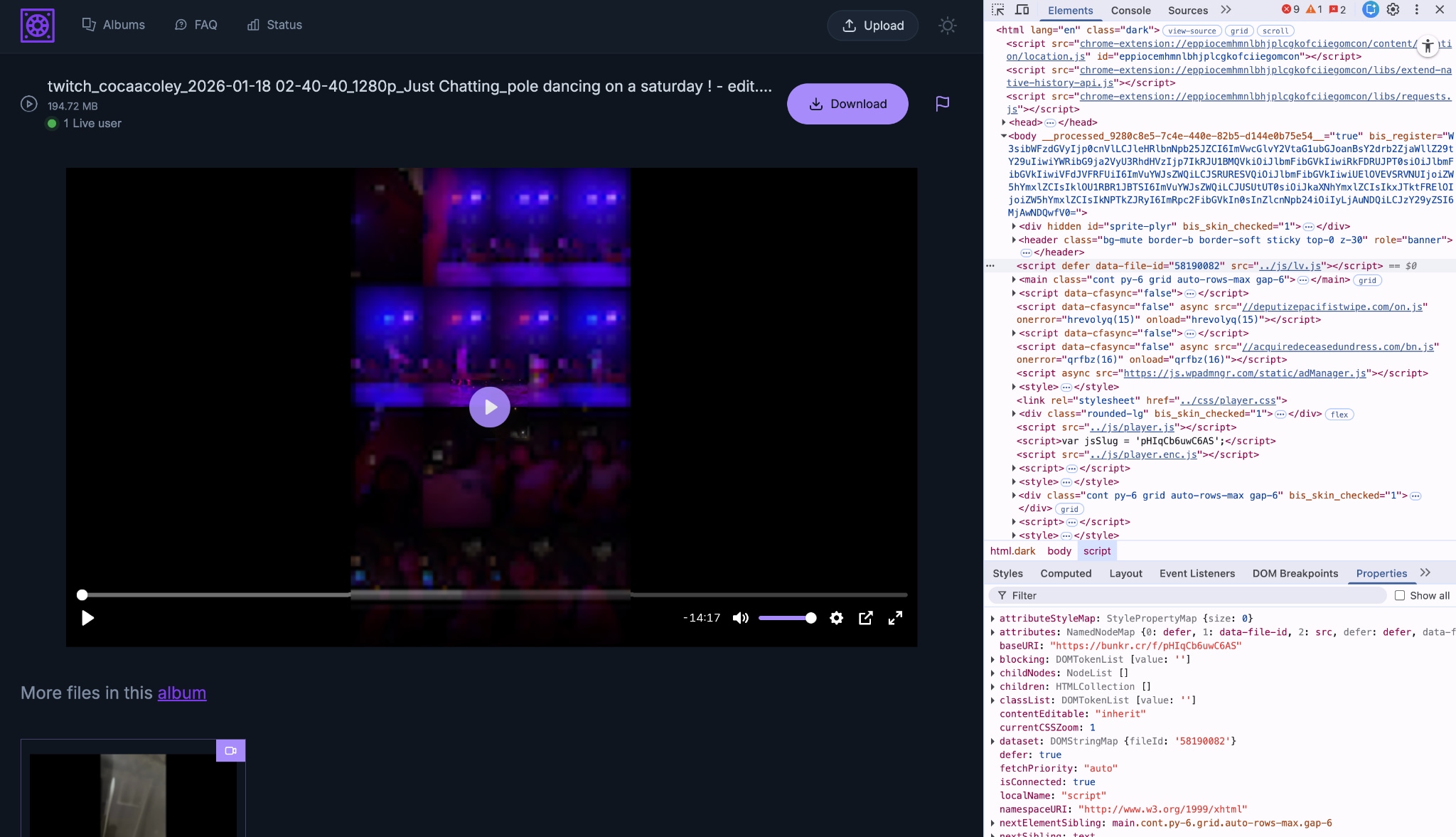
Step 2: Access Developer Tools
Right-click anywhere on the empty space and select "Inspect" (or press F12 (windows) or press Command + Option + I (mac)).
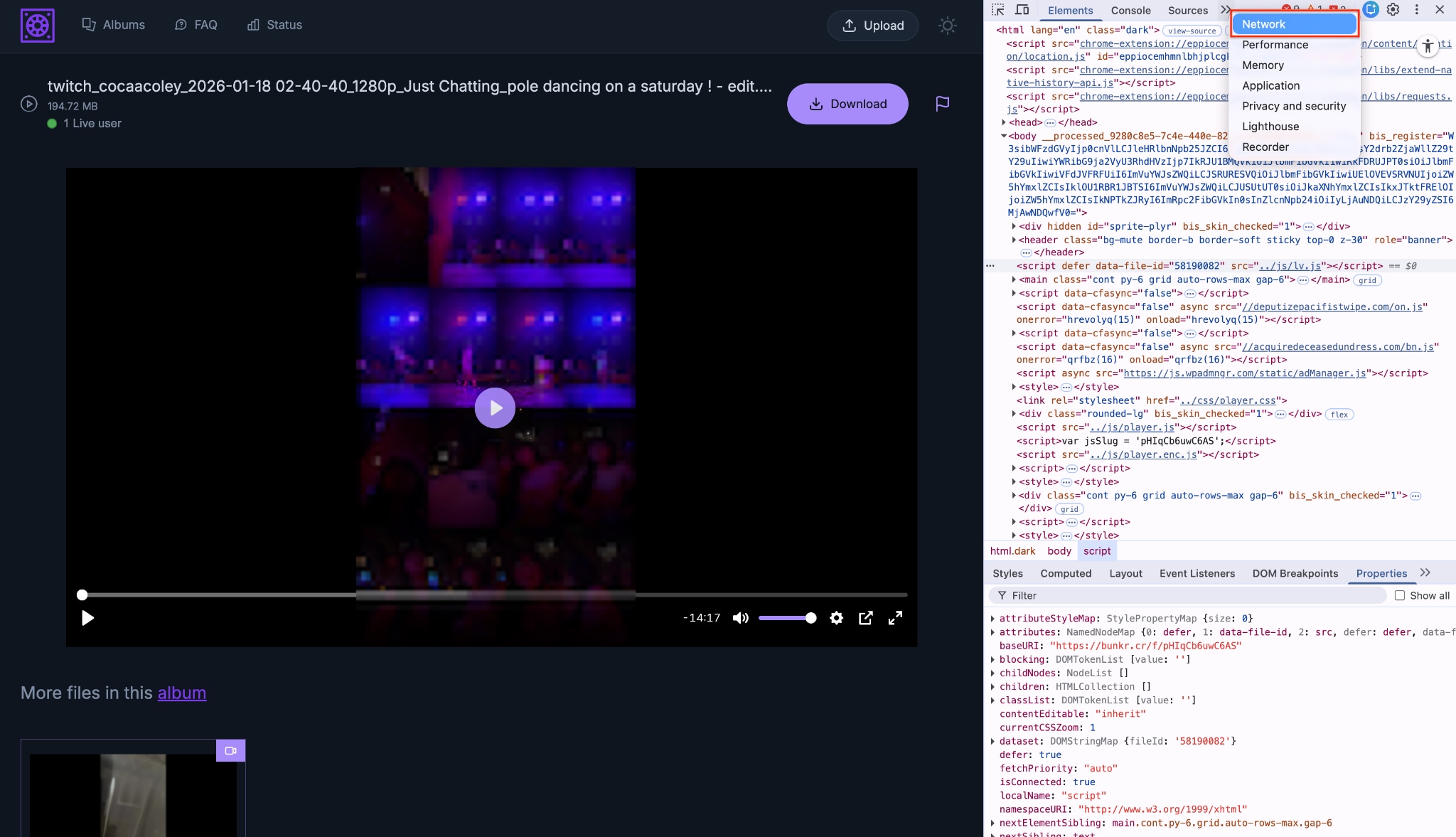
Step 3: Navigate to the Network Tab
Click on the "Network" tab at the top of the developer panel.
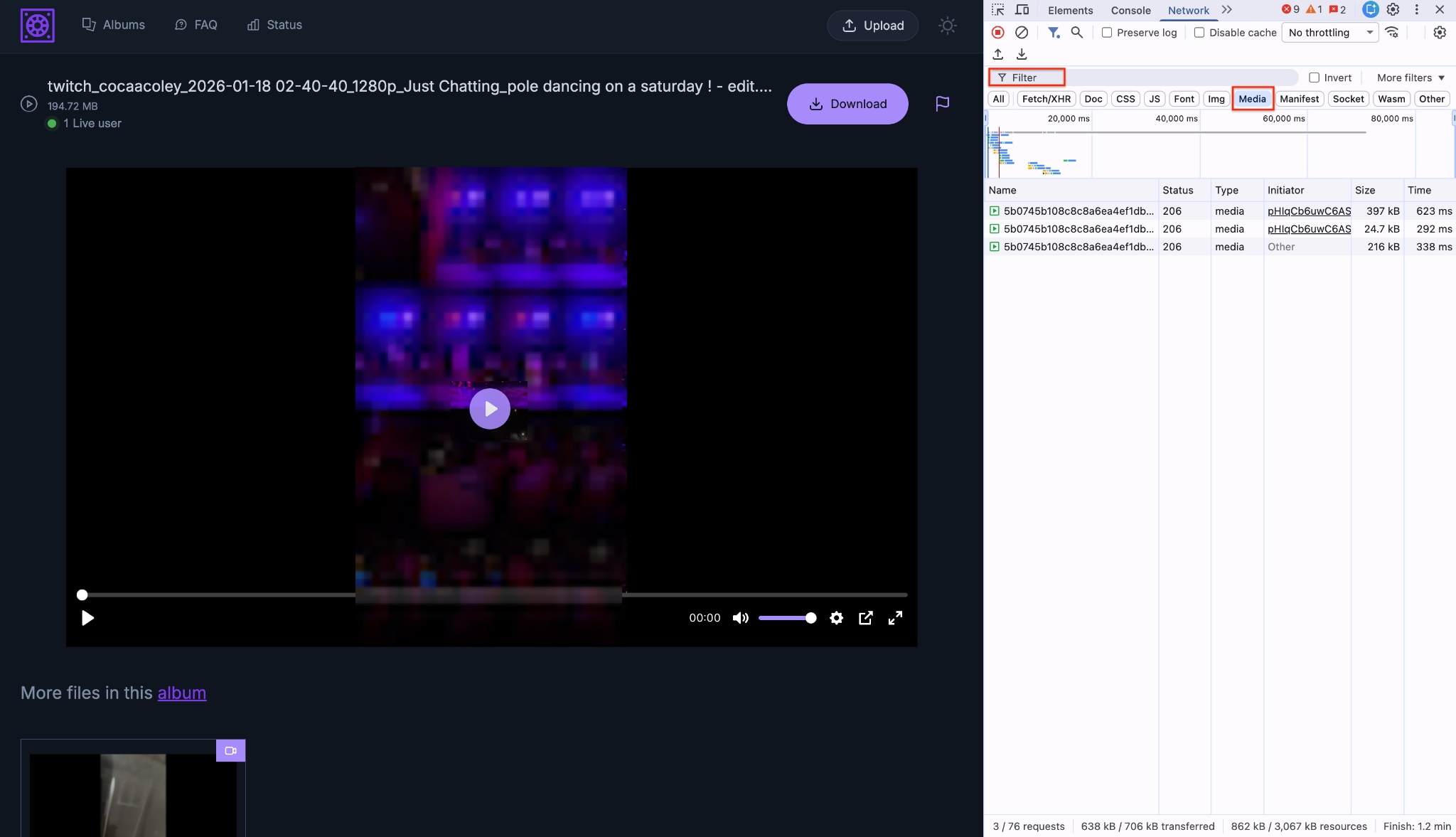
Step 4: Filter for Media Files
Pick the "Media" option from the filter box.
Step 5: Capture the Video Link
Play the video. A media file link will appear in the list.
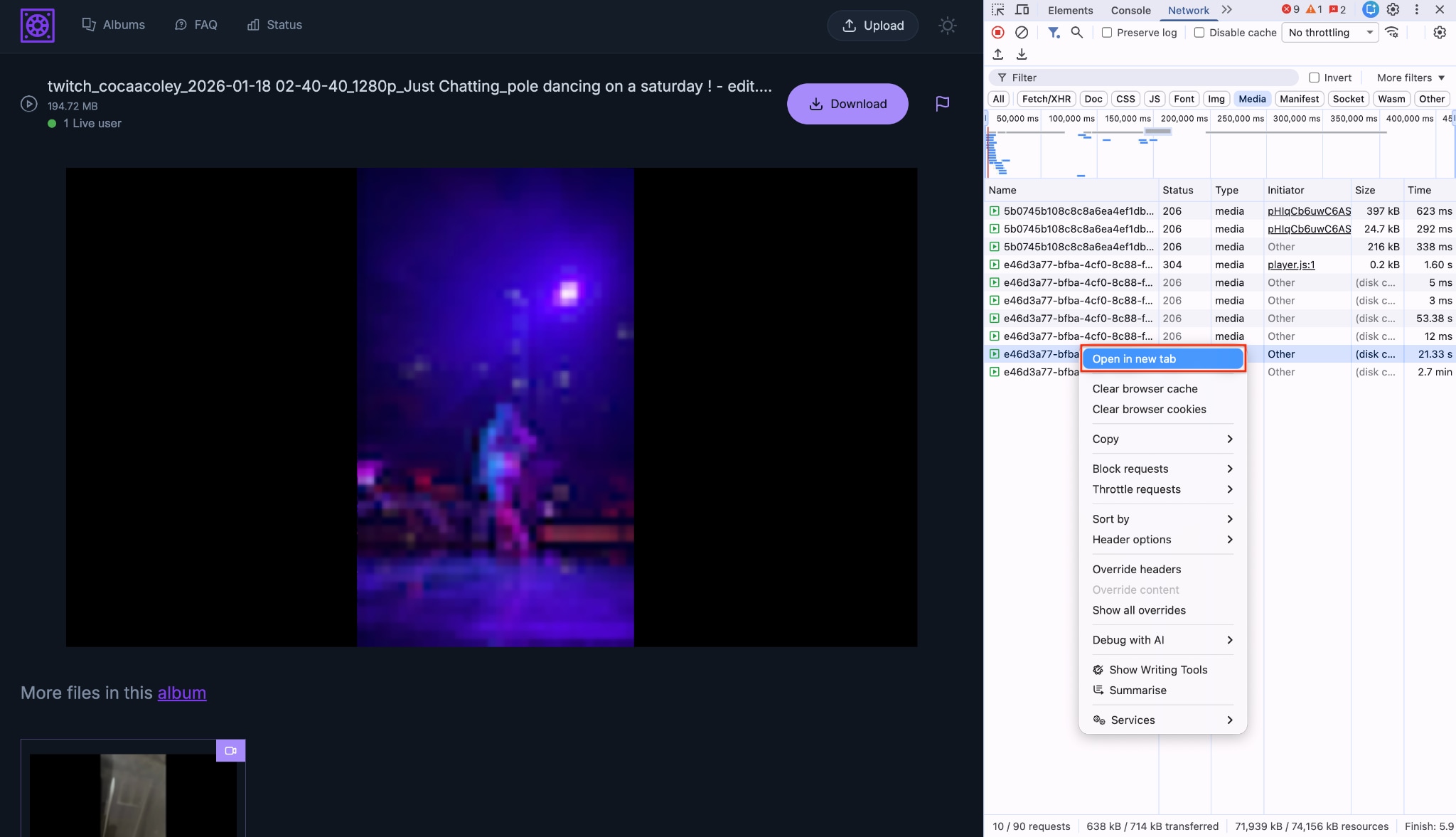
Step 6: Save the Video to Your Device
Right-click that link, choose "Open in new tab," and then right-click the video to "Save video as..." to download it to your device.
Limitations of Direct Download
While safe, this method has notable drawbacks:
- It does not work for full albums.
- It will not bypass password-protected files.
- Some uploaders strictly disable server-side access to the raw file.
- You have to repeat the process manually for every single video.
Method 2: Download Bunkr Albums in Bulk When Links Are Accessible
A Bunkr album downloader is useful when you need to save many public or authorized files from the same album. However, album downloads are harder than single-video downloads because Bunkr pages may load media dynamically, use temporary file URLs, or require you to open each item before the final media link appears.
For the safest workflow, first make sure you have permission to save the content. Then use a desktop downloader or browser-assisted workflow to collect accessible media links, queue them, and manage the downloaded files locally. Do not use any tool to bypass passwords, private albums, or access restrictions.
Why Most Tools Fail With Full Albums
Album pages use dynamic JavaScript rendering. This means the media links do not load until you scroll down or click on them. A basic web scraper only sees the album cover or the first few thumbnails. It cannot "see" the raw files. To achieve a successful Bunkr albums download, you need software that parses these dynamic pages.
Tool 1: Wondershare UniConverter
Wondershare UniConverter is a robust multimedia processing toolbox. While primarily known for its powerful conversion features, it serves as an excellent companion for bulk video downloads. You can install the companion browser extension to grab multiple media links directly from the page. Once you have the files, UniConverter allows you to easily manage, batch convert, and organize them.
Top Video Saver
How to use UniConverter for bunkr album download:
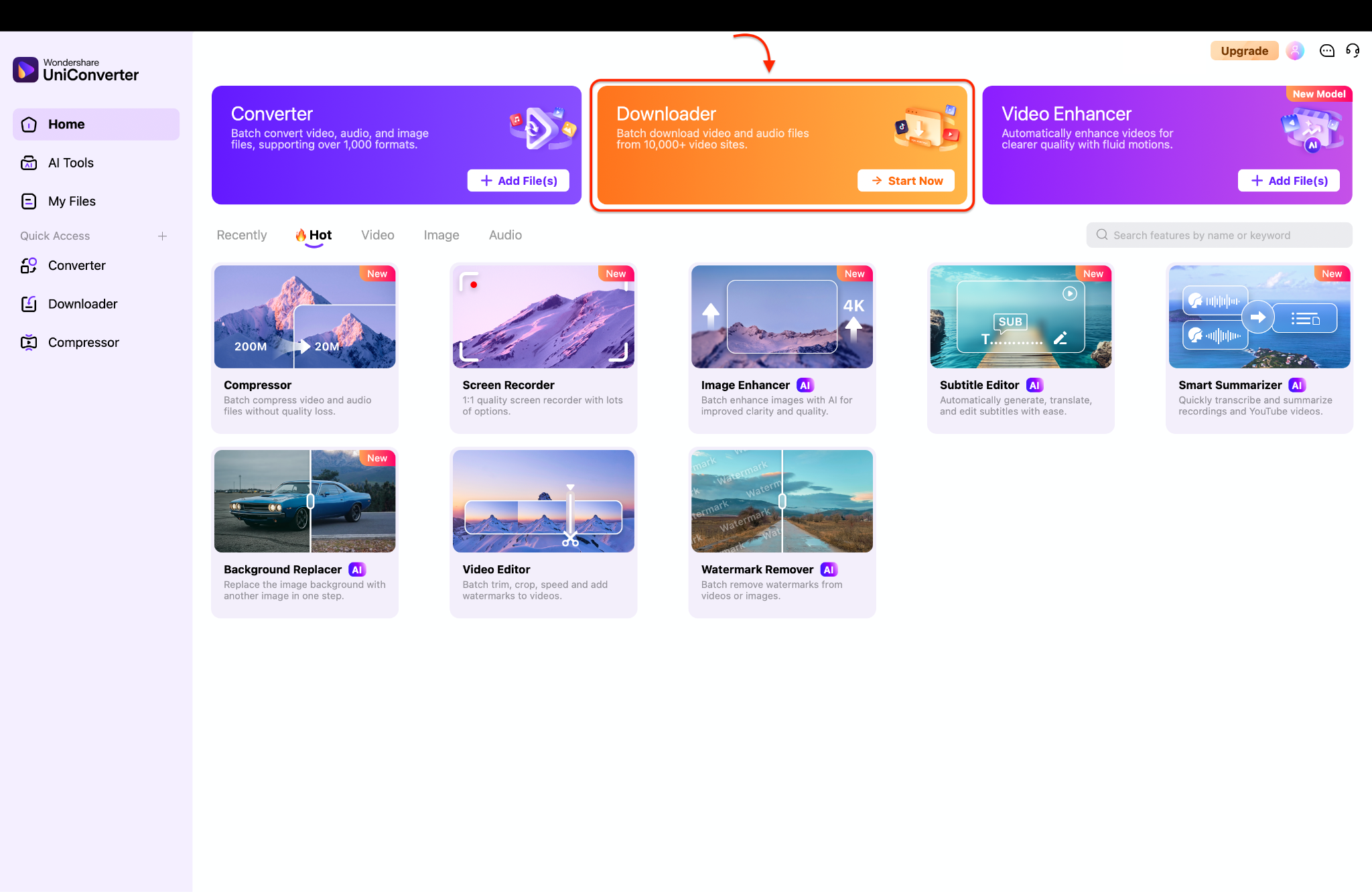
Step 1: Open the Downloader Tool
Open Wondershare UniConverter and go to the main dashboard. Click the Downloader card to open the dedicated download workspace.

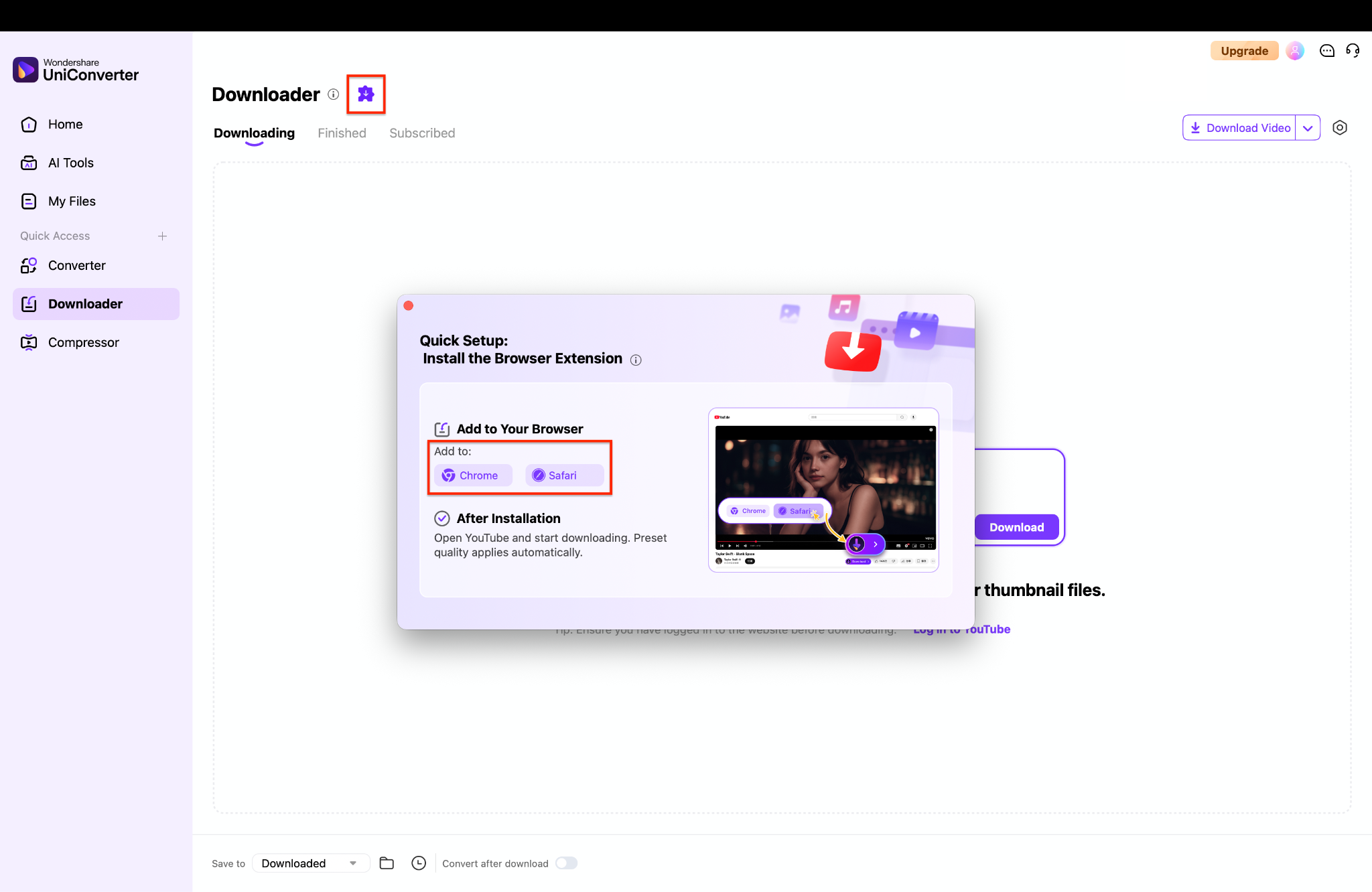
Step 2: Install the Browser Extension
Click the purple puzzle piece icon next to the "Downloader" title to open the quick setup menu. Add the extension to Chrome if you use Windows, or select Safari if you use a Mac. This handy add-on lets you capture media directly from your browser with a single click.
Step 3: Adjust Your Preferences
You can also click the gear icon in the top right corner to access your download settings. Navigate to the "Download" tab to adjust your default video resolution and audio quality.
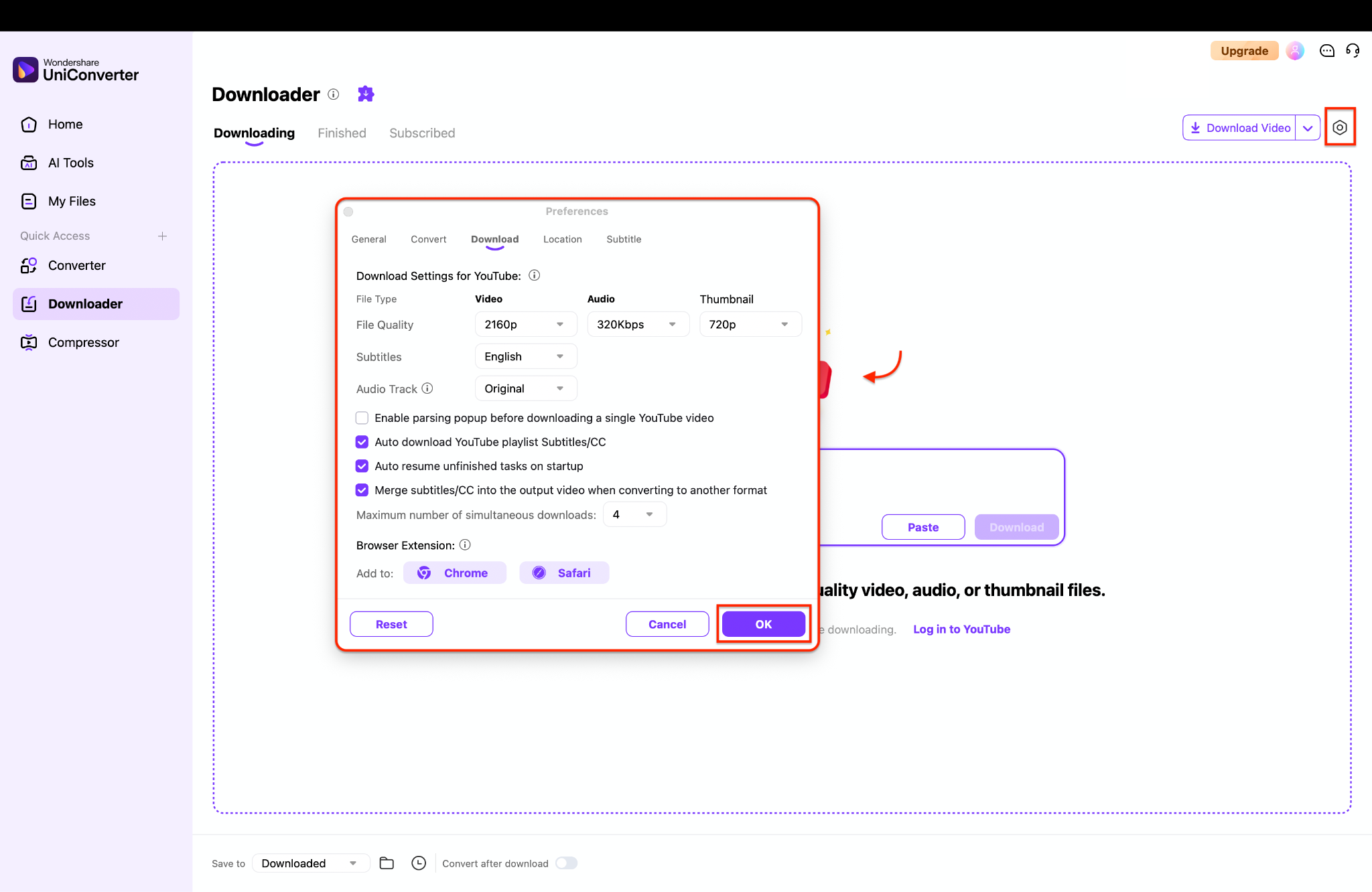
Pro Tip: Increase the maximum number of simultaneous downloads in this menu to process large albums much faster.
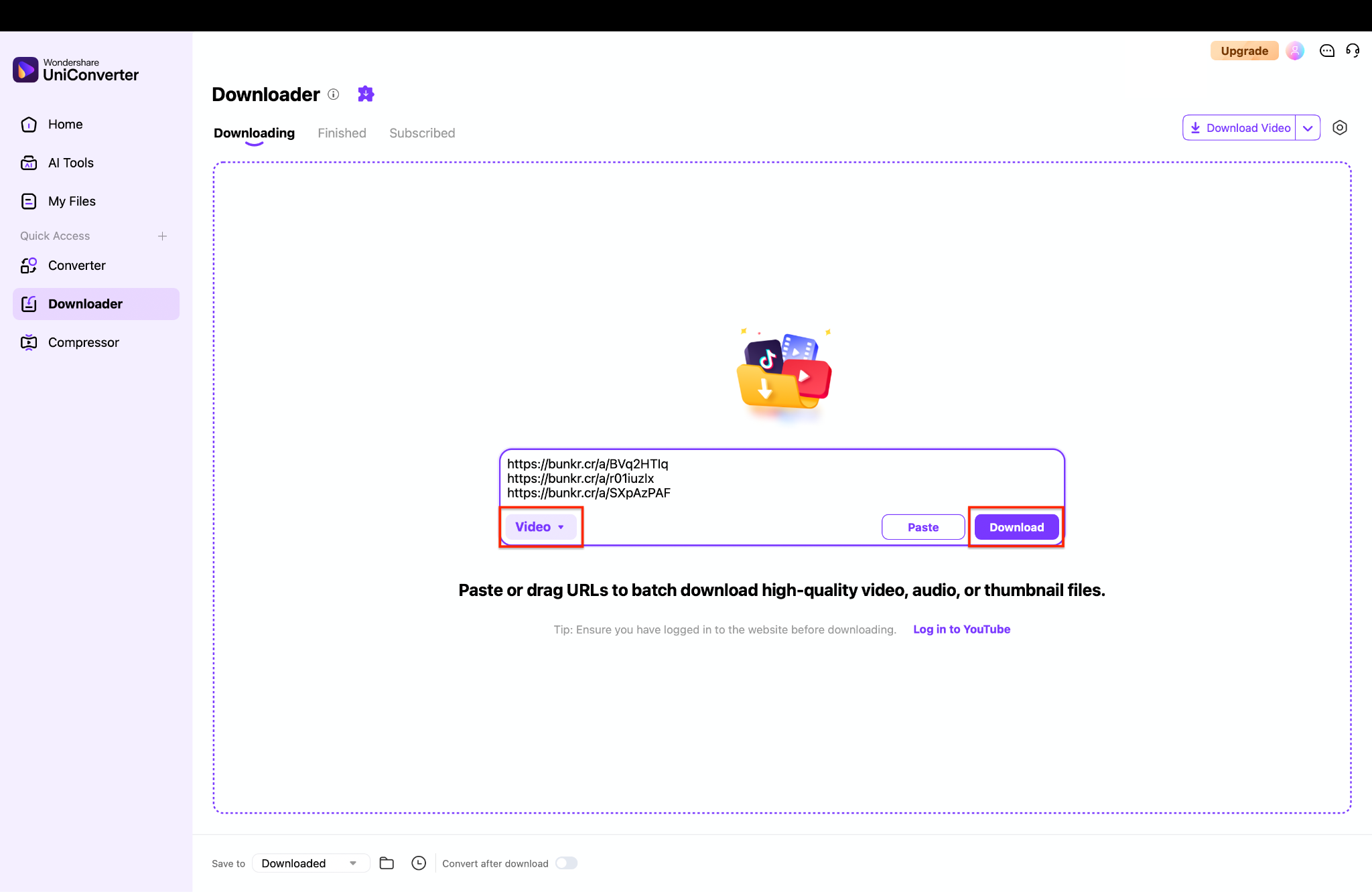
Step 4: Batch Download Your Files
Copy all your desired media links and paste them directly into the central URL box. Ensure the format drop-down menu on the left is set to "Video" before proceeding. Click the purple "Download" button to quickly batch save all your pasted files at once.


Tool 2: JDownloader 2
JDownloader 2 is a free, open-source download management tool. It is widely used as a Bunkr album downloader because its "LinkGrabber" feature can parse complex web pages and extract all associated media links at once.
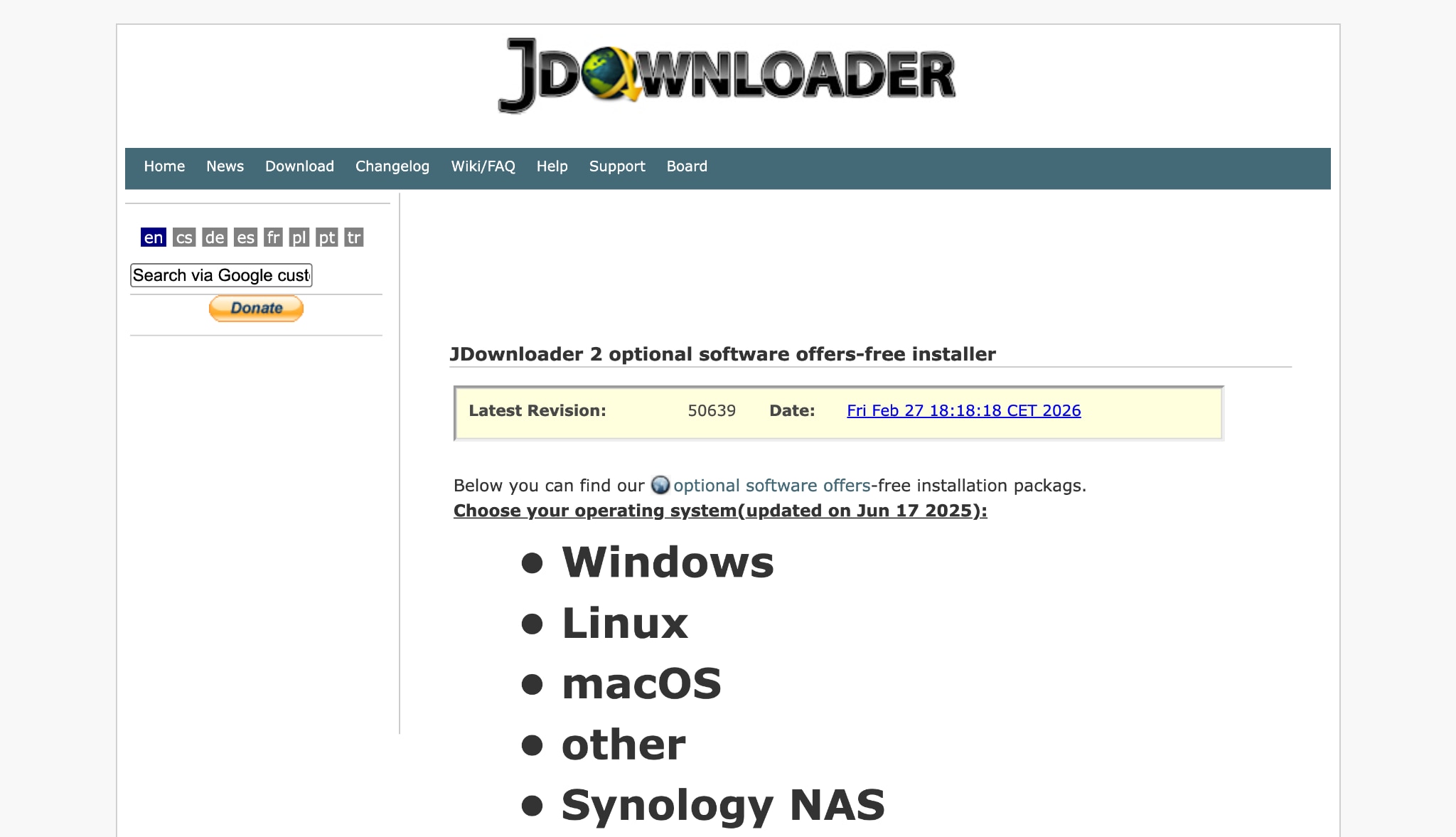
How to use JDwnloader to download a Bunkr album:
- Install and open JDownloader 2.
- Copy the URL of the Bunkr album.
- The software will automatically intercept the clipboard and analyze the link in the "LinkGrabber" tab.
- Review the fetched files, right-click, and select "Start Downloads."
Method 3 – Use an Online Bunkr Downloader (Tested)
If direct methods fail, a Bunkr downloader online is your next best option. These web-based tools process the link and extract the media file for you.
Tool 1: PasteDownload
PasteDownload is a popular web utility. It supports various sites and can often handle a standard Bunkr video download. It processes the link quickly and offers different resolution options if available.
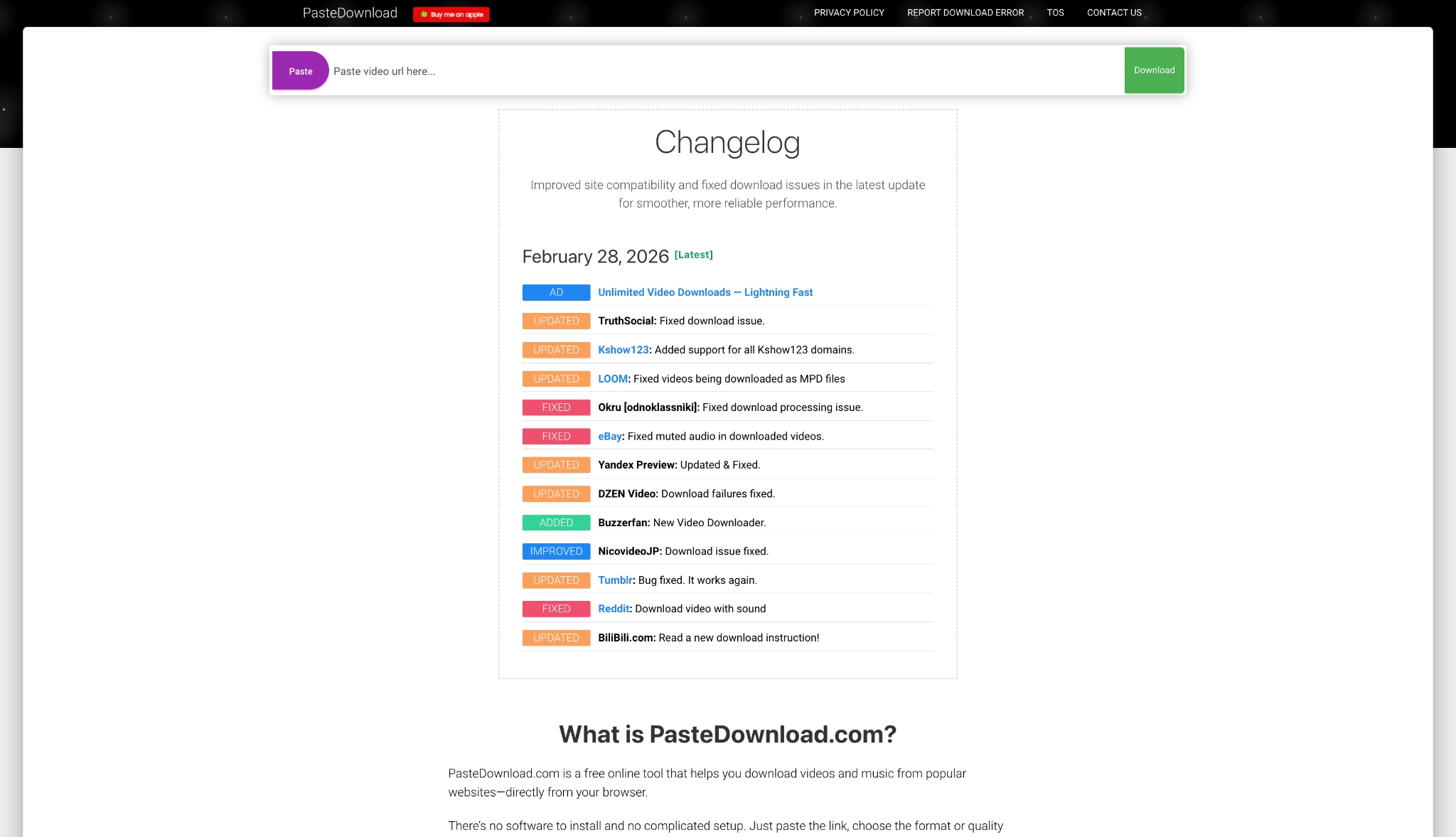
How to use PasteDownload to save bunkr video:
- Copy the URL of the specific Bunkr video.
- Go to the PasteDownload website.
- Paste the URL into the search bar and click "Download."
- Wait for the tool to fetch the file, then click the final save button.
Tool 2: TubeOffline
TubeOffline is an older but reliable web service. It helps you download Bunkr files when newer sites face server blocks.
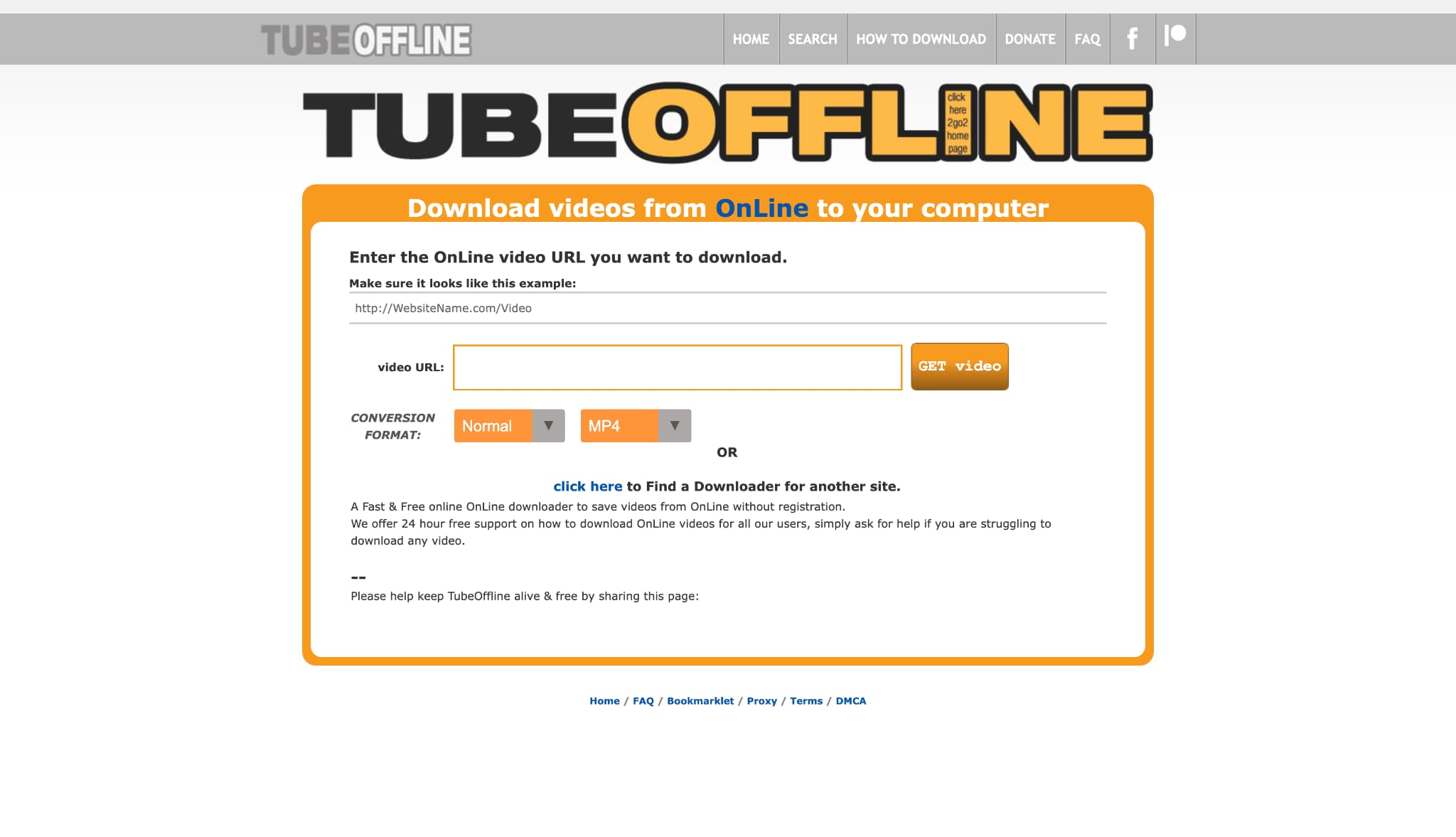
How to use:
- Copy your Bunkr media link.
- Navigate to TubeOffline and paste the link.
- Select your desired output format (like MP4).
- Click "Get Video" and save the file.
Method 4 – Browser Extension for Quick Bunkr Video Download
If you frequently save files, browser extensions are highly efficient. They detect media playing on the page and offer a direct save button, making a download Bunkr video task seamless.
Extension 1: Video DownloadHelper
Video DownloadHelper is a staple extension for Chrome and Firefox. It detects streaming media and creates a downloadable link on the fly.
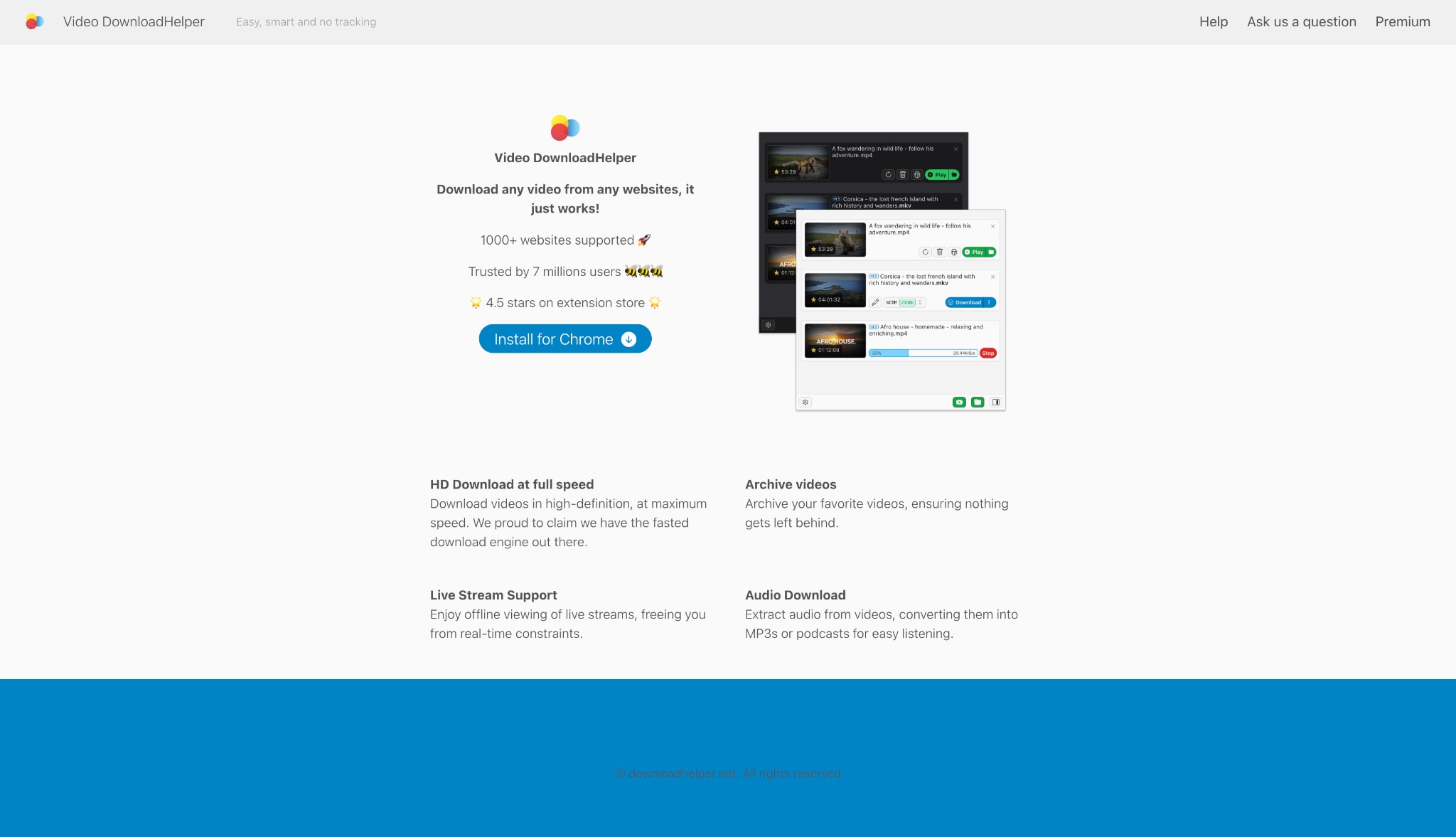
How to use:
- Install the extension from your browser's web store.
- Navigate to the Bunkr video you want to save and press play.
- Click the colored extension icon in your toolbar.
- Select the file size you want and click download.
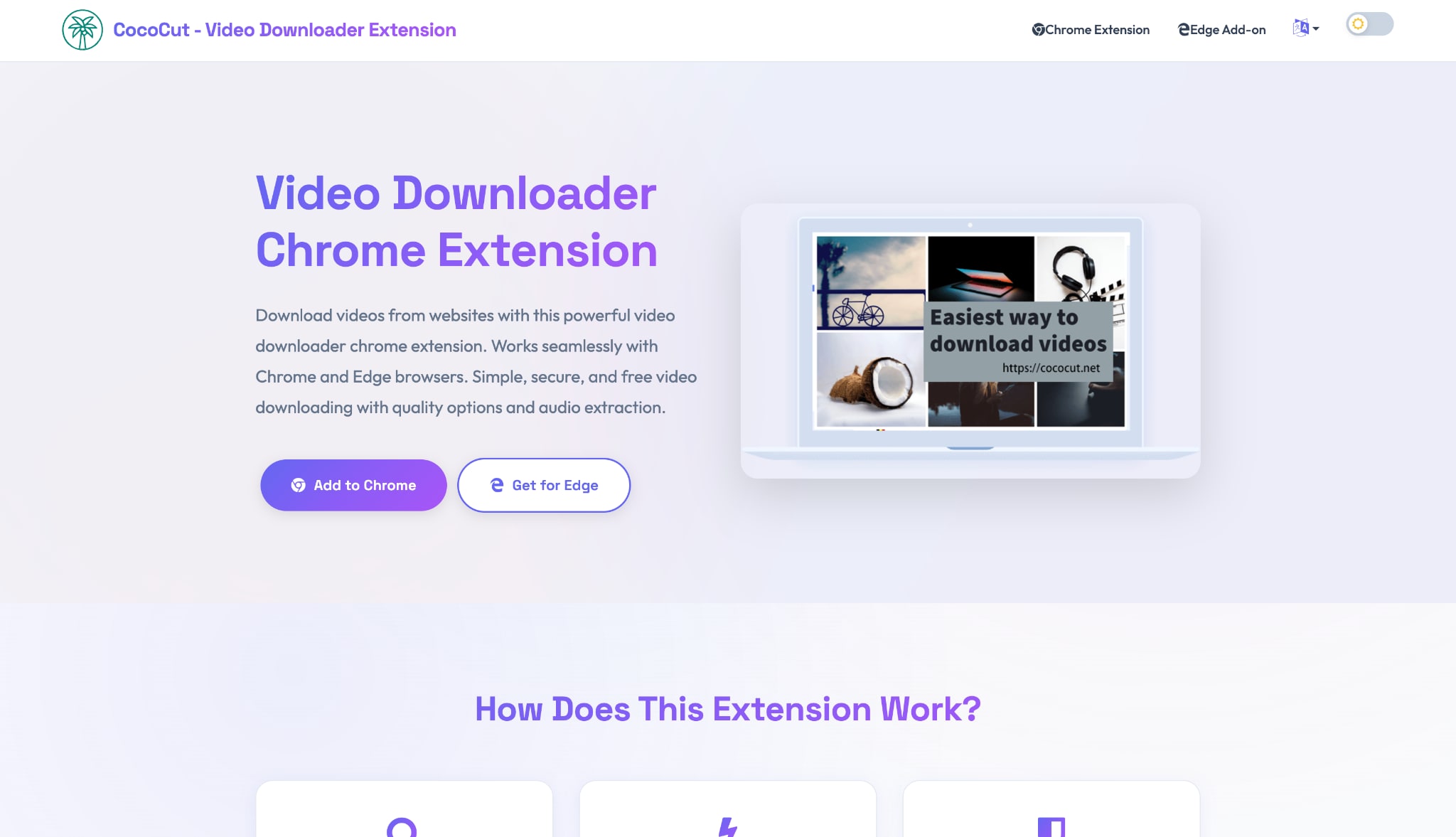
Extension 2: CocoCut
CocoCut is a browser-based video detector that can help capture media streams when a standard download button is not available. It forces the browser to cache the video fragments and stitches them together for you.
How to use:
- Add CocoCut to Google Chrome.
- Open your target Bunkr media page.
- Click the CocoCut puzzle piece icon.
- Choose "Force Download" if standard detection fails.
Bunkr Download Not Working? Fix Failed Player, Stopped Downloads, and Missing Buttons
If your Bunkr download does not start, the video player fails to load, or the download stops halfway, the issue is usually caused by an expired file link, server timeout, browser blocking, or a dynamically loaded media page. Try the fixes below before switching tools.
| Problem | Possible reason | What to try |
| Bunkr failed to load player | The media file may be temporarily unavailable, blocked by the browser, or removed by the uploader. | Refresh the page, disable conflicting extensions, try another browser, or check whether the file still opens normally. |
| Download button is missing | The uploader may not provide a direct download option, or the file may require opening in a separate page. | Open the media item directly and use only public or authorized download options. |
| Download stops halfway | Large files may be interrupted by server timeout, weak connection, or browser download limits. | Use a stable network and a download manager that supports resume for authorized files. |
| Online Bunkr downloader fails | Many online tools cannot parse dynamic album pages or temporary media URLs. | Try a desktop workflow or download single files manually when the album cannot be parsed. |
Is It Safe to Use a Bunkr Downloader?
A Bunkr downloader can be safe when you use it only for public or authorized files and download from trusted sources. The risk usually comes from fake online download buttons, cloned downloader sites, aggressive ads, or extensions that request unnecessary browser permissions.
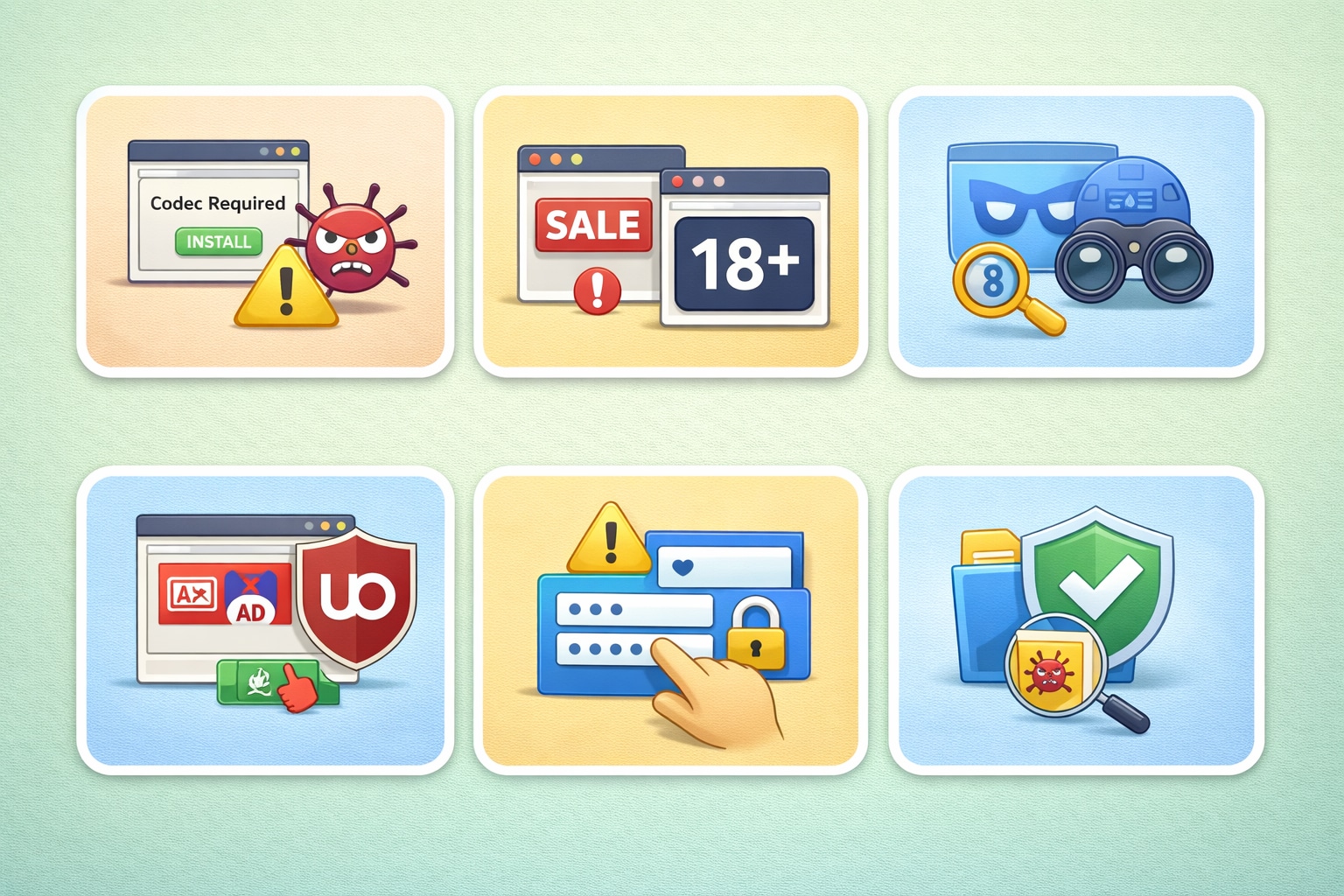
- Do not enter your account, password, or personal information into a third-party downloader.
- Avoid tools that ask you to install unknown codecs, plugins, or “required” media players.
- Review browser extension permissions before installing.
- Scan downloaded files before opening them, especially executable or compressed files.
- Do not use any downloader to bypass passwords, private albums, or copyright restrictions.
Can You Download Private Bunkr Albums?
Some content on Bunkr is restricted. You might wonder if a Bunkr albums downloader tool can bypass these restrictions.
If an album is password-protected, you cannot download it without the access key. Bunkr uses tokenized URLs. This means the server generates a unique, temporary link for authorized users. A standard downloader cannot guess this token.
Always ensure you have the right to download the content. Respect privacy settings and copyright laws. If you have the password, you must enter it in your browser first to unlock the page, and then use your chosen extension or tool to grab the files.
FAQs about Bunkr Download
1. What is the best Bunkr downloader for full albums?
For full albums, use a desktop or batch-friendly downloader that can queue multiple accessible media links. Online Bunkr downloader tools are usually better for single files and may fail with large or dynamically loaded albums.
2. How do I download all files from a Bunkr album?
Open the public or authorized album, collect the accessible media links, and use a batch downloader or browser-assisted workflow to queue the files. Do not try to bypass passwords, private albums, or restricted files.
3. Why does Bunkr say failed to load player?
This can happen when the media link expires, the file is removed, the server times out, or a browser extension blocks the player. Refresh the page, try another browser, disable conflicting extensions, and check whether the file still opens.
4. Can I use a Bunkr downloader online without installing software?
Yes, some online tools can process a single Bunkr video or file link. However, they may show ads, fail with full albums, or struggle with large files. Avoid any online downloader that asks for login details.
5. Can I download private Bunkr albums?
No downloader should be used to bypass private albums, passwords, or access restrictions. If you have permission and the access key, open the album normally first, then save only the files you are authorized to download.
6. Is it legal to download Bunkr videos or files?
The tool itself is not the issue; legality depends on the content and your permission to save it. Download only your own files, public domain content, or files you are explicitly allowed to keep.
Conclusion
A reliable Bunkr download workflow depends on what you want to save. For one public video or file, direct download is usually the safest method. For a full Bunkr album download, a desktop or batch-friendly workflow can be more efficient when the media links are accessible. Always avoid fake download buttons, review extension permissions, and download only content you own or are authorized to save. If you also need to convert, compress, or organize downloaded media, UniConverter can help manage those files in one desktop workspace.

