

This is a feature-based comparison using public product information and the product interfaces shown below. It is not a controlled download-speed benchmark. Available formats, resolutions, and compatibility depend on the source video and current product support.
Looking for a Rutube downloader? Your options range from desktop software with download queues and local media tools to online services that work directly in a browser. Some tools have dedicated Rutube pages, while others support multiple video platforms and offer different format or audio options.
This guide compares 10 tools, explains what each one offers, and walks you through the supported-link workflow in Wondershare UniConverter. Before choosing a tool, check the options returned for the specific video: a service's advertised maximum resolution does not mean every Rutube video is available in that quality.
How We Chose the Best Rutube Video Downloaders
A useful Rutube downloader should do more than accept a URL. We considered each tool's published Rutube support, platform, output controls, download management, and ease of use.
- Rutube relevance: a dedicated Rutube page, an official supported-site listing, a documented Rutube workflow, or a published compatibility update.
- Platform and workflow: desktop software or a browser-based service.
- Output options: documented video containers, audio formats, and quality controls.
- Download management: queues, multiple URL inputs, batch options, and completed-file lists.
- Ease of use: whether you need to install software, create an account, or configure additional tools.
This is a feature-based comparison using public product information and the interfaces shown below. It is not a controlled speed or success-rate test. Actual download options can vary by video source and product updates.
Rutube Official Offline Viewing vs. Portable Video Files
First, decide whether you need offline playback inside the Rutube app or a separate media file that you can manage on a computer. These are different outcomes. Rutube's official offline feature saves eligible videos inside its Android app; it does not export a standalone MP4 file to your device gallery.
| Question | Rutube Offline Viewing | Portable Video File |
|---|---|---|
| Where it works | Inside the Rutube Android app for eligible signed-in users in Russia. | On a computer or compatible device after an authorized file has been obtained. |
| What is saved | An offline copy stored inside the app. | A separate media file, if an authorized export or download route provides one. |
| Quality | Up to 720p for the official in-app offline feature. | Depends on the source and the available export options. |
| Can you open it in another app? | No. The offline save stays inside the RUTUBE app. | Yes, if the file uses a format supported by the target app. |
| Can you share it as a file? | No. Sharing an offline save sends a link, not the video file. | File sharing depends on your rights and the receiving service. |
Rutube's offline-viewing information states that saved videos are kept in the app for 30 days and may be removed sooner if the owner deletes the video or disables offline saving. Shorts are not supported by the official offline feature. Check the RUTUBE Offline Viewing FAQ for the current eligibility and usage conditions.
10 Best Rutube Video Downloaders Compared
Use this table to narrow down the tools by platform and workflow. The listed features reflect public product information and the interfaces reviewed for this article; actual Rutube availability and output options depend on the source and current product support.
| Tool | Platform | Rutube-Related Fit | Best For |
|---|---|---|---|
| Wondershare UniConverter | Windows, macOS | Supported individual Rutube video-page URLs; batch URL input; Downloading and Finished lists; local conversion | Desktop downloads and media management |
| EaseUS Video Downloader | Windows, macOS | Rutube downloads; quality presets; batch-download control; task progress | Desktop quality controls |
| FileShot.io | Online | Video and audio choices; subtitle options; paid-tier batch URL analysis | Online format and subtitle options |
| Get-Save.com | Online | Rutube page; MP4, WEBM, and 3GP; source-available resolution choices | Format and resolution selection |
| Vidomon | Online | Dedicated Rutube page; URL input; available format and quality choices | Simple Rutube-specific workflow |
| Bolta.ai | Online | Rutube URL extraction; multiple platform tools; AI content repurposing | Downloading and content reuse |
| A2Z Tools | Online | Rutube URL input; video and audio output options; no sign-up for basic use | No-sign-up format choices |
| Keepv.id | Online | Rutube URL input; returned formats and bitrates | Simple URL-based selection |
| PasteDownload.com | Online | Multi-site URL input; Rutube compatibility fix listed in changelog | Multi-platform URL processing |
| Online-Downloader.com | Online | Rutube to MP4, MP3, 3GP, and other format pages | Rutube format conversion options |
UniConverter's Rutube Downloader is a Windows and Mac desktop feature. Its batch input accepts multiple supported individual video-page URLs, one URL per line. This does not mean that a channel or playlist URL can be processed as a batch.
1. Wondershare UniConverter – Best for Desktop Downloads and Media Management
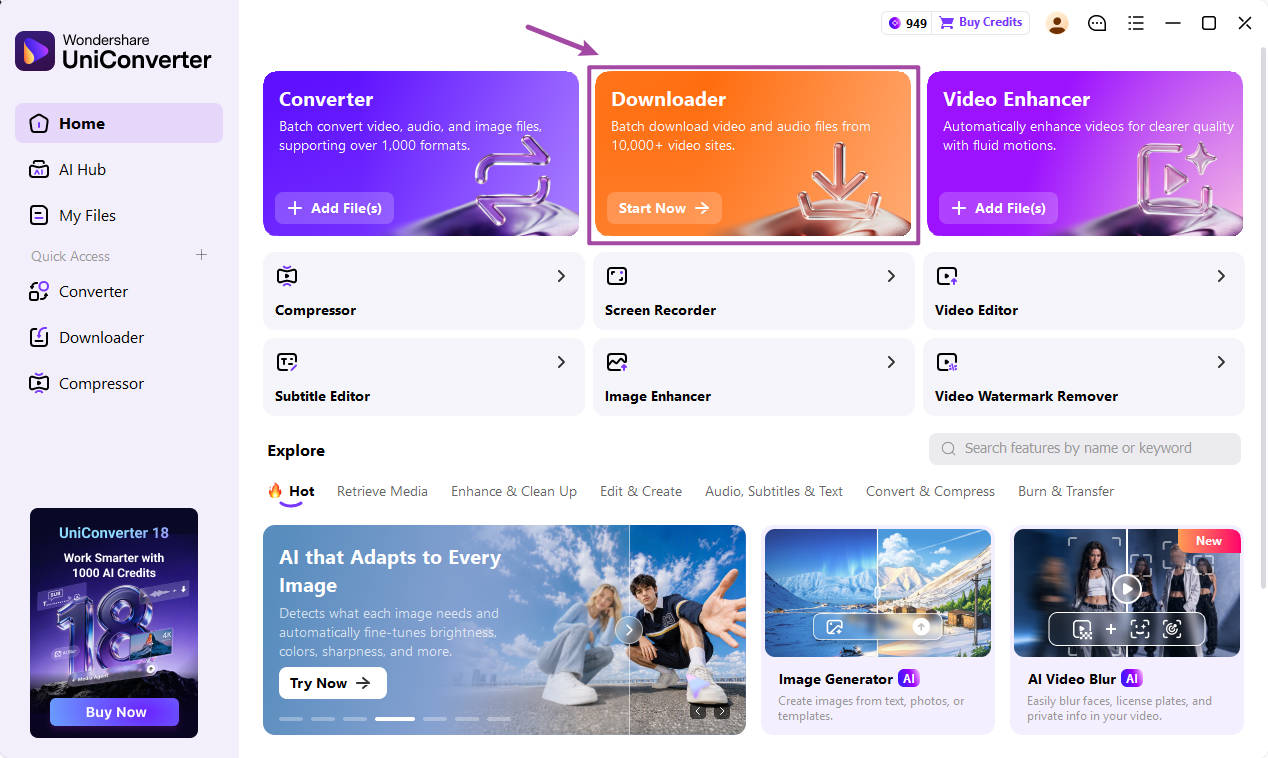
Best for: users who want a Windows or Mac desktop workflow for supported Rutube video-page URLs, multiple eligible links, and local media management.
Wondershare UniConverter brings supported video-link downloading and local media tools into one desktop application. For Rutube, start with a supported individual video-page URL. Copy the page address, open Downloader, and paste the link. UniConverter analyzes supported links and shows the formats and resolutions available for that source.
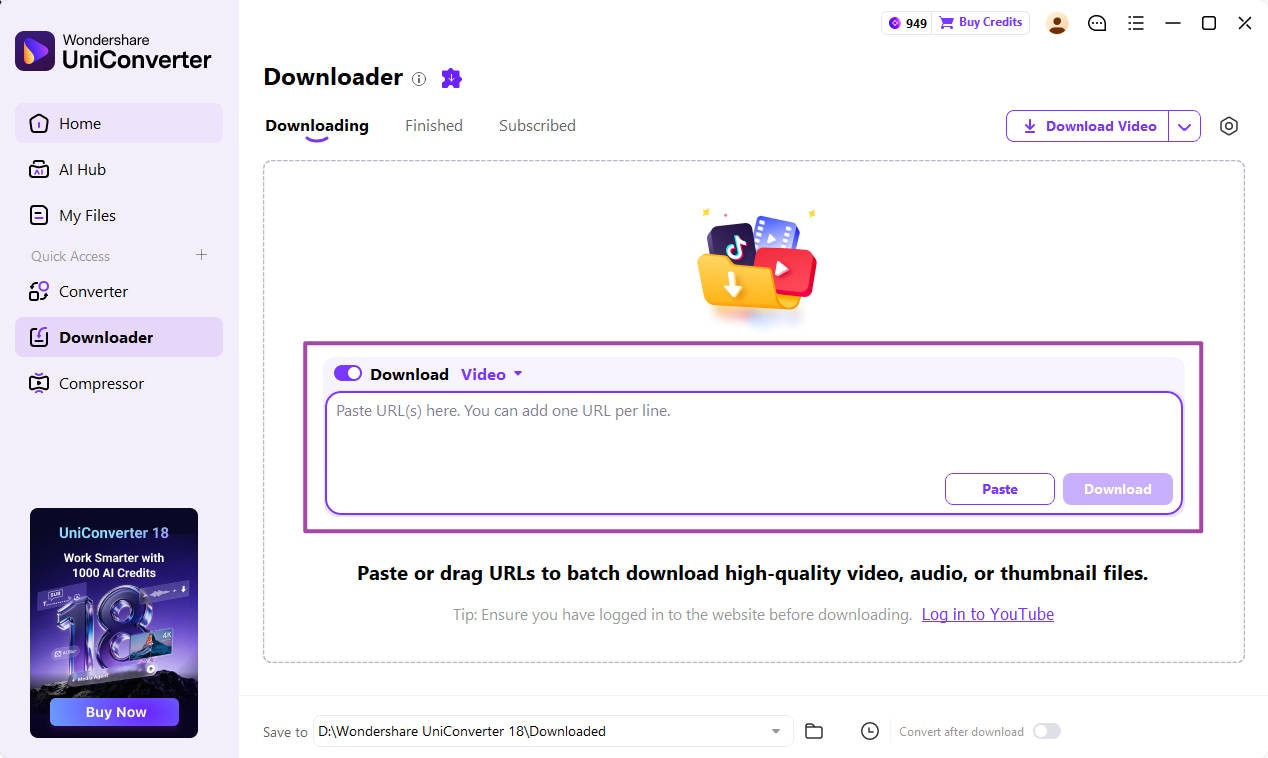
You can also add multiple supported individual video-page URLs, one per line, to the batch download workflow. A list of individual video links is different from a channel or playlist URL. Monitor active tasks under Downloading and find completed files in Finished. If you need another format, continue with UniConverter's local Converter after obtaining a file you are authorized to process.
The Rutube download workflow is designed for Windows and Mac. For current URL requirements and product details, see the UniConverter Rutube Video Downloader page.
- Pros: combines supported Rutube link downloads with local media management; accepts multiple supported individual video URLs in batch input; shows source-available formats and resolutions; keeps active and completed tasks organized in Downloading and Finished; lets you continue with local conversion in the same app.
- Cons: requires desktop installation; only supported individual video-page URLs can be processed; available formats and quality depend on the source.
Download supported Rutube videos with UniConverter
Paste supported individual Rutube video-page links, add multiple URLs one per line, review the available source options, and manage your saved media alongside local conversion tools.
2. EaseUS Video Downloader – Best for Desktop Quality Controls and Batch Downloads
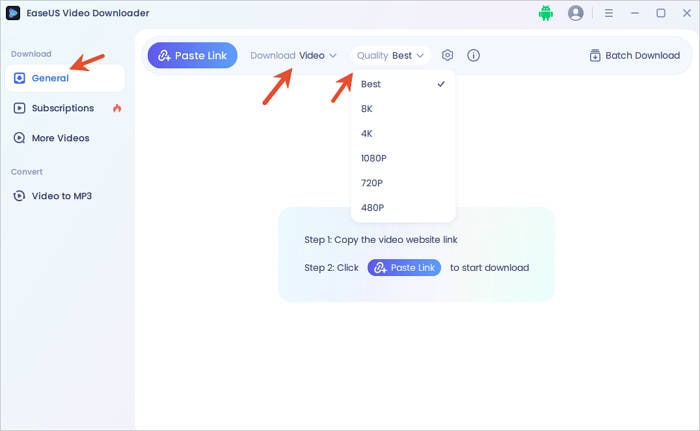
Best for: users who prefer a desktop downloader with visible quality presets and a batch-download control.
EaseUS Video Downloader provides a desktop interface for pasting video links, choosing an available quality option, and managing download tasks. Its interface shows presets such as Best, 8K, 4K, 1080p, 720p, and 480p, along with a Batch Download control. The actual quality available for a Rutube video depends on the source.
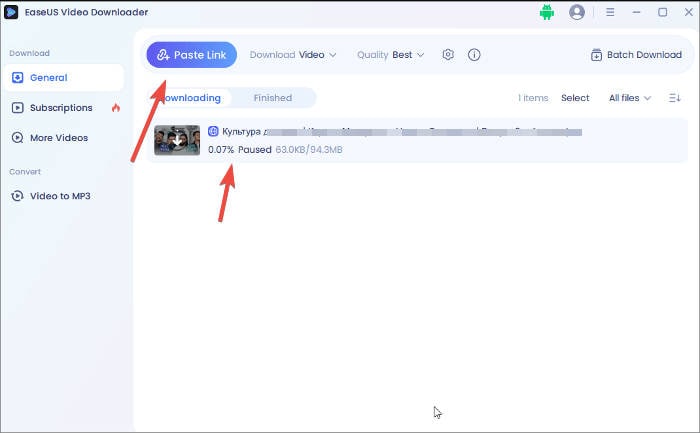
- Pros: provides visible quality presets; includes a batch-download control; shows active download progress; offers a separate Video to MP3 workflow.
- Cons: requires desktop installation; the quality menu does not guarantee that every Rutube source provides every listed resolution; available features and usage limits depend on the product plan.
3. FileShot.io – Best for Online Format and Subtitle Options
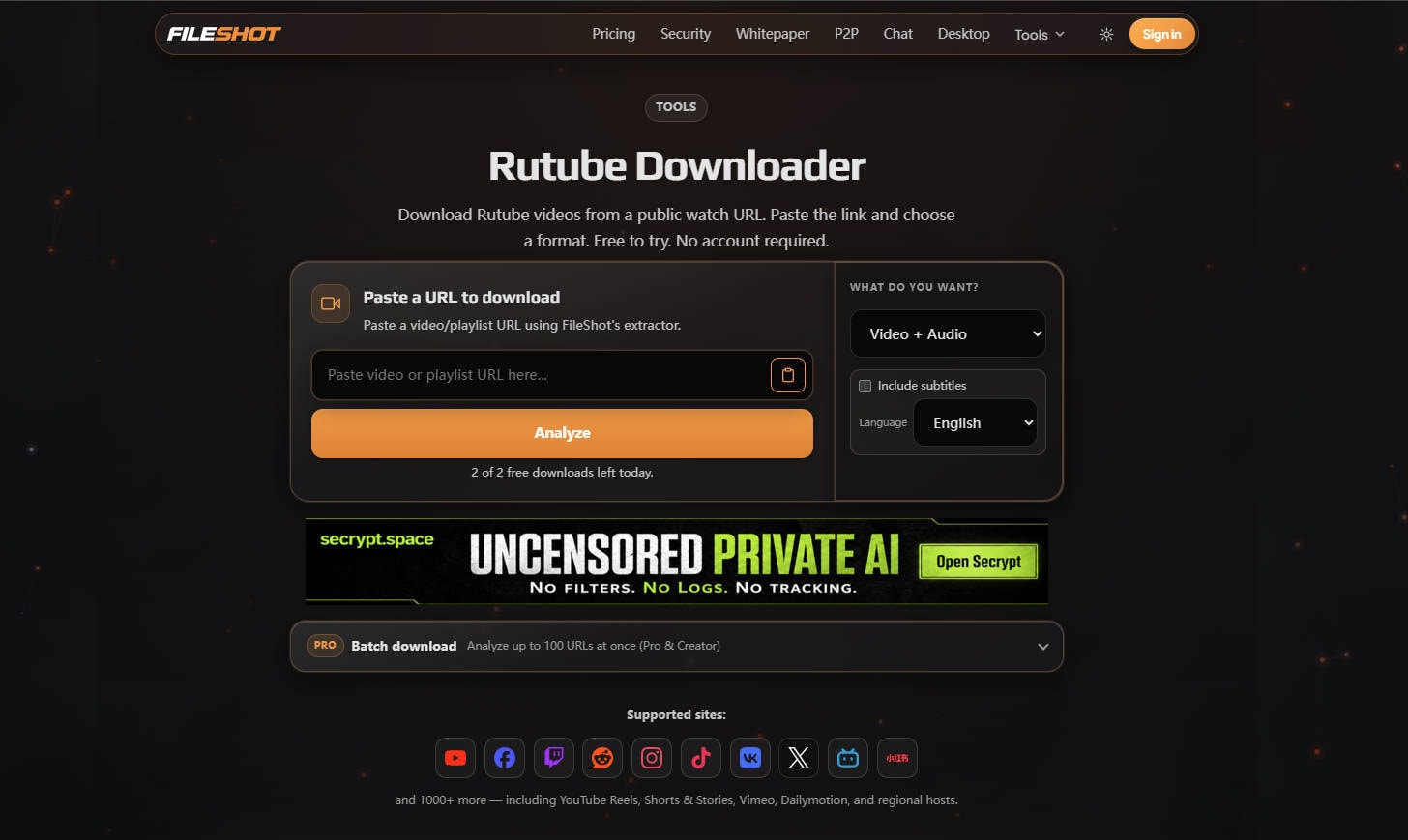
Best for: users who want browser-based video and audio options, subtitle controls, and batch URL analysis on a paid plan.
FileShot starts with a video or playlist URL. You can choose Video + Audio, select whether to include subtitles, and choose a subtitle language before analyzing the link. Its page documents batch analysis of 2–100 URLs for Pro and Creator plans, while the free workflow is limited to individual downloads.
- Pros: combines video, audio, and subtitle options in one browser interface; offers batch URL analysis for Pro and Creator users; does not require desktop installation.
- Cons: batch analysis requires a paid plan; free use has a daily download limit; private, members-only, and age-restricted sources may not be available.
4. Get-Save.com – Best for Multiple Output Formats and Resolutions
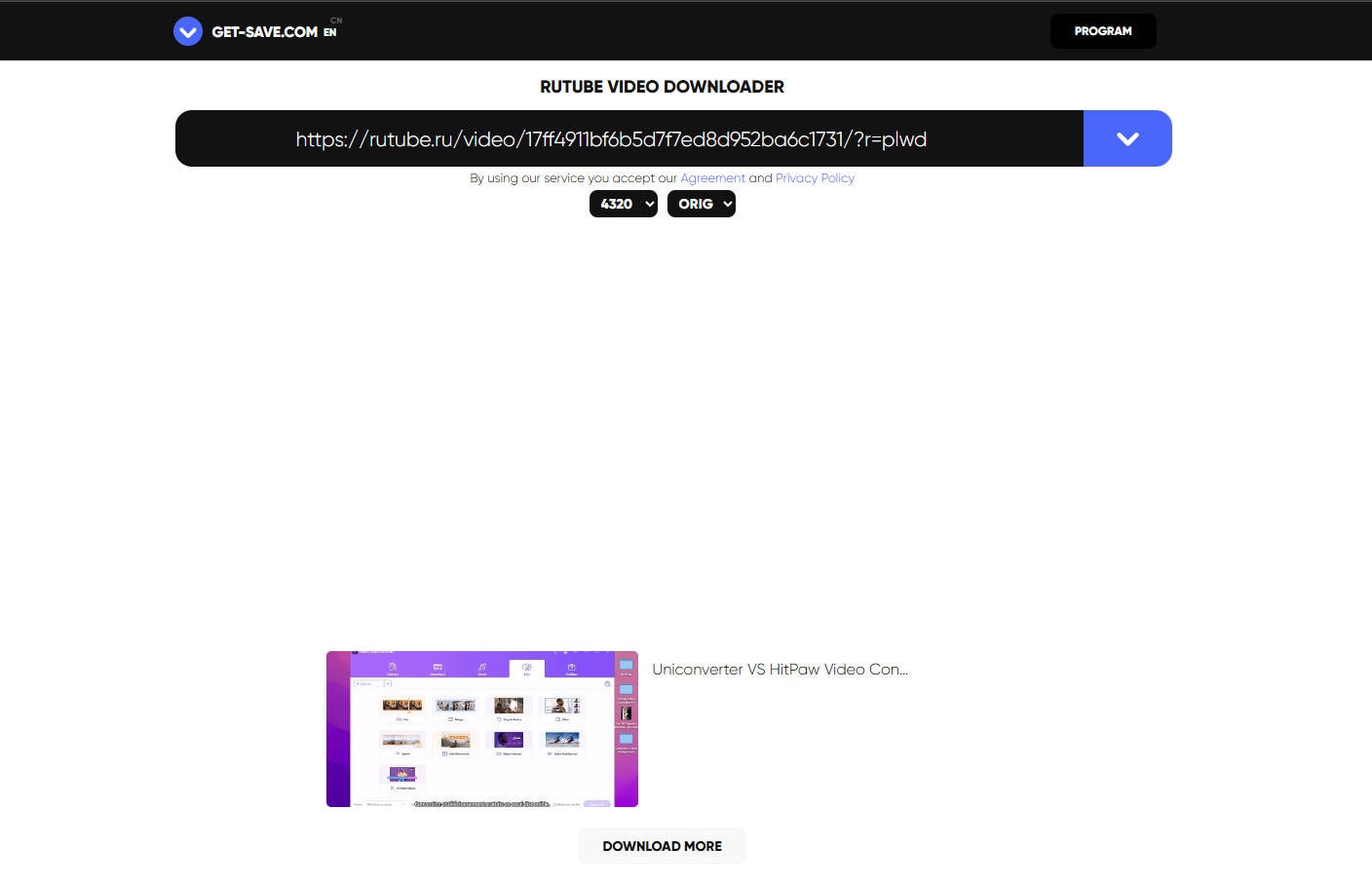
Best for: users who want to review several video formats and source-available resolution choices in a browser.
Get-Save.com provides a dedicated Rutube downloader page. Paste a video link, submit it for processing, and review the formats and resolutions returned for that source. Its Rutube page lists MP4, WEBM, and 3GP, with resolution choices that can include 1080p, 1440p, and 4K when the source provides them.
- Pros: offers several video output formats; presents format and resolution choices in the same workflow; works in a browser without desktop installation.
- Cons: available resolutions depend on the source video; requires an internet connection; does not provide the same local task-management workflow as desktop software.
5. Vidomon – Best for a Simple Rutube-Specific Workflow
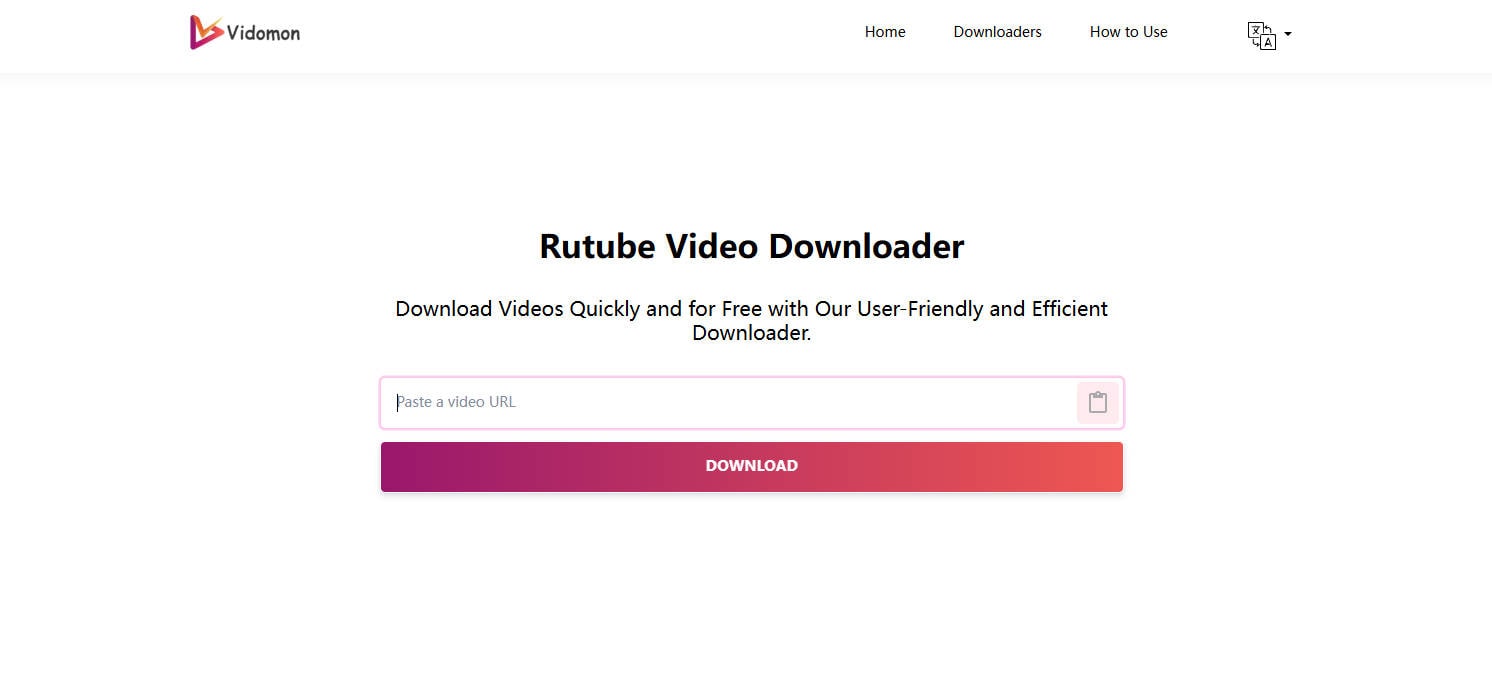
Best for: users who want a direct browser-based workflow for an individual Rutube video link.
Vidomon has a dedicated Rutube Video Downloader page with a video URL field and a Download button. The service describes MP4 output and quality choices based on the source. It runs in a browser and is designed for users who want a short, direct URL-based workflow.
- Pros: straightforward interface for a Rutube link; no desktop installation is required; can be used from desktop and mobile browsers.
- Cons: offers fewer desktop-style task-management controls; available formats and quality depend on the source video; requires an internet connection during processing.
6. Bolta.ai – Best for Multi-Platform Downloading and AI Content Repurposing
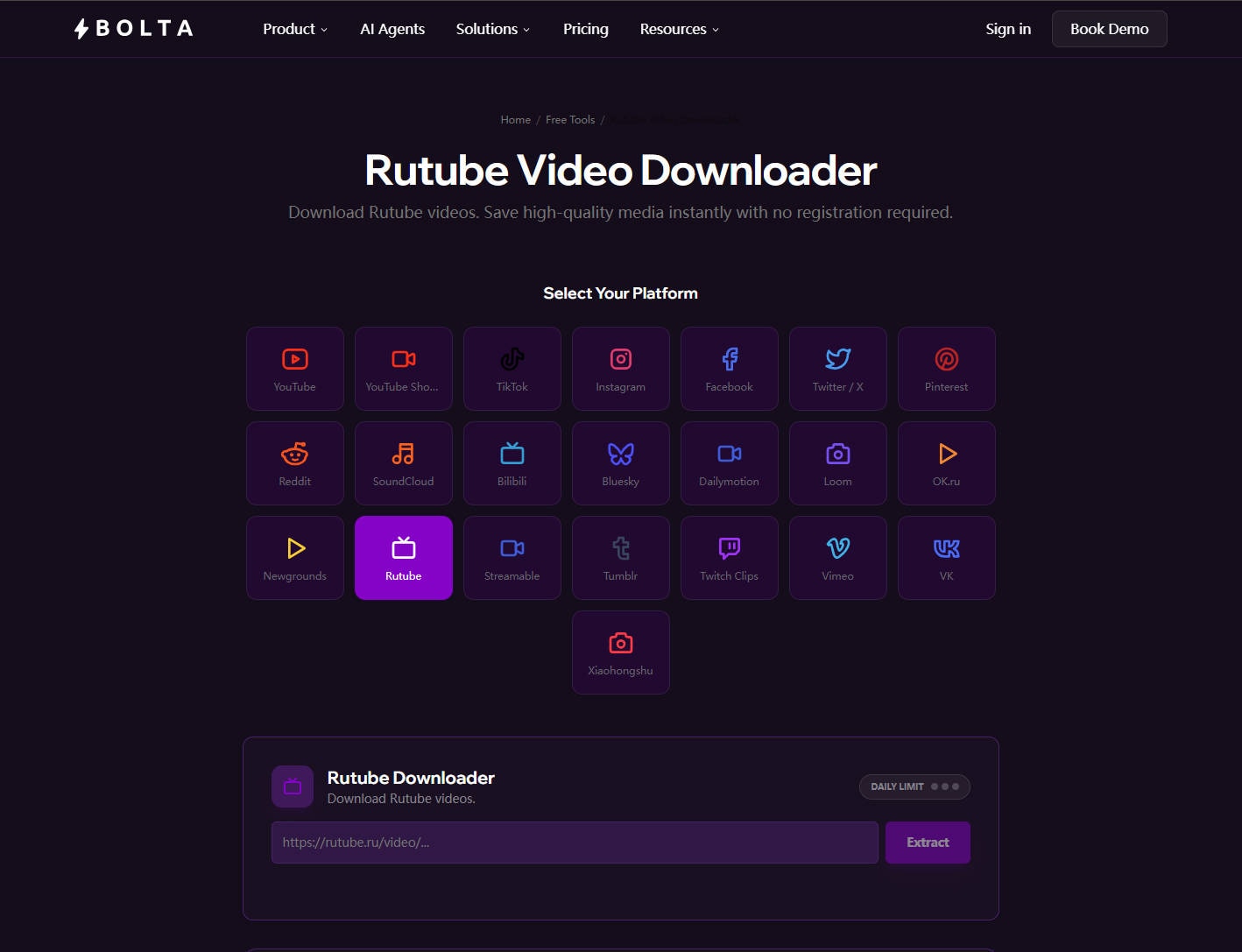
Best for: users who want a Rutube link workflow alongside tools for repurposing media content.
Bolta.ai includes Rutube in its collection of platform-specific download tools. Select Rutube, paste a video URL, and choose Extract to view the available options. Bolta also offers a media library and AI tools for transcribing content and creating social posts. Guest access is limited to three extractions per day.
- Pros: combines a Rutube-specific entry with other platform tools; provides a media library and additional AI content workflows; offers guest access.
- Cons: guest use is limited to three extractions per day; AI repurposing is an additional workflow beyond basic downloading; output options depend on the source.
7. A2Z Tools – Best for No-Sign-Up Video and Audio Options
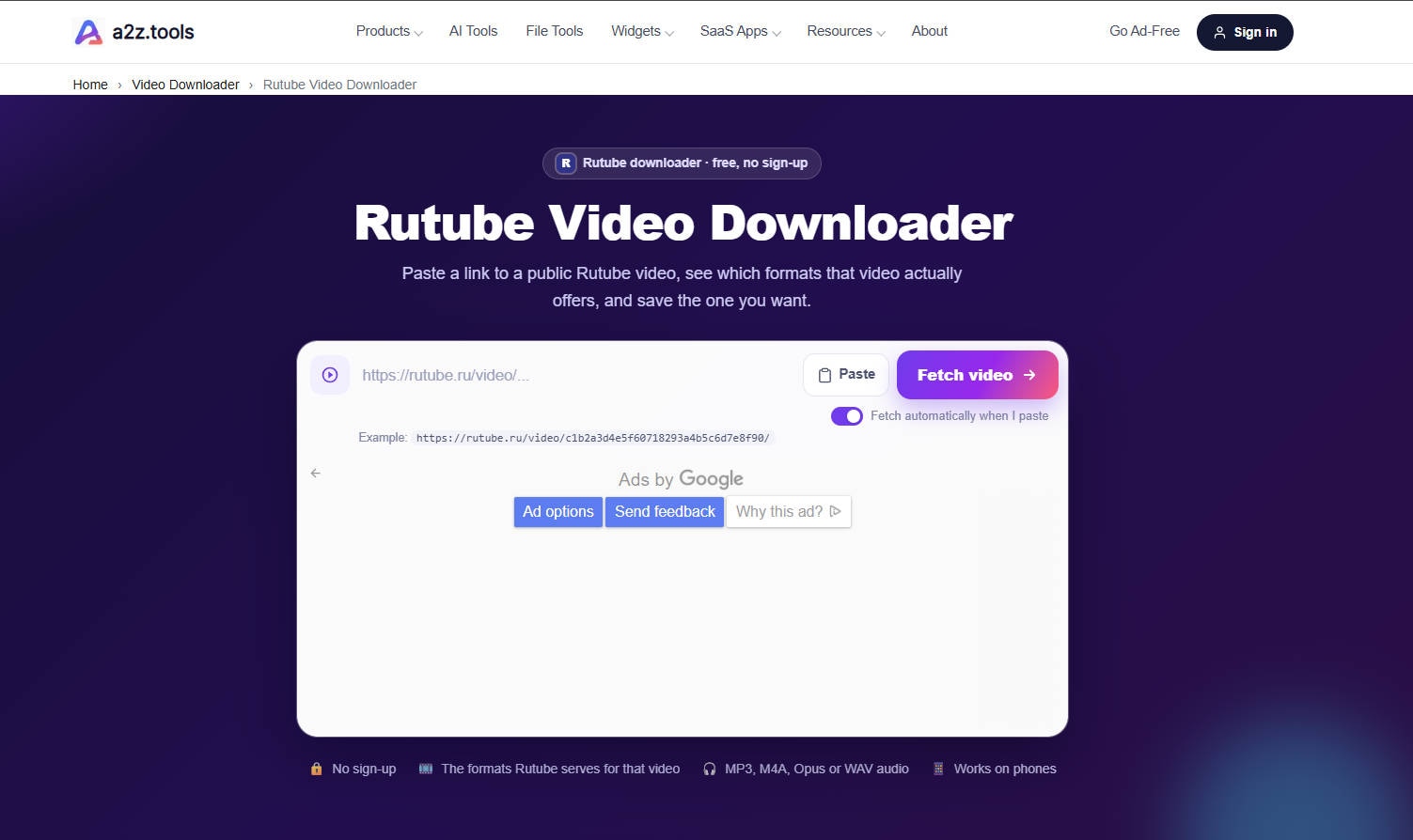
Best for: users who want a browser-based Rutube downloader with video and audio format choices.
A2Z Tools provides a Rutube Video Downloader page with a URL field and Fetch video button. Its page emphasizes checking the formats a particular video actually offers. The site's video and audio tools list options such as MP3, M4A, Opus, and WAV for supported sources, and the browser workflow also works on phones.
- Pros: simple URL-first workflow; no desktop installation or account is required for basic use; offers video and audio choices.
- Cons: requires a public, accessible source page; private, paid, or DRM-protected content is not supported; does not provide a desktop download queue.
8. Keepv.id – Best for Simple URL-Based Format Selection
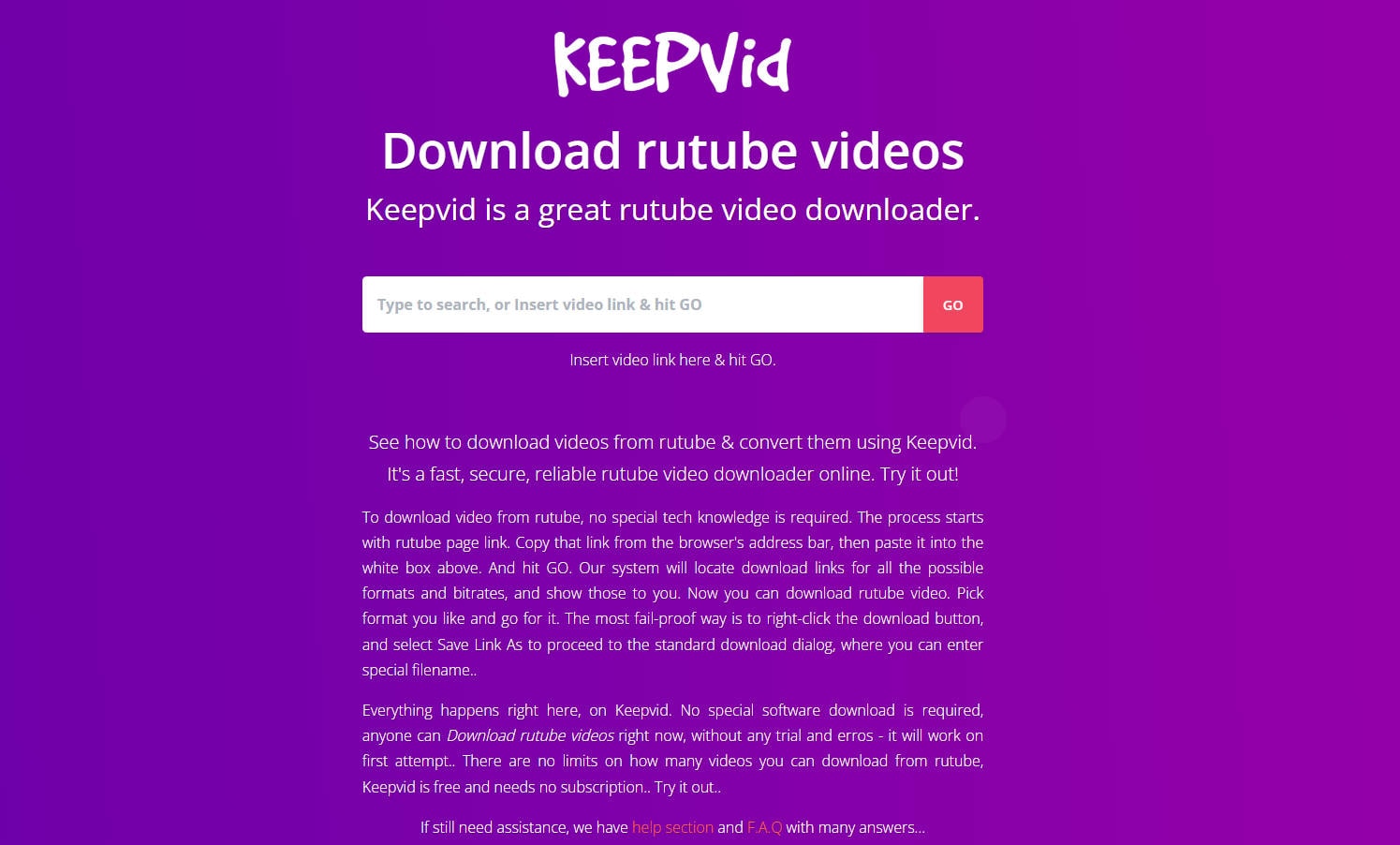
Best for: users who want a simple browser workflow with format and bitrate choices returned for a link.
Keepv.id uses a straightforward Rutube link workflow: copy the video-page URL, paste it into the input field, and select GO. The service says it identifies available formats and bitrates for the submitted video so you can choose an option returned for that source.
- Pros: simple interface with few setup steps; displays format and bitrate choices returned for the link; does not require desktop installation.
- Cons: the interface is more basic than a desktop download manager; output choices depend on the source and service availability; does not include broader local media tools.
9. PasteDownload.com – Best for Multi-Platform URL Processing

Best for: users who want one browser-based URL workflow for multiple supported video platforms.
PasteDownload.com is a general-purpose video downloader with a single URL input. Its changelog records a Rutube compatibility fix on September 19, 2026. The interface shown here is the universal downloader rather than a Rutube-specific result screen, so the formats returned for a Rutube link depend on the source and should be reviewed after the link is processed.
- Pros: uses one URL input for a range of supported sites; publishes compatibility updates in its changelog; does not require desktop installation.
- Cons: the shown interface is not a Rutube-specific result screen; available formats and limits can differ by source and plan; advanced options may require VIP access.
10. Online-Downloader.com – Best for Rutube Format Conversion Options
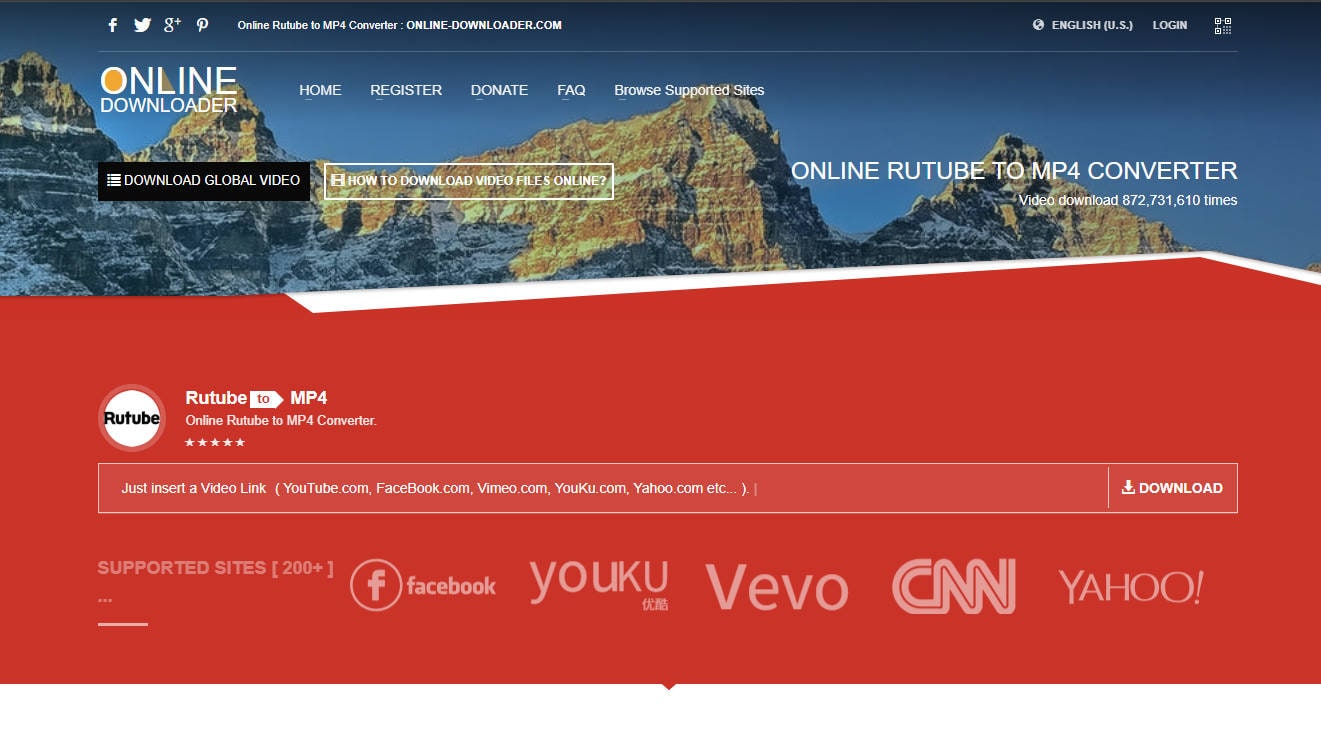
Best for: users who want to review Rutube-specific video and audio conversion pages.
Online-Downloader.com has dedicated Rutube conversion pages, including Rutube to MP4 and Rutube to MP3. Its format pages list video outputs such as MP4, 3GP, AVI, WEBM, MOV, and MKV, as well as audio formats including MP3, AAC, OGG, M4A, FLAC, and AIFF. The interface is older in style, but its Rutube-specific pages make the available conversion routes easy to identify.
- Pros: provides separate Rutube video and audio conversion pages; lists a broad range of output formats; does not require desktop installation.
- Cons: uses an older interface; available format and processing options depend on the selected page and source; some conversion workflows require an account.
Which Rutube Video Downloader Should You Choose?
Choose the tool that matches the way you want to save and manage an authorized video:
- For desktop downloads and local media management: choose UniConverter for supported Rutube video-page URLs, batch URL input, and local conversion tools.
- For desktop quality presets and batch controls: consider EaseUS Video Downloader.
- For online subtitle and paid-tier batch options: consider FileShot.io.
- For multiple video formats and resolution choices: compare Get-Save.com and Online-Downloader.com.
- For a simple Rutube-specific browser workflow: consider Vidomon, Keepv.id, or A2Z Tools.
- For multi-platform processing with AI content tools: consider Bolta.ai.
- For a general multi-site URL workflow: consider PasteDownload.com.
Before using an online service, review its privacy policy and permissions. Do not enter your RUTUBE password into an unrelated downloader page.
How to Download Rutube Videos with UniConverter
Use UniConverter Downloader for supported Rutube video-page links on Windows or Mac. Start with an individual video page that you own or are authorized to save, and use a method permitted by RUTUBE's current terms. For supported batch tasks, enter multiple individual video-page URLs, one per line. A channel or playlist URL is not the same as a list of individual video links.
Step 1. Open Downloader in UniConverter
Launch Wondershare UniConverter on your computer. From the Home screen, select the Downloader card or open Downloader from the left-side Quick Access menu.
Step 2. Paste Your Rutube Video URL
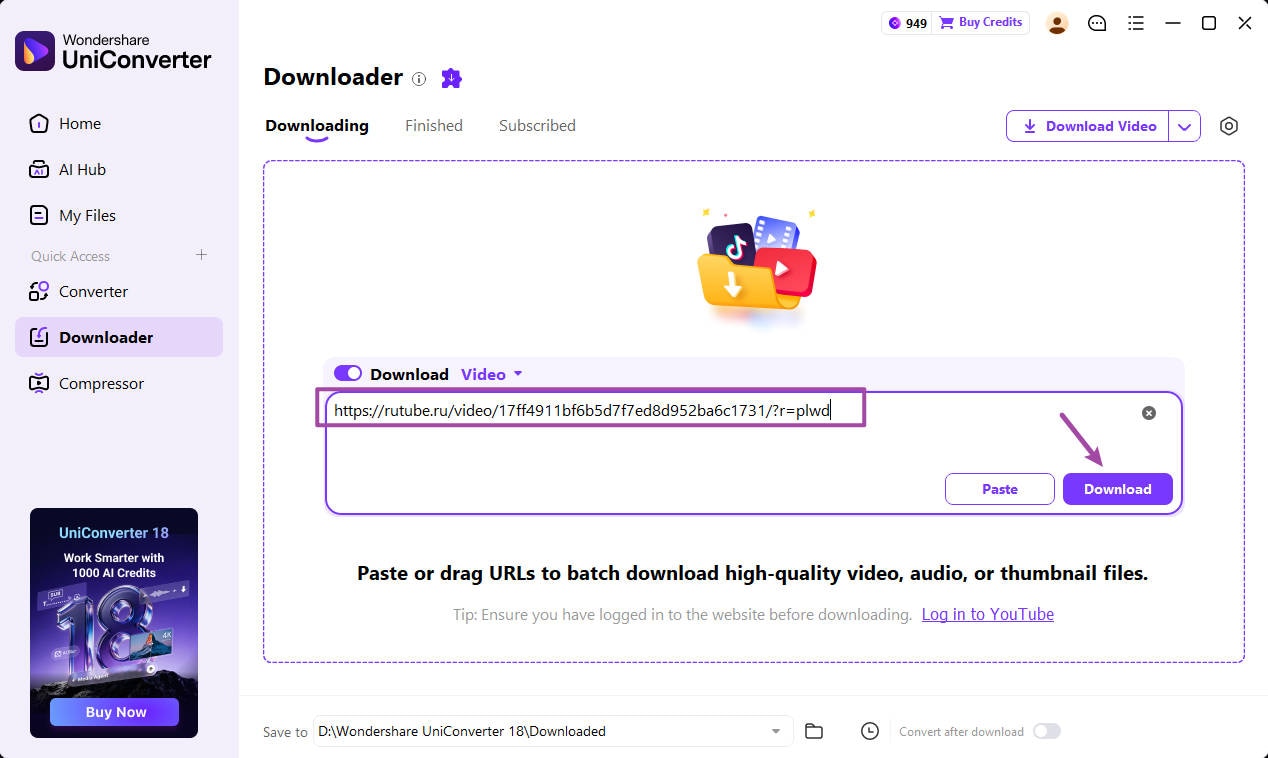
Open the individual Rutube video page and copy its complete URL. Return to UniConverter Downloader, keep Download Video selected, and paste the link into the input area. To add more supported videos, enter each individual video-page URL on a separate line. Click Download to submit the links.
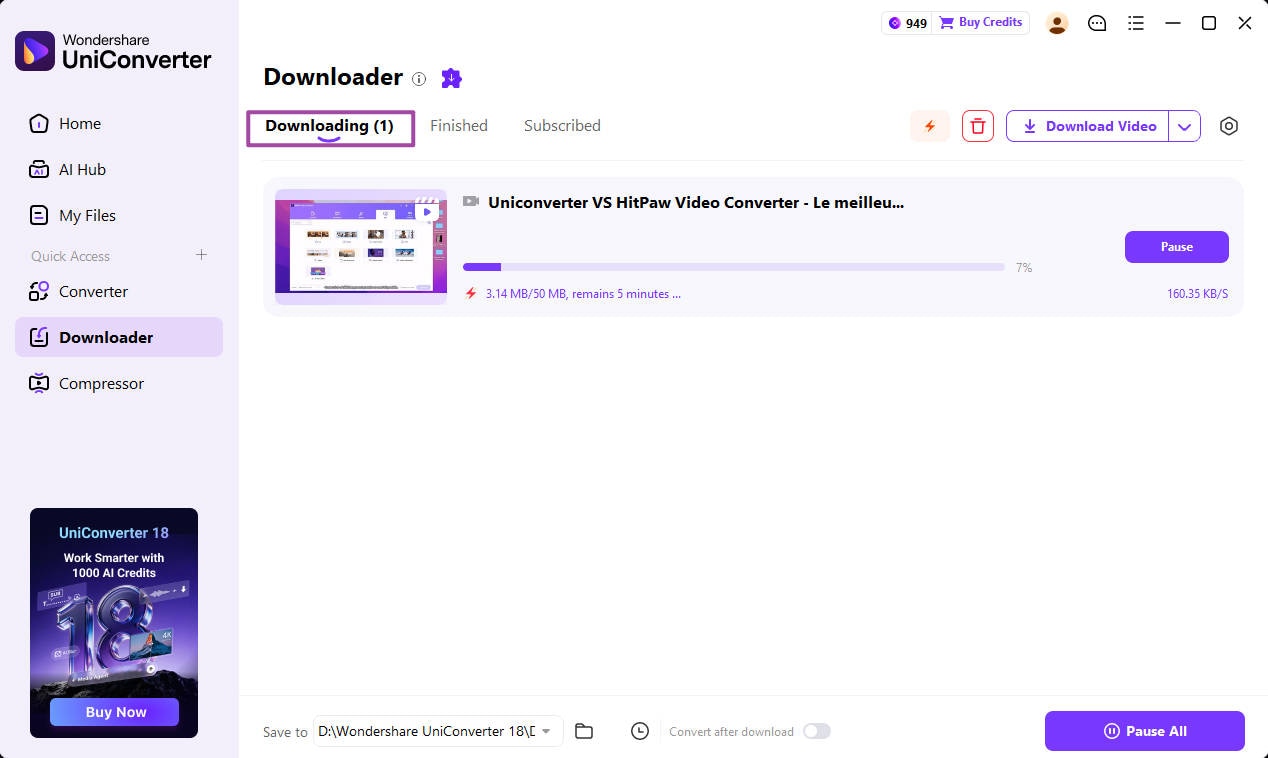
Step 3. Monitor the Downloading Tasks
After submission, tasks appear under Downloading. Follow the progress information for each task. If a particular Rutube URL is not recognized, check that it is a complete individual video-page link and that the source is available to you. Do not attempt to bypass private, paid, regional, or other access restrictions.
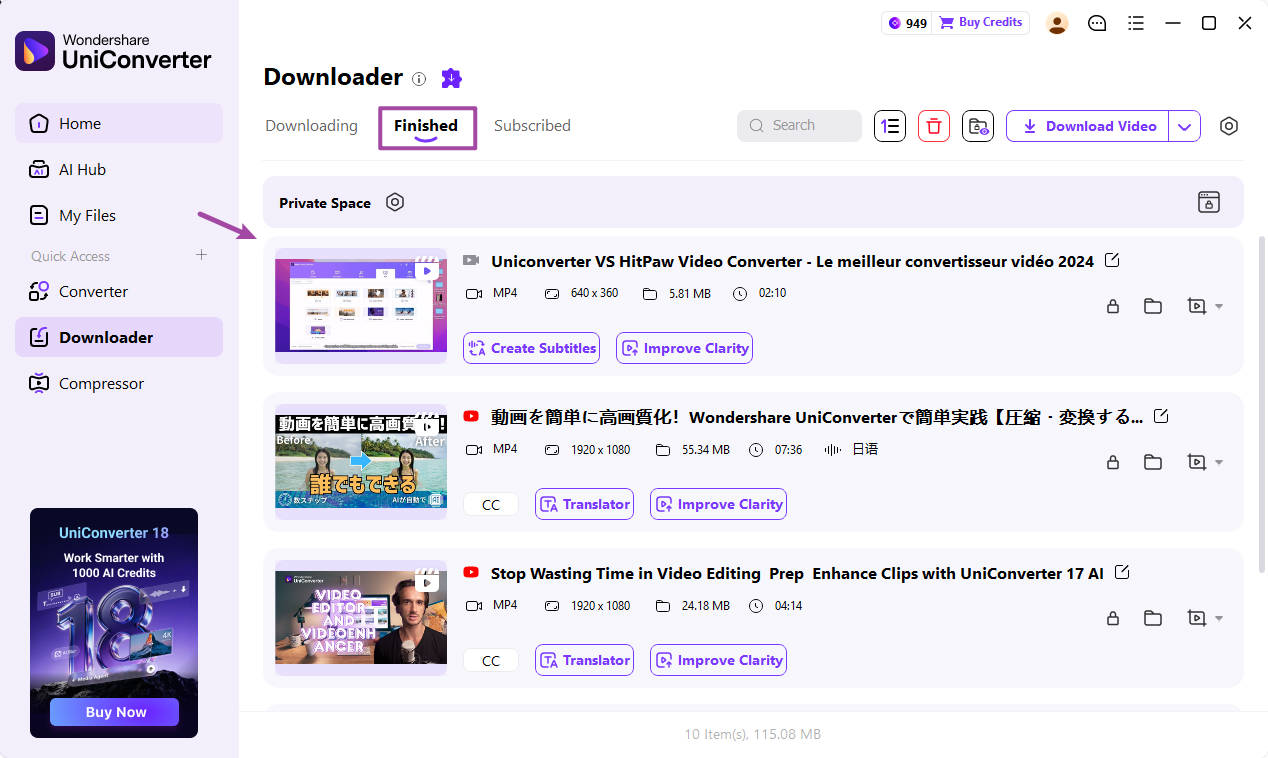
Step 4. Find Your Video in Finished
When a task is complete, open Finished and locate the saved file. Use the folder control to find it on your computer, then play the video to check its duration, picture, and sound. If you need a different supported format, import the authorized local file into Converter and choose an available output format such as MP4.
For current Rutube URL requirements and product details, visit the UniConverter Rutube Video Downloader page.
Safety and Legal Considerations
Before saving a Rutube video, consider both the rights attached to the content and the platform's current terms. Public visibility does not automatically mean a video is free to copy, redistribute, edit, or use commercially.
- Review RUTUBE's terms: RUTUBE's User Agreement restricts copying, reproducing, distributing, or otherwise using content outside the functions the platform provides, unless an applicable agreement or permission allows it.
- Check content rights: make sure you own the video or have the necessary permission to save and process it. Permission from a creator and compliance with platform terms are separate considerations.
- Use official options where available: for eligible videos, RUTUBE's in-app offline feature is intended for playback inside its app. Creators should check RUTUBE Studio and the platform's official procedures for their own uploads.
- Do not bypass access controls: do not use download tools to get around private, paid, sign-in-only, regional, age-restricted, or DRM-protected content.
- Protect your account: do not enter your RUTUBE password into an unrelated downloader website or extension.
- Check the intended use: permission to save a copy does not automatically grant permission to repost, monetize, edit, or redistribute it.
Read the current RUTUBE User Agreement and Offline Viewing FAQ before choosing a download method.
FAQs About Rutube Video Downloaders
-
1. Is RUTUBE's official offline viewing the same as downloading an MP4 file?
No. RUTUBE's official offline feature saves eligible videos inside its Android app. The saved video does not appear in your device gallery or other apps, and sharing it sends a link rather than a portable video file. RUTUBE currently lists up to 720p for this feature and says offline saves are kept for 30 days, subject to earlier removal if the owner deletes the video or disables saving. -
2. Can UniConverter batch download multiple Rutube video links?
UniConverter Downloader supports batch input for supported links: enter one complete individual video-page URL per line. For Rutube, each entry must be a supported individual video-page URL. This does not mean that a single channel or playlist URL can be processed as a batch. Each task depends on source availability and current product support. See the UniConverter Rutube Video Downloader page for details. -
3. Can I use UniConverter with a Rutube channel or playlist URL?
The Rutube workflow is designed for supported individual video-page URLs. A channel page, search-results page, or playlist address is a different link type and should not be treated as a list of individual video URLs. To process several eligible videos, add their individual page URLs separately, one per line. -
4. Why do different Rutube videos show different resolution options?
The available choices depend on the video source. One video may offer several resolutions, while another may have only a smaller set. A downloader cannot create a higher-quality source that Rutube does not provide. Review the options returned for each individual link instead of assuming every video is available in HD, 4K, or another advertised maximum. -
5. What should I check if UniConverter does not recognize a Rutube URL?
First, make sure you copied the complete address of one specific video page rather than a channel, search-results page, shortened link, or temporary media address. Then confirm that the video is available to you and that the saving method is permitted. If the source is private, paid, region-restricted, or otherwise protected, do not try to bypass those controls. Review the UniConverter Rutube Video Downloader page for supported-link information. -
6. Can I convert an authorized Rutube video to MP4 after saving it?
Yes, if you already have a local video file that UniConverter supports and you are authorized to process it. Open Converter, add the local file, choose MP4 from the available output formats, and export. This is a local conversion step; it does not fetch the video from Rutube or grant additional rights to use it. Learn more about UniConverter Video Converter. -
7. Is it always allowed to download a public Rutube video for personal use?
No. Public access does not automatically grant permission to copy a video. RUTUBE's User Agreement restricts copying and other uses outside the functions it provides, and copyright rules may also apply. Check the current platform terms, use official export options where available, and obtain the necessary rights before using a third-party method. -
8. Can Rutube Shorts be saved through the official offline feature?
RUTUBE's current Offline Viewing FAQ says Shorts are not supported by its in-app offline feature. Do not assume that a third-party tool supports Shorts or that another saving method is permitted. Check the current platform rules and use only authorized options.
Conclusion
The best Rutube downloader depends on how you plan to save and manage videos. Wondershare UniConverter is a desktop option for supported Rutube video-page links, batch URL input, and local media management. EaseUS Video Downloader, FileShot.io, Get-Save.com, and the other tools offer different combinations of online access, format choices, and task controls.
Check each tool's current compatibility and the options returned for the source video. If you need a desktop workflow for supported Rutube links and local media processing, explore Wondershare UniConverter Rutube Video Downloader.