

Facebook video transcription is now easier than ever. Yes, that’s right! You can easily convert Facebook videos to text in minutes. This guide shows you how to transcribe Facebook video content quickly and accurately.
Many people need text versions of Facebook videos for work or personal reasons. Students write down lectures. Marketers turn videos into content. Business owners use written customer reviews. More and more people want to turn Facebook videos into text.
This complete guide covers the best Facebook transcript generator tools in 2025. You'll learn step-by-step methods to transcribe Facebook video content. We'll show you free and paid options.
In this article
- Overview: 5 Main Ways to Transcribe Facebook Videos
-
Best Facebook Video Transcription Tools in 2025
- UniConverter [Multilingual Batch Facebook Video Transcription]
- Kapwing - Easy Facebook Video Transcription
- Maestra.ai - Multilingual Facebook Transcript Online
- DupDub - URL-Based Facebook Video Transcription
- Notta.ai - Chrome Extension for Facebook
- ScreenApp – App for Facebook Transcript
- VEED.IO - Polished Facebook Video Transcription
- Rev - Human Facebook Video Transcription
- Step-by-Step Guide: How to Transcribe a Facebook Video to Text
- Why Transcribe Facebook Video?
- Tips for Better Facebook Transcript Results
- FAQs about Facebook Transcript Generator
Part 1: Overview: 5 Main Ways to Transcribe Facebook Videos
Here are the main methods to transcribe Facebook video content:
| Method | Recommended? | Accuracy | Difficulty | Free Tier | Best For |
| AI transcription tools | ✅ Yes | High | Easy | Yes | Content creators, marketers |
| Human transcription (Rev) | ☑️ Sometimes | Very High | Medium | No | Legal, academic, medical |
| Facebook's auto-captions | ⚠️ Limited | Medium | Medium | Yes | Page owners only |
| Manual typing | ❌ No | Varies | High | Yes | Niche use, very small clips |
| Chrome extensions | ✅ Yes | High | Easy | Yes | Quick Facebook transcript needs |
AI tools are the best choice for most Facebook video transcription tasks. They offer good accuracy and speed. Human transcription costs more but gives perfect results. Facebook's built-in captions work only for page owners.
Part 2: Best Facebook Video Transcription Tools in 2025
1. UniConverter – Multilingual Batch Facebook Video Transcription
Website: https://videoconverter.wondershare.com/features/speech-to-text.html
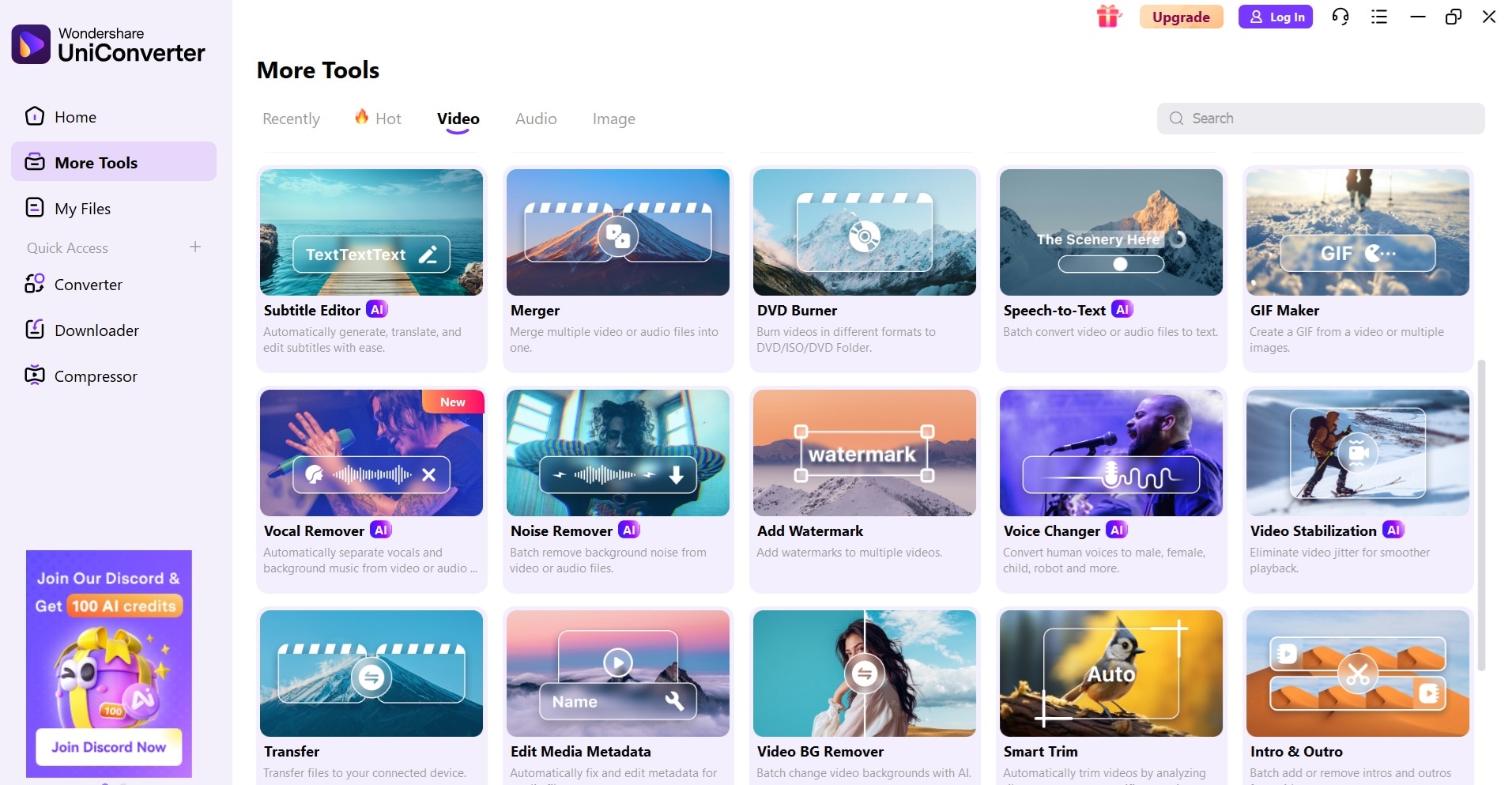
UniConverter offers powerful batch transcription features. You can transcribe multiple Facebook videos at once. This saves time for large Facebook video transcription projects. The desktop software works on Windows and Mac.
The tool provides high accuracy for Facebook transcript generation. It supports many video formats and multiple languages. You can also convert video files while transcribing. Professional users prefer UniConverter for bulk Facebook video to text tasks.

Best Facebook Transcript Generator
Standout Features:
- Batch transcription processing
- Desktop software stability
- High-accuracy AI engine
- Multiple languages supported
- Offline processing capability
Export Formats: TXT, SRT, ASS, VTT.
Free vs. Paid: Freemium
Best For: Professional video editors, and agencies.
2. Kapwing - Easy Facebook Video Transcription
Website: https://www.kapwing.com/tools/transcription/facebook
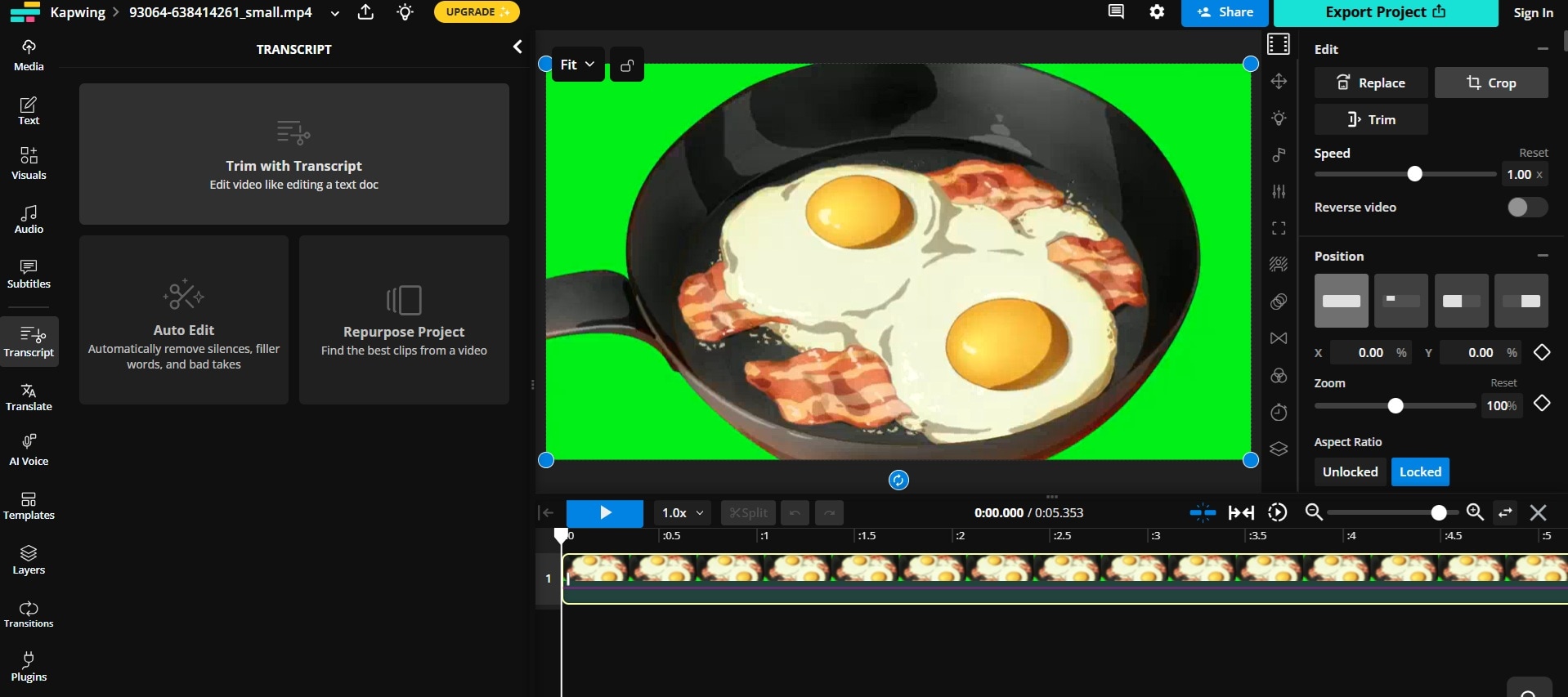
Kapwing makes Facebook video transcription simple. You can upload videos directly or paste Facebook video URLs. The AI transcribes your content in minutes. The platform offers a clean interface that beginners love.
This Facebook transcript generator works well for social media content. You can edit transcripts before downloading. The tool also creates subtitles automatically. Many content creators use Kapwing for Facebook video to text conversion.
Standout Features:
- Direct Facebook URL input
- Real-time transcript editing
- Automatic subtitle generation
- Multiple export formats
- Batch processing available
Export Formats: TXT, SRT, VTT, DOCX
Free vs. Paid: Free with limitations, paid plans from $16/month
Best For: Content creators, social media managers
3. Maestra.ai - Multilingual Facebook Transcript Online
Website: maestra.ai
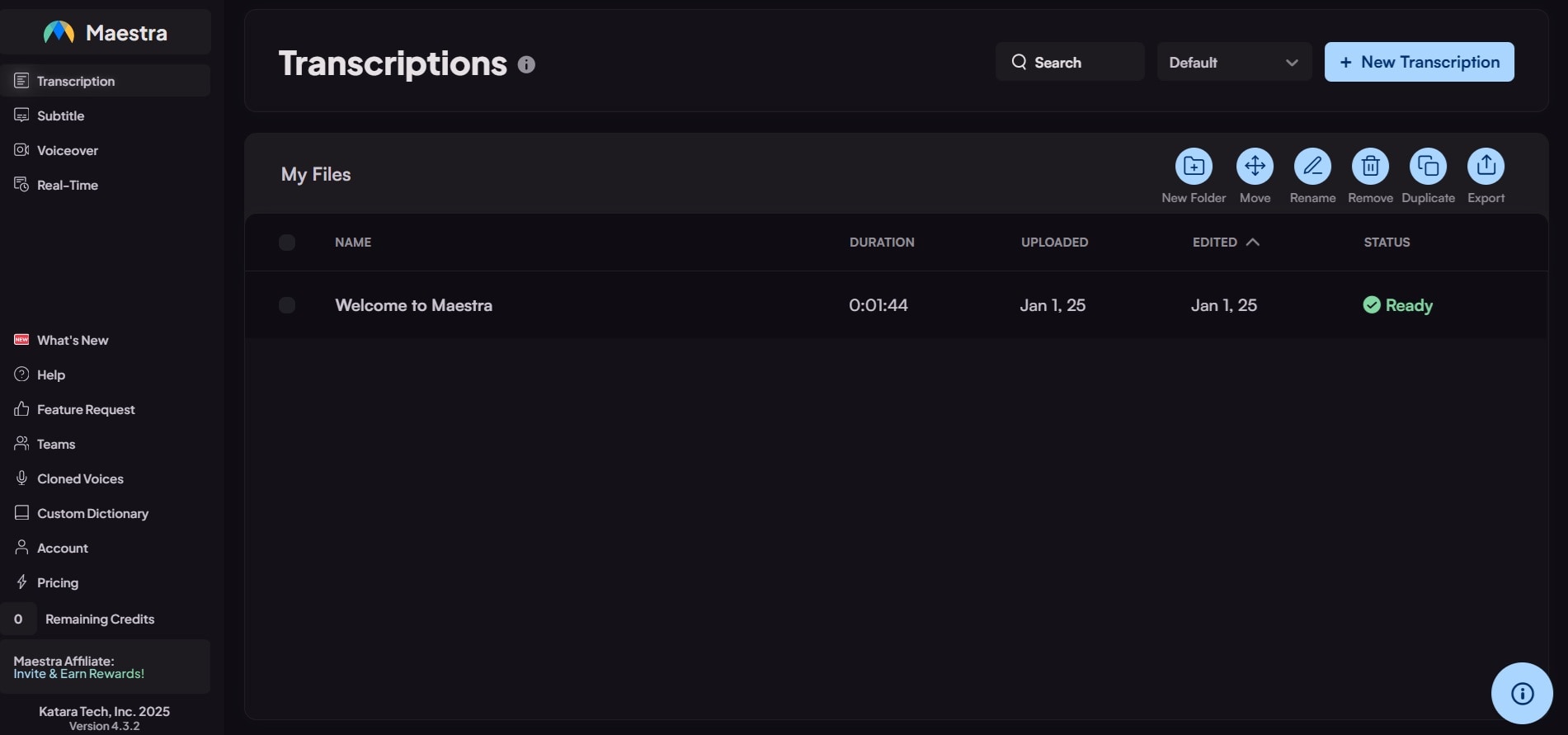
Maestra.ai excels at multilingual Facebook video transcription. The platform supports over 100 languages. This makes it perfect for global Facebook content. The AI accuracy is very high across different languages.
Maestra lets you transcribe Facebook videos in several languages at once. It can detect the spoken language automatically and even identify different speakers. That’s why many global businesses use it to create transcripts from Facebook videos.
Standout Features:
- 100+ language support
- Automatic language detection
- Speaker identification
- Collaboration features
- API integration available
Export Formats: TXT, SRT, VTT, DOCX, PDF
Free vs. Paid: Free trial, paid plans from $15/month
Best For: International businesses, multilingual content
4. DupDub - URL-Based Facebook Video Transcription
Website: https://www.dupdub.com/speech-to-text
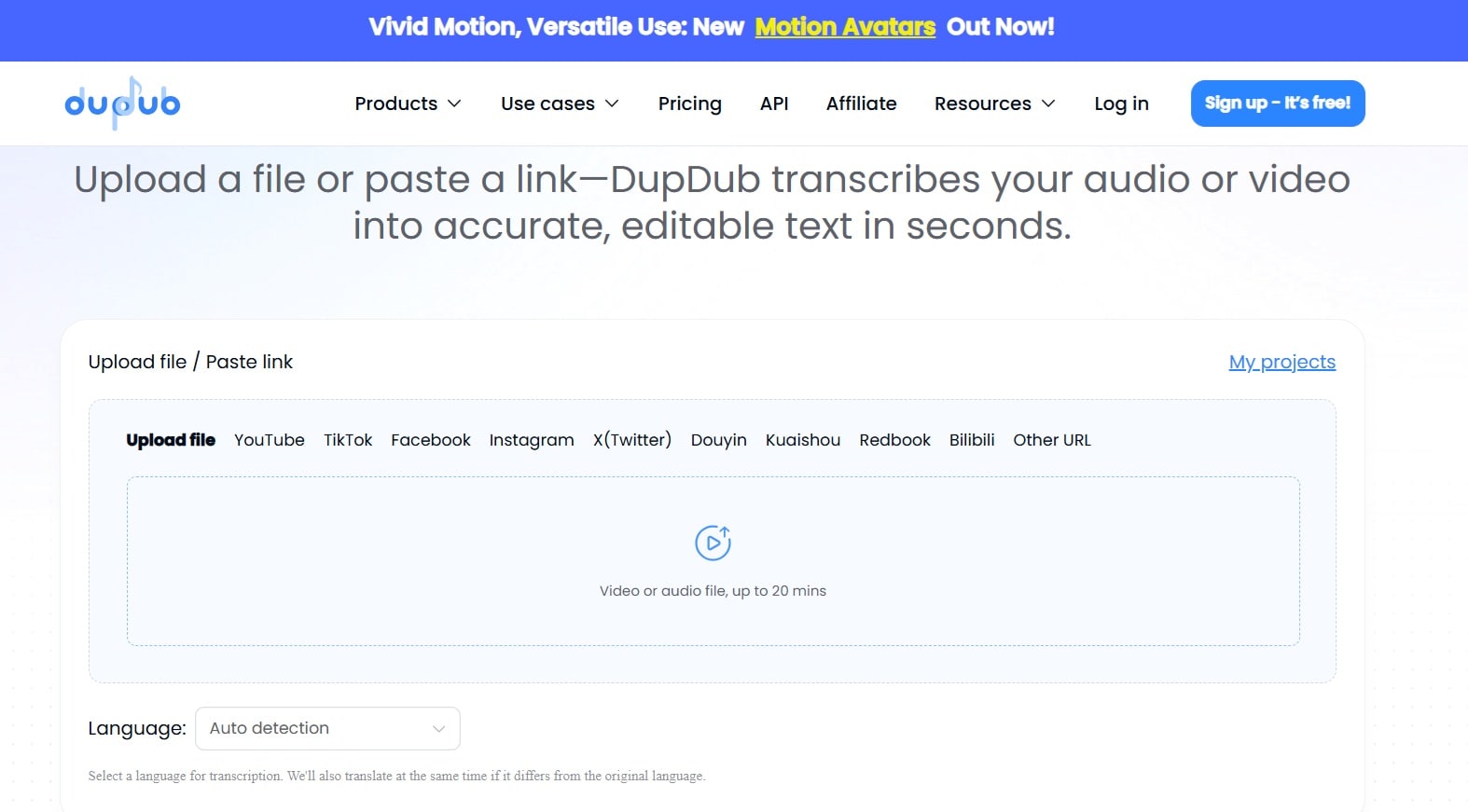
DupDub makes it easy to transcribe Facebook videos using just the video link. You don’t need to download the video—just paste the URL, and the AI takes care of downloading and transcribing it automatically.
The platform offers powerful editing tools for your Facebook transcript. You can adjust timestamps and speakers. The tool also provides voice cloning features.
Standout Features:
- Direct URL transcription
- Advanced editing tools
- Voice cloning capabilities
- Timestamp adjustment
- Team workspace features
Export Formats: TXT, SRT, VTT, DOCX
Free vs. Paid: Free trial, paid plans from $11/month
Best For: Content creators, podcasters
5. Notta.ai - Chrome Extension for Facebook
Website: https://www.notta.ai/en/chrome-extension
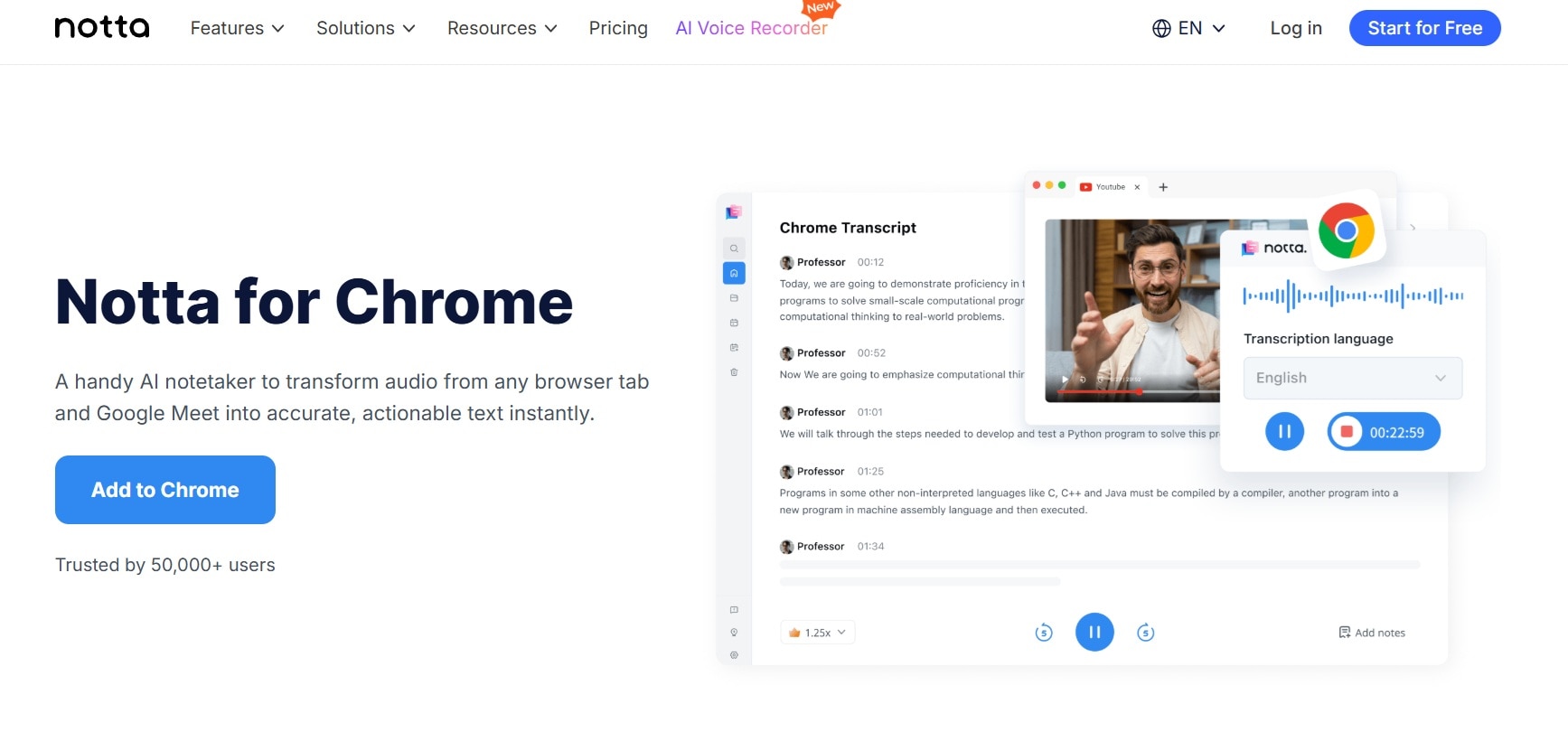
Notta.ai offers a Chrome extension for Facebook video transcription. You can transcribe videos directly on Facebook pages. This makes the process very convenient. The extension works with most Facebook video formats.
The platform provides real-time transcription editing. You can correct errors as you review. Notta also offers meeting transcription features. Many professionals use it for Facebook transcript generation tasks.
Standout Features:
- Chrome extension integration
- Real-time editing
- Meeting transcription
- Cloud synchronization
- Mobile app available
Export Formats: TXT, SRT, PDF, DOCX
Free vs. Paid: Free tier available, paid plans from $8.25/month
Best For: Professionals, students, researchers
6. ScreenApp – App for Facebook Transcript
Website: https://screenapp.io/transcription/facebook-live
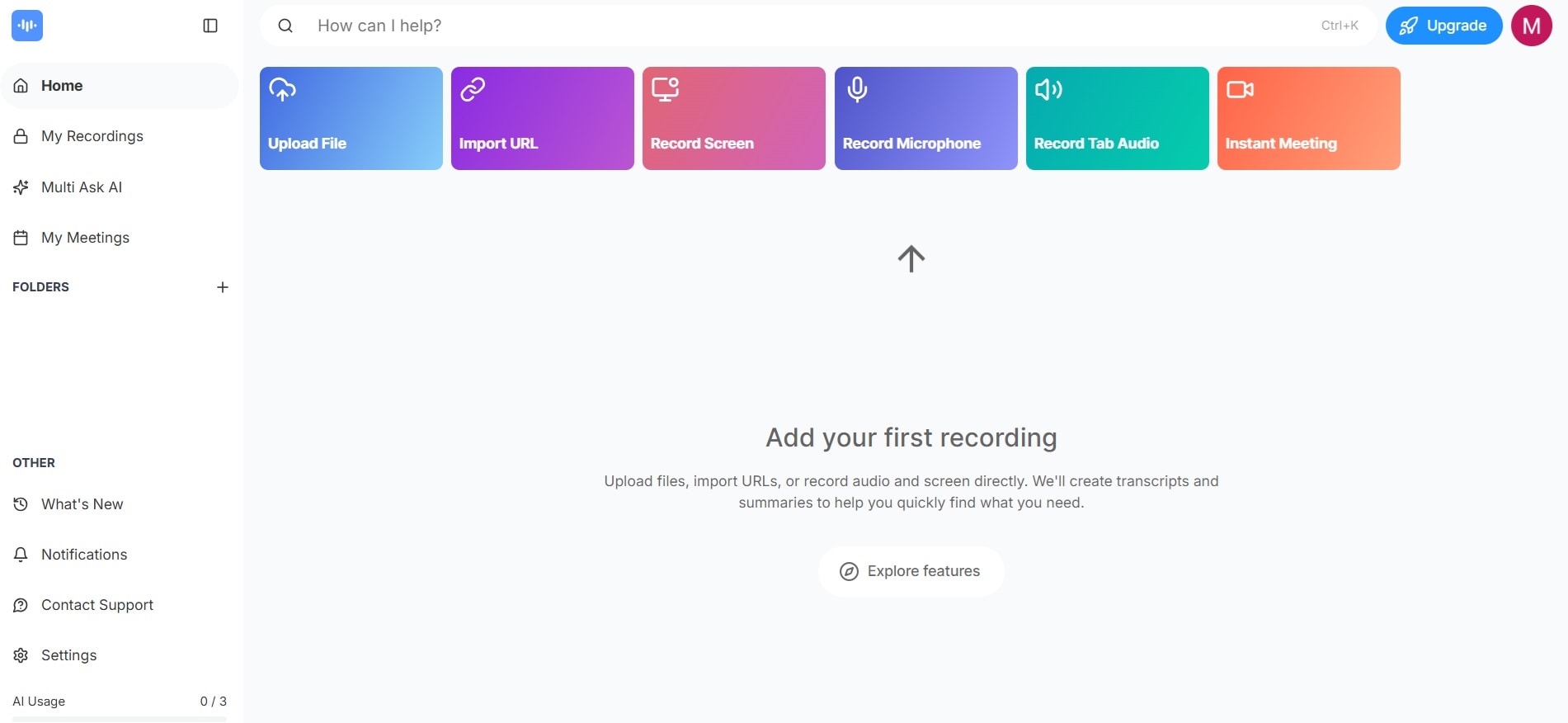
ScreenApp focuses on Facebook and social media transcription. The tool understands Facebook video formats well. It offers specific features for Facebook content creators. The mobile app makes transcription portable.
You can transcribe Facebook Messenger videos too. The platform provides good accuracy for social media content. It also offers screen recording with transcription. Many influencers use ScreenApp for Facebook video to text needs.
Standout Features:
- Facebook-specific optimization
- Messenger video support
- Screen recording capability
- Mobile app functionality
- Social media integration
Export Formats: TXT, SRT, PDF
Free vs. Paid: Free tier, paid plans from $5/month
Best For: Social media influencers, mobile users
7. VEED.IO - Polished Facebook Video Transcription
Website: https://www.veed.io/tools/transcription
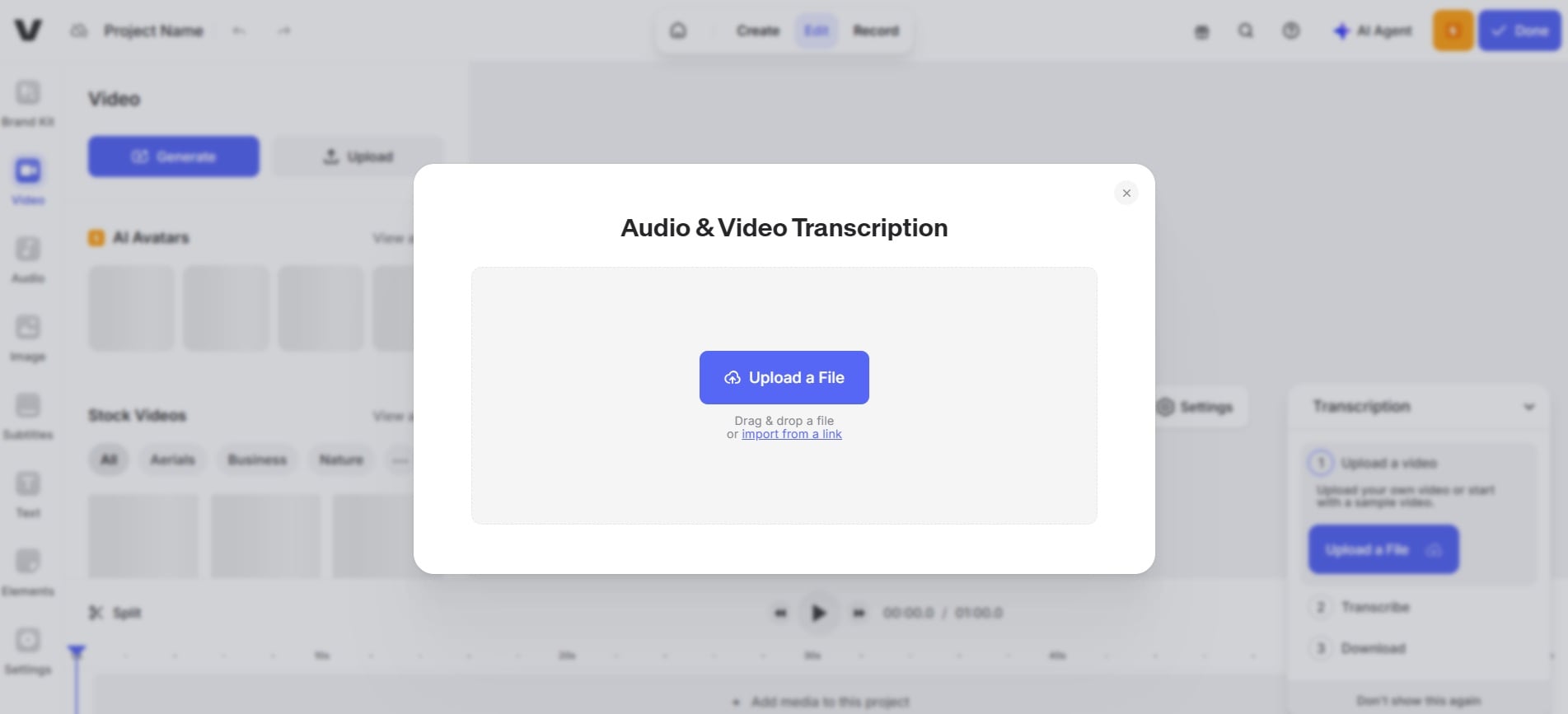
VEED.IO offers a polished interface for Facebook video transcription. The platform provides an excellent user experience. You can transcribe and edit videos in one place. The tool offers speaker identification features.
The Facebook transcript generator includes subtitle styling options. You can customize fonts and colors. VEED.IO also provides video editing tools. Content creators appreciate the all-in-one approach.
Standout Features:
- Polished user interface
- Speaker identification
- Subtitle customization
- Video editing integration
- Template library
Export Formats: TXT, SRT, VTT
Free vs. Paid: Free tier, paid plans from $12/month
Best For: Video editors, content creators
8. Rev - Human Facebook Video Transcription
Website: rev.com
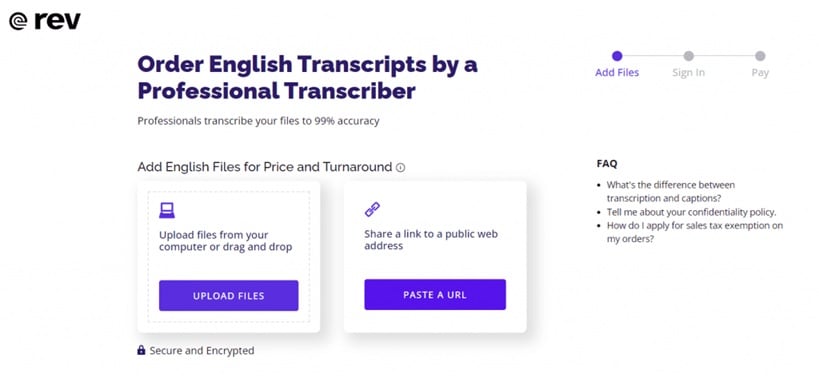
Rev offers human transcription for Facebook videos. Professional transcribers handle your content. This ensures very high accuracy. The service works well for legal and medical content.
Standout Features:
- Human transcription quality
- Professional transcribers
- Legal-grade accuracy
- Quick turnaround times
- Quality guarantees
Export Formats: TXT, SRT, VTT, DOCX
Free vs. Paid: Paid only, starting at $1.50/minute
Best For: Legal, medical, and academic content.
Part 3: Step-by-Step Guide: How to Transcribe a Facebook Video to Text
1. How to Batch Transcribe Facebook Video on PC: UniConverter
UniConverter is perfect for handling multiple Facebook videos at once. This desktop software offers the most reliable Facebook video transcription for bulk projects. You can transcribe Facebook video files of multiple languages offline without internet interruptions.
The tool maintains high accuracy even with large batches. Many professionals choose UniConverter when they need to transcribe Facebook video content in volume.
Best Facebook Transcript Generator
Step 1: Download and install UniConverter software. Open UniConverter and click "More Tools". Select "Speech to Text AI" from the menu.
Step 2: Click "Add Files" and select your Facebook videos.
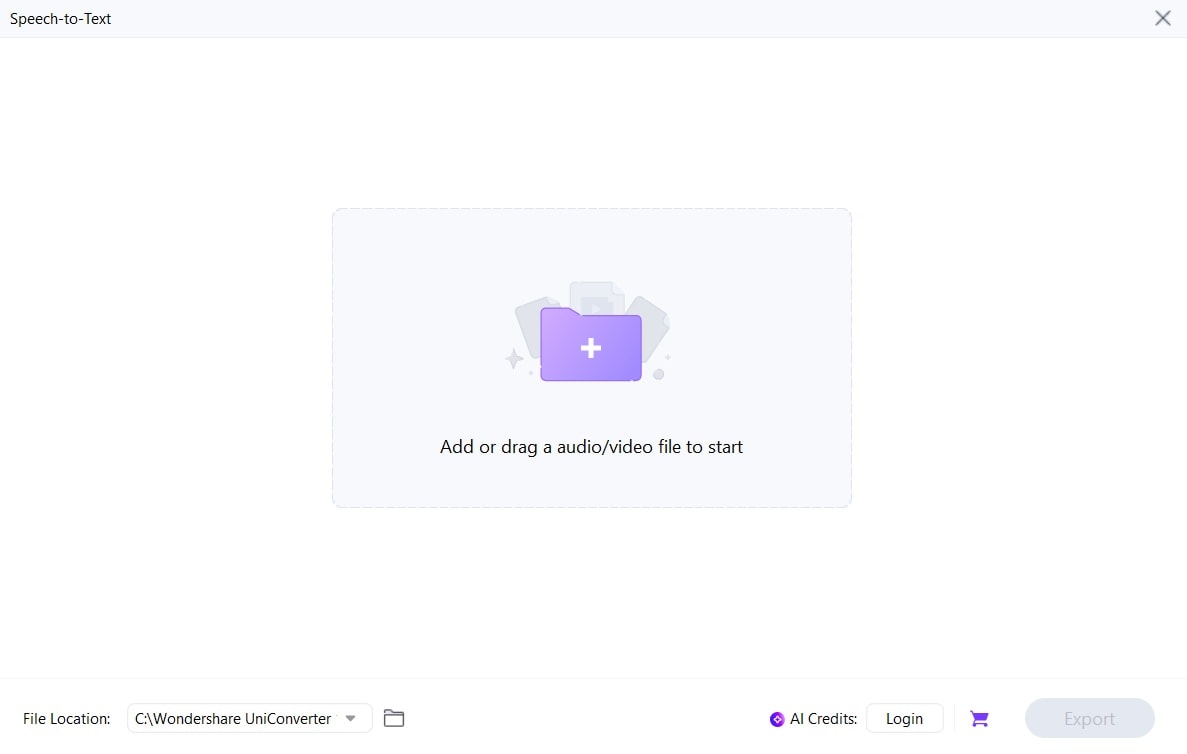
Step 3: Choose Voice Language using the drop-down menu. UniConverter will begin transcription. Hit Export when done.
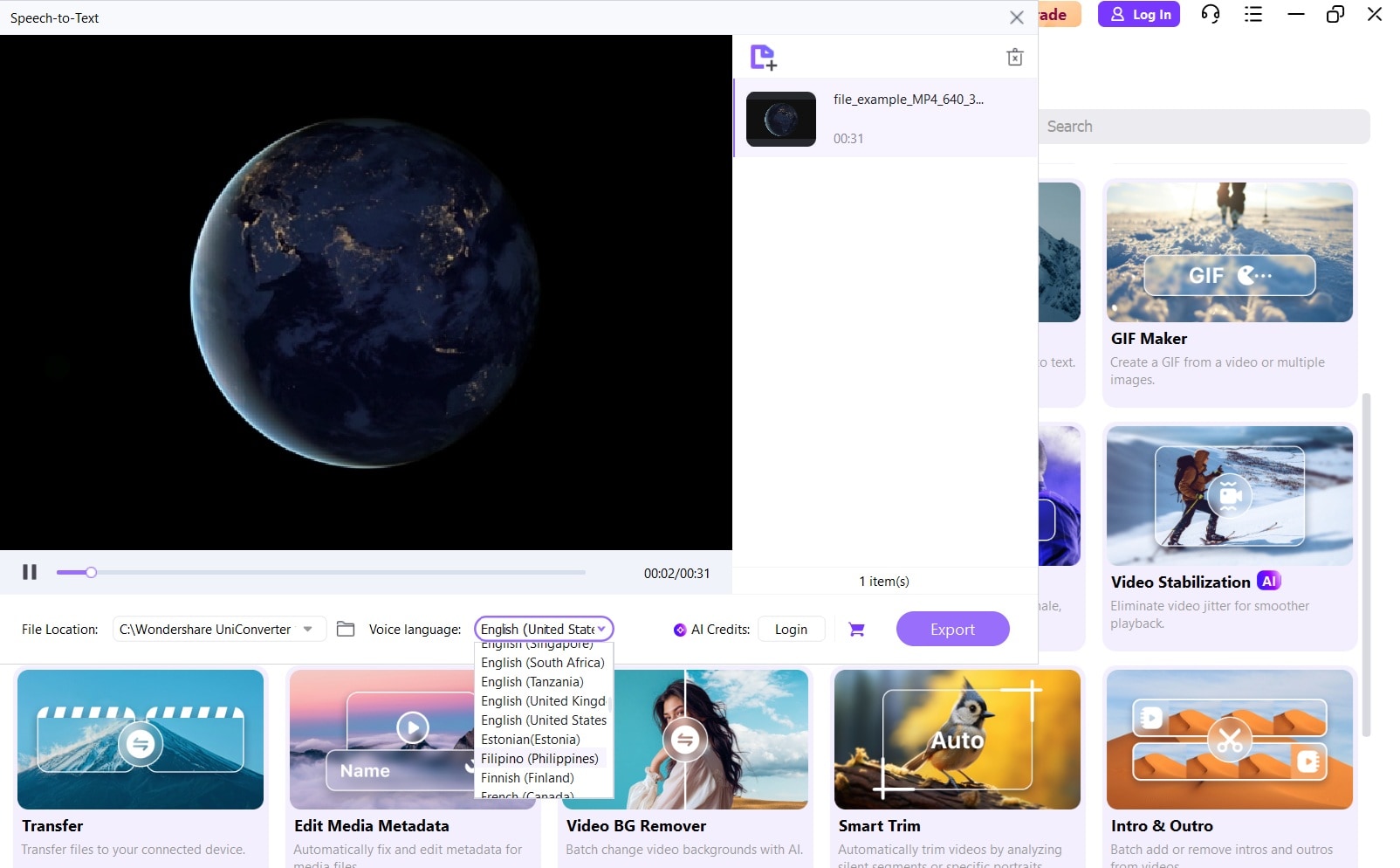
And that’s it! UniConverter makes batch Facebook video transcription simple. The software handles multiple files automatically. You can transcribe Facebook video content offline. This method works well for large projects.
2. How to Convert Facebook Video to Text Online: Maestra
Maestra excels at online Facebook video transcription with multilingual support. This web-based platform handles Facebook URLs directly without downloads. You can transcribe Facebook video content in over 100 languages.
The editing interface makes corrections easy and fast. Maestra works perfectly for international Facebook transcript generation needs.
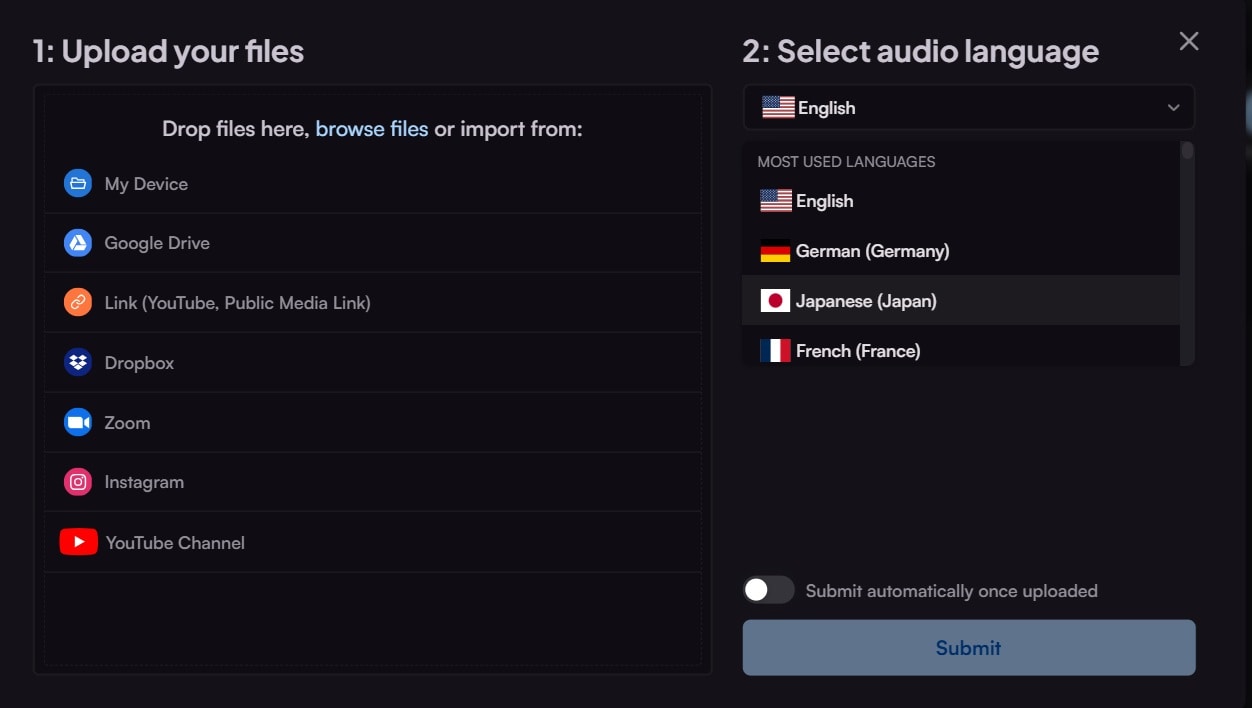
Step 1: Go to the maestra.ai website. Click the "New Transcription" button. Paste your Facebook video URL or upload a file.
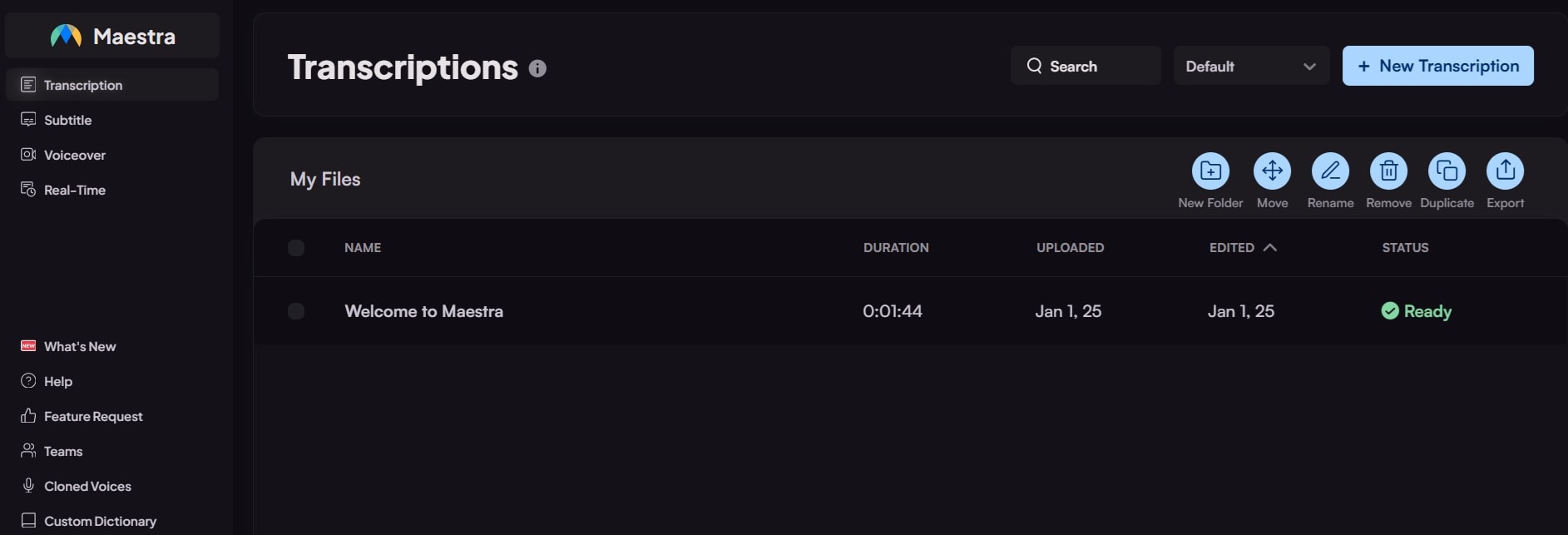
Step 2: Select transcription language. Choose speaker identification if needed.
Step 3: Edit the transcript in the online editor. Export your Facebook transcript.
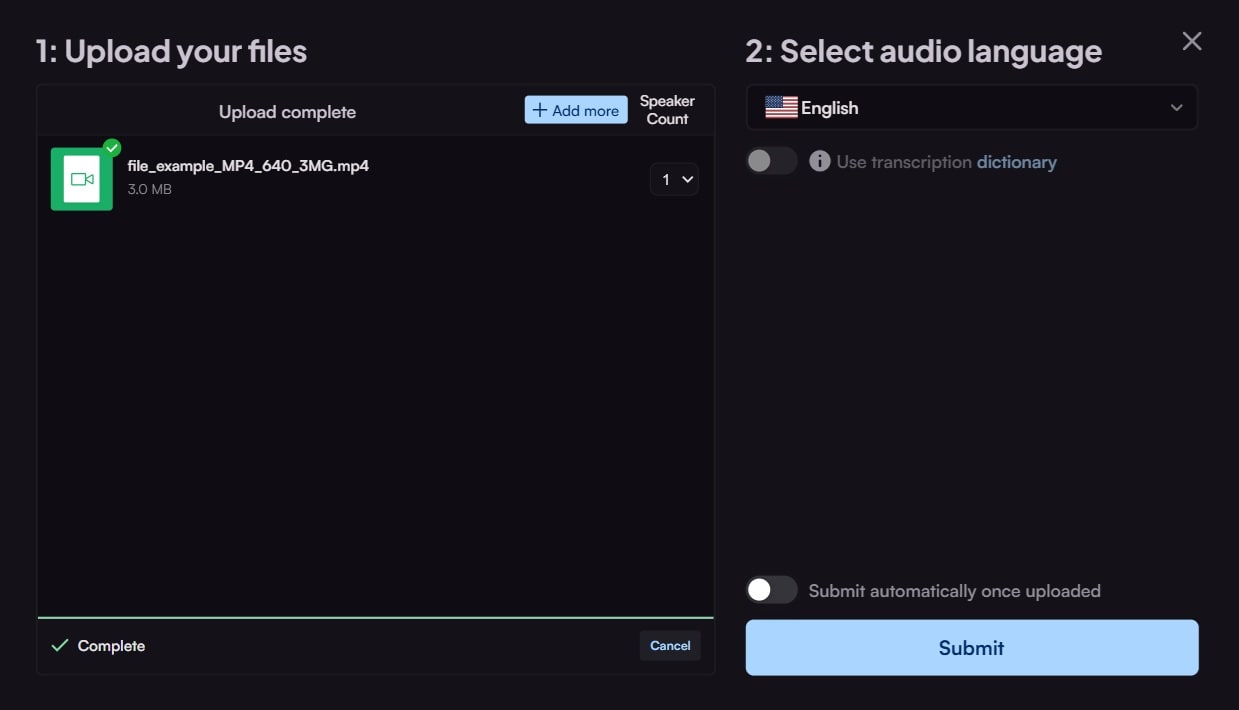
Maestra offers excellent online Facebook video transcription. The platform handles Facebook URLs directly. You can edit transcripts before downloading. This method works for the most Facebook video to text needs.
3. How to Generate Facebook Video Transcription with Chrome Extension
Notta.ai offers the most convenient way to transcribe Facebook video content. The Chrome extension works directly on Facebook pages without switching tabs. You can transcribe Facebook video posts instantly while browsing.
This method saves time for quick Facebook transcript generation tasks. The extension syncs with your Notta account for easy access.
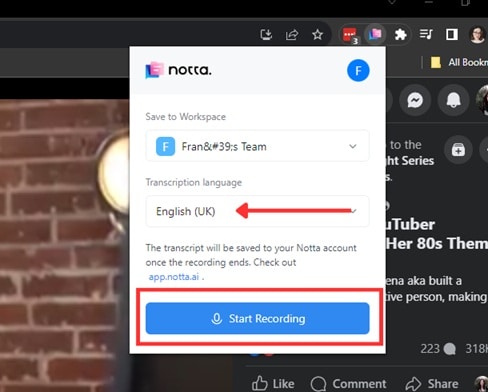
Step 1: Install the Notta Chrome extension. Navigate to the Facebook video page. Click the Notta extension icon. Choose the Transcription language. Select "Start Recording”.
Step 2: Wait for processing to complete. Review and edit the transcript. Export the Facebook transcript file
The Chrome extension makes Facebook video transcription very convenient. You can transcribe videos without leaving Facebook. This method works well for quick Facebook transcript generation tasks.
Part 4: Why Transcribe Facebook Video?
- 💡 Improve Accessibility for Deaf/Hard-of-Hearing Viewers
Facebook video transcription helps people with hearing difficulties. Text versions make content accessible to everyone. This expands your audience reach significantly. Many viewers prefer reading to listening.
- 🔍 Boost SEO — Searchable Text Improves Visibility
Search engines can't read video content directly. Facebook transcript text helps with SEO. Your content becomes searchable and discoverable. This increases organic traffic to your posts.
- ♻️ Repurpose Video Content
Facebook video to text conversion creates new content opportunities. You can turn transcripts into blog posts. Newsletter content comes from video transcripts. Social media captions get easier to create.
- 🌍 Enable Translation & Multilingual Reach
Facebook transcript text translates easily. You can reach global audiences. Multilingual content increases engagement. Translation tools work better with text.
- 📚 Archive Content for Analysis and Recordkeeping
Text archives are easier to search and organize. You can analyze content trends. Legal compliance becomes simpler. Historical records need text format.
Part 5: Tips for Better Facebook Transcript Results
- Use Videos with Clear Audio
Clear audio improves Facebook video transcription accuracy. Choose videos with minimal background noise. Single-speaker videos work best. Avoid videos with music overlays.
- Choose Tools with Editing Capabilities
Good Facebook transcript generator tools offer editing features. You can correct errors quickly. Timestamp adjustments help accuracy. Speaker identification improves readability.
- Check and Proofread the Transcript
Always review your Facebook transcript before using it. AI tools make occasional errors. Human proofreading ensures accuracy. This step is crucial for professional content.
- Export in the Right Format
Choose the correct export format for your needs. Use SRT for subtitles. TXT works for archives. DOCX helps with further editing. Different formats serve different purposes.
- Respect Privacy and Copyright
Only transcribe Facebook video content you own or have permission to use. Check privacy settings before transcribing. Respect copyright laws. Get consent when needed.
Wrapping Up
Facebook video transcription has become essential for content creators and businesses. The tools we've covered make the process simple and affordable. AI-powered Facebook transcript generators offer excellent accuracy for most needs.
Start with free tools like Kapwing or Notta.ai for basic Facebook video to text conversion. Upgrade to professional tools like UniConverter or Maestra for advanced features. Human transcription services work best for critical content.

