


Turning a YouTube video into notes is a practical need for students, professionals, and researchers who rely on video content for learning and reference. Long lectures, tutorials, and interviews often contain valuable information that is difficult to retain through watching alone. Creating structured notes helps capture key points, timelines, and action items in a format that is easier to review and reuse.
This guide explains five reliable methods to convert YouTube videos to notes across desktop, mobile, browser extensions, and AI tools, so you can choose the approach that fits your workflow and level of detail required.
In this article
- How to Convert YouTube Video to Notes with Speaker Tags on Desktop?
- How to Convert YouTube Video to Notes with Online Summary Tools?
- How to Convert YouTube Video to Notes on Mobile (iPhone & Android)?
- How to Convert YouTube Video to Notes with Browser Extensions & Plugins?
- How to Convert YouTube Video to Notes with ChatGPT?
- Comparison Table: All YouTube Video to Note Converters at a Glance
- Conclusion
- FAQs
Part 1: How to Convert YouTube Video to Notes with Speaker Tags on Desktop?

Turning long videos into structured notes is easier on a desktop when you need detailed summaries, transcripts, and speaker-level clarity. Wondershare UniConverter’s AI Video Summarizer converts YouTube videos into notes with high accuracy, supporting YouTube links and local video files in multiple formats.
UniConverter automatically transcribes video content, identifies key topics, and generates summaries tailored for different use cases, such as study or meeting notes. With support for over 145 languages, fast processing, and editable outputs, UniConverter works well for lectures, meetings, interviews, and research videos.
The desktop workflow also lets you watch the video alongside your notes, refine summaries, and export content in formats such as Markdown or Word for further use. You also get a transcription of the video in its original languages along with speaker tags.

Easy YouTube Video to Notes Converter
How to Get Notes From a YouTube Video with UniConverter
Follow this step-by-step guide, and you can easily get a YouTube video to notes:
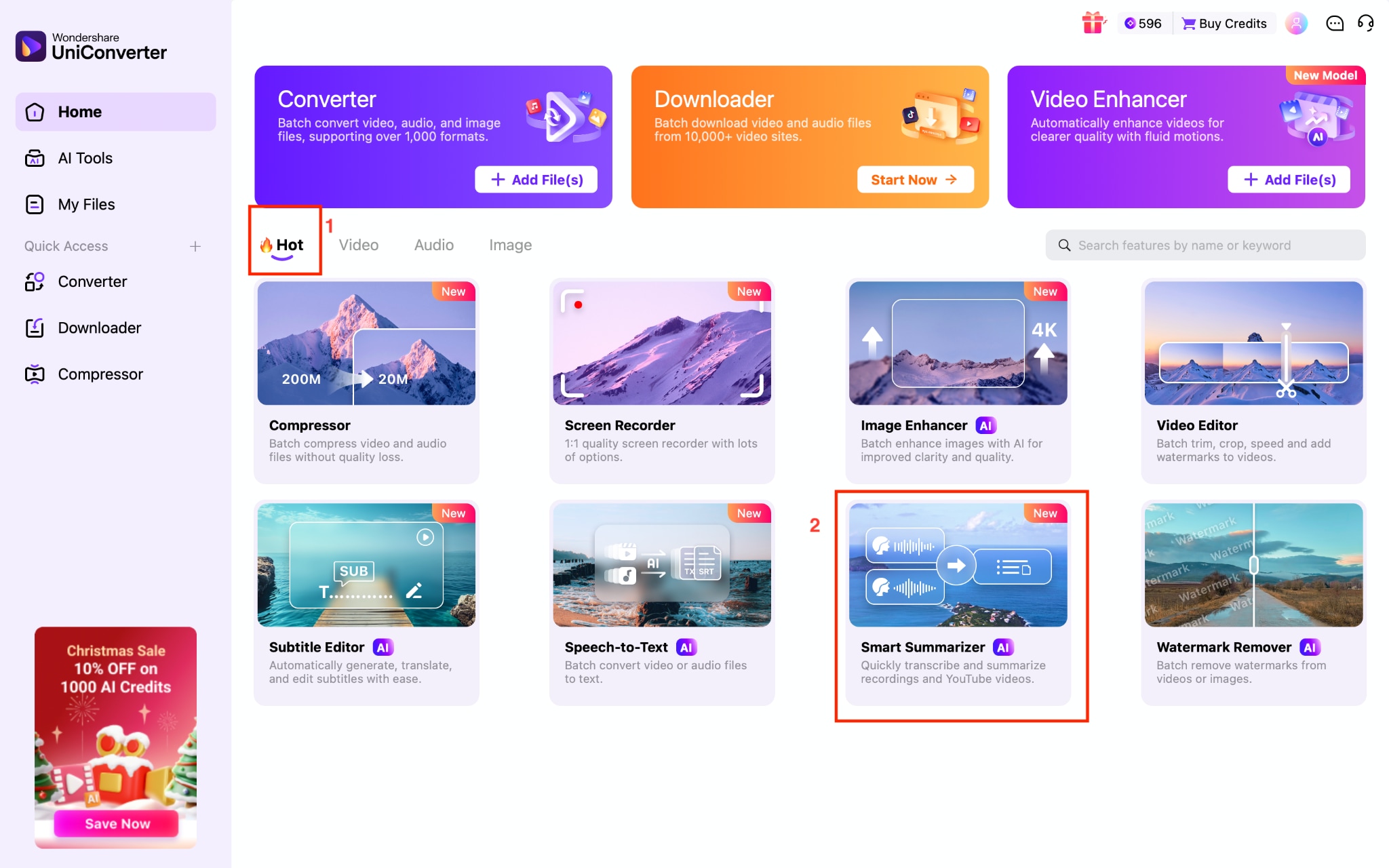
Step 1: On the dashboard of Wondershare UniConverter, select “Smart Summarizer” under the “Hot” section.
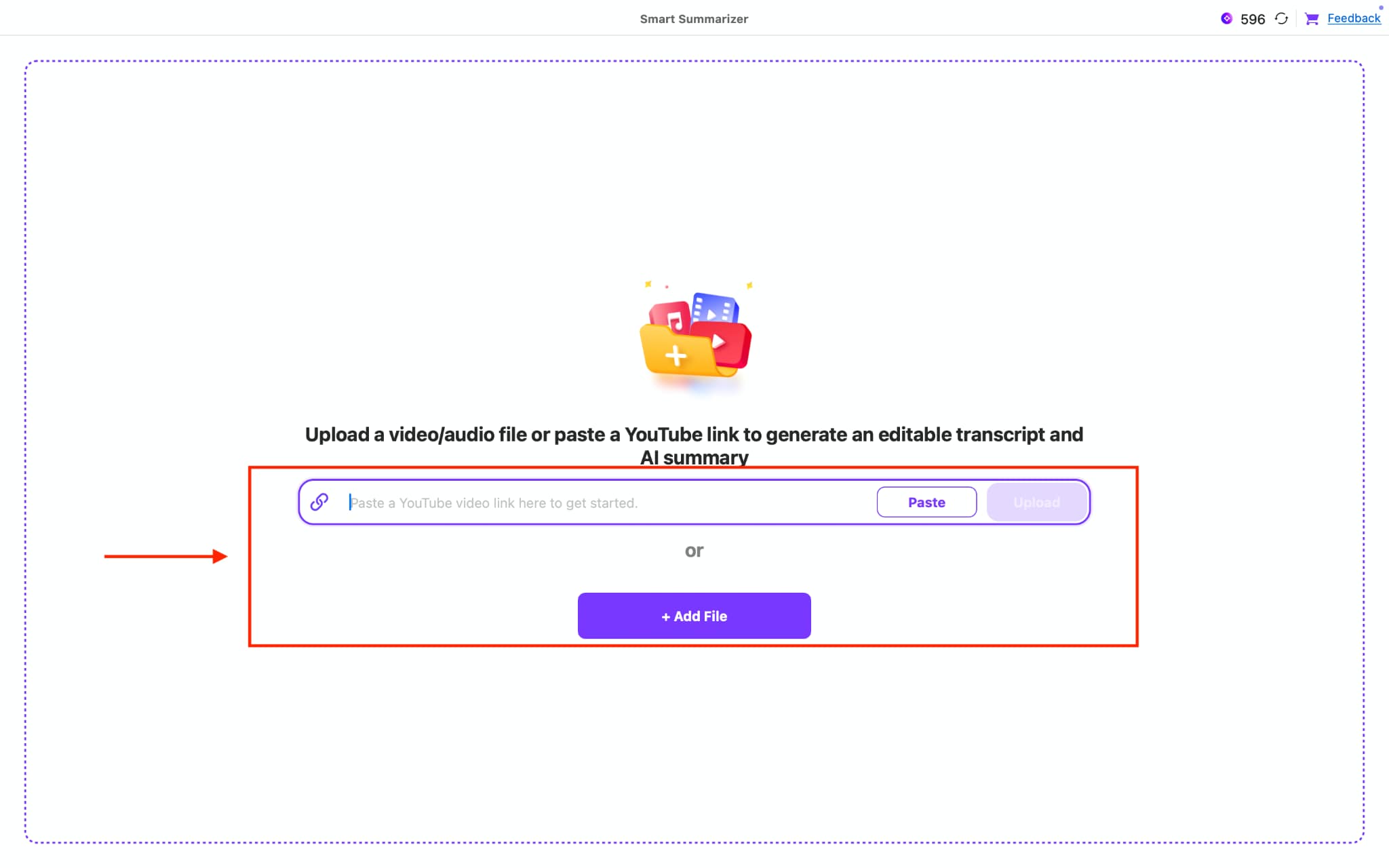
Step 2: Paste the YouTube video link or click the “Add File” option to upload the downloaded video. Click the “Upload” button to start the process.
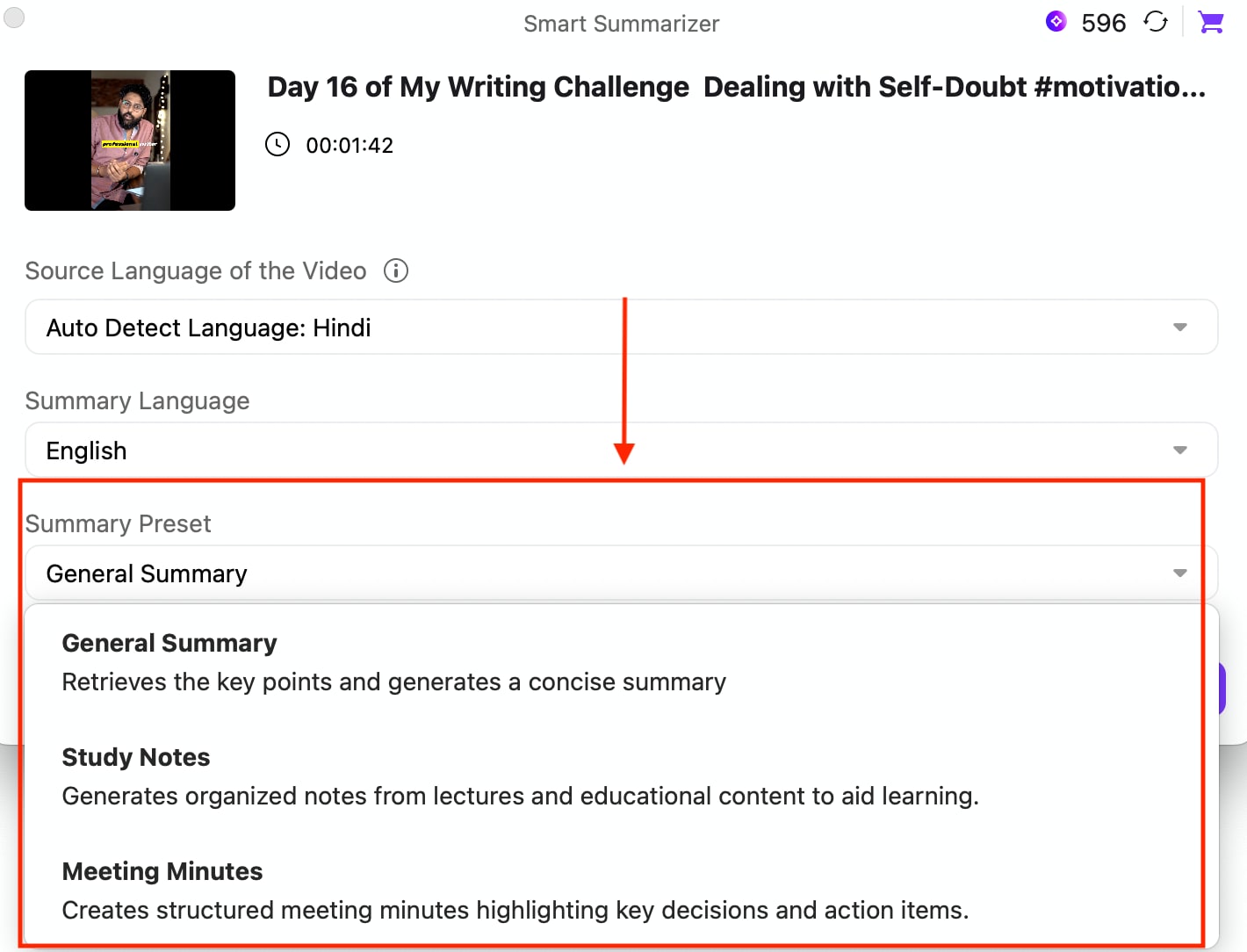
Step 3: After processing, UniConverter auto-detects the video language. Choose summary language, and under the Summary Preset option, choose from “General Summary,” “Study Notes,” or “Meeting Notes.” Click the " Generate” button to get the summary.
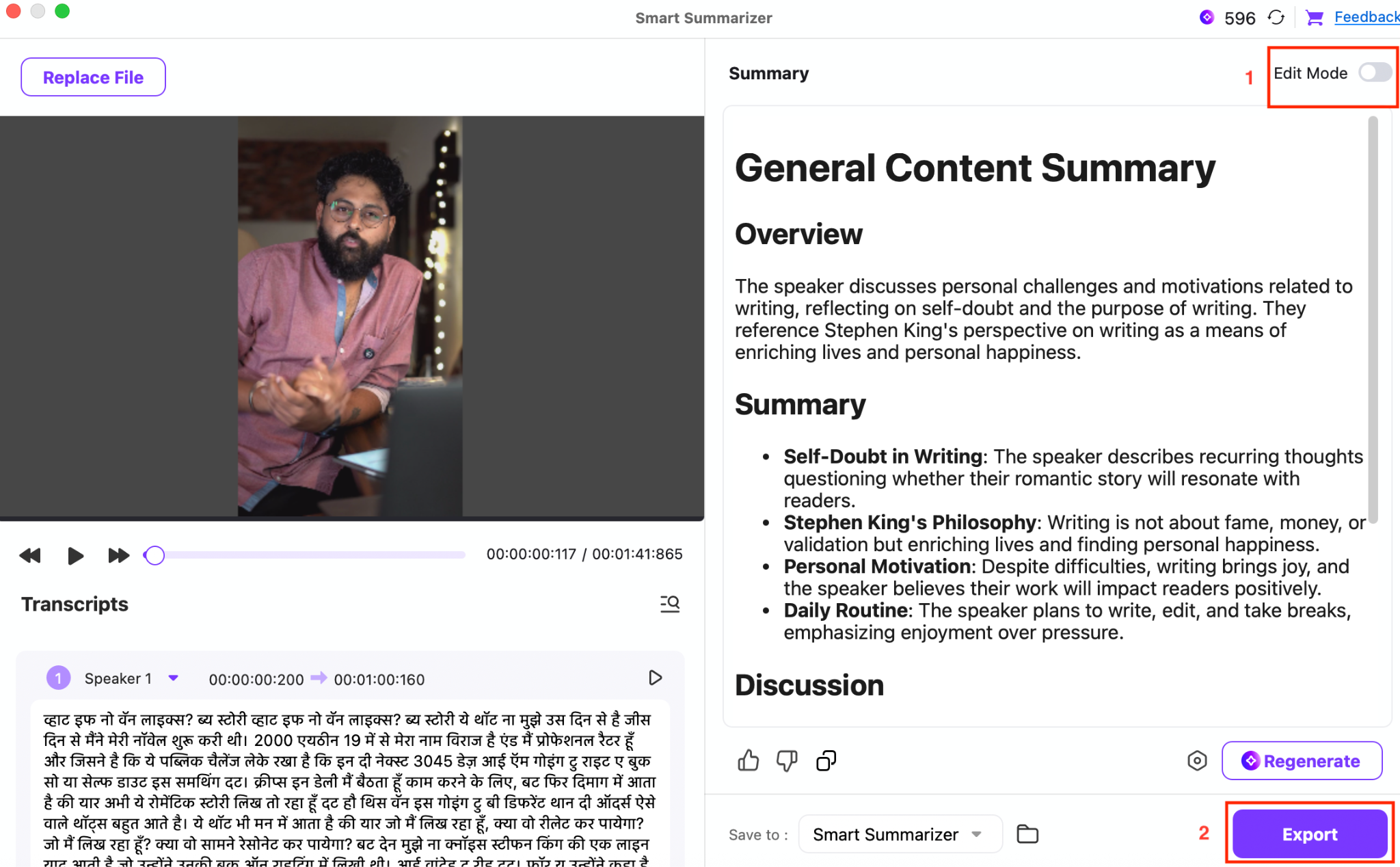
Step 4: You can play the video while reading your notes. You will get a quick overview, summary, and discussion. You can also edit your notes if needed by enabling “Edit Mode.” Finally, click the “Export” button to save notes.
Batch YouTube Video to Notes Converter
Part 2: How to Convert YouTube Video to Notes with Online Summary Tools?

Using an online YouTube video notes converter simplifies capturing key information from YouTube videos without manual typing. NoteGPT offers a web-based tool that takes a YouTube link or a local video and creates structured video summaries, key points, and translated notes in seconds.
This workflow is accessible from any browser on mobile or desktop devices, making it a convenient choice for students, researchers, and professionals who need to quickly extract insights from long lectures, tutorials, or interviews.
With NoteGPT’s AI YouTube Video Summarizer, you paste a video link, click “Generate Summary,” and receive a detailed breakdown of the content, including key points and timeline sections. You can then copy your notes and use them in documents, study tools, or workflows.
How to Make Notes From a YouTube Video with NetGPT
Here is how you can easily and quickly get YouTube video notes online:
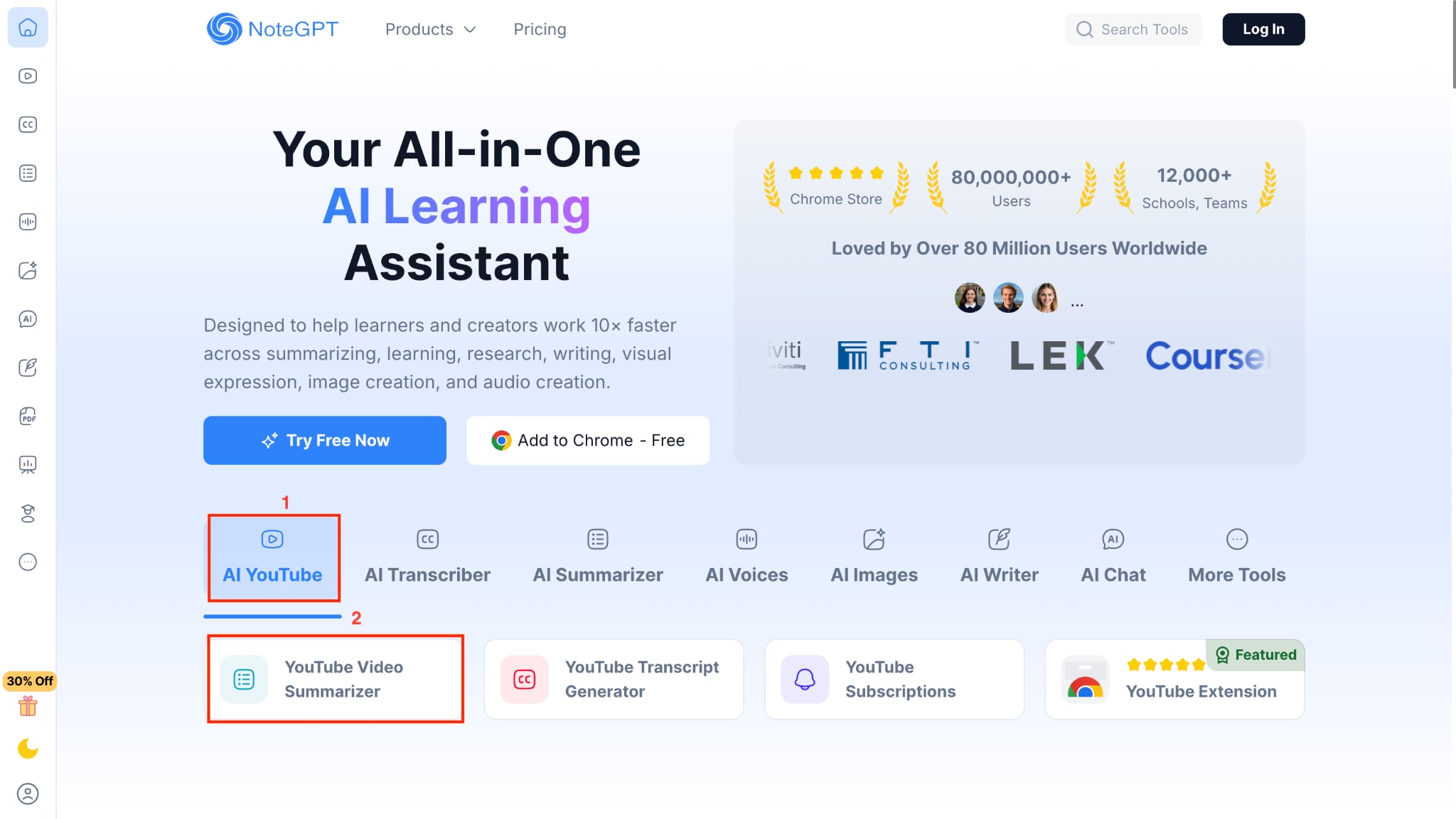
Step 1: Visit the official website of NetGPT. Under the AI YouTube section, click “YouTube Video Summarizer.”
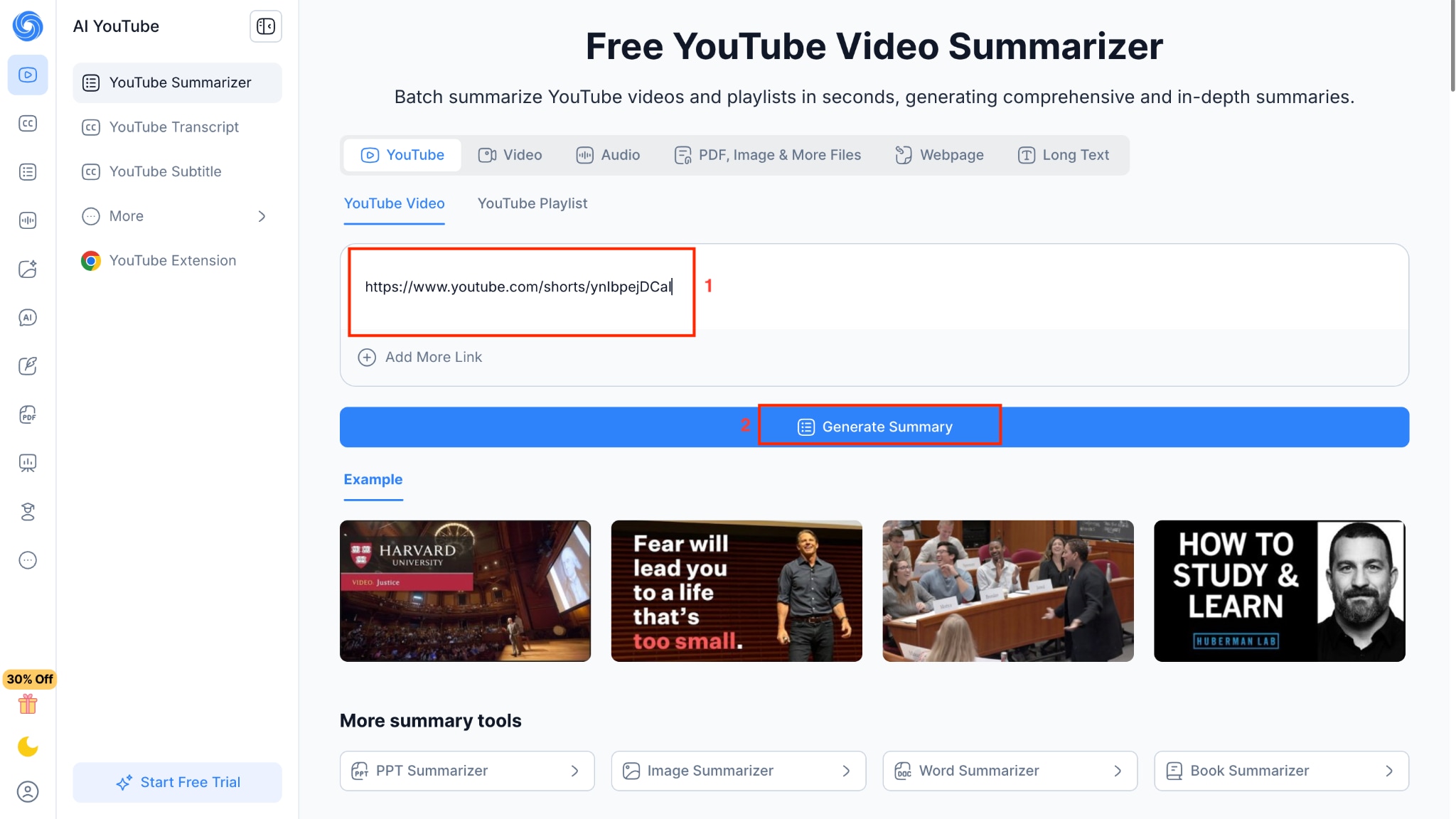
Step 2: Paste the YouTube link and click “Generate Summary.”
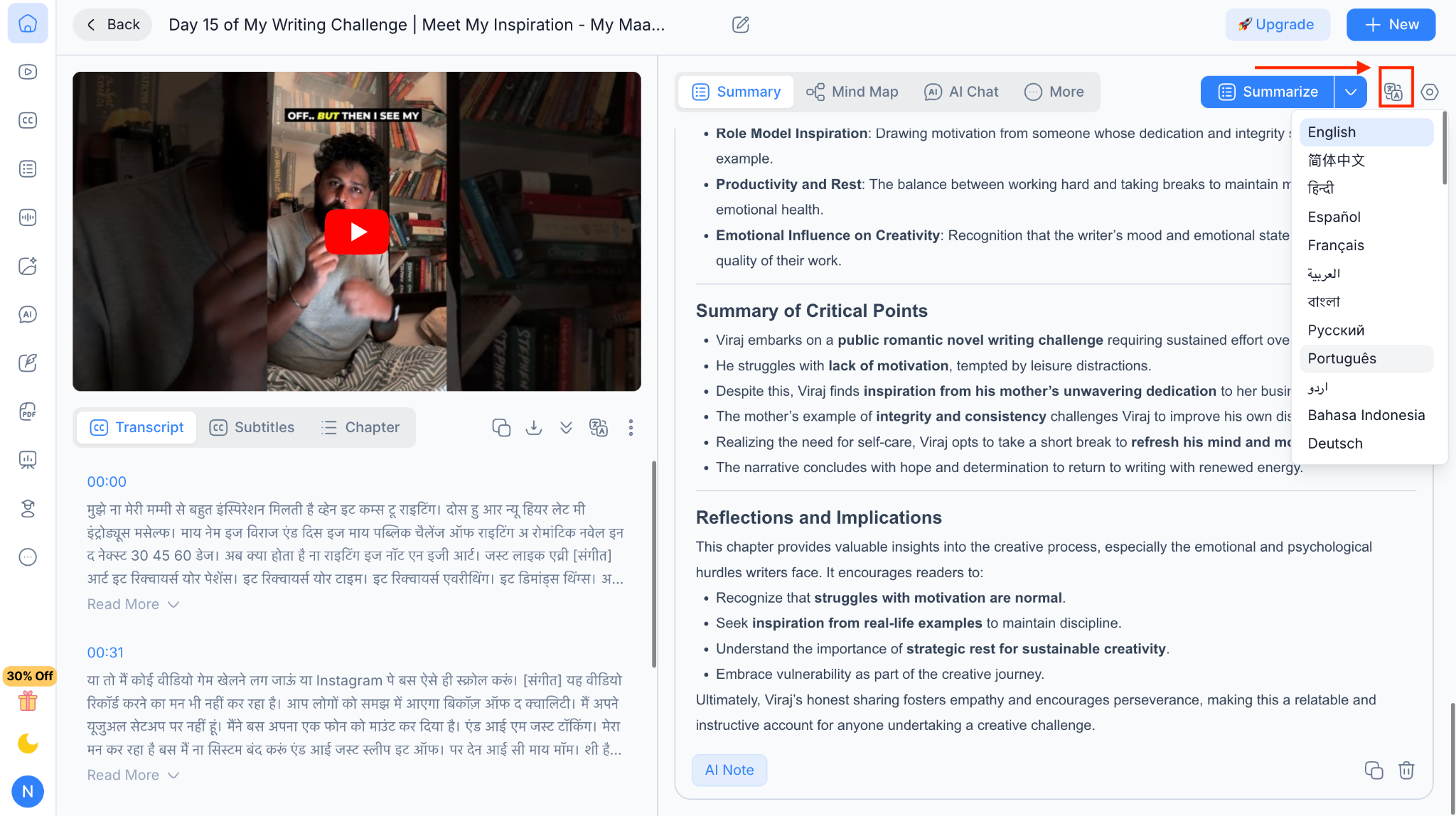
Step 3: You will get a detailed summary of the video, divided into multiple sections such as key points, event timeline, and more. You can also translate summaries and notes in other languages by clicking the translate option.
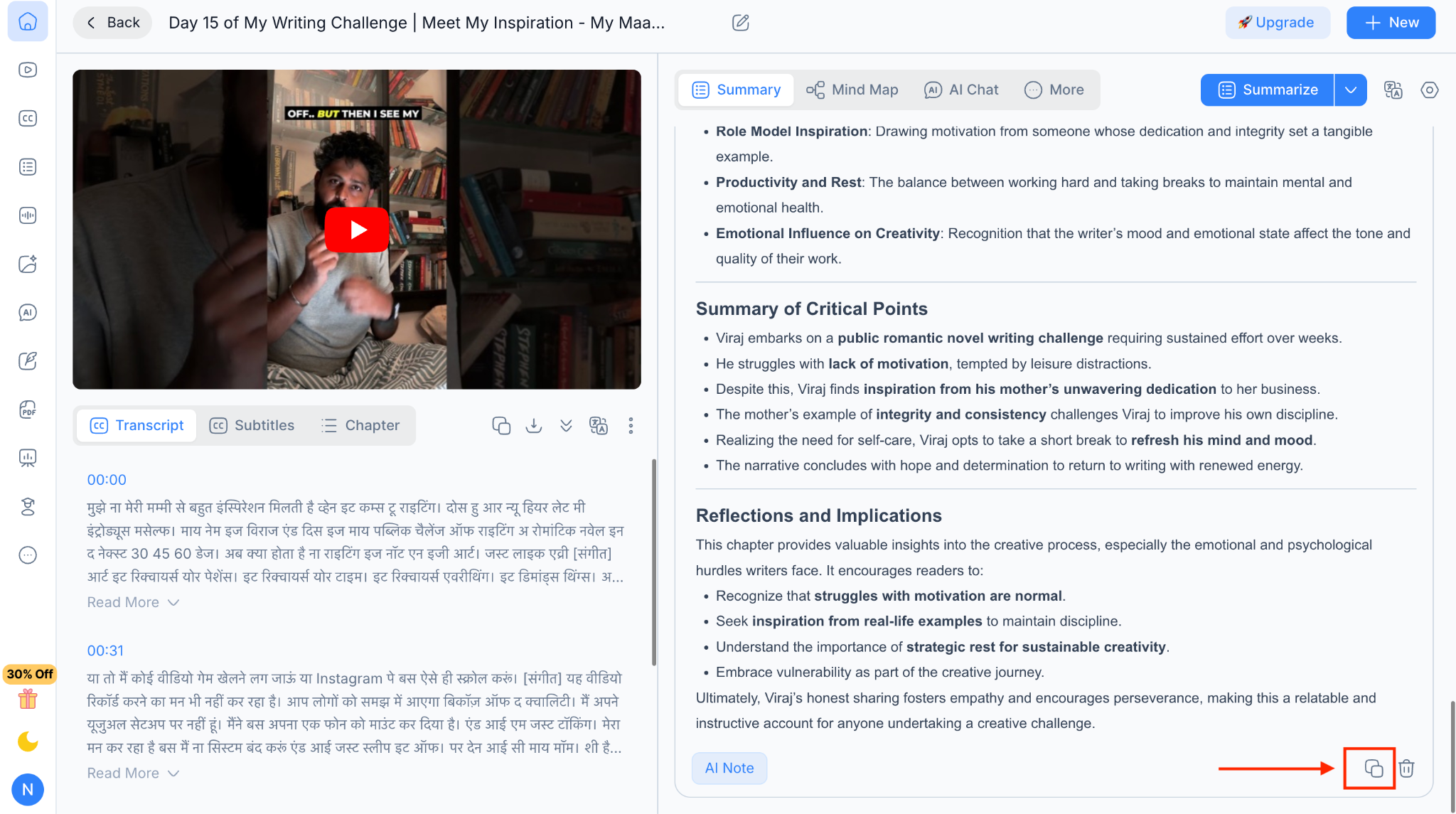
Step 4: Scroll down, and here you can copy your notes and use them.
Accurate YouTube Video to Notes Tool
Part 3: How to Convert YouTube Video to Notes on Mobile (iPhone & Android)?
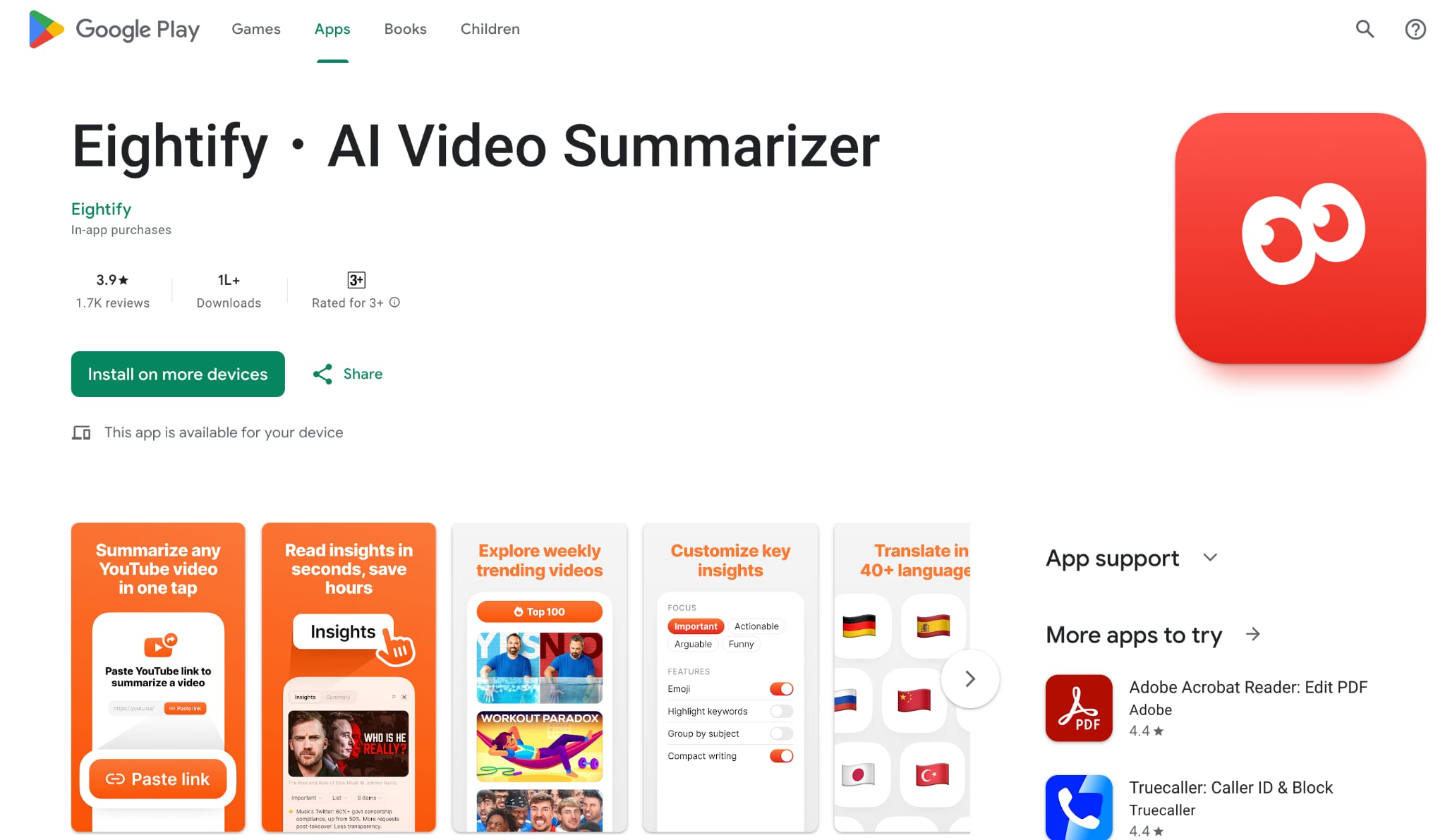
Converting YouTube videos into notes on mobile helps save time when reviewing long content. An Android app like Eightify allows you to generate structured summaries by pasting a YouTube link directly into the app.
The video is analyzed automatically, and the main points are presented in a clean, readable format. This approach is helpful for lectures, tutorials, and interviews where watching the full video is not always practical. It offers a quick way to capture important information while staying focused on key ideas.
For Android
How to use the YouTube to Notes Converter on Android
Here is how you can easily make notes from a YouTube video:
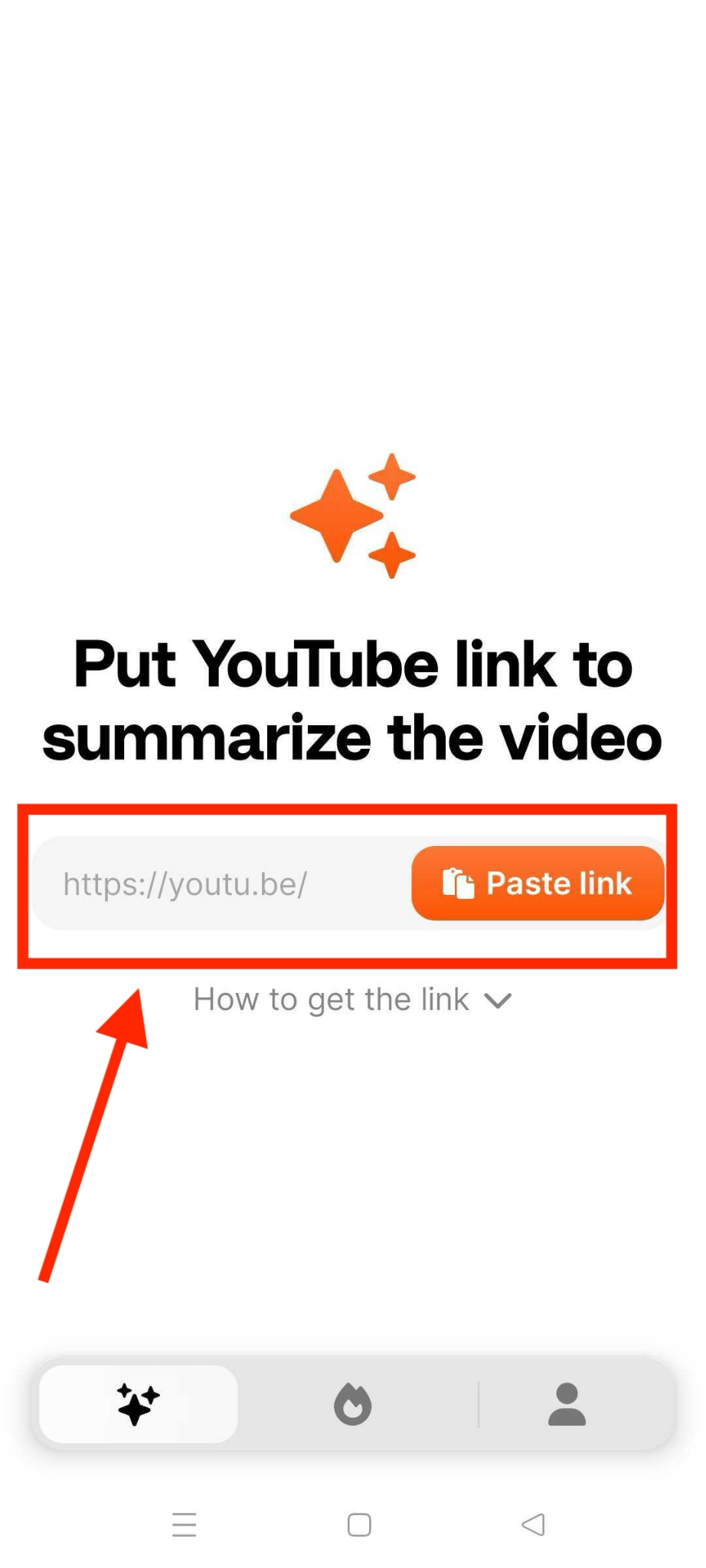
Step 1: Download the Eightify App from the Play Store, and on the homepage, paste the YouTube video link.
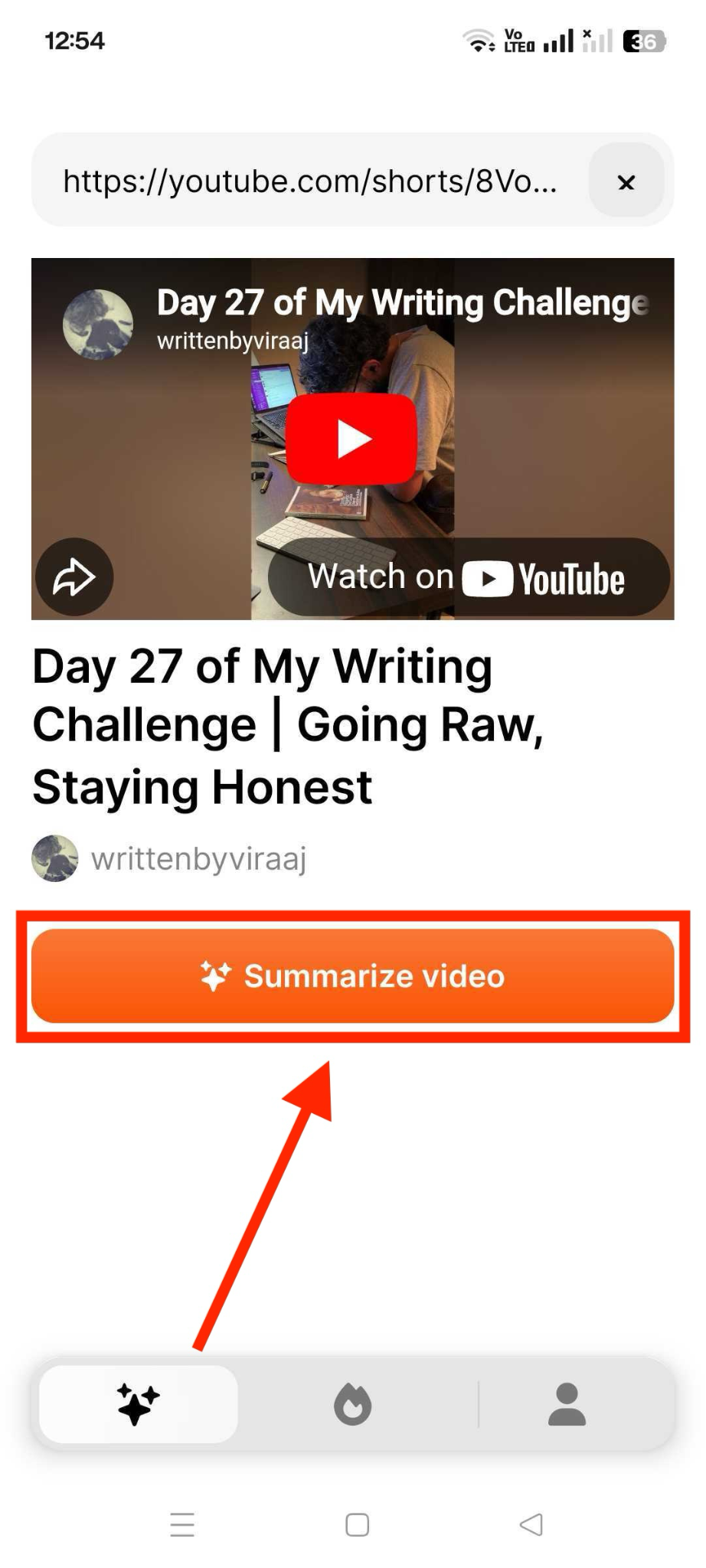
Step 2: Eightify will analyze the video in a few seconds. Click “Summarize Video” to generate a detailed summary. You can copy the summary or share directly from the app via a link.
Beginner-Friendly YouTube Video to Notes Converter
For iPhone
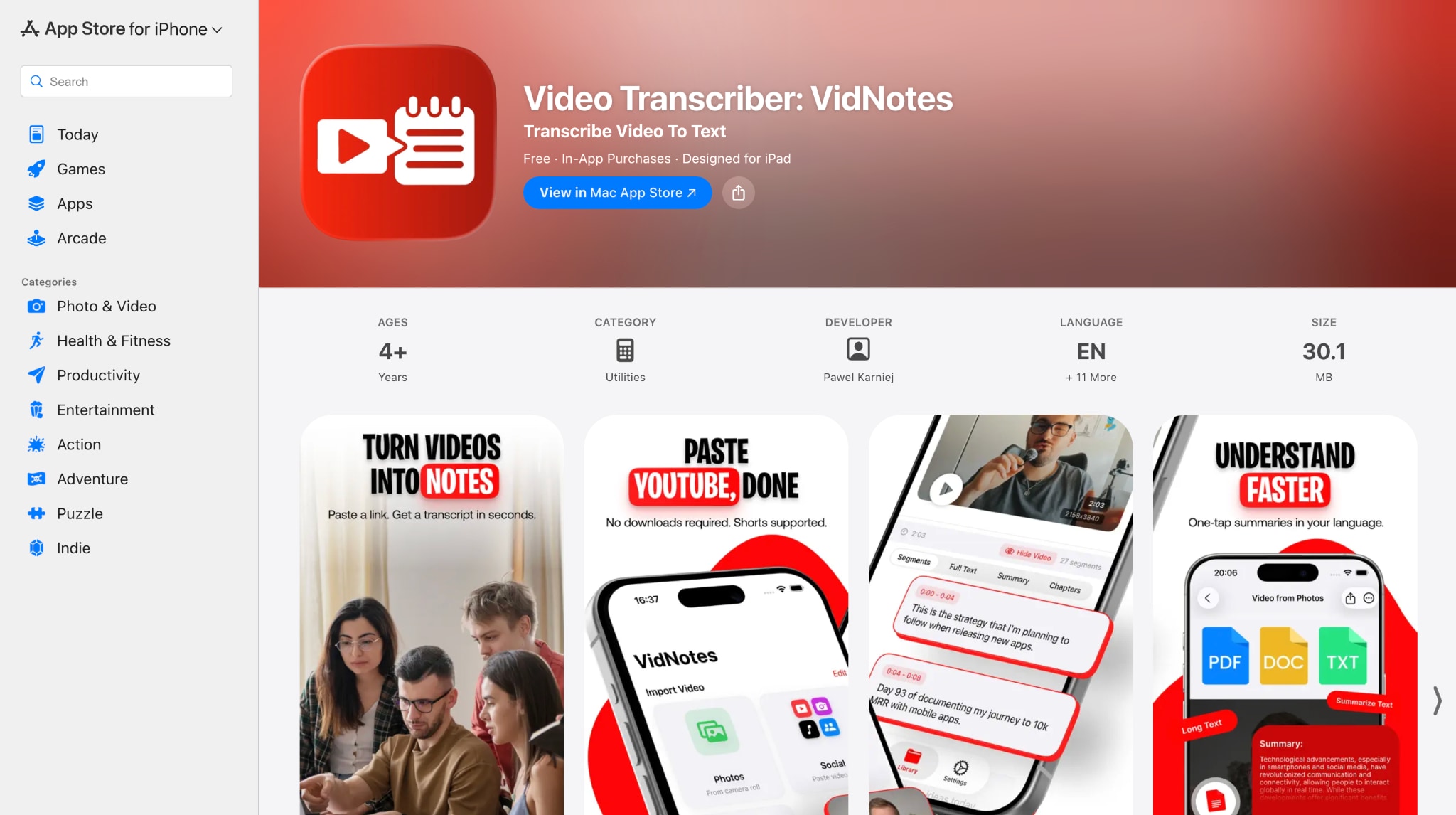
VidNotes works as a YouTube to notes converter that helps turn video content into readable text summaries without manual transcription. The app supports YouTube links and local video files, making it suitable for lectures, interviews, tutorials, and recorded discussions.
Once a video is processed, VidNotes generates structured notes that are easy to review, edit, and export. This approach suits users who prefer working entirely on iOS devices and want a straightforward way to capture key ideas from video content.
How to Use YouTube Notes Converter on iPhone
To convert a YouTube video to notes, follow these simple steps:
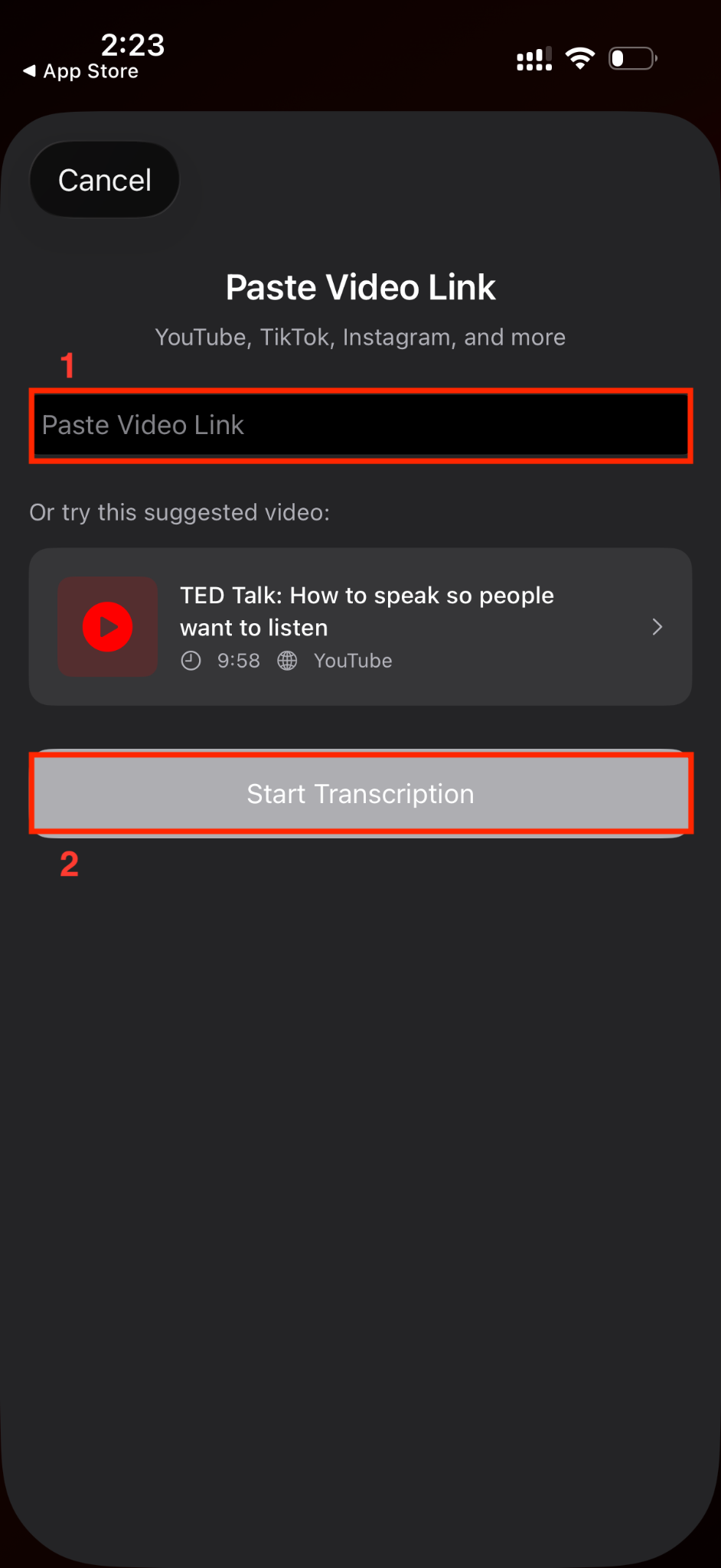
Step 1: On the homepage, paste the YouTube Video link and click “Start Transcription.”
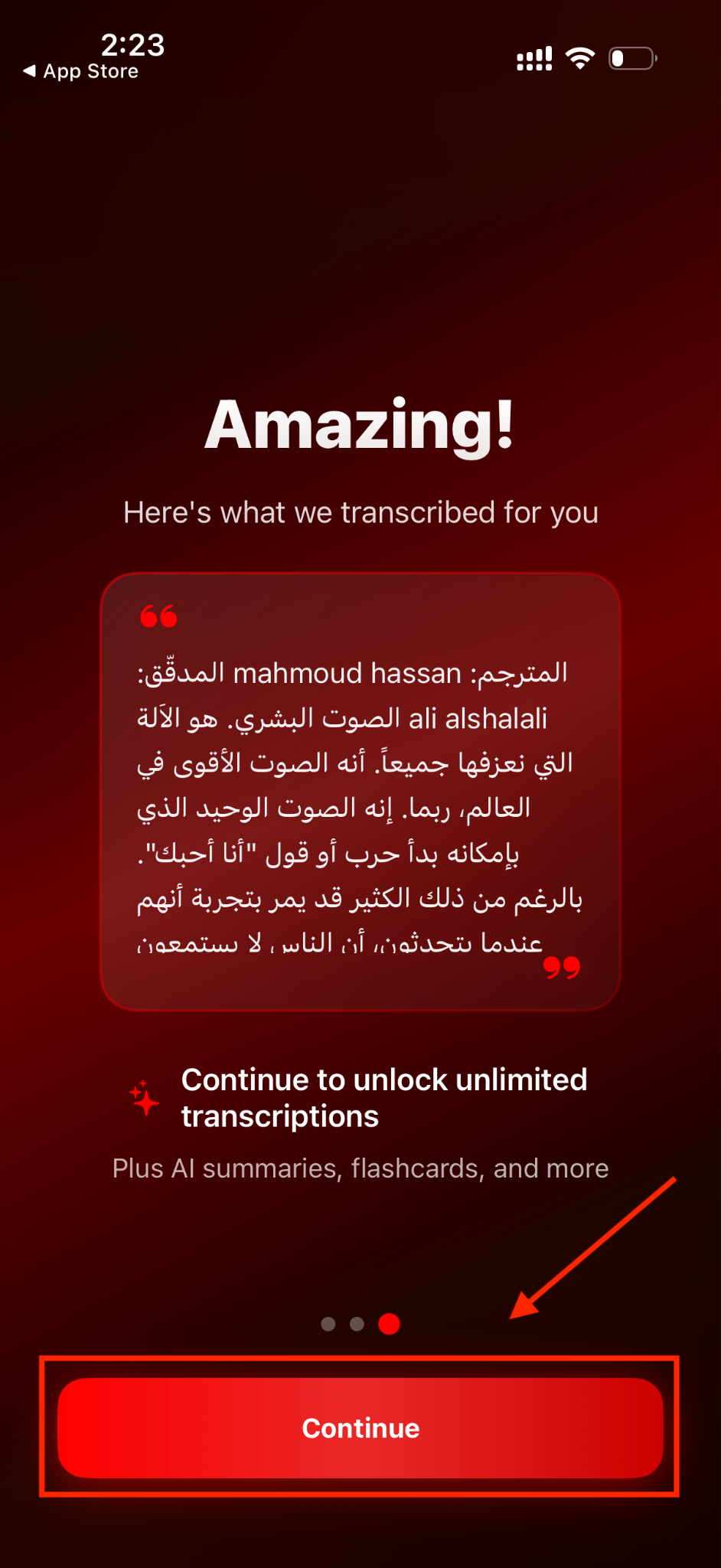
Step 2: The transcription process will take a few minutes. Click “Continue” to get summaries and notes (paid users only).
Accurate YouTube Video to Notes Tool
Part 4: How to Convert YouTube Video to Notes with Browser Extensions & Plugins?
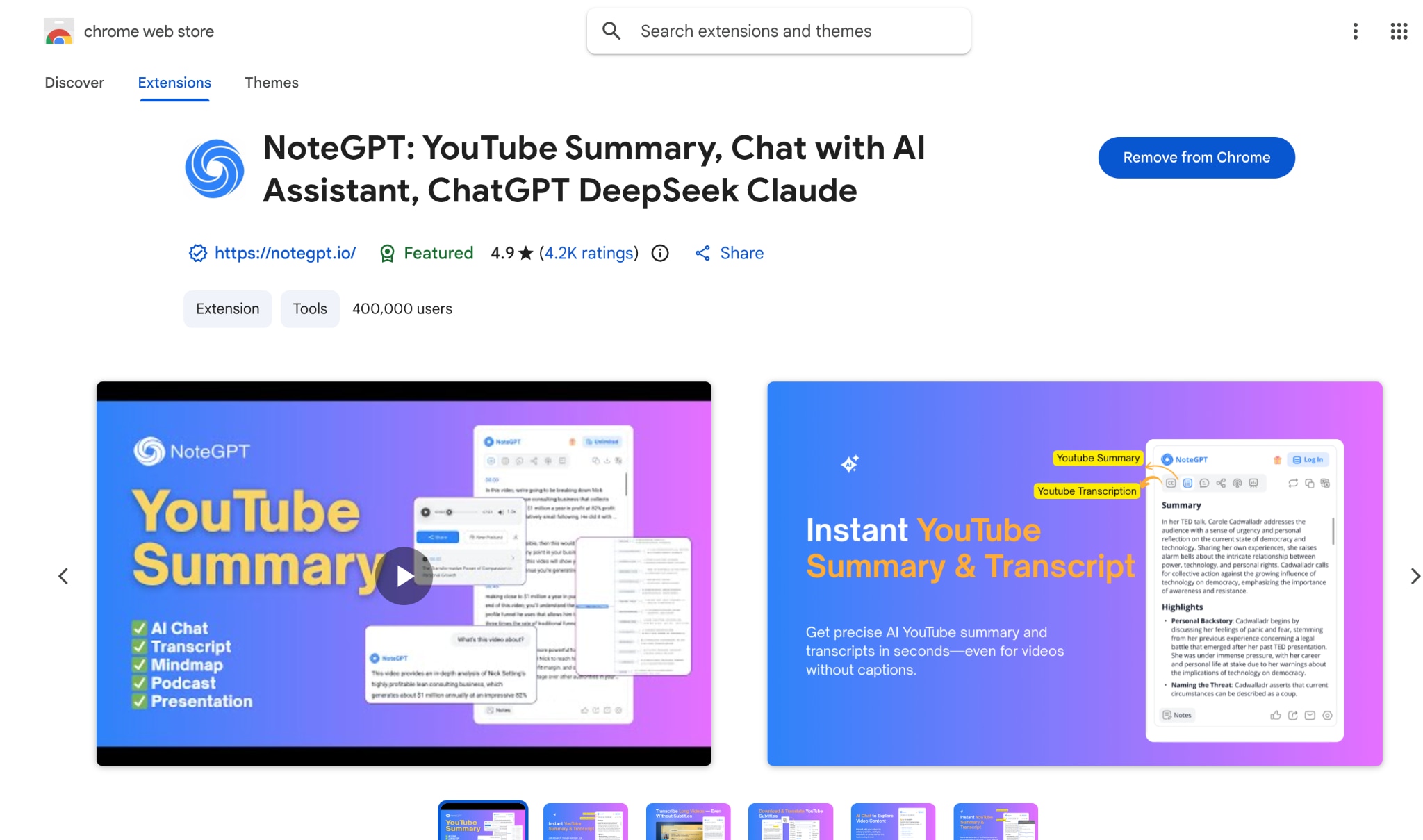
Browser extensions offer a lightweight way to get YouTube Video to Notes directly while watching content. The NoteGPT Chrome extension works inside the browser and connects with YouTube to generate summaries alongside the video player. This approach suits users who prefer quick note generation without opening separate websites or dashboards.
Compared to the full NoteGPT online app, the extension focuses on core functionality, mainly transcription and summarization, making it simpler but more limited. It is suitable for fast reviews, quick learning sessions, and short research tasks where basic notes are sufficient.
How to Use the YouTube Notes Extension for Quick Summaries
By following these steps, you can get a YouTube video to notes quickly:
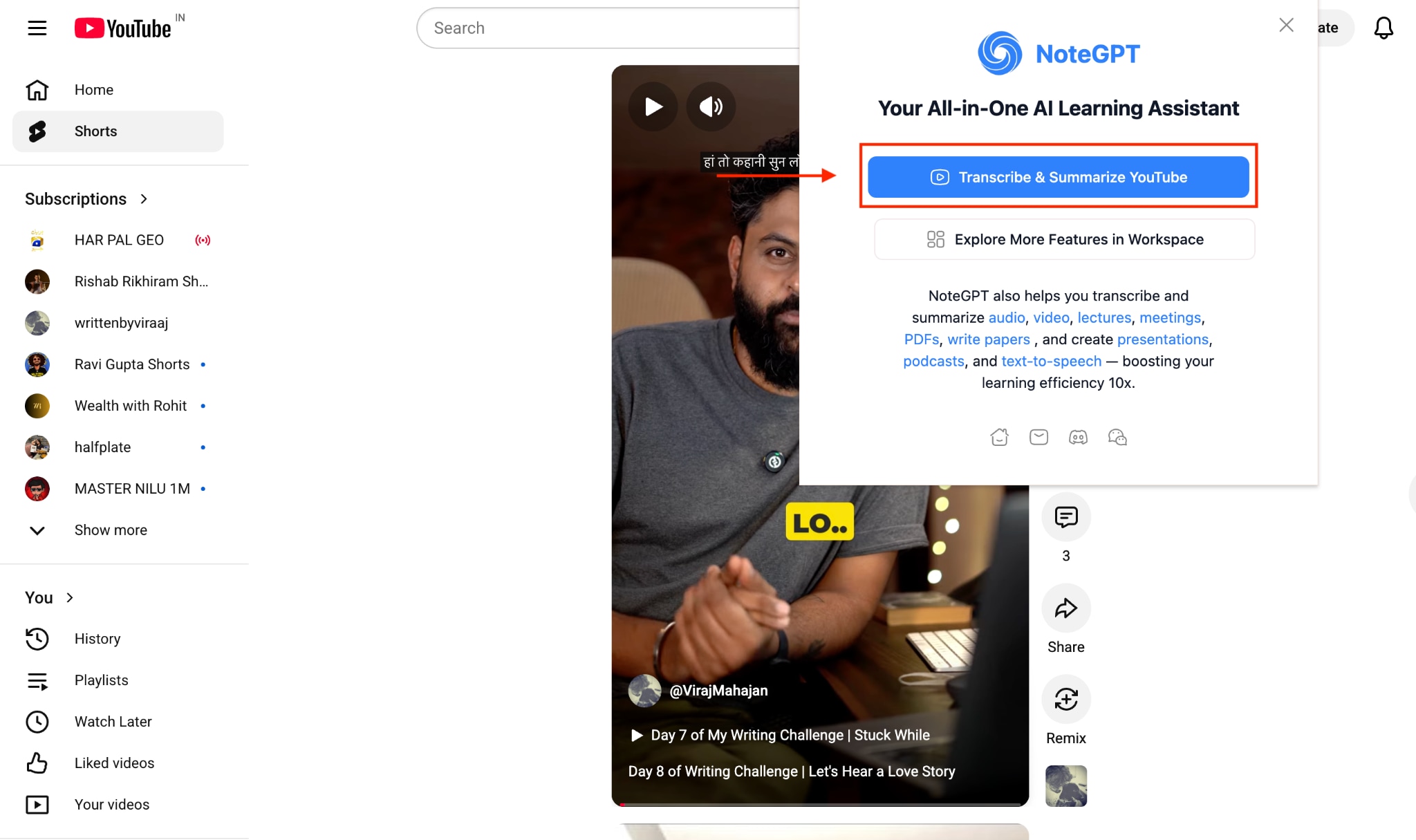
Step 1: Add the NoteGPT Chrome extension, pin it, and click “Transcribe and Summarize YouTube.”
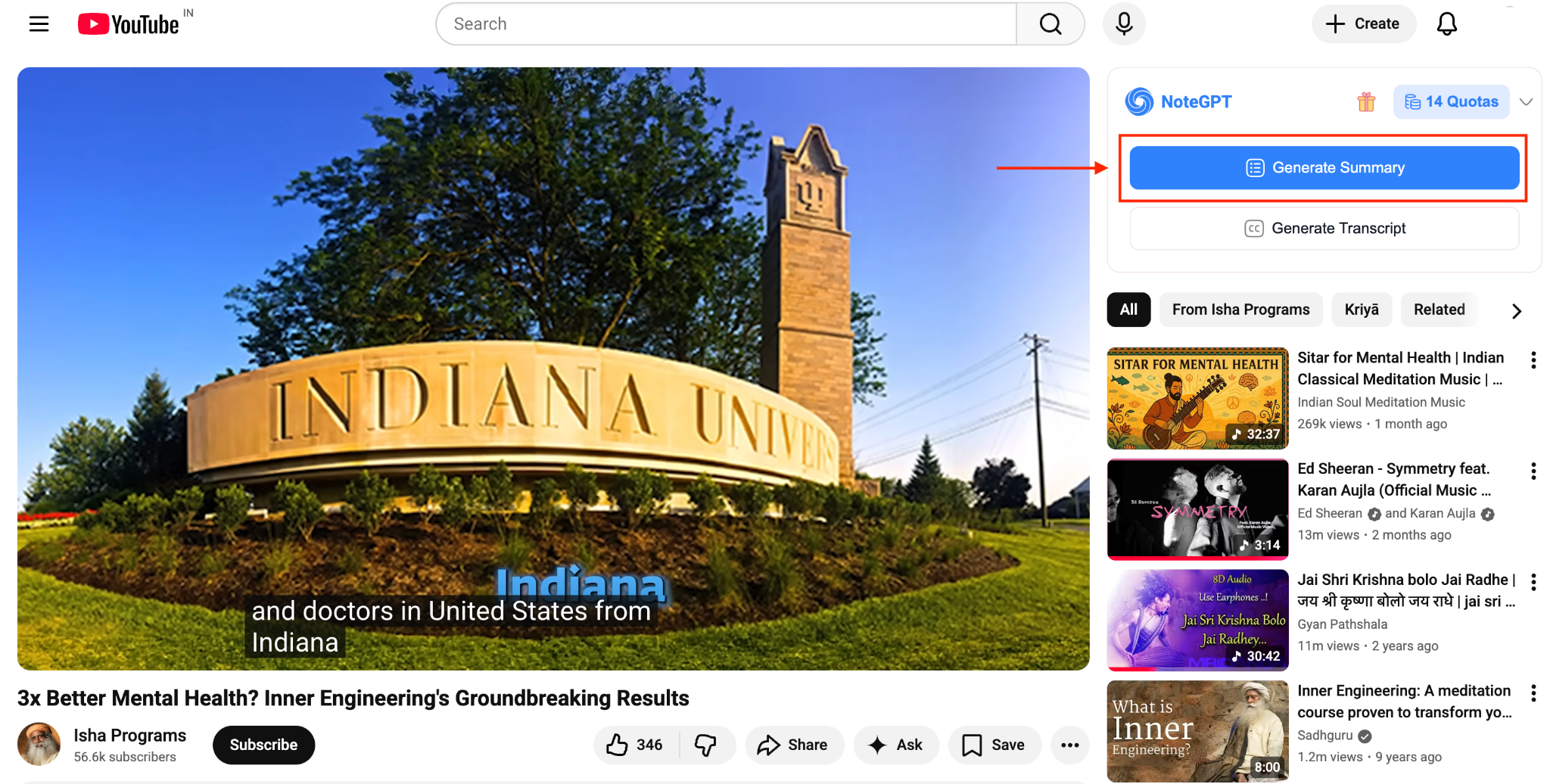
Step 2: NoteGPT Chrome extension will automatically open YouTube, select a video, and play it. On the side, NoteGPT automatically appears. Click “Generate Summary.”
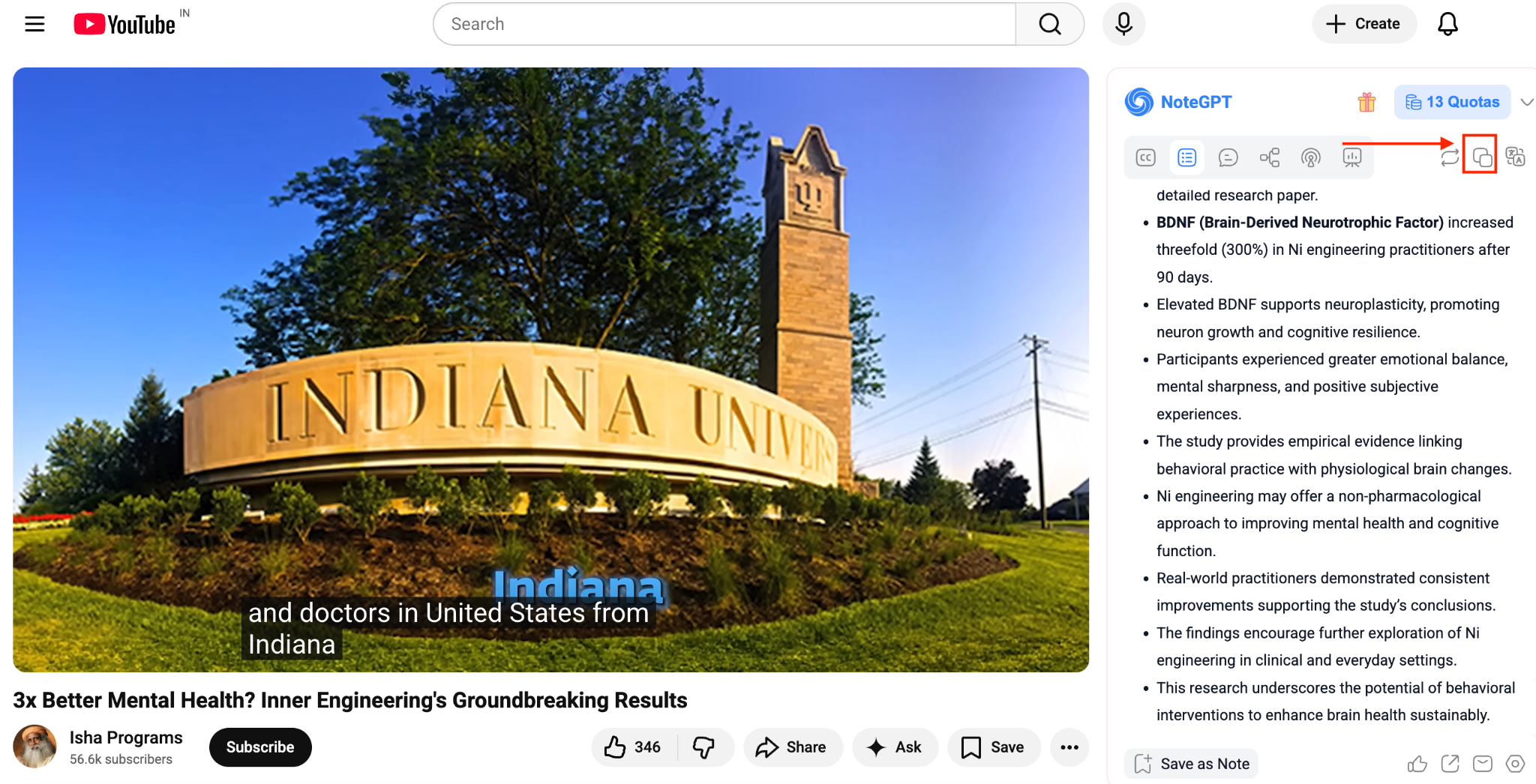
Step 3: NoteGPT will generate a summary of the complete video. You can save it as a note or simply copy the summary.
Beginner-Friendly YouTube Video to Notes Converter
Part 5: How to Convert YouTube Video to Notes with ChatGPT?
Creating notes from YouTube video content with ChatGPT is a practical way to get structured summaries without installing extra apps. YouTube’s official transcript feature allows you to copy spoken content directly from a video, which you can then paste into ChatGPT for summarization, formatting, or rewriting.
This workflow works on both desktop and mobile browsers and is especially useful for lectures, podcasts, interviews, and tutorials. Instead of passively watching long videos, you can turn them into clear bullet points, study notes, or action items within minutes.
How to Convert a YouTube Video to Notes with ChatGPT
Below is the step-by-step guide to get YouTube notes:
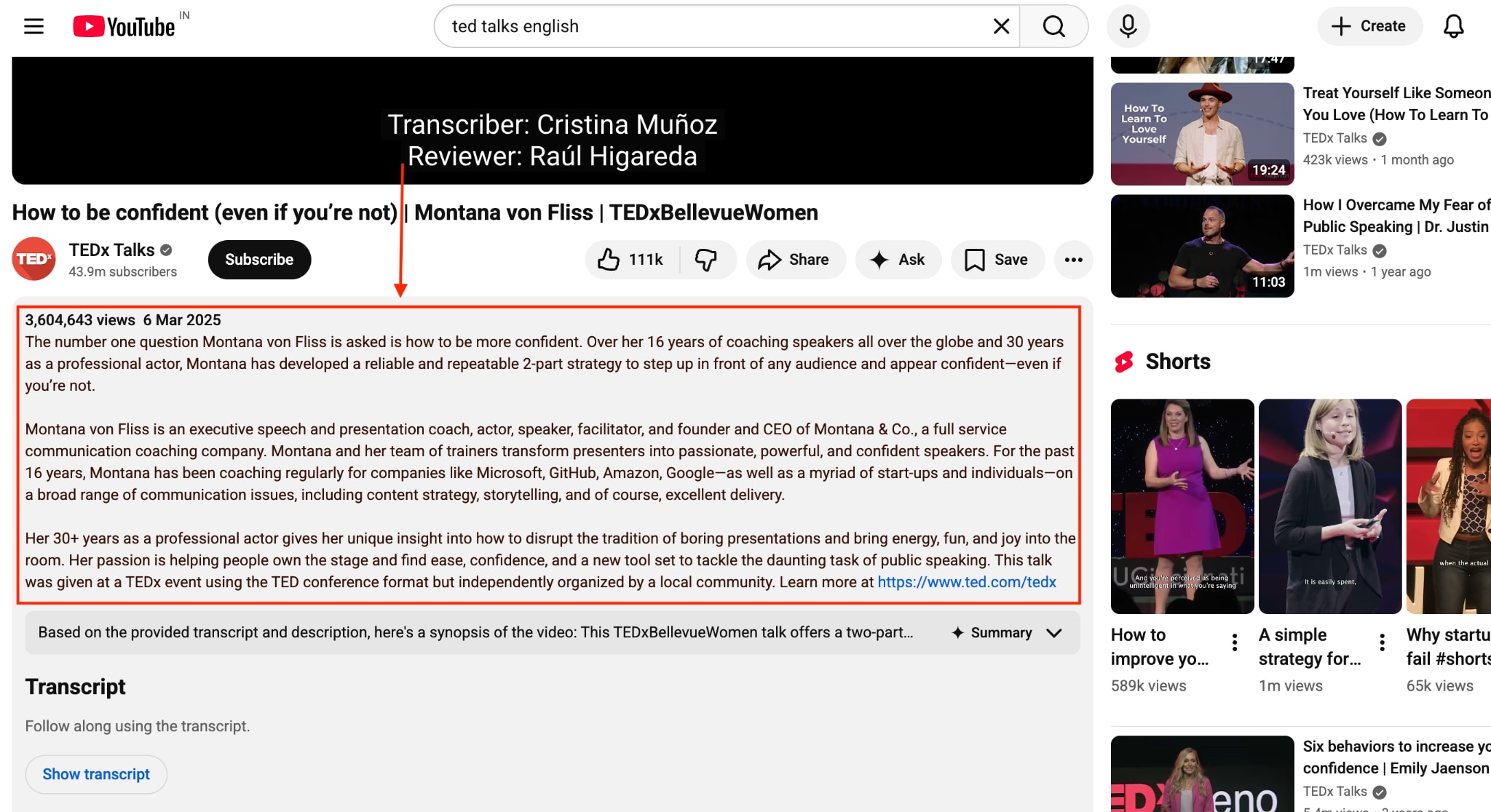
Step 1: Open the video in the YouTube app or mobile browser. Tap the three dots (⋮) below the video and select “Show transcript.” Scroll through the transcript, long-press, and copy all text.
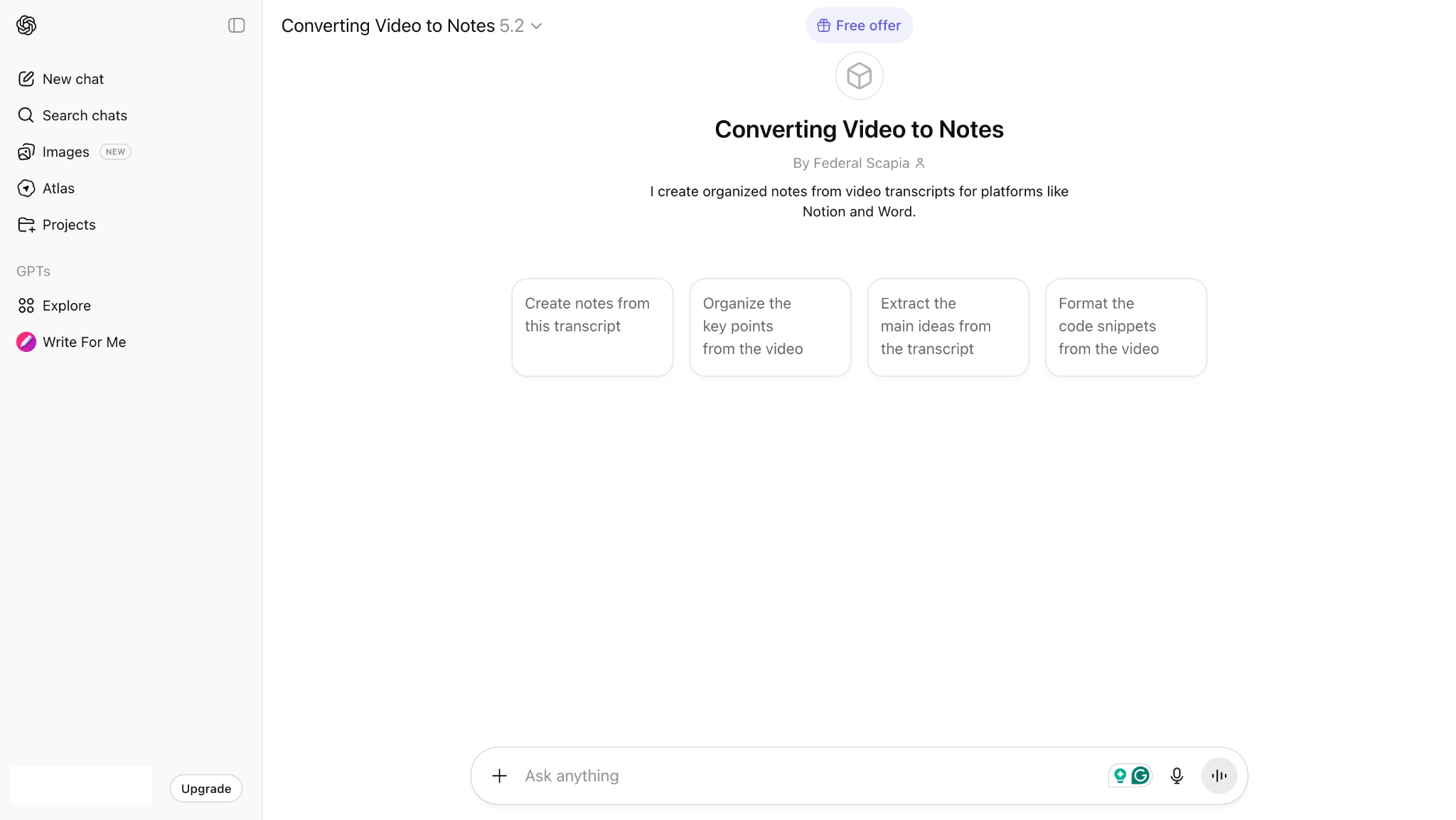
Step 2: Open ChatGPT and paste the transcript. Give this prompt: “Create notes from this transcript” or “Summarize this transcript into 1–2 clear lines, highlighting only the main idea and key takeaway.”
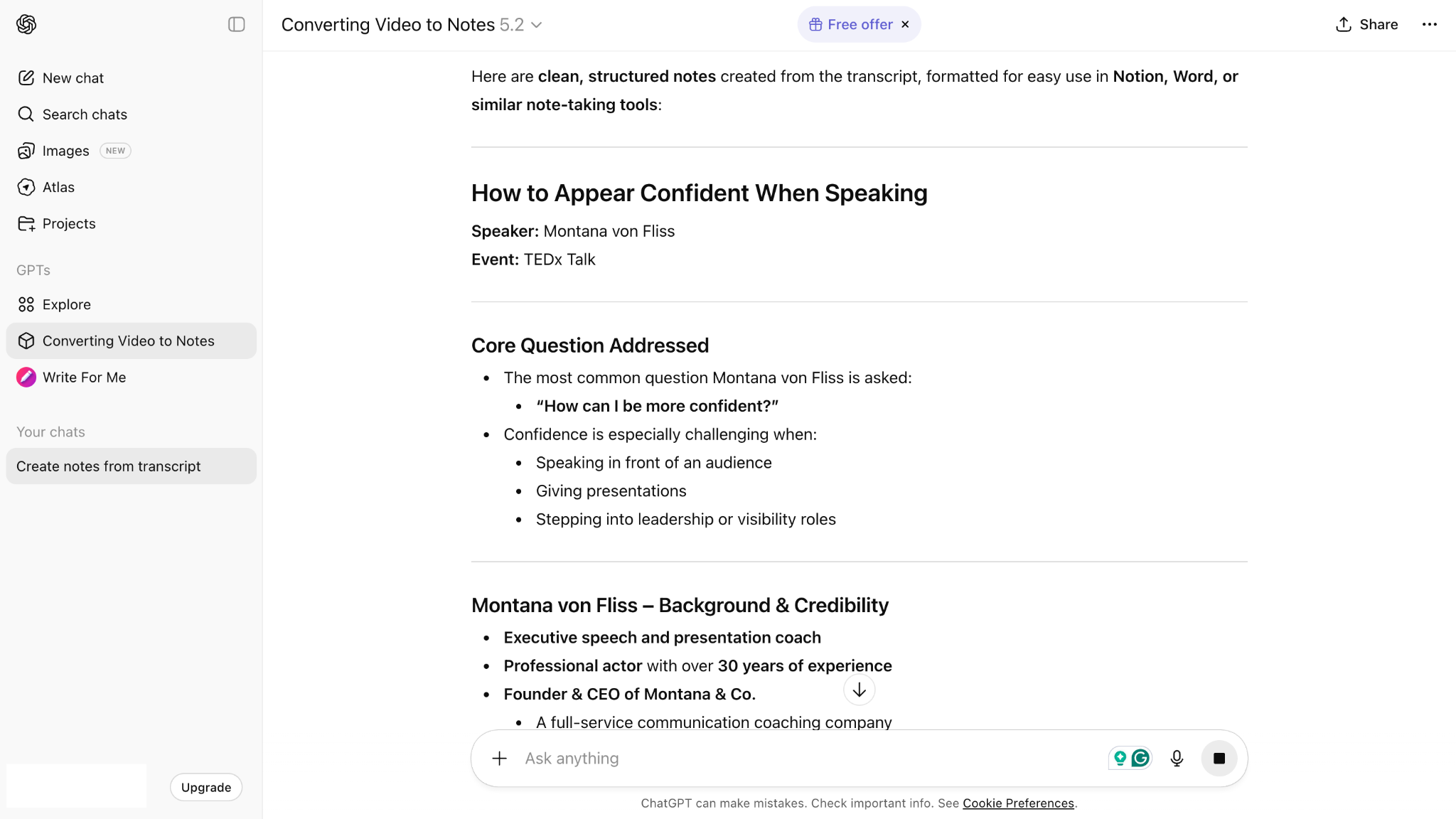
Batch YouTube Video to Notes Converter
Part 6: Comparison Table: All YouTube Video to Note Converters at a Glance
Different tools approach video summarization in different ways, from desktop software to mobile apps and browser extensions. If your goal is to take notes from YouTube videos efficiently, factors like speed, accuracy, cost, and platform support matter. The comparison below highlights how each method performs, helping you decide which option best fits your workflow.
| Method | Tool | Speed | Accuracy | Cost | Best For |
| Desktop Software | UniConverter | Moderate (depends on file size) | 95%+ | Perpetual Plan: $85.99Yearly Plan: $59.99/yr2-Year Plan: $79.99 | Content creators, video conversion with summarization |
| Online Tool | NoteGPT | Fast (2-5 minutes) | 95-98% | Basic: $2.08/monthUnlimited: $14.5/monthPro: $9/month | Students, researchers, and frequent YouTube users |
| Mobile (Android) | Eightify App | Fast (a few seconds) | High accuracy | $4.99/month (annual) or $9.99/month (monthly) | Android users, on-the-go summaries |
| Mobile (iOS) | VidNotes | Moderate (internet dependent) | High accuracy | Premium: $7.99/monthLifetime: $59 | iPhone/iPad users, local video processing |
| Browser Extension | NoteGPT | Fast | High accuracy | Free | Quick summaries, YouTube power users |
| AI Chat Integration | ChatGPT + YouTube Transcript | Manual steps required | Depends on transcript quality | Free: Limited, Plus: $20/month, Pro: $200/month | Users wanting full control over summarization |
Accurate YouTube Video to Notes Tool
Conclusion
Turning a YouTube video to notes can be approached in several practical ways, depending on your workflow and device. Desktop software, online tools, mobile apps, browser extensions, and ChatGPT-based methods each support different use cases. Among these YouTube video-to-PDF note converters, desktop solutions such as Wondershare UniConverter offer greater control over accuracy, structure, and output formats. UniConverter’s features like automatic language detection, predefined summary types, and editable exports make it well-suited for long videos, meetings, and lecture recordings.
If your work involves frequent video-based learning or content review, Wondershare UniConverter provides a reliable way to generate clear, organized notes while maintaining an efficient, consistent workflow.
FAQs
-
1. Can I convert YouTube videos to notes without downloading the video?
Yes. Many tools allow you to generate notes directly from a YouTube link. Wondershare UniConverter supports one-click YouTube summarization, so you can create notes without downloading the video, saving both time and storage space. -
2. How accurate are AI-generated notes from YouTube videos?
Accuracy depends on factors such as audio clarity and the AI model used. Advanced tools like Wondershare UniConverter use context-aware AI to identify key topics and discussions, producing reliable summaries for lectures, meetings, and educational content. -
3. Can I edit and export the notes after they are generated?
Yes. While some tools only allow basic copying, Wondershare UniConverter includes an editing mode that lets you refine the notes and export them in formats such as Markdown or Word for easy documentation and sharing. -
4. Which method is best for long lectures or meeting recordings?
Desktop software is generally the best option for long-form content. Wondershare UniConverter efficiently handles lengthy lectures and meeting recordings, generating structured summaries, discussion points, and notes that are easy to review. -
5. Can I create notes from YouTube videos in multiple languages?
Yes. Multilingual support is available in advanced tools. Wondershare UniConverter supports summarization in over 145 languages, allowing you to generate notes from international videos or translate summaries into your preferred language.

