


Table of Contents
Finding an AniWave alternative is about more than replacing a website. Fans want the shows they follow, readable subtitles, reliable TV playback and a price that fits. This guide compares free and subscription services, then turns a real Reddit discussion into a practical checklist.
What Happened to AniWave?
The original 9anime rebranded as AniWave, which shut down in August 2024. TorrentFreak reported the rebrand, while WinXDVD's retrospective describes the subsequent shutdown. A similar name or logo does not establish that a later website is operated by the same team.
AniWave Alternatives: Quick Comparison
Start with the experience you need. The following is a source-based comparison, not a claim that we personally tested every service. Check the provider’s title page, your local catalog and supported devices before paying.
| Alternative | Best for | Access | What to check |
|---|---|---|---|
| Crunchyroll | Seasonal releases and anime-first browsing | Paid on-demand; free scheduled channel | Check language tracks and the show in your region |
| HIDIVE | Anime exclusives and niche series | Subscription | Availability and catalog depend on country |
| Tubi | Free on-demand anime | Free, ad-supported | Specific titles and languages rotate |
| Pluto TV | Free anime channels and on-demand titles | Free, ad-supported | Live channels follow a schedule |
| RetroCrush | Classic anime | Free, ad-supported | Emphasis is on older titles |
| Netflix | Anime alongside broader TV and film | Subscription | Catalog and downloads vary by plan and title |
| Hulu | Anime plus general entertainment in the US | Subscription | US availability and plan terms apply |
| hoopla | Borrowing with a participating public library | No separate subscription with eligible library card | Library participation and lending rules apply |
8 AniWave Alternatives to Compare
1. Crunchyroll — Anime-focused viewing and simulcasts
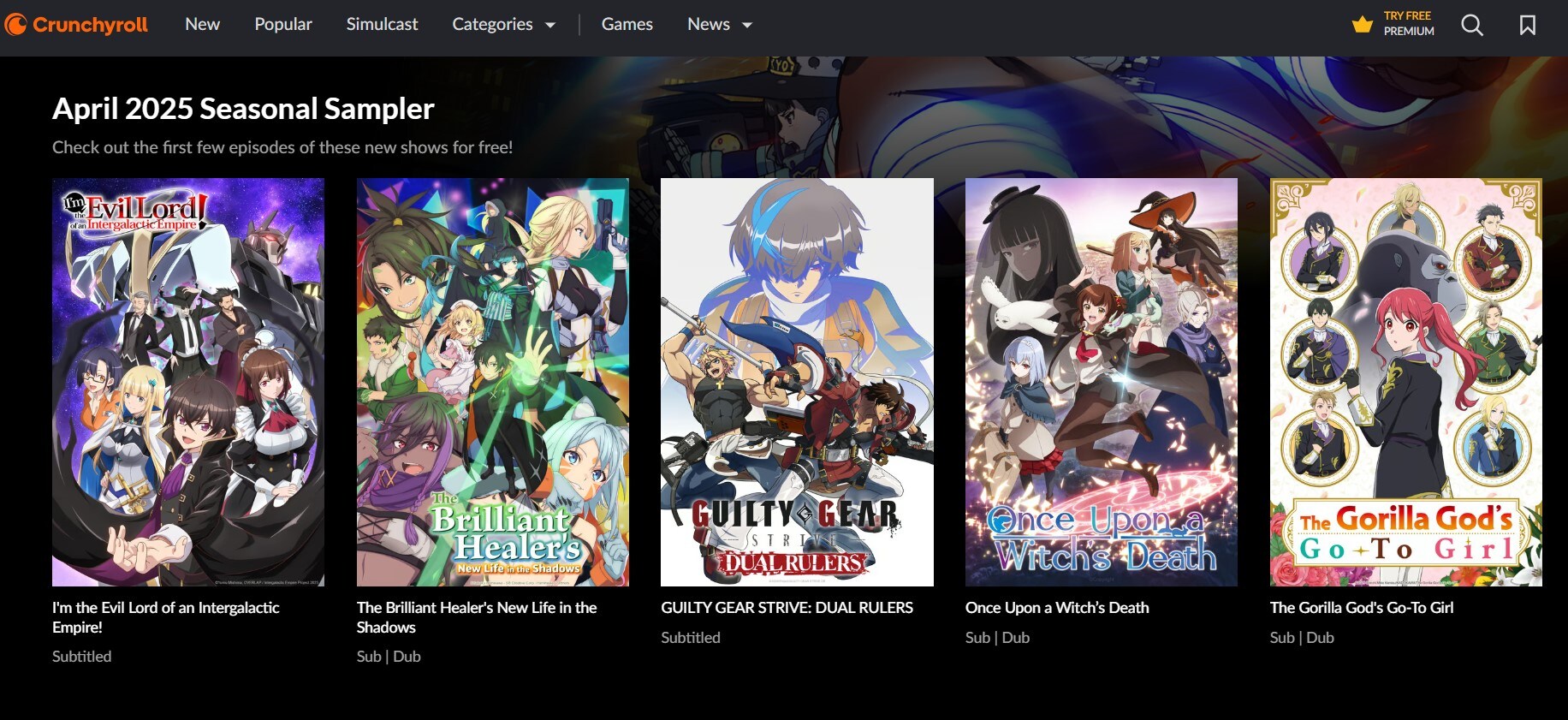
Crunchyroll is a starting point if seasonal releases, anime browsing and multiple language options matter more than a free on-demand library. Search your preferred series and check the episode, subtitle and dub options available in your country.
Best for: anime-focused discovery and current series. Trade-off: its full on-demand catalog is associated with Premium; the separate Crunchyroll Channel is free on selected platforms but uses a scheduled lineup.
2. HIDIVE — Niche anime and exclusives
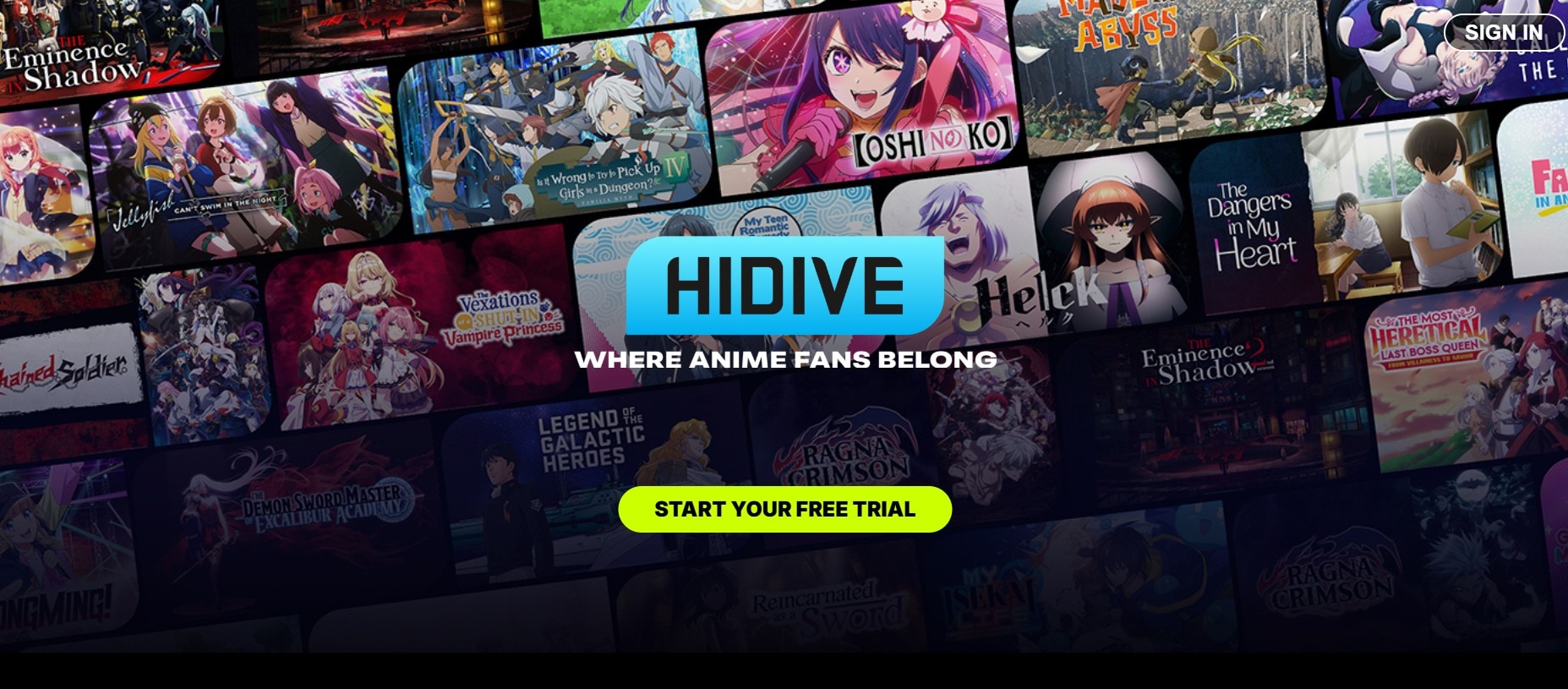
HIDIVE is worth comparing when a particular show or exclusive is missing elsewhere. It focuses on anime rather than general entertainment. Trade-off: it is a subscription service and titles differ by country; verify your show and device before signing up.
3. Tubi — Free on-demand anime
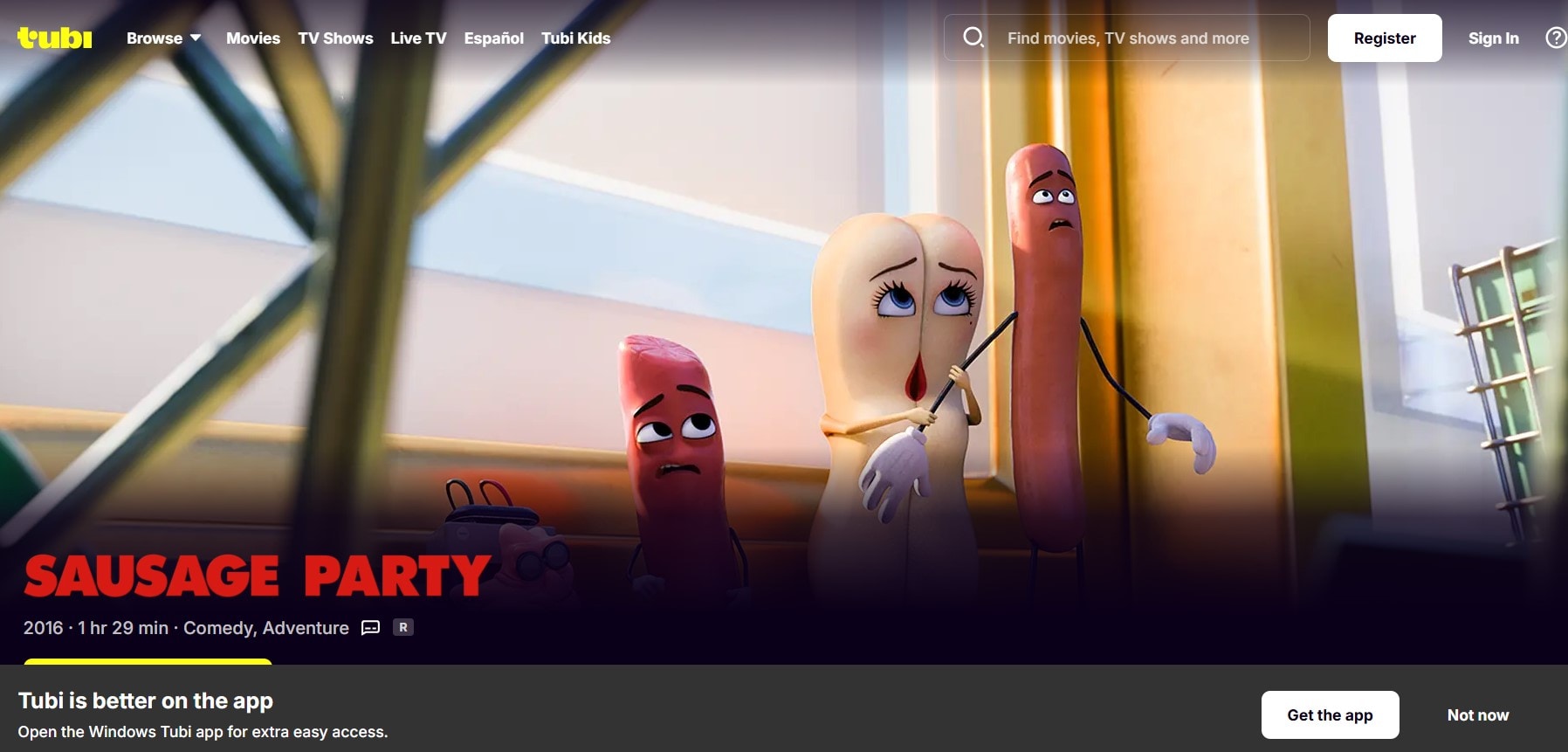
Tubi is a useful free AniWave alternative if your first priority is on-demand episodes with no subscription. Its anime section lists both subbed and dubbed titles. Trade-off: ads support the service, and a specific show or language is not guaranteed to remain in its catalog.
4. Pluto TV — Free channels and anime on demand
Pluto TV lists anime series and offers live channels. Choose it if you enjoy discovering a show through a free channel as well as browsing available on-demand titles. Trade-off: a live channel runs on its own schedule, so check whether your desired episode is available on demand.
5. RetroCrush — Classic anime
RetroCrush focuses on classic anime and offers free viewing. It is a useful option when older shows are your priority rather than the latest simulcast. Trade-off: its specialty makes it a less complete choice for viewers seeking every current series.
6. Netflix — Anime plus movies and series
Netflix is practical if your household already uses it for other shows. Search for a specific anime and check the language menu. Trade-off: a subscription is required, and offline viewing applies only to eligible titles, devices and plan conditions; an app download is not a transferable video file.
7. Hulu — Anime alongside US entertainment
Hulu is an option for US viewers who want anime and a wider TV library under one subscription. Before selecting a plan, check the specific anime and language track. Trade-off: Hulu’s standalone plans require US availability, and plan features differ.
8. hoopla — Borrow anime with a library card
For a library-based alternative, explore hoopla’s anime collection. A participating public library and eligible card can provide access without a separate subscription. Trade-off: participation, available titles and borrowing allowances depend on your library.
For a broader comparison, see our guide to free anime websites.
How to Choose the Right AniWave Alternative
The best replacement depends on how you watch, not just the number of shows on a site. Compare your preferred series across services before choosing.
- Look up your shows first. Check the exact season and episodes in your country; catalogs change and one provider may not carry every series you want.
- Check subtitles and audio. Open the language menu for a specific episode to confirm the dub, subtitles and readability you need.
- Test on your main device. Try the same episode on your TV and phone. In an AniWave alternatives discussion on Reddit, one viewer reported a player freezing on a TV; that individual report is a reminder to check device compatibility, not evidence of a universal issue.
- Compare free access. Decide whether you prefer on-demand episodes with ads or a scheduled channel; confirm whether an account or library card is required.
- Keep your watchlist. Save show names and episode numbers separately so you can rebuild your list if a service changes.
Enhance Your Own Anime Videos with UniConverter
Streaming apps are the right place to watch their catalogs. If you already have an anime video you created or are authorized to edit as a local file, UniConverter’s desktop tools can help you improve that file or add subtitles. UniConverter is not an AniWave replacement or a way to open protected offline app downloads.
For a blurry local clip, use AI Video Enhancer; for captions, use its subtitle tools and review the text and timing yourself. Results depend on the source, and AI cannot guarantee perfect detail or translation.
How to Enhance Anime Videos with UniConverter
The following Windows workflow uses the official UniConverter 18 guide. Use a video file you created or have permission to edit.
- Open Video Enhancer. Launch UniConverter, then choose Enhance & Clean Up > Video Enhancer on the Home screen.
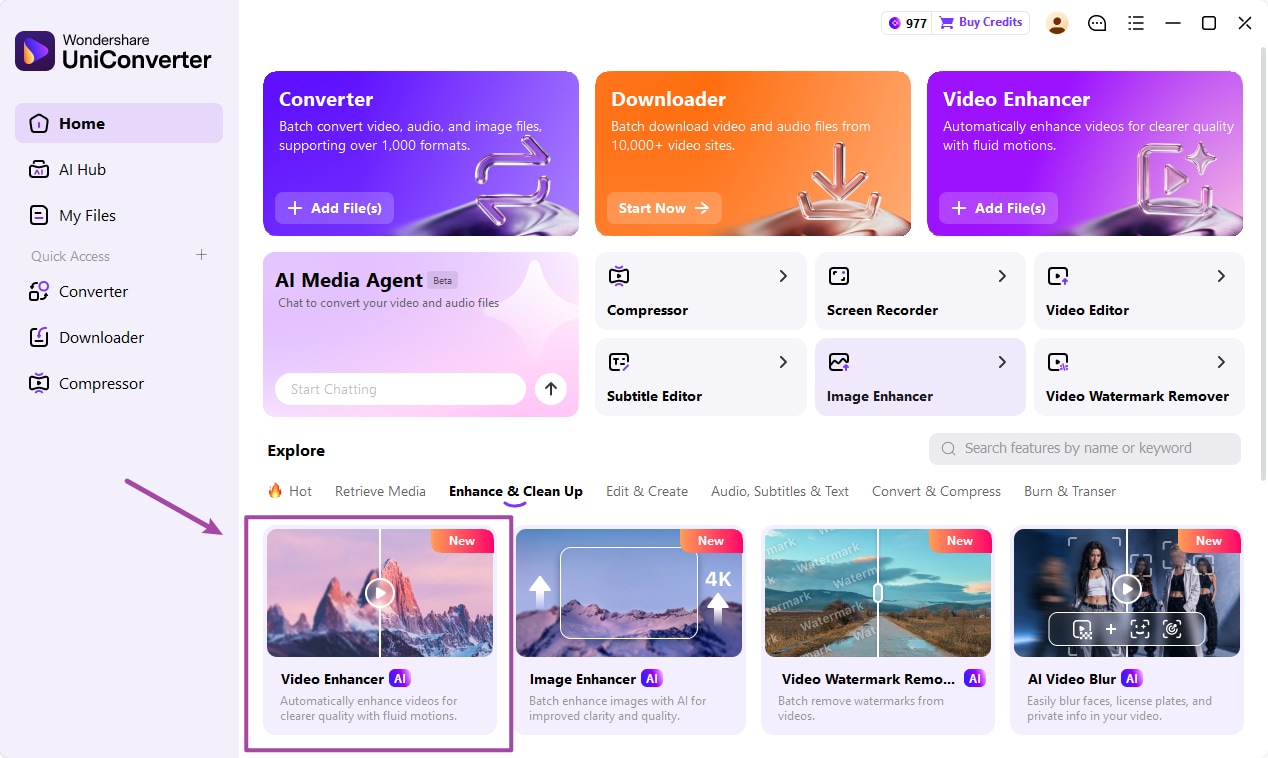
Open Video Enhancer from the UniConverter home screen. - Choose a quality mode and add your video. Under Enhancement & Upscaling, select Quality Enhancement, choose Ultra (Gen AI), and click Add Video or drag in the file.
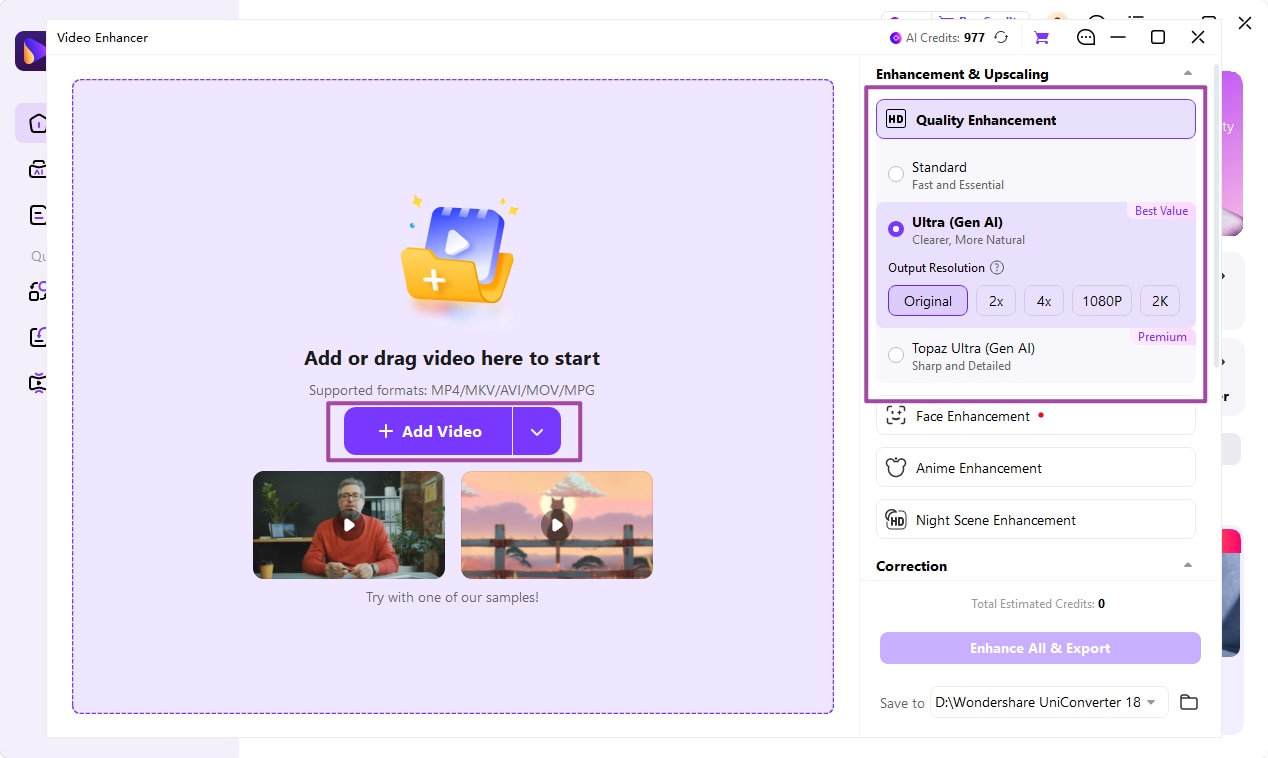
Select the enhancement mode and add your local video. - Set the resolution and preview. Choose an available Output Resolution, such as Original, 2x, 4x, 1080P or 2K. Click Preview (3 s) to check the result before processing the full clip.
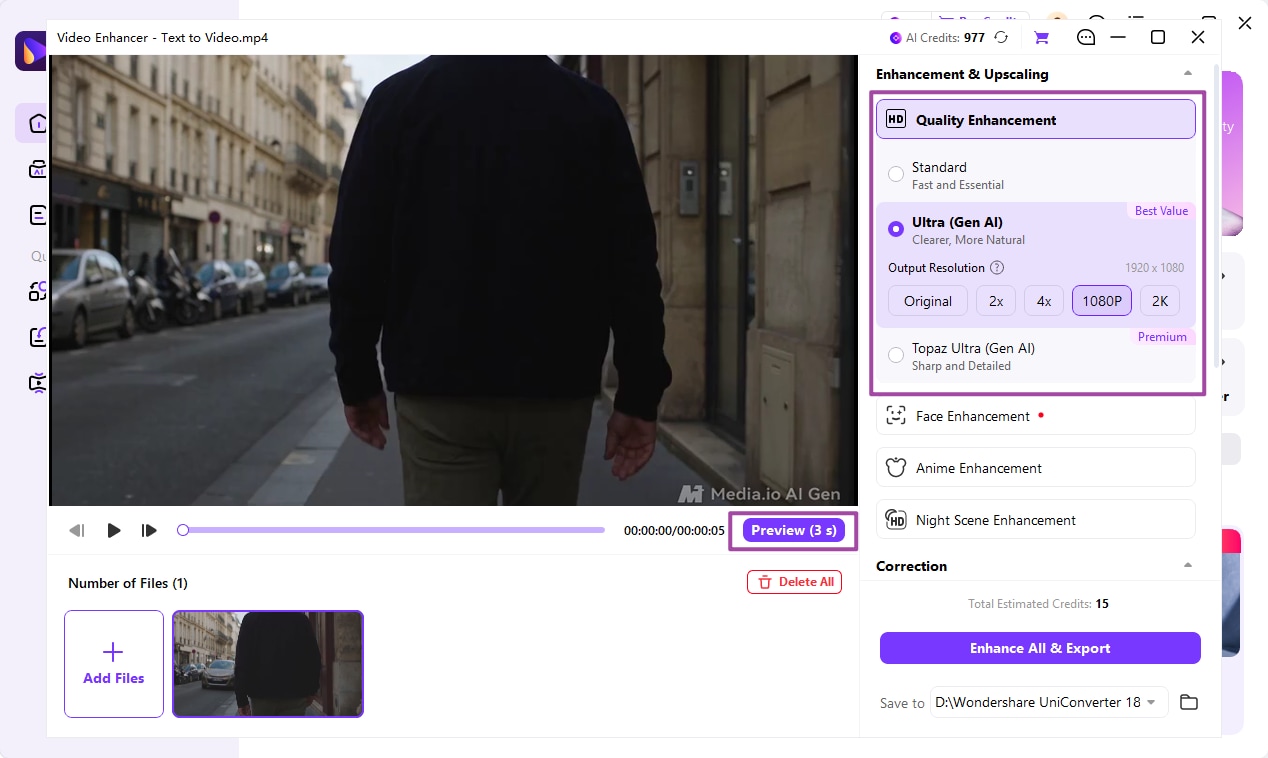
Choose an output resolution and preview a short section. - Compare and export. Review Original and Result for edges and detail; then choose a folder under Save to, click Enhance All & Export, and confirm the task. Play the finished file and check its picture and audio.
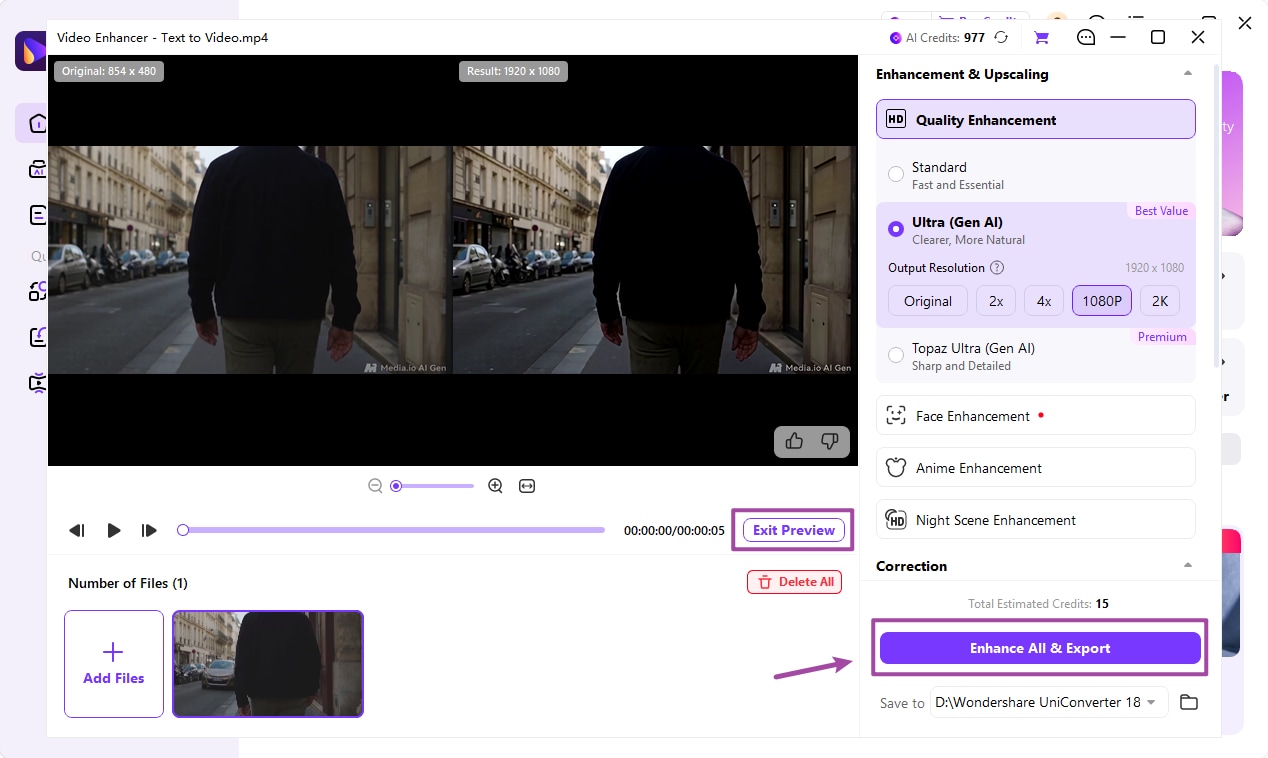
Compare the preview with the original before exporting. 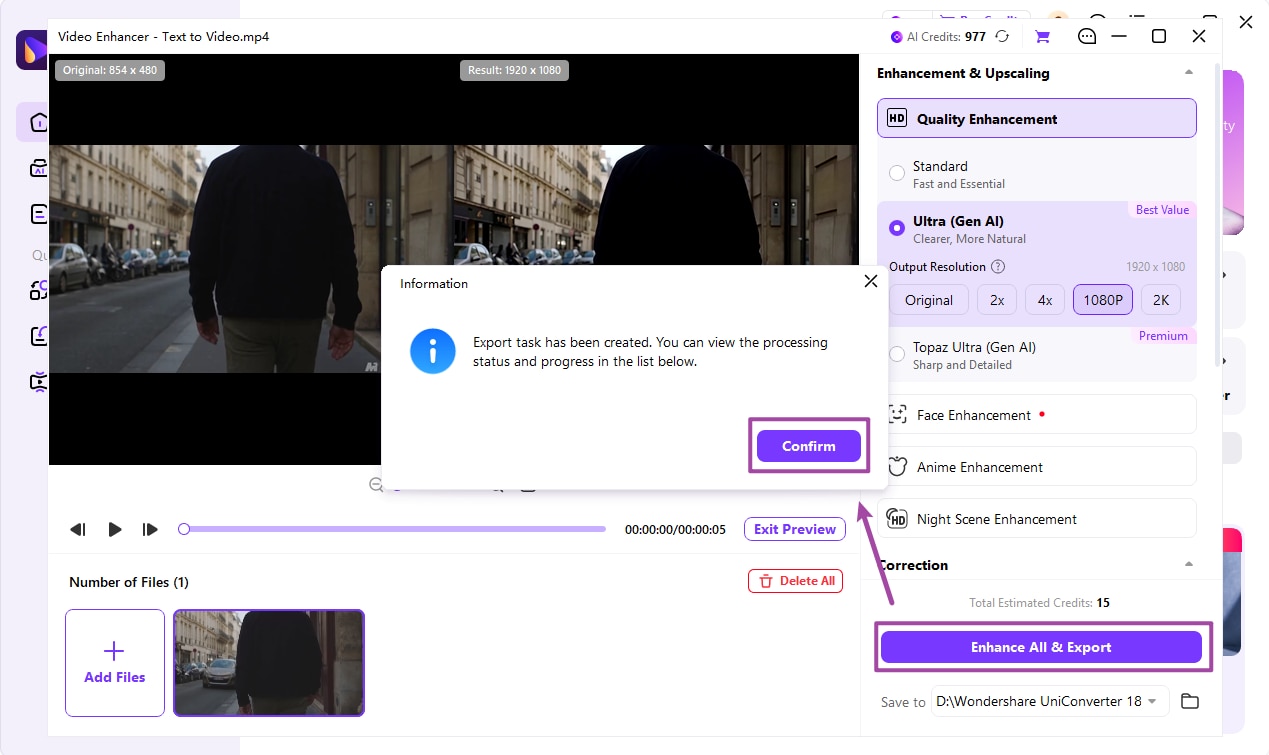
Confirm the enhancement task and check its processing status.
For anime footage: UniConverter's Video Enhancer also includes an Anime Enhancement option. Compare a short preview before processing the full file; output quality depends on the source and settings.
See the official video enhancement guide for interface screenshots and detailed settings.
Conclusion
The best AniWave alternative depends on what you want to watch and where you watch it. Start with Crunchyroll or HIDIVE for anime-focused libraries, try Tubi, Pluto TV or RetroCrush for free viewing, and check hoopla if your library participates. Before committing to a service, confirm that your chosen series, subtitles or dub, and preferred device are supported.
If you also have anime videos you created or are authorized to edit, UniConverter can help enhance their picture quality. For streaming, use the viewing options provided by your chosen service.