


When you’re watching an anime, does the dialogue outpace the subtitles? Or, you feel the subtitles are misinterpreting. This is typical with most auto-dubbed subtitles and can be very frustrating. Most of the time, these subtitles are straightforward translations of the dialogue, which may not fully capture the essence of the story. The fan subs available on anime subtitles websites are far superior to auto-dubbed subtitles.
If you agree, then read through the guide that shares the top ten websites to download anime subtitles for free. It also discusses a few tools you can use to code the subtitles into the videos.
Quick Answer: What Is the Best Website to Download Anime Subtitles?
If you want the widest subtitle library, OpenSubtitles is one of the best anime subtitle download sites for multilingual subtitle files.
If you prefer anime-focused subtitle files and advanced ASS subtitle support, Kitsunekko is one of the best options for English anime subtitles and fansubs.
If you also want to add, sync, or stylize downloaded subtitles, Wondershare UniConverter is a practical tool for managing anime subtitle files on desktop.
In this article
Part 1: Why Download Anime Subtitles Separately?
While many platforms offer auto-generated subtitles, downloading subtitles separately gives a much better viewing experience. Here's why:
- More Accurate Timing: Auto-subs often fall out of sync with dialogue due to differences in language structure. Manual subtitles are timed to match perfectly.
- Better Translations: Downloaded subtitles are usually context-aware. They capture humor, puns, and cultural nuances that auto-translators often miss.
- Language Variety: Auto-subs mostly support English and a few common languages. Downloaded subtitles come in dozens of languages, making anime accessible to more viewers.
- Extra Features: Some sites include fansubs, karaoke-style subtitles for theme songs, and special formatting for enhanced immersion.
Part 2. 10 Best Websites to Download Anime Subtitles
Multiple results come up when you search for the best anime sub websites on Google, but not all are reliable. Many are cluttered with ads, making them difficult to use smoothly. So, here's a comparison table of the ten best websites to download anime subtitles:
Quick Guide: Best Anime Subtitle Source by Use Case
| Websites | Language Supported | Ads/Redirects | Focus |
| OpenSubtitles | Multiple (English, Arabic, Spanish, Portuguese, Catalan, Albanian, Arabic, etc.) | Yes (Moderate) | General-focused |
| Kitsunekko.net | English, Chinese, Japanese, and Korean | No | General-focused |
| Addic7ed | Multiple (Japanese, English, Arabic, etc.) | Yes (Plenty) | General-focused |
| iSubtitles | Multiple (English, Arabic, Vietnamese, etc.) | Yes (Moderate) | General-focused |
| AnimeSub.Lt | Multiple languages (mainly English, Spanish, French, etc.) | Yes (Moderate) | Strong focus on anime subtitles |
| Subdl.com | Multiple languages like English and Japanese | Yes (Plenty) | Anime available |
| Anime Tosho | English and Japanese | Yes (Minimal) | Anime-specific |
| CD Japan | English and Japanese | Yes (Minimal) | Japanese culture specific |
| YIFY Subtitles | English and Japanese | Yes (Moderate) | General focus |
| Unspecific and depends on the volunteer | No | Anime focused |
Now you have a brief idea of the anime subtitle downloaders, continue reading to learn more about them, including their pros and cons.
1. OpenSubtitles – Global Subtitle Database
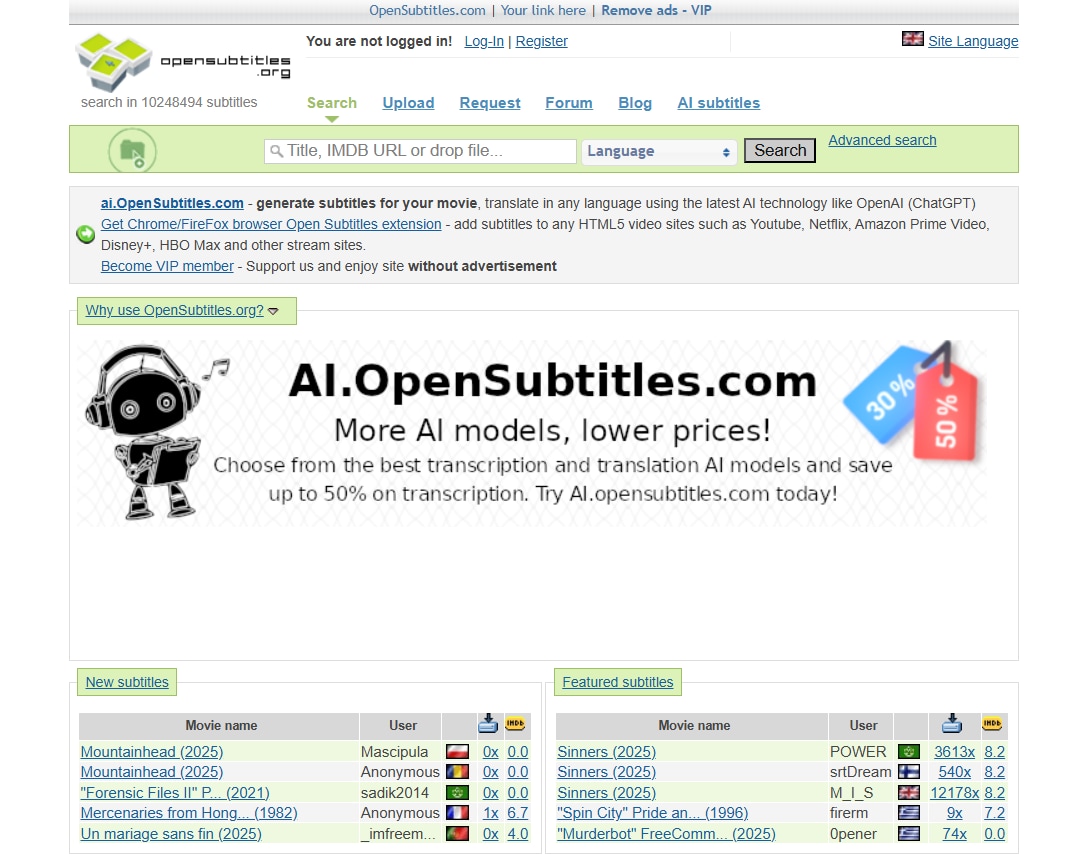
OpenSubtitles is a top website for downloading subtitles for anime, featuring a massive library of anime, alongside movies and TV shows that is regularly updated. You'll find new and old anime subtitles in multiple languages, including some less common ones like Albanian, Catalan, and Arabic. The interface is simple, and you can download a subtitle by clicking the anime name, followed by the download button.
However, many ads may appear during the process, and you may need to answer some simple questions or complete the CAPTCHA.
Key Features
- Users can search for their favorite titles from a diverse library of movies, TV shows, and anime.
- OpenSubtitles offers subtitles in a wide range of languages.
- Users can find a subtitle using a file hash, a unique identifier for a video file.
- It also provides AI-generated subtitles.
2. Kitsunekko.net – Niche Site for Anime +.Ass Subtitle Files

Kitsunekko.net appears in the top half when you search for the best place to download anime subtitles. The reasons include free services, a simple interface, and little to no ads. It categorizes content by language and genre, making it easy for you to find your favorite anime and download subtitles with just one click. Also, subtitles are available in .ass format, featuring advanced features such as special effects, text styling, and graphics.
Key Features
- The content is organized by genre and alphabetical order.
- Subtitles are available for download in Japanese, English, Chinese, and Korean.
- There's an option to upload subtitles.
- Subtitles are downloadable in .ass format.
3. Addic7ed – Regular Subtitle Uploads, Including Anime
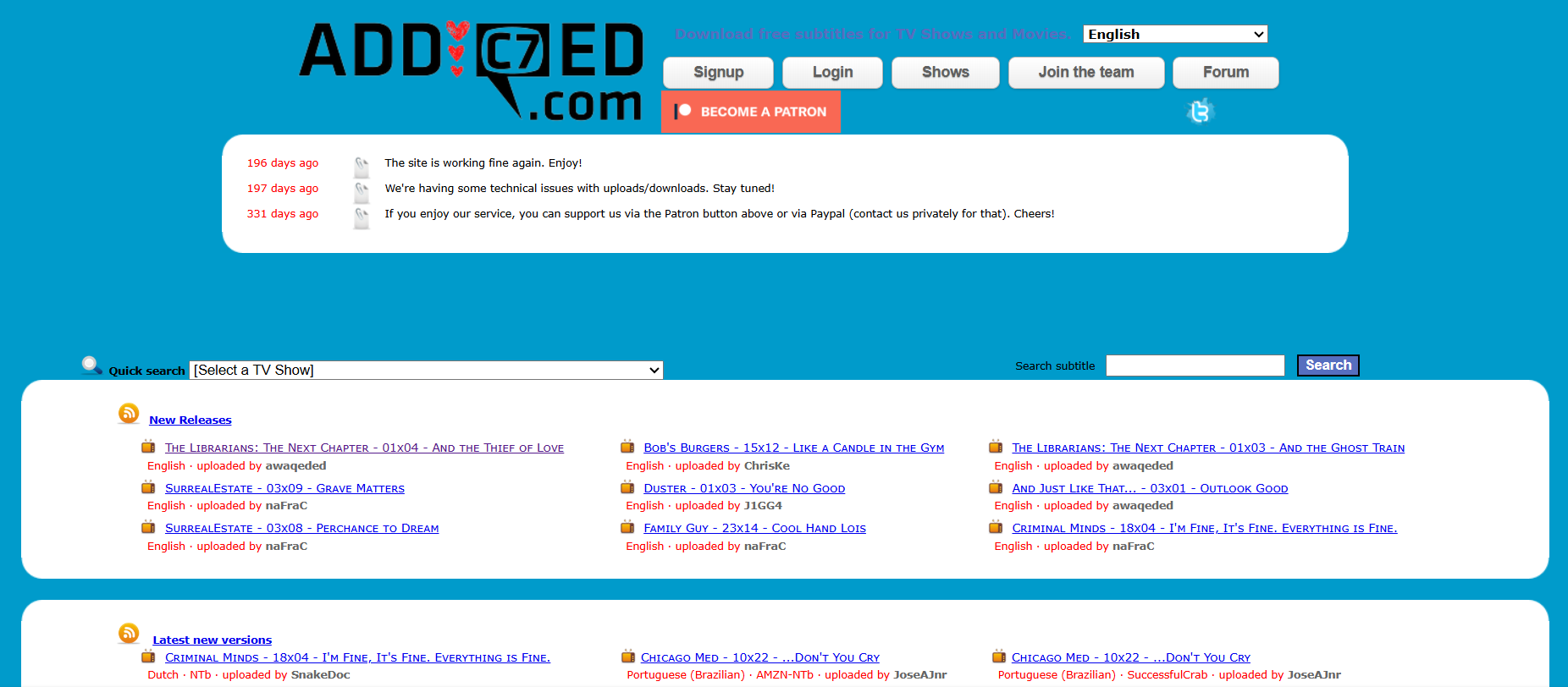
Addic7ed is another great place to find subtitles for your favorite anime title. The library is vast and updated regularly. Downloading is simple, and you can select from Japanese, English, Arabic, and other languages. Additionally, the anime is available in the standard format (SRT), ensuring compatibility with various music players and devices.
Key Features
- Offers a vast collection of movies, TV shows, and anime
- Available on most platforms like Windows, Mac, and Linux, making it accessible to a large user base.
- Exports subtitles in .srt, which is a widely supported format.
- It supports subtitles in various languages, including Japanese, Portuguese, English, Arabic, and more.
4. iSubtitles – Huge Subtitle Library, Anime-Specific Tags
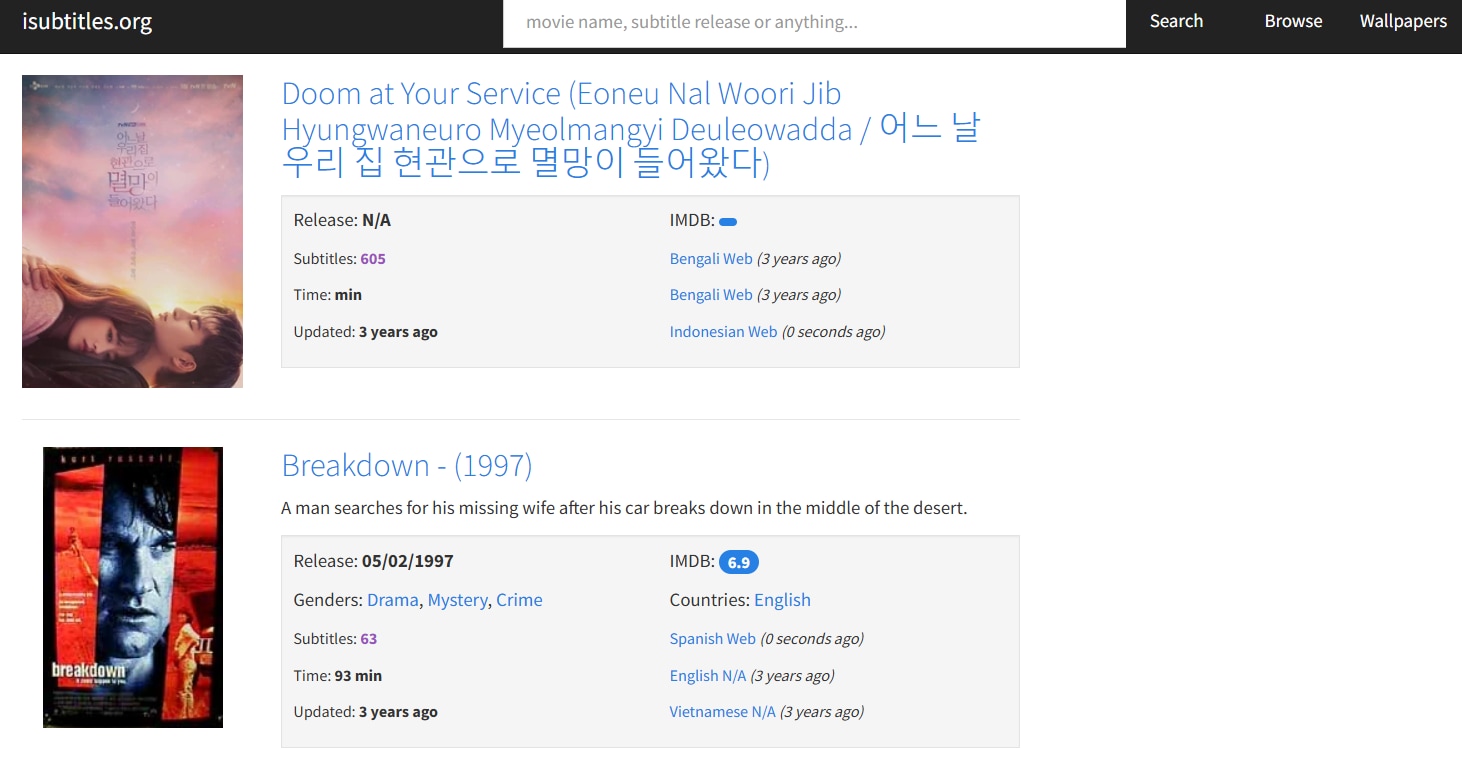
iSubtitles is a library of subtitles that provides subtitles for all your favorite movies. It can be your go-to destination to download anime movie subtitles. The interface is simple, and its search bar, along with how it sorts anime using specific tags, makes it easy to browse anime. Its unique standout is the availability of multilingual subtitles. For example, you'll find Naruto Shippuden subtitles in English, Arabic, Vietnamese, and other languages.
Key Features
- Movies are segregated by country, genre, and language.
- You can find subtitles in multiple languages, including Arabic, Indonesian, Vietnamese, and more.
- It supports various subtitle formats, including SubRip (.srt), SubViewer (.sub), and others.
- There is a built-in feature that allows you to search for and download subtitles.
5. AnimeSub.lt – All-in-one Destination for Anime Lovers
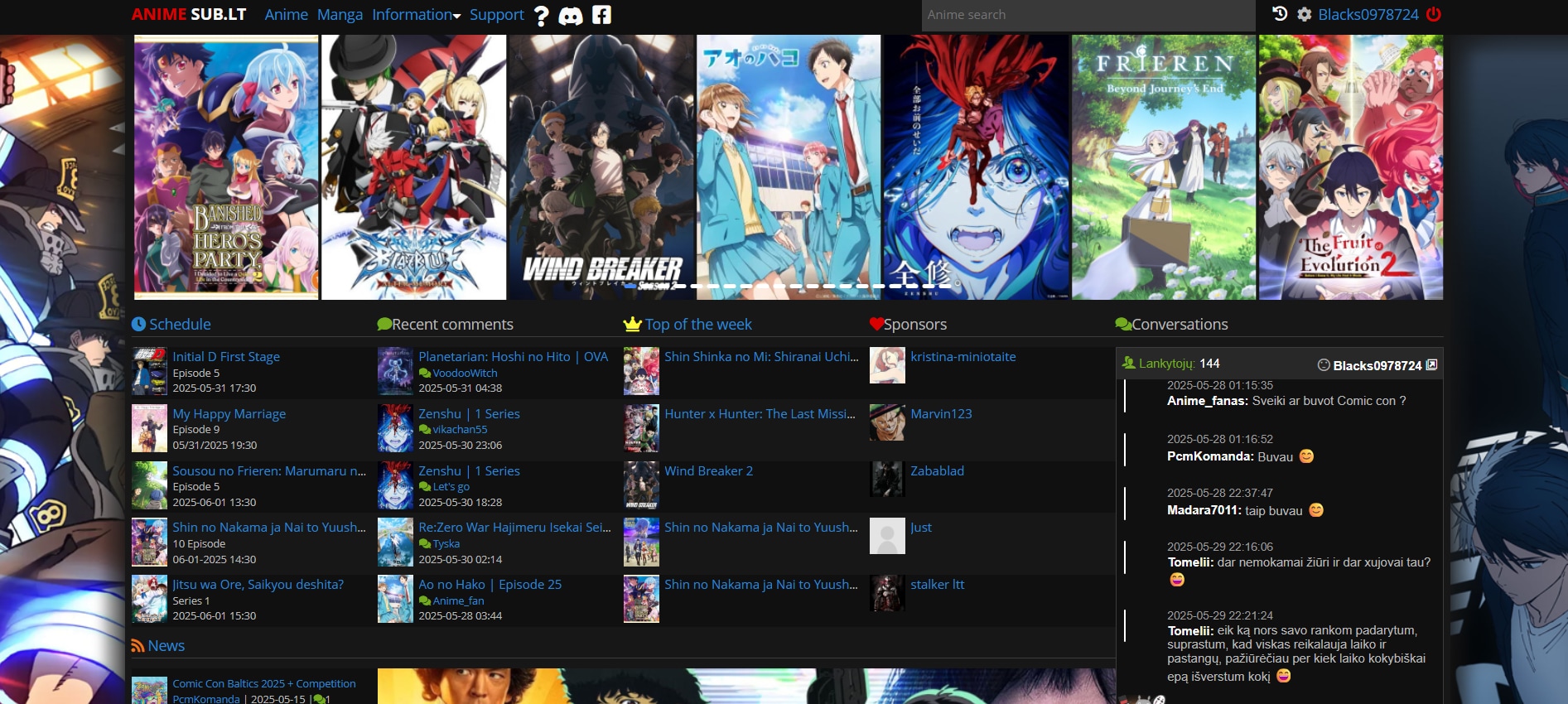
If you're looking for an anime-only English subtitle download website, AnimeSub is worth trying. The library is huge and is frequently updated, so you don't have to wait for months to watch your favorite title. What's unique is that you can watch anime titles here, read Manga, and interact with anime lovers around the world. All these factors combine to make it one of the most popular destinations for anime lovers.
Key Features
- Anime series and movies are available to watch.
- There is a decent collection of Manga to read.
- Subtitles are available in multiple languages.
- A comment feature lets you interact with people worldwide.
6. Subdl.com – Occasionally Includes Anime Categories
Subdl is a popular platform for downloading anime subtitles in Malay, Japanese, English, and other languages. Not only anime but the library for movies and web series is vast. This way, Subdl can cater to different user types. The library is updated regularly, and its simple yet functional interface allows users to navigate and download subtitles with ease.
Key Features
- The site offers subtitles in over 60 languages, catering to a diverse audience.
- A filter option in the search bar allows you to choose between movies and TV shows, as well as subtitles in your preferred language.
- You can search TV shows and movies by their IMDB IDs.
- Dedicated blog and community sections help you connect with like-minded users.
7. Anime Tosho – Subtitle Aggregator
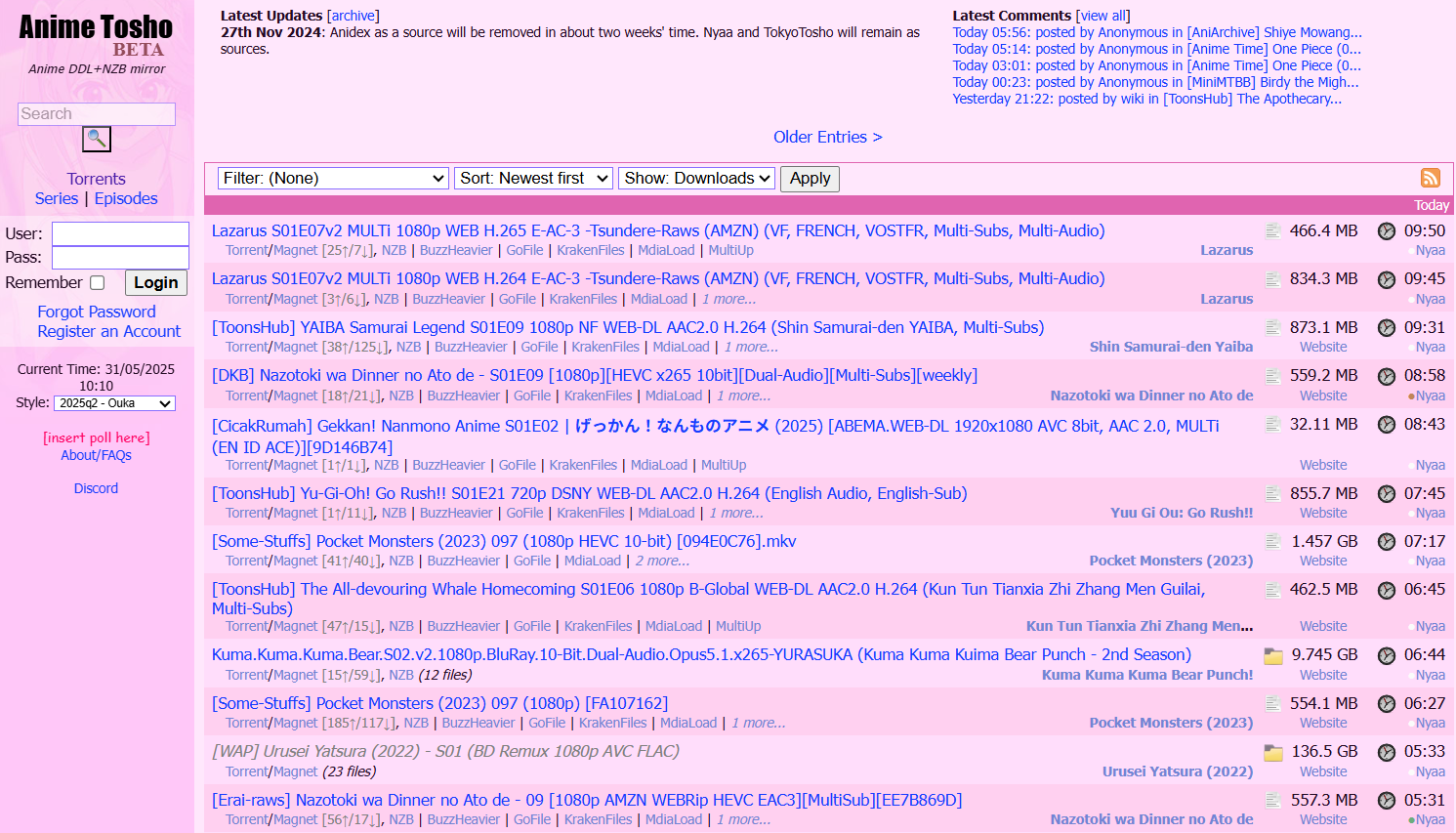
As the name suggests, Anime Tosho is a Japanese website that offers anime subtitles for free download. Rather than relying on volunteers to upload the subtitles, it indexes anime subtitle links from the community and torrent sites. This way, you mostly find updated subtitles for your latest anime titles in .ass formats. Besides subtitles, the entire anime series is also available for download.
Key Features
- Provides an option to download anime episodes along with their subtitles.
- It provides metadata information, including file sizes, subtitle details, and more.
- Indexing links to various anime subtitle resources ensures the content is up-to-date.
- The subtitles are available to download in multiple languages.
8. CDJapan – Anime Subtitle Archives + Merch
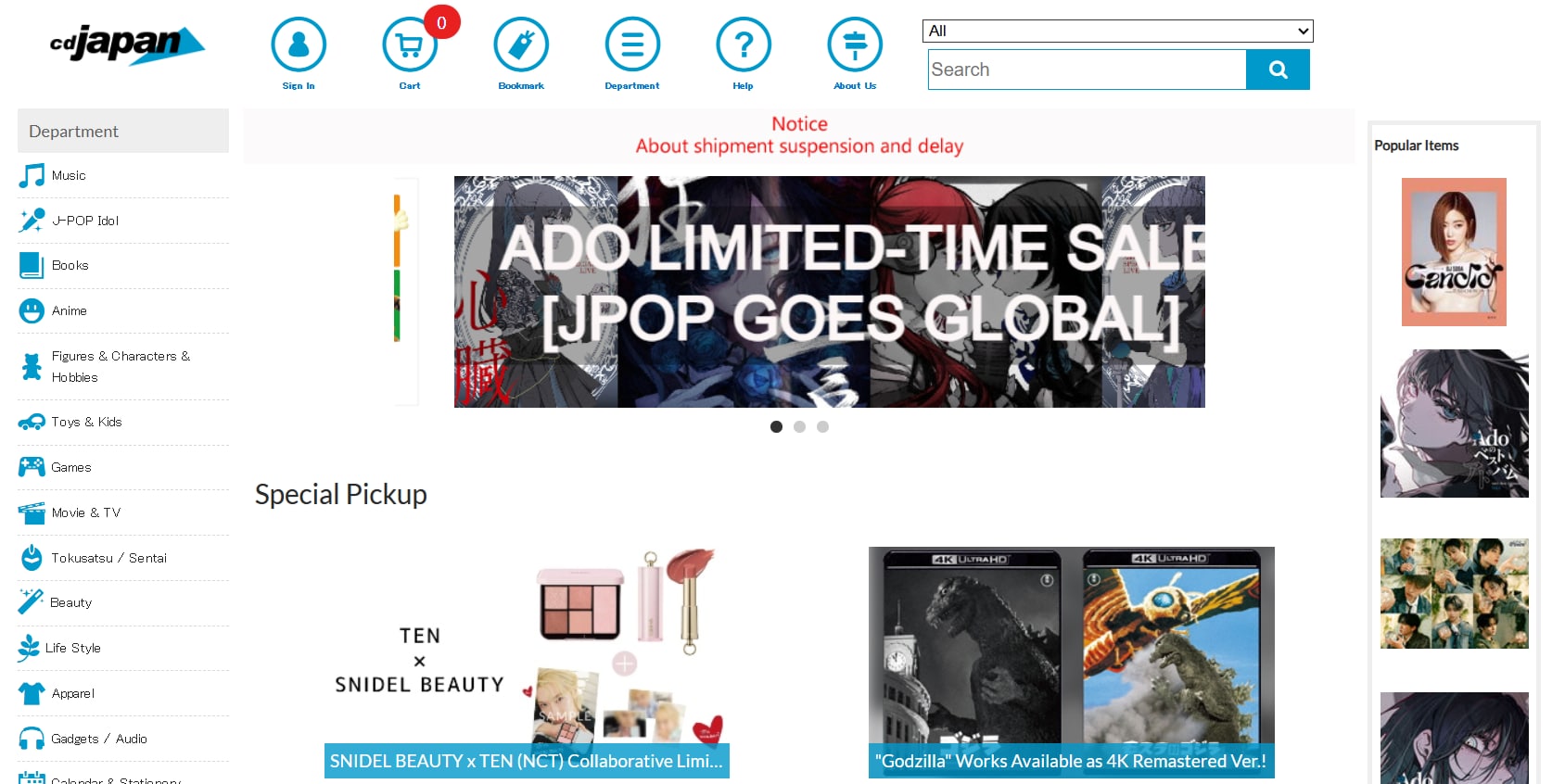
For those passionate about Japanese pop culture, CDJapan is a holy grail. So, whether you're looking for Jujutsu Kaisen English subtitles, Bleach English subtitles, or even less popular anime titles like Mushishi, this can be your go-to destination. As a bonus, exclusive anime collectibles are available for purchase. The interface is cluttered, but you can always use the search bar to find your favorite anime.
Key Features
- Multi-category website offering different services related to anime.
- It allows you to download music and books, as well as purchase collectibles.
- Sorts the content by department, such as music, books, figures, anime, etc.
- Informative blogs are available to read that help you learn about Japanese culture.
9. YIFY Subtitles (YTS subs) – Basic Anime Collections
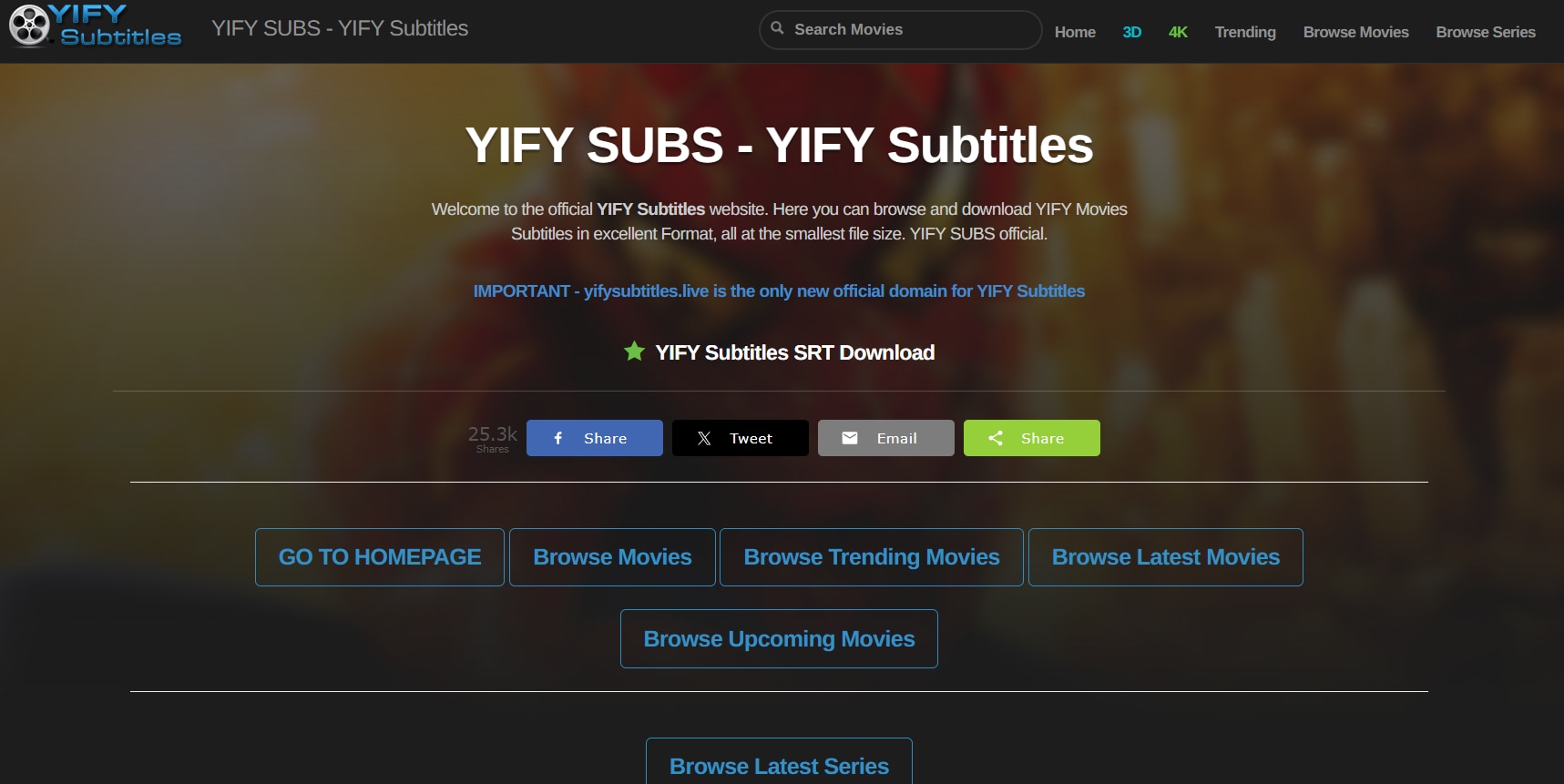
YIFY subtitles is a popular website that offers an ad-free experience for downloading subtitles. The interface is simple, and it simplifies the download process by allowing you to select movies by type. You'll also find detailed information on movie ratings, year, and latest releases. The anime library is limited, but you can find popular titles like Naruto and One Piece in English subtitles.
Key Features
- The titles are sorted by genre and language.
- You'll find detailed information on movie release dates, IMDB ratings, and more.
- The website offers registration-free subtitle downloads.
- The latest releases are displayed at the top, making them readily accessible.
10. Reddit – r/Anime & r/AnimePiracy Communities Share Subtitle Drops
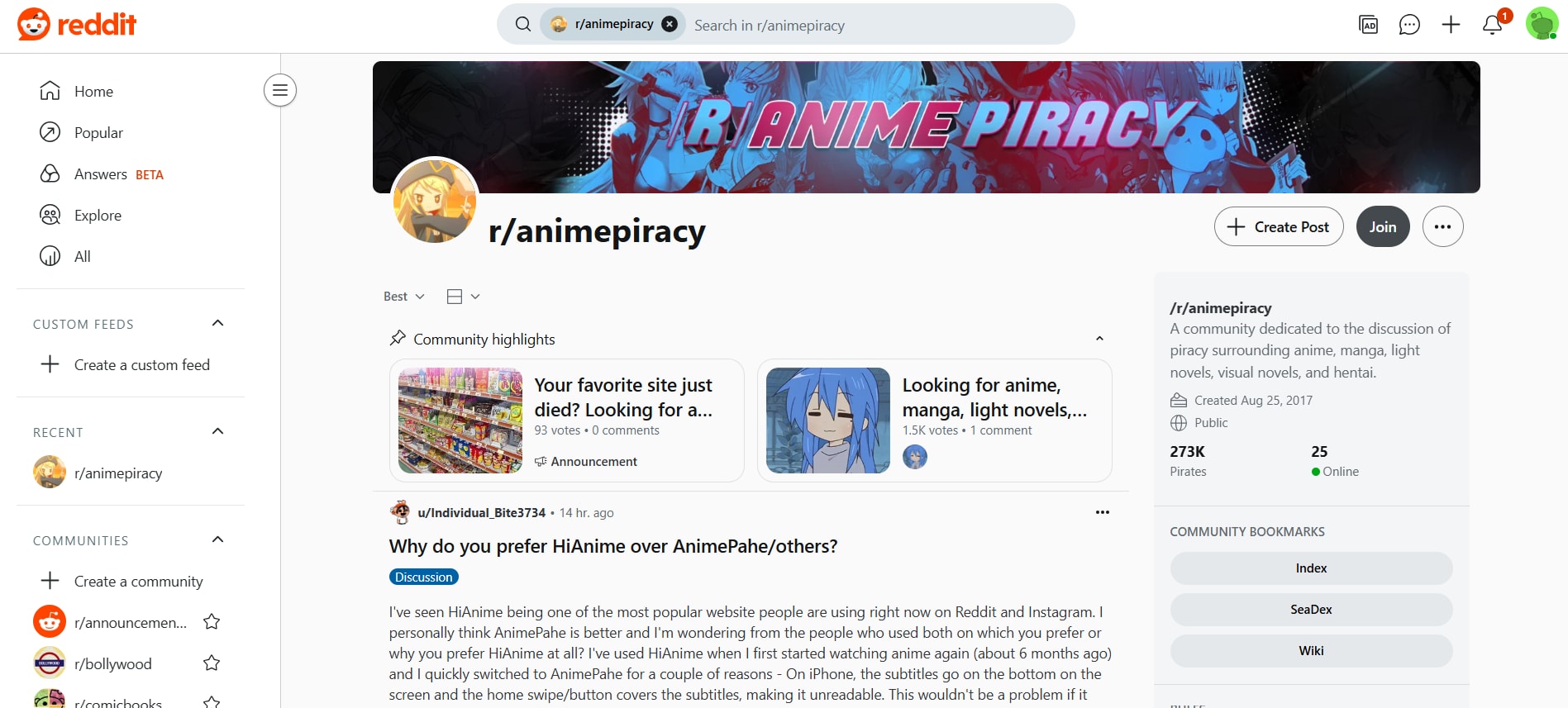
If you didn't find the subtitles of your favorite anime on the websites above, Reddit may be worth exploring as an alternative. Many communities, such as r/Anime and r/AnimePiracy, have members who regularly upload anime subtitles. You can also make requests about your personal favorite and get information about different sites. However, the websites aren't verified, and downloading subtitles from these can pose security risks.
Key Features
- Anime fans have the platform to share their experiences and opinions on various anime shows, sites, and resources.
- The number of upvotes and downvotes helps users curate content.
- Dedicated threads are created for specific purposes, such as subtitle requests, recommending shows, and others.
- User-hosted threads where the community can discuss non-airing anime series.
Part 3. Which subtitle format is better for anime: SRT, ASS, or SSA?
Subtitle formats are plenty, and each is designed to support various devices, media platforms, and requirements. However, when you download anime subtitles from any of the websites above, you'll typically see three formats: SRT, SSA, and ASS.
SRT is the simplest, just plain text with timings. It works almost everywhere, from VLC to YouTube, and is great if you just want the words without any fancy styling.
SSA steps things up. It allows you to add basic styling, such as custom fonts or colors. However, this particular file format is not accessible on all devices.
ASS is the most advanced format, and it’s made for anime. It also supports features like karaoke, on-screen motion, and improved sync.
Part 4. 3 Tools to Use Downloaded Subtitles With Anime Videos
Now that you have anime subtitles in Indo, English, or any other language, it's time to integrate them with the anime episode. However, integrating SSA and ASS subtitles can be pretty tricky. It involves careful timing and formatting to ensure the subtitles are synced with the video and audio and appear correctly on screen. Don't worry; there is reliable software that saves your hard work and codes subtitles in just a few clicks.
1. Wondershare UniConverter – Batch generate, sync, stylize subtitles
Wondershare UniConverter is one of the best apps to work with subtitles. Use its “Subtitle Editor” feature to import subtitles from the local storage and edit them with a few clicks. The subtitles are synced perfectly with the video. You can stylize the subtitle by adjusting its size, color, and transparency. Also, you can adjust the subtitles to appear on top, bottom, or middle, whatever suits you best.
The tool’s best feature, however, is its auto-subtitle generator. Subtitle downloading websites can be helpful, but are risky due to potential security threats, copyright infringement, or inaccurate translations. You can just upload your anime website, and UniConverter generates subtitles that are accurately synced with the video and audio.

AI Subtitle Generator & Editor
How to add subtitles to an anime using Wondershare UniConverter:
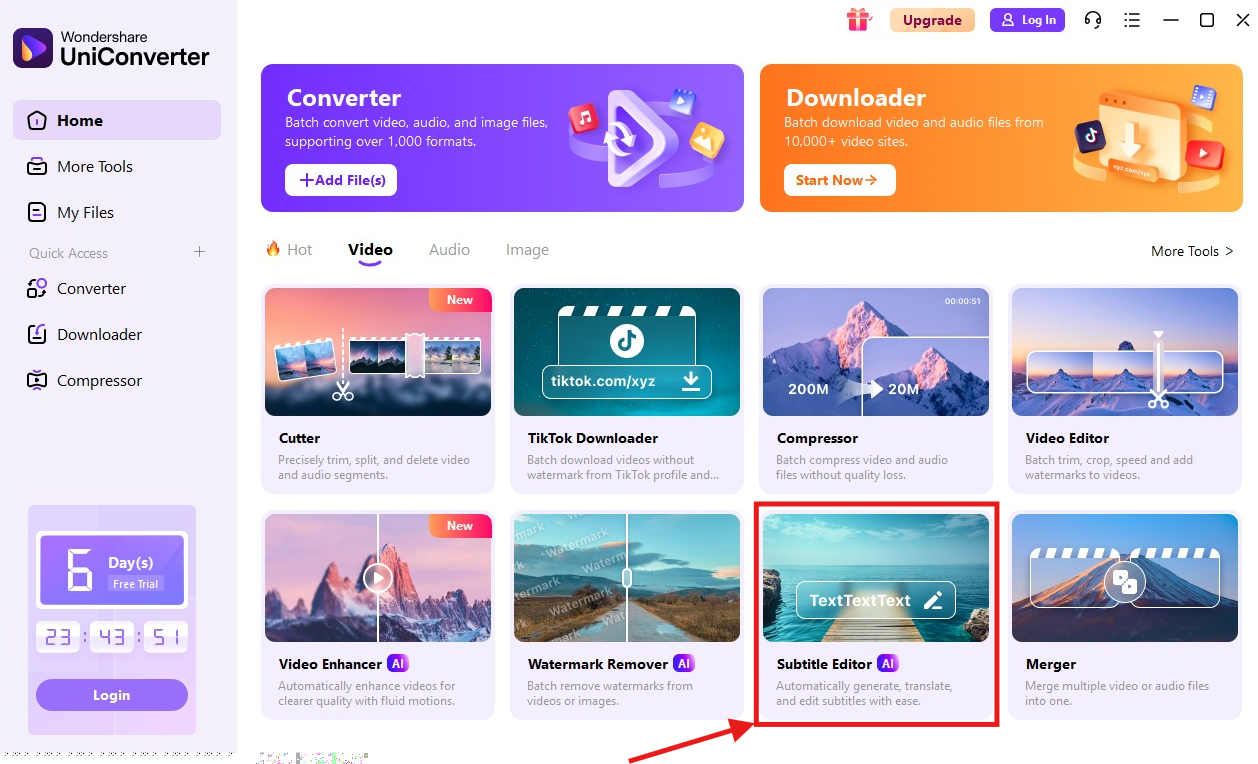
Step 1: Launch Wondershare UniConverter on your computer. Click "Video" followed by "Subtitle Editor" to upload the anime video.
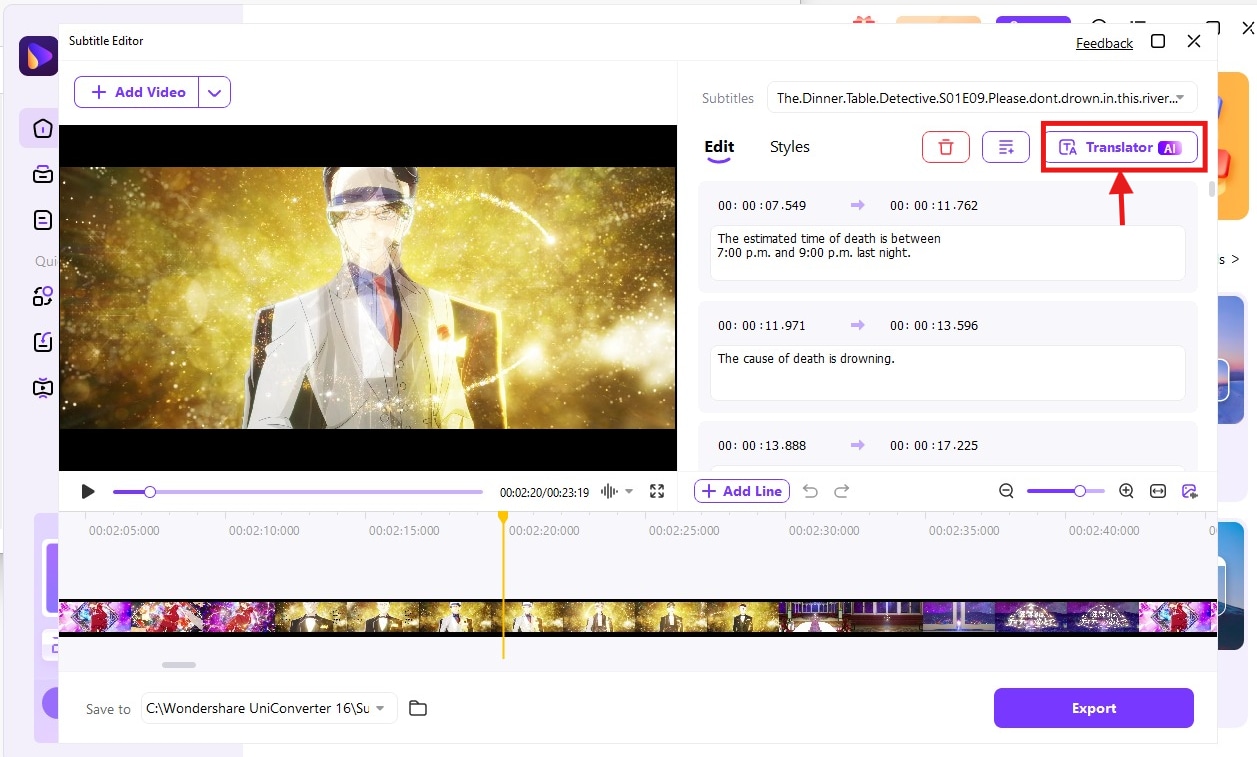
Step 2: It takes a few seconds to upload the video, and as it does, it automatically generates subtitles. You can tap "Translator" to translate the generated subtitles.
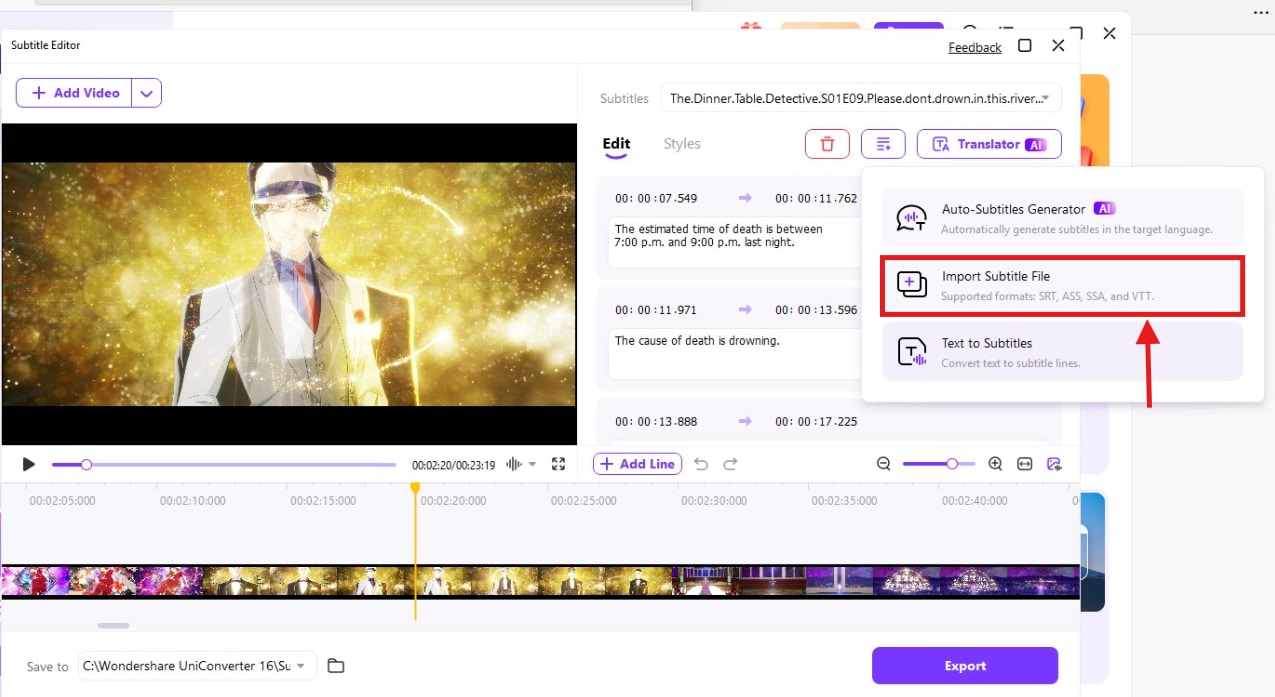
Step 3: Click "Add Subtitles" on the right, followed by "Import Subtitle File" to import the subtitle from your computer.
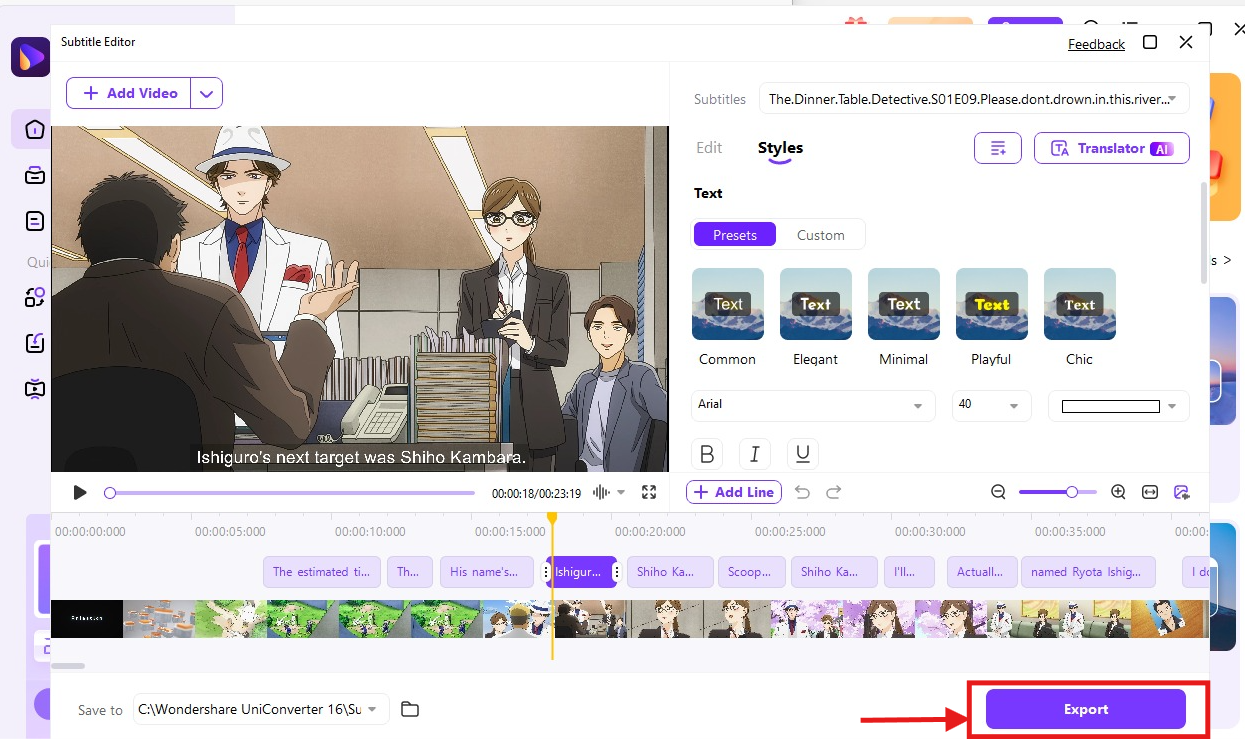
Step 4: Then, tap “Styles” to change the font style, size, and stylize it. Once you're happy with how the subtitles appear, tap "Export."
2. Aegisub – Advanced subtitle styling
Aegisub is a free and open-source software designed primarily for creating and editing subtitles. Its user-friendly and clean interface makes it a popular choice amongst video editors, language learners, and subtitle editors. It perfectly synchronizes the subs with video and audio, lets you customize the appearance with plenty of styling options, and works on complex options like karaoke effects.
Follow the steps to add subtitles using Aegisub:
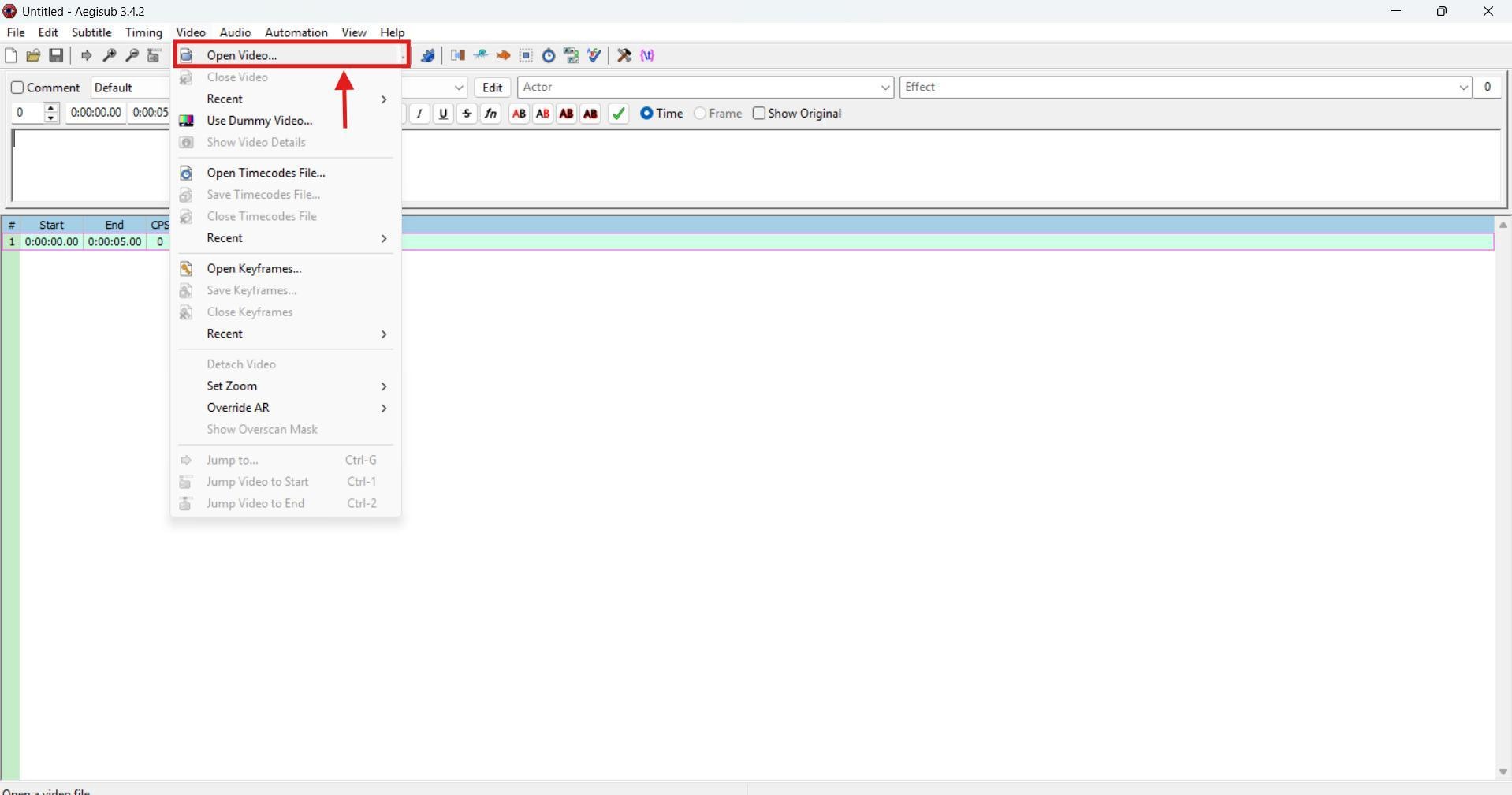
Step 1: Launch the Aegisub software on your computer, then click the "Video" option at the top and select "Open Video." Then, choose an anime video from your local storage.
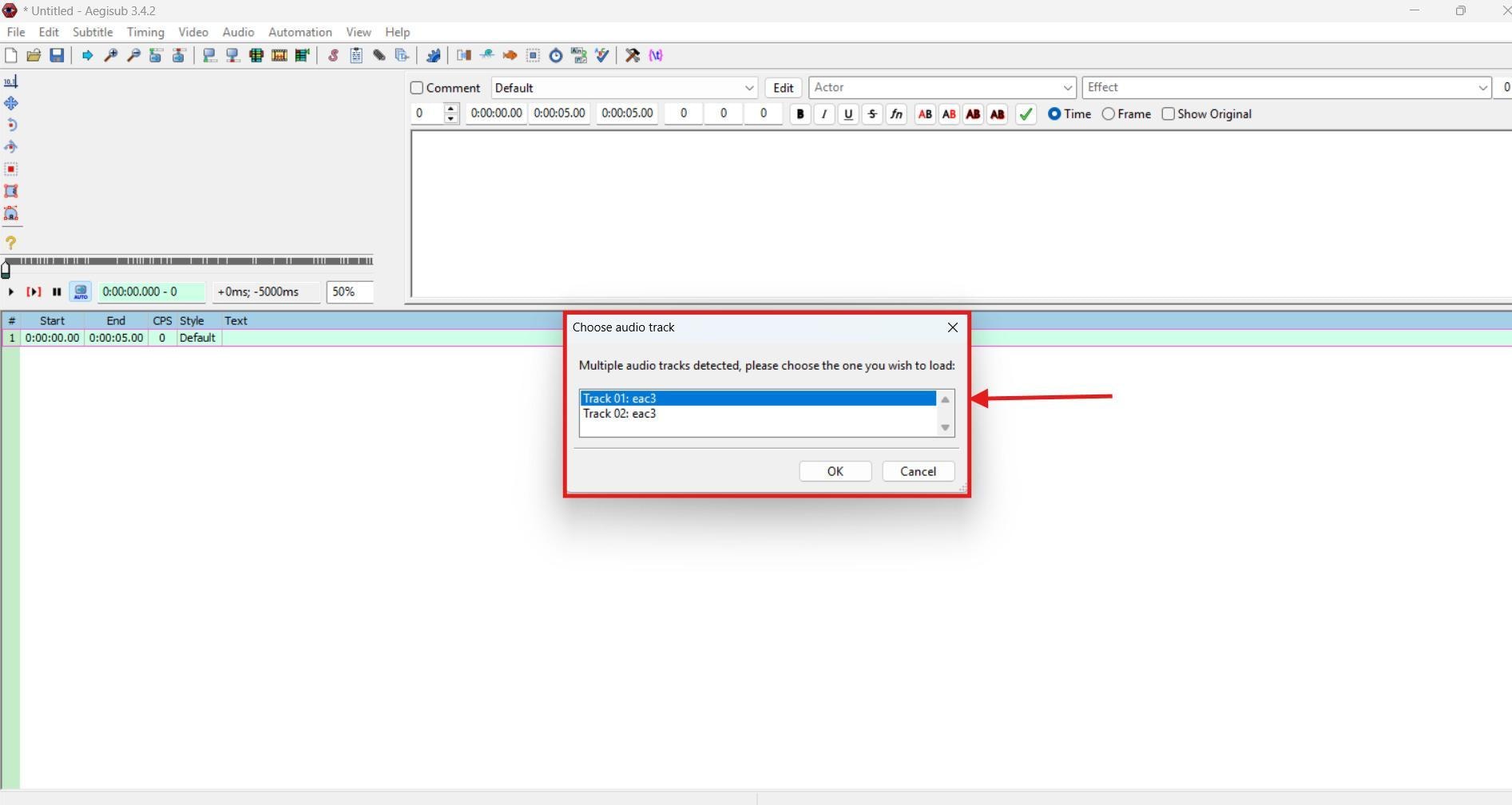
Step 2: If the video contains multiple audio tracks, select one from the pop-up menu that appears on the screen.
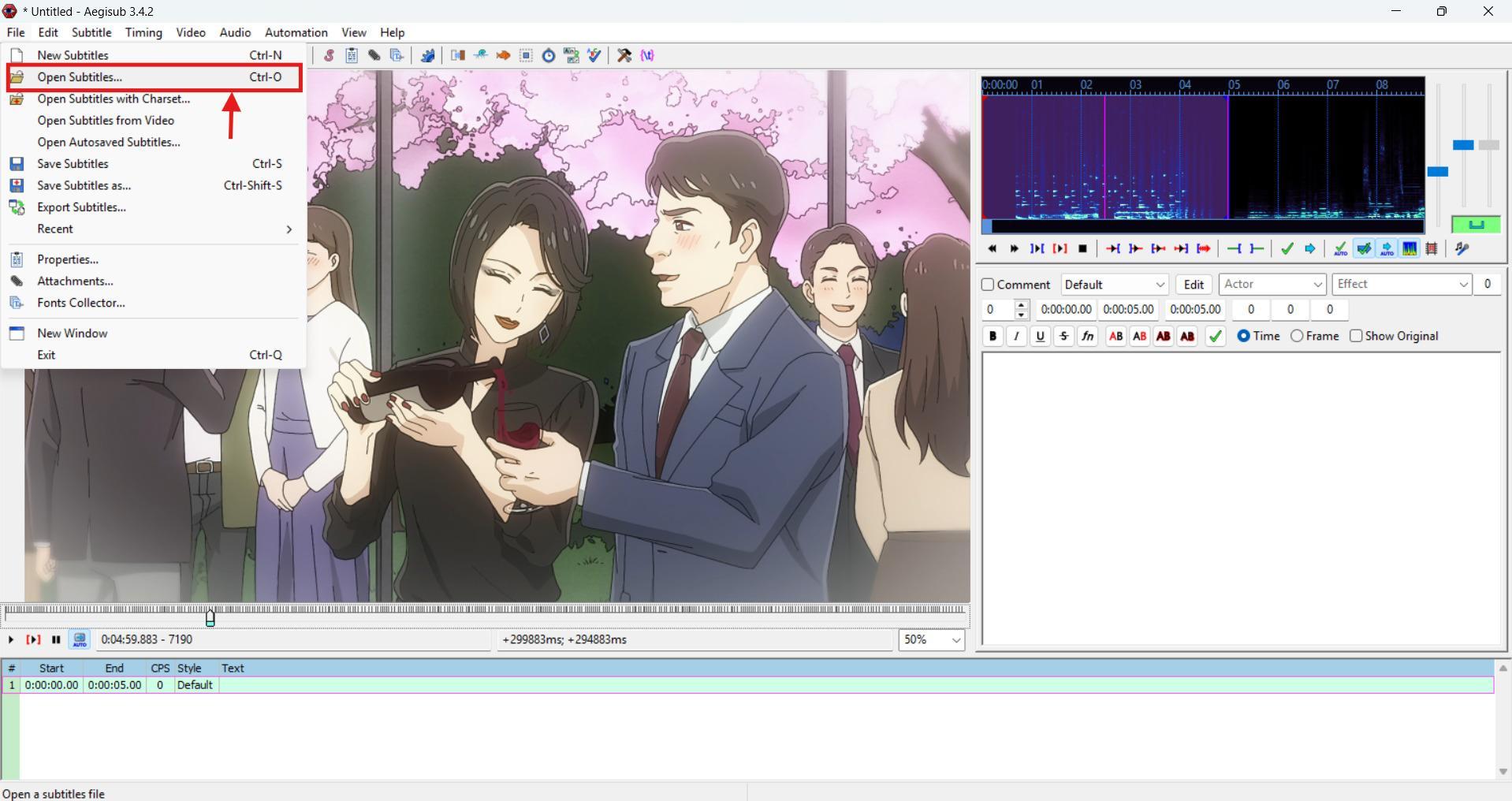
Step 3: Then tap "Subtitles," followed by "Open Subtitles" to import the downloaded subtitles.
Step 4: The subtitles will be integrated into the video. Then, tap "Edit" to stylize the subtitles.
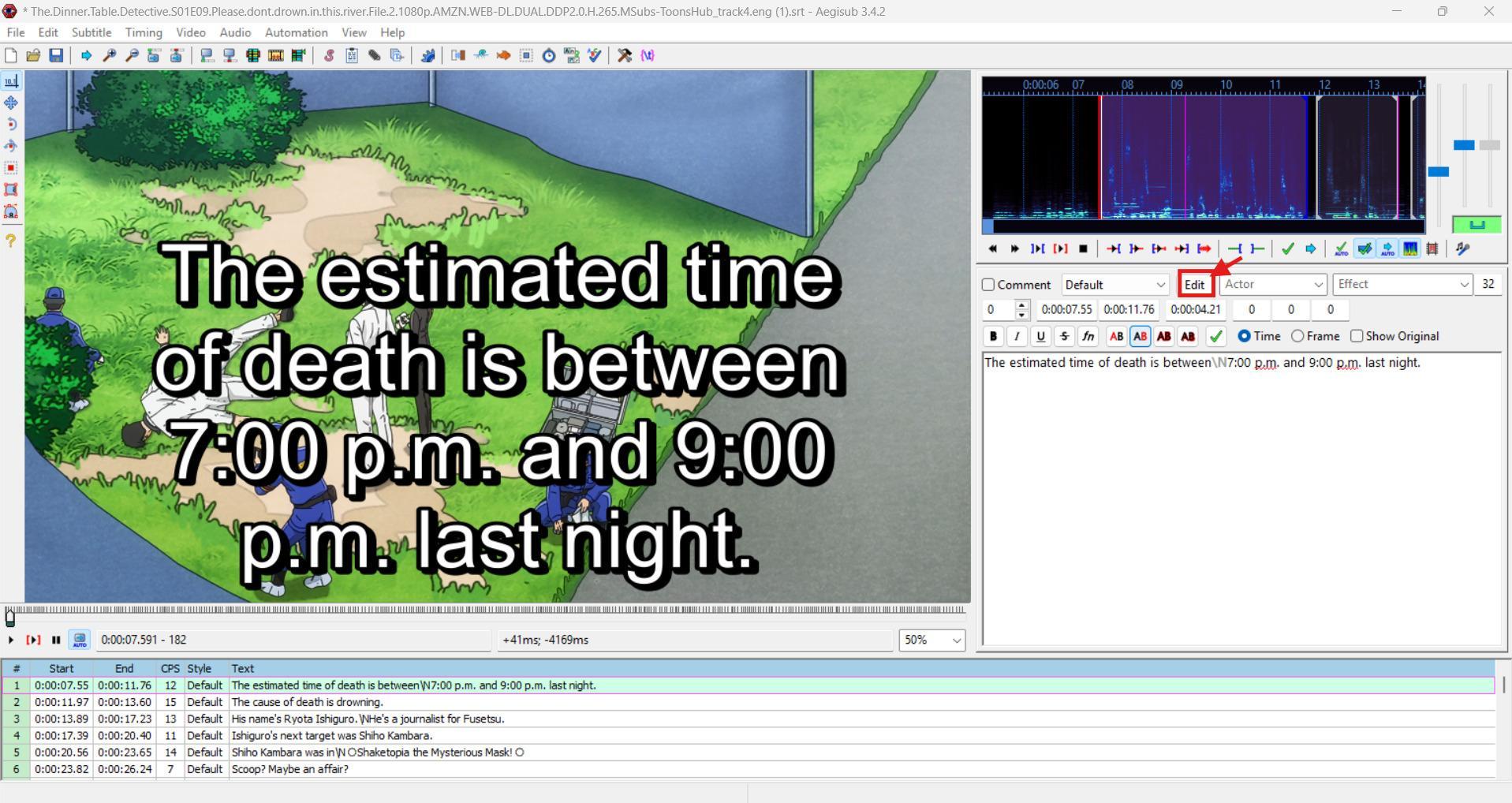
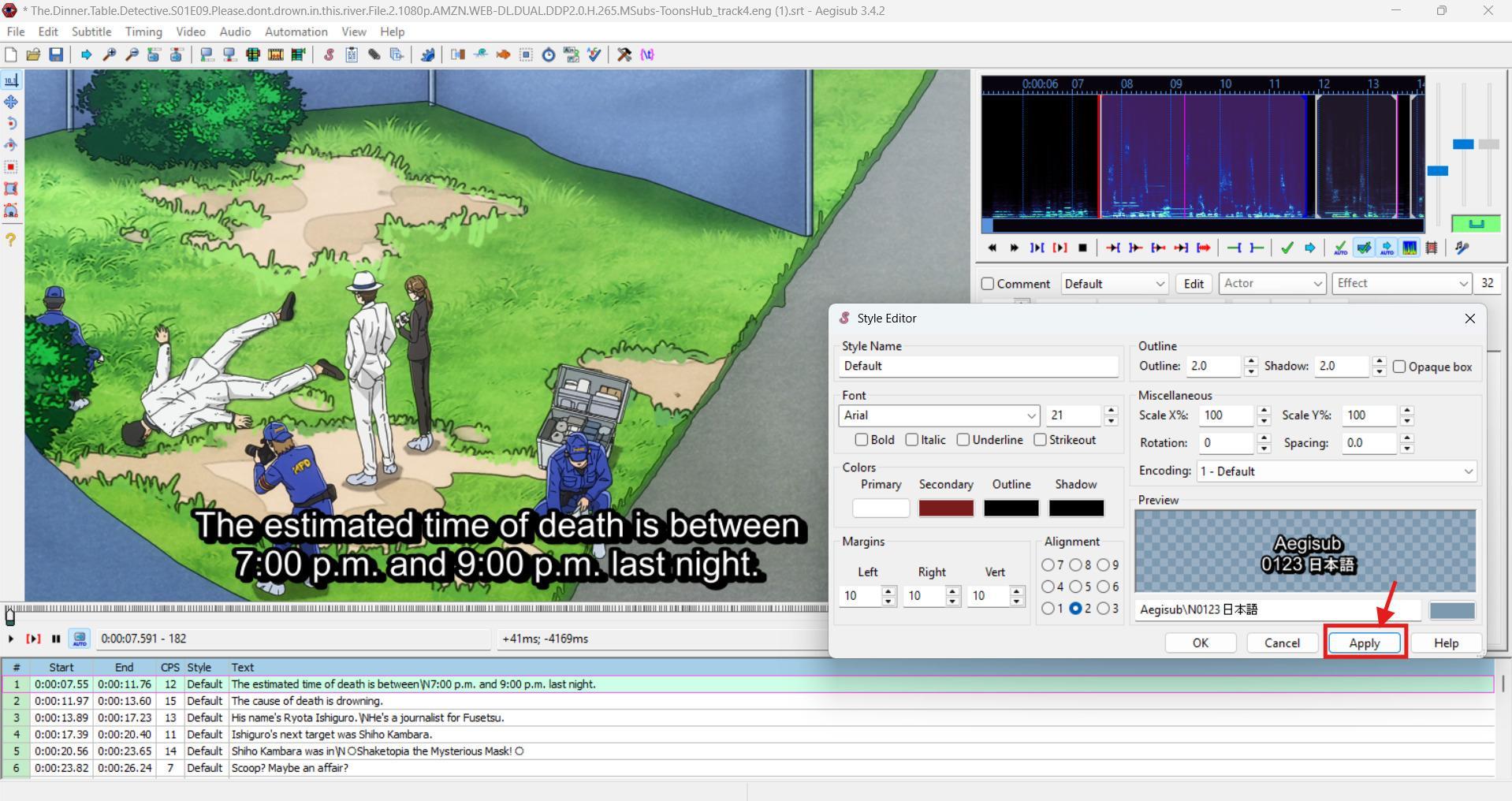
Step 5: Here, you can adjust the font size, style, color, and placement on the screen. Tap "Apply" to display a preview, and if it looks all right, tap "Ok."
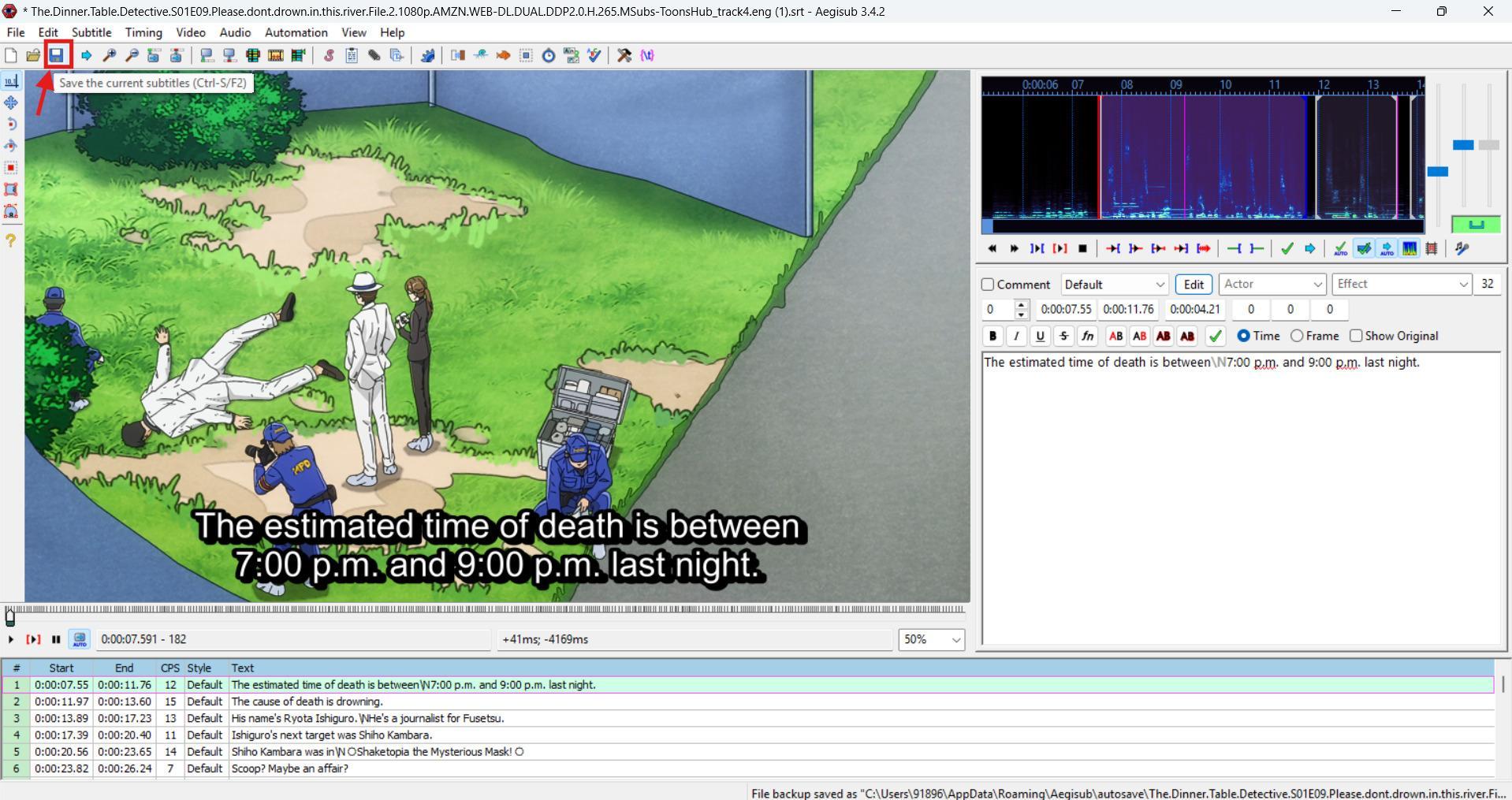
Step 6: On the top menu, tap the "Save (CD icon)" to save the video with subtitles to your local storage.
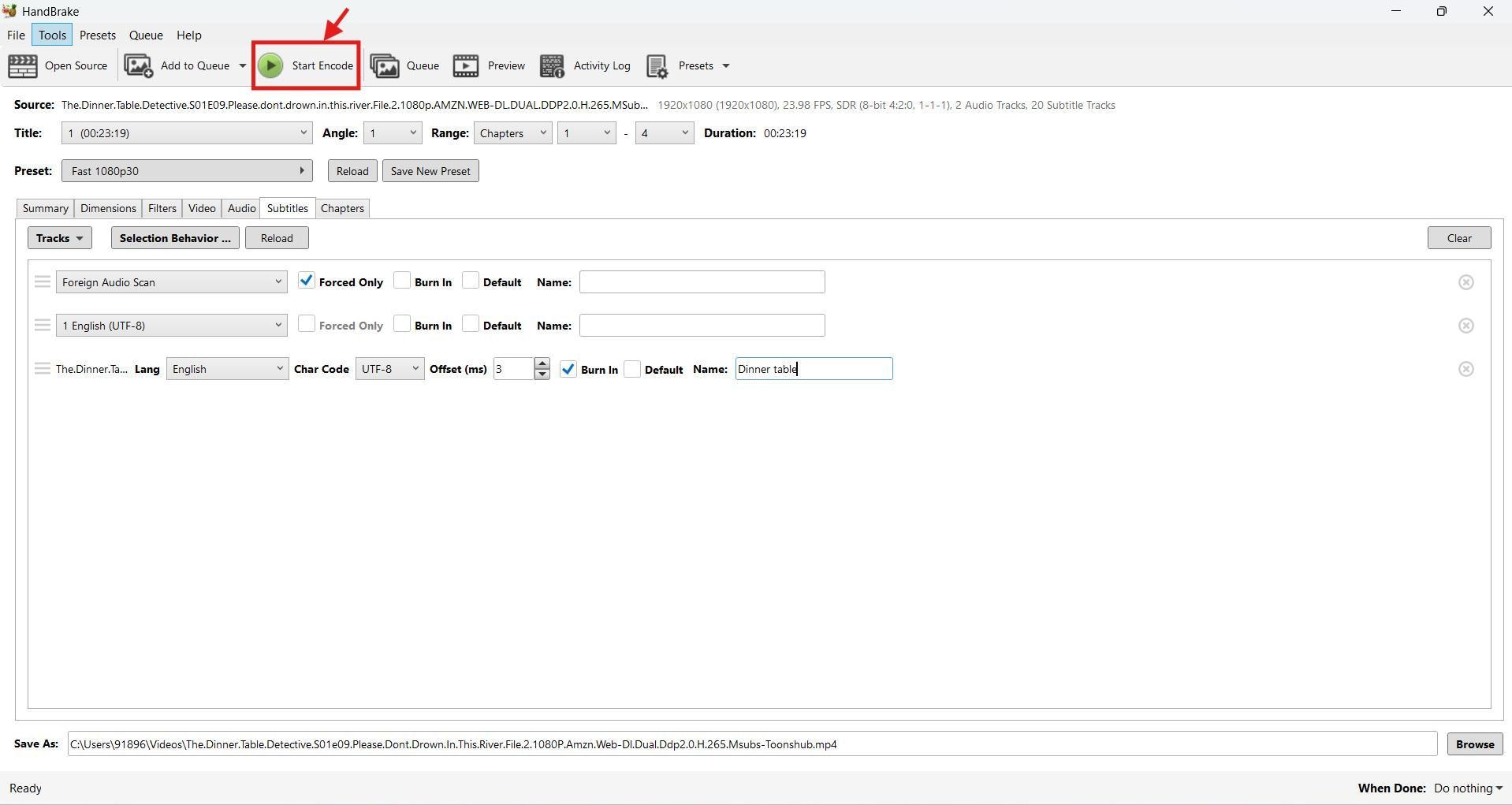
3. Handbrake – Free tool to hardcode subtitles into anime
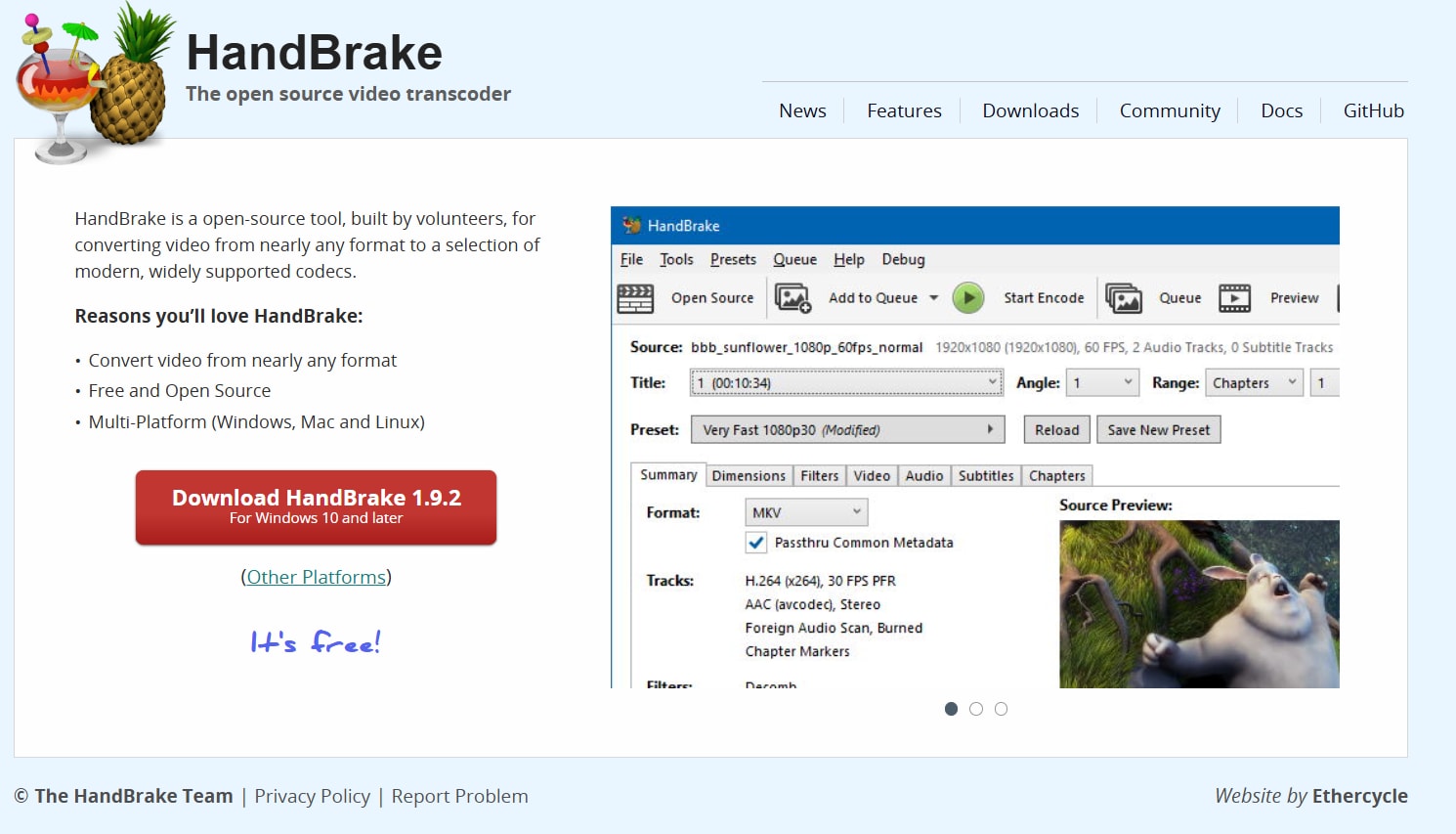
HandBrake is a well-known video converter that offers the option to integrate subtitles into videos. What sets it apart from typical apps is that it hardcodes a subtitle, which makes it always visible and non-removable. The interface is clean, but if you're new to Handbrake, a myriad of options can feel daunting. However, after one or two tutorials, it might seem good to go for coding the subtitles.
Use Handbrake to add subtitles to a video are as follows:
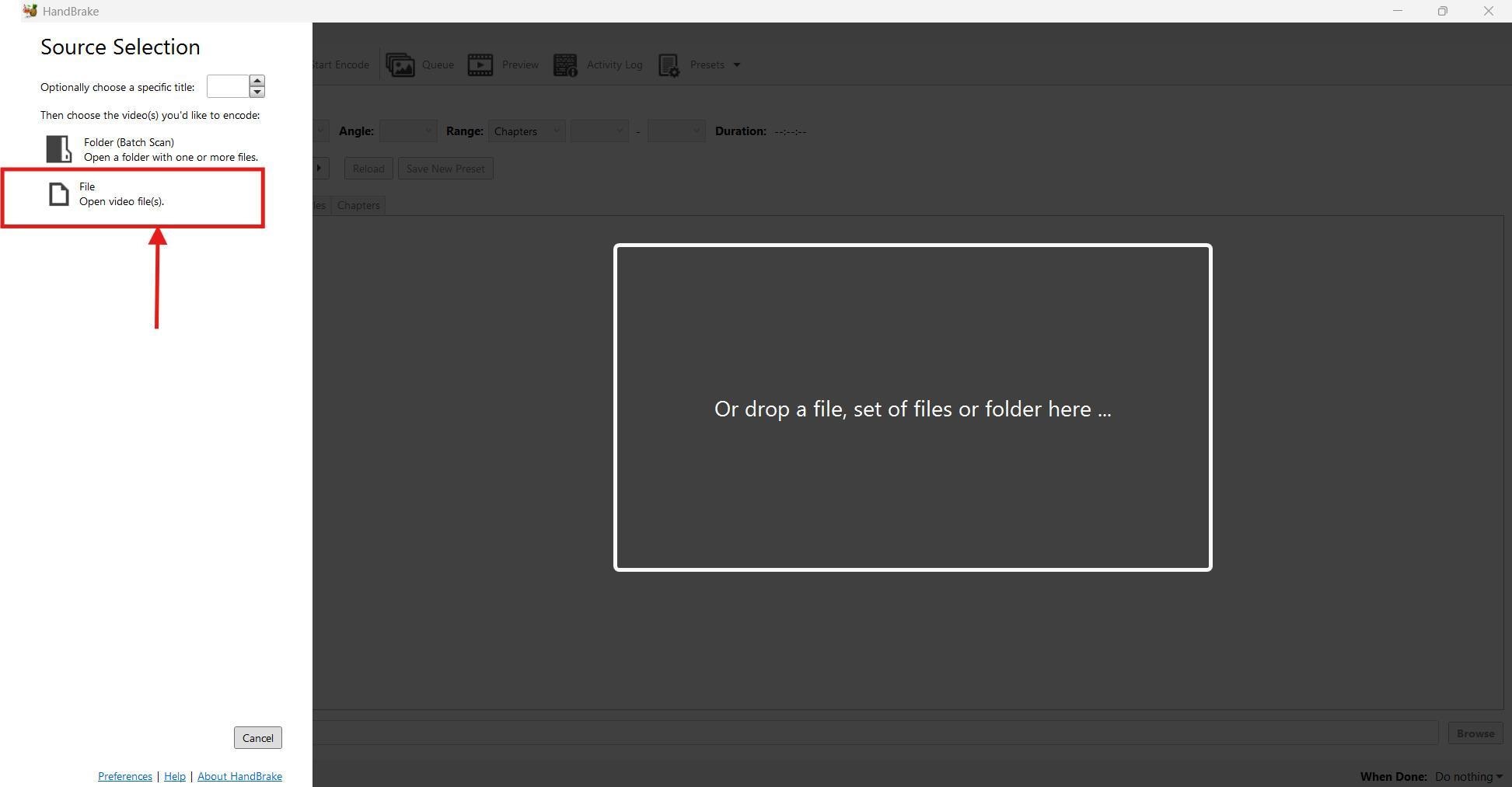
Step 1: Launch Handbrake on your Windows computer, and click "File" to import your video file. It takes a few seconds to upload.
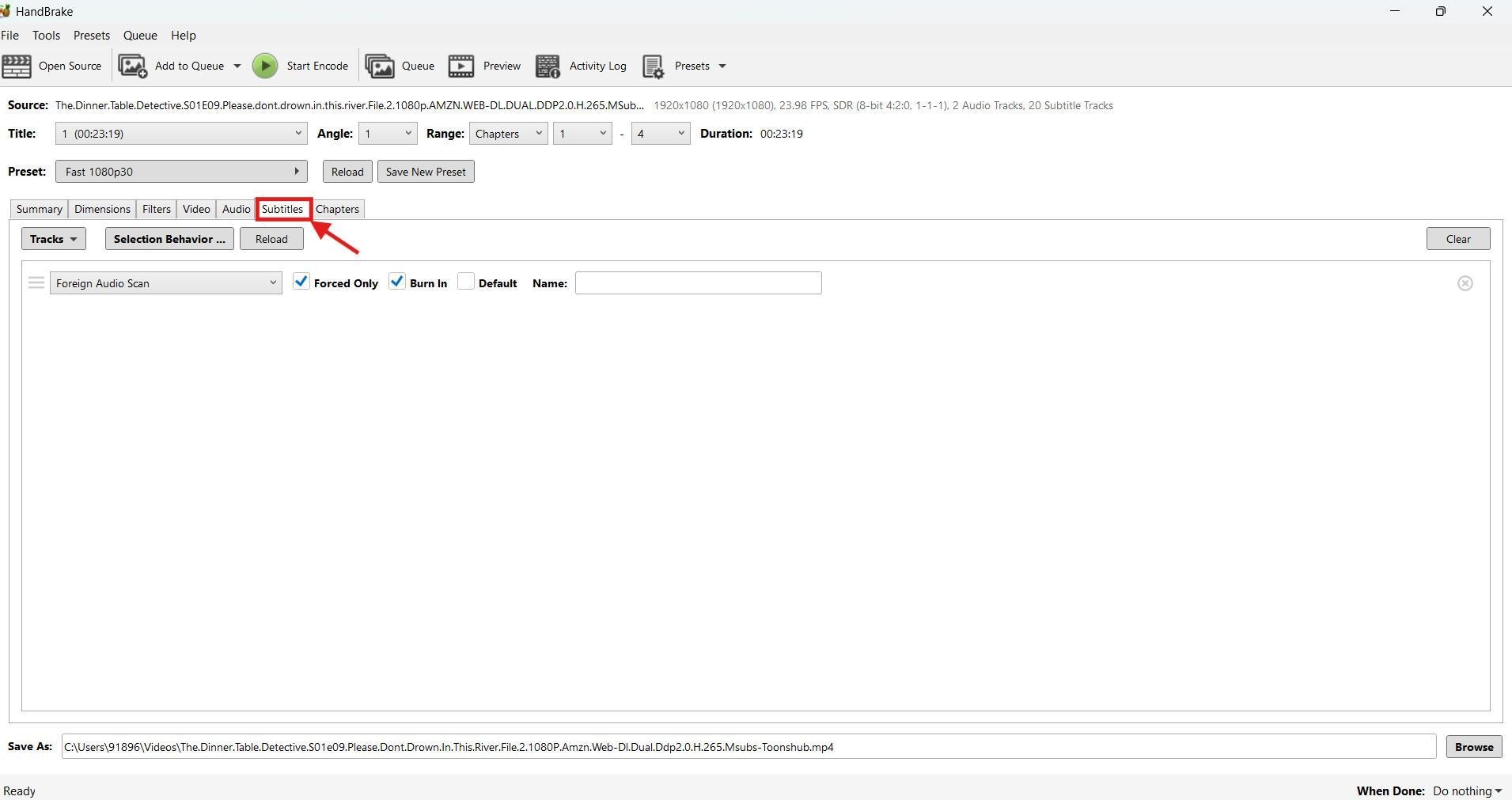
Step 2: Then, head over to the "Subtitles" option. Here, you'll upload the subtitles to integrate into your video.
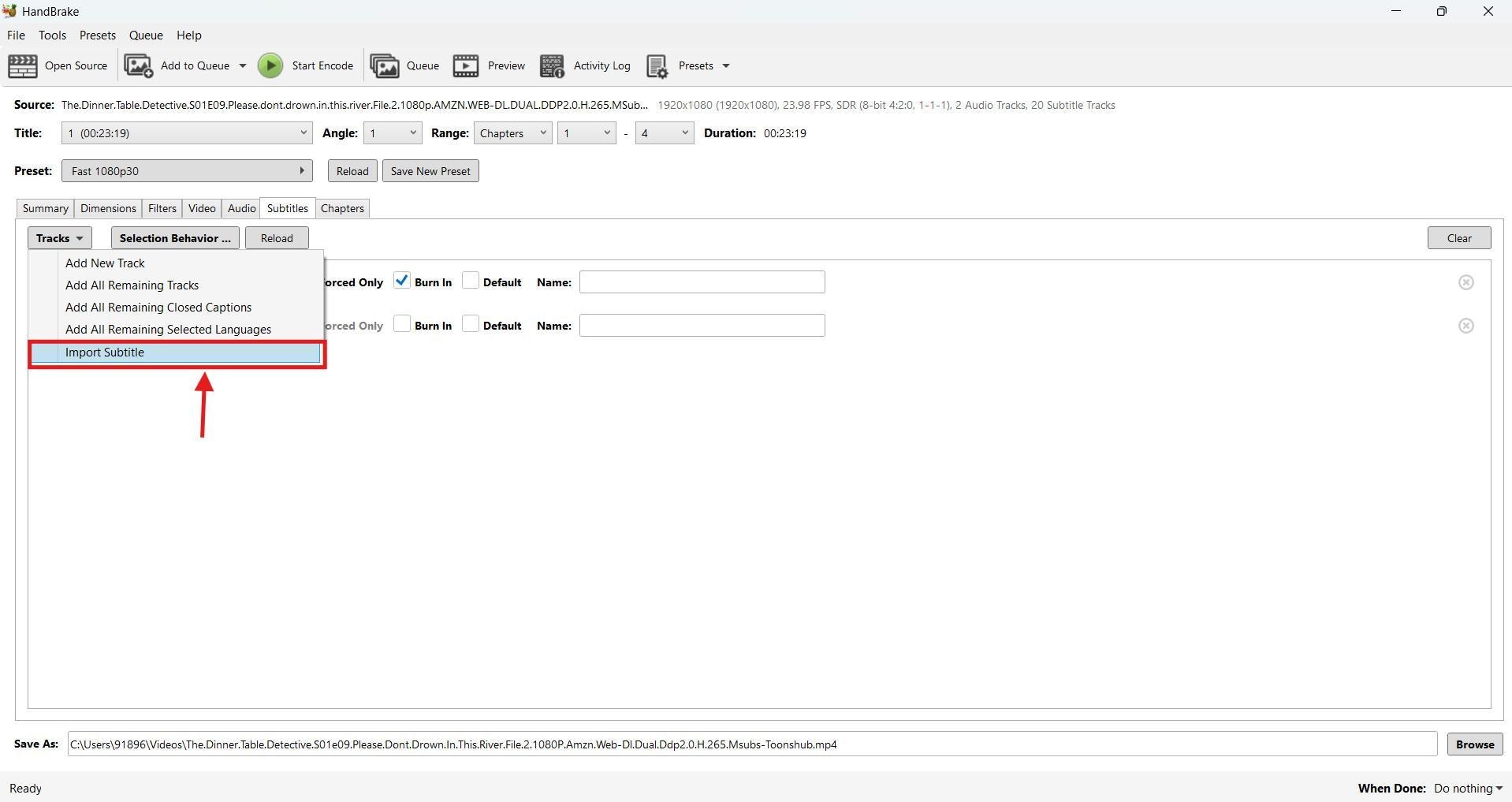
Step 3: Then, click "Tracks" followed by "Import Subtitle" from the dropdown menu and select the downloaded subtitle.
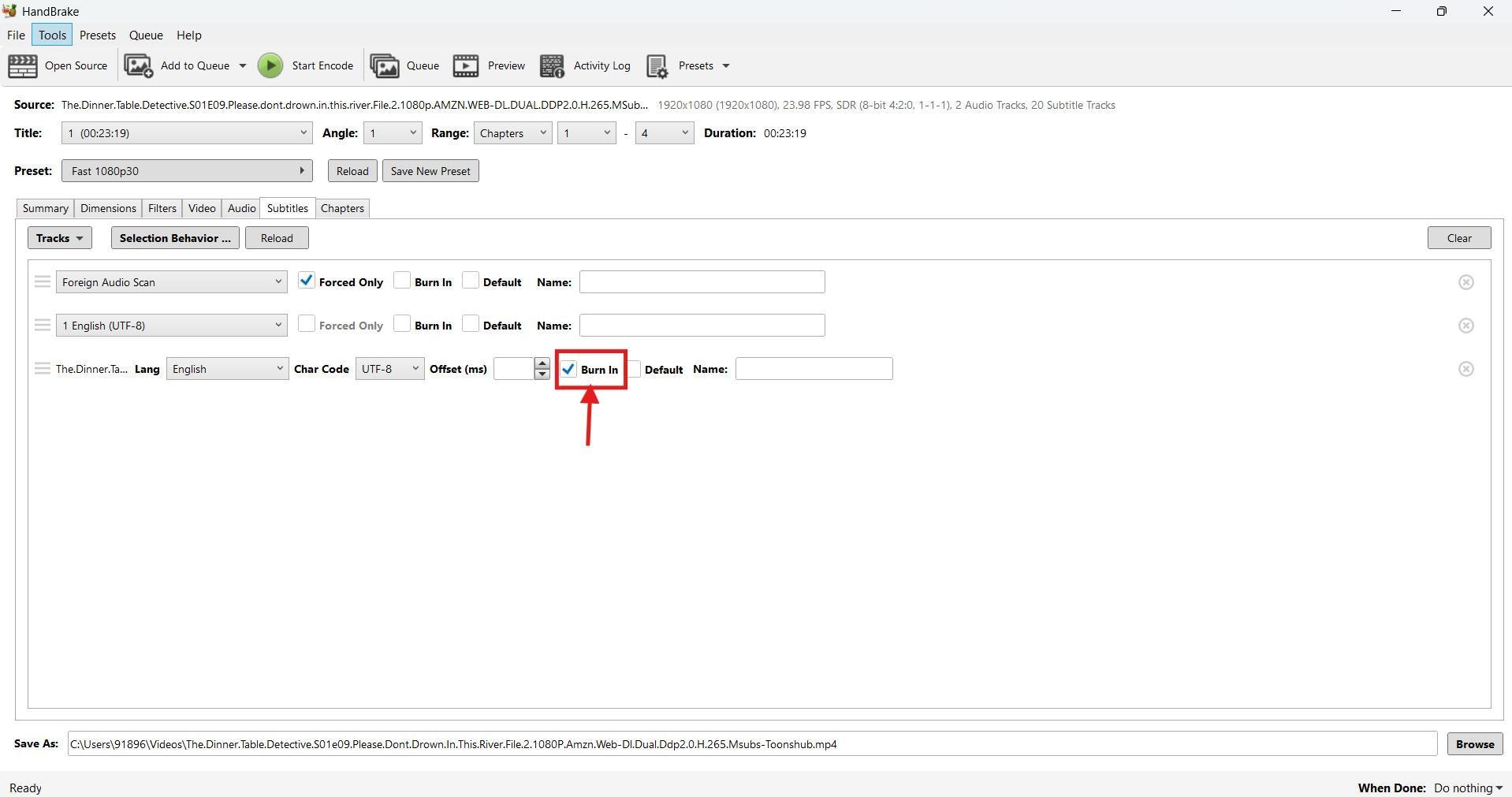
Step 4: Click the checkbox beside "Burn In" and update the offset if you find the subtitles are slightly out of sync.
Step 5: As you're satisfied, click "Start Encode" for the tool to start hardcoding the subtitles. It might take a few minutes. As it's done, download the video file to your local storage.
Part 5. Is it safe and legal to download anime subtitles from subtitle sites?
Downloading anime subtitles is much easier with many free-to-use websites available online. However, these are generally considered unsafe and potentially illegal as they might host copyrighted material. Here are two things to be concerned about:
Legality: Downloading subtitles or fan-made subtitles from free websites is illegal in many countries, especially the United States. It violates the Copyright Law (Title 17), which prohibits anyone from distributing copyrighted works without the permission of the copyright holder. Even if the website is licensed, it remains risky because the copyright holder may not have approved the distribution.
There are, however, many legal channels, like Crunchyroll, that offer free streaming, often supported by advertisements that don't violate the rights of creators.
Safety: Many free-to-use anime subtitles download websites are a haven for viruses, malware, and other malicious software. Downloading anything from these might expose your computer to such risks. They can harvest your personal information, including your IP address. It's therefore recommended to install an antivirus before accessing these free websites.
Conclusion
Anime subtitles download websites are a great way to get a subtitle file that synchronizes well with the video and can be stylized. The subtitles must synchronize to help understand the story if the anime is not in your native language. If you're an anime enthusiast and want to stylize your anime, use Wondershare UniConverter. The tool is simple to use, allowing you to generate and customize the subtitles in any way you find suitable. It also features an auto-subtitle download option, allowing you to avoid the legal and risk issues associated with these free websites.

