


Blurry images are always a turn-off. Low-resolution images can hold back the impact of any visual project, but starting over isn’t always an option. That’s why we need reliable tools and methods to upscale images online to 4k quality. Improving image quality used to be a tedious task. People used to hire graphic designers to upscale image to 4k.
But those days are gone! Now, you can use mobile applications and online tools to get the task done instantly with the help of AI technology. Below is a curated list of the best 4K image upscalers to bring your visuals to life with stunning clarity.
In this article
Part 1: How to Upscale 4K Pictures Online
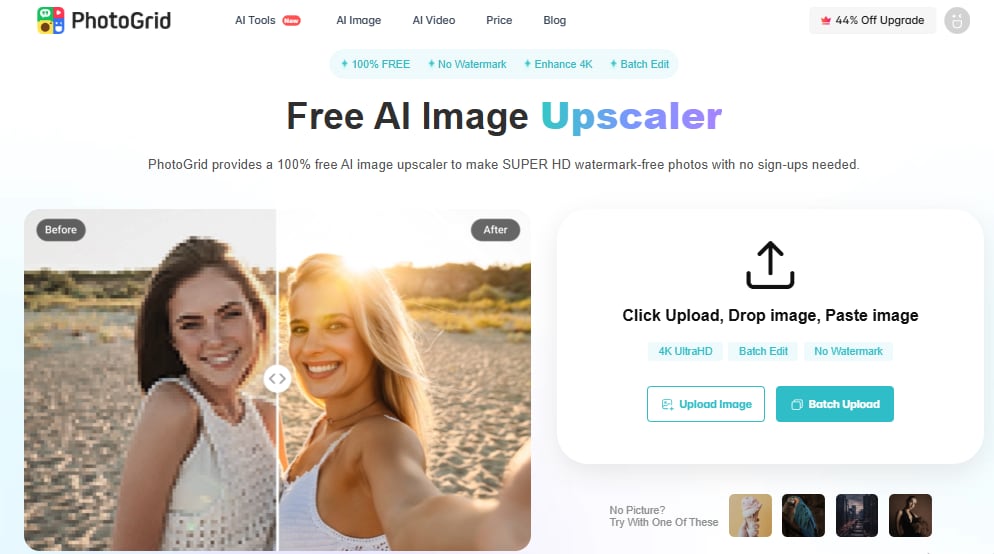
The ideal way to upscale pictures to 4k online is to use PhotoGrid on your browser for free. PhotoGrid has an advanced image editing suite that helps you to enhance the visuals and make them appropriate for social media postings. Apart from Upscaling image to 4k, you can also fine-tune certain elements such as the background and edges.
Using PhotoGrid on your PC is not difficult. The best part is that you dont even need to install any software to get started. PhotoGrid works online, and you can use it on your browser.
Features
The features of this tool are as follows:
- Allow upascaling image to 4k with free credit for new users
- Supports JPG and PNG file formats
- Offers one-click export with batch processing
- Includes basic editing tools for background and edge adjustments
Steps Guide
Here’s how to use PhotoGrid for upscaling your images online:
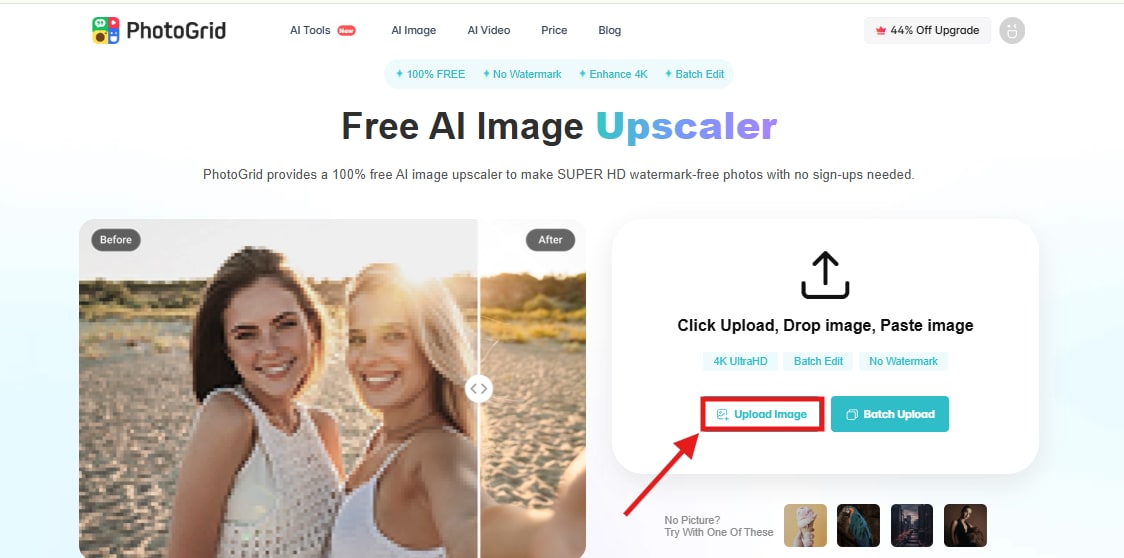
1. Open the PhotoGrid website and click ‘Upload Image’. You can upload PNG and JPG formats to upscale image to 4k.
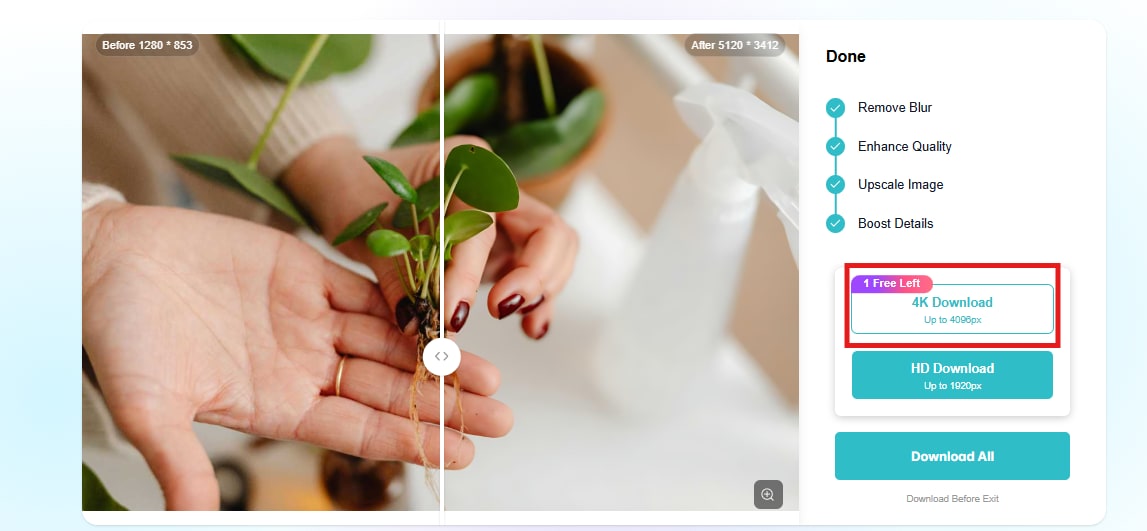
2. Click on ‘4k Download’ from the options. As a new user, you will get a free credit to use this feature.
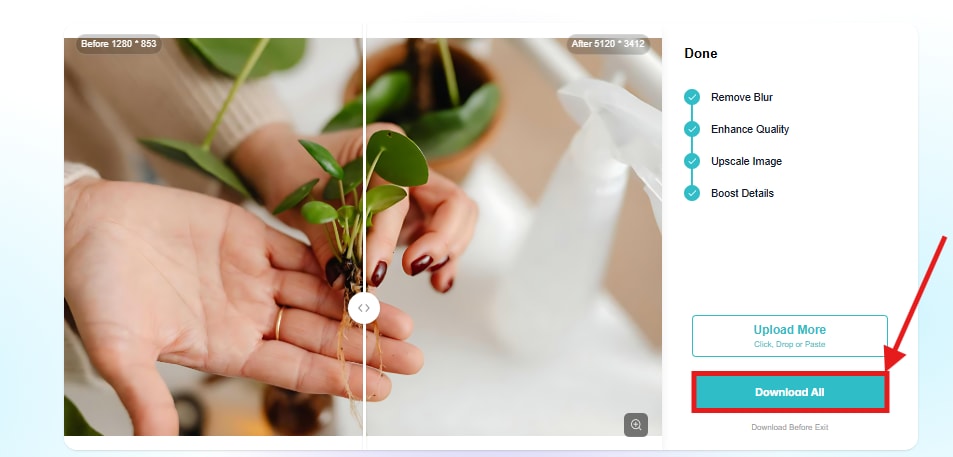
3. Then click on ‘Download All’ to instantly export the image to your device.
Best For
The entire process is simple to follow and is friendly to low-intensity users with less demand. You don't need to get a graphic designer on board or pay a hefty sum to upscale your images. This process takes less than a minute. You can also upscale images in bulk to get the desired results without repeating the steps.
The tool also gives consistent results, which is important when you want all your visuals to look sharp. Since the platform gives free credits initially, you can test the process and upgrade later if needed. This makes it one of the most accessible tools for image upscaling today.
Part 2: How to Upscale Photos to 4K Resolution with a Free Mobile App
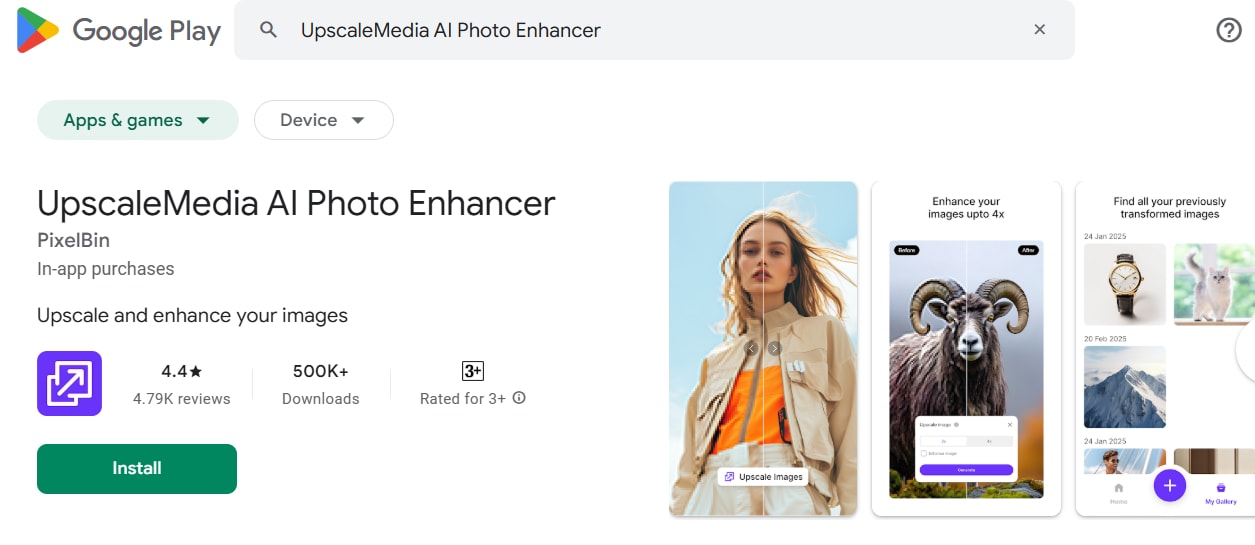
If you are not using a desktop and you want to upscale image to 4k through your smartphone, you can try out a mobile application called UpscaleMedia AI Photo Enhancer. You may find it on the Play Store. This tool has been specifically designed to use AI technology for instantly upscaling images. Users get two options to upscale. They can choose from 2X upscale or 4X upscale. If you have multiple images that need to be upscaled, you can do that using this tool easily.
Features
UpscaleMedia AI has the following features:
- Simple layout with one-tap processing
- Allows batch upload and enhancement
- Supports common formats like JPG and PNG
- Fast rendering with AI optimization
Steps Guide
Here is how to do it step-by-step:
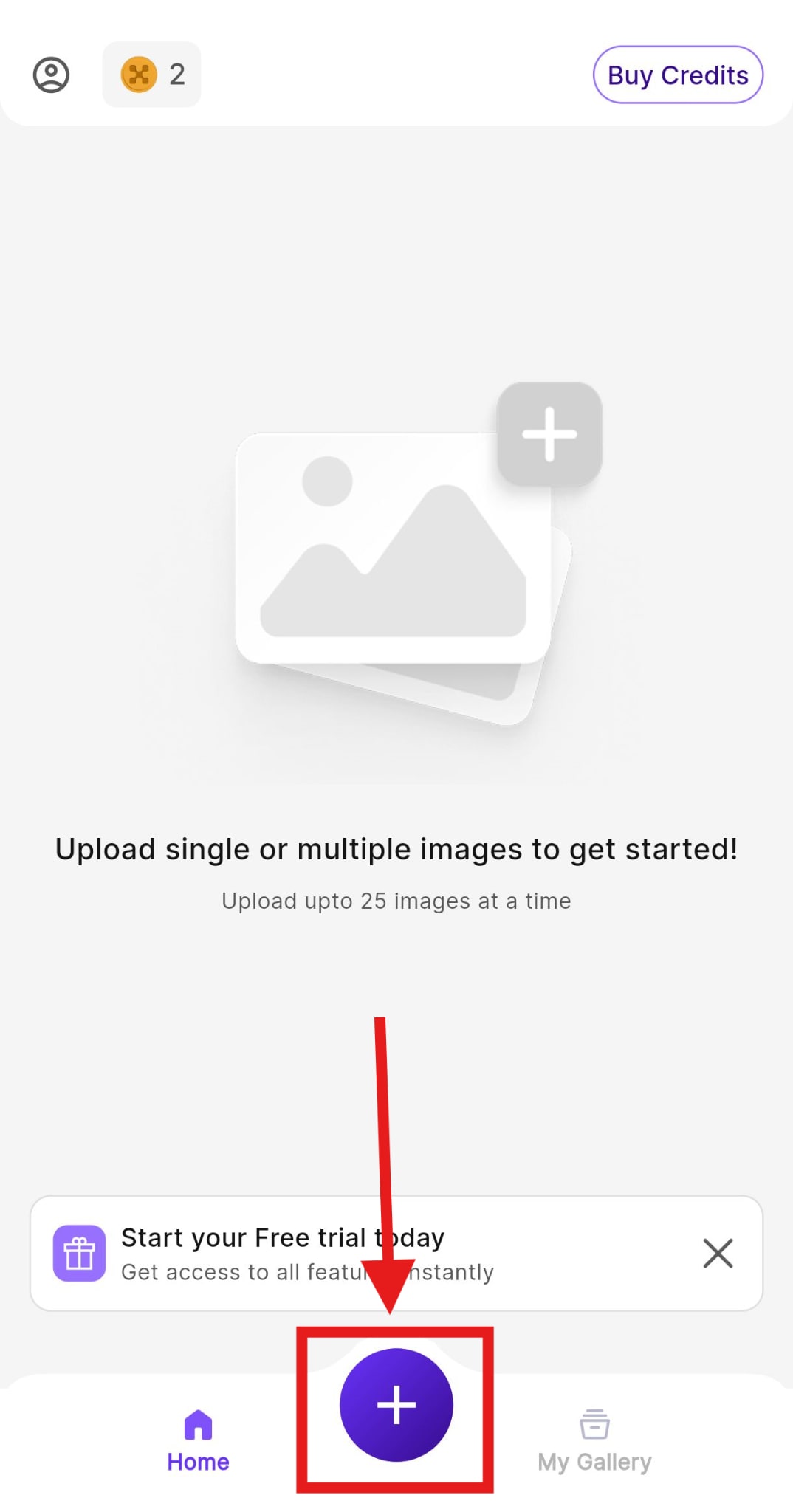
1. Install the application from the Google Play Store. Then, open the app and tap the ‘+’ icon. It will allow you to import images.
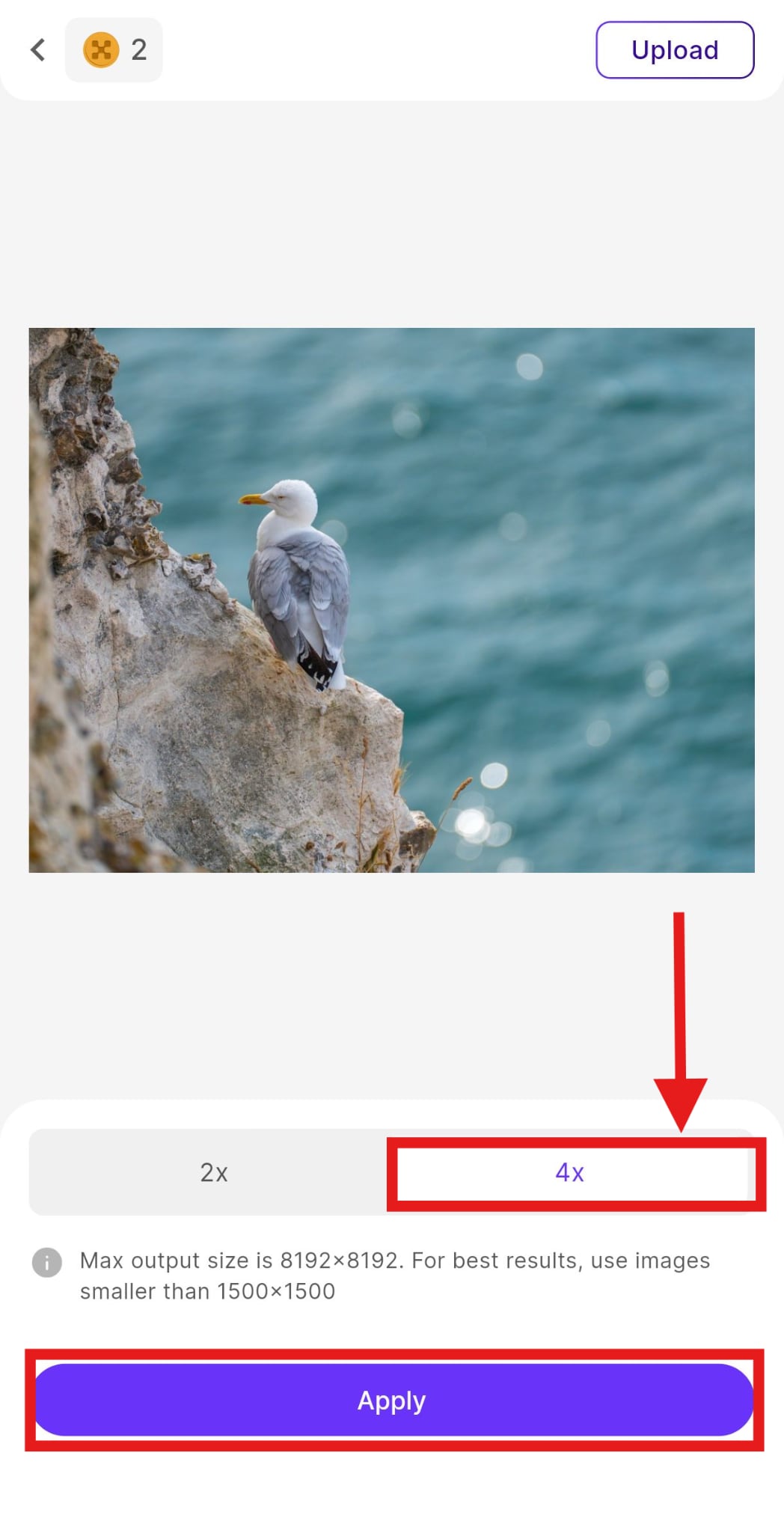
2. Tap the ‘4X’ upscale option. Then tap ‘Apply’ to enhance your image.
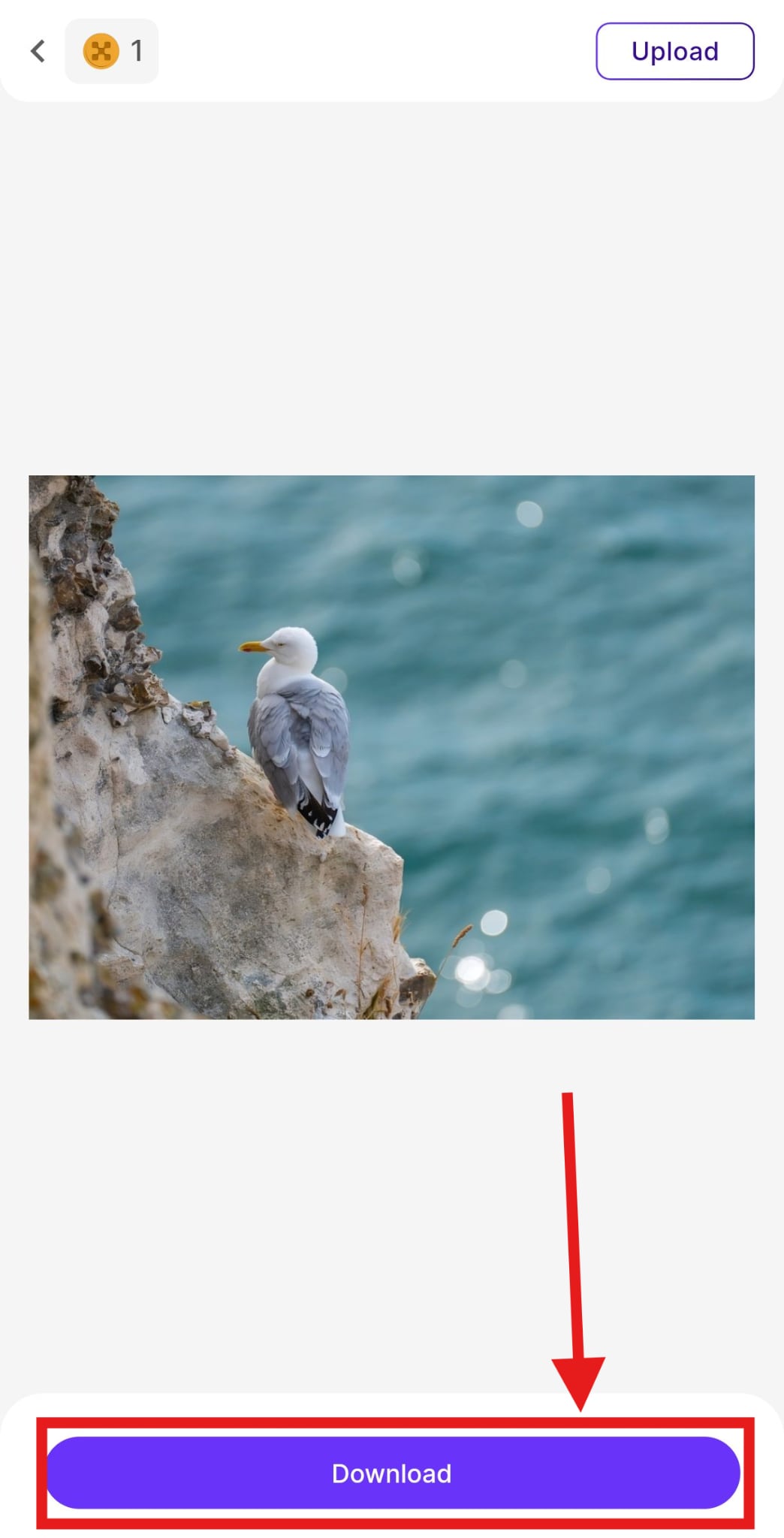
3. When the process is complete, click ‘Download’ and the image will be exported to your device instantly.
Best For
UpscaleMedia AI Photo Enhancer is a solid choice for those who work primarily on mobile. The app does not require a sign-up and does not take long to install. Once you open the app, the interface is clear and easy to use. Most users find the process quick, and the results are visible within seconds. It allows casual users and content creators to get high-quality visuals without any technical knowledge.

Easy to Use Batch 8x Image Enhancer
Part 3: How to Upscale Images to 4K with a Free Chrome Extension
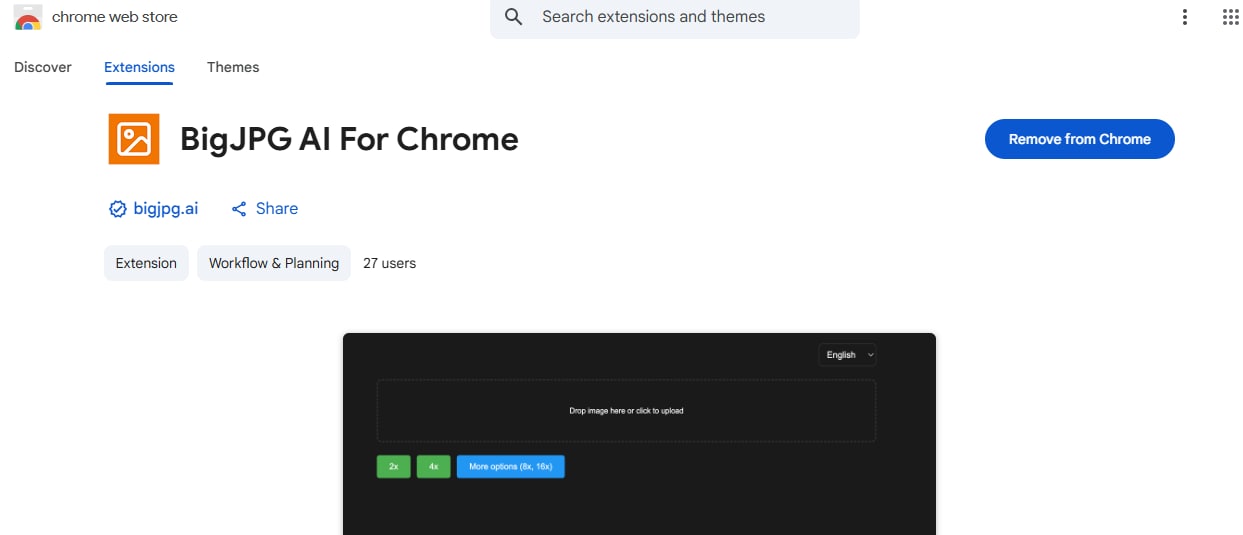
If you frequently upscale image to 4k for your website or social media, you must have a Chrome extension that can handle these frequent tasks. We recommend Big JPG. Here, you can quickly select files to upload. Or you can use the drag-and-drop method to insert images seamlessly.
Features
Big JPG has the following features:
- Offers upscaling levels up to 16X
- Works with illustrations and real-life photos
- Provides automatic download after processing
- Requires no software installation
Steps Guide
Here’s how to use it for getting upscaled images quickly:
1. Start off by uploading an image from your device that you want to upscale.
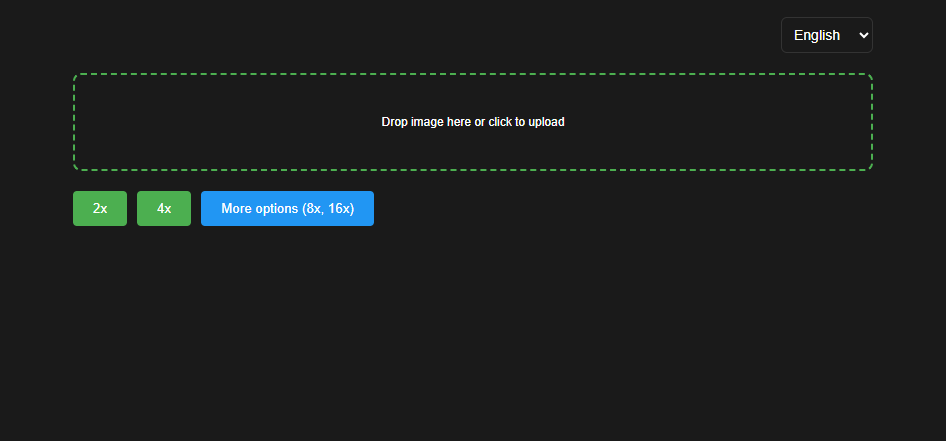
2. When the upload completes, you can start choosing an upscaling percentage from the available options. You can upscale image to 4k or even up to 16x to attain the highest quality of the image.
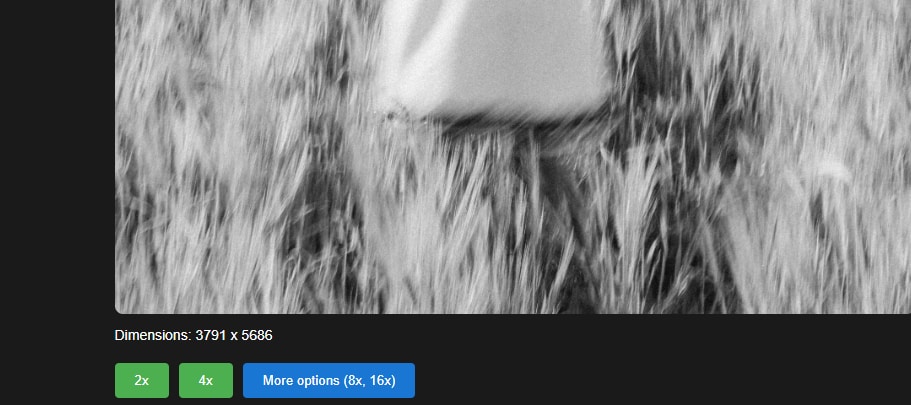
3. The image is automatically downloaded to your device.
Best For
Big JPG’s Chrome extension gives you a reliable method to enhance image resolution directly in your browser. It also handles file compression smartly, so the end image does not lose color or contrast. The tool is useful for marketers, designers, bloggers, and everyday users who care about presentation. If you want sharp and clean visuals for uploads or presentations, this extension gives you results within seconds.
Part 4: Bonus: How to Easily Batch Enhance Images to 8x on Desktop
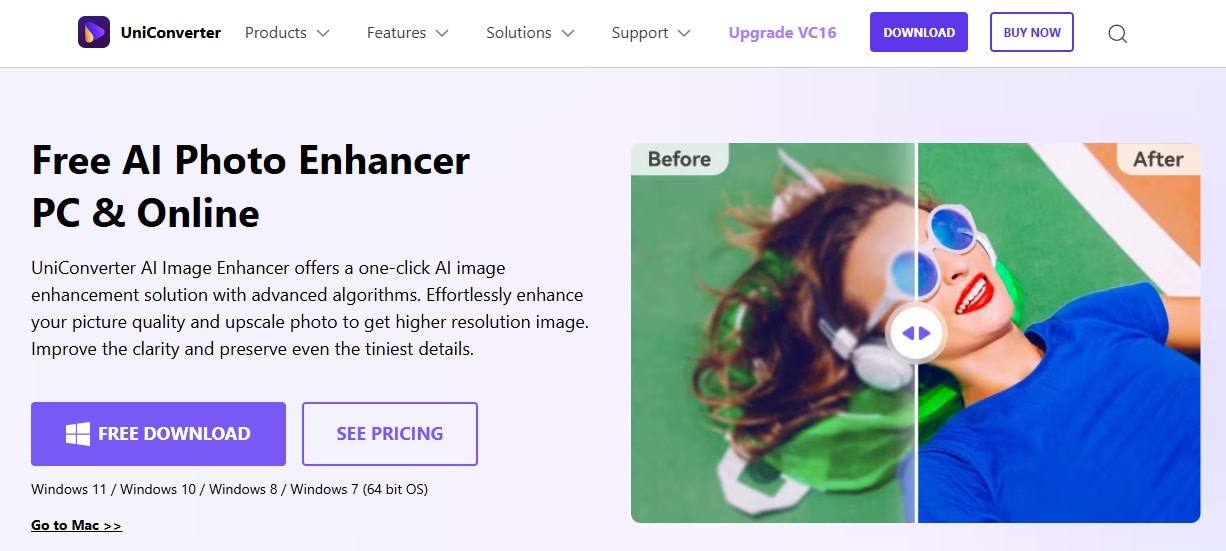
Upscaling images online can be a little complicated when you do it using online tools. If you are using a desktop, then you can use the UniConverter tool. It helps you identify the pixels of the image and upscale all elements in a single step. UniConverter by Wondershare can be downloaded on your PC. You can not only upscale image to 4k here, but you can also edit and enhance videos and audio.
Features
UniConverter has the following features:
- Offers batch processing for multiple files
- Supports upscaling up to 8X resolution
- Includes other tools for video, audio, and format conversion
- Works without internet once installed
- User-friendly interface for faster processing
Steps Guide
Here’s how you can enhance images to 8x using UniConverter:
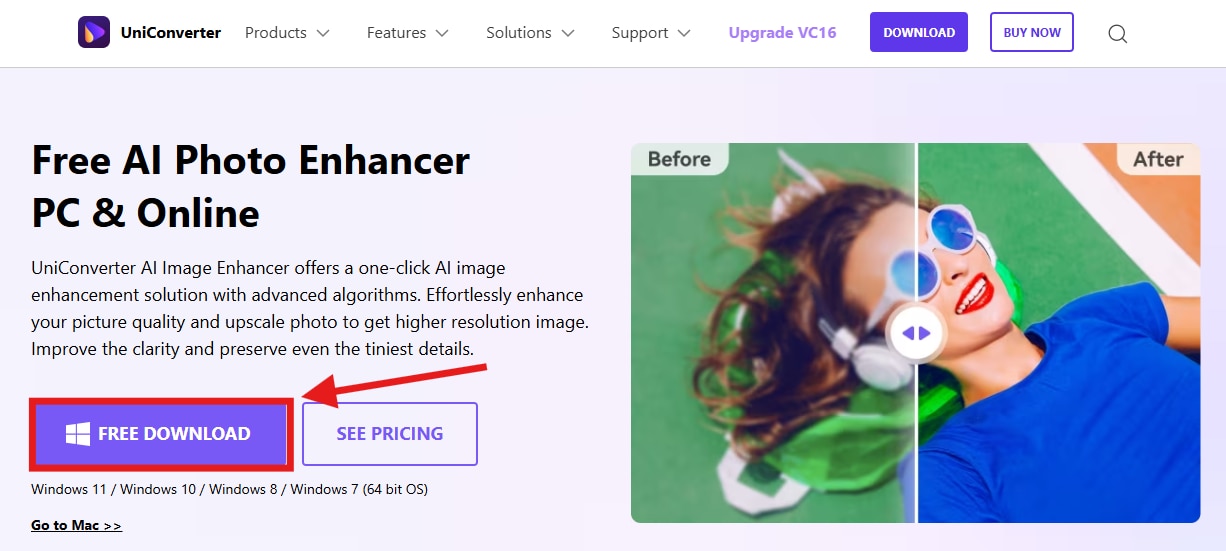
1. Start by downloading the UniConverter tool on your desktop from the official Wondershare website. Make sure that you install the latest version.
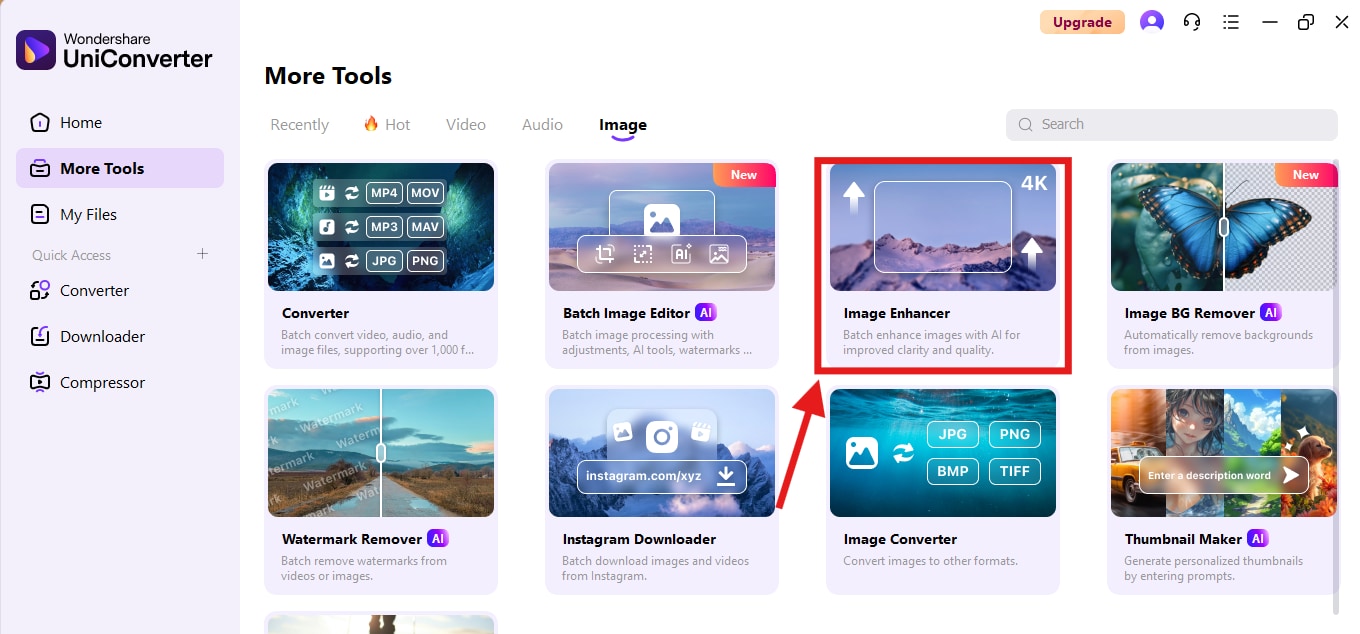
2. Then find the ‘Image Enhancer’ from the tool catalogue. You may find it in the ‘more tools’ section.
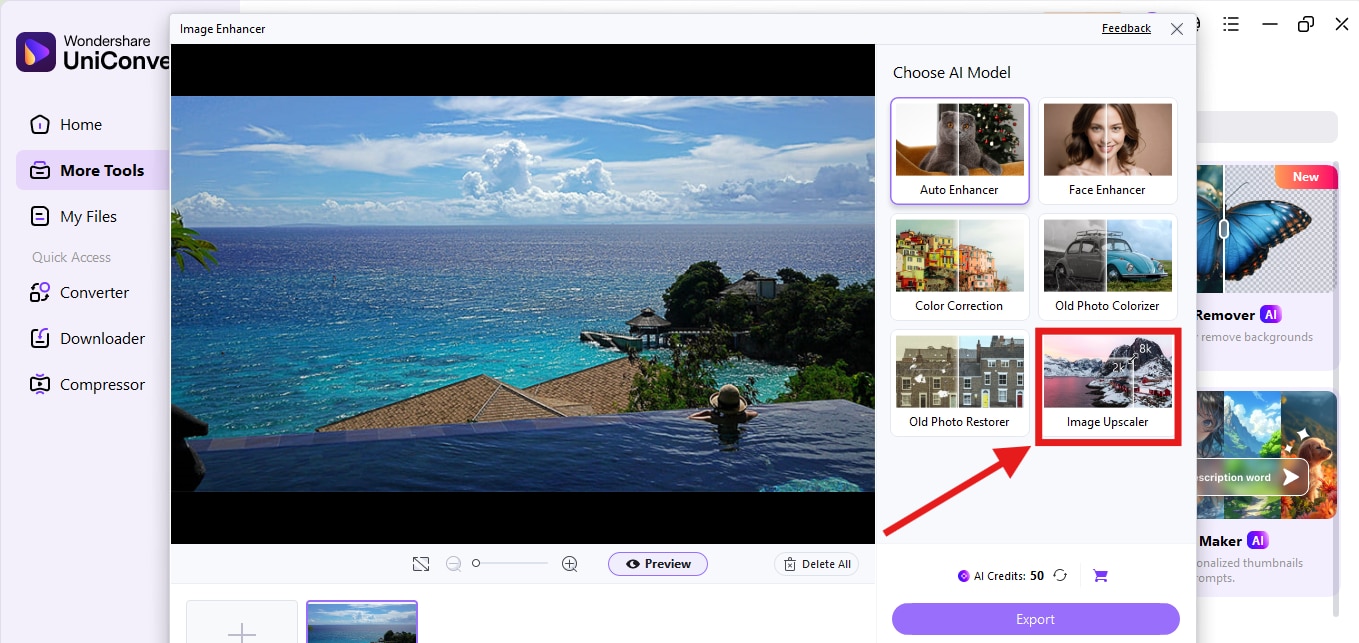
3. Select the ‘Image Upscaler’ from the list of editing tools.
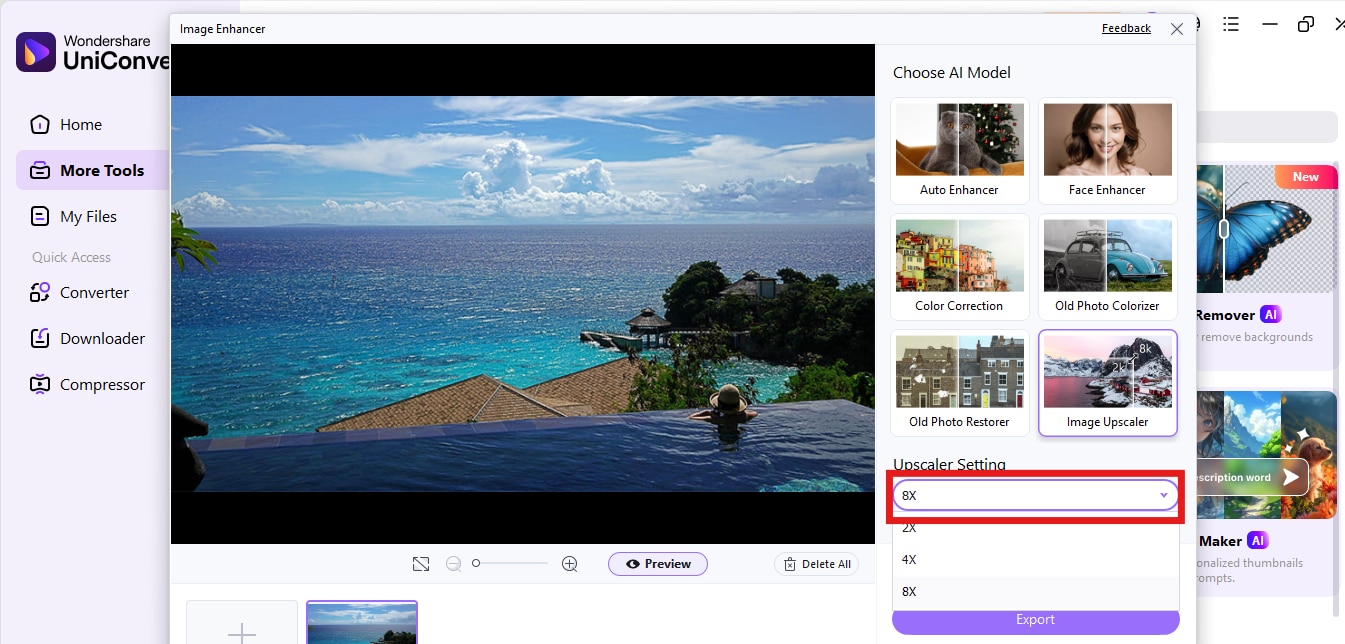
4. Choose 8x upscale from the dropdown. When you finish upscaling, you can export the image to your device for free.
Best For
UniConverter is not just an image upscaler. It is a comprehensive multimedia tool that offers more than just basic editing capabilities. The software is ideal for users who want to enhance multiple images simultaneously.
The process is smooth because all tools are conveniently located in one place. You do not have to search through confusing settings or adjust technical filters. Everything is designed to work in a few clicks. If you are a professional photographer or have a set of low-resolution images that need a fresh look, UniConverter will save you time and provide professional-quality output at no additional cost.
Final Thoughts
Upscaling image to 4K has become easier than ever. You no longer need high-end software or hours of editing experience. Each tool is designed for a specific use case. If you're looking for a browser-based option, PhotoGrid is a suitable choice. If you want to upscale image to 4k on the go, UpscaleMedia is perfect. Big JPG gives you browser access through a simple Chrome extension. UniConverter enables bulk upscaling on your desktop, providing full control over the process.
Easy to Use Batch 8x Image Enhancer
FAQs
-
Does upscaling increase the file size?
Yes. A higher-resolution image typically has a larger file size because it includes additional pixel data and offers enhanced quality. -
Can upscaling fix a blurry image?
Upscaling can reduce visible blur to some extent by sharpening edges and enhancing textures, but it cannot fully restore damaged pixels. -
Is 4K upscaling suitable for sharing on social media?
Yes. It ensures your images look sharp even after compression, which improves engagement and visual appeal across platforms. -
Are the upscaled images good enough for printing?
Yes. If the original image is clear and the tool enhances it properly, the 4K version will be suitable for printing. -
Can I use upscaled images for professional work?
Yes. If the result looks clean and sharp, you can use the upscaled image in design projects, portfolios, or commercial material.

