

Are you looking for a reliable Patreon downloader to save your favorite exclusive content? Many users want to know how to download Patreon videos for offline viewing. You might travel frequently or deal with unstable internet connections. While supporting creators is essential, having a local copy of a tutorial or podcast ensures you never lose access.
In this guide, we will explore the safest and most efficient tools available. Whether you need a web-based solution or a robust desktop app, we will show you exactly how to download Patreon video files quickly. You can easily manage your favorite media files and enjoy them anywhere.

Best Patreon Video Downloader
Table of Contents
What Is a Patreon Downloader?
A Patreon downloader is a specialized tool or software designed to save media files from Patreon. Creators use Patreon to share exclusive content with paying members. This content often includes video tutorials, behind-the-scenes footage, and private podcasts. A downloader helps you bypass browser restrictions so you can save these files directly to your device.
How Patreon Protects Creator Content
Patreon uses paywalls to restrict content access to active subscribers. They also employ DRM (Digital Rights Management) on certain videos. DRM is a security measure that prevents unauthorized copying or sharing. Because of these protections, a standard right-click save option rarely works. You usually need a dedicated tool to bypass these barriers safely.
Why Users Want to Download Patreon Videos
There are several valid reasons to save this content.
-
Offline viewing: You might want to watch a detailed art tutorial while traveling without Wi-Fi.
-
Avoid buffering from unstable internet: Poor connections can ruin streaming with constant interruptions.
-
Content backup: If a creator deletes a video or closes their page, you may lose access unless you’ve saved a copy.
Can You Download Patreon Videos Officially?
Yes, but only in certain cases. You can download Patreon videos directly from the platform only if the creator provides the video as a downloadable file attachment. If the video is uploaded through Patreon’s built-in player, the platform normally does not allow direct downloads.
Does Patreon Offer a Built-in Download Option?
Patreon does not have a universal download button for video content. If a creator uploads a video directly to Patreon using their native video player, downloading is usually restricted. However, creators can attach video files as downloadable attachments to their posts. If they do this, you can simply click the attachment link to save it.
Membership Rules and Creator Permissions
You should always respect ethical and legal boundaries. When you download from Patreon, you are saving content you paid to access. However, distributing or sharing this content is a violation of Patreon's terms of service and copyright laws. Always keep downloaded files for personal, offline use only.
How to Download Patreon Videos (Step-by-Step Methods)
If the creator has not provided a direct download link, you need alternative methods. Below, we clearly answer "how to download Patreon videos" using the most popular solutions. We cover web tools, desktop software, extensions, and screen recorders.
Method 1: Use a Patreon Downloader Online
An online tool is a great choice if you want to avoid installing extra software. These web-based tools usually work by analyzing the video URL. If you need a Patreon downloader online, you have a few options. Many of these function as a Patreon downloader free of charge.
iViGo Patreon Downloader
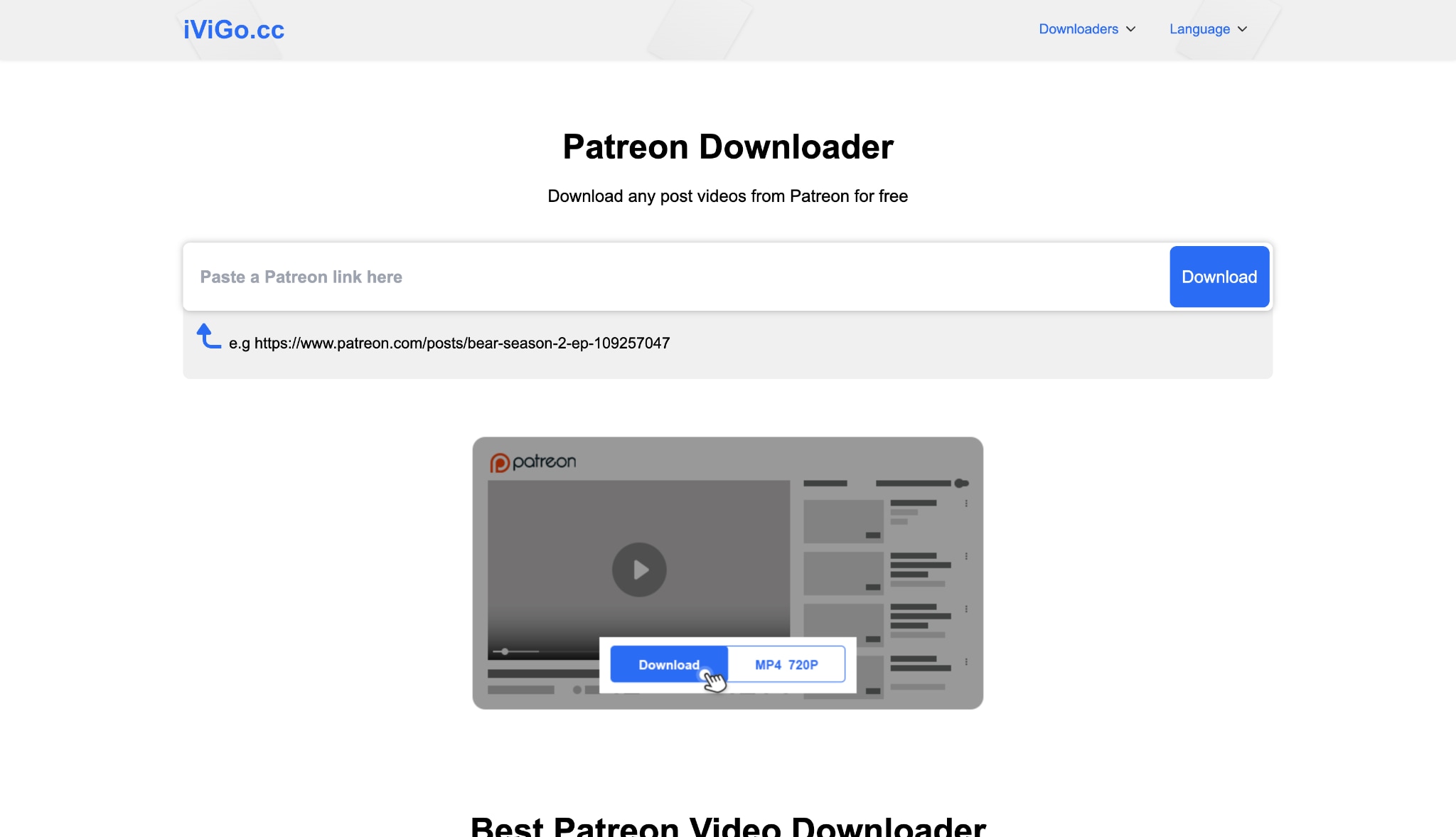
iViGo is a highly efficient and dedicated free Patreon downloader. It is a web-based tool specifically optimized to extract video and audio files from Patreon and over 1,000 other streaming sites.
This tool processes URLs quickly to locate the source media file. It is designed for seamless downloading without the need for complex software, making it incredibly user-friendly for anyone looking to download Patreon files free of charge.
Key Features:
- It supports HD video downloads, allowing you to choose between High, Medium, and Low quality options.
- You can extract audio directly from videos and export the files as MP3 or M4A.
- The tool is completely accessible without requiring any account registration or login.
- It supports versatile output formats, giving you the ability to save files as MP4, WebM, or standalone audio.
Steps Guide:
- Navigate to the Patreon page and copy the URL of the video post.
- Open a new tab and visit the iViGo Patreon Downloader website (ivigo.cc).
- Paste the copied URL into the central input field.
- Click the "Download" button, wait for the analysis, and select your preferred video or audio quality to save the file.
Safety Notes: Be careful where you click, as ad banners can mimic download buttons. There is a slight risk of redirects.
Best For: Users who need a quick, one-time download without installing apps.
PasteDownload
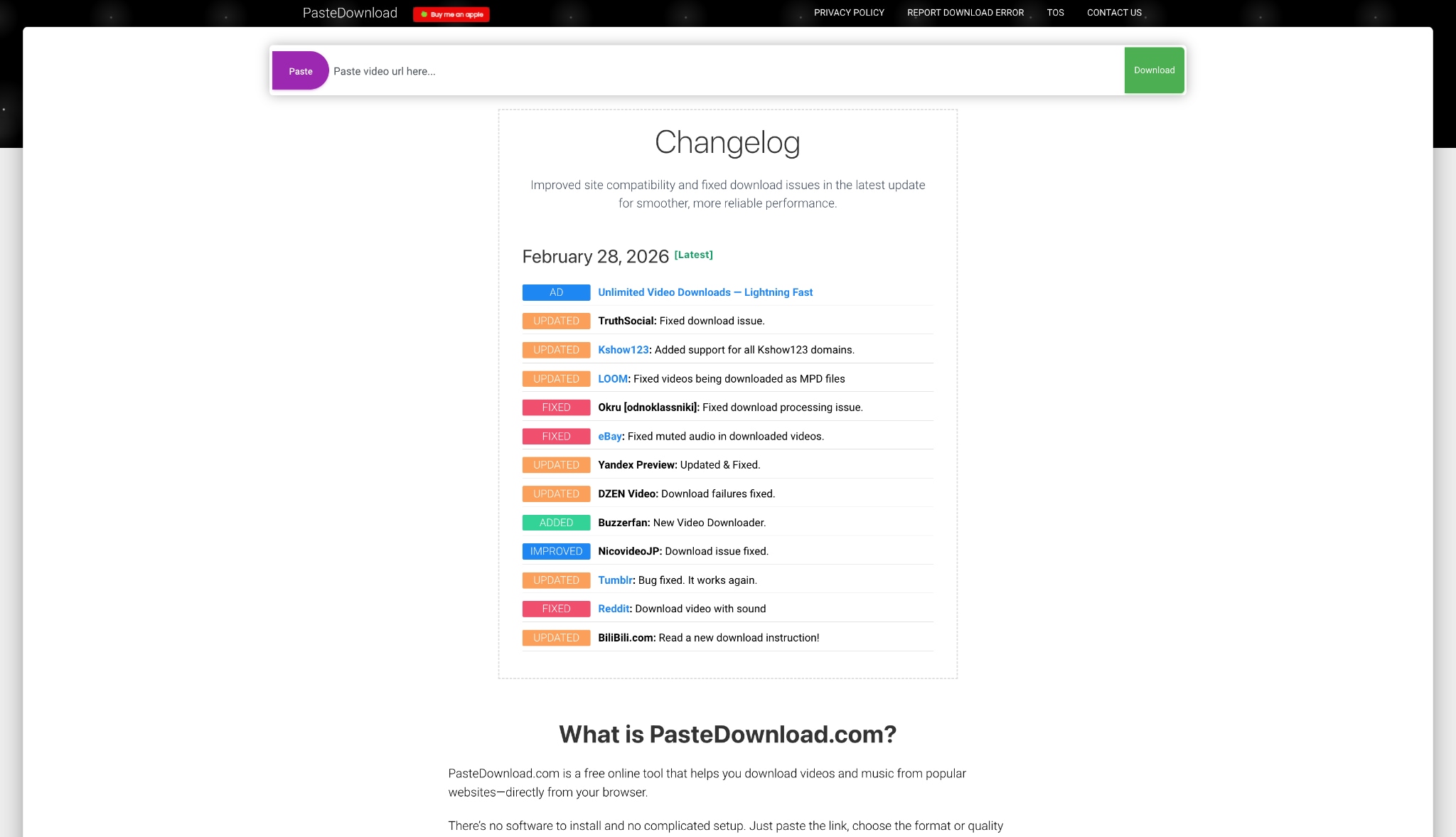
PasteDownload is another reliable Patreon downloader free tool. It acts as an online video extractor for multiple platforms. This web-based tool uses a simple paste-and-fetch mechanism. It updates its extraction algorithms frequently to maintain compatibility with embedded players.
Key Features:
- Supports MP4 output formats.
- Offers basic audio extraction.
- No account registration needed.
Steps Guide:
- Copy the link of the Patreon video post.
- Go to PasteDownload in your browser.
- Paste the link into the input field.
- Wait for the tool to process the link, then click the download button.
Safety Notes: Contains on-page ads. Ensure you only click the official download link provided after processing.
Best For: Casual users looking to download Patreon files free and quickly.
Method 2: Use a Desktop Patreon Video Downloader Software
For higher reliability, a desktop program is superior. When you want a stable Patreon video download, desktop tools offer advanced processing power. They easily handle large files and bypass complex browser limits.
Wondershare UniConverter
If you want to batch download Patreon video files safely, Wondershare UniConverter is a powerful desktop solution, as a one-stop multimedia processing toolbox. UniConverter is designed to simplify your workflow. It offers an intuitive interface for managing media files. Beyond basic downloading, it provides robust editing and conversion features.

Key Features:
- Allows for over 1000+ sites or platforms video saving.
- Supports 4K, 8K, and HDR video handling.
- Includes a built-in screen recorder for restricted content.
- Offers an AI video enhancer to improve video clarity.
- Features multiple AI features for multimedia processing tasks.
Best Patreon Video Downloader
Steps Guide to download Patreon videos in batch:
Step1 Log in to Patreon and open the specific video post you want to save. Copy the full URL directly from your browser's address bar.
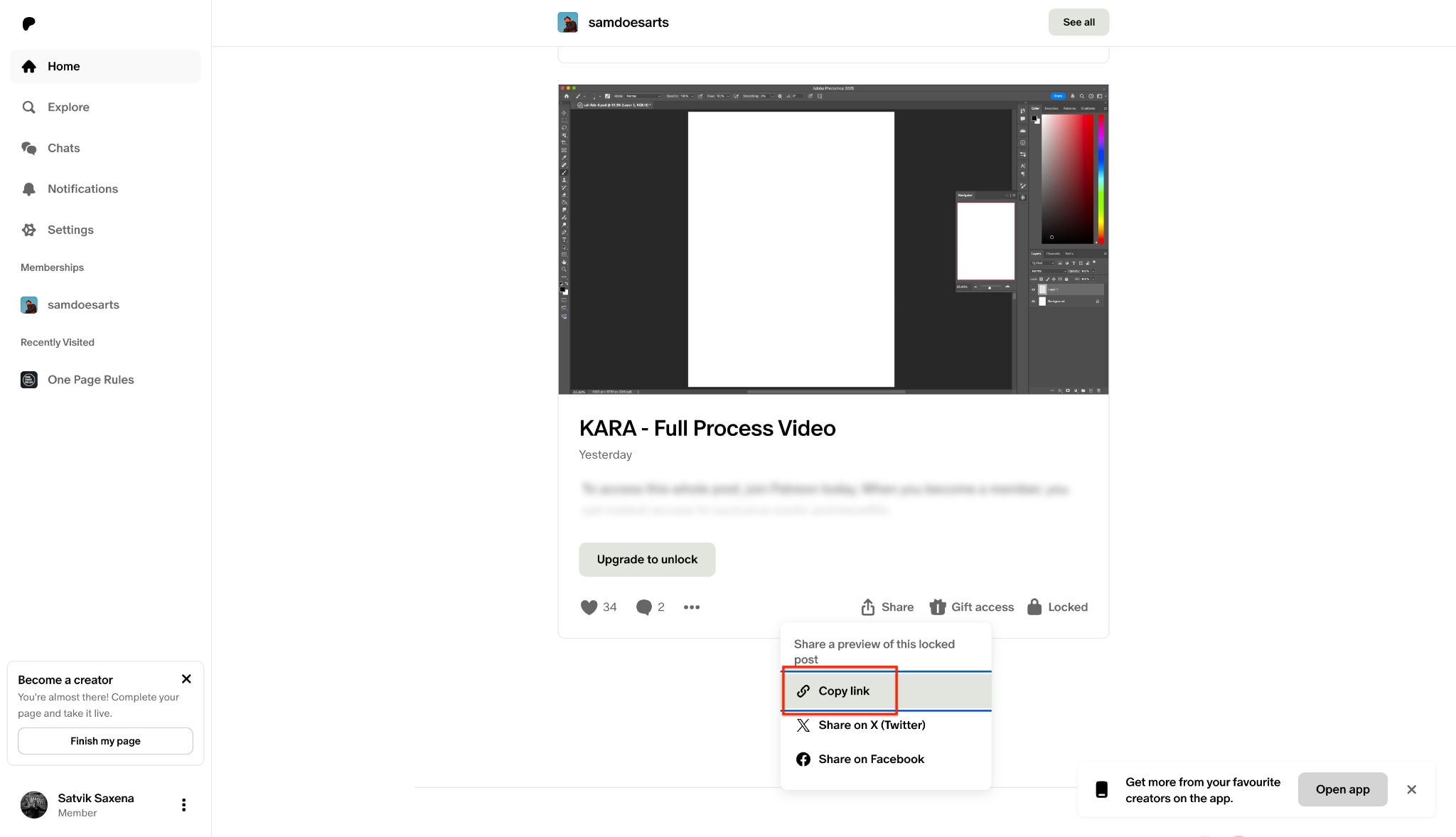
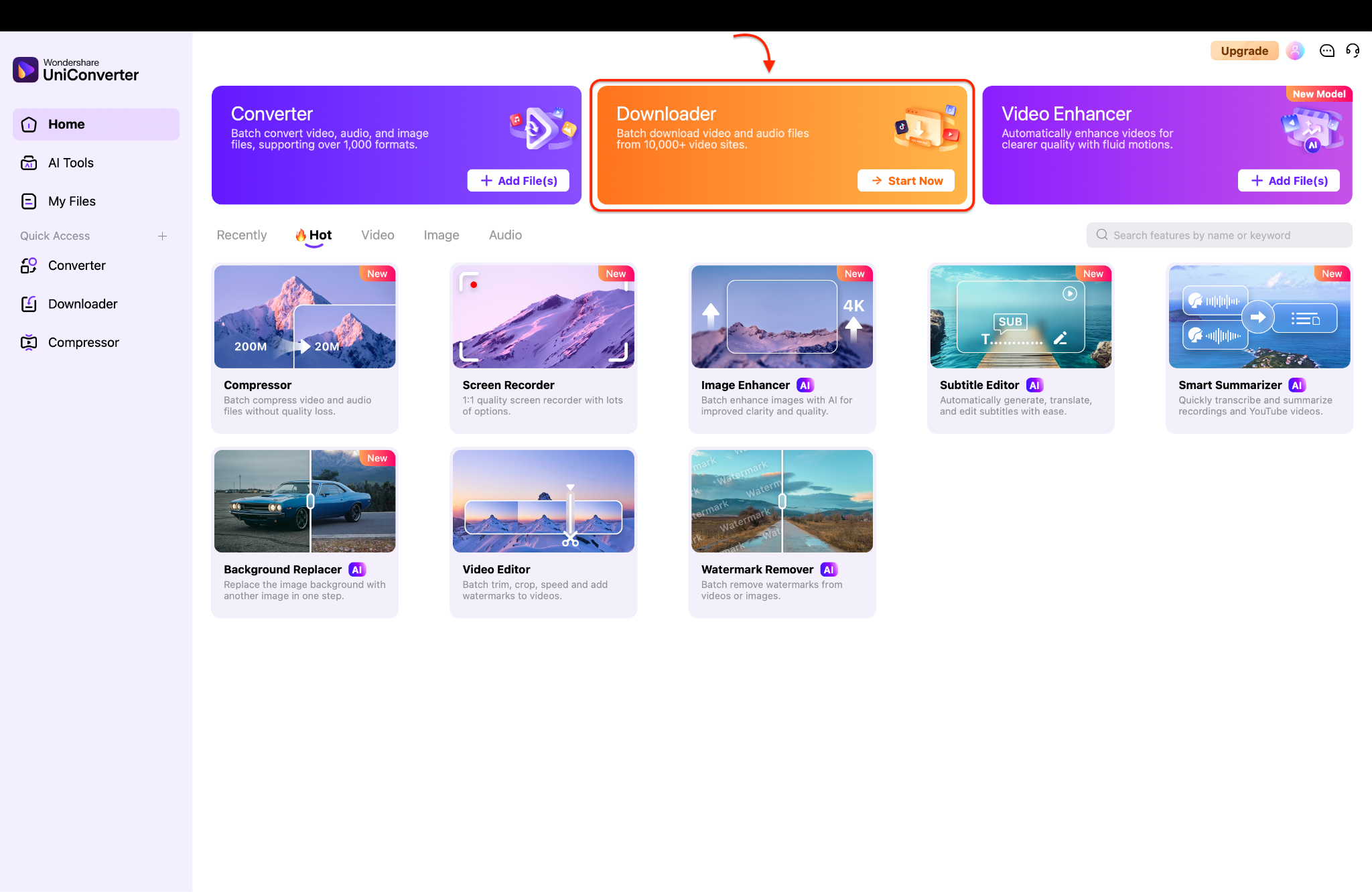
Step2 Launch Wondershare UniConverter on your computer to view the main dashboard. Click on the "Downloader" module to open your downloading workspace.
Step3 Click the gear icon in the top corner to select your preferred video quality and output format.
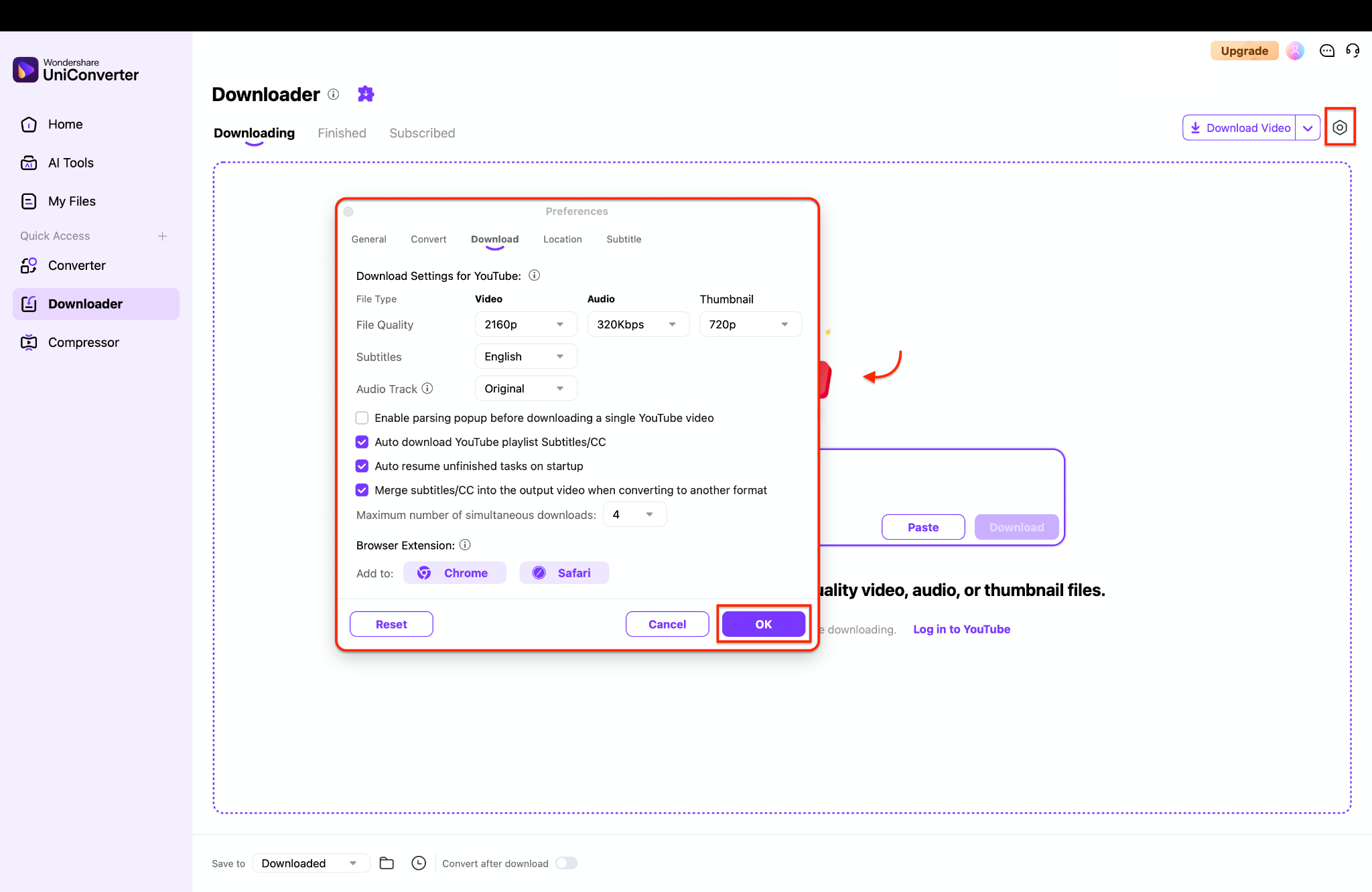
Pro Tip: If the Patreon video fails to download due to strict DRM protection, switch to the "Screen Recorder" module to capture it while it plays.
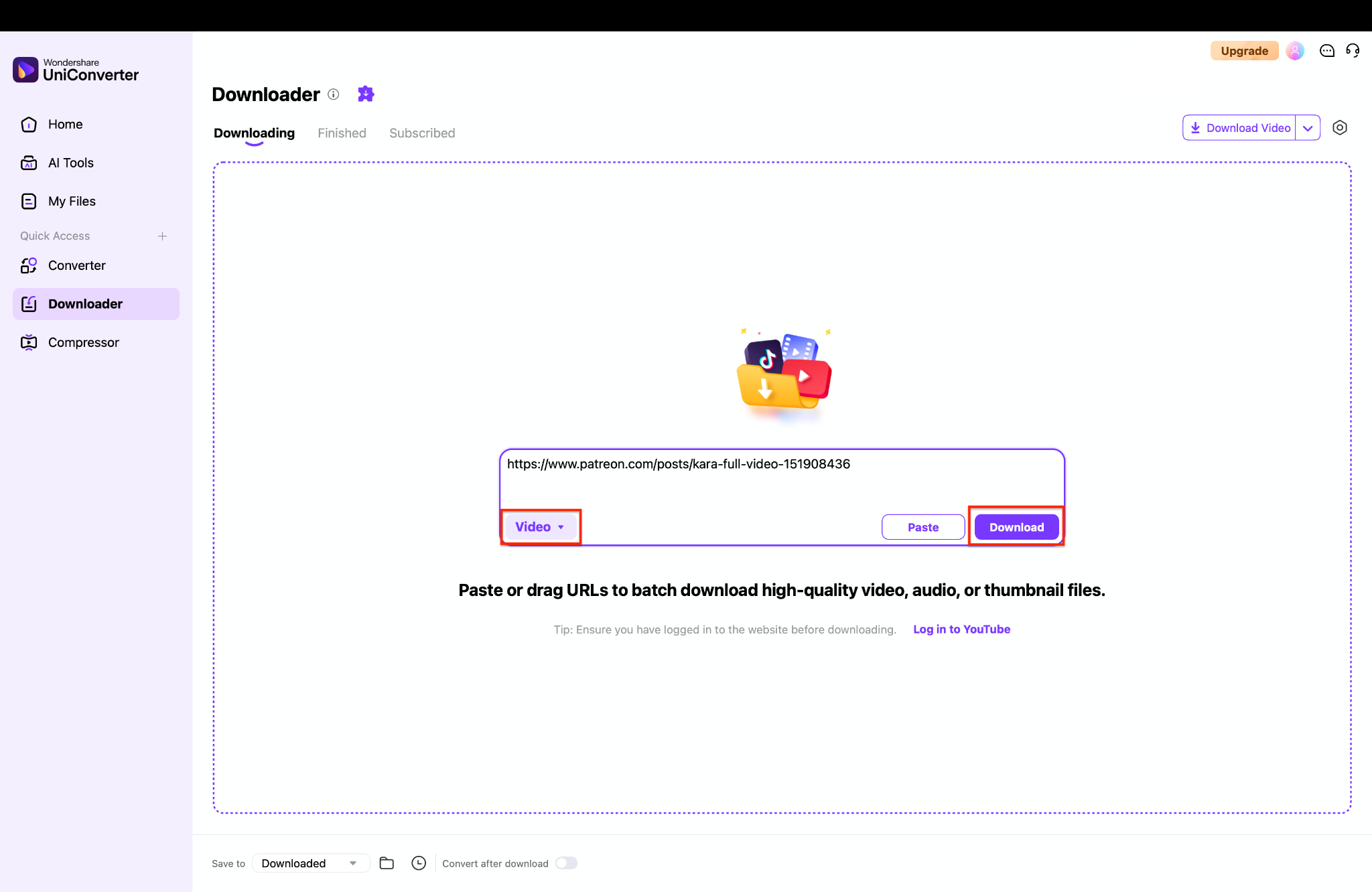
Step4 Click the "Paste URL" icon in the center of the screen to insert your copied link. The software will analyze the link and automatically save your video to the "Finished" tab.
Safety Notes: 100% safe and clean. It contains no malware and respects your privacy.
Best For: Users who want stable, high-quality batch media saving and offline archiving.
4K Video Downloader+
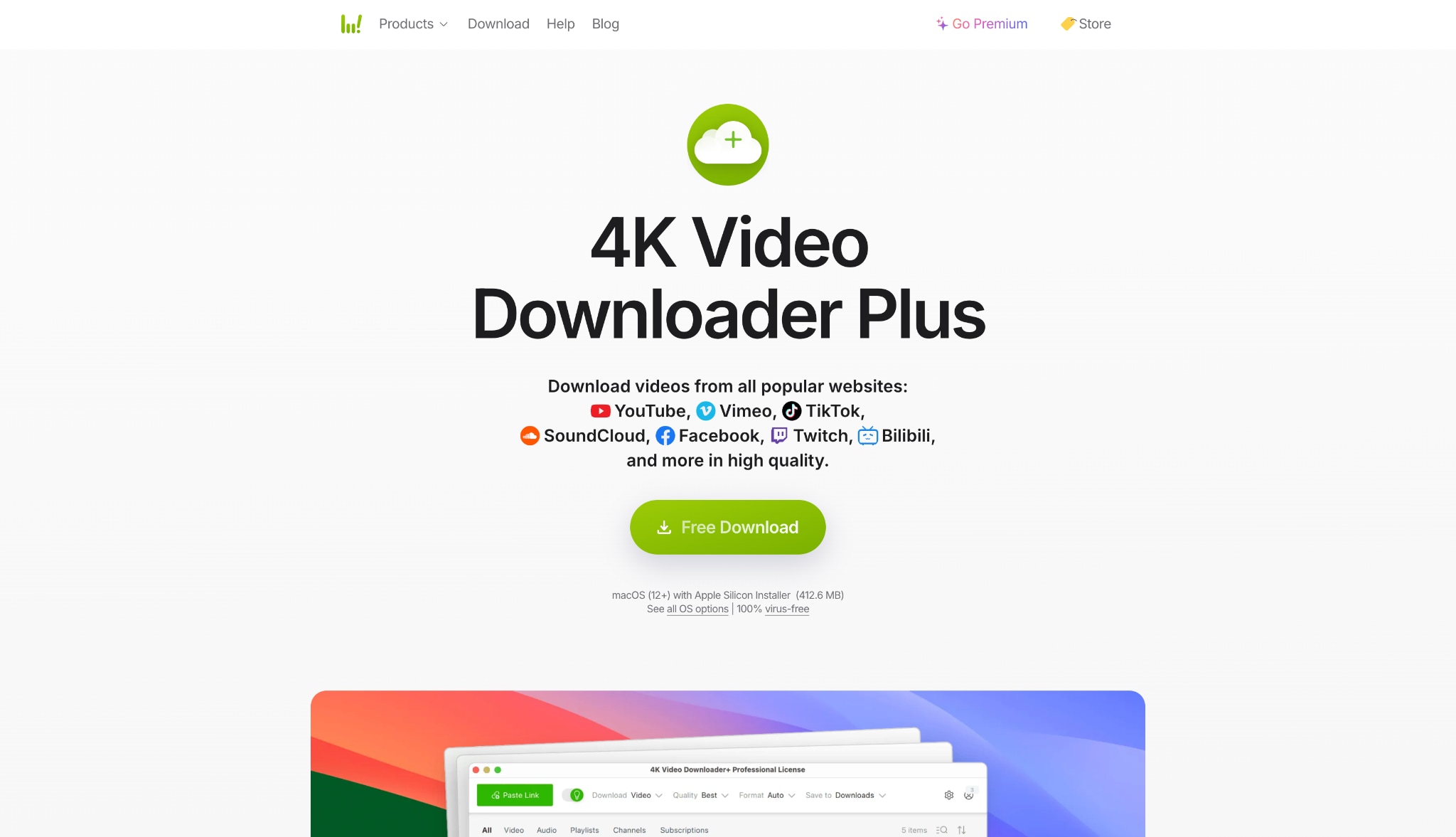
Key Features:
- Extracts videos up to 4K resolution.
- Supports audio extraction to MP3, M4A, or OGG.
- Includes an in-app browser to log into Patreon directly.
Steps Guide:
- Launch 4K Video Downloader+.
- Use the built-in browser to log into your Patreon account.
- Navigate to the video post you want to save.
- Click the download prompt that appears over the video player.
Safety Notes: Safe to use. The login occurs within a secure in-app browser instance.
Best For: Users who need to log in to access heavily restricted membership videos.
Method 3: Use a Browser Extension (Patreon Downloader Extension)
Extensions sit right in your browser. They are excellent if you want to download video from Patreon without leaving the page.
Video DownloadHelper
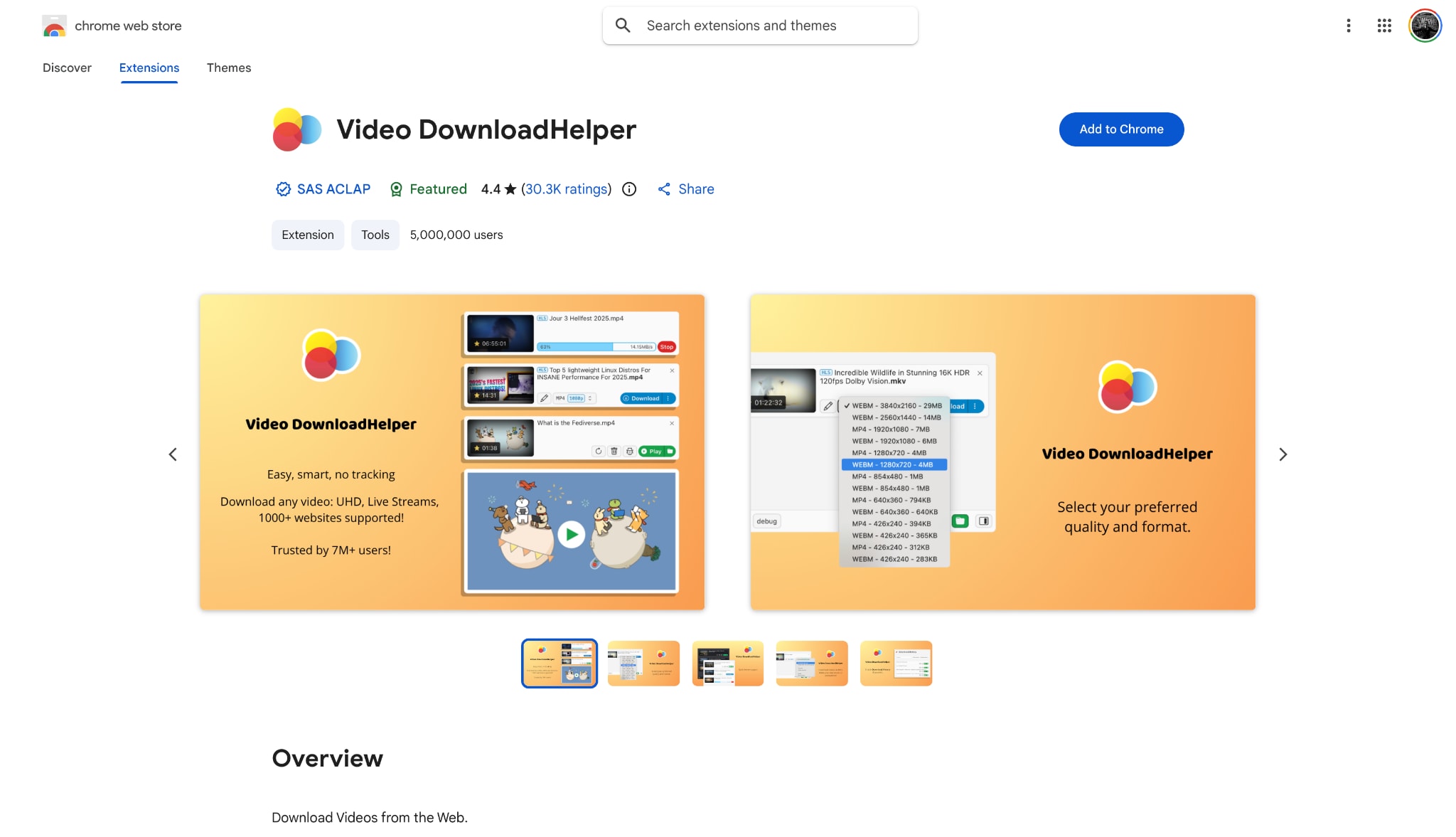
Key Features:
- Detects embedded videos playing in the browser.
- Offers multiple resolution options upon detection.
- Supports HLS streamed videos.
Steps Guide:
- Install the extension from your browser's web store.
- Open the Patreon post and play the video.
- Click the extension icon when it lights up.
- Select your preferred file size and format to start saving.
Safety Notes: The extension is safe, but ensure you download it from the official Chrome or Firefox add-on store.
Best For: Users who frequently browse Patreon and want to download content on the fly.
CocoCut Video Downloader
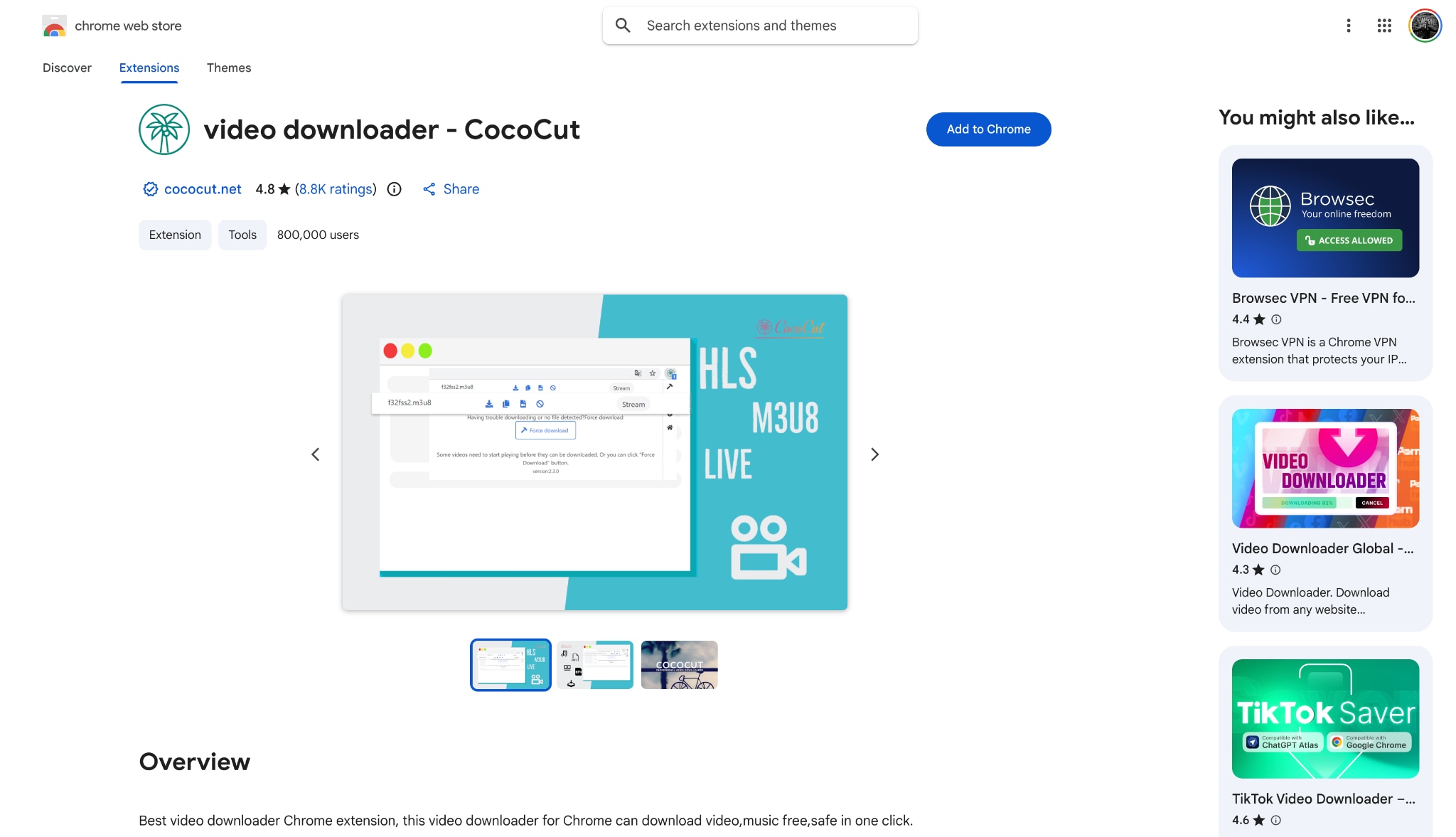
Key Features:
- Can piece together fragmented video streams (M3U8).
- Offers a recording mode if direct download fails.
- Lightweight and fast.
Steps Guide:
- Add CocoCut to Google Chrome.
- Navigate to your Patreon video and start playing it.
- Click the CocoCut puzzle icon in your extensions tray.
- Choose "Force Download" or standard download to save the file.
Safety Notes: Safe, but monitors page traffic to function. Only use it on trusted sites.
Best For: Tech-savvy users trying to capture complex, streamed embedded videos.
Method 4: Use Screen Recording as an Alternative
Sometimes, standard downloaders fail. This happens when content is heavily DRM-protected. If you are wondering "how to download Patreon videos" when everything else fails, screen recording is the answer.
UniConverter Screen Recorder

Key Features:
- Captures custom screen areas or full screen.
- Records internal system audio cleanly.
- Supports saving in MP4, AVI, or MKV.
Steps Guide to Record Patreon Videos:
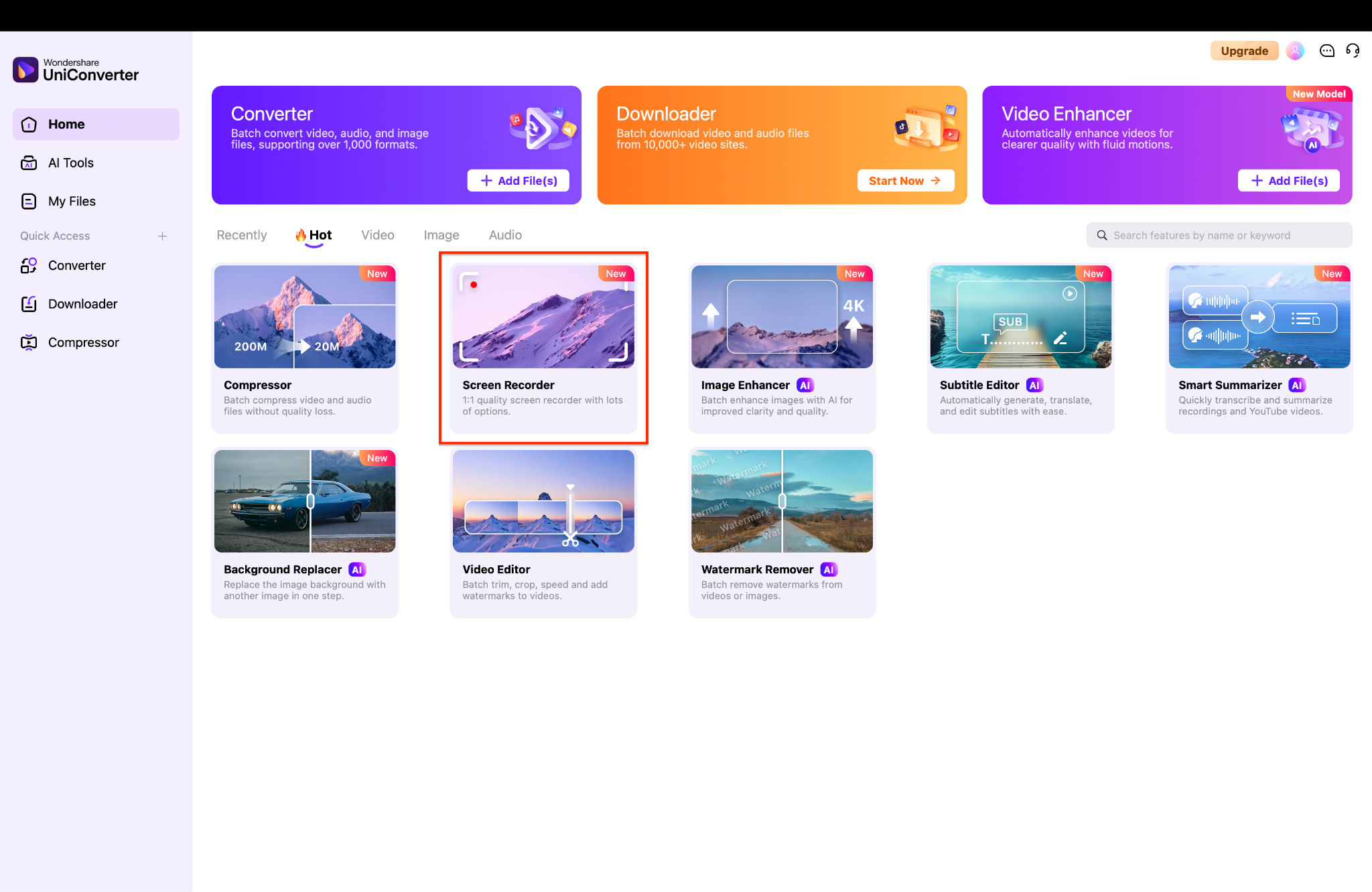
Step1 Launch Wondershare UniConverter on your computer and view the main dashboard. Click the "Screen Recorder" module to begin the process.
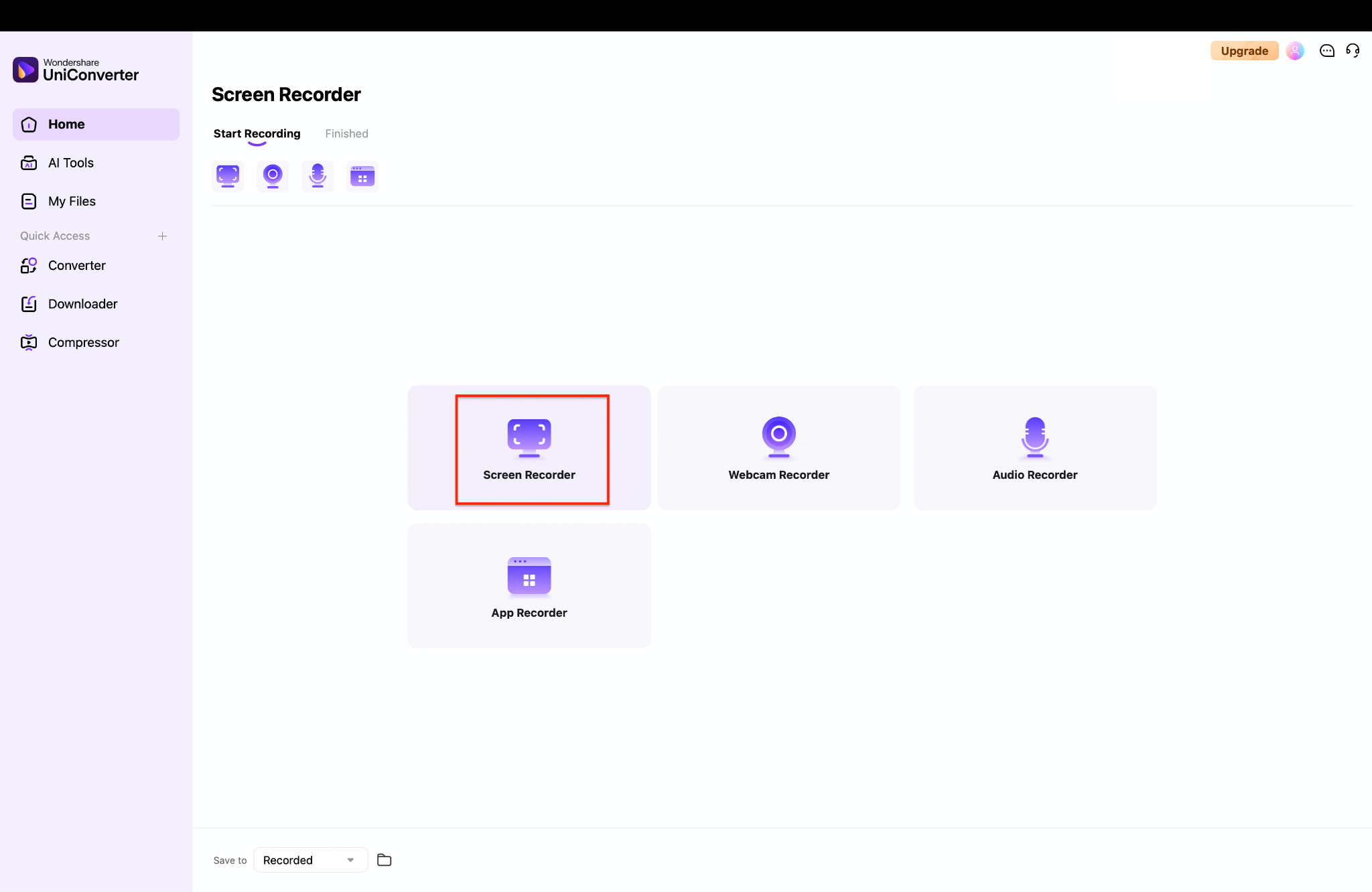
Step2 Inside the new workspace, click the "Screen Recorder" icon. This will open the recording control panel and an adjustable frame on your screen.
Step3 Adjust the purple frame to perfectly fit the Patreon video player, then click the red "REC" button.
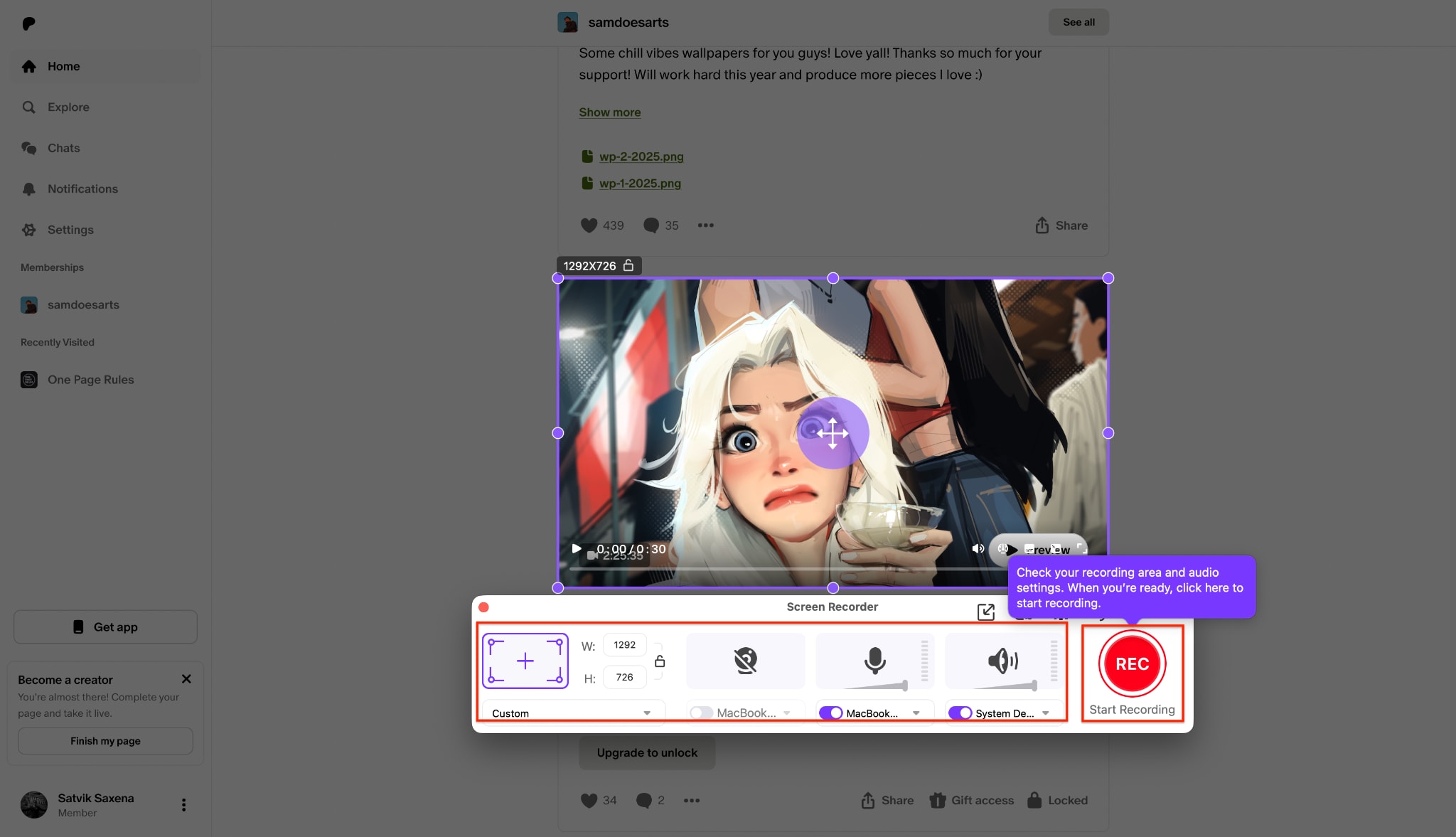
Pro Tip: Disable your microphone and ensure "System Audio" is turned on so you only capture the video's crisp original sound without any background noise.
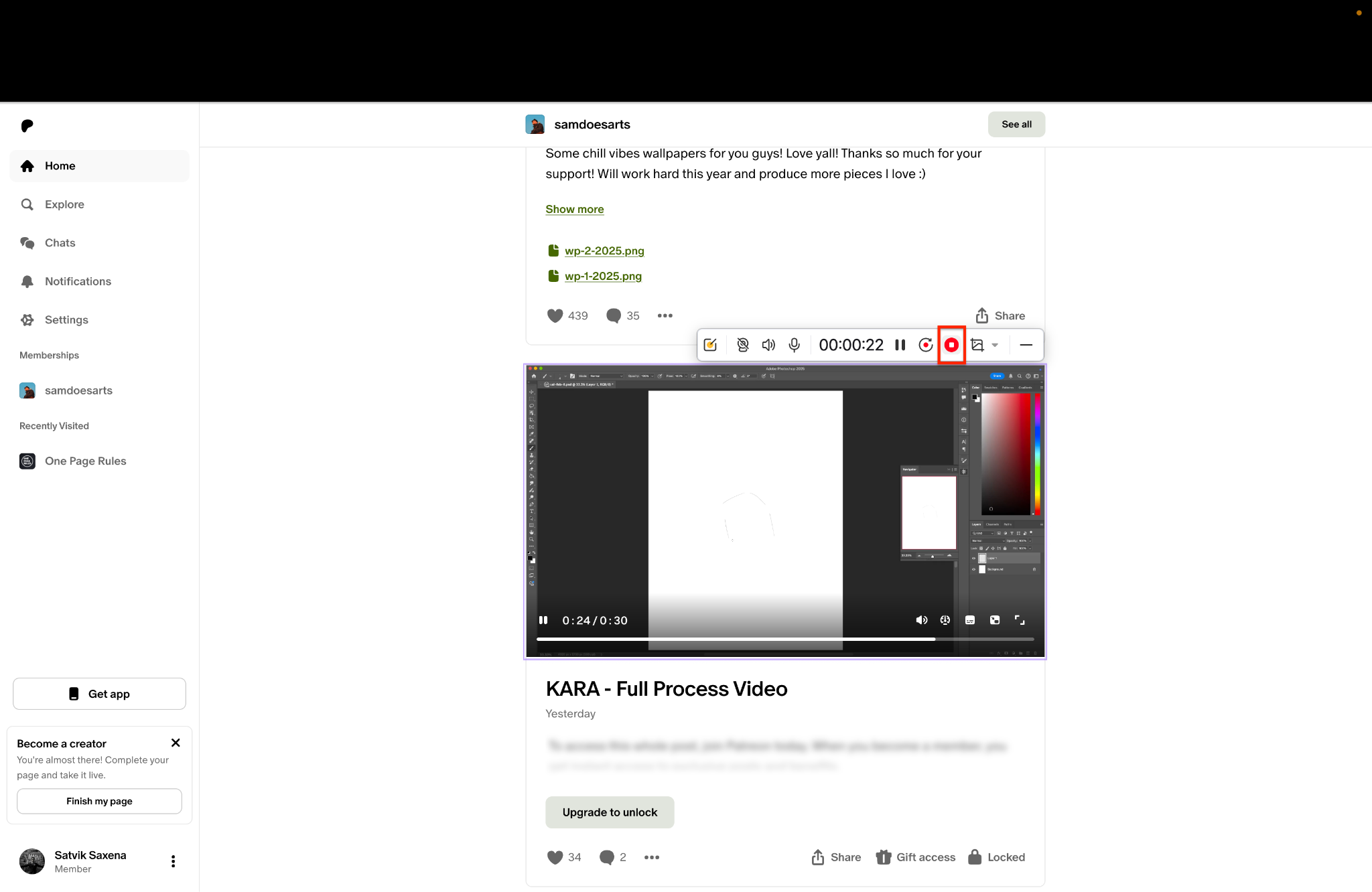
Step4 Play the Patreon video while the software records it smoothly in real-time. When the video is over, click the red "Stop" icon on the floating recording toolbar.
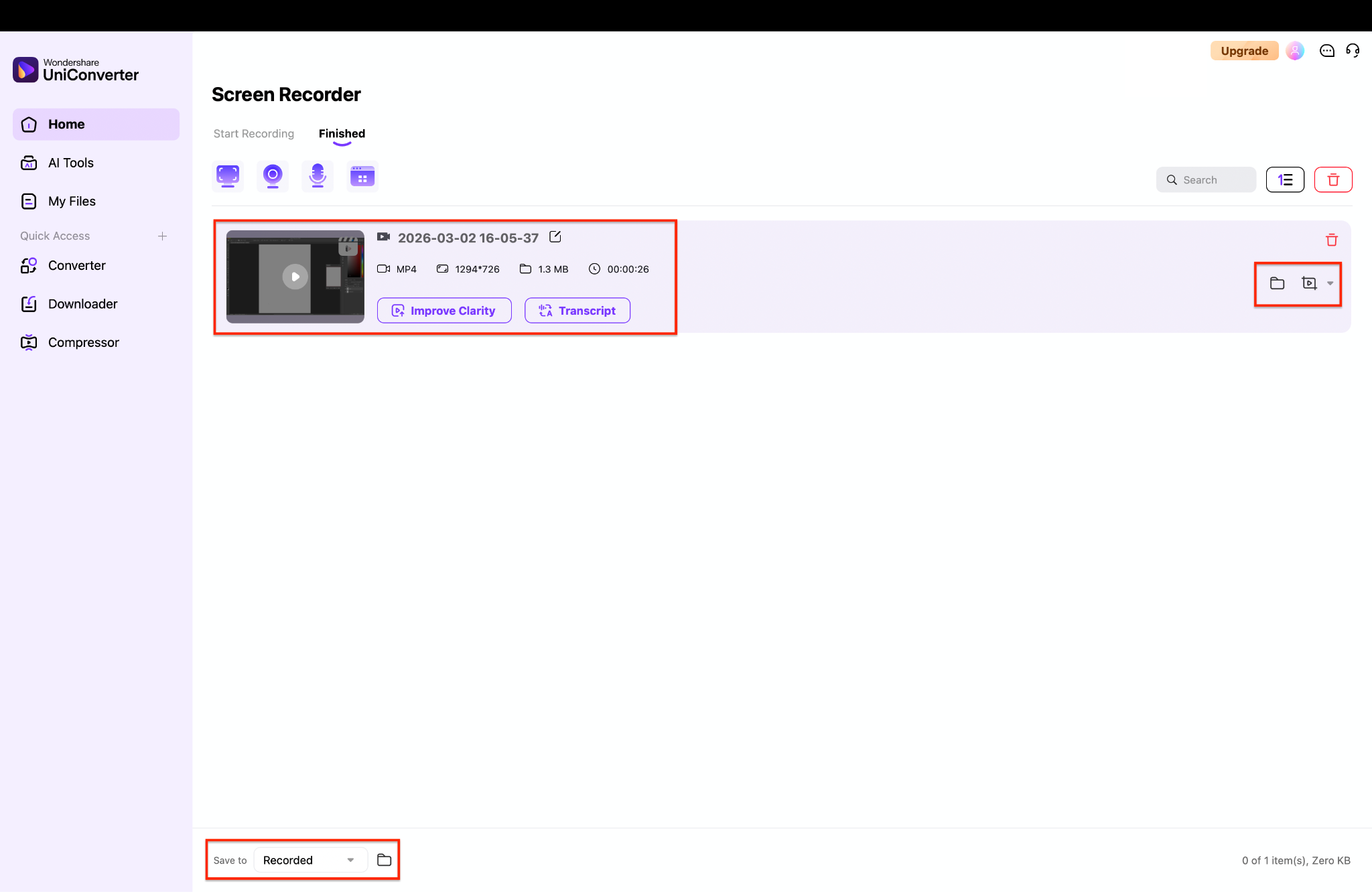
Step5 Your recorded video will automatically appear in the "Finished" tab. Simply click the small folder icon next to the file to locate your saved video on your computer.
Safety Notes: Completely safe and local to your machine. No account risk.
Best For: Users who cannot download private or protected videos directly.
Windows Game Bar / macOS Screen Capture
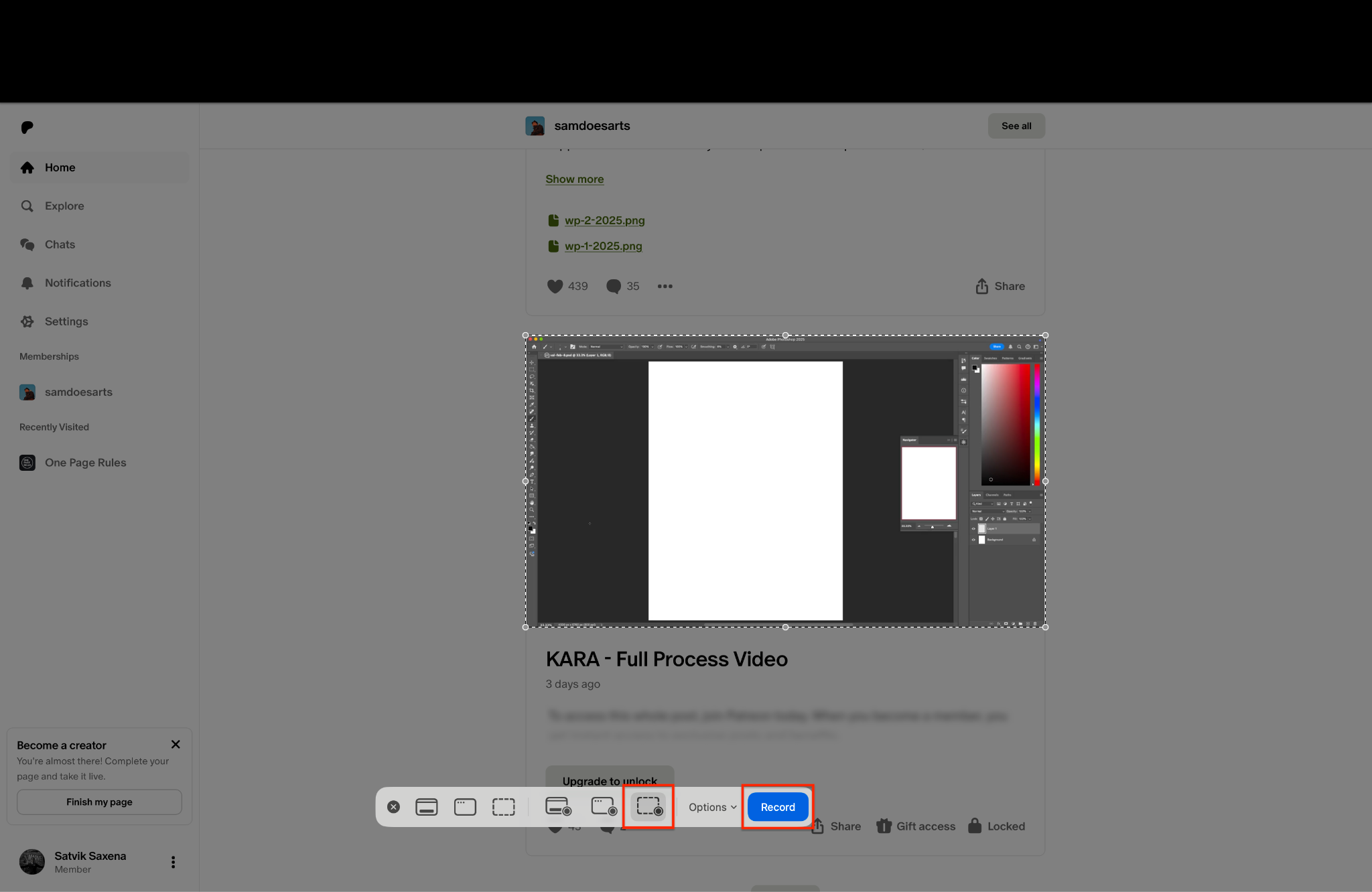
If you prefer not to install anything, use your operating system's built-in tools. Both Windows (Game Bar) and macOS (QuickTime/Screen Capture) have native recording capabilities designed for basic capture.
Key Features:
- Built directly into the OS.
- Captures full screen or application windows.
- Records system audio (native on Windows, requires setup on Mac).
Steps Guide:
- On Windows, press Win + G. On Mac, press Cmd + Shift + 5.
- Select the screen recording option.
- Hit record and play the Patreon video.
- Stop the recording to save the file to your default video folder.
Safety Notes: 100% safe as they are native OS features.
Best For: Users who need a fast, zero-installation backup method for short clips.
Best Patreon Downloader Tools Compared
To help you choose, we have compared the tools mentioned above. This table provides a quick overview of their capabilities.
| Tool Name | Tool Type | Free or Paid | Supports HD | Batch Download | Safety Level |
| iViGo Patreon Downloader | Online | Free | Yes | No | Moderate (Ads) |
| PasteDownload | Online | Free | Yes | No | Moderate (Ads) |
| Wondershare UniConverter | Desktop | Freemium | Yes (4K/8K) | Yes | High |
| 4K Video Downloader+ | Desktop | Freemium | Yes (4K) | Yes | High |
| Video DownloadHelper | Extension | Freemium | Yes | No | High |
| CocoCut Video Downloader | Extension | Freemium | Yes | No | High |
| Windows / macOS Built-in Recorders | OS Tool | Free | Yes | No | High |
Is It Safe to Use a Free Patreon Downloader?
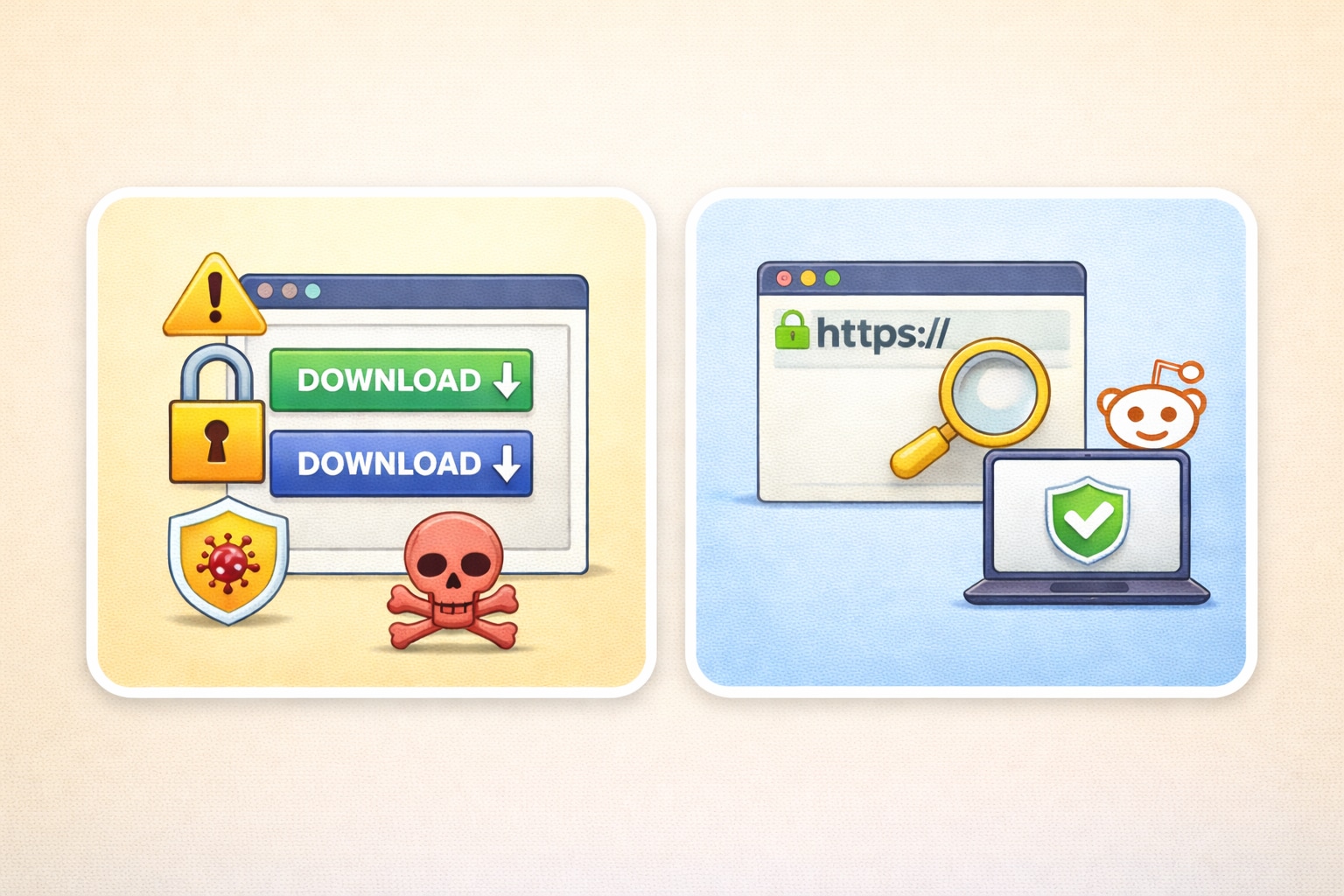
It can be safe, but only if you use a trustworthy tool and avoid suspicious websites. Some free Patreon downloaders are legitimate, but others may contain misleading ads, malware, or phishing attempts. You should always verify the tool’s credibility and protect your device before using one.
Security Risks to Watch For
Free web downloaders rely on ads for revenue. Sometimes, these sites host deceptive ads that look like download buttons. Clicking them can lead to phishing pages or malware downloads. Always ensure your antivirus software is active when using a free Patreon downloader.
How to Choose a Reliable Tool
To stay safe, look for a tool with a secure connection (HTTPS in the URL). Avoid tools that force you to log in with your Patreon credentials on an unverified web page. Check user reviews on forums like Reddit before installing an extension. If you want guaranteed safety, a trusted desktop app is your best option.
Common Issues When Downloading from Patreon
Even with the best tools, you might encounter problems. Here is how to troubleshoot common issues when trying to save creator content.
Video Won't Download
If the tool fails to fetch the file, the video might be hosted on a private third-party server like Vimeo. Try using an in-app browser tool (like 4K Downloader) or switch to a screen recording method to capture it.
Downloaded Video Has No Sound
This happens when the video and audio streams are hosted separately. Use a robust desktop tool like UniConverter, which pieces the streams together automatically. Avoid basic web extractors if this issue persists.
Private or Embedded Video Errors
Creators often embed videos that require active session cookies to view. Web downloaders cannot access these cookies. You must use a browser extension that reads the active page or record your screen directly.
Conclusion
Finding the right Patreon downloader depends on your specific needs. If you need a quick fix, online extractors or extensions work reasonably well. However, they often struggle with protected content. You should always prioritize safe tools and respect creator rights.
For the most reliable experience, desktop software is superior. You can use Wondershare UniConverter to guarantee a stable Patreon video download. It bypasses complex browser limits and offers a seamless screen recording fallback for protected files. Explore a secure video downloader today to save your Patreon videos efficiently and enhance your offline viewing experience.

